Bahasa Indonesia
Customer Success Calls dan Troubleshooting: Mendorong Adoption Melalui Support
Turn this article into takeaways for your work.


Each assistant summarizes the article only for you and suggests best practices for your work.
Seorang CSM mendapat support request: "Integration tidak sync data dengan benar." Bisa jadi perbaikan teknis 10 menit. Sebaliknya, itu menjadi adoption accelerator 45 menit.
Inilah yang terjadi. Lima menit pertama: mendiagnosis issue (API rate limit exceeded), menyesuaikan sync frequency, masalah terpecahkan. Selesai, kan? Belum tentu.
Menit 6-15 menjadi menarik. Mengapa mereka hitting rate limits? Heavy API usage. Tapi mengapa? Pelanggan secara manual trigger syncs beberapa kali sehari. "Kami butuh real-time data," kata mereka.
Saat itulah CSM melihat opportunity yang sebenarnya. Menunjukkan webhook feature—instant updates, zero manual syncing. Pelanggan tidak tahu itu ada. Mereka menghabiskan 15 menit berikutnya walking through setup bersama.
Kemudian datang bonus discovery. Saat configuring webhooks, CSM memperhatikan pelanggan sedang building manual reports. "Ini akan menghemat 3 jam seminggu," kata pelanggan ketika mereka melihat automated reporting feature. Mereka menjadwalkan follow-up untuk set up dengan benar.
Skor akhir:
- Original issue diperbaiki: 5 menit
- Adoption barrier dihilangkan: manual syncing dieliminasi
- New use case ditemukan: automated reporting
- Value perception meningkat dramatis
- Future support tickets dicegah
- High-usage customer menjadi power user
Pelajarannya? Reactive support menjadi proactive adoption ketika Anda dig past surface problem. Setiap customer issue menyembunyikan opportunity untuk menghilangkan barriers, mengajarkan sesuatu yang baru, dan meningkatkan value realization.
Kebanyakan CSM menyelesaikan immediate problem dan hang up. Yang terbaik menyelesaikan masalah, kemudian bertanya "Apa lagi yang bisa saya bantu agar lebih baik?"
Memahami Berbagai Tipe Call
Tidak setiap support call terlihat sama. Anda akan menemui lima tipe utama, masing-masing dengan tujuan dan outcomes yang berbeda.
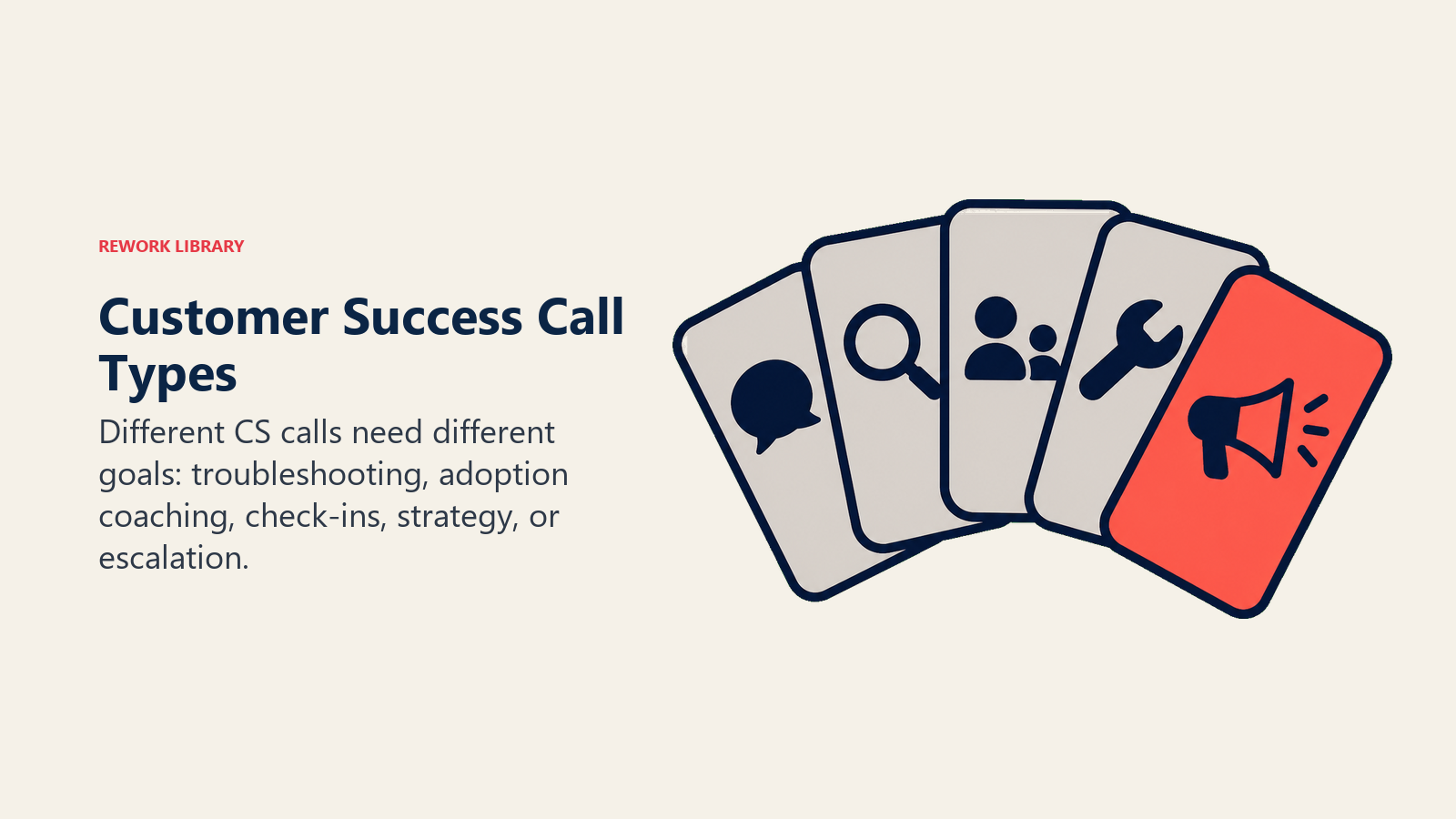
Troubleshooting dan technical support calls memperbaiki immediate problems. Seseorang tidak bisa login, feature tidak bekerja, integration gagal. Ini biasanya memakan 15-30 menit. Success berarti pelanggan unblocked dan issue tidak akan terjadi lagi.
Usage questions membantu pelanggan accomplish specific tasks. "Bagaimana cara membuat custom report?" atau "Bisakah Anda walk me through setting up automation?" Ini berjalan lebih lama, biasanya 20-45 menit, karena Anda tidak hanya showing them—Anda mengajar mereka untuk melakukannya independently nanti.
Best practice consultations mengoptimalkan bagaimana pelanggan menggunakan produk Anda. Mereka akan bertanya hal-hal seperti "Apakah kami menggunakan ini dengan benar?" atau "Bagaimana successful customers mendekati ini?" Anda menghabiskan 30-60 menit meningkatkan effectiveness dan efficiency mereka. Win adalah ketika mereka adopt better practices dan melihat improved results.
Feature discovery calls memperkenalkan capabilities yang tidak diketahui atau tidak digunakan pelanggan. Mungkin usage data mereka menunjukkan low feature adoption. Mungkin Anda spotted mereka building manual workarounds. Mungkin Anda baru saja launch sesuatu yang baru. 20-30 menit percakapan ini meningkatkan baik breadth maupun depth dari product usage. Success terlihat seperti pelanggan mencoba feature dan menemukan itu valuable.
Proactive check-ins membuat Anda ahead of problems. Anda schedule ini monthly atau quarterly, atau trigger ketika usage data menunjukkan decline, renewal approaching, atau major milestone hits. Habiskan 30-45 menit memastikan ongoing success sambil identifying risks dan opportunities. Pelanggan harus merasa supported, dan Anda harus memiliki accurate health picture.
Persiapan untuk Calls yang Penting
Great calls dimulai sebelum Anda dial. Habiskan 10-15 menit pada pre-call research dan actual conversation menjadi dramatically lebih efektif.
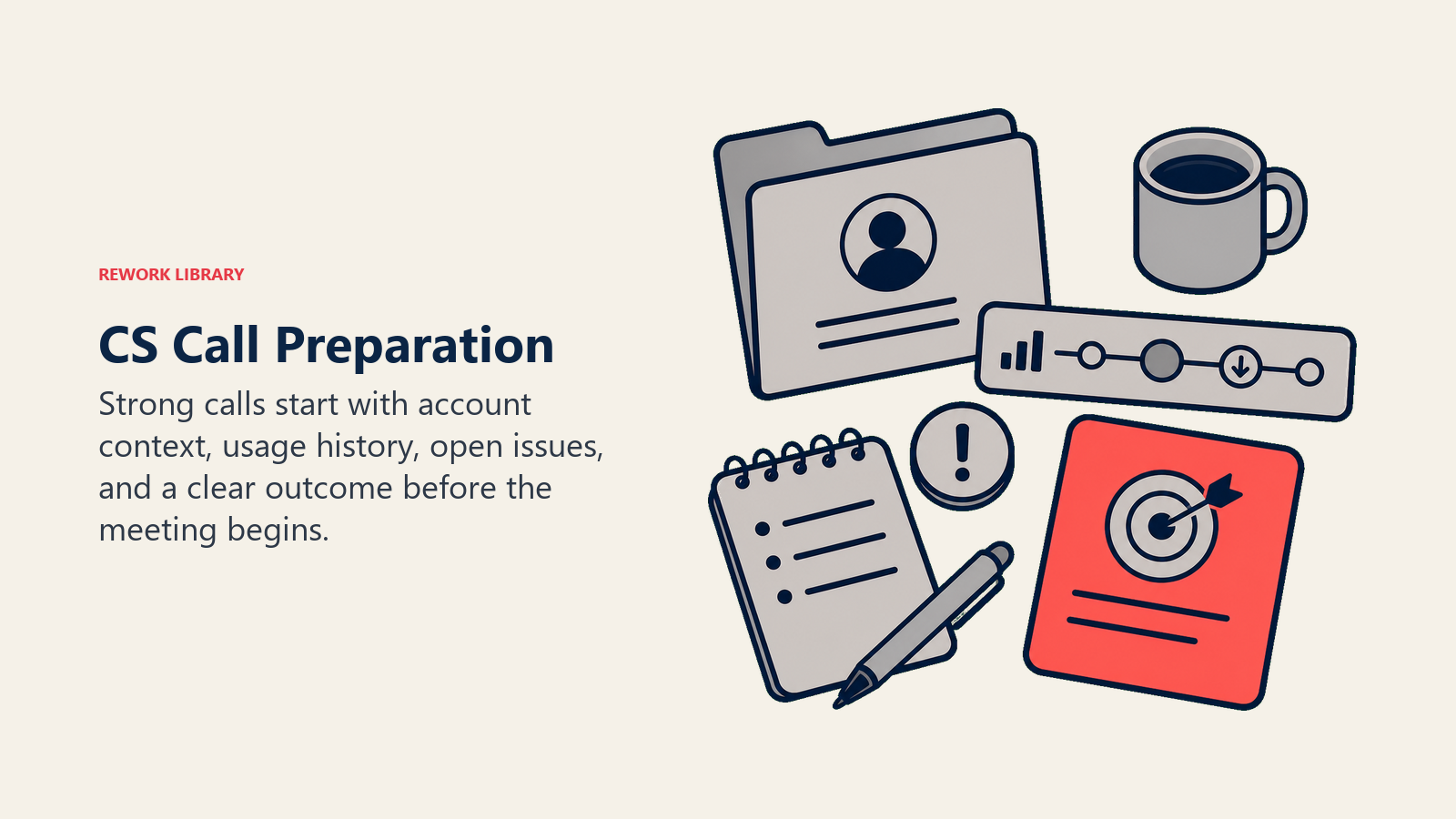
Mulai dengan account basics. Company size, industry, contract details (ARR, start date, renewal date), siapa yang membuat decisions, siapa yang actually menggunakan produk. Review previous calls dan notes. Context ini mencegah Anda bertanya questions yang seharusnya sudah Anda ketahui—yang membangun trust lebih cepat daripada apa pun.
Check recent activity. Last login dates, recent support tickets, recent emails, last CSM touchpoint. Anda mencari patterns. Apakah mereka engaged atau drifting away? Happy atau frustrated? Active atau quiet?
Lihat relationship history. Masalah apa yang telah Anda solve sebelumnya? Victories apa yang telah Anda celebrate bersama? Di mana mereka struggled? Notes dan observations Anda dari past interactions memberi tahu Anda apa yang diharapkan dan bagaimana mendekati percakapan ini.
Sekarang pull usage data dan get specific:
- Active users trending up atau down?
- Login frequency: daily, weekly, sporadic?
- Features mana yang mereka gunakan? Mana yang mereka abaikan?
- Session duration: quick checks atau deep work?
- Workflow completion rates: finishing tasks atau abandoning them?
Pola tertentu signal opportunities. Declining usage berarti Anda perlu memahami mengapa dan re-engage. Narrow feature usage menciptakan opening untuk expand. Manual workarounds menunjukkan mereka missing features yang bisa membantu. Heavy usage dari hanya basic features? Mereka siap untuk advanced training.
Inilah real scenario. Customer calls tentang reporting issues. Usage data menunjukkan mereka run reports daily (heavy user), tetapi manually export ke Excel setiap kali. Mereka tidak menggunakan automated scheduling feature. Opportunity: solve reporting issue DAN introduce automation. Save mereka 30 menit daily.
Watch untuk red flags dalam data. Error rates spiking, failed workflows, integration disconnects, multiple inactive users, support ticket volume increasing. Ini memerlukan proactive attention.
Behavioral red flags juga penting. Power user berhenti logging in? Usage declining week-over-week? Features yang mereka gunakan regularly sekarang abandoned? Session duration decreasing? Sesuatu berubah.
Relationship red flags lebih subtle. Stakeholder responsiveness dropped. Mereka skipping scheduled calls. Responses short dan terse. Negative sentiment dalam communications. Jangan tunggu mereka bring up problems—plan untuk bertanya tentang ini dalam call.
Siapkan relevant resources. Punya documentation links ready untuk likely topics. Screenshots atau videos untuk how-to questions. Templates atau examples untuk their use case. Best practice guides. Case studies dari similar customers.
Katakanlah customer di healthcare calling tentang workflow automation. Pull healthcare workflow templates. Temukan case study dari similar hospital. Punya compliance documentation ready. Siapkan examples dari HIPAA-compliant automations. Anda bisa share ini real-time selama call daripada forgettable "I'll send that later."
Set objectives sebelum Anda dial. Minimum goal: solve immediate issue. Ideal goal: solve issue + remove adoption barrier + identify expansion opportunity.
Tanyakan pada diri Anda empat pertanyaan:
- Apa yang ingin dicapai customer?
- Apa yang harus saya capai beyond their request?
- Seperti apa success?
- Follow-up actions apa yang mungkin diperlukan?
Customer's goal mungkin "fix integration sync." Your goal: fix sync + show webhook feature + understand reporting needs. Success: integration working + customer knows about webhooks + scheduled follow-up untuk reporting deep-dive.
Menjalankan Call
Dua menit pertama set seluruh tone. Gunakan opening framework ini:
"Hi [Name], terima kasih sudah luangkan waktu untuk connect. Saya lihat Anda reach out tentang [issue]. Sebelum kita jump in, saya ingin pastikan saya memahami apa yang Anda coba accomplish dan seperti apa success untuk call ini. Kemudian saya akan bantu Anda solve it dan lihat apakah ada hal lain yang bisa saya bantu saat kita bersama."
Set agenda dengan bertanya tiga pertanyaan:
- "Ceritakan apa yang terjadi dan apa yang Anda coba lakukan"
- "Seperti apa success untuk Anda hari ini?"
- "Berapa banyak waktu yang Anda punya?"
Ini menunjukkan Anda prepared dan focused. Ini set expectations. Ini memberi customer control. Dan ini membantu Anda plan percakapan.
Sekarang datang part paling penting: listening. Benar-benar listening, bukan hanya waiting untuk talk.
Biarkan customer finish. Jangan interrupt dengan solution Anda sebelum memahami full problem. Ketika mereka selesai, paraphrase back: "Jadi jika saya memahami dengan benar, Anda mencoba [X] tetapi [Y] happening instead?"
Tanyakan clarifying questions:
- "Bisakah Anda walk me through exactly apa yang Anda lakukan?"
- "Kapan ini mulai happening?"
- "Apakah ini affecting everyone atau specific users?"
- "Bagaimana ini impacting workflow Anda?"
Acknowledge frustration mereka. "Saya bisa lihat bagaimana itu frustrating—Anda mencoba get [task] done dan ini blocking Anda."
Kesalahan umum? Jumping ke solution sebelum fully understanding problem. Result: Anda solve wrong thing, miss root cause, customer stays frustrated. Better approach: spend 5-10 menit really understanding problem sebelum attempting solution.
Mendiagnosis dan Memperbaiki Issues
Bekerja secara sistematis melalui problems. Mulai dengan clarifying issue. Apa expected behavior? Apa yang actually happening? Kapan itu start? Apa yang berubah recently?
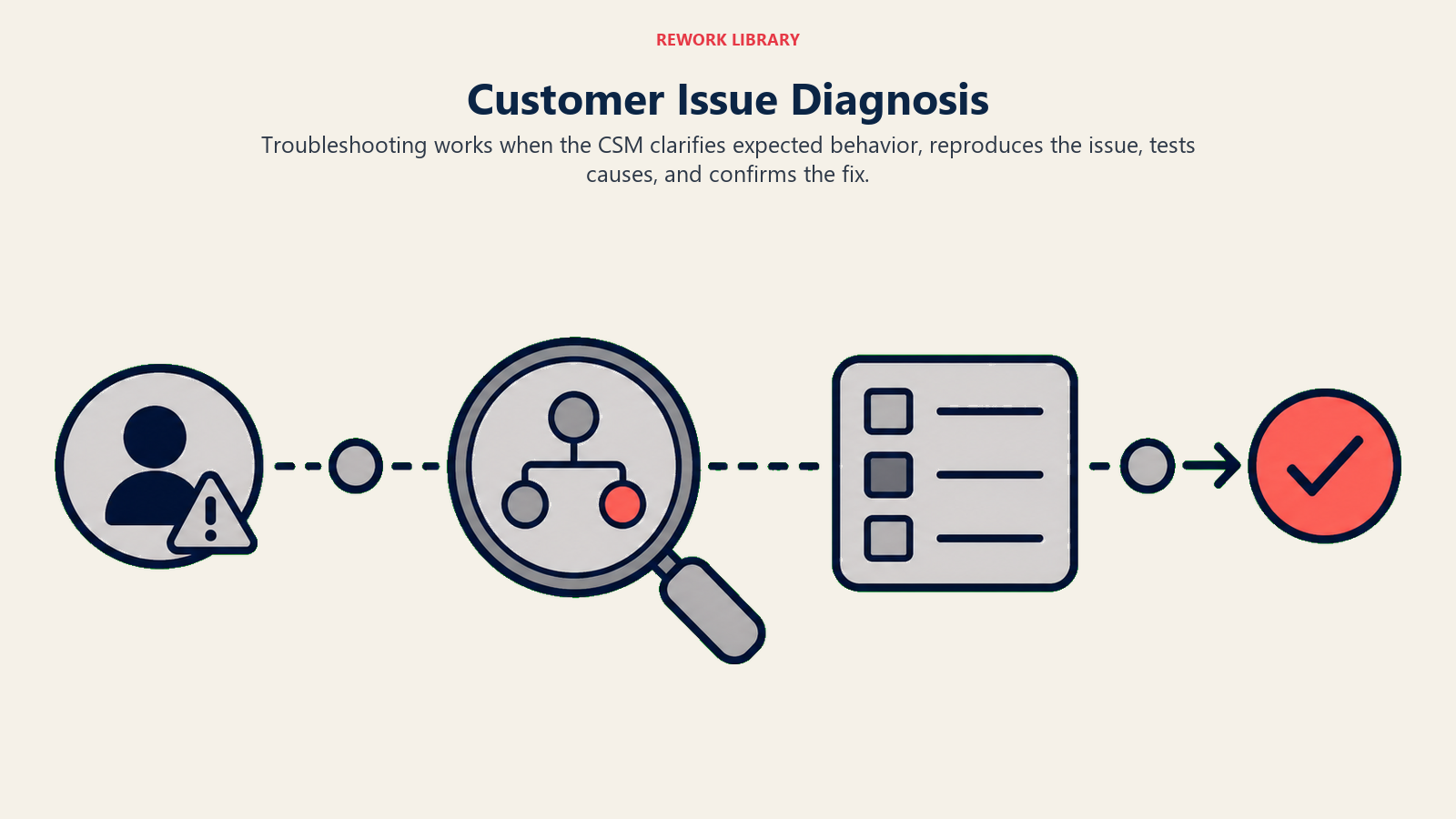
Reproduce problem. "Bisakah Anda show me apa yang Anda seeing?" atau "Let me try untuk reproduce ini di end saya." Anda perlu melihatnya sendiri untuk memahami exact conditions dan validate ketika fixed.
Isolate variables. Apakah affecting all users atau one? All data atau specific records? All features atau one workflow? Browser atau device specific?
Process of elimination memberi tahu Anda di mana to look:
- Everyone affected → system-wide issue
- One user → user-specific (permissions, settings, browser)
- Specific data → data quality atau edge case
- Intermittent → load-related atau external dependency
Inilah bagaimana ini plays out. Reports failing untuk one user tetapi tidak others. Test di different browser—masih fails. Test dengan different user's login—works fine. Isolated: user-specific, tidak browser-related. Check user permissions—missing report access. Root cause found: permissions.
Test solutions one at a time. Jika Anda change multiple things simultaneously dan problem fixes, Anda tidak akan tahu which change worked. Test immediately: "Let's test that now to see if it fixed it." Test thoroughly—specific scenario yang was broken, plus related scenarios untuk ensure Anda tidak break something else. Punya customer test untuk confirm mereka bisa do it too.
Jika first solution Anda tidak work, jangan panic. Try next hypothesis. Keep isolating variables.
Validate resolution dengan benar:
- Original problem tidak lagi occurs
- Customer bisa perform task successfully
- Customer memahami apa yang was fixed
- Similar scenarios juga work (tidak hanya edge case)
- Customer feels confident doing it independently
Tanyakan customer langsung: "Apakah itu resolve apa yang Anda trying to do? Apakah ada hal lain terkait ini yang harus kita test?"
Jangan rush off call. Stay on for 2-3 menit after fix untuk make sure tidak ada immediate issues pop up.
Mengubah Issues Menjadi Learning Opportunities
Setelah solving problem, jelaskan mengapa itu happened. "Ini occurred karena [root cause]. Inilah bagaimana avoid it di future." Teach prevention: "Untuk prevent ini, Anda bisa [preventive action]." Share best practices: "Most customers set ini up [this way] untuk avoid issue ini."
Ambil real scenario. Customer tidak bisa find exported file mereka. Anda show mereka exports folder. Jangan stop di sana. Educate: "Files export ke folder ini by default. Anda bisa change default location di settings jika Anda prefer. Juga, Anda bisa schedule reports untuk email automatically instead of manual export."
Result: issue solved + customer learned where exports go + discovered automated email option. Itu tiga wins dari satu problem.
Expanding Beyond the Fix
Jangan stop ketika problem solved. Saat Anda working on issue, tanyakan:
- "Apa lagi yang Anda trying to accomplish?"
- "Apa typical workflow Anda around ini?"
- "Apa yang Anda do after step ini?"
- "Apa yang takes most time di day Anda?"
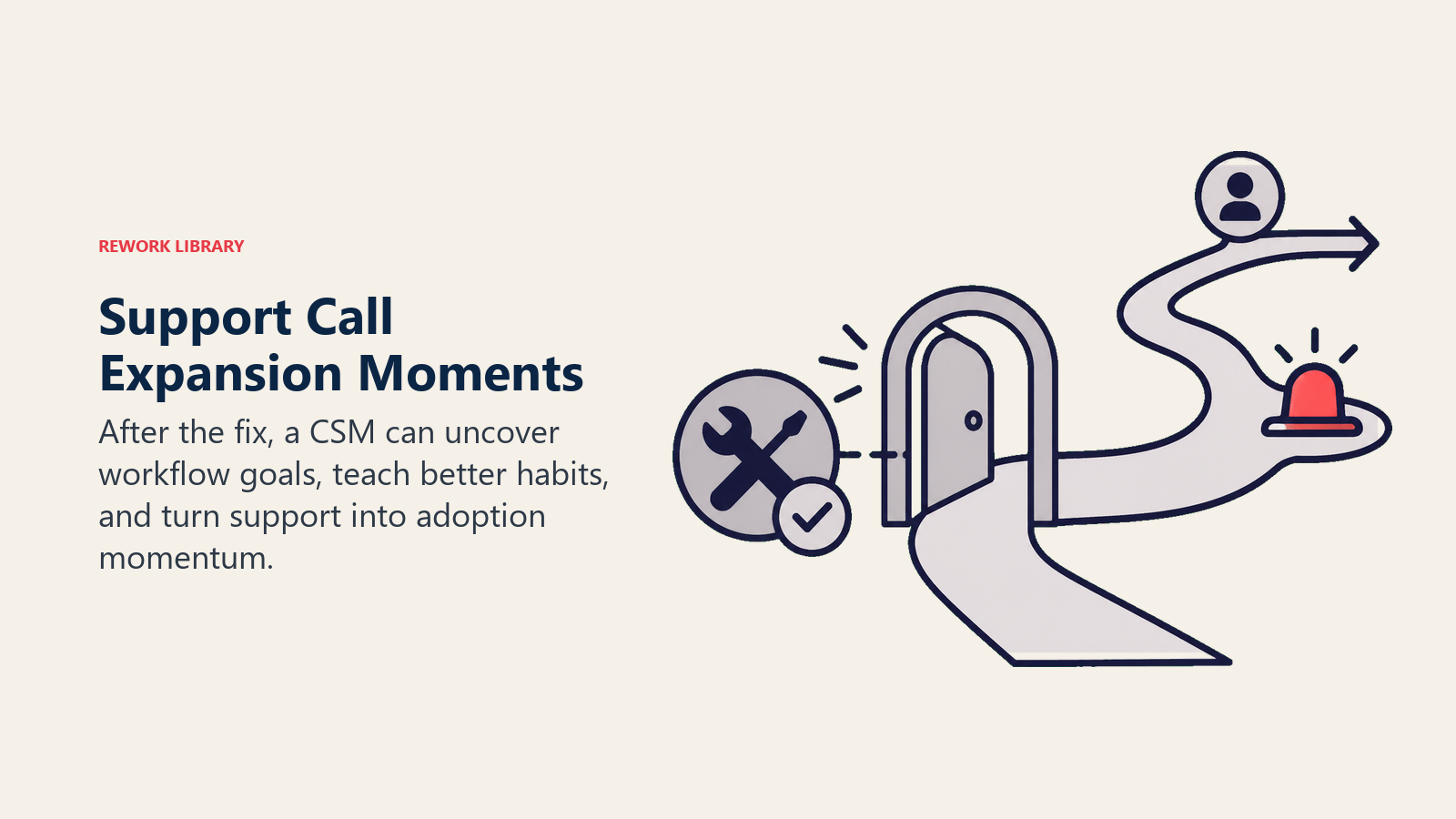
Listen untuk clues. Manual processes suggest opportunities untuk automation. Workarounds hint pada better ways. Frustrations reveal pain points untuk solve. Integration mentions create connection opportunities.
Anda helping customer dengan reporting. Mereka mention: "After I generate report ini, I copy it into spreadsheet dan send it to my team every Monday."
Opportunity identified. Mereka tidak know about scheduled automated emails. Mereka tidak know reports bisa export to exact format yang mereka need. Show automated scheduling. Save mereka 30 menit weekly.
Ketika Anda see inefficiency, speak up: "I noticed Anda doing [X]. Bisakah saya show Anda faster way?"
Acknowledge current method mereka works. Suggest alternative. Explain benefit (time saved, fewer errors, better results). Let mereka decide. "Here's option. Want me to show you, atau prefer to stick with your current approach?"
Customer secara manual updating 30 records individually. Your suggestion: "That works, tetapi Anda juga bisa use bulk edit untuk update all 30 at once. Would save about 20 menit. Want to see how?"
Gunakan framework ini untuk introducing features:
- Context: "I see Anda doing "
- Connection: "We have feature yang helps dengan "
- Value: "It would let you [benefit]"
- Invitation: "Want me to show you real quick?"
Customer struggling dengan manual data entry? "I notice Anda entering records ini one by one. We have bulk import feature yang would let you upload all dari CSV file—probably save Anda an hour. Want to see how it works?"
Jangan just dump feature list pada mereka. Introduce features yang solve problems mereka currently experiencing.
Share what other customers do. "Most customers di industry Anda use [approach]" atau "Teams getting best results do [this]" atau "I worked dengan company similar to yours—they set it up [this way] dan saw great results."
Offer templates dan examples. "Here's template dari another customer yang Anda bisa customize" atau "Let me show you example of how ini typically gets structured."
Ini positions Anda sebagai advisor, bukan just tech support.
Wrapping Up dan Following Through
Sebelum ending call, summarize apa yang Anda accomplished. "Today we fixed [X], set up [Y], dan Anda going to try [Z]."
Document action items clearly:
- CSM actions: "I'll send you documentation dan schedule follow-up"
- Customer actions: "You're going to test this with your team"
- Timeline: "Let's reconnect next week to see how it's going"
Schedule next call sebelum hanging up. Jangan rely on "I'll reach out later"—it gets forgotten.
Send follow-up email dalam 24 jam summarizing:
- What you discussed
- What you fixed atau implemented
- Resources you shared
- Action items (theirs dan yours)
- Next steps
Kapan dan Bagaimana Escalate
Beberapa issues butuh help beyond CSM level. Escalate ketika Anda hit bugs atau product defects, performance atau reliability issues, integration failures (bukan configuration issues), data corruption atau loss, security concerns, atau urgent feature requests yang block critical work.
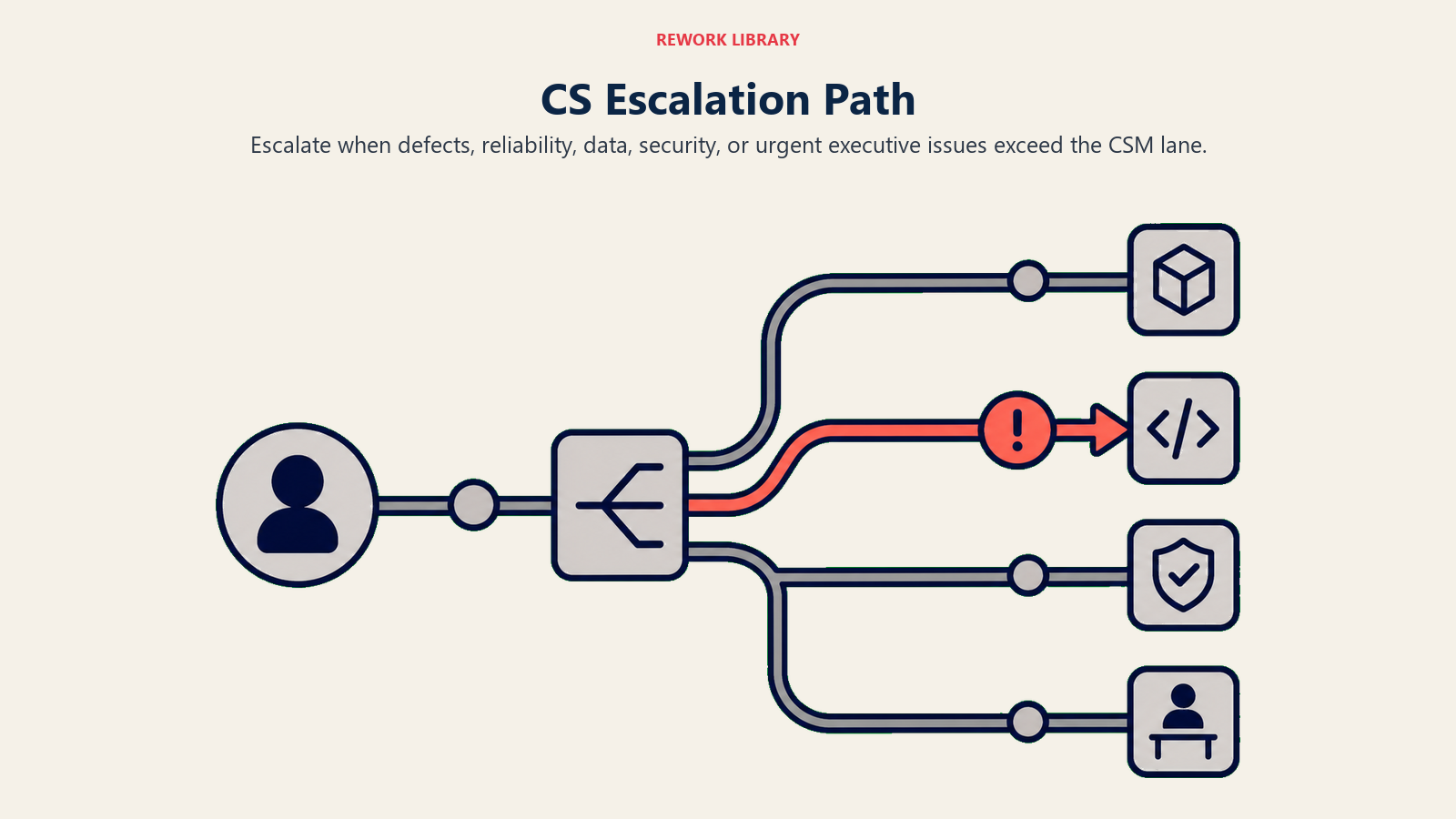
Jangan escalate user errors (training issues), configuration problems yang Anda bisa fix, atau process questions (education issues). Judgment call: jika Anda spent 30+ menit troubleshooting without progress, consider escalation.
Document thoroughly sebelum escalating. Provide exact steps to reproduce, error messages dengan screenshots, environment details (browser, OS, etc.), data samples jika relevant, troubleshooting steps yang Anda already took, dan customer impact plus urgency.
Gunakan proper channels. Support ticket system untuk bugs. Engineering Slack untuk urgent issues. Product team untuk feature requests. Manager Anda untuk account risks.
Provide context tentang customer importance (ARR, renewal date), business impact (how many people affected), dan urgency (blocking work vs. nice-to-fix).
Be clear tentang what you need: diagnosis (what's wrong?), fix (when can it be resolved?), workaround (interim solution?), dan communication (what can I tell the customer?).
Sementara issue being investigated, manage customer expectations dengan hati-hati. "I've escalated this to our engineering team. They'll investigate dan I should have update for you by [timeframe]." Jika resolution will take time: "This may take a few days to fully resolve. In the meantime, here's workaround."
Jangan over-promise. Avoid: "I'm sure this will be fixed by tomorrow." Better: "Team will investigate today. I'll update you as soon as I know more."
Provide status updates bahkan when there's no resolution yet. "Just wanted to let you know this is still being investigated. Engineering is working on it." Atau: "Update: We've identified the issue. Working on fix now. Target: end of week."
Silence creates anxiety. Regular updates build trust.
Anda own issue sampai resolved, bahkan after escalation. Anda adalah customer's point of contact. Anda track progress dengan engineering. Anda communicate updates to customer. Anda validate solution when available. Anda follow up to confirm resolution.
Jangan ghost customer dengan "I escalated it to engineering" kemudian disappear. Stay engaged. Check in dengan engineering daily. Update customer every 2-3 hari minimum. Test solution sebelum deploying to customer. Schedule call untuk implement fix together.
Mendokumentasikan Segala yang Penting
Document di CRM Anda immediately after call. Gunakan simple template ini:
Date: 2026-06-23
Attendees: [Names]
Topic: [Brief description]

Issue: [What customer reported]
Root Cause: [Why it was happening]
Resolution: [What was done to fix]
Outcome: [Confirmed working, customer satisfied]
Keep it concise. CSM lain should be able to read it dalam 30 detik dan understand full context.
Track commitments clearly:
CSM Actions:
- Send documentation on bulk import (By: tomorrow)
- Follow up on integration error with engineering (By: this week)
- Schedule advanced training session (By: this week)
Customer Actions:
- Test bulk import with sample data
- Share results with team
- Provide feedback on new workflow
Ini creates accountability. Nothing falls through cracks. Follow-up becomes easier.
Plan next steps across three timeframes:
Immediate (24 hours): Send follow-up email dengan summary dan resources.
Short-term (1 week): Check in on customer action items. Verify solution still working.
Long-term (1 month): Scheduled check-in atau QBR. Track impact dari changes made.
Document di CRM: "Scheduled follow-up call for July 1 to review adoption of bulk import feature dan discuss reporting automation."
Jika issue was novel atau common, create knowledge base article. Title it "How to [solve problem]." Include problem description, step-by-step solution, screenshots atau video, dan related resources.
Ini enables self-service untuk future customers. Ini becomes onboarding resource. Ini serves sebagai CSM training material. Ini reduces support volume. Dan jika solution was similar tetapi slightly different to existing article, update article itu dengan edge case.
Log comprehensive call details di CRM Anda: summary of call, issues discussed dan resolved, features introduced, customer sentiment, adoption barriers identified, opportunities discovered (expansion, advocacy), risks identified (usage concerns, competitor mentions), dan follow-up plan Anda.
Consistent logging enables next CSM untuk pick up context easily. Manager Anda bisa spot trends. Health scores stay accurate. Renewal preparation becomes informed. Executive reporting has actual data.
Common Problems yang Akan Anda Lihat Berulang-ulang
Login dan access problems show up constantly. Forgotten passwords, locked accounts, SSO tidak working, insufficient permissions, users tidak provisioned. Quick fixes: password reset, unlock account, re-provision user, adjust permissions.
While fixing access, turn it menjadi adoption opportunity. Confirm mereka di right role atau group. Check jika mereka received onboarding. Tanyakan jika mereka know how to get started. Offer quick orientation jika mereka new user.
Feature confusion biasanya sounds like "I can't figure out how to do X" atau "This doesn't work." Actually, mereka using it incorrectly. Minta mereka untuk show Anda what mereka trying. Identify where understanding breaks down. Show correct approach. Explain why—so mereka understand, not just follow steps.
Prevention: create how-to guide untuk feature ini. Improve in-product guidance. Add to onboarding jika commonly misunderstood.
Integration atau data sync issues kill adoption faster than anything. Jika product tidak deliver value karena data wrong, people stop using it. Common problems: data tidak syncing, sync errors, duplicate records, missing data, outdated data.
Troubleshoot dengan checking integration connection status, reviewing error logs, checking mapping configuration, verifying permissions on both systems, dan testing manual sync. Fix these fast.
Performance atau reliability concerns drive customers away. Slow load times, timeouts, frequent errors, crashes, inconsistent behavior. Gather specifics (when, how often, which features). Check system status (outage?). Test on your end (can you reproduce?). Document dan escalate to engineering jika product-side issue.
While it's being fixed, provide workarounds: alternative workflows, reduced load (smaller data sets, fewer filters), different browser atau device. Escalate aggressively karena performance issues are retention killers.
Workflow inefficiencies surface ketika customers say "This takes too long" atau "There's too many steps." Watch mereka do workflow. Identify inefficiencies—are mereka missing faster approach? Check jika product limitation atau user approach.
Show faster methods (keyboard shortcuts, bulk actions). Introduce automation features. Suggest process changes. Escalate to product jika legitimate UX issue.
Real scenario: Customer manually entering 50 records daily. Didn't know bulk import existed. Showed CSV import feature. Saved 90 menit per day.
Missing capabilities atau features happen ketika customers want something product Anda tidak have. Empat possible outcomes:
Feature exists tetapi mereka don't know—show mereka. Feature doesn't exist tetapi workaround does—teach workaround. Feature doesn't exist tetapi on roadmap—share timeline. Feature doesn't exist dan tidak planned—explain why, offer alternative.
Always log it di product feedback system Anda. Understand use case (why they need it). Share dengan product team Anda. Follow up dengan customer when dan jika it gets built. Find interim solution jika possible.
Jika missing capability blocks value realization, they may churn. Find workarounds atau escalate urgency.
Mengukur Apa yang Benar-benar Penting
Track resolution rate Anda. Berapa percentage of issues yang Anda resolve on first call? Calculate it: issues resolved on call ÷ total calls × 100. Benchmark: 75-85% first-call resolution is strong.
Low resolution rate might mean issues terlalu complex, escalation needed frequently, ada CSM training gap, atau product quality issues exist. Track trend over time. Apakah Anda improving atau declining?
Measure time to resolution. Average time dari issue reported to fully resolved. Same-call resolution: 0 hours (resolved during call). Same-day resolution: under 8 hours. Multi-day resolution: track days until closed.
Long resolution times create customer frustration, lost productivity, dan adoption risk. Minimize time to resolution.
Send post-call survey. Ask customers (1-5 scale): "How satisfied were you with today's call?" "Did we resolve your issue?" "How likely are you to use [feature/product] after this call?"
Track average satisfaction score, trends over time, dan correlation with resolution rate. Low scores? Investigate why dan improve.
Most importantly, measure adoption impact. Did call drive adoption? Track features introduced during call, features adopted after call (check usage data), dan usage changes (before vs. after call).
Ambil scenario ini: call about reporting issues. Anda introduced automated scheduling. 14 hari later, check jika customer using automated scheduling. Yes = adoption impact. No = follow up.
CSM terbaik make sure every call increases adoption dan value realization.
Track follow-up completion. Berapa percentage of committed follow-ups yang Anda complete on time? Track CSM commitments (send docs, schedule training, etc.), completion rate, dan on-time rate.
Goal: 100% completion, 95%+ on-time. Incomplete follow-ups erode trust, signal disorganization, dan hurt retention.
Bottom Line
Customer success calls bukan just reactive support. Mereka adoption opportunities disguised as help requests.
Teams yang treat calls sebagai adoption accelerators achieve:
- 80%+ first-call resolution (efficient problem-solving)
- 40% higher feature adoption (education during calls)
- 30% fewer repeat issues (root cause fixes + prevention)
- Higher customer satisfaction dan retention
Teams yang treat calls sebagai purely reactive support experience:
- Repeat tickets (surface fixes, not root cause)
- Missed adoption opportunities
- Frustrated customers
- High support volume
Fundamentals:
- Prepare using context dan usage data
- Listen deeply sebelum solving
- Fix root cause, not symptom
- Educate dan expand beyond immediate issue
- Document thoroughly untuk team dan customer
- Follow up on commitments
- Measure impact dan improve
Turn every support request menjadi adoption win. Retention Anda depends on it.
Siap untuk level up CS calls Anda? Explore adoption fundamentals, adoption barriers identification, dan tips best practices sharing.
Learn more:

Senior Operations & Growth Strategist
On this page
- Memahami Berbagai Tipe Call
- Persiapan untuk Calls yang Penting
- Menjalankan Call
- Mendiagnosis dan Memperbaiki Issues
- Mengubah Issues Menjadi Learning Opportunities
- Expanding Beyond the Fix
- Wrapping Up dan Following Through
- Kapan dan Bagaimana Escalate
- Mendokumentasikan Segala yang Penting
- Common Problems yang Akan Anda Lihat Berulang-ulang
- Mengukur Apa yang Benar-benar Penting
- Bottom Line