Mejores alternativas a Help Scout en 2026: 10 herramientas de soporte para equipos que necesitan más que email
Turn this article into takeaways for your work.


Each assistant summarizes the article only for you and suggests best practices for your work.
Help Scout construyó su reputación sobre una sola promesa: lograr que el soporte por email se sienta humano. Sin números de ticket, sin respuestas automáticas robóticas. Solo bandejas compartidas limpias e hilos de conversación que se sienten como email de verdad. Para equipos de soporte pequeños con workflows solo por email, esa filosofía funciona bien.
Pero muchos equipos lo superan. Cuando los clientes empiezan a escribir por chat, redes sociales y SMS además del email, el diseño de Help Scout centrado en el email se convierte en una restricción. Cuando necesita chatbots de IA para desviar consultas repetitivas, la automatización básica se queda corta. Cuando su equipo de ventas pregunta si un cliente tiene tickets de soporte abiertos, Help Scout no tiene respuesta. Si es un manager que intenta construir un dashboard de reportes más allá de las métricas estándar, chocará rápido con límites. La herramienta se creó para un trabajo específico, y lo hace bien. Pero los equipos que necesitan más de su stack de soporte suelen terminar trabajando alrededor de Help Scout en lugar de con él.
Esta guía presenta 10 alternativas que vale la pena evaluar en 2026, empezando por Freshdesk. Cada entrada cubre la filosofía del producto, el público objetivo, el ajuste por etapa de la empresa, los precios y un balance honesto de pros y contras.
Tabla comparativa rápida
| Herramienta | Ideal para | Precio inicial | Fortaleza principal | Limitación principal |
|---|---|---|---|---|
| Freshdesk | Equipos en crecimiento que quieren omnicanal a bajo costo | $19/agente/mes (Growth, anual) | Omnicanal desde el primer día, sesiones de IA incluidas | La interfaz puede sentirse saturada a escala |
| Rework | Equipos medianos que necesitan CRM + soporte en una sola plataforma | Desde $159/mes con facturación anual, 5 seats de marketing + 5 de ventas (rework.com/pricing) | CRM unificado, gestión de leads, bandeja de chat | Las bandejas de equipo de email son básicas; sin base de conocimientos |
| Zendesk | Equipos empresariales con operaciones de soporte complejas | $55/agente/mes (Suite Team, anual) | El conjunto de funciones más profundo, enorme marketplace de apps | Pesado, costoso, excesivo para pymes |
| Intercom | Equipos SaaS product-led centrados en el engagement con el cliente | $29/usuario/mes (Essential, anual) | Mensajería proactiva + soporte + chatbot de IA | Se encarece rápido a medida que escala |
| Front | Equipos que gestionan email de alto volumen en varias bandejas | $25/usuario/mes (Starter, anual) | Colaboración multibandeja, secuencias, analíticas | Centrado principalmente en el email |
| HubSpot Service Hub | Equipos que ya usan HubSpot CRM y quieren soporte nativo | Gratis (básico) | Integración nativa con el CRM, vista unificada del cliente | Funciones de servicio más débiles que las herramientas dedicadas |
| Hiver | Equipos pequeños que quieren funciones de helpdesk dentro de Gmail | $15/usuario/mes | Sin cambio de contexto, funciona dentro de Gmail | Solo Gmail, limitado para equipos que no usan Google |
| Crisp | Startups que necesitan chat + email a precios accesibles | Gratis (2 usuarios) | Económico, buen chat, buena automatización | Reportes básicos |
| Kayako | Equipos que quieren soporte basado en el recorrido del cliente con contexto | $125/usuario/mes (Enterprise) | Vista completa del recorrido del cliente en cada ticket | Interfaz anticuada, ritmo de desarrollo lento |
| Missive | Equipos pequeños que quieren email colaborativo con chat de equipo | $14/usuario/mes | Combina chat de equipo + email en una sola ventana | No es un helpdesk real; sin sistema de tickets |
Matriz de ajuste por etapa
| Herramienta | Startup (1-20) | Crecimiento (20-100) | Mercado medio (100-500) | Gran empresa (500+) |
|---|---|---|---|---|
| Freshdesk | Sólido | Sólido | Bueno | Moderado |
| Rework | Bueno | Sólido | Sólido | Moderado |
| Zendesk | Deficiente (costo) | Bueno | Sólido | Mejor opción |
| Intercom | Bueno | Sólido | Bueno | Moderado |
| Front | Bueno | Sólido | Bueno | Moderado |
| HubSpot Service Hub | Moderado | Bueno | Sólido | Bueno |
| Hiver | Mejor opción | Bueno | Moderado | Deficiente |
| Crisp | Mejor opción | Bueno | Moderado | Deficiente |
| Kayako | Deficiente | Moderado | Bueno | Bueno |
| Missive | Mejor opción | Bueno | Moderado | Deficiente |
Tabla de tamaño y perfil de comprador
| Herramienta | Tamaño de equipo ideal | Quién la compra | Industria ideal |
|---|---|---|---|
| Freshdesk | 5-500 empleados | Support Manager, IT Manager | E-commerce, tecnología, pymes de cualquier sector |
| Rework | 15-300 empleados | COO, VP Operations, Sales Ops | SaaS B2B, agencias, servicios profesionales |
| Zendesk | 50-10,000+ empleados | VP Customer Success, CIO | SaaS empresarial, servicios financieros, retail |
| Intercom | 20-500 empleados | VP Product, Head of CS | SaaS product-led, apps de consumo |
| Front | 10-300 empleados | Operations Manager, CS Lead | Logística, agencias, operaciones financieras |
| HubSpot Service Hub | 10-500 empleados | RevOps, CS alineado con marketing | SaaS B2B, empresas con enfoque inbound |
| Hiver | 3-50 empleados | Office Manager, CS Manager | Agencias, pymes en Google Workspace |
| Crisp | 1-30 empleados | Fundador, Head of CS | SaaS en etapa inicial, e-commerce |
| Kayako | 50-500 empleados | IT Director, Support Ops | Gran empresa tradicional, industrias reguladas |
| Missive | 2-30 empleados | Fundador, Operaciones | Agencias, consultoría, equipos de operaciones pequeños |
Por qué los equipos abandonan Help Scout
Antes de ver las alternativas, conviene nombrar los motivos concretos por los que los equipos cambian. Help Scout no es un mal producto. Ciertas carencias simplemente empujan a los equipos en crecimiento a buscar en otro lado:
| Punto de dolor | Qué significa en la práctica |
|---|---|
| Filosofía solo de email | Sin widget de chat en vivo nativo, soporte limitado de SMS o canales sociales |
| Automatización básica | Solo workflows basados en reglas; sin enrutamiento ni desvío con IA |
| Sin chatbot de IA | No puede desviar automáticamente las preguntas de nivel 1; cada consulta requiere a una persona |
| Reportes limitados | Métricas estándar de CSAT y volumen, pero sin dashboards personalizados ni análisis de embudo |
| Sin integración con CRM | Los equipos de soporte y ventas trabajan en silos; sin registro unificado del cliente |
| Límites de conversaciones en planes de crecimiento | El precio por conversación en planes antiguos toma desprevenidos a los equipos |
| Sin mensajería proactiva | No puede enviar mensajes in-app segmentados ni secuencias de onboarding |
1. Freshdesk: soporte omnicanal a precios accesibles para pymes
La filosofía de Freshdesk es el omnicanal accesible: dar a los equipos más pequeños las mismas capacidades multicanal que ofrecen las herramientas empresariales, sin el precio ni la complejidad de implementación. Ha sido el producto de soporte insignia de Freshworks durante más de una década y tiene un amplio conjunto de funciones que incluye email, chat, teléfono, redes sociales y WhatsApp desde una sola interfaz.
El nivel gratuito es real y utilizable, no una demo recortada. Para equipos con menos de 10 agentes que gestionan workflows de soporte estándar, Freshdesk Free cubre lo básico sin ningún costo. Eso lo convierte en una opción popular para empresas en etapa inicial que necesitan algo más que el reenvío de emails pero aún no están listas para comprometerse con un helpdesk de pago.
En los planes de pago, Freshdesk añade enrutamiento de tickets con IA (Freddy AI), workflows de automatización, gestión de SLA y seguimiento de CSAT. El plan Growth a $15/agente/mes ofrece muy buena relación calidad-precio por lo que incluye. Para ver en detalle dónde aparecen los propios techos de Freshdesk, las mejores alternativas a Freshdesk desglosan el problema de fragmentación de Freshworks.
La debilidad se nota a escala. A medida que crece el volumen de tickets y los workflows se complican, la interfaz puede sentirse saturada. El constructor de automatizaciones funciona, pero no es el más intuitivo de configurar. Los equipos empresariales con necesidades de reportes personalizados o árboles de escalamiento complejos suelen encontrar los límites de Freshdesk antes de lo que quisieran.
| Lo que obtiene | Lo que no obtiene |
|---|---|
| Omnicanal real desde el primer día | Interfaz limpia y moderna con alto volumen |
| Generoso nivel gratuito | Constructor de automatizaciones intuitivo |
| Enrutamiento y desvío con IA (Freddy AI) | Reportes personalizados profundos |
| Sólida biblioteca de integraciones | Integración fluida con CRM (Freshsales es un producto aparte) |
| Seguimiento de SLA y reglas de escalamiento | Cumplimiento de nivel empresarial desde el inicio |
Precios: Growth: $19/agente/mes. Pro: $55/agente/mes. Enterprise: $89/agente/mes. Todos facturados anualmente, con 500 sesiones/mes del agente de IA Freddy incluidas.
Ideal para: Equipos de pymes y en etapa de crecimiento que quieren soporte omnicanal sin precios empresariales. No recomendado para: Equipos que buscan una única plataforma unificada de CRM + soporte. Freshsales y Freshdesk son productos separados.
2. Rework: CRM y soporte unificados para equipos de operaciones medianos
Help Scout se diseñó para equipos de soporte. Rework se diseñó para equipos de operaciones que necesitan soporte, ventas y coordinación entre equipos bajo un mismo techo. La filosofía del producto es que las conversaciones con los clientes no deben aislarse por departamento. Su agente de soporte debería ver si un cliente tiene deals abiertos, su representante de ventas debería ver los tickets sin resolver, y su manager debería ver ambos en un solo dashboard.
El núcleo es una bandeja de chat, Rework Prospect, que reúne WhatsApp, Messenger, Instagram, TikTok, Telegram, LINE, Zalo y un widget de chat en vivo para el sitio web en una sola cola, con reglas de enrutamiento, plazos de SLA y agentes de IA (en beta) que responden preguntas rutinarias a partir de sus propias fuentes de conocimiento. El email funciona en una app aparte, Rework Mail, cuyas bandejas de equipo permiten asignar, responder y cerrar una dirección de soporte compartida, aunque son más sencillas que la bandeja de Help Scout: sin borradores, sin envíos programados y sin ayuda de IA dentro de ellas. No hay SMS, teléfono ni una base de conocimientos de cara al cliente como Help Scout Docs. Sobre eso se apoya una capa de gestión de leads y CRM, que es donde Rework se diferencia de los helpdesks puros. Si su equipo pierde deals porque soporte descuida el seguimiento, o si su equipo de ventas se lleva sorpresas con clientes molestos, Rework cierra esa brecha. La guía de configuración de bandeja multicanal explica cómo configurar el enrutamiento para que soporte y ventas no se pisen.
Rework encaja mejor en la etapa de crecimiento y mercado medio, aproximadamente entre 15 y 300 empleados, cuando la carga de gestionar herramientas separadas de ventas y soporte empieza a doler.
| Lo que obtiene | Lo que no obtiene |
|---|---|
| Bandeja de chat en 11 canales, más bandejas de equipo de email | Funciones profundas de seguridad y cumplimiento empresarial |
| CRM y gestión de leads integrados | Marketplace de más de 1,000 integraciones de terceros |
| Workflows entre equipos y asignación de tareas | Reconocimiento de marca tradicional en las compras de TI |
| Reportes que cubren soporte y ventas | Una base de conocimientos de cara al cliente |
| Precios de mercado medio sin costos por conversación | SMS, telefonía o funciones de call center |
Precios: Revenue Engine (CRM, bandeja omnicanal y captación de leads) cuesta $159/mes con facturación anual ($1,908/año) o $190 mes a mes, con 5 seats de marketing y 5 de ventas incluidos. La bandeja por sí sola es el Marketing Engine, desde $99/mes con facturación anual. Prueba gratuita de 14 días. Consulte rework.com/pricing.
Ideal para: Equipos B2B en etapa de crecimiento que necesitan soporte y sales ops en una sola plataforma. No recomendado para: Helpdesk de TI puramente empresarial, o equipos que solo necesitan soporte por email sin necesidad de CRM.
3. Zendesk: profundidad empresarial para operaciones de soporte complejas
Zendesk es el líder del mercado en soporte empresarial, y su filosofía de producto lo refleja: construir el helpdesk más configurable, extensible y completo posible, y dejar que los equipos lo personalicen para cualquier workflow. El resultado es una plataforma que puede manejar prácticamente cualquier escenario de soporte, pero que requiere mucho tiempo de configuración y presupuesto para desbloquear ese potencial.
El marketplace de apps de Zendesk tiene más de 1,500 integraciones. Los reportes son realmente profundos: dashboards personalizados, análisis de embudo, scorecards de desempeño de agentes. El motor de automatización puede manejar workflows complejos de varios pasos que harían fallar a otras herramientas. Si tiene un equipo dedicado de operaciones de soporte y el presupuesto correspondiente, Zendesk ofrece capacidades que la mayoría de las alternativas no alcanza. Pero si el costo es la preocupación, conviene leer las mejores alternativas a Zendesk antes de firmar un contrato de Suite Professional.
Con 10 agentes y 200 tickets por semana, está pagando por una infraestructura que no necesita. El precio inicial de $55/agente/mes se acumula rápido, y las mejores funciones están bloqueadas en los niveles superiores. Implementarlo sin un consultor es posible, pero penoso en configuraciones complejas.
| Lo que obtiene | Lo que no obtiene |
|---|---|
| El conjunto de funciones más profundo de la categoría | Precios asequibles para equipos pequeños |
| Más de 1,500 integraciones | Configuración y onboarding sencillos |
| Reportes y dashboards personalizados | Sensación de ligereza (es una plataforma pesada) |
| Funciones empresariales de SLA y cumplimiento | Soporte ágil del propio Zendesk |
| Capacidades de IA y bots (Zendesk AI) | Precios transparentes en los planes empresariales |
Precios: Support Team: $19/agente/mes. Suite Team: $55/agente/mes. Suite Professional: $115/agente/mes. Suite Enterprise: personalizado. Todos facturados anualmente.
Ideal para: Equipos empresariales con operaciones de soporte dedicadas, workflows de escalamiento complejos y el presupuesto correspondiente. No recomendado para: Equipos pequeños, startups en etapa inicial o quienes necesitan una configuración rápida.
4. Intercom: engagement proactivo para equipos SaaS product-led
Intercom construyó su reputación sobre una idea distinta a la de la mayoría de los helpdesks: el soporte no es solo reactivo. La filosofía del producto es que el éxito del cliente empieza antes de que alguien envíe un ticket, con mensajes in-app proactivos, flujos de onboarding y contacto segmentado según el comportamiento del usuario. Para las empresas SaaS product-led, esa filosofía es realmente diferenciadora.
La plataforma combina bandeja compartida, chat en vivo, un chatbot de IA (Fin), mensajería in-app, tours de producto y datos básicos de CRM en una sola interfaz. El chatbot de IA es uno de los mejores de la categoría. Puede resolver entre el 40% y el 50% de las consultas de nivel 1 sin intervención humana cuando está bien entrenado, lo que reduce de forma significativa la carga de los equipos de soporte. Para ver con más detalle dónde la facturación por resolución genera sorpresas en el presupuesto, las mejores alternativas a Intercom lo cubren a fondo.
El reto de Intercom es el precio. El plan Starter a $29/usuario/mes parece razonable, pero las funciones que la mayoría de los equipos en crecimiento realmente necesita (automatizaciones avanzadas, reportes, varias bandejas) lo empujan rápido a niveles superiores.
| Lo que obtiene | Lo que no obtiene |
|---|---|
| Sólido chatbot de IA (Fin) | Precios predecibles a escala |
| Mensajería proactiva y flujos in-app | Funciones profundas de gestión de tickets |
| Bandeja multicanal | Gestión tradicional de SLA |
| Tours de producto y secuencias de onboarding | Profundidad en soporte offline / asíncrono |
| Segmentación conductual basada en datos de usuario | Opciones económicas para casos de uso solo de soporte |
Precios: Essential: $29/usuario/mes. Advanced: $85/usuario/mes. Expert: $132/usuario/mes. Complemento Fin AI: $0.99/resolución. Todos facturados anualmente.
Ideal para: Empresas SaaS product-led que quieren combinar soporte con engagement proactivo con el cliente. No recomendado para: Equipos que solo necesitan soporte reactivo. Las fortalezas de Intercom se desperdician en la gestión pura de bandeja.
5. Front: gestión colaborativa de email para equipos de operaciones de alto volumen
La filosofía de Front es que el email sigue siendo el canal principal de comunicación empresarial, así que en lugar de reemplazarlo con un sistema de tickets, hacen que la colaboración por email sea nativa. Front parece un cliente de correo, pero añade bandejas compartidas, comentarios internos, workflows de asignación y capas de analíticas.
Donde Help Scout gestiona una bandeja con limpieza, Front gestiona muchas. Los equipos de operaciones que manejan de 10 a 20 bandejas a la vez (direcciones separadas para soporte, facturación, alianzas, logística) encuentran realmente útil la arquitectura multibandeja de Front. Las secuencias (cadenas automáticas de emails de seguimiento) y las reglas lo hacen funcional tanto para contacto saliente como entrante.
Las analíticas son sólidas para una herramienta centrada en el email. El seguimiento de tiempos de respuesta, las métricas de conversación y los reportes de carga de trabajo del equipo son claramente mejores que los predeterminados de Help Scout. La integración con CRMs como Salesforce y HubSpot permite a los agentes ver datos de deals junto a las conversaciones. Y si el costo por usuario de Front es la preocupación, las mejores alternativas a Front muestran dónde deja de funcionar la cuenta de precios para equipos medianos.
| Lo que obtiene | Lo que no obtiene |
|---|---|
| La mejor gestión multibandeja de su categoría | Omnicanal nativo (chat, SMS, redes sociales) |
| Comentarios internos en los emails | Gestión real de tickets/SLA |
| Secuencias para seguimiento saliente | Chatbot de IA o desvío |
| Sólidas analíticas y reportes | Configuración sencilla (la curva de aprendizaje es real) |
| Buena integración con CRM (Salesforce, HubSpot) | Precios económicos (parte de $29/usuario/mes) |
Precios: Starter: $25/usuario/mes (hasta 10 usuarios). Professional: $65/usuario/mes (hasta 50 usuarios). Enterprise: $105/usuario/mes. Todos facturados anualmente.
Ideal para: Equipos de operaciones y CS que gestionan varias bandejas de email de alto volumen con necesidades de colaboración. No recomendado para: Equipos que necesitan chat en vivo o multicanal como canales principales.
6. HubSpot Service Hub: integración nativa con el CRM para equipos con enfoque inbound
Toda la propuesta de valor de HubSpot Service Hub es el CRM. Si su empresa ya usa HubSpot Marketing y Sales, añadir Service Hub le da un registro unificado del cliente en cada punto de contacto: emails de marketing abiertos, deals en el pipeline y tickets de soporte activos. Esa visibilidad de todo el embudo es realmente útil para los equipos que quieren entender la salud del cliente de forma integral.
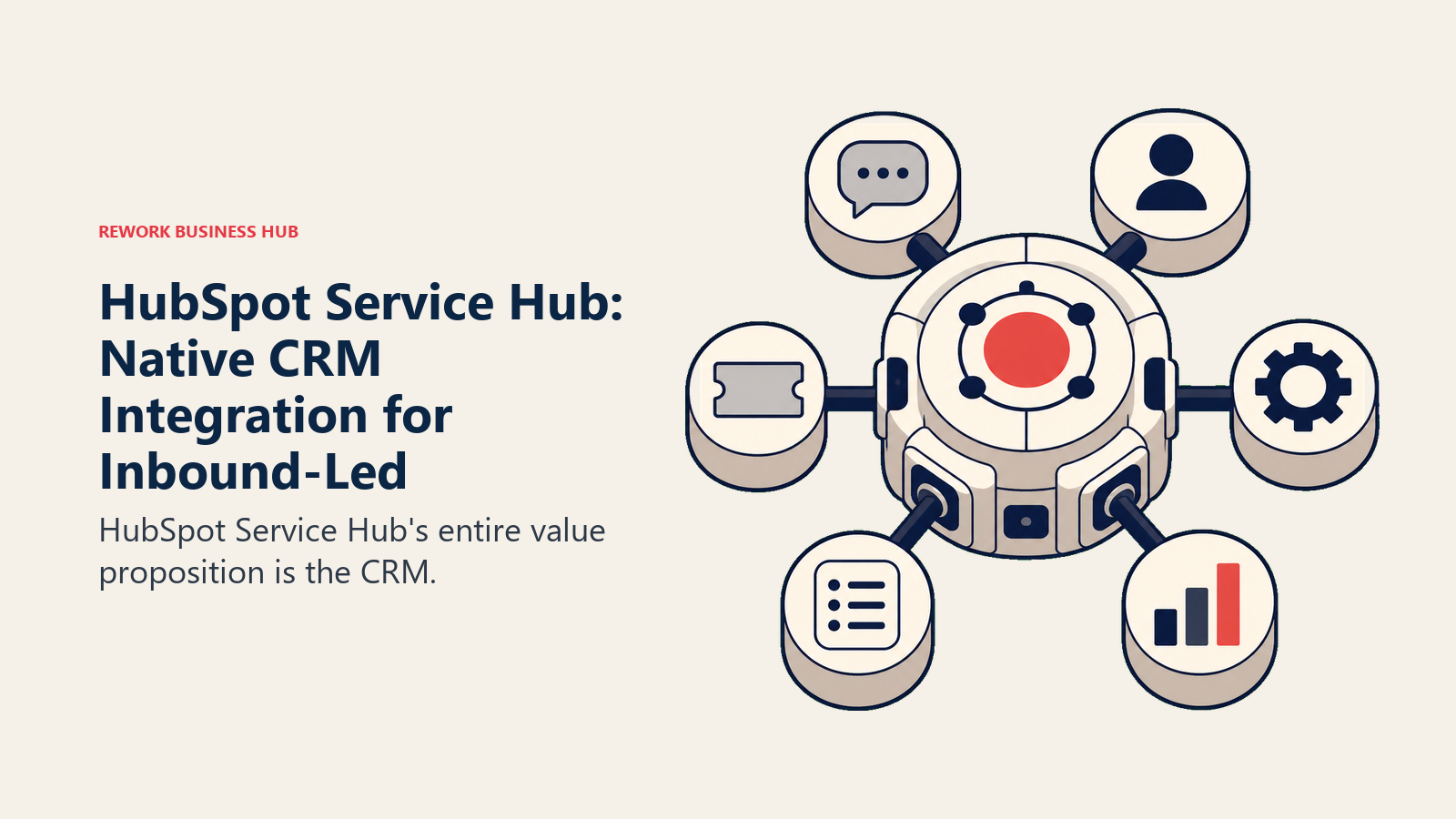
El producto en sí es un helpdesk capaz: gestión de tickets, base de conocimientos, chat en vivo, portal del cliente y seguimiento de CSAT. La gestión de SLA y el constructor de automatizaciones en los planes Professional y Enterprise son sólidos. Las funciones de IA añadidas en 2024-2025 (resúmenes de conversaciones, respuestas sugeridas) han mejorado la experiencia diaria de los agentes.
Pero Service Hub no es un helpdesk especializado. Los equipos que lo comparan cara a cara con Zendesk o Freshdesk en profundidad de helpdesk puro encuentran carencias, sobre todo en enrutamiento avanzado, telefonía y flexibilidad de reportes. La fortaleza de HubSpot es el ecosistema, no el producto independiente. Si está evaluando opciones de CRM de forma más amplia, vale la pena leer las mejores alternativas a HubSpot antes de comprometerse.
| Lo que obtiene | Lo que no obtiene |
|---|---|
| Integración nativa con HubSpot CRM | Funciones profundas específicas de helpdesk |
| Registro unificado del cliente entre ventas, marketing y soporte | Precios competitivos a escala |
| Base de conocimientos y portal del cliente | Flexibilidad avanzada de enrutamiento y SLA |
| Resúmenes de conversaciones con IA | Marketplace sólido de integraciones de terceros |
| Nivel gratuito para ticketing básico | Los mejores reportes de su categoría |
Ideal para: Equipos que ya usan HubSpot CRM y quieren el soporte integrado en la misma plataforma. No recomendado para: Equipos que evalúan un helpdesk de forma independiente del CRM. Existen mejores opciones especializadas.
7. Hiver: helpdesk nativo de Gmail para equipos pequeños de Google Workspace
La filosofía de Hiver es cero cambio de contexto. En lugar de pedir a los agentes que aprendan una herramienta nueva, Hiver convierte Gmail en una bandeja colaborativa con capacidades de helpdesk en capas. Los agentes gestionan tickets, asignan conversaciones, añaden notas privadas y consultan analíticas sin salir nunca de su pestaña de Gmail.
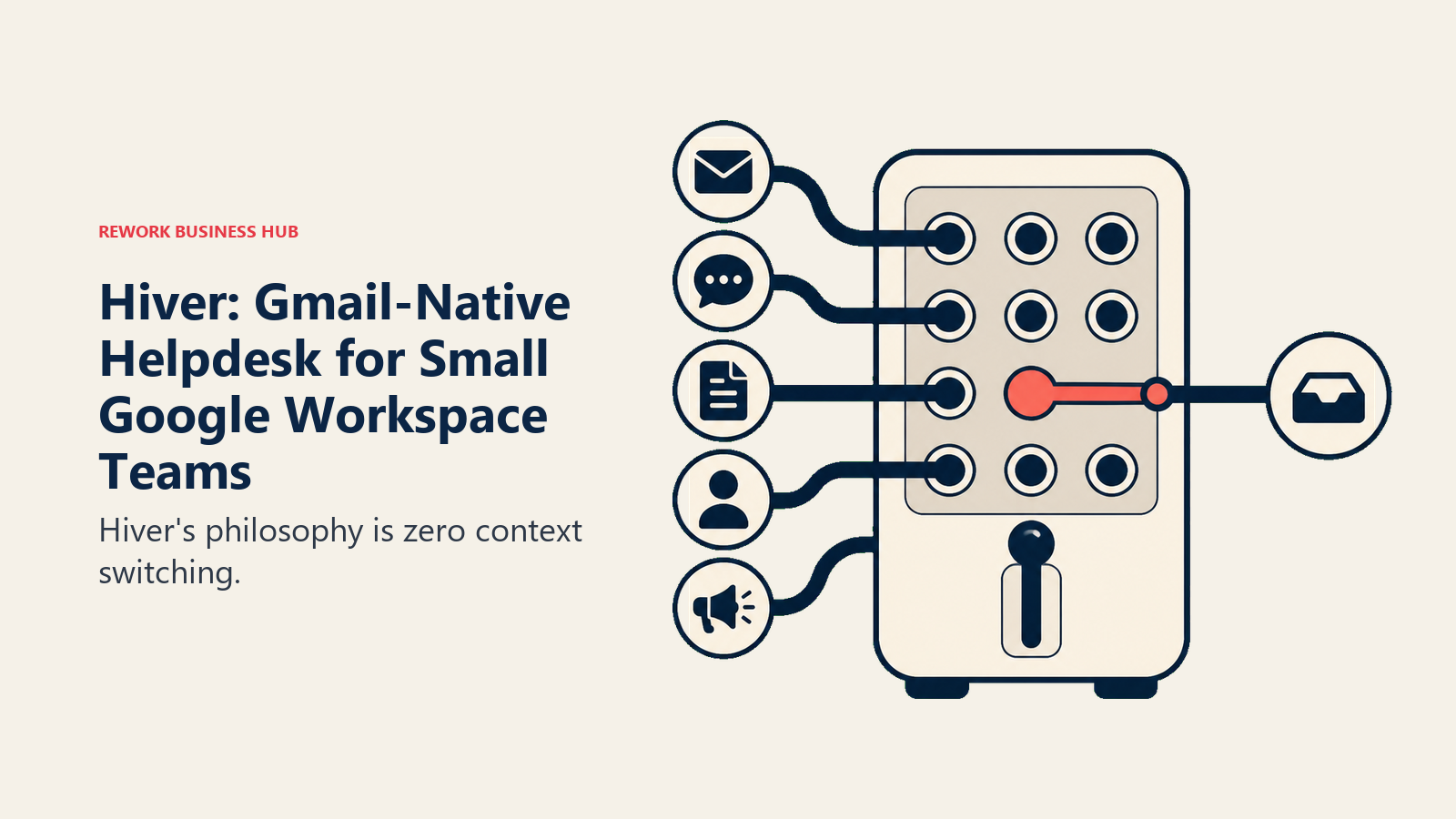
Para equipos pequeños (menos de 50 personas) que viven en Google Workspace y se resisten a adoptar herramientas nuevas, Hiver elimina por completo la barrera de adopción. Las bandejas compartidas como support@, billing@ e info@ se convierten en espacios de trabajo colaborativos visibles para todo el equipo. La asignación, el seguimiento de SLA y la automatización básica funcionan a través de la interfaz de Gmail.
El compromiso es obvio: Hiver es solo para Gmail. Los equipos que usan Outlook, o que necesitan soporte multicanal con chat o teléfono, chocan rápido con límites duros. A medida que crece el equipo, la interfaz basada en Gmail también empieza a quedarse corta para el enrutamiento complejo de tickets. Pero para el público adecuado (un equipo de 5-30 personas en Google Workspace que valora la simplicidad por encima de todo) Hiver es excelente.
| Lo que obtiene | Lo que no obtiene |
|---|---|
| Ninguna herramienta nueva que aprender (se queda en Gmail) | Soporte multicanal |
| Colaboración nativa en la bandeja compartida | Compatibilidad con Outlook o con otros clientes que no sean Gmail |
| Seguimiento de SLA y asignación | Escalabilidad para equipos grandes |
| Analíticas dentro de Gmail | Automatización avanzada |
| Integración con WhatsApp y chat (niveles de pago) | Base de conocimientos independiente |
Precios: Gratis (3 usuarios, básico). Lite: $15/usuario/mes. Pro: $39/usuario/mes. Elite: $59/usuario/mes.
Ideal para: Equipos pequeños de Google Workspace que quieren capacidades de helpdesk dentro de Gmail. No recomendado para: Usuarios de Outlook, equipos que necesitan multicanal más allá del email o equipos de más de 50 personas.
8. Crisp: soporte económico centrado en el chat para startups en etapa inicial
Crisp empezó como un widget de chat en vivo y evolucionó hasta convertirse en una plataforma de soporte al cliente más amplia. La filosofía del producto se centra en la accesibilidad: dar a las startups en etapa inicial una plataforma capaz de soporte y mensajería sin los precios que tradicionalmente encerraban estas funciones tras contratos empresariales.
El nivel gratuito es realmente funcional: dos usuarios, chat en vivo, bandeja compartida e integraciones básicas. El plan Essentials a $45/mes (tarifa fija, no por usuario) cubre la mayoría de las necesidades de una startup. A ese precio obtiene chatbots, automatización, una base de conocimientos, una capa de CRM e integración con email.
Para equipos de soporte liderados por fundadores en Serie A o etapas anteriores, Crisp cubre mucho terreno a bajo costo. El constructor de chatbots es sencillo, sin necesidad de desarrolladores. La bandeja compartida gestiona email y chat en una sola vista. Las apps móviles funcionan bien para cubrir fuera de horario. Si quiere compararlo con herramientas similares del espacio centrado en chat, las mejores alternativas a Crisp cubren ese panorama.
Los reportes son básicos. Crisp no ofrece el tipo de analíticas que un equipo de soporte en crecimiento acaba necesitando. El CRM es ligero: más registros de contactos que una verdadera gestión de pipeline. Y la marca tiene menos credibilidad empresarial, lo que puede importar en las conversaciones de compras B2B.
| Lo que obtiene | Lo que no obtiene |
|---|---|
| Precio fijo asequible | Profundidad de reportes |
| Chat en vivo + email en una sola bandeja | Capacidades reales de CRM |
| Constructor de chatbots funcional | Credibilidad empresarial |
| Base de conocimientos incluida | Lógica de automatización avanzada |
| Interfaz apta para móviles | Gestión de SLA |
Precios: Gratis (2 usuarios). Essentials: $45/mes fijo. Plus: $95/mes fijo. Unlimited: $295/mes fijo.
Ideal para: Startups en etapa inicial y equipos pequeños que necesitan soporte por chat + email a precios accesibles para startups. No recomendado para: Equipos de 20 o más personas que necesitan reportes, gestión de SLA o funciones empresariales.
9. Kayako: soporte basado en el recorrido del cliente con contexto completo
Kayako construyó su reputación en torno a SingleView: una línea de tiempo unificada que muestra cada interacción del cliente, desde la primera visita al sitio web hasta el último ticket de soporte, en orden cronológico. La filosofía del producto es que los agentes deben entender el recorrido completo del cliente antes de responder, no solo el ticket actual de forma aislada.
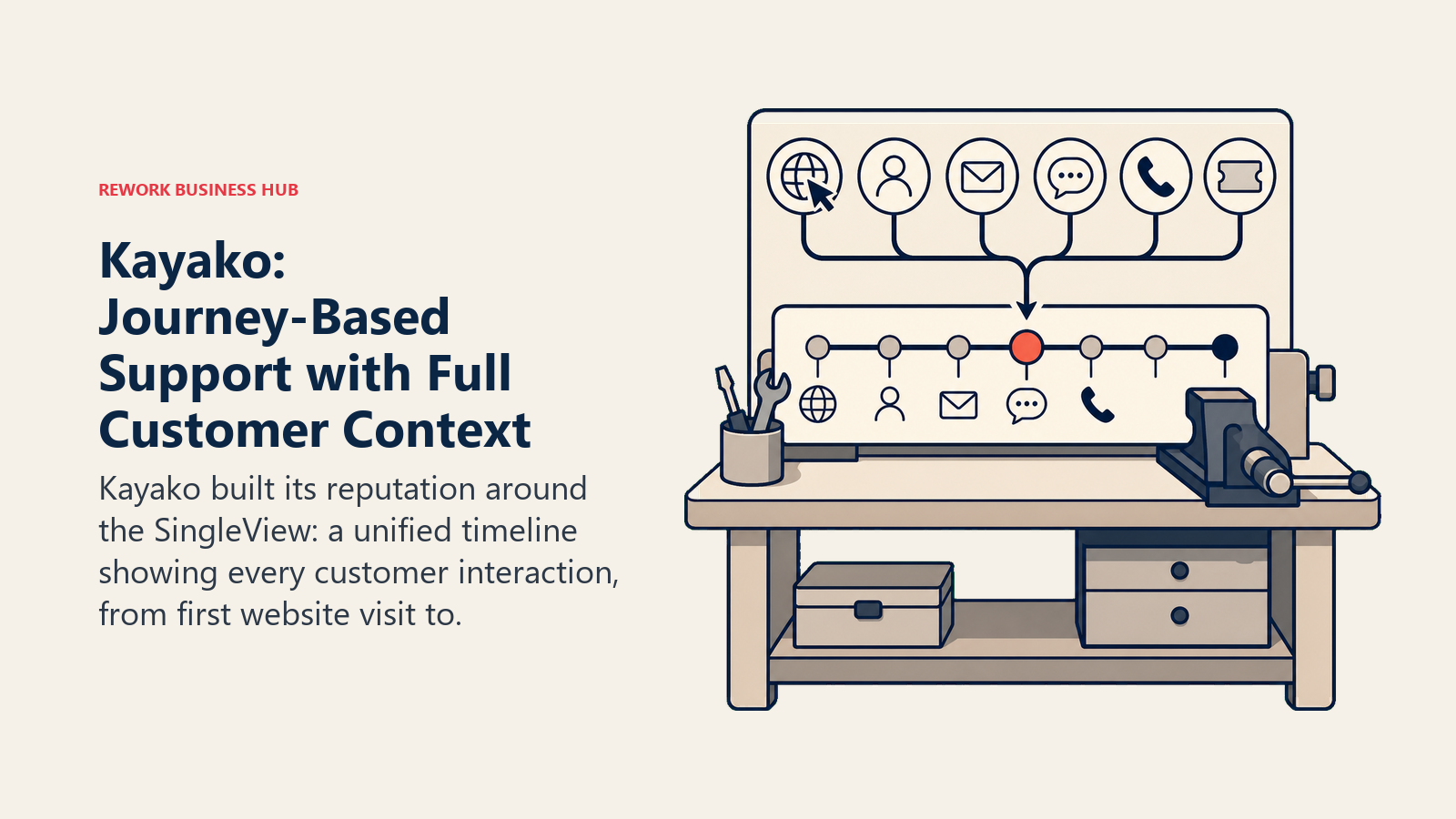
Para las operaciones de soporte que manejan relaciones con clientes complejas y con muchos puntos de contacto, el modelo de contexto de Kayako es realmente útil. Un agente ve que este cliente ha visitado la página de precios seis veces, ha enviado tres tickets y tuvo una llamada hace dos semanas, todo antes de escribir una respuesta. Ese contexto cambia la forma en que se gestionan las conversaciones.
El reto es que la interfaz y el ritmo de desarrollo de Kayako no han seguido el paso del mercado. La interfaz se siente anticuada frente a herramientas más nuevas, y el producto ha sido más lento en añadir funciones de IA. A $125/usuario/mes en Enterprise, tiene precio de producto premium, pero ofrece una experiencia que se siente rezagada frente a sus competidores en 2026.
| Lo que obtiene | Lo que no obtiene |
|---|---|
| Vista completa del recorrido del cliente (SingleView) | Interfaz moderna |
| Bandeja multicanal | Precios competitivos |
| Sólida gestión de SLA | Desarrollo activo de funciones de IA |
| Funciones de colaboración en equipo | Configuración rápida |
| Opción de implementación on-premise | Marketplace sólido de integraciones |
Precios: Starter: $30/usuario/mes. Business: $60/usuario/mes. Enterprise: $125/usuario/mes.
Ideal para: Equipos de mercado medio en industrias reguladas o con relaciones B2B complejas donde el contexto completo del cliente es crítico. No recomendado para: Equipos que priorizan una interfaz moderna, capacidades de IA o la relación precio-rendimiento.
10. Missive: bandeja compartida y chat de equipo en una sola ventana
Missive hace una apuesta distinta a la de la mayoría de las herramientas de esta lista: el problema no es que necesite un mejor helpdesk. Es que la comunicación de su equipo y la comunicación con los clientes están en lugares separados. Missive combina chat de equipo (piense en un Slack ligero), bandejas compartidas para email y SMS, y funciones de respuesta colaborativa en una sola interfaz.
Para agencias pequeñas, firmas de consultoría y equipos de operaciones donde la línea entre la comunicación interna y la comunicación con clientes es difusa, el enfoque unificado de Missive reduce la proliferación de herramientas. Puede comentar un email de un cliente con su equipo, asignarlo, redactar una respuesta en conjunto y enviarla sin salir de la app ni cambiar a Slack.
Missive no es un helpdesk tradicional. No hay numeración de tickets, ni sistema formal de SLA, ni base de conocimientos, ni sistema de bots o automatización más allá de reglas básicas. Es una herramienta de comunicación colaborativa, no una plataforma de soporte. Los equipos que necesitan seguimiento de CSAT, workflows de escalamiento o reportes de desempeño de agentes la encontrarán insuficiente.
| Lo que obtiene | Lo que no obtiene |
|---|---|
| Chat de equipo + email en una sola interfaz | Sistema de gestión de tickets |
| Redacción colaborativa de emails | Herramientas de SLA y escalamiento |
| Gestión de bandejas de varias cuentas | Base de conocimientos |
| Canales de SMS y WhatsApp | CSAT o reportes |
| Interfaz limpia y bien diseñada | Chatbot o desvío con IA |
Precios: Starter: $14/usuario/mes. Productive: $18/usuario/mes. Business: $26/usuario/mes.
Ideal para: Agencias pequeñas y equipos de consultoría donde la comunicación interna y externa necesita convivir. No recomendado para: Cualquier equipo que necesite un helpdesk real con ticketing, SLAs o analíticas de agentes.
Tabla comparativa de precios
| Herramienta | Nivel gratuito | Plan de pago de entrada | Nivel intermedio | Enterprise |
|---|---|---|---|---|
| Freshdesk | Sí (10 agentes) | $15/agente/mes | $49/agente/mes | $79/agente/mes |
| Rework | No | Desde $159/mes con facturación anual (Revenue Engine) | rework.com/pricing | Facturación anual o mensual |
| Zendesk | No | $55/agente/mes | $89/agente/mes | Personalizado |
| Intercom | No | $29/usuario/mes | Personalizado | Personalizado |
| Front | No | $25/usuario/mes | $65/usuario/mes | $105/usuario/mes |
| HubSpot Service Hub | Sí (básico) | $15/usuario/mes | $90/usuario/mes | $130/usuario/mes |
| Hiver | Sí (3 usuarios) | $15/usuario/mes | $39/usuario/mes | $59/usuario/mes |
| Crisp | Sí (2 usuarios) | $45/mes fijo | $95/mes fijo | $295/mes fijo |
| Kayako | No | $30/usuario/mes | $60/usuario/mes | $125/usuario/mes |
| Missive | No | $14/usuario/mes | $18/usuario/mes | $26/usuario/mes |
Comparación de soporte de canales
| Herramienta | Chat en vivo | Teléfono | SMS | Redes sociales | ||
|---|---|---|---|---|---|---|
| Freshdesk | Sí | Sí | Sí | Sí | Sí | Sí |
| Rework | Sí (bandejas de equipo de Mail) | Sí | No | No | Sí (Messenger, Instagram, TikTok) | Sí |
| Zendesk | Sí | Sí | Sí | Sí | Sí | Sí |
| Intercom | Sí | Sí | No | No | No | No |
| Front | Sí | Integración | No | Integración | Integración | Integración |
| HubSpot Service Hub | Sí | Sí | No | No | No | No |
| Hiver | Sí | Integración | No | No | No | Sí (de pago) |
| Crisp | Sí | Sí | No | No | No | Integración |
| Kayako | Sí | Sí | Sí | No | Sí | No |
| Missive | Sí | No | No | Sí | No | Sí |
Comparación de funciones de IA y automatización
| Herramienta | Chatbot de IA | Enrutamiento automático | Respuestas sugeridas | Resumen de conversaciones | Automatización de workflows |
|---|---|---|---|---|---|
| Freshdesk | Sí (Freddy) | Sí | Sí | Sí | Sí |
| Rework | Sí (agentes de IA, beta) | Sí | No | No | Sí |
| Zendesk | Sí (Zendesk AI) | Sí | Sí | Sí | Sí |
| Intercom | Sí (Fin) | Sí | Sí | Sí | Sí |
| Front | No | Sí | Sí | Sí | Sí |
| HubSpot Service Hub | Limitado | Sí | Sí | Sí | Sí |
| Hiver | No | Sí | No | No | Básica |
| Crisp | Sí (básico) | Sí | No | No | Básica |
| Kayako | No | Sí | No | No | Sí |
| Missive | No | Básico | No | No | Básica |
Cómo elegir: marco de decisión
| Si su prioridad es... | Mejor opción | Segunda opción |
|---|---|---|
| Máxima cobertura omnicanal (email, chat, teléfono, redes sociales, WhatsApp) | Freshdesk | Zendesk |
| Unificar soporte + CRM + sales ops en una sola plataforma | Rework | HubSpot Service Hub |
| Escala empresarial con personalización profunda e integraciones | Zendesk | Intercom |
| Engagement proactivo con el cliente y mensajería in-app | Intercom | HubSpot Service Hub |
| Gestionar de forma colaborativa varias bandejas de email de alto volumen | Front | Rework |
| Permanecer dentro de Gmail sin adoptar una herramienta nueva | Hiver | Missive |
| Soporte mínimo viable con presupuesto de etapa de startup | Crisp | Freshdesk (gratis) |
| Contexto completo del recorrido del cliente en cada conversación | Kayako | Rework |
| Combinar chat de equipo con email de clientes en una sola ventana | Missive | Front |
| Ya usa HubSpot y quiere integración nativa de soporte | HubSpot Service Hub | Rework |
Qué hacer a continuación
No evalúe estas herramientas solo por sus funciones. La herramienta correcta depende de dónde está su equipo hoy y de dónde necesita estar dentro de 12 meses.
Haga un piloto de 2 semanas con sus dos mejores opciones. Migre una porción de tickets reales, no un escenario de sandbox. Deje que sus agentes reales usen ambas herramientas en conversaciones reales con clientes. Los criterios de evaluación que más importan no aparecerán en una demo del producto: cuánto tarda la asignación, si la lógica de enrutamiento aguanta con volumen, si su manager puede sacar el reporte que realmente necesita un lunes por la mañana.
La mayoría de estas herramientas ofrece una prueba gratuita. Freshdesk y HubSpot tienen niveles gratuitos que permiten operar indefinidamente sin límite de tiempo. Rework e Intercom también ofrecen demos con onboarding práctico, y la prueba gratuita de 14 días de Rework no requiere tarjeta de crédito.
El costo de cambiar de helpdesk es real pero manejable. El costo de seguir en una herramienta que limita a su equipo durante dos años más es mayor. Tome una decisión, importe sus datos históricos y dedique el primer mes a construir bien los workflows en lugar de tolerar los valores predeterminados. Si está haciendo una auditoría de costos más amplia de su stack de soporte, el costo real de la proliferación de software es una lectura útil antes de la conversación sobre presupuesto.
Si la profundidad omnicanal es el factor decisivo, las mejores alternativas a Freshdesk comparan herramientas con mayor cobertura de ticketing y canales. Para equipos que gestionan soporte y gestión de cuentas desde la misma bandeja, las mejores alternativas a Front ubican las herramientas de bandeja compartida frente a las necesidades de los equipos de operaciones. Y si está pensando en cómo los workflows de soporte se conectan de vuelta con ventas, etapas de pipeline que coincidan con su movimiento de ventas muestra cómo, al alinear a esos dos equipos en torno a las mismas etapas, se reduce la fricción en los traspasos que Help Scout no puede resolver por sí solo. Para los equipos que también evalúan la automatización de chat, el traspaso de chatbot a representante cubre la lógica de enrutamiento que define la experiencia de primera respuesta.

Principal Product Marketing Strategist
On this page
- Tabla comparativa rápida
- Matriz de ajuste por etapa
- Tabla de tamaño y perfil de comprador
- Por qué los equipos abandonan Help Scout
- 1. Freshdesk: soporte omnicanal a precios accesibles para pymes
- 2. Rework: CRM y soporte unificados para equipos de operaciones medianos
- 3. Zendesk: profundidad empresarial para operaciones de soporte complejas
- 4. Intercom: engagement proactivo para equipos SaaS product-led
- 5. Front: gestión colaborativa de email para equipos de operaciones de alto volumen
- 6. HubSpot Service Hub: integración nativa con el CRM para equipos con enfoque inbound
- 7. Hiver: helpdesk nativo de Gmail para equipos pequeños de Google Workspace
- 8. Crisp: soporte económico centrado en el chat para startups en etapa inicial
- 9. Kayako: soporte basado en el recorrido del cliente con contexto completo
- 10. Missive: bandeja compartida y chat de equipo en una sola ventana
- Tabla comparativa de precios
- Comparación de soporte de canales
- Comparación de funciones de IA y automatización
- Cómo elegir: marco de decisión
- Qué hacer a continuación