Best Workforce Management Software in 2026: 15 Tools for Labor Cost, Compliance, and Shift Coverage
Turn this article into takeaways for your work.


Each assistant summarizes the article only for you and suggests best practices for your work.
Where a vendor publishes nothing, that is stated plainly rather than filled in with a number from somewhere else. Two things most current roundups still get wrong: Shiftboard is no longer an independent vendor, and Planday is not quote-only.*
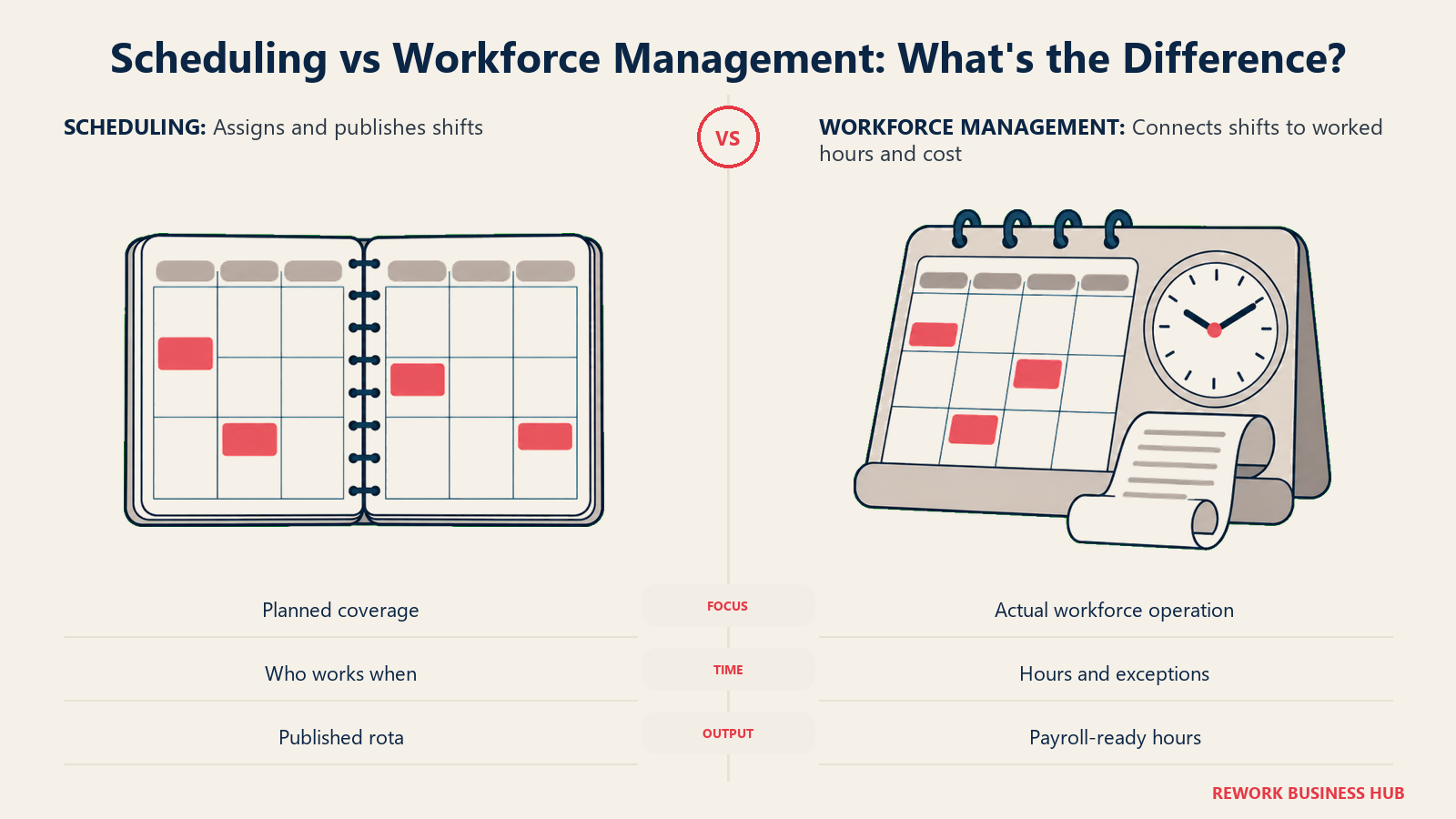
Scheduling software answers one question. Who works Tuesday? Workforce management answers the five that follow it: did they actually clock in for that shift, what did those hours cost against the revenue they produced, did anyone hit overtime or miss a legally required break, how many people should have been scheduled Tuesday in the first place, and what does the pattern across twelve Tuesdays tell you about next quarter. A rota tool stops at the first question. A workforce management platform is judged on the other five.
That distinction decides which of these fifteen tools is right for you, so it is worth being blunt about it up front. If your problem really is just building and publishing a rota, you are shopping in a narrower, cheaper category and our employee scheduling software roundup covers it properly. Stay here if the schedule is only the input and the output you care about is labor cost, compliance exposure, or a forecast. The list below is sorted by the workforce management job you need done, not alphabetically and not by vendor size, so the tools that solve the same problem sit next to each other.
Key Facts
- The absence rate for full-time US wage and salary workers was 3.2% in 2025, with 2.2 percentage points of that coming from illness or injury. The 2025 figure is an 11-month average excluding October because of the federal shutdown, so it is not strictly comparable to other years. (Bureau of Labor Statistics)
- The US Department of Labor's Wage and Hour Division recovered $259 million in back wages for almost 177,000 employees in fiscal 2025, the most since 2019, averaging about $1,465 per worker. Fair Labor Standards Act recoveries alone topped $184 million, up from just under $150 million in 2024. (HR Dive analysis of DOL data)
- New York City's largest fair workweek settlement to date delivered up to roughly $20 million to about 13,000 Chipotle workers, plus $1 million in civil penalties, over failures to give 14 days' schedule notice and to obtain written consent for extra time. (NYC Department of Consumer and Worker Protection)
- Oregon's statewide predictive scheduling law covers retail, hospitality, and food service employers with 500 or more employees worldwide, requires a written schedule at least 14 calendar days ahead, and owes one hour of premium pay for added shifts and half the regular rate per hour for shifts cut. (Oregon Bureau of Labor and Industries)
- A vendor-commissioned Forrester Total Economic Impact study of Legion's platform modeled a 15,000-employee retailer and reported demand forecasting accuracy rising from 87% to 96%, managers recovering roughly seven hours a week, and compliance-related payouts falling 70%. (Legion, Forrester Consulting study commissioned by Legion)
What Workforce Management Adds on Top of Scheduling
Most buyers arrive here after outgrowing a scheduler, so the useful framing is not "scheduling versus workforce management" but "what breaks when you only have the first half."
| Capability | Scheduling tool | Workforce management platform | What breaks without it |
|---|---|---|---|
| Building and publishing a rota | Yes | Yes | Nothing, this is the shared baseline |
| Time and attendance (verified clock-in, exceptions) | Sometimes, often paid | Core | Scheduled hours and paid hours quietly diverge |
| Labor cost against revenue in real time | Rare | Core | You learn the shift was unprofitable a week later |
| Break, overtime, and predictive-scheduling rules | Rare | Core | Premium pay and back-wage exposure accumulates silently |
| Demand forecasting | Almost never | Mid-market and up | Managers staff on gut feel and last week's copy-paste |
| Workforce analytics across sites and periods | Basic reports | Core | No way to see which site or manager is the outlier |
| Payroll-ready hours export | Sometimes | Core | Someone rekeys timesheets every pay period |
Two rows in that table do the most work in a buying decision. Compliance is the one that carries real money behind it: the Wage and Hour Division's fiscal 2025 recoveries and New York's Chipotle settlement are both public reminders that "we thought the manager was tracking breaks" is not a defense. Forecasting is the one that separates the SMB half of this list from the enterprise half, and it is the single clearest reason a 4,000-person retailer will not be happy with a tool a 25-person cafe loves.
Pick the Job First: Five Workforce Management Jobs
| The job you need done | What you should be evaluating | Tools built for it |
|---|---|---|
| Enforce labor law inside the schedule | Break and overtime rules, predictive-scheduling premiums, audit trail | Deputy, TCP Humanity Schedule, UKG Pro Workforce Management |
| Run one deskless workforce on one system | Scheduling, time clock, comms, and light HR without four logins | Connecteam, Homebase |
| Control labor cost against revenue | Live labor percentage, sales integration, payroll-ready hours | 7shifts, Planday, Legion |
| Prove attendance and cut time leakage | Verified punches, geofencing, exception reporting, timesheets | Buddy Punch, Jibble, When I Work |
| Forecast demand and optimize coverage at scale | Hyperlocal forecasting, auto-generated schedules, multi-site analytics | Quinyx, Legion, UKG Shiftboard, UKG Pro Workforce Management |
Sling and ZoomShift sit slightly outside that table on purpose. Both are strong, cheap ways into this category, and both make you upgrade before they do the workforce management half of the job at all, which is exactly the trap this article exists to flag.
Quick Comparison Table
Every price cell below names its billing basis, because four incompatible bases collide in this category and a table that hides them misleads even when every number in it is correct.
| Tool | Best For | Starting Price (basis named) | Key Strength | Key Limitation |
|---|---|---|---|---|
| Deputy | Compliance rules enforced as the schedule is built | Lite $5 per user/month; no free plan; $30 minimum monthly invoice | Break, overtime, and award logic inside the scheduler | No free tier, and the invoice minimum bites small teams |
| Connecteam | One deskless workforce on one system | Free up to 10 users; Operations Basic $35/month monthly, $29 annual, per hub, first 30 users included | Scheduling, clock, comms, and HR in one product | Per-hub pricing is genuinely hard to budget |
| 7shifts | Restaurants managing labor as a percentage of sales | Free Comp plan up to 15 employees; Essentials $44.99 per location/month monthly, $39.99 annual | Live labor percentage and tip pooling built for restaurants | Every tier caps employee count as well as billing per location |
| Homebase | The cheapest full stack at a single location | Free for 1 location, up to 10 employees; Essentials $30 per location/month monthly, $24 annual | Flat per-location rate covers unlimited employees on paid tiers | Free plan is 10 employees now, not unlimited |
| Planday | Shift hours that turn into payroll-ready output | Starter $2.99 per user/month, 5-user minimum; Plus $4.49 per user/month plus a $15 monthly fee, 10-user minimum | Shift-to-payroll reporting depth for hospitality | Plan minimums and a stacked monthly fee on Plus |
| When I Work | Shift coverage staff resolve themselves | Essentials $2.50 per user/month; no free plan | Clean swaps, availability, and messaging staff actually use | No free plan at all, and no annual rate published |
| Sling | The most generous free tier still standing | Free up to 30 users; Premium $2.00 per user/month monthly, $1.70 annual | Real free scheduling and messaging up to 30 people | The free tier has no time tracking, so it is not WFM |
| ZoomShift | The lowest-cost ladder from free rota to geofenced clock | Free up to 20 active members, 1 location; Starter $2.50 per user/month monthly, $2 annual | Cheapest paid step up in this roundup | No time clock until Premium; single-location free tier |
| Buddy Punch | Attendance you can prove, punch by punch | $19/month base fee on every plan plus Starter $5.99 per user/month monthly, $4.99 annual | Webcam, device lock, and Face ID verification at a low entry | The base fee plus per-user model needs modeling, not skimming |
| Jibble | Free attendance at any headcount | Free forever, unlimited users | Genuinely uncapped free clock-in and basic timesheets | Paid tier prices are not published; thin on scheduling |
| TCP Humanity Schedule | 24/7 coverage with credentials and compliance | Essentials $2.75 per employee/month, annual billing only, up to 250 employees | Demand-based auto-fill and skills matching at scale | No monthly rate published anywhere |
| UKG Shiftboard | Mission-critical shift rules in energy and manufacturing | Quote-only, no published figures | Rules engine for rotating, qualification-gated shift patterns | Now a UKG product, not an independent vendor |
| Quinyx | AI demand forecasting for retail and hospitality | Quote-only, no published figures | Hyperlocal forecasting that adapts to promos, weather, events | Sales-led only, with no self-serve entry point |
| Legion | Labor optimization tied to sales and traffic | Quote-only, no published figures | Optimization plus employee-facing pay and engagement tools | Built for hundreds of sites, overkill below that |
| UKG Pro Workforce Management | WFM inside a full HCM suite | Quote-only, no published figures | Deep compliance and analytics on one HR platform | Enterprise sales cycle, no self-serve tier |
Notice what the published numbers buy and what they don't. Every tool in that table with a real price attached solves the first three workforce management jobs: attendance, labor cost, compliance rules. Not one of them forecasts demand. Every tool that does forecast (Quinyx, Legion, UKG, and Shiftboard's rules engine) publishes nothing. That is the actual line in this category, and it is more useful than "SMB versus enterprise": forecasting is the capability that has never been sold self-serve, so the moment it lands on your requirements list, your evaluation timeline goes from an afternoon to several weeks of scoped quotes.
The Four Billing Bases, Priced Out
This is the comparison the vendor pages will not run for you. Four incompatible bases are in play: per user or per employee, per location, per hub across the whole organization, and a flat base fee plus a per-user rate. The scenarios below multiply each vendor's own published rate out to two realistic operations. These are computed scenarios built from quoted rates, not prices any vendor advertises as a bundle.
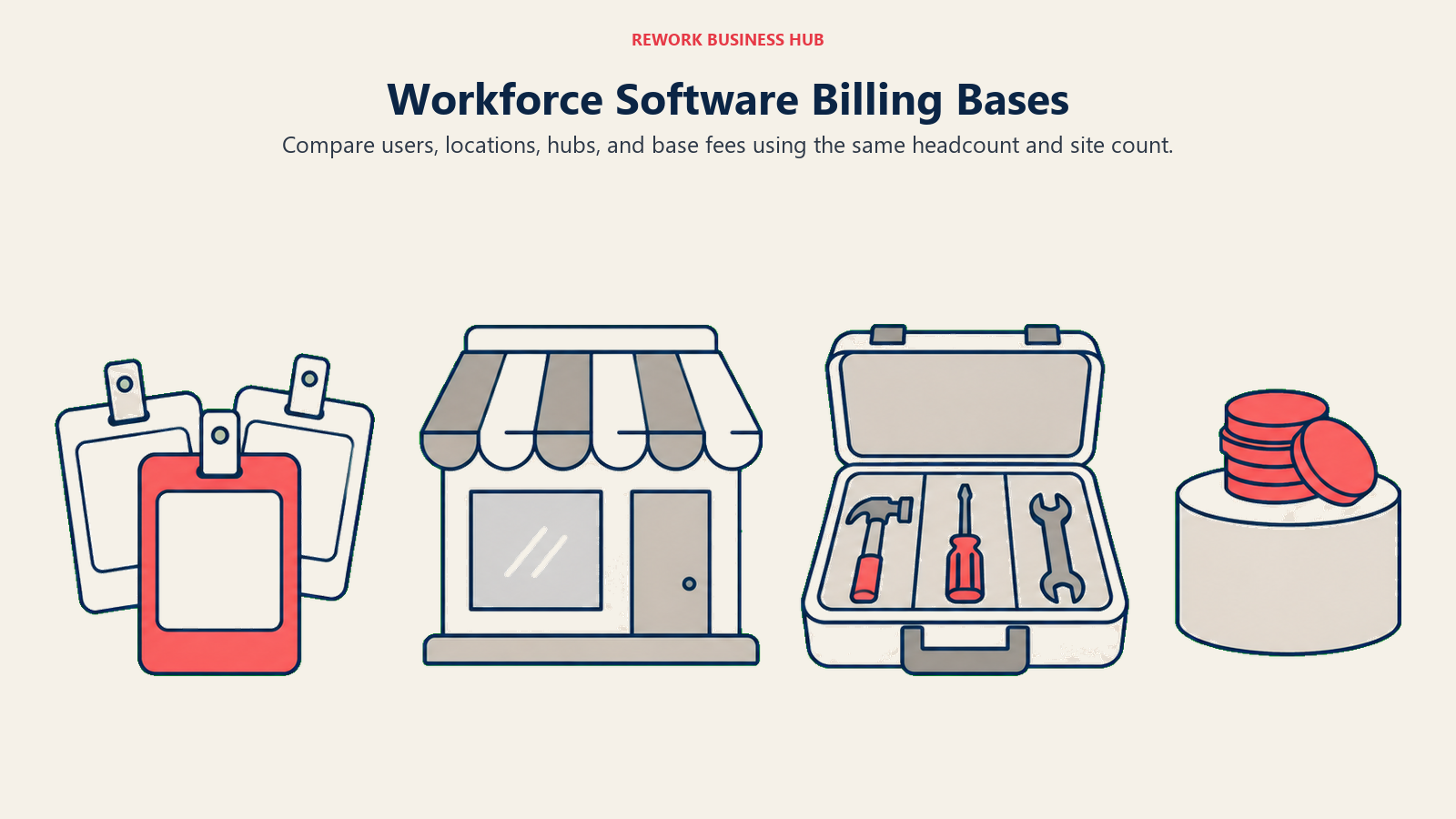
Group one: vendors that bill per user or per employee. These are directly comparable to each other.
| Vendor and tier | Basis | 25 employees, 1 site | 75 employees, 3 sites |
|---|---|---|---|
| Deputy Core ($6.50 per user/month) | Per user | $162.50/month | $487.50/month |
| When I Work Essentials ($2.50 per user/month) | Per user, monthly rate only published | $62.50/month | $187.50/month |
| Sling Premium ($2.00 monthly, $1.70 annual) | Per user, free under 30 users | $0 on the free tier, but with no time tracking | $150/month monthly, $127.50 annual |
| ZoomShift Starter ($2.50 monthly, $2 annual) | Per user, free under 20 at 1 site | $62.50/month monthly, $50 annual | $187.50/month monthly, $150 annual |
| TCP Humanity Schedule Essentials ($2.75 per employee/month) | Per employee, annual billing only | $68.75/month | $206.25/month |
| Planday Starter ($2.99 per user/month) | Per user, 5-user minimum | $74.75/month | $224.25/month |
Group two: vendors on a different basis entirely. Comparing these to the table above by their headline number is how buyers reach the wrong conclusion.
| Vendor and tier | Basis | 25 employees, 1 site | 75 employees, 3 sites |
|---|---|---|---|
| Homebase Essentials ($30 monthly, $24 annual) | Per location, unlimited employees on paid tiers | $30/month monthly, $24 annual | $90/month monthly, $72 annual |
| 7shifts Essentials ($44.99 monthly, $39.99 annual) | Per location, and the tier caps out at 30 employees | $44.99/month monthly, $39.99 annual | $134.97/month monthly, $119.97 annual |
| Connecteam Operations Basic ($35 monthly, $29 annual) | Per hub across the whole organization, first 30 users included, then $1.00 each monthly or $0.80 annual | $35/month monthly, $29 annual | $80/month monthly ($35 plus 45 extra at $1.00), $65 annual ($29 plus 45 at $0.80) |
| Buddy Punch Starter ($19 base plus $5.99 per user monthly, $4.99 annual) | Base fee plus per user | $168.75/month monthly | $468.25/month monthly |
| Planday Plus ($15 monthly fee plus $4.49 per user) | Base fee plus per user, 10-user minimum | $127.25/month | $351.75/month |
Read those two tables together and the pattern is clear. Per-location and per-hub pricing wins decisively once headcount per site climbs, which is why Homebase at $30 for a 25-person restaurant beats Deputy's $162.50 by more than five to one on price alone. Per-user pricing wins when sites are tiny or headcount is sparse. And a base fee changes the shape of the curve entirely: Buddy Punch's $19 is trivial at 75 users and material at 5. None of that shows up if you compare starting prices in a single column.
Three cautions before you take those numbers to a budget meeting. 7shifts caps employee count at every tier, so a 75-person operation on Essentials is only inside the cap if no single location exceeds 30 people, and the Premium tier adds $6 per month per employee paid on top of its base. Planday enforces plan minimums, 5 users on Starter and 10 on Plus, so a six-person team on Plus pays for ten seats plus the $15 fee regardless. And When I Work offers annual billing but publishes no annual per-user rate, so any "annual price" you see for it elsewhere was derived by someone with a calculator rather than quoted by the vendor. If you want the per-location versus per-hub argument at full length, Homebase vs Connecteam runs it head to head.
1. Deputy: Labor Law Enforced Inside the Schedule Itself
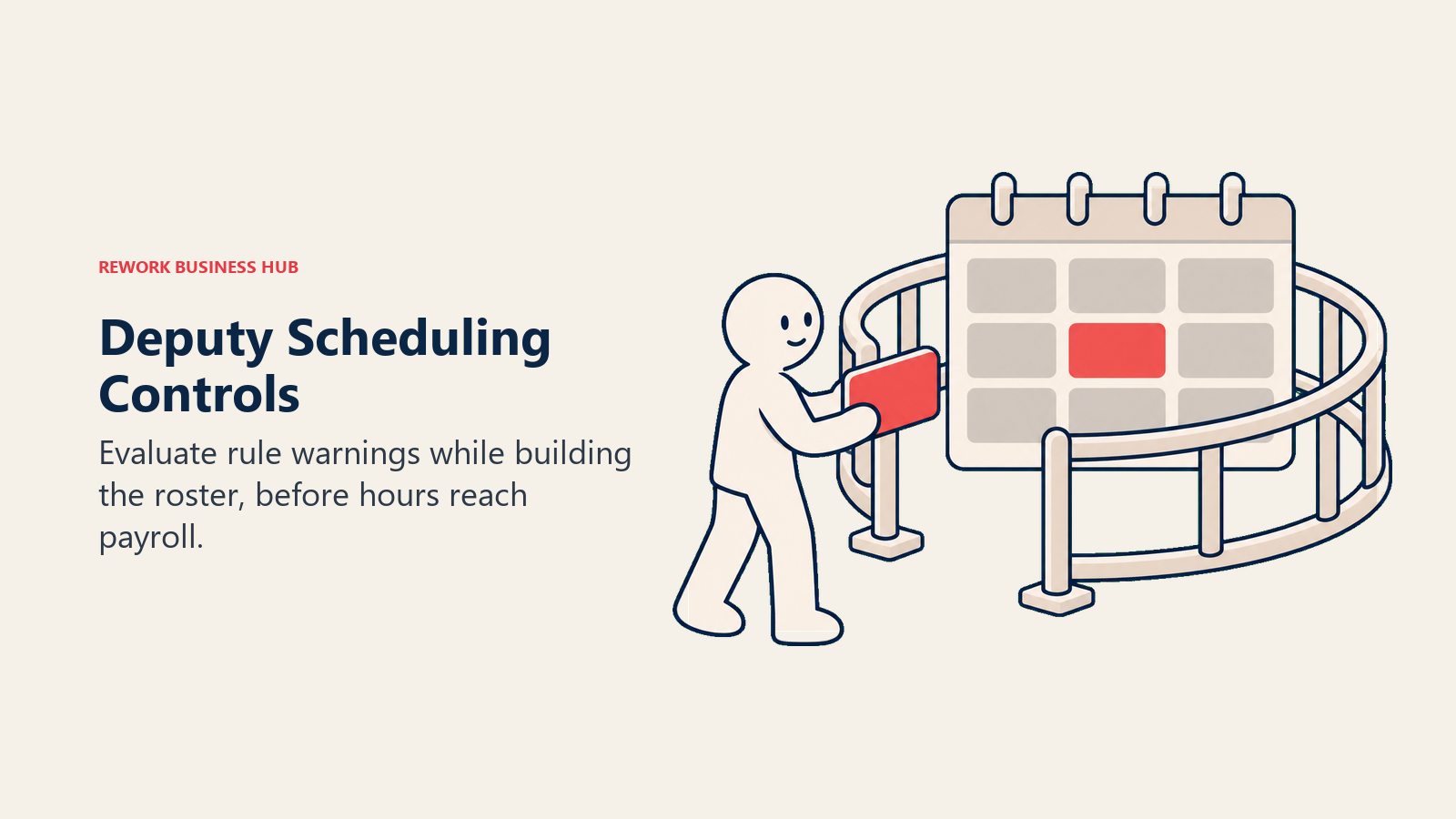
Deputy's whole thesis is that compliance cannot be a report you run afterward. Break rules, overtime thresholds, and award interpretation live inside the scheduling engine, so a manager building an impossible roster gets stopped while building it rather than discovering the premium pay on the next payroll run. For any operator inside a predictive-scheduling jurisdiction, that is the difference between a policy and a control.
That focus makes Deputy the most expensive per-user entry on this list, and it is deliberate. You are paying for the rules layer, not the calendar.
| What you get | What you don't |
|---|---|
| Break, overtime, and award logic enforced at schedule time | A free plan at any headcount |
| Auto-scheduling against demand and availability | A bill under $30 a month, whatever your team size |
| Real-time alerts before a shift creates premium pay | The cheapest per-user rate in this category |
| A clean mobile app for swaps and shift confirmation | Bundled payroll or HR without paid add-ons |
Pricing: Lite $5 per user/month, Core $6.50 per user/month, Pro $9 per user/month, in USD excluding tax. A minimum monthly spend of USD $30 per invoice applies to monthly Lite, Core, and Pro plans. Add-ons: Payroll enabled by Paycor at $8 per user/month plus a $49/month base fee, HR at $2 per user/month, Messaging+ at $1.95, Analytics+ at $1.50. No free plan. Retired $3.50 and $4.90 tiers still circulate on third-party sites; they are not current. (Deputy) Best for: Multi-site retail, hospitality, and healthcare operators in regulated jurisdictions who need the schedule itself to refuse illegal rosters. See Best Deputy Alternatives if the price or the invoice minimum rules it out. Not ideal for: Small teams that hit the $30 monthly minimum long before they need award interpretation.
2. Connecteam: Scheduling, Time Clock, and HR on One Deskless Hub
Connecteam is the most complete answer here for an operator whose real problem is that a deskless workforce is spread across four apps. Scheduling, a GPS time clock, task management, internal comms, and a light HR layer ship in one product, and the pricing bills per organization rather than per site, which is why multi-location operators keep landing on it.
The complication is the pricing model itself. Connecteam sells hubs (Operations, Communications, HR and Skills), each priced separately, each including its first 30 users. Budgeting it means deciding which hubs you need before you can produce a number at all.
| What you get | What you don't |
|---|---|
| Scheduling, time clock, tasks, comms, and HR in one app | Flat per-user pricing that is easy to skim |
| One bill across every location, not one per site | Restaurant-grade tip pooling or labor percentage |
| Free for life up to 10 users across all hubs | Demand forecasting worth the name |
| Built specifically for deskless, non-desk workforces | The lowest cost for a small office-based team |
Pricing: Small Business plan free for up to 10 users across all hubs. Operations Hub: Basic $35/month monthly or $29 annual, Advanced $59 or $49, Expert $119 or $99, each including the first 30 users, with extra users at $0.80, $2.50, and $4.20 respectively. The Communications Hub and HR and Skills Hub carry the same base prices with extra-user rates of $0.50, $1.50, and $3.00. Enterprise is custom. Annual billing saves 18%. (Connecteam) Best for: Deskless, multi-location teams of 30 to 200 who would otherwise run four separate tools. See Best Connecteam Alternatives if per-hub budgeting is a dealbreaker. Not ideal for: Restaurants that need labor percentage against sales, or anyone who needs a single flat per-user number for a budget approval.
3. 7shifts: Labor Cost as a Percentage of Sales, Live
7shifts is not a generalist scheduler with a restaurant theme. It is built around the number a restaurant GM actually watches, labor as a percentage of sales, and everything else (tip pooling, the manager logbook, POS integrations, team chat) exists to serve that. If your workforce management problem is that you find out on Monday the weekend was overstaffed, this is the tool designed for the exact complaint.
Its pricing is the most complicated on this list and the most commonly misreported. It bills per location, and each tier separately caps employee count, so you can be pushed up a tier by headcount even at one site.
| What you get | What you don't |
|---|---|
| Labor percentage tracked live against POS sales | A per-user price you can compare directly to Deputy |
| Tip pooling and restaurant-specific reporting | A tier that ignores employee count |
| A free Comp plan for small single-site restaurants | Flexibility outside food service |
| Manager logbook and shift feedback built in | GPS field-crew job costing |
Pricing: Comp plan free for up to 15 employees at a single location. Essentials $44.99 per location/month monthly or $39.99 annual, up to 30 employees. Pro $89.99 or $79.99, up to 60 employees. Premium $149.99 or $134.99 plus $6 per month per employee paid, with unlimited employees. Annual billing is 10% off, and the page notes these are new-customer prices subject to change. (7shifts) Best for: Single and multi-unit restaurants where labor percentage is the operating metric, not a monthly report. See Best 7shifts Alternatives if the per-location plus headcount-cap model does not fit your footprint. Not ideal for: Non-restaurant operators, or restaurants whose headcount per site sits awkwardly above a tier cap.
4. Homebase: The Cheapest Full Stack at a Single Location
Homebase is the value pick in this roundup and it is not close, provided you have one busy site. A flat $30 a month covers unlimited employees on paid tiers, so a 40-person restaurant pays the same as a 12-person one, and the product spans scheduling, time tracking, POS integration, hiring, and an optional payroll add-on. For a single location doing real volume, nothing else here delivers that much workforce management for that little.
The reputation problem is the free tier. Homebase was known for years as free scheduling for unlimited employees at one location, and that is no longer true. The free Basic plan now caps at 10 employees, and any article still repeating the old line is describing a product that does not exist.
| What you get | What you don't |
|---|---|
| Flat per-location pricing regardless of headcount | A free plan past 10 employees |
| Scheduling, time tracking, and POS integration together | Multi-location rostering without paying per site |
| Hiring tools and an optional payroll add-on | Compliance depth on par with Deputy |
| The gentlest onboarding curve on this list | Demand forecasting of any kind |
Pricing: Basic free for 1 location and up to 10 employees. Essentials $30 per location/month monthly or $24 annual. Plus $70 or $56. All-in-One $120 or $96. Annual billing saves 20%, shown on the page as $72, $168, and $288 a year respectively. Paid tiers cover unlimited employees per location. (Homebase) Best for: Single-location restaurants, cafes, and shops with more than 10 staff, where a flat rate beats any per-user tool outright. See Best Homebase Alternatives once a second and third location change the math. Not ideal for: Operators with many small sites, where per-location billing stacks up faster than per-user billing would.
5. Planday: Shift Hours That Turn Into Payroll-Ready Output
Planday's strength sits at the back end of the workforce management chain rather than the front. It is built to turn variable shift hours into payroll-ready reporting for hospitality and retail chains where staff hours change every week and someone downstream has to reconcile them. Advanced scheduling, leave management, and revenue integration land on its Plus tier.
Planday is widely described as quote-only, including in articles published this year. It isn't. Its pricing page publishes real per-user rates on both self-serve tiers, and the reason so many roundups miss them is that the page renders regional currency and lists the plan minimums prominently enough that writers read the minimum and stop. What it does carry is two structural conditions worth budgeting for: a user minimum on each self-serve tier, and a flat monthly subscription fee stacked on top of the per-user rate on Plus.
| What you get | What you don't |
|---|---|
| Shift-to-payroll reporting built for variable hours | A free tier at any level |
| Leave management and revenue integration on Plus | A published rate on the Pro tier |
| Published per-user rates on both self-serve tiers | A flat per-user bill without a plan minimum |
| A 30-day free trial with no credit card | Demand forecasting on the self-serve tiers |
Pricing (US list): Starter $2.99 per user/month with a 5-user minimum, covering scheduling, simple time tracking, working-time rules, basic payroll reporting, and team communication. Plus $4.49 per user/month plus a $15.00 monthly subscription fee, with a 10-user minimum, adding advanced scheduling, leave and absence management, payroll integrations, revenue reporting, and API access. Pro is custom, adding auto-scheduling, custom planning metrics, and configurable org structure. All plans include a 30-day free trial with no credit card required. The page renders regional currency, so confirm your local rate. (Planday) Best for: Hospitality and retail chains with genuinely variable hours, where the bottleneck is turning those hours into payroll rather than publishing the rota. See Buddy Punch vs Planday vs Shiftboard for the direct three-way against its closest-priced rivals. Not ideal for: Teams under 10 people wanting Plus features, since the minimum plus the subscription fee makes the effective per-head cost jump at small headcounts.
6. When I Work: Shift Coverage Staff Resolve Themselves
When I Work solves the most human problem in this category: a shift needs covering at 6am and the manager should not be the one texting nine people. Swaps, availability, drop requests, and team messaging are genuinely well built, and staff open the app, which is a lower bar than it sounds and one many enterprise tools fail. Time tracking, attendance, and labor reporting sit on the paid tiers alongside it, which is what earns it a place in a workforce management roundup rather than a scheduling one.
Its reputation carries a stale fact that costs buyers real money in planning. When I Work was known for a free plan covering up to 75 employees. That plan is gone. There is no free tier at any headcount now, only a 14-day trial.
| What you get | What you don't |
|---|---|
| The cleanest swap and availability workflow here | A free plan at any team size |
| Team messaging built into scheduling, not bolted on | A published annual per-user rate |
| Simple three-tier pricing that is easy to model | Compliance depth on par with Deputy |
| Attendance and labor reporting on paid tiers | Demand forecasting |
Pricing: Essentials $2.50 per user/month, Pro $5 per user/month, Premium $8 per user/month. No free plan, only a 14-day free trial with no credit card required. Annual billing is offered but the page publishes no separate annual rate, so any annual figure quoted for When I Work elsewhere was calculated by a third party, not quoted by the vendor. (When I Work) Best for: Retail and multi-site teams whose daily pain is coverage gaps and last-minute call-outs. See Best When I Work Alternatives for the field, or Deputy vs When I Work if compliance depth is also on the checklist. Not ideal for: Anyone budgeting around the old 75-employee free plan, or needing labor law enforced at schedule time.
7. Sling: Free Scheduling Up to 30 Users, With a Catch for WFM Buyers
Sling has quietly become the most generous free tier left standing in this category. Thirty users, no time limit, no credit card, covering scheduling, time-off requests, shift swaps, and messaging. With When I Work's free plan retired and Homebase's cut to 10 employees, that 30-user cap now leads the field.
The catch matters specifically to the reader of this article rather than the scheduling one. The free tier has no time tracking. For a scheduling buyer that is a footnote; for a workforce management buyer it means the free plan does not do the job at all, and the honest starting price is Premium, not zero.
| What you get | What you don't |
|---|---|
| A real free plan covering up to 30 users | Time tracking anywhere on the free tier |
| Predictable, low per-user pricing on paid plans | Restaurant labor percentage or tip pooling |
| Swaps, time-off requests, and messaging free | Compliance rule enforcement |
| A 15-day trial on paid plans to test time tracking | Forecasting or multi-site labor analytics |
Pricing: Free for up to 30 users, covering scheduling, time-off requests, shift swaps, and messaging, with no time tracking. Premium $2.00 per user/month monthly or $1.70 annual. Business $4.00 or $3.40. A 15-day free trial runs on paid plans. The widely repeated claim that Sling is free for unlimited users is wrong; the cap is 30. (Sling) Best for: Small teams that want a real free scheduler now and a cheap, predictable step up to time tracking later. See Best Sling Alternatives if the 30-user ceiling is already in sight. Not ideal for: Anyone treating the free tier as a workforce management solution, since it cannot record a single hour worked.
8. ZoomShift: The Lowest-Cost Ladder From Free Rota to Geofenced Clock
ZoomShift keeps its scope deliberately narrow and prices accordingly: scheduling, time tracking, and PTO for a single location, at the lowest paid entry point in this roundup. Its free Essentials plan covers up to 20 active team members at one site but stops at scheduling two weeks out with no time clock, so the real workforce management product starts at Starter.
The tier worth understanding is Premium, which adds auto-scheduling, a geofenced time clock, and overtime warnings. That is the point where ZoomShift crosses from rota tool into workforce management, and at $5 a user monthly it is still cheaper than Deputy's entry tier.
| What you get | What you don't |
|---|---|
| A free tier covering 20 active team members at one site | Time tracking or timesheets on the free plan |
| The cheapest paid entry price in this roundup | Multi-location scheduling on the lower tiers |
| Auto-scheduling and a geofenced clock on Premium | Labor percentage against sales |
| Overtime warnings that fire before the shift | Payroll, HR, or forecasting modules |
Pricing: Essentials free for up to 20 active team members at 1 location, covering basic scheduling, reminders, and shift confirmation, capped at scheduling two weeks ahead. Starter $2.50 per user/month monthly or $2 annual. Premium $5 or $4, adding auto-scheduling, a geofenced time clock, and overtime warnings. (ZoomShift) Best for: Single-location small businesses that want the cheapest possible route from a free rota to a real geofenced time clock. See 7shifts vs Sling vs ZoomShift for the three-way against its nearest rivals. Not ideal for: Multi-site operators, or teams that need free time tracking on day one.
9. Buddy Punch: Attendance You Can Prove, Punch by Punch
Buddy Punch inverts the usual priority order. It is a time and attendance product first and a scheduler second, which makes it the right fit when your workforce management problem is not "who works Tuesday" but "I am not confident the punches are real." Webcam photos on punch, device restrictions, IP address locking, and Face ID all sit at the entry tier, which is unusual.
Its pricing has a structural quirk you have to model rather than skim. Every plan bills a flat $19 monthly base fee on top of the per-user rate, so the effective cost per person is dramatically higher on a small team than the headline suggests.
| What you get | What you don't |
|---|---|
| Webcam, device lock, IP lock, and Face ID at entry pricing | A free plan at any headcount |
| Scheduling included on Pro, an add-on on Starter | Real-time GPS without paying extra |
| Straightforward payroll-ready timesheet exports | Restaurant labor percentage or tip pooling |
| A 14-day free trial with no credit card | Forecasting or multi-site labor analytics |
Pricing: Every plan carries a $19/month base fee plus a per-user rate. Starter $4.99 per user/month annual or $5.99 monthly. Pro $6.99 or $7.99, with scheduling included. Advanced $12.99 or $13.99. Quote both halves of that structure or the number is meaningless: a five-person team on Starter pays the base fee plus five seats, not five seats alone. Figures come from Buddy Punch's own help documentation. (Buddy Punch Help Center) Best for: Hourly, remote, or distributed teams where punch verification is the actual requirement and scheduling is secondary. See Best Time Tracking Software for the wider attendance category it competes in. Not ideal for: Very small teams, where the flat base fee dominates the bill, or anyone whose primary need is the schedule itself.
10. Jibble: Free Attendance at Any Headcount
Jibble is the rare case where the famous claim survives checking. Free forever, genuinely unlimited users, covering mobile and web clock-in, basic timesheets, and integrations with Slack, Teams, and QuickBooks. In a category where three separate vendors quietly shrank or killed their free tiers, that stands out, and for an operation whose only unsolved problem is attendance capture, it is hard to argue with a price of nothing.
What Jibble does not do is the rest of workforce management. There is no meaningful rota builder, no labor cost modeling, and no forecasting. Treat it as one half of a stack rather than a platform, paired with a scheduler that fits your industry.
| What you get | What you don't |
|---|---|
| Free, uncapped clock-in and out for any headcount | Real shift building or rostering |
| Basic timesheets included at no cost | Published pricing for its paid tiers |
| Slack, Teams, and QuickBooks integrations free | Labor cost against revenue |
| Mobile-first design for distributed hourly staff | Compliance rule enforcement or forecasting |
Pricing: Free forever with unlimited users, covering mobile and web clock-in, basic timesheets, and Slack, Teams, and QuickBooks integrations. Paid Premium and Ultimate tiers exist; check the vendor page directly for current pricing before budgeting an upgrade. (Jibble) Best for: Distributed hourly teams at any size whose unsolved problem is attendance capture, not scheduling. See Best Timesheet Software if timesheet approval and export are the real requirement. Not ideal for: Anyone who needs the schedule, the labor cost, and the forecast from the same product.
11. TCP Humanity Schedule: Demand-Based Coverage for 24/7 Operations
Humanity, now sold as Humanity Schedule under TCP Software, is built for operations that never close. Hospitals, senior care, campus facilities, and anywhere coverage is continuous, rotation patterns are complex, and the wrong person on the wrong shift is a credentialing problem rather than an inconvenience. Auto-fill scheduling, skills and certification matching, and compliance tooling are the core, not add-ons.
It is the natural step up from the SMB tools above once headcount passes a few hundred and before enterprise forecasting platforms become worth their sales cycle. Its published Essentials tier covers up to 250 employees, which is a useful marker of where TCP thinks the transition happens.
| What you get | What you don't |
|---|---|
| Demand-based auto-fill scheduling at real scale | Any published monthly (non-annual) rate |
| Skills and certification matching for credentialed roles | A free tier at any headcount |
| Compliance tooling and SSO on Professional and up | Itemized volume-discount pricing |
| A 30-day trial with full Professional access | A sensible entry point for a 15-person team |
Pricing: Essentials $2.75 per employee/month billed annually, covering up to 250 employees. Professional from $3.75 per employee/month billed annually. Enterprise is custom. No monthly billing rate is published at any tier, so annual commitment is effectively the entry condition. humanity.com now redirects to TCP. (TCP Software) Best for: Healthcare, senior care, and other continuous-coverage operations between roughly 100 and 1,000 employees. See Best HR Software for how credential tracking compares against dedicated HRIS platforms. Not ideal for: Small single-site teams, or any buyer who cannot commit annually.
12. UKG Shiftboard: Mission-Critical Shift Rules for Energy and Manufacturing
Shiftboard's ScheduleFlex engine was built for the hardest version of this problem: rotating patterns across multiple sites, qualification-gated assignment, union rules, and coverage requirements where an unfilled shift stops a production line or a rig. It is a rules engine first and a user interface second, which is exactly right for its buyer and wrong for almost everyone else.
One fact most roundups still get wrong, including plenty published this year: Shiftboard is no longer an independent vendor. UKG acquired it, completing the deal on 30 May 2025 and announcing it on 2 June 2025, aimed squarely at oil and gas, energy, and manufacturing, and the platform is being integrated into the UKG Pro Workforce Management suite. Shiftboard's own plans page now redirects to a UKG product page. If a comparison article presents Shiftboard as a standalone alternative to UKG, it predates the acquisition or has not been rechecked since.
| What you get | What you don't |
|---|---|
| A configurable rules engine for genuinely complex patterns | Any published pricing at any tier |
| Qualification and certification gating on shift assignment | Independence from UKG |
| Built for continuous, safety-critical operations | A fast self-serve signup or trial path |
| Multi-site coverage modeling at high volume | Restaurant or small-retail features |
Pricing: Quote-only, with no published figures. The old shiftboard.com/pricing page is now a 404, and the live plans URL redirects into UKG, where the product page is a contact form carrying no tier names and no numbers. Pricing is negotiated through UKG, so treat any specific dollar figure you find for Shiftboard on a third-party site as unverified, and disregard the independent Business and Enterprise tiers still quoted in older roundups. (Constellation Research on the UKG acquisition) Best for: Energy, oil and gas, manufacturing, and other continuous operations where shift rules are too complex for a calendar and unfilled coverage has physical consequences. Not ideal for: Anyone under a few hundred employees, or any buyer who wants to avoid UKG's commercial process.
13. Quinyx: AI Demand Forecasting for Retail and Hospitality at Scale
Quinyx is where this list crosses fully into forecasting-led workforce management. Rather than asking a manager to guess Saturday's staffing from last Saturday, it builds hyperlocal forecasts per site from sales, transactions, foot traffic, promotions, and seasonality, then generates schedules against those forecasts while respecting skills, contracts, and labor rules. Its Ava assistant layers conversational access on top of the same workforce data.
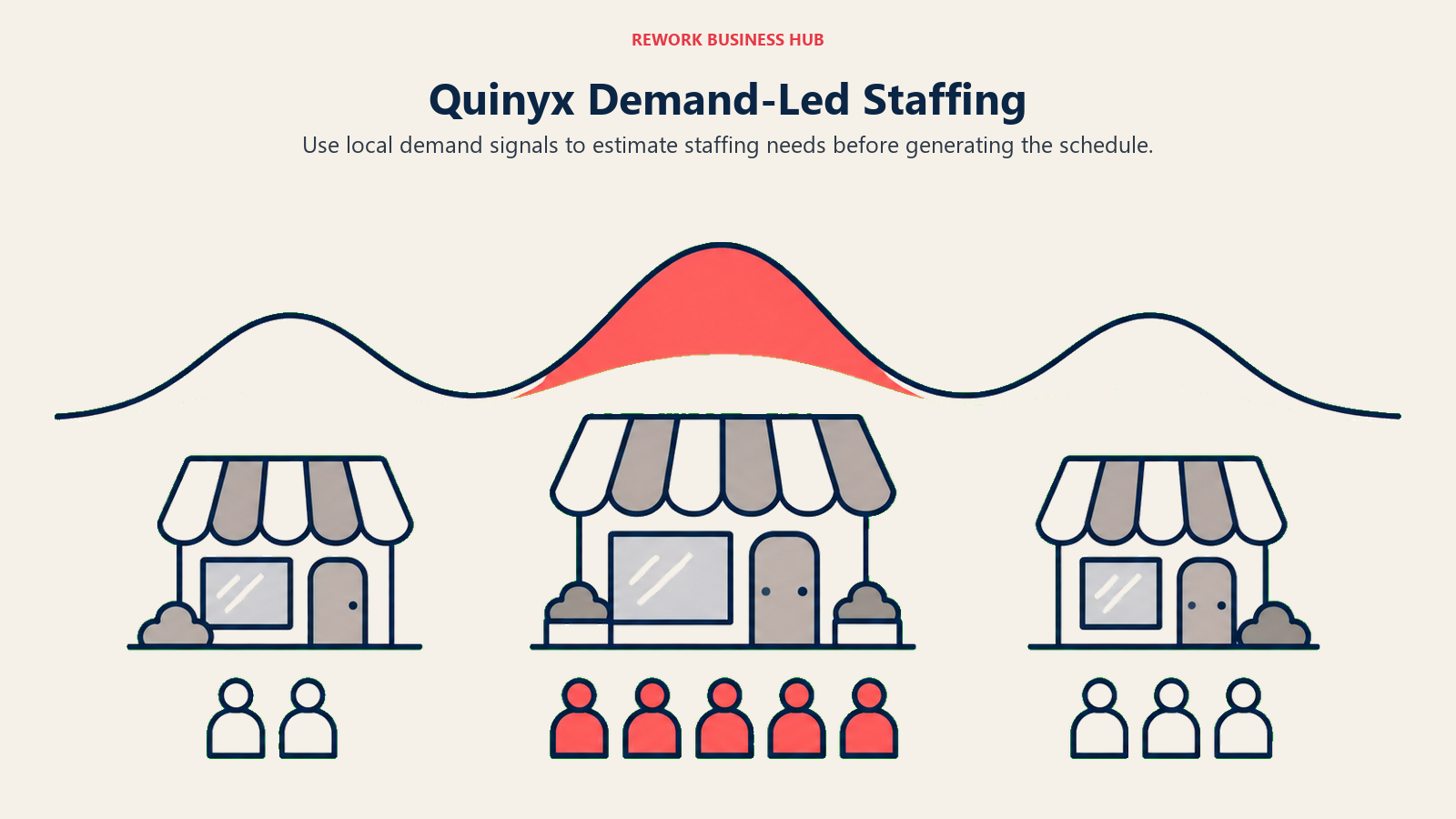
The trade is the one every enterprise tool on this list makes. You get forecasting a mid-market tool cannot approximate, and you get a sales cycle instead of a signup button.
| What you get | What you don't |
|---|---|
| Per-site demand forecasts that adapt to promos and events | Any published price or plan tier |
| Auto-generated schedules that respect contracts and rules | A self-serve trial |
| Time, attendance, and payroll integration in one platform | A sensible fit under a few hundred employees |
| Multi-site labor analytics across a whole estate | A short evaluation cycle |
Pricing: Quote-only. Quinyx publishes no plan tiers and no figures, so any number you see attributed to it came from a third party rather than the vendor. Expect a scoped quote based on employee count, sites, and modules. (Quinyx) Best for: Retail, hospitality, and logistics operators running dozens to hundreds of sites where forecast accuracy directly moves labor cost. If your question is headcount and org design over the next year rather than coverage next week, that is a different category: see Best Workforce Planning Software, and Best ChartHop Alternatives for the org-data and headcount-planning tools specifically. Not ideal for: Anyone under a few hundred employees, where the forecasting gain will not repay the implementation.
14. Legion: Labor Optimization Tied to Sales and Traffic
Legion competes with Quinyx on the same ground and differentiates on the employee side of the equation. Alongside demand forecasting, labor planning, and optimized scheduling, it invests heavily in what it calls employee value: instant pay access, engagement features, and schedule preferences fed back into the optimizer, on the theory that a schedule people accept is cheaper than one you have to backfill.
Its Spring 2026 release added more than 90 features across scheduling, time and attendance, and labor planning, including an additional AI assistant joining six already in production. The pace is genuine; the evaluation burden that comes with it is too.
| What you get | What you don't |
|---|---|
| Demand forecasting plus optimization in one platform | Any published price or plan tier |
| Employee-facing pay and engagement tied to the schedule | A self-serve entry point |
| A heavy AI assistant roadmap across the product | A short, simple procurement |
| Compliance and labor planning at multi-hundred-site scale | Relevance below a few hundred employees |
Pricing: Quote-only. Legion publishes no pricing page at all. Its own commissioned Forrester Total Economic Impact study, released August 2026, modeled a 15,000-employee, 700-location specialty retailer and reported 1,340% three-year ROI, a payback under six months, and $50.8 million in benefits against $3.5 million in costs. Those are vendor-commissioned figures based on interviews with four customers, so treat them as directional rather than as a quote. (Forrester Total Economic Impact study commissioned by Legion) Best for: Large retail and hospitality operators where a percentage point of labor cost across hundreds of sites is a material number. Not ideal for: Mid-market buyers, who will pay enterprise implementation costs for forecasting they cannot feed enough data.
15. UKG Pro Workforce Management: WFM Inside a Full HCM Suite
UKG Pro Workforce Management is the endpoint of this list: scheduling, time and attendance, absence management, and labor analytics built into UKG's broader HCM suite alongside core HR, payroll, and talent. The argument for it is architectural rather than functional. If HR, payroll, and workforce management sit on one platform, hours flow to pay without an integration to maintain, and compliance reporting draws on one dataset.
With Shiftboard now inside UKG as well, the vendor covers both the HCM-suite buyer and the mission-critical-scheduling buyer, which is worth knowing before you put both names on a shortlist as if they were rivals.
| What you get | What you don't |
|---|---|
| WFM on the same platform as HR, payroll, and talent | Any published pricing |
| Deep compliance, absence, and labor analytics | A self-serve tier or trial |
| One dataset behind scheduling, time, and pay | A short implementation |
| Enterprise-grade multi-entity support | Value for a small or mid-size operator |
Pricing: Quote-only. UKG publishes no figures. Third-party analysis reports UKG Ready at roughly $25 to $33 per employee per month for mid-market deployments and UKG Pro at roughly $32 to $41 per employee per month for enterprise, with implementation fees adding 20% to 40% of annual software cost on Ready and 40% to 70% on Pro (reported), per Outsail's UKG cost analysis. None of that is confirmed by UKG. Get a written quote specifying employee count, entities, payroll frequency, and integrations before comparing it to anything on this page. (UKG)
Best for: Large, multi-entity organizations that want workforce management on the same platform as core HR and payroll. See Best HR Software for how the full HCM suites compare against each other.
Not ideal for: Anyone under a few hundred employees, or any buyer who needs a number before a sales conversation.
Sizing and Fit
| Company size | Best-fit picks | Why |
|---|---|---|
| 1 to 10 | Jibble, Sling, Homebase, ZoomShift | Free tiers cover the whole team, though only Jibble tracks time for free |
| 10 to 50 | Homebase, 7shifts, Connecteam, Buddy Punch | A flat per-location or per-hub rate beats per-user pricing at this density |
| 50 to 200 | Connecteam, Deputy, When I Work, Planday | Compliance and multi-site labor cost start outweighing the monthly bill |
| 200 to 1,000 | TCP Humanity Schedule, Deputy, Planday | Credentialing, continuous coverage, and payroll-grade hours become the deciding factors |
| 1,000 plus | Quinyx, Legion, UKG Pro Workforce Management, UKG Shiftboard | Forecast accuracy and HCM integration matter more than per-user price |
Where the Free Tiers Actually Stand in 2026
The free tiers in this category shrank materially over the last two years, and most articles about it were written before the changes. Here is the current state, since "free" is doing very different work in each of these.
| Tool | Free tier as of August 2026 | Does the free tier track time? |
|---|---|---|
| Jibble | Free forever, unlimited users | Yes, this is the free tier's whole purpose |
| Sling | Up to 30 users | No, scheduling and messaging only |
| ZoomShift | Up to 20 active members, 1 location | No, time clock starts on Premium |
| Connecteam | Up to 10 users across all hubs | Yes, within the 10-user cap |
| Homebase | 1 location, up to 10 employees | Yes, basic time tracking included |
| 7shifts | Comp plan, up to 15 employees, 1 location | Yes, basic time clocking included |
| When I Work | None, 14-day trial only | Not applicable |
| Deputy | None, trial only | Not applicable |
Note the second column, which is where free-tier shopping goes wrong for a workforce management buyer specifically. Sling and ZoomShift both have real free plans that cannot record a single hour worked, so for this category their honest starting price is the paid tier. Jibble is the one vendor here whose famous free claim survives checking intact.
How to Choose: Decision Framework
Whichever tool survives this table, run it against one real pay period rather than a sandbox demo. Workforce management fails in the gap between the schedule and the timesheet, and a demo dataset never has that gap in it.
| If your team needs... | Best pick |
|---|---|
| Labor law enforced while the schedule is being built | Deputy |
| Scheduling, clock, comms, and HR on one deskless system | Connecteam |
| Labor cost as a percentage of sales, live | 7shifts |
| The cheapest full stack at one busy location | Homebase |
| Variable shift hours turned into payroll-ready output | Planday |
| Shift coverage staff resolve without a manager | When I Work |
| A real free scheduler for up to 30 people | Sling |
| The cheapest route from free rota to geofenced clock | ZoomShift |
| Proof of who punched, with photo and device verification | Buddy Punch |
| Free attendance tracking at any headcount | Jibble |
| Credential-aware coverage for 24/7 operations | TCP Humanity Schedule |
| Mission-critical shift rules in energy or manufacturing | UKG Shiftboard |
| Hyperlocal demand forecasting across many sites | Quinyx |
| Labor optimization tied to sales, traffic, and pay access | Legion |
| Workforce management inside a full HCM suite | UKG Pro Workforce Management |
What to Do Next
Start with the five-job table near the top rather than the numbered list. Naming the job (compliance enforcement, one system for a deskless team, labor cost against revenue, provable attendance, or forecasting at scale) cuts fifteen tools to three or four before you look at a single price. Then price your real shape, not a per-user headline: run your headcount and your site count through both billing tables above, because a flat per-location rate and a per-user rate can differ by five times at the same team size.
Finally, pilot the top two against one complete pay period. Publish a real schedule, let people clock in against it, and push the hours to payroll. Every tool here looks fine until the schedule and the timesheet disagree, and that is the only test that shows you which one closes the gap.

Principal Product Marketing Strategist
On this page
- Key Facts
- What Workforce Management Adds on Top of Scheduling
- Pick the Job First: Five Workforce Management Jobs
- Quick Comparison Table
- The Four Billing Bases, Priced Out
- 1. Deputy: Labor Law Enforced Inside the Schedule Itself
- 2. Connecteam: Scheduling, Time Clock, and HR on One Deskless Hub
- 3. 7shifts: Labor Cost as a Percentage of Sales, Live
- 4. Homebase: The Cheapest Full Stack at a Single Location
- 5. Planday: Shift Hours That Turn Into Payroll-Ready Output
- 6. When I Work: Shift Coverage Staff Resolve Themselves
- 7. Sling: Free Scheduling Up to 30 Users, With a Catch for WFM Buyers
- 8. ZoomShift: The Lowest-Cost Ladder From Free Rota to Geofenced Clock
- 9. Buddy Punch: Attendance You Can Prove, Punch by Punch
- 10. Jibble: Free Attendance at Any Headcount
- 11. TCP Humanity Schedule: Demand-Based Coverage for 24/7 Operations
- 12. UKG Shiftboard: Mission-Critical Shift Rules for Energy and Manufacturing
- 13. Quinyx: AI Demand Forecasting for Retail and Hospitality at Scale
- 14. Legion: Labor Optimization Tied to Sales and Traffic
- 15. UKG Pro Workforce Management: WFM Inside a Full HCM Suite
- Sizing and Fit
- Where the Free Tiers Actually Stand in 2026
- How to Choose: Decision Framework
- What to Do Next