Best Connecteam Alternatives in 2026: 14 Tools for Scheduling, Time Tracking, and Deskless Team Ops
Turn this article into takeaways for your work.


Each assistant summarizes the article only for you and suggests best practices for your work.
Connecteam earns its popularity honestly. It built a genuinely useful free tier (up to 10 users across every hub, not a stripped-down trial), then packed scheduling, a time clock, task checklists, internal comms, and HR into one app aimed squarely at deskless teams most software treats as an afterthought. For a retail store, a small field crew, or a single restaurant location, that's hard to beat on price or scope. The trouble shows up once a team grows past what one hub covers, because Connecteam prices Operations, Communications, and HR & Skills separately, and a bill that started at zero can climb fast once you need more than one. This guide covers 14 alternatives, from flat per-user schedulers like Deputy and When I Work to purpose-built options for restaurants, field crews, and enterprise-scale shift operations.
Tools are evaluated on pricing clarity, scheduling and time-tracking depth, and fit for teams outgrowing a single-app bundle. Where a vendor publishes no price, this guide labels any third-party estimate (reported) instead of presenting it as vendor-confirmed. For the full category view, see Best Employee Scheduling Software in 2026.
Key Facts
- The global workforce management software market is valued at $8.38 billion in 2025 and projected to reach $13.03 billion by 2030, a 9.2% compound annual growth rate. (MarketsandMarkets via PR Newswire)
- 70% of hourly service-sector workers reported at least one change to the timing of a shift in the past month, and two-thirds get less than two weeks' notice of their schedule. (The Shift Project, Harvard)
- Replacing an employee typically costs 50% to 200% of their annual salary once recruiting, onboarding, and lost productivity are counted. (SHRM)
- The accommodation and food services sector posted a year-to-date quit rate averaging 4.3% through mid-2026, after peaking at 5.5% in June 2025, still one of the most volatile sectors for scheduling and staffing. (National Restaurant Association)
Quick Comparison Table
| Tool | Best For | Starting Price | Key Strength | Key Limitation |
|---|---|---|---|---|
| Deputy | Flat per-user pricing across scheduling and time clock | Lite $5/user/mo, Core $6.50/user/mo, Pro $9/user/mo ($30/mo invoice minimum) | One simple per-user rate, no hub math | No free plan, add-ons priced separately |
| When I Work | Simple scheduling with shift swaps and messaging | Essentials $2.50/user/mo, Pro $5/user/mo, Premium $8/user/mo | Clean, fast scheduling UI | No free plan (14-day trial only) |
| Homebase | Small multi-location teams wanting scheduling plus payroll | Free (1 location, up to 10 employees); Essentials $30/location/mo ($24 annual) | Built-in POS and payroll integrations | Free plan capped at 10 employees, not unlimited |
| Sling | Free scheduling for teams up to 30 people | Free (up to 30 users); Premium $2.00/user/mo ($1.70 annual) | Real free tier well past Connecteam's 10-user cap | No time tracking on the free plan |
| 7shifts | Restaurant scheduling, labor cost, and tip pooling | Free Comp plan (15 employees, 1 location); Essentials $44.99/location/mo ($39.99 annual) | Built specifically for restaurant labor rules | Every tier caps headcount, so hiring alone can move you up a tier |
| ZoomShift | Budget scheduling for small teams | Free (up to 20 users, 1 location); Starter $2.50/user/mo ($2 annual); Premium $5/user/mo ($4 annual) | Cheapest paid tier on this list | Free tier has no time clock or timesheets |
| Jibble | Free-forever time and attendance with biometrics | Free (unlimited users) | Face recognition clock-in at no cost | Paid-tier pricing not published |
| QuickBooks Time | Teams already running QuickBooks payroll | Premium $10/mo base + $8/user/mo | Direct payroll sync | Two-part pricing is easy to misquote |
| Buddy Punch | GPS time tracking with a low per-user add-on model | $19/mo base + $4.99/user (annual), $5.99/user (monthly) | Modular add-ons (GPS, scheduling) priced separately | No published free plan |
| Workyard | Construction and field crews needing labor-cost GPS tracking | Starter $6/user/mo billed annually | Job-cost accuracy built for construction | Pro and Autopilot tier prices not published |
| Planday | Retail and hospitality shift scheduling, strong in Europe | Starter $2.99/user/mo (min. 5 users); Plus $4.49/user/mo plus a $15/mo fee (min. 10 users) | Deep payroll integrations in EU markets | Pricing page renders by region, so figures vary by currency |
| Humanity Schedule (TCP) | Mid-market teams needing auto-scheduling and compliance | Essentials $2.75/employee/mo annual; Professional from $3.75/employee/mo annual | Demand-based auto-scheduling | Monthly-billed rate not published |
| Shiftboard | Enterprise workforce scheduling with complex compliance rules | Business (single site) and Enterprise (multi-site), quote-only | Built for union rules and complex shift patterns | No published pricing, demo required |
| Quinyx | Global enterprise workforce management | Custom quote, no public pricing page | AI-driven demand forecasting at scale | No self-serve signup or published price |
Why Teams Leave Connecteam
Connecteam's Small Business plan really is free for life, for up to 10 users, across every hub at once, and nothing else on this list matches that breadth. Sling's free tier covers more people (30 users) but scheduling and messaging only, no time clock. ZoomShift's free tier covers 20 users at one location, with no time clock or timesheets. Connecteam's 10-user plan is the only free one that bundles scheduling, a real time clock, task checklists, and a comms feed together. For a single location or a small crew, that's hard to beat. The trouble is what happens after 10 users, or after one hub stops covering what the team needs.
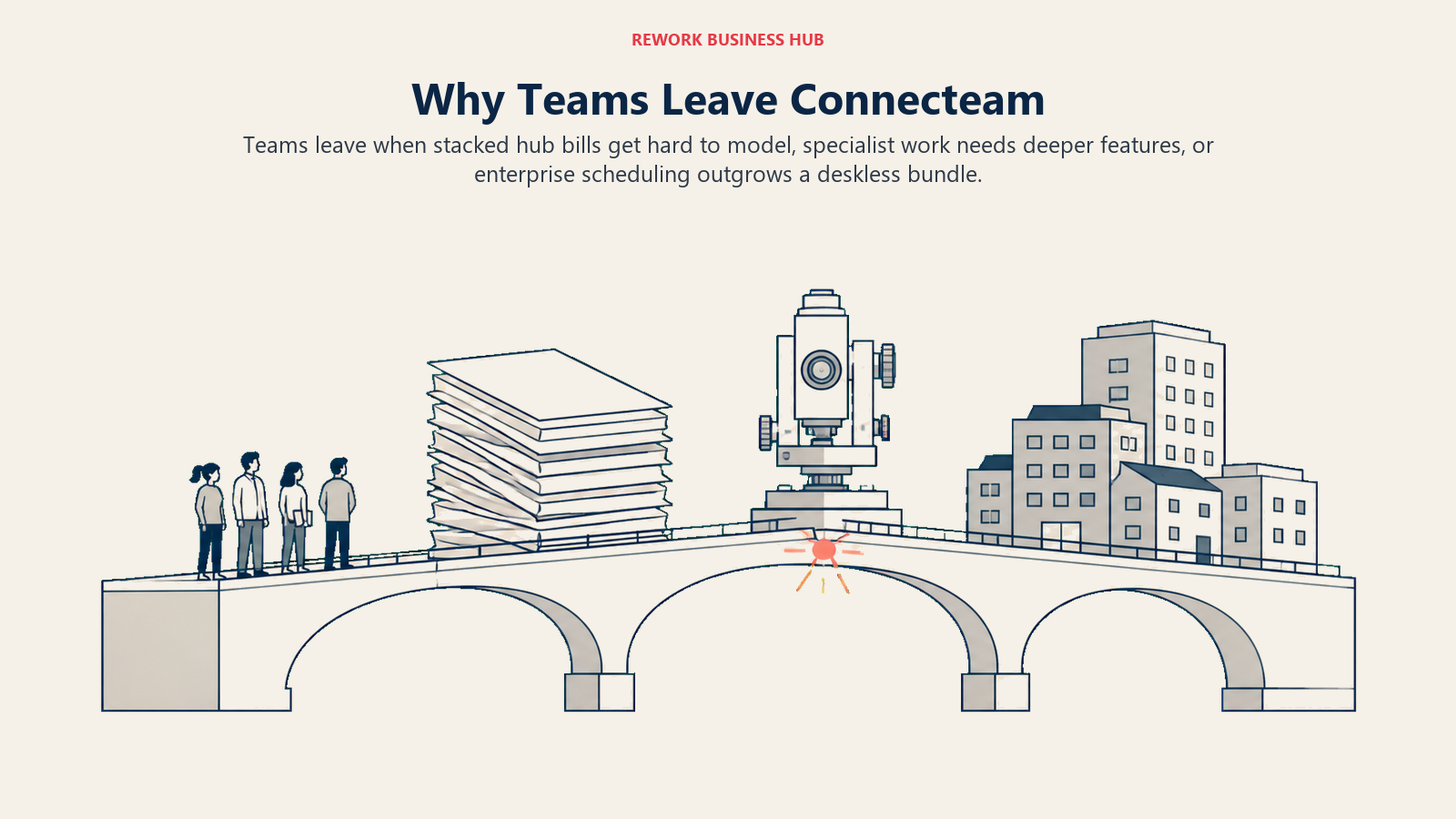
Connecteam doesn't price per user the way most of this list does. It prices per hub. Operations (scheduling, time clock, tasks), Communications (updates, chat, surveys), and HR & Skills (onboarding, documents, courses) are each a separate product with its own Basic, Advanced, and Expert ladder, and each ladder shares the same base price ($35/mo monthly or $29/mo annual for Basic, $59/$49 for Advanced, $119/$99 for Expert) for the first 30 users on that hub. Extra-user rates differ by hub: Operations runs $0.80 to $1.00 per additional user; Communications and HR & Skills run a lower $0.50 to $0.60. Need Communications for a company feed? A second bill. HR & Skills for onboarding documents? A third. The table below shows what that costs at a realistic headcount, next to alternatives billing on a completely different basis, per user, per location, or per employee annually, named in every row.
Real Cost at 25 Employees: Comparing Different Pricing Bases
| Tool (plan) | Billing basis | Monthly cost at 25 people | What it covers |
|---|---|---|---|
| Connecteam, Operations only (Basic) | Per hub, first 30 users included | $35/mo monthly, $29/mo annual | Scheduling, time clock, tasks |
| Connecteam, 3 hubs stacked (Basic each) | Per hub x3, first 30 users included on each | $105/mo monthly, $87/mo annual | + company comms feed + HR document storage |
| Deputy (Core) | Per user | $162.50/mo (25 x $6.50) | Scheduling, time clock, tasks, one bill |
| When I Work (Pro) | Per user | $125/mo (25 x $5) | Scheduling, shift swaps, messaging |
| Sling (Premium) | Per user | $50/mo monthly, $42.50 annual (25 x $2.00 / $1.70) | Scheduling, messaging, no time tracking |
| Homebase (Essentials) | Per location, unlimited employees | $30/mo monthly, $24/mo annual, 1 location | Scheduling, time tracking, POS integration |
| ZoomShift (Starter) | Per user | $62.50/mo monthly, $50/mo annual (25 x $2.50 / $2.00) | Scheduling, timesheets, time clock |
| Humanity Schedule (Essentials) | Per employee, billed annually only | $68.75/mo (25 x $2.75, annual billing) | Auto-fill scheduling, compliance reporting |
At 25 people, Connecteam's Operations hub alone is the cheapest way to get scheduling and a time clock here, well under Deputy or When I Work. The cost problem shows up once a team needs a second or third hub: stacking all three still costs less than Deputy in this example, but it's now three line items instead of one, and past 30 users on any hub, per-extra-user fees compound on each bill separately.
Three reasons keep coming up when teams look elsewhere anyway.
Per-hub pricing gets expensive or confusing. Even when the math favors Connecteam, a buyer who wants one flat per-user rate, no hub math, one invoice instead of two or three, tends to land on Deputy, When I Work, or Sling instead.
They want depth in one job, not breadth across five. Connecteam's strength, doing scheduling, comms, and HR reasonably well in one app, is also its limit. A restaurant with tip pooling goes to 7shifts. A team that only needs scheduling goes to ZoomShift or Sling. A team that only needs attendance goes to Jibble or QuickBooks Time. Depth beats breadth once needs get specific.
They outgrow it. Mid-market and enterprise shift operations, with union rules or AI-driven demand forecasting, move to Humanity Schedule (TCP), Shiftboard, Planday, or Quinyx, and walk into a transparency cliff doing it: the SMB end of this category (Sling, ZoomShift, When I Work, Deputy, Homebase, Connecteam) publishes full pricing, while the enterprise end (Shiftboard, Quinyx, Legion, UKG, Workday) publishes essentially nothing but a demo request.
None of that makes Connecteam a bad choice for the team it's built for. It's a starting point some teams outgrow, and which alternative fits depends on which of the three reasons above is yours.
1. Deputy: The Flat Per-User Rate Connecteam Doesn't Offer
Deputy is the tool most buyers land on when the complaint is "I don't want to do per-hub math." One product, one per-user price, covering scheduling, time and attendance, and a task feed, no second or third bill for comms or HR.
Deputy has no free plan, only a free trial, and bills per user across three tiers with a minimum monthly invoice of $30 in force since September 2025. (deputy.com/pricing)
| What you get | What you don't |
|---|---|
| One flat per-user price, no hub math | A free plan (trial only) |
| Scheduling, time clock, and tasks in one product | Comms/HR bundled in without add-ons |
| Payroll, HR, Messaging+, and Analytics+ add-ons available | A single number that includes those add-ons |
| A $30/month invoice floor that's easy to plan around | Pricing that helps a very small team under 6 users |
Pricing: Lite $5/user/mo, Core $6.50/user/mo, Pro $9/user/mo (minimum $30/month invoice on monthly plans). Add-ons: Payroll (enabled by Paycor) $8/user/mo + $49/mo base, HR $2/user/mo, Messaging+ $1.95/user/mo, Analytics+ $1.50/user/mo. Enterprise and the Flexible Weekly Plan are quote-only. Best for: Teams that want Connecteam's scheduling and time-clock coverage on one simple per-user rate instead of per-hub pricing. See Best Deputy Alternatives if Deputy itself is the tool you're comparing against, or Deputy vs When I Work for a direct head-to-head. Not ideal for: Very small teams where the $30/month invoice minimum outweighs the per-user savings.
2. When I Work: Fast, Simple Scheduling Without the Extras
When I Work strips the category down to daily essentials: a schedule, shift swaps, availability, and team messaging, without Connecteam's task checklists, courses, or comms layer.
Once famous for a free plan covering up to 75 employees, When I Work has removed it entirely: no free tier today, only a 14-day trial, no credit card required. (wheniwork.com/pricing)
| What you get | What you don't |
|---|---|
| Clean, fast scheduling UI teams adopt quickly | A free plan of any size |
| Shift swaps and availability built in | HR document storage or onboarding courses |
| Team messaging without a separate comms hub | Task checklists like Connecteam's Operations hub |
| A lower entry price than Deputy at the base tier | Deep time-and-attendance compliance tooling |
Pricing: Essentials $2.50/user/mo; Pro $5/user/mo; Premium $8/user/mo. No free plan, 14-day free trial. Best for: Teams that want scheduling and shift communication done well, without paying for HR or task-management features they won't use. See Best When I Work Alternatives if When I Work is the tool you're actually weighing. Not ideal for: Teams that liked Connecteam's bundled task checklists or HR document storage; When I Work doesn't replace those.
3. Homebase: Scheduling, Time Clock, and Payroll for Small Multi-Location Teams
Homebase competes with Connecteam on the same instinct, a free plan generous enough to run a real business on, but built around small multi-location retail and food-service operators specifically. Because the two bill in different units, per location against per hub, the winner flips with your shape rather than your headcount, which we work through in Homebase vs Connecteam.
Homebase's free Basic plan covers 1 location and up to 10 employees with basic scheduling, basic time tracking, and POS integration, the same headcount ceiling Connecteam offers, but at a single location rather than every hub. Paid tiers cover unlimited employees per location. (joinhomebase.com/pricing)
| What you get | What you don't |
|---|---|
| A real free plan up to 10 employees, one location | Unlimited employees on the free plan (a common misconception) |
| Native payroll add-on ($39/mo + $6 per employee paid) | Payroll included free, even on paid tiers |
| POS integrations built for retail and food service | Deep task-checklist or course-based training tools |
| Unlimited employees once you're on a paid tier | A flat per-user rate; pricing is per location |
Pricing: Free Basic (1 location, up to 10 employees); Essentials $30/location/mo monthly, $24 annual; Plus $70 monthly, $56 annual; All-in-One $120 monthly, $96 annual. Payroll add-on $39/month + $6 per employee paid. Best for: Small retail and food-service operators who want scheduling, time tracking, and payroll on one platform priced per location. See Best Homebase Alternatives if Homebase itself is what you're comparing against. Not ideal for: Multi-hub operations needing HR document storage or training courses, where Connecteam or a dedicated HR platform fits better.
4. Sling: A Real Free Plan Well Past Connecteam's 10-User Cap
Sling's pitch to a Connecteam user is direct: the free plan covers three times as many people. Scheduling, time-off requests, shift swaps, and messaging are all free for up to 30 users, no hub split required.
Sling's free tier excludes time tracking, which sits behind the two paid tiers, both cheaper per user than most of this list. (getsling.com/pricing)
| What you get | What you don't |
|---|---|
| Free scheduling and messaging for up to 30 users | Time tracking on the free plan |
| The lowest per-user paid pricing on this list | HR document storage or onboarding tools |
| Shift swaps and time-off requests included free | Payroll processing built in |
| A 15-day free trial on paid plans | Deep reporting past basic labor cost views |
Pricing: Free (up to 30 users, no time tracking); Premium $2.00/user/mo monthly, $1.70 annual; Business $4.00 monthly, $3.40 annual. 15-day free trial on paid plans. Best for: Teams under 30 people that want Connecteam-style free scheduling without the 10-user ceiling, and don't need time tracking yet. Not ideal for: Teams that need time and attendance from day one; that requires a paid Sling tier.
5. 7shifts: Built Specifically for Restaurant Labor
7shifts doesn't try to serve every deskless industry the way Connecteam does. It serves one: restaurants. Scheduling accounts for tip pooling, labor-cost percentage against sales, and the shift-swap chaos specific to a kitchen and front-of-house floor.
7shifts offers a free Comp plan (basic scheduling, time clocking, team comms, availability and time off). 7shifts bills per location, and every tier also caps headcount: up to 15 employees on the free Comp plan at a single location, 30 on Essentials at $44.99/location/month ($39.99 annual), 60 on Pro at $89.99 ($79.99 annual), and unlimited on Premium at $149.99 ($134.99 annual). Annual billing takes 10 percent off. Watch the collision on $39.99: it is both the Essentials annual rate and the standalone 7shifts Payroll add-on rate, which is $39.99 per location a month plus $6 per employee paid and comes included at Premium. (7shifts)
| What you get | What you don't |
|---|---|
| Labor-cost percentage and tip-pooling built for restaurants | A generalist tool for non-restaurant deskless teams |
| A free Comp plan with real scheduling and time clocking | Headroom on headcount: every tier caps it, so hiring alone can move you up a tier |
| Payroll add-on ($39.99/location/mo + $6 per employee paid) | Connecteam's task-checklist and course features |
| Deep restaurant-specific integrations (POS, payroll) | A flat per-user rate; pricing is per location |
Pricing: Free Comp plan (15 employees, 1 location). Essentials $44.99/location/mo ($39.99 annual, 30 employees); Pro $89.99 ($79.99 annual, 60 employees); Premium $149.99 ($134.99 annual, unlimited). Payroll add-on $39.99/location/month + $6 per employee paid, included at Premium. Best for: Restaurants and food-service operators that need labor-cost and tip-pooling logic Connecteam's general-purpose Operations hub doesn't build for. Not ideal for: Retail, field service, or office-based deskless teams outside food service, where the restaurant-specific logic adds nothing.
6. ZoomShift: The Budget Pick for Straightforward Scheduling
ZoomShift keeps the feature set narrow on purpose: scheduling, shift swaps, availability, timesheets, and a time clock, at a price that undercuts almost everything else here past the free tier.
ZoomShift's free Essentials plan covers up to 20 team members at one location, twice Connecteam's free-tier cap, though it schedules only up to two weeks ahead and skips the time clock and timesheets that Connecteam's free plan includes. Paid tiers add unlimited team members and locations, plus the time clock and timesheets the free tier leaves out. (zoomshift.com/pricing)
| What you get | What you don't |
|---|---|
| A free tier covering 20 users, double Connecteam's cap | A time clock or timesheets on the free tier |
| The cheapest paid tier on this list at $2.50/user/mo | Company-wide comms/announcement features |
| Unlimited team members and locations on paid tiers | GPS field verification depth like Workyard's |
| A 14-day free trial, no credit card required | Task checklists as detailed as Connecteam's |
Pricing: Essentials free (up to 20 users, 1 location, schedule up to 2 weeks ahead, no time clock or timesheets); Starter $2.50/user/mo monthly, $2/user/mo annual; Premium $5/user/mo monthly, $4/user/mo annual. Unlimited users and locations on paid tiers. Best for: Small teams that want straightforward scheduling and a time clock at the lowest paid price on this list, without HR or comms extras. Not ideal for: Teams that valued Connecteam's task checklists, courses, or company-wide comms feed; ZoomShift doesn't build those.
7. Jibble: Free-Forever Attendance With Facial Recognition
Jibble competes with Connecteam on the same axis, an aggressively generous free tier, but narrows the scope to attendance rather than scheduling, tasks, and HR combined.
Jibble's free-forever plan covers unlimited users with face recognition and GPS-tracked clock-ins, stronger than Connecteam's 10-user cap for attendance specifically. Paid Premium pricing is not published. (jibble.io/pricing)
| What you get | What you don't |
|---|---|
| Unlimited users on a genuinely free plan | Scheduling depth like Deputy or When I Work |
| Face recognition and GPS clock-in at no cost | Task checklists or HR document storage |
| Slack, Microsoft Teams, and QuickBooks integrations | Published paid-tier pricing |
| Fast setup with no credit card required | Company-wide comms features |
Pricing: Free (unlimited users, core attendance features); paid Premium tier pricing not published, contact Jibble directly. Best for: Hourly and shift-based teams that need free, verified clock-in and clock-out for unlimited users, not scheduling or HR bundled in. Not ideal for: Teams wanting scheduling, task management, or HR features in the same app; Jibble stays narrowly focused on attendance.
8. QuickBooks Time: Time Tracking That Feeds Payroll Directly
For a business already running QuickBooks payroll, QuickBooks Time (formerly TSheets) closes a loop Connecteam leaves open: tracked hours flow straight into payroll without a manual export and re-import.
Pricing runs a base fee plus a per-user add-on across two tiers, Premium and Elite. Intuit runs frequent promotional discounts; the figures here are list price. (quickbooks.intuit.com/time-tracking/pricing)
| What you get | What you don't |
|---|---|
| Direct payroll sync inside the QuickBooks ecosystem | A free plan |
| GPS tracking and geofencing on both tiers | Scheduling depth or task checklists |
| Overtime alerts built for hourly compliance | Simple, one-number pricing (base + per user) |
| Scheduling included on the Elite tier | Company comms or HR document storage |
Pricing: Premium $10/mo base + $8/user/mo; Elite $20/mo base + $10/user/mo. List price; promotions may apply. Best for: Businesses already running QuickBooks payroll that want tracked hours to flow straight through. For the payroll side specifically, see Best Payroll Software in 2026. Not ideal for: Teams on a different payroll system, where the QuickBooks tie-in adds no value over a standalone time clock.
9. Buddy Punch: GPS Time Tracking With Modular Add-Ons
Buddy Punch takes the opposite approach from Connecteam's all-in-one hubs: a core time clock, then GPS tracking and scheduling as separate paid add-ons, so a buyer pays only for what they use. Every plan also carries a flat $19/month base fee on top of the per-user rate, a real point of contrast with Connecteam's free-to-10-users tier: a 10-person team pays Connecteam nothing, but pays Buddy Punch's base fee before a single per-user charge is added.
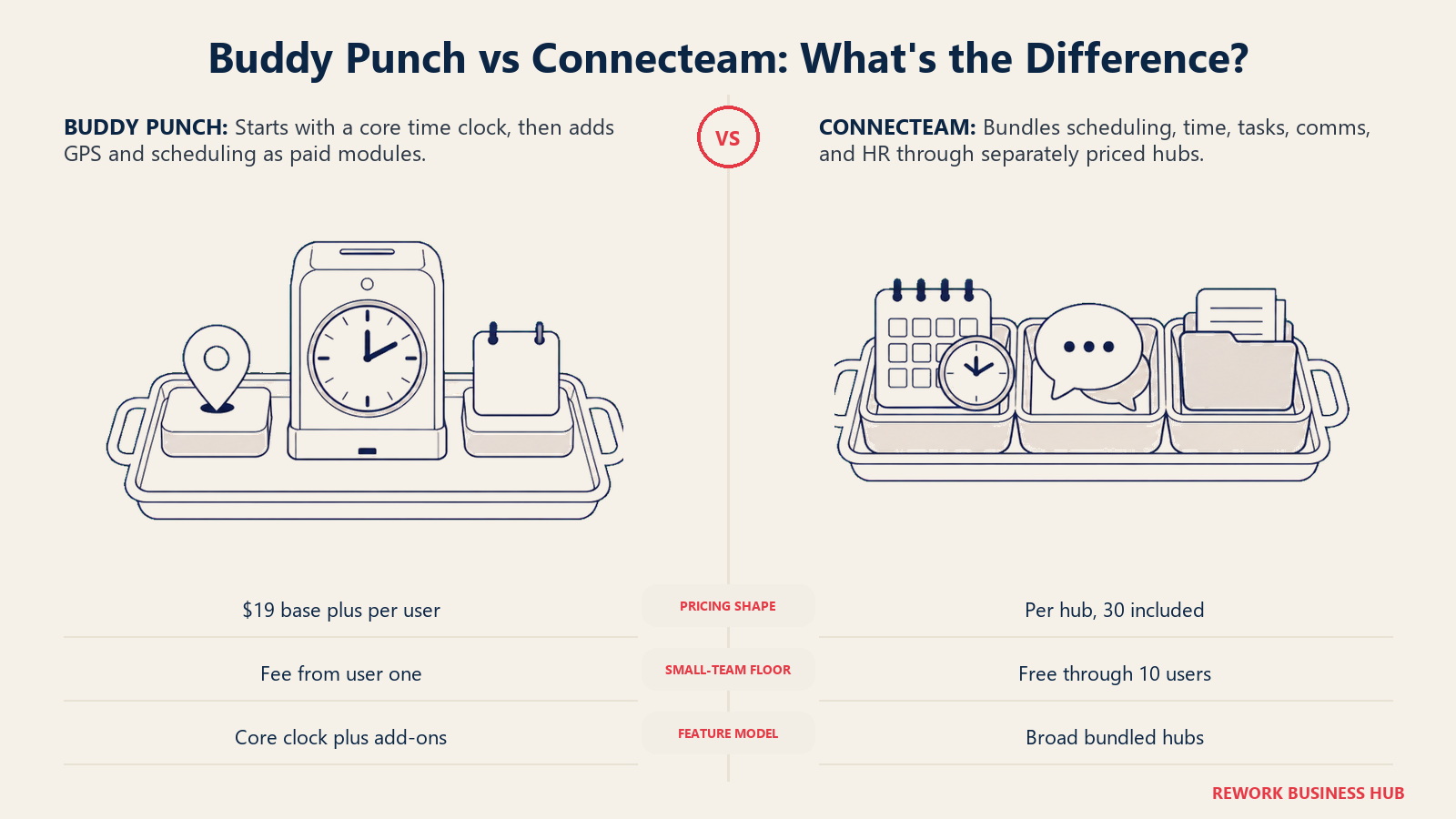
Buddy Punch's own documentation site publishes the full breakdown. (Buddy Punch documentation)
| What you get | What you don't |
|---|---|
| A base plan plus pay-for-what-you-use add-ons | A flat, all-in price without a base fee added on |
| GPS tracking and scheduling priced separately | The lowest entry point once the $19 base is counted |
| A free trial to test the core time clock | Task checklists or company comms features |
| Cheaper per-user rates on longer commitments | HR document storage or onboarding courses |
Pricing: $19/month base fee on every plan, plus a per-user rate: Starter $4.99/user/mo billed annually, $5.99/user/mo monthly; Pro $6.99/user/mo annually, $7.99/user/mo monthly; Advanced (Enterprise) $12.99/user/mo annually, $13.99/user/mo monthly. Payroll add-on: $8/user/mo plus a $49/mo base on Starter, $6/user/mo plus a $39/mo base on Pro. Best for: Teams that want a GPS-capable time clock but would rather pay for scheduling and GPS as separate add-ons instead of a bundled all-in-one price. Not ideal for: Very small teams where the $19/month base fee outweighs the per-user savings, the same math that makes Connecteam's free tier attractive at that size.
10. Workyard: Job-Cost GPS Tracking for Construction and Field Crews
Workyard goes deeper than Connecteam on one job: tying GPS-verified time to a job site and cost code, so a construction or field-service business sees labor cost per project, not just hours worked.
Workyard publishes a starting price for its entry tier but not for Pro or Autopilot; both require a sales conversation or a trial signup to see. (workyard.com/pricing)
| What you get | What you don't |
|---|---|
| GPS-verified time tied to job site and cost code | Published pricing past the Starter tier |
| Labor-cost-per-project reporting built for construction | Scheduling depth for non-field deskless teams |
| A 14-day free trial, no credit card required | Task checklists or company-wide comms |
| Purpose-built mobile GPS tracking for field crews | HR document storage or onboarding tools |
Pricing: Starter plans start at $6/user/month billed annually (monthly billing also available, rate not published). Pro and Autopilot tiers require contacting sales. Enterprise is a custom quote. Best for: Construction and field-service businesses that need job-cost accuracy from GPS-verified time, not general deskless scheduling. See Best Field Service Management Software in 2026 for the broader field-service category. Not ideal for: Retail, hospitality, or office-based deskless teams without a job-site cost-tracking need.
11. Planday: Shift Scheduling Built for European Retail and Hospitality
Planday's strength shows up most in European retail and hospitality operations, where its payroll and revenue-integration depth runs deeper than most US-built competitors, Connecteam included.
Planday publishes per-user prices on its own pricing page, but the page renders by region, which is why an earlier check that came back with no figures was a rendering artifact rather than a missing price. US list: Starter $2.99 per user a month with a 5-user minimum; Plus $4.49 per user a month plus a $15.00 monthly subscription fee with a 10-user minimum; Pro is custom-quoted. A 30-day free trial is available on the self-serve tiers, no credit card required. Ask for a quote in your own currency rather than assuming the US figures apply. (Planday)
| What you get | What you don't |
|---|---|
| Advanced scheduling and leave/absence management on Plus | Published per-user prices on the public pricing page |
| Revenue integration tied to scheduling decisions | A self-serve way to see exact monthly cost upfront |
| API access and deep payroll integrations | A free plan of any kind |
| A 30-day free trial to evaluate before committing | Task checklists or an HR document library |
Pricing: Starter and Plus priced per user/month, exact figures not published (5-user minimum); Pro is custom-quoted. 30-day free trial, no credit card required. Best for: Retail and hospitality operators, especially in European markets, that need scheduling tied closely to payroll and revenue data. Not ideal for: Buyers who want to see an exact price before starting a sales conversation or a trial.
12. Humanity Schedule (TCP): Auto-Scheduling for Mid-Market Compliance Needs
Humanity, now branded Humanity Schedule under TCP Software, goes further than Connecteam on scheduling logic specifically: auto-fill scheduling, demand-based scheduling, and compliance reporting built for operations too large to schedule by hand.
Humanity Schedule's published pricing bills annually at a flat per-employee rate, with a 250-employee cap on the entry tier and volume discounts on the tier above it. Monthly rates are not published. (tcpsoftware.com/pricing)
| What you get | What you don't |
|---|---|
| Auto-fill and demand-based scheduling | Task checklists or a company comms feed |
| Compliance-focused reporting for larger operations | A monthly-billed price on the published page |
| A 30-day free trial of the Professional plan | HR document storage or onboarding courses |
| Add-ons for labor optimization and open API access | A published price for very large enterprises |
Pricing: Essentials $2.75/employee/mo billed annually (up to 250 employees); Professional from $3.75/employee/mo billed annually, volume discounts may apply; Enterprise custom quote. Best for: Mid-market operations that have outgrown manual scheduling and need auto-fill logic plus compliance reporting. See Best HR Software in 2026 for how dedicated HR platforms compare on the compliance side. Not ideal for: Small teams under roughly 50 people, where the auto-scheduling engine is more than they need.
13. UKG Shiftboard: Enterprise Scheduling for Complex Compliance Rules
Shiftboard targets operations Connecteam was never built for: union rules, multi-site compliance, and shift patterns complex enough that a general scheduling app breaks down. Note the ownership change: UKG acquired Shiftboard in a deal completed on 30 May 2025, and it now sells as UKG Shiftboard inside the UKG Pro Workforce Management suite rather than as a standalone product.
Shiftboard publishes no self-serve pricing. Its current plans page is a contact form with no figures on it, and the older page that quoted minimum subscription and implementation fees no longer resolves, so budget for a sales conversation and ask what the minimum commitment is. (UKG Shiftboard)
| What you get | What you don't |
|---|---|
| Scheduling built for union rules and complex patterns | Any published price, even a starting figure |
| Implementation support for complex rollouts | A quick self-serve signup |
| Enterprise-grade compliance reporting | A free trial |
| A tool built specifically for large, complex operations | Fit for a small or straightforward team |
Pricing: Business and Enterprise tiers, both quote-only; minimum subscription and implementation fees apply. Demo required to see pricing. Best for: Large, complex operations with union rules or multi-site compliance requirements that a general scheduling tool can't handle. Not ideal for: Small or mid-size teams wanting a fast, self-serve signup without a sales and implementation process.
14. Quinyx: Global Enterprise Workforce Management
Quinyx operates at a different scale entirely: AI-driven demand forecasting and scheduling for large, multi-country retail, hospitality, and logistics operations, the kind of buyer never going to fit inside Connecteam's Operations hub.
Quinyx has no public pricing page (its pricing path 404s), the same posture as Legion and most enterprise workforce vendors. It quotes per organization based on employee count, modules, and support tier, through a sales conversation only.
| What you get | What you don't |
|---|---|
| AI-driven demand forecasting at enterprise scale | Any pricing page at all (the pricing path 404s) |
| Multi-country compliance and scheduling depth | A self-serve trial or signup |
| A platform built for large, complex operations | Fit for a small or mid-size deskless team |
| Enterprise-grade workforce management depth | A quick answer to "what does this cost" without a call |
Pricing: Custom quote only, scaled to employee count and modules. No published pricing page or starting price. Best for: Large, multi-country retail, hospitality, or logistics operations that need enterprise-grade demand forecasting and compliance, not a deskless-team bundle. Not ideal for: Small or mid-size teams; Quinyx is built for and priced around enterprise scale.
How to Choose: Decision Framework
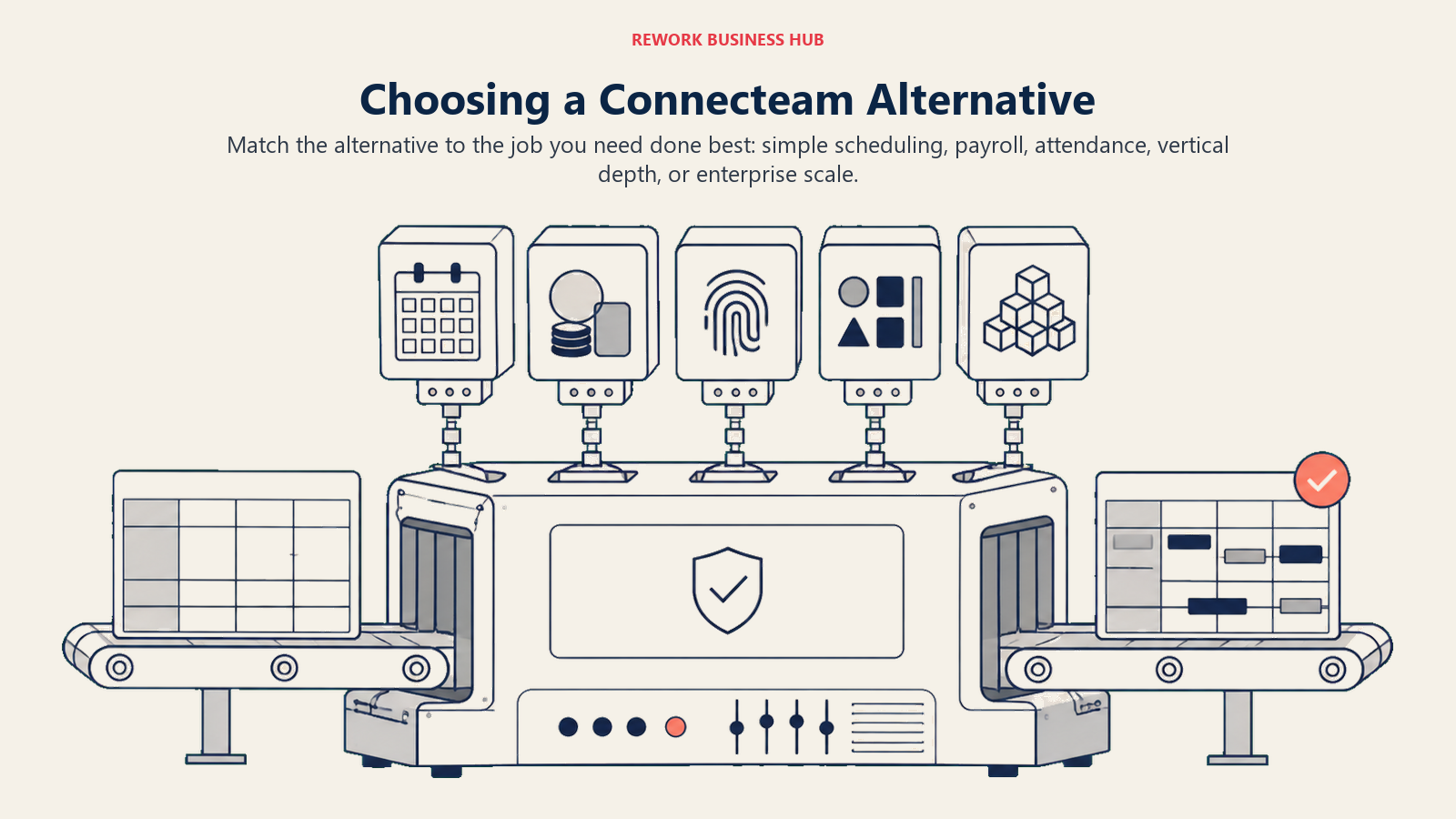
Run whichever pick survives this framework against a real two-week schedule, not a sandbox demo, before you commit.
| If your team needs... | Best pick |
|---|---|
| One flat per-user price, no hub math | Deputy |
| Fast, simple scheduling without extras | When I Work |
| Free scheduling, time tracking, and payroll at one location | Homebase |
| A free plan well past 10 users | Sling |
| Restaurant-specific labor cost and tip pooling | 7shifts |
| The cheapest paid scheduling tier available | ZoomShift |
| Free, unlimited-user biometric attendance | Jibble |
| Tracked hours flowing straight into QuickBooks payroll | QuickBooks Time |
| A time clock with GPS and scheduling as paid add-ons | Buddy Punch |
| Job-cost GPS tracking for construction or field crews | Workyard |
| Scheduling tied to payroll and revenue in European markets | Planday |
| Auto-fill scheduling and compliance reporting at mid-market scale | Humanity Schedule (TCP) |
| Complex union rules or multi-site compliance | Shiftboard |
| Enterprise-scale, multi-country demand forecasting | Quinyx |
Frequently Asked Questions about Connecteam Alternatives
Why do teams leave Connecteam?
Rarely because the free tier disappoints. Teams leave once they need more than one hub (Operations, Communications, HR & Skills each price separately), once they need deeper functionality in one job like restaurant labor cost or field-service GPS tracking, or once they outgrow a deskless-team bundle for enterprise-scale scheduling.
Is Connecteam actually free?
Yes, for up to 10 users across every hub on the Small Business plan. Beyond that, or beyond what one hub covers, pricing runs per hub starting at $35/month billed monthly ($29/month annual) for Operations Basic, covering the first 30 users.
What's the cheapest Connecteam alternative with a real free tier?
Sling offers a free plan for up to 30 users, three times Connecteam's cap, though without time tracking. ZoomShift's free tier covers 20 users at one location. Jibble is free forever for unlimited users, but for attendance only.
Which Connecteam alternative is best for restaurants specifically?
7shifts. It's purpose-built for restaurant labor cost percentage, tip pooling, and shift-swap patterns specific to a kitchen and front-of-house floor, rather than a general deskless-team tool adapted to food service.
What's the difference between per-hub pricing and per-user pricing?
Per-hub pricing (Connecteam's model) charges separately for each product line, so a team using two or three hubs pays two or three bills. Per-user pricing (Deputy, When I Work, Sling) charges one number per person per month covering the whole product, easier to forecast as headcount changes.
Is there a good option for construction or field-service crews specifically?
Workyard, for GPS-verified time tied to a job site and cost code. QuickBooks Time and Buddy Punch also offer GPS tracking if payroll sync or modular add-on pricing matters more than construction-specific job costing.
What should an enterprise or multi-country operation use instead of Connecteam?
Shiftboard for complex compliance and union-rule scheduling, Humanity Schedule (TCP) for mid-market auto-scheduling, or Quinyx for large, multi-country demand forecasting. All three, plus Legion and UKG, publish little to no self-serve pricing, so expect a sales conversation, not a same-day signup.
How much does unpredictable scheduling actually cost a business?
Beyond understaffing or overstaffing a shift, unstable schedules drive turnover: replacing an employee typically costs 50% to 200% of annual salary, per SHRM, and accommodation and food services alone posted a year-to-date quit rate averaging 4.3% through mid-2026, per National Restaurant Association analysis.
What to Do Next
Match your reason for leaving Connecteam to the framework above, then run your top two picks against a real two-week schedule, not a demo account. Load real shift data, time-off requests, and a real payroll cutoff to see which tool actually closes the gap that pushed you off Connecteam. If the gap is per-hub pricing, start with Deputy or When I Work. If it's depth in one job, start with 7shifts, Workyard, or Jibble depending on which job that is. If it's scale, start a conversation with Humanity Schedule, Shiftboard, or Quinyx before your next budget cycle; all three run a sales process, not a same-day signup.

Principal Product Marketing Strategist
On this page
- Key Facts
- Quick Comparison Table
- Why Teams Leave Connecteam
- Real Cost at 25 Employees: Comparing Different Pricing Bases
- 1. Deputy: The Flat Per-User Rate Connecteam Doesn't Offer
- 2. When I Work: Fast, Simple Scheduling Without the Extras
- 3. Homebase: Scheduling, Time Clock, and Payroll for Small Multi-Location Teams
- 4. Sling: A Real Free Plan Well Past Connecteam's 10-User Cap
- 5. 7shifts: Built Specifically for Restaurant Labor
- 6. ZoomShift: The Budget Pick for Straightforward Scheduling
- 7. Jibble: Free-Forever Attendance With Facial Recognition
- 8. QuickBooks Time: Time Tracking That Feeds Payroll Directly
- 9. Buddy Punch: GPS Time Tracking With Modular Add-Ons
- 10. Workyard: Job-Cost GPS Tracking for Construction and Field Crews
- 11. Planday: Shift Scheduling Built for European Retail and Hospitality
- 12. Humanity Schedule (TCP): Auto-Scheduling for Mid-Market Compliance Needs
- 13. UKG Shiftboard: Enterprise Scheduling for Complex Compliance Rules
- 14. Quinyx: Global Enterprise Workforce Management
- How to Choose: Decision Framework
- What to Do Next