Best Microsoft Teams Alternatives in 2026: 14 Team Chat Tools for Every Budget and Team Size
Turn this article into takeaways for your work.


Each assistant summarizes the article only for you and suggests best practices for your work.
The best Microsoft Teams alternatives in 2026 are Slack for the deepest app ecosystem, Google Chat for Workspace-native teams, Zoom Workplace for video-first orgs, Zoho Cliq for the cheapest paid seat, and Lark for all-in-one Asia-Pacific operations. Rework fits teams that want chat living next to a CRM and workflow platform instead of standing alone, while Mattermost, Rocket.Chat, Zulip, and Element cover self-hosted and compliance-driven deployments. Every price below came from the vendor's own pricing page.
Teams works, and its 320 million monthly active users prove people use it every day inside the Microsoft 365 stack. But three specific complaints show up constantly among IT buyers who start evaluating a switch, and it's worth naming them plainly rather than vaguely gesturing at "Teams fatigue." First, cost: Teams Essentials starts at $4.00/user/month paid yearly and Microsoft 365 Business Basic (which bundles the rest of Office) runs $7.00, but the plan most companies actually want, Business Standard, is now sold only as "Business Standard with Copilot" at $23.50/user/month paid yearly, a real jump for a team that just wants chat and video without an AI assistant baked into the price. Second, weight: the desktop client is memory-hungry, common actions are buried several clicks deep, and new hires routinely spend their first week getting lost in it. Third, guest access: inviting an external partner, client, or vendor into a Teams channel runs into tenant-level admin settings that many IT departments lock down by default, turning what should be a two-minute invite into a helpdesk ticket. For a direct look at how Teams stacks up against the messaging tool most often named as its replacement, see Slack vs Microsoft Teams. And if the 275 daily interruptions below sound familiar, No-Meeting Day covers one structural fix that doesn't depend on switching tools at all.
This guide covers 14 alternatives with honest assessments. Real pricing, real target audiences, real limitations, no vague summaries.
Key Facts
- Microsoft Teams reached 320 million monthly active users as of Microsoft's FY24 Q1 disclosure in October 2023, the company's last officially confirmed user count (Microsoft Tech Community).
- Knowledge workers are interrupted every two minutes during core work hours, 275 times a day, by meetings, emails, and chat pings, according to Microsoft's own 2025 Work Trend Index (Microsoft WorkLab).
- Time spent on the collaborative parts of work, instant messaging, email, and meetings, has grown by roughly 50% over the past 12 years, per Harvard Business Review (HBR, "How to Fix Collaboration Overload").
- Collaboration-tool use among knowledge workers rose 44% between 2019 and 2021, with close to 80% of workers using some form of collaboration software by 2021, according to Gartner's Digital Worker Experience Survey (Gartner).
- A Forrester Total Economic Impact study commissioned by Microsoft found a composite organization achieved a 291% ROI with payback in under six months after standardizing on Teams, real evidence that consolidating chat, meetings, and calling onto one platform pays back fast when the platform fits (Forrester TEI of Microsoft Teams).
Quick Comparison Table
| Tool | Best For | Starting Price | Key Strength | Key Limitation |
|---|---|---|---|---|
| Slack | Polished channel-based messaging with the deepest app ecosystem | Pro $7.25/user/mo billed annually | 2,600+ integrations, best-in-class search | Business+ jumps to $15/user/mo annual |
| Google Chat | Teams already living in Google Workspace | Business Starter $7/user/mo (promo $3.50 first 12 months) | Native Docs, Drive, and Meet in every thread | Thin outside the Google ecosystem |
| Zoom Workplace | Video-first teams that want chat bundled with meetings | Free (Basic, 40-min meetings); Pro $14.16/user/mo annual | Meeting quality is still the category benchmark | Chat feels secondary to video in the product |
| Zoho Cliq | Budget teams already running on Zoho's suite | Free (100 participants/chat); Professional $1.80/user/mo (10-user min) | Cheapest paid seat on this entire list | Weaker standalone appeal outside Zoho customers |
| Lark | All-in-one chat, docs, video, and HR for Asia-Pacific teams | Free (Starter, 20 users); Basic $6/user/mo annual | Chat, docs, video, and attendance in one app | Data residency concerns for US/EU buyers |
| Rework | Mid-size teams that want chat inside CRM and ops workflows | Quote on request (rework.com/pricing) | Chat sits next to CRM, tasks, and workflow records | No self-hosted or on-premise option |
| Mattermost | Air-gapped, security-first enterprise deployments | No published price (Entry: free, capped, self-hosted) | Open-source, self-hosted, SOC 2/HIPAA-ready options | Professional and Enterprise pricing isn't public |
| Rocket.Chat | Self-hosted teams needing internal plus customer-facing chat | No published price (Starter: free up to 50 users) | Full source access, omnichannel messaging | Commercial pricing isn't public |
| Zulip | Engineering teams that live by threaded topics | Cloud Standard $6.67/user/mo annual ($8 monthly); self-hosted Basic $3.50/user/mo | Topic-threaded model cuts channel noise sharply | Threaded model has a learning curve for non-engineers |
| Element | Federated, end-to-end encrypted Matrix messaging | No published price (Community: free, self-hosted) | Cross-organization federation, no vendor lock-in | Enterprise pricing isn't public; technical setup |
| Discord | Free voice-first chat for dev teams and communities | Free; Nitro $2.99 to $9.99/mo (personal, not a seat licence) | Best free voice channels of any tool here | No SSO or compliance tooling on the free tier |
| Pumble | Budget teams that hit Slack's 90-day history wall | Free (unlimited history); Pro $2.49/seat/mo annual | Unlimited message history at zero cost | Thin automation and integration depth |
| Chanty | Very small teams wanting simple, cheap chat | Free (5 users); Business $3/user/mo annual | Built-in task manager alongside chat | Runs out of road past 50 to 100 people |
| Webex | Cisco-stack enterprises standardizing on one vendor | Free ($0, 40-min meetings); no published price before Enterprise | AI Assistant and meeting depth built in | No mid-tier price to compare against |
Stage Fit Matrix
| Tool | Startup (1-20) | Growth (20-100) | Mid-Market (100-500) | Enterprise (500+) |
|---|---|---|---|---|
| Slack | Good fit | Strong fit | Good fit | Possible (cost) |
| Google Chat | Good fit | Good fit | Good fit | Limited (compliance) |
| Zoom Workplace | Good fit | Strong fit | Strong fit | Primary target |
| Zoho Cliq | Primary target | Good fit | Possible | Not ideal |
| Lark | Possible | Good fit | Strong fit | Selective (Asia-Pacific) |
| Rework | Not ideal | Strong fit | Primary target | Selective fit |
| Mattermost | Not ideal | Possible | Strong fit | Primary target |
| Rocket.Chat | Possible | Good fit | Strong fit | Good fit |
| Zulip | Possible | Strong fit | Good fit | Possible |
| Element | Not ideal | Possible | Strong fit | Good fit |
| Discord | Primary target | Good fit | Possible (culture fit) | Not recommended |
| Pumble | Primary target | Good fit | Possible | Not ideal |
| Chanty | Primary target | Possible | Not ideal | Not recommended |
| Webex | Possible | Good fit | Good fit | Primary target |
Sizing and Persona Table
| Tool | Team Size Sweet Spot | Primary Buyer Persona | Secondary Buyer |
|---|---|---|---|
| Slack | 10-500 | IT Manager, Head of Ops | Team Lead |
| Google Chat | 10-1,000 | IT Admin, Office Manager | Any Workspace team |
| Zoom Workplace | 20-2,000 | IT Director, Head of IT | Sales and CS leaders (meeting-heavy) |
| Zoho Cliq | 5-250 | Founder, Ops Manager (Zoho customer) | IT Admin |
| Lark | 20-1,000 | COO, IT Manager (Asia-Pacific) | HR Director |
| Rework | 10-200 | COO, Head of Ops, RevOps Director | Director of Sales, IT Manager |
| Mattermost | 50-5,000 | CISO, IT Director, Security Engineer | Compliance Officer |
| Rocket.Chat | 20-500 | IT Manager, Security Lead, DevOps | COO |
| Zulip | 10-500 | Engineering Manager, CTO | Founder |
| Element | 20-500 | CISO, IT Manager, government buyer | Compliance Officer |
| Discord | 2-100 | Founder, Dev Lead, Community Manager | Engineering Manager |
| Pumble | 2-200 | Founder, Ops Manager, Budget Owner | Team Lead |
| Chanty | 1-50 | Founder, Small Business Owner | Operations Manager |
| Webex | 100-10,000+ | IT Director, CIO | Department Heads |
1. Slack: The Polished Default With the Deepest App Library
Slack remains the reference point every alternative gets measured against, Teams included. Channel-based messaging, threads, and a search experience that actually finds what you're looking for are still its core strengths, and the third-party app catalog (2,600+ integrations) dwarfs anything on this list. If your team already runs on Salesforce, Jira, GitHub, or a dozen other SaaS tools, Slack likely already has a clean integration for it.
The free plan caps message history at 90 days and limits you to 10 app integrations, which pushes serious teams to Pro at $7.25/user/month billed annually ($8.75 monthly). Business+ costs $15/user/month annual, $18 monthly, and adds compliance exports and SSO. For teams weighing Slack directly against other options in this category, 12 Best Slack Alternatives in 2026 goes deeper on the tradeoffs.
| What you get | What you don't |
|---|---|
| The largest third-party integration marketplace here | The lowest price on this list |
| Search that reliably finds old conversations | Native Microsoft 365 file integration |
| Huddles for quick voice/video without scheduling | Unlimited history on the free plan |
| Workflow Builder for simple automations | Deep ops or CRM workflow features |
| Broad familiarity across hires from other companies | A meaningfully cheaper Business tier |
Pricing: Pro $7.25/user/month billed annually, or $8.75/user/month billed monthly; Business+ $15/user/month annual, $18 monthly.
Best for: teams that want the most mature, third-party-integrated chat experience and are willing to pay Slack's premium for it.
2. Google Chat: Native Messaging Inside Google Workspace
If your company runs on Google Workspace, Chat is already sitting there. Spaces replace Teams channels, Meet is one click from any conversation, and Docs and Sheets previews render inline without a separate tab. There's no separate app to license, no separate login, and no context switch for a team that already lives in Gmail and Drive all day.
Outside the Google ecosystem, the appeal drops fast. The bot and automation story is thinner than Slack's or Teams' Power Automate, and enterprise buyers looking for deep workflow automation will hit a ceiling. For companies still deciding how much of their stack to move to Google in the first place, Best Google Workspace Alternatives covers what's worth keeping versus replacing.
| What you get | What you don't |
|---|---|
| Zero-friction chat for existing Google Workspace users | A compelling case outside the Google ecosystem |
| Native Docs, Sheets, Drive, Meet, and Calendar links | Deep workflow automation |
| Included in every Workspace tier, no separate line item | A large third-party app marketplace |
| Google Search across conversation history | Enterprise compliance depth on par with Teams |
| Spaces for topic-based channels plus DMs | Compelling reasons to switch if you're on Microsoft |
Pricing: Included with Business Starter at $7.00/user/month (discounted to $3.50 for the first 12 months), through Business Standard at $14.00/user/month (discounted $8.40), Business Plus at $22/user/month, and Enterprise on request. Starter, Standard, and Plus cap at 300 users.
Best for: Google Workspace organizations that want chat built in rather than adding another paid tool.
3. Zoom Workplace: Meeting Quality First, Chat Included
Zoom built its reputation on video call reliability, and Zoom Workplace extends that into a full chat and collaboration suite without giving up what made Zoom Zoom. Team Chat is included even on the free Basic plan, so a small team can run meetings and persistent chat threads without paying for either separately. For teams where video quality is the actual deciding factor and chat is secondary, that ordering matters.
The free Basic plan caps meetings at 40 minutes and 100 participants, which is fine for daily standups but not for longer sessions or company-wide calls. Pro removes the 40-minute cap for group meetings at $14.16/user/month billed annually, and Business at $18.33/user/month adds admin controls and more cloud storage. If meetings, not chat, are the deciding factor for your evaluation, Best Zoom Alternatives covers that angle from the video-first side.
| What you get | What you don't |
|---|---|
| Category-leading meeting reliability and video quality | Chat depth that rivals Slack or Teams |
| Team Chat included even on the free tier | Unlimited free meeting length |
| One vendor for both video and persistent chat | The lowest starting price on this list |
| AI Companion features across meetings and chat | A large third-party integration marketplace |
| Familiar UX for teams that already use Zoom for calls | Native Microsoft 365 file integration |
Pricing: Basic free (40-minute meetings, 100 participants); Pro $14.16/user/month billed annually; Business $18.33/user/month billed annually; Enterprise on request.
Best for: teams where meeting quality is the primary requirement and chat just needs to be good enough to live next to it.
4. Zoho Cliq: The Cheapest Paid Tier on This List
Zoho Cliq is the budget play, and it's not a thin one. The free tier supports up to 100 participants per group chat, 10,000 searchable messages, and 100 GB of file storage per organization, generous limits for a tool that costs nothing. Professional jumps to $1.80/user/month (10-user minimum), the lowest per-seat paid price of anything covered here.
The catch is that Cliq's real value shows up when you're already inside Zoho's ecosystem (Zoho CRM, Zoho Desk, Zoho Projects), where chat threads can reference records directly. As a completely standalone chat tool for a company with no other Zoho footprint, it's serviceable but doesn't have a strong reason to win against Slack or Google Chat on its own merits.
| What you get | What you don't |
|---|---|
| The cheapest paid per-seat price on this entire list | Standalone appeal outside the Zoho ecosystem |
| Deep integration if you already run Zoho CRM or Desk | A large third-party app marketplace |
| Generous free-tier storage and message limits | Call recording or external channels on the free plan |
| 10% savings on annual billing | Brand recognition on par with Slack or Teams |
| No call-recording gap once you're on a paid tier | A free tier without a participant cap |
Pricing: Free (100 participants/group chat, 10,000 searchable messages, 100 GB/org); Standard $16.20/month flat for up to 25 users; Professional $1.80/user/month (10-user minimum); Enterprise $3.60/user/month (10-user minimum). Annual billing saves 10%.
Best for: budget-conscious teams, especially ones already running other Zoho products, that want the lowest per-seat price without sacrificing core chat features.
5. Lark: All-in-One Chat, Docs, and HR From ByteDance
Lark packs chat, video meetings, collaborative docs, spreadsheets, OKR tracking, and attendance management into one product. For fast-growing teams in Asia-Pacific markets, especially companies with a presence in China, that breadth genuinely replaces several separate subscriptions rather than just adding one more. Real-time doc collaboration is comparable to Google Docs, and the all-in-one pricing model is easy to justify against buying chat, docs, and an HR tool from three different vendors. For organizations weighing whether Lark's HR-adjacent features are worth the switch versus a dedicated internal comms platform, Best Employee Communication Software is the place to compare that specific angle.
The free Starter tier caps at 20 users, not 50 as some older sources still claim, so confirm the current limit before promising it to a growing team. Outside Asia-Pacific, data residency and ByteDance ownership are real objections for US and EU enterprise buyers who scrutinize where their communication data lives.
| What you get | What you don't |
|---|---|
| Chat, docs, video, spreadsheets, and HR tools in one app | Data residency assurances for US/EU buyers |
| Strong Asia-Pacific localization and market support | Western enterprise ecosystem depth |
| Competitive free plan for small teams (20 users) | Independence from ByteDance data-handling concerns |
| Real-time collaborative docs at a near-Notion level | Established Western enterprise support reputation |
| OKR and attendance tools bundled in | A neutral answer to regulatory scrutiny questions |
Pricing: Free (Starter, 20 users, 100 GB storage); Basic $6/user/month billed annually (500 users max, 5 TB); Pro $12/user/month billed annually (500 users max, 15 TB); Enterprise custom.
Best for: fast-growing Asia-Pacific teams that want one platform for communication, docs, and light HR tooling, and where ByteDance data handling isn't a compliance blocker.
6. Rework: Chat Inside the Ops Platform, Not Bolted On
Every tool above treats chat as the whole product. Rework treats chat as one module sitting next to the parts of the business that actually generate the conversations in the first place: the CRM record, the task, the approval, the client onboarding step. When a deal changes stage or a workflow needs a decision, the conversation happens in Chat right next to the record it's about, instead of in a Teams channel someone has to manually cross-reference back to the system of record.
Rework also ships Exchange for chatting with people at other companies without adding them as guests, Townhall for company-wide announcements (an angle covered in more depth in Best Intranet Software), Square for internal Q&A, and Meeting, Booking, and Schedule for coordinating time. That's a different pitch than Teams: instead of a heavy communication suite bolted onto Office, it's a lighter chat layer built into the operations platform your team already runs deals and projects through. For a company weighing whether to keep paying for Teams as a bundled M365 line item just for chat, or to fold chat into a platform they already use for CRM and workflows, that consolidation case is the argument for Rework, not a claim that its chat is deeper than Slack's or Teams' own.
Not ideal for: teams that need a self-hosted, air-gapped, or on-premise deployment (Rework has none), teams that need federation with outside chat networks, solo operators or 1-2 person teams, or anyone whose primary requirement is a best-in-class standalone chat client rather than chat wired into daily operations. Fit is roughly 10-200 people.
| What you get | What you don't |
|---|---|
| Chat sitting next to CRM, task, and workflow records | A standalone, best-in-class chat client |
| Exchange for cross-company chat, Townhall for company-wide comms | Self-hosted, air-gapped, or on-premise deployment |
| Square for internal Q&A, plus Meeting, Booking, and Schedule | Federation with outside chat networks |
| One login instead of a chat tool plus a separate CRM and task tool | A free tier for solo users or 1-2 person teams |
| Seats come in blocks of 5 rather than one at a time | A published per-seat price for the Chat module |
Pricing: Quote on request (rework.com/pricing). Pricing for the Rework Chat module is quoted per organization.
Best for: teams of roughly 10-200 people who want chat living next to their CRM and operational workflows instead of running a separate messaging platform on top of them.
7. Mattermost: Self-Hosted Security for Regulated Teams
Mattermost occupies the serious end of self-hosted messaging: air-gapped deployment options, SOC 2, HIPAA-ready configurations, and granular access controls built for government, defense, and financial-services buyers whose security review rules out cloud-first SaaS entirely. The product looks and behaves close enough to Slack or Teams that user retraining is manageable, with channels, threads, and slash commands all working as expected.
Here's the story worth knowing before you evaluate it: Mattermost no longer publishes per-seat prices anywhere. Entry is a free, self-hosted tier with the full Enterprise Advanced feature set but capped at 10,000 channel messages of history server-wide, and Mattermost's own docs describe it as "best suited for teams less than 50 users." Team Edition is free, open-source, and uncapped on history, but is documented for teams under 250 users with no SSO. Professional and Enterprise are both "Get pricing" only; third parties report roughly $10/user/month for Professional, but treat that as reported, not confirmed. If self-hosted messaging is the requirement but Mattermost's IT lift feels heavy, Best Mattermost Alternatives walks through lighter and heavier options on both sides of it.
| What you get | What you don't |
|---|---|
| Air-gapped, on-premises deployment option | A published price for Professional or Enterprise |
| SOC 2 and HIPAA-ready configurations | Easy onboarding for non-technical organizations |
| Familiar, Slack-like UX and slash commands | Uncapped history on the free tier without SSO |
| Open-source codebase and plugin ecosystem | Low IT resource requirement |
| Enterprise audit logging and compliance controls | Quick time-to-value for small teams |
Pricing: Free self-hosted (Entry: capped at 10,000 messages server-wide; Team Edition: uncapped history, no SSO, documented for under 250 users). Professional and Enterprise: no published price; third parties report roughly $10/user/month for Professional (reported).
Best for: government, defense, financial services, and healthcare organizations that need self-hosted, air-gapped, or heavily regulated messaging infrastructure and have the IT staff to run it.
8. Rocket.Chat: Open-Source Omnichannel Messaging
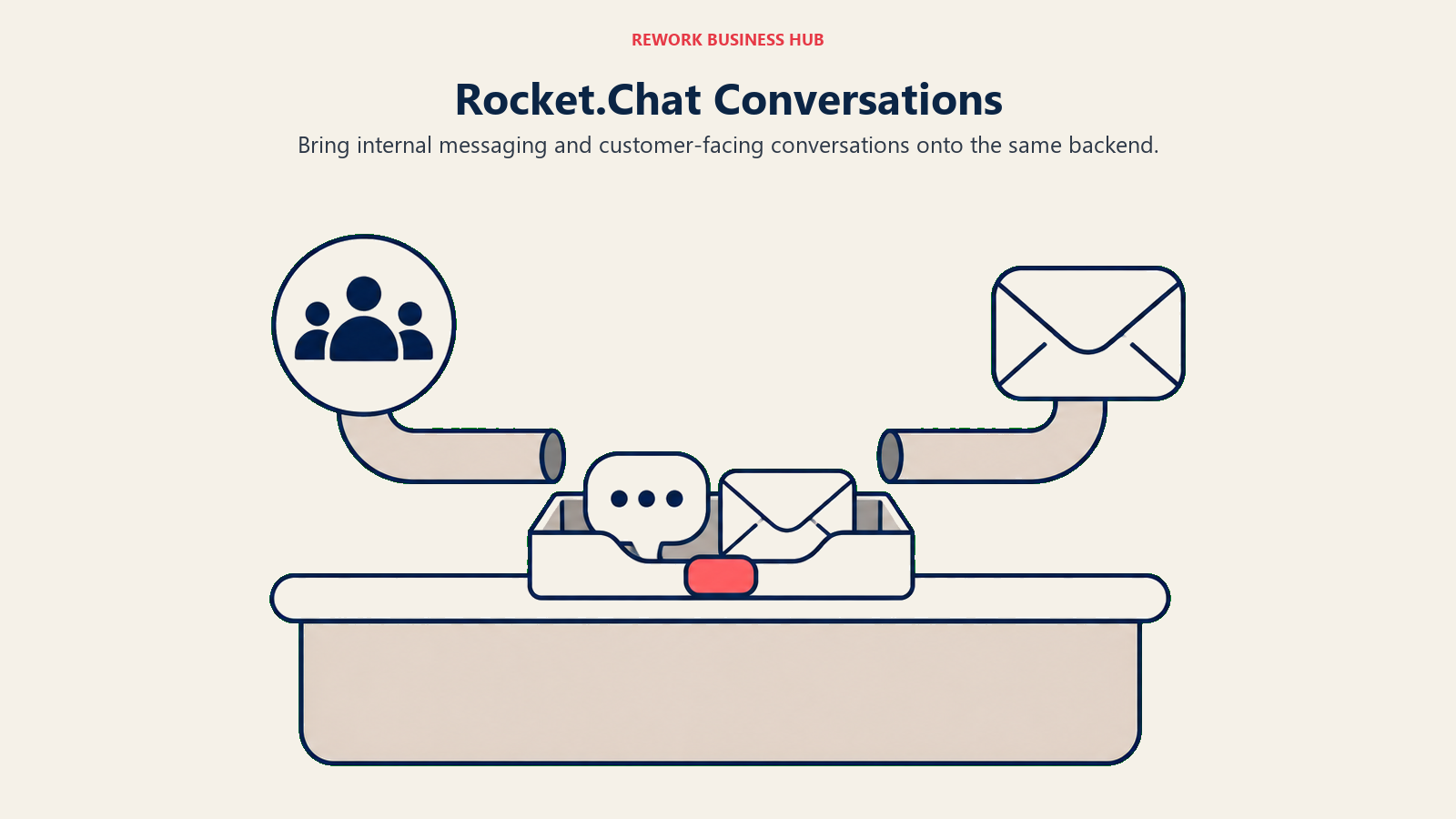
Rocket.Chat is the open-source answer for teams that don't want a vendor controlling their communication infrastructure. Self-host it, read the source, keep full data sovereignty. Past the internal-chat basics, it also handles omnichannel customer-facing messaging, so support conversations and internal team chat can run through the same backend if that consolidation matters to you.
The free Starter plan covers up to 50 users and includes premium features most competitors gate behind a paid tier: AD/LDAP, SSO, MFA, RBAC, end-to-end encryption, retention, DLP, and moderation. Cross 50 users and new signups get restricted, though existing users and data stay accessible. Like Mattermost, Rocket.Chat's Commercial, Government, and Defense plans are all "Talk to sales," with no published dollar figure anywhere on its pricing page. For a direct comparison between the two leading self-hosted options, Mattermost vs Rocket.Chat breaks down which one fits which kind of security requirement.
| What you get | What you don't |
|---|---|
| Full source code access and self-hosting | Zero infrastructure overhead |
| Free plan up to 50 users with premium security features included | A published commercial price anywhere |
| Omnichannel: internal chat plus customer-facing messaging | Plug-and-play onboarding |
| Data sovereignty via on-premises deployment | A large commercial integration marketplace |
| Active open-source community and REST API | Native AI features at Slack or Teams' level |
Pricing: Free (Starter: up to 50 users, premium features included; Community: unlimited, open-source, self-hosted). Commercial, Government, and Defense plans: no published price.
Best for: security-conscious mid-size teams, government, and regulated industries that need self-hosted messaging with both internal and customer-facing chat in one system.
9. Zulip: Threaded Topics for Engineering Teams
Zulip's whole pitch is one structural difference: every conversation is a topic within a channel, not a flat stream of messages. For engineering teams juggling a dozen parallel discussions in one channel, that structure keeps each thread genuinely separate instead of interleaving into an unreadable timeline. It's the closest thing to Twist's async-first philosophy that still feels like real-time chat when you want it to.
Cloud Free includes 10,000 messages of search history and 5 GB of file storage, enough for a small team to trial it seriously. Cloud Standard runs $6.67/user/month billed annually ($8 monthly), and a self-hosted Basic tier starts at $3.50/user/month for teams that want the topic model without the cloud subscription. Teams that have already committed to async-first norms elsewhere in the org will find Zulip a natural fit; Async Communication Guide covers when that culture shift is worth making versus when it just adds friction.
| What you get | What you don't |
|---|---|
| Topic-threaded channels that keep parallel discussions readable | A UX that feels familiar to Slack or Teams users immediately |
| Generous free-tier search history (10,000 messages) | A large third-party integration marketplace |
| Both cloud and self-hosted pricing paths | Strong appeal for non-technical or sales-heavy teams |
| Open-source self-hosted option at no cost | Voice/video calling built to Zoom's standard |
| Strong search across every topic and channel | Zapier-level breadth of automation |
Pricing: Cloud Free (10,000 messages history, 5 GB storage); Cloud Standard $6.67/user/month annual, $8 monthly; Cloud Plus $10/user/month annual, $12 monthly (10-user minimum); self-hosted Basic $3.50/user/month; self-hosted Business $6.67 annual/$8 monthly (25-user minimum); Enterprise on request.
Best for: engineering and technical teams that want threaded, topic-based organization and are willing to trade some UX familiarity for it.
10. Element: Federated, Encrypted Messaging on Matrix
Element is the one tool on this list built on a genuinely different architecture. It runs on Matrix, an open federated protocol, which means two organizations running separate Matrix servers can message each other directly without both being on the same vendor's platform, the way email works across providers. For government agencies, healthcare institutions, and enterprises with strict data-sovereignty requirements, that architecture offers guarantees cloud-first SaaS simply can't match.
End-to-end encryption is on by default, self-hosting is fully supported, and cross-server federation is real, not marketing language. The tradeoff is setup complexity: getting Element configured properly takes real technical competence, and federation only pays off when the organizations you're talking to also run Matrix servers. Element, like Mattermost and Rocket.Chat, no longer publishes a per-seat price; Enterprise is "priced per seat/month" starting from 100 users, and Sovereign is priced per deployment, both contact-sales only.
| What you get | What you don't |
|---|---|
| End-to-end encryption on by default | Simple, consumer-grade onboarding |
| Matrix protocol federation across organizations | A polished UX comparable to Slack |
| Full data sovereignty via self-hosting | A large commercial app marketplace |
| No vendor lock-in on an open protocol | A published Enterprise or Sovereign price |
| Strong compliance and audit controls | Easy deployment without a technical team |
Pricing: Free self-hosted (Community). Enterprise: no published price, priced per seat/month, starts from 100 users. Sovereign: priced per deployment, contact sales for both.
Best for: government, defense, financial services, and healthcare teams where data sovereignty, end-to-end encryption, and federated infrastructure are non-negotiable.
11. Discord: Free Voice-First Chat for Dev Teams
Discord was built for gaming communities, then developers adopted it, then startups followed the developers. In 2026 it still offers what paid business chat tools charge for: persistent voice channels you can drop into without scheduling anything, and unlimited message history at no cost. For early-stage startups and dev teams where culture fit matters more than compliance checklists, that combination is genuinely hard to beat.
There's no SSO on the free plan, no SCIM provisioning, and no fine-grained compliance controls, and Nitro at $2.99 to $9.99/month is a personal subscription for cosmetic features and larger file uploads, not a business seat licence. If your company has a security review, a legal hold policy, or regulated data-handling requirements, Discord will fail those reviews outright. It's a deliberate choice for teams where culture and zero cost outweigh enterprise IT requirements.
| What you get | What you don't |
|---|---|
| Unlimited message history on the free plan | Enterprise SSO, SCIM, or eDiscovery |
| Persistent voice channels with no scheduling needed | IT security compliance tooling |
| Strong community and roles system | Professional inbox or DM management |
| Active developer and startup ecosystem | Native workflow automation |
| No per-seat cost for most use cases | Any business-tier subscription option |
Pricing: Free for most teams; Nitro Basic $2.99/month, Nitro $9.99/month, both personal subscriptions rather than business licences.
Best for: early-stage startups (under 30 people), developer teams, and product communities where free voice channels and culture fit outweigh compliance requirements.
12. Pumble: Unlimited Free History, No Catch
Pumble leads with the one thing that frustrates Slack and Teams free-tier users most: unlimited message history at zero cost, still true as of the vendor's August 2026 pricing page. No 90-day cliff, no hunting through an archive export. The free plan also covers unlimited users, unlimited channels, and 10 GB of storage per workspace.
Paid plans stay cheap: Pro at $2.49/seat/month billed annually ($2.99 monthly), Business at $3.99 annual ($4.99 monthly), and Enterprise at $6.99 annual ($7.99 monthly). Pumble is also sold in a CAKE.com bundle with Clockify and Plaky at $12.99 annual ($15.99 monthly) for teams that want time tracking and task boards alongside chat. The tradeoff is depth: automation is basic and the native integration library is thin, so growing teams will eventually outgrow it.
| What you get | What you don't |
|---|---|
| Unlimited message history and users on the free plan | Deep native integration ecosystem |
| Very low Pro-tier pricing ($2.49/seat/month) | Advanced workflow automation |
| Audio and video calls on every plan | Strong analytics and reporting |
| Bundle pricing with time tracking and task boards | Enterprise security certifications |
| Clean, approachable UX | AI-native features |
Pricing: Free (unlimited users and history, 10 GB storage); Pro $2.49/seat/month annual, $2.99 monthly; Business $3.99 annual, $4.99 monthly; Enterprise $6.99 annual, $7.99 monthly.
Best for: budget-conscious teams for whom unlimited free message history is the deciding factor, especially startups and nonprofits watching every dollar.
13. Chanty: Simple, Cheap Chat for Very Small Teams
Chanty is what a chat app looks like when it optimizes for simplicity and price over feature breadth. Onboarding takes minutes, the interface is clean, and a built-in task manager handles basic assignment and tracking without a separate tool. For a 10-person team that wants "simple chat, cheap," Chanty gets the job done without ceremony.
The free plan covers up to 5 team members with unlimited searchable history, a direct answer to Slack's 90-day cap. Business runs $3/user/month billed annually ($4 monthly), one of the lowest full-featured paid tiers anywhere in this category. The integration library is limited and automation is minimal, and once a team crosses roughly 50 to 100 people and needs cross-team workflows or reporting, Chanty runs out of road. It's honest about being a small-team tool.
| What you get | What you don't |
|---|---|
| Unlimited message history on the free plan (up to 5 users) | A large integration library |
| Built-in task manager alongside chat | Advanced workflow automation |
| Very low Business-tier pricing ($3/user/month) | Enterprise compliance features |
| Clean, fast onboarding | Scalability past 100-person teams |
| Audio and video calls included | A strong API for custom development |
Pricing: Free (up to 5 users, unlimited history); Business $3/user/month billed annually, $4 monthly; Enterprise on request. 50% discount available for nonprofits and education.
Best for: small teams (2-30 people) that want chat plus a lightweight task manager without paying Slack-level prices.
14. Webex: Cisco's AI-First Meeting and Messaging Suite
Webex has spent the last few years repositioning around AI-assisted meetings rather than competing on chat depth alone. The free plan is genuinely usable: $0/user/year, unlimited meetings up to 40 minutes, up to 100 attendees, and unlimited messaging. For companies already standardized on Cisco networking and telephony hardware, adding Webex for chat and meetings keeps procurement and support inside one vendor relationship. For teams comparing Webex specifically against other meeting-first options, Best Webex Alternatives covers that comparison directly.
The gap worth knowing about: Webex's pricing page shows only Free and Enterprise, nothing published in between. Enterprise is "Let's talk," supports up to 1,000 attendees, and includes the AI Assistant, but there's no way to see a mid-tier price to budget against before a sales call. That opacity is a real friction point for a buyer trying to compare Webex against Zoom Workplace or Teams on a spreadsheet.
| What you get | What you don't |
|---|---|
| A genuinely usable free tier (unlimited messaging, 100 attendees) | Any published price between Free and Enterprise |
| AI Assistant included at the Enterprise tier | An easy way to budget before a sales call |
| Deep integration for Cisco networking/telephony customers | The lightest UX on this list |
| Meeting capacity up to 1,000 attendees on Enterprise | The lowest price point in this category |
| Established enterprise support and SLAs | A self-serve mid-tier signup |
Pricing: Free ($0/user/year, 40-minute meetings, up to 100 attendees); no published price between Free and Enterprise; Enterprise "Let's talk" (up to 1,000 attendees, AI Assistant included).
Best for: Cisco-stack enterprises that want meetings, chat, and calling from one vendor and don't need to see a self-serve mid-tier price to move forward.
Why Teams Leave Microsoft Teams: The Specific Pain Points
| Pain Point | Who Feels It Most | What to Look For Instead |
|---|---|---|
| Bundled cost jump ("Business Standard with Copilot" at $23.50/user/mo) | Finance, IT Procurement | Chanty, Pumble, or Zoho Cliq for a lean paid tier |
| Dense, memory-heavy desktop client | New hires, non-technical staff | Slack, Google Chat, or Pumble for a lighter UX |
| Awkward external and guest access | Agencies, client-facing teams | Slack Connect, Rocket.Chat, or Google Chat |
| No self-hosted or air-gapped option | Security teams, government, regulated industries | Mattermost, Rocket.Chat, or Element |
| Chat treated as a Microsoft 365 add-on, not the product | Teams evaluating chat purely on its own merits | Zulip, Discord, or Pumble |
| No native ops workflow beyond Power Automate | Ops managers, RevOps teams | Rework, for chat wired into CRM and workflows |
| Wanting one platform for chat, docs, video, and HR | COO, Finance, fast-growing Asia-Pacific teams | Lark |
| Video-meeting quality as the deciding factor | Sales, CS, and other meeting-heavy teams | Zoom Workplace or Webex |
One factor buyers underweight: switching cost. The list price is easy to compare, but the real expense is migration: exporting history, rebuilding integrations, retraining the team, and re-establishing habits around where announcements and approvals live. Tools with a familiar channel-and-thread UX (Slack, Google Chat, Pumble, Chanty) cut the retraining tax, while self-hosted options (Mattermost, Rocket.Chat, Element) trade a heavier setup for long-term control over the data itself.
Pricing at a Glance
| Tool | Free Tier | Entry Paid Price | Notes |
|---|---|---|---|
| Slack | 90-day history, 10 apps | Pro $7.25/user/mo annual | Business+ jumps to $15/user/mo annual |
| Google Chat | None standalone | Business Starter $7.00/user/mo | Discounted to $3.50 for the first 12 months |
| Zoom Workplace | Basic, 40-min meetings | Pro $14.16/user/mo annual | Business $18.33/user/mo annual |
| Zoho Cliq | 100 participants/chat | Professional $1.80/user/mo | 10-user minimum; Standard is a $16.20 flat bundle |
| Lark | Starter, 20 users | Basic $6/user/mo annual | Pro $12/user/mo annual |
| Rework | n/a | Quote on request | Quoted per organization |
| Mattermost | Entry, self-hosted, capped | No published price | Third parties report about $10/user/mo (reported) |
| Rocket.Chat | Starter, free up to 50 users | No published price | Community tier free, self-hosted, open source |
| Zulip | 10,000 messages of history | Cloud Standard $6.67/user/mo annual ($8 monthly); self-hosted Basic $3.50/user/mo | Self-hosted Basic from $3.50/user/mo monthly |
| Element | Community, self-hosted | No published price | Enterprise from 100 users, priced per seat |
| Discord | Free, unlimited history | Nitro $2.99 to $9.99/mo | Personal subscription, not a business seat |
| Pumble | Unlimited users and history | Pro $2.49/seat/mo annual | Business $3.99/seat/mo annual |
| Chanty | 5 users, unlimited history | Business $3/user/mo annual | $4/user/mo billed monthly |
| Webex | $0, 40-min meetings | No published price | Jumps straight from Free to Enterprise |
How to Choose: Decision Framework
| If you need... | Pick this |
|---|---|
| The deepest third-party app library and the most polished channel UX | Slack |
| Your team already lives inside Google Workspace | Google Chat |
| Video-meeting quality is the deciding factor, chat is secondary | Zoom Workplace |
| The cheapest paid seat, and you're already a Zoho customer | Zoho Cliq |
| One app for chat, docs, video, and HR in an Asia-Pacific footprint | Lark |
| Chat should live next to your CRM and ops workflows, not stand alone | Rework |
| Air-gapped, self-hosted messaging for a regulated industry | Mattermost, Rocket.Chat, or Element |
| Unlimited free message history with no catch | Pumble |
Still choosing between shortlisted options rather than reading fourteen full writeups? How to Choose Team Chat Software walks through the evaluation criteria (guest access, retention policy, admin controls, integration depth) in more structured detail than a single comparison table can.
What to Do Next
Shortlist your top two candidates from the framework above and run a two-week pilot with one team of 5 to 10 people, not a demo environment. Migrate a real project, invite a real external guest if that's part of your evaluation, and see how the free tier's limits actually feel under daily use rather than in a sales walkthrough.
If Rework is on your shortlist because the CRM-plus-chat consolidation argument resonates, the fair test is running one live workflow, a sales handoff or a client onboarding sequence, through the platform for two weeks with the team that would actually use it. If the workflow-embedded chat model fits how your team already operates, it'll be obvious quickly. If your team's real need is just lighter, cheaper messaging with no ops complexity attached, one of the other thirteen tools above will likely serve you better.
Frequently Asked Questions about Microsoft Teams Alternatives
Can Slack, Google Chat, or Zoom Workplace fully replace Microsoft Teams?
For day-to-day chat and video, yes. The real gap is Microsoft 365 file integration: if your organization still lives in Word, Excel, and SharePoint, expect some friction until you settle on a shared file workflow, or keep Office apps in place and swap only the chat layer.
What's the cheapest real alternative to Microsoft Teams?
Chanty ($3/user/month billed annually) and Pumble (free with unlimited history, $2.49/seat/month for Pro) are the least expensive paid options with a full feature set. Zoho Cliq's Professional tier at $1.80/user/month is even lower but carries a 10-user minimum.
What's the best self-hosted Microsoft Teams alternative?
Mattermost for enterprise security and compliance-heavy deployments, Rocket.Chat for a more flexible self-hosted option that also handles customer-facing chat, and Element if you need federation across organizations on the Matrix protocol. None of the three currently publish a per-seat price for their paid tiers.
Does Rework replace Microsoft Teams?
Not for a team whose primary need is a standalone, best-in-class chat client. Rework's Chat module fits the roughly 10 to 200-person team that also wants its CRM, tasks, and workflows on the same platform, but it has no self-hosted or on-premise option and no federation with outside chat networks.
Is Microsoft Teams' free plan enough for a small team?
For very light use, maybe. The free plan is aimed at personal or small-scale use with 60-minute group calls, and most teams outgrow it quickly and move to Teams Essentials at $4.00/user/month or a Microsoft 365 bundle.
Why did Microsoft raise the price of Business Standard?
Microsoft folded Copilot into the plan. Its business comparison page now sells the tier as "Business Standard with Copilot" at $23.50/user/month paid yearly, and there's no self-serve way to buy a Copilot-free version of that tier through the same page anymore.

Principal Product Marketing Strategist
On this page
- Key Facts
- Quick Comparison Table
- Stage Fit Matrix
- Sizing and Persona Table
- 1. Slack: The Polished Default With the Deepest App Library
- 2. Google Chat: Native Messaging Inside Google Workspace
- 3. Zoom Workplace: Meeting Quality First, Chat Included
- 4. Zoho Cliq: The Cheapest Paid Tier on This List
- 5. Lark: All-in-One Chat, Docs, and HR From ByteDance
- 6. Rework: Chat Inside the Ops Platform, Not Bolted On
- 7. Mattermost: Self-Hosted Security for Regulated Teams
- 8. Rocket.Chat: Open-Source Omnichannel Messaging
- 9. Zulip: Threaded Topics for Engineering Teams
- 10. Element: Federated, Encrypted Messaging on Matrix
- 11. Discord: Free Voice-First Chat for Dev Teams
- 12. Pumble: Unlimited Free History, No Catch
- 13. Chanty: Simple, Cheap Chat for Very Small Teams
- 14. Webex: Cisco's AI-First Meeting and Messaging Suite
- Why Teams Leave Microsoft Teams: The Specific Pain Points
- Pricing at a Glance
- How to Choose: Decision Framework
- What to Do Next