More in
Team Productivity Guide
Running a Productive 1:1 That Reps Actually Look Forward To
Apr 18, 2026
Focus Blocks at the Team Level, Not Just the Individual
Apr 18, 2026
Weekly Status Updates Without the Theater
Apr 18, 2026
Project Kickoffs That Prevent Scope Creep
Apr 18, 2026
Prioritization Frameworks Your Team Will Remember
Apr 18, 2026
Managing Distributed Teams Across 3+ Time Zones
Apr 18, 2026
Capacity Planning Without Spreadsheets From Hell
Apr 18, 2026
The Team Norms Conversation You've Been Avoiding
Apr 18, 2026
Onboarding New Team Members to Your Ways of Working
Apr 18, 2026
Meeting Audit: How to Kill the Meetings Your Team Hates
Apr 1, 2026
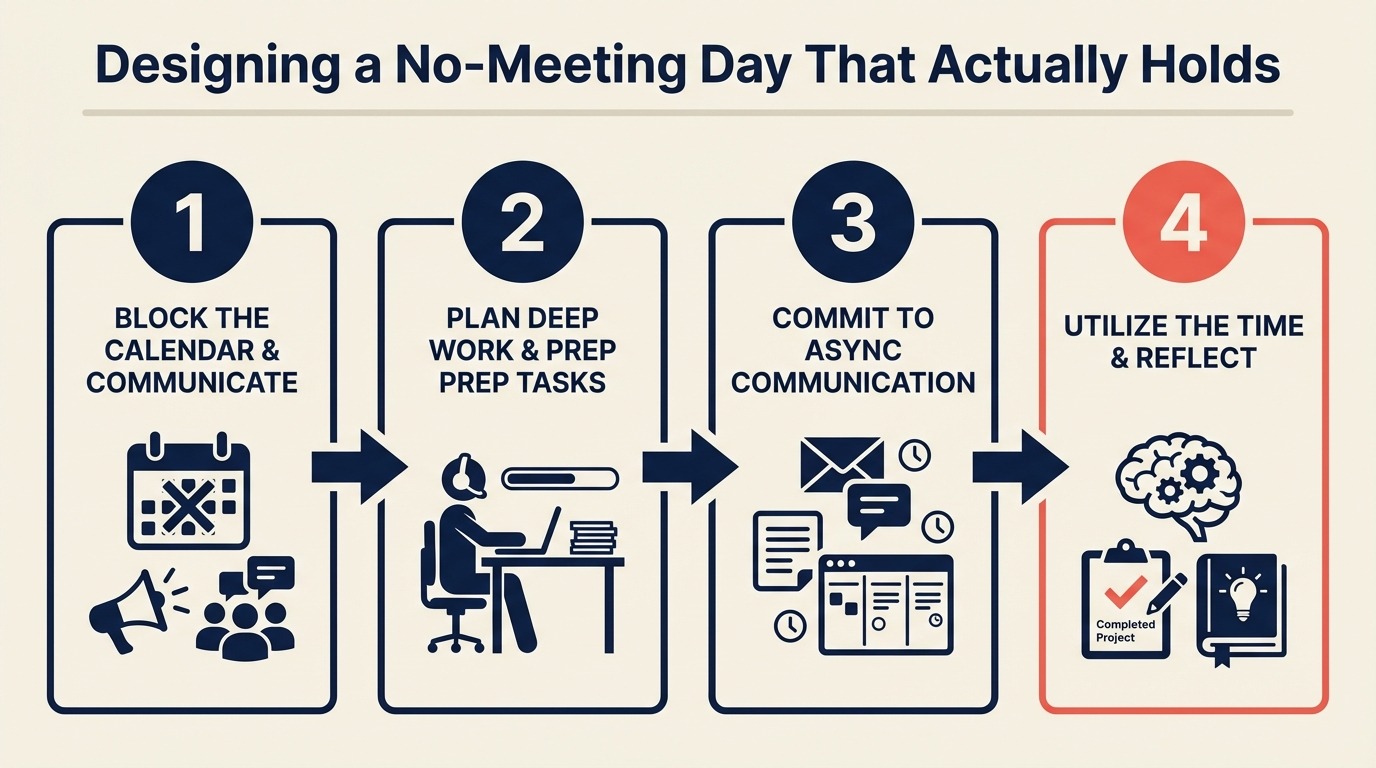
Designing a No-Meeting Day That Actually Holds
Turn this article into takeaways for your work.


Each assistant summarizes the article only for you and suggests best practices for your work.
A 15-person marketing team declared a Friday no-meeting day at the start of Q2. The announcement got 14 heart reactions in Slack. By week three, seven meetings were on the calendar for that Friday. Not because anyone was malicious. The VP of Sales needed a quick sync, a client had one available slot that week, and three internal check-ins had been rescheduled from earlier in the week. Nobody had said no to any of them.
The team lead killed the program and ran it again two months later with a different approach. On attempt two, the day held for three straight months. The one structural change she made: she defined the enforcement mechanism before launching, not after the first violation.
No-meeting days fail for one reason. They're announced as preferences, not defended as commitments. The fix is practical: set up the default, handle the exceptions explicitly, and know what you'll say when someone books a meeting anyway. Cal Newport, in Deep Work: Rules for Focused Success in a Distracted World, argues that the ability to concentrate without interruption is becoming the defining skill of knowledge work. Organizational structures either protect it or destroy it. The Asana Anatomy of Work Index found that knowledge workers switch between tasks an average of 300 times a day, and meeting-free blocks are among the most effective structural interventions for reducing that fragmentation. The business case for protecting focus time isn't just individual preference: deep work as a business strategy makes the organizational argument in a format worth sharing upward. Before establishing a no-meeting day, a meeting audit helps identify which specific meetings are the worst offenders so you know what you're protecting against.
Step 1: Pick the right day
The choice of day matters more than most managers assume. The instinct is often Friday, because it feels like a natural wind-down day, but Friday is actually the worst choice for most teams. External clients are harder to reach and sometimes schedule catch-up calls on Fridays. Stakeholders try to move postponed meetings into Friday slots. The day has a weak social norm against new commitments.
Tuesday and Wednesday hold better than Monday and Friday. Here's the reasoning:
Monday: Already carries the lowest social resistance to new meetings. Stakeholders often kick off the week with "let's sync on this" calls, and declining them on a Monday feels strange early in the working relationship. Monday no-meeting days are the first to erode.
Tuesday and Wednesday: Deep in the working week. People expect to be in execution mode, not meeting mode. A Tuesday block in Google Calendar has natural resistance because people have already organized their work around it.
Thursday: Viable, but often used for cross-team reviews and planning meetings because it sits before Friday's informal wind-down.
Friday: The worst choice despite feeling intuitive. Pick Tuesday or Wednesday.
Within Tuesday and Wednesday, choose the one that has fewer existing commitments right now. Look at the last four weeks of calendar data and pick the day that currently has the lightest meeting load. It's easier to protect a day that's already lighter.
Step 2: Define "no meeting" precisely
A no-meeting day needs a precise rule because every exception teaches the team what the rule really means.
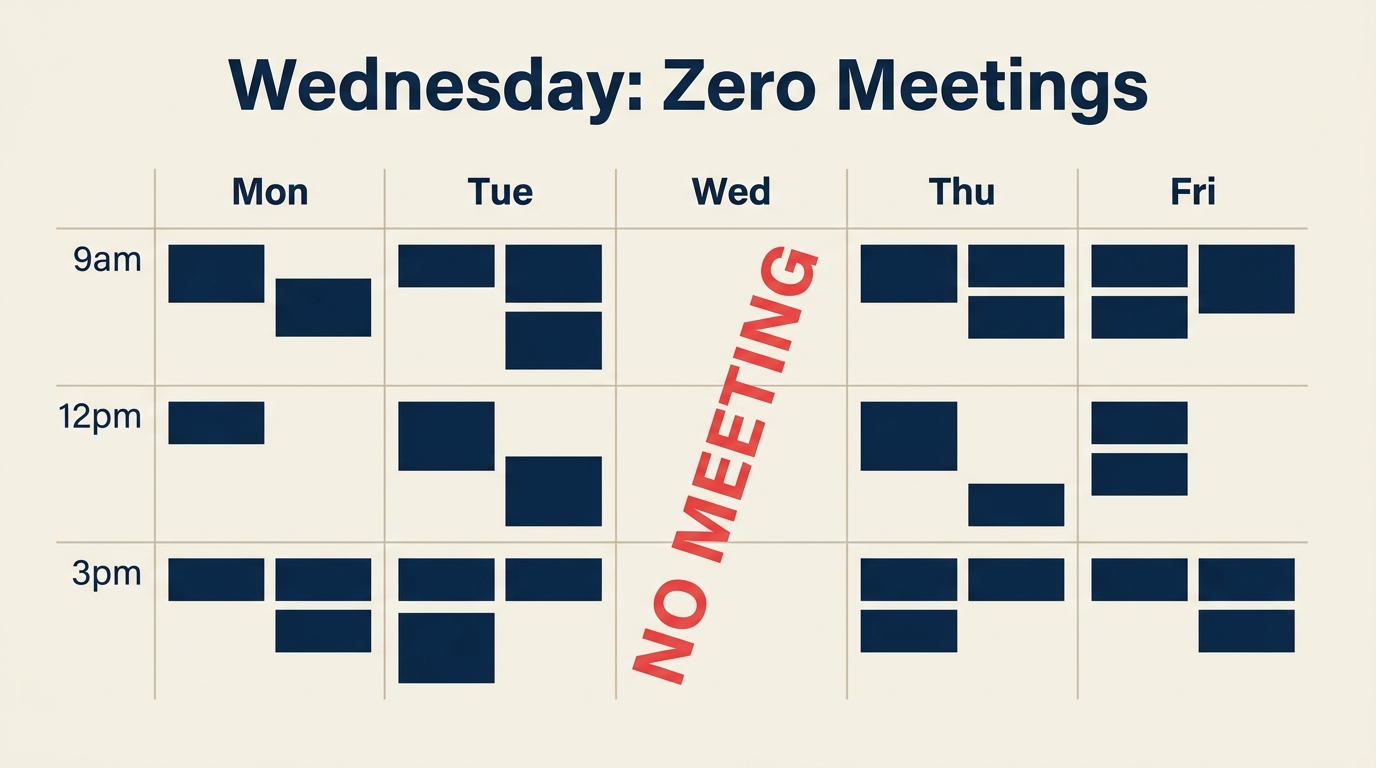
Before you announce anything, decide exactly what the rule is. Vague definitions create constant renegotiation.
Decide explicitly on each of these:
1:1s with direct reports: Are they allowed? Most teams exclude regular 1:1s from the no-meeting rule because they're 25-30 minutes and provide specific value that's hard to replicate async. Other teams include them because they want the full day clear. Either choice is defensible. Just make it explicit.
External client calls: How do you handle clients who only have a specific slot and it falls on the no-meeting day? The most workable rule: one exception per external client per month, requiring advance notice to the team lead before the exception. "I have a client who absolutely needs Thursday, and their only other availability is Wednesday" is an exception. "It's more convenient" is not.
Standups under 15 minutes: Many teams run async standups or very brief check-ins. These are usually fine to keep. A 10-minute standup has a fundamentally different focus impact than a 90-minute planning session. Decide where the line is (10 minutes? 15?) and name it.
Cross-functional meetings scheduled by other teams: This is the hardest case. A cross-functional meeting someone else organizes, where you're a required participant, doesn't get declined just because of your team's no-meeting day. The way to handle this: your team has a no-meeting day on Wednesdays, but external parties aren't bound by it. Your team declines when they can and attends when they must. The goal is to protect 80%, not 100%.
Write these rules down before launching. When an exception comes up (and it will), you want to say "yes, that's covered under our client exception rule" or "no, that doesn't meet our exception criteria" rather than improvising and creating a precedent you didn't intend. A team operating agreement is the right place to document these no-meeting day rules so they're co-owned by the team rather than treated as a manager's personal preference.
Step 3: Get manager and exec buy-in before announcing
This step is skipped constantly and it's the single biggest reason no-meeting day programs die before they start. If your manager finds out about the program when a scheduling request gets declined, you'll spend the first month defending the policy instead of using the day.
The conversation with your manager is short. Three sentences:
"I want to set up a no-meeting day for my team to increase focused work time. Based on calendar data, Wednesdays work best. I'll handle exceptions for cross-functional or external needs. Is this something you're okay with?"
Most managers will say yes. Some will have concerns, usually about specific recurring cross-team meetings. If that happens, solve for the specific concern (can the cross-team meeting move to Tuesday? can your team attend the Wednesday meeting but keep the rest of the day clear?) rather than abandoning the plan.
If your manager says no: ask what their concern is. Usually it's about a specific meeting category, not about focus time as a concept. Find the solution to that specific concern and ask again.
One other prep step: check with any peer teams your team regularly coordinates with. "We're going to block Wednesdays. Does that create problems for anything we do together?" Most of the time the answer is no, and asking builds goodwill rather than creating conflict.
Step 4: Set up calendar blockers and auto-decline
The blocking mechanism needs to be set up before you announce the day, not after. If the day isn't protected in the calendar before people know about it, the early morning of the first Wednesday will already have three meetings. Harvard Business Review's research on meeting-free days found that teams who set up calendar infrastructure before announcing the policy sustained no-meeting days at nearly twice the rate of teams that announced first and built infrastructure later.
In Google Calendar: Create a new event called "No Meeting Day [Team Name]" and set it to "Do not invite others." Set it to "Busy" rather than "Free." Google Workspace's focus time feature automates parts of this setup and integrates with out-of-office responses for a more consistent signal to colleagues. Set it to repeat weekly on your chosen day. Set the time to cover your full work day (e.g., 8am-6pm if you work 9-5, since the extra hour on each end discourages edge-case bookings).
Optional but useful: turn on automatic decline for new meeting requests. In Google Calendar, go to Settings > Event Settings > "Automatically decline new and existing meetings" when you're in that block. This sends an immediate, polite decline to anyone who books into the window.
In Microsoft Outlook: Create a recurring all-day event marked as "Busy." In Outlook, you can set specific hours as busy by creating a recurring appointment. Add a note to the description: "No-meeting day for [team]. For urgent needs, please contact [name] directly."
The automatic or semi-automatic decline serves two purposes. It removes the social friction of manually declining every request. And it signals to whoever is booking that this isn't just a preference. The calendar is actively protected.
Step 5: Handle external clients
External clients are the most common source of exceptions, and they're the most legitimate. A client who needs to reschedule has fewer options than an internal colleague.
Create a standard response for booking requests that land on the no-meeting day:
"Hi [name], Wednesdays are blocked as a focus day for our team, so that slot isn't available. I have availability on [specific Tuesday or Thursday slots]. Would either of those work? If those don't fit your schedule, let me know and we can find something that does."
This response is direct without being rude. It explains why without requiring the client to understand your internal policies. It offers alternatives immediately, which removes the friction of back-and-forth. And it leaves room for a real exception without making it automatic.
For clients who regularly schedule calls and keep landing on your no-meeting day: one conversation with them is worth it. "We've been trying to protect Wednesdays as focus time. Can we establish a default cadence on Tuesdays instead?" Most clients will accommodate this if you ask directly.
Step 6: Create the async alternative for ad hoc calls
One of the failure modes for no-meeting days is that the things that would have been ad hoc calls on other days don't disappear. They get displaced to the protected day because "it's the only time left in the week." The fix is having explicit async alternatives ready before you launch.
For check-ins and status updates: a brief written update in Rework, Notion, or your team's project management tool. "Three sentences: what I did, what I'm working on, what's blocked" works for most situations that would have prompted a quick call. Having agreed async communication norms in place makes this easy: people know which channel handles which type of update without having to ask. This pattern pairs naturally with a meta-productivity system. Teams with an explicit personal workflow tend to protect their own focus time more reliably than those who rely on team-level policies alone.
For questions that need a fast answer: Slack, obviously. The key is setting an expectation that Slack questions on the no-meeting day will get answered, just not immediately. Responses within 2-4 hours is reasonable.
For anything that genuinely needs real-time discussion: schedule it for the next day. If it can't wait until the next day, it's urgent enough to warrant an exception to the no-meeting day. Most things that feel urgent aren't.
For design reviews, code reviews, or draft feedback: async video (Loom, Notion's screen recording, or Rework's async video features) works well here. A 5-minute walkthrough with written comments is often faster and more thorough than a synchronous review.
Step 7: Measure deep work hours, not just meeting count
The instinct is to measure success by counting how many meetings you had on the protected day. But zero meetings isn't the goal. Focused, productive output is.
Track focused hours more specifically. Microsoft's Work Trend Index research on focus sessions found that even a single 2-hour uninterrupted block per day correlates with significantly higher self-reported productivity and lower end-of-day fatigue. Gallup's State of the Global Workplace report also connects uninterrupted work time to employee wellbeing scores: teams with consistent focus blocks report lower stress and higher job satisfaction than those with fragmented days. One simple method: at the end of each no-meeting day, each team member writes one sentence in a shared Slack channel or Rework task. If you're evaluating tools for structured async check-ins on focus-day output, Rework vs. Asana covers how each handles lightweight async reporting. Something like: "I focused on [X] for [Y] hours today." Don't ask for productivity ratings or detailed time logs. Just the main focus area and approximate duration.
After four weeks, look for patterns:
- Are people reporting 4-6 hours of focused work, or still fragmented work on the protected day?
- Are they completing more substantial work (whole features, complete first drafts, finished analyses) on no-meeting days versus other days?
- Are they protecting the day themselves, or are they voluntarily filling it with async commitments that feel like lighter meetings?
Bring these findings to your team retrospective: it's the right forum for making adjustments and capturing what's working as a repeatable practice.
If people are reporting focused work and completing larger tasks, the day is working. If they're filling it with long Slack threads and Loom recordings that recreate the same interruption pattern as meetings, the day is theoretically protected but practically ineffective. The problem there is usually the async alternative culture, not the no-meeting day itself.
Step 8: The enforcement conversation
When someone books a meeting on the no-meeting day (and someone will), you need a prepared response. The worst responses are either ignoring it (sets a norm that violations are okay) or being aggressive about it (creates resentment without solving the problem).
The right conversation is calm and specific:
"I noticed we have [meeting] on Wednesday. Wednesdays are our no-meeting day and I want to protect that for focus work. Can we move this to Tuesday or Thursday? I have [specific times] available."
That's it. No lengthy explanation. No apology for having boundaries. Just a calm redirect with a concrete alternative.
If the person says they can't move it: ask why. Sometimes there's a real constraint. More often, it's habit or convenience. If it's a real constraint, take the exception and document it as such. If it's convenience, be direct: "I really want to protect this day. Can we try one of those other slots first?"
The first time you have this conversation is the hardest. The fifth time it's automatic. Teams learn the norm is real when managers enforce it consistently. One clear conversation early is worth ten passive accepts that erode the day over time.
Common pitfalls
Picking Monday: The lowest probability of holding, for the reasons described in Step 1. If you've already committed to a Monday no-meeting day and it's struggling, consider resetting to Wednesday before trying to fix it.
No enforcement mechanism: Declaring a day without a calendar block and auto-decline is a suggestion, not a policy. The enforcement is in the calendar setup, not in a Slack message. Do Step 4 before you announce.
Treating it as aspirational: "We're going to try to keep Wednesdays meeting-free" invites negotiation. "Wednesday is our no-meeting day, and here's how exceptions work" does not. The framing matters.
Not compensating with async alternatives: If someone would have scheduled a meeting to share an update or get a quick answer, and that mechanism is now gone, they'll either reschedule for another day (loading up other days) or keep booking on Wednesday. Give people a genuine async alternative and they'll use it.
What to do next
Block next Wednesday on your own calendar before proposing it to the team. Put the event in, mark it busy, and see how it feels for one week. Did you protect it yourself, or did you fill it with "quick syncs" that could have been Slack messages?
If you protected it and found value in the focused day, you have a credible personal example to share when you propose it for the whole team. If you filled it immediately, that's useful data too. It means you need to work on your own calendar norms before asking your team to hold a standard you're not holding yourself.
One person committed to the day, visibly, is a better launch condition than an enthusiastic team announcement with no follow-through.
Related Resources
- Meeting audit: cut the meetings that aren't working
- Async communication: choosing the right channel
- Deep work as a business strategy
- Async-first vs. remote-first: what the research shows
Learn More

On this page
- Step 1: Pick the right day
- Step 2: Define "no meeting" precisely
- Step 3: Get manager and exec buy-in before announcing
- Step 4: Set up calendar blockers and auto-decline
- Step 5: Handle external clients
- Step 6: Create the async alternative for ad hoc calls
- Step 7: Measure deep work hours, not just meeting count
- Step 8: The enforcement conversation
- Common pitfalls
- What to do next
- Related Resources
- Learn More