Best Slack Alternatives in 2026: 11 Team Communication Tools for Every Budget and Team Size
Turn this article into takeaways for your work.


Each assistant summarizes the article only for you and suggests best practices for your work.
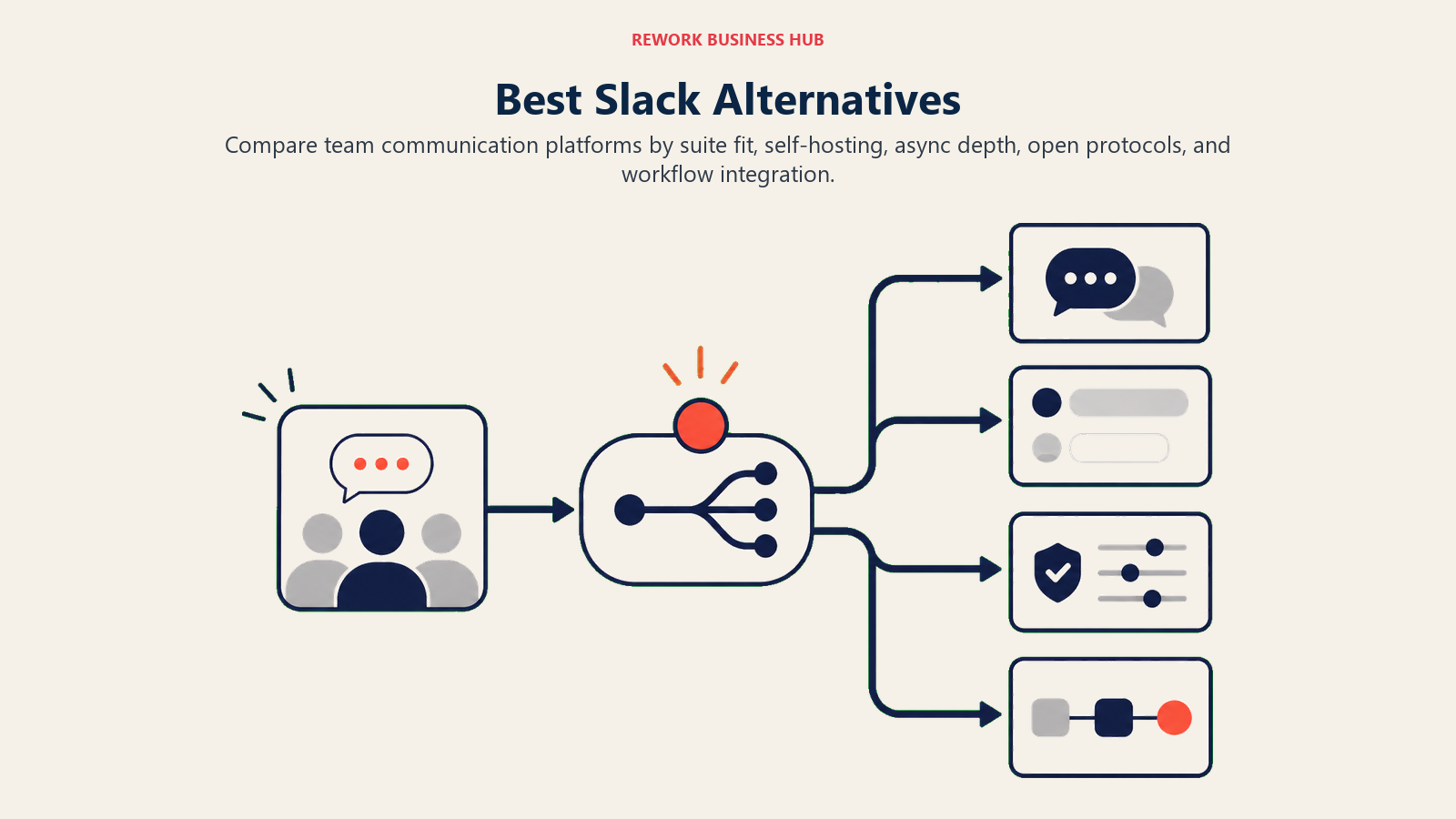
The best Slack alternatives in 2026 are Microsoft Teams and Google Chat for bundled enterprise stacks, Discord and Pumble for free unlimited history, Mattermost and Rocket.Chat for self-hosted security, Twist for async teams, and Lark for teams that want chat, docs, meetings, and no-code workflows in one app. The right pick depends on team size, budget, and whether compliance or self-hosting is a hard requirement.
Slack is a genuinely good product. It popularized channel-based messaging, has an enormous integration library, and is the default communication layer at thousands of companies. But if you're evaluating alternatives, you already know the problems.
The core tension is cost versus value. Slack's free tier caps message history at 90 days, limits you to 10 app integrations, and excludes voice huddles with screensharing. Moving to Pro costs $7.25 per seat per month. Business+ is $12.50. For a 50-person team, that's $7,500 per year at Pro, and you still don't get the enterprise compliance controls you might actually need. Add the Salesforce acquisition in 2021, which shifted product priorities toward Salesforce ecosystem integration over standalone teams, and you get a growing pool of buyers who want something built for their actual workflow instead of a CRM giant's platform strategy. Channel sprawl, notification overload, and the lack of native workflow automation beyond simple "if-this-then-that" triggers round out the reasons teams start this search. For teams evaluating whether async communication could reduce the need for real-time messaging tools entirely, Async Communication Guide makes the case for when async-first culture cuts costs versus when it creates the wrong kind of friction.
This guide covers 11 alternatives with honest assessments. No vague summaries. Real pricing, real target audiences, real limitations.
Quick Comparison Table
| Tool | Best For | Starting Price | Key Strength | Key Limitation |
|---|---|---|---|---|
| Microsoft Teams | Enterprise orgs in the Microsoft 365 stack | Included with M365 Business Basic ($7/user/mo) | Deep Office 365 integration, enterprise compliance | Heavy, complex UI; overkill for smaller teams |
| Google Chat | Google Workspace teams that want native chat | Included with Workspace Starter ($7/user/mo) | Zero-friction for Google users, Spaces + Meet integration | Limited standalone value outside Google ecosystem |
| Lark | Multi-country teams that want chat, docs, and workflows in one app | Free (Starter, 20 users); Basic $6/user/mo annual | Chat, docs, meetings, and Base no-code workflows in one app, with built-in translation | Group video only on Pro; smaller app ecosystem than Slack |
| Discord | Startups, communities, dev teams wanting free voice/video | Free; Nitro from $2.99/mo | Generous free tier, excellent voice channels | Not enterprise-ready; no compliance, no SSO on free |
| Rocket.Chat | Self-hosted open-source messaging | Free self-hosted; Cloud from $4/seat/mo | Full control, open-source, on-prem option | Requires technical resources to maintain self-hosted |
| Mattermost | Security-first, self-hosted enterprise teams | Free self-hosted; Cloud from $10/seat/mo | Air-gapped deployment, enterprise compliance, open-source | Heavy IT lift; not plug-and-play |
| Chanty | Small teams wanting simple + affordable chat | Free (5 users); $3/seat/mo (Business) | Cheapest full-featured option; built-in task manager | Limited at scale; smaller ecosystem |
| Flock | Small-to-mid teams wanting Slack-like UX at lower cost | Free; $4.50/seat/mo (Pro) | Familiar interface, built-in video, lower price | Smaller integration library than Slack |
| Pumble | Budget-conscious teams needing unlimited message history | Free (unlimited history); $2.49/seat/mo (Pro) | Unlimited message history on free plan | Lacks depth in automations and integrations |
| Twist | Async-first distributed teams | Free; $5/seat/mo (Unlimited) | Threaded async-only format reduces interruption | Not suited for synchronous or fast-moving teams |
| Element | Privacy-first teams needing Matrix protocol federation | Free (self-hosted); Cloud from $5/seat/mo | Decentralized, end-to-end encrypted, federated | Complex setup; steep learning curve for non-technical users |
Stage Fit Matrix
| Tool | Startup (1-20) | Growth Stage (20-100) | Mid-Market (100-500) | Enterprise (500+) |
|---|---|---|---|---|
| Microsoft Teams | Overkill | Possible | Good fit | Primary target |
| Google Chat | Good fit | Good fit | Good fit | Limited (compliance) |
| Lark | Good fit | Strong fit | Good fit (500-user cap on Basic and Pro) | Selective (Enterprise plan) |
| Discord | Primary target | Good fit | Possible (culture fit) | Not recommended |
| Rocket.Chat | Possible | Good fit | Strong fit | Good fit |
| Mattermost | Possible | Good fit | Strong fit | Primary target |
| Chanty | Primary target | Possible | Not ideal | Not recommended |
| Flock | Good fit | Strong fit | Possible | Not ideal |
| Pumble | Primary target | Good fit | Possible | Not ideal |
| Twist | Primary target | Good fit | Good fit | Possible |
| Element | Possible | Good fit | Strong fit | Good fit |
Sizing and Persona Table
| Tool | Team Size Sweet Spot | Primary Buyer Persona | Secondary Buyer |
|---|---|---|---|
| Microsoft Teams | 100-10,000+ | IT Director, CIO, IT Procurement | Department Heads |
| Google Chat | 10-1,000 | IT Admin, Office Manager | Any team in Google Workspace |
| Lark | 20-500 | COO, IT Manager, Operations Lead | HR Director, Project Manager |
| Discord | 2-100 | Founder, Dev Lead, Community Manager | Engineering Manager |
| Rocket.Chat | 20-500 | IT Manager, Security Lead, DevOps | COO, Compliance Officer |
| Mattermost | 50-5,000 | CISO, IT Director, Security Engineer | COO, Compliance Officer |
| Chanty | 1-50 | Founder, Team Lead, Small Business Owner | Operations Manager |
| Flock | 5-200 | Operations Manager, Team Lead | IT Admin |
| Pumble | 2-200 | Founder, Ops Manager, Budget Owner | Team Lead |
| Twist | 5-150 | Founder, Remote Team Lead, Head of Async | COO, HR Director |
| Element | 20-500 | CISO, IT Manager, Government/Defense Buyer | Compliance Officer |
1. Microsoft Teams: Enterprise Depth for the Microsoft 365 Stack
Teams isn't really a Slack competitor in the product-philosophy sense. It's a communication layer designed to live inside the Microsoft 365 world. If your organization already pays for M365, Teams is effectively included. That economics argument alone explains most of its growth.
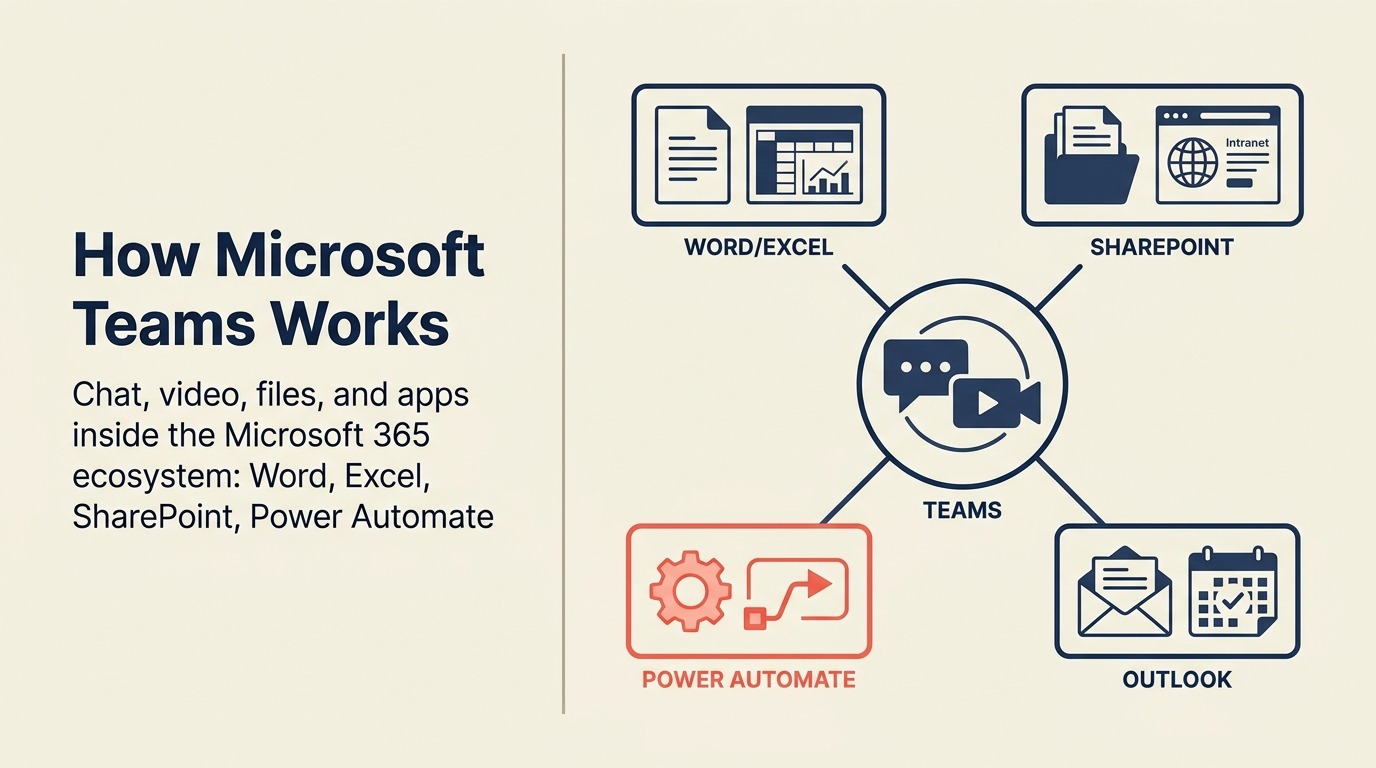
The product has matured significantly since its early releases. Teams Channels, meeting recording, SharePoint integration, Planner integration, and Copilot AI assistance are all functional and getting better. For regulated industries, Teams' compliance capabilities, eDiscovery support, and DLP policies are hard to match in this pricing bracket. Teams who evaluate Microsoft Teams often revisit their full Google Workspace footprint in the same project; best Google Workspace alternatives covers what's actually worth replacing versus keeping.
But Teams is heavy. The desktop client uses significant memory, the UI is dense, and new users regularly complain that finding things is harder than it should be. For a 15-person startup, it's dramatically more product than you need. For a 5,000-person manufacturing company running SharePoint, Outlook, and Excel as core tools, it's the obvious consolidation play.
| What you get | What you don't |
|---|---|
| Deep Office 365 integration (Word, Excel, SharePoint, Outlook) | Lightweight, fast UX |
| Enterprise compliance, eDiscovery, DLP policies | Simple onboarding for non-technical users |
| Strong meeting and video infrastructure | Best-in-class third-party integration experience |
| Copilot AI assistance (M365 Copilot add-on) | Product focus on SMB teams |
| Included with most M365 Business plans | Independence from Microsoft ecosystem lock-in |
Pricing: Included with Microsoft 365 Business Basic at $7/user/month; Teams Essentials standalone at $4/user/month
Best for: Enterprises and mid-market orgs already in the Microsoft ecosystem, especially regulated industries needing compliance tooling
2. Google Chat: Native Messaging for Google Workspace Teams
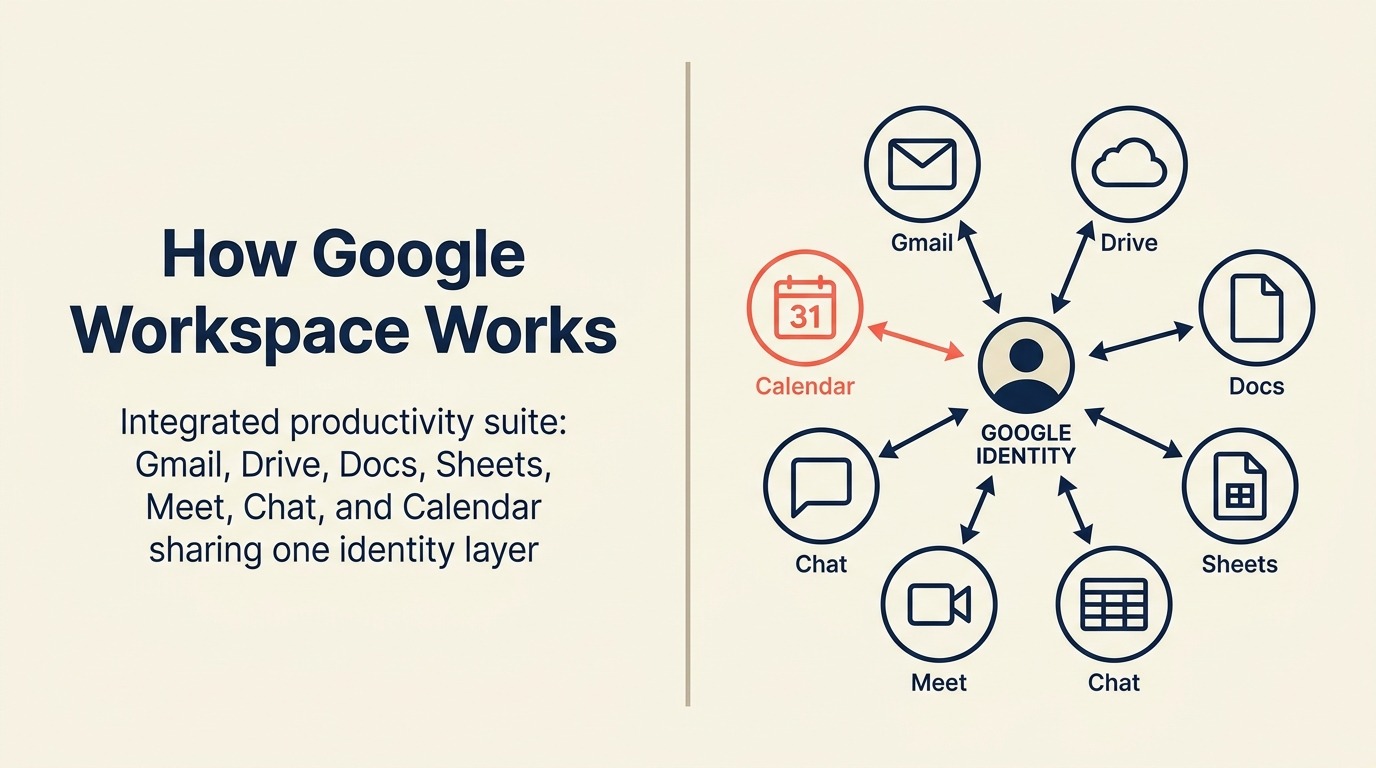
If your company runs on Google Workspace, Chat is already there. That's its main selling point. Spaces replace Slack channels for topic-based collaboration, Google Meet is one click away from any conversation, and Docs/Drive previews are native. You don't need to configure integrations for the tools you're already using every day.
Outside the Google ecosystem, Chat loses most of its appeal. The integration library is thin compared to Slack, the bot/automation story is limited, and teams that don't live in Docs and Meet will find it underwhelming. The product has also iterated slowly relative to Slack and Teams, which means enterprise buyers looking for advanced workflow automation or compliance-heavy deployments will hit ceilings quickly.
For Google-native organizations of any size, it's a reasonable default. For companies running a mixed stack, it's probably not worth the context switching.
| What you get | What you don't |
|---|---|
| Native Google Docs, Drive, Meet, Calendar integration | Strong third-party integration ecosystem |
| Included with all Google Workspace plans | Advanced workflow automation |
| Spaces for topic channels + DMs | A compelling reason to use outside Google stack |
| Google Search across conversations | Enterprise compliance depth comparable to Teams |
| Simple, clean UI | Bot/app marketplace comparable to Slack |
Pricing: Included with Google Workspace Starter ($7/user/month) through Enterprise plans
Best for: Google Workspace organizations that want integrated chat without adding another paid tool
3. Lark: Chat, Docs, Meetings, and No-Code Workflows in One App
Like Teams and Google Chat, Lark is a full collaboration suite, but it doesn't need a Microsoft 365 or Google Workspace subscription to run. Every plan includes chat, email, calendar, video meetings, Docs, Sheets, Slides, Wiki, approvals, and OKRs, so a team leaving Slack can drop a few other subscriptions in the same move.
For operations teams, the stand-out piece is Lark Base. It's a no-code database for tracking projects, tickets, or a light CRM, with dashboards and automations, and it sits next to the chat where the work gets discussed. Real-time message translation is unlimited on every plan, free plan included, which helps multi-country teams working across languages.
The limits show up in the plan details. On Starter and Basic, video meetings are 1-on-1 only; group meetings of up to 500 people start at Pro. Below Pro, Base automations are capped at 1,000 runs a month. The third-party app ecosystem is much smaller than Slack's 2,600+, and a team that only wants lightweight chat may find the breadth more than it needs. Enterprise buyers should also check data-handling and regional support requirements before a rollout.
| What you get | What you don't |
|---|---|
| Chat, email, calendar, docs, wiki, and approvals in every plan | Group video meetings below the Pro plan |
| Lark Base no-code databases with dashboards and automations | More than 1,000 automation runs a month below Pro |
| Unlimited real-time message translation, free plan included | An app ecosystem near Slack's 2,600+ integrations |
| Free Starter plan: 20 users, 100 GB, 18 months of message history | A chat-only tool for teams that want nothing more |
| Enterprise plan with unlimited users and 500,000 automations a month | More than 500 users on Basic or Pro |
Pricing: Starter free (20 users, 100 GB); Basic $6/user/month billed annually (500 users, 5 TB); Pro $12/user/month billed annually (500 users, 15 TB, 500-person meetings); Enterprise custom. See Lark's messaging suite for current tier details.
Best for: Growing and multi-country teams (20-500) that want chat, docs, meetings, and no-code workflows in one app
4. Discord: Async Messaging and Voice for Startups and Dev Teams
Discord was built for gaming communities. Then developers discovered it, and then tech startups discovered developers. In 2026, Discord's free tier offers features that paid Slack plans don't: persistent voice channels you can drop into without scheduling a meeting, unlimited message history, and robust community/community management tools.
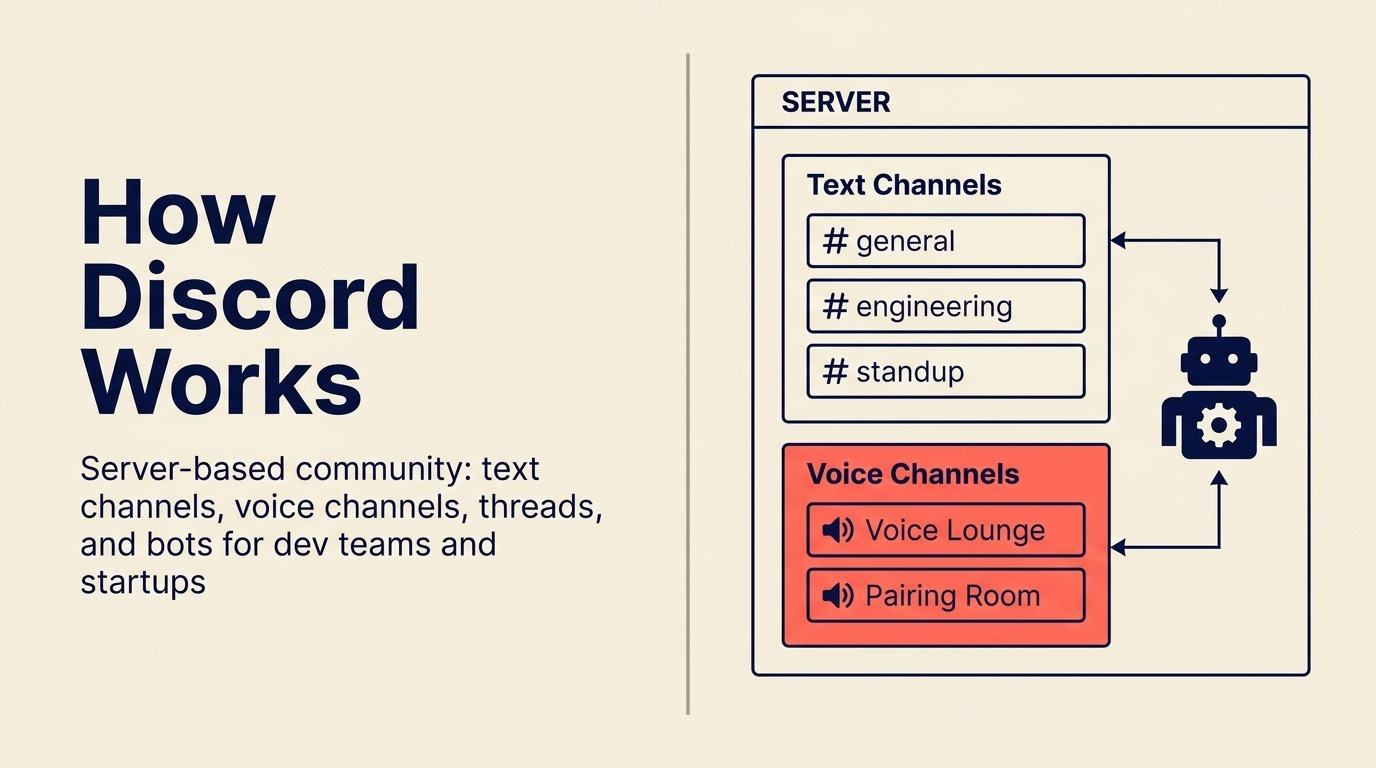
For early-stage startups, developer teams, and product communities, Discord's cultural fit is often better than Slack's. It's informal, fast, and the voice channel experience (where you can just be "available" without a formal call) is genuinely useful for distributed teams.
But Discord isn't enterprise software. There's no SSO on the free plan, no SCIM provisioning, no eDiscovery, and no fine-grained compliance controls. If your company has an IT security review, a legal hold policy, or regulated data handling requirements, Discord will fail those reviews. It's a tool for teams where culture and cost outweigh compliance requirements.
| What you get | What you don't |
|---|---|
| Unlimited message history on free plan | Enterprise SSO, SCIM, eDiscovery on free tier |
| Persistent voice channels (no scheduling needed) | IT security compliance tooling |
| Strong community and roles system | Professional DM and inbox management |
| Active developer and startup ecosystem | Strong workflow automation |
| No per-seat cost for most use cases | Data residency controls |
Pricing: Free for most teams; Discord Nitro at $2.99-$9.99/month per user (optional, mostly for personal features)
Best for: Early-stage startups (under 30 people), developer teams, and product communities where culture fit and free tier economics matter more than enterprise compliance
5. Rocket.Chat: Open-Source Messaging with Full Control
Rocket.Chat is the open-source answer to "we don't want a vendor controlling our communication infrastructure." You can self-host it on your own servers, access and modify the source code, and maintain complete data sovereignty. For regulated industries, government organizations, and security-conscious mid-size companies, that's a meaningful distinction.
The product has matured past its early scrappy state. The self-hosted version supports omnichannel customer communication (so you can route customer-facing chat alongside internal messaging), marketplace extensions, and REST APIs for custom integrations. The cloud-hosted version removes the infrastructure overhead.
The tradeoff is maintenance. Self-hosted Rocket.Chat requires a team with DevOps capability: upgrades, backups, uptime management. If you don't have that internal capacity, the cloud plan is the realistic option, and then you're comparing it to Slack on cost rather than control.
| What you get | What you don't |
|---|---|
| Full source code access and self-hosting option | Zero infrastructure overhead (cloud handles this) |
| Omnichannel: internal + customer-facing messaging | Plug-and-play onboarding experience |
| Data sovereignty and on-premises deployment | Large commercial integration marketplace |
| Active open-source community | Native AI features at Slack/Teams level |
| REST API and custom integration support | Enterprise SLA without paid plan |
Pricing: Free self-hosted (infrastructure costs on you); Cloud Community free up to 25 users; Pro from $4/seat/month
Best for: Security-conscious mid-size teams (20-500), government, and regulated industries that need self-hosted messaging with full data control
6. Mattermost: Self-Hosted Slack for Enterprise Security Requirements
Mattermost occupies the serious end of the open-source messaging market. Where Rocket.Chat skews toward versatility, Mattermost skews toward enterprise security: air-gapped deployments, military-grade encryption, SOC 2 Type 2, HIPAA-compliant hosting options, and granular access controls. It's the tool government agencies, defense contractors, and financial services firms reach for when the security review prohibits cloud-first SaaS.
The product looks and behaves enough like Slack that switching costs for users are manageable. Channels, DMs, threads, slash commands, and app integrations all work as expected. Mattermost also has a developer community and plugin ecosystem, though smaller than Slack's.
The limitation is the same as any self-hosted tool: IT resource requirement. Mattermost's enterprise deployments need database management, server scaling, and regular maintenance. That's a non-starter for teams without dedicated IT staff. For companies that have those resources and can't use a cloud-hosted service for compliance reasons, Mattermost is the most credible option on this list.
| What you get | What you don't |
|---|---|
| Air-gapped, on-premises deployment option | Easy onboarding for non-technical organizations |
| SOC 2, HIPAA, FedRAMP-ready options | Large consumer-focused feature set |
| Familiar Slack-like UX | Extensive third-party app marketplace |
| Open-source codebase | Low IT resource requirement |
| Enterprise audit logging and compliance controls | Quick value for SMB teams |
Pricing: Free self-hosted (Team Edition); Cloud Starter from $10/seat/month; Enterprise pricing on request
Best for: Enterprise security-first organizations (government, defense, financial services, healthcare) requiring self-hosted, air-gapped, or highly regulated messaging infrastructure
7. Chanty: Simple and Affordable for Small Teams
Chanty is what Slack would look like if it optimized for simplicity and price instead of features and integrations. The UX is clean, onboarding takes minutes, and there's a built-in task manager that handles basic task assignment and tracking alongside chat. For a 10-person team that wants "Slack but cheaper," Chanty gets the job done.
The free plan supports up to 5 users with unlimited message history (a direct shot at Slack's 90-day cap). The Business plan at $3/seat/month is one of the most affordable options in this category with a full feature set.
Chanty works well until it doesn't. The integration library is limited. The automation capabilities are minimal. And once a team grows past 50-100 people and starts needing complex cross-team workflows, reporting, or enterprise controls, Chanty runs out of road. It's a small-team tool that's honest about being a small-team tool.
| What you get | What you don't |
|---|---|
| Unlimited message history (free plan up to 5 users) | Large integration library |
| Built-in task manager alongside chat | Advanced workflow automation |
| Very low Business plan pricing ($3/seat/mo) | Enterprise compliance features |
| Clean, fast UX | Scalability for 100+ person orgs |
| Audio and video calls included | Strong API for custom development |
Pricing: Free (up to 5 users, unlimited messages); Business at $3/seat/month
Best for: Small teams (2-30 people) that want Slack-like messaging without Slack-level costs, especially where the built-in task manager replaces a separate project tool
8. Flock: Slack-Like UX at Mid-Market Price
Flock is a direct Slack alternative from the pricing and UX positioning angle. The interface will feel familiar to any Slack user: channels, DMs, search, threads, and emoji reactions all work as expected. Flock adds built-in video calling, to-do lists, polls, and reminders without requiring third-party integrations for those basics.
The price point is the clearest differentiator. At $4.50/seat/month for Pro versus Slack's $7.25, Flock saves a 50-person team roughly $1,650 per year. For budget-sensitive buyers who want a Slack-equivalent experience without the Salesforce-era pricing, Flock makes that case directly.
The integration library is smaller than Slack's, and the power-user automation story is limited. Flock doesn't break new ground on product philosophy. But for teams that need "Slack-but-cheaper" without compromising on the core daily-use experience, it's a clean option.
| What you get | What you don't |
|---|---|
| Familiar Slack-like UX with short learning curve | Integration library at Slack's scale |
| Built-in video calls, polls, reminders, to-dos | Advanced workflow automation |
| Lower per-seat pricing than Slack | Enterprise compliance tooling |
| Unlimited message history on Pro | Market credibility of larger platforms |
| Guest access support | AI-native features |
Pricing: Free (limited users and features); Pro at $4.50/seat/month
Best for: Small-to-mid teams (5-200 people) that want the Slack experience at a meaningfully lower price point and don't need an extensive third-party app marketplace
9. Pumble: Unlimited Message History on the Free Plan
Pumble leads with the one thing that frustrates most Slack free-tier users: unlimited message history at no cost. You can search back to day one. You don't hit the 90-day cliff. For small teams, nonprofits, and bootstrapped startups where Slack's history limitation is the primary friction point, Pumble solves the problem cleanly.
The paid plans are also among the cheapest in the market at $2.49/seat/month for Pro and $3.99 for Business. The core experience covers channels, DMs, threads, file sharing, and audio/video calls. It integrates with Zapier for automation needs.
Where Pumble falls short is product depth. Automation is basic. The native integration library is thin. There's no sophisticated workflow builder. And for growing teams, the lack of advanced analytics, workload management, or ops tooling means you'll eventually outgrow it. But as a budget-first messaging tool with unlimited history, it makes the value case strongly.
| What you get | What you don't |
|---|---|
| Unlimited message history on free plan | Deep native integration ecosystem |
| Very low Pro plan pricing ($2.49/seat/mo) | Advanced workflow automation |
| Audio/video calls on all plans | Strong analytics and reporting |
| Clean, approachable UX | Enterprise security certifications |
| Guest access available | AI-native features |
Pricing: Free (unlimited users and message history); Pro at $2.49/seat/month; Business at $3.99/seat/month
Best for: Budget-conscious teams (2-200 people) for whom unlimited message history and low cost are the primary buying criteria, especially startups and nonprofits on tight budgets
10. Twist: Async-First Communication for Distributed Teams
Twist is built on a specific thesis: real-time chat is the wrong default for most work. Constant notifications, the pressure to respond immediately, context-switching between channels, Twist treats these as design failures rather than features to add to. Every conversation in Twist is a thread, not a live chat. Nothing is urgent by default.
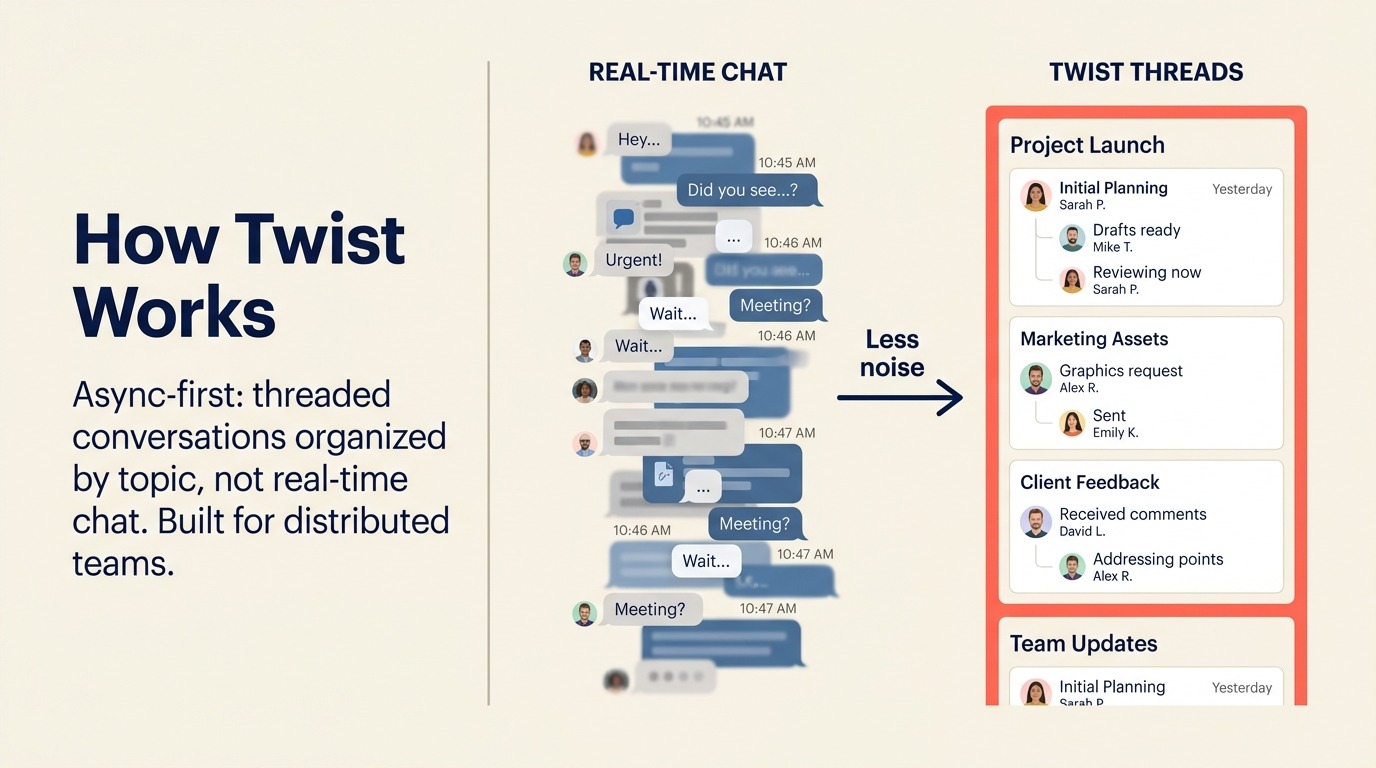
For fully distributed teams that have consciously adopted async-first culture (common in product companies, agencies, and remote-first startups), Twist aligns with how work actually flows. There's no expectation of immediate response. Threads stay organized. The signal-to-noise ratio is significantly higher than Slack for most teams. For teams interested in the data behind async adoption, Async-First vs Remote-First explains where the distinction matters and where it doesn't.
The limitation is symmetrical with the strength: if your team needs real-time coordination, Twist is the wrong tool. Incident response, fast-moving sales cycles, or any workflow that depends on synchronous communication will feel frustratingly slow. Twist is a deliberate choice for teams that have already decided async is their operating model.
| What you get | What you don't |
|---|---|
| Thread-based async format that reduces notification noise | Real-time chat for fast-moving workflows |
| Purposeful communication that stays organized | Voice/video calls built-in (integrates with others) |
| Team-level inbox with clear ownership | Large integration ecosystem |
| Designed for distributed and timezone-spread teams | Synchronous collaboration support |
| Strong search across all threads | Familiarity for Slack-native users |
Pricing: Free (limited integrations and history); Unlimited at $5/seat/month
Best for: Fully distributed, async-first teams (5-150 people) that have consciously moved away from real-time chat culture and need a communication tool that enforces that discipline
11. Element: Decentralized Messaging on the Matrix Protocol
Element is unique on this list because it's built on Matrix, an open federated protocol. That means different organizations running different Matrix servers can communicate with each other directly, without requiring everyone to be on the same vendor's platform. Think of it like email: you don't need to be on Gmail to email a Gmail user. Element brings that architecture to team messaging.
The security model is strong by default: end-to-end encryption for all messages and files, self-hosting options, cross-server federation. For government organizations, healthcare institutions, and enterprises with strict data sovereignty requirements, Element's architecture offers controls that cloud-first tools simply can't match.
The tradeoff is complexity. Setting up Element properly requires technical competence. The UX is functional but not polished. And federation, while powerful conceptually, requires coordination with counterparties who also run Matrix servers. For most commercial teams, the setup overhead isn't worth it. For security-first public sector and enterprise buyers, it's the only credible end-to-end sovereign option.
| What you get | What you don't |
|---|---|
| End-to-end encryption by default | Simple, consumer-grade onboarding |
| Matrix protocol federation (cross-org messaging) | Polished UX comparable to Slack |
| Full data sovereignty via self-hosting | Large commercial app marketplace |
| No vendor lock-in (open protocol) | Easy deployment without technical resources |
| Strong compliance and audit controls | Real-time performance of cloud-native tools |
Pricing: Free self-hosted (infrastructure costs apply); Element Cloud from $5/seat/month; Enterprise pricing on request
Best for: Government, defense, financial services, and healthcare teams (20-500) where data sovereignty, end-to-end encryption, and decentralized infrastructure are non-negotiable requirements
Why Teams Leave Slack: The Specific Pain Points
Understanding the "why" matters before you evaluate replacements. The most common reasons mid-size teams start this search:
| Pain Point | Who Feels It Most | What to Look For Instead |
|---|---|---|
| Per-seat cost at scale (Pro: $7.25, Business+: $12.50/seat/mo) | COO, Finance, IT Procurement | Pumble, Chanty, Flock for budget; Teams/Chat if bundled |
| 90-day message history limit on free tier | Small teams, startups, nonprofits | Pumble, Discord, Chanty (unlimited on free) |
| Channel sprawl and notification overload | All team sizes | Twist (async-first), or tighter governance on any tool |
| Salesforce acquisition shifting product focus | Teams outside Salesforce ecosystem | Independent vendors: Flock, Chanty, Pumble, Twist |
| No native ops workflow beyond simple automations | Ops managers, RevOps teams | Teams (Power Automate), Lark (Base), Mattermost |
| Compliance and data sovereignty requirements | Security, legal, government | Mattermost, Rocket.Chat, Element |
| Need for self-hosted or on-premises deployment | IT, regulated industries | Mattermost, Rocket.Chat, Element |
| Async culture adoption for distributed teams | Remote-first companies | Twist |
| All-in-one platform to consolidate tool spend | COO, Finance, Operations Managers | Lark, Teams |
One factor buyers underweight is switching cost. The tool price is easy to compare, but the real expense is migration: exporting message history, rebuilding integrations, and retraining the team. Tools with a Slack-like UX (Flock, Chanty, Pumble) cut the retraining tax, while self-hosted options (Mattermost, Rocket.Chat, Element) trade a heavier setup for long-term control.
| Alternative | UX Learning Curve | Migration Effort | History Import from Slack |
|---|---|---|---|
| Flock / Chanty / Pumble | Low (Slack-like) | Low | Partial (manual export) |
| Microsoft Teams / Google Chat | Medium | Medium (stack-wide) | Limited |
| Mattermost / Rocket.Chat | Medium | High (self-hosted) | Supported via import tools |
| Twist | Medium (async model) | Medium | Limited |
Pricing Comparison Table
| Tool | Free Tier | Entry Paid | Mid Tier | Enterprise |
|---|---|---|---|---|
| Slack | 90-day history, 10 apps | Pro: $7.25/seat/mo | Business+: $12.50/seat/mo | Grid: contact |
| Microsoft Teams | Essentials: $4/user/mo | M365 Business Basic: $7/user/mo | M365 Business Standard with Copilot: $23.50/user/mo | Custom |
| Google Chat | With Workspace Starter: $7/user/mo | Workspace Standard: $14/user/mo | Workspace Plus: $22/user/mo | Enterprise: custom |
| Lark | Yes (Starter, 20 users, 18 months of history) | Basic: $6/user/mo annual | Pro: $12/user/mo annual | Enterprise: custom |
| Discord | Yes (unlimited history) | Nitro Basic: $2.99/mo | Nitro: $9.99/mo | No enterprise tier |
| Rocket.Chat | Yes (self-hosted or 25 users cloud) | Pro: $4/seat/mo | Enterprise: custom | Custom |
| Mattermost | Yes (self-hosted) | Cloud Starter: $10/seat/mo | Enterprise: custom | Custom |
| Chanty | Yes (5 users) | Business: $3/seat/mo | N/A | N/A |
| Flock | Yes (limited) | Pro: $4.50/seat/mo | N/A | Enterprise: contact |
| Pumble | Yes (unlimited history) | Pro: $2.49/seat/mo | Business: $3.99/seat/mo | Enterprise: contact |
| Twist | Yes (limited history) | Unlimited: $5/seat/mo | N/A | N/A |
| Element | Yes (self-hosted) | Cloud: $5/seat/mo | Enterprise: custom | Custom |
Integration and Ecosystem Depth
| Tool | App Integrations | Native Automation | API Access | Zapier Support |
|---|---|---|---|---|
| Slack | 2,600+ | Workflow Builder | Yes | Yes |
| Microsoft Teams | 700+ (plus Power Automate) | Power Automate | Yes | Yes |
| Google Chat | Google Workspace native | Google Apps Script | Yes | Yes |
| Lark | Smaller marketplace; AnyCross for system integration | Lark Base automations | Yes (Lark Developer) | Yes |
| Discord | Moderate (bot ecosystem) | Basic (bots) | Yes | Yes |
| Rocket.Chat | Moderate marketplace | Basic automations | Yes | Yes |
| Mattermost | Plugin marketplace | Webhooks + plugins | Yes | Limited |
| Chanty | 30+ | Basic | Limited | Yes |
| Flock | 60+ | Basic | Yes | Yes |
| Pumble | Via Zapier primarily | Basic | Yes | Yes |
| Twist | 20+ | Basic | Yes | Yes |
| Element | Matrix bridges | Limited | Yes | Limited |
Security and Compliance Table
| Tool | SOC 2 | HIPAA | GDPR | E2E Encryption | Self-Hosted | Data Residency |
|---|---|---|---|---|---|---|
| Slack | Type 2 | Business+ and above | Yes | No (in transit) | No | US/EU options |
| Microsoft Teams | Yes | Yes | Yes | In transit | No (cloud) | Multi-region |
| Google Chat | Yes | Yes | Yes | In transit | No | Multi-region |
| Lark | Yes | Limited | Yes (EU server) | In transit | No | US/EU/Asia |
| Discord | Limited | No | Yes | No | No | US-only primarily |
| Rocket.Chat | Yes (cloud) | Yes (self-hosted config) | Yes | Optional | Yes | Full (self-hosted) |
| Mattermost | Yes | Yes | Yes | Yes | Yes | Full (self-hosted) |
| Chanty | Yes | No | Yes | In transit | No | Limited |
| Flock | Yes | No | Yes | In transit | No | Limited |
| Pumble | Yes | No | Yes | In transit | No | Limited |
| Twist | Yes | No | Yes | In transit | No | Limited |
| Element | Yes | Possible (self-hosted) | Yes | Yes (default) | Yes | Full |
How to Choose: Decision Framework
| If you need... | Pick this |
|---|---|
| You're already on Microsoft 365 and need enterprise compliance | Microsoft Teams |
| Your whole team runs on Google Workspace | Google Chat |
| One app for chat, docs, meetings, and no-code workflows, with built-in translation | Lark |
| A free tool with voice channels and unlimited history for a small startup | Discord |
| Self-hosted messaging with full data sovereignty | Mattermost (high security) or Rocket.Chat (versatile) |
| The cheapest full-featured paid option for a small team | Chanty ($3/seat) or Pumble ($2.49/seat) |
| Slack-like UX at a lower price point | Flock |
| Unlimited message history at no cost | Pumble |
| Async-first communication for a distributed team | Twist |
| End-to-end encrypted, federated, decentralized messaging | Element |
| Pure Slack replacement at scale with a large integration library | Microsoft Teams or Rocket.Chat |
What to Do Next
Pick your top two candidates based on the framework above and run a two-week pilot with a single team of 5-10 people. Don't evaluate tools in a demo environment. Real usage in real workflows surfaces the friction that polished demos hide.
Frequently Asked Questions
Is Slack worth the price in 2026? For teams heavily invested in Slack's integration library and workflows, probably. For teams where the primary use case is messaging and the 2,600 integrations are nice-to-have rather than essential, the pricing becomes harder to justify against Flock, Pumble, or Chanty.
What's the best free Slack alternative? Pumble offers unlimited message history and unlimited users on its free tier, which directly solves Slack's most-complained-about free limitation. Discord is the best option if persistent voice channels and community features matter.
Can Microsoft Teams fully replace Slack? For Microsoft 365 organizations, yes. The integration depth is different (Microsoft-stack-first versus broad third-party marketplace), and the UX is heavier. But functionality parity for standard team communication is there.
Is Lark a good Slack alternative? For teams that want messaging plus docs, meetings, and no-code workflows in one app, yes, and its free plan keeps 18 months of message history against Slack's 90 days. Teams that mainly need chat and a large app marketplace are better served by Slack-like tools such as Flock or Pumble. Group video meetings need Lark's Pro plan.
What's the best Slack alternative for self-hosting? Mattermost for enterprise security requirements and air-gapped deployments. Rocket.Chat for more flexibility and a broader use case including customer-facing messaging.
What's the best async Slack alternative? Twist. It's the only tool on this list that is architecturally async-first rather than treating threads as a feature added to real-time chat.
Related Reading
If your team is also evaluating how to automate the workflows that currently live in Slack channels, best Zapier alternatives covers automation platforms that can replace the "notify Slack when X happens" pattern with native workflow logic. For teams moving toward notes and wikis to replace Slack threads, best Notion alternatives covers the knowledge management tools that distributed teams often adopt alongside async messaging. And if you're consolidating tools (cutting Slack alongside other per-seat subscriptions), the true cost of software sprawl gives you the numbers to make that argument in a budget review.
External Resources:
- Slack pricing: Pro, Business+, and Grid plans
- Microsoft Teams pricing: Essentials and M365 bundles
- Mattermost pricing: Team Edition (free), Professional, and Enterprise
- Rocket.Chat pricing: self-hosted and cloud options
- Twist pricing: Free and Unlimited plans

Principal Solution Architect
On this page
- Quick Comparison Table
- Stage Fit Matrix
- Sizing and Persona Table
- 1. Microsoft Teams: Enterprise Depth for the Microsoft 365 Stack
- 2. Google Chat: Native Messaging for Google Workspace Teams
- 3. Lark: Chat, Docs, Meetings, and No-Code Workflows in One App
- 4. Discord: Async Messaging and Voice for Startups and Dev Teams
- 5. Rocket.Chat: Open-Source Messaging with Full Control
- 6. Mattermost: Self-Hosted Slack for Enterprise Security Requirements
- 7. Chanty: Simple and Affordable for Small Teams
- 8. Flock: Slack-Like UX at Mid-Market Price
- 9. Pumble: Unlimited Message History on the Free Plan
- 10. Twist: Async-First Communication for Distributed Teams
- 11. Element: Decentralized Messaging on the Matrix Protocol
- Why Teams Leave Slack: The Specific Pain Points
- Pricing Comparison Table
- Integration and Ecosystem Depth
- Security and Compliance Table
- How to Choose: Decision Framework
- What to Do Next
- Frequently Asked Questions
- Related Reading