Best Slido Alternatives in 2026: 12 Tools for Q&A, Live Polls, and Meeting Engagement
Turn this article into takeaways for your work.


Each assistant summarizes the article only for you and suggests best practices for your work.
Mentimeter is the closest straight swap for what Slido does, Poll Everywhere publishes a full price ladder that Slido doesn't, and Vevox is the cheapest serious paid tier with Q&A depth built natively into Teams and PowerPoint. This guide ranks 12 Slido alternatives for live Q&A, polling, and meeting engagement, including the two options (Kahoot! 360 for gamified quizzing, Microsoft Teams polls and Forms for zero incremental cost) that solve a narrower version of the same job.
Here's the real reason this search happens, and one half of it changed in 2026. Slido now publishes its prices: $210 a year for Engage, $900 for Professional, $2,400 for Enterprise. The old complaint, that you couldn't get a number without booking a call, no longer holds. What didn't change is the shape of the deal. Slido still sells no monthly billing at all, so every paid plan is a full-year commitment, the free Basic tier caps out at 100 participants per event, and Engage buys 200 participants for $210 a year against Vevox's 250 for $143.40. That's a fine trade for a Cisco-standardized enterprise that already has a Slido rep on speed dial. It's painful for a comms manager or events lead who needs 400 people covered for one conference and can't sign away a year to get it. So this guide is built around that gap: what you can actually buy today, at a published price, sized to the room you actually fill. Every tool below is evaluated on published pricing where a vendor has one, exact free-tier caps from the vendor's own documentation, and fit for the meeting or event size you actually run. For the wider category this cluster sits inside, see the Best Audience Engagement Software in 2026 roundup.
Key Facts
Meetings, Q&A, and Audience Engagement
- Global employee engagement fell to 20% in 2025, its lowest level since 2020, costing the world economy an estimated $10 trillion in lost productivity, or 9% of GDP. (Gallup)
- Executives now spend an average of nearly 23 hours a week in meetings, up from under 10 hours a week in the 1960s. (Harvard Business Review)
- 57% of meetings today are ad hoc calls booked without a calendar invite at all, per Microsoft's Work Trend Index research on the "infinite workday." (Microsoft WorkLab)
- Only 28% of webinars use live polls regularly even though it's one of the fastest ways to read a room in real time, and sessions that do run Q&A average 20.4 questions each. (Livestorm 2026 Webinar Benchmark Report)
- A meta-analysis covering 111 effect sizes across 53 studies and more than 26,000 participants found that audience response systems reliably raise participation and engagement, even though their effect on raw learning outcomes stayed small. (Hunsu, Adesope & Bayly, Computers & Education)
Quick Comparison Table
| Tool | Best For | Starting Price | Key Strength | Key Limitation |
|---|---|---|---|---|
| Slido (reference) | Q&A moderation inside Webex/Teams meetings | Free (100/event); Engage $210/year, annual only | Category-benchmark Q&A moderation and upvoting, first-party Cisco integration | Full-year commitment at every tier, 100-participant free cap, only 200 on Engage |
| Mentimeter | The closest direct substitute, published per-presenter pricing | $11.99/presenter/mo billed yearly ($143.88/yr) | Menti AI, monthly billing available, 23 slide types on free | Free cap is 50 participants per month account-wide, not per session |
| Poll Everywhere | A published price at every tier, higher-ed standard | $10/mo ($120/yr), Present tier | Full price ladder public, attendance management, add-on seats priced | Steady-state free cap is 40 (after a 700-cap first 30 days) |
| Vevox | Cheapest serious paid tier, deep Teams/PowerPoint fit | $11.95/mo ($143.40/yr), Starter | Native Teams and PowerPoint integration even on free | Value concentrates around Microsoft-native workflows |
| Pigeonhole Live | Multi-session, multi-track conferences | $13/mo ($156/yr), Presenter tier | Built for concurrent sessions across a full agenda | Standard (full event format) jumps to $150/mo, no annual discount |
| AhaSlides | The budget option | $7.95/mo equivalent ($95.40/yr), Essential | Lowest published annual price, unlimited presentations on free | Pro tier price isn't confirmed on a crawlable page |
| Wooclap | Education and training with LMS depth | Basic $13/mo billed annually | LMS/SSO integrations, 1,000-participant free cap | Annual billing only, and Corporate needs 6 presenters |
| Kahoot! 360 | Gamified quizzing over open Q&A | $19/mo ($228/yr), Pro Start | Published tiered pricing, strong brand recognition | Built for quiz gameplay, not upvoted audience Q&A |
| StreamAlive | Engagement inside your existing video-call chat | $50/mo, or $20/mo billed annually ($240/yr), Starter | No second screen; reads native Zoom/Teams/YouTube chat | Needs an underlying live video call; not for in-person events |
| Crowdpurr | Live trivia and mobile-first crowd games | $49.99/mo, or $24.99/mo billed yearly ($299.94/yr), Classroom | 50% annual discount, mobile-first crowd play | Built for game-show style events, not meeting Q&A |
| Klaxoon by Wrike | Workshops and visual collaboration | $24.90/host/mo billed annually (~$298.80/yr) | Whiteboard and workshop toolkit beyond a single poll widget | Heavier tool than what a quick-poll buyer usually needs |
| Sendsteps | AI presentation generation plus interaction | Not published | AI-generated slide decks bundled with polling | No crawlable pricing anywhere |
| Microsoft Teams Polls / Forms | Zero incremental cost inside an existing licence | Included, no separate price | Already inside Microsoft 365 you're paying for | Basic polling only, no upvoted Q&A queue or gamified quizzing |
Stage Fit Matrix
| Tool | Startup/SMB (1-50) | Growth (50-500) | Enterprise (500-5,000) | Global Enterprise (5,000+) |
|---|---|---|---|---|
| Mentimeter | Good | Best fit | Good | Good |
| Poll Everywhere | Limited | Good | Best fit | Best fit |
| Vevox | Best fit | Best fit | Good | Good |
| Pigeonhole Live | Good | Best fit | Best fit | Good |
| AhaSlides | Best fit | Good | Limited | Not ideal |
| Wooclap | Good | Best fit | Good | Limited |
| Kahoot! 360 | Best fit | Best fit | Good | Limited |
| StreamAlive | Best fit | Good | Good | Limited |
| Crowdpurr | Best fit | Good | Good | Limited |
| Klaxoon by Wrike | Good | Best fit | Good | Good |
| Sendsteps | Best fit | Good | Limited | Not ideal |
| Microsoft Teams / Forms | Best fit | Best fit | Best fit | Best fit |
Sizing and Persona Table
| Tool | Team/Meeting Size Sweet Spot | Primary Buyer | Use Case Fit |
|---|---|---|---|
| Mentimeter | Presenter-led sessions, 1-1,000+ | Trainer, HR/L&D, Internal Comms | Slide-embedded polls, quizzes, and Q&A for training and all-hands |
| Poll Everywhere | Lecture halls and large training cohorts, 50-700 | University IT, Corporate L&D | Lecture polling with attendance management |
| Vevox | Microsoft-native meetings and lectures, 1-1,500 | IT/L&D inside a Microsoft 365 shop | Teams and PowerPoint-embedded polling and Q&A |
| Pigeonhole Live | Multi-track conferences, 100-5,000+ | Conference Producer, Events Manager | Concurrent-session Q&A and polls across a full agenda |
| AhaSlides | Solo presenters and small teams, 1-50 | Freelance trainer, small business owner | Budget polls and quizzes with unlimited free presentations |
| Wooclap | University courses and training cohorts, up to 1,000 | Professor, L&D Manager | LMS-integrated quizzing and self-paced sessions |
| Kahoot! 360 | Onboarding and sales kickoffs, 20-5,000 | HR, Sales Enablement | Gamified quizzes and leaderboards, not open Q&A |
| StreamAlive | Webinars and livestreams on existing platforms | Marketing, Webinar Host | In-chat polls and quizzes without a second app |
| Crowdpurr | Live trivia and activations, 20-5,000 | Event Marketer, Brand Activation Lead | Mobile-first crowd games at in-person events |
| Klaxoon by Wrike | Facilitated workshops, 5-20+ per board | Agile Coach, Facilitator | Visual whiteboard plus polling, not a standalone poll tool |
| Sendsteps | Solo presenters wanting AI deck help | Freelance speaker, small trainer | AI-generated slides with interaction layered in |
| Microsoft Teams / Forms | Any org already on Microsoft 365 | IT Admin, any meeting host | Zero-cost basic polling already in the existing licence |
Free-Tier Comparison: What Each Vendor's Own Documentation Actually Says
The free tier is where most competing roundups get sloppy, because everyone assumes they already know the number. Every cap below is or help documentation, not a third-party listicle.
| Tool | Free-Tier Cap | Reset / Scope | Other Free-Tier Limits |
|---|---|---|---|
| Slido (reference) | 100 participants | Per event | Basic plan only; the next rung up, Engage, is $210/year for 200 |
| Mentimeter | 50 participants | Per month, account-wide, not per presentation | 23 slide types, Menti AI included |
| Poll Everywhere | 40 participants (700 for the first 30 days) | Ongoing after the 30-day grace period | 10 AI prompts per month, unlimited questions |
| Vevox | 100 participants | Per session | Unlimited basic polling/quizzing/Q&A, Teams and PowerPoint built in |
| Pigeonhole Live | 100 participants | Per session, 1 user | Event and Presentation formats both included |
| AhaSlides | 50 live participants | Per presentation | Unlimited presentations, AI features included |
| Wooclap | 1,000 participants per event | Ongoing | Only 5 active questions per 30-day period, no result downloads |
| Kahoot! 360 (business) | No published participant cap | Account creation, no card required | Schools' Kahoot! Go tier caps at 40 players per game |
| StreamAlive | 5 participants per session | Per session, treated as a test tier | Unlimited sessions, 2,000 AI tokens |
| Crowdpurr | 20 participants per experience | Per experience | 15 questions, 3 simultaneous experiences, 15 minutes of streaming/month |
| Klaxoon by Wrike | 5 participants | Per board, with free editing permissions | No published question or session limit beyond the seat cap |
| Sendsteps | Not published | No free-tier data disclosed on the vendor's site | Pricing page is JS-rendered and exposes no figures |
| Microsoft Teams / Forms | No dedicated cap | Bound to your meeting and licence size | Basic polling, not built for large upvoted Q&A |
Two of these get named wrong in almost every other article on the internet. Mentimeter's free plan is not "unlimited participants": it's 50 a month, account-wide, on a rolling counter, and one big all-hands can burn through the whole month's allowance in a single session. Wooclap's free tier looks generous at 1,000 participants per event, until you notice it caps at 5 active questions per 30-day period, which rules out anything beyond a single short session.
1. Mentimeter: The Closest Direct Substitute to Slido
Mentimeter and Slido solve the same core job, live polls, word clouds, quizzes, and Q&A layered into a presentation, and Mentimeter is where most Slido evaluators land first. The difference that matters is pricing: Mentimeter publishes a real per-presenter number and offers monthly billing on its entry tier, something Slido doesn't do at all. Menti AI can generate a full interactive presentation from a prompt, shortening setup for a one-off town hall or training session. For the direct head-to-head, see Slido vs Mentimeter.
| What you get | What you don't |
|---|---|
| A published per-presenter price with monthly billing available | Unlimited free participants; the cap is 50 a month, account-wide |
| Menti AI to generate slides and interaction from a prompt | Slido's Webex-native, first-party meeting integration |
| 23 slide types on the free plan alone | Workspace collaboration below the Pro tier |
| SSO, SCIM, and participant verification on Enterprise | A quote-free Enterprise price; that tier is still custom |
Pricing: Free covers 50 participants per month, account-wide, with 23 slide types and Menti AI. Basic is $11.99 per presenter per month billed yearly ($143.88/yr), and yearly is the only term Mentimeter sells on Basic or Pro, and it adds unlimited participants, slide import, and result export. Pro is $24.99 per presenter per month billed yearly ($299.88/yr), an annual-only commitment, and adds workspace collaboration and more design control. Enterprise is custom and adds SSO, SCIM, participant verification, and workspace insights. (mentimeter.com/plans)
Best for: Teams that want Slido's core job (polls, quizzes, Q&A) built directly into their own slide deck, with a published price and the option to pay monthly instead of committing to a year up front. Not ideal for: Anyone who assumes the free plan behaves like Slido's, capped per event. It isn't; it's a monthly, account-wide ceiling, and if Mentimeter itself doesn't fit, the best Mentimeter alternatives guide covers the rest of the field from that angle.
2. Poll Everywhere: A Published Price at Every Tier
Poll Everywhere earns its reputation as the enterprise and higher-education standard in North America the plain way: it publishes real numbers, from a free Intro plan through per-seat add-on rates, and it publishes the annual and the month-to-month price side by side rather than showing one and hiding the other. Read those labels carefully: the headline $10, $49 and $84 figures are annual rates, and month to month, Engage is $99 and Teams $249. That transparency is the whole pitch for a procurement team that wants to compare options without booking three separate sales calls.
| What you get | What you don't |
|---|---|
| A full published price ladder, Intro through Enterprise seats | A generous steady-state free tier; it drops to 40 after 30 days |
| Attendance management from the Engage tier up | Slido-level Webex-native meeting integration |
| SSO (SAML) on Enterprise for large IT deployments | Monthly AI prompts beyond each tier's stated cap |
| Published add-on seat pricing, $120 to $499 a year | A flat team price; extra seats add up on larger rosters |
Pricing: Intro is free, with a 700-person audience limit for the first 30 days that steps down to 40 afterward, plus 10 AI prompts a month. Present is $10/month or $120/year, with a 700-person audience and 100 AI prompts a month. Engage is $49/month or $588/year, including attendance management and 2 users. Teams is $84/month or $999/year, adding custom branding, logo removal, and phone support for 2 users. Enterprise is custom with SSO. Additional seats run $120 to $499 annually depending on tier. (polleverywhere.com/plans)
Best for: Higher-ed departments and enterprise training programs that want a full, published price ladder and can budget against real numbers before talking to sales. Not ideal for: A team wanting Poll Everywhere as its primary tool for the ongoing free tier; the 700-person grace window is generous, but the steady-state 40-person cap afterward is tighter than most rivals here. If Poll Everywhere itself is the tool under review, the best Poll Everywhere alternatives guide covers that comparison directly.
3. Vevox: The Cheapest Serious Paid Tier, Built Into Teams and PowerPoint
Vevox's whole pitch is depth inside tools your organization already runs. Its Microsoft Teams and PowerPoint integrations aren't a bolt-on add-in, they're baked into the free tier, and the Starter paid plan undercuts every other paid tier in this guide on price while still unlocking a real jump in participant capacity.
| What you get | What you don't |
|---|---|
| Microsoft Teams and PowerPoint integration included on the free plan | Slido's Webex-native equivalent; Vevox's depth is Microsoft-side |
| Unlimited basic polling, quizzing, and Q&A even on free | A price advantage for teams outside the Microsoft ecosystem |
| The lowest paid entry price of any tool in this guide | Multi-user access below the Pro tier without add-on cost |
| AI question creation on every tier, including free | A published Enterprise number; that tier stays quote-only |
Pricing: Free covers 100 participants per session for 1 user, with unlimited basic polling, quizzing, and Q&A, AI question creation, and Teams and PowerPoint integration included. Starter is $11.95/month or $143.40/year billed annually, raising the cap to 250 participants per session. Pro is $24.95/month regularly, or $19.96/month with the ENGAGE promo code, and $239.52/year billed annually, covering 1,500 participants per session with the option to add users. Enterprise is custom, covering 5,000 participants per session with 3 or more users. (vevox.com/pricing)
Best for: Corporate trainers and university lecturers already living in Microsoft Teams and PowerPoint who want Q&A depth at the lowest real paid price in the category. Not ideal for: Teams outside the Microsoft 365 ecosystem; Vevox's value case leans on integrations that don't apply if your meetings run through Zoom or Google Meet instead.
4. Pigeonhole Live: Built for Multi-Session, Multi-Track Conferences
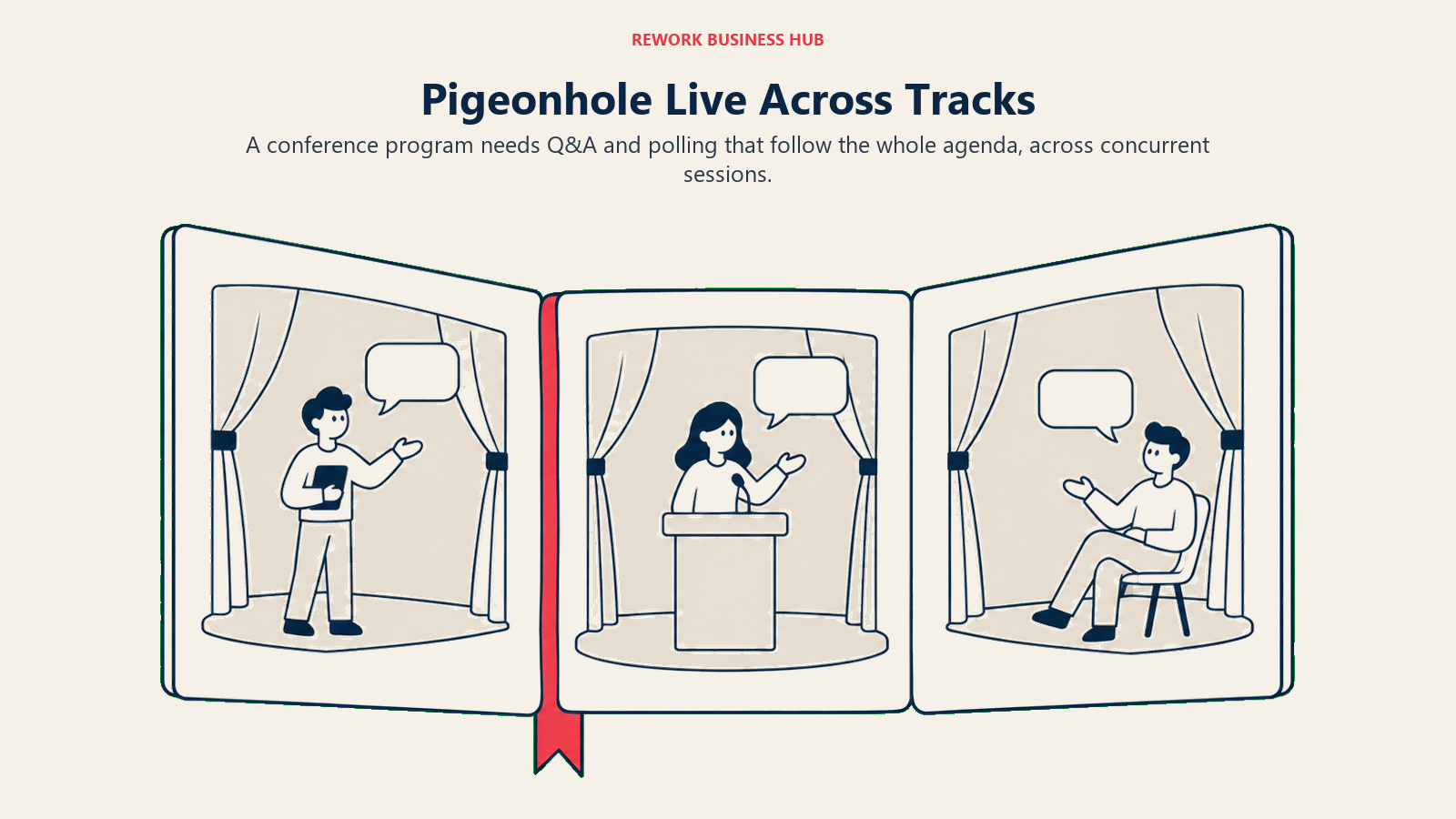
Where most tools here optimize for a single presenter in a single room, Pigeonhole Live is built for a producer running several concurrent sessions across a full conference agenda. Every tier, free included, bundles unlimited Q&A, polls, chats, and surveys, which matters more once you're managing five breakout tracks instead of one keynote.
| What you get | What you don't |
|---|---|
| Unlimited Q&A, polls, chats, and surveys on every tier | An annual discount; the yearly price is exactly 12x the monthly |
| Both Event and Presentation formats on Starter and Standard | A cheap path to multi-track scale; Standard jumps straight to $150/mo |
| Org-wide admin and SSO on Enterprise for large event teams | A published Enterprise number; that tier stays custom |
| A free tier that already includes both formats | Discounted per-registrant pricing at very high attendee counts |
Pricing: Starter is free for up to 100 participants, 1 user, with both Event and Presentation formats. Presenter is $13/month or $156/year, covering 250 participants, Presentation format only. Standard is $150/month or $1,800/year, covering 2,000 participants and 3 users across both formats, note that the annual price is exactly twelve times the monthly rate, so there's no discount for committing to a year. Enterprise is custom, covering 5,000-plus participants and 25 or more users with SSO and API access. (pigeonholelive.com/pricing)
Best for: Conference producers and events teams running several concurrent sessions who need one tool spanning the whole agenda rather than a per-presenter poll widget. Not ideal for: A single presenter running one session; paying $150 a month for Standard, with no annual break, is overkill next to a per-presenter tool like Mentimeter or Vevox. If venue and registration logistics are also part of the evaluation, the best Bizzabo alternatives guide covers the adjacent event-management layer this tool doesn't touch.
5. AhaSlides: The Budget Option
AhaSlides wins on one axis clearly: it's the cheapest published annual price in this entire guide, and its free tier doesn't cap the number of presentations you can run, only the live audience size per session. For a solo presenter or a small team running occasional interactive sessions, that combination is hard to beat on cost alone.
| What you get | What you don't |
|---|---|
| The lowest published annual price of any paid tier here | A confirmed price for the Pro tier; it isn't on a crawlable page |
| Unlimited free presentations, capped only on live audience size | Enterprise-grade governance features below the top tier |
| AI features included even on the free plan | A large jump in participant capacity between Free and Essential |
| A dedicated, cheaper Edu Small tier for educators | Continued access to legacy Plus plans; those closed in Sept 2024 |
Pricing: Free covers 50 live participants with unlimited presentations and AI features included. Essential runs $95.40/year for non-educators, roughly $7.95/month equivalent, while the educator-focused Edu Small tier is $35.40/year. Pro is $15.95/month billed yearly ($191.40/year), and its plan spec caps a presentation at 2,500 live participants, not the 10,000 AhaSlides' own comparison pages still advertise. Enterprise covers 100,000-plus participants and is custom. Legacy "Plus" plans closed to new customers after September 2024, though existing subscribers keep their benefits until they cancel. (docs.ahaslides.com)
Best for: Budget-first presenters and small teams that want the lowest annual commitment in the category and don't need Slido-grade Q&A moderation. Not ideal for: Buyers who want a number before they commit past Essential; the Pro tier's price simply isn't published anywhere a crawler, or a reader, can verify directly.
6. Wooclap: Education and Training First, With a Real LMS Story
Wooclap's strength is depth for education and corporate training rather than a lower price. Its Corporate tier integrates directly with existing learning management systems and supports SSO through SAML and CAS, the kind of IT-department checklist item that matters more to a training department than a per-seat discount.
| What you get | What you don't |
|---|---|
| LMS integrations and SSO (SAML/CAS) on Corporate | Any published dollar figure at any paid tier |
| A generous 1,000-participant free-tier cap | More than 5 active questions per 30-day period on free |
| Self-paced session support from Basic upward | A minimum team size below 6 presenters on Corporate |
| 20-plus question types across every tier | Result downloads on the free Starter tier |
Pricing: Starter is free for up to 1,000 participants per event, with 20-plus question types, but only 5 active questions per 30-day period and no result downloads. Basic is $13/month billed annually, excluding VAT, and covers up to 1,000 participants with unlimited questions and PDF/Excel export. Pro is $25/month per presenter, billed annually, excluding VAT, and adds AI-powered sessions, team collaboration, custom branding, and moderator mode. Corporate is a custom quote with a minimum of 6 presenters, adding LMS integrations, SSO via SAML or CAS, and an admin dashboard. (wooclap.com/en/pricing/pricing-business)
Best for: Universities and corporate training departments that need LMS integration and self-paced session support and are comfortable getting a quote before seeing a price. Not ideal for: A team smaller than 6 presenters evaluating the Corporate tier, or anyone who wants a number before a sales conversation; the best LMS software roundup covers the systems Wooclap is built to sit alongside.
7. Kahoot! 360: When the Job Is Gamified Quizzing, Not Q&A
Kahoot! 360 solves a genuinely different problem than Slido. Where Slido's design center is moderated, upvoted audience questions, Kahoot's is competitive, timed quiz gameplay with leaderboards, built for onboarding, sales kickoffs, and training sessions where a bit of game-show energy helps retention. Its business pricing now lives on its own domain: kahoot.com/pricing and kahoot.com/business/pricing both redirect to kahoot360.com/pricing.
| What you get | What you don't |
|---|---|
| Published, tiered pricing from Pro Start through Pro Ultra | Open, upvoted audience Q&A; the format is quiz-based |
| A free plan with account creation and no card required | A single price; promotional and regular prices both apply above Start |
| Leaderboards and timed gameplay built for training retention | Slido-style meeting-native Q&A moderation |
| Capacity up to 5,000 participants with onboarding on Ultra | Parity with Kahoot!'s separate schools pricing, which is cheaper |
Pricing: A free plan is available with account creation, no card required. 360 Pro Start is $19/month ($228/year) for 50 participants. 360 Pro Standard is $25/month promotional, $29/month regular ($300/year), for 200 participants. 360 Pro Plus is $49/month ($588/year) for 1,000 participants. 360 Pro Max is $69/month promotional, $79/month regular ($828/year), for 2,000 participants. 360 Pro Ultra is $79/month promotional, $99/month regular ($948/year), for up to 5,000 participants with onboarding. (kahoot360.com/pricing)
Best for: HR, sales enablement, and training teams that want gamified quizzing with leaderboards rather than a moderated Q&A queue. Not ideal for: Live event Q&A or meeting audience questions; Kahoot's whole format is built around quiz gameplay. If Kahoot itself is the tool under review, the best Kahoot alternatives guide runs that comparison from the other direction.
8. StreamAlive: Engagement Inside the Video Call Chat Itself
StreamAlive skips the second-screen problem entirely. Instead of sending your audience to a separate polling app or a QR code, it reads and visualizes what's already happening in the native chat of Zoom, Microsoft Teams, YouTube Live, and similar platforms, turning chat messages into live word clouds, polls, and quizzes without asking anyone to open anything new.
| What you get | What you don't |
|---|---|
| Engagement built from your existing video-call chat, no new app | Any use case outside a live video call; there's no in-person mode |
| Unlimited free sessions, only the audience size per session is capped | A generous free audience size; the free tier caps at 5 participants |
| AI token allowances that scale with each paid tier | A published Enterprise-scale tier beyond Scale's provisioned 5,000 |
| Both monthly and a discounted annual rate on every paid tier | Q&A moderation on the level of a dedicated meeting-native tool |
Pricing: Free covers unlimited sessions with 5 participants per session (sessions under 5 people count as test sessions and don't consume the monthly limit) and 2,000 AI tokens. Starter is $50/month or $20/month billed annually ($240/year), for 10 sessions a month at any audience size, with 36,000 AI tokens a year. Pro is $150/month or $60/month billed annually ($720/year), for unlimited sessions at any size, with 72,000 AI tokens a year. Scale is $375/month or $150/month billed annually ($1,800/year), unlimited sessions provisioned to 5,000 participants per session, with unlimited AI tokens. (streamalive.com/pricing)
Best for: Webinar hosts and marketing teams running sessions on Zoom, Teams, or YouTube Live who want engagement pulled straight from chat instead of a separate polling link. Not ideal for: In-person events, or any format without an underlying live video-call chat to read from; the entire product depends on that chat existing.
9. Crowdpurr: Live Trivia and Mobile-First Crowd Experiences
Crowdpurr is built for a different room than a corporate all-hands: bars, brand activations, conference happy hours, and any in-person event where mobile-first trivia and crowd games are the point. Its pricing structure, a steep 50% discount for paying yearly, rewards event teams running the same format repeatedly.
| What you get | What you don't |
|---|---|
| A 50% discount for billing yearly instead of monthly | Meeting-style Q&A moderation; the format is competitive trivia |
| Mobile-first play that needs no app download for attendees | A large free tier; Basic caps at 20 participants per experience |
| Tiers scaling cleanly from 100 to 5,000 participants | Unlimited simultaneous experiences below the paid tiers |
| Live streaming minutes bundled even into the free tier | A published Enterprise tier beyond Convention's 5,000 cap |
Pricing: Basic is free for 20 participants per experience, 1 team member, 15 questions per experience, 3 simultaneous experiences, and 15 minutes of live streaming a month. Classroom is $49.99/month or $24.99/month billed yearly ($299.94/year) for 100 participants and 2 team members. Seminar is $149.99/month or $74.99/month billed yearly ($899.94/year) for 500 participants and 5 team members. Conference is $249.99/month or $124.99/month billed yearly ($1,499.94/year) for 1,000 participants and 10 team members. Convention is $499.99/month or $249.99/month billed yearly ($2,999.94/year) for 5,000 participants and 25 team members. (crowdpurr.com/pricing)
Best for: Event marketers and brand activation teams running live trivia and mobile-first crowd games at in-person events, bars, or conference socials. Not ideal for: Standard internal meeting Q&A or corporate town halls; Crowdpurr's entire design center is game-show style crowd play, not moderated audience questions.
10. Klaxoon by Wrike: Workshops and Visual Collaboration, Not Just Polling
Klaxoon solves a broader problem than a single poll widget. It's a visual whiteboard and workshop toolkit that happens to include polling, built for facilitators running brainstorms, retrospectives, and structured workshops rather than a presenter running slide-by-slide Q&A. The vendor now describes the brand as "evolving into Klaxoon by Wrike," though Wrike's work-management suite isn't included unless you bundle it separately.
| What you get | What you don't |
|---|---|
| A full visual whiteboard and workshop toolkit, not just polls | Wrike's project and work management suite bundled by default |
| Free editing permissions even on the $0 tier | A generous free participant cap; it's capped at 5 |
| Pricing scaled per host rather than per participant | A published Enterprise number; that tier starts at 5 Pros, custom |
| A single tool for facilitation, brainstorming, and Q&A together | A lightweight option for a team that only wants quick polls |
Pricing: Free is $0 per user per month with a 5-participant limit and free editing permissions. Starter is $24.90 per host per month billed annually, about $298.80 per host per year, covering up to 4 Pros. Enterprise is custom, starting at 5 Pros. (klaxoon.com/pricing)
Best for: Facilitators and agile coaches running structured workshops, retrospectives, and brainstorms who want a visual collaboration toolkit with polling built in, not a standalone poll app. Not ideal for: A team that only wants quick meeting polls; Klaxoon's price and feature depth are built for full workshop facilitation, which is more tool than a simple poll buyer needs.
11. Sendsteps: AI Presentation Generation Plus Interaction
Sendsteps takes a different angle than every other tool on this list: instead of layering interaction onto a deck you've already built, it uses AI to help generate the presentation itself, then bundles polling and Q&A into the same tool. For a presenter who dreads building slides as much as running the Q&A, that's one fewer tool to manage.
| What you get | What you don't |
|---|---|
| AI presentation generation and audience interaction in one tool | Any published dollar figure; the pricing page renders no numbers |
| A stated annual discount, "up to 31%" per the vendor's own page | A clear picture of what the discount applies to without a quote |
| One workflow instead of a separate deck tool plus a polling app | Confirmed free-tier participant caps published anywhere |
Pricing: Sendsteps' pricing page is JS-rendered and exposes no crawlable dollar figures beyond the statement "pay annually and save up to 31%." Treat its pricing as unpublished, and treat any number you see quoted elsewhere as third-party reporting rather than vendor-confirmed. (sendsteps.com/en/pricing)
Best for: Solo presenters and small trainers who want AI to help write the deck itself, with interaction already built in, rather than stitching together a separate presentation tool and polling app. Not ideal for: Buyers who need a real number before committing to a demo; Sendsteps doesn't publish tier pricing anywhere a reader or a crawler can verify.
12. Microsoft Teams Polls and Microsoft Forms: The Free Option Already in Your Licence
For a lot of readers, the honest answer is that a dedicated tool isn't worth a new line item yet. If your organization already pays for Microsoft 365, Teams meeting polls and a Forms link pasted into chat cover basic show-of-hands questions at zero incremental cost. Zoom's built-in polls and Q&A do the same job for teams standardized on Zoom instead.
| What you get | What you don't |
|---|---|
| Zero incremental cost; it's already inside your existing licence | An upvoted, moderated Q&A queue like Slido's |
| Basic polling good enough for simple show-of-hands questions | Gamified quizzing, leaderboards, or word clouds |
| No new vendor relationship, security review, or procurement cycle | A branded, standalone participant join experience |
| Forms for anything needing more structure than a single poll | Live analytics or engagement reporting beyond basic results |
Pricing: Included with an existing Microsoft 365 or Teams licence; there's no separate price to quote. Zoom's equivalent polling and Q&A features are included with an existing Zoom licence in the same way.
Best for: Teams whose actual bar is "can we run a quick poll without buying anything new," where a Teams meeting poll or a Forms link in chat covers the ask. Not ideal for: Live upvoted Q&A moderation, multi-question interactive decks, or anything approaching Slido or Mentimeter's depth; Teams polls and Forms are basic by design, not built to replace a dedicated engagement platform.
Why Teams Look Beyond Slido
Slido earns its reputation honestly on one job: Q&A moderation and upvoting are still the category benchmark, and because Cisco has owned Slido since 2021, its integration into Webex Meetings and Webinars is first-party rather than bolted on. Audiences who've used Slido at a previous conference or town hall also recognize its join flow immediately, which matters more than an extra feature at a large public event. None of that is in question.
What pushes teams elsewhere is almost always the buying process, not the product. Thin capacity for the money. Engage is $210 a year for 200 participants, where Vevox's $143.40 Starter covers 250 and AhaSlides' $95.40 Essential covers 100; the jump to 1,000 participants means Professional at $900 a year. No monthly billing at all. Every plan is an annual commitment; there's no month-to-month option to test the product before signing a year-long deal, something Mentimeter, Poll Everywhere, and StreamAlive all offer. A tight 100-participant free cap, fine for a small team meeting and thin for anything approaching an all-hands. Per-member licensing that scales awkwardly below enterprise volume: Slido's own community documentation notes a bulk discount only from 20-plus members, which tells you the model is built around enterprise-scale commitments, not a department of five or ten people who just want solid Q&A. Polling thinner than the presentation-first competition: Slido leads with Q&A and general polls, not anything like Mentimeter's 23 built-in slide types.
None of that makes Slido wrong for a Cisco-standardized enterprise running meetings inside Webex at scale. It explains why a comms manager or L&D lead evaluating options before a budget cycle keeps landing on this page instead. If the broader event-management stack is also under review, the Best Event Management Software in 2026 roundup and the Best Webex Alternatives guide cover those adjacent decisions. And if the actual gap is a pulse-survey or always-on engagement platform rather than a live meeting tool, that's a different category, covered in the best employee engagement software roundup.
Which Alternatives Publish Their Prices
Bookmark this table if the reason you're here is "I need a number before I talk to anyone."
| Category | Tools | What That Means for You |
|---|---|---|
| Fully published pricing | Mentimeter, Poll Everywhere, Vevox, Pigeonhole Live, Kahoot! 360, Crowdpurr, StreamAlive, Klaxoon by Wrike, Wooclap, Sendsteps | Every tier below the top Enterprise plan shows a real number on the vendor's own site. Budget without a sales call. |
| Published, but only on the live page | AhaSlides, Slido | Every tier is published, Pro at $15.95/month billed yearly and Slido Engage at $210/year, but both pages render client-side, so a naive fetch sees nothing and third-party listings lag them badly. |
| Quote-only, no published dollar figure | Wooclap Corporate, Sendsteps Enterprise, and the top enterprise tier of most tools here | Entry and mid tiers all carry a public number now. Expect a sales conversation only for custom enterprise terms. |
| Free, bundled with an existing licence | Microsoft Teams polls / Microsoft Forms | There's no separate price at all: it's already inside a Microsoft 365 subscription you're already paying for. |
All twelve, plus the built-in Teams/Forms option, let you see a real number before you've told anyone your email address, and as of 2026 Slido does too. The deciding question has moved on: it is no longer whether you can see a price, it is whether a full-year commitment and a 200-participant Engage tier fit the rooms you actually fill.
How to Choose: Decision Framework
| If you need... | Best pick |
|---|---|
| The closest straight swap for Slido's Q&A and polling job, with a published price and monthly billing | Mentimeter |
| A full price ladder published at every tier, especially for higher education or large training programs | Poll Everywhere |
| The cheapest serious paid tier, built natively for Microsoft Teams and PowerPoint | Vevox |
| One platform spanning many concurrent sessions across a multi-track conference | Pigeonhole Live |
| The lowest published annual price in the category, with unlimited free presentations | AhaSlides |
| LMS-integrated training and self-paced sessions for a university or corporate program | Wooclap |
| Gamified quizzing with leaderboards instead of an open, upvoted Q&A queue | Kahoot! 360 |
| Zero incremental spend, using the polling tool already inside your Microsoft 365 or Zoom licence | Microsoft Teams polls / Zoom polls |
Frequently Asked Questions about Slido Alternatives
Why doesn't Slido publish its prices?
Cisco, which has owned Slido since 2021, sells it as Engage, Professional, Enterprise, and Unlimited Enterprise plans plus one-time event plans, all quoted by sales rather than shown as dollar figures on a public page. Slido also offers no monthly billing at all: every plan is an annual commitment. That's a deliberate enterprise sales model, not a missing webpage.
How many participants does Slido's free plan actually support?
100 participants per Slido event on the free Basic plan, per Slido's own community pricing answer. The paid Engage plan raises that ceiling to 200 participants per meeting.
Is Mentimeter's free plan really unlimited participants?
No, and this is the most commonly repeated mistake about Mentimeter in other roundups. The free plan caps at 50 participants per month, account-wide, not per presentation. The counter resets monthly on your signup date, so one large all-hands can use up the entire month's allowance and lock you out of presenting again until it resets or you upgrade to Basic.
Which Slido alternative has the most transparent, published pricing?
Mentimeter, Poll Everywhere, Vevox, Pigeonhole Live, Kahoot! 360, Crowdpurr, and StreamAlive all publish real dollar figures for every tier below Enterprise. Mentimeter and Poll Everywhere also offer monthly billing, an option most competitors in this category skip entirely.
What's the cheapest way to get real Q&A and polling without paying for anything new?
Microsoft Teams meeting polls and Microsoft Forms if you already pay for Microsoft 365, or Zoom's built-in polls and Q&A if Zoom is your meeting platform. Neither charges separately, though both are basic compared to a dedicated tool: no upvoted Q&A moderation queue, no gamified quizzing, no branded participant experience.
Is Slido still the best choice for anything?
Yes. Its Q&A moderation and upvoting are still the category benchmark, and because Cisco owns both Slido and Webex, the integration into Webex Meetings and Webinars is first-party rather than bolted on. Audiences who've used Slido at previous events also recognize its join flow, which can matter more than an extra feature at a large public event.
Which alternative is built specifically for multi-session conferences rather than single meetings?
Pigeonhole Live. Its Standard plan supports 2,000 participants and 3 users across both Event and Presentation formats, built for producers running several concurrent tracks rather than one room.
Which tool works without asking the audience to open a second app?
StreamAlive, which reads and responds to the native chat inside Zoom, Microsoft Teams, YouTube Live, and similar platforms instead of sending attendees to a separate polling site or app.
What happened to Kahoot's business pricing page?
kahoot.com/pricing and kahoot.com/business/pricing now redirect to kahoot360.com/pricing. Kahoot's work and business product is branded Kahoot! 360 on its own domain, while school pricing stays at kahoot.com/schools/pricing.
Should a small team building its first internal all-hands buy any of these, or start free?
Start free and only pay once a specific cap gets in the way, whether that's Mentimeter's 50-participants-a-month ceiling, Slido's 100-per-event cap, or Wooclap's five-questions-per-month limit. Most of these tools are built to convert exactly at that friction point, so there's no reason to prepay for headroom you haven't needed yet.
What to Do Next
Pick two tools based on which part of Slido is actually blocking you today, not which demo looks best. For pricing opacity, put Mentimeter and Poll Everywhere head to head; both publish a real number and let you pay monthly. For workshop facilitation over meeting Q&A, trial Klaxoon by Wrike against your next session instead.
If all-hands cadence is the underlying problem, not just the polling tool, the best employee communication software roundup covers that adjacent decision. And if the meeting platform itself is also up for review, the Best Event Management Software in 2026 roundup covers the wider category this cluster sits inside.

Principal Product Marketing Strategist
On this page
- Key Facts
- Quick Comparison Table
- Stage Fit Matrix
- Sizing and Persona Table
- Free-Tier Comparison: What Each Vendor's Own Documentation Actually Says
- 1. Mentimeter: The Closest Direct Substitute to Slido
- 2. Poll Everywhere: A Published Price at Every Tier
- 3. Vevox: The Cheapest Serious Paid Tier, Built Into Teams and PowerPoint
- 4. Pigeonhole Live: Built for Multi-Session, Multi-Track Conferences
- 5. AhaSlides: The Budget Option
- 6. Wooclap: Education and Training First, With a Real LMS Story
- 7. Kahoot! 360: When the Job Is Gamified Quizzing, Not Q&A
- 8. StreamAlive: Engagement Inside the Video Call Chat Itself
- 9. Crowdpurr: Live Trivia and Mobile-First Crowd Experiences
- 10. Klaxoon by Wrike: Workshops and Visual Collaboration, Not Just Polling
- 11. Sendsteps: AI Presentation Generation Plus Interaction
- 12. Microsoft Teams Polls and Microsoft Forms: The Free Option Already in Your Licence
- Why Teams Look Beyond Slido
- Which Alternatives Publish Their Prices
- How to Choose: Decision Framework
- What to Do Next