Best Digital Asset Management Software in 2026: 14 DAM Platforms Compared on Published Price vs Quote Only
Turn this article into takeaways for your work.


Each assistant summarizes the article only for you and suggests best practices for your work.
The best digital asset management software in 2026 depends on a fact most roundups skip past: eight of the fourteen platforms here will not tell you a price without a sales call, and that split is not random. Bynder, Brandfolder by Smartsheet, Acquia DAM (Widen), Canto, Frontify, Adobe Experience Manager Assets, Aprimo and MediaValet are all quote only, confirmed on each vendor's own pricing page. Cloudinary, Air, Dash, Filecamp, Pics.io and Pimcore publish real numbers you can budget against today. This guide evaluates all 14, pricing, so you can build a real shortlist before you book a single call.
Quote only is not a red flag on its own. It usually means the platform is configured around your user count, storage, brand count and licensed modules, which is genuinely how enterprise DAM gets sold. But you cannot compare two enterprise vendors on price alone, only on fit, and the published-price half of this list skews toward smaller teams. Both halves get equal treatment below.
Key Facts
- The digital asset management market is projected at USD 7.51 billion in 2026, up from USD 6.42 billion in 2025, and forecast to reach USD 14.42 billion by 2031, a 13.94% CAGR, per Mordor Intelligence.
- Only 35% of content teams say they are very confident employees are using approved, on-brand assets, per Canto's State of Digital Content 2026 report, a survey of 434 content and creative professionals.
- 56% of marketers say they still create content that goes unused, per Brandfolder's State of Digital Asset Management report, a survey of more than 300 marketers and creatives.
- 76% of DAM users report spending less time searching for digital assets after adopting one, per the same Brandfolder survey, which also found 60% of respondents still using incorrect versions of their company logo.
- A Forrester Consulting Total Economic Impact study commissioned by Smartsheet found a composite organization using Brandfolder achieved 273% ROI over three years with payback in under six months, per the published study.
What Changed in Digital Asset Management in 2026
Three shifts are worth knowing before you start calling vendors, because each one changes how you should read a price, or the absence of one.
Air moved from a cheap-looking per-seat reputation to credit-based pricing with unlimited seats. Air used to be the tool people recommended for a lower per-user cost than Miro or Dropbox-adjacent DAM tools. That model is gone. Air's Business plan is $900 a month billed annually for 30,000 monthly credits, and the vendor states plainly that you are never charged based on workspace headcount. If you are comparing Air on a per-seat basis, you are comparing it to a model it no longer uses.
Frontify stopped publishing a price at all. Frontify used to run a self-serve Starter plan with a visible entry price. That plan is gone. The vendor's own FAQ asks and answers "Why doesn't Frontify display fixed pricing?" directly: pricing is based on monthly active users (MAU) rather than seats, reevaluated yearly using six-month usage averages so a short spike does not change the bill. An older article showing a Frontify starting price is describing a plan that no longer exists.
TwicPics is now TwicPics by Frontify. Frontify's image CDN and transformation product carries that name on its pricing page today. It is not a DAM, but it matters if you are evaluating Frontify alongside Cloudinary or another image-API vendor: the brand-portal DAM and the image-delivery CDN now come from the same company.
Cloudinary still will not name a DAM price. Cloudinary sells two different things on one pricing page, and mixing them up is the easiest mistake to make in this category. Programmable Media, the image and video transformation API, has published prices starting at $99 a month. Cloudinary Assets, the actual DAM product, stays on a quote-only Enterprise tier with a 30-day trial and no published number. A "Cloudinary DAM starts at $99/mo" claim elsewhere is describing the wrong product.
Quick Comparison Table
| Tool | Best For | Starting Price | Key Strength | Key Limitation |
|---|---|---|---|---|
| Bynder | Enterprise brand teams wanting AI search across a large MarTech stack | Quote only | Deep integrations across a wide MarTech ecosystem, plus AI Search Experience | No published number at any tier, every customer gets a custom package |
| Brandfolder by Smartsheet | Marketing teams wanting fast search and video AI | Quote only (Premium, Enterprise) | Auto-tagging, scene detection and speech-to-text baked into Video AI | The old low-cost Essentials tier is gone, only two enterprise-leaning tiers remain |
| Acquia DAM (Widen) | Enterprise marketing orgs wanting DAM and PIM together | Quote only | Nearly 300 integrations plus four distinct portal types | Sold as part of the wider Acquia Digital Experience Platform, sales-led setup |
| Canto | Mid-market teams that want named packages before a call | Quote only (4 packages) | Four clearly named packages instead of one generic quote | Vendor states pricing is "illustrative," so nothing is truly self-serve |
| Frontify | Multi-brand enterprises wanting guidelines and DAM together | Quote only, priced by monthly active users | MAU pricing means you never pay for dormant seats | No published Starter plan exists anymore, at any price |
| Cloudinary | Dev-led teams already using Cloudinary's media API | Programmable Media Plus $99/mo, $89/mo annual; Cloudinary Assets DAM is quote only | One credit system spans transformations, storage and bandwidth | The DAM product itself has no published price, only the API tier does |
| Adobe Experience Manager Assets | Large enterprises already on Adobe Experience Cloud | Quote only | Native integration with Creative Cloud and Experience Manager Sites | Heaviest implementation lift of any tool on this list |
| Aprimo | Enterprise marketing ops teams wanting DAM plus workflow and content generation | Quote only, based on users and modules | Named a Leader in The Forrester Wave for DAM, Q1 2026, with the highest Current Offering score | Module-based pricing makes self-service budgeting hard |
| MediaValet | Microsoft-standardized enterprises | Quote only | Deep Azure and Microsoft 365 integration, built on Azure Service Fabric | Custom pricing model, no published starting figure |
| Air | Creative teams that want unlimited seats and no per-user math | $900/mo billed annually (Business, unlimited seats) | Never charged based on workspace headcount | $900/mo entry point is the highest published starting price in this list |
| Dash | Growing brands needing unlimited users and client portals | GBP 79/mo (Start up, monthly), GBP 853/yr | Unlimited users on every plan | Priced in GBP, storage and download caps are tight at entry |
| Filecamp | Budget-conscious agencies and SMBs | $29/mo (Basic), $348/yr | Unlimited users and free bandwidth on every plan | Annual billing is exactly 12x monthly, no discount for committing yearly |
| Pics.io | Google Workspace shops wanting DAM inside Drive | $100/mo (Solo, monthly only), $225/mo annual (Micro) | Runs on your own Google Drive or S3, no forced storage migration | AI features are a separate paid add-on priced by asset volume |
| Pimcore | Enterprises wanting open-source DAM and PIM with a flat license | Free (Community); $9,900/yr (Professional) | Open-core, self-hostable, DAM plus PIM plus MDM in one platform | Flat annual license model, not built for a quick self-serve signup |
Published Price vs Quote Only
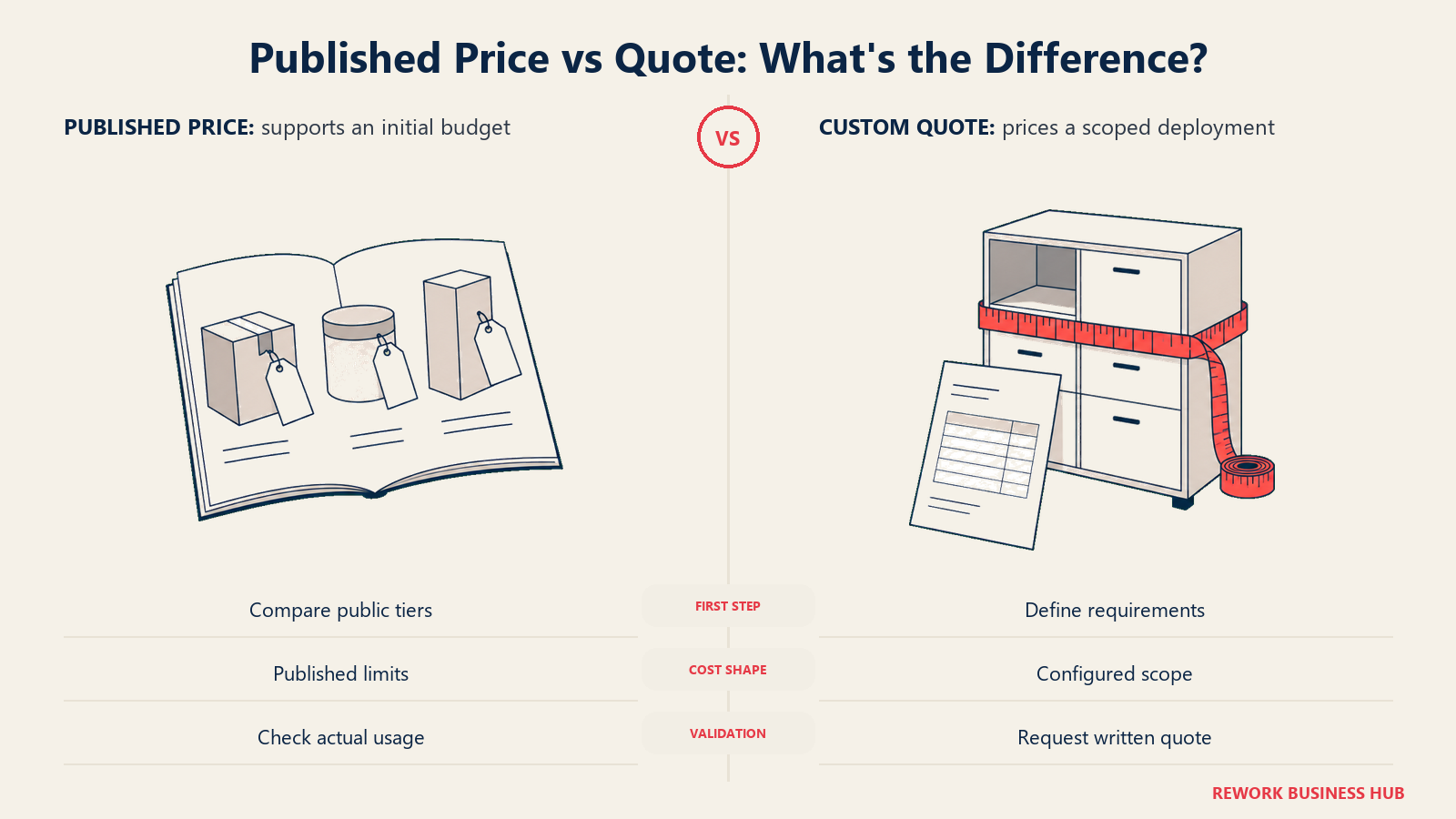
This is the table worth bookmarking. It is the single most useful fact for building a real shortlist in this category, because it tells you upfront which vendors you can budget against today and which ones need a discovery call before you see a number.
| Discloses pricing | Vendors | What that means |
|---|---|---|
| Quote only (8 of 14) | Bynder, Brandfolder by Smartsheet, Acquia DAM (Widen), Canto, Frontify, Adobe Experience Manager Assets, Aprimo, MediaValet | Configured around users, storage, brand count and licensed modules, per each vendor's own pricing page. |
| Publishes real numbers (6 of 14) | Cloudinary (for its Programmable Media API; the Cloudinary Assets DAM itself is quote only), Air, Dash, Filecamp, Pics.io, Pimcore | You can see a starting figure and build a rough budget without a sales call. |
Notice what the published-price group has in common: none of the six are the household enterprise names in this category. Filecamp, Dash and Pics.io are built for small to mid-market teams. Air targets creative teams, not enterprise brand ops. Pimcore sells a flat license rather than a subscription. Cloudinary only publishes for its API product, not its DAM. Quote-only does not mean expensive, and published does not mean cheap, but the correlation between "enterprise-configured" and "will not name a number" holds across every vendor on this list.
How the Pricing Models Actually Differ
Even inside the six vendors that publish prices, "per user per month" is closer to the exception than the rule in this category. Before you build a spreadsheet comparing per-seat costs, know which metering model each vendor actually uses.
| Pricing model | How it works | Vendors in this list |
|---|---|---|
| Unlimited users, storage-metered | Every seat is free; you pay for gigabytes of storage instead | Filecamp, Dash |
| Unlimited seats, credit-metered | No per-seat charge at all; credits meter usage such as AI actions, transformations, storage or bandwidth | Air, Cloudinary (Programmable Media) |
| Monthly active users (MAU) | Billed only for people who actually log in and use the product in a given month, not total licensed headcount | Frontify |
| Flat annual license | One license fee regardless of how many people use it, often paired with self-hosting | Pimcore |
| Users, storage and modules (quote-built) | The vendor assembles a custom figure from your user count, storage need and which product modules you license | Bynder, Aprimo, Canto, Brandfolder by Smartsheet, Acquia DAM (Widen) |
| Tiered flat plans by usage ceiling | A fixed monthly price per tier, gated by asset or download volume rather than by seat count | Pics.io |
The practical takeaway: if a vendor rep or a competitor's marketing page hands you a single "$X per user per month" number for this category, ask which of these six models it actually maps to. For unlimited-seat vendors like Filecamp, Dash and Air, a per-seat number does not exist to compare in the first place, so the real question is storage or credit consumption at your actual usage, not headcount.
DAM vs Document Management vs Asset Management
The naming collision in "digital asset management" sends buyers to the wrong category constantly, so it is worth a direct answer before you shortlist further.
| Category | Manages | Not built for |
|---|---|---|
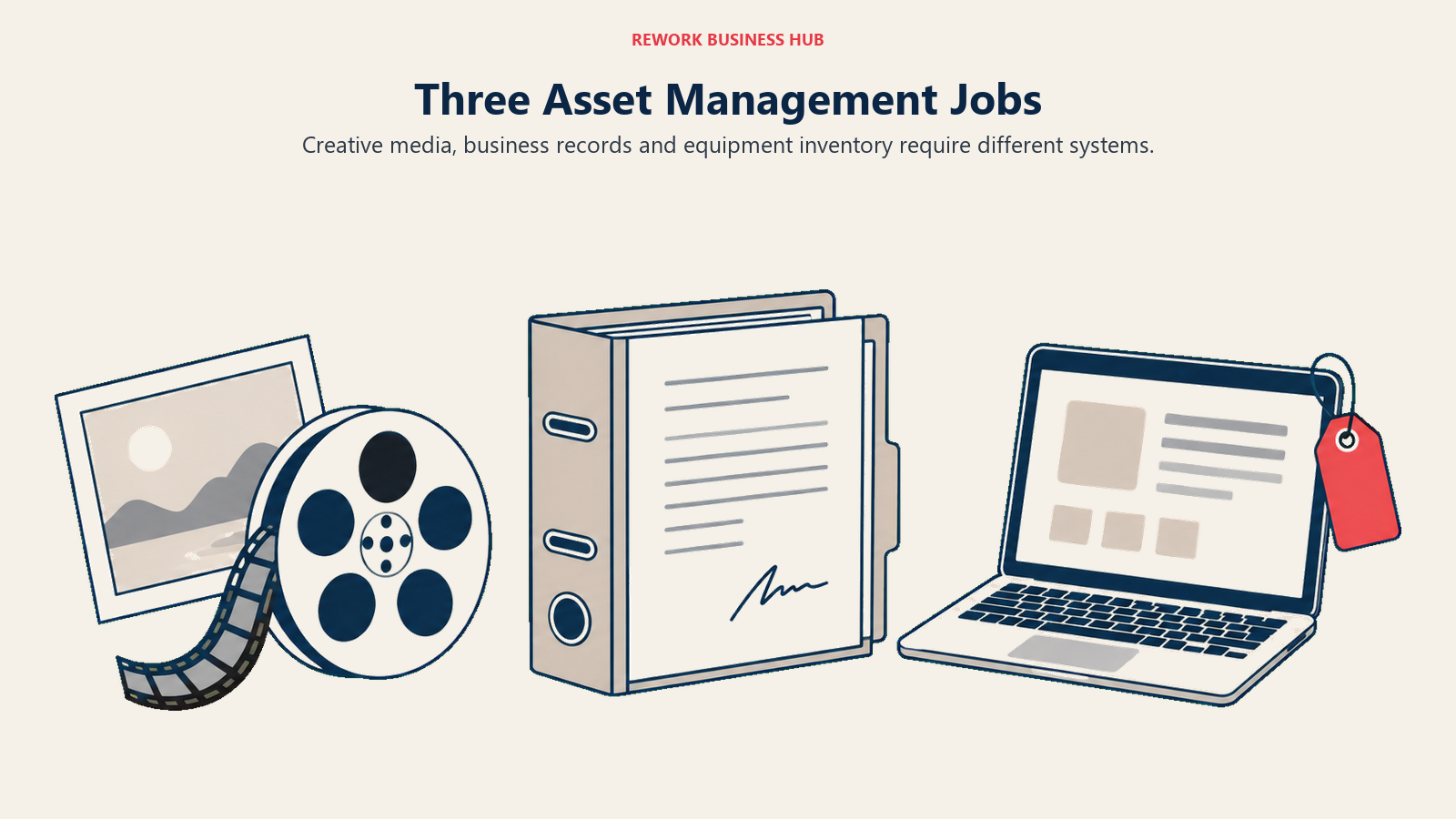
| Digital asset management (this guide) | Brand and creative media: logos, photos, video, campaign files, with rights management and version control | Contracts, policies, records, physical or IT equipment |
| Document management | Contracts, policies, records and PDFs, with retention rules and e-signature workflows | Creative media libraries, brand portals, video transcoding |
| Asset management (IT and physical) | Hardware, software licenses, and physical equipment inventory across their lifecycle | Creative files, brand guidelines, marketing content |
If you actually need contract and records handling, best document management software covers that category directly, along with dedicated comparisons like best SharePoint alternatives and best Box alternatives. If you landed here looking for IT or physical equipment tracking instead of creative files, best asset management software is the right guide.
1. Bynder - The Enterprise MarTech Integration Play
Bynder's pitch is depth of ecosystem, not simplicity. The platform covers Digital Asset Management, AI Agents, AI Search Experience, a customer-experience community layer, Asset Workflow, Content Workflow, Analytics and Studio, all sold as modular products that plug into a marketing stack most enterprises already run. Bynder names no price anywhere on its pricing page. Its own language is explicit about why: plans are "structured based on what you use, influenced by the number of users, storage, usage within your MarTech ecosystem, the products included as part of your solution, and the desired level of support," and every customer gets "a custom-made package." The page segments buyers by company size and states the platform serves 4,000-plus brands, a vendor claim worth noting as such.
For teams that find that opacity frustrating, best Bynder alternatives walks through the field in more depth, including the direct head-to-head in Bynder vs Brandfolder, the two names that most often anchor an enterprise shortlist.
| Pros | Cons |
|---|---|
| Widest MarTech integration surface of any vendor on this list | Zero published pricing at any tier, every deal starts with a sales conversation |
| AI Search Experience and AI Agents are named, current products, not roadmap items | Modular structure means the real cost depends heavily on which modules you need |
| Segmented by company size, so the sales process is at least tailored from the start | 4,000+ brands claim is vendor-stated, not third-party audited |
Best for: Enterprise brand and marketing teams that already run a complex MarTech stack and want one DAM vendor that plugs into most of it.
2. Brandfolder by Smartsheet - Fast Search and Video AI, Two Tiers Only
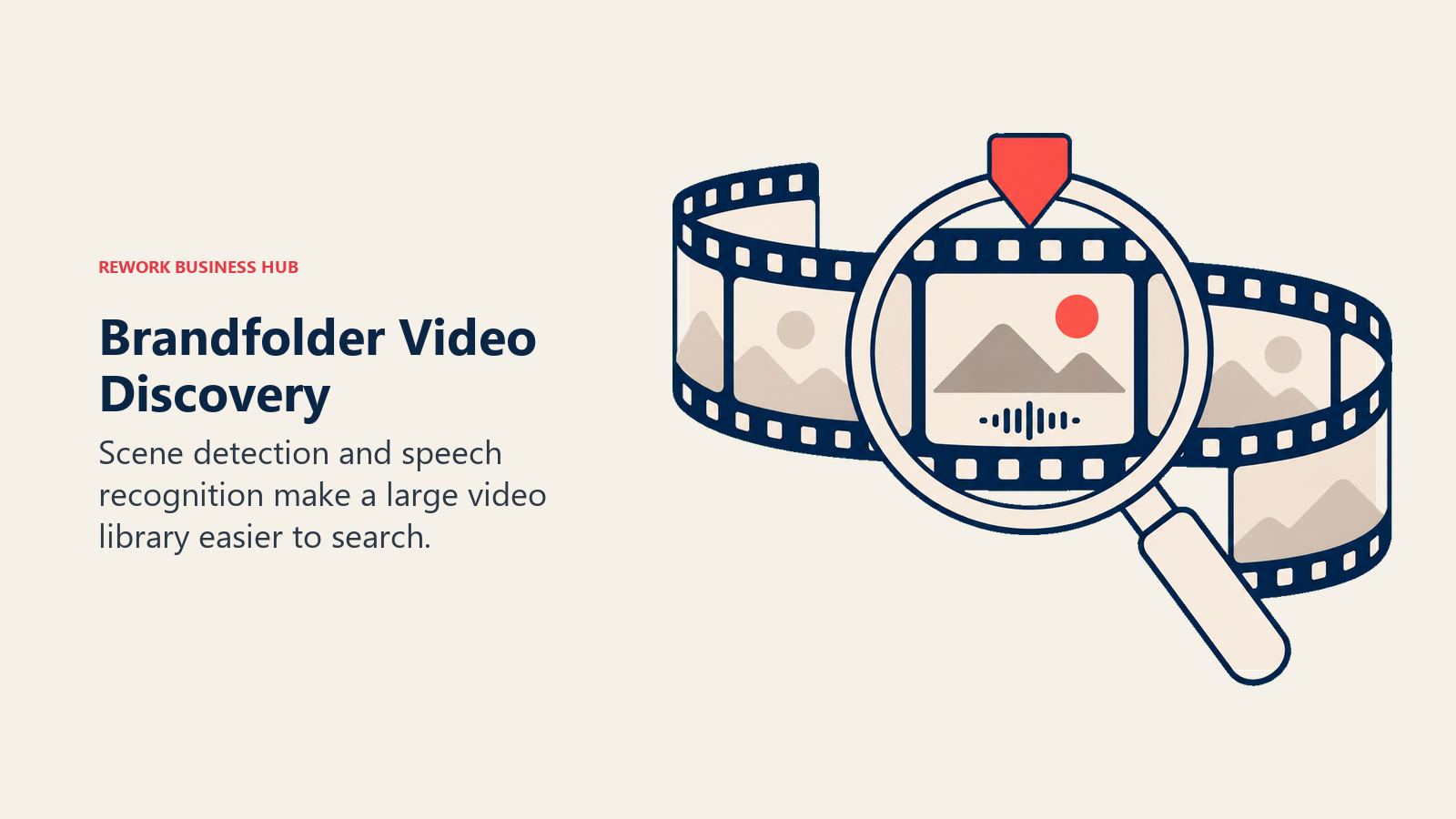
Brandfolder has been part of Smartsheet since the acquisition completed in September 2020, and it remains actively maintained, with live sections in Smartsheet's own Learning Center and Community. Two plan tiers are published today: Premium and Enterprise, both behind a "Book a demo" or "Get a quote" button. Premium adds asset analytics, document intelligence through OCR, bulk admin controls, SSO/SAML, asset availability controls for scheduled publish and expiry, and Video AI for auto-tagging, scene detection and speech-to-text. Enterprise layers on custom automation, multi-brand organizational controls, an Insights data connector for BI, and vanity URLs.
If you have seen an older comparison list a third "Essentials" tier, that plan is not on Brandfolder's pricing page today. Brandfolder's own page cites a customer case study where Conga saved over $300,000 a year in software costs while letting a 1,200-person team self-serve assets, a vendor-published claim worth attributing as such. Teams weighing Brandfolder against Bynder should read Bynder vs Brandfolder before committing. For the wider field, see best Brandfolder alternatives.
| Pros | Cons |
|---|---|
| Video AI (auto-tagging, scene detection, speech-to-text) is a real differentiator, not a marketing label | Only two tiers exist, both quote-only, no visible entry price |
| Owned by Smartsheet, actively maintained with public documentation and community support | The lower-cost Essentials tier that used to exist is gone |
| Strong OCR-based document intelligence baked into Premium | Enterprise-only features (multi-brand controls, Insights connector) are locked behind the higher tier |
Best for: Marketing teams that lean on video content and want AI-assisted tagging and search without building it themselves.
3. Acquia DAM (Widen) - DAM and PIM in One Platform for Non-Drupal Stacks
Acquia DAM (Widen), Acquia's own current name for the product, is sold as part of the broader Acquia Digital Experience Platform but works independently of a Drupal stack, which matters because Acquia is best known as a Drupal company. The platform combines DAM and product information management (PIM) in one system, with a configurable metadata schema, AI-powered auto-tagging, rights management with expiration enforcement, multi-stage approval workflows and full audit trails. It connects to close to 300 tools spanning marketing automation, CMS, PIM, e-commerce and digital marketplaces, and offers four distinct portal types (Standard, Brand, Video and Channel) for sharing curated asset sets externally.
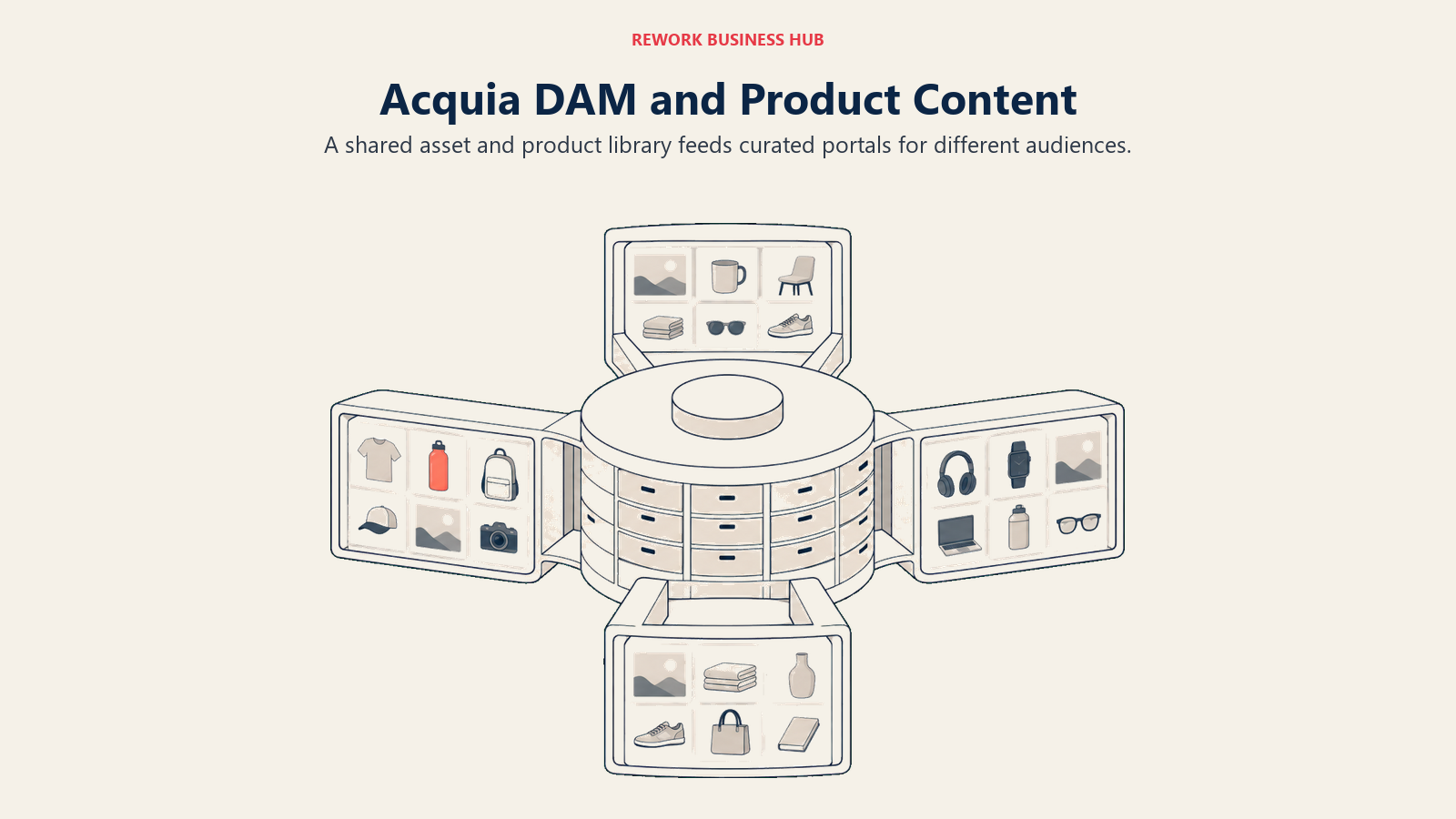
No price is published; Acquia's pricing page routes every buyer to a quote. A customer story on Acquia's own site describes the University of Georgia managing roughly one million assets on the platform, useful as a scale reference even though it is a vendor-selected case study.
| Pros | Cons |
|---|---|
| Combines DAM and PIM in one platform, useful if you were about to buy both separately | No published price at any tier |
| Nearly 300 integrations and four distinct portal types for external sharing | Sold within the wider Acquia Digital Experience Platform, which can pull you into a bigger deal than you wanted |
| Works with non-Drupal stacks despite Acquia's Drupal reputation | Configuration-heavy setup typical of enterprise DAM+PIM platforms |
Best for: Enterprises that need DAM and product content management together and want to evaluate both in one procurement process instead of two.
4. Canto - Four Named Packages Instead of One Generic Quote
Canto's approach to the quote-only problem is a genuine middle ground: instead of one undifferentiated "contact us," it names four distinct packages so a buyer at least knows what capability tier they are evaluating before the call. Core Essentials is the base DAM package. Enhanced Collaboration (branded DAM PLUS) adds workflow and review tools. Omni Brand Solution (DAM for Products) extends into product content, useful for retail and e-commerce brands managing SKU-level imagery alongside brand assets. Advanced (DAM PRO) is the top tier. Canto's own pricing page states plainly that "all packages shown are illustrative" and that pricing "scales based on your team size and storage needs," so none of the four carries a real number, but naming them at all is more transparent than most of the quote-only group.
| Pros | Cons |
|---|---|
| Four clearly named packages give you a real starting point for a sales conversation | Every package is still "illustrative," with no actual number attached |
| Omni Brand Solution addresses product content, not just brand assets, a genuine differentiator | Pricing scales on team size and storage in ways you cannot model until you talk to sales |
| Mid-market-friendly entry point (Core Essentials) before scaling into Advanced | Advanced/DAM PRO tier depth is not detailed publicly |
Best for: Mid-market teams that want to walk into a sales call already knowing which package tier fits, rather than starting from zero. Retail and e-commerce brands managing product imagery specifically should look at the Omni Brand Solution tier. See best Canto alternatives for the wider field.
5. Frontify - Brand Guidelines and DAM, Billed by Active Users Not Seats
Frontify positions itself as the connective layer for a brand: guidelines, the DAM sitting underneath them, creative collaboration workflows, and a template system that lets non-designers generate on-brand materials without a design request. Its guidelines module supports interactive, AI-answered brand questions rather than a static PDF, and templates carry lockable elements and embedded approval workflows. Frontify says it serves 500-plus enterprise customers and integrates with Adobe Creative Cloud, Microsoft Office and Slack, supporting single or multi-brand structures.
The pricing model is the real story. Frontify bills by monthly active users, not licensed seats, calculated from your use case and team structure and reevaluated yearly using six-month usage averages, so a short-term spike will not spike your bill. There is no published Starter plan anymore, a genuine change from a few years ago. Every deal today starts with a conversation. Teams that also need image transformation should note that TwicPics, now branded "TwicPics by Frontify," is a separate product with its own published pricing. If Frontify is the platform you are trying to leave rather than the one you are buying, the full field is in best Frontify alternatives, and the closest enterprise head-to-head is Bynder vs Frontify. Marketing teams routing Frontify assets into outbound campaigns may also want best email marketing software.
| Pros | Cons |
|---|---|
| MAU pricing means dormant licensed seats never inflate your bill | No published Starter plan or entry price exists at all today |
| Brand guidelines and DAM live in one connected system, not two separate tools | Six-month usage averaging means your bill can lag a real headcount change |
| Interactive, AI-answered guidelines reduce repetitive brand-question tickets | 500+ enterprise customers claim is vendor-stated |
Best for: Multi-brand enterprises that want brand guidelines and DAM in one platform and would rather pay for actual usage than provisioned seats.
6. Cloudinary - A DAM Layer on Top of a Published Media API
Cloudinary is the one vendor here where reading the pricing page carefully changes the answer. Cloudinary sells two products. Programmable Media, the image and video transformation API, has fully published pricing: Free at $0/mo (3 users, 1 account, 25 monthly credits), Plus at $99/mo ($89/mo billed yearly, 225 monthly credits), Advanced at $249/mo ($224/mo billed yearly, 600 monthly credits), and a custom Enterprise tier with multi-CDN delivery, SLAs and SSO. One credit equals 1,000 transformations, or 1 GB of managed storage, or 1 GB of image bandwidth, interchangeable up to your plan's limit.
Cloudinary Assets, the actual DAM product most readers here are shopping for, sits on a different tab of the same page and carries no published price: Enterprise or Custom only, with a free 30-day trial covering 3 users and 25 GB of storage. A "Cloudinary DAM starts at $99/mo" claim elsewhere has confused the two products. Teams already running Cloudinary's transformation API get the clearest path to trying the DAM layer on infrastructure they already pay for. See best Cloudinary alternatives for the wider field, and best Figma alternatives for the design layer upstream.
| Pros | Cons |
|---|---|
| Programmable Media pricing is fully published and transparent, a rarity in this list | The DAM product itself (Cloudinary Assets) is quote only, same as most of the category |
| One credit system spans transformations, storage and bandwidth, easy to reason about at the API level | Easy to misquote a DAM price using the API tier's numbers, a common third-party error |
| Natural fit for teams that already run Cloudinary's media API in production | 30-day DAM trial caps at 25 GB, tight for evaluating a real asset library |
Best for: Engineering-led teams that already use Cloudinary for image or video delivery and want to add a DAM layer without adopting an unrelated vendor.
7. Adobe Experience Manager Assets - The Deepest Adobe Ecosystem Play
Adobe Experience Manager Assets is Adobe's enterprise DAM, sold through Adobe sales as part of the broader Experience Manager and Experience Cloud suite. Its core strength is native integration with Adobe Creative Cloud on the production side and Experience Manager Sites on the delivery side, which matters specifically for organizations that already standardize creative production and web publishing on Adobe tools. That depth comes with real implementation weight: AEM Assets is typically the heaviest, most configuration-intensive platform on this list, closer to a digital experience platform component than a standalone DAM you spin up in a week.
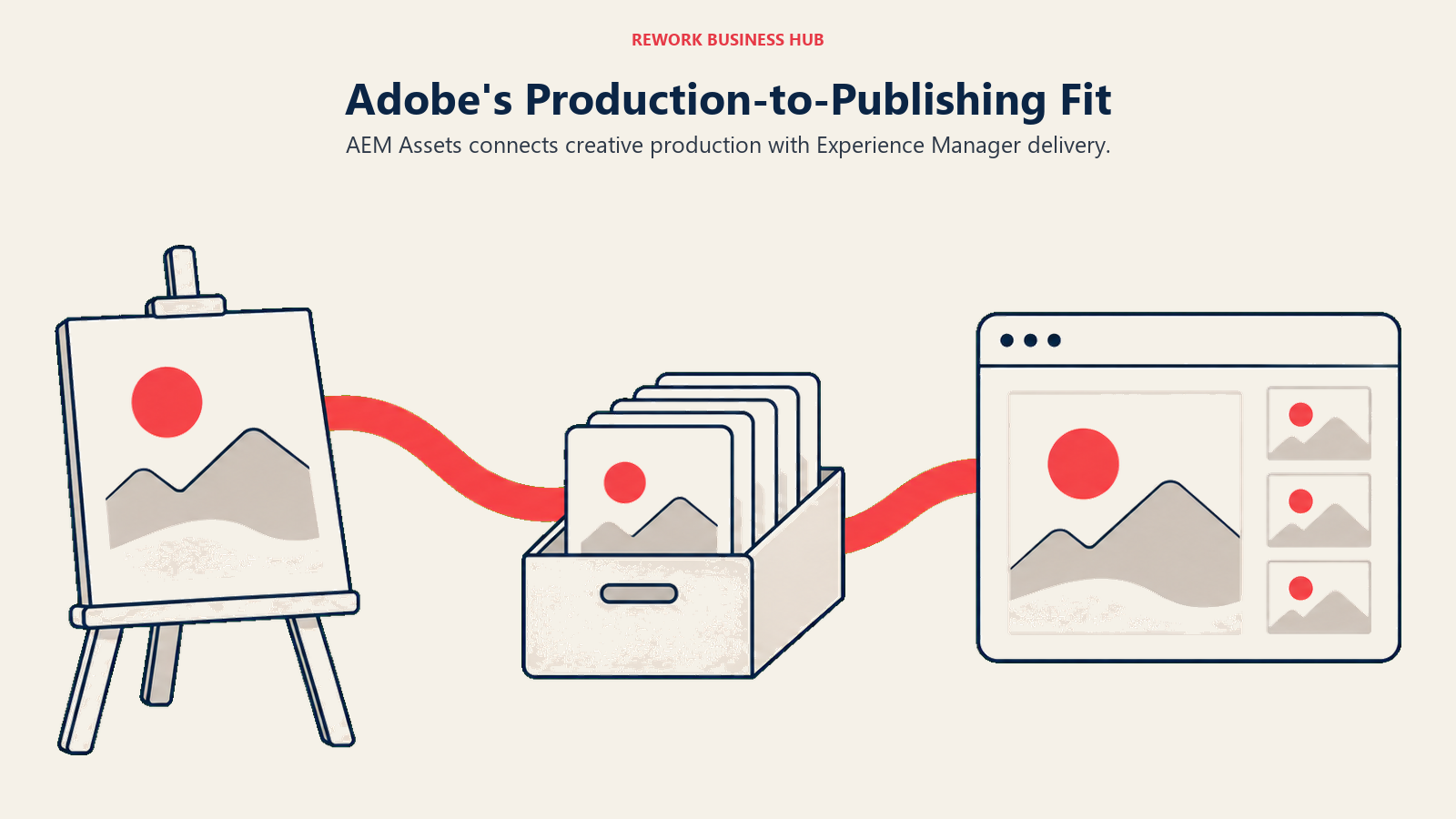
Pricing is quote-based through Adobe sales; treat any specific number you see elsewhere with skepticism unless it comes directly from an Adobe quote. Because AEM Assets is bundled into the wider Experience Cloud, evaluating it in isolation from Adobe's other Experience Cloud products is genuinely difficult, which is itself a factor worth weighing before you start the sales process.
| Pros | Cons |
|---|---|
| Deepest native integration with Adobe Creative Cloud of any vendor on this list | No published pricing was verifiable anywhere, even a range |
| Ties directly into Experience Manager Sites for content delivery | Heaviest implementation lift in this comparison, rarely a fast rollout |
| Fits naturally into an existing Adobe Experience Cloud investment | Hard to buy or evaluate as a standalone product separate from the wider Adobe suite |
Best for: Large enterprises already standardized on Adobe Creative Cloud and Experience Manager that want production and delivery on one connected stack.
8. Aprimo - A Forrester Wave Leader Built Around Marketing Operations
Aprimo positions itself around marketing operations more than asset storage alone: DAM sits alongside workflow, content generation, and governance in one platform. That positioning got third-party validation in 2026. The Forrester Wave for Digital Asset Management Systems, Q1 2026, named Aprimo a Leader and rated it highest of all evaluated vendors in the Current Offering category, with a top score in 15 of 22 individual criteria including asset onboarding and metadata management, content generation, workflows and automation, digital rights management, governance, and AI capabilities.
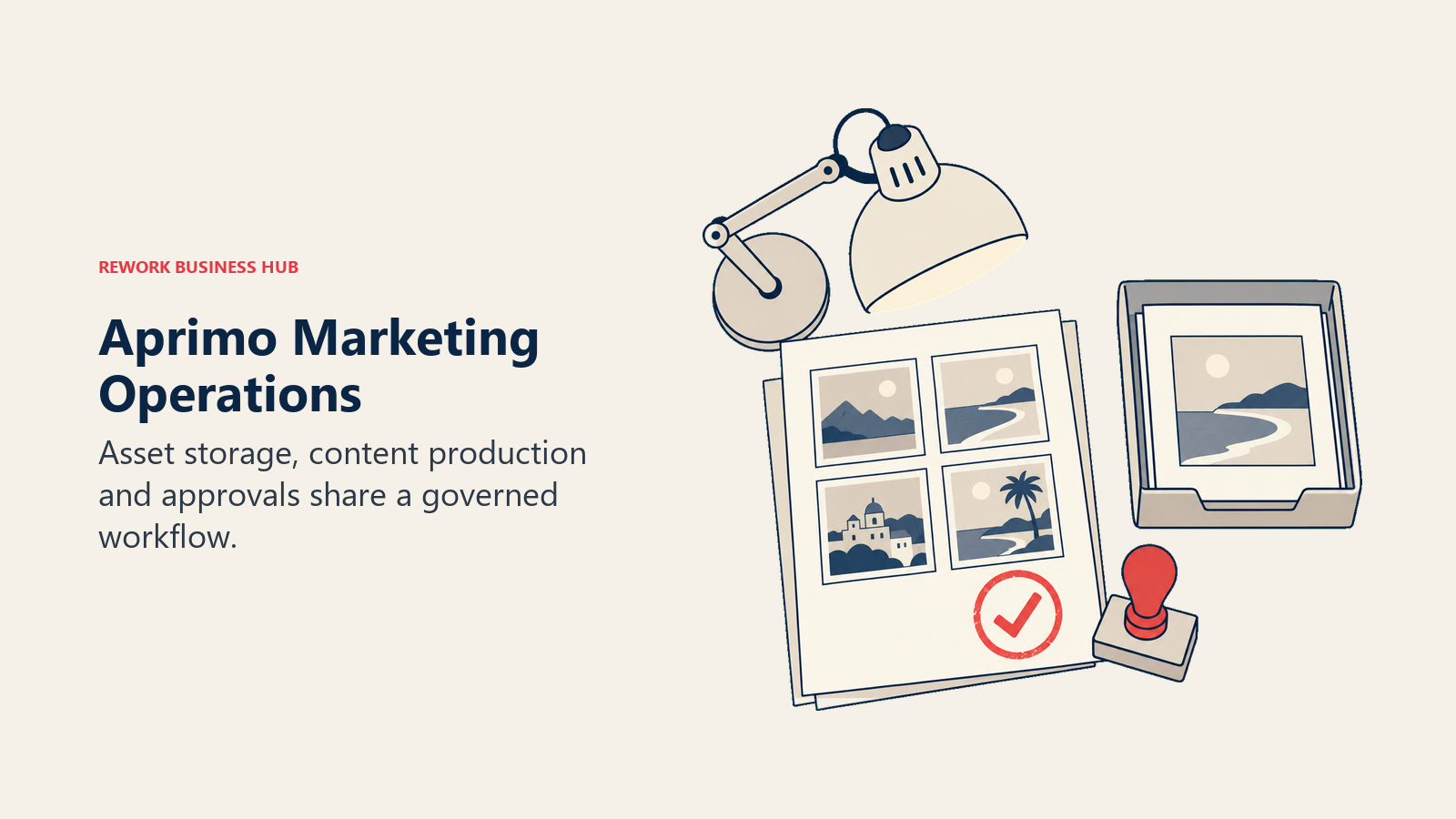
Pricing is quote-only. Aprimo's own FAQ states it plainly: "Aprimo pricing is based on chosen product(s) and the number of users. Once you get in touch with our team, we create a custom quote to match your exact needs." Packages are described as based on users and modules, similar in structure to Bynder and Acquia DAM (Widen), which puts Aprimo in the same "assemble a quote from usage variables" bucket as most of the enterprise-tier vendors on this list.
| Pros | Cons |
|---|---|
| Named a Leader in The Forrester Wave for DAM, Q1 2026, with the top Current Offering score | No published pricing, quote assembled from users and licensed modules |
| Workflow and content generation live in the same platform as asset storage | Module-based structure makes self-serve budgeting difficult without a sales conversation |
| Strong governance and digital rights management, per Forrester's evaluation criteria | Positioned as marketing operations software first, which can feel heavier than a pure DAM |
Best for: Enterprise marketing operations teams that want DAM, workflow and content generation under one governed platform, not three separate tools.
9. MediaValet - The Microsoft-Native Enterprise DAM
MediaValet's differentiator is how deeply it sits inside the Microsoft ecosystem rather than treating it as one integration among many. The platform is built end-to-end on Azure Service Fabric, uses Azure Computer Vision and Azure Video Indexer for AI tagging, face recognition and video processing, and offers Azure Active Directory as native SSO. Microsoft 365 integration gives direct access to assets inside Outlook, Word and PowerPoint, and MediaValet is a certified Microsoft Gold Partner listed on the Azure and Microsoft Marketplaces. Its Unify integration framework extends that same real-time sync into SharePoint, Teams, Slack and Adobe Creative Cloud.
Pricing is quote-only, presented under the header "Get Your Custom DAM Pricing." MediaValet's own reasoning matches most of the category: most enterprise DAM platforms use a custom model based on the organization's specific needs. On the same page, MediaValet states its customers see ROI in an average of 10 months, a vendor claim worth attributing as such. Organizations already standardized on SharePoint for documents and weighing whether to keep creative assets there too should read best SharePoint alternatives.
| Pros | Cons |
|---|---|
| Deepest Microsoft Azure and Microsoft 365 integration of any vendor on this list | Custom pricing model, no published starting figure anywhere |
| Certified Microsoft Gold Partner with native Azure AD SSO | Weaker natural fit for organizations outside the Microsoft ecosystem |
| Unify framework extends real-time sync beyond Microsoft into Slack and Adobe Creative Cloud | 10-month ROI claim is vendor-stated on its own pricing page |
Best for: Enterprises already standardized on Microsoft 365 and Azure that want a DAM built natively for that stack rather than bolted onto it.
10. Air - Unlimited Seats, Credit-Metered, No Per-User Math
Air rebuilt itself around a "Creative Ops" identity: Boards display assets as visual thumbnails rather than a folder tree, AI-powered natural-language search finds assets by colors, objects, faces or context, and version stacking lets a team compare every iteration side by side. Real-time commenting, annotation, Kanban-style project boards and linked approval statuses keep drafts and final assets in one traceable history, and generative AI tools with more than 50 models let a single design scale into deliverables across formats.
Pricing is where Air genuinely differs from the rest of this list. Every plan, including Free, carries unlimited seats: Air's own language is that you are never charged based on workspace headcount. Free includes 120 credits a month, roughly 20 GB of storage or 24 AI-generated images, no credit card required. Business is $900 a month billed annually for 30,000 monthly credits, adding advanced sharing permissions, CDN delivery, a public API, and n8n, Zapier and MCP server integrations. Enterprise moves to 60,000 monthly credits and custom pricing, adding SSO and dedicated onboarding. Credits reset each cycle and do not roll over. Teams pairing Air with a design tool for original creation may also want best Canva alternatives.
| Pros | Cons |
|---|---|
| Unlimited seats on every plan, including Free, with no per-user charge ever | $900/mo entry point on Business is the highest published starting price in this article |
| AI-powered visual and natural-language search built for creative, not document, content | Credits reset monthly and do not roll over, so usage planning matters |
| MCP server access and native automation integrations (Zapier, n8n) beyond most DAM competitors | Credit-based billing takes more forecasting effort than a flat per-seat number |
Best for: Creative teams with more people who need occasional access than heavy daily users, where unlimited seats matter more than a low headline price.
11. Dash - Unlimited Users for Growing Brands, Priced in GBP
Dash calls itself the home of brand and marketing asset management, and its feature set backs that framing: asset libraries, AI and custom-field tagging, full-text search, version control, collections, approval workflows, and both internal role-based permissions and external branded portals for resellers or agency partners. An expiry-date feature warns anyone who downloaded a licensed asset once that license lapses, aimed at brands managing licensed stock photography or influencer content. Dash also integrates with brand-guideline tools like Corebook, so guidelines and the asset library stay in sync.
Pricing publishes on Dash's own site in GBP by default: Start up at £79/mo (£853/yr, 250 downloads a month, 10 GB storage), Small team at £179/mo (£1,933/yr, 500 downloads, 50 GB), Growing brand at £299/mo (£3,229/yr, 1,000 downloads, 100 GB), and Established brand at £449/mo (£4,849/yr, unlimited downloads, 200 GB to 50 TB). Every tier includes unlimited users, and annual billing saves 10% over monthly. The pricing page has a currency switcher, but the default and vendor-confirmed figures are in GBP, not USD.
| Pros | Cons |
|---|---|
| Unlimited users on every published tier, from Start up through Established brand | Published in GBP, so US and other-currency buyers need to convert and confirm exchange-rate impact |
| Expiry-date licensing warnings are a genuinely differentiated feature for licensed content | Entry tier's 250 downloads a month and 10 GB storage are tight for anything beyond a small brand |
| Client and reseller portals baked in, not an enterprise-tier add-on | Established brand's jump to unlimited downloads and 50 TB is the only tier that removes real ceilings |
Best for: Growing consumer or B2B brands that need unlimited internal users plus external partner portals without enterprise-level pricing complexity.
12. Filecamp - The Cheapest Way In, With Unlimited Users on Every Plan
Filecamp is the most straightforward pricing story of any DAM on this list, and that simplicity is the whole pitch. It targets agencies and SMBs specifically: multiple branded client portals let an agency keep every client's asset library separate and on-brand, custom themes carry that branding through, and unlimited users are included at every tier, a genuine differentiator against per-seat competitors.
Three published tiers: Basic at $29/mo ($348/yr, 20 GB storage), Advanced at $59/mo ($708/yr, 50 GB), and Professional at $89/mo ($1,068/yr, 100 GB). One detail worth flagging plainly: annual billing on every tier is exactly 12 times the monthly rate, so there is no discount for committing to a year upfront, an unusual choice in a category where annual commitments almost always save money. Extra storage sells in add-on blocks (10 GB for $10, 50 GB for $25, 100 GB for $45, 250 GB for $100, 500 GB for $175), and a 30-day free trial runs on Professional-tier features with 10 GB of storage.
| Pros | Cons |
|---|---|
| Cheapest published starting price in this entire list at $29/mo | No annual discount at all, monthly and annual cost exactly the same per year |
| Unlimited users and free bandwidth on every tier, including Basic | Storage caps (20-100 GB) are modest next to enterprise DAM platforms |
| Purpose-built multi-client portal structure for agencies | Feature depth (AI tagging, workflow automation) is lighter than Bynder- or Aprimo-tier platforms |
Best for: Small agencies and SMBs that want every team member and client to have a login without paying per seat.
13. Pics.io - DAM Built Directly on Your Own Google Drive or S3
Pics.io takes a structurally different approach from every other vendor on this list: instead of migrating your files into a new storage silo, it runs directly on top of Google Drive, Shared Drives, or Amazon S3 that you already control. That means no forced migration and no new storage costs layered on top of what you already pay Google or AWS. On top of that storage, Pics.io adds DAM-specific features Drive itself lacks: AI-powered auto-tagging with drafted descriptions, face detection and search across a library, OCR-based text search inside images, PDFs and screenshots, version control, activity logs, and branded sharing portals for external collaborators. Security is backed by CASA Tier 2 certification from the App Defence Alliance.
Published pricing: Solo at $100/mo, monthly billing only, no annual option. Micro at $250/mo, or $225/mo billed annually ($2,700/yr, a 10% discount). Small at $800/mo, or $680/mo billed annually ($8,160/yr, a 15% discount). Enterprise is quote-only. AI features are priced separately from the base plan, scaled by asset volume, for example $50/mo for 3,000 assets up to $300/mo for 30,000 assets, plus separate video-minute pricing.
| Pros | Cons |
|---|---|
| Runs on your existing Google Drive or S3, no vendor lock-in or forced migration | AI tagging and search are a separate paid add-on, not included in the base price |
| CASA Tier 2 security certification, a specific, checkable credential | Solo tier has no annual billing option at all |
| Metadata editing Google Drive itself does not support natively | Small tier at $680-800/mo is a steep jump from Micro |
Best for: Google Workspace-native teams that want DAM search and metadata on top of storage they already own, without a migration project.
14. Pimcore - Open-Source DAM and PIM With a Flat Annual License
Pimcore is the structural outlier here: an open-core Product Experience Management platform combining DAM with product information management (PIM), master data management, a CDP and CMS/DXP capabilities, all in one system you can self-host. The DAM layer stores and manages any file type, previews more than 200 formats directly inside Pimcore, auto-generates channel-specific output formats, and enriches files with metadata and versioning. Digital Asset Conversion adds transcoding, AI-based upscaling and watermarking, and Pimcore Copilot layers in AI-assisted image manipulation. The core framework ships under the Pimcore Open Core License on GitHub.
Pricing runs opposite to every subscription vendor here. Community Edition is free and open source. Professional is a flat $9,900 a year, no per-seat math. Enterprise is $29,900 a year. An Enterprise Edition PaaS or tailored deployment is custom-quoted. That flat structure means a 500-person org and a 20-person org pay the same Professional-tier license, a genuinely different economics story from every seat- or credit-metered vendor above.
| Pros | Cons |
|---|---|
| Free, genuinely open-source Community Edition with full source access on GitHub | Self-hosting and setup require real technical capacity, not a quick signup |
| Flat annual license ($9,900 or $29,900) means cost does not scale with headcount | DAM, PIM, MDM and CMS in one platform can be more than a team that only needs DAM wants |
| Combines DAM with PIM natively, useful if you need both anyway | Less polished out-of-box UX than SaaS-first competitors on this list |
Best for: Enterprises with technical resources that want an open-source, self-hostable DAM and PIM platform and a license cost that does not climb with every new hire.
Stage Fit and Sizing
| Tool | Ideal Team Size | Primary Buyer | Best Stage |
|---|---|---|---|
| Bynder | 200 to 10,000+ | VP Marketing, Brand Director | Enterprise, multi-brand organizations |
| Brandfolder by Smartsheet | 50 to 5,000 | Marketing Operations Lead | Mid-market through enterprise |
| Acquia DAM (Widen) | 200 to 10,000+ | Marketing Ops or IT Director | Enterprise, especially non-Drupal stacks needing DAM plus PIM |
| Canto | 50 to 2,000 | Marketing Director | Mid-market scaling into enterprise, product content via Omni Brand |
| Frontify | 100 to 10,000+ | Brand Director, Creative Ops Lead | Multi-brand enterprise |
| Cloudinary | 5 to 500+, developer-led | Engineering Lead, Head of Digital | Any stage building custom media pipelines |
| Adobe Experience Manager Assets | 500 to 10,000+ | Enterprise IT, Digital Experience Lead | Large enterprise already on Adobe Experience Cloud |
| Aprimo | 200 to 10,000+ | CMO, Marketing Operations Leader | Enterprise marketing operations |
| MediaValet | 100 to 5,000 | IT Director (Microsoft-standardized) | Mid-market through enterprise on Microsoft 365 and Azure |
| Air | 5 to 200 | Creative Director, Marketing Lead | Startups through mid-market creative teams |
| Dash | 5 to 200 | Brand Manager, Marketing Lead | Growing brands and agencies |
| Filecamp | 1 to 100 | Agency Owner, Marketing Coordinator | Small agencies and SMBs |
| Pics.io | 5 to 200 | Marketing Coordinator, Ops Lead | Google Workspace shops, small to mid-market |
| Pimcore | 50 to 5,000 | IT Director, Digital Platform Lead | Enterprises wanting open-source control |
How to Choose: Decision Framework
| If you need... | Pick... | Why |
|---|---|---|
| Enterprise brand governance with AI search and no ceiling on integrations | Bynder | Widest MarTech integration surface of any vendor here, fully modular |
| Fast search plus video AI baked in, not bolted on | Brandfolder by Smartsheet | Auto-tagging, scene detection and speech-to-text ship in the Premium tier |
| DAM and PIM together on a non-Drupal stack | Acquia DAM (Widen) | Nearly 300 integrations and four distinct portal types in one platform |
| Named package tiers before your first sales call | Canto | Four packages (Core Essentials through DAM PRO) instead of one generic quote |
| Brand guidelines and DAM together, paying for active users only | Frontify | MAU pricing means dormant licensed seats never inflate the bill |
| A DAM layer on top of an image or video API you already use | Cloudinary | Same credit system spans transformations, storage and bandwidth |
| Unlimited seats without negotiating per-user pricing | Air, Dash or Filecamp | Pick by budget: $900/mo (Air), sub-£300/mo (Dash), or from $29/mo (Filecamp) |
| A DAM that runs on storage you already own | Pics.io | Built directly on your existing Google Drive or S3, no forced migration |
| A self-hosted, flat-license DAM that does not scale with headcount | Pimcore | Community Edition is free; Professional is a flat $9,900/yr regardless of team size |
What to Do Next
Split your list before you book a single call. Take the six published-price vendors (Cloudinary's Programmable Media tier, Air, Dash, Filecamp, Pics.io, Pimcore) and check whether their pricing model, storage-metered, credit-metered, MAU or flat license, actually fits how your team works, since a per-seat comparison will mislead you across most of this category. For the eight quote-only vendors, request quotes from your top two or three in the same week so you are comparing real numbers side by side instead of anchoring on whichever sales rep calls back first, and go in already knowing whether you need DAM alone or DAM bundled with workflow, PIM or brand guidelines, since that decision drives the quote more than headcount does.

Principal Product Marketing Strategist
On this page
- Key Facts
- What Changed in Digital Asset Management in 2026
- Quick Comparison Table
- Published Price vs Quote Only
- How the Pricing Models Actually Differ
- DAM vs Document Management vs Asset Management
- 1. Bynder - The Enterprise MarTech Integration Play
- 2. Brandfolder by Smartsheet - Fast Search and Video AI, Two Tiers Only
- 3. Acquia DAM (Widen) - DAM and PIM in One Platform for Non-Drupal Stacks
- 4. Canto - Four Named Packages Instead of One Generic Quote
- 5. Frontify - Brand Guidelines and DAM, Billed by Active Users Not Seats
- 6. Cloudinary - A DAM Layer on Top of a Published Media API
- 7. Adobe Experience Manager Assets - The Deepest Adobe Ecosystem Play
- 8. Aprimo - A Forrester Wave Leader Built Around Marketing Operations
- 9. MediaValet - The Microsoft-Native Enterprise DAM
- 10. Air - Unlimited Seats, Credit-Metered, No Per-User Math
- 11. Dash - Unlimited Users for Growing Brands, Priced in GBP
- 12. Filecamp - The Cheapest Way In, With Unlimited Users on Every Plan
- 13. Pics.io - DAM Built Directly on Your Own Google Drive or S3
- 14. Pimcore - Open-Source DAM and PIM With a Flat Annual License
- Stage Fit and Sizing
- How to Choose: Decision Framework
- What to Do Next