Best Adobe XD Alternatives in 2026: 11 UI Design and Prototyping Tools
Turn this article into takeaways for your work.


Each assistant summarizes the article only for you and suggests best practices for your work.
Adobe XD earned its place in design teams for real reasons. The repeat grid was genuinely fast, responsive resize made layout work feel less painful, and the Auto-Animate feature landed before most competitors had anything comparable. For teams already inside the Adobe Creative Cloud ecosystem, the handoff to Illustrator and Photoshop felt natural rather than forced. XD was never the dominant player, but it was a competent one, and designers who built workflows around it did so for good reasons.
But the situation changed. Adobe's planned acquisition of Figma collapsed under regulatory scrutiny in December 2023. With that deal dead, XD lost its strategic justification: Adobe had been quietly deprioritizing XD in anticipation of absorbing Figma, and once the acquisition fell through, there was no recovery plan. Adobe removed XD from Creative Cloud single-app plans, stopped new feature investment, and placed the product into maintenance mode. Security patches continue, but there is no public roadmap, the plugin ecosystem has stalled, and community activity has dropped sharply. XD files are stored in a proprietary format that only XD can open. If you are a product designer, UX lead, design system owner, or agency working with legacy XD files, you are not managing a tool anymore. You are managing a migration.
This guide is for that migration. It covers the real options: what each tool is actually built for, who it fits best, what it costs today, and whether it makes sense as the place your team lands for the next few years. If you want to cross-reference the broader design landscape, see our roundups of best Figma alternatives and best Sketch alternatives. For teams evaluating tools beyond design into site publishing, best Webflow alternatives and best Framer alternatives round out the picture. Teams using whiteboards alongside prototyping tools may also want to check best Miro alternatives.
Quick Comparison Table
| Tool | Best For | Starting Price | Key Strength | Key Limitation |
|---|---|---|---|---|
| Figma | Most teams migrating from XD | Free / $12/editor/mo | Real-time collab, component ecosystem | Can feel overwhelming for solo designers |
| Sketch | Mac-native product design | $12/editor/mo | Tight Mac integration, mature plugin library | Mac only, no real-time collab in basic tier |
| Penpot | Open-source, privacy-conscious teams | Free (self-hosted) | CSS-native, vendor-independent | Cloud infrastructure newer than Figma's |
| Framer | Marketing and landing page design | Free / $20/seat/mo | Design-to-published-site, animations | Not a product UI tool; CMS-focused |
| UXPin | Design system teams using real code | $8/editor/mo (Essentials) | Merge pulls live React/Vue components | Steeper learning curve, pricier at scale |
| Axure RP | Complex enterprise prototyping | $29/user/mo | Logic, conditions, data-driven flows | Not a visual design tool; prototype-only |
| Lunacy | Windows users, offline work | Free | Fully offline, reads Sketch files, free | AI features require Icons8 subscription |
| Justinmind | Enterprise UX and high-fidelity prototypes | $19/user/mo | Simulation fidelity, enterprise handoff | Dated UI, heavier than most teams need |
| Marvel | Small teams and fast user-testing | Free / $12/mo | Fast, no setup, great for sharing | Limited interaction logic for complex flows |
| Mockplus | Budget teams needing wireframe and collab | Free / $5.95/user/mo (Cloud) | Affordable, full-stack RP plus collab | Less polished than Figma or Sketch |
| Moqups | Non-designers, fast wireframing | Free / $7/mo billed annually ($11 monthly) | Accessible to non-designers, fast setup | Not a full design tool; no production handoff |
1. Figma: The Default Migration Target
Figma is where most XD teams land, and that is not simply because of marketing. The core workflow is genuinely close to what XD users already know: frames, components, prototyping with interactive hotspots, and a shared library system. The transition is manageable. Figma also has a plugin to import XD files, though complex interactions and auto-animate effects do not carry over cleanly and will need rebuilding.
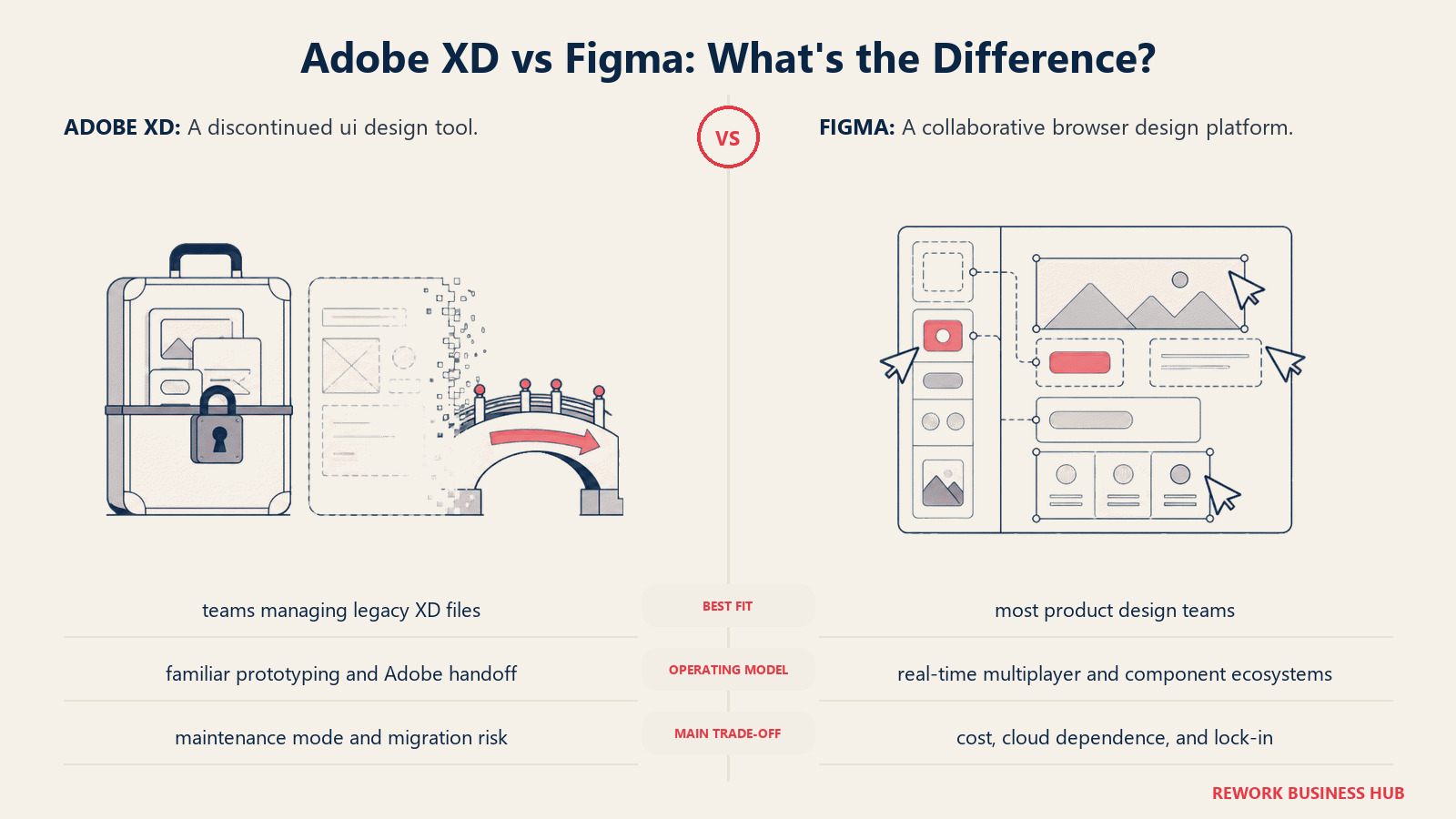
What makes Figma the default choice is depth, not just familiarity. The Variables system (replacing the older Styles model) handles semantic tokens properly, which matters for design systems at scale. FigJam is included for workshops and ideation. Dev Mode gives engineers annotated, inspect-ready handoff without a separate tool. The community ecosystem, with thousands of open-source component libraries, is the largest in the category by a significant margin.
The honest limitation is cost. Figma's pricing jumped in 2023 and has stayed elevated: full editor seats cost $15/month (annual) or $20/month (monthly), and Dev Mode seats are $12/month (annual). For a team of 6 designers and 4 developers, you are looking at over $100/month at annual rates. Viewer seats remain free and unlimited, which helps.
| Pros | Cons |
|---|---|
| Best-in-class real-time collaboration | Editor seat pricing adds up quickly |
| Massive plugin and community ecosystem | XD auto-animate effects don't import |
| Variables for semantic design tokens | Browser-based only (offline mode limited) |
| Dev Mode included for handoff | Organization plan ($45/seat) required for branching |
Pricing: Free (limited), Professional $12/editor/month (annual), Organization $45/editor/month (annual), Enterprise custom. Dev seat $12/month (annual). Source: figma.com/pricing
Best for: Teams of any size that want the richest ecosystem and are ready to pay for editor seats. Also the best fit if your team already has contractors or clients on Figma.
2. Sketch: The Mac-Native Workhorse
Sketch has been a mainstay of product design since 2010 and has survived the Figma era by staying focused: it is a Mac-only, desktop-first tool that does not try to be a browser app or a marketing-site builder. If your team works on Mac, has a mature design system, and values a stable, predictable workflow over cutting-edge collaboration features, Sketch is a serious option.
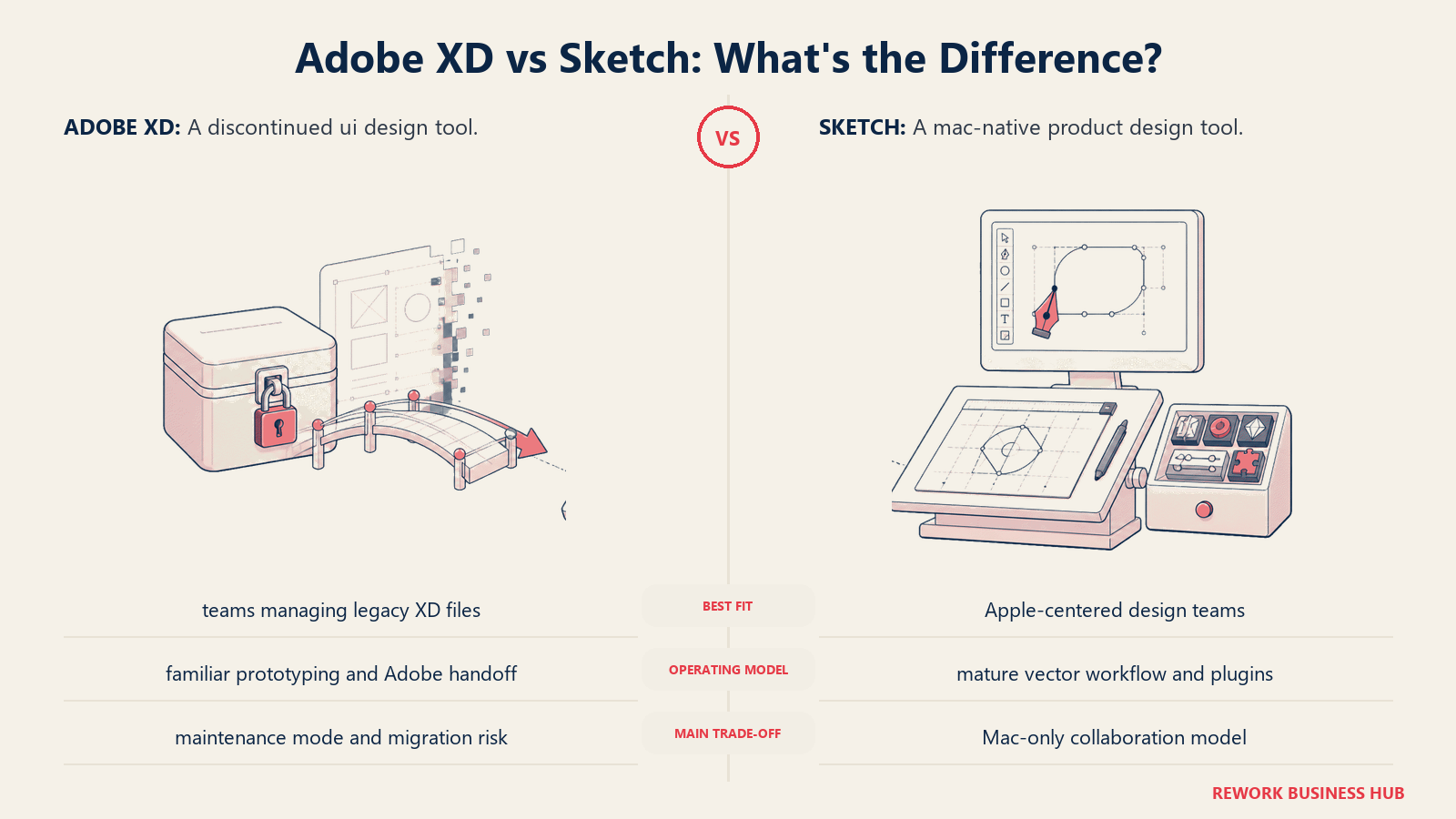
The Sketch workspace model differs from Figma's in one important way: real-time collaboration requires Sketch's cloud workspace, and simultaneous multi-user editing is available but not as seamless as Figma's. For async-heavy teams where designers work independently and merge changes at review time, that is a non-issue. For agencies doing live client workshops or co-design sessions, it can be a friction point.
The plugin ecosystem is mature, with strong support for design token workflows, Zeplin handoff integration, and accessibility checkers. The new Symbols and Libraries model has also caught up with Figma's component system in most practical respects.
| Pros | Cons |
|---|---|
| Stable, fast native Mac performance | Mac only, excludes Windows designers |
| Mature plugin ecosystem | Real-time collab less fluid than Figma |
| Competitive pricing at $12/editor/month | No built-in dev handoff mode |
| Strong design system workflows | Annual commitment required for lowest price |
Pricing: Standard $12/editor/month (annual) or $14/month (monthly). Business $20/editor/month with SSO. Solo Mac license $120/year. Source: sketch.com/pricing
Best for: Mac-native product design teams of 2 to 30 designers who want a focused tool without the overhead of Figma's full platform. Especially good for teams already using Zeplin for handoff.
3. Penpot: Open-Source, Vendor-Independent
Penpot is the only design tool on this list that is fully open-source. The project is maintained by Kaleidos and has reached a level of maturity that makes it a credible production tool, not just an experiment. The core proposition is straightforward: your files are yours, you can self-host the entire stack, and you are never subject to a pricing change or acquisition by a larger company.
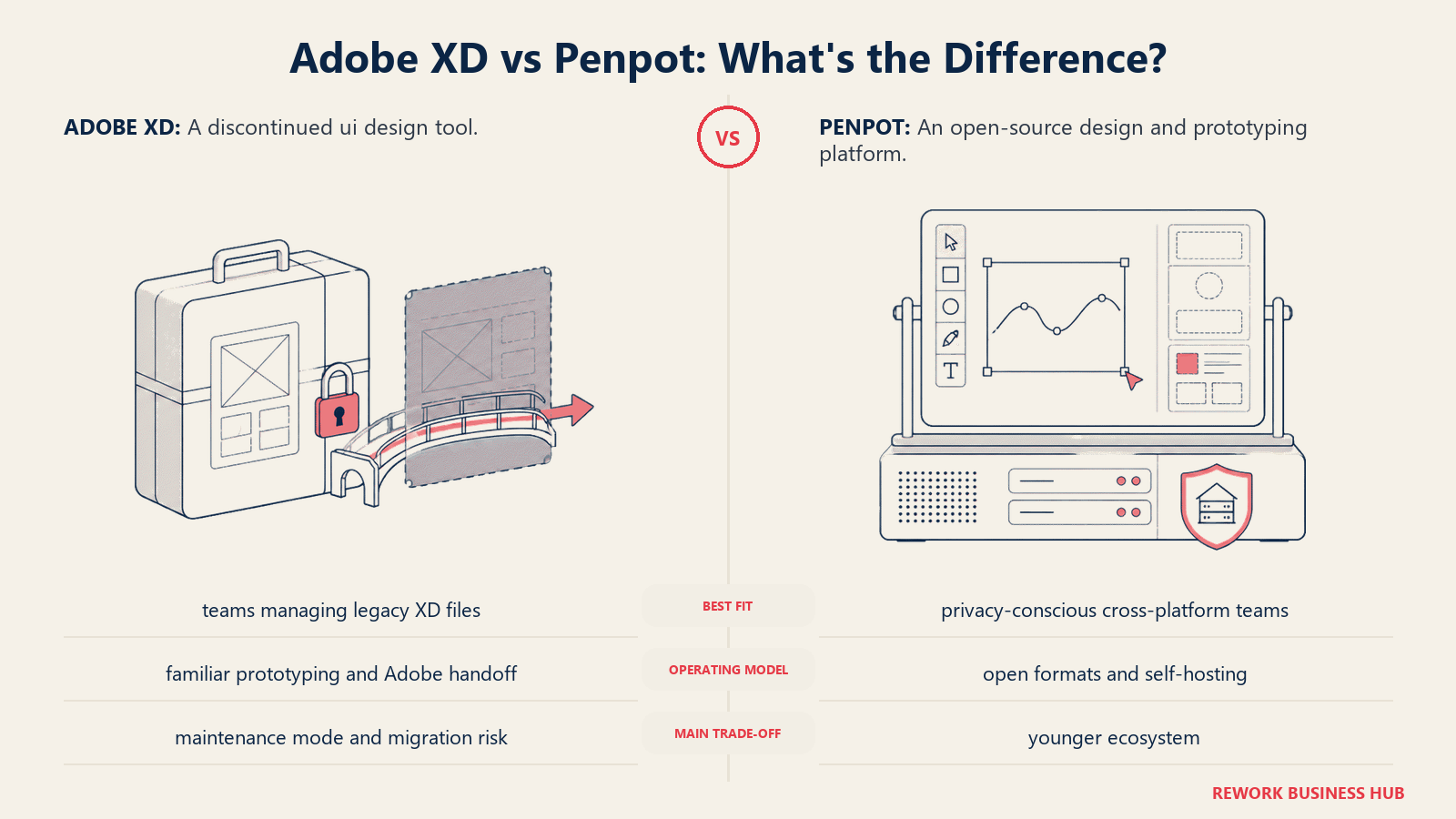
What distinguishes Penpot technically is that it uses CSS and SVG natively as its internal representation. That means design properties map directly to real CSS values, which simplifies the designer-to-developer handoff in a meaningful way. Engineers can inspect a component and see the actual CSS rather than a proprietary approximation of it.
The tradeoff is ecosystem maturity. Penpot's plugin library, component community, and learning resources are smaller than Figma's. The cloud infrastructure, while improving, has had more performance variability than Figma's at scale. For teams in heavily regulated industries (healthcare, finance, government) or operating in privacy-sensitive environments, the self-host option is not just a preference. It is a requirement, and Penpot is often the only viable option among full-featured design tools.
| Pros | Cons |
|---|---|
| Fully self-hostable, no vendor lock-in | Smaller plugin and community ecosystem |
| CSS-native properties for cleaner handoff | Cloud performance improving but behind Figma |
| Completely free on cloud for most teams | Self-hosting requires DevOps capacity |
| Active open-source development | Less polished UX than Figma in some areas |
Pricing: Cloud free (unlimited teams and files). Professional plan for premium support. Enterprise cloud capped at $950/month regardless of team size. Self-hosted plans also available. Source: penpot.app/pricing
Best for: Privacy-conscious organizations, public sector teams, fintech and healthcare companies with data residency requirements, and any team that wants to own its tooling infrastructure.
4. Framer: Design-to-Published-Site
Framer occupies a different category than the other tools here. It is not primarily a product design or prototyping tool. It is a design-to-published-website platform. You design in a canvas environment, and the output is a live, hosted website, not a spec document for developers to build from.
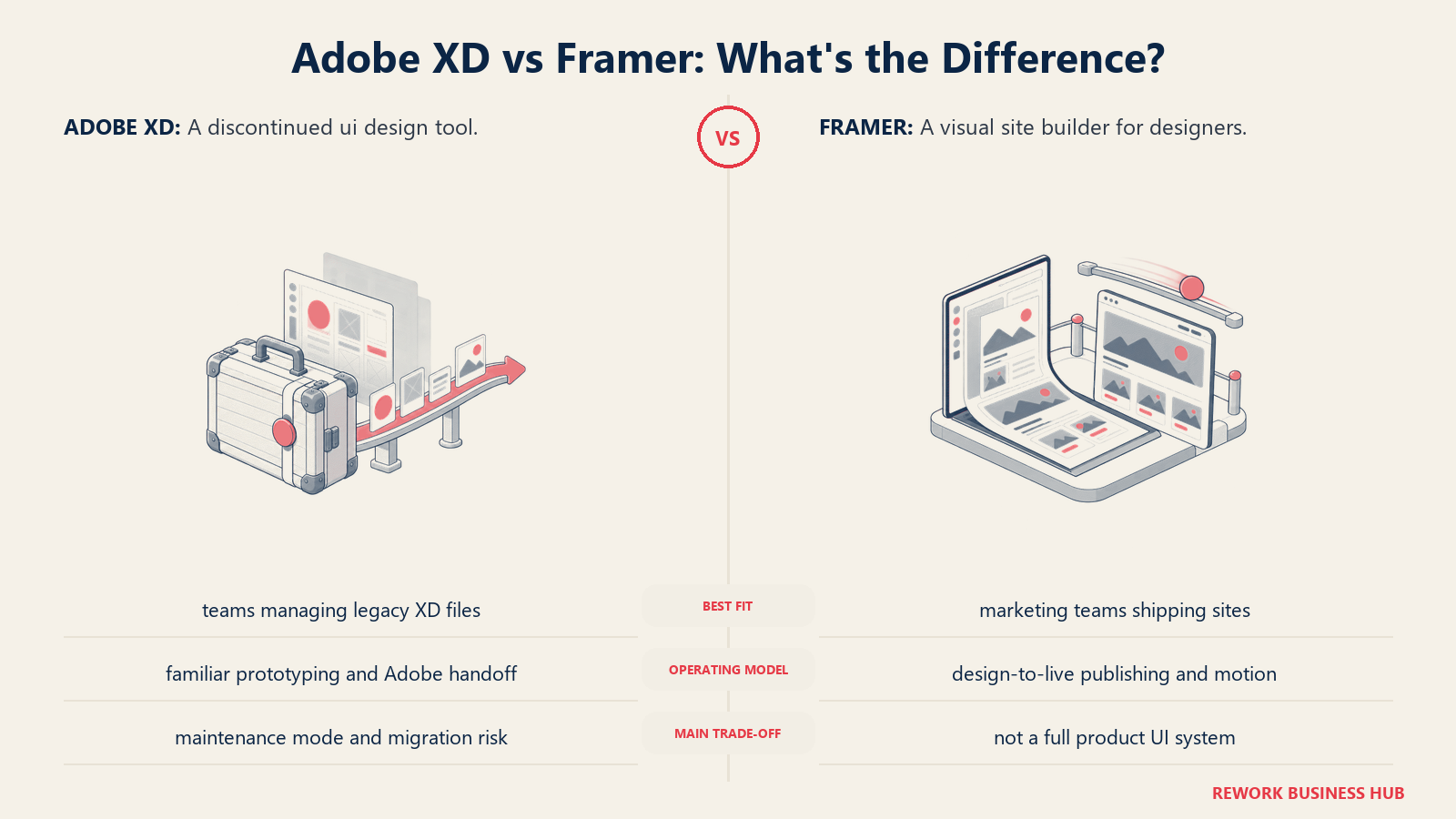
That distinction matters when evaluating it as an XD replacement. If your XD usage was building interactive prototypes to test user flows for a software product, Framer is probably the wrong landing spot. But if a significant portion of your work involves marketing sites, landing pages, campaign microsites, or portfolio work, Framer is arguably the most capable tool in the category. The animation system is more sophisticated than anything in Figma, and the component model generates real, responsive HTML rather than a mockup.
The pricing model is also different: plans are per site, not per seat. That makes Framer very affordable for solo designers and small agencies doing site work, but more complex to budget for organizations with multiple active projects.
| Pros | Cons |
|---|---|
| Publishes real, live websites from the canvas | Not a product UI design tool |
| Superior animation and interaction system | Per-site pricing model is unusual |
| Built-in CMS and hosting | Not suitable for app/mobile screen design |
| Free tier for testing and portfolio work | Editor seats charged separately at $20/month |
Pricing: Free (limited). Basic $10/month (annual), Pro $30/month (annual), Scale $100/month (annual). Editor seats $20/month on any plan. Source: framer.com/pricing
Best for: Marketing teams, agencies, and freelancers whose XD work was primarily site design and campaign pages, not product UI. Also strong for design teams that want to ship directly without a handoff step.
5. UXPin: Real-Code Components via Merge
UXPin's primary differentiator is Merge: a technology that lets designers pull live React, Vue, or Angular component libraries directly into the design canvas. Instead of designing with static representations of components, you work with the actual production components. When a developer changes a button component in the codebase, it updates in UXPin automatically.
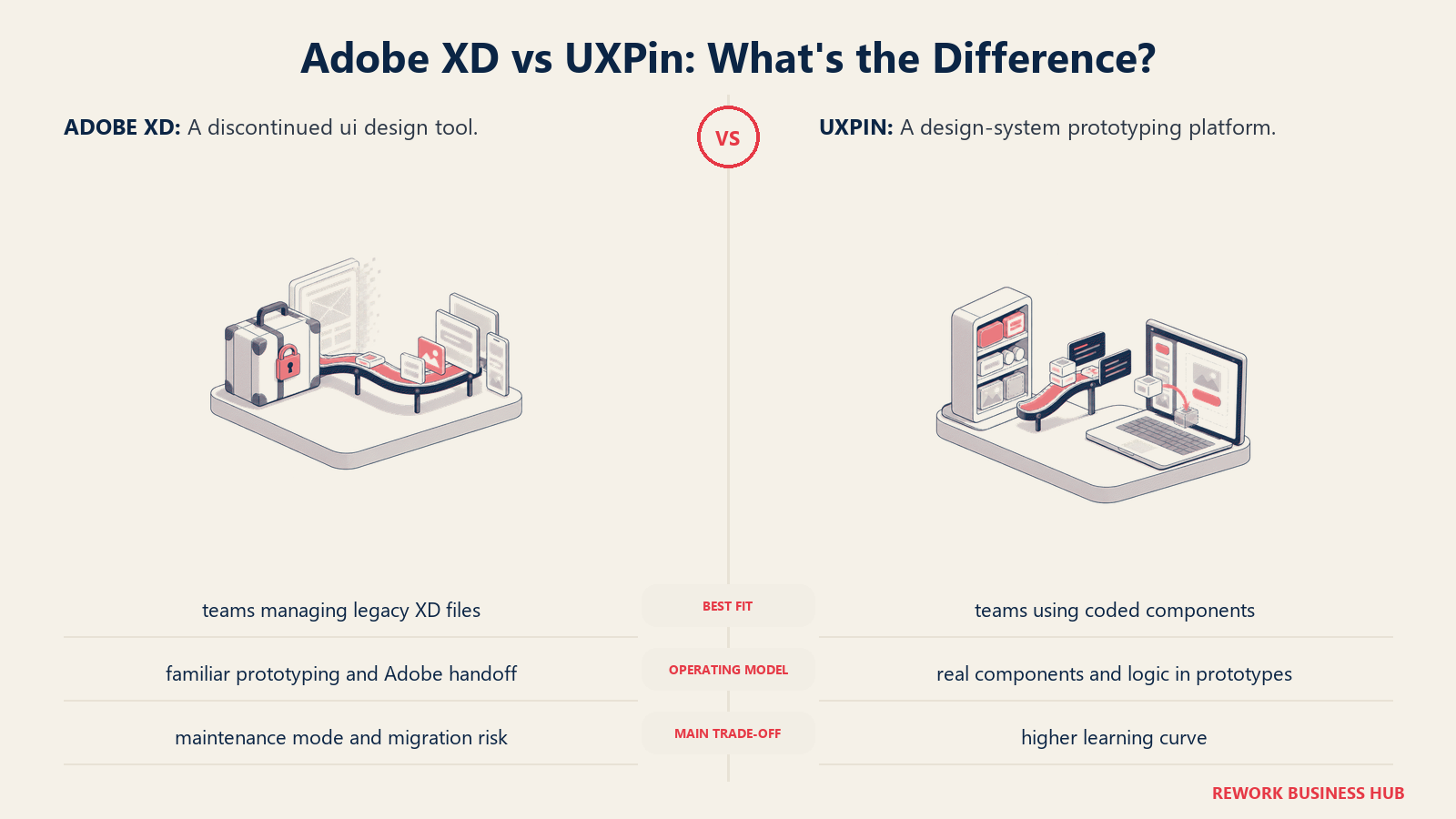
That capability is genuinely unique and solves a real problem for mature product teams: the design-to-code fidelity gap. Teams that have spent years maintaining a component library, only to watch designers create technically incorrect approximations of those components in Figma or XD, find Merge compelling.
The tradeoff is that UXPin is a prototyping tool first. Its visual design capabilities are less polished than Figma or Sketch, and it is not where you would do illustration work or heavy visual exploration. The pricing also scales sharply: the Merge AI plan sits at $49/editor/month.
| Pros | Cons |
|---|---|
| Merge pulls live React/Vue/Angular components | Visual design less capable than Figma |
| Strongest design-system fidelity of any tool | Steep price jump for Merge tier |
| Built-in states, variables, and logic | Learning curve for code-component setup |
| Good accessibility simulation features | Less suitable for visual exploration work |
Pricing: Free (limited). Essentials $8/editor/month. Advanced $39/editor/month. Merge AI $49/editor/month. Company $149/editor/month. Enterprise custom. Source: uxpin.com/pricing
Best for: Product design teams with mature component libraries who want to eliminate the gap between design specs and production code. Strongest fit at mid-market to enterprise where a design system is actively maintained by engineers.
6. Axure RP: Logic-Heavy Enterprise Prototyping
Axure RP is not a visual design tool. You would not use it to design a component library or produce polished mockups for a brand presentation. What Axure does, and does better than any other tool in this category, is build complex, logic-driven prototypes that behave like real software.
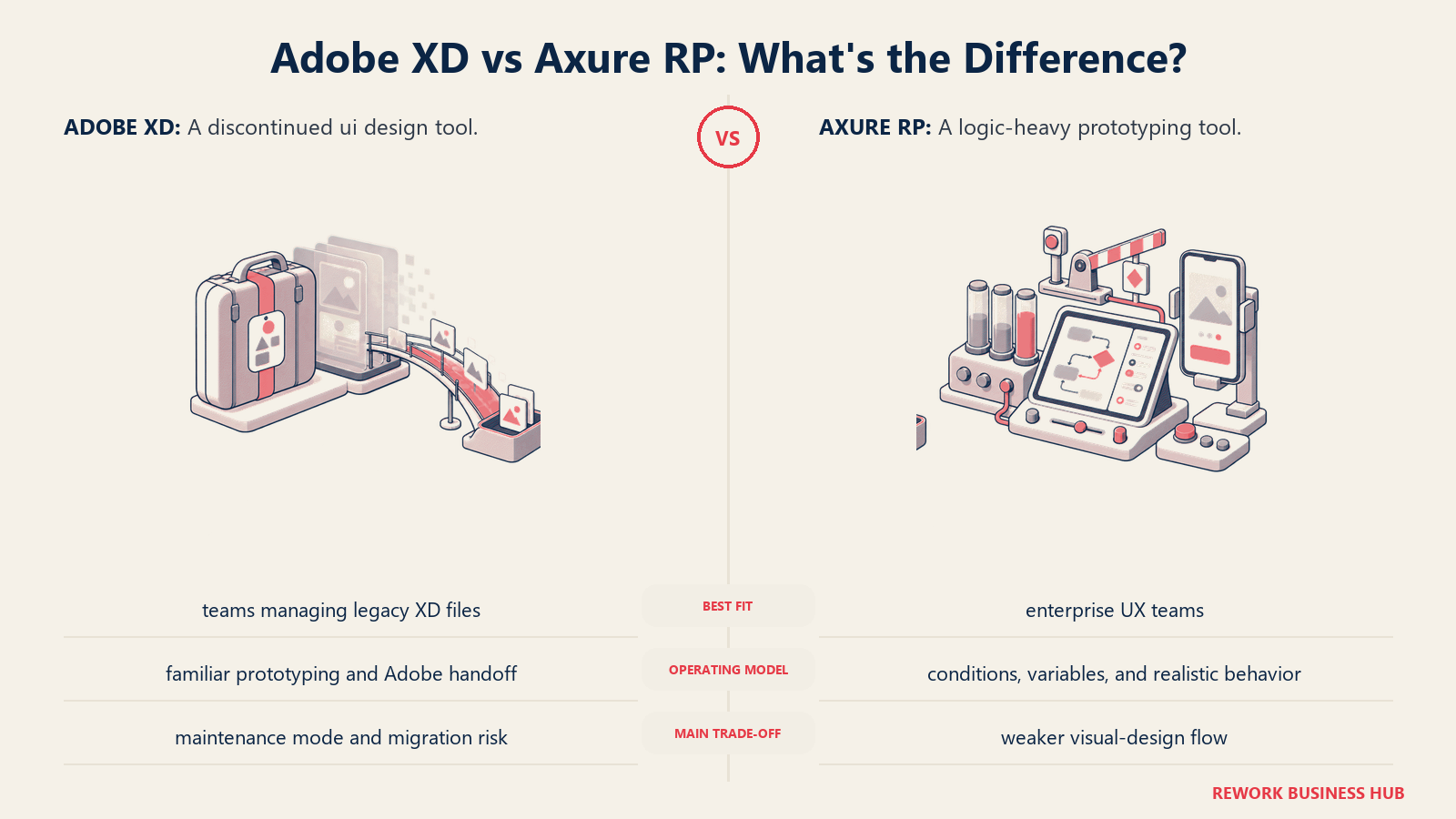
Conditional logic, data-driven interactions, dynamic panels, adaptive views, and form validation flows that actually execute are all native to Axure. Enterprise UX teams building prototypes for usability studies, or demonstrating complex workflows to stakeholders, reach for Axure because no other tool lets them simulate software behavior without writing actual code.
The product has been around since 2002 and shows it in places: the interface is denser and less visually refined than modern tools. But the core capability is unmatched in its niche.
| Pros | Cons |
|---|---|
| Unmatched conditional logic and interactions | Dated, complex interface |
| Strong documentation and annotation tools | Not a visual design tool |
| Enterprise trust, long track record | $29/user/month is high for prototyping-only |
| Axure Cloud included for sharing | Steep learning curve |
Pricing: Pro $29/user/month. Team $49/user/month. Enterprise custom. Source: axure.com/pricing
Best for: Enterprise UX researchers, business analysts, and teams that need to prototype complex enterprise software flows for usability testing or stakeholder demos. Not a replacement for XD's visual design capabilities.
7. Lunacy: Free, Offline, Windows-Native
Lunacy is built by Icons8 and is one of the few design tools that takes Windows seriously as a first-class platform. It runs natively on Windows, macOS, and Linux, works fully offline without a mandatory cloud account, and reads Sketch files natively. That last point matters for teams migrating from tools that export to Sketch format.
The core design features cover UI work competently: vector editing, component libraries, auto layout, and a built-in library of icons, photos, and illustrations from Icons8. For individuals and small teams that need a capable design tool without a subscription cost, Lunacy is the strongest free option available.
The free plan includes 10 cloud documents and 3 team members. Paid plans start at $8/month and unlock more cloud storage and team capacity. The AI features (background removal, image generation, avatar generation) are powered by Icons8 and require a paid subscription at scale.
| Pros | Cons |
|---|---|
| Completely free for individuals | Cloud collaboration less mature than Figma |
| Reads Sketch files natively | AI features need Icons8 subscription |
| Fully offline capability | Smaller plugin ecosystem |
| Windows-native without performance penalty | Less community content than Figma |
Pricing: Free (10 cloud docs, 3 team members). Paid plans from $8/month for additional storage and team capacity. Source: icons8.com/lunacy-pricing
Best for: Freelancers, solo designers, small studios, and Windows-primary teams that want a capable, free design tool without cloud dependency. Good bridge for teams that have Sketch files to open but do not want to buy a Mac.
8. Justinmind: High-Fidelity Enterprise Prototyping
Justinmind sits between Axure and Figma in the market: it handles conditional interactions and logic more richly than Figma does, but it also produces visually polished prototypes rather than Axure's documentation-heavy outputs. The tool has strong support for gesture-based mobile interactions, form validation flows, and multi-state dynamic content.
Enterprise UX teams that need to produce prototypes for formal usability testing with realistic fidelity will find Justinmind's simulation capabilities strong. It also integrates with Sketch and Figma for import, which helps when rebuilding existing XD workflows.
The interface is functional but dated compared to Figma's polish. Teams doing primarily visual design work or modern design-system management will find Justinmind limiting. But for its specific niche, high-fidelity UX simulation for enterprise products, it is a serious tool.
| Pros | Cons |
|---|---|
| Rich conditional logic and interaction simulation | Interface feels dated |
| Strong mobile gesture support | Heavier than most small teams need |
| Good enterprise handoff capabilities | $19/user/month adds up for large teams |
| Imports from Sketch and Figma | Less active community than major tools |
Pricing: Free (basic features, limited export). Professional from $19/user/month. Enterprise custom. Source: justinmind.com/pricing
Best for: Enterprise UX teams and consultancies that need to produce simulation-grade prototypes for usability studies, especially for mobile applications with complex gestures and conditional flows.
9. Marvel: Fast Prototyping for Small Teams
Marvel is the least complex tool on this list, deliberately. It was built for speed: take screenshots, wireframes, or design files and link them together into a clickable prototype in minutes. There is no steep learning curve, no elaborate component system, and no infrastructure to maintain.
For small teams, startups in early discovery, and non-designers who need to communicate a user flow quickly, Marvel's simplicity is an asset rather than a limitation. The user-testing features let you send a prototype to testers and see where they tap or click, with no third-party testing platform required.
The honest limitation is ceiling: Marvel cannot handle the kind of complex conditional interactions that Axure or Justinmind produce. It is a tool for demonstrating a flow, not simulating software. But for teams whose XD usage was primarily fast prototyping and stakeholder presentation rather than production handoff, Marvel is a credible and affordable replacement.
| Pros | Cons |
|---|---|
| Extremely fast to learn and use | Limited interaction logic |
| Built-in user testing features | Not suitable for production handoff |
| Free plan covers basic use cases | $12/month per-user pricing on Pro |
| Clean sharing and presentation mode | Not for design-system work |
Pricing: Free (1 user, 2 projects). Pro $12/month (1 user, unlimited projects). Team $42/month (3 users). Company $84/month (6 users). Enterprise custom. Source: marvelapp.com/pricing
Best for: Startups, small product teams, and individual designers who need to create and share interactive prototypes quickly without investing in a full design platform.
10. Mockplus: Budget-Friendly Wireframing and Collaboration
Mockplus takes a modular approach: RP handles rapid prototyping with a pre-built widget library, Cloud handles design collaboration and developer handoff, and DT provides a more full-featured UI design environment. Teams can use one module or combine them depending on their workflow.
The pricing is among the most competitive in the category. Mockplus Cloud Pro runs at $5.95/user/month (billed annually), and Mockplus RP starts free with a perpetual license option at $249.50 for unlimited prototypes. For budget-constrained teams that need prototyping and basic collaboration without committing to Figma's pricing, Mockplus is worth evaluating.
The honest assessment: Mockplus is not as polished as Figma or Sketch. The interface is functional but not elegant, and the component ecosystem is smaller. Teams building consumer products where design quality is a competitive differentiator should probably look at Figma or Penpot instead. But for internal tools, enterprise workflows, and teams where the prototype is a communication artifact rather than a brand expression, Mockplus delivers solid value.
| Pros | Cons |
|---|---|
| Very competitive pricing | Interface less refined than top-tier tools |
| Perpetual license option for RP | Smaller community and component library |
| Modular: buy only what you need | Not ideal for consumer-facing design work |
| Good pre-built widget libraries | Less ecosystem support than Figma |
Pricing: RP free (limited), perpetual $249.50 one-time, annual $64.35/year. Cloud Pro $5.95/user/month (annual). Enterprise custom. Source: mockplus.com/pricing/mockplus-rp
Best for: Budget-conscious teams building enterprise or internal tooling, agencies with multiple mid-sized clients to manage, and teams that want a perpetual license rather than perpetual subscription costs.
11. Moqups: Fast Wireframing for Non-Designers
Moqups positions itself as a whiteboarding and wireframing tool that non-designers can use without training. Product managers, business analysts, solution architects, and anyone in a planning role who needs to sketch a flow without calling in a design resource will find Moqups approachable.
The tool handles wireframes, flowcharts, sitemaps, storyboards, and basic mockups in a browser-based canvas. It is not a production design tool and does not try to be: there is no component library system, no developer handoff mode, and no path from Moqups output to a production codebase. What it offers is speed, accessibility, and real-time collaboration on planning artifacts.
For teams migrating off XD, Moqups makes sense only if a meaningful portion of their XD work was early-stage wireframing and flow documentation rather than high-fidelity design. In that scenario, it is a focused tool that costs less and asks less of its users.
| Pros | Cons |
|---|---|
| Accessible to non-designers immediately | Not a production design tool |
| Good for flowcharts, sitemaps, wireframes | No developer handoff capability |
| Real-time collaboration included | Limited fidelity for complex UI work |
| Reasonable pricing for small teams | Object limits on the free plan |
Pricing: Free (1 project, 200 objects). Solo $13/month. Team from $23/month per member. Source: moqups.com/pricing
Best for: Product managers, business analysts, and non-designer stakeholders who need to create wireframes and flow diagrams as planning artifacts, not production-ready designs.
Stage Fit Matrix
| Tool | Startup 0-10 | Growth 10-50 | Mid-Market 50-200 | Enterprise 200+ |
|---|---|---|---|---|
| Figma | Strong | Strong | Strong | Strong (Enterprise tier) |
| Sketch | Strong | Strong | Moderate | Moderate (Mac-only constraint) |
| Penpot | Strong | Strong | Strong | Strong (self-host option) |
| Framer | Strong | Strong | Moderate | Limited (site-focused) |
| UXPin | Limited | Moderate | Strong | Strong (Merge + Enterprise) |
| Axure RP | Limited | Moderate | Strong | Strong |
| Lunacy | Strong | Strong | Moderate | Limited |
| Justinmind | Limited | Moderate | Strong | Strong |
| Marvel | Strong | Moderate | Limited | Not recommended |
| Mockplus | Strong | Strong | Moderate | Moderate |
| Moqups | Strong | Moderate | Limited | Not recommended |
Sizing and Persona Table
| Tool | Team Size Sweet Spot | Primary Buyer | Secondary Buyer |
|---|---|---|---|
| Figma | 5 to 200+ | Design Director | VP Engineering |
| Sketch | 2 to 50, Mac teams | Product Designer | Design Lead |
| Penpot | Any (self-host) | CTO / Engineering Lead | Design Lead |
| Framer | 1 to 20 | Marketing Designer | Freelancer |
| UXPin | 10 to 500 | Design System Lead | VP Product |
| Axure RP | 5 to 200 | UX Researcher | Enterprise Architect |
| Lunacy | 1 to 20 | Solo Designer | Small Studio Lead |
| Justinmind | 5 to 200 | UX Consultant | Enterprise UX Director |
| Marvel | 1 to 15 | Product Manager | Founder |
| Mockplus | 3 to 100 | Design Lead | Product Manager |
| Moqups | 1 to 30 | Product Manager | Business Analyst |
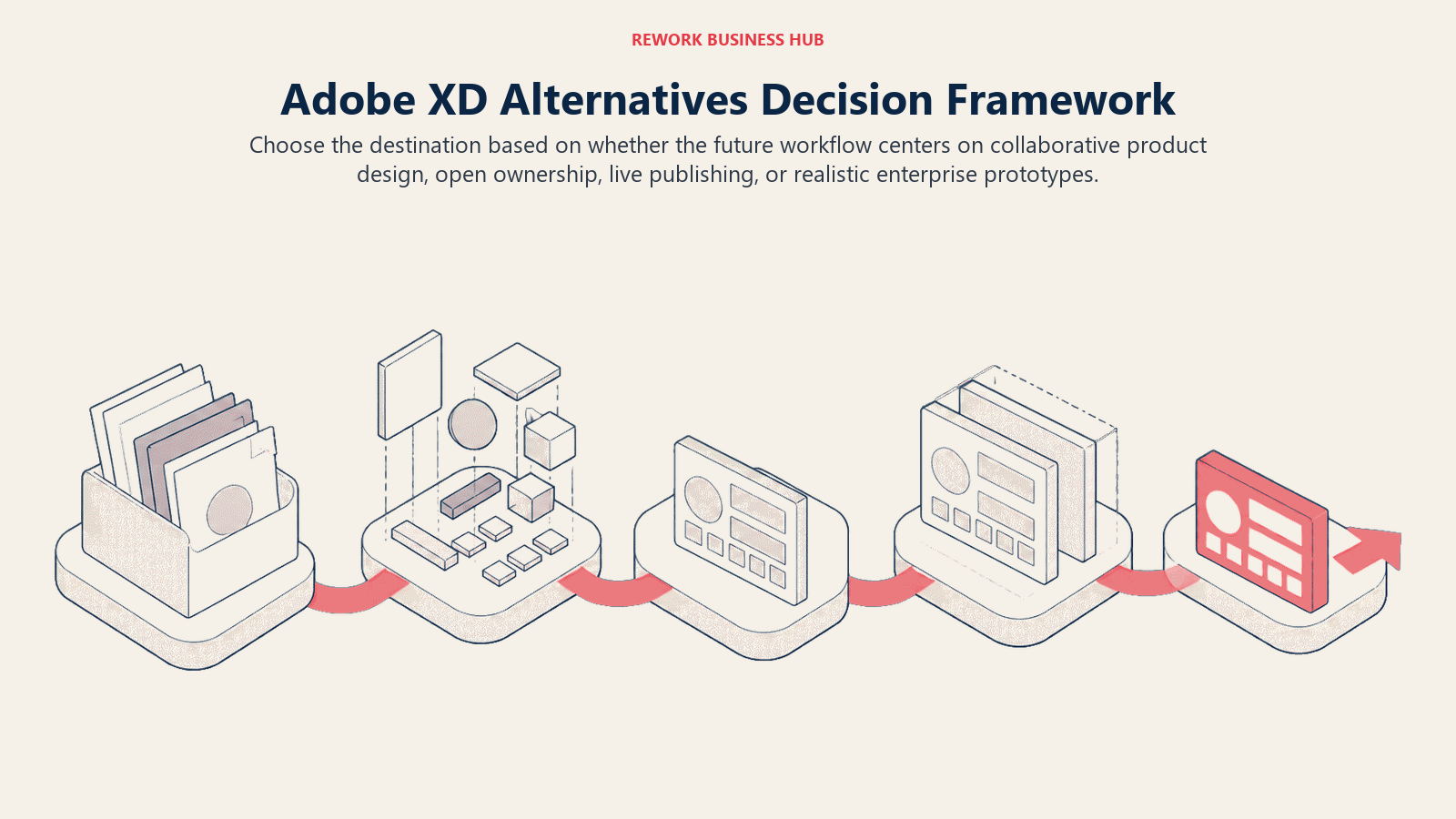
How to Choose: Decision Framework
| If you need... | Choose |
|---|---|
| The closest XD equivalent with the largest ecosystem | Figma |
| A Mac-native tool with a stable, focused workflow | Sketch |
| Full data ownership and no vendor lock-in | Penpot |
| A tool that publishes live marketing sites directly | Framer |
| Design components that use real production code | UXPin |
| Complex conditional logic and data-driven prototypes | Axure RP |
| A free, offline tool that works on Windows | Lunacy |
| High-fidelity simulation for enterprise usability testing | Justinmind |
| The fastest path from idea to shared prototype | Marvel |
| An affordable all-in-one for budget-constrained teams | Mockplus |
| Non-designer-friendly wireframing and flow diagrams | Moqups |
Migrating Off Adobe XD
The practical reality of leaving XD is worth being direct about.
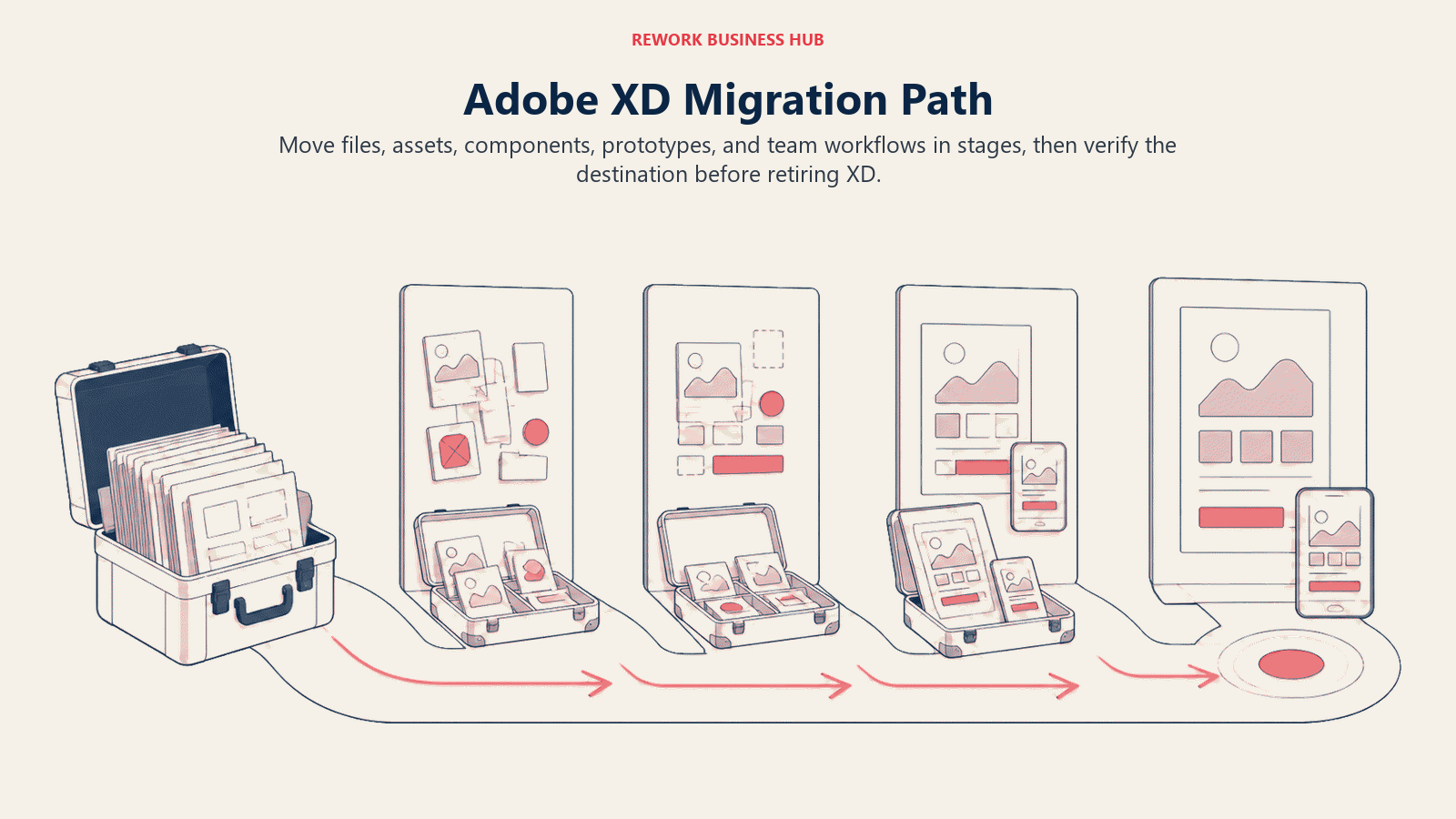
File portability is limited. XD files (.xd format) are proprietary and binary. Figma has an XD import tool that handles basic geometry and text reasonably well. But complex interactions, auto-animate sequences, repeat grids, and component states often come across broken or not at all. Budget time to rebuild interactions manually in the destination tool.
What carries over reasonably well: flat screen layouts, text content, basic color and typography styles, and simple click-through hotspots. Treat these as a starting point, not a finished migration.
What you will need to rebuild: component definitions and overrides, interactive prototyping flows with multiple states, auto-animate transitions, and any repeat grid logic. If your team has a mature component library in XD, rebuilding it in the new tool is the highest-value migration work you can do, because it forces a clean audit of what you actually need.
Design tokens and styles: XD's character styles and color swatches can be documented manually and recreated in the new tool's token or style system. This is a good opportunity to align naming conventions with your engineering team, especially if you are moving to a token-based system in Figma Variables or Penpot's CSS-native properties.
Access to old files: XD will continue to run for users on a full Creative Cloud subscription for now. Export screens as PDFs, PNG assets, or SVG files before you close the XD chapter entirely. Do not assume XD will remain accessible indefinitely.
What to Do Next
Pick your top two migration targets from the table above, based on your team's size, budget, and primary use case. Then run a focused two-week proof of concept: take one real screen and one real prototype flow from your current XD library and rebuild both in each candidate tool. Do not evaluate from demos or marketing pages. Evaluate from the friction you actually feel rebuilding something you know well.
At the end of two weeks, you will know which tool fits how your team thinks, and you will have already started the migration.
Camellia writes about product and design tooling for B2B teams. Last updated June 2026.

Principal Product Marketing Strategist
On this page
- Quick Comparison Table
- 1. Figma: The Default Migration Target
- 2. Sketch: The Mac-Native Workhorse
- 3. Penpot: Open-Source, Vendor-Independent
- 4. Framer: Design-to-Published-Site
- 5. UXPin: Real-Code Components via Merge
- 6. Axure RP: Logic-Heavy Enterprise Prototyping
- 7. Lunacy: Free, Offline, Windows-Native
- 8. Justinmind: High-Fidelity Enterprise Prototyping
- 9. Marvel: Fast Prototyping for Small Teams
- 10. Mockplus: Budget-Friendly Wireframing and Collaboration
- 11. Moqups: Fast Wireframing for Non-Designers
- Stage Fit Matrix
- Sizing and Persona Table
- How to Choose: Decision Framework
- Migrating Off Adobe XD
- What to Do Next