Best Miro Alternatives in 2026: 10 Whiteboard and Collaboration Tools for Distributed Teams
Turn this article into takeaways for your work.


Each assistant summarizes the article only for you and suggests best practices for your work.
The best Miro alternatives in 2026 are FigJam for Figma-based design teams, Lucidspark for enterprise diagramming, MURAL for facilitated workshops, Excalidraw for engineers who want a free or self-hosted sketch tool, and Microsoft Whiteboard for teams already paying for Microsoft 365. The right pick depends on your specific pain point with Miro: per-seat cost, feature overload, or weak fit for your team type. The ten tools below break down pricing, strengths, and team fit.
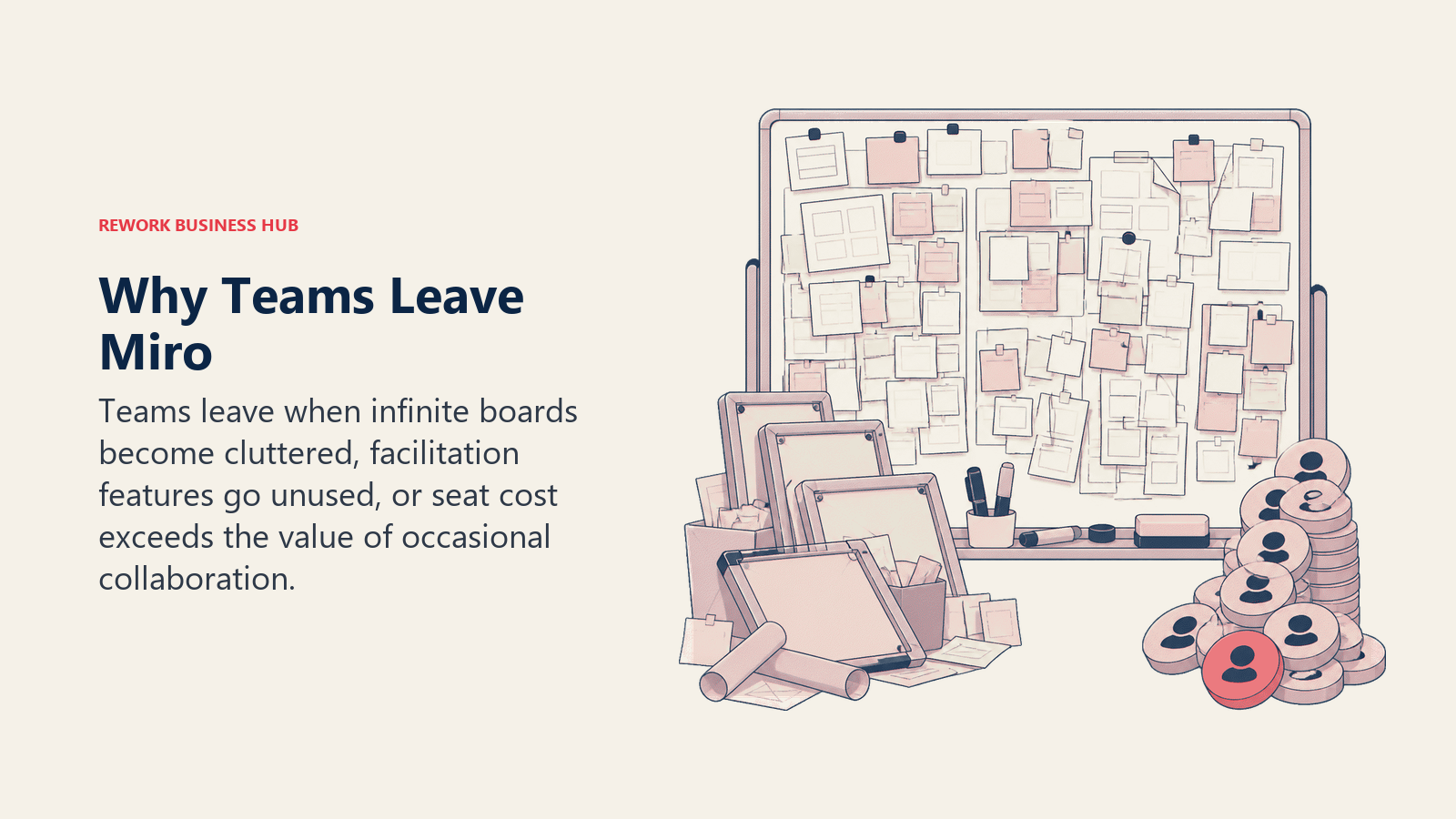
Miro is the default answer when someone says "we need a digital whiteboard." It's fast, it's feature-rich, and it works. But after a few months of actual use, a predictable set of frustrations surfaces: the per-seat pricing climbs fast once you move beyond a handful of contributors, boards slow down when they get complex, and teammates who just need to view or comment still end up on paid seats. The feature set that makes Miro powerful for product teams can also make it confusing for people who just need a clean space to think.
This guide is for distributed team leads, design managers, product directors, and ops professionals who are either paying too much for Miro or who've outgrown its mental model. We've covered ten alternatives with enough depth to make a real decision: what each tool is actually built for, who it fits best, where it breaks down, and what it costs.
If your team's broader frustration is with the full visual tooling stack, there's overlap with adjacent categories worth considering. Marketing and content teams often pair whiteboard tools with design software: see the best Canva alternatives for that side of the stack. Design teams specifically evaluating the UI/prototyping layer should also check best Figma alternatives, where FigJam (which appears in this list) lives inside that ecosystem. Teams doing more doc-based collaboration might also want to review the best Coda alternatives alongside this list.
Quick Comparison Table
| Tool | Best For | Starting Price | Key Strength | Key Limitation |
|---|---|---|---|---|
| FigJam | Design teams already in Figma | Free / $3/seat/mo | Native Figma handoff | Weak outside design context |
| Lucidspark | Enterprise diagramming teams | Free / $9/seat/mo | Lucidchart integration | Heavier UI, slower onboarding |
| MURAL | Facilitated workshops, training | $9.99/seat/mo (annual) | Template depth + facilitation | Expensive for casual use |
| Whimsical | Wireframes + flowcharts | Free / $10/seat/mo | Clean, fast, focused | Limited freeform canvas |
| Excalidraw | Developers, open-source teams | Free / $6/seat/mo (annual) | Simplicity, self-hostable | Limited enterprise controls |
| Microsoft Whiteboard | Microsoft 365 shops | Included in M365 | Zero incremental cost | Weak standalone experience |
| Canva Whiteboards | Marketing + content teams | Free / $144/yr (Pro, 1 person) | Brand kit integration | Not a real work canvas |
| Creately | Process + workflow diagrams | Free / not vendor-published (reported) | Database-linked diagrams | Steep learning curve |
| Stormboard | Structured brainstorming | $5/seat/mo | Report generation | Dated interface |
| Eraser | Engineering team documentation | Free / $10/seat/mo | Code + diagram co-editing | Niche audience |
Why Teams Leave Miro
Before picking an alternative, it's worth naming the specific reasons Miro stops working. Different pain points lead to different replacements.
| Pain Point | Who Feels It Most | Better Fit |
|---|---|---|
| Per-seat cost at scale ($8-20/seat) | Teams with many viewers | Excalidraw, Microsoft Whiteboard |
| Feature overload, steep learning curve | Non-design teams, SMBs | Whimsical, FigJam |
| Performance on large boards | Product teams with complex maps | Lucidspark, Creately |
| No real offline support | Field teams, travel-heavy roles | Microsoft Whiteboard |
| Viewer seats still cost money | Teams with external stakeholders | Excalidraw, Canva |
| Overkill for simple brainstorming | Early-stage startups | Stormboard, Whimsical |
| Doesn't connect to existing tech stack | Engineering-heavy teams | Eraser, Creately |
The cost objection is usually the loudest. Miro's paid plans run roughly $8 to $20 per member per month billed annually, and the trap is seat sprawl: viewers and occasional commenters who get pulled in as full editors. A 30-person team where only 10 people actually build boards can still end up paying for 30 seats. The alternatives split cleanly on this. Excalidraw (free, self-hostable) and Microsoft Whiteboard (included with M365) take the per-seat cost to zero, while FigJam at $3/editor/month is the cheapest paid option here because it bills editors, not viewers.
| Cost profile | Tools | Effective per-seat cost |
|---|---|---|
| Zero incremental | Microsoft Whiteboard, Excalidraw (open-source) | $0 |
| Low / editor-billed | FigJam | $3/editor/mo |
| Mid-range | Excalidraw Plus, Lucidspark | $6-9/seat/mo |
| Premium | MURAL, Canva Whiteboards | $9.99/member/mo (MURAL, annual), $144/yr per person (Canva Pro) |
1. FigJam: The Natural Upgrade for Design-Led Teams
FigJam is Figma's dedicated whiteboarding product, built to solve a specific and real problem: the gap between a design concept on a whiteboard and the actual Figma file. For teams that already live in Figma, FigJam removes a friction point that Miro cannot match. You can link FigJam frames directly to Figma components, run design critiques in context, and hand off annotated wireframes without re-importing anything.
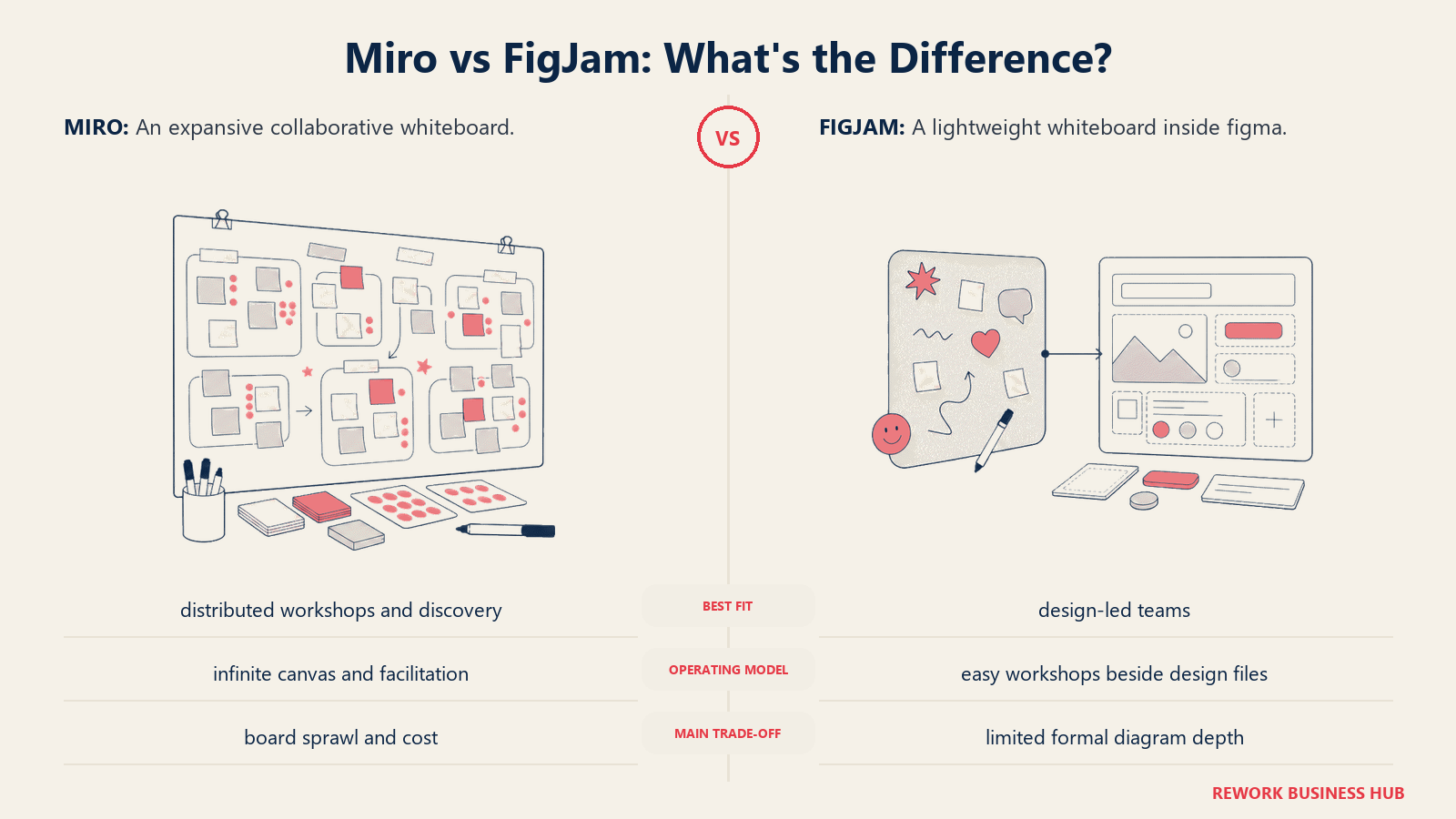
The product vision here is "whiteboards that are native to design workflow," not whiteboards as a generic collaboration layer. That specificity is both its strength and its ceiling. FigJam is excellent for design sprints, component brainstorming, user flow mapping, and design retrospectives. It's not the right tool for a sales team running pipeline planning or an engineering team diagramming infrastructure.
Target audience: Product designers, UX researchers, design managers, and any team where Figma is already the central tool. Fits best at growth-stage companies (20-200 people) where design is a core function, not an afterthought.
Sizing fit: Works for solo designers up through large design orgs. At enterprise scale, Figma's enterprise plan handles SSO, permissions, and admin controls.
Stage fit: Most valuable once a company has dedicated design resources. Early-stage teams with one designer can use the free tier indefinitely.
Team vs. company-wide: Primarily a design team tool, though PMs and engineers participate in reviews.
| What You Get | What You Don't |
|---|---|
| Native Figma file linking | Useful outside design context |
| Strong template library for design methods | Advanced facilitation tools |
| Familiar interface for existing Figma users | Offline access |
| Free tier with 3 active boards | Deep integrations outside Figma ecosystem |
Pricing: Free (3 active FigJam files). Professional at $3/editor/month. Organization and Enterprise tiers scale up.
Best for: Design teams already paying for Figma who want whiteboarding without a second tool budget.
2. Lucidspark: For Teams That Need Whiteboards and Diagrams Together
Lucidspark is Lucid Software's answer to Miro, designed to pair with Lucidchart. The philosophy is that visual collaboration shouldn't live in isolation. A brainstorm in Lucidspark should connect to the process diagram in Lucidchart, which connects to the project plan, which connects to the documentation. Lucid calls this the "Visual Collaboration Suite," and it's the closest thing to a true visual layer across the entire business.
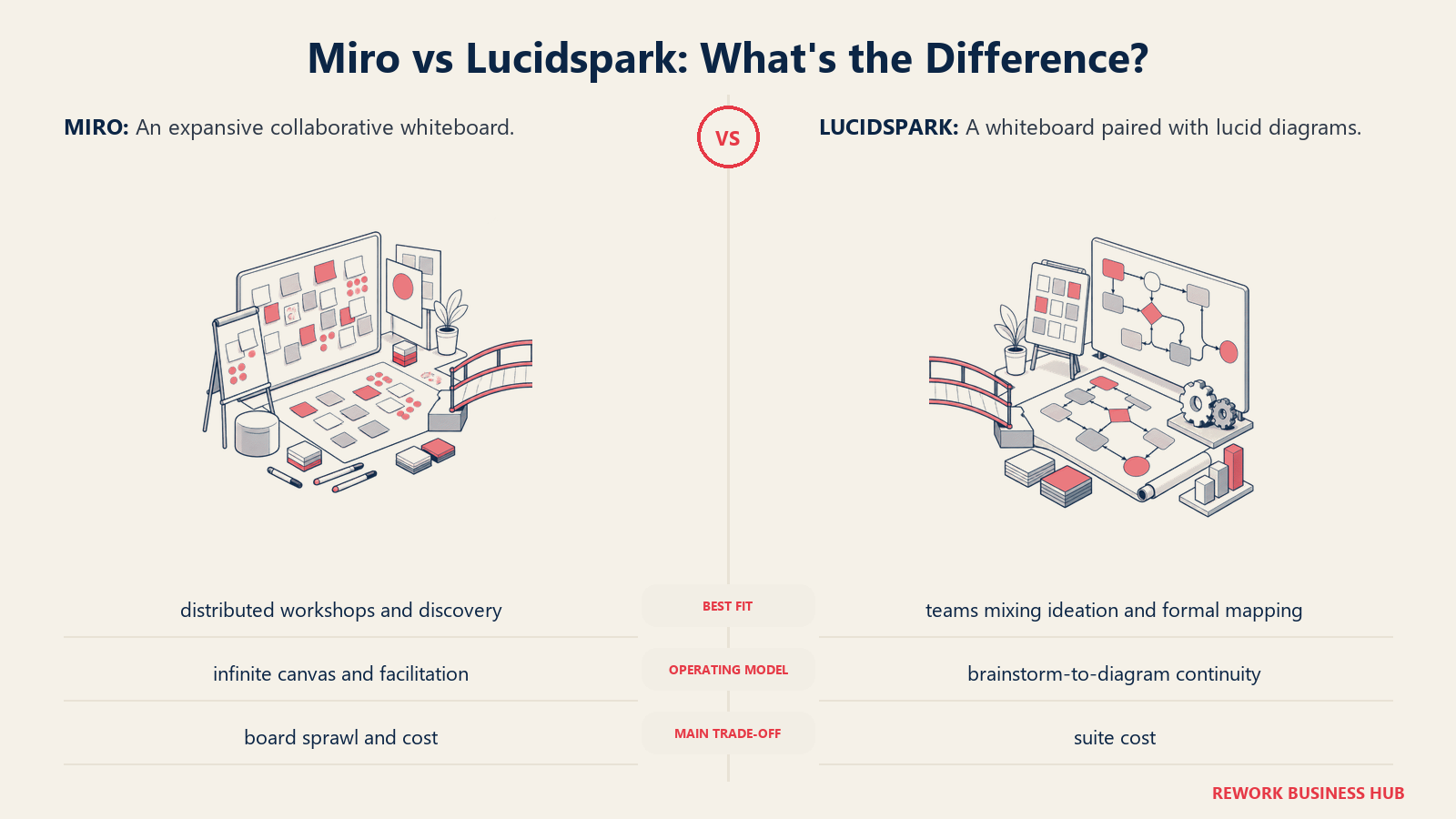
For enterprise teams that are already using Lucidchart for org charts, process maps, or network diagrams, Lucidspark adds a brainstorming canvas without asking them to leave the ecosystem. The integration between the two products is genuine: you can embed Lucidchart diagrams inside Lucidspark boards and link outputs from brainstorming sessions directly into structured diagrams.
The tradeoff is onboarding overhead. Lucidspark's UI is more complex than FigJam or Whimsical. New users feel it. It's not the tool you pull up in a 30-minute meeting with people who haven't used it before.
Target audience: Mid-market and enterprise teams (100+ employees) with established Lucidchart usage. Strong fit for operations, IT, and business architecture teams who run structured visual work regularly.
Sizing fit: Overkill for teams under 20 people. Optimal in the 50-500 range with dedicated power users.
Stage fit: Best for mature companies optimizing their visual workflow stack, not startups finding their footing.
Team vs. company-wide: Can be company-wide, especially in companies standardizing on the Lucid Suite.
| What You Get | What You Don't |
|---|---|
| Tight Lucidchart integration | Simple onboarding for non-technical users |
| Strong template library | Lightweight feel |
| Enterprise-grade admin controls | Competitive pricing vs. Miro at scale |
| Voting, timers, breakout boards | Good mobile experience |
Pricing: Free tier (3 editable documents). Individual at $9/month. Team at $9/seat/month (min 3 seats). Enterprise pricing on request.
Best for: Enterprises already invested in the Lucid ecosystem who want brainstorming to connect to structured diagramming.
3. MURAL: The Workshop Facilitator's Tool
MURAL's product philosophy is different from most whiteboard tools. Where Miro and FigJam think about real-time collaboration, MURAL thinks about facilitated sessions. It was built with L&D professionals, design thinking consultants, and workshop facilitators in mind. The template library reflects this: you won't just find a blank canvas and a sticky note. You'll find structured frameworks for retrospectives, journey mapping, empathy mapping, Six Sigma, and Design Sprints, each with facilitation notes attached.
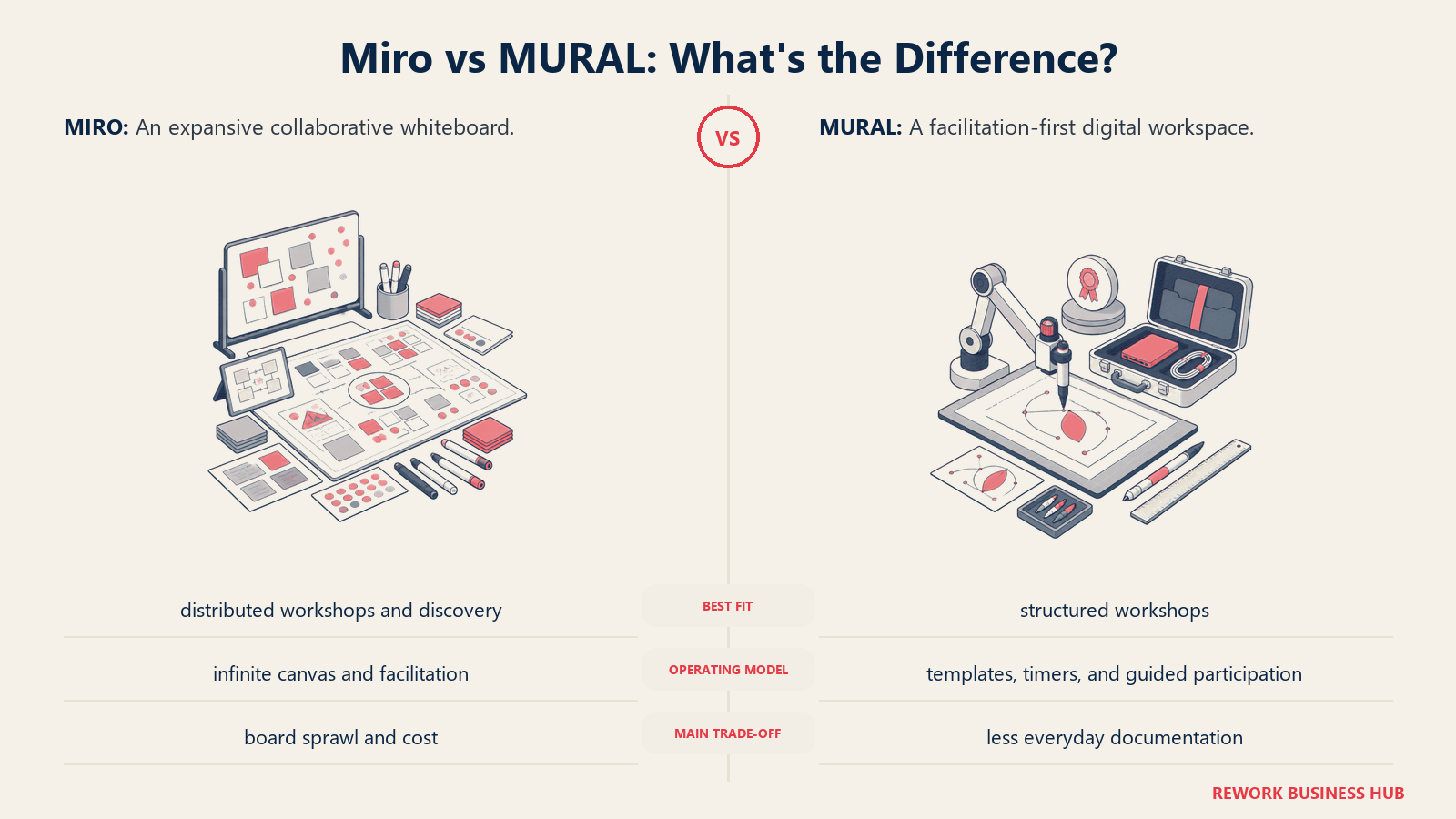
This makes MURAL exceptional for companies running regular workshops, training sessions, or structured team rituals. The "Facilitator Superpowers" feature lets session leads lock down the canvas, guide participants through stages, and use voting and timers without losing control of the room. That experience is hard to replicate in Miro without building the structure yourself.
The price reflects the positioning. At $9.99/seat/month billed annually ($12.99 billed monthly), MURAL sits at the upper end of this list. For teams running weekly facilitated sessions, it pays back quickly. For teams that just want a shared whiteboard for ad-hoc collaboration, it's expensive overhead.
Target audience: L&D teams, agile coaches, design thinking practitioners, and innovation teams at mid-to-large organizations. Strong fit for consulting firms and agencies that run client workshops.
Sizing fit: Best at 50+ people where structured facilitation is a regular business activity.
Stage fit: Mid-market and enterprise. Also strong in consulting where the cost-per-client-session math works.
Team vs. company-wide: Often purchased department-by-department by L&D, HR, or strategy teams.
| What You Get | What You Don't |
|---|---|
| Best-in-class facilitation controls | Competitive pricing |
| Deep structured framework templates | Simple freeform canvas feel |
| MURAL-hosted sessions with guest access | Strong Figma/dev tool integrations |
| Enterprise SSO and compliance features | Fast onboarding for non-workshop users |
Pricing: Starts at $12/seat/month (Team plan). Enterprise pricing available. Free trial, no permanent free tier for teams.
Best for: Agile coaches, L&D teams, and organizations where facilitated workshops are a core operational activity.
4. Whimsical: The Focused Tool for Thinkers Who Hate Clutter
Whimsical makes a deliberate product bet: do fewer things, but do them beautifully. The tool covers four modes: flowcharts, wireframes, mind maps, and sticky note boards. That's it. No infinite plugin marketplace, no overwhelming sidebar, no template library with 200 options. If you know which of those four modes you need, Whimsical gets you there in seconds.
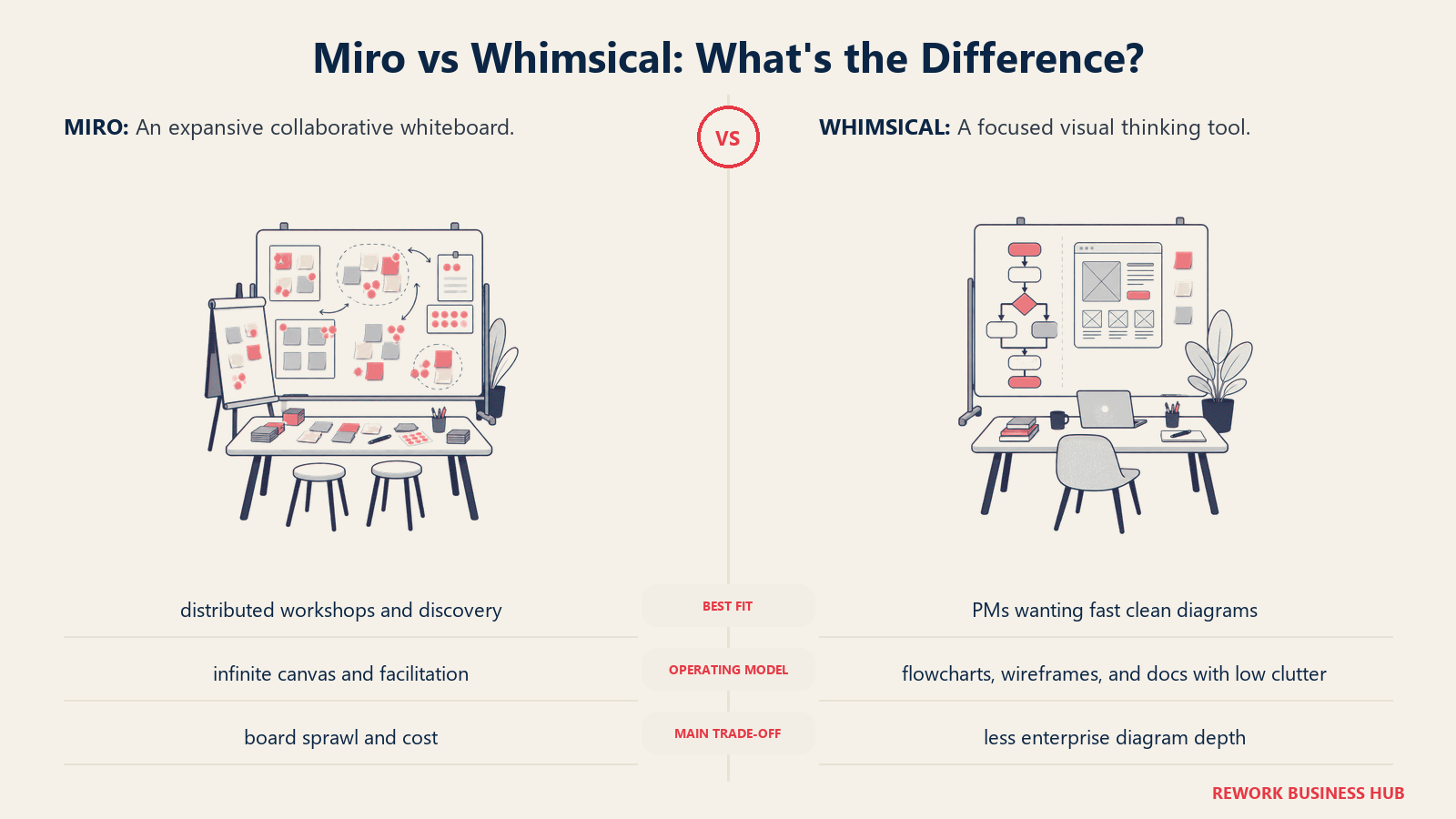
The wireframing capability is genuinely strong for a whiteboard-adjacent tool. Teams that need to sketch flows quickly before building in Figma use Whimsical as a thinking layer. PMs use it for product specs. Writers use mind maps for content planning. The opinionated constraint of four modes actually speeds up adoption because there's nothing to configure.
Where Whimsical falls short is the truly freeform use case. If you want to run a design sprint with fifteen people, import assets, embed videos, and build a shared workspace over months, Whimsical isn't the tool. It's better thought of as a personal or small-team clarity tool than a collaborative workspace.
Target audience: Product managers, individual contributors, small product teams, and solo founders who think in diagrams and flows. Also strong for technical writers and content strategists.
Sizing fit: Ideal for 1-30 person teams. Works at larger companies as a personal productivity tool, but doesn't scale to company-wide adoption well.
Stage fit: Strong for seed-stage and Series A companies where teams think fast and build fast.
Team vs. company-wide: Primarily a team or individual tool. Not a company-wide platform replacement.
| What You Get | What You Don't |
|---|---|
| Fast, clean interface with zero learning curve | Freeform canvas for complex workshops |
| Excellent wireframing and flowchart modes | Plugin ecosystem |
| Real-time collaboration | Large-scale facilitation features |
| Generous free tier | Deep enterprise controls |
Pricing: Free tier (unlimited boards with some limits). Pro at $10/seat/month. Team plan at $20/team/month for up to 5 users.
Best for: Individuals and small product teams who need clarity tools, not collaboration platforms.
5. Excalidraw: The Developer's Whiteboard
Excalidraw started as an open-source project and has become the default "quick sketch" tool for engineering teams. Its hand-drawn aesthetic is a feature, not a bug: it signals that diagrams are rough thinking, not polished deliverables, which reduces the social friction around sharing unfinished ideas. It's also genuinely fast. Opening a board and drawing something takes under ten seconds.
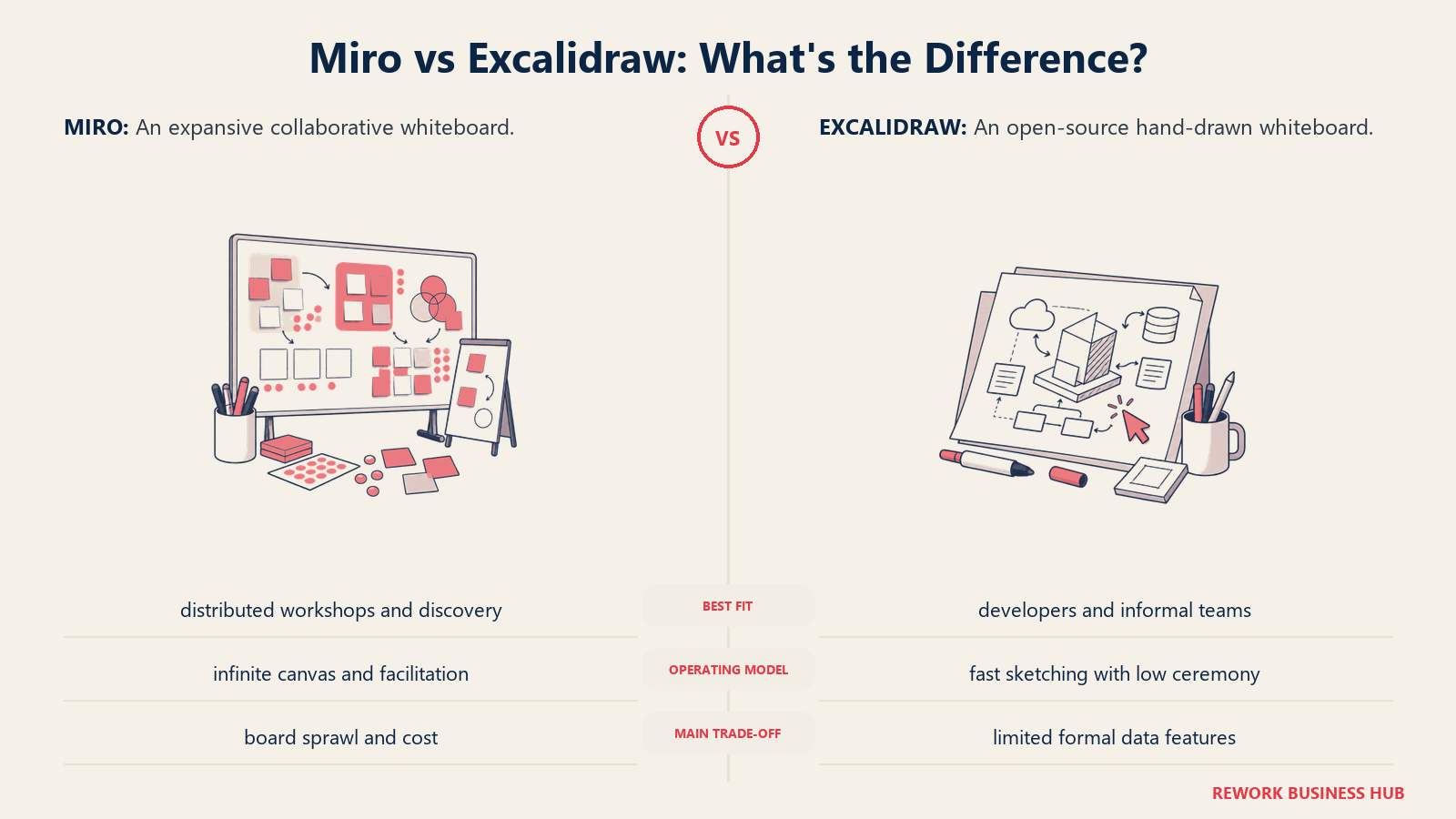
The self-hosting option is the most important capability for security-conscious teams. Companies that can't send data to third-party SaaS tools can run Excalidraw on their own infrastructure. Excalidraw Plus, the hosted commercial version, adds persistent collaboration, end-to-end encryption, and team management. But the open-source core works well enough that many engineering teams never upgrade.
The limitation is the ceiling. Excalidraw doesn't have structured templates, facilitation controls, or deep integrations outside its core use case. It's excellent for architecture sketches, ERD drafts, quick meeting diagrams, and async visual communication. It's not built to run a quarterly planning session.
Target audience: Software engineers, architects, DevOps teams, CTOs at small-to-mid companies. Strong fit at developer-heavy organizations where simplicity and open-source philosophy matter.
Sizing fit: Scales from solo developers to engineering teams of 50-100. Self-hosting works at any size.
Stage fit: Great for startups and growth-stage companies, particularly engineering-led orgs.
Team vs. company-wide: Engineering and technical team tool. Less relevant to non-technical departments.
| What You Get | What You Don't |
|---|---|
| Open-source, self-hostable | Rich facilitation features |
| End-to-end encryption (Plus) | Large template library |
| Instant startup, near-zero learning curve | Enterprise admin and compliance controls |
| Hand-drawn aesthetic reduces pressure | Deep business tool integrations |
Pricing: Free (open-source). Excalidraw Plus at $6/user/month billed annually ($7 billed monthly) with persistent collaboration and encryption.
Best for: Engineering teams that want a fast, trustworthy sketch tool without SaaS overhead.
6. Microsoft Whiteboard: The Zero-Cost Add-On for Microsoft 365 Teams
Microsoft Whiteboard exists for one reason: if your company already pays for Microsoft 365, you have it. There's no incremental license cost, no separate procurement, and it's already in your Teams sidebar. For organizations where whiteboarding is an occasional need rather than a core workflow, that zero-cost argument is hard to argue with.
The product has improved significantly since its early releases. Integration with Teams meetings is functional: you can open a board directly inside a Teams call, share it with participants, and save it to your organization's SharePoint. For a meeting-native whiteboarding workflow inside Microsoft's ecosystem, it works.
But it doesn't compete with the purpose-built tools on this list on features. The template library is thin, facilitation tools are minimal, and the experience outside of Teams is underwhelming. It's not a tool that inspires creative work or structured workshops. It's a tool that covers the "we need a whiteboard right now" use case at zero additional cost.
Target audience: IT directors, ops leads, and team managers at large enterprises standardized on Microsoft 365. Strong fit for education and government sectors with Microsoft licensing already in place.
Sizing fit: Most relevant at large organizations (500+) where Microsoft 365 is universal.
Stage fit: Enterprise and late-stage mid-market. Not the right call for startups choosing their first tools.
Team vs. company-wide: Can be company-wide because of M365 licensing, but adoption is usually uneven.
| What You Get | What You Don't |
|---|---|
| Included in Microsoft 365 at no extra cost | Feature depth of Miro or MURAL |
| Native Teams integration | Strong template library |
| SharePoint storage and permission model | Facilitation controls |
| Sufficient for ad-hoc meeting whiteboards | Reliable performance on complex boards |
Pricing: Included with Microsoft 365 Business and Enterprise plans.
Best for: Organizations fully committed to Microsoft 365 that need basic whiteboarding without a separate budget line.
7. Canva Whiteboards: For Marketing and Content Teams
Canva extended its design platform into whiteboards, and the result is exactly what you'd expect: a whiteboard built around brand assets, marketing templates, and visual polish. For teams that live in Canva for social graphics, presentations, and brand collateral, Canva Whiteboards offers a familiar interface with their brand kit already loaded.
The typical use case here is content planning, campaign brainstorming, and marketing strategy sessions. A brand manager can pull in their logo, color palette, and fonts, then build a visual campaign brief that's presentation-ready without any export step. That's a real workflow improvement for marketing teams.
But Canva Whiteboards is not a serious work canvas for product or engineering workflows. It lacks the structured diagramming, facilitation tools, and developer integrations that the other tools on this list provide. It's a marketing-flavored whiteboard, and that's fine if marketing is your context.
Target audience: Marketing managers, content leads, brand designers, and social media teams. Also strong for small business owners who handle their own visual marketing.
Sizing fit: Works at any company size where marketing teams are the primary users. Limited appeal outside marketing function.
Stage fit: Useful at any stage for marketing-specific whiteboarding.
Team vs. company-wide: Marketing team tool, not a cross-functional platform.
| What You Get | What You Don't |
|---|---|
| Brand kit integration (colors, fonts, logos) | Technical diagramming capabilities |
| Presentation-ready output without export | Facilitation tools |
| Familiar Canva interface for existing users | Deep collaboration features |
| Large marketing template library | Developer or product workflow support |
Pricing: Free ($0/year for one person). Canva Pro is $144/year for one person and includes whiteboards with full brand kit access. Canva Business is $250/year per person and adds team admin and collaboration tools. Canva publishes annual totals rather than a monthly rate, per Canva's pricing page.
Best for: Marketing and content teams already using Canva who want their whiteboard in the same platform.
8. Creately: For Process and Workflow Documentation
Creately makes a different bet than most whiteboard tools: diagrams should be connected to real data, not just visual representations of it. The platform links shapes and nodes to external data sources, updates diagrams dynamically when underlying data changes, and supports database-linked entity maps. For operations, IT, and business architecture teams that maintain living process documentation, this is genuinely useful.
The product covers flowcharts, org charts, network diagrams, ERDs, BPMN workflows, and agile boards alongside freeform whiteboarding. It's closer to a diagramming platform with whiteboard features than a whiteboard tool with some diagrams. The data integration capability is the differentiator: if your process maps need to stay current as your systems change, Creately's approach reduces maintenance overhead significantly.
The learning curve is real. The interface requires time to master, and teams that just want a quick brainstorm tool will find it heavy. It's a better fit for teams doing systematic, repeatable documentation work than for ad-hoc ideation.
Target audience: Operations managers, business analysts, IT architects, and process improvement teams at mid-market companies. Strong fit for teams maintaining ISO compliance documentation or business continuity plans.
Sizing fit: Ideal for companies in the 50-500 range where process documentation is a regulated or recurring business function.
Stage fit: Best at mature, scaling companies where "how we do things" documentation matters operationally.
Team vs. company-wide: Usually owned by ops or IT, but accessed company-wide for process references.
| What You Get | What You Don't |
|---|---|
| Database-linked, live-updating diagrams | Simple onboarding experience |
| Extensive shape libraries for technical diagrams | Lightweight feel for casual use |
| Strong template coverage for business processes | Strong design-team workflow |
| Good import from Visio and other tools | Real-time facilitation features |
Pricing: Free (unlimited canvases, unlimited collaborators, 45 items per canvas, 1 folder, 2 imports). Creately's /pricing path 404s and its plans page renders prices client-side, so no paid figure is vendor-confirmed; third-party trackers report Starter and Team around $5 to $8 per user per month billed annually and Business around $89/month flat for unlimited users (reported, not confirmed by Creately). See Creately's plans page.
Best for: Ops and IT teams that maintain living process documentation and need diagrams connected to real data.
9. Stormboard: Structured Brainstorming with Report Output
Stormboard occupies a niche that most whiteboard tools ignore: the structured brainstorm that needs to produce a deliverable. After a session in Stormboard, you can export a formatted report automatically. Session outputs become documents, not just saved canvases that someone has to manually summarize.
The tool is built around "storms," which are structured sessions using sticky notes organized into named sections. It's closer to a digital workshop agenda than a freeform canvas. Teams vote on ideas, move them through stages, and the platform tracks participation and prioritization automatically. For HR teams running regular engagement sessions, or consulting teams delivering workshop outputs to clients, the report generation removes a painful manual step.
The weakness is the interface. Stormboard looks and feels like it was designed in 2016 because it largely was. The core product works, but compared to FigJam or Whimsical, the visual experience feels dated. Teams that care about the quality of their tools' aesthetics will notice.
Target audience: HR managers, agile coaches, consultants, and meeting facilitators who need brainstorming sessions to produce structured reports. Strong fit for teams running recurring employee feedback or innovation sessions.
Sizing fit: Works for teams of 5-100. The per-seat pricing makes it economical for smaller groups.
Stage fit: Mid-stage to mature companies running structured people or strategy processes.
Team vs. company-wide: Usually HR, L&D, or a specific team function. Not a company-wide tool.
| What You Get | What You Don't |
|---|---|
| Automatic report generation from sessions | Modern interface design |
| Voting, ranking, and idea scoring | Feature richness of Miro |
| Structured session templates | Strong real-time collaboration at scale |
| Affordable per-seat pricing | Deep integrations |
Pricing: Personal plan at $5/seat/month. Business at $9/seat/month. Enterprise pricing available.
Best for: Facilitators who need brainstorming sessions to automatically produce structured, shareable reports.
10. Eraser: The Engineering Team's Documentation Canvas
Eraser is the newest tool on this list and the most narrowly targeted. It's built for engineering teams that want code, diagrams, and documentation in the same place. A typical Eraser document has a sequence diagram on the left, markdown notes on the right, and code snippets embedded inline. The tool renders diagrams from text syntax (similar to Mermaid), which means diagrams live in version control alongside the code they describe.
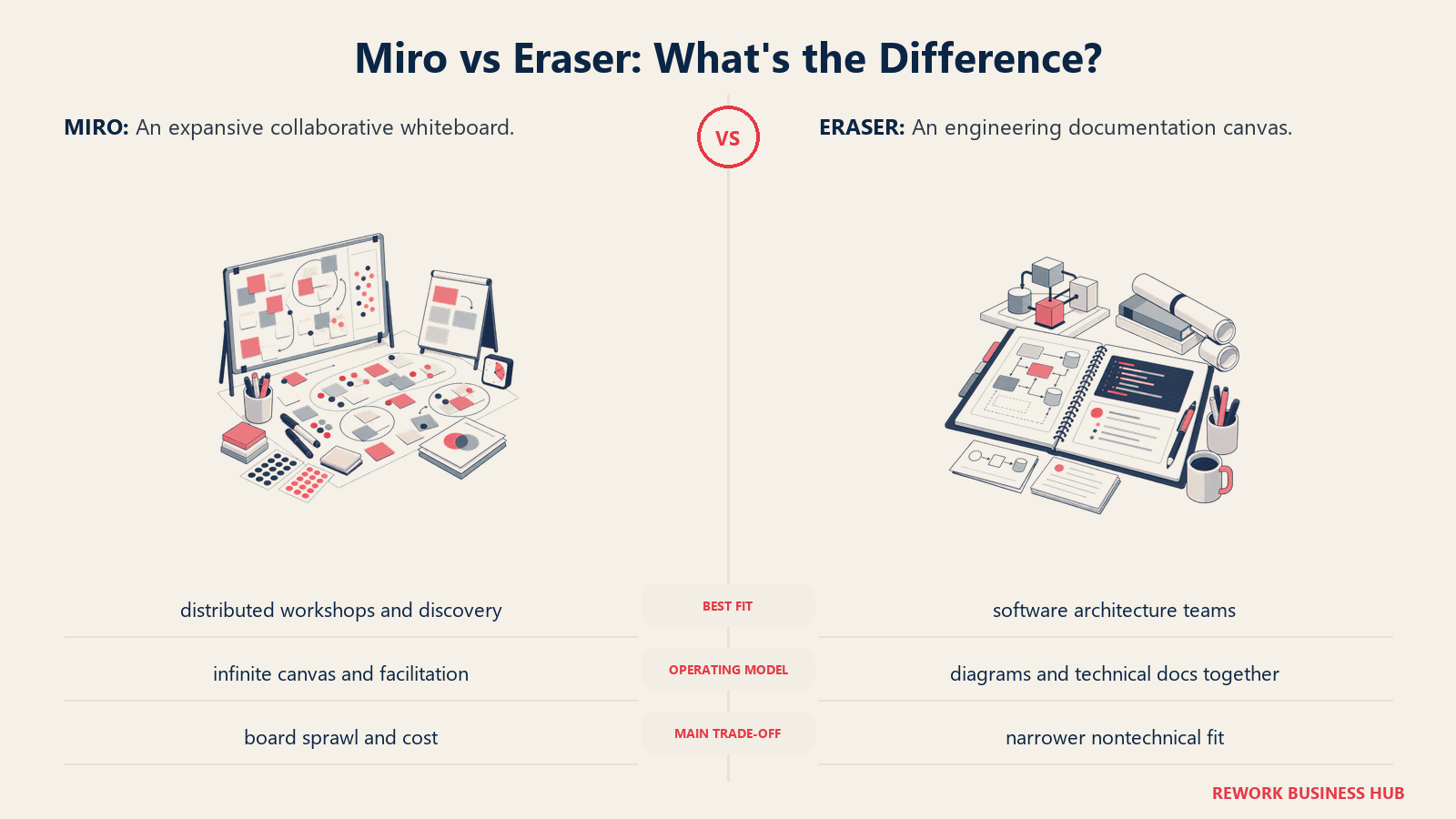
The product philosophy is that documentation shouldn't be separate from technical work. Architecture decisions, system designs, and onboarding materials should be where engineers already work, not in a separate SaaS tool that gets out of date. Eraser's GitHub and Linear integrations support this: docs link to PRs and issues, keeping technical context connected.
It's not a brainstorming tool. It doesn't have facilitation features, sticky notes, or marketing templates. It's a technical documentation canvas, and it's excellent at that specific job.
Target audience: Engineering managers, staff engineers, CTOs at software companies. Best fit for teams where architecture documentation is a regular engineering activity.
Sizing fit: Teams of 3-50 engineers. Works at larger orgs for specific technical teams.
Stage fit: Series A through Series C software companies building their documentation culture.
Team vs. company-wide: Engineering-specific tool. Not relevant for non-technical departments.
| What You Get | What You Don't |
|---|---|
| Code + diagram + markdown in one document | Facilitation or brainstorming features |
| Text-to-diagram rendering (version controllable) | Large template library |
| GitHub and Linear integrations | Non-technical user appeal |
| Clean, distraction-free interface | Enterprise compliance features |
Pricing: Free tier (limited docs). Team plan at $10/user/month. Enterprise pricing available.
Best for: Engineering teams that want architecture docs, sequence diagrams, and code references in a single canvas that stays current.
Stage Fit Matrix
| Tool | Startup (1-20) | Growth (20-100) | Mid-Market (100-500) | Enterprise (500+) |
|---|---|---|---|---|
| FigJam | Good | Best fit | Good | Works |
| Lucidspark | Weak | Moderate | Best fit | Strong |
| MURAL | Weak | Moderate | Best fit | Strong |
| Whimsical | Best fit | Good | Moderate | Weak |
| Excalidraw | Best fit | Good | Good | Works (self-hosted) |
| Microsoft Whiteboard | Weak | Weak | Moderate | Best fit |
| Canva Whiteboards | Good | Good | Moderate | Weak |
| Creately | Weak | Moderate | Best fit | Good |
| Stormboard | Good | Good | Best fit | Moderate |
| Eraser | Good | Best fit | Good | Weak |
Sizing and Persona Table
| Tool | Ideal Team Size | Primary Buyer | Secondary Users |
|---|---|---|---|
| FigJam | 5-50 designers | Design manager | PMs, engineers in reviews |
| Lucidspark | 50-500 | IT director, ops lead | Business analysts, architects |
| MURAL | 20-500 | L&D manager, agile coach | Facilitators, HR, strategy teams |
| Whimsical | 1-30 | PM, individual contributor | Founders, content strategists |
| Excalidraw | 2-100 engineers | Engineering manager, CTO | DevOps, architects |
| Microsoft Whiteboard | 500+ | IT admin | Any M365 user |
| Canva Whiteboards | Any | Marketing manager | Brand designers, content leads |
| Creately | 50-500 | Ops manager, business analyst | IT architects, compliance teams |
| Stormboard | 5-100 | HR lead, facilitator | Managers, consultants |
| Eraser | 3-50 engineers | Engineering manager | Staff engineers, CTOs |
Price Comparison Table
| Tool | Free Tier | Entry Paid | Per Seat (Team) | Enterprise |
|---|---|---|---|---|
| FigJam | Yes (3 boards) | $3/seat/mo | $3/seat/mo | Custom |
| Lucidspark | Yes (3 docs) | $9/seat/mo | $9/seat/mo | Custom |
| MURAL | Yes (3 editable murals) | $9.99/seat/mo (annual) | $9.99/seat/mo (annual) | Custom |
| Whimsical | Yes (50 objects/mo) | $10/editor/mo | $20/editor/mo (Business) | N/A |
| Excalidraw | Yes (open-source) | $6/user/mo (annual) | $6/user/mo (annual) | N/A |
| Microsoft Whiteboard | With M365 | Included | Included in M365 | Included |
| Canva Whiteboards | Yes | $144/yr (Pro, 1 person) | $250/yr per person (Business) | Custom |
| Creately | Yes (45 items per canvas) | Not vendor-published (reported) | Not vendor-published (reported) | Custom |
| Stormboard | No | $5/seat/mo | $9/seat/mo | Custom |
| Eraser | Yes (limited) | $10/user/mo | $10/user/mo | Custom |
Team Type Fit Table
| Tool | Design Teams | Engineering Teams | Marketing Teams | Operations Teams | L&D / HR Teams |
|---|---|---|---|---|---|
| FigJam | Best | Good | Weak | Weak | Weak |
| Lucidspark | Moderate | Good | Weak | Strong | Good |
| MURAL | Good | Weak | Good | Strong | Best |
| Whimsical | Good | Good | Moderate | Weak | Weak |
| Excalidraw | Weak | Best | Weak | Weak | Weak |
| Microsoft Whiteboard | Weak | Weak | Weak | Moderate | Moderate |
| Canva Whiteboards | Moderate | Weak | Best | Weak | Weak |
| Creately | Weak | Good | Weak | Best | Good |
| Stormboard | Weak | Weak | Moderate | Moderate | Best |
| Eraser | Weak | Best | Weak | Weak | Weak |
How to Choose: Decision Framework
| If You Need... | Pick This |
|---|---|
| Whiteboards inside your Figma design workflow | FigJam |
| Enterprise-grade diagramming + brainstorming as one suite | Lucidspark |
| Structured workshop facilitation with deep templates | MURAL |
| A fast, clean thinking tool for individuals or small teams | Whimsical |
| A free or self-hosted tool with no SaaS data concerns | Excalidraw |
| Whiteboarding at zero incremental cost on Microsoft 365 | Microsoft Whiteboard |
| A whiteboard for marketing teams with brand kit integration | Canva Whiteboards |
| Process documentation that stays connected to live data | Creately |
| Brainstorming sessions that automatically produce reports | Stormboard |
| Code + architecture diagrams in a single engineering canvas | Eraser |
What to Do Next
Run a two-week pilot with your top two picks. That's the only way to know which tool actually sticks with your team. If you're also evaluating async video for distributed standups and design reviews, see the best Loom alternatives, as many teams run a whiteboard tool and an async video tool side by side. Don't test in a vacuum: pick a real upcoming session (a sprint planning meeting, a workshop, a process mapping exercise) and run it in both tools on the same team. The one your teammates use without being reminded is probably the one worth paying for.
Most teams pick the wrong whiteboard tool by optimizing for features on paper. The tool that wins is the one people actually open when they need to think together.
Miro's pricing page shows the per-seat cost clearly, which makes the comparison math straightforward. But the cost of seat sprawl (viewers who end up as editors) tends to compound faster than teams expect. Excalidraw and FigJam's pricing are worth reviewing as direct cost comparisons for smaller teams. For distributed teams where the whiteboard tool also needs to support structured async work, the deep work business strategy guide covers how to structure focused collaboration sessions that don't require everyone in the room at the same time.
Frequently Asked Questions
What is the best free alternative to Miro? Excalidraw is the strongest free option for engineering and technical teams: it's open-source, self-hostable, and fast, with no seat limits on the core product. Microsoft Whiteboard is effectively free for any organization already on Microsoft 365. For design teams, FigJam's free tier (3 active files) works indefinitely for small groups.
Why do teams switch away from Miro? The most common reasons are per-seat cost at scale (especially viewer seats that become paid editor seats), feature overload for non-design teams, and slow performance on large, complex boards. Each pain point points to a different replacement, which is why there's no single "best" alternative.
Which Miro alternative is cheapest for a large team? For teams already on Microsoft 365, Microsoft Whiteboard adds zero incremental cost. For everyone else, Excalidraw (free open-source core) and FigJam ($3 per editor per month, billing editors rather than viewers) are the most economical at scale.
Is FigJam a good Miro replacement? For teams already working in Figma, yes. FigJam links whiteboard frames directly to Figma components and removes the handoff gap between a concept and the design file. It's weaker outside a design context, so a sales or operations team running general collaboration may be better served by Lucidspark or Whimsical.
How should I choose between these Miro alternatives? Start from your specific frustration with Miro, not a feature checklist. Identify whether your blocker is cost, complexity, performance, or team-type fit, then run a two-week pilot of your top two picks on a real upcoming session. The tool people reopen without being reminded is the one worth paying for.

Principal Product Marketing Strategist
On this page
- Quick Comparison Table
- Why Teams Leave Miro
- 1. FigJam: The Natural Upgrade for Design-Led Teams
- 2. Lucidspark: For Teams That Need Whiteboards and Diagrams Together
- 3. MURAL: The Workshop Facilitator's Tool
- 4. Whimsical: The Focused Tool for Thinkers Who Hate Clutter
- 5. Excalidraw: The Developer's Whiteboard
- 6. Microsoft Whiteboard: The Zero-Cost Add-On for Microsoft 365 Teams
- 7. Canva Whiteboards: For Marketing and Content Teams
- 8. Creately: For Process and Workflow Documentation
- 9. Stormboard: Structured Brainstorming with Report Output
- 10. Eraser: The Engineering Team's Documentation Canvas
- Stage Fit Matrix
- Sizing and Persona Table
- Price Comparison Table
- Team Type Fit Table
- How to Choose: Decision Framework
- What to Do Next
- Frequently Asked Questions