Best Sketch Alternatives in 2026: 12 UI Design Tools for Product Teams
Turn this article into takeaways for your work.


Each assistant summarizes the article only for you and suggests best practices for your work.
Sketch earned its reputation. Before browser-based design tools existed, Sketch gave product designers a clean, vector-native environment on Mac that was genuinely better than anything else available. Its symbols system, artboard model, and plugin ecosystem shaped how the entire industry thinks about UI tooling. A lot of what Figma built on top of was Sketch's conceptual groundwork.
But the market moved. The shift happened fast, and it moved in one direction: browser-based, cross-platform, multiplayer by default. Sketch responded with a cloud layer and web viewer, but the core product is still a Mac app, and that constraint shapes everything else. Teams on mixed operating systems can't use it equally. Real-time multiplayer collaboration still trails Figma's implementation. The subscription pricing shift from the old perpetual model frustrated longtime users who built workflows around owning their license. And as Figma became the industry standard, Sketch's plugin ecosystem, community momentum, and handoff integrations slowly narrowed. If your whole team is on Apple hardware and collaboration happens asynchronously, Sketch still works. But if even one teammate is on Windows, or if your design review process depends on live co-editing, you're running into a wall.
This guide covers 12 alternatives, researched for pricing and positioning as of June 2026. Tools are ordered by relevance to a Sketch user making a switch.
Quick Comparison Table
| Tool | Best For | Starting Price | Key Strength | Key Limitation |
|---|---|---|---|---|
| Figma | Cross-platform teams needing real-time collab | Free; $12/editor/mo (Professional) | Best-in-class multiplayer, browser-native | Expensive at Organization tier ($45+/mo) |
| Penpot | Open-source, self-hosted, EU data control | Free; $175/mo cap (Professional) | Fully open-source, CSS-first export | Smaller plugin ecosystem |
| Framer | Marketing sites and interactive prototypes | Free; $10/mo (Basic) | Design-to-live-site publishing | Not built for product UI at scale |
| Lunacy | Windows/Linux designers, offline, zero cost | Free | Truly free, reads Sketch files, cross-platform | Collaboration lags Figma |
| Figma (Dev Mode) | Design-to-code handoff at scale | Included in Professional | Dev Mode inspect + code snippets | Separate seat cost for developers |
| Adobe XD | Teams already on Adobe CC (stopgap only) | Included in CC ($69.99/mo) | Adobe ecosystem integration | Maintenance mode, no new features |
| Affinity Designer | Vector/illustration on one-time purchase | $49.99 one-time | No subscription, perpetual license | Not built for UI prototyping/handoff |
| Axure RP | Complex logic-heavy enterprise prototyping | $29/user/mo (Pro) | Conditional logic, dynamic panels | Steep learning curve, not visual-first |
| UXPin | Design systems synced to real React components | $19/user/mo (Basic) | Merge: design with production code | Complex onboarding, expensive at scale |
| Marvel | Simple prototyping and user testing | Free; $12/mo (Pro) | Fast click-through prototypes, user tests | Limited for high-fidelity UI design |
| Pixso | Budget cross-platform alternative with AI | Free; $8/mo (Pro) | Windows + browser, Figma/Sketch import | Smaller community, newer ecosystem |
| Quant-UX | Open-source UX research and prototyping | Free (open-source) | Free, A/B testing, analytics built-in | Limited visual design capabilities |
1. Figma -- The Obvious First Look
If you're leaving Sketch because of cross-platform access or real-time collaboration, Figma is the direct answer. It's the tool Sketch was measured against for the last five years, and by most measures, it won that comparison. The question isn't whether Figma is good. It's whether Figma's cost and trade-offs work for your team specifically.
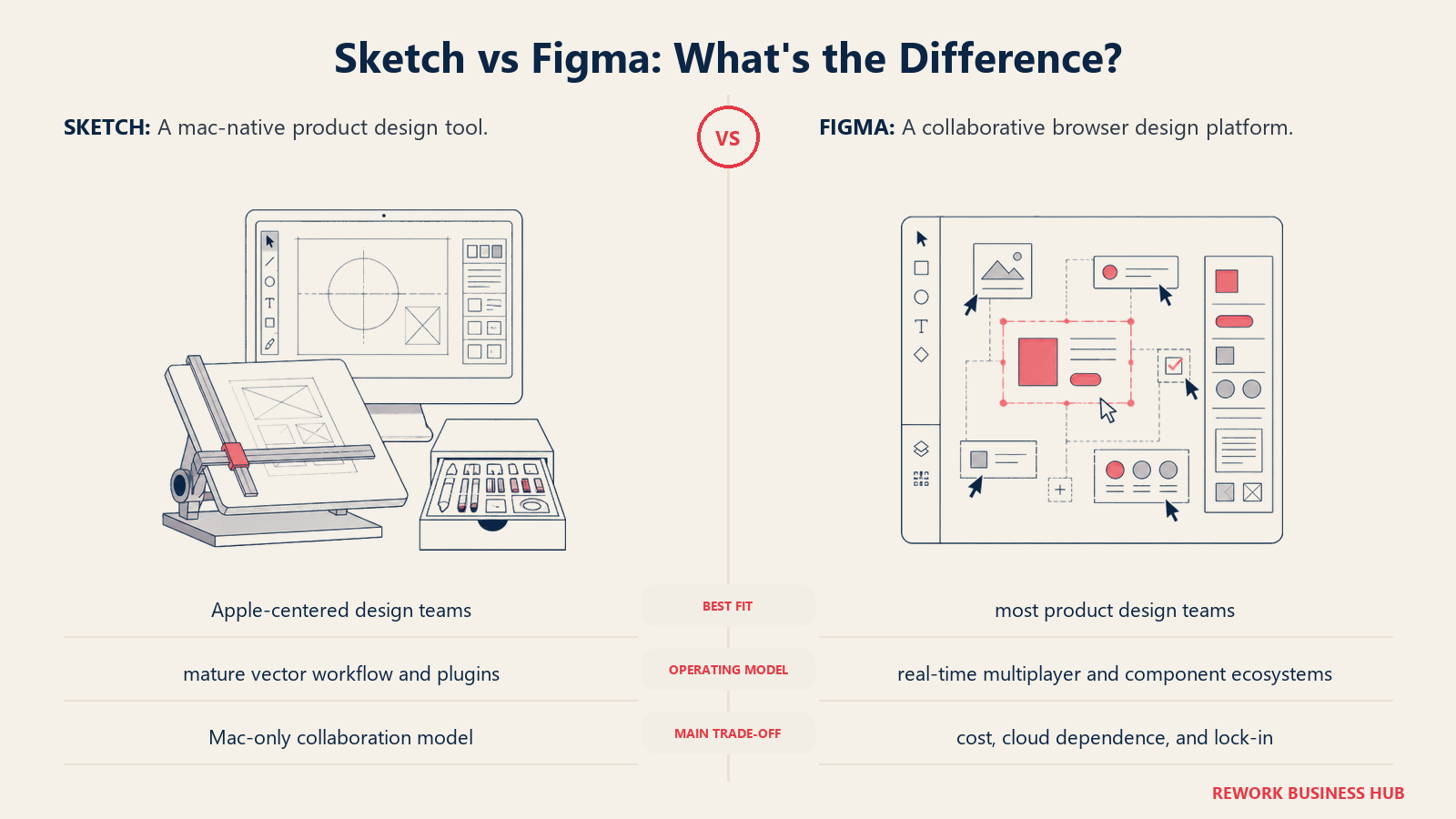
Methodology: Figma's bet from the start was browser-first, multiplayer-by-default. Every design decision the team made -- file format, rendering engine, collaboration primitives -- assumed that multiple people would be in the same file at the same time on different machines. That assumption shaped a genuinely different product from Sketch.
Target audience: Product design teams at startups through enterprise. Marketing design teams. Any team with mixed operating systems. Design leads who need to share work with PMs and engineers without requiring a tool install.
Sizing fit:
| Team Size | Fit |
|---|---|
| Solo designer | Strong -- free Starter plan works |
| Small team (2-10) | Strong -- Professional at $12/editor/mo |
| Mid-size (10-50) | Strong -- Organization adds design system controls |
| Enterprise (50+) | Strong -- Enterprise plan at $90/editor/mo |
Stage fit: Any stage. The free plan removes the cost barrier for early-stage teams. Organization and Enterprise tiers add governance that mature teams need.
Team vs company-wide: Primarily product and marketing design. Cross-functional stakeholders use it as viewers at no cost.
| Pros | Cons |
|---|---|
| Browser-native -- no install required | Organization tier ($45/editor/mo) is expensive |
| Best real-time multiplayer in the category | Large files can still lag on slower hardware |
| Dev Mode for developer code inspect | No true offline mode |
| Massive plugin and template ecosystem | Trust deficit from Adobe acquisition attempt |
Pricing: Free (Starter). Professional at Figma pricing $12/editor/month (annual). Organization at $45/editor/month. Enterprise at $90/editor/month.
Best for: Any team leaving Sketch primarily because of Mac-only limits or collaboration gaps.
2. Penpot -- Open-Source with Real Multiplayer
Penpot is the most credible open-source alternative in this list. It runs in a browser, supports real-time collaboration, uses open web standards (SVG, CSS, HTML), and can be self-hosted with zero licensing cost. For teams that have GDPR concerns, infrastructure requirements, or a philosophical preference for open tooling, Penpot addresses things Figma won't.
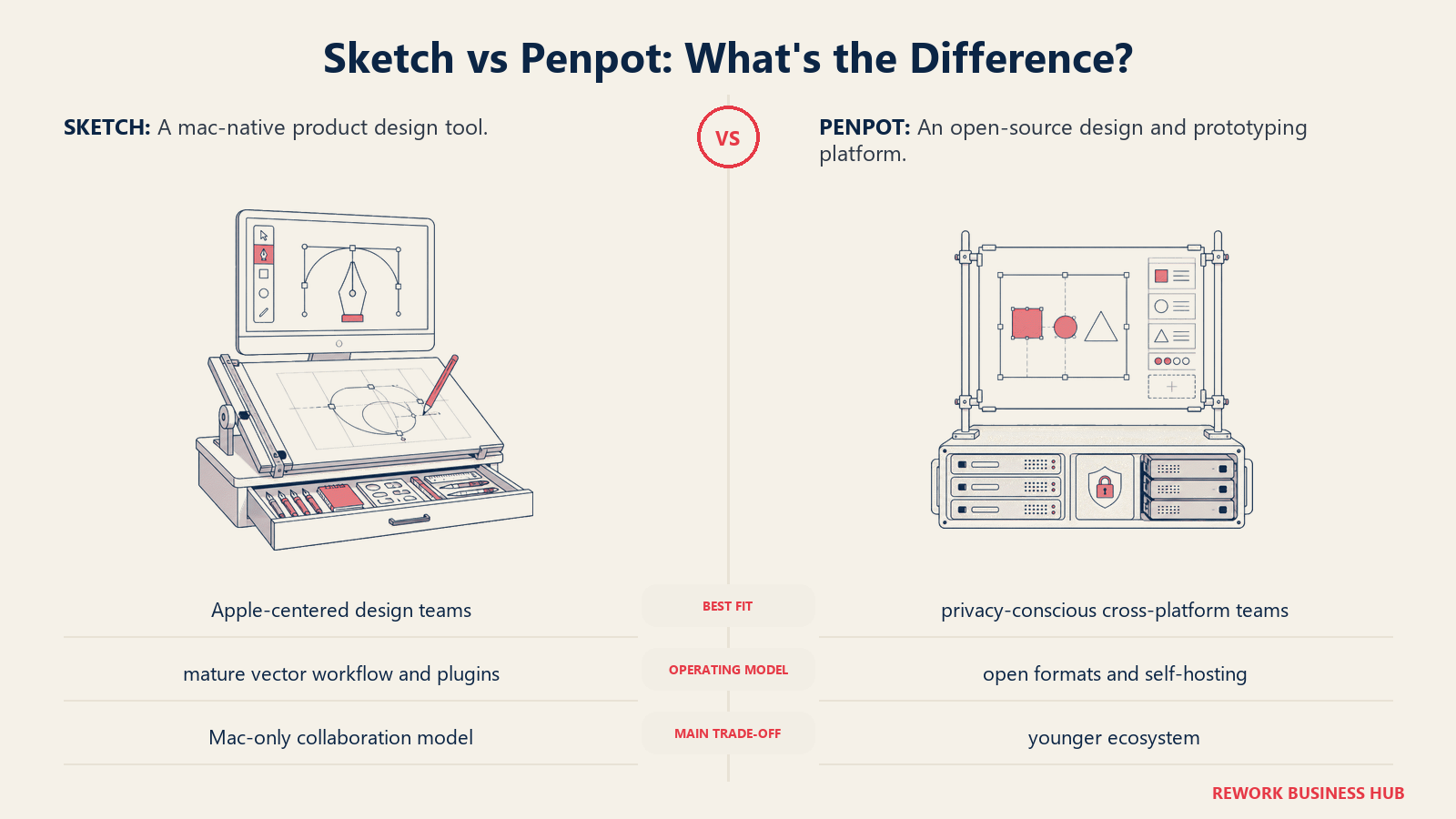
Methodology: Penpot is built by Kaleidos and treats design tooling as open infrastructure. The SVG-first approach means everything you create exports with clean CSS values that developers can use directly, rather than a proprietary format that requires interpretation. The team has been consistent about this: the product is a public utility, not a SaaS moat.
Target audience: Engineering-forward product teams, startups avoiding vendor lock-in, EU companies with GDPR data-residency requirements, design teams at organizations that self-host their software stack. Increasingly, any team that watched the Figma-Adobe acquisition attempt and decided to derisk their toolchain.
Sizing fit:
| Team Size | Fit |
|---|---|
| Solo designer | Excellent -- free, no limits on cloud |
| Small team (2-10) | Strong -- free cloud plan, collaborative |
| Mid-size (10-50) | Good -- Professional plan caps at $175/mo regardless of team size |
| Enterprise (50+) | Viable -- Enterprise plan caps at $950/mo, self-host option available |
Stage fit: Early-stage teams avoiding Figma's per-seat cost curve, and mature companies in regulated industries needing data residency control.
Team vs company-wide: Primarily product design. Can extend to marketing if teams invest in onboarding.
| Pros | Cons |
|---|---|
| Fully open-source (AGPL) -- self-host or cloud | Plugin ecosystem much smaller than Figma |
| CSS-first export (cleaner developer handoff) | Some advanced features still catching up to Figma |
| Real-time collaboration on cloud and self-hosted | Self-hosting requires DevOps setup and overhead |
| Professional plan capped at $175/mo regardless of team size | Community is growing but not as large |
Pricing: Free on Penpot cloud. Professional at $175/month cap (unlimited editors). Enterprise at $950/month cap. Self-hosting is free.
Best for: Teams that want Figma-level real-time collaboration, CSS-accurate handoff, and either need zero cost or need to own their data.
3. Framer -- When Design Needs to Publish
Framer crossed a line that most design tools haven't: it publishes to production. You design something in Framer and it becomes a live website. That capability makes it less relevant for traditional product UI work (you're not publishing your app's interface from Framer), but it's a genuine breakthrough for marketing teams and design engineers building sites.
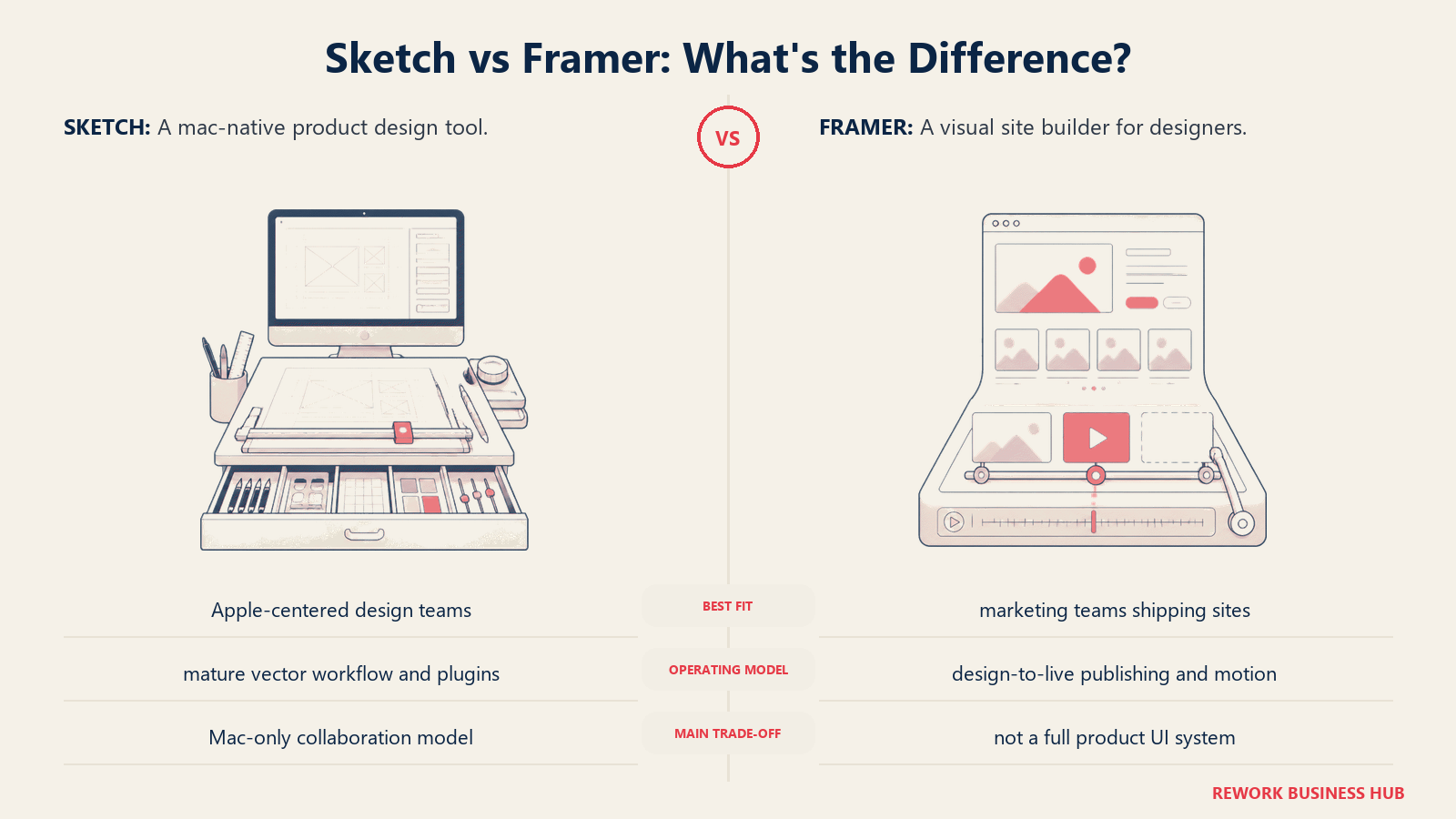
Methodology: Framer merged a design canvas with a website builder that outputs production-ready code. Animations, interactions, and responsive layouts are native to the editor. The product bet is that the gap between design and publishing should disappear for marketing and landing pages. For that use case, it's the strongest tool in this list.
Target audience: Marketing teams, design engineers, growth teams, and agencies building landing pages, campaign microsites, and marketing sites. Product designers who need to prototype high-fidelity interactions also use it -- though for full product UI work, most teams still need a second tool alongside it.
Sizing fit:
| Team Size | Fit |
|---|---|
| Solo designer/founder | Strong -- fast from idea to live site |
| Small team (2-10) | Strong for marketing-forward teams |
| Mid-size (10-50) | Good for marketing teams; product teams need a separate tool |
| Enterprise (50+) | Marketing use only; not for enterprise product UI |
Stage fit: Early-stage teams that need a polished marketing presence without a developer, and growth-stage teams that ship landing pages frequently.
Team vs company-wide: Marketing and growth. Product designers building app UI will need a different primary tool.
| Pros | Cons |
|---|---|
| Design-to-live-website pipeline in one tool | Not built for product app UI design at scale |
| Native animations and micro-interactions | Learning curve for non-technical designers |
| CMS integration for content-driven pages | Pricing scales with editor seats ($20/seat on any plan) |
| Strong template ecosystem | Component logic can get complex quickly |
Pricing: Free (limited). Basic at $10/month. Pro at $30/month. Scale at $100+/month. Additional editor seats cost $20/month each across all plans.
Best for: Marketing teams and design engineers who need to go from design directly to a live published website without a developer handoff.
For teams evaluating a full design stack switch, the best Figma alternatives guide covers a broader set of tools for product UI work, while best Framer alternatives goes deeper on the publish-to-web category if Framer itself doesn't fit.
4. Lunacy -- Free, Cross-Platform, Reads Sketch Files
Lunacy is built by Icons8 and it's genuinely free. Not freemium with a soft wall at five artboards. The core tool -- every design feature, vector editing capability, and export option -- costs nothing. The business model is Icons8's asset library embedded in the app. The tool runs on Windows, macOS, and Linux, and it reads and writes Sketch files natively.
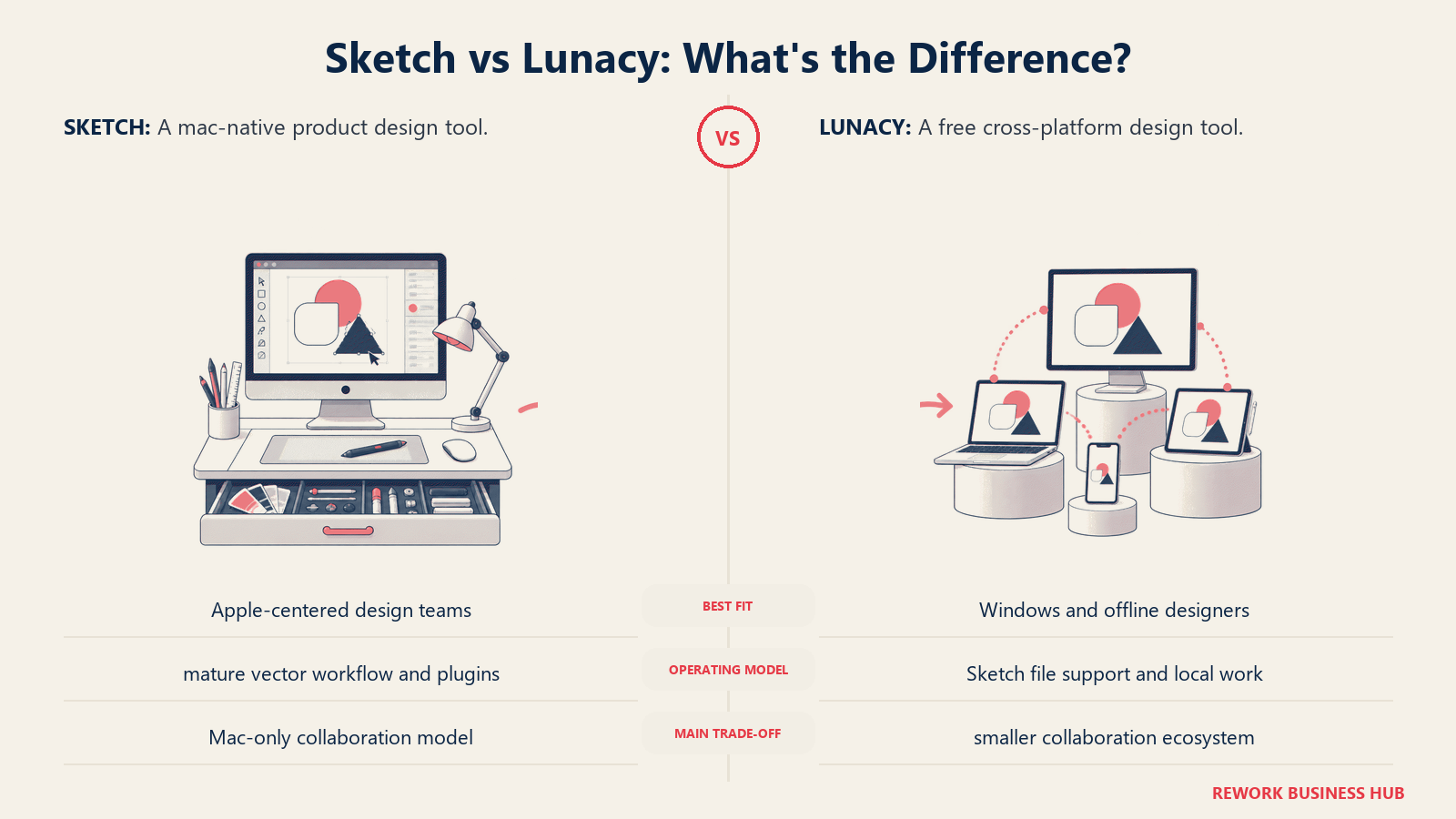
Methodology: Lunacy's philosophy is that professional design tools shouldn't require a subscription. If you're a Sketch user who needs to move to a cross-platform tool without paying per seat, Lunacy is the most direct answer. The Sketch file compatibility means you don't lose your existing work.
Target audience: Windows-first design teams, freelancers and agencies that can't justify per-seat costs, designers who work offline regularly, and teams in markets where Figma's USD pricing creates friction.
Sizing fit:
| Team Size | Fit |
|---|---|
| Solo designer | Excellent -- full features, no cost |
| Small team (2-10) | Good -- real-time collab with cloud plan |
| Mid-size (10-50) | Moderate -- collaboration gaps vs Figma |
| Enterprise (50+) | Not recommended |
Stage fit: Early-stage and bootstrapped teams where design budget is constrained. Freelancers. Teams where Sketch's Mac-only constraint is the primary problem and switching cost needs to be zero.
Team vs company-wide: Product and marketing design. Not a company-wide platform.
| Pros | Cons |
|---|---|
| Free -- no seat limits, no paywalls on core features | Collaboration lags behind Figma and Penpot |
| Reads and writes Sketch files natively | Plugin ecosystem is limited |
| Runs on Windows, macOS, and Linux | Community smaller than the major tools |
| AI tools: background remover, image upscaler | Cloud collaboration requires the paid plan ($4.99/mo) |
Pricing: Free for all core features. Cloud plan at $4.99/month for enhanced collaboration and cloud storage.
Best for: Sketch users on mixed-OS teams who need zero-cost switching and Sketch file compatibility.
5. Adobe XD -- Use Only If You're Already on It
Adobe XD entered maintenance mode in 2024 and has received no meaningful feature updates since. Adobe confirmed it will not invest further in XD following the collapse of the Figma acquisition. The free starter plan is gone. New users can only access XD through Creative Cloud Pro at $69.99/month. The community is shrinking and the plugin ecosystem is stale.
Methodology: XD was built to live inside the Adobe Creative Cloud ecosystem, with tight integration to Photoshop, Illustrator, and After Effects. That architecture still works mechanically. But it's not being improved, and Adobe's future design investment appears to be directed toward Firefly-integrated tools rather than XD.
Target audience: Teams already running Adobe CC subscriptions who are in the middle of XD-based projects and need time to migrate. Not for new adoption.
Sizing fit:
| Team Size | Fit |
|---|---|
| Solo designer | Usable if on CC already -- don't start new projects |
| Small team (2-10) | Migrate immediately |
| Mid-size (10-50) | Migrate with urgency |
| Enterprise (50+) | Honor contracts, run migration in parallel |
Stage fit: No stage fit for new adoption. If you're on XD, treat it as a migration project, not a long-term tool.
Team vs company-wide: Creative and marketing design only. Not for product design.
| Pros | Cons |
|---|---|
| Deep Adobe Photoshop and Illustrator integration | No active development since 2024 |
| Included in existing Adobe CC subscriptions | No standalone plan -- requires CC Pro ($69.99/mo) |
| Repeat grid and auto-animate still functional | Community and plugin ecosystem shrinking fast |
| Works on Mac and Windows | Not worth building new workflows around |
Pricing: Included with Adobe Creative Cloud Pro at $69.99/month. No standalone plan.
Best for: Teams mid-migration who need XD to stay functional while they move to a permanent tool. Don't start here.
6. Affinity Designer -- The Perpetual-License Vector Alternative
Affinity Designer is a professional vector and illustration tool from Serif. It's not trying to be Figma or Sketch -- it doesn't have a collaboration layer, component systems, or developer handoff features. What it has is a powerful vector and raster workspace, a one-time purchase price, no subscription, and support for Windows, Mac, and iPad.
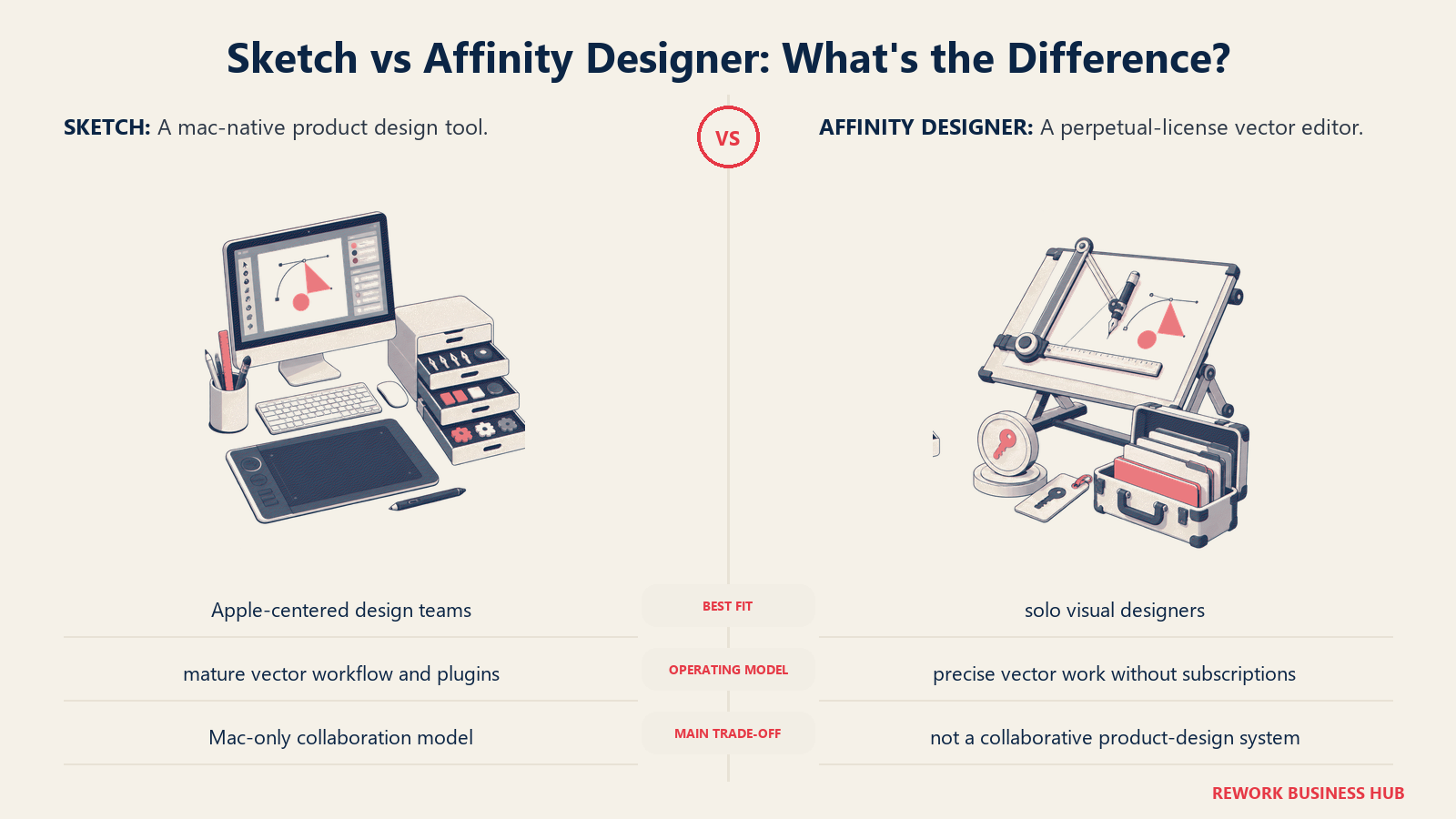
Methodology: Affinity Designer's bet is that professional creative software shouldn't require a monthly payment forever. Buy it once, own it, use it. That model resonates with illustrators, icon designers, and print-oriented creatives who don't need multiplayer prototyping. The tool can handle UI work, but it's not optimized for it the way Sketch or Figma are.
Target audience: Illustrators, icon designers, print designers, and brand designers who need high-quality vector tools without an ongoing subscription. Product designers who do heavy illustration work alongside their UI work. Not ideal for teams that need handoff, components, or prototyping.
Sizing fit:
| Team Size | Fit |
|---|---|
| Solo designer | Excellent -- full features, one-time cost |
| Small team (2-10) | Good for illustration/brand work; not for product UI collaboration |
| Mid-size (10-50) | Limited -- no shared libraries or collaboration layer |
| Enterprise (50+) | Not recommended for UI design workflows |
Stage fit: Any stage for illustration and print work. Startups or freelancers who want professional vector tools without subscription overhead.
Team vs company-wide: Individual tool. Not built for team collaboration or shared design systems.
| Pros | Cons |
|---|---|
| One-time purchase, no subscription | No real-time collaboration |
| Professional vector and raster capabilities | No developer handoff or component library features |
| Works on Mac, Windows, and iPad | Plugin ecosystem minimal compared to Sketch |
| Handles print, brand, and illustration work well | Not a replacement for Sketch's UI-specific workflows |
Pricing: Affinity Designer 2 at $49.99 one-time (Mac/Windows). iPad version at $19.99 one-time.
Best for: Designers who need professional vector tools for illustration, brand, or print work and want to permanently exit subscription software.
7. Axure RP -- When Prototypes Need to Behave Like Software
Axure RP doesn't compete with Sketch on visual design. It competes on prototype complexity. If you need a prototype with conditional logic, dynamic content, multi-state components, and data-driven interactions that behave like real software, Axure is the tool. No other option in this list does that as well.
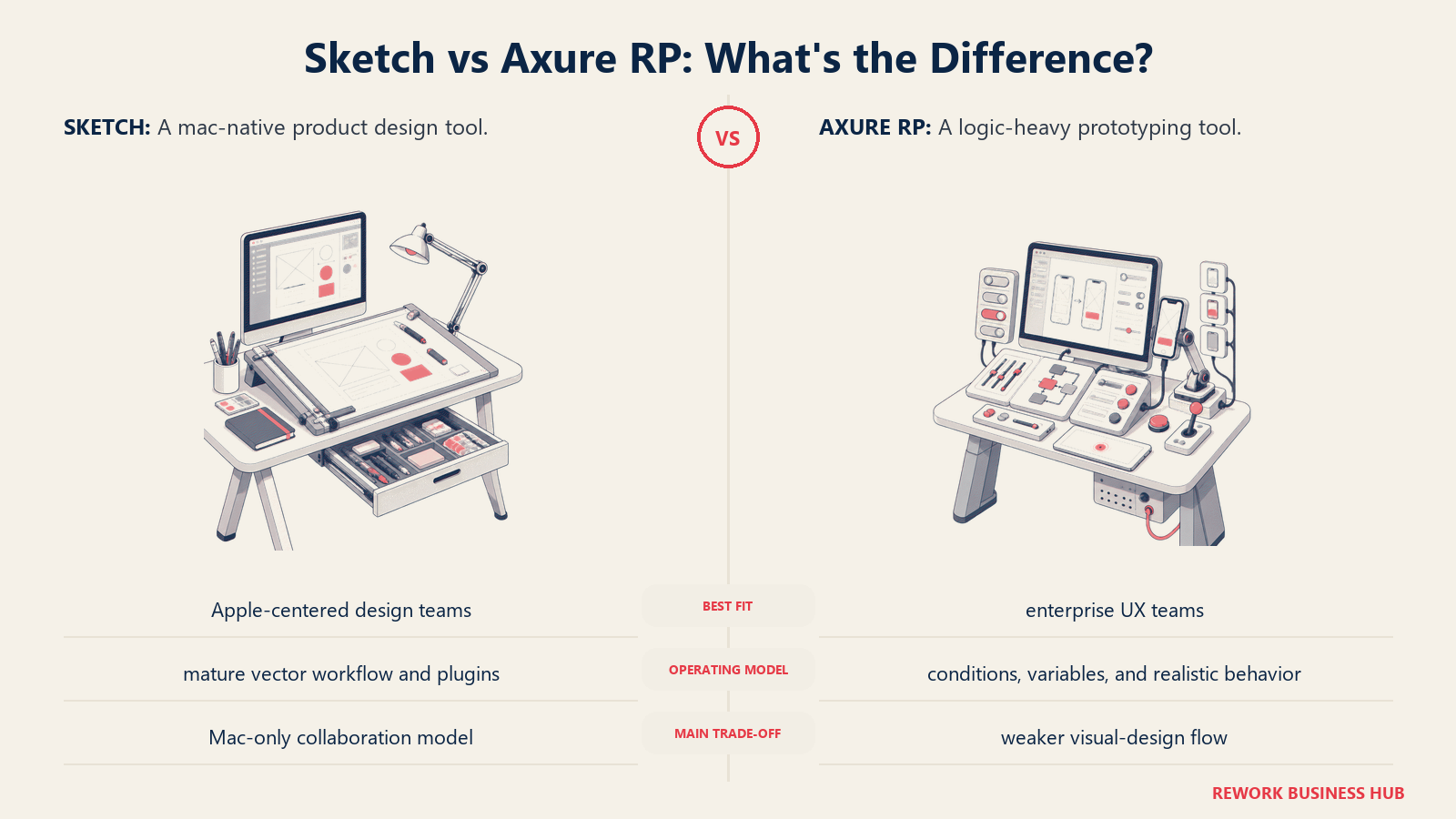
Methodology: Axure treats prototypes as software simulations, not static mockups with click-throughs. You can wire up variables, conditions, and logic that make a prototype behave like a functional application. That's both the purpose and the ceiling: it's for rigorous UX validation before development, not visual polish or design system management.
Target audience: Senior UX designers and UX researchers at enterprise companies. Government, healthcare, and financial services teams that need to validate complex workflows before committing to engineering resources. Not for visual designers or marketing teams.
Sizing fit:
| Team Size | Fit |
|---|---|
| Solo UX researcher | Viable, though expensive |
| Small team (2-10) | Good for UX-heavy teams |
| Mid-size (10-50) | Strong for enterprise UX workflows |
| Enterprise (50+) | Strong, especially in regulated industries |
Stage fit: Mature companies with complex products that need rigorous UX validation before development cycles. Not suited for startups iterating fast with limited design resources.
Team vs company-wide: UX and research team tool. Not cross-functional.
| Pros | Cons |
|---|---|
| Conditional logic and dynamic panels unmatched | Steep learning curve |
| Enterprise-grade prototype fidelity | Visual design capabilities are dated |
| Good documentation and annotation tools | Not collaborative in real-time |
| Outputs to HTML -- no viewer app required | Expensive for small teams |
Pricing: Pro at $29/user/month. Team at $49/user/month. Enterprise custom pricing.
Best for: Enterprise UX teams building logic-heavy prototypes for regulated industries or large-scale applications.
8. UXPin -- Design Systems Synced to Real Code
UXPin built a capability that no other visual design tool has matched: Merge. It lets you import real React components from a codebase directly into the design canvas. Your designers work with the exact components that ship in production -- not pixel copies, the actual code. That eliminates the whole class of problems where a design looks perfect and the implemented version drifts.
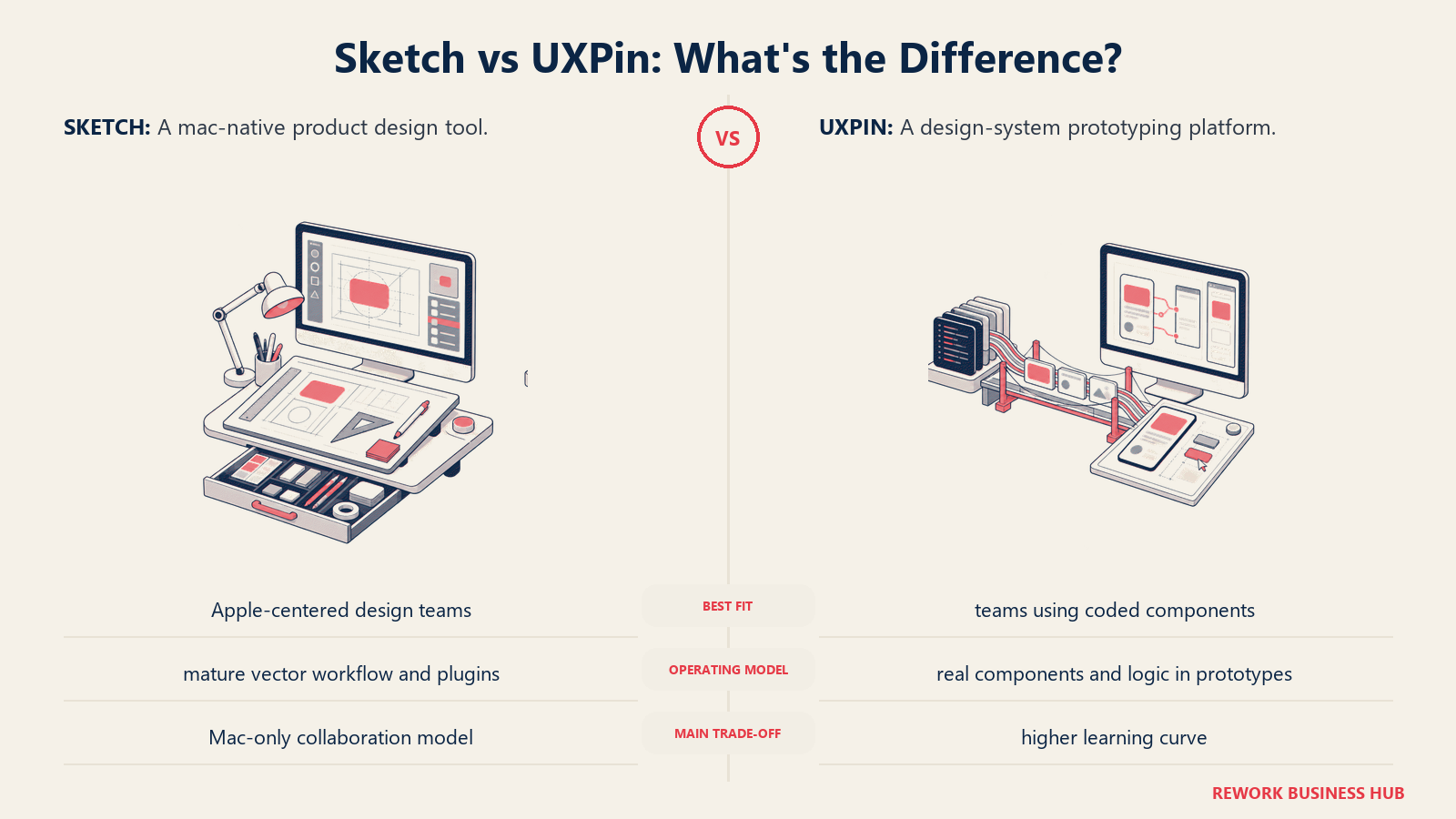
Methodology: UXPin's core philosophy is that design and code should share one component library. The design canvas renders real React or Storybook components, so what you design is what gets built. The tool also includes strong documentation and design system management features that help teams maintain consistency as the system grows.
Target audience: Senior product designers and design system leads at mid-size to enterprise companies with mature React component libraries. Teams that have already invested in building a design system and want to enforce consistency at the code level.
Sizing fit:
| Team Size | Fit |
|---|---|
| Solo designer | Too complex and expensive for solo use |
| Small team (2-10) | Moderate -- only valuable if design system is mature |
| Mid-size (10-50) | Strong -- where the product shines |
| Enterprise (50+) | Strong -- Enterprise plan with SSO and SCIM |
Stage fit: Mature product teams that have a React component library and need to eliminate design-code divergence. Not for teams in early product stages without an existing component system.
Team vs company-wide: Product design and front-end engineering. Not cross-functional.
| Pros | Cons |
|---|---|
| Merge: design with real React or Storybook components | Requires an existing React component library to unlock Merge |
| Strong design system documentation features | Complex onboarding -- not a tool you open and learn in a day |
| States and interactive components built in | Professional plan with Merge jumps to $69/user/mo |
| Good developer handoff and spec tooling | Less intuitive for quick mockups or explorations |
Pricing: Basic at $19/user/month. Advanced at $29/user/month. Professional (includes Merge) at $69/user/month. Enterprise custom.
Best for: Product design teams with a mature React component library who need to close the gap between design and production code at the component level.
If you're evaluating both Figma and UXPin as part of a design stack decision, the best Figma alternatives guide covers the component-sync and design-system angle across a wider set of tools.
9. Marvel -- Fast Prototyping with Built-In User Testing
Marvel is a lightweight prototyping tool that connects design screens into clickable flows and adds user testing directly to the workflow. It's not a Sketch-level design tool -- you won't build high-fidelity UI components here. But if your core need is click-through prototyping and gathering user feedback, Marvel does that with less setup than most alternatives.
Methodology: Marvel treats prototyping as a communication and testing tool, not a design tool. You upload screens from any source -- Sketch exports, Figma exports, images -- and connect them with hotspots. The user testing layer then lets you record sessions, gather click data, and share prototypes for feedback. The scope is deliberate: do one thing simply.
Target audience: Product managers, designers at early-stage companies, UX researchers running quick validation tests, and teams that prototype primarily for stakeholder sign-off rather than developer handoff. Also useful for non-designers who need to communicate product flows.
Sizing fit:
| Team Size | Fit |
|---|---|
| Solo PM or designer | Strong -- free plan covers basic needs |
| Small team (2-10) | Good -- Teams plan at $42/mo covers collaboration |
| Mid-size (10-50) | Moderate -- limited for complex design system work |
| Enterprise (50+) | Limited -- better tools exist at this scale |
Stage fit: Early-stage and growth teams that need fast prototyping and user testing without the overhead of a full design system tool. Particularly useful when a non-designer needs to communicate product ideas visually.
Team vs company-wide: Cross-functional. PMs, designers, and stakeholders can all use it without design training.
| Pros | Cons |
|---|---|
| Combines prototyping and user testing in one tool | Not for high-fidelity UI design or component management |
| Fast to set up -- upload screens, add hotspots | Limited developer handoff capability |
| Works with Sketch and Figma exports | User testing features are basic vs dedicated research tools |
| Integrates with Slack, Jira, Dropbox, Google Drive | Small company, uncertain long-term roadmap |
Pricing: Free (1 user, 1 prototype). Pro at $12/month (annual). Teams at $42/month (annual).
Best for: Teams that need quick clickable prototypes and light user testing, without the learning curve of a full design tool.
10. Pixso -- Cross-Platform Budget Alternative with AI
Pixso is a browser-based design tool with desktop apps for Windows and macOS that positions itself as a Figma-compatible, budget-friendly alternative. It imports Sketch, Figma, and Adobe XD files, has real-time collaboration, and is adding AI-powered features aggressively. At $8/month for a Pro account, it's the most affordable fully-featured option in this list.
Methodology: Pixso's positioning is explicit: bring Figma-level collaboration to teams priced out of Figma, particularly in Asia-Pacific markets where USD pricing creates friction. The product has moved fast on AI features -- auto-layout, component generation, and design-to-code tools -- and the file compatibility story (import from Figma, Sketch, XD) lowers switching costs.
Target audience: Budget-conscious product design teams, teams in markets where Figma's pricing is prohibitive, and designers transitioning from Sketch who want to import existing files and keep working immediately.
Sizing fit:
| Team Size | Fit |
|---|---|
| Solo designer | Strong -- affordable Pro plan |
| Small team (2-10) | Good -- real-time collaboration included |
| Mid-size (10-50) | Moderate -- newer ecosystem, less proven at scale |
| Enterprise (50+) | Not recommended -- ecosystem too young |
Stage fit: Early-stage teams that need collaborative, cross-platform tooling at low cost. Teams doing a cost-driven migration from Sketch or Figma.
Team vs company-wide: Product and UI design. Not a company-wide platform.
| Pros | Cons |
|---|---|
| Imports Figma, Sketch, and Adobe XD files | Smaller community and plugin ecosystem |
| Windows, macOS, and browser -- genuinely cross-platform | Newer product, less battle-tested at enterprise scale |
| Real-time collaboration built in | Documentation and support thinner than established tools |
| AI features for layout and code generation | Long-term product stability less proven |
Pricing: Free (limited team projects). Pro at $8/month per user.
Best for: Budget-sensitive teams on mixed OS who need Sketch file import and real-time collaboration at low cost.
11. Quant-UX -- Open-Source UX Research Plus Prototyping
Quant-UX is the only fully open-source tool in this list that combines prototyping with built-in UX analytics. You can build interactive prototypes, run A/B tests, and collect usage data from test participants -- all in one tool, at zero cost. It's not a Sketch replacement for visual design work. But for teams that need low-fidelity prototyping with quantitative research attached, there's nothing comparable at the price.
Methodology: Quant-UX treats prototyping and UX research as a single workflow, not two separate tools. The prototype is also the research instrument: it records clicks, time-on-task, and navigation paths automatically. The open-source model (hosted on GitHub, self-hostable) means you own your data.
Target audience: UX researchers, product managers, and lean design teams that need to validate flows quantitatively before committing to visual design. Teams at organizations that self-host their toolchain. Academic and nonprofit design teams.
Sizing fit:
| Team Size | Fit |
|---|---|
| Solo UX researcher | Excellent -- zero cost, full features |
| Small team (2-10) | Good -- collaborative research workflows |
| Mid-size (10-50) | Moderate -- limited visual design depth |
| Enterprise (50+) | Not recommended for visual UI design |
Stage fit: Early-stage teams doing lean UX validation. Research teams at any stage that need quantitative prototype data without a dedicated research tool budget.
Team vs company-wide: UX research and product. Not a visual design platform.
| Pros | Cons |
|---|---|
| Free and open-source -- no cost, no seat limits | Visual design capabilities are basic |
| A/B testing and analytics built into prototypes | Not suitable for high-fidelity UI design |
| Self-hostable -- own your research data | Smaller community than established tools |
| Design tokens and component support | Not a Sketch replacement for production UI work |
Pricing: Free and open-source. Self-hostable. Cloud version free to use.
Best for: UX researchers and lean product teams that need to run quantitative prototype tests at zero cost.
12. Pixso AI + Plasmic (Honorable Mention): Design-to-Code Tools
Two tools worth knowing if your primary reason for leaving Sketch is the design-to-development handoff:
Plasmic is a visual design tool that outputs real production React code. Designers build components visually; developers import them directly into a Next.js or React codebase. It closes the handoff gap entirely for teams with a React stack, though it requires developer setup and comfort. Pricing starts free (hobby), with Starter at $49/month and Growth at $149/month. It's a strong pick for engineering-led product teams where a designer and a developer work as a pair.
For a broader comparison of tools in the whiteboard and visual collaboration category that often complement a design tool switch, the best Miro alternatives guide covers tools that handle async collaboration and diagramming alongside your core design tool. Teams rebuilding the full creative stack may also find best Canva alternatives useful for the marketing and template-driven side of design work.
Stage Fit Matrix
| Tool | Startup (0-10) | Growth (10-50) | Mid-Market (50-200) | Enterprise (200+) |
|---|---|---|---|---|
| Figma | Excellent | Excellent | Strong | Strong |
| Penpot | Excellent | Strong | Good | Viable (self-hosted) |
| Framer | Excellent | Strong (marketing) | Good (marketing) | Limited (marketing only) |
| Lunacy | Excellent | Good | Moderate | Not recommended |
| Adobe XD | Avoid new use | Avoid new use | Migrate | Migrate away |
| Affinity Designer | Excellent (solo/illus.) | Good (illustration) | Limited | Not recommended |
| Axure RP | Limited | Moderate | Strong | Strong |
| UXPin | Limited | Moderate | Strong | Strong |
| Marvel | Excellent | Strong | Moderate | Limited |
| Pixso | Excellent | Good | Moderate | Not recommended |
| Quant-UX | Excellent | Good | Moderate | Not recommended |
Sizing and Persona Table
| Tool | Team Size Sweet Spot | Primary Buyer | Secondary Buyer |
|---|---|---|---|
| Figma | 2-200+ designers | Design Lead / Head of Product | VP Engineering |
| Penpot | 1-100+ | CTO / VP Engineering | Design Lead |
| Framer | 1-20 | Head of Marketing | Design Engineer |
| Lunacy | 1-20 | Individual Designer | Design Manager |
| Adobe XD | Legacy users only | Existing CC admin | N/A |
| Affinity Designer | 1-5 (solo/freelance) | Individual Designer | Freelancer |
| Axure RP | 5-200 (UX focus) | Director of UX | UX Researcher |
| UXPin | 10-200+ | Design System Lead | VP Product |
| Marvel | 1-30 | Product Manager | UX Designer |
| Pixso | 2-30 | Design Manager | Individual Designer |
| Quant-UX | 1-20 (research focus) | UX Researcher | Product Manager |
How to Choose: Decision Framework
| If you need... | Choose |
|---|---|
| Cross-platform real-time collaboration (the main Sketch gap) | Figma |
| Open-source, self-hosted, or EU data control | Penpot |
| Design that publishes directly to a live website | Framer |
| Free cross-platform tool that opens Sketch files | Lunacy |
| Complex conditional logic in prototypes | Axure RP |
| Design synced to real React components | UXPin |
| Quick clickable prototypes with user testing | Marvel |
| Affordable cross-platform UI design with Sketch import | Pixso |
| Free quantitative UX research and prototyping | Quant-UX |
| One-time purchase vector tool without a subscription | Affinity Designer |
| A stopgap while migrating off Adobe CC | Adobe XD (temporarily) |
| The best overall Sketch alternative for most teams | Figma (start here) |
What to Do Next
Pick your top two tools from the decision framework, then run a two-week working pilot -- not a demo, not a features checklist. Take one real active project and build it in each tool. The friction you feel on day five, or the speed you find by day ten, tells you more than any comparison article.
If cross-platform access and collaboration are the primary reasons you're leaving Sketch, start with Figma and Penpot. They're the two tools that directly address those gaps, and both have free tiers you can test with your actual team before committing to a paid plan. If your team is Mac-only but cost is the friction point, Lunacy's free tier is worth a serious look -- the Sketch file compatibility means you can migrate existing work without rebuilding.
For teams rebuilding the broader design and marketing stack at the same time, the best Webflow alternatives covers the site-builder side of the design toolchain, and the best Miro alternatives covers whiteboarding and visual collaboration tools that often sit alongside a UI design tool in the same tooling review.
Camellia writes about product design and tooling for B2B teams. Last updated June 2026.

Principal Product Marketing Strategist
On this page
- Quick Comparison Table
- 1. Figma -- The Obvious First Look
- 2. Penpot -- Open-Source with Real Multiplayer
- 3. Framer -- When Design Needs to Publish
- 4. Lunacy -- Free, Cross-Platform, Reads Sketch Files
- 5. Adobe XD -- Use Only If You're Already on It
- 6. Affinity Designer -- The Perpetual-License Vector Alternative
- 7. Axure RP -- When Prototypes Need to Behave Like Software
- 8. UXPin -- Design Systems Synced to Real Code
- 9. Marvel -- Fast Prototyping with Built-In User Testing
- 10. Pixso -- Cross-Platform Budget Alternative with AI
- 11. Quant-UX -- Open-Source UX Research Plus Prototyping
- 12. Pixso AI + Plasmic (Honorable Mention): Design-to-Code Tools
- Stage Fit Matrix
- Sizing and Persona Table
- How to Choose: Decision Framework
- What to Do Next