Best AI Dubbing Tools in 2026: 12 Tools Compared on Cost per Dubbed Minute
Turn this article into takeaways for your work.


Each assistant summarizes the article only for you and suggests best practices for your work.
If you dub a few hours of video a month and want the lowest bill, AI Studios and Kapwing are the cheapest entries on paper. If you want the most control over a transcript before anything renders, Rask AI and ElevenLabs are the two to trial first. And if your video already lives in an avatar tool, HeyGen's translation is built in and may be all you need.
This guide is for the owner, CMO, head of growth, training lead or agency operator who already has finished English video and now wants it in Spanish, German or Portuguese without a studio. It is narrower than our broader pages on AI translation tools and AI voice generators: those cover text and synthetic narration in general, while this one covers only the job of taking an existing video and producing a dubbed version of it. We priced every tool on the same two workloads, name a real limitation for each, and say plainly where a vendor publishes no dubbing price. Papercup, once a name on every list like this, is now part of RWS and sells to enterprise clients only, so it is mentioned below as a former option rather than ranked.
Key Facts
- 91% of businesses use video as a marketing tool and 63% of video marketers have used AI tools to create or edit marketing video, per Wyzowl's State of Video Marketing 2026.
- 76% of online shoppers prefer products with information in their own language, and 40% say they will not buy from websites in other languages, in a survey of 8,709 consumers across 29 countries by CSA Research (2020).
- Creators testing multi-language audio on YouTube saw over 15% of their watch time come from views in a video's non-primary language, according to YouTube's own announcement (measured January 2023).
- ElevenLabs lists Automatic Dubbing v2 at 90+ languages and accents, with 44 minutes included on its $99 per month Pro plan and extra minutes at $2.23 each (ElevenLabs dubbing).
- Rask AI lists 135+ translation languages, lip-sync from its $99 per month Creator Pro plan, and extra minutes at $3 (Rask AI pricing).
Quick Comparison Table
| Tool | Best for | Entry paid plan | Dubbing language count | Key strength | Key limitation |
|---|---|---|---|---|---|
| ElevenLabs | Voice quality and per-clip control | $6 per month (Starter, monthly) | 90+ languages and accents | Transcript editing, speaker reassignment | Per-minute extras add up fast |
| Rask AI | Marketing and training teams | $39 per month (Creator, monthly) | 135+ translation, cloning in 32 | Edit before render, SRT, lip-sync | Lip-sync starts at the $99 tier |
| HeyGen | Teams already making avatar video | $29 per month (Creator, monthly) | 175+ languages and dialects | Translation on every plan | No published per-minute rate |
| Speechify Studio | Annual budgets, voiceover plus dubbing | $100 per year (Starter, annual only) | 60+ languages and accents | Low flat annual price | No monthly option, lip-sync not stated |
| Dubverse | Small creators on a budget | $18 per month (Pro, monthly) | Confirm with vendor | Cheap entry | About 12.5 dubbed minutes a month |
| Akool | Face swap and translation together | $12 per seat per month (annual) | Confirm with vendor | Paid plans have no watermark | Credit cost per feature not published |
| Captions | Short social video | $24.99 per month (Max) | Confirm with vendor | AI Translate and AI Lipdub on paid | Credit cost per minute not published |
| Vidnoz | Budget avatar and translation | $26.99 per month (Starter) | Confirm with vendor | Low entry price | Translation sits on the Business tier |
| AI Studios | Lowest cost at moderate volume | $24 per month (Personal) | 73 for dubbing | 120 dubbing minutes included | Voice cloning only on Team |
| Kapwing | Editors who want dubbing in the timeline | $24 per month (Pro) | Confirm with vendor | Dubbing inside a full editor | Dubbing capped at 50 or 200 minutes |
| Murf | Voiceover teams that also dub | Dubbing price not published | 40+ | 100 free dubbing minutes at sign-up | No dubbing rate, lip-sync "coming soon" |
| Deepdub | Studios and media localization | Pricing on request | Not published | Enterprise localization | No self-serve price |
Which Kind of Dubbing Do You Actually Need?
"AI dubbing" covers three different jobs, and the tools split along those lines. Knowing which one you have saves a week of trials.
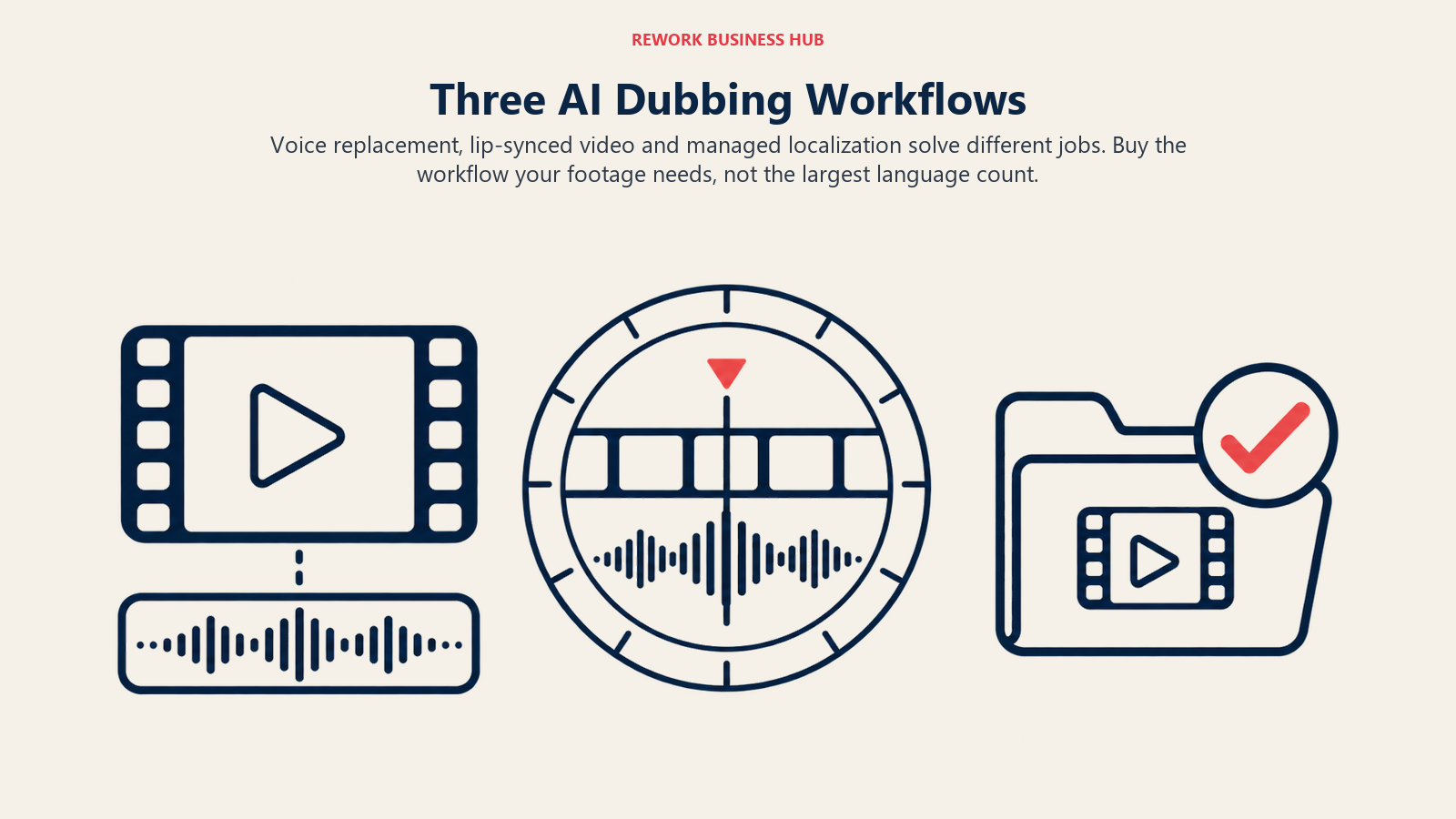
The first is voice-over replacement: you keep the picture and swap the audio track for another language. This is what most training videos, webinars and YouTube channels need, and lip-sync barely matters because the speaker is rarely in tight close-up. ElevenLabs, Rask AI, Speechify Studio and AI Studios are the natural fits.
The second is visual dubbing with lip-sync: the mouth movements are re-rendered so the speaker appears to talk in the new language. This matters for founder-to-camera ads, testimonials and spokesperson clips. Rask AI, HeyGen, Captions and AI Studios offer it, and it costs more in credits everywhere it appears.
The third is managed localization: an enterprise vendor runs the AI, adds human review, and returns a finished asset. Deepdub is the clearest example here, and Papercup's former customers now go through RWS.
| Your situation | Job to buy | Start with |
|---|---|---|
| Weekly webinar or course in one source language | Voice-over replacement | AI Studios, Rask AI |
| Founder or customer on camera, close-up | Visual dubbing with lip-sync | Rask AI, HeyGen |
| Short social clips, many per week | Quick dub with captions | Captions, Kapwing |
| Film, series or broadcast catalogue | Managed localization | Deepdub |
| Developer pipeline or API volume | Voice AI platform | ElevenLabs, Deepdub |
What Dubbing Costs at a Real Volume
Headline prices tell you almost nothing, because dubbing is metered in different units: dubbed minutes, credits, seconds or video counts. The only fair comparison is a fixed workload. We used two.
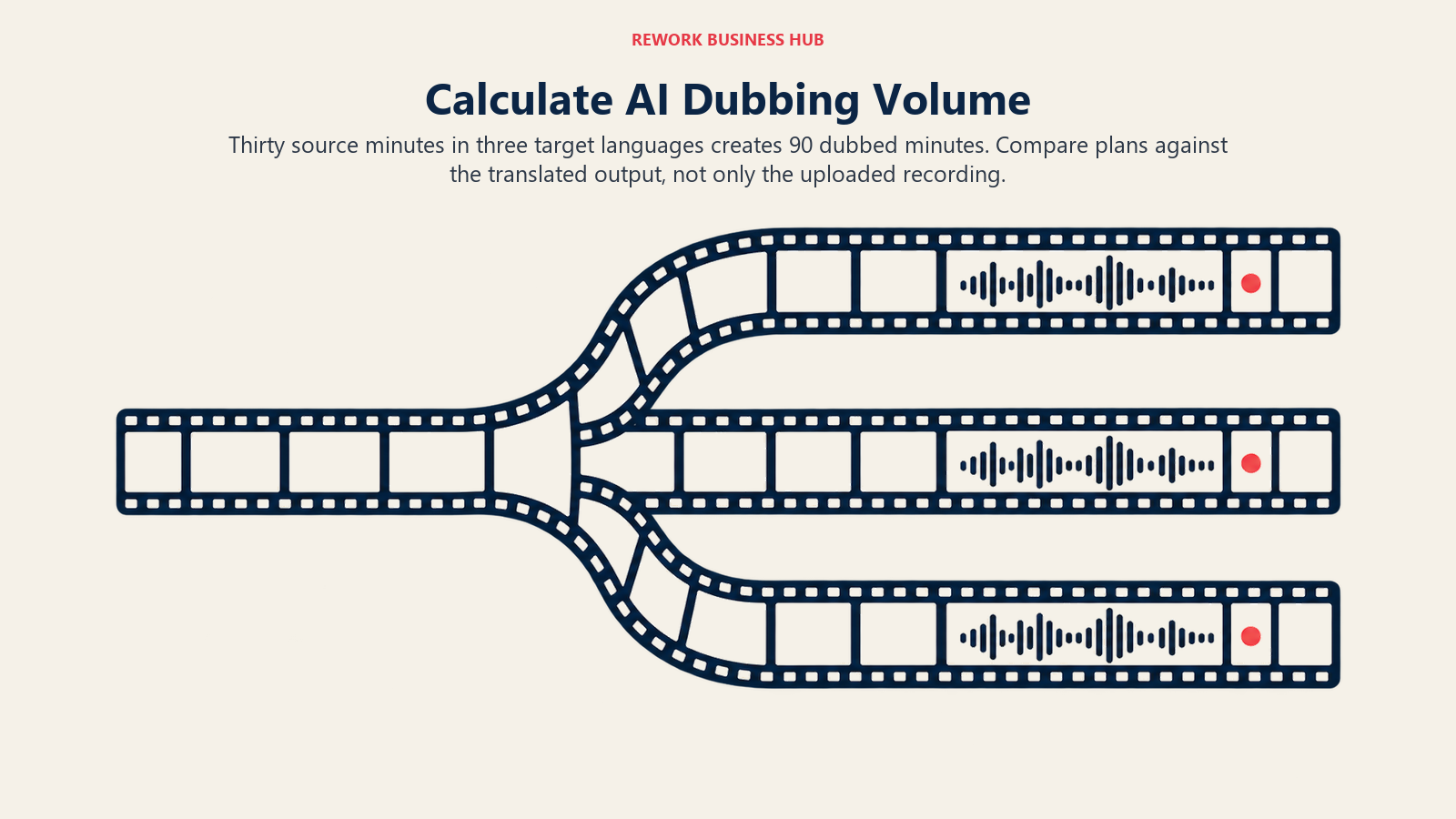
- Workload A: 30 minutes of source video a month dubbed into 3 languages, which is 90 dubbed minutes.
- Workload B: 120 minutes of source video a month dubbed into 3 languages, which is 360 dubbed minutes.
We assume each target language counts as its own dubbed minute, which is how Rask AI states it (a 5-minute video into 2 languages is 10 minutes). Where a vendor does not say whether languages are counted separately, confirm that before you buy. Plans quoted are the cheapest one that covers the workload, with the vendor's own billing term shown.
Workload A: 30 source minutes into 3 languages (90 dubbed minutes)
| Tool | Plan that fits | Cost | Approx. per dubbed minute | Note |
|---|---|---|---|---|
| AI Studios | Personal | $24 per month | $0.27 | 120 dubbing minutes included |
| Speechify Studio | Studio Creator | $300 per year, annual only | $0.28 | 1,080 minutes a year needed, plan gives about 1,920 |
| Kapwing | Business | $64 per month ($50 per month billed annually) | $0.71 | 200 dubbing minutes cap |
| Rask AI | Creator Pro | $99 per month ($67 per month billed annually) | $1.10 monthly | 100 minutes, includes lip-sync |
| ElevenLabs | Pro plus extras | $99 plus 46 extra minutes at $2.23, about $201.58 per month | $2.24 | 44 minutes included |
| HeyGen | Not priceable | Credit pool, no per-minute rate | n/a | Confirm credits per minute with the vendor |
| Dubverse | Pro | 50 credits, dubbing uses 4 credits a minute | n/a | Covers about 12.5 minutes, top-up price not published |
| Akool, Captions, Vidnoz | Not priceable | Credit cost for translation not published | n/a | Test one clip and read the credit counter |
| Murf, Deepdub | Not priceable | Dubbing price not published | n/a | Sales conversation required |
Workload B: 120 source minutes into 3 languages (360 dubbed minutes)
| Tool | Plan that fits | Cost | Approx. per dubbed minute | Note |
|---|---|---|---|---|
| AI Studios | Team, two seats | $110 per month ($55 per seat) | $0.31 | Confirm the 240-minute allowance is per seat |
| Rask AI | Business plus extras | $249 plus 110 extra minutes at $3, about $579 per month; $167 per month billed annually plus the same extras, about $497 | $1.61 monthly | 250 minutes included |
| ElevenLabs | Pro plus extras | $99 plus 316 extra minutes at $2.23, about $803.68 per month | $2.23 | Extras dominate the bill |
| Speechify Studio | Above Creator allowance | 360 minutes a month is 4,320 a year, over the 1,920 in Creator | n/a | Talk to sales |
| Kapwing | Above the cap | Business caps dubbing at 200 minutes | n/a | Enterprise needed |
| HeyGen, Akool, Captions, Vidnoz, Dubverse | Not priceable | Credit-based, no published translation rate | n/a | Run a pilot |
| Murf, Deepdub | Not priceable | Dubbing price not published | n/a | Sales conversation required |
Three things stand out. First, the cheapest rows are plans where dubbing is a bundled allowance rather than a metered extra, and the most expensive are plans where each extra minute carries a price of its own. Second, ElevenLabs is priced for quality and control, not for volume: past the included minutes, the bill grows in a straight line. Third, nearly half the field cannot be priced at all from public pages, which is itself a finding. If a vendor will not tell you what a dubbed minute costs, run a one-clip pilot and read the credit counter before and after.
1. ElevenLabs: The most control over voice and timing
ElevenLabs is the benchmark most buyers hold the others against. Its dubbing page sells Automatic Dubbing v2 with 90+ languages and accents and automatic voice cloning of the original speaker, and a separate human-in-the-loop service, ElevenProductions, for work that needs a person to sign off.
Pricing. Plans run from Free (10,000 credits a month) through Starter at $6 per month ($5 per month billed annually, $50 a year), Creator at $22 per month, Pro at $99 per month and Scale at $299 per month. The dubbing page lists included Automatic Dubbing v2 minutes of 0.4 on Free, 2 on Starter, 9 on Creator and 44 on Pro, with extra minutes at $4.91, $2.70, $2.45 and $2.23 respectively. The pricing-page FAQ still quotes older credit rates for dubbing, so work from the plan cards and the dubbing page rather than from the FAQ. See the ElevenLabs pricing page.
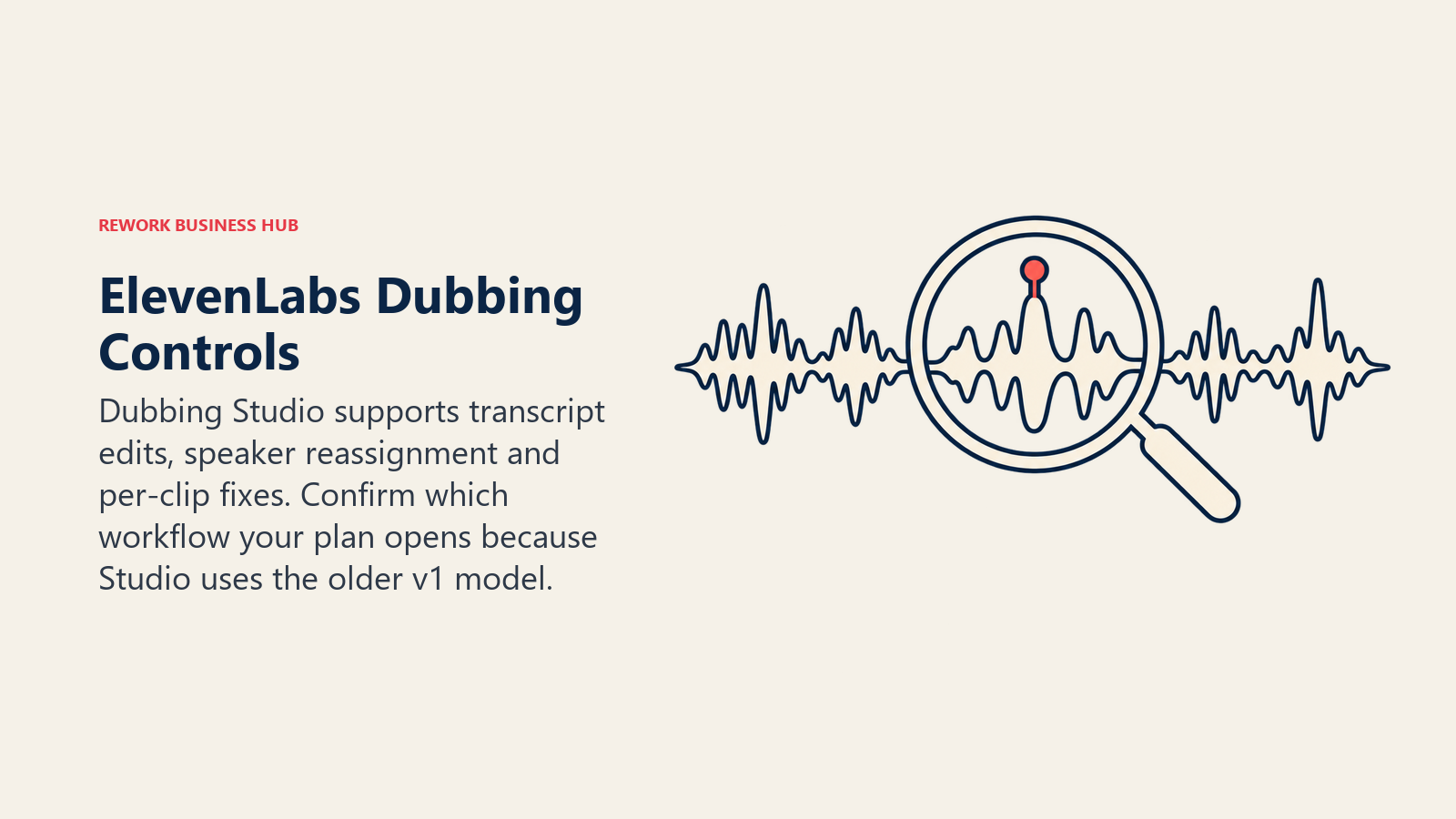
What it does well. The older Dubbing Studio lets you edit the transcript, reassign speakers and regenerate single clips, and it handles up to 32 speakers per file. Uploads are limited to 1 GB and 45 minutes, and the output is a preview-quality mix, so for production you replace the audio track on your original video. That Studio runs on the v1 model, which ElevenLabs describes as in maintenance mode, so check which workflow your plan actually opens before you commit.
Limitations. Lip-sync is not described on its pricing or dubbing pages, so if you need re-rendered mouths, confirm it first. Whether the newest dubs carry a watermark by plan is also not spelled out.
Best for: teams where voice quality and per-clip fixes matter more than the bill. Not ideal for: high-volume, low-margin localization.
2. Rask AI: Built around editing before you render
Rask AI sells a single idea well: the workflow is upload, review, fix, then render. It translates video and audio into 135+ languages, detects how many people are speaking, and clones voices in 32 languages.
Pricing. Plan cards show a 3-minute free trial, then Creator at $39 per month ($28 per month billed annually, $329 a year) for 25 minutes a month, Creator Pro at $99 per month ($67 billed annually, $799 a year) for 100 minutes with lip-sync, and Business at $249 per month ($167 billed annually, $1,999 a year) for 250 minutes. Extra minutes are $3. Metering is minutes of translated output, so a 5-minute video into 2 languages uses 10. Standard lip-sync is billed 1:1, enhanced lip-sync (beta) costs 3 minutes per video minute, and on-screen text translation costs 3 minutes per video minute on Business and Enterprise. Rollover applies on annual plans only. The FAQ on the same page carries outdated prices, so use the plan cards at Rask AI pricing.
What it does well. You can edit both the transcript and the translation before rendering, download and upload SRT files, and keep a translation dictionary so a product name comes out the same way every time. Enterprise adds SSO, SOC 2 Type II and human-in-the-loop review.
Limitations. Lip-sync is gated to the second tier, and enhanced lip-sync triples your minute burn. The Creator tier's 25 minutes covers only about eight source minutes into three languages.
Best for: marketing and training teams that edit scripts before publishing. Not ideal for: anyone who needs lip-sync on a Creator budget.
3. HeyGen: Translation that comes with the avatar tool
HeyGen puts video translation on every plan, including Free. Its translate page lists 175+ languages and dialects, up to 10 languages from one upload, lip-sync, tone-preserving voice cloning and an "Edit and Review" step to proofread the translated script.
Pricing. Free gives 3 videos a month up to 1 minute each with a watermark. Creator is $29 per month ($24 per month billed annually) with a 30-minute maximum video length, Pro starts at $49 per month with script proofreading, Business is $149 per month plus $20 per added seat with a 60-minute maximum, and Enterprise has no maximum and adds proofreader seats. All of it runs on a shared monthly credit pool, and no per-minute translation rate is published, which is why HeyGen cannot be priced in the worked tables above. See HeyGen pricing and our deeper page on HeyGen alternatives.
Limitations. Multi-speaker handling is not described on its translate page. Without a published credit-per-minute rate, budgeting means a pilot.
Best for: teams already making avatar or talking-head video who want one login. Not ideal for: predictable per-minute budgeting.
4. Speechify Studio: Flat annual pricing and a dubbing studio
Speechify is better known as a reading app, but its Studio product is separate and includes Voiceover Studio and Dubbing Studio. Dubbing covers 60+ languages and accents.
Pricing. Studio is sold on annual billing only: Free gives 600 credits with no commercial rights, Starter is $100 a year for 86,400 credits, and Creator is $300 a year for 345,600 credits. Voiceover uses 1 credit per second and dubbing uses 3, so Starter covers about 480 dubbing minutes a year and Creator about 1,920. The consumer Premium plan is a different product and does not include Studio dubbing. See Speechify Studio pricing.
Limitations. No monthly billing is shown. Lip-sync and voice cloning for dubbing are not stated, and the free tier's 600 credits are about three dubbing minutes and are not licensed for commercial use.
Best for: teams that want a fixed annual spend. Not ideal for: anyone who needs lip-sync or a month-to-month trial.
5. Dubverse: A cheap door into dubbing
Dubverse prices in credits across three actions: DUB at 4 credits a minute, SUB (subtitles) at 1 credit a minute and SAY (text to speech) at 2 credits a minute.
Pricing. Pro is $18 per month ($9 per month billed annually, $108 a year) and Supreme is $30 per month ($15 billed annually, $180 a year). Both include 50 credits a month, which is about 12.5 dubbed minutes. Pro videos can run under 60 minutes and Supreme under 150. Voice cloning is Supreme only, and lip-sync with custom voice models is Enterprise only. There is no free plan. See Dubverse pricing.
Limitations. The included allowance is small, and the price of extra credits is not on the page.
Best for: a solo creator dubbing a few videos a month. Not ideal for: a team with a library to localize.
6. Akool: Face and voice tools under one roof
Akool combines video translation with face swap and avatar features, and prices per seat in credits.
Pricing. Starter is $12 per seat per month billed annually ($144 a year) with 200 credits, Pro is $21 per month billed annually ($252 a year) or $30 monthly with 600 credits, Pro Max is $41.30 annual or $59 monthly with 1,200 credits, and Business is $174.30 annual or $249 monthly with 6,000 credits. Paid plans have no watermark. The free plan adds a full-screen watermark, 720p output and translation uploads up to 5 minutes, with no voice clone. See Akool pricing.
Limitations. The credit cost of translation and lip-sync is not published, so you cannot forecast spend before testing.
Best for: teams that also use face swap or avatar features. Not ideal for: budgeting without a pilot.
7. Captions: AI Translate and AI Lipdub for short video
Captions is now one product under the Mirage company. AI Translate and AI Lipdub are included on its paid plans, and the free plan carries neither.
Pricing. Max is $24.99 per month with 500 credits, and Frontier runs $69.99 per month (1,400 credits), $139.99 (2,800) and $279.99 (5,600). Annual billing is offered but no annual figure is shown. The older $9.99 Pro tier is gone. Credits roll over up to three times the monthly allowance. See Captions pricing.
Limitations. Confirm the language list and the credit cost per minute of translation with the vendor.
Best for: founders and social teams dubbing short clips inside a phone-first editor. Not ideal for: long-form training or webinars.
8. Vidnoz: Budget avatars with translation on a higher tier
Vidnoz is an avatar-video platform that added translation. Its prices come in credit tiers.
Pricing. Starter is $26.99 per month ($19.99 per month billed annually, $239.88 a year) for 450 credits, and Business is $74.99 per month ($56.99 billed annually) for 900 credits. Video generation uses 0.5 credit per second, so 450 credits is about 15 minutes, and a paid video can run up to 60 minutes. Video translation is listed on Business, and voice cloning is an add-on at $9.99 per month. The free plan is watermarked, 720p and limited to 3 minutes per video. See Vidnoz pricing.
Limitations. Translation sits on the pricier plan, and no translation credit rate is published.
Best for: small teams that already use its avatars. Not ideal for: dubbing existing footage at scale.
9. AI Studios (DeepBrain AI): The best allowance for the money
AI Studios is DeepBrain AI's video product, and it is the one tool here that bundles a generous dubbing allowance straight into the plan.
Pricing. Free includes 1 minute of dubbing. Personal is $24 per month with 120 dubbing minutes a month, a 30-minute maximum per video and lip-sync listed. Team is $55 per seat per month with 240 dubbing minutes, a 60-minute maximum and voice cloning. Annual billing saves 20% according to the page, but no annual figure is printed. Dubbing minutes reset monthly even when generative credits are paid upfront. The dubbing comparison table lists 73 languages and dialects, while other parts of the page say 150+ for voiceovers. See AI Studios pricing.
Limitations. Voice cloning is on Team and Enterprise only, and the page is inconsistent about language counts.
Best for: moderate volume at the lowest listed cost. Not ideal for: cloned voices on a single-seat budget.
10. Kapwing: Dubbing inside a full video editor
Kapwing is an online editor with dubbing built in, so you can dub and then cut, caption and resize in one place.
Pricing. Free gives 10 credits with watermarked exports. Pro is $24 per month ($16 per month billed annually, $192 a year) with 1,000 credits, and Business is $64 per month ($50 per month billed annually, $600 a year) with 4,000 credits. The pricing page lists feature-minute caps of 1,000 and 4,000 minutes for auto-subtitles and 50 and 200 minutes for dubbing on Pro and Business. See Kapwing pricing.
Limitations. The dubbing cap is low for libraries, and the page does not detail language count or lip-sync.
Best for: editors who want one workspace for dub, captions and cuts. Not ideal for: dubbing hundreds of minutes.
11. Murf: Voiceover first, dubbing second
Murf is a voiceover platform, and it offers AI dubbing as an add-on. Its public pricing page now shows API pay-as-you-go rates (translation at $0.02 per 1,000 characters), not a dubbing plan.
Pricing. Murf publishes no dubbing price. The dubbing page offers 100 free dubbing minutes at sign-up and lists 40+ languages (one section says 28+). Lip-sync is shown as "coming soon", and enterprise dubbing goes through sales. See Murf AI dubbing.
Best for: teams already using Murf for voiceover who want to try dubbing. Not ideal for: anyone who needs a number before the sales call.
12. Deepdub: Enterprise localization with no price list
Deepdub targets media and entertainment localization and has been moving toward a voice-AI API and agents. There is no pricing page: it offers a free API signup, and everything else goes through sales. See Deepdub.
Best for: studios, broadcasters and platforms with catalogue-scale localization. Not ideal for: small teams that need to know the cost in advance.
A Former Option: Papercup
Papercup's brand now redirects to RWS, which acquired its technology and uses it as an AI dubbing orchestration layer for enterprise clients. There is no self-serve product and no published price, so we do not rank it.
Languages and Coverage
| Tool | Languages stated by the vendor | Voice cloning languages |
|---|---|---|
| ElevenLabs | 90+ languages and accents | Automatic clone of original speaker |
| Rask AI | 135+ translation | 32 |
| HeyGen | 175+ languages and dialects | Tone-preserving clone, count not stated |
| Speechify Studio | 60+ languages and accents | Not stated |
| AI Studios | 73 for dubbing (150+ elsewhere on page) | Team and Enterprise |
| Murf | 40+ (one section says 28+) | Not stated for dubbing |
| Dubverse, Akool, Captions, Vidnoz, Kapwing | Confirm with vendor | Confirm with vendor |
A big headline number is a ceiling, not a guarantee. Ask the vendor for a sample in your two most important languages, and have a native speaker listen for register, product names and numbers.
Lip-Sync Availability
| Tool | Lip-sync status |
|---|---|
| Rask AI | Creator Pro and above; enhanced (beta) costs 3 minutes per video minute |
| HeyGen | Offered; limited trial on Free |
| AI Studios | Listed for Personal and Team |
| Captions | AI Lipdub on paid plans |
| Dubverse | Enterprise only |
| Murf | "Coming soon" |
| ElevenLabs | Not described on pricing or dubbing pages |
| Speechify Studio | Not stated |
| Akool, Vidnoz, Kapwing | Confirm with vendor |
Only turn lip-sync on where the speaker is in close-up. In wide shots and screen recordings it costs credits and adds nothing.
Voice Cloning and Consent
Dubbing usually clones the speaker so the Spanish version still sounds like your CEO. That makes consent a buying criterion, not a footnote. Your videos often contain guests, customers and employees whose voices you do not own.
| Tool | Cloning in dubbing | What the vendor says on consent |
|---|---|---|
| ElevenLabs | Automatic voice model of the original speaker | Use policy bars cloning a living person's voice without explicit and informed consent, and bars voice recordings of anyone under 18 |
| Rask AI | Cloning in 32 languages, available on the free trial | Page says synthetic voices come with usage rights; consent terms are not on the page |
| HeyGen | Preserves original tone and voice | Links to Trust and Safety and moderation policies |
| Dubverse | Supreme only | Confirm with vendor |
| AI Studios | Team and Enterprise | Confirm with vendor |
| Akool | Not on Free | Confirm with vendor |
| Vidnoz | Add-on at $9.99 per month | Confirm with vendor |
A safe house rule: get a written release from every speaker before you clone their voice, keep it with the project, and never clone anyone under 18. Read the ElevenLabs use policy once even if you choose another tool, because it states the standard most regulators and platforms will point to.
Editing the Transcript Before You Render
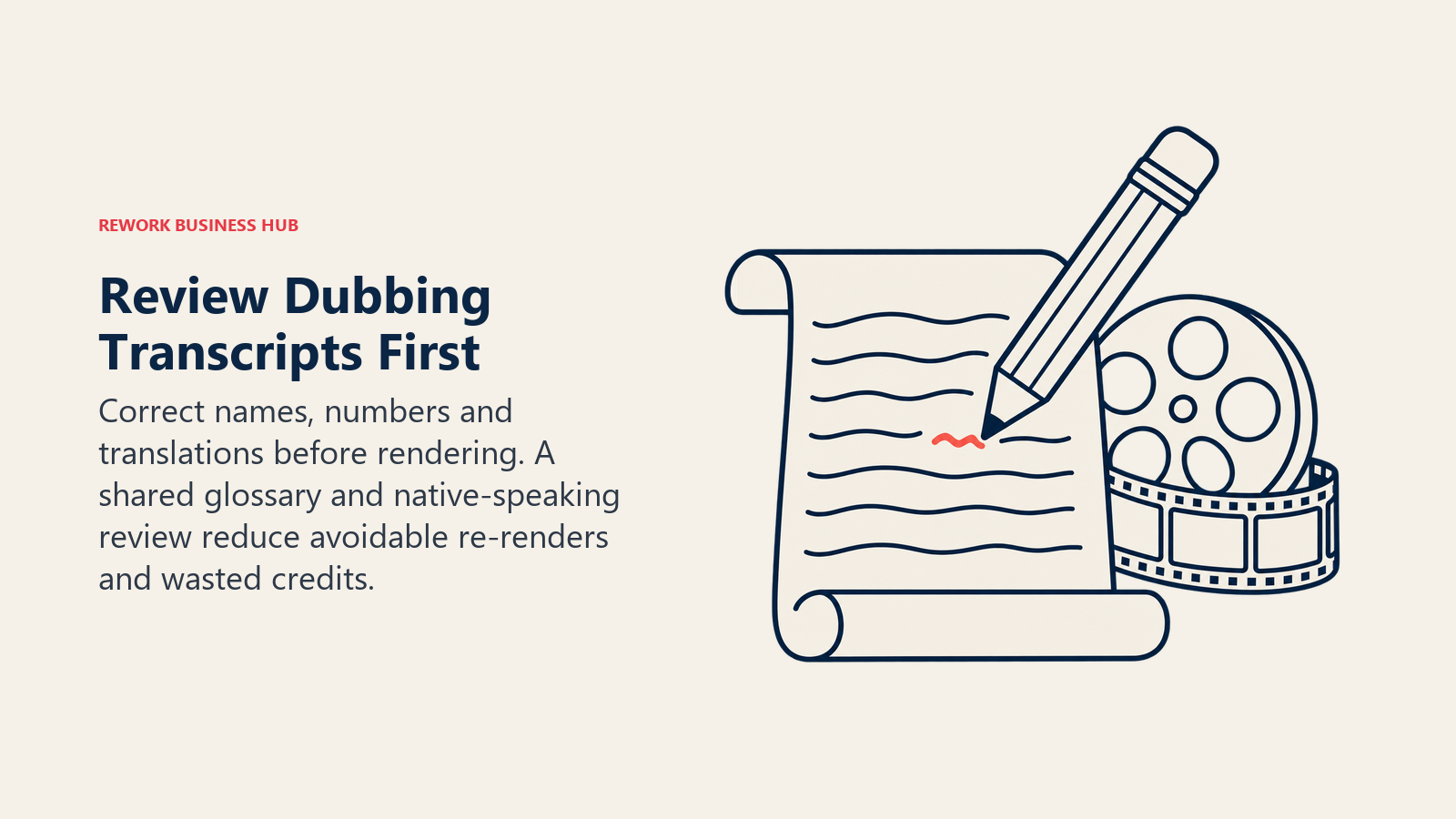
The cheapest mistake in dubbing is rendering before you read the translation. A wrong product name in a transcript becomes a wrong product name in the audio, and a re-render spends credits.
| Tool | Edit before render |
|---|---|
| Rask AI | Edit transcript and translation, translation dictionary, SRT upload and download |
| ElevenLabs | Dubbing Studio: transcript editing, speaker reassignment, per-clip regeneration |
| HeyGen | Edit and Review proofreading; script proofreading on Pro and above |
| Speechify Studio | Dubbing Studio listed; editing steps not stated |
| Dubverse, Akool, Captions, Vidnoz, Kapwing | Confirm with vendor |
| Murf, Deepdub | Through sales or managed service |
Whichever you pick, build a glossary of brand terms, product names and numbers and check it on the first render. For high-stakes content such as compliance, medical or legal training, add a native-speaking reviewer rather than trusting the machine. Rask AI and ElevenLabs both offer human-in-the-loop options for that.
Subtitles and SRT Workflows
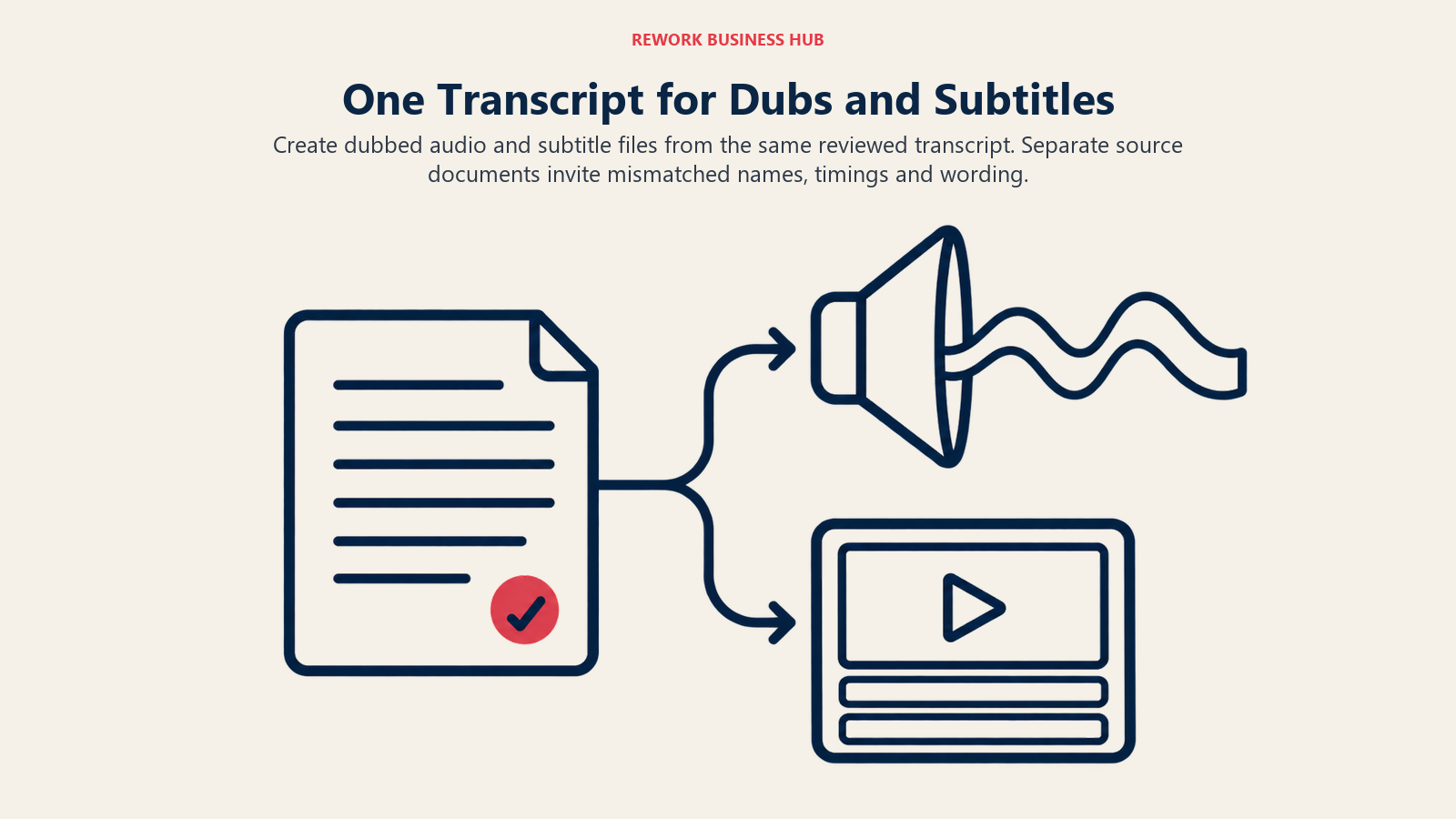
Many teams dub the audio and also ship subtitles, because viewers watch muted. The two outputs should come from the same reviewed transcript.
| Tool | Subtitle workflow |
|---|---|
| Rask AI | Auto captions, SRT download and upload |
| HeyGen | Auto-generated subtitles; SRT not mentioned |
| Dubverse | SUB product at 1 credit a minute |
| Kapwing | Auto-subtitles with a feature-minute cap |
| Captions | Captions in 100+ languages |
| ElevenLabs, Speechify, AI Studios | Confirm SRT export with vendor |
If you publish on YouTube, remember that multi-language audio tracks sit alongside subtitles, and YouTube's own test creators saw over 15% of watch time from non-primary-language viewers, so both are worth shipping. Our guide to AI tools for YouTube covers the channel side.
Free Tiers and Trials
| Tool | Free option |
|---|---|
| ElevenLabs | Free plan: 10,000 credits, 0.4 dubbing minute |
| Rask AI | 3-minute trial, no card |
| HeyGen | 3 videos a month up to 1 minute, watermarked |
| Speechify Studio | 600 credits, no commercial rights (about 3 dubbing minutes) |
| Murf | 100 free dubbing minutes at sign-up |
| AI Studios | 1 minute of dubbing |
| Akool | Watermarked, 5-minute translation upload |
| Kapwing | 10 credits, watermarked |
| Vidnoz | Watermarked, 3 minutes per video |
| Dubverse | No free plan |
| Captions | Free plan without AI Translate or AI Lipdub |
| Deepdub | Free API signup |
Use free tiers to test one clip with difficult audio: crosstalk, jargon and a quiet speaker. Clean studio audio flatters every tool.
Metering Units at a Glance
| Tool | Unit | Practical reading |
|---|---|---|
| ElevenLabs | Dubbed minutes, plus credits | Extra minutes billed separately |
| Rask AI | Minutes of translated output | One per language per minute |
| HeyGen | Shared credits | No per-minute rate |
| Speechify Studio | Credits (3 per second of dubbing) | 180 credits a minute |
| Dubverse | Credits (4 per dubbed minute) | About 12.5 minutes on 50 credits |
| AI Studios | Dubbing minutes per plan | Reset monthly |
| Kapwing | Credits plus dubbing minute cap | 50 or 200 a month |
| Vidnoz | Credits (0.5 per second of video) | Translation rate not published |
| Akool, Captions | Credits | Rate not published |
How to Choose: Decision Framework
| If you need | Pick this | Why |
|---|---|---|
| Lowest cost at 90 dubbed minutes a month | AI Studios Personal | 120 minutes included at $24 per month |
| Fixed annual spend | Speechify Studio | Flat $100 or $300 a year |
| Edit translation and keep brand terms | Rask AI | Dictionary and SRT workflow |
| Per-clip fixes and top voice quality | ElevenLabs | Dubbing Studio controls |
| Dubbing inside an avatar workflow | HeyGen | Translation on every plan |
| Dub and edit in one place | Kapwing | Full editor |
| Short social clips with lip-sync | Captions | AI Lipdub on Max |
| Studio or catalogue localization | Deepdub | Enterprise service |
| Very low volume | Dubverse Pro | $18 per month entry |
For tools that clean up and cut the video itself, see the best AI video editing tools, and for tools that make video from scratch, the best AI video generators. If your footage features a digital presenter, the AI avatar generators guide goes deeper, and if you cut long videos into clips before dubbing them, see AI video repurposing tools. For a head-to-head on voice and editing, read Descript vs Opus Clip vs ElevenLabs, and for audio-only shows, AI podcast tools.
Frequently Asked Questions about AI Dubbing Tools
What is the best AI dubbing tool?
There is no single best. AI Studios is the cheapest for moderate volume, Rask AI is strongest on editing before render, and ElevenLabs is the choice for voice quality and per-clip control. HeyGen is the easiest if you already make avatar video.
How much does AI dubbing cost per minute?
It ranges widely. At 90 dubbed minutes a month, listed plans work out to roughly $0.27 per minute on AI Studios, about $1.10 on Rask AI Creator Pro billed monthly, and about $2.24 on ElevenLabs Pro with extra minutes. Several vendors publish no per-minute rate at all.
Does AI dubbing include lip-sync?
Sometimes. Rask AI offers it from the $99 per month Creator Pro plan, AI Studios lists it on Personal and Team, and HeyGen and Captions offer it on their translation features. Murf lists it as coming soon, and ElevenLabs does not describe it on its pricing or dubbing pages.
Can I clone my own voice for dubbing?
Yes, on most tools, and you should still keep a record. ElevenLabs bars cloning a living person's voice without their explicit and informed consent and bars voice recordings of anyone under 18. Get written releases from every speaker you clone.
Is AI dubbing good enough to publish without review?
For internal or low-stakes content, often. For ads, compliance, medical or legal material, have a native speaker review the translated script before rendering, since errors in names and numbers are the common failure.
Why does 76% matter for dubbing?
Because language drives purchase. A CSA Research survey of 8,709 consumers found 76% prefer information in their own language and 40% will not buy from sites in other languages, so localized video is a conversion lever rather than a nicety.
What happened to Papercup?
Its brand now redirects to RWS, which acquired its technology for enterprise AI dubbing. It is not a self-serve tool.
What to Do Next
Pick one real video, ideally two minutes with a difficult speaker, and dub it into your top two languages in two tools. Check the credit counter before and after each render, read the translated script with a native speaker, and note how many fixes it needed. Multiply the real cost per minute by your monthly volume and compare it against the worked tables above. For wider context on the text side of localization, our guide to AI translation tools and AI voice generators are the next stops.
Principal Product Marketing Strategist
On this page
- Key Facts
- Quick Comparison Table
- Which Kind of Dubbing Do You Actually Need?
- What Dubbing Costs at a Real Volume
- Workload A: 30 source minutes into 3 languages (90 dubbed minutes)
- Workload B: 120 source minutes into 3 languages (360 dubbed minutes)
- 1. ElevenLabs: The most control over voice and timing
- 2. Rask AI: Built around editing before you render
- 3. HeyGen: Translation that comes with the avatar tool
- 4. Speechify Studio: Flat annual pricing and a dubbing studio
- 5. Dubverse: A cheap door into dubbing
- 6. Akool: Face and voice tools under one roof
- 7. Captions: AI Translate and AI Lipdub for short video
- 8. Vidnoz: Budget avatars with translation on a higher tier
- 9. AI Studios (DeepBrain AI): The best allowance for the money
- 10. Kapwing: Dubbing inside a full video editor
- 11. Murf: Voiceover first, dubbing second
- 12. Deepdub: Enterprise localization with no price list
- A Former Option: Papercup
- Languages and Coverage
- Lip-Sync Availability
- Voice Cloning and Consent
- Editing the Transcript Before You Render
- Subtitles and SRT Workflows
- Free Tiers and Trials
- Metering Units at a Glance
- How to Choose: Decision Framework
- What to Do Next