Best AI Podcast Tools in 2026: 13 Tools for Recording, Editing, and Growing a Show
Turn this article into takeaways for your work.


Each assistant summarizes the article only for you and suggests best practices for your work.
Descript still wins for teams that want one tool covering recording, transcript-based editing, and AI cleanup in a single subscription. Riverside wins for remote multi-track recording at broadcast quality. Auphonic and Cleanvoice win for automated audio post-production once you're past the record-and-edit stage. Opus Clip wins for turning a long episode into short-form social clips, and ElevenLabs wins for voice cloning, narration, and dubbing. This guide ranks 13 AI podcast tools by the job you're actually hiring one for, with 2026 pricing.
Podcasting stopped being a hobbyist medium a few years ago, and the tooling caught up. What used to require a DAW, a freelance editor, and a separate transcription service now gets handled inside one browser tab by AI that removes filler words, levels audio automatically, writes show notes, and cuts a 60-minute interview into ten vertical clips before you've finished your coffee. The tradeoff is that "AI podcast tool" now covers at least five different jobs (recording, cleanup, clipping, repurposing, and voice generation), and no single product does all five well. This guide is organized so you can match the job to the tool instead of guessing from a landing page demo.
Updated July 2026: What Changed
- Video became the default, not an add-on. Riverside, Descript, and Podcastle (now rebranded Async) all ship multi-track video recording as a core feature, not a bolt-on, because most new shows publish a video cut to YouTube alongside the audio feed.
- Filler-word and silence removal went from novelty to table stakes. Cleanvoice and Auphonic both expanded their automated post-production pipelines this year, and Descript's Studio Sound now handles a version of the same cleanup natively.
- Clip generation got a lot more competitive. Opus Clip's AI virality scoring and multi-platform auto-posting pushed most editing suites, including Descript and Riverside, to ship their own basic auto-clip features, though dedicated clipping tools still lead on accuracy and reach.
- Repurposing tools consolidated around "one transcript, many outputs." Castmagic, Swell AI, and Capsho all now generate show notes, blog posts, social copy, and email newsletters from a single upload, competing directly with hiring a part-time content writer.
- Fully AI-generated audio arrived as a real category. Wondercraft and Google's NotebookLM Audio Overviews can now produce a listenable, host-style audio segment from a script or a set of documents with no human voice recorded at all, which is a genuinely new production path, not just faster editing of an existing recording.
Key Facts
- Monthly podcast consumption in the US hit a record 58% of Americans age 12 and older (about 167 million people) in 2026, per Edison Research's Infinite Dial 2026.
- 45% of Americans age 12 and older listened to a podcast in the past week, also a record, according to the same Infinite Dial 2026 study.
- US podcast advertising revenue grew 17.6% year over year to $2.862 billion, per the IAB's U.S. Podcast Advertising Revenue Study.
- Global ad revenue for podcasts and video podcasts is projected to reach roughly $5 billion in 2026, a nearly 20% year-over-year increase, according to Deloitte's 2026 TMT Predictions.
- 27% of US consumers say they watch video podcasts weekly, a trend led by Gen Z and millennial audiences, per the same Deloitte 2026 report.
- One in four of the 1,100+ podcast creators surveyed by Spotify for Creators are already using AI tools to record, edit, produce, or promote their show, and creators with larger audiences are nearly twice as likely to already be using AI as those just starting out.
Quick Comparison Table
| Tool | Best For | Starting Price | Key Strength | Key Limitation |
|---|---|---|---|---|
| Descript | All-in-one recording, transcript editing, cleanup | Free; paid from $16/mo (annual) | Edit audio/video by editing text | AI credits deplete fast on longer episodes |
| Riverside | Remote multi-track recording, broadcast quality | Free; paid from $24/mo (annual) | Local recording avoids call-quality drops | Higher tiers needed for real production volume |
| Podcastle (Async) | Budget all-in-one recording + editing | Free; paid from ~$12/mo | Recording, editing, and voice cloning in one app | Official pricing page is inconsistent post-rebrand |
| Adobe Podcast | Free audio cleanup, no account needed | Free; Premium $9.99/mo | Best free noise and speech enhancement on the market | Free tier capped at 1 hour of enhancement per day |
| Auphonic | Automated leveling and loudness normalization at scale | Free (2 hrs/mo); paid from $13/mo | Best-in-class automated mastering, API-friendly | No recording or timeline editing; post-production only |
| Cleanvoice | Automatic filler-word and silence removal | Pay-as-you-go from $11; subscriptions from $11/mo | Cleans "um," "uh," mouth sounds, and dead air automatically | Cleanup only, no editing or repurposing features |
| Opus Clip | Turning long episodes into short-form social clips | Free (60 min/mo); paid from $15/mo | AI virality scoring, multi-platform auto-posting | Free and Starter tiers cap monthly processing minutes |
| Castmagic | Premium transcript-to-content repurposing | Paid from $19/mo (annual) | Deep AI content generation from one transcript | Pricier per hour than budget repurposing tools |
| Swell AI | Budget transcript-to-content repurposing | Free (1 upload/mo); paid from $29/mo | Unlimited clips and audiograms on every tier | Lower transcription minute caps than Castmagic |
| Capsho | AI show notes, blog posts, and marketing copy | Paid from $99/mo | Trains an AI persona on your own writing style | Single pricing tier, no low-cost entry option |
| ElevenLabs | AI voice cloning, narration, and dubbing | Free; paid from $6/mo | Most realistic voice cloning and TTS on the market | Credits burn quickly on long or multilingual projects |
| Wondercraft | Fully AI-generated podcast episodes and voices | Free; paid from $25/mo | Turns a script into a produced episode with AI hosts | Requires a paid tier for commercial usage rights |
| NotebookLM Audio Overviews | Free AI-narrated briefings from your own documents | Free (Google account) | Turns source documents into a podcast-style discussion | Not a production tool; no editing, hosting, or export controls |
Podcast Tools by Use Case
Match the job first. Most teams waste money buying an editing suite when what they actually need is automated cleanup, or paying for a repurposing tool when a free clipper would cover it.
| Use Case | What Matters Most | Best Fits |
|---|---|---|
| Recording remote interviews | Local recording, separate tracks, call resilience | Riverside, Podcastle (Async), Descript |
| Transcript-based editing | Cutting audio/video by editing text | Descript |
| Automated noise and speech cleanup | Set-and-forget audio enhancement | Adobe Podcast, Auphonic, Cleanvoice |
| Filler-word and dead-air removal | Automatic detection, no manual scrubbing | Cleanvoice, Descript Studio Sound |
| Turning episodes into social clips | Virality scoring, auto-posting, speaker tracking | Opus Clip |
| Repurposing one episode into many assets | Show notes, blog posts, social copy, email | Castmagic, Swell AI, Capsho |
| AI voice cloning and dubbing | Realism, language coverage, consent controls | ElevenLabs |
| Fully AI-generated episodes | Script-to-audio with AI hosts and voices | Wondercraft |
| Turning documents into an audio briefing | Fast, free, no production skill required | NotebookLM Audio Overviews |
Ideal User Table
| Tool | Ideal Team | Primary Buyer |
|---|---|---|
| Descript | Solo podcasters, small production teams | Podcast Producer, Content Creator |
| Riverside | Interview-format shows, agencies recording for clients | Podcast Producer, Agency Owner |
| Podcastle (Async) | Budget-conscious solo and small-team creators | Independent Podcaster |
| Adobe Podcast | Anyone needing a fast, free audio cleanup pass | Podcast Editor, Video Producer |
| Auphonic | High-volume networks and podcast hosting platforms | Post-Production Engineer, Network Ops Lead |
| Cleanvoice | Editors who want cleanup off their plate entirely | Podcast Editor, Solo Host |
| Opus Clip | Shows investing in short-form social growth | Social Media Manager, Growth Marketer |
| Castmagic | Shows monetizing content through repurposed assets | Content Marketing Lead, Podcast Producer |
| Swell AI | Budget-conscious teams wanting repurposing basics | Solo Podcaster, Small Marketing Team |
| Capsho | Creators who want AI-written notes in their own voice | Podcast Host, Content Marketer |
| ElevenLabs | Shows using AI narration, intros, or multilingual dubbing | Audio Producer, Localization Lead |
| Wondercraft | Media teams producing scripted, AI-voiced audio content | Head of Content, Media Producer |
| NotebookLM Audio Overviews | Anyone turning research or documents into a quick listen | Analyst, Researcher, Internal Comms Lead |
1. Descript: Edit a Podcast by Editing a Transcript
Descript's core idea hasn't changed since it launched: transcribe the recording, then let you edit the audio and video by editing the text, complete with filler-word removal, overdub voice correction, and a "regenerate" tool that can fix a flubbed line without a re-record. In 2026 that transcript-based workflow is still the fastest way for a non-editor to produce a clean episode without touching a traditional timeline.
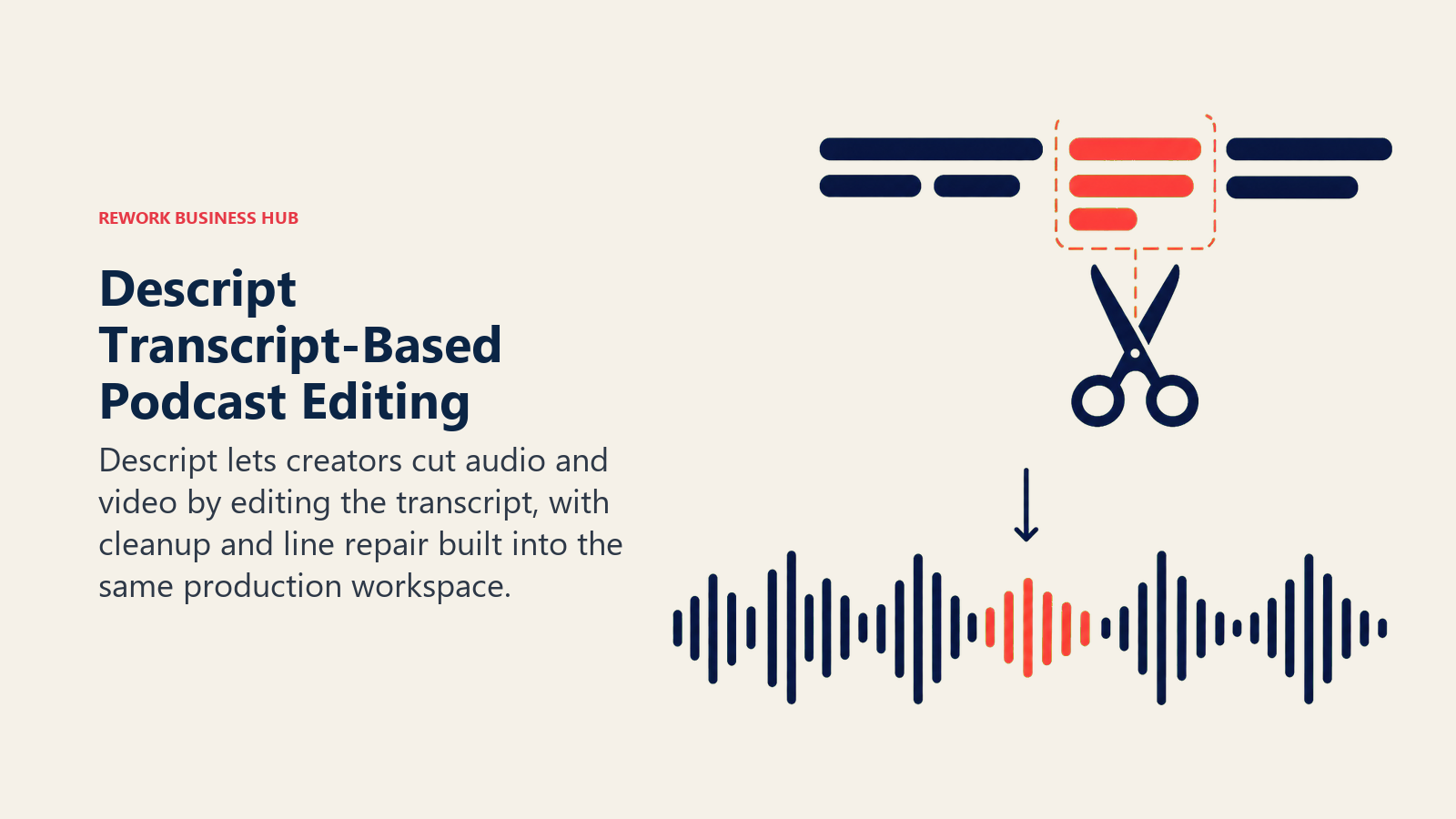
The platform bundles recording, editing, Studio Sound cleanup, and AI tools like Underlord (script and outline generation) into one product, which is why solo podcasters and small teams often pick Descript over stitching together three separate apps. The catch is Descript's newer pricing model, which meters both media minutes and AI credits separately. A team that uploads multiple camera angles or leans hard on AI regeneration can burn through a plan's monthly allowance faster than the sticker price suggests. If you're weighing Descript specifically for its transcription accuracy, our best AI transcription tools guide covers how it stacks up against dedicated transcription services.
| What you get | What you don't |
|---|---|
| Edit audio and video by editing a transcript | Media minutes and AI credits meter separately |
| Overdub voice correction without a re-record | Full 4K export and Brand Studio require Business tier |
| Studio Sound cleanup and filler-word removal built in | AI credit top-ups can add unplanned cost mid-month |
| Screen recording and multi-camera support | Free tier capped at 60 media minutes per month |
Pricing: Free (60 media minutes/mo, 100 one-time AI credits); Hobbyist $16/mo billed annually ($24/mo month-to-month, 10 media hours, 400 AI credits); Creator $24/mo billed annually ($35/mo month-to-month, 30 media hours, 800 AI credits, 4K export); Business $50/mo billed annually ($65/mo month-to-month, 40 media hours, 1,500 AI credits); Enterprise custom. See descript.com/pricing.
Best for: Solo podcasters and small production teams who want recording, editing, and AI cleanup in one subscription
2. Riverside: Local Recording for Broadcast-Quality Remote Interviews
Riverside solves the problem that has plagued remote podcasting since the format existed: a shaky internet connection ruining an otherwise great interview. Every guest records locally in the browser at up to 4K video and 48kHz audio, with the files uploading progressively in the background, so a dropped call doesn't cost you the recording.
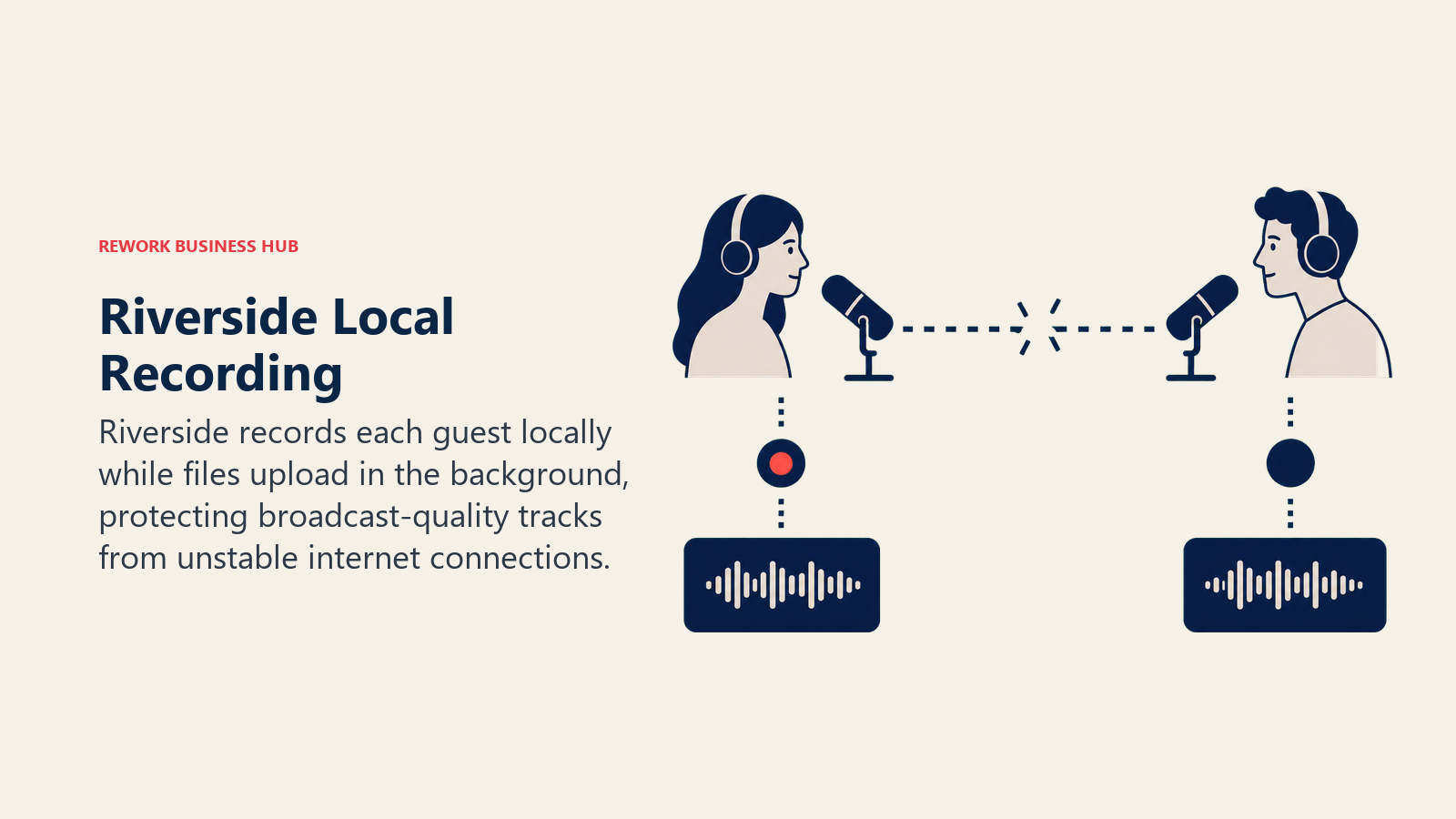
That local-first architecture makes Riverside the default pick for interview-format shows recording with guests who aren't technical enough to install dedicated software. Separate audio and video tracks per speaker also make downstream editing in Descript or a traditional DAW much cleaner than working from a mixed recording. The ceiling shows up on volume: the entry Pro plan caps separate-track downloads at 15 hours, which a weekly interview show with multiple takes can hit faster than expected.
| What you get | What you don't |
|---|---|
| Local recording avoids call-quality and connection issues | Separate-track download hours are capped by tier |
| Up to 4K video, 48kHz audio, separate tracks per speaker | Live streaming and webinar features require higher tiers |
| Magic Audio noise reduction and AI-powered Magic Clips | Business-tier pricing requires a sales conversation |
| Teleprompter for host and guests | Free plan limited to 2 hours of recording per month |
Pricing: Free ($0, 2 hours recording, 720p video, watermark); Pro $24/mo billed annually ($29/mo month-to-month, 15 hrs separate-track downloads, 4K video); Grow $34/mo billed annually ($39/mo month-to-month, 2 studios, 20 hrs, 1080p live streaming); Webinar $79/mo billed annually ($99/mo month-to-month, webinars up to 100 registrants); Business custom. See riverside.com/pricing.
Best for: Interview-format shows recording remotely with non-technical guests who need broadcast-quality output
3. Podcastle (Async): Budget All-in-One Recording and Editing
Podcastle rebranded to Async in 2026, but the product underneath is the same bet: recording, AI-assisted editing, transcription, and voice cloning (Revoice) in one app at a lower price point than Descript or Riverside. For solo creators recording their own voice or working with one or two guests, that combination covers most of what a first podcast setup actually needs.
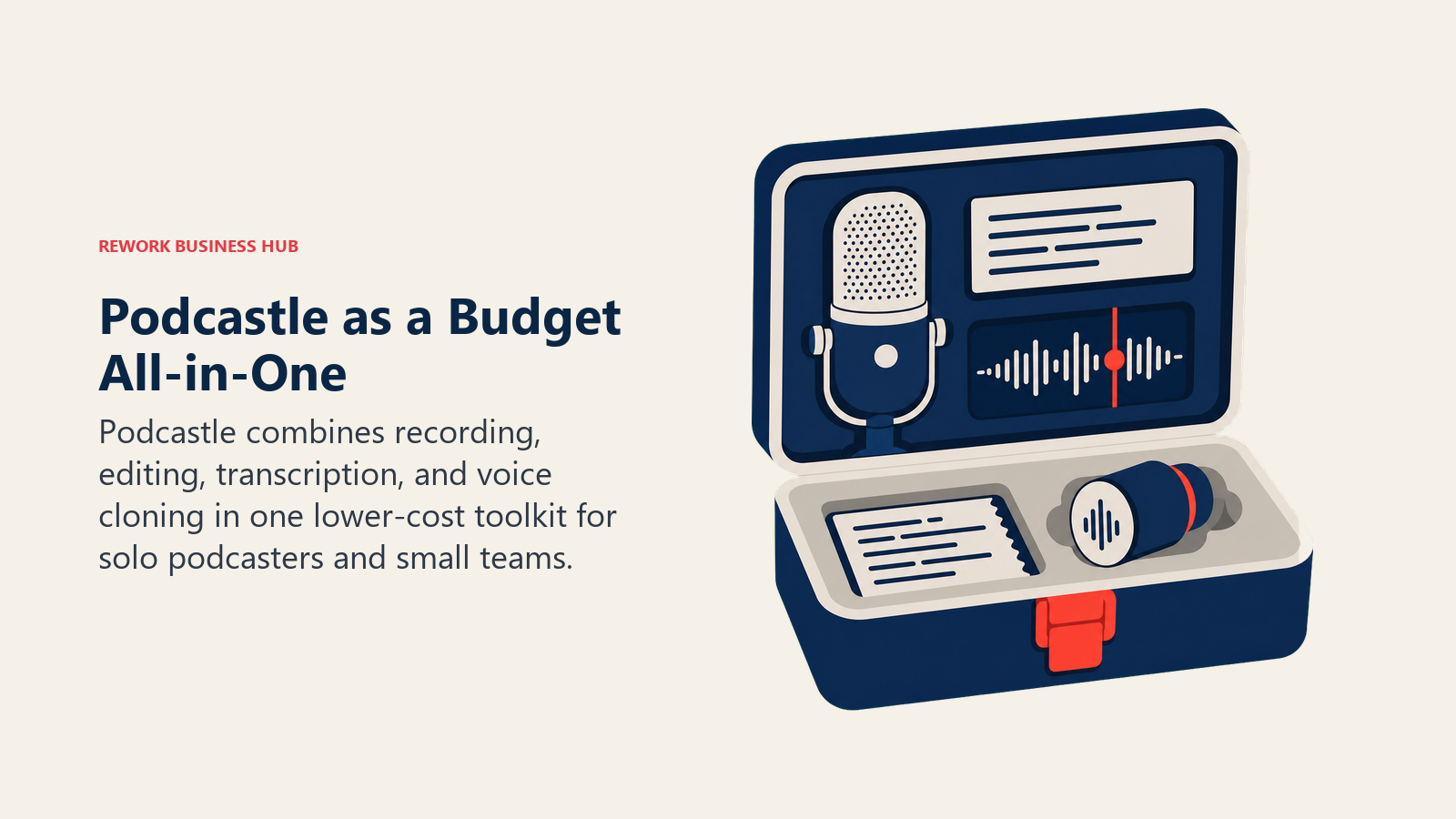
The free tier is genuinely usable for testing the workflow (unlimited audio, a few hours of lifetime video, 2GB storage), and the Storyteller tier, priced per creator, keeps costs low for a single host managing a weekly show. The tradeoff is a rebrand in progress: Storyteller reportedly runs about $12/mo billed annually and Pro about $24/mo, so confirm the current number on async.com/pricing before committing to an annual plan.
| What you get | What you don't |
|---|---|
| Recording, editing, transcription, and voice cloning in one app | Pricing page is inconsistent mid-rebrand; verify before buying |
| Genuinely usable free tier for testing the workflow | Revoice voice cloning requires the Pro tier |
| Per-creator pricing keeps solo-host costs low | Team and Business tiers require a sales conversation |
| Video support alongside audio recording | Storage caps on lower tiers fill up faster with video |
Pricing: Free ($0, unlimited audio, limited lifetime video, 2GB storage); Storyteller from roughly $12/mo billed annually (~$15/mo month-to-month, per creator); Pro from roughly $24/mo (per creator, required for Revoice voice cloning); Teams and Business custom. See async.com/pricing.
Best for: Budget-conscious solo podcasters who want recording and editing bundled without paying Descript or Riverside prices
4. Adobe Podcast: The Best Free Audio Cleanup on the Market
Adobe Podcast's Enhance Speech tool does one thing and does it free: upload a noisy, room-echoey, or badly-mic'd recording, and it returns studio-quality speech in under a minute, no account required for a single file. For anyone who has ever recorded an interview on a phone in a loud coffee shop, this is the fastest fix available at any price.
Beyond Enhance Speech, Adobe Podcast Studio adds a full free recording and editing environment with speaker-separated downloads and Adobe Express integration for audiograms and social assets. The free tier's limits (30-minute files, one hour of enhancement per day, two project downloads per day) are generous enough for occasional use but will frustrate anyone running a weekly show at scale, which is what the Premium tier exists to fix.
| What you get | What you don't |
|---|---|
| Studio-quality speech enhancement, genuinely free | Free tier capped at 1 hour of enhancement per day |
| No account required for a single-file upload | Video enhancement requires the Premium plan |
| Full Studio recording and editing environment | 30-minute, 500MB file limit on the free tier |
| Adobe Express integration for audiograms and captions | Bulk upload and batch processing need Premium |
Pricing: Free ($0, 1 hour enhancement/day, 30-minute/500MB file limit, 2 project downloads/day); Premium $9.99/mo or $99.99/yr (batch uploads, video support, files up to 1GB/2 hours, 30-day free trial). See podcast.adobe.com/en/plans.
Best for: Anyone who needs a fast, free fix for noisy or poorly recorded audio without committing to a full editing suite
5. Auphonic: Automated Leveling and Loudness Normalization at Scale
Auphonic isn't a recording or editing tool, it's the automated mastering engine that podcast networks and hosting platforms run their audio through before publishing. It normalizes loudness to broadcast standards, balances multiple speakers automatically, removes noise, and adds intro/outro music, all without a human touching a fader.
That automation-first, API-friendly design makes Auphonic the default choice for shows and networks publishing on a schedule that can't afford manual mastering time per episode. Its credit system (hours of processed audio, either recurring monthly or one-time and non-expiring) scales cleanly from a single indie show to a network processing hundreds of episodes a month. The honest limitation is scope: Auphonic assumes you already have a recording and a rough edit; it has no timeline editor or recording feature of its own.
| What you get | What you don't |
|---|---|
| Best-in-class automated loudness normalization and leveling | No recording or timeline editing features at all |
| API access for automating post-production pipelines | Free tier limited to 2 hours of processed audio per month |
| One-time credits never expire; useful for irregular schedules | Per-minute billing (3-minute minimum) adds up on short files |
| Multi-speaker automatic balancing | Requires pairing with a separate editor for a full workflow |
Pricing: Free (2 hrs/mo, includes Auphonic jingle); S $13/mo ($11/mo billed annually, 9 hrs); M $27/mo ($23/mo billed annually, 21 hrs); L $53/mo ($45/mo billed annually, 45 hrs); XL $105/mo ($89/mo billed annually, 100 hrs); one-time credit packs also available and never expire. See auphonic.com/pricing.
Best for: Podcast networks and high-volume shows that need automated, API-driven audio mastering without manual work per episode
6. Cleanvoice: Automatic Filler-Word and Silence Removal
Cleanvoice does one job that used to eat hours of manual editing: it detects and removes "um," "uh," stutters, mouth clicks, long pauses, and other verbal filler automatically, returning a tightened-up file without you scrubbing a waveform by hand. For interview-heavy shows with unscripted, conversational hosts, that alone can cut editing time meaningfully.
The pricing model is straightforward hours-processed, with both a subscription and a pay-as-you-go option for irregular publishing schedules, and unused subscription credits roll over up to three times the plan limit. What Cleanvoice doesn't do is anything else: no recording, no timeline editing, no repurposing. It's a single-purpose cleanup pass meant to sit inside a wider workflow, often paired with Riverside or Descript for the recording and edit, and Auphonic for final loudness leveling.
| What you get | What you don't |
|---|---|
| Automatic filler-word, stutter, and mouth-sound removal | Cleanup only; no recording or editing timeline |
| Automatic dead-air and long-pause trimming | No repurposing, show notes, or clip generation |
| Flexible pay-as-you-go option for irregular schedules | Custom high-volume plans require a sales consultation |
| Unused subscription credits roll over (up to 3x plan limit) | Per-hour cost is higher than bundling cleanup into a suite |
Pricing: Pay-as-you-go from $11 (5 hrs); Starter $11/mo (10 hrs); Standard $30/mo (30 hrs); Pro $90/mo (100 hrs); annual billing saves roughly 17%; custom plans for 200+ hours/month. See cleanvoice.ai/pricing.
Best for: Interview and conversational shows that want filler-word and dead-air cleanup handled automatically, with no manual scrubbing
7. Opus Clip: AI Clipping for Short-Form Social Growth
Opus Clip's bet is that podcast discovery in 2026 happens on TikTok, Instagram Reels, and YouTube Shorts, not in podcast apps, so the highest-leverage AI podcast tool for growth is the one that finds and cuts your best 30-90 second moments automatically. Its AI virality scoring ranks clips by predicted engagement, and speaker detection keeps framing tight on whoever is talking in a multi-guest recording.
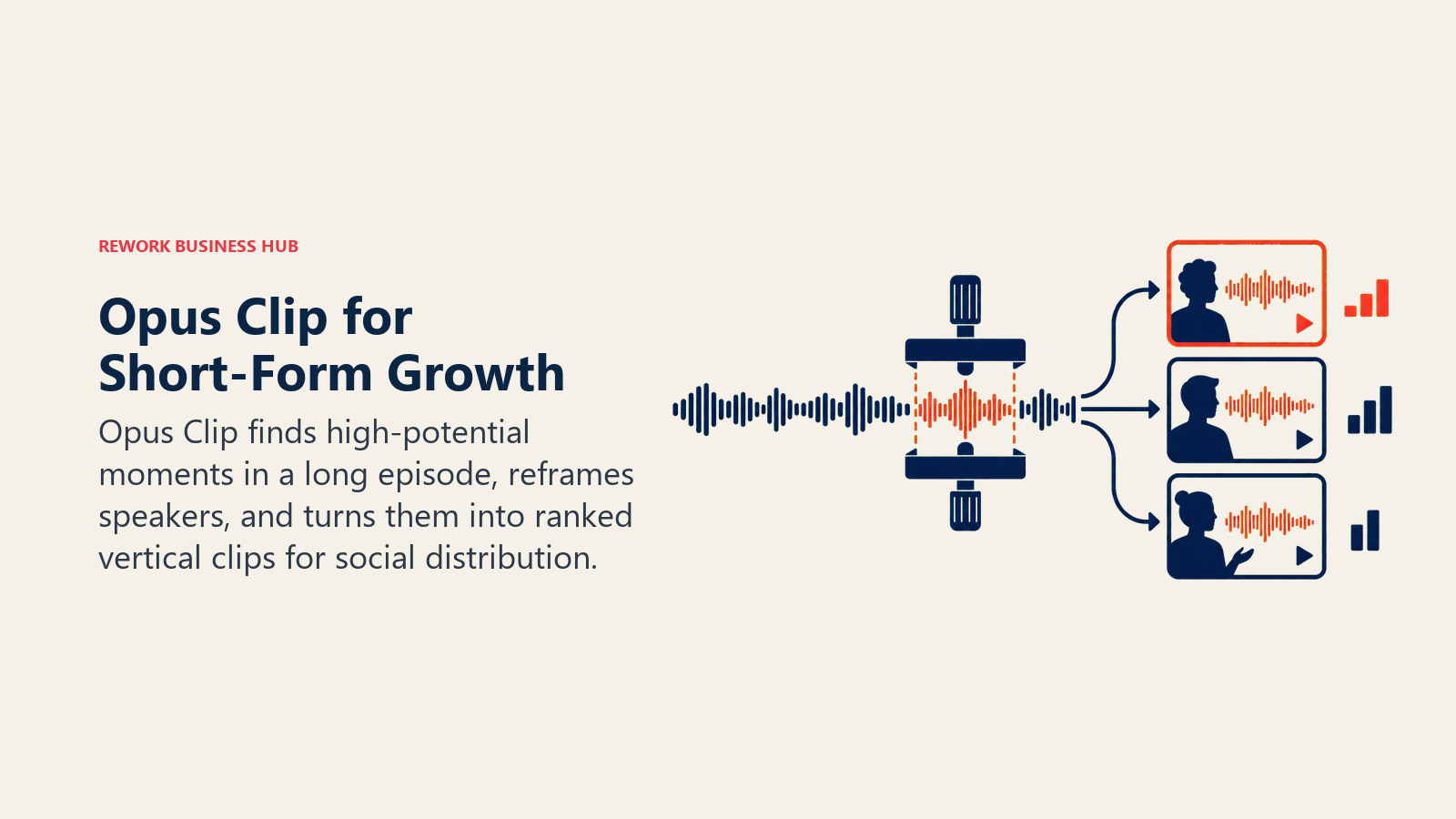
For shows actively investing in short-form distribution, the time savings are real: uploading a 60-minute episode and getting back a ranked set of ready-to-post clips with captions replaces what used to be a dedicated social editor's weekly task. The free and Starter tiers meter by processing minutes rather than output clips, so a team publishing frequently will want to budget for the Pro tier or above. For the editing side of short-form production, our best AI video editing tools guide covers where Opus Clip fits against broader video AI tools.
| What you get | What you don't |
|---|---|
| AI virality scoring to prioritize which clips to post | Free and Starter tiers cap monthly processing minutes |
| Speaker detection for clean framing in multi-guest episodes | AI B-roll and voice-over are capped even on the Pro tier |
| Multi-platform auto-posting (YouTube Shorts, TikTok, Instagram) | Media storage expires after 3 days on the free tier |
| Reprompt functionality to refine a clip without starting over | Advanced APIs and team seats require Business pricing |
Pricing: Free ($0, 60 processing minutes/mo, watermarked, 3-day storage); Starter $15/mo (150 minutes, no watermark, 720p); Pro $29/mo (300 minutes, 1080p, virality scoring, multi-platform auto-posting); Business custom. See opus.pro/pricing.
Best for: Shows actively growing through short-form social clips who want AI-ranked, auto-posted highlights without a dedicated social editor
8. Castmagic: Premium Transcript-to-Content Repurposing
Castmagic's pitch is "upload once, publish everywhere": feed it a raw recording and it generates show notes, timestamped chapters, blog posts, social captions, email newsletter copy, and quote graphics from the same transcript. For shows that monetize partly through content marketing, that repurposing layer replaces what used to require a part-time writer.
The AI output quality and breadth of content types are genuinely ahead of budget alternatives, which is reflected in the price. Plans meter by monthly transcription minutes, and the Hobby tier's 30 hours will suit a single weekly show, while agencies managing several shows will land in the Starter or Team tier quickly. If you're comparing repurposing output specifically for written content, our best AI tools for content writers guide covers how AI writing tools handle long-form repurposing more broadly.
| What you get | What you don't |
|---|---|
| Show notes, blog posts, social copy, and newsletters from one upload | Pricier per hour than Swell AI or Capsho at entry tiers |
| Timestamped chapters and quote graphic generation | Additional seats cost extra even on Team plan |
| Unlimited AI content generation on every paid tier | Monthly billing costs roughly double the annual rate |
| Integrations with podcast hosts and CMS platforms | High-volume Business/Scale tier requires a custom quote |
Pricing: Hobby $19/mo billed annually ($239/yr, 30 hrs transcription); Starter $48/mo billed annually ($579/yr, 100 hrs); Team $139/mo billed annually ($1,669/yr, 400 hrs, 5 seats); Business/Scale from $699/mo custom. Month-to-month rates run higher than the annual equivalents shown. See castmagic.io/pricing.
Best for: Shows and agencies monetizing through content marketing who want deep, multi-format repurposing from every episode
9. Swell AI: Budget Transcript-to-Content Repurposing
Swell AI covers similar ground to Castmagic (show notes, summaries, blog posts, social content, newsletters from one transcript) at roughly half the entry price, which makes it the default pick for solo podcasters and small teams who want repurposing without a premium subscription. Unlimited video clips and audiograms are included even on the free Hobby tier.
The tradeoff versus Castmagic is transcription volume and AI model depth: Swell's Studio and Agency tiers cap monthly transcription minutes lower, and the output tends to need more editing polish than Castmagic's for teams with a house style to maintain. For a show just getting a repurposing workflow off the ground, that's a reasonable trade for the lower price.
| What you get | What you don't |
|---|---|
| Show notes, summaries, and social content from one upload | Lower monthly transcription minute caps than Castmagic |
| Unlimited video clips and audiograms on every tier, including free | AI output generally needs more manual polish |
| Pay-as-you-go option for irregular publishing schedules | Free Hobby tier limited to 1 upload per month |
| 100% no-questions-asked refund policy | Fewer integrations than Castmagic or Capsho |
Pricing: Hobby free ($0, 1 upload/mo); Studio $29/mo (300 transcription minutes); Agency $49/mo (600 minutes); pay-as-you-go $8.99 per 60 minutes; two-month discount on annual billing. See swellai.com.
Best for: Solo podcasters and small teams who want basic repurposing (notes, clips, social copy) without Castmagic's premium price
10. Capsho: AI Show Notes and Marketing Copy in Your Own Voice
Capsho's differentiator is a trained AI persona: instead of generic AI-written show notes, it learns your writing style from your own past content and edits, so the output sounds like you wrote it rather than like a generic AI summary. From one upload it produces show notes, YouTube titles and thumbnails, LinkedIn articles, blog posts, and lead-magnet copy.
That personalization layer is genuinely useful for hosts who've been burned by generic AI copy that needs a full rewrite before publishing. The tradeoff is Capsho's single pricing tier, which sits well above Swell AI and even Castmagic's entry plans, making it a harder buy for a show still validating whether repurposed content drives real traffic. A 7-day free trial with reduced allowances is available to test the output quality first.
| What you get | What you don't |
|---|---|
| AI persona trained on your own writing style and edits | Single pricing tier; no low-cost entry option |
| AI-generated YouTube thumbnails and social graphics | Minutes, image credits, and clipping runs don't roll over |
| Automatic identification of clip-worthy video moments | Priced well above Swell AI's entry tier |
| Continuous self-learning from your ongoing edits | No published annual discount |
Pricing: Standard $99/mo (300 upload minutes, 50 image credits, 15 Clipping Studio runs); 7-day free trial (120 minutes, 20 image credits, 7 clipping runs). See capsho.com/pricing-updated.
Best for: Established hosts who want AI-generated marketing copy that sounds like their own writing, not generic AI output
11. ElevenLabs: The Most Realistic AI Voice Cloning and Dubbing
ElevenLabs isn't podcast-specific software, but it's become a fixture in podcast production for three jobs: cloning a host's voice to fix a flubbed line without a re-record, generating consistent AI narration for intros and ad reads, and dubbing an episode into another language while preserving the host's voice characteristics. The realism gap between ElevenLabs and most competitors remains the widest in the category.
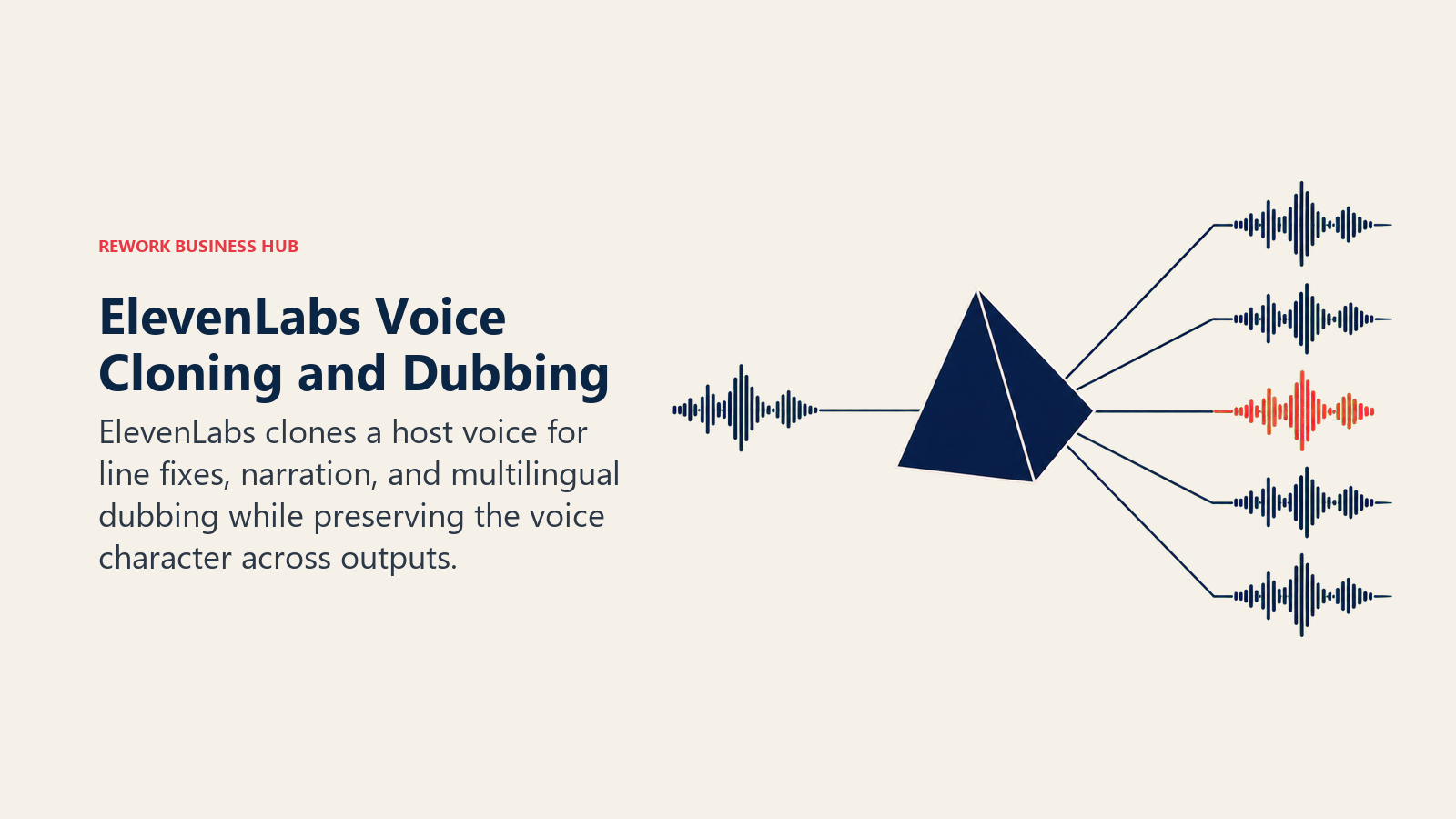
For shows expanding into multiple languages or producing high volumes of narrated content (intros, sponsor reads, promos), that combination of quality and breadth is hard to match. The catch is credit consumption: character-based pricing means longer scripts and multilingual dubbing projects burn through a plan's monthly allowance faster than casual users expect. Our best AI voice generators guide covers the wider voice-cloning category, including consent requirements that apply if you're cloning anyone other than yourself.
| What you get | What you don't |
|---|---|
| Most realistic voice cloning and TTS output available | Character-based credits deplete fast on long or multilingual scripts |
| Dubbing across dozens of languages preserving voice characteristics | Professional cloning requires identity and consent verification |
| Instant voice cloning for fixing flubbed lines without a re-record | Pro-tier pricing scales past $99/mo quickly at real volume |
| Strong developer API for automating voice generation | Free tier's 10,000 monthly credits cover only light testing |
Pricing: Free (10,000 credits); Starter $6/mo ($5/mo billed annually, 30,000 credits, commercial license); Creator $22/mo ($18.33/mo billed annually, 121,000 credits, professional voice cloning); Pro $99/mo ($82.50/mo billed annually, 600,000 credits); Scale $299/mo (1.8M credits, 3 seats); Business $990/mo (6M credits, 10 seats). See elevenlabs.io/pricing.
Best for: Shows that need voice cloning for line fixes, consistent AI narration, or multilingual dubbing without re-recording a human host
12. Wondercraft: Fully AI-Generated Podcast Episodes
Wondercraft takes the production process a step further than every other tool on this list: instead of editing a human recording, it generates the entire episode from a script, complete with AI hosts, background music, and sound effects, and can turn the same content into a video with an AI avatar. For media teams producing recurring, scripted audio content (daily briefings, internal comms updates, news roundups) where booking a human host isn't practical, that's a genuinely different production model, not just a faster editor.
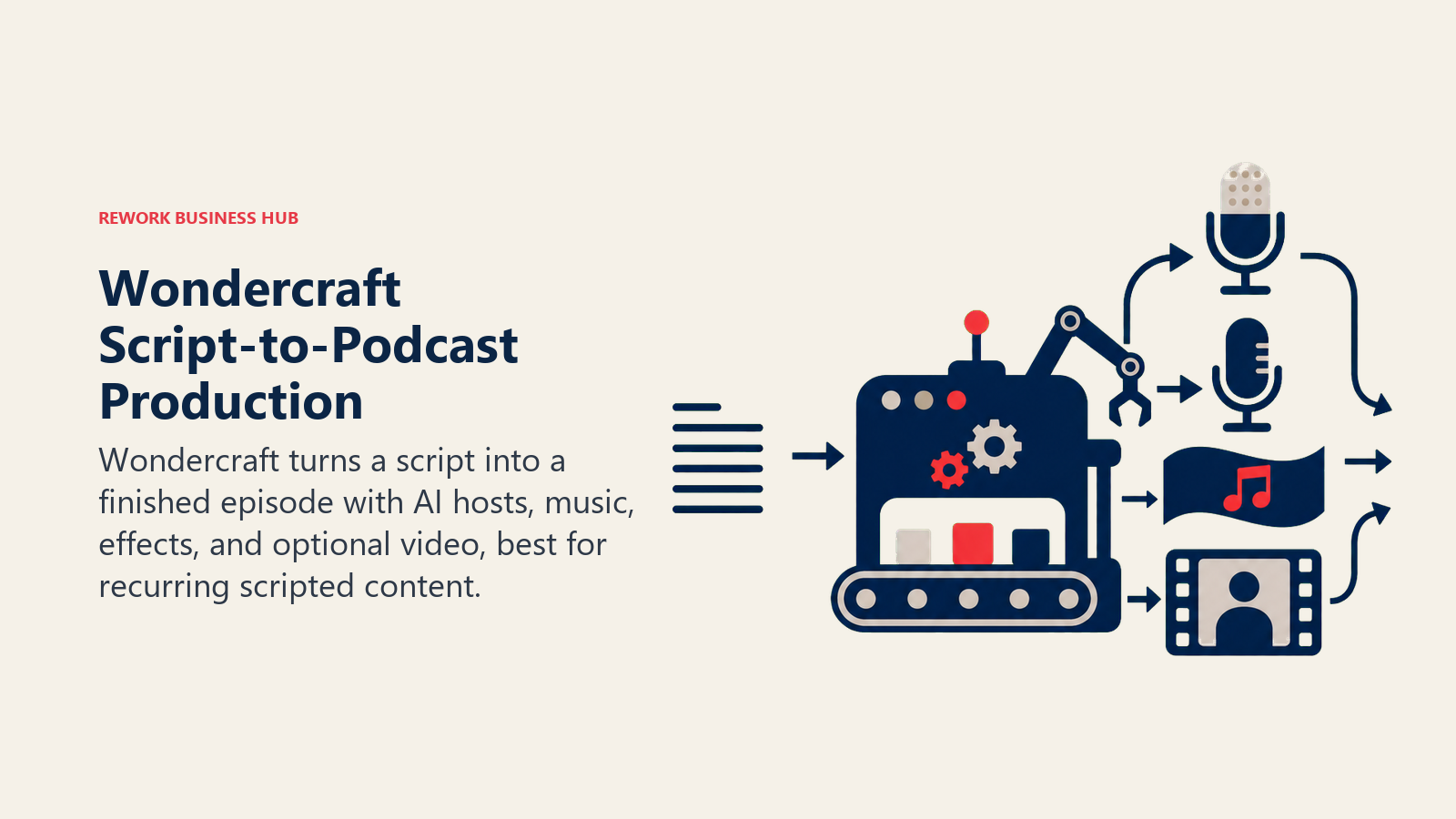
The honest limitation is that Wondercraft is built for scripted, produced content, not for capturing a real conversation the way Riverside or Descript does. Commercial usage rights and voice cloning require a paid tier, and the free plan's 150 monthly credits are enough to test the workflow but not to run a real show. For teams also exploring AI-generated background music or stingers, our best AI music generators guide covers that adjacent category.
| What you get | What you don't |
|---|---|
| Full script-to-episode generation with AI hosts and music | Built for scripted content, not capturing real conversations |
| Voice cloning and custom AI characters on paid tiers | Commercial usage rights require at least the Creator tier |
| Video output with AI avatars alongside audio | Free tier's 150 credits are for testing, not production |
| Team collaboration and brand kits on the Business tier | Pro tier's credit range (2,000-6,000) varies by configuration |
Pricing: Free ($0, 150 credits, 720p export); Creator $25/mo ($21/mo billed annually, 1,000 credits, 1 custom AI voice, full commercial rights); Pro $45/mo (2,000-6,000 credits, team up to 3, 4K, up to 3 concurrent generations); Business from $60/seat/mo (800 pooled credits); Enterprise custom. See wondercraft.ai/pricing.
Best for: Media and comms teams producing recurring scripted audio content who don't need or want a human host recording every episode
13. NotebookLM Audio Overviews: Free AI-Narrated Briefings From Your Documents
Google's NotebookLM isn't a podcast production tool at all, but its Audio Overviews feature has become a genuinely popular way to turn a stack of documents, articles, or research notes into a listenable, host-style discussion in minutes, entirely free with a Google account. Two AI voices banter through the source material the way a casual explainer podcast would, which makes it a fast way to skim dense material or to prototype an episode concept before recording it for real.
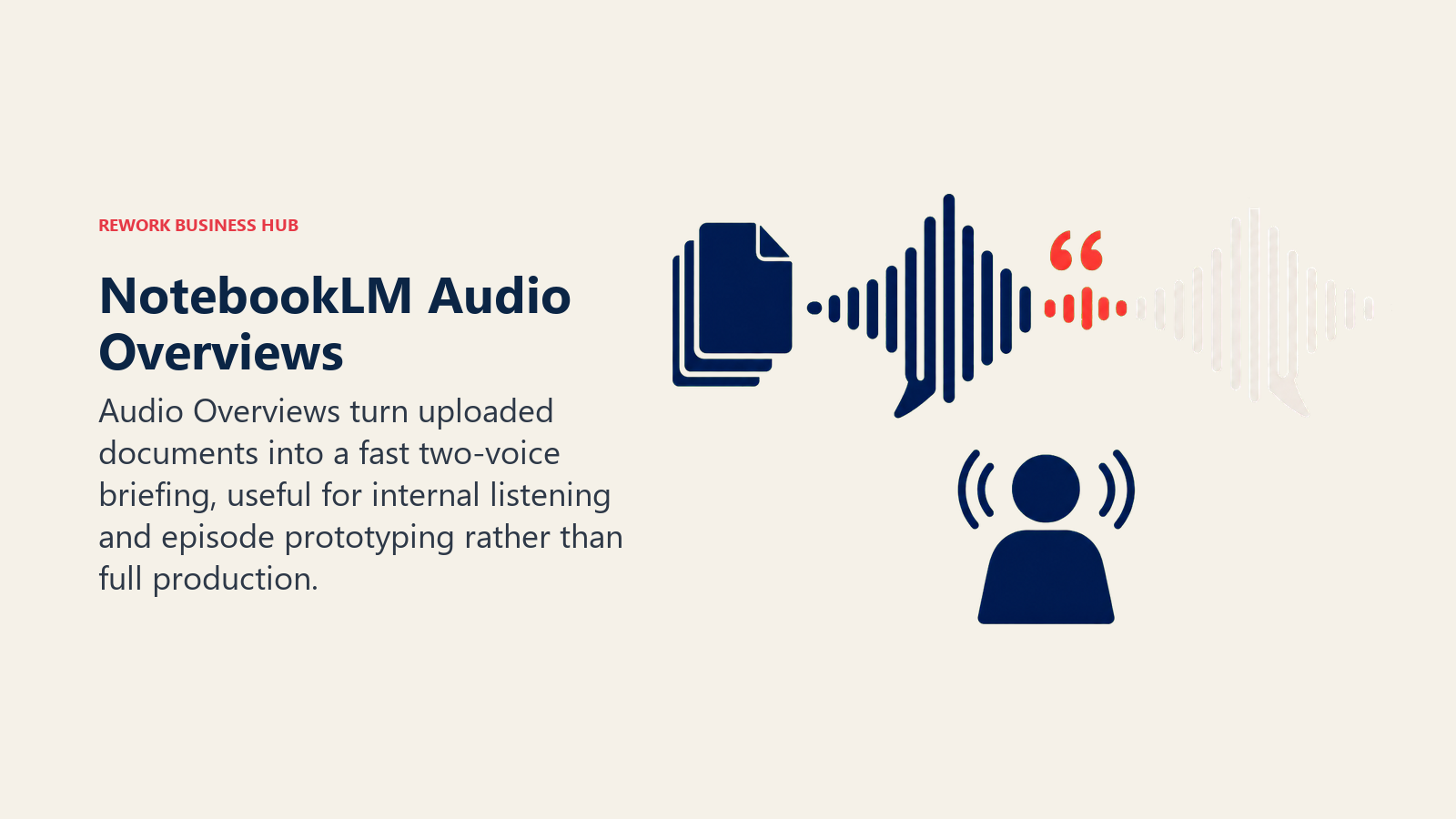
It's not a replacement for anything else on this list: there's no editing timeline, no export control beyond downloading the audio, no hosting, and no way to direct the tone beyond what the source documents imply. But for internal teams turning research into a quick-listen briefing, or for a podcaster testing whether a topic has enough material for a full episode, the free tier is hard to beat. Our best AI note-taking apps guide covers NotebookLM's broader research and note-taking features beyond just Audio Overviews.
| What you get | What you don't |
|---|---|
| Free, fast AI-narrated audio from your own documents | No editing timeline, hosting, or true production controls |
| Up to 3 Audio Overviews per day on the free tier | Limited control over tone, pacing, or voice selection |
| No production skill or software required | Not designed for publishing as a standalone podcast |
| Included with any standard Google account | Higher daily generation caps require a paid Google AI plan |
Pricing: Free (included with a Google account; up to 3 Audio Overviews per day, 100 notebooks, 50 sources per notebook). Higher-tier Google AI plans (Pro and above, roughly $19.99/mo and up depending on region and tier) raise the daily Audio Overview cap; check notebooklm.google/plans for current allowances. See also our best AI tools roundup for where NotebookLM fits among broader AI research tools.
Best for: Internal teams and researchers who want a free, fast AI-narrated audio briefing from existing documents, not a production-grade podcast tool
Podcast Tool Buying Mistakes to Avoid
Most wasted podcast-tool spend comes from buying for the wrong stage of production, not from picking a bad tool. Before you commit to a paid tier, it helps to know which job you're actually solving for, since a tool built for repurposing (like Castmagic) won't fix a recording-quality problem, and a recording tool won't write your show notes.
| Mistake | What It Looks Like | What to Do Instead |
|---|---|---|
| Buying an all-in-one suite for a single job | Paying for Descript's full plan just for filler-word removal | Use Cleanvoice or Adobe Podcast for cleanup-only needs |
| Ignoring credit and minute meters | Choosing a plan by price alone, then hitting limits mid-month | Estimate real monthly recording volume before picking a tier |
| Skipping the free tier before committing annually | Locking into an annual plan before testing output quality | Run one real episode through the free tier first |
| Treating repurposing tools as a replacement for a strategy | Expecting Castmagic or Swell AI output to drive growth on its own | Pair repurposing tools with an actual distribution plan |
| Overlooking voice-cloning consent requirements | Cloning a co-host's voice without their explicit sign-off | Confirm consent and check your vendor's verification process |
| Assuming AI-generated audio replaces a real host | Using Wondercraft or NotebookLM for interview-format content | Reserve fully AI-generated tools for scripted or briefing formats |
Decision Framework
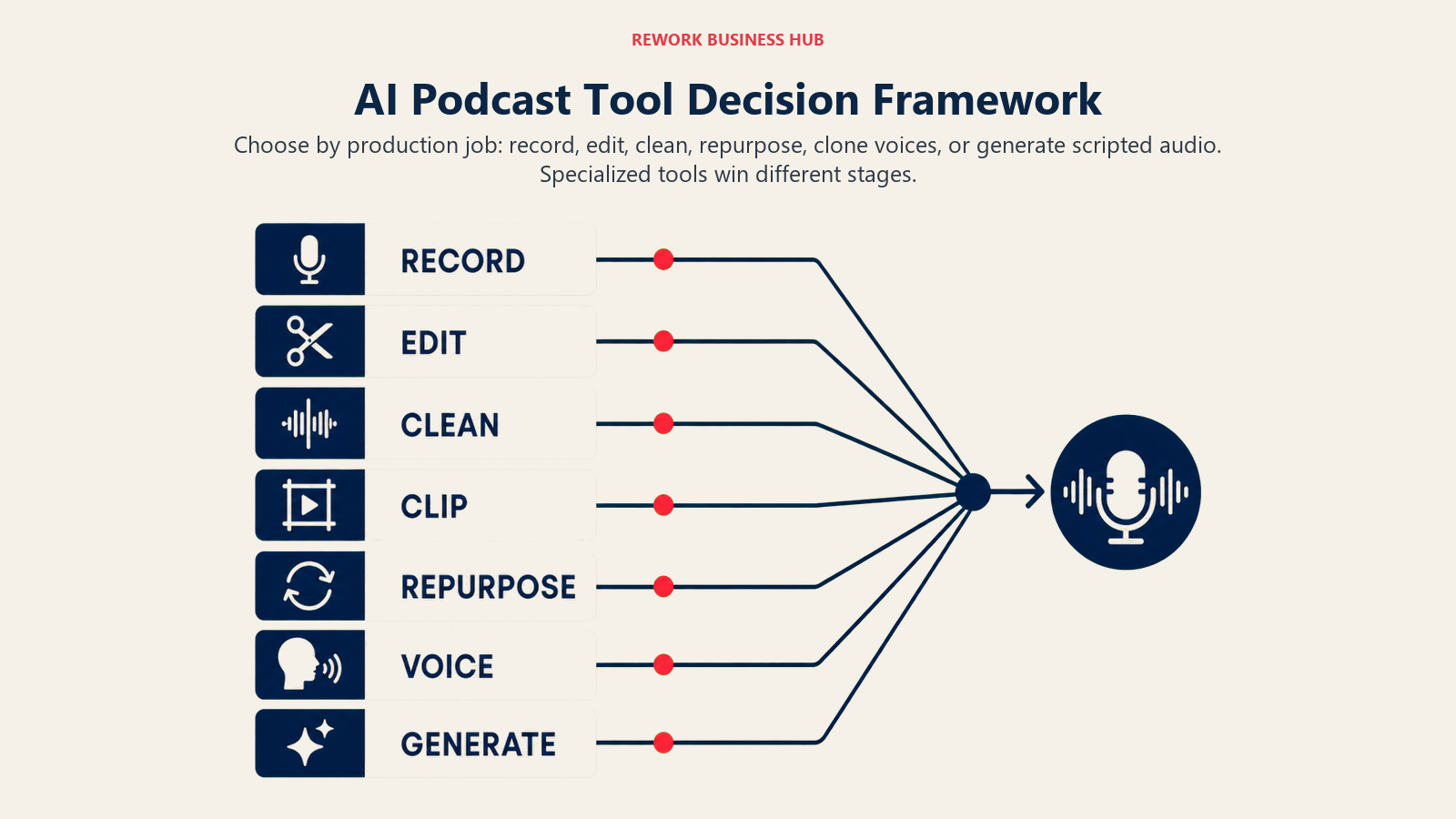
The right choice starts with the job in front of you, because each stage rewards a different kind of tool.
| If you need... | Pick... | Why |
|---|---|---|
| One tool for recording, transcript-based editing, and cleanup | Descript | Edits audio/video by editing text; AI cleanup built in |
| Broadcast-quality remote recording with non-technical guests | Riverside | Local recording avoids call-quality and connection drops |
| The cheapest all-in-one recording and editing bundle | Podcastle (Async) | Recording, editing, and voice cloning in one low-cost app |
| A fast, free fix for noisy or poorly recorded audio | Adobe Podcast | Studio-quality Enhance Speech, genuinely free |
| Automated, API-driven loudness leveling at scale | Auphonic | Best-in-class automated mastering for high episode volume |
| Automatic filler-word and dead-air removal | Cleanvoice | Purpose-built cleanup; no manual scrubbing required |
| AI-ranked clips for short-form social growth | Opus Clip | Virality scoring and multi-platform auto-posting |
| Deep, premium repurposing into notes, blogs, and social copy | Castmagic | Broadest AI content generation from one transcript |
| Budget repurposing basics without a premium price | Swell AI | Notes, clips, and social content at roughly half the cost |
| Marketing copy that sounds like your own writing | Capsho | AI persona trained on your writing style and edits |
| Realistic voice cloning, narration, or multilingual dubbing | ElevenLabs | Widest voice library and most natural cloning output |
| A fully AI-generated, scripted episode with no human host | Wondercraft | Script-to-episode generation with AI hosts and music |
| A free AI-narrated audio briefing from existing documents | NotebookLM Audio Overviews | Fastest, free way to turn documents into a listen |
Frequently Asked Questions about AI Podcast Tools
What is the best AI podcast tool in 2026?
There's no single best tool because "AI podcast tool" covers different jobs. Descript leads for all-in-one recording and transcript-based editing, Riverside leads for remote multi-track recording, Auphonic and Cleanvoice lead for automated audio cleanup, Opus Clip leads for social clipping, and ElevenLabs leads for voice cloning and dubbing.
What's the difference between Descript and Riverside?
Riverside is built primarily for recording, local capture at up to 4K with separate tracks per speaker, built to survive a bad internet connection. Descript is built primarily for editing, using a transcript-based workflow to cut and clean up a recording after the fact. Many production workflows use both: Riverside to record, Descript to edit.
Do I need a separate tool for filler-word removal, or does my editing suite handle it?
Descript's Studio Sound and Riverside's Magic Audio both offer some automated cleanup natively. Cleanvoice and Auphonic are more thorough for filler-word, mouth-sound, and silence removal specifically, which is why many editors run a recording through a dedicated cleanup tool before final editing.
How much does AI podcast software cost in 2026?
Entry pricing ranges from free (Adobe Podcast, NotebookLM, Descript, Riverside) to roughly $6 to $30 per month for individual creators using recording, cleanup, or repurposing tools. Team and agency tiers on tools like Castmagic or Capsho typically run $50 to $150 per month, and voice-cloning platforms like ElevenLabs bill on usage-based credits that scale with script volume.
Can AI tools fully replace a human podcast editor?
For straightforward interview or solo-host formats, tools like Descript, Cleanvoice, and Auphonic can handle most of what a junior editor used to do manually: cleanup, leveling, and rough cuts. Narrative or highly produced shows with sound design still benefit from a human editor directing the AI tools rather than replacing them.
Is it legal to clone my co-host's voice with ElevenLabs or Wondercraft?
Cloning your own voice is legal everywhere. Cloning someone else's voice, including a co-host's, requires their explicit consent in a growing number of US states, and most vendors now require a recorded consent statement before enabling professional voice cloning. Confirm your vendor's verification process before building a workflow around it.
What's the fastest way to turn one episode into social media content?
Opus Clip is purpose-built for that specific job, using AI virality scoring to identify and cut the strongest 30-90 second moments, then auto-posting to YouTube Shorts, TikTok, and Instagram. Castmagic and Swell AI cover the same source material for written repurposing (show notes, blog posts, social captions) rather than video clips.
Are free AI podcast tools good enough for a real show?
For getting started, yes. Descript, Riverside, Adobe Podcast, and NotebookLM all offer genuinely usable free tiers. You typically outgrow the free tier when you need more recording hours, higher export quality, or repurposing at volume, which is the point to move to a paid plan matched to your actual monthly output.
Should I use a fully AI-generated tool like Wondercraft instead of recording a real episode?
Only for specific formats. Wondercraft and NotebookLM Audio Overviews work well for scripted briefings, internal comms, or news roundups where a human host isn't the point. For interview or conversational shows, listeners can tell the difference, and a real recording edited with AI tools still outperforms a fully generated episode.
What to Do Next
Pick your primary bottleneck first, recording quality, editing time, cleanup, growth, or repurposing, and test one free tier against that specific problem before subscribing to anything. Most production stacks in 2026 combine two or three of these tools rather than one do-everything suite: record in Riverside, edit in Descript, clean up in Cleanvoice or Auphonic, and clip the highlights in Opus Clip. Start with whichever step is costing you the most time right now, and add the next tool once that bottleneck is actually gone.

Principal Product Marketing Strategist
On this page
- Updated July 2026: What Changed
- Key Facts
- Quick Comparison Table
- Podcast Tools by Use Case
- Ideal User Table
- 1. Descript: Edit a Podcast by Editing a Transcript
- 2. Riverside: Local Recording for Broadcast-Quality Remote Interviews
- 3. Podcastle (Async): Budget All-in-One Recording and Editing
- 4. Adobe Podcast: The Best Free Audio Cleanup on the Market
- 5. Auphonic: Automated Leveling and Loudness Normalization at Scale
- 6. Cleanvoice: Automatic Filler-Word and Silence Removal
- 7. Opus Clip: AI Clipping for Short-Form Social Growth
- 8. Castmagic: Premium Transcript-to-Content Repurposing
- 9. Swell AI: Budget Transcript-to-Content Repurposing
- 10. Capsho: AI Show Notes and Marketing Copy in Your Own Voice
- 11. ElevenLabs: The Most Realistic AI Voice Cloning and Dubbing
- 12. Wondercraft: Fully AI-Generated Podcast Episodes
- 13. NotebookLM Audio Overviews: Free AI-Narrated Briefings From Your Documents
- Podcast Tool Buying Mistakes to Avoid
- Decision Framework
- What to Do Next