Best AI Tools for PowerPoint Presentations in 2026
Turn this article into takeaways for your work.


Each assistant summarizes the article only for you and suggests best practices for your work.
If your final deliverable has to be an editable .pptx file, not a shareable link, Microsoft Copilot in PowerPoint is still the safest default because it never leaves the app, Plus AI and SlideSpeak are the strongest add-ins if you want AI without replatforming, and Beautiful.ai and Presentations.ai export to PowerPoint with the least breakage of any AI-native generator. This guide ranks 14 tools specifically on how well they work with actual PowerPoint files, not on general presentation quality. Selection method: every tool was evaluated for native PowerPoint integration or .pptx export fidelity, and pricing was.
That's a narrower question than "what's the best AI presentation tool," and it matters for a specific reason: most AI deck generators are built around a scrollable, card-based web format first and treat PowerPoint export as an afterthought. If your company standardizes on PowerPoint for board decks, client proposals, or anything IT has to archive and version-control, the tool that generates the prettiest live link is the wrong tool if the .pptx it hands you falls apart on open. This list is scoped to that PowerPoint-compatibility question. For a broader ranking of AI deck builders by use case rather than file compatibility, see our best AI presentation tools guide, and for general-purpose AI-native deck builders not tied to any specific file format, see best AI tools for slide decks. This guide sits inside our broader best AI tools in 2026 roundup across every category.
Key Facts
- Microsoft 365 Copilot crossed 20 million paid enterprise seats in fiscal Q3 2026, up 33% in a single quarter, the fastest three-month growth Microsoft has reported since Copilot launched, per Microsoft's FY26 Q3 investor earnings.
- Forrester's commissioned Total Economic Impact study found Microsoft 365 Copilot users recapture an average of 9 hours per month, with a projected 116% three-year ROI for a composite organization, per Forrester's TEI of Microsoft 365 Copilot.
- 77% of sales professionals still rely on PowerPoint as their go-to visual aid for in-person presentations, per an Emblaze survey cited by Corporate Visions.
- Microsoft PowerPoint holds roughly 16% of the presentation-software install base worldwide, well behind Canva's roughly 60% share, per 6sense's technology market share tracker.
- 88% of organizations now use AI in at least one business function, and 79% use generative AI specifically, per McKinsey's State of AI research.
- Office workers spend roughly 37% of their total time in PowerPoint on formatting rather than content, per empower's Global PowerPoint Study of more than 2,000 office workers.
Updated July 2026: What Changed
- Copilot in PowerPoint's agentic build-and-revise feature reached general availability in April 2026, letting it restructure an existing deck from a follow-up prompt instead of only generating a first draft.
- Microsoft permanently cut the Copilot Business (SMB) rate from $30 to $21/user/month for organizations under 300 users, effective December 1, 2025, with a promotional $18/user/month annual rate running through September 2026.
- Gamma's .pptx export still flattens layers on complex decks: animations vanish, text can become a locked image, and fonts get substituted. If a clean, fully editable PowerPoint file matters more than the fastest first draft, Beautiful.ai and Presentations.ai currently hand off better.
- PowerPoint-compatible office suites got cheaper. WPS Office AI and Zoho Show with Zia AI both now bundle AI presentation help into office suites priced well under a Microsoft 365 Copilot seat, a real option for cost-conscious teams that still need to open and send real .pptx files.
- Dedicated AI PowerPoint generators matured. SlideSpeak and PopAI both now ship as standalone AI PowerPoint makers with direct .pptx output and, in SlideSpeak's case, an in-deck AI chat feature, without requiring a Microsoft 365 subscription at all.
Quick Comparison Table
| Tool | Best For | Native to PowerPoint? | Starting Price | PPTX Export Quality |
|---|---|---|---|---|
| Microsoft Copilot in PowerPoint | Microsoft 365 shops | Native, inside the app | $21/user/mo (SMB, on top of M365) | N/A, it IS PowerPoint |
| Plus AI for PowerPoint | AI without replatforming | Native ribbon add-in | $10/mo (Basic, annual) | N/A, generates directly in-file |
| SlideSpeak | Dedicated AI PowerPoint generator | Standalone, PPTX output | Free; $29/mo (Premium) | Clean, no M365 needed |
| PopAI | Budget AI PowerPoint plugin | Standalone plugin + generator | Free; ~$8.29/mo (Pro) | Good, some layout loss on export |
| Beautiful.ai | Decks that stay well-designed on export | Standalone, PPTX-native design | $12/mo (Pro, annual) | Strong, closest to save-as |
| Presentations.ai | Chat-based editing with clean export | Standalone, PPTX-native | $20/mo (Pro, annual only) | Strong, preserves animations |
| WPS Office AI | Cheapest full Microsoft-format-compatible suite | Native OOXML/.pptx support | $9.99/mo (WPS AI) | Native, same file format as PowerPoint |
| Zoho Show with Zia AI | Cheapest bundled AI ecosystem option | Imports/exports native .pptx | $3/user/mo (Workplace Standard) | Good, occasional style loss |
| Decktopus | Guided wizard for non-designers | Standalone, PPTX export | $14.99/mo (Pro) | Moderate, template-dependent |
| Canva Magic Design | Brand-heavy decks | Standalone, PPTX export | $13/mo (Pro) | Moderate, fidelity loss on complex layouts |
| Visme | Data-heavy decks with charts | Standalone, PPTX export | $12.25/mo (Starter, annual) | Moderate, charts may flatten |
| Simplified | Marketing brief-to-deck workflows | Standalone, PPTX export | $29/mo (One) | Moderate, best for simple layouts |
| Gamma | Fastest AI-native first draft | Standalone, PPTX export | $9/seat/mo (Plus, annual) | Weakest, layers and fonts break |
| Prezi | Presenting an existing deck with live audience interaction | Standalone, imports and exports .pptx | Free plan; paid plans priced by region | Export on paid plans; Prezi says fonts and formatting carry over |
Why "AI Presentation Tool" and "AI Tool for PowerPoint" Aren't the Same Question
Most best-of lists for AI decks rank tools by how good the output looks in the tool's own web player. That's a fine question if the deck lives and dies as a shareable link. It's the wrong question if your job is to hand a client, a board, or a procurement team an actual .pptx file they can open in PowerPoint, edit without you in the room, and archive in a document management system that expects a real Office file.
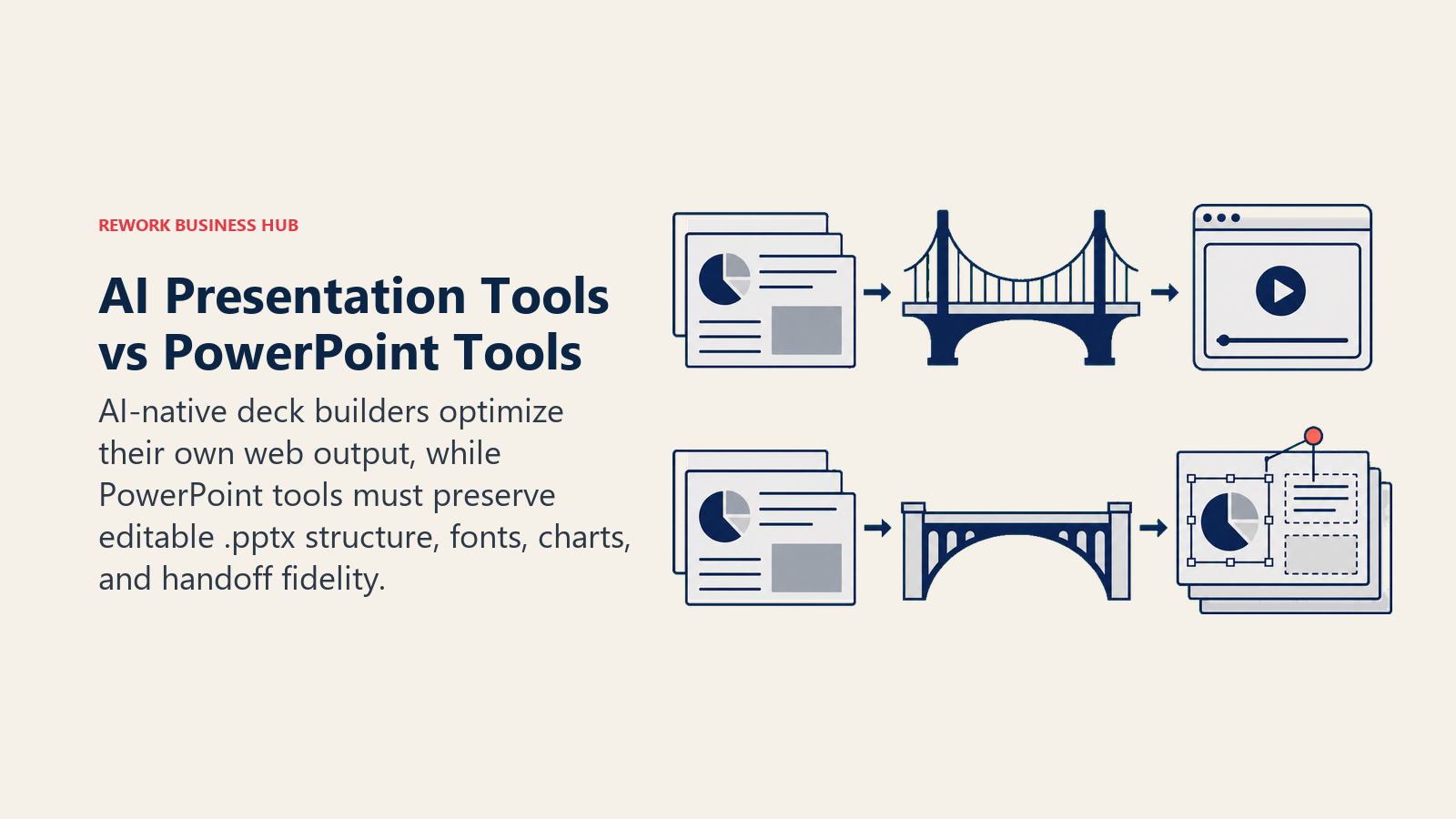
That distinction shows up in three places. First, native tools (Copilot, Plus AI) never have an export problem because they're generating inside the PowerPoint file format from the start. Second, PowerPoint-compatible suites (WPS, Zoho Show) use the same OOXML file structure PowerPoint does, so round-tripping a file between them and PowerPoint rarely breaks anything. Third, AI-native generators (Gamma, Canva, Visme, and the rest) were built for their own web-based editor first, and .pptx is a conversion, not a native format, so export quality varies a lot by tool and by how complex your deck is.
None of that means the AI-native generators are bad. Gamma remains the fastest way to get a usable first draft from a rough outline, and 88% of organizations already use AI in at least one business function, so the pressure to adopt one of these tools somewhere in the deck workflow is real, per McKinsey's State of AI research. It just means the ranking below weighs PowerPoint compatibility as heavily as speed, which most general "best AI presentation tool" roundups don't.
1. Microsoft Copilot in PowerPoint: Best for Microsoft 365 Shops
Copilot in PowerPoint isn't a separate app, it's an AI layer built into the PowerPoint you already have, so there's no export step to break in the first place. You can build a first draft from a Word document or a rough prompt, ask it to condense a 40-slide deck into a 10-slide executive summary, or restructure a deck based on new numbers, all inside the same .pptx file. Its agentic build-and-revise capability reached general availability in April 2026, closing a real capability gap with AI-native tools like Gamma.
| Strengths | Limitations |
|---|---|
| Zero export risk, it generates directly in the .pptx you'll present from | Requires a qualifying Microsoft 365 subscription plus the Copilot add-on |
| Builds decks directly from your own Word docs, emails, and files | SMB rate is still $21/user/mo on top of the base M365 license |
| Same AI layer works across Word, Excel, Outlook, and Teams | Less generative flair for a first full draft than purpose-built AI-native tools |
Pricing: Microsoft 365 Copilot Business (SMB, under 300 users) $21/user/mo, permanently reduced from $30 effective December 1, 2025, with a promotional $18/user/mo annual rate through September 2026; Enterprise Copilot $30/user/mo (annual); both require an underlying qualifying Microsoft 365 license. Source: microsoft.com/en-us/microsoft-365-copilot/pricing.
Best for: Organizations already standardized on Microsoft 365 who want AI help without ever leaving the PowerPoint file or adding a new vendor.
2. Plus AI for PowerPoint: Best In-Ribbon Add-In
Plus AI's whole premise is that most teams don't want to learn a new platform, they want AI inside the tool they already open every day. It installs as an add-in inside the actual PowerPoint ribbon (desktop and web, plus Google Slides), generating and revising slides without exporting, re-importing, or leaving your existing template and brand setup.
| Strengths | Limitations |
|---|---|
| Runs inside the real PowerPoint ribbon, not a separate window | No ongoing free tier, only a 7-day trial |
| No context-switching for teams already standardized on Office | Ceiling is set by whatever PowerPoint itself can do |
| One subscription covers both PowerPoint and Google Slides | Custom branding requires the $30/mo Team tier |
Pricing: Basic $10/mo (annual); Pro $20/mo; Team $30/mo (custom branding); 7-day free trial with 1,000 AI credits on all plans. Source: plusai.com/pricing.
Best for: Teams standardized on PowerPoint who want AI generation without adopting a separate presentation platform or changing their file workflow.
3. SlideSpeak: Best Dedicated AI PowerPoint Generator
SlideSpeak was built around one job: turn text, an outline, or an existing document into a PowerPoint file, and let you keep talking to that deck afterward with an AI chat layer that can edit specific slides on request. Unlike Copilot, it doesn't require a Microsoft 365 subscription at all, it just hands you a .pptx when it's done, which makes it a genuine option for teams that need PowerPoint output without paying for the full Microsoft stack.
| Strengths | Limitations |
|---|---|
| Purpose-built PowerPoint generator, not a general design tool retrofitted for export | Premium Plus tier ($34/mo) is needed for unlimited credits and no file size limit |
| No Microsoft 365 subscription required to produce real .pptx files | Custom branded template upload is a $129 one-time add-on |
| AI document chat lets you query and edit an existing uploaded deck | Smaller company than Gamma or Canva, less third-party integration |
Pricing: Free (limited); Premium from $29/mo (annual); Premium Plus $34/mo (annual), unlimited credits and exports; Enterprise custom with SSO. Source: slidespeak.co/pricing.
Best for: Teams that need a dedicated AI-to-PowerPoint pipeline without an underlying Microsoft 365 license, including agencies producing decks for clients on different office suites.
4. PopAI: Cheapest AI PowerPoint Plugin
PopAI bundles an AI PowerPoint generator into a broader all-in-one AI workspace that also handles document chat and image generation, and it's priced well below most of the dedicated tools on this list. It supports export to PowerPoint directly, which makes it a reasonable low-cost entry point for freelancers and small teams who need occasional .pptx output without a big monthly commitment.
| Strengths | Limitations |
|---|---|
| Lowest ongoing paid price on this list for AI PowerPoint generation | Standalone tool, no deep integration with Microsoft 365 or Google Workspace |
| Bundles document chat and OCR alongside deck generation | Free tier is capped around one presentation per month |
| Fast generation from an outline or existing PDF | Design polish is a step behind Beautiful.ai or Canva on complex decks |
Pricing: Free (roughly 1 presentation/mo); Pro about $8.29-8.33/mo (annual); Unlimited about $33-40/mo depending on billing term; also sold as $12/mo, $30/quarter, or $99/yr subscriptions. Source: popai.pro/en/pricing.
Best for: Freelancers and small teams who need cheap, occasional AI-generated PowerPoint files and don't need Microsoft 365 or Google Workspace integration.
5. Beautiful.ai: Strongest PPTX Export Fidelity From an AI-Native Builder
Beautiful.ai's Smart Templates auto-adjust layout, spacing, and hierarchy in real time as you edit, which is a design feature, but it has a side effect that matters for this list: because the underlying slide structure stays close to how PowerPoint itself organizes a slide, its .pptx export is one of the cleanest of any AI-native generator. Exporting is closer to a save-as than a conversion.
| Strengths | Limitations |
|---|---|
| Export to PowerPoint is close to a save-as, not a lossy conversion | No ongoing free tier, only a 14-day trial |
| Smart Templates make it hard to hand off a broken layout | Team plan jumps sharply in price versus Pro |
| Strong for solo consultants who need a polished, editable file fast | Less generative than Gamma or SlideSpeak for a first full draft |
Pricing: Pro $12/mo (annual) or $45/mo (monthly); Team $40/user/mo (annual); SMB bundles at $6,000/year (50 users) or $12,000/year (100 users); Enterprise custom. Source: beautiful.ai/pricing.
Best for: Consultants and small teams who need to hand off a genuinely editable PowerPoint file, not just a polished live link.
6. Presentations.ai: Best for Preserving Animations on Export
Presentations.ai treats a deck like an ongoing conversation, and its export layer is built to preserve the automatic animations and stock imagery applied during AI creation rather than flattening them into static images, which is a common failure point for other AI generators when they hand off to .pptx.
| Strengths | Limitations |
|---|---|
| Preserves animations and imagery on .pptx export better than most AI-native tools | PowerPoint export is a paid-tier feature, not available on the free Starter plan |
| Genuinely unlimited free tier for unlimited users on the deck itself | No monthly billing, annual only on the paid Pro plan |
| Automatic brand sync keeps decks on-brand by default | Younger product with a smaller template library than Canva |
Pricing: Starter free (unlimited users, no credit card); Pro $240/year (about $20/mo effective, annual only); Enterprise custom. Source: presentations.ai/pricing.
Best for: Teams that want a genuinely editable, animation-preserving .pptx handoff without paying for a Microsoft 365 seat.
7. WPS Office AI: Cheapest Full Microsoft-Format-Compatible Suite
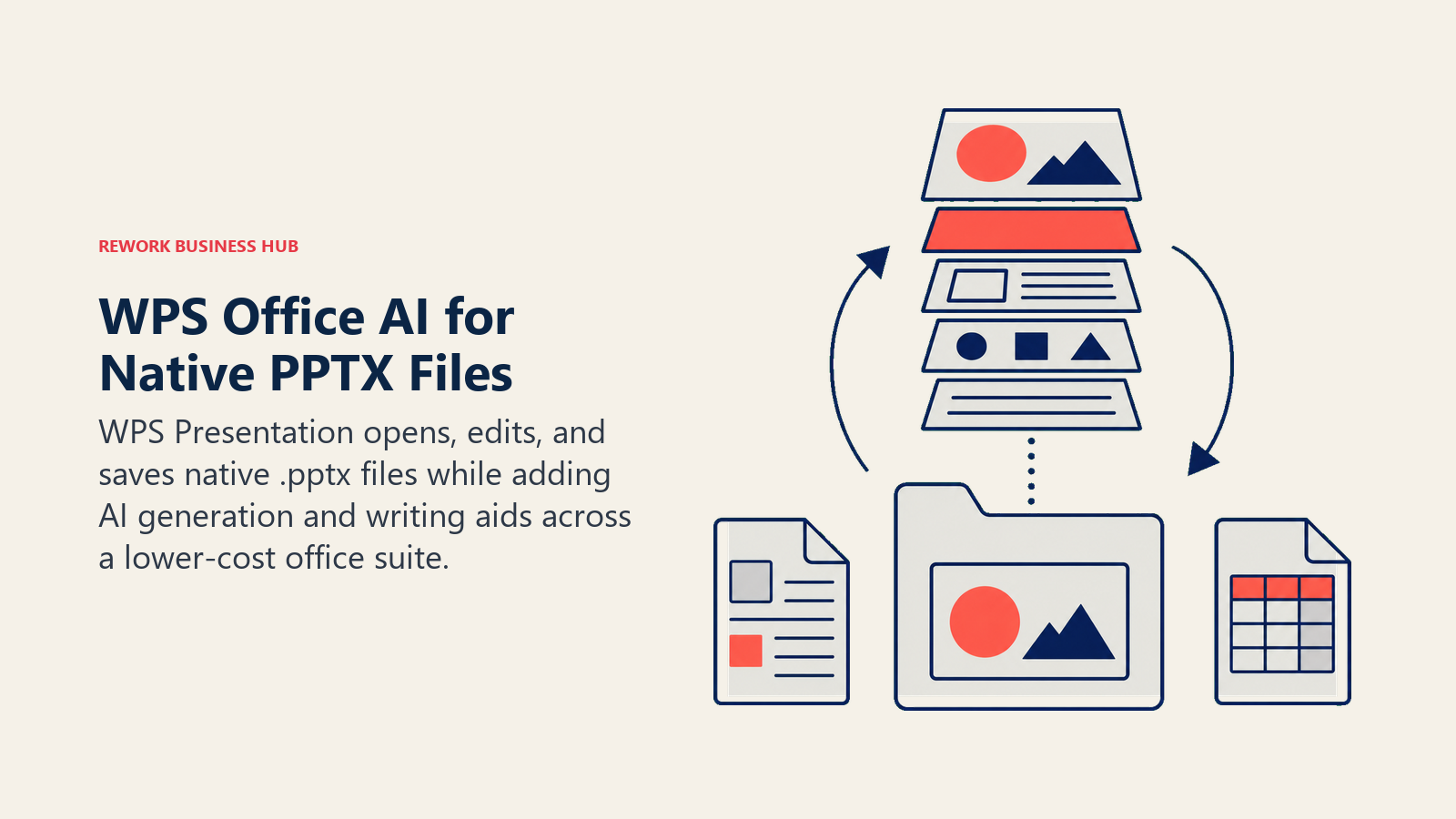
WPS Office is a full productivity suite built on the same OOXML file structure PowerPoint uses, which means WPS Presentation opens, edits, and saves real .pptx files natively rather than converting them. Its AI layer adds slide generation aids, writing suggestions, and basic data insights across the suite, positioning it as a genuine budget alternative to paying for both Microsoft 365 and a Copilot add-on.
| Strengths | Limitations |
|---|---|
| Native .pptx compatibility, not an export conversion, at a fraction of M365 + Copilot cost | AI features have a daily usage limit before pausing until the next day |
| Full suite (Writer, Spreadsheet, Presentation, PDF) across Windows, macOS, Linux, Android, iOS | AI generation quality is a step behind Copilot or Gamma for a from-scratch first draft |
| Works well as a lightweight PowerPoint viewer/editor for teams that don't need the full M365 stack | Less enterprise governance and admin tooling than Microsoft 365 |
Pricing: WPS AI $9.99/mo; WPS Pro + WPS AI $10.83/mo; WPS Pro (no AI) $35.99/yr. Source: wps.com/buy.
Best for: Cost-conscious teams and individuals who need real PowerPoint-compatible files without paying for a full Microsoft 365 plus Copilot stack.
8. Zoho Show with Zia AI: Cheapest Bundled AI Ecosystem Option
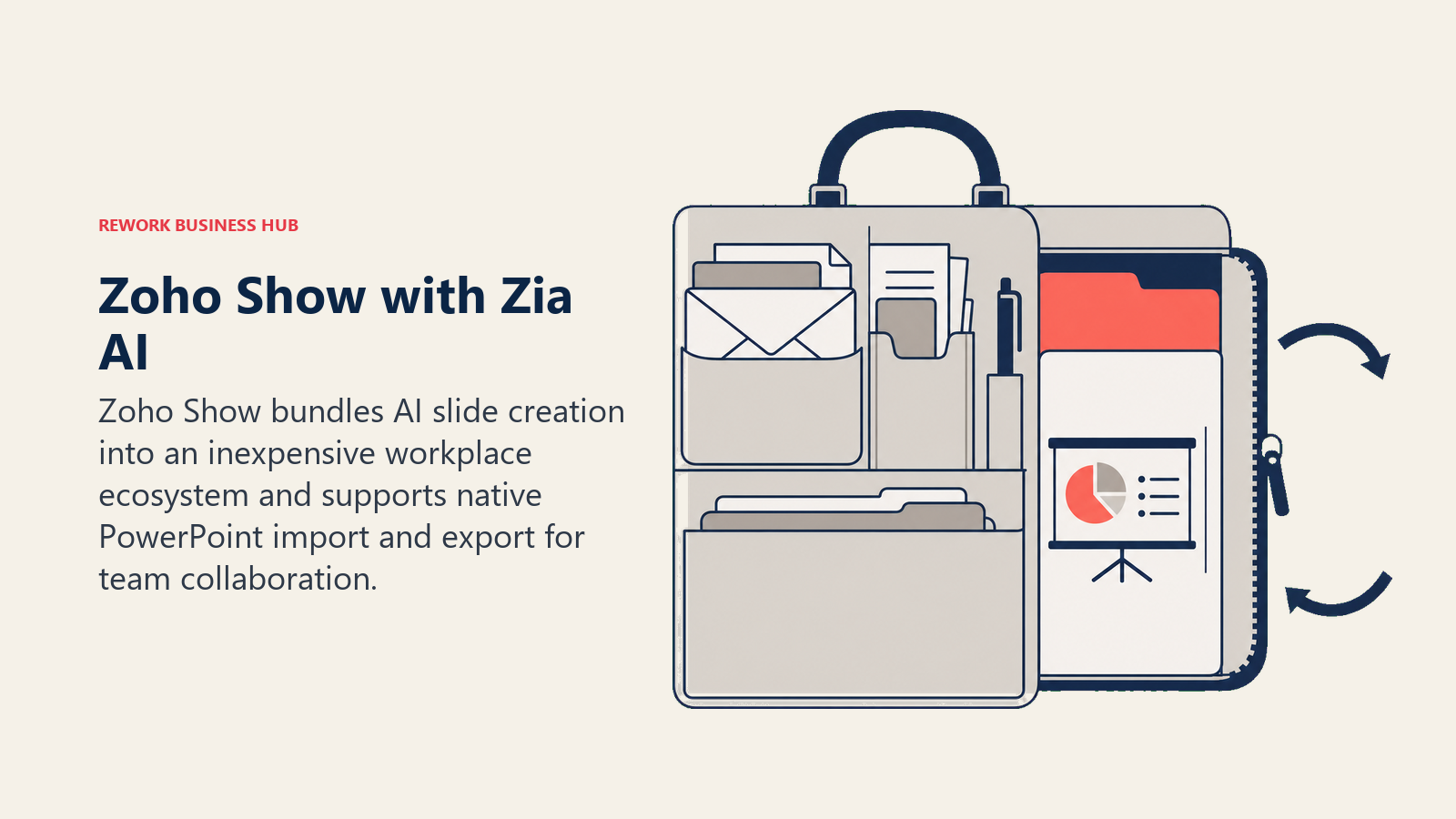
Zoho Show is Zoho's presentation app, and its Zia AI assistant for slide generation is included at no extra cost inside a Zoho Workplace subscription, one of the cheapest per-seat office suite prices on this list. Zoho Show imports and exports native .pptx files, which matters for teams that need to collaborate with PowerPoint users outside their organization without buying them a Zoho seat too.
| Strengths | Limitations |
|---|---|
| Zia AI is bundled at no additional cost inside Zoho Workplace | AI generation quality is more basic than dedicated AI presentation tools |
| Cheapest per-seat office suite with AI-assisted slides on this list | Best value is inside the Zoho ecosystem; less compelling as a standalone app |
| Native .pptx import/export for collaborating with PowerPoint users | Occasional style loss on complex custom layouts during export |
Pricing: Bundled into Zoho Workplace Standard $3/user/mo (annual) or Professional $6/user/mo (annual); Zoho Show is also usable on a free Zoho account with basic features. Source: zoho.com/workplace/pricing.html.
Best for: Cost-conscious teams already in or considering the Zoho ecosystem who need bundled AI slide help and reliable PowerPoint file compatibility.
9. Decktopus: Best Guided Wizard That Still Exports Cleanly
Decktopus walks you through a short question flow about your audience, goal, and tone, then assembles a deck from a large template library with AI-written copy already dropped in. It's built for people who find a blank AI prompt just as intimidating as a blank slide, and its templates are simple enough structurally that PowerPoint export holds up reasonably well.
| Strengths | Limitations |
|---|---|
| Guided question flow lowers the barrier to a usable first draft | AI credits (30 per deck) run out faster than expected on annual plans |
| Template structures are simple enough to export to PowerPoint without heavy breakage | Business tier price jumps sharply from Pro |
| Webhook integration for embedding decks elsewhere | Smaller AI model quality ceiling than Gamma or Beautiful.ai |
Pricing: Free (limited decks); Pro $14.99/mo (monthly) or $179.99/yr (annual); Business $34.99/user/mo (monthly) or $419.99/user/yr (annual); Enterprise custom. Source: decktopus.com/pricing.
Best for: First-time deck builders and small businesses who want a guided path to a PowerPoint-exportable deck instead of an open prompt. Consultants who bill by the deck may also want the best AI tools for consultants guide for the rest of the client-delivery stack.
10. Canva Magic Design: Best for Brand-Heavy Decks That Get Exported Once
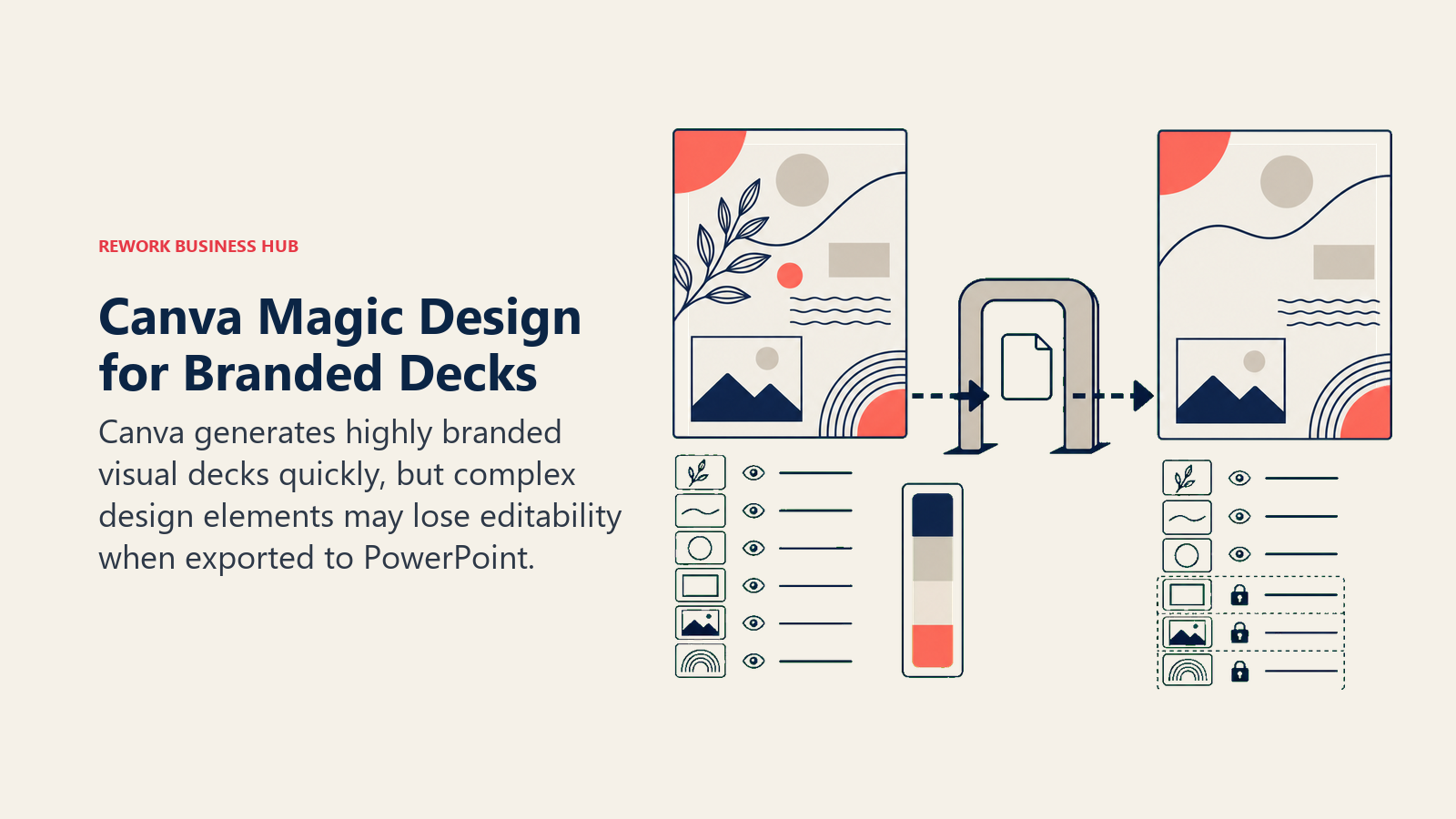
Canva's philosophy is visual design first, and presentations are one output of a much bigger design platform. Magic Design generates a full first draft from a prompt using your Brand Kit and Canva's stock library, and it exports to .pptx, but because Canva's layouts lean on design elements PowerPoint doesn't natively support, complex decks can lose some fidelity on export. It's a strong fit when you need a PowerPoint file once, not when you need to keep round-tripping the file between Canva and PowerPoint.
| Strengths | Limitations |
|---|---|
| Largest stock photo, icon, and template library on this list | Complex layouts (custom shapes, gradients, effects) can lose fidelity in .pptx export |
| Brand Kit keeps decks consistent with the rest of your marketing materials | Magic Design capped at 10 free uses/month without Pro |
| Best cross-format reuse, deck assets become social posts and one-pagers too | Business tier repriced upward, trending toward $25/user/mo as of July 2026 |
Pricing: Free (limited Magic Design uses); Pro about $13/mo; Business (formerly Teams) trending toward $25/user/mo as of July 2026; Enterprise custom. Source: canva.com/pricing.
Best for: Marketing and brand teams that need one clean PowerPoint export of a Canva-designed deck rather than ongoing back-and-forth editing in PowerPoint itself.
11. Visme: Best for Data-Heavy Decks That Need to Reach PowerPoint
Visme's differentiation is depth in data visualization: live charts, interactive infographics, and dashboard-style layouts most presentation tools treat as an afterthought. Its AI Designer generates a first draft from a prompt, and it exports to .pptx, though the most complex interactive chart elements can flatten into static images once they land in PowerPoint.
| Strengths | Limitations |
|---|---|
| Strongest native charting and infographic tools on this list | Interactive chart elements can flatten to static images on .pptx export |
| Broader output range beyond decks: one-pagers, documents, video | AI Designer credits are limited even on Pro (500/mo) |
| Analytics and password protection on the Pro tier | Free plan can't export projects at all |
Pricing: Free (Basic, 10 AI credits/mo, no export); Starter $12.25/mo (annual), 200 AI credits; Pro $24.75/mo (annual), 500 AI credits; Enterprise custom, unlimited AI credits. Source: visme.co/pricing.
Best for: Analysts and RevOps teams building data-heavy QBRs or board decks that still need to land as a PowerPoint file for distribution.
12. Simplified: Best for Marketing Brief-to-Deck Workflows
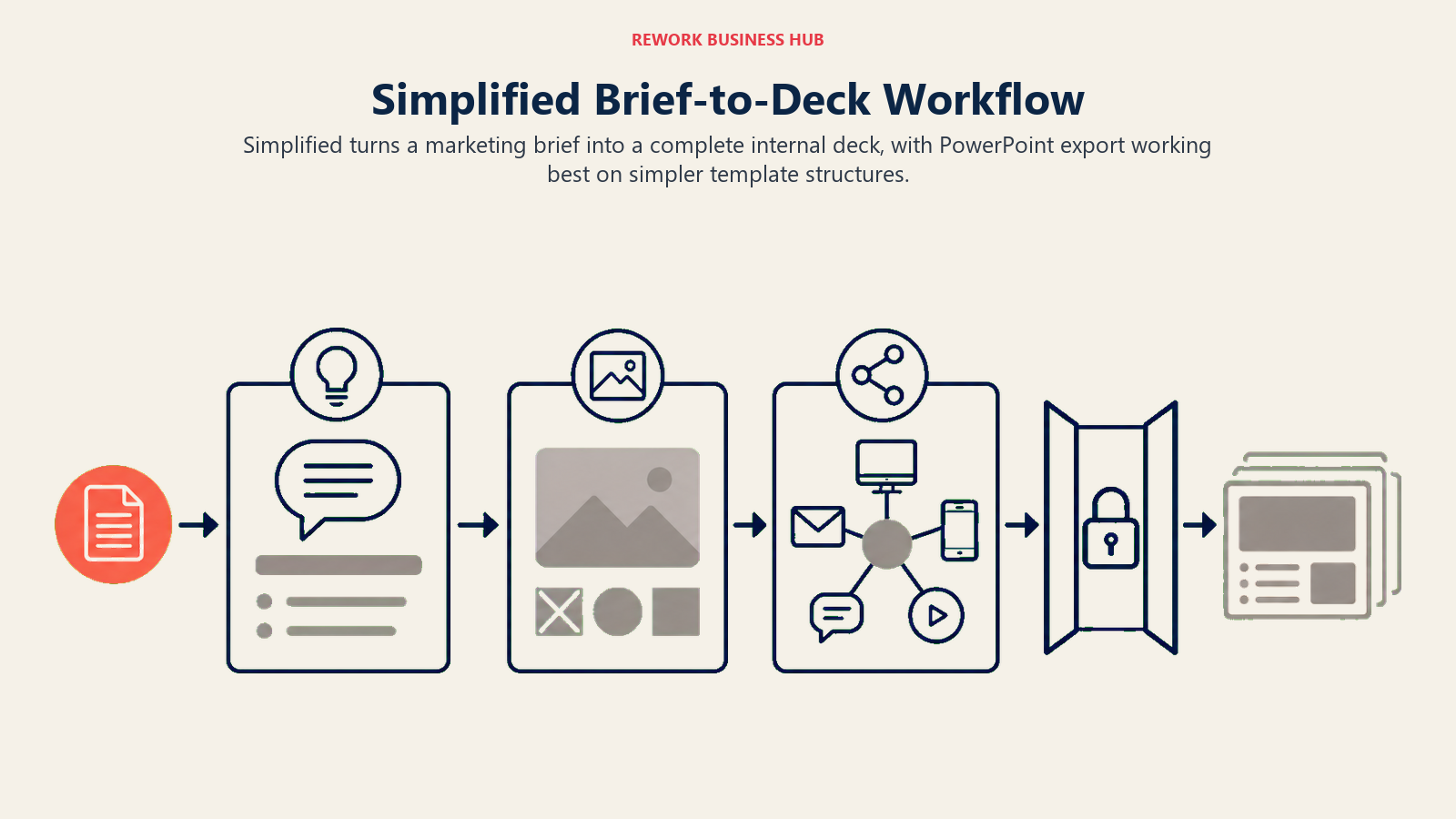
Simplified's AI presentation maker takes a short brief, a topic, or a marketing prompt and generates a full deck, positioned as part of a broader marketing content suite rather than a dedicated presentation tool. Export to PowerPoint works best on its simpler, less design-heavy templates, which suits internal marketing updates and campaign recaps more than polished client-facing decks.
| Strengths | Limitations |
|---|---|
| Fast brief-to-deck generation for marketing and campaign updates | PowerPoint export fidelity is best on simpler layouts, not heavily designed ones |
| Multiple brand kits on Business and Agency tiers | Priced higher than dedicated presentation-only tools for comparable output |
| Part of a broader marketing content suite if you need more than decks | Not purpose-built for board-level or investor-grade decks |
Pricing: One $29/mo, up to 50 AI presentations/mo, one brand kit; Business $79/mo, 200 presentations/mo, multiple brand kits; Agency $119/mo, 500 presentations/mo, up to five brand kits. Source: simplified.com/ai-presentation-maker.
Best for: Marketing teams generating recurring internal decks and campaign recaps who already use Simplified for other content. Agencies weighing a broader AI content stack should also see best AI tools for marketing agencies.
13. Gamma: Fastest First Draft, Weakest PowerPoint Export
Gamma is the most popular AI-native presentation tool on the market, and it earns that reputation honestly: type a topic or paste an outline and it generates a full deck, imagery and copy included, faster than anything else on this list. The tradeoff, and the reason it ranks lowest of the generators for PowerPoint compatibility, is that Gamma's scrollable, card-based format doesn't map cleanly to PowerPoint's fixed 16:9 slide structure. Exporting to .pptx can flatten layers, turn editable text into a locked image, and substitute fonts on complex decks.
| Strengths | Limitations |
|---|---|
| Fastest path from a prompt to a usable full deck of any tool on this list | .pptx export flattens layers on complex decks: animations vanish, text can lock as an image |
| Generous free tier for testing (400 one-time credits) | Ultra tier has no annual discount, unlike Plus and Pro |
| API access and custom domains on Pro and up | Fonts and custom layouts often need manual cleanup after export |
Pricing: Free (400 one-time credits); Plus $9/seat/mo (annual) or $10/mo (monthly), 1,000 credits/mo; Pro $18/seat/mo (annual) or $20/mo (monthly), 4,000 credits/mo; Ultra $90/seat/mo (monthly only), 20,000 credits/mo; Team $20/seat/mo (min 2 seats); Business $40/seat/mo (min 10 seats). Source: gamma.app/pricing.
Best for: Teams who need the fastest possible first draft and plan to keep presenting from the live Gamma link rather than handing off a polished PowerPoint file.
14. Prezi: Best for Presenting an Existing Deck With Live Audience Interaction
Prezi isn't a PowerPoint generator so much as a place to present a deck that already exists. Prezi says imported PowerPoint files keep their fonts, line spacing, and formatting, and it can also build a draft from a prompt. On top of the deck you add live polls, quizzes, Q&A, and word clouds that the audience joins by QR code, with no app or account. Afterward the same link works as a narrated video, podcast, transcript, or flashcards. It sits at the end of this list because the deck leaves PowerPoint to be presented, and getting edits back into a .pptx is an export step.
| Strengths | Limitations |
|---|---|
| Imports an existing PowerPoint deck, then layers polls, quizzes, and Q&A on top | The live session runs in Prezi, not in PowerPoint |
| Audience joins from any phone by QR code, with no app or login | Free Basic plan keeps presentations public, watermarked, and capped at 14 slides |
| Post-session review as video, podcast, transcript, or flashcards | Exporting back to .pptx requires a paid plan |
Pricing: Free to get started; no credit card required. The free Basic plan includes 500 AI credits, up to 14 slides per presentation, and a Prezi watermark. Paid plans are billed annually with a 14-day free trial, and the pricing page shows prices by region. Source: prezi.com/pricing.
Best for: Trainers and presenters who build in PowerPoint but want audience participation and a reusable follow-up link.
Native, Add-In, or Standalone Generator
Understanding which category a tool falls into tells you how much export risk you're taking on before you evaluate anything else.
| Category | What It Means | Tools |
|---|---|---|
| Native to PowerPoint | Runs inside the actual PowerPoint app, no export step | Microsoft Copilot in PowerPoint, Plus AI |
| PowerPoint-format-compatible suite | Different app, same OOXML/.pptx file format | WPS Office AI, Zoho Show with Zia AI |
| Dedicated AI PowerPoint generator | Built specifically to output .pptx, no other primary format | SlideSpeak, PopAI |
| Standalone AI-native generator | Built around its own format first, .pptx is a conversion | Gamma, Beautiful.ai, Presentations.ai, Decktopus, Canva, Visme, Simplified, Prezi |
How to Choose: Decision Framework
| If you need... | Pick... | Why |
|---|---|---|
| Zero export risk on a Microsoft 365 team | Microsoft Copilot in PowerPoint | It generates directly inside the .pptx file, nothing to convert |
| AI inside PowerPoint without a full Copilot license | Plus AI for PowerPoint | Runs as a ribbon add-in, cheaper than a Copilot seat |
| A dedicated AI-to-PowerPoint generator with no M365 required | SlideSpeak | Purpose-built for .pptx output, includes an AI chat layer on the deck |
| The cheapest AI PowerPoint plugin for occasional use | PopAI | Lowest ongoing paid price for AI-generated .pptx files |
| The cleanest PowerPoint export from an AI-native design tool | Beautiful.ai | Smart Templates keep the underlying structure close to native PowerPoint |
| Animation-preserving export for an interactive-feeling deck | Presentations.ai | Built to keep motion and imagery intact through the .pptx conversion |
| The cheapest full Microsoft-format-compatible office suite | WPS Office AI | Native OOXML support at a fraction of M365 plus Copilot |
| Bundled AI at the lowest per-seat office suite price | Zoho Show with Zia AI | Zia is included free inside a $3/user/mo Workplace plan |
| A guided first draft for a non-designer that still exports cleanly | Decktopus | Simple template structures hold up well through .pptx conversion |
| Brand-consistent visuals for a one-time PowerPoint handoff | Canva Magic Design | Largest asset library, best for a single clean export, not repeated round-trips |
| Data-heavy decks with real charts that still need to land in PowerPoint | Visme | Strongest native data visualization, exports to .pptx |
| Recurring marketing brief-to-deck generation | Simplified | Fast brief-to-deck workflow for internal and campaign decks |
| The fastest possible first draft and you'll present from the live link | Gamma | Fastest AI-native generation, accept the PowerPoint export tradeoff |
| Live polls, quizzes, and Q&A on top of an existing PowerPoint deck | Prezi | Imports the .pptx and runs audience interaction from the same screen |
Teams building the source content that eventually becomes a deck, proposal, or report may also want the best AI tools for content writers guide, and if the numbers in your deck live in a spreadsheet before they hit a slide, the best AI tools for Excel and spreadsheets guide covers that layer. Sales teams building proposal decks that need to tie back to pipeline data should see best AI tools for sales.
PowerPoint Buying Mistakes to Avoid
The most common mistake on this list isn't picking a bad tool, it's picking a great AI-native generator for a job that actually required PowerPoint file fidelity. Before you commit to a seat, check the table below.

| Mistake | What It Looks Like | What to Do Instead |
|---|---|---|
| Judging a tool by its live web player, not its .pptx export | Loving Gamma's demo, then getting a broken export for a client proposal | Test the export on a real, complex deck before committing to a paid plan |
| Paying for Copilot before confirming your M365 tier qualifies | Buying a Copilot add-on that requires a base license you don't have | Confirm your Microsoft 365 plan qualifies before adding Copilot |
| Assuming every AI tool needs Microsoft 365 | Buying an M365 Copilot seat when a $10/mo add-in or a suite like WPS would do | Match the tool to whether you actually need the full Office stack |
| Ignoring who receives the file | Sending a Gamma export to a client whose IT team only accepts clean PowerPoint files | Confirm the receiving side's format requirements before you generate |
| Buying per-seat AI tools for a task done twice a year | Standing up a $20/seat/mo tool for one annual investor deck | Use a free tier or a cheap one-off generator like SlideSpeak or PopAI for occasional needs |
Frequently Asked Questions about AI Tools for PowerPoint Presentations
What's the best AI tool for PowerPoint specifically, not just AI presentations in general?
If you're already on Microsoft 365, Copilot in PowerPoint is the safest choice because it generates directly inside the file with no export step. If you want AI without a full Copilot license, Plus AI runs as a PowerPoint add-in for a fraction of the cost. For teams without Microsoft 365, SlideSpeak and PopAI generate .pptx files directly with no underlying Office subscription required.
Does Microsoft Copilot in PowerPoint require a separate purchase from Microsoft 365?
Yes. Copilot is an add-on on top of a qualifying Microsoft 365 subscription, priced at $21/user/mo for Business (SMB, under 300 users) as of December 1, 2025, or $30/user/mo for Enterprise, both billed annually. It's not included in a standard Microsoft 365 license.
Which AI presentation generators export cleanly to .pptx without breaking the layout?
Beautiful.ai and Presentations.ai currently hand off the cleanest .pptx files among AI-native generators because their editors stay structurally close to how PowerPoint organizes a slide. Gamma's card-based format is the least PowerPoint-compatible on this list, with animations, fonts, and text editability all at risk on complex decks.
Can I use Gamma or Canva if I need to hand off an editable PowerPoint file to a client?
You can, but test the export on a real deck first, not a simple demo. Both export to .pptx, but complex layouts, custom fonts, and animations can degrade in the conversion. If the receiving side needs a fully editable file rather than a one-time handoff, Beautiful.ai, Presentations.ai, or a PowerPoint-native tool is a safer default.
Is there a cheaper alternative to Microsoft 365 Copilot that still works with PowerPoint files?
Yes. WPS Office AI ($9.99/mo) and Zoho Show with Zia AI (bundled free inside a $3/user/mo Zoho Workplace plan) both use the same .pptx file format PowerPoint does, so files round-trip without conversion, at a fraction of the cost of Microsoft 365 plus a Copilot seat.
What's the difference between an AI PowerPoint add-in and an AI presentation generator?
An add-in like Plus AI installs inside PowerPoint itself and generates content in your existing file, so there's no export step. A generator like Gamma, SlideSpeak, or Canva builds the deck in its own tool first, then exports or converts it to a .pptx file, which is where compatibility issues can creep in.
Do any of these tools work if my team doesn't have Microsoft 365 at all?
Yes, most of them. SlideSpeak, PopAI, Beautiful.ai, Presentations.ai, Decktopus, Canva, Visme, Simplified, and Gamma all work standalone and export to .pptx without requiring Microsoft 365. WPS Office AI and Zoho Show go further and use PowerPoint's own file format natively, which is the closest you can get to Microsoft 365 compatibility without paying for Microsoft 365.
What to Do Next
Start by asking who receives the final file and what they need to do with it, not which tool has the best demo. If the deck stays inside a Microsoft 365 shop and gets edited by multiple people over time, Copilot in PowerPoint or Plus AI avoid the export problem entirely. If you need a real .pptx file without paying for Microsoft 365, test SlideSpeak, PopAI, Beautiful.ai, or Presentations.ai on an actual complex deck, not a simple demo, before you commit to a paid seat. And if speed matters more than a perfect file handoff because you'll present from a live link, Gamma is still the fastest way to get a first draft on the page. For the rest of your daily AI workflow beyond decks, from scheduling to inbox triage, see best AI productivity tools, and if you're still choosing which chatbot to draft the outline in before it becomes a deck, Claude vs ChatGPT vs Gemini covers that decision.

Principal Product Marketing Strategist
On this page
- Key Facts
- Updated July 2026: What Changed
- Quick Comparison Table
- Why "AI Presentation Tool" and "AI Tool for PowerPoint" Aren't the Same Question
- 1. Microsoft Copilot in PowerPoint: Best for Microsoft 365 Shops
- 2. Plus AI for PowerPoint: Best In-Ribbon Add-In
- 3. SlideSpeak: Best Dedicated AI PowerPoint Generator
- 4. PopAI: Cheapest AI PowerPoint Plugin
- 5. Beautiful.ai: Strongest PPTX Export Fidelity From an AI-Native Builder
- 6. Presentations.ai: Best for Preserving Animations on Export
- 7. WPS Office AI: Cheapest Full Microsoft-Format-Compatible Suite
- 8. Zoho Show with Zia AI: Cheapest Bundled AI Ecosystem Option
- 9. Decktopus: Best Guided Wizard That Still Exports Cleanly
- 10. Canva Magic Design: Best for Brand-Heavy Decks That Get Exported Once
- 11. Visme: Best for Data-Heavy Decks That Need to Reach PowerPoint
- 12. Simplified: Best for Marketing Brief-to-Deck Workflows
- 13. Gamma: Fastest First Draft, Weakest PowerPoint Export
- 14. Prezi: Best for Presenting an Existing Deck With Live Audience Interaction
- Native, Add-In, or Standalone Generator
- How to Choose: Decision Framework
- PowerPoint Buying Mistakes to Avoid
- What to Do Next