Best AI Tools for Finance Teams in 2026: 15 Tools for FP&A, Forecasting, and Spend
Turn this article into takeaways for your work.


Each assistant summarizes the article only for you and suggests best practices for your work.
If you're picking an AI tool for a finance team in 2026, Cube and Datarails lead if you want AI layered onto the Excel or Google Sheets models you already run, Pigment, Anaplan, Vena, and Workday Adaptive Planning lead for connected planning at mid-market to enterprise scale, Abacum, Runway, and Mosaic lead for AI-native FP&A built for high-growth and SaaS companies, Ramp, Brex, and Tabs lead for AI-driven spend and billing that feeds straight into your forecast, Coefficient leads for live data inside a spreadsheet, and ChatGPT is the fastest option for a one-off model or board memo. This guide ranks 15 tools by the job you're actually hiring AI to do in the CFO's office, not by whichever vendor shipped the loudest launch post this quarter.
This guide is scoped to planning, forecasting, reporting, and spend, the work that sits in the FP&A and CFO office. If your gap is actually the ledger, reconciliation, or monthly close, best AI tools for accounting covers that adjacent category (QuickBooks, Xero, Zeni, Digits, BILL) in depth, and the two guides are built to be read together, not instead of each other.
Updated July 2026: What Changed
- Public pricing kept disappearing across mid-market and enterprise FP&A. Cube, Pigment, and Anaplan's AI add-ons (PlanIQ, CoModeler) all moved to fully custom, quote-only pricing this year. If a vendor below shows a price range instead of a flat number, that's why, not a research gap.
- Ramp shipped AI Token Spend Intelligence in its Q2 2026 release, pulling usage data from Anthropic, OpenAI, Cursor, and Gemini into one dashboard so finance teams can tie AI spend to teams and projects, a direct response to token costs growing over 1,000% year over year among businesses tracking them.
- Brex went further into autonomous agents, shipping Expense, Audit, and Review agents that write memos, fetch receipts, and auto-approve low-risk spend, reportedly automating 75% of expense workflows for some customers.
- Tabs raised a $55M Series B to build out AI agents specifically for B2B billing and collections, a signal that AI is moving past the planning layer and into the revenue side of the CFO's office, not just cost control.
Key Facts
- 90% of finance functions are projected to have deployed at least one AI-enabled technology solution by the end of 2026, per Gartner.
- 44% of CFOs now use generative AI for five or more use cases, up from just 7% in 2024, per McKinsey.
- 87% of CFOs expect AI to be extremely or very important to their finance department's operations in 2026, per Deloitte's Q4 2025 CFO Signals survey.
- Only 23% of FP&A practitioners report actually using AI day to day, well behind stated CFO ambition, per an AFP-sourced survey covered by CFO.com.
- 71% of finance functions already using AI report a boost in worker productivity, and 54% report improved use of data for decision-making, per McKinsey.
Quick Comparison Table
| Tool | Best For | Starting Price | Key Strength | Key Limitation |
|---|---|---|---|---|
| Cube | Excel/Sheets-native FP&A with an AI layer | Go from $1,500/mo | Agentic finance layer on top of the spreadsheet you already model in | No public Enterprise pricing; costs climb fast with complexity |
| Datarails (FP&A Genius) | Teams that live in Excel and want a chat-based AI assistant | Quote-only, ~$24K-27K/yr typical | Genius chat/insights/storyboards run on your consolidated Excel data | Pricing opacity; 3-6 month implementation typical |
| Vena (Copilot) | Microsoft-ecosystem finance teams, budgeting + reporting | Quote-only, Professional/Complete tiers | Copilot lives inside Excel and Teams; strong budgeting workflows | Mid-market first-year cost often $75K-250K |
| Planful (Predict) | Mid-market FP&A wanting ML-driven forecast alerts | Predict add-on ~$35K-90K/yr | Signals (anomaly alerts) + Projections (smarter forecasts) | Predict is a separate paid module, not included by default |
| Pigment | AI-native planning for mid-market to upper-mid-market | Quote-only, no public tiers | Agentic AI planning assistant built in from day one | No transparent pricing; still maturing vs Anaplan at enterprise depth |
| Anaplan | Enterprise connected planning at real scale | Quote-only, ~$30K-50K/yr entry | Deepest connected-planning model on the market; PlanIQ ML forecasting | AI modules (PlanIQ, CoModeler) are separate paid add-ons |
| Workday Adaptive Planning | Enterprises already running Workday HCM/Financials | Quote-only, $300-1,200/planner/yr + platform fee | AI Planning Agent embedded natively, no migration required | Platform fee alone runs $30K-120K before user pricing |
| Abacum | AI-native FP&A for SaaS and ARR-based mid-market | Quote-only, ~$37K/yr median | Native ARR, churn, NRR, and CAC payback modeling | Best fit narrows outside the SaaS/subscription business model |
| Runway | High-growth startup and scaleup FP&A | Quote-only, from ~£1,500-4,000/mo | Unlimited seats; pricing scales with data sources, not headcount | No published pricing; contact-sales only |
| Mosaic | Metrics-first strategic finance for startups to mid-market | Quote-only, ~$24K/yr entry | Fast time-to-insight on SaaS metrics without heavy modeling | Professional tier often jumps to $100K+/yr at 10-25 users |
| Coefficient | Live data from your stack pulled into Sheets or Excel | Free; Starter $49/mo | Two-way sync from Salesforce, NetSuite, QuickBooks, Snowflake into a sheet | Not a planning platform; it's a reporting and data-sync layer |
| Ramp | AI-enforced spend policy tied to corporate cards | Free (core) | AI Policy Agent plus new AI Token Spend Intelligence for AI costs | Real AI policy enforcement needs the paid Plus tier |
| Brex | AI agents for expense, audit, and approval workflows | Free Essentials; Premium $12/user/mo | Autonomous Expense, Audit, and Review agents cut manual review | Deepest agent capability still rolling out through 2026 |
| Tabs | AI billing, collections, and revenue automation | Launch $1,500/mo flat | AI agents automate contract-to-cash for B2B billing | Newer platform; higher tiers scale with invoice volume, quote-only |
| ChatGPT | Ad hoc financial modeling and board memo drafting | Plus $20/mo | Sandboxed code execution for quick, disposable financial analysis | Not a system of record; no ledger, audit trail, or live data feed |
How to Choose: Decision Framework
Before comparing feature lists, figure out which job you're actually hiring AI to do. Most finance teams waste a procurement cycle evaluating an enterprise connected-planning suite when what they needed was a chat assistant on top of the spreadsheet they already run, or the other way around. If you want the fuller version of this evaluation process outside the AI layer specifically, how to choose ERP software walks through the underlying criteria.
| If you need... | Pick... | Why |
|---|---|---|
| AI layered directly onto the Excel models your team already built | Cube or Datarails | Both run their AI assistant on your existing spreadsheet logic instead of forcing a rebuild |
| Microsoft-ecosystem budgeting and reporting with an AI copilot in Teams | Vena | Copilot lives inside Excel and Teams, where finance teams already collaborate |
| ML-driven anomaly alerts and smarter forecasts on top of a mid-market FP&A platform | Planful (Predict) | Signals flags errors early; Projections improves forecast accuracy using proprietary models |
| A modern, AI-native planning platform without an Anaplan-sized budget | Pigment | Buyers report landing at roughly 40-50% of a comparable Anaplan implementation cost |
| Enterprise-grade connected planning across finance, sales, and workforce | Anaplan | Deepest model flexibility and scale of any platform on this list |
| Planning that's already embedded in your Workday stack | Workday Adaptive Planning | AI Planning Agent ships natively, no separate system or migration |
| AI-native FP&A built specifically for SaaS metrics (ARR, NRR, CAC payback) | Abacum | Purpose-built data model for subscription businesses in the $30M-500M ARR range |
| Startup or scaleup FP&A that scales with data sources, not headcount | Runway | Unlimited seats; pricing tracks integration complexity instead of user count |
| Fast, metrics-first strategic finance without heavy model-building | Mosaic | Built for founders and lean finance teams who need SaaS metrics fast |
| Live data from your CRM, ERP, or warehouse inside a spreadsheet you control | Coefficient | Two-way sync keeps reporting current without manual exports |
| AI enforcement of spend policy tied to corporate cards, plus AI token cost tracking | Ramp | AI Policy Agent blocks out-of-policy spend automatically; new AI spend dashboard tracks token costs |
| Autonomous AI agents for expense review, audit, and approval | Brex | Expense, Audit, and Review agents cut manual review volume significantly |
| AI-automated billing and collections for B2B contract-to-cash | Tabs | Agents ingest contracts and automate invoicing and collections end to end |
| A quick financial model, scenario, or board memo with no new tool to learn | ChatGPT | Sandboxed code execution most finance professionals already have open |
Framework: By Company Stage
| Stage | Budget Signal | Best Fits |
|---|---|---|
| Pre-Series A / bootstrapped | Free to under $1,000/mo | ChatGPT, Coefficient (Free/Starter), Ramp (free core) |
| Early-stage startup | $1,000-3,000/mo | Cube (Go), Runway, Mosaic (entry) |
| Growth-stage / Series B-D | $3,000-15,000/mo effective | Datarails, Abacum, Cube (Pro), Vena (Professional) |
| Mid-market ($50M-$1B revenue) | $40,000-250,000/yr | Pigment, Vena, Abacum, Mosaic (Professional), Planful |
| Enterprise (Fortune 1000) | $150,000+/yr | Anaplan, Workday Adaptive Planning, Vena (Complete) |
| Spend and billing ops overlay (any stage) | Free to $65/user/mo | Ramp, Brex, Tabs, BILL |
1. Cube: AI Layered Onto the Excel and Sheets Models You Already Run
Cube's bet is that finance teams don't want to abandon the spreadsheet, they want AI that makes the spreadsheet smarter. Instead of forcing a rebuild in a proprietary modeling language, Cube connects to your existing Excel or Google Sheets models and ERP/HR/CRM data sources, then layers an agentic AI assistant on top that can answer questions, flag variances, and update forecasts without breaking the models your analysts already trust.
That approach makes Cube the fastest realistic path to AI-assisted FP&A for a team that isn't ready to rip out its spreadsheet workflow. The tradeoff shows up in pricing transparency: Cube stopped publishing fixed tiers in 2026, and total annual cost commonly lands between $15,000 and $45,000 once implementation is factored in, which is a meaningful range to budget around before a sales call.
Best for: Finance teams of 5-50 people who want AI reasoning on top of Excel or Google Sheets models without a full platform migration
Key strengths:
- Agentic AI layer that works with your existing spreadsheet logic, not a replacement modeling language
- Minimal setup time relative to enterprise connected-planning suites
- Transparent-by-comparison pricing philosophy, even after moving to custom quotes
Limitations:
- No public Enterprise tier pricing as of mid-2026
- Cost climbs quickly once you add data complexity or additional entities
- Less depth than Anaplan or Pigment for very large, multi-dimensional models
| What you get | What you don't |
|---|---|
| AI assistant that reasons over your real Excel/Sheets models | No published Enterprise pricing |
| Fast onboarding relative to full EPM platforms | Real cost only becomes clear after a sales conversation |
| Broad ERP/CRM/HR connector library | Less model depth than Anaplan at true enterprise scale |
Pricing: Go from $1,500/mo, Pro from $2,800/mo, Enterprise custom. Total annual cost typically runs $15,000-$45,000+ once implementation is included. See cubesoftware.com/pricing.
2. Datarails (FP&A Genius): Chat-Based AI Assistant for Excel-Native Finance Teams
Datarails takes a similar starting point to Cube (keep the Excel workflow, add AI on top) but leans harder into a conversational assistant. FP&A Genius has three modes: Insights, which produces scheduled summaries and variance analysis automatically; Storyboards, which turns finance data into presentation-ready narratives for the board; and Chat, which answers plain-language questions about budgets, forecasts, and spend using your consolidated data.
The Storyboards feature is the differentiator worth calling out: most AI finance assistants stop at answering a question, Datarails goes one step further and drafts the board-ready explanation. Pricing stays opaque, which is common across this category, but buyers report average annual contracts around $24,000-$27,000 with $10,000-$50,000+ in implementation costs depending on complexity, and implementation timelines of 3-6 months are typical.
Best for: Excel-native finance teams (10-200 people) that want a chat-based AI assistant plus automated board-ready storytelling from consolidated data
Key strengths:
- Storyboards auto-generates presentation-ready narratives, not just raw answers
- Chat interface answers budget, forecast, and variance questions in plain language
- Runs on top of your existing consolidated Excel data, not a replacement system
Limitations:
- No public pricing; every deal is a custom quote
- Implementation commonly takes 3-6 months for a full deployment
- Professional services costs ($10,000-50,000+) are separate from the license
| What you get | What you don't |
|---|---|
| Chat, Insights, and Storyboards AI modes on consolidated Excel data | No public pricing anywhere on the site |
| Board-ready narrative generation, not just Q&A | 3-6 month typical implementation timeline |
| Purpose-built for teams that refuse to leave Excel | Separate five-figure implementation costs common |
Pricing: Quote-only. Reported average annual contracts run $24,000-$27,000, with implementation adding $10,000-$50,000+. See datarails.com/pricing.
3. Vena (Copilot): Budgeting and Reporting Inside Excel and Microsoft Teams
Vena's product philosophy has stayed consistent for years: your budgeting, forecasting, and reporting workflows should live inside Excel, not force finance teams into a separate interface. Vena Copilot extends that into 2026 by turning everyday finance questions into answers directly inside Excel and Microsoft Teams, with intelligent agents that analyze, report, and collaborate without breaking the spreadsheet-native workflow.
For finance teams already standardized on Microsoft 365, that native Teams integration is the real draw: anyone with a Vena Copilot license can ask a planning question in Teams and get an answer sourced from live Vena data, without opening a separate tool. The cost of that depth is real, though: mid-market organizations typically see first-year costs of $75,000-$250,000 once the Professional or Complete tier, implementation, and managed services are included, and larger enterprise deployments run $400,000 or more.
Best for: Microsoft-ecosystem finance teams (50-500 people) that want AI-assisted budgeting and reporting without leaving Excel or Teams
Key strengths:
- Copilot answers finance questions natively inside Excel and Microsoft Teams
- Strong native budgeting and reporting workflows built over a decade of iteration
- Complete tier adds Vena Insights, premium support, and expert managed services
Limitations:
- No public pricing; discovery-based custom quotes only
- Mid-market first-year total commonly reaches $75,000-$250,000
- Best value depends on being genuinely committed to the Microsoft ecosystem
| What you get | What you don't |
|---|---|
| AI copilot embedded in Excel and Microsoft Teams | No published pricing; discovery call required |
| Deep native budgeting and reporting heritage | First-year mid-market cost often $75K-250K |
| Complete tier bundles managed services and premium support | Weaker fit for teams outside the Microsoft 365 ecosystem |
Pricing: Quote-only. Professional and Complete tiers; mid-market first-year totals typically $75,000-$250,000 including implementation. See venasolutions.com/resources/pricing.
4. Planful (Predict): ML-Driven Forecast Alerts on a Mature Mid-Market FP&A Platform
Planful (formerly Host Analytics) is an established cloud FP&A platform, and Predict is its AI layer bolted specifically onto forecasting and anomaly detection. Predict: Signals scans your data continuously and alerts you to errors and anomalies before they compound into a bad forecast, while Predict: Projections uses proprietary machine learning models to generate smarter forecasts than a standard trend line.

The honest structure to know before you budget: Predict is a separate paid module on top of the core Planful platform, not something bundled in by default. Buyers report Predict pricing in the $35,000-$90,000 annual range, and because Predict is still building its reference customer base, meaningful discounts (reportedly 40%+) are achievable if you negotiate rather than accepting list pricing.
Best for: Mid-market finance teams already running (or evaluating) Planful who want ML-driven anomaly alerts and forecast accuracy on top of an established platform
Key strengths:
- Signals catches data errors and anomalies before they hit your forecast
- Projections applies proprietary ML models purpose-built for financial forecasting
- Sits on top of a mature, well-reviewed mid-market FP&A platform
Limitations:
- Predict is a separate paid add-on, not included in the base platform
- List pricing ($35K-90K/yr) has real room to negotiate down
- Less AI-native than newer entrants like Pigment or Abacum
| What you get | What you don't |
|---|---|
| Anomaly detection (Signals) plus smarter forecasting (Projections) | Predict is a separate module, not bundled by default |
| Built on a mature, established mid-market FP&A core | Base Planful platform pricing is also quote-only |
| Real negotiation room since Predict is still building reference customers | Less AI-native architecture than ground-up AI platforms |
Pricing: Core platform quote-only; the Predict AI module runs roughly $35,000-$90,000/year as an add-on. See planful.com/why-planful/planful-predict.
5. Pigment: AI-Native Planning Without the Anaplan-Sized Budget
Pigment was built from the ground up as an AI-native integrated business planning platform, not a legacy tool with AI features added later. Agentic AI and multi-dimensional modeling are foundational, not bolted on, and the pitch is that planning that used to take weeks can compress to hours with an AI assistant reasoning across your data model.
For mid-market and upper-mid-market finance teams evaluating Pigment against Anaplan specifically, the value case is cost and speed: Pigment consistently positions itself (and is reported by buyers) at roughly 40-50% of a comparable Anaplan cost, with faster time-to-ROI and a more modern user experience. The tradeoff is depth at true enterprise scale, where Anaplan's decade-plus head start still shows.
Best for: Mid-market to upper-mid-market finance teams (100-2,000 employees) that want AI-native planning without Anaplan's price tag or implementation timeline
Key strengths:
- Agentic AI planning assistant built into the platform's foundation, not an add-on
- Reported 40-50% cost advantage versus comparable Anaplan deployments
- Modern, intuitive UX that shortens time-to-ROI relative to legacy EPM tools
Limitations:
- No public pricing; every deal is fully custom
- Enterprise-grade governance and scale still maturing relative to Anaplan
- Multi-year prepay commitments needed to unlock the best discounts (25-40%)
| What you get | What you don't |
|---|---|
| AI-native planning assistant across finance, sales, and workforce modules | No public price list anywhere |
| 40-50% typical cost advantage over comparable Anaplan builds | Enterprise-scale governance still behind Anaplan's maturity |
| Faster implementation and stronger UX than legacy EPM tools | Best discounts require 2-3 year prepay commitments |
Pricing: Quote-only, no public tiers. Mid-market buyers commonly negotiate 20-35% below initial list pricing. See pigment.com.
6. Anaplan: Enterprise Connected Planning With PlanIQ Forecasting
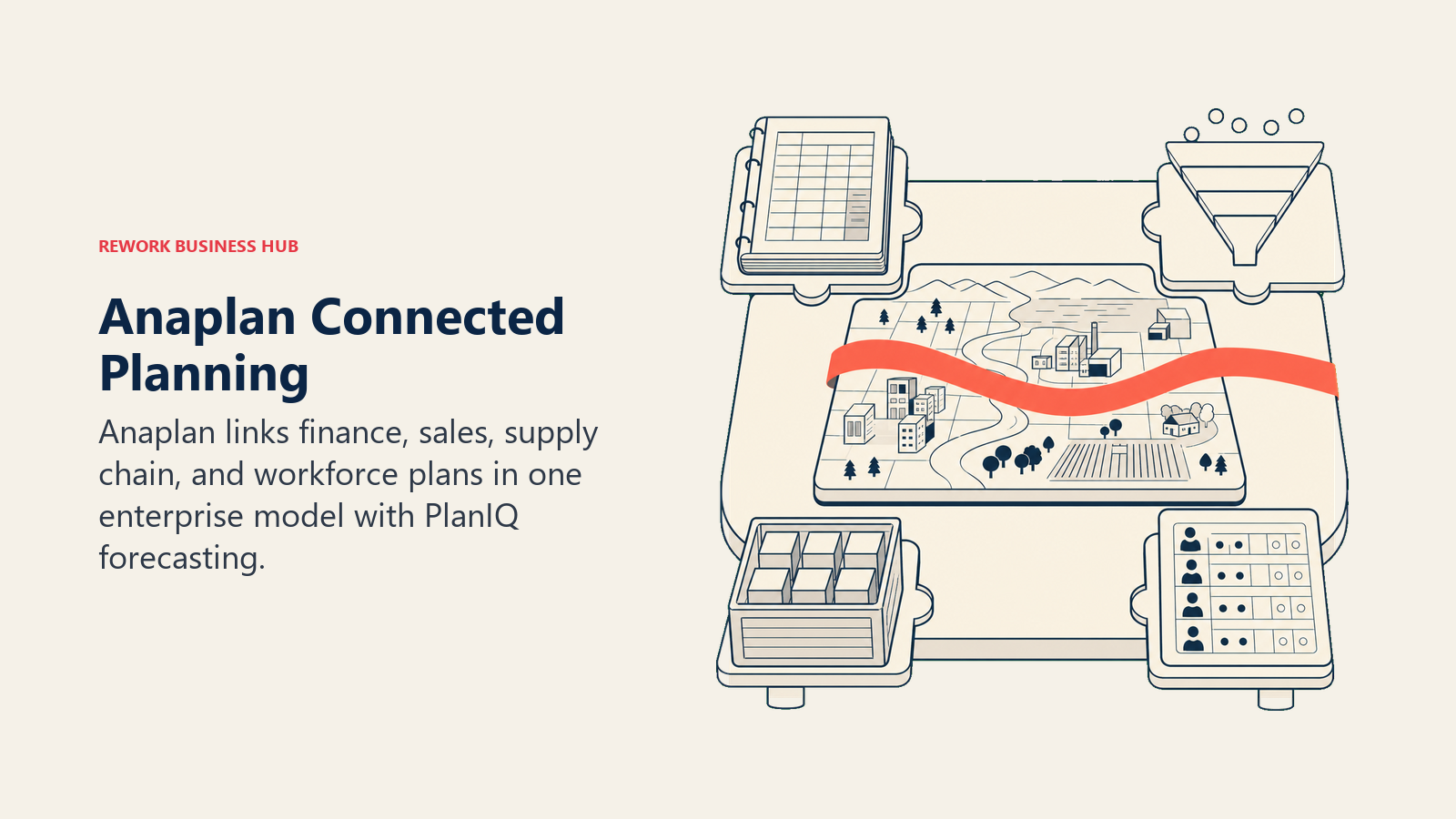
Anaplan remains the deepest connected-planning platform for genuinely complex, multi-dimensional enterprise models spanning finance, sales, supply chain, and workforce planning in one hub. In 2026, AI shows up as PlanIQ (ML-powered time-series forecasting), CoModeler (an AI modeling assistant), and Anaplan Intelligence, an agentic layer for scenario planning and analysis.
The scale that makes Anaplan powerful is the same thing that makes it expensive. A typical mid-market deployment carries a base license cost around $102,000/year (median contract value per Vendr data), with implementation running an additional $50,000-$150,000, and enterprise deployments with Fortune 50-level complexity can require $500,000-$2,500,000+ in year one. AI add-ons like PlanIQ and CoModeler require separate subscriptions with no published rate card, so budget for a genuinely custom sales process.
Best for: Large enterprises (1,000+ employees) running genuinely complex, multi-department connected planning that a mid-market tool can't handle. If Anaplan's scale is the right fit but AI governance across the broader tech stack is the open question, best AI tools for enterprise covers that wider evaluation.
Key strengths:
- Deepest model flexibility and multi-dimensional planning of any tool on this list
- PlanIQ delivers real ML-powered forecasting on top of the connected model
- Proven at Fortune 50 complexity where lighter platforms hit a ceiling
Limitations:
- Entry pricing alone runs $30,000-50,000/year before AI modules or implementation
- AI add-ons (PlanIQ, CoModeler) are separate, unpublished-price subscriptions
- Implementation and total cost of ownership are the highest on this list
| What you get | What you don't |
|---|---|
| Deepest connected-planning model depth in the category | Entry pricing alone starts near $30K-50K/year |
| PlanIQ ML forecasting and CoModeler AI modeling assistant | AI add-ons are separate subscriptions with no rate card |
| Proven at true Fortune 50 planning complexity | Highest total implementation cost of any tool here |
Pricing: Quote-only. Mid-market base license contracts average around $102,000/year (per Vendr); enterprise deployments run into the six to seven figures. See anaplan.com.
7. Workday Adaptive Planning: AI Planning Agent for Teams Already on Workday
Workday Adaptive Planning's 2026 pitch centers on the Planning Agent, an AI layer embedded directly into the product rather than sold as a bolt-on tool requiring migration or a separate system to manage. It analyzes, understands, and acts on planning data through conversational prompts, and generates forecasts that combine internal and external data with built-in confidence metrics showing how key drivers influence each prediction.
The strongest case for Workday Adaptive Planning is a company already running Workday HCM or Financials: bundling with an HCM or Financials renewal earns an 8-16% discount over standalone Adaptive Planning pricing, and the shared data model removes a whole category of integration work other planning tools require. Outside the Workday ecosystem, it's a strong but not obviously differentiated enterprise planning tool.
Best for: Mid-market to enterprise companies already running Workday HCM or Financials that want planning and AI forecasting in the same data model
Key strengths:
- AI Planning Agent is embedded natively; no separate system or migration required
- AI-generated forecasts include confidence metrics on key drivers
- 8-16% bundle discount when paired with Workday HCM or Financials renewal
Limitations:
- Platform fee alone runs $30,000-120,000 before per-planner-user pricing
- Weaker differentiation for companies not already on the Workday platform
- Custom quote-based pricing with three tiers (Standard, Professional, Enterprise) adds complexity
| What you get | What you don't |
|---|---|
| AI Planning Agent built into the core product, no migration needed | Platform fee alone runs $30K-120K before user pricing |
| Confidence-scored AI forecasts blending internal and external data | Weaker standalone case outside the Workday ecosystem |
| Real bundle discount (8-16%) with Workday HCM/Financials | Viewer-tier users still cost roughly 20% of a planner seat |
Pricing: Quote-only. Per-planner-user pricing runs roughly $300-1,200/year plus a platform fee of $30,000-120,000 scaling by entity count. See workday.com/adaptive-planning/pricing.
8. Abacum: AI-Native FP&A Built for SaaS and ARR-Based Businesses
Abacum's differentiation is narrower and sharper than the general-purpose platforms above it on this list: it's purpose-built for SaaS and subscription businesses in roughly the $30M-500M ARR range, with native handling of ARR, churn, NRR, and CAC payback built into the data model instead of requiring custom formula work to approximate SaaS metrics inside a generic planning tool.
That focus shows up in implementation speed: Abacum's own customer success team typically gets a deployment live in 4-8 weeks without needing an external systems integrator, which is meaningfully faster than the 3-9 month timelines common at Anaplan or Vena. Median contracts run around $37,000/year, with most mid-market deployments landing in the $30,000-75,000/year range and year-one all-in costs of $40,000-150,000.
Best for: SaaS and subscription finance teams ($30M-500M ARR) that want AI-native planning purpose-built around ARR, churn, NRR, and CAC payback
Key strengths:
- Native SaaS metrics (ARR, churn, NRR, CAC payback) built into the core data model
- Fast 4-8 week implementation without needing an external SI
- Priced meaningfully below Anaplan or Vena for comparable mid-market SaaS use cases
Limitations:
- No public pricing; median contract data comes from third-party benchmarks, not Abacum directly
- Narrower fit outside subscription/SaaS business models
- Less proven at true enterprise scale than Anaplan or Workday
| What you get | What you don't |
|---|---|
| SaaS metrics (ARR, NRR, CAC payback) modeled natively | No public pricing published by Abacum |
| 4-8 week implementation, no external SI required | Narrower fit for non-subscription business models |
| Priced below Anaplan/Vena for comparable mid-market SaaS scope | Less enterprise-scale proof than Anaplan or Workday |
Pricing: Quote-only. Median contracts run around $37,000/year; most mid-market deployments land in the $30,000-75,000/year range. See abacum.ai.
9. Runway: FP&A That Scales With Data Sources, Not Headcount
Runway's pricing philosophy is the most unusual on this list, and it's a genuine differentiator: every plan includes unlimited seats and unlimited collaboration. Instead of charging per user, Runway prices based on the number and type of integrations and data warehouses connected, on the logic that a finance platform shouldn't penalize a growing company for adding more people to the conversation around the numbers.
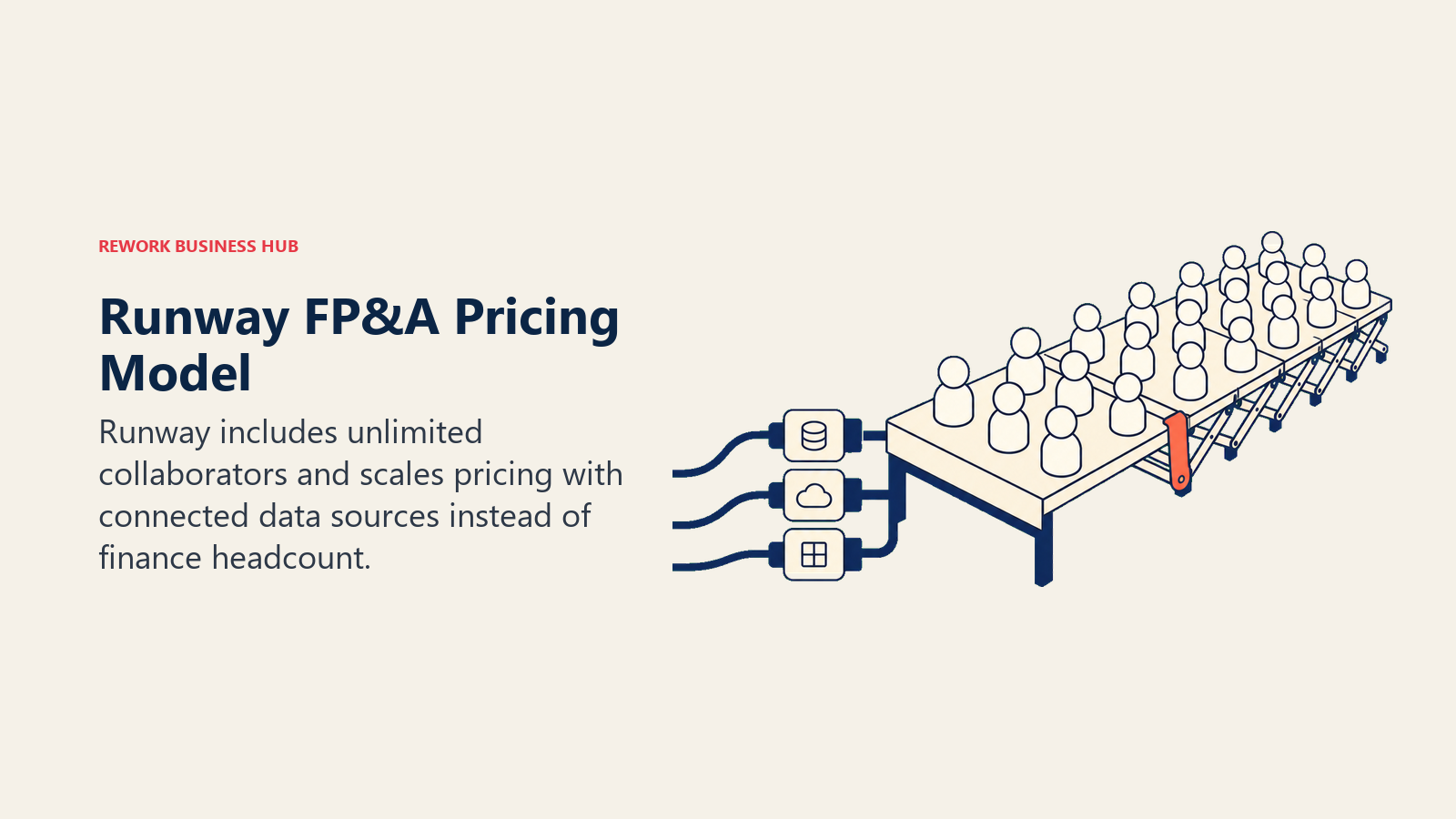
That model fits high-growth startups and scaleups particularly well, where headcount grows fast but the core data sources (a handful of key systems) stay relatively stable. Growth-stage pricing typically starts around £1,500-4,000/month, and Runway grandfathers existing customers into their current pricing when new features launch, so a signed contract doesn't get more expensive as the product improves. For a wider view of what else a lean finance function typically needs in the first two years, best AI tools for startups is a useful companion read.
Best for: High-growth startups and scaleups that want unlimited-seat FP&A collaboration without per-user pricing penalties
Key strengths:
- Unlimited seats and collaboration on every plan; pricing tracks integrations, not headcount
- New features don't increase cost for existing customers (grandfathered pricing)
- Built specifically for high-growth teams' pace of change
Limitations:
- No public pricing; every quote requires a sales conversation
- Companies with many specialized integrations or data warehouses move to higher tiers fast
- Younger platform with less enterprise-scale track record than Anaplan or Workday
| What you get | What you don't |
|---|---|
| Unlimited seats and collaboration, no per-user penalty | No published pricing; contact-sales only |
| Pricing scales with integrations, not team growth | Complex data-warehouse setups push you to higher tiers |
| Grandfathered pricing protects against feature-driven cost creep | Less enterprise track record than legacy EPM platforms |
Pricing: Quote-only. Growth-stage pricing typically starts around £1,500-4,000/month ($1,900-5,000). See runway.com/pricing.
10. Mosaic: Metrics-First Strategic Finance for Lean Teams
Mosaic's positioning is "strategic finance platform" rather than traditional FP&A software, and the practical difference is speed to a usable metric. Instead of requiring a finance team to build out a full multi-dimensional model before getting value, Mosaic connects to your existing systems and surfaces SaaS and operational metrics quickly, aimed at founders and lean finance teams who need answers now, not after a quarter of model-building.
The pricing structure roughly maps to three deployment profiles even though Mosaic doesn't publish formal tiers: an Essentials-equivalent profile for early-stage startups needing core metrics and integrations runs a median of about $24,000/year, while a Professional profile for mid-market teams of 10-25 users often lands in the $100,000+ range once deeper integrations and advanced modeling are added.
Best for: Founder-led or lean finance teams (1-15 people) that want fast SaaS metrics and reporting without heavy model-building overhead
Key strengths:
- Fast time-to-insight on SaaS and operational metrics out of the box
- Lower entry cost than most mid-market FP&A platforms
- Well suited to teams without a dedicated modeling analyst
Limitations:
- Professional tier costs jump significantly (often $100K+) at 10-25 users
- Less modeling depth than Cube, Pigment, or Anaplan for complex scenarios
- No public pricing; email-based quote process
| What you get | What you don't |
|---|---|
| Fast, metrics-first reporting without heavy model-building | Professional tier often jumps to $100K+/yr at scale |
| Lower entry cost than most mid-market FP&A platforms | Less modeling depth for complex, multi-entity scenarios |
| Built for lean teams without a dedicated FP&A analyst | No public pricing; requires emailing sales for a quote |
Pricing: Quote-only. Essentials-equivalent profile median around $24,000/year; Professional tier for 10-25 users often $100,000+/year. Contact info@mosaic.tech. See Mosaic pricing coverage.
11. Coefficient: Live Data From Your Stack Inside Google Sheets or Excel
Coefficient isn't a planning platform, and it doesn't pretend to be one. What it does is solve a specific, constant pain in finance reporting: keeping a spreadsheet's data current without a manual export-and-paste cycle every time someone needs an updated number. It connects Salesforce, HubSpot, QuickBooks, NetSuite, Snowflake, and 150+ other systems directly into Sheets or Excel, with two-way sync so you can pull data in or write back to the source system.
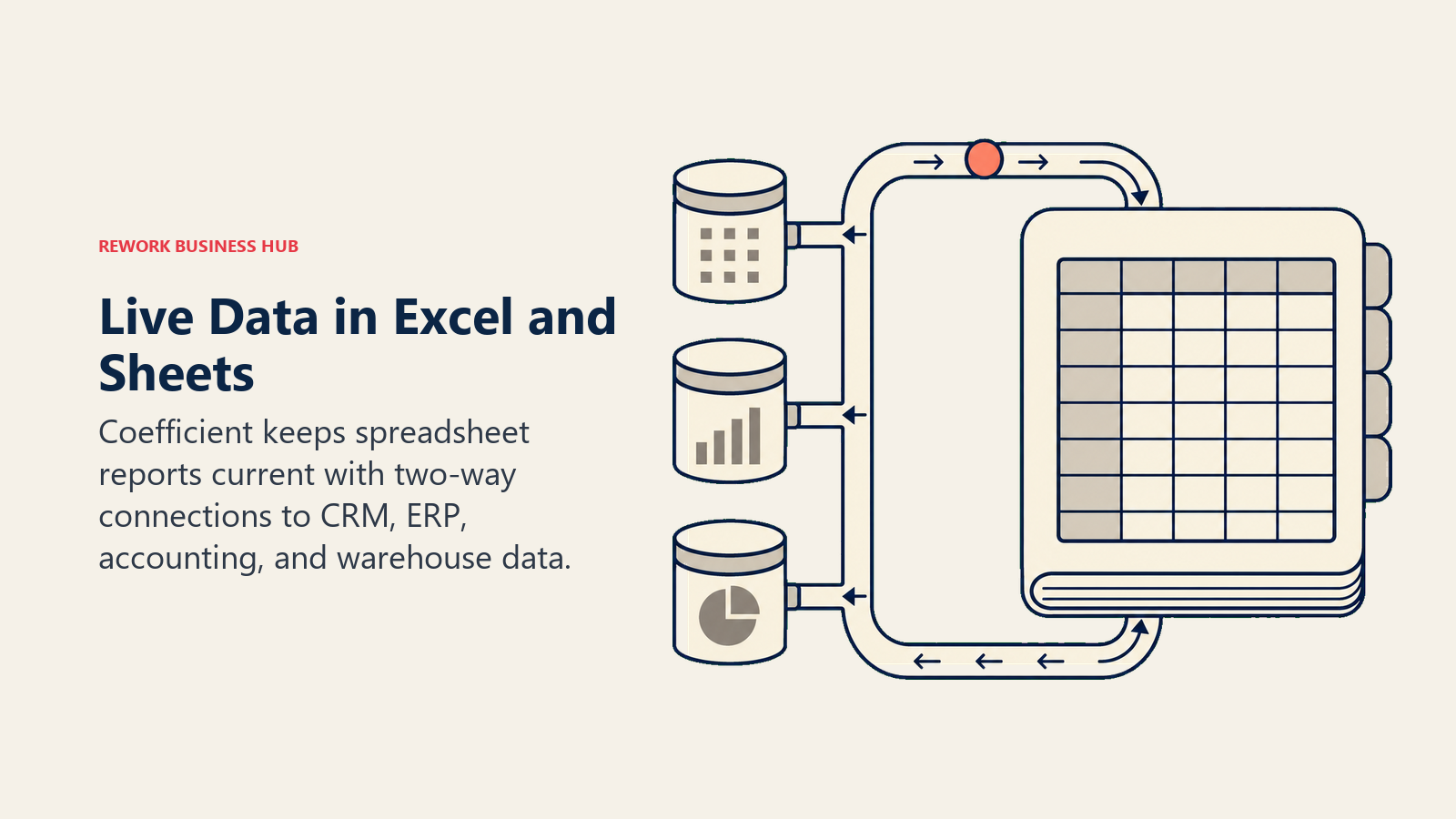
For finance teams that already have solid spreadsheet models and just need the underlying data to stay live, Coefficient is a lighter, cheaper add rather than a platform switch. It's also AI-powered on top of the sync layer, using ChatGPT, Claude, and Gemini connections to help build formulas and dashboards inside the sheet itself.
Best for: Finance and RevOps teams that want live data from their CRM, ERP, or warehouse inside a spreadsheet they already control, without adopting a full planning platform
Key strengths:
- Two-way data sync eliminates manual export/import cycles for reporting
- 150+ system connectors including Salesforce, NetSuite, QuickBooks, and Snowflake
- Genuinely low entry cost compared to any FP&A platform on this list
Limitations:
- Not a planning or forecasting tool; it's a data-sync and reporting layer
- Real finance-team usage (multiple connectors, refresh schedules) often lands above the advertised Starter price
- No modeling, scenario planning, or budgeting workflow built in
| What you get | What you don't |
|---|---|
| Live two-way sync from 150+ systems into Sheets/Excel | No planning, forecasting, or budgeting workflow |
| AI-assisted formula and dashboard building in-sheet | Real invoiced cost often exceeds the advertised Starter tier |
| Low entry price relative to any dedicated FP&A platform | Still just a spreadsheet at its core, not a system of record |
Pricing: Free plan available; Starter $49/user/mo, Pro/Team $99/user/mo, Business $249/mo, Enterprise custom. See coefficient.io.
12. Ramp: AI-Enforced Spend Policy Plus New AI Token Cost Tracking
Ramp's core product is corporate cards and spend management, and its relevance to the FP&A and CFO office comes from how directly its AI layer feeds the forecast: the AI Policy Agent flags and can automatically block out-of-policy spend in real time, tied to card issuing, so finance teams aren't reconciling policy violations weeks after the fact during expense review.
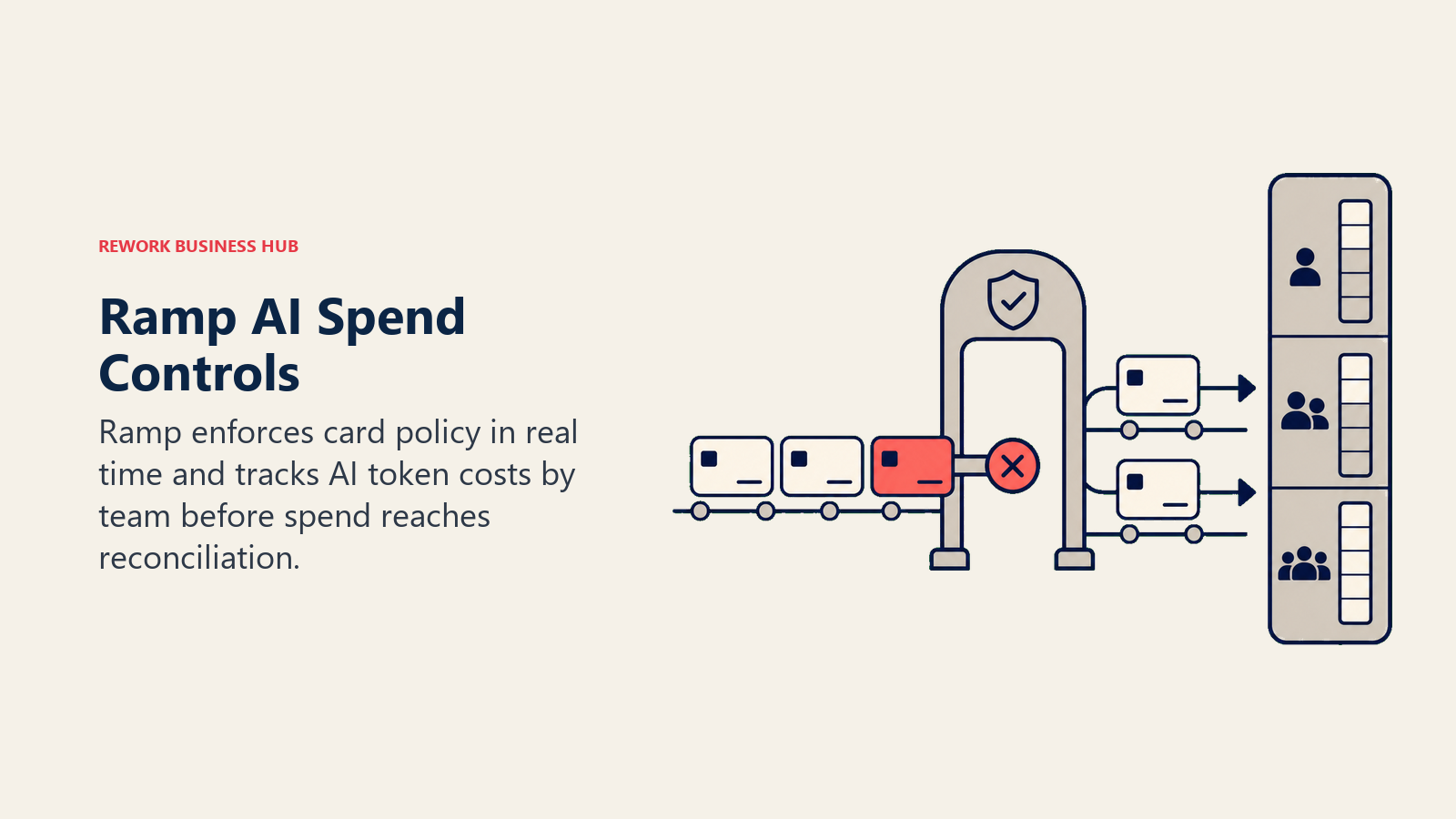
The most notable 2026 addition is AI Token Spend Intelligence, shipped in Ramp's Q2 2026 release, which pulls usage data from Anthropic, OpenAI, Cursor, and Gemini into one dashboard so finance teams can finally tie AI/token spending to specific teams and use cases, a real gap as token costs grew over 1,000% year over year among businesses tracking them. Ramp's free tier is genuinely usable for accounting sync and expense management; the AI Policy Agent and advanced ERP sync require the paid Plus tier.
Best for: Finance teams that want AI to enforce spend policy proactively on corporate cards, and now to get visibility into fast-growing AI/token spend specifically
Key strengths:
- AI Policy Agent blocks or flags out-of-policy spend automatically, in real time
- New AI Token Spend Intelligence gives finance a dashboard for AI/token cost by team
- Genuinely free core tier: cards, accounting sync, and expense management
Limitations:
- AI Policy Agent and advanced ERP sync require the paid Plus tier
- Not a planning or forecasting platform; strongest as a spend and card layer feeding your FP&A tool
- Enterprise contract pricing has climbed as larger teams adopt the platform
| What you get | What you don't |
|---|---|
| Free core tier with real accounting sync and unlimited cards | AI Policy Agent requires the paid Plus tier |
| Real-time automatic policy enforcement on card spend | Not a full FP&A or planning platform on its own |
| New AI Token Spend Intelligence for tracking AI/token costs | Enterprise contract pricing has risen quickly in 2026 |
Pricing: Free (core spend management and accounting sync); Plus $15/user/mo plus a platform fee. Enterprise is custom. See ramp.com.
13. Brex: Autonomous AI Agents for Expense, Audit, and Approval
Brex shipped a meaningfully deeper set of autonomous AI agents in 2026 than most spend-management competitors: Expense Agents write memos, fetch receipts, and can file reimbursements automatically; Audit Agents monitor company expenses against internal policy and categorize violations by risk level; and Review Agents auto-approve low-risk expenses while escalating exceptions and following up with anyone out of compliance.
The reported results are the reason this earns a spot for a CFO office evaluating where AI can actually remove manual work: Brex reports 75% automation of expense workflows for some customers, with compliance rates improving from around 70% to the mid-90s. Pricing is one of the more accessible in the category, with a genuinely free Essentials tier for teams evaluating spend management at zero cost.
Best for: Finance and ops teams that want autonomous AI handling the bulk of expense review, audit, and approval work, not just AI-assisted suggestions
Key strengths:
- Expense, Audit, and Review agents handle end-to-end workflow automation, not just flagging
- Reported 75% automation of expense workflows and compliance gains into the mid-90s
- Accessible pricing with a genuinely free Essentials tier
Limitations:
- Deepest agent capability is still rolling out broadly through 2026
- Primarily a spend/expense tool, not a planning or forecasting platform
- Enterprise tier pricing is custom and not published
| What you get | What you don't |
|---|---|
| Autonomous Expense, Audit, and Review agents | Deepest agent rollout still expanding through 2026 |
| Reported 75% workflow automation, compliance into the mid-90s | Not a planning or forecasting platform |
| Accessible pricing, including a real free tier | Enterprise pricing is custom, not published |
Pricing: Free Essentials tier; Premium $12/user/mo; Enterprise custom. See brex.com.
14. Tabs: AI Agents for B2B Billing and Collections
Tabs targets a part of the CFO office that most AI finance tools on this list don't touch directly: the revenue side, specifically B2B contract-to-cash. Its AI ingests contract data automatically to eliminate manual invoice entry, then automates billing based on executed contracts, manages collections with payment reminders, handles revenue recognition, and generates real-time reporting, creating a unified customer record from contracts, usage data, payments, and terms.
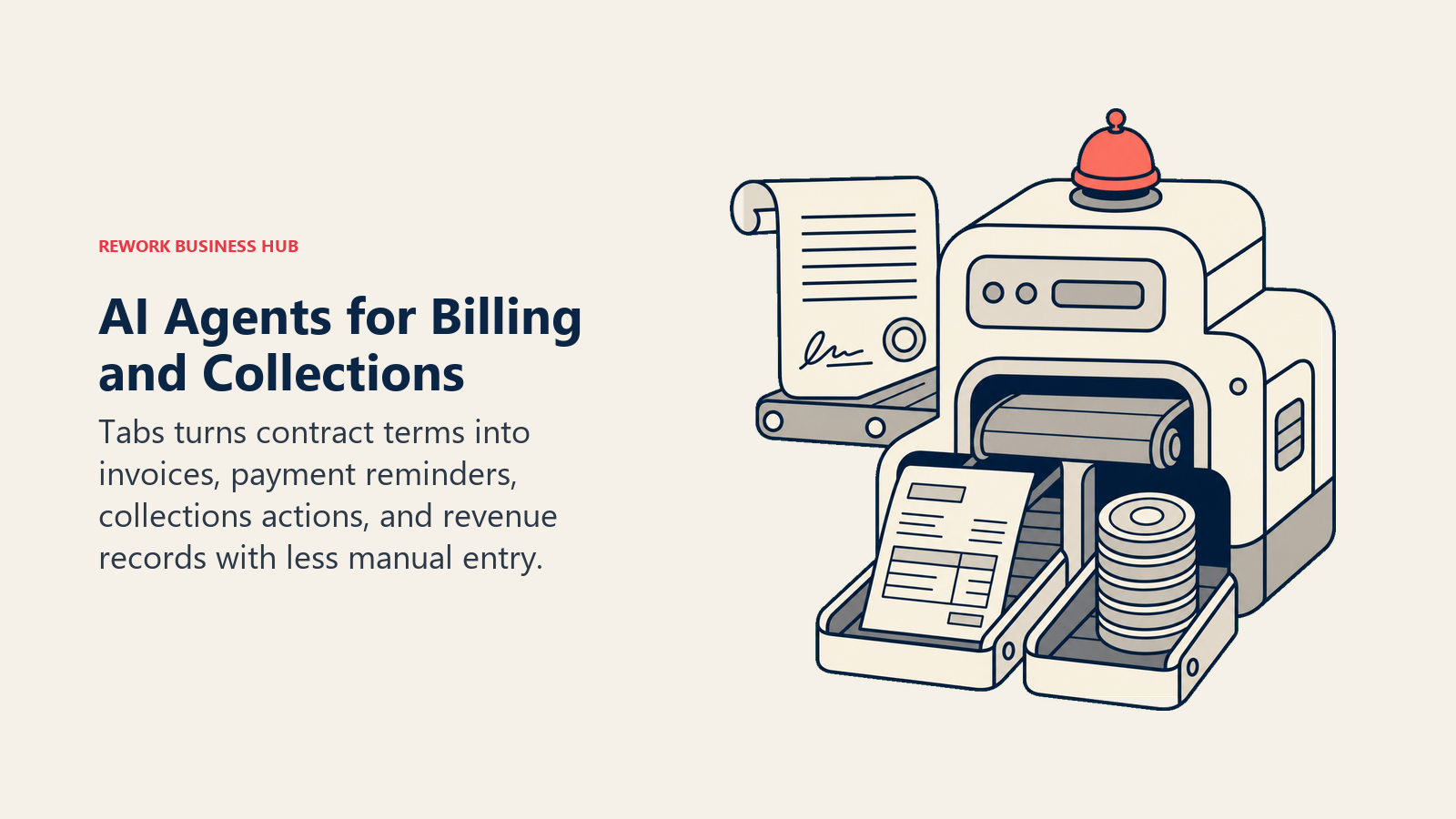
The company raised a $55M Series B in late 2025 specifically to build out "the first AI agents for billing and collections," and reports serving 200+ customers (including Cursor and Statsig), automating over $500 million in annual invoice volume and helping customers automate over 80% of manual billing and invoicing tasks. That funding and traction make Tabs worth watching if AR and billing automation, not just planning, is where your finance team is losing the most hours. If billing and invoicing workflows are the bigger open question for your team right now, how to choose billing and invoicing software covers the broader buying decision, and if your ERP itself is due for a change, best NetSuite alternatives and best QuickBooks alternatives are worth reading alongside this guide.
Best for: B2B finance teams (particularly usage-based or contract-heavy SaaS) that want AI automating contract-to-cash, not just planning or spend
Key strengths:
- AI ingests contracts automatically, eliminating manual invoice entry
- Automates billing, collections, and revenue recognition from one unified customer record
- Backed by real 2026 traction: $500M+ in automated annual invoice volume across 200+ customers
Limitations:
- Newer platform (founded 2023) with less enterprise track record than incumbent billing tools
- Higher tiers beyond the flat-rate Launch plan are quote-only and scale with invoice volume
- Narrower scope than a full FP&A platform; complements, not replaces, planning tools
| What you get | What you don't |
|---|---|
| AI contract ingestion eliminates manual invoice entry | Newer platform, less enterprise track record |
| Unified billing, collections, and revenue recognition | Higher tiers are quote-only, scale with invoice volume |
| Real 2026 traction: $500M+ automated invoice volume | Complements FP&A tools rather than replacing them |
Pricing: Launch plan $1,500/mo flat rate (Billing & Collections, CRM integrations, contract ingestion, QuickBooks/Rillet, rev rec, tax integrations). Higher tiers quote-only. See tabs.com.
15. ChatGPT: Fastest Path to a Quick Financial Model or Board Memo
ChatGPT isn't FP&A software, and it doesn't try to be. What it's genuinely good for in the CFO's office is the ad hoc work that doesn't belong in a planning system: modeling a pricing scenario before it's formalized, sanity-checking a variance, drafting a board memo explaining a forecast miss, or running Python in its sandboxed Data Analyst mode against an exported CSV. For a side-by-side against Claude and Gemini on this kind of work, see Claude vs ChatGPT vs Gemini.
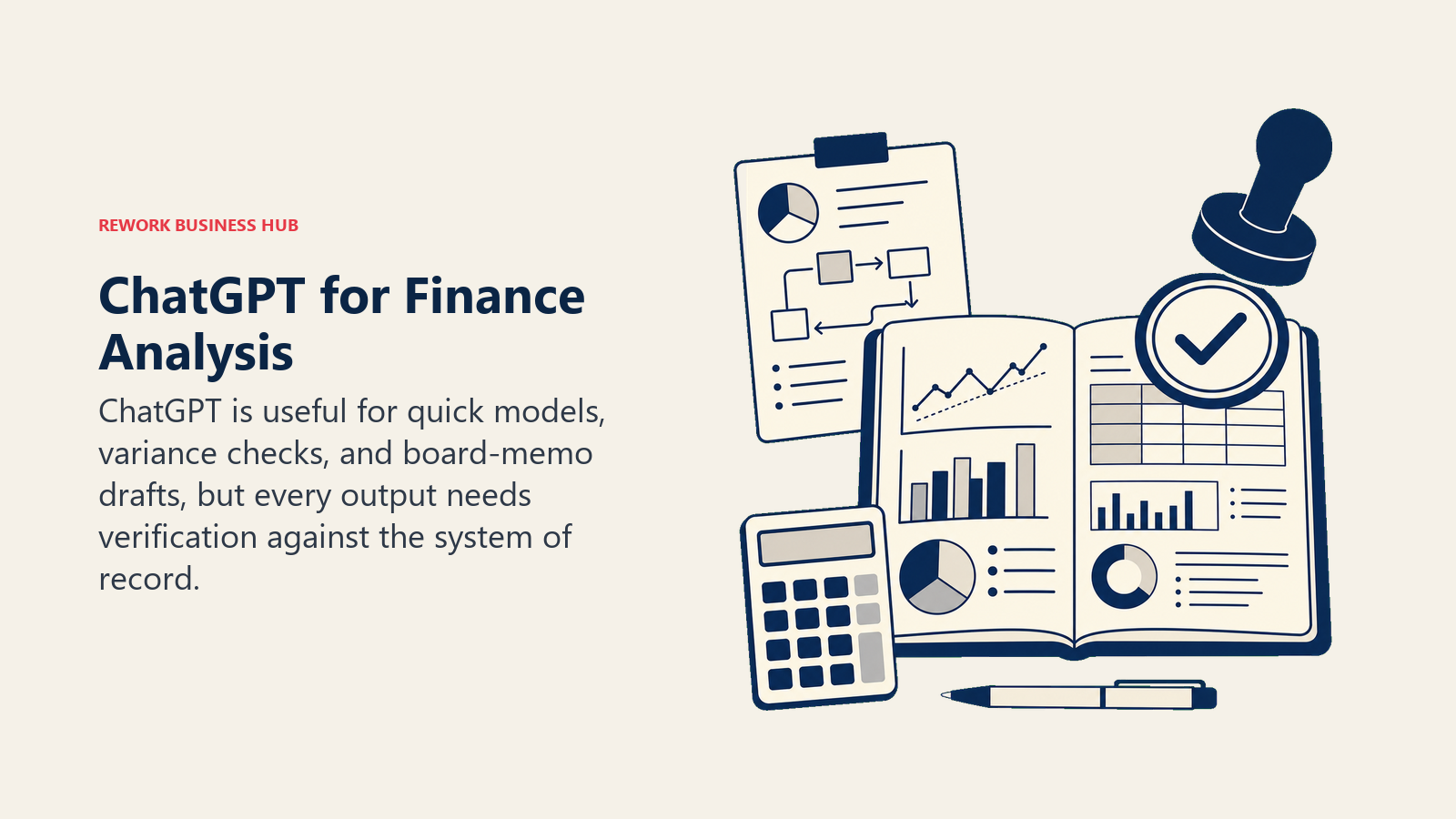
The advantage is zero procurement cycle: most finance professionals already have it open. The limitation is exactly as important as it is for accounting: ChatGPT has no ledger, no live connection to your actual plan, and no audit trail, so anything it produces needs verification against your real FP&A system before it informs a real decision.
Best for: Finance teams and founders who want fast, disposable financial modeling or board-memo help without adopting a dedicated planning tool
Key strengths:
- Sandboxed code execution handles real spreadsheet math, not just suggested formulas
- Near-zero onboarding; most finance professionals already have it open
- Useful for drafting board-ready explanations of forecast variance
Limitations:
- Not a system of record; no live connection to your actual plan or ledger
- No audit trail or version control on generated analysis
- Every output needs verification against your real FP&A system before it informs a decision
| What you get | What you don't |
|---|---|
| Fast, sandboxed financial modeling and scenario analysis | No live connection to your actual plan or ledger |
| Near-zero onboarding for teams that already use it | No audit trail or version history on generated work |
| Useful for board memos and variance explanations | Every output needs verification before it's trusted |
Pricing: Plus $20/mo; Business roughly $20-25/user/mo; Enterprise negotiated, commonly $45-75/user/mo on a 150-seat minimum (floor near $108,000/yr). See chatgpt.com/pricing.
Pricing at a Glance
| Tool | Entry Price | Pricing Model | Free Tier? |
|---|---|---|---|
| Cube | Go $1,500/mo | Tiered, moving to custom quotes | No |
| Datarails | Quote-only, ~$24K-27K/yr | Custom quote | No |
| Vena | Quote-only, $75K-250K/yr (mid-market) | Custom quote (Professional/Complete) | No |
| Planful (Predict add-on) | ~$35K-90K/yr (add-on only) | Custom quote | No |
| Pigment | Quote-only | Custom quote | No |
| Anaplan | ~$102K/yr median (mid-market) | Custom quote | No |
| Workday Adaptive Planning | $300-1,200/planner/yr + platform fee | Custom quote, tiered | No |
| Abacum | ~$37K/yr median | Custom quote | No |
| Runway | ~£1,500-4,000/mo | Custom quote, integration-based | No |
| Mosaic | ~$24K/yr entry | Custom quote | No |
| Coefficient | Free; Starter $49/mo | Per-user tiers | Yes |
| Ramp | Free (core) | Per-user + platform fee above free tier | Yes |
| Brex | Free Essentials; Premium $12/user/mo | Per-user tiers | Yes |
| Tabs | Launch $1,500/mo flat | Flat then custom by volume | No |
| ChatGPT | Plus $20/mo | Flat monthly tier | Limited free tier |
Where AI Finance Tools Are Headed
The gap between CFO ambition and FP&A reality is the story to watch through the rest of 2026. Deloitte finds 87% of CFOs expect AI to be extremely or very important to finance operations this year, while an AFP-sourced survey covered by CFO.com found only 23% of FP&A practitioners actually use AI day to day, citing data security concerns, unclear strategy, and cost of implementation as the blockers. That's the gap every vendor on this list is racing to close, and it's why so many of them (Cube, Pigment, Anaplan's AI modules) pulled public pricing in 2026: the sales motion now involves proving AI value case by case, not selling off a rate card.

The other clear trend is scope creep, in a good way: AI in the CFO's office stopped being just about forecasting. Ramp's move into AI token spend tracking and Tabs' funding round specifically for billing AI agents both show 2026's real story is AI expanding from planning into spend control and revenue operations, tying the whole CFO office together rather than staying siloed in the FP&A model, a shift that lines up with the broader move toward autonomous AI agents across every back-office function, not just finance. If you're deciding how AI fits your reporting and analysis workflows more broadly, not just planning, best AI tools for data analysis and best AI tools for Excel and spreadsheets cover the adjacent categories most finance leaders are evaluating in parallel, and best AI tools in 2026 rounds up the top picks across every category if AI adoption is becoming a company-wide initiative, not just a finance one.

Principal Product Marketing Strategist
On this page
- Updated July 2026: What Changed
- Key Facts
- Quick Comparison Table
- How to Choose: Decision Framework
- Framework: By Company Stage
- 1. Cube: AI Layered Onto the Excel and Sheets Models You Already Run
- 2. Datarails (FP&A Genius): Chat-Based AI Assistant for Excel-Native Finance Teams
- 3. Vena (Copilot): Budgeting and Reporting Inside Excel and Microsoft Teams
- 4. Planful (Predict): ML-Driven Forecast Alerts on a Mature Mid-Market FP&A Platform
- 5. Pigment: AI-Native Planning Without the Anaplan-Sized Budget
- 6. Anaplan: Enterprise Connected Planning With PlanIQ Forecasting
- 7. Workday Adaptive Planning: AI Planning Agent for Teams Already on Workday
- 8. Abacum: AI-Native FP&A Built for SaaS and ARR-Based Businesses
- 9. Runway: FP&A That Scales With Data Sources, Not Headcount
- 10. Mosaic: Metrics-First Strategic Finance for Lean Teams
- 11. Coefficient: Live Data From Your Stack Inside Google Sheets or Excel
- 12. Ramp: AI-Enforced Spend Policy Plus New AI Token Cost Tracking
- 13. Brex: Autonomous AI Agents for Expense, Audit, and Approval
- 14. Tabs: AI Agents for B2B Billing and Collections
- 15. ChatGPT: Fastest Path to a Quick Financial Model or Board Memo
- Pricing at a Glance
- Where AI Finance Tools Are Headed