Best AI Tools for Data Analysis in 2026: 12 Tools Ranked by Use Case
Turn this article into takeaways for your work.


Each assistant summarizes the article only for you and suggests best practices for your work.
If you're picking an AI tool for data analysis in 2026, ChatGPT and Claude lead general-purpose chat analysis for anyone with a spreadsheet and a question, Julius AI and Powerdrill lead dedicated chat-based analysis, Hex and Deepnote lead collaborative notebooks for data teams, and Tableau Pulse, Power BI Copilot, and ThoughtSpot's Spotter Agent lead AI layered on top of enterprise BI you already run. This guide ranks 12 tools by the job you actually need done, not by whichever one has the loudest launch post.
Most "best AI data analysis tools" lists mix a $20-a-month chatbot with a six-figure enterprise BI deployment and call it a ranking. That's not useful for a decision. Each tool below is evaluated on what it actually does, who it's built for, and what it costs, based on capability, real-world adoption, and fit for teams from a single analyst to a data org running hundreds of dashboards.
Updated July 2026: What Changed
- Rows AI shut down on May 31, 2026 after Superhuman acquired the company, so it's off this list. Coefficient replaces it below as the strongest live-data-in-spreadsheet option for teams that want AI analysis without leaving Google Sheets or Excel.
- Tableau Agent went GA in the new Cloud+ Edition following Tableau Conference 2026 (May 6, 2026), but it's still gated behind a premium, quote-only edition rather than a self-serve tier.
- Power BI Copilot's real cost moved to capacity, not license. Production use now typically needs Fabric F64 capacity (roughly $5,250/month) or Premium Per User with a Fabric trial enabled, not just a per-user add-on.
- Akkio quietly dropped its public self-serve pricing and now sells as a custom-quote enterprise AI analytics platform, a meaningful shift from the roughly $49/user/month starter tier it advertised through 2025.
Key Facts
- 72% of data teams already use AI in their analytics workflow, and 71% worry about hallucinated or incorrect outputs reaching stakeholders, per dbt Labs' 2026 State of Analytics Engineering Report.
- Data analysis is cited by 73% of enterprises as one of their top three daily generative AI use cases, alongside document summarization and content creation, per Wharton's AI Adoption Report.
- Worldwide AI spending is forecast to hit $2.59 trillion in 2026, a 47% jump from 2025, per Gartner.
- 88% of organizations now use AI in at least one business function, but only about a third have scaled it enterprise-wide, per McKinsey's State of AI.
- Workers who use generative AI tools save an average of 5.4% of their weekly work hours, about 2.2 hours a week, per the Federal Reserve Bank of St. Louis.
- More than 80% of enterprises are expected to have used generative AI APIs or deployed generative AI-enabled applications by the end of 2026, per Gartner.
Quick Comparison Table
| Tool | Best For | Standout Capability | Starting Price | Free Tier? |
|---|---|---|---|---|
| ChatGPT (Data Analyst) | General teams already living in ChatGPT | Sandboxed Python execution on any uploaded file | Plus $20/mo | Limited free tier |
| Claude | Careful reasoning over messy, ambiguous datasets | Large context window plus sandboxed code execution | Pro $20/mo ($17/mo annual) | Yes, limited |
| Julius AI | Non-technical operators who want a dedicated data analyst | Chat-first analysis built specifically for spreadsheets and CSVs | Free (15 msgs/mo); Plus $35/mo | Yes |
| Powerdrill | Cheapest self-serve dedicated analysis tool | Combines document (PDF) and spreadsheet analysis in one agent | Free; Pro from $13.27/mo | Yes |
| Coefficient | Teams who want AI analysis without leaving spreadsheets | Live connectors (Salesforce, HubSpot, Snowflake, 50+ sources) into Sheets/Excel | Free; Starter $49/mo | Yes |
| Tableau Pulse / Agent | Enterprise teams already standardized on Tableau | Proactive, natural-language metric monitoring | Cloud Standard Creator $75/user/mo | No |
| Power BI Copilot | Microsoft shops with Fabric or Premium capacity | Natural-language report and DAX generation on your existing model | Premium Per User $24.99/user/mo (capacity required) | No |
| ThoughtSpot (Spotter) | Search-first BI at real scale | Multi-step AI query agent across up to 250M+ rows | Essentials $25/user/mo | No |
| Hex (Magic AI) | Data teams who want a real notebook, not a chat box | Collaborative SQL + Python notebook with an AI agent built in | Free; Professional $36/editor/mo | Yes |
| Akkio | No-code predictive modeling without a data scientist | Builds forecasting, churn, and lead-scoring models with no code | Custom quote only | No |
| Deepnote | Data science teams wanting real-time collaborative notebooks | Multiplayer notebook with built-in GPT-5 and Claude access | Free; Team $39/editor/mo | Yes |
| Polymer | SaaS teams embedding AI dashboards inside their own product | Auto-generates dashboards from raw data via API | ~$500/mo (embedded/API) | 7-day trial |
How to Choose: Decision Framework
| If you need... | Pick... | Why |
|---|---|---|
| A fast, disposable analysis of a CSV you just uploaded | ChatGPT | Sandboxed Python execution inside a tool your team already has open |
| Careful reasoning through a messy, multi-file dataset | Claude | Large context window handles more raw data per prompt than most chat tools |
| A dedicated chat analyst for non-technical operators | Julius AI | Built specifically for data analysis, not general conversation |
| The cheapest dedicated analysis tool, plus document support | Powerdrill | Self-serve tiers start under $15/month and read PDFs alongside spreadsheets |
| AI analysis without leaving Google Sheets or Excel | Coefficient | Live CRM/warehouse connectors plus GPT Copilot inside the spreadsheet |
| Natural-language metric monitoring on an existing Tableau deployment | Tableau Pulse / Agent | Deepest fit if you've already standardized on Tableau |
| AI report generation inside a Microsoft-centric data stack | Power BI Copilot | Reuses the semantic model and reports you already maintain |
| Search-driven BI that scales to hundreds of millions of rows | ThoughtSpot | Spotter Agent chains multi-step questions across huge datasets |
| A real collaborative notebook (SQL + Python) with AI baked in | Hex | Built for data teams who already think in code, not just chat |
| No-code predictive modeling (forecasting, churn, scoring) | Akkio | Purpose-built for prediction, not just descriptive charts |
| Real-time multiplayer notebooks with built-in LLM access | Deepnote | Google-Docs-style collaboration plus GPT-5 and Claude in one workspace |
| Embedding AI-generated dashboards inside your own product | Polymer | API-first, white-labeled reporting built for embedded analytics |
Framework: By Team Size and Technical Depth
| Team Profile | Budget Signal | Best Fits |
|---|---|---|
| Solo analyst or founder, no SQL | Free to under $50/mo | ChatGPT Plus, Claude Pro, Julius AI Plus, Powerdrill Free/Pro |
| Small ops or RevOps team, spreadsheet-native | Under roughly $250/mo total | Coefficient, Julius AI Pro, Powerdrill Plus |
| Data team that writes SQL/Python | $36-75/editor/mo | Hex, Deepnote |
| Enterprise team standardized on Tableau or Power BI | Capacity or per-seat, $75-115+/user/mo | Tableau Pulse/Agent, Power BI Copilot |
| Large-scale BI rollout across a whole org | $25-50+/user/mo, six figures at scale | ThoughtSpot, Tableau Enterprise |
| Product team building analytics into a SaaS product | ~$500+/mo | Polymer |
1. ChatGPT: Fastest Path From Upload to Answer
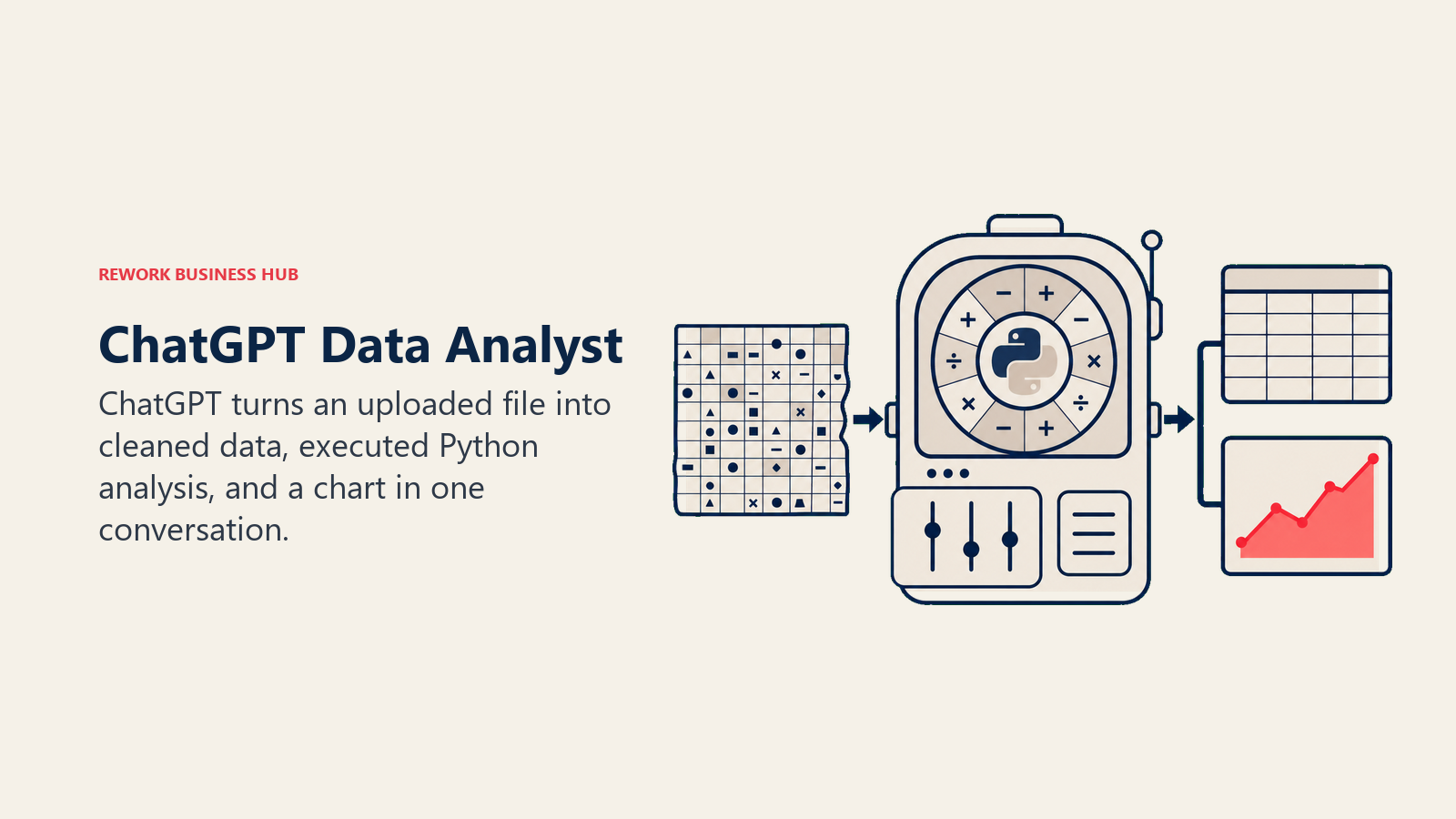
ChatGPT's Data Analyst mode (the successor to what was originally called Advanced Data Analysis or Code Interpreter) runs Python in a sandboxed environment, so it doesn't just suggest code, it executes it and hands back the result. Upload a CSV with 10,000 rows and ask it to find duplicates, clean the data, and chart the trend, and it writes the code, runs it, and returns a cleaned file in the same conversation.
The advantage is that almost every knowledge worker already has ChatGPT open. There's no new tool to learn, no login to provision, and no procurement cycle. For a one-off analysis, a quick pivot table replacement, or a sanity check on a colleague's numbers, it's often the fastest path from question to answer.
Best for: General business teams who want fast, disposable analysis without adopting a dedicated data tool
Key strengths:
- Sandboxed Python execution handles real computation, not just suggested code
- Massive existing user base means zero onboarding friction
- Works well for one-off cleaning, charting, and quick statistical checks
Limitations:
- No persistent notebook or version history the way Hex or Deepnote offer
- File size and row limits make it a poor fit for true big-data work
- Charts are static images inside a chat thread, not a live, shareable dashboard
Pricing: Free tier is limited. Plus is $20/month (Data Analyst mode, file uploads, browsing). Pro is $200/month (higher limits, more compute). Business and Enterprise are priced per seat with admin controls. See chatgpt.com/pricing.
| What you get | What you don't |
|---|---|
| Sandboxed Python execution inside a familiar chat interface | No persistent notebook, versioning, or scheduled runs |
| Near-zero onboarding for teams that already use ChatGPT | Weak for live database or warehouse connections |
| Fast for one-off cleaning, charting, and statistical checks | Charts are static exports, not interactive dashboards |
For a side-by-side on reasoning quality against its closest rival, see Claude vs ChatGPT vs Gemini.
2. Claude: Best for Reasoning Through Messy, Multi-File Datasets
Claude's code execution tool runs Python in a sandbox much like ChatGPT's, but the differentiator is what happens before the code runs. Claude Sonnet 5 tends to ask clarifying questions, flag ambiguous column meanings, and explain its statistical assumptions in plain language rather than jumping straight to a chart. For analysts working with real-world data (inconsistent date formats, duplicate customer records, half-filled columns), that extra reasoning step catches mistakes a faster model would miss.
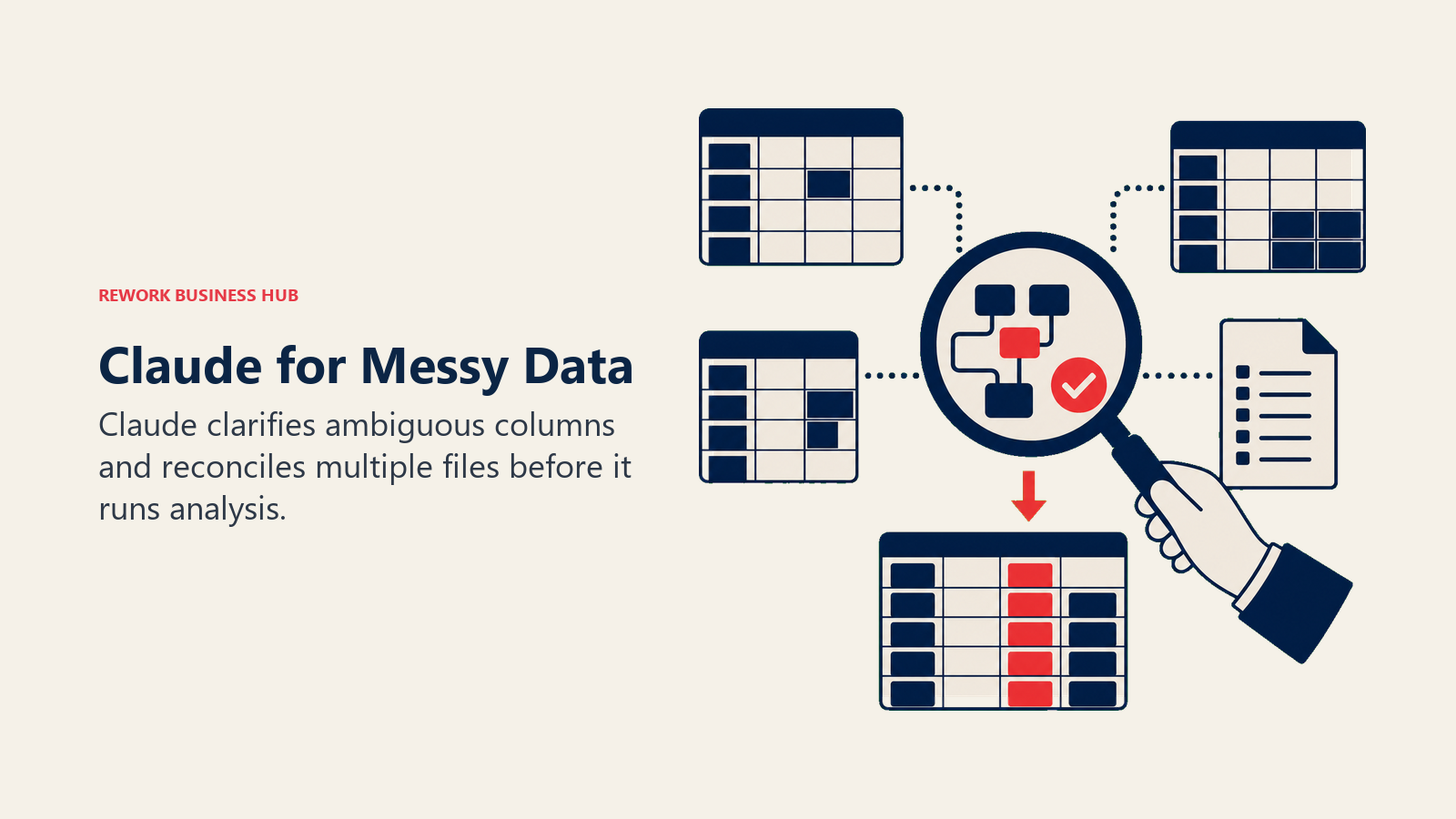
The large context window is the other differentiator. You can hand Claude several related spreadsheets or a long data dictionary in one prompt and ask it to reconcile them, something that would require multiple back-and-forth uploads in a smaller-context tool.
Best for: Analysts who need careful reasoning through ambiguous or multi-file data, not just fast chart generation
Key strengths:
- Sandboxed code execution paired with strong step-by-step reasoning
- Large context window handles multiple files or a long data dictionary in one prompt
- Tends to flag data quality issues instead of silently working around them
Limitations:
- No native charting persistence or dashboard layer beyond the conversation
- No built-in live database or warehouse connector on consumer plans
- Smaller ecosystem of data-specific templates than a purpose-built tool like Julius AI
Pricing: Free tier available with limits. Pro is $20/month ($17/month billed annually). Max is $100 or $200/month for heavier use. Team is $25-125/seat/month. Enterprise is custom. See claude.com/pricing.
| What you get | What you don't |
|---|---|
| Careful, step-by-step reasoning through messy data | No persistent dashboard or notebook layer |
| Large context window for multi-file or long data-dictionary prompts | No native live database or warehouse connector |
| Strong at flagging data-quality issues before charting | Smaller library of data-specific templates than Julius AI |
If your team is deciding between a general chatbot and a purpose-built analysis tool, best AI tools in 2026 covers how chat tools like Claude fit into a broader AI stack.
3. Julius AI: The Dedicated Chat-Based Data Analyst
Julius AI's whole product is data analysis, not general conversation with analysis as a side feature. Upload a spreadsheet and Julius asks what you're trying to learn, then runs statistical tests, builds charts, and can turn the output straight into slides. For operators who don't want to prompt-engineer a general chatbot into acting like an analyst, that specificity is the appeal.
The tradeoff shows up in the pricing model. Julius runs on a credit system where every prompt, follow-up, or visualization consumes a credit, and the jump from Plus to the higher Max and Ultra tiers gets expensive fast for teams doing heavy daily analysis.
Best for: Non-technical operators who want a dedicated AI data analyst without learning SQL or Python
Key strengths:
- Purpose-built for data analysis, with prompts tuned for statistical and business questions
- Handles messy real-world Excel and CSV files well out of the box
- Can generate slides and export-ready reports directly from an analysis thread
Limitations:
- Credit-based pricing means heavy users hit higher tiers ($200-500/month) fast
- No live warehouse or CRM connections at the entry tiers
- Free tier caps out at 15 messages a month, thin for daily use
Pricing: Free tier includes 15 messages/month. Plus is $35/month (about $29/month billed annually). Pro is $45/month (about $37/month annually). Max runs near $200/month and Ultra up to $500/month for high-volume users. Business (team) is $375/month. Enterprise is custom. See julius.ai/pricing.
| What you get | What you don't |
|---|---|
| Purpose-built chat analyst tuned for real data questions | Credit-based pricing scales expensive at heavy usage |
| Handles messy spreadsheets without extra prompting | No live database or CRM connectors at entry tiers |
| Slide and report export built directly into the workflow | Free tier's 15 messages/month is thin for daily use |
4. Powerdrill: The Cheapest Self-Serve Dedicated Analyst
Powerdrill's pitch is breadth at a low price: it analyzes spreadsheets, PDFs, and documents in the same agent, rather than making you choose a data tool and a document tool separately. The Free plan's 1,000 daily refreshed credits are usable enough for light work, and the entry paid tier undercuts nearly every other dedicated analysis tool on this list.
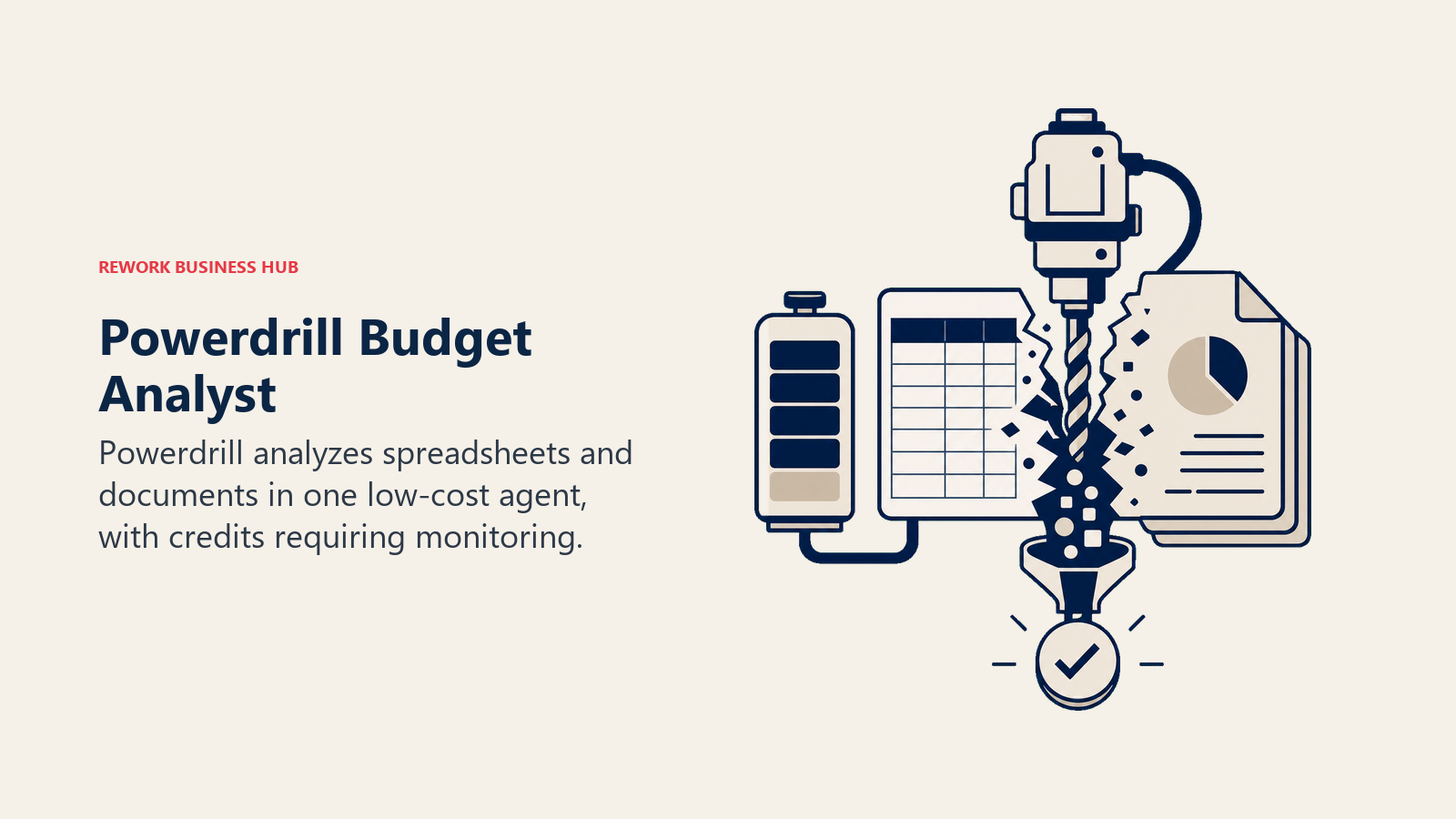
The catch is that Powerdrill's current pricing carries an active promotional discount, so the advertised rate is likely to normalize higher over time, and the credit system (daily plus monthly allotments across five tiers) takes some getting used to.
Best for: Budget-conscious teams who want a dedicated AI analyst that also reads PDFs and documents
Key strengths:
- Cheapest self-serve entry point among dedicated data analysis tools
- Combines spreadsheet analysis with document (PDF, Office file) analysis in one product
- Custom "agent skills" let you save repeatable analysis workflows
Limitations:
- Current pricing includes a promotional discount; expect the standard rate to be higher
- Less proven at enterprise scale than Hex, Deepnote, or the major BI vendors
- Five-tier credit system (daily plus monthly) is harder to budget against than a flat seat price
Pricing: Free plan includes 1,000 daily refreshed credits. Pro is from $13.27/month (promotional; regularly $16.58/month). Plus is $26.60/month. Premium is $132.67/month for high-volume analytical work. Team Pro is $13.27/seat/month. See powerdrill.ai/pricing.
| What you get | What you don't |
|---|---|
| Lowest self-serve entry price among dedicated analysis tools | Advertised pricing includes a limited-time discount |
| Spreadsheet and document (PDF) analysis in one agent | Less battle-tested at enterprise scale than larger rivals |
| Reusable "agent skills" for repeatable analysis tasks | Five-tier credit model takes time to learn to budget |
5. Coefficient: AI Analysis Without Leaving Your Spreadsheet
Coefficient's angle is that most business users don't want a new interface, they want their existing Google Sheets or Excel to get smarter. It pulls live data from Salesforce, HubSpot, Snowflake, and 50-plus other sources directly into a spreadsheet on a refresh schedule, then layers a GPT-powered Copilot on top for formula help and plain-English questions about the data.
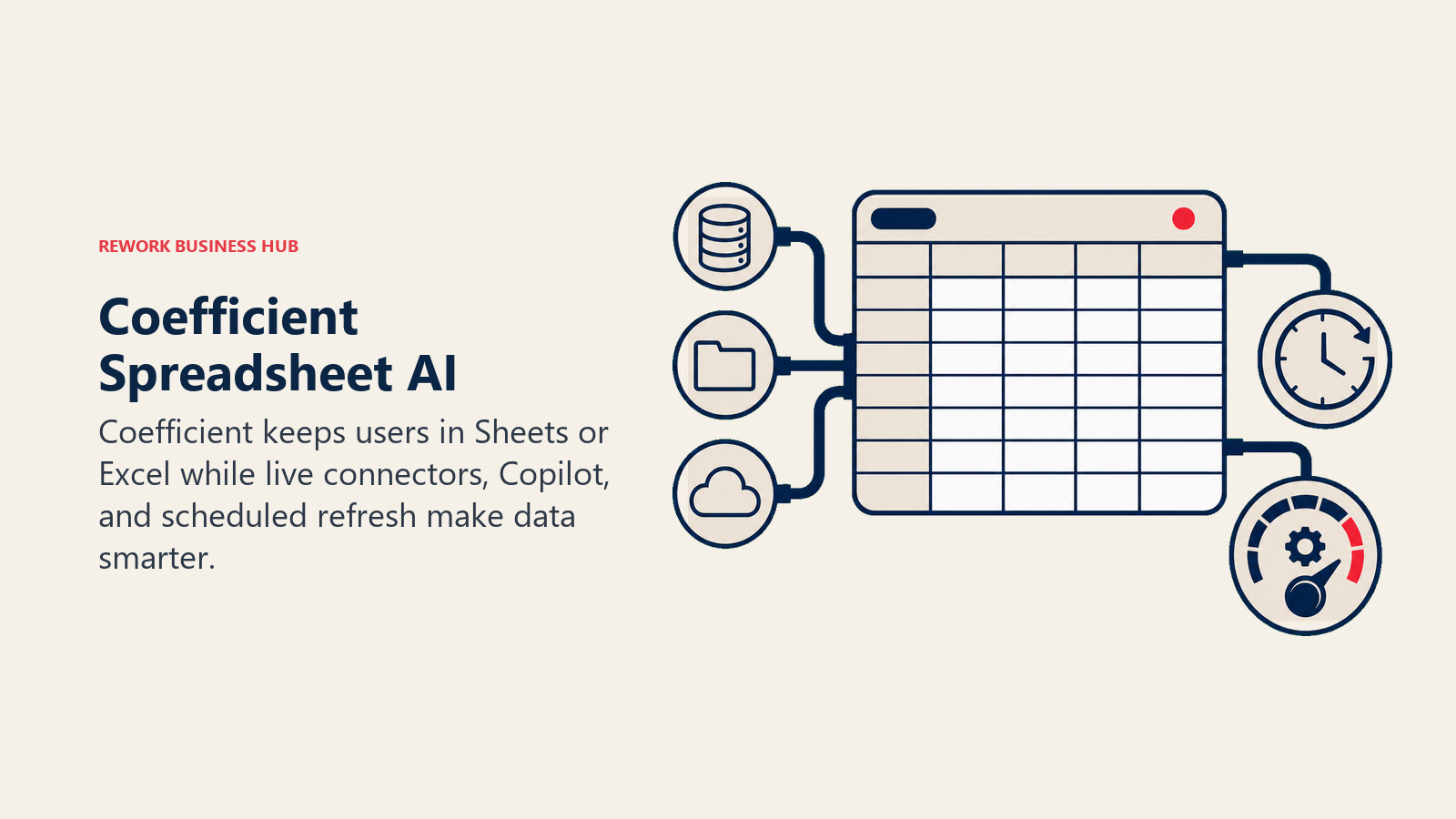
Since Rows AI shut down in May 2026 (see "What Changed" above), Coefficient has become the strongest option for teams whose real requirement is "keep working in spreadsheets, just make them smarter," rather than adopting a standalone notebook or BI tool.
Best for: Teams whose analysts and operators live in Google Sheets or Excel and don't want to migrate off them
Key strengths:
- Live connectors pull CRM, database, and SaaS data straight into a spreadsheet on a schedule
- GPT Copilot answers plain-English questions about the connected data and helps write formulas
- Autopilot auto-refreshes sheets and can alert on metric changes without manual checking
Limitations:
- Value depends on staying inside the spreadsheet paradigm rather than a notebook or BI tool
- Some AI features (Alerts, GPT Copilot) are still rolling out fully to the Excel version
- Free tier is thin: 2 imports and a 50-row preview
Pricing: Free plan includes 2 imports and a 50-row preview, with 10,000 OpenAI API calls for GPT Copilot. Starter is $49/month. Team is $99/month. Business is $249/month. Enterprise is custom. See coefficient.io/pricing.
| What you get | What you don't |
|---|---|
| Live CRM/warehouse data inside Sheets or Excel on a schedule | Free tier limited to 2 imports and a 50-row preview |
| GPT Copilot for plain-English questions and formula help | Some AI features are Excel-behind-Sheets in rollout |
| Autopilot refresh plus metric alerts, no manual checking | Not a substitute for a real notebook or BI tool at scale |
If your team is also evaluating product-usage analytics rather than spreadsheet-based reporting, best Mixpanel alternatives and best Amplitude alternatives cover that adjacent category.
6. Tableau Pulse / Tableau Agent: AI Layered on an Existing Tableau Deployment
Tableau Pulse's job is to stop analysts from having to check the same dashboard every morning. It proactively surfaces metric changes in natural language ("revenue in the West region dropped 8% week over week") and lets you ask follow-up questions conversationally. Tableau Agent, which went GA in the new Cloud+ Edition following Tableau Conference 2026, extends that AI layer into Prep, Desktop authoring, Catalog, and dashboards themselves.
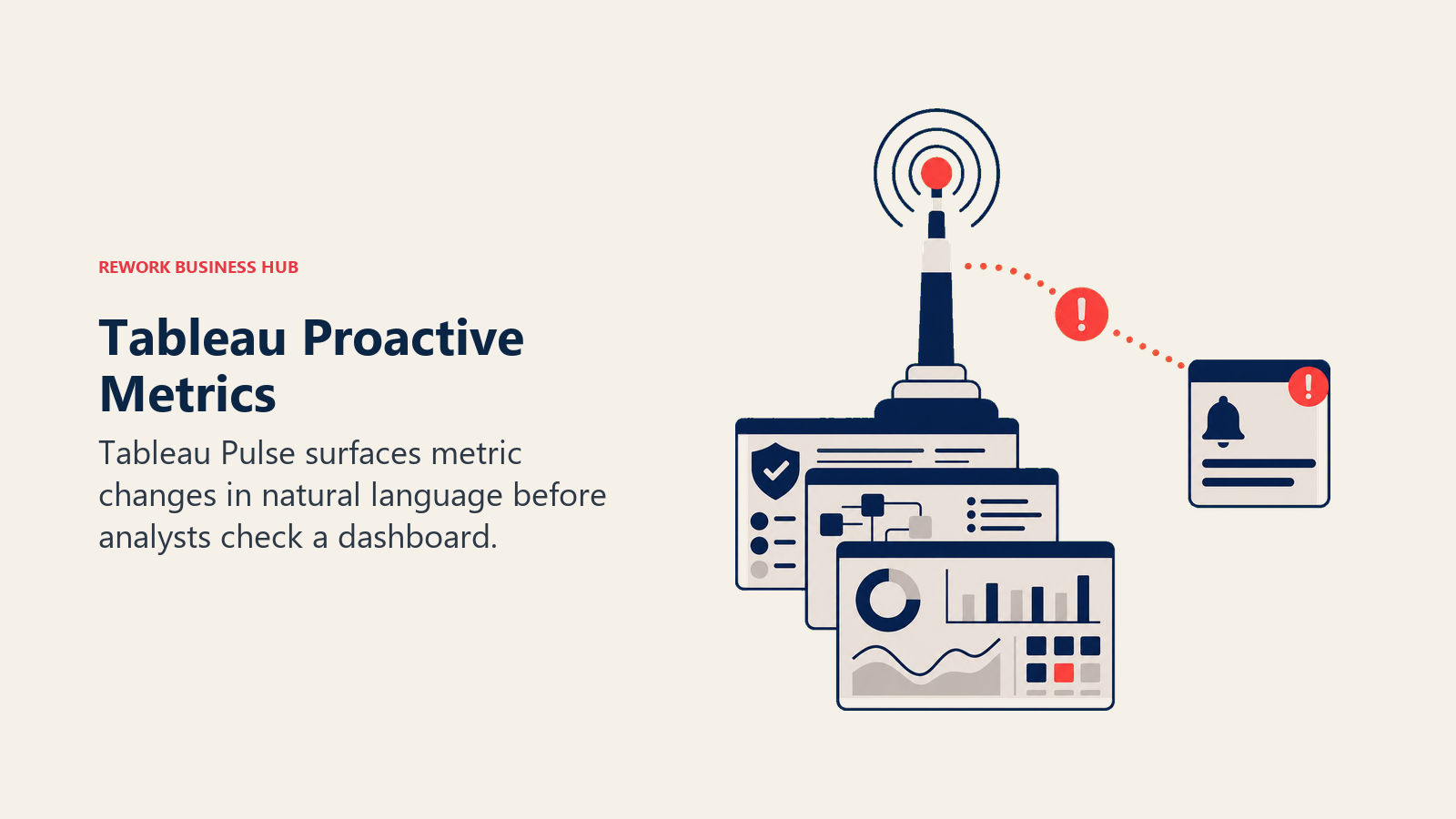
The honest limitation is that the AI Agent capability isn't included in Tableau's standard published tiers. It requires either the Cloud+ Edition or the Tableau+ bundle, both of which are quote-only, so you won't know the real cost until a sales conversation.
Best for: Enterprise teams already standardized on Tableau who want natural-language monitoring layered on dashboards they've already built
Key strengths:
- Pulse proactively surfaces metric changes instead of waiting for someone to look
- Tableau Agent now spans Prep, authoring, Catalog, and dashboards, not just chat
- Deepest fit for organizations with existing Tableau governance and data models
Limitations:
- Tableau Agent requires the quote-only Cloud+ Edition or Tableau+ bundle
- Every Copilot-style interaction consumes Capacity Units that compete with refresh and render jobs
- Real total cost only becomes clear after a sales conversation, not from the published price list
Pricing: Tableau Cloud Standard: Creator $75/user/month. Enterprise edition: Creator $115/user/month. Tableau Agent requires Cloud+ Edition or the Tableau+ bundle, both custom-priced (contact sales). See tableau.com/pricing.
| What you get | What you don't |
|---|---|
| Proactive, natural-language metric monitoring via Pulse | AI Agent capability gated behind a quote-only edition |
| AI now spans Prep, authoring, Catalog, and dashboards | Capacity Unit consumption competes with other Tableau jobs |
| Deepest option for teams already invested in Tableau | Real total cost unclear until you talk to sales |
7. Power BI Copilot: AI Inside a Microsoft-Centric Data Stack
Power BI Copilot generates reports, explains visuals, and writes DAX from natural-language prompts, working directly against the semantic model your team already maintains. For an organization already standardized on Microsoft 365 and Fabric, that means no new data layer to build, just a new way to query the one you have.
The pricing model is the part most buyers get wrong. Copilot isn't a simple per-user add-on: production use typically requires a dedicated Fabric capacity (F64 or higher, roughly $5,250/month) or Premium Per User with a Fabric trial enabled, and every Copilot interaction consumes Capacity Units that compete with your scheduled refreshes and report rendering for the same pool.
Best for: Microsoft-centric organizations that already have (or are willing to buy) Fabric capacity
Key strengths:
- Works directly against your existing Power BI semantic model, no new data layer
- Natural-language report generation and DAX writing inside a familiar Microsoft tool
- Ties into the broader Microsoft 365 Copilot ecosystem for teams already licensed there
Limitations:
- Real cost is capacity-based, not a simple per-user license, and can run into the thousands per month
- Copilot interactions consume Capacity Units that compete with refresh and rendering jobs
- Requires a Fabric specialist to model out the true cost before you commit
Pricing: Premium Per User is $24.99/user/month (requires a Fabric trial to enable Copilot). Dedicated Fabric capacity ranges from F2 ($262/month, insufficient for production Copilot) to F64 ($5,250/month, the practical floor for production Copilot use) up to F128 (~$10,500/month). See Microsoft Fabric pricing.
| What you get | What you don't |
|---|---|
| Natural-language reports and DAX against your existing model | Real cost is capacity-based, not a simple per-seat price |
| Deep fit for teams already on Microsoft 365 and Fabric | Copilot usage competes with refresh/render jobs for capacity |
| No new data layer to build or migrate to | Needs a Fabric specialist to budget accurately |
8. ThoughtSpot (Spotter AI Agent): Search-First BI at Real Scale
ThoughtSpot's bet has always been that BI should work like search: type a question, get an answer, drill in from there. Spotter, its AI agent, extends that into multi-step reasoning, chaining several questions together to build out an analysis rather than answering one query at a time. At the Pro tier and above, it can work across up to 250 million rows of data, well beyond what a chat-based tool or spreadsheet can realistically handle.
The constraint that catches buyers off guard is Spotter's query cap. On the Pro plan, each user gets 25 Spotter queries a month, and every query beyond that costs extra. Full, unlimited Spotter access requires the custom-priced Enterprise tier.
Best for: Mid-size to large teams that want search-driven BI with a real multi-step AI agent, at genuine scale
Key strengths:
- Natural-language, search-first UX designed around "ask a question, get an answer"
- Spotter Agent chains multi-step questions into a coherent analysis, not single queries
- Handles up to 250 million rows on Pro, and unlimited data on Enterprise
Limitations:
- Spotter is capped at 25 queries per user per month on the Pro tier; overages cost extra
- Full, unlimited Spotter access requires the custom-priced Enterprise tier
- Buyer-reported mid-market deployments often run $100,000-$300,000 annually once services are included
Pricing: Essentials is $25/user/month (5-50 users, up to 25M rows). Pro is $50/user/month (25-1,000 users, Spotter AI Agent with 25 queries/user/month, up to 250M rows). Enterprise is custom (unlimited users, unlimited data, unlimited Spotter access). See thoughtspot.com/pricing.
| What you get | What you don't |
|---|---|
| Search-first, multi-step AI query agent at real scale | Spotter capped at 25 queries/user/month below Enterprise |
| Handles up to 250M rows on Pro, unlimited on Enterprise | Full Spotter access requires a custom Enterprise quote |
| Fast time-to-first-answer for non-technical business users | Mid-market total cost often runs into six figures annually |
9. Hex: A Real Collaborative Notebook With Magic AI
Hex is built for teams that already think in SQL and Python but want an AI layer that speeds up the parts of notebook work that are genuinely repetitive: writing boilerplate SQL, explaining an error, or drafting a full analysis section from a plain-language description. Unlike a chat tool, a Hex notebook persists, versions, and can be scheduled or shared like a living document.
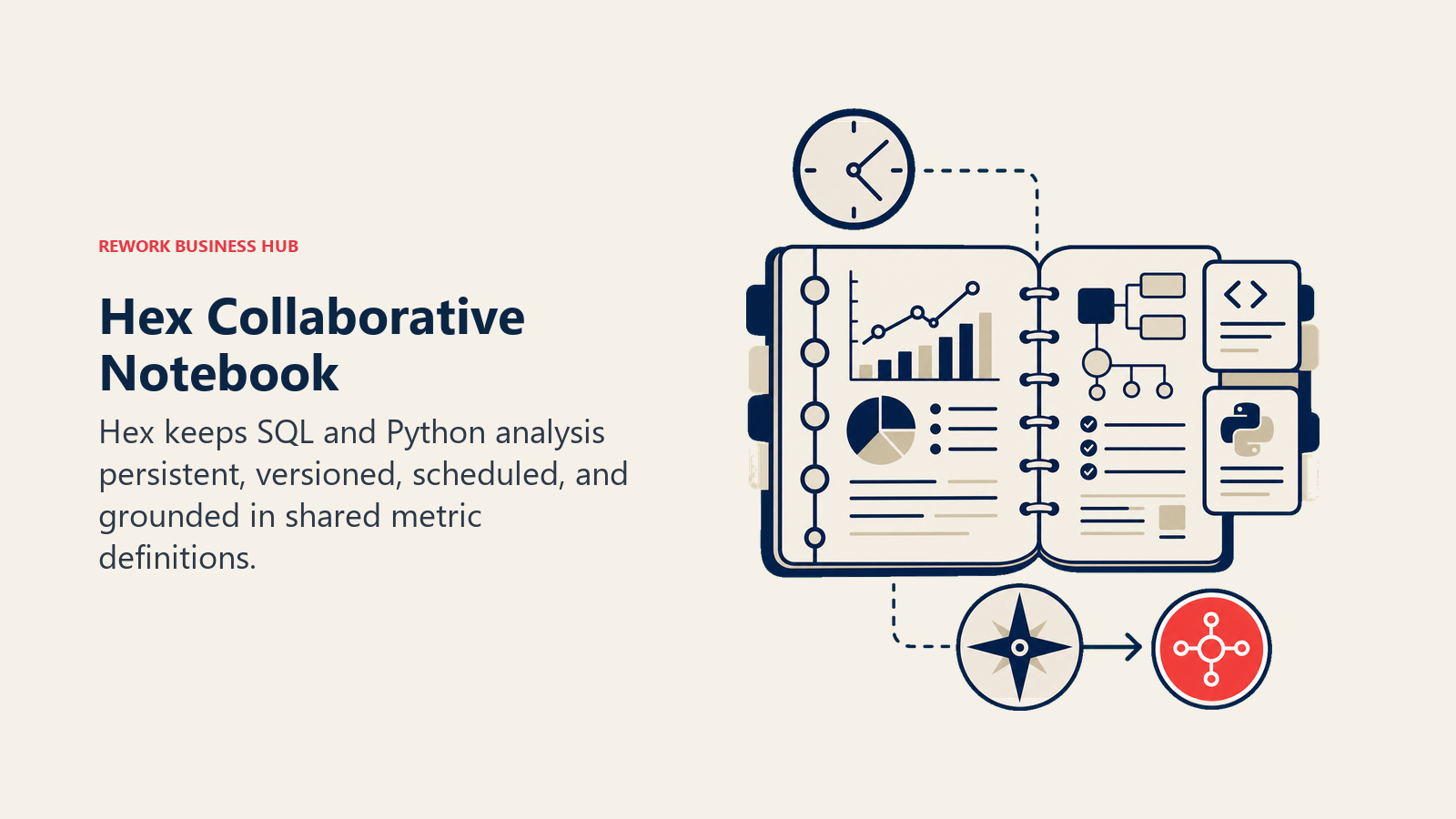
At the Team tier, Hex adds a Threads agent and a semantic model agent that understands your metrics layer, so the AI's answers respect the same business definitions your dashboards already use, a meaningful step up from a general chatbot guessing at what "active customer" means in your data.
Best for: Data teams who want a real, persistent SQL/Python notebook with AI woven through it, not a standalone chat box
Key strengths:
- Collaborative notebook (like a data team's shared document) with real version history
- Notebook agent writes SQL/Python, explains errors, and drafts full analysis sections
- Team tier's semantic model agent respects your existing metrics definitions
Limitations:
- Built for people who already work in SQL or Python, not fully self-serve for non-technical users
- Compute costs beyond the included Medium profile are pay-as-you-go
- Full agent capabilities (Threads, semantic model) require the pricier Team tier
Pricing: Community (Free) includes a notebook agent trial. Professional is $36/editor/month with the full notebook agent. Team is $75/editor/month, adding the Threads agent and semantic model agent. Enterprise is custom. See hex.tech/pricing.
| What you get | What you don't |
|---|---|
| Persistent, versioned notebook, not a disposable chat thread | Requires SQL/Python literacy; not built for non-technical users |
| AI writes code, explains errors, and drafts analysis sections | Full agent set (Threads, semantic model) needs the Team tier |
| Team tier's semantic model agent respects real metric definitions | Compute beyond the included profile is billed pay-as-you-go |
For related context on how predictive, AI-driven analysis fits into a broader operations stack, see AI predictive analytics and the predictive analytics glossary entry.
10. Akkio: No-Code Predictive Modeling
Akkio's differentiator against every chat-based or notebook tool on this list is that it's built for prediction, not description. Instead of asking "what happened," you point Akkio at historical data and ask it to forecast demand, flag likely churn, or score which leads are worth a rep's time, all without writing a model from scratch.
Akkio has moved upmarket since 2025: it no longer publishes self-serve pricing and now positions itself as a custom-quote enterprise AI analytics platform. That's a meaningful shift for anyone evaluating it expecting a low-friction, self-serve entry point.
Best for: Teams that want no-code predictive modeling (forecasting, churn, lead scoring) without hiring a data scientist
Key strengths:
- No-code model building for forecasting, classification, and scoring use cases
- Domain-specific agents aimed at agency and media-buying workflows
- Outputs can be embedded or deployed into other systems, not just viewed in a dashboard
Limitations:
- No longer publishes self-serve pricing; every deal now requires a sales conversation
- No visible free tier or low-friction entry point as of mid-2026
- Best fit has narrowed toward agencies and enterprises willing to run a full sales cycle
Pricing: Not published. Akkio is now positioned as an enterprise AI analytics platform with custom pricing based on data volume, model runs, and collaboration needs; historical self-serve plans reportedly started near $49/user/month but are no longer listed. See akkio.com/pricing.
| What you get | What you don't |
|---|---|
| No-code predictive modeling, not just descriptive charts | No published pricing; requires a sales conversation |
| Domain-specific agents for forecasting and scoring workflows | No visible free or self-serve entry point |
| Deployable, embeddable model outputs | Best fit has narrowed to agencies and larger enterprises |
11. Deepnote: Real-Time Collaborative Notebooks With Built-In LLMs
Deepnote's pitch is Google Docs for data science: multiple analysts can work in the same notebook simultaneously, see each other's cursors, and pick up where a teammate left off. Layer that on top of built-in access to GPT-5 and Claude Sonnet 4.5, plus premium connectors to Snowflake, BigQuery, and Redshift, and it's a strong middle ground between a full BI platform and a solo chat tool.
The free tier is genuinely usable for a small team (up to 3 editors, 5 projects), which makes it an easy way to evaluate whether a notebook-based workflow beats a chat-based one for your team, before committing to the $39-per-editor Team plan.
Best for: Data science teams who want real-time collaborative notebooks with LLM access built in, not bolted on
Key strengths:
- Real-time multiplayer editing, unusual among notebook tools
- Built-in GPT-5 and Claude Sonnet 4.5 access without a separate API key
- Premium connectors to Snowflake, BigQuery, and Redshift, plus scheduled and background execution
Limitations:
- Still fundamentally a notebook; SQL/Python literacy helps even with AI assistance
- Free tier's revision history is capped at 7 days (30 days on Team)
- Per-editor pricing adds up quickly for larger data teams
Pricing: Free plan supports up to 3 editors and 5 projects. Team is $39/editor/month ($31.20/month billed annually, about $1,872/year per editor). Enterprise is custom. See deepnote.com/pricing.
| What you get | What you don't |
|---|---|
| Real-time multiplayer notebook editing | Still requires baseline SQL/Python comfort |
| Built-in GPT-5 and Claude access, no separate API key | Free tier's revision history capped at 7 days |
| Premium warehouse connectors plus scheduled execution | Per-editor cost scales fast for larger teams |
12. Polymer: Embedded AI Dashboards for Your Own Product
Polymer solves a different problem than every other tool on this list: instead of helping your internal team analyze data, it helps you give your customers a dashboard inside your own product without building one from scratch. Point it at a data source through its API and it auto-generates visualizations and reports, which you can then white-label and embed.
That positioning explains the price. Polymer isn't competing with Julius AI or ChatGPT for a solo analyst's budget; it's competing with an internal engineering build-vs-buy decision for product teams, which is why the entry point sits around $500/month.
Best for: SaaS companies that want to embed AI-generated, white-labeled dashboards inside their own product
Key strengths:
- Auto-generates dashboards and chart suggestions from raw data with no manual configuration
- API-first design built for embedding inside another product, not standalone internal use
- White-labeled reports mean your customers never see the Polymer brand
Limitations:
- Entry price (~$500/month) puts it out of range for a solo analyst or small internal team
- Self-serve pricing tiers aren't clearly published; most buyers need a sales conversation
- Positioned for embedded, customer-facing analytics, not everyday internal team analysis
Pricing: Self-serve tiers aren't clearly listed publicly. API/embedded access starts around $500/month, scaled by data volume and user access, with a 7-day free trial. See polymersearch.com/pricing.
| What you get | What you don't |
|---|---|
| Auto-generated, white-labeled dashboards via API | Entry price (~$500/mo) excludes solo analysts and small teams |
| Built specifically for embedding inside your own product | Self-serve pricing isn't clearly published |
| No manual chart configuration required | Wrong fit if your need is internal analysis, not a customer-facing feature |
Pricing at a Glance
| Tool | Entry Price | Pricing Model | Free Tier? |
|---|---|---|---|
| ChatGPT | Plus $20/mo | Flat monthly tier | Limited free tier |
| Claude | Pro $20/mo ($17/mo annual) | Flat monthly tier | Yes, limited |
| Julius AI | Plus $35/mo (~$29/mo annual) | Credit-based tiers | Yes (15 msgs/mo) |
| Powerdrill | Pro from $13.27/mo (promo) | Daily + monthly credit tiers | Yes |
| Coefficient | Starter $49/mo | Flat monthly tier | Yes (2 imports) |
| Tableau Pulse / Agent | Creator $75/user/mo (Agent: contact sales) | Per-user + edition-gated AI | No |
| Power BI Copilot | Premium Per User $24.99/user/mo (capacity required for production) | Per-user + Fabric capacity | No |
| ThoughtSpot | Essentials $25/user/mo | Per-user, query-capped AI | No |
| Hex | Professional $36/editor/mo | Per-editor + compute | Yes |
| Akkio | Custom quote only | Custom enterprise pricing | No |
| Deepnote | Team $39/editor/mo ($31.20/mo annual) | Per-editor tiers | Yes |
| Polymer | ~$500/mo (embedded/API) | Usage-based, custom | 7-day trial |
Where AI Data Analysis Tools Are Headed
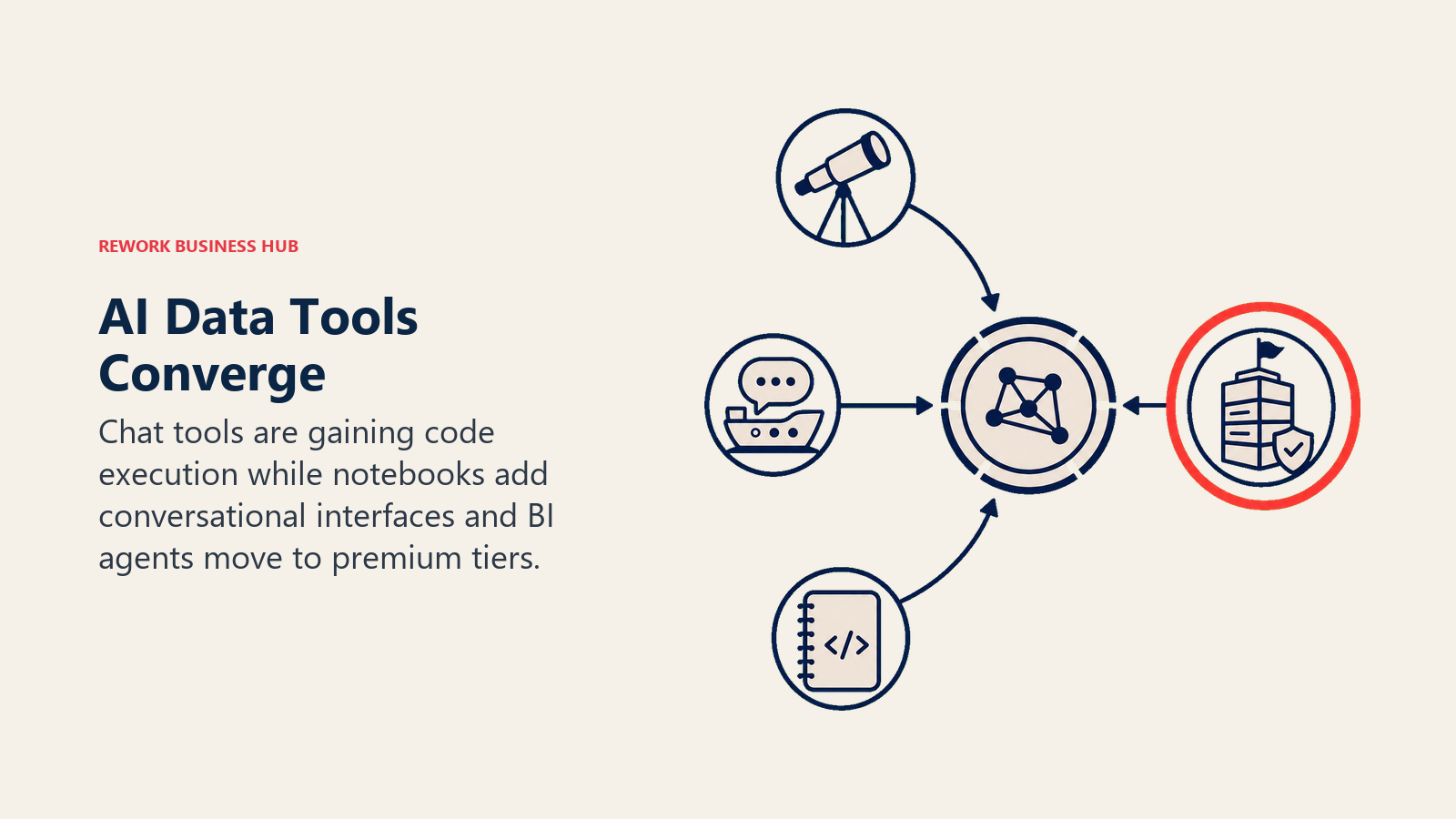
Two shifts are converging fast. First, the line between "chat with your data" and "a real notebook" is blurring: ChatGPT and Claude now execute code the way Hex and Deepnote always have, while notebook tools are adding chat-style natural-language interfaces on top of SQL and Python. Second, enterprise BI vendors (Tableau, Power BI, ThoughtSpot) are all gating their real AI agent capability behind premium, often capacity- or usage-priced tiers, which means the sticker price on the standard plan increasingly understates what production AI analytics actually costs. Expect more consolidation between chat-based and notebook-based tools through the rest of 2026, and expect BI vendors to keep decoupling "AI agent access" from the base license. If you're building out a broader AI skill set for the team using these tools, AI-powered workflows for operations is a useful next read, and if data analysis is becoming a core part of a role you're hiring for, the Chief Data Officer job description template and data analytics competency reference are worth reviewing before you write the req.
Frequently Asked Questions about AI Tools for Data Analysis
What is the best AI tool for data analysis in 2026?
There's no single best tool. ChatGPT and Claude are the fastest starting point for anyone with a spreadsheet and a question, Julius AI and Powerdrill are the strongest dedicated chat-based analysts, Hex and Deepnote lead for data teams who want a real notebook, and Tableau Pulse, Power BI Copilot, and ThoughtSpot's Spotter lead for enterprises layering AI onto BI they already run. Match the tool to the job, not a general ranking.
Can ChatGPT or Claude replace a BI tool like Tableau or Power BI?
For a one-off analysis or a quick chart, yes. For a governed, shared dashboard that a whole department relies on daily, no. ChatGPT and Claude don't persist a live dashboard, don't enforce a shared semantic model, and don't handle row-level security the way an enterprise BI platform does. Most teams end up using a chat tool for ad hoc questions and a BI tool for the dashboards everyone depends on.
What happened to Rows AI?
Rows AI shut down on May 31, 2026 after Superhuman acquired the company. If you were using it for AI-assisted spreadsheet analysis with live data, Coefficient is the closest replacement: it connects live CRM and warehouse data to Google Sheets or Excel and layers a GPT Copilot on top.
Are AI data analysis tools accurate enough to trust for business decisions?
Trust them for a first pass, not a final answer. Per dbt Labs' 2026 State of Analytics Engineering Report, 71% of data professionals are already concerned about hallucinated or incorrect AI outputs reaching stakeholders. Always spot-check a generated number against the source data before it goes into a board deck or a customer-facing report.
What's the cheapest way to get started with AI data analysis?
If you already pay for ChatGPT Plus or Claude Pro ($20/month each), you already have a capable AI data analyst; just start uploading files. If you want a tool built specifically for analysis, Powerdrill's Free plan and Pro tier (from $13.27/month) are the lowest-cost dedicated option on this list.
Do I need to know SQL or Python to use these tools?
No, for ChatGPT, Claude, Julius AI, Powerdrill, and Coefficient, all of which are designed around plain-language prompts. Hex and Deepnote assume some SQL/Python comfort, since they're real notebooks with AI layered on top rather than chat-first tools. Enterprise BI tools (Tableau, Power BI, ThoughtSpot) sit in between: the AI layer is natural language, but building the underlying data model usually still needs a technical owner.
Which tool is best for a small team versus an enterprise?
Small teams and solo analysts get the most value from ChatGPT, Claude, Julius AI, and Powerdrill, all under $50/month with no implementation. Enterprises with existing BI investments typically add Tableau Pulse/Agent, Power BI Copilot, or ThoughtSpot's Spotter on top of what they already run, rather than replacing it.
Is my data safe with AI data analysis tools?
Policies vary by vendor and by plan. Enterprise tiers from OpenAI, Anthropic, Microsoft, Tableau, and ThoughtSpot typically exclude your data from model training and publish SOC 2 or equivalent compliance documentation; free and lower consumer tiers sometimes do not carry the same guarantees. Confirm the data-use policy for the specific plan you're on, not just the vendor's general marketing claim, before uploading sensitive business data.
What to Do Next
Pick the one job that's actually costing you time right now, whether that's a recurring manual report, a spreadsheet nobody trusts, or a dashboard your team checks but never questions, and shortlist two tools against the decision framework above. If you already pay for ChatGPT or Claude, start there before adding a new subscription; you may already have what you need. If your team is building a broader case for AI adoption across data and analytics roles, the analytical skills competency reference is a useful companion for defining what "good" looks like before you roll a new tool out to the whole team.

Principal Product Marketing Strategist
On this page
- Updated July 2026: What Changed
- Key Facts
- Quick Comparison Table
- How to Choose: Decision Framework
- Framework: By Team Size and Technical Depth
- 1. ChatGPT: Fastest Path From Upload to Answer
- 2. Claude: Best for Reasoning Through Messy, Multi-File Datasets
- 3. Julius AI: The Dedicated Chat-Based Data Analyst
- 4. Powerdrill: The Cheapest Self-Serve Dedicated Analyst
- 5. Coefficient: AI Analysis Without Leaving Your Spreadsheet
- 6. Tableau Pulse / Tableau Agent: AI Layered on an Existing Tableau Deployment
- 7. Power BI Copilot: AI Inside a Microsoft-Centric Data Stack
- 8. ThoughtSpot (Spotter AI Agent): Search-First BI at Real Scale
- 9. Hex: A Real Collaborative Notebook With Magic AI
- 10. Akkio: No-Code Predictive Modeling
- 11. Deepnote: Real-Time Collaborative Notebooks With Built-In LLMs
- 12. Polymer: Embedded AI Dashboards for Your Own Product
- Pricing at a Glance
- Where AI Data Analysis Tools Are Headed
- What to Do Next