Best Gamma Alternatives in 2026: 8 Tools Compared on Cost, Export and Brand Control
Turn this article into takeaways for your work.


Each assistant summarizes the article only for you and suggests best practices for your work.
If your team lives in PowerPoint or Google Slides, Plus AI is the Gamma alternative to trial first, because it generates inside the file your colleagues already open. If you want decks that stay tidy as people edit them, Beautiful.ai is the pick. And if the deck is a team workflow with comments, templates and analytics, Pitch is the closest like-for-like replacement.
This guide is for the owner, COO, CMO or agency lead who has already built a few decks in Gamma and now cares about the things a first-week demo hides: what the credit model costs at real volume, whether the exported file survives a client's laptop, and how tightly you can lock down brand templates. We priced every tool on the same team of five people on annual billing, named a real limitation for each, and kept a section on where Gamma is still the right call. Tome, once a fixture on lists like this one, has stopped selling its presentation product, so it appears below as a former option rather than a ranked choice.
Key Facts
- Gamma raised a $68 million Series B at a $2.1 billion valuation in November 2025, reporting more than $100 million in annual recurring revenue and 70 million users, per Tech Funding News.
- Gamma's own pricing page lists Plus at $9 per seat per month ($108 per seat billed annually) with 1,000 monthly credits, and Pro at $18 per seat per month ($216 billed annually) with 4,000 credits (Gamma pricing).
- On Gamma, unused credits roll over up to 2x the monthly allowance, and the Free plan's 400 credits are a one-time grant that does not refill (Gamma pricing).
- Gamma states that it is SOC 2 Type II compliant and that your content remains yours if you downgrade or cancel (vendor claim, Gamma pricing).
- Gamma's Free plan already exports to PDF, PPTX, PNG and Google Slides, so export access is not the paywall; export fidelity is the thing to test (Gamma pricing).
Quick Comparison Table
| Tool | Best For | Entry Paid Price (annual billing) | Key Strength | Key Limitation |
|---|---|---|---|---|
| Gamma (subject) | Fast first drafts of decks, docs and sites | $9 per seat/mo (Plus) | Prompt to finished deck in minutes | Credit-metered; output lives in Gamma's own format |
| Plus AI | Teams that must stay in PowerPoint or Google Slides | $10 per user/mo (Basic) | Generates inside the native file | No standalone site or doc builder |
| Beautiful.ai | Decks that stay on-brand as many people edit | $14.50/mo (Pro) | Smart templates keep layouts tidy | No free plan; Team starts at 2 seats |
| Pitch | Collaborative team decks with analytics | $13 per seat/mo (Plus) | Real-time co-editing and sharing analytics | Smaller AI credit pool than Gamma's Pro |
| Canva | Mixed teams making decks, social and print together | $144 per year (Pro, one person) | One brand kit across every format | AI deck output is less polished than a dedicated tool |
| Visme | Data-heavy decks, reports and infographics | $12.25/mo (Starter) | Charts, forms and interactive content | AI credit allowance is modest at low tiers |
| Napkin AI | Turning text into diagrams and visuals | $9 per person/mo (Plus) | Fast text to visual conversion | A visual tool, not a deck builder |
| Piktochart | Reports, infographics and nonprofit or education use | $10 per member/mo (Pro) | Low entry price for visual reports | Weaker as a presentation tool |
| Venngage | Infographics and marketing one-pagers | $10/mo (Premium) | Large template library for infographics | Presentation features are thin |
| Tome (former option) | Nobody; the presentation product has ended | Not applicable | Not applicable | No longer sold as a presentation tool |
Why Teams Leave Gamma (And Why Many Don't)
Gamma earns its growth. For a founder who needs a decent deck by tomorrow morning, typing a brief and getting a styled, editable result is hard to beat. The reasons teams look elsewhere are specific, and they show up in a predictable order.
| Reason teams leave | What it looks like in practice | Alternative that addresses it |
|---|---|---|
| The file has to live in PowerPoint or Google Slides | A client or exec insists on a .pptx they can edit; the exported Gamma file needs cleanup | Plus AI builds directly inside those apps |
| Brand control | Marketing wants locked templates, fonts and layouts so no one can drift off-brand | Beautiful.ai smart templates; Canva brand kits and Business controls |
| Credits as a cost variable | A busy month of regenerating, restyling and adding images burns through the allowance | Beautiful.ai lists unlimited AI generation on paid plans; Pitch and Visme use smaller but predictable pools |
| Collaboration and review | Comments, approvals, version history and sharing analytics matter more than the first draft | Pitch is built around team workflow |
| The deck is not really a deck | The real job is a diagram, an infographic or a data report | Napkin AI, Visme, Piktochart, Venngage |
None of this means Gamma is the wrong tool. It means the decision should follow your constraint. If speed of first draft is the constraint, stay. If file format, brand governance or per-seat predictability is the constraint, read on. For a wider survey that is not Gamma-specific, see the best AI presentation tools in 2026 and the best AI tools for slide decks.
Where Gamma Still Wins
Before leaving, be honest about what you would give up.
| Gamma strength | Why it matters | Who feels the loss most |
|---|---|---|
| Prompt to full deck, doc or site in one tool | You are not stitching a deck tool, a doc tool and a site builder together | Small teams without a design function |
| Free plan with real export (PDF, PPTX, PNG, Google Slides) | You can test fit and hand over a file without paying | Anyone doing a one-off pitch |
| Low seat price on Plus and Pro | $9 and $18 per seat per month on annual billing is cheaper than most dedicated rivals below | Teams of one to five |
| Import from PDF and PPTX | You can pull an old deck in and restyle it | Teams rebuilding legacy slides |
| Credit rollover up to 2x | A quiet month does not waste the allowance | Seasonal users |
| API access on Pro | Decks can be generated from other systems | Ops teams automating reports |
The place Gamma is weakest is the handoff. Its native format is Gamma's own, so the most careful workflow is to design in Gamma, export, and then inspect the file in the app your audience will use. If that final inspection keeps turning up fixes, you are paying for speed and then spending it back on cleanup.
Credits vs Seats: How the Pricing Models Differ
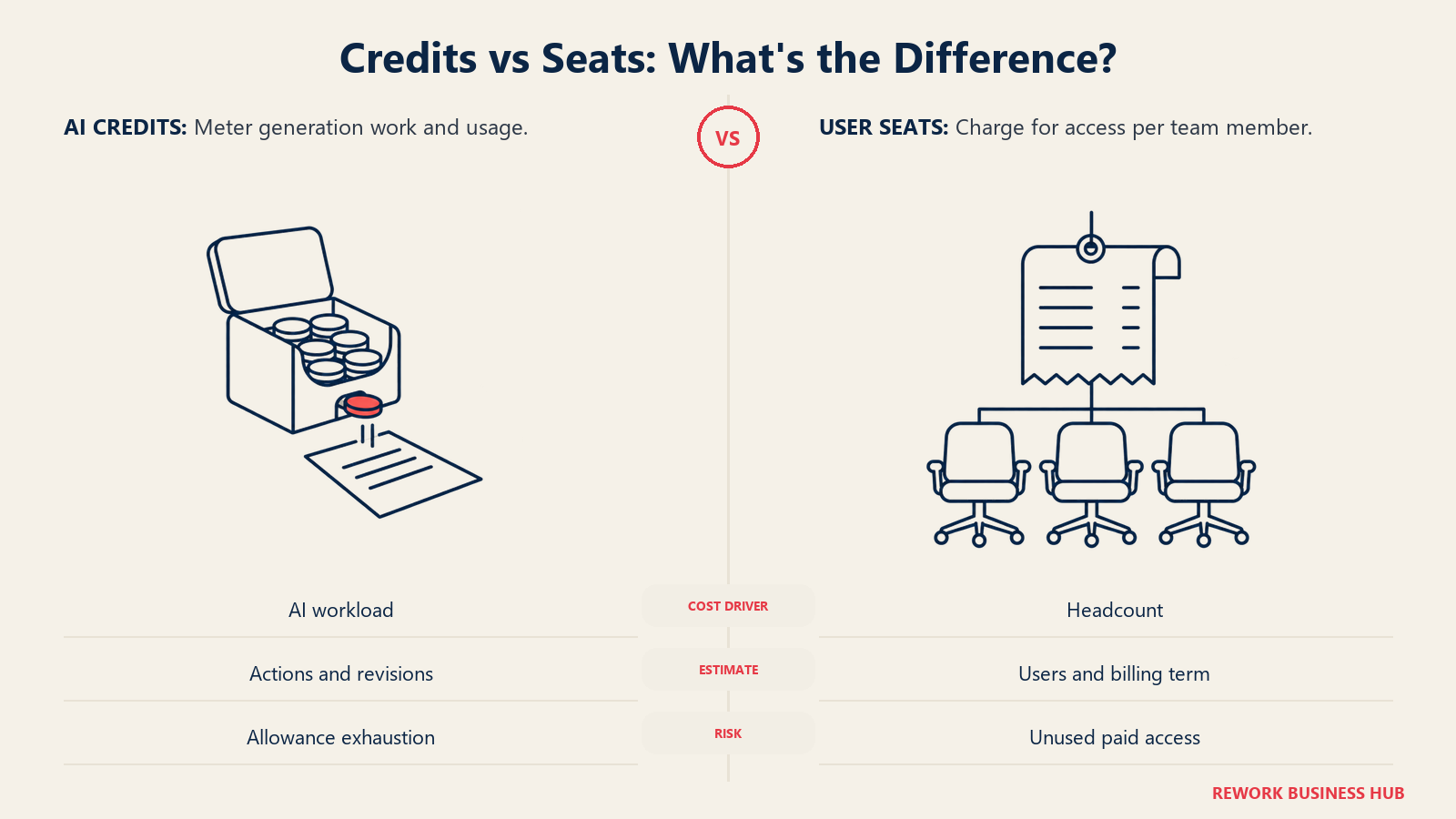
Gamma meters AI work in credits, and the number of credits an action uses varies with the model, the length and the complexity of the generation. Most alternatives meter differently, which changes who they suit.
| Tool | What you pay for | AI allowance on entry paid plan | What happens when you need more |
|---|---|---|---|
| Gamma | Per seat, plus a monthly credit pool | 1,000 credits/mo (Plus), 4,000 (Pro) | Buy additional credits; rollover up to 2x |
| Plus AI | Per user | 1,500 credits/mo (Basic), 3,000 (Pro) | Move to Team (6,000) or Max (unlimited) |
| Beautiful.ai | Per user | Unlimited AI generation on paid plans | Not applicable |
| Pitch | Per seat | 500 credits/mo (Plus) | Higher tiers add credits; Business has 750 |
| Canva | Per person | AI uses are a multiple of the Free allowance | An AI Pass add-on costs extra |
| Visme | Per person | 200 credits/mo (Starter) | Business has 500; Enterprise is unlimited |
| Napkin AI | Per person | 10,000 credits/mo (Plus), roughly 1 credit per word | Pro has 30,000 |
| Piktochart | Per member | 500 credits (Pro) | Business has 1,000 |
| Venngage | Per user | 160 daily AI credits (Premium) | Business has 1,600 daily |
Two readings matter. First, a seat price tells you little until you know how many generations your team actually runs. Second, "unlimited" on Beautiful.ai and Plus AI Max removes the bill-shock risk, but you pay for that at the seat level.
Real Annual Cost for a Team of Five
Headline prices are per seat per month. This table multiplies each tool's annual-billed price by five seats for twelve months, so you can compare the real commitment. It uses the tier that fits a working team, not the cheapest card on the page.
| Tool | Tier used | Annual price per seat | Five seats, one year |
|---|---|---|---|
| Gamma | Plus | $108 | $540 |
| Gamma | Pro | $216 | $1,080 |
| Plus AI | Pro | $240 | $1,200 |
| Beautiful.ai | Team | $480 | $2,400 |
| Pitch | Team | $228 | $1,140 |
| Pitch | Business | $300 | $1,500 |
| Canva | Business | $250 | $1,250 |
| Visme | Team plan, 5 users | Not applicable | $1,440 |
| Napkin AI | Plus | $108 | $540 |
| Piktochart | Business | $204 | $1,020 |
| Venngage | Business | $288 | $1,440 |
Gamma Plus and Napkin AI Plus are the cheapest rows, and Gamma Pro sits mid-pack. Beautiful.ai's Team plan is the priciest because it is built for governed collaboration rather than solo speed. Pitch Team lands close to Gamma Pro, which is the fairest like-for-like comparison for a collaboration-heavy team.
1. Plus AI: Generates inside PowerPoint and Google Slides
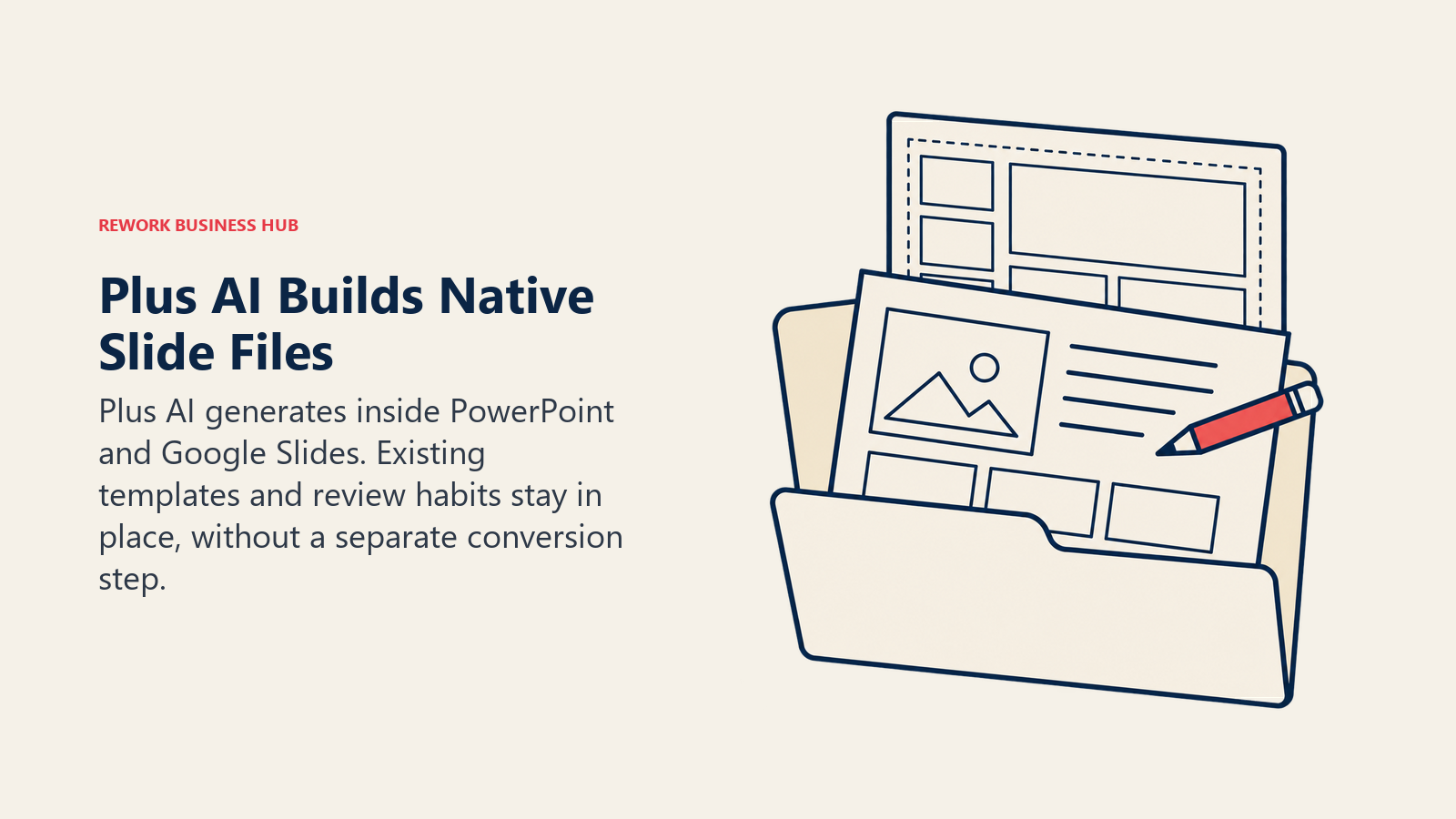
Plus AI is an add-on that works inside Google Slides and PowerPoint, so the output is a native file from the first click, not an export. Your colleagues keep their existing templates, master slides and review habits, and nobody has to learn a new editor. That makes it the cleanest answer to the "our clients insist on .pptx" problem.
Pricing is per user on the vendor's own page: Basic is $10 per month billed annually ($15 monthly) with 1,500 AI credits a month, Pro is $20 annually ($25 monthly) with 3,000 credits, Team is $30 annually ($40 monthly) with 6,000 credits, and Max is $200 annually ($240 monthly) with unlimited credits. There is no free plan, only a 7-day trial with 1,000 credits.
Best for: teams standardized on Microsoft or Google that want AI drafting without a new platform. Real limitation: it is a deck add-on only, so you will not get Gamma's website or document builder from it.
| Plus AI at a glance | |
|---|---|
| Works in | Google Slides, PowerPoint |
| Entry paid price | $10 per user/mo billed annually ($15 monthly) |
| Free option | 7-day trial, 1,000 credits |
| Commercial use | Confirm in Gamma's terms before client work |
| Biggest limitation | Deck-only, no site or doc builder |
2. Beautiful.ai: Smart templates that protect your layouts
Beautiful.ai's pitch is that slides rearrange themselves as you add content, so a deck edited by ten people still looks like one person built it. For brand-sensitive teams that is the strongest argument against Gamma's freer layouts, and it is why sales and marketing leaders keep returning to it despite the price.
The vendor lists Pro at $14.50 per month billed annually, with a monthly option for a single presentation at $45. Team is $40 per user per month billed annually or $50 billed monthly, for 2 to 20 seats. Unlimited AI generation is included on every paid plan. There is no free plan, only a 14-day trial of Pro or Team.
Best for: brand-governed decks edited by many hands. Real limitation: the entry price is higher than Gamma's, and the lack of a free tier means you cannot test the exported file without starting the trial.
| Beautiful.ai at a glance | |
|---|---|
| Entry paid price | $14.50/mo billed annually (Pro) |
| Team price | $40 per user/mo billed annually, 2 to 20 seats |
| AI limits | Unlimited generation on paid plans |
| Free option | 14-day trial only |
| Commercial use | Confirm in the vendor's terms |
| Biggest limitation | Higher cost per seat; no free plan |
3. Pitch: The closest like-for-like for collaborating teams
Pitch is a presentation platform built around teamwork: real-time co-editing, comments, shared templates and sharing analytics that show who opened the deck. If Gamma got you your first draft but the team now argues about versions in email, Pitch fixes that problem more than the drafting problem.
On the US pricing page, billed yearly per seat per month: Plus is $13, Team is $19 and Business is $25. AI credits are 500 a month on Plus, 500 shared across the team on Team, and 750 on Business. The free plan covers 1 to 5 members and includes 100 one-time AI credits. Pricing varies by region and currency, so quote the figure your own checkout shows.
Best for: team decks where review and analytics matter. Real limitation: the AI credit pool is small next to Gamma Pro's 4,000, so heavy generators will feel it.
| Pitch at a glance | |
|---|---|
| Entry paid price | $13 per seat/mo billed yearly (Plus) |
| Team price | $19 per seat/mo billed yearly |
| AI allowance | 500 credits/mo on Plus; Team's 500 is shared |
| Free option | 1 to 5 members, 100 one-time AI credits |
| Commercial use | Confirm in the vendor's terms |
| Biggest limitation | Small AI credit pool |
4. Canva: One brand kit across decks, social and print
Canva is the practical choice when the deck is one of ten formats your team produces. A single brand kit covers presentations, social posts, documents and print, which is exactly what a Gamma-only workflow cannot do. Canva's own plan is now called Business, not Teams, which matters if you are reading older reviews.
Yearly pricing on the vendor page: Free is $0, Pro is $144 per year for one person, and Business is $250 per year per person. Enterprise is sold through sales. AI usage is a multiple of the Free allowance: Free gets up to 20 AI uses, Pro gets 10x that, Business gets 20x, and an AI Pass add-on costs extra. For a deeper comparison of the platform itself, see the best Canva alternatives.
Best for: mixed content teams that already use Canva for everything else. Real limitation: its AI-generated decks tend to need more manual finishing than a dedicated presentation tool's.
| Canva at a glance | |
|---|---|
| Entry paid price | $144 per year (Pro, one person) |
| Business price | $250 per year per person |
| AI allowance | Up to 20 uses on Free; 10x on Pro, 20x on Business |
| Free option | Yes |
| Commercial use | Confirm in the vendor's terms |
| Biggest limitation | AI decks need more hand finishing |
5. Visme: Data, charts and interactive content in one place
Visme leans toward content with numbers in it: reports, dashboards-in-slides, forms, quizzes and infographics, alongside regular decks. A finance lead or a marketing analyst building a quarterly review gets more from it than from Gamma's text-first flow.
On the vendor's pricing page: Basic is free with 10 AI credits a month; Starter is $29 monthly or $147 per year ($12.25 a month) per person with 200 AI credits; Business is $59 monthly or $297 per year ($24.75 a month) with 500 credits. Team pricing for 3 users is $119 a month or $864 a year, and for 5 users $159 a month or $1,440 a year. Enterprise starts at 10 users with unlimited credits.
Best for: report-heavy teams that mix charts and slides. Real limitation: the AI credit allowance at the low tiers is modest, and the plan names can be confusing.
| Visme at a glance | |
|---|---|
| Entry paid price | $147 per year for Starter ($12.25/mo equivalent) |
| Team price | 5 users, $1,440 per year |
| AI allowance | 200 credits/mo (Starter), 500 (Business) |
| Free option | Yes, 10 AI credits/mo |
| Commercial use | Confirm in the vendor's terms |
| Biggest limitation | Modest AI credits at entry tiers |
6. Napkin AI: When the real need is a diagram
Napkin AI turns a paragraph into a diagram or visual, which is the part of a deck that most often eats an afternoon. Many teams pair it with their main deck tool rather than replacing Gamma, pasting the visuals in as images. Treat it as a complement unless your "deck" is mostly diagrams.
The vendor page lists Free with 500 AI credits per week, Napkin branding and PNG and PDF export. Plus is $12 monthly or $9 per person per month billed yearly, with 10,000 credits a month and no branding. Pro is $30 monthly or $22 yearly with 30,000 credits. Credits run at roughly one per word. Enterprise is by contact. For visual summaries beyond slides, see our guide to AI infographic tools.
Best for: explanatory visuals inside any deck. Real limitation: it is not a presentation builder, so you still need one.
| Napkin AI at a glance | |
|---|---|
| Entry paid price | $9 per person/mo billed yearly (Plus) |
| AI allowance | 10,000 credits/mo on Plus |
| Free option | 500 AI credits per week, with Napkin branding |
| Export | PNG and PDF on Free |
| Commercial use | Confirm in the vendor's terms |
| Biggest limitation | Visuals only, not a deck tool |
7. Piktochart: Visual reports at a low entry price
Piktochart suits teams that publish reports, one-pagers and infographics, including education and nonprofit buyers who get dedicated pricing. As a Gamma replacement for pitch decks it is not the strongest, but for a monthly impact report it can be the cheaper and more fitting choice.
On the vendor page: Free gives 2 PNG downloads, 60 AI credits and 1GB of storage. Pro is $15 monthly or $10 per member per month billed annually with 500 AI credits. Business is $20 monthly or $17 billed annually with 1,000 credits. Enterprise is custom and starts at 101 members. Education is $39 per member per year, and Nonprofit is $60 per member per year.
Best for: visual reports and nonprofit or education teams. Real limitation: presentation and animation features trail the dedicated deck tools.
| Piktochart at a glance | |
|---|---|
| Entry paid price | $10 per member/mo billed annually (Pro) |
| AI allowance | 500 credits (Pro), 1,000 (Business) |
| Free option | 2 PNG downloads, 60 AI credits |
| Special pricing | Education $39 and Nonprofit $60 per member per year |
| Commercial use | Confirm in the vendor's terms |
| Biggest limitation | Weaker as a presentation tool |
8. Venngage: Infographics and one-pagers for marketing
Venngage is aimed at marketers who need infographics, reports and branded one-pagers fast, with a deep template library. It also builds presentations, but that is not where its strength sits, so treat it as the pick when your Gamma use was really about visual content marketing.
Free allows 5 designs with public sharing only and 80 daily AI credits at signup. Premium is $19 monthly or $10 a month billed yearly with 160 daily AI credits. Business is $49 monthly or $24 a month billed yearly per user with 1,600 daily AI credits. Enterprise starts at $499 a month with a 10-member minimum, and yearly billing is labelled as saving 51%.
Best for: infographic-led marketing content. Real limitation: public-only sharing on Free, and slide features are basic.
| Venngage at a glance | |
|---|---|
| Entry paid price | $10/mo billed yearly (Premium) |
| Business price | $24/mo per user billed yearly |
| AI allowance | 160 daily credits (Premium), 1,600 (Business) |
| Free option | 5 designs, public sharing only |
| Commercial use | Confirm in the vendor's terms |
| Biggest limitation | Thin presentation features |
Which Team Should Actually Leave Gamma
Not every team has the same reason to move, and the cost of switching is real: templates to rebuild, habits to retrain, and a few weeks of decks that look slightly different from the last batch. Here is how the decision tends to fall by team type.
A consulting or agency team that sends client-facing decks should weigh export fidelity above everything else. The client will open the file in PowerPoint on a laptop you have never seen, and the first slide they notice is the one where a font swapped or a text box overflowed. Plus AI removes that class of problem because the file never leaves the native app. Beautiful.ai reduces it a different way, by constraining what an editor can do to a layout. If your Gamma exports already open cleanly for your clients, you have no reason to move on this ground.
A sales or marketing team with a brand manager should weigh governance. The question is not whether the first draft is good but whether the fortieth deck, edited by twelve people over a year, still looks like yours. Beautiful.ai and Canva Business are built for that situation, and Pitch handles it through shared templates and workspace controls. Gamma offers custom branding and a theme builder, which is enough for a small team with one person who cares, but it asks more of that person.
A founder or a small operations team, one to five people, usually should not leave. Gamma Plus at $9 per seat per month on annual billing is cheaper than every dedicated deck tool in this guide, the free plan exports a real file, and the speed of a first draft is the thing that team is short of. The common mistake is paying Beautiful.ai or Pitch team prices for governance that a five-person company does not need yet.
A data-led team, such as finance, analytics or customer success building quarterly reviews, should look at Visme before anything else. The slide is a container for a chart, and Visme's strength is the chart. Gamma's text-first generation is the wrong shape for that work.
| Team type | Main constraint | Most likely move |
|---|---|---|
| Agency or consultancy sending decks to clients | Export fidelity | Plus AI, or stay on Gamma if exports are clean |
| Brand-governed sales or marketing team | Consistency across many editors | Beautiful.ai, Canva Business or Pitch |
| Founder or team of one to five | Speed and price | Stay on Gamma |
| Finance, analytics or customer success | Charts and data | Visme |
| Team whose real output is visuals | Diagrams and infographics | Napkin AI, Piktochart or Venngage |
A Four-Step Switching Test
Switching tools on a hunch is how teams end up with two subscriptions and no clear owner. A short, structured test costs a few hours and settles the question.
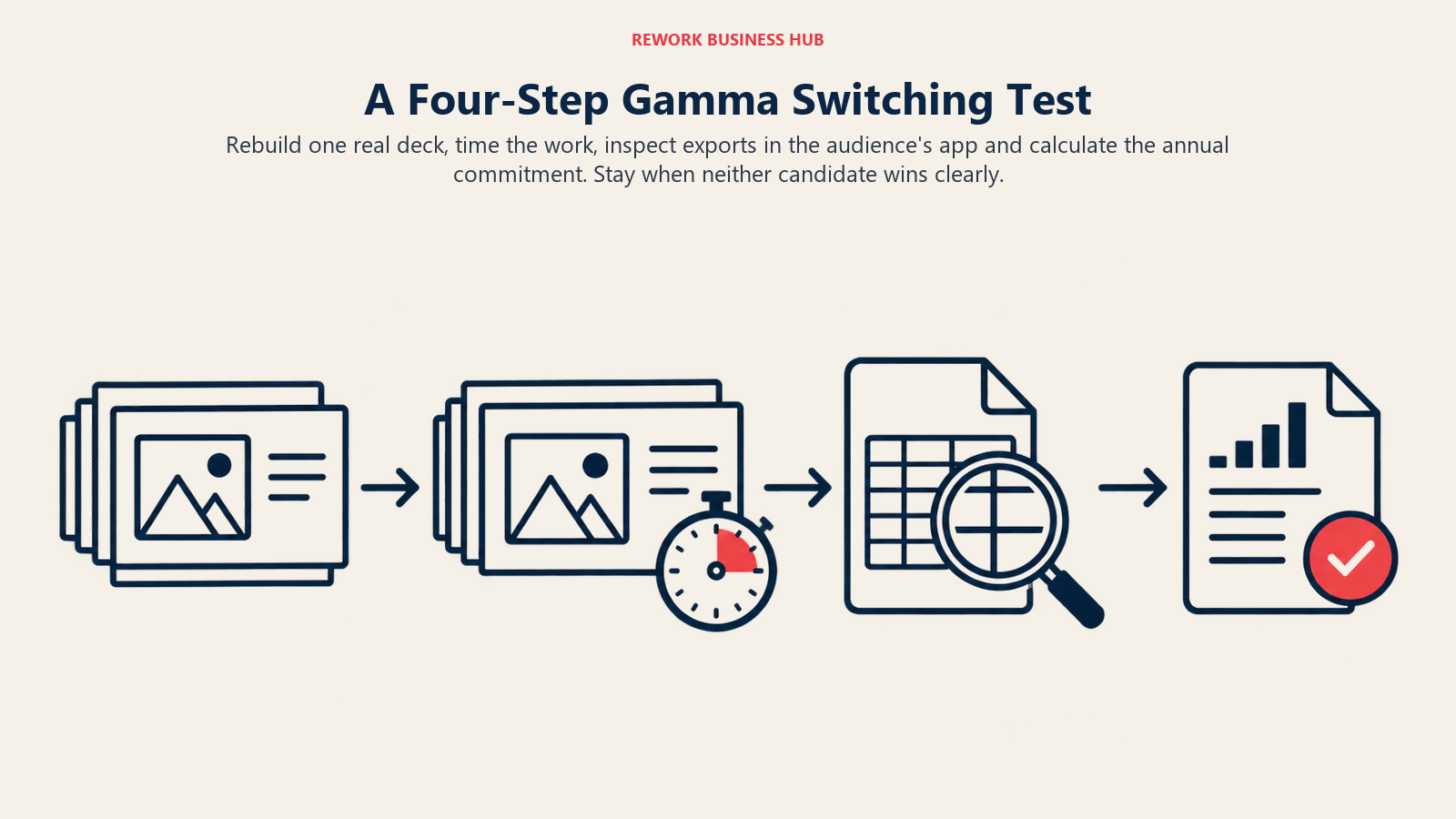
First, pick one real deck you have shipped in Gamma in the last quarter, something with a chart, a few images and a custom brand colour. Second, rebuild it in your top two candidates using their free plan or trial, timing how long each takes to reach a version you would send. Third, export both and open them in the app your audience uses, counting every fix. Fourth, multiply the seat price by your headcount using the cost table above, and add the minutes saved or lost per deck across a typical month.
If neither candidate beats Gamma on at least one of those numbers by a clear margin, stay where you are. A switch should buy you something you can measure: fewer fixes, tighter brand control, or a lower bill at your volume.
A Former Option: Tome
Tome was the AI storytelling tool that appeared on almost every list like this one for a while. It is no longer sold as a presentation product, so any article ranking it as a current alternative is out of date. If a teammate still has old Tome decks, export what you can into PowerPoint or PDF and rebuild in one of the tools above. This is also a reminder to keep a portable copy of anything you build in a young AI tool, Gamma included.
Export Fidelity and Format Fit
This is the question that decides most real switches. Where does the finished file live, and what happens when someone outside your team opens it?
| Tool | Where you build | Native output format | Handing a file to a client |
|---|---|---|---|
| Gamma | Gamma's web editor | Gamma's own format; exports PDF, PPTX, PNG, Google Slides | Export, then inspect in the app your client uses |
| Plus AI | Google Slides or PowerPoint | A native Slides or PowerPoint file | Send the file you already have |
| Beautiful.ai | Beautiful.ai editor | Beautiful.ai format with export | Test the export on a sample deck first |
| Pitch | Pitch editor | Pitch format with sharing links | Share a link or export |
| Canva | Canva editor | Canva format with export | Export, or share a view link |
| Visme | Visme editor | Visme format with export | Export or share live |
| Napkin AI | Napkin editor | PNG and PDF visuals | Paste into any deck |
| Piktochart | Piktochart editor | Reports and images | Download or share |
| Venngage | Venngage editor | Designs and infographics | Download or share |
The practical test is simple. Build the same three-slide sample, with a chart, a custom font and a two-column layout, in your top two candidates. Export both. Open each on the machine and in the app your audience will actually use. The one that needs fewer fixes is the winner for you, regardless of what a table says.
Brand Control and Governance
If more than one person edits decks, brand drift is the hidden cost of a freewheeling AI tool.
| Tool | How brand control works | Best fit |
|---|---|---|
| Gamma | Custom branding and themes via the theme builder (Pro and above) | Small teams with light governance |
| Plus AI | Inherits your PowerPoint or Slides templates and master slides | Teams with existing corporate templates |
| Beautiful.ai | Smart templates constrain layouts as content changes | Large teams where consistency matters most |
| Pitch | Shared templates, brand assets and workspace | Teams that review and approve together |
| Canva | Brand kit across every format; Business adds team controls | Mixed content teams |
| Visme | Brand kit and shared templates on team plans | Report and data-heavy teams |
Free Tier and Test Drive
| Tool | Free option | Good enough to judge the tool? |
|---|---|---|
| Gamma | 400 one-time credits, 10 slides per prompt, Gamma branding | Yes, and it exports |
| Plus AI | 7-day trial, 1,000 credits | Yes, for a week |
| Beautiful.ai | 14-day trial of Pro or Team | Yes, for two weeks |
| Pitch | Free for 1 to 5 members, 100 one-time AI credits | Yes, for collaboration |
| Canva | Free plan with up to 20 AI uses | Yes |
| Visme | Free with 10 AI credits a month | Barely, for AI |
| Napkin AI | 500 AI credits per week, with branding | Yes |
| Piktochart | 60 AI credits, 2 PNG downloads | Limited |
| Venngage | 5 designs, public sharing | Limited |
How to Choose: Decision Framework
| If you need | Pick this | Why |
|---|---|---|
| A deck file that lives in PowerPoint or Google Slides | Plus AI | Generates natively, so nothing needs converting |
| Layouts that stay tidy under many editors | Beautiful.ai | Smart templates constrain drift |
| Review, comments and sharing analytics | Pitch | Built for team workflow |
| One brand kit across decks, social and print | Canva | Single system for every format |
| Data-heavy decks and reports | Visme | Charts, forms and interactive content |
| Diagrams to paste into a deck | Napkin AI | Fast text to visual |
| Visual reports on a tight budget | Piktochart | Low entry price, education and nonprofit rates |
| Infographics for marketing | Venngage | Template depth |
| The fastest first draft and a low seat price | Stay on Gamma | Plus and Pro are cheaper than most rivals here |
For a wider tour of what else exists, see the best AI tools for PowerPoint presentations and the wider best AI graphic design tools.
Frequently Asked Questions about Gamma Alternatives
What is the best free alternative to Gamma?
Pitch's free plan covers 1 to 5 members with 100 one-time AI credits, and Canva's Free plan includes up to 20 AI uses. Gamma's own Free plan gives 400 one-time credits and exports to PDF, PPTX, PNG and Google Slides, so it is also a fair benchmark. Judge a free tier by whether you can export a file your audience can open.
Which Gamma alternative works inside PowerPoint?
Plus AI. It runs inside Google Slides and PowerPoint, so the output is a native file from the first click. Pricing starts at $10 per user per month billed annually, and there is a 7-day trial with 1,000 credits rather than a free plan.
Is Gamma cheaper than its competitors?
At the entry level, yes. Gamma Plus is $9 per seat per month and Pro is $18, both on annual billing, while Beautiful.ai's Pro is $14.50 and Pitch's Plus is $13. The picture changes with usage, because Gamma meters AI work in credits and the cost of an action varies, while Beautiful.ai lists unlimited AI generation on paid plans.
What happened to Tome?
Tome has stopped selling its presentation product, so it is no longer a current alternative to Gamma. If you have old decks there, export them while you can and rebuild in a maintained tool.
Do I own the content I create in Gamma?
Gamma states that your content remains yours if you downgrade or cancel, and that you keep access to what you created, though some advanced features may be limited. For commercial or client work, read Gamma's terms directly, as the pricing page does not set out licensing in detail.
Should I use Gamma and an alternative together?
Often, yes. Many teams draft in Gamma for speed and finish in PowerPoint or Slides for the final handoff, or pair a deck tool with Napkin AI for diagrams. The risk is paying twice for overlapping features, so check that each tool earns its seat.
What to Do Next
Pick the constraint that actually hurts: file format, brand control or cost at volume. Then trial two tools against your real work, not a demo template. Build one real deck in each, export it, open it in the app your audience uses, and note how many minutes of cleanup it needed.
If a team member already has a story to tell, the tool matters less than the narrative, and our guide to storytelling at work and presentation skills cover that half of the job. And if your image needs are driving the decision, the best AI image generators are the next stop.

Principal Product Marketing Strategist
On this page
- Key Facts
- Quick Comparison Table
- Why Teams Leave Gamma (And Why Many Don't)
- Where Gamma Still Wins
- Credits vs Seats: How the Pricing Models Differ
- Real Annual Cost for a Team of Five
- 1. Plus AI: Generates inside PowerPoint and Google Slides
- 2. Beautiful.ai: Smart templates that protect your layouts
- 3. Pitch: The closest like-for-like for collaborating teams
- 4. Canva: One brand kit across decks, social and print
- 5. Visme: Data, charts and interactive content in one place
- 6. Napkin AI: When the real need is a diagram
- 7. Piktochart: Visual reports at a low entry price
- 8. Venngage: Infographics and one-pagers for marketing
- Which Team Should Actually Leave Gamma
- A Four-Step Switching Test
- A Former Option: Tome
- Export Fidelity and Format Fit
- Brand Control and Governance
- Free Tier and Test Drive
- How to Choose: Decision Framework
- What to Do Next