Best Vector Databases in 2026: 12 Tools Priced at Real Workload Scale
Turn this article into takeaways for your work.


Each assistant summarizes the article only for you and suggests best practices for your work.
Pick Pinecone if you want zero infrastructure to manage and you're willing to pay for that. Pick pgvector if your team already runs Postgres and the dataset is under a few million vectors. Pick Qdrant or Milvus if you want to self-host on Apache 2.0 terms and keep the bill close to your own infrastructure cost. Everyone else in this guide sits somewhere between those three answers, and the gap between them is bigger than most comparison pages let on, because headline pricing for vector databases almost never resembles what you pay once a real workload is running.
This guide evaluates 12 platforms on three things most roundups skip: the license each one actually ships under today (several changed in the last two years), what one concrete workload costs across every vendor's own metering model, and the honest total cost of running it yourself versus paying someone else to.
Key Facts
- Organizational AI adoption reached 88% in 2025, per Stanford HAI's 2026 AI Index Report, which is the demand pulling retrieval infrastructure into mainstream budgets rather than R&D sandboxes.
- Redis added AGPLv3, an OSI-approved open source license, as a third option in Redis 8 in 2025, alongside the source-available RSALv2 and SSPLv1 it adopted in 2024 rather than replacing them, per Redis's own license page and The New Stack's coverage.
- Elastic added AGPLv3 as a licensing option for Elasticsearch and Kibana in August 2024, restoring an OSI-approved path after three years under the Elastic License and SSPL, per Elastic's own announcement.
- Milvus shipped version 3.0 in July 2026 under the Linux Foundation's AI & Data umbrella, moving to a lake-native architecture, per the LF AI & Data Foundation's announcement.
Quick Comparison Table
| Tool | License | Best For | Starting Price | Key Strength | Key Limitation |
|---|---|---|---|---|---|
| Pinecone | Proprietary | Teams that want zero ops | Free tier; Standard from $50/mo minimum | Simplest path to production | No self-hosted option at any price |
| Weaviate | BSD-3-Clause (core) | Hybrid search + filtering | Free sandbox; Flex from $45/mo | Native hybrid (vector + keyword) search | Flex pricing has several moving usage meters |
| Qdrant | Apache 2.0 | Self-hosted performance | Free self-hosted; Cloud free tier, Standard usage-based | Rust engine, generous free cloud tier | Cloud per-unit rate isn't published anywhere |
| Chroma | Apache 2.0 | Prototyping and small RAG apps | Free self-hosted; Cloud from $0 + usage | Fastest path from laptop to cloud | Team plan jumps straight to $250/mo |
| Milvus / Zilliz Cloud | Apache 2.0 (OSS) / Proprietary (Cloud) | Large-scale self-hosted deployments | Free self-hosted; Zilliz Cloud free tier | Most mature OSS vector engine at scale | Self-hosting at scale needs real ops investment |
| pgvector | PostgreSQL License | Teams already running Postgres | Free extension; infra or managed Postgres cost only | No new database to operate | Recall and speed trail purpose-built engines past a few million vectors |
| Redis | AGPLv3, RSALv2 or SSPLv1 | Adding vector search to existing Redis | Free 30MB tier; Pro from $200/mo minimum | Sub-millisecond reads if you already use Redis | Pro's $200/mo floor is steep for a vector-only workload |
| MongoDB Atlas Vector Search | SSPL (server) / Proprietary (Atlas) | Teams already on MongoDB Atlas | M10 cluster ~$57/mo + Vector Search node ~$86/mo minimum | One less database to introduce | Two separate billing meters, not one |
| Elasticsearch | AGPLv3 / SSPL / Elastic License 2.0 (your choice) | Teams already on the Elastic Stack | Self-managed free; Serverless from usage-based VCUs | Combines full-text, logs, and vector search | Serverless vector workloads price closer to $150 to $200/mo than to zero |
| Vespa | Apache 2.0 | Massive-scale hybrid ranking | Free self-hosted; Cloud resource-based pricing | Built for Yahoo-scale ranking and serving | Steepest learning curve in this guide |
| LanceDB | Apache 2.0 (OSS) | Multimodal, lakehouse-native search | Free self-hosted; Cloud in beta, no public rate card | Columnar Lance format doubles as a data lake table | Cloud pricing isn't published yet |
| Turbopuffer | Proprietary | Cheap, cold, infrequently-queried vectors | $16/mo minimum (Launch) | Object-storage-native, cheapest at rest | No self-hosted path; exact per-GB rate is calculator-only |
Licensing in 2026: Read This Before You Call Anything "Open Source"
Vector database licensing moved more in the last 24 months than in the category's entire history before that, and getting it wrong in an internal proposal is the kind of mistake a security or legal review catches late. Three products in this guide changed license terms since 2024, and two of them changed direction twice.
| Tool | Current license | OSI-approved open source | Self-hosted available |
|---|---|---|---|
| Pinecone | Proprietary, closed source | No | No, managed only |
| Weaviate | BSD-3-Clause (core); separate commercial license for enterprise-only modules | Yes (core) | Yes |
| Qdrant | Apache License 2.0 | Yes | Yes |
| Chroma | Apache License 2.0 | Yes | Yes |
| Milvus | Apache License 2.0 | Yes | Yes |
| pgvector | PostgreSQL License (permissive, BSD-style) | Yes | Yes, on any Postgres |
| Redis | AGPLv3, RSALv2 or SSPLv1 (your choice) | Yes, under AGPLv3 since Redis 8 | Yes |
| MongoDB (Community Server) | Server Side Public License (SSPL) | No | Yes, but not for Atlas Vector Search specifically |
| Elasticsearch | Your choice of AGPLv3, SSPL 1.0, or Elastic License 2.0 | Yes, if you pick the AGPL option | Yes |
| Vespa | Apache License 2.0 | Yes | Yes |
| LanceDB / Lance format | Apache License 2.0 | Yes | Yes |
| Turbopuffer | Proprietary, closed source | No | No |
Two stories worth knowing before you repeat an old assumption: Redis spent most of 2024 under the Server Side Public License and the Redis Source Available License after dropping its original BSD terms, then added AGPLv3 as a third licensing choice in Redis 8 in 2025, once the Linux Foundation's Valkey fork had already forked the last BSD version. Note that AGPLv3 was added, not substituted: RSALv2 and SSPLv1 are still on offer, so Redis is open source only under the option you pick. Elastic moved the other direction: it left open source for the Elastic License and SSPL in 2021, then added AGPLv3 as a third licensing choice in August 2024, so Elasticsearch and Kibana are open source again if you pick that option, while Elastic's own hosted and serverless products still default to Elastic License 2.0. If a vendor deck or internal wiki still calls Redis "source available only" or Elasticsearch "proprietary," that stopped being the whole picture in 2025 and 2024 respectively, since both now include an OSI-approved option you can choose.
MongoDB never reversed course. The Community Server has run under SSPL since October 2018, a license the Open Source Initiative does not recognize as open source because it imposes service-provider obligations the OSI considers incompatible with its definition. Atlas Vector Search is a separate story again: it's an Atlas-only capability, so even a team self-hosting MongoDB Community Server under SSPL can't get the same vector search feature without moving to Atlas.
Three products never claim open source at all and shouldn't be compared as if they did: Pinecone, Zilliz Cloud (the managed version of Milvus), and Turbopuffer are proprietary, closed-source, managed-only products. There's no license story to get wrong here, just a buying decision, which is honestly the simpler position to be in.
For the deeper mechanics of how retrieval actually feeds a model's context window, see what retrieval-augmented generation is and how embeddings turn content into vectors.
What 1 Million Vectors Actually Costs: One Workload, 12 Bills
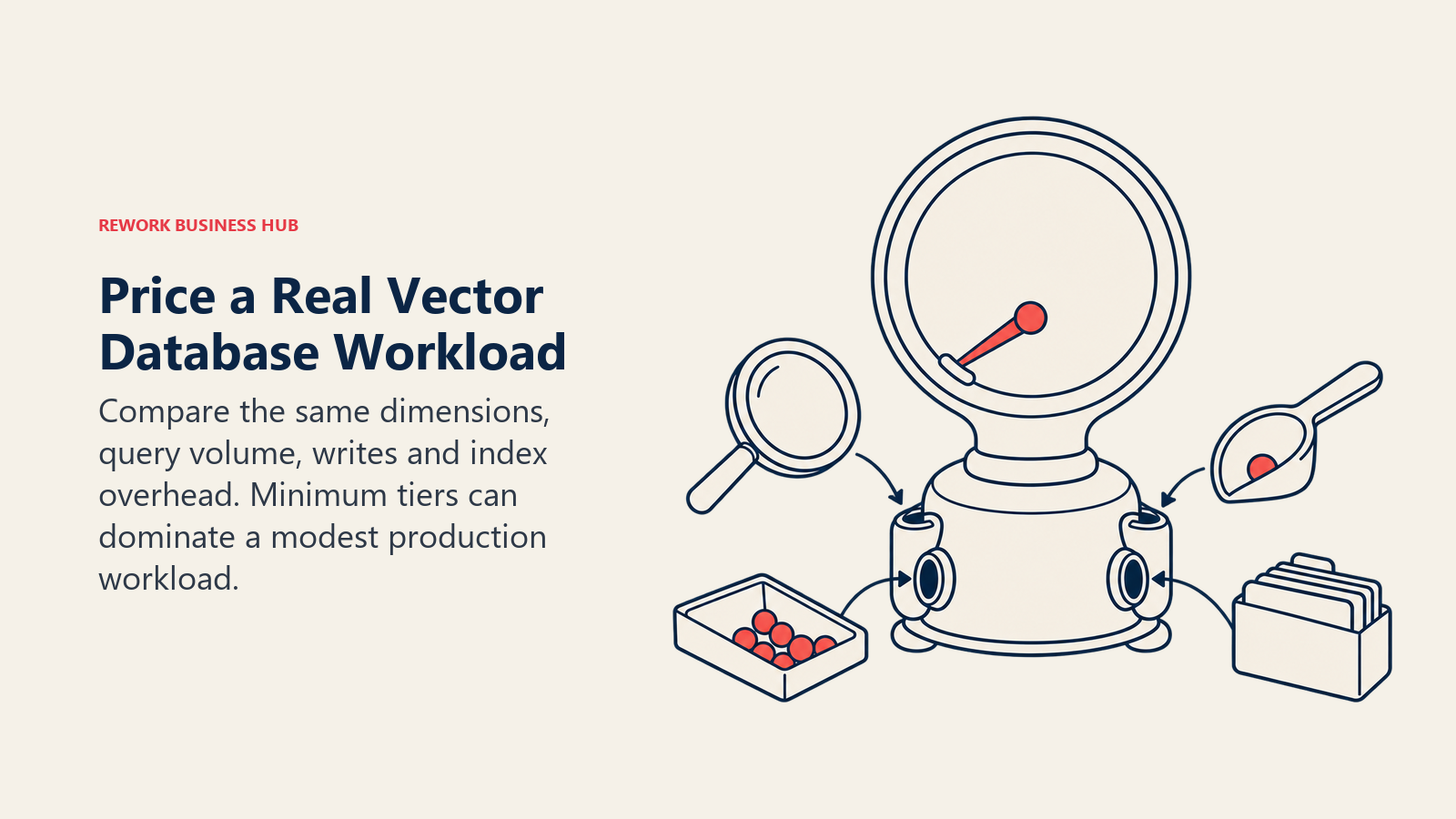
Here's the workload we priced identically across every vendor: 1 million vectors at 1,536 dimensions (the size OpenAI's text-embedding-3-large and several competing embedding models produce), which comes to roughly 6 GB of raw float32 vector data and 10 to 12 GB once you add typical HNSW index overhead and metadata. On top of that: 500,000 read queries a month and 100,000 write operations a month, which is a realistic mid-size RAG application serving a few hundred concurrent users, not a toy demo and not a hyperscale deployment.
| Tool | Pricing model | Estimated monthly cost at this workload | Basis |
|---|---|---|---|
| Pinecone | Tier minimum + usage (storage, read units, write units) | $50 to $55 | Standard tier's $50 minimum covers this workload; metered usage adds only a few dollars on top |
| Weaviate Cloud | Tier minimum + usage (vector dimensions, storage) | $45 to $55 | Flex base plus light dimension and storage usage |
| Qdrant Cloud | Usage-based, no public rate | Not published | No per-unit rate appears on any Qdrant page; pricing is calculator or sales-quote only |
| Chroma Cloud | Usage (writes per GiB, storage per GiB, queries per TiB scanned) | $10 to $15 | Scaled down from Chroma's own published example ($79/mo at roughly 6x this storage and 20x these queries) |
| Milvus (self-hosted) | No vendor fee, infra only | $150 to $250 (estimated infra, not a vendor price) | One cloud VM with enough RAM for the HNSW index |
| Zilliz Cloud (managed Milvus) | Free tier, then CU-based Dedicated | Likely free to $126 | Free tier covers 5 GB storage and 2.5M vCUs/month; Dedicated starts near $63/million vectors at 768 dimensions, roughly double at 1,536 |
| pgvector (self-hosted) | Free extension, infra only | $0 license, infra only | Runs on any Postgres you already operate |
| pgvector (Supabase Pro) | Base tier + storage/compute | $25 to $30 | Pro's $25/mo base includes 8 GB disk and enough compute credit for a Micro instance; the extra 2 to 4 GB bills at $0.125/GB |
| Redis Cloud | Tier minimum (Pro required for production vector search) | $200 minimum | Pro's $200/mo floor applies even though the workload itself needs far less |
| MongoDB Atlas Vector Search | Two separate meters: base cluster + Vector Search node | ~$143 minimum | M10 cluster ($56.94/mo) plus an S20 Vector Search node ($86.40/mo), billed separately |
| Elasticsearch (Elastic Cloud Serverless) | VCU-based (ingest, search, storage) | $150 to $200 | Scaled from Elastic's own published "production environment" example |
| Vespa Cloud | Resource-based (vCPU, memory, disk per hour) | Not independently verified | vespa.ai's pricing page blocked automated fetching from this machine; self-hosted Vespa is free, use the vendor's calculator for Cloud rates |
| LanceDB | Free self-hosted OSS, Cloud in beta | $0 self-hosted (your object storage bill only); Cloud not published | LanceDB Cloud has no public rate card as of this writing and is sales-gated |
| Turbopuffer | Tier minimum + usage (storage, queried bytes, written bytes) | Likely near $16 | The Launch tier's $16/mo minimum probably dominates at this scale; exact per-unit rates only appear in Turbopuffer's JavaScript calculator, not on the static pricing page |
Where a vendor doesn't publish a rate, the table says so rather than guessing.
The flip worth remembering: at this modest a workload, the "expensive-looking" self-hosted options (Milvus, pgvector) are the cheapest line items, while MongoDB Atlas Vector Search and Redis Cloud, the two platforms most teams assume are cheap because they're add-ons to a database they already run, carry the highest minimums in the table because of tier floors and separate metering, not because the workload itself is large. Budget for that floor before assuming vector search is "basically free since we already pay for the database."
Self-Hosted Versus Managed: The Real Decision
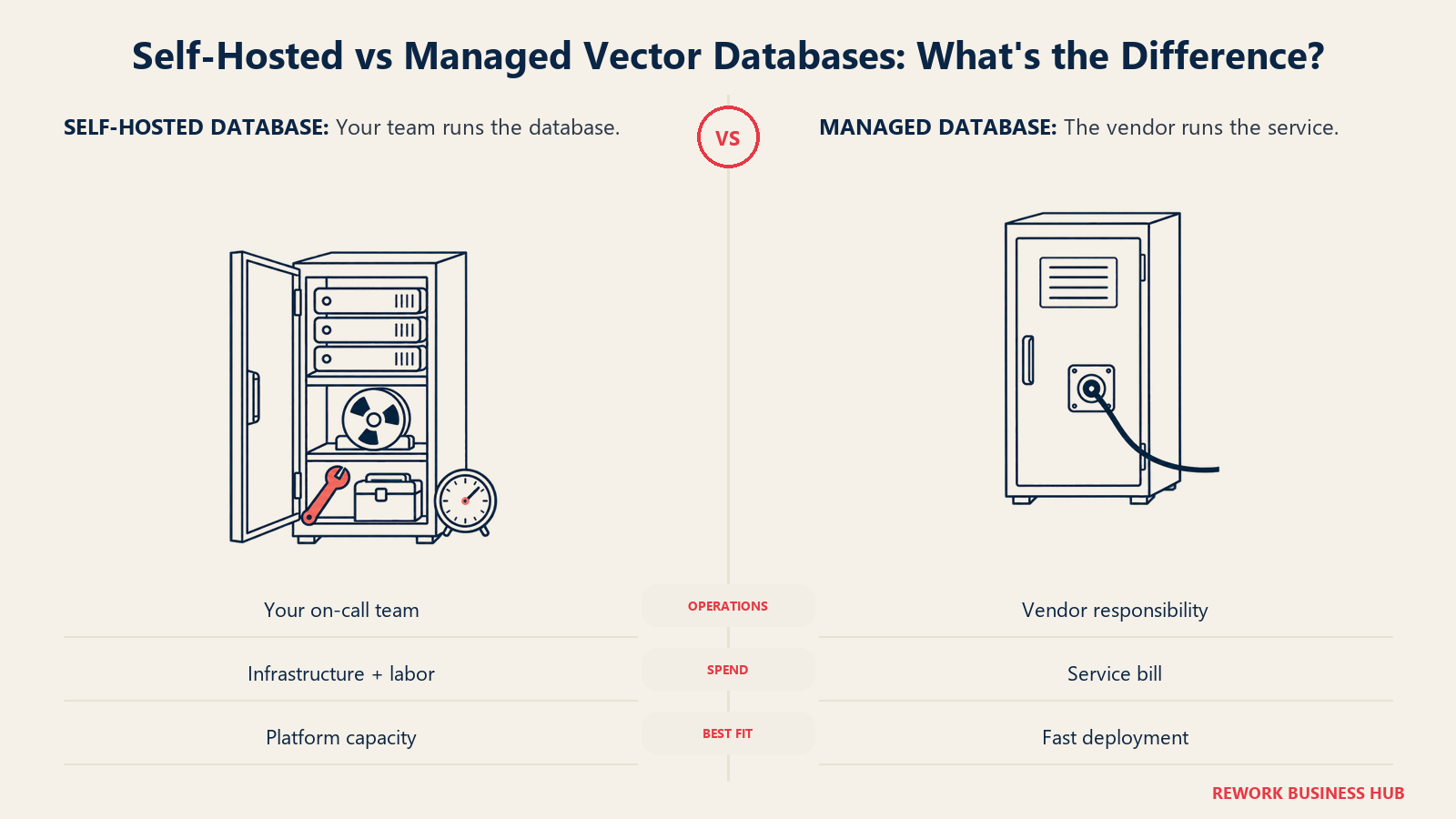
The license table above answers "can I self-host this." It doesn't answer the harder question of whether you should. Nine of the twelve tools here (Weaviate, Qdrant, Chroma, Milvus, pgvector, Redis, Elasticsearch, Vespa, LanceDB) are genuinely self-hostable under permissive licenses, leaving Pinecone, MongoDB Atlas Vector Search, and Turbopuffer as managed-only. Most teams that could self-host still shouldn't, at least not on day one.
| Factor | Self-hosted OSS | Managed / Cloud |
|---|---|---|
| License cost | $0 across every Apache 2.0 or BSD-licensed option here | Vendor's published rate |
| Infrastructure cost | Your cloud bill: compute, storage, networking | Bundled into the vendor's price |
| Setup time | Days to weeks depending on the engine and your team's familiarity | Hours, usually a signup form and an API key |
| Ongoing ops | Upgrades, index rebuilds, backup verification, capacity planning, on-call | Vendor's responsibility, reflected in the price |
| Engineer time (realistic) | A fractional but real slice of one engineer's time monthly, more during incidents | Near zero beyond integration code |
| Where it breaks even | Teams already running Kubernetes or a platform team with spare capacity | Teams without a dedicated infra function, or anyone pre-product-market-fit |
The honest total cost of "free" self-hosted Qdrant or Milvus includes the hours someone on your team spends patching, resizing, and debugging index corruption at 2 a.m., and that person's fully loaded cost almost always outweighs what a managed tier would have charged for a workload this size. Self-hosting makes sense once you have a platform team already carrying that load for other services (so vector search is marginal, not additive) or once your scale has grown past the point where a managed vendor's margin stops looking reasonable, typically well north of the 1 million vector workload priced above. For a technical founder evaluating this for the first time, start managed, measure the real bill for three months, and only migrate to self-hosted once the math clearly favors it. The same logic that governs any build versus buy versus integrate decision applies here: the cheapest line item on a pricing page is rarely the cheapest total cost once you count the team's time.
If you do self-host, budget for the role, not just the server: a data engineer or platform engineer who already owns your data infrastructure is the right owner, not a feature team bolting it on as a side project.
The 12 Tools
The twelve tools span fully managed services, embedded extensions and dedicated self-hosted engines.
1. Pinecone, the zero-ops default
Pinecone popularized the fully managed, serverless vector database category, and it remains the fastest path from an API key to a production index. There's no self-hosted version at any tier, the open-source "Pinecone Local" container is explicitly a local development and testing tool, not a production deployment path. The free Starter tier covers 2 GB of storage, which is enough for early prototyping but not much past that. If the bill or the missing self-hosted option is what's pushing you away, the Pinecone alternatives guide prices 12 replacements against one workload and covers what migrating takes.
| Pinecone | |
|---|---|
| Best for | Teams that want someone else to own uptime and scaling entirely |
| Not ideal for | Budget-sensitive teams, or anyone who needs on-prem or air-gapped deployment |
| Pricing | Free Starter; Builder $20/mo flat; Standard $50/mo minimum usage; Enterprise $500/mo minimum usage |
2. Weaviate, hybrid search done natively
Weaviate combines vector similarity with keyword (BM25) search and structured filtering in one query, which matters for any RAG application where pure semantic similarity misses exact-match terms like product SKUs or legal citations. The core database is BSD-3-Clause, genuinely open source, while a handful of enterprise-only modules sit under a separate commercial license. Pinecone vs Weaviate compares it directly with Pinecone, and the Weaviate alternatives guide covers what you'd lose by leaving it.
| Weaviate | |
|---|---|
| Best for | Teams that need hybrid vector-plus-keyword search out of the box |
| Not ideal for | Teams wanting one flat, predictable monthly number instead of several usage meters |
| Pricing | Free sandbox; Flex from $45/mo pay-as-you-go; Premium/Enterprise by contract |
3. Qdrant, the Rust engine for self-hosters
Qdrant is written in Rust, ships under Apache 2.0, and its free Cloud tier (0.5 vCPU, 1 GB RAM, 4 GB disk) is one of the more generous entry points in this category for a managed option. The gap is transparency: Qdrant Cloud's Standard and Premium tiers are genuinely usage-based, but no per-unit rate appears on a public page anywhere, you need the calculator or a sales call to get a real number. Pinecone vs Weaviate vs Qdrant prices the three at two workload sizes, and the Qdrant alternatives guide covers 11 other options.
| Qdrant | |
|---|---|
| Best for | Engineering teams comfortable self-hosting who want Apache 2.0 terms and strong raw performance |
| Not ideal for | Buyers who want to budget from a published rate card alone |
| Pricing | Free self-hosted and free Cloud tier; Standard and Premium usage-based, rate not published |
4. Chroma, the fastest laptop-to-cloud path
Chroma is the vector database most developers meet first, usually inside a LangChain or LlamaIndex tutorial, because pip install chromadb gets you a working local instance in seconds. Chroma Cloud extends that same API to a managed service with transparent per-operation pricing (writes, storage, queries, egress all billed separately), though the jump from the free Starter plan to the $250/mo Team plan is steep for a team that just needs SOC 2 and real support. The Chroma alternatives guide lists the signs that you've outgrown it.
| Chroma | |
|---|---|
| Best for | Prototyping, small-to-mid RAG apps, teams who want to start free and pay only for usage |
| Not ideal for | Teams needing SOC 2 or dedicated support without jumping straight to $250/mo |
| Pricing | Free self-hosted; Cloud Starter $0 + usage; Team $250/mo + $100 included credit; Enterprise custom |
5. Milvus and Zilliz Cloud, open source at real scale
Milvus is the most production-tested open-source vector engine in this guide, an Apache 2.0 project under the Linux Foundation's AI & Data umbrella (not controlled by a single vendor, which matters for vendor-lock-in-averse buyers), with version 3.0 shipping a lake-native architecture in July 2026. Zilliz Cloud is the proprietary managed version run by Milvus's primary corporate contributor, pricing by compute unit (CU) rather than a flat rate, with a free tier covering 5 GB storage and 2.5M vCUs a month. Chroma vs Qdrant vs Milvus compares the three open-source engines at prototype, production, and large scale.
| Milvus / Zilliz Cloud | |
|---|---|
| Best for | Teams that need proven scale (tens of millions of vectors and up) under a vendor-neutral license |
| Not ideal for | Small teams without spare infrastructure capacity to self-host; Zilliz Cloud's CU pricing takes some modeling to predict |
| Pricing | Milvus free self-hosted; Zilliz Cloud free tier, Dedicated from roughly $16 to $63 per million vectors/month depending on cluster type |
6. pgvector, when Postgres is already the answer
pgvector turns any Postgres database into a vector store under the same permissive PostgreSQL License the database itself ships with. For teams already running Postgres for application data, it means one fewer system to operate, back up, and secure, not a new vendor relationship at all. The honest limitation: recall and query speed trail purpose-built engines once a collection grows past a few million vectors, especially under high-concurrency write loads. pgvector vs Pinecone vs Weaviate prices the same workload at startup and production scale to show where that limit falls.
| pgvector | |
|---|---|
| Best for | Teams already on Postgres with a dataset in the low millions of vectors or smaller |
| Not ideal for | High-scale, high-concurrency vector workloads where a dedicated engine's indexing outperforms Postgres's |
| Pricing | Free extension; cost is whatever you already pay for Postgres, for example Supabase Pro at $25/mo base |
7. Redis, vector search bolted onto a cache you already run
Redis 8 added native vector search to a database most engineering teams already operate for caching and session storage, and relicensed back to AGPLv3 in the same release. If vector search is genuinely incremental to a Redis deployment you're already paying for, the sub-millisecond read latency is hard to beat. If you're standing up Redis specifically for vector search, the Pro tier's $200/mo minimum (required for production-grade vector workloads past the tiny Essentials tier) makes it one of the pricier options here for a vector-only use case.
| Redis | |
|---|---|
| Best for | Teams that already run Redis and want to add vector search without a new system |
| Not ideal for | Standing up vector search as the primary reason to adopt Redis |
| Pricing | Free 30 MB tier; Essentials from $5/mo minimum; Pro from $200/mo minimum (first $200 credited) |
8. MongoDB Atlas Vector Search, for Atlas-committed teams
MongoDB's Community Server self-hosts under SSPL, but Atlas Vector Search specifically is an Atlas-only, fully managed capability, you can't replicate it on a self-hosted SSPL deployment. The billing structure is the thing to plan for: a base Atlas cluster and a dedicated Vector Search node bill as two separate line items, so the real minimum for a production workload is the sum of both, not either one alone.
| MongoDB Atlas Vector Search | |
|---|---|
| Best for | Teams already standardized on Atlas who want to avoid introducing a new database |
| Not ideal for | Teams expecting Vector Search to be a line item on their existing cluster bill rather than a second one |
| Pricing | M10 cluster from $0.08/hour ($57/mo); Vector Search dedicated node from $0.12/hour ($86/mo), billed separately |
9. Elasticsearch, vector search inside the stack you already run for logs
Elasticsearch added dense vector fields and approximate nearest-neighbor search to a database most platform teams already run for logging, observability, or full-text search. As of August 2024 you can run it under AGPLv3, genuinely open source again, though Elastic's own hosted and serverless offerings default to Elastic License 2.0. On Elastic Cloud Serverless, a vector-search-heavy workload tends to land closer to $150 to $200 a month than to the near-zero cost some teams expect from "just adding a field."
| Elasticsearch | |
|---|---|
| Best for | Teams that already run the Elastic Stack and want vector search alongside full-text and log search |
| Not ideal for | Teams wanting vector search alone without the rest of the Elastic Stack's operational weight |
| Pricing | Self-managed free under AGPLv3; Cloud Serverless VCU-based, roughly $150 to $200/mo for a moderate production workload |
10. Vespa, built for Yahoo-scale ranking
Vespa predates most of this category by a decade. Yahoo (now part of Verizon's media group lineage) open-sourced it under Apache 2.0, and it's built from the ground up for combining vector search with complex ranking functions at massive scale, the kind of workload large ad-tech and search companies run. That power comes with the steepest learning curve in this guide; Vespa's configuration model assumes you're comfortable with distributed systems concepts most teams haven't needed to learn yet.
| Vespa | |
|---|---|
| Best for | Teams with existing large-scale search or ranking infrastructure needs, not just basic similarity search |
| Not ideal for | Small teams or anyone wanting the shortest path to a working prototype |
| Pricing | Free self-hosted; Vespa Cloud resource-based (vCPU, memory, disk per hour), use the vendor's calculator for a current quote |
11. LanceDB, multimodal search on a lakehouse-native format
LanceDB is built on the Lance columnar format, also Apache 2.0, which doubles as a data lake table format, not just a vector index. That makes it a genuine fit for teams doing multimodal search (text, images, video embeddings together) who also want their vector data queryable as a first-class table in a data lake. LanceDB Cloud is still in beta with no public rate card as of this writing, so budgeting for the managed option means a sales conversation, not a pricing page.
| LanceDB | |
|---|---|
| Best for | Multimodal search and teams who want their vector store to double as a lakehouse table |
| Not ideal for | Anyone needing a published cloud rate card today rather than a beta sales conversation |
| Pricing | Free self-hosted OSS; LanceDB Cloud pricing not yet published |
12. Turbopuffer, cheap storage for cold, high-volume vectors
Turbopuffer is built directly on object storage (the same class of storage as S3), which is how it keeps storage costs low for large, infrequently-queried collections, the opposite profile from a hot, low-latency cache like Redis. It's proprietary and managed-only, with three tiers starting at a $16/mo minimum, scaling to $256/mo and then a $4,096/mo-plus enterprise floor with a 35% usage premium. The exact per-GB and per-query rates live only in Turbopuffer's JavaScript pricing calculator, not on the static page, so budget from the tier minimums and confirm exact usage costs with their calculator before committing.
| Turbopuffer | |
|---|---|
| Best for | Large, cost-sensitive collections that are written once and queried occasionally rather than constantly |
| Not ideal for | Teams needing to self-host, or anyone needing a static, published per-unit rate |
| Pricing | Launch $16/mo minimum; Scale $256/mo minimum; Enterprise $4,096/mo minimum plus 35% usage premium |
How to Choose: Decision Framework
| If you need | Pick this |
|---|---|
| Zero infrastructure to manage, willing to pay for it | Pinecone |
| Hybrid vector and keyword search in one query | Weaviate |
| Self-hosted, Apache 2.0, strongest raw performance | Qdrant |
| Fastest path from a laptop prototype to a managed cloud | Chroma |
| Proven scale (tens of millions of vectors) under a vendor-neutral license | Milvus, self-hosted or via Zilliz Cloud |
| One fewer system to operate because you already run Postgres | pgvector |
| Vector search added to a Redis deployment you already pay for | Redis |
| Vector search added to an Atlas cluster you already pay for | MongoDB Atlas Vector Search |
| Vector search alongside full-text and log search you already run | Elasticsearch |
| Massive-scale hybrid ranking beyond basic similarity search | Vespa |
| Multimodal search that doubles as a data lake table | LanceDB |
| Cheapest storage for a large, rarely-queried collection | Turbopuffer |
For the broader question of how retrieval fits into an AI agent's working memory rather than just a search backend, see how AI agents use retrieval-augmented generation and how agent memory works. If you're choosing infrastructure to support agent observability once retrieval is in production, the best AI agent observability tools is a useful next read, and teams weighing fully open-source agent stacks should see the best open-source AI agent frameworks.
Frequently Asked Questions about Vector Databases
Is Redis open source in 2026?
It can be, if you choose the right license. Redis 8 added AGPLv3, an OSI-approved open source license, in 2025, after a year offering only the source-available RSALv2 and SSPLv1. Those two remain available, so Redis 8 is tri-licensed and you pick which terms govern your use. If you saw Redis described as "source available only," that was accurate for 2024 but incomplete for the current release.
Is Elasticsearch open source again?
You can choose. Since August 2024, Elasticsearch and Kibana ship under your choice of AGPLv3, SSPL 1.0, or Elastic License 2.0. Picking AGPLv3 gets you an OSI-approved open source license. Elastic's own hosted and serverless products default to Elastic License 2.0 unless you self-manage and choose otherwise.
Do I need a dedicated vector database, or is pgvector enough?
If your team already runs Postgres and your collection is in the low millions of vectors or smaller, pgvector is usually enough and means one less system to operate. Once query latency or recall degrades under load, usually somewhere past a few million vectors with high write concurrency, a purpose-built engine like Qdrant or Milvus starts winning the comparison.
Why did MongoDB and Redis come out more expensive than Pinecone in the workload pricing table?
Both have minimum-spend tiers for production-grade vector search, Redis Pro at $200/mo and MongoDB's cluster-plus-Vector-Search-node combination near $143/mo, that apply regardless of how small the actual workload is. Pinecone's $50/mo Standard minimum is lower than either, which is the kind of flip you only see once you price an identical workload across vendors instead of comparing headline rates.
Should I self-host or use a managed vector database?
Start managed unless you already have a platform team absorbing the operational load for other services. The license being free doesn't make the total cost zero: patching, index rebuilds, and capacity planning take real engineer time, and that cost usually exceeds a managed vendor's price at the workload sizes most teams start with.
Which of these vendors could pivot or change pricing again before I finish evaluating?
Treat every number in this guide as a snapshot from October 2, 2026, not a guarantee. This category re-metered multiple times in the past two years (Redis and Elastic both changed license terms, several vendors shifted unit pricing), so confirm current rates on the vendor's own pricing page before you sign anything.
What to Do Next
Don't pick a vector database from a comparison table alone, including this one. Take your actual embedding dimension, your actual query volume, and your actual write pattern, and run the same back-of-envelope math this guide did against the two or three vendors that fit your license and self-host preferences. Most teams get this decision wrong in one of two directions: over-provisioning a dedicated vector database before pgvector would have been enough, or under-provisioning a managed tier that hits its $200-a-month floor the moment they turn on production traffic. Price the real workload first, then pick the tool, not the other way around. Two neighboring decisions need the same treatment: the model that produces the vectors, covered in the embedding models roundup, and the retrieval layer on top, covered in the RAG tools roundup.
For the vocabulary this guide assumes, including what a vector database actually is and how it relates to semantic search, those glossary entries cover the fundamentals in plain language.

Principal Product Marketing Strategist
On this page
- Key Facts
- Quick Comparison Table
- Licensing in 2026: Read This Before You Call Anything "Open Source"
- What 1 Million Vectors Actually Costs: One Workload, 12 Bills
- Self-Hosted Versus Managed: The Real Decision
- The 12 Tools
- 1. Pinecone, the zero-ops default
- 2. Weaviate, hybrid search done natively
- 3. Qdrant, the Rust engine for self-hosters
- 4. Chroma, the fastest laptop-to-cloud path
- 5. Milvus and Zilliz Cloud, open source at real scale
- 6. pgvector, when Postgres is already the answer
- 7. Redis, vector search bolted onto a cache you already run
- 8. MongoDB Atlas Vector Search, for Atlas-committed teams
- 9. Elasticsearch, vector search inside the stack you already run for logs
- 10. Vespa, built for Yahoo-scale ranking
- 11. LanceDB, multimodal search on a lakehouse-native format
- 12. Turbopuffer, cheap storage for cold, high-volume vectors
- How to Choose: Decision Framework
- What to Do Next