Best Chroma Alternatives in 2026: 10 Vector Databases for When You Outgrow It
Turn this article into takeaways for your work.


Each assistant summarizes the article only for you and suggests best practices for your work.
Most people reading a "Chroma alternatives" article haven't done anything wrong. Chroma is still the fastest way to get a vector database running on a laptop: pip install chromadb, a few lines of Python, no server to stand up. That's why so many teams start there, and why so many eventually leave. The question here isn't "is Chroma bad," it's "what does my system need now, and which of these ten tools gets me there with the least rebuilding."
The honest version first: if your app has fewer than a million vectors, runs on one process, and doesn't need five services writing to the same index at once, Chroma will probably keep working a while yet. Read the thresholds below and check your own numbers before you migrate on a hunch. Past those numbers, or needing a managed SLA, true multi-tenant isolation, or durability stronger than "a file on an EBS volume": the rest of this article is for you.
Key Facts
- 71% of early generative AI adopters are already implementing retrieval-augmented generation to ground their models, per Snowflake's 2025 early-adopter research.
- In VentureBeat's VB Pulse survey of enterprise AI buyers (100+ employees, Jan-March 2026), 22.2% of qualified respondents reported no production RAG system at all by March, up from 8.6% in January, a sign the prototype-to-production gap is still wide.
- The same survey found enterprise intent to adopt hybrid (keyword plus vector) retrieval tripled from 10.3% to 33.3% in a single quarter, while Weaviate, Milvus, Pinecone, and Qdrant each lost measured adoption share as "custom stacks" rose to 35.6%, a sign this market is still being re-architected, not settled.
- Chroma ships under the Apache 2.0 license (verified on Chroma's GitHub repository, 2 October 2026), and Chroma Cloud, its managed offering, is generally available on AWS and GCP as of early 2026, not in waitlist.
Quick Comparison Table
| Tool | Best For | License (OSS core) | Starting Price (managed) | Key Limitation |
|---|---|---|---|---|
| Chroma | Prototyping, embedded apps, single-process RAG | Apache 2.0 | Cloud: $0 base + usage | Single-node by default, no replication in embedded mode |
| pgvector | Teams already running Postgres | PostgreSQL License | Your Postgres host's rate (Supabase from $25/mo) | Not purpose-built; index tuning is manual |
| Qdrant | Self-hosted or cloud, strong filtering | Apache 2.0 | Free tier, Standard usage-based | No flat published price past the free tier |
| Weaviate | Hybrid search, GraphQL-style API | BSD-3-Clause (core) | Flex from $45/mo | Enterprise modules sit behind a separate commercial license |
| Milvus / Zilliz Cloud | Billion-scale vector workloads | Apache 2.0 (Milvus) | Free tier; Serverless from $5-16/M vectors/mo | Dedicated tier pricing is steep for small teams |
| LanceDB | Embedded, object-storage-native, closest cousin to Chroma | Apache 2.0 | Cloud: usage-based, no public rate card | Cloud offering is newer, less battle-tested |
| Turbopuffer | Cost-sensitive, large read-heavy workloads | Proprietary, managed only | Launch: $16/mo minimum usage | No self-hosted option at all |
| Pinecone | Fully managed, zero ops, widest name recognition | Proprietary, closed source | Free tier, Standard $50/mo minimum | Priciest at real production volume |
| MongoDB Atlas Vector Search | Teams already on MongoDB | SSPL (Community Server, source-available) | Dedicated M10 required, ~$58/mo | Not available on the free M0 tier |
| Redis | Lowest-latency bolt-on to an existing cache layer | Tri-licensed: AGPLv3, SSPLv1, or RSALv2 | Free (30MB), Essentials from ~$5/mo | RAM-first; cost scales fast at large vector counts |
| Elasticsearch | Hybrid lexical plus vector at enterprise scale | Tri-licensed: AGPLv3, SSPL, or Elastic License v2 | Serverless usage-based, no flat minimum | Heaviest operational surface of the group |
What Chroma Still Handles Fine
This is the part most "alternatives" articles skip, and it's the most useful thing here if you're not sure you need to migrate yet.
Chroma, run embedded (in-process, no server) or in its lightweight client-server mode, is a genuinely good fit for: local RAG prototypes and notebooks, internal tools with a handful of users, proof-of-concept builds used to get buy-in before you ask for infrastructure budget, desktop or CLI apps that ship a vector index alongside the app, and single-developer projects where "runs on my machine, my one deploy target" is a feature, not a limitation. Under roughly a million vectors, serving one service at a time, tolerating the occasional restart: you don't need the rest of this article today. Bookmark it.
What changes that calculus: scale, concurrency, durability, and genuine multi-tenancy, roughly in order of how often teams hit the wall.
When You've Outgrown Chroma
Check your system against these thresholds, not a vague feeling that "Chroma seems slow now." Each row is a concrete signal, not a universal cutoff.
| Signal | Still fine on Chroma | Time to look elsewhere |
|---|---|---|
| Vector count | Under roughly 1-2 million (depends on dimension, RAM) | Multiple millions; the HNSW index plus metadata no longer fits one process's memory |
| Query volume | Low, bursty, single-service traffic | Sustained concurrent reads from multiple app servers hitting the same index |
| Concurrency | One writer process at a time | Multiple services writing to the same collection, no distributed locking in embedded mode |
| Persistence and durability | Local disk is acceptable; you manage backups manually | You need automated backups, replication, or a guarantee one lost machine doesn't lose your index |
| Multi-tenancy | A handful of logical collections managed by hand | Dozens or hundreds of tenants needing real isolation, per-tenant auth, noisy-neighbor protection |
| Operational expectations | One engineer can restart it when something breaks | You need an SLA, on-call coverage, or a vendor to page when it's down |
Two or more hits in that column is your signal. One alone usually isn't.
License and Current Status, Verified
A vector database's license determines whether you can self-host for free, and several of these projects changed license in the past two years. Don't assume Apache or MIT without checking.
| Product | Current license (core) | What it means |
|---|---|---|
| Chroma | Apache 2.0 | Fully permissive, self-host free |
| pgvector | PostgreSQL License | Permissive, MIT/BSD-equivalent |
| Qdrant | Apache 2.0 | Fully permissive |
| Weaviate | BSD-3-Clause (core); separate commercial license for wl/ modules |
Core is permissive; some enterprise features aren't |
| Milvus | Apache 2.0 | Fully permissive (Zilliz Cloud, managed, is proprietary) |
| LanceDB | Apache 2.0 | Fully permissive (LanceDB Cloud, managed, is proprietary) |
| Turbopuffer | Proprietary | No open source option, managed-only |
| Pinecone | Proprietary | No open source option, managed-only |
| MongoDB (Community Server) | SSPL | Source-available, not OSI-approved; hosting as a service triggers the publish-back clause |
| Redis | Tri-licensed since Redis 8 (May 2025): AGPLv3, SSPLv1, or RSALv2, your choice | AGPLv3 is OSI-approved; the other two are source-available. Valkey (Linux Foundation fork) stays BSD |
| Elasticsearch | Tri-licensed since 2024: AGPLv3, SSPL, or Elastic License v2, your choice | Elastic re-added an OSI-approved AGPL option in 2024 after the 2021 move away from Apache 2.0 |
Migration Effort: What It Actually Costs in Engineer-Days
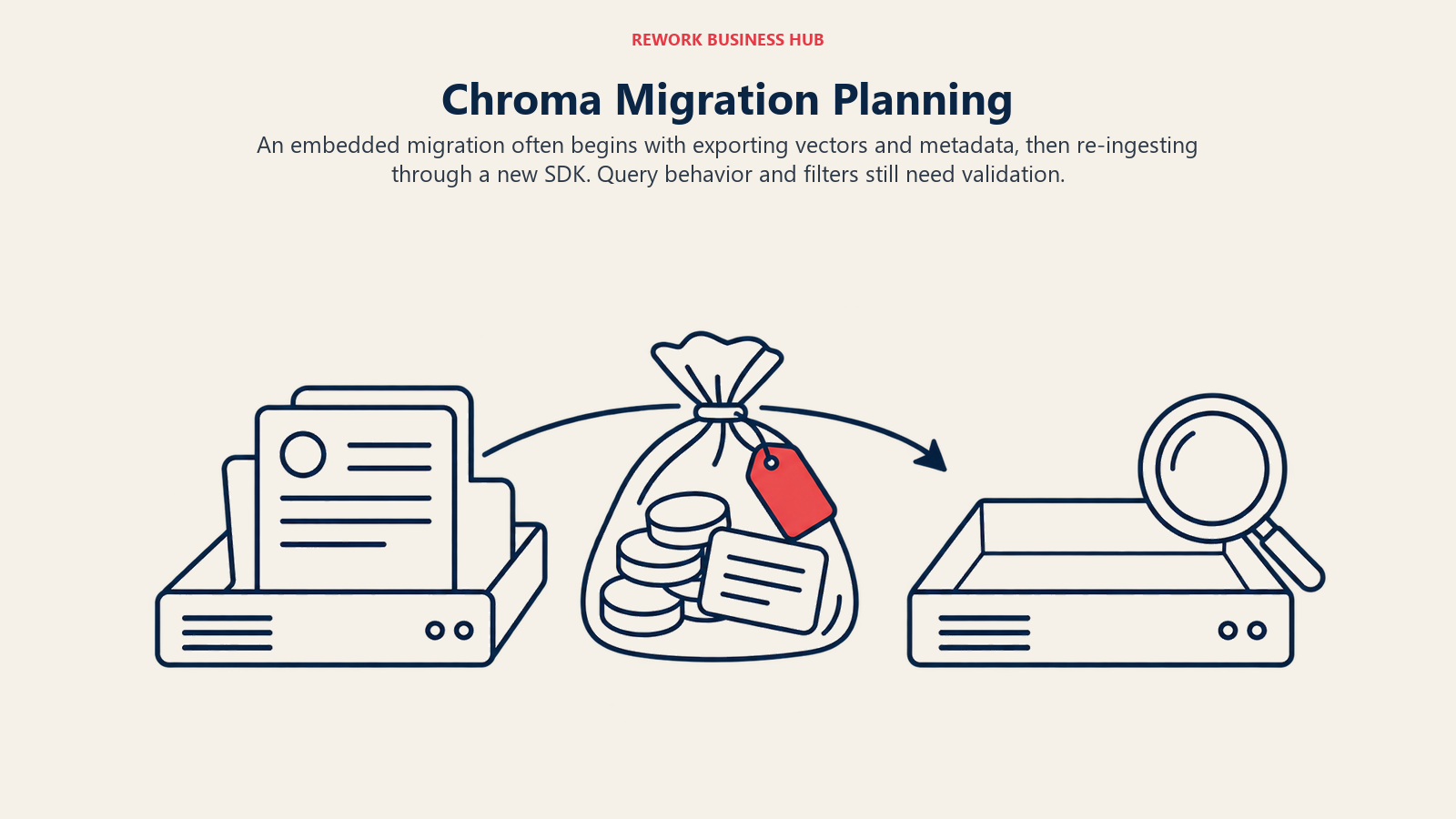
Here's the detail most articles like this bury: if your Chroma deployment is embedded (the default for most prototypes), there's often no running server to decommission, no DNS cutover, and no dual-write period. "Migrating" is really just exporting vectors and metadata, then re-ingesting through the new tool's SDK, which makes several of these moves cheaper than people expect.
| Target | Typical effort | Why |
|---|---|---|
| pgvector | 1-3 days (on Postgres); 3-5 days (new Postgres) | Smallest jump; one more table and extension |
| LanceDB | 1-2 days | Same embedded, serverless model as Chroma |
| Qdrant | 2-4 days (Cloud) / 3-5 days (self-hosted) | Straightforward SDK, but a real server for the first time |
| Pinecone | 2-4 days | Mature SDKs; fully managed means no ops work |
| Turbopuffer | 2-4 days | Simple namespace model, newer vendor |
| Weaviate | 3-5 days | More schema concepts to map from Chroma's collections |
| MongoDB Atlas | 1-2 days (on Mongo); 3-6 days (new) | Trivial if Mongo is already your store |
| Redis | 2-4 days (running Redis); 4-6 days (new) | Fast once running; RAM sizing needs planning |
| Milvus / Zilliz | 4-7 days | More surface: index types, consistency, resource groups |
| Elasticsearch | 5-8 days | Heaviest lift: reindexing and hybrid query tuning |
These are engineering estimates for a mid-size dataset (low millions of vectors) with one application reading and writing, not a formal study. Your timeline depends on how much filtering and re-ranking logic is already wired to Chroma's query API.
Pricing One Production Workload Across the Managed Alternatives
To make this concrete: price a workload of 5 million vectors at 1,536 dimensions (OpenAI's text-embedding-3-small size), roughly 50GB storage with index overhead, moderate read traffic, and 200 tenant namespaces for a busy B2B SaaS product. Here's the storage line at each vendor's October 2026 list rate, plus the minimum tier you'd need in production.
| Vendor | Tier needed | Storage at list rate (~50GB) | Base/minimum monthly | Compute and query |
|---|---|---|---|---|
| Chroma Cloud | Starter | ~$16.50/mo at $0.33/GiB | $0 base | $2.50/GiB written, $0.0075/TiB queried |
| pgvector (Supabase) | Pro | In the 8GB base, then $0.125/GB | $25/mo + $10 compute credit | Compute add-ons from $15/mo past the Micro instance |
| Qdrant Cloud | Standard | Billed on provisioned RAM/CPU/disk, not metered separately | No flat published minimum | ~$0.078/GB-hour (reported; no vendor flat rate) |
| Weaviate Cloud | Flex | ~$6/mo at $0.12/GiB | $45/mo minimum | Usage-based beyond the base allotment |
| Zilliz Cloud (Milvus) | Serverless, capacity-optimized | ~$80/mo at $16/M vectors | $0 base | Scales with vector count and QPS tier |
| LanceDB Cloud | Contact for rate | ~$1-1.50/mo at $0.02-0.023/GB (reported) | No public self-serve rate card as of 2026-10-02 | Contact form only |
| Turbopuffer | Launch | ~$1/mo at $0.02/GB (reported) | $16/mo minimum (dominates at this scale) | ~$1/PB queried (reported), writes per GB with batch discounts |
| Pinecone | Standard | ~$16.50/mo at $0.33/GB | $50/mo minimum | Read units $16-18/M, write units $4-4.50/M |
| MongoDB Atlas | Dedicated M10 | In M10's 10-128GB range | ~$58/mo ($0.08/hr) | Search Nodes add $0.12-$4.22/hr if used separately |
| Redis Cloud | Essentials | Within the 250MB-100GB band | From $5/mo, scales with provisioned GB | Vector sets are core, no separate charge |
| Elastic Cloud Serverless | Search | ~$2.35/mo at $0.047/GB | No stated minimum | Ingest from $0.14/VCU-hr, search from $0.09/VCU-hr |
Storage is priced precisely at each vendor's rate; compute and query are usage-based, so treat the right column as a rate, not a total.
The pattern worth noticing: the cheapest storage (Turbopuffer, LanceDB) comes from building on object storage rather than RAM or SSD-backed clusters, which is also why their minimums and compute costs look so different from Pinecone's or Qdrant's. Cheap storage and cheap compute aren't the same lever.
1. pgvector: If You're Already Running Postgres
pgvector is a Postgres extension, not a separate database, and that's the entire pitch. If your application data already lives in Postgres, adding vector search means one CREATE EXTENSION statement and a new column type, not a new service to deploy and back up. It supports exact and approximate (HNSW, IVFFlat) nearest-neighbor search, and because it lives inside Postgres, you get transactional consistency between embeddings and relational data for free.
The tradeoff: it's a general-purpose database doing a specialized job. Index tuning is manual, and at very high dimensionality or vector counts a dedicated vector database usually out-performs it. For teams under a few million vectors who value simplicity over raw performance, it's often the best first move, and sometimes the only one needed.
| pgvector | Detail |
|---|---|
| License | PostgreSQL License (permissive) |
| Managed example | Supabase: free (500MB), Pro $25/mo (8GB, then $0.125/GB) |
| Best for | Teams already on Postgres who want to avoid a new service |
| Not ideal for | Very large vector counts or sub-10ms p99 latency needs |
2. Qdrant: Open Source With Real Production Features
Qdrant is Apache 2.0 licensed and built in Rust, one of the few options here that's genuinely strong both self-hosted and as a managed cloud. It supports rich metadata filtering during search (not just post-filtering), payload indexing, and quantization that shrinks memory footprint at scale. It's a natural next step from embedded Chroma: the conceptual model (collections, points, payloads) maps closely, while adding the server, replication, and clustering embedded mode doesn't have. Chroma vs Qdrant vs Milvus compares Chroma, Qdrant, and Milvus at prototype, production, and large scale.
Qdrant Cloud has a genuinely free-forever tier for testing, then moves to usage-based Standard pricing billed on provisioned vCPU, RAM, and disk, with no flat published starting number. Third-party trackers report roughly $0.078/GB-hour (around $57/month per GB of RAM), though Qdrant doesn't publish that figure itself, so treat it as an estimate.
| Qdrant | Detail |
|---|---|
| License | Apache 2.0 |
| Free tier | 0.5 vCPU, 1GB RAM, 4GB disk, forever free |
| Standard / Premium | Usage-based on vCPU, RAM, disk; no flat price. ~$0.078/GB-hour (reported) |
| Best for | Self-hosted optionality without giving up a managed path |
| Not ideal for | Anyone who wants one flat number before running the calculator |
3. Weaviate: Hybrid Search as the Default, Not an Add-on
Weaviate treats hybrid search (keyword/BM25 plus vector similarity) as a first-class query type rather than a bolt-on, which matters if retrieval quality depends on exact term matches as much as semantic search, common in e-commerce and technical documentation. Its core is BSD-3-Clause licensed, though Weaviate keeps some enterprise-tier features in a separate wl/ folder under a commercial license key, so check which features you actually need first.
Weaviate Cloud's free tier (one cluster, 100,000 objects, 1GB memory) is enough for real prototyping, not just a toy demo.
| Weaviate | Detail |
|---|---|
| License | BSD-3-Clause (core); separate commercial license for wl/ enterprise modules |
| Free tier | 1 cluster, 100,000 objects, 1GB memory, 10GB disk |
| Flex / Premium | Flex from $45/mo pay-as-you-go; Premium contact sales |
| Best for | Search quality that needs keyword and semantic matching combined |
| Not ideal for | Teams who want every feature under one permissive license, no exceptions |
4. Milvus / Zilliz Cloud: Built for Billion-Scale From Day One
Milvus is an Apache 2.0, Linux Foundation AI & Data project built for very large vector workloads, and Zilliz Cloud is the managed version from Milvus's primary commercial backer. If your roadmap genuinely points toward hundreds of millions or billions of vectors, Milvus's architecture (compute separated from storage, multiple index types, resource groups for workload isolation) is built for that scale in a way smaller tools aren't.
| Milvus / Zilliz Cloud | Detail |
|---|---|
| License | Apache 2.0 (Milvus); Zilliz Cloud managed service is proprietary |
| Free tier | 5GB storage, 2.5M vCUs/month, up to 5 collections |
| Serverless | $5-63 per million vectors/month depending on latency tier |
| Dedicated | From $126/GB/month; Enterprise Dedicated from $197/month |
| Best for | Teams who expect to outgrow "medium scale" within a year or two |
| Not ideal for | Small workloads, where the configuration surface is more than needed |
5. LanceDB: The Closest Cousin to Chroma
LanceDB is the alternative most worth reading closely if you like how Chroma works and just want more headroom, because it shares Chroma's core idea: an embedded, serverless library first, with a managed cloud layered on top rather than a server you have to run. It's Apache 2.0 licensed and built on the open Lance columnar format, which memory-maps data off object storage instead of requiring everything to fit in RAM, so storage cost scales closer to $0.02-0.023/GB/month (reported) than the per-vector pricing you see elsewhere here.
The catch: LanceDB Cloud, the managed layer, doesn't publish a self-serve rate card as of this writing; sign-up routes through a contact form rather than a checkout page, which tells you it's earlier-stage than Qdrant Cloud or Pinecone. For teams willing to self-host the open-source library on their own object storage, that's a non-issue. Best for: more scale than embedded Chroma without a server-based mental model. Not ideal for: teams who need a published, predictable managed price today.
6. Turbopuffer: Cheapest at Rest, Priced for Read-Heavy Scale
Turbopuffer is a fully managed, object-storage-first vector and full-text search engine with no self-hosted option. Its bet is that storage should be nearly free because it lives on object storage, while compute is what you pay for when you query, part of why Cursor, among other AI coding tools, uses it for large-scale code search.
| Turbopuffer | Detail |
|---|---|
| License | Proprietary, managed only, no self-hosted option |
| Launch / Scale / Enterprise | $16/mo, $256/mo, $4,096+/mo minimums (plus 35% premium on Enterprise) |
| Storage / query | ~$0.02/GB/mo storage, ~$1/PB queried (both reported, vendor calculator doesn't expose a static rate) |
| Best for | Large, read-heavy, cost-sensitive workloads on object storage |
| Not ideal for | Anyone who needs a self-hosted or open-source option |
7. Pinecone: Fully Managed, Zero Ops, Highest Name Recognition
Pinecone remains the most recognized name in this category and the one with the most mature managed-service experience: no servers, no index tuning beyond what the SDK makes easy, and the broadest set of migration guides of anything here. It's also fully proprietary and closed source, with no self-hosted path at any price.
| Pinecone | Detail |
|---|---|
| License | Proprietary, closed source |
| Starter (free) | 2GB storage, 2M write units, 1M read units/month |
| Builder / Standard / Enterprise | $20/mo flat; $50/mo minimum + usage; $500/mo minimum + usage |
| Usage rates | Storage $0.33/GB/mo; read units $16-18/M; write units $4-4.50/M |
| Best for | Path of least operational resistance, and budget to pay for it |
| Not ideal for | Budget-sensitive teams at real production volume |
8. MongoDB Atlas Vector Search: If Mongo Is Already Your System of Record
If your application data already lives in MongoDB, Atlas Vector Search means adding semantic search to data you're already storing, rather than standing up and syncing a second database. MongoDB Community Server ships under the SSPL, a source-available license (not OSI-approved) that requires anyone offering MongoDB as a hosted service to publish their own service code back; Atlas is MongoDB's proprietary managed offering.
| MongoDB Atlas Vector Search | Detail |
|---|---|
| License | SSPL (Community Server, source-available); Atlas is proprietary |
| Vector Search tier | Not on free M0; requires Dedicated M10+, from $0.08/hr (~$58/mo) |
| Search Nodes (optional) | $0.12-$4.22/hr, isolates search from the operational cluster |
| Best for | Teams already standardized on MongoDB who want one fewer system |
| Not ideal for | Greenfield choices with no existing MongoDB investment |
9. Redis: Lowest Latency, If You're Already Paying for the RAM
Redis added vector sets as a core data type in Redis 8 (May 2025), so if your app already runs Redis for caching or sessions, vector search can live in the same in-memory store with the lowest latency profile here. The license changed twice in two years: off BSD to the source-available SSPL/RSAL in March 2024 (prompting the Linux Foundation to fork the last BSD release as Valkey), then to a tri-license with Redis 8 in May 2025.
| Redis | Detail |
|---|---|
| License | Tri-licensed: AGPLv3 (OSI-approved), SSPLv1, or RSALv2, your choice |
| Free / Essentials / Pro | Free (30MB); Essentials from ~$5/mo (250MB-100GB); Pro from $200/mo minimum |
| Note | RAM-first by default; Pro's auto-tiering offloads cold data to flash |
| Best for | Teams already running Redis who want vector search, no new latency budget |
| Not ideal for | Large vector counts, where RAM-based pricing gets expensive fast |
10. Elasticsearch: Hybrid Search at Enterprise Scale
Elasticsearch is the heaviest option here operationally, and the right one if you need vector search alongside full-text, aggregations, and the broader Elastic Stack (Kibana, observability, security) your org may already run. Its license has been through the most public back-and-forth of anything on this list: off Apache 2.0 to the source-available Elastic License and SSPL in 2021, then an OSI-approved AGPLv3 option added back in 2024.
| Elasticsearch | Detail |
|---|---|
| License | Tri-licensed: AGPLv3 (OSI-approved), SSPL, or Elastic License v2, your choice |
| Elastic Cloud Serverless | No flat minimum; usage-based on VCU-hours and storage |
| Usage rates | Ingest from $0.14/VCU-hr, search from $0.09/VCU-hr, storage from $0.047/GB/mo |
| Best for | Organizations that need hybrid search inside an existing Elastic Stack |
| Not ideal for | Small teams who don't need full-text, aggregations, and observability bundled in |
How to Choose: Decision Framework
| If you need | Pick this |
|---|---|
| To ship today with zero new infrastructure, staying under a few million vectors | Stay on Chroma (embedded or client-server) |
| Vector search inside data you already store relationally | pgvector |
| Self-hosted control with strong filtering and a real managed path | Qdrant |
| Keyword and semantic search combined as one query | Weaviate |
| A roadmap toward hundreds of millions of vectors | Milvus or Zilliz Cloud |
| The same embedded, serverless feel as Chroma with more headroom | LanceDB |
| The lowest storage cost at large, read-heavy scale | Turbopuffer |
| The least operational work, and budget to pay for it | Pinecone |
| One fewer system, because you already run MongoDB | MongoDB Atlas Vector Search |
| The lowest possible latency, and you already pay for Redis RAM | Redis |
| Vector search bundled with full-text and your existing Elastic Stack | Elasticsearch |
For teams building the retrieval layer of an actual AI agent rather than a one-off search feature, it's worth reading how agent memory and context management change these requirements: an agent recalling prior sessions puts different, often higher, write-concurrency load on a vector store than simple document search does. If you're also picking the agent framework itself, that choice and this one are usually made together.
Frequently Asked Questions about Chroma Alternatives
Is Chroma actually open source, and is Chroma Cloud generally available?
Yes to both. Chroma ships under the Apache 2.0 license, and Chroma Cloud moved out of waitlist to general availability on AWS and GCP in early 2026, with self-serve signup and published usage-based pricing.
What's the single biggest sign I've outgrown Chroma?
Concurrency, more often than raw vector count. Embedded Chroma is built around one process reading and writing its local index. Once multiple services write to the same collection, or you need automated backups and replication rather than a file you manage by hand, you've outgrown the embedded model regardless of vector count.
Which alternative is easiest to migrate to from Chroma?
LanceDB, for Chroma's embedded fans who just want more scale, and pgvector, for teams already running Postgres. Both typically take one to three engineer-days, since there's often no running Chroma server to decommission, just data to export and re-ingest.
Do I need a dedicated vector database at all, or can I use what I already run?
If you're already on Postgres, MongoDB, or Redis in production, adding vector search to that system (via pgvector, Atlas Vector Search, or Redis vector sets) is often the lowest-friction path. A purpose-built vector database earns its place once you need high query concurrency, specialized index types, or billion-scale vector counts.
Which of these tools is cheapest for a small production workload?
It depends on your read/write pattern, which is why this article prices storage separately from compute. At small scale, Chroma Cloud, pgvector via Supabase, and Turbopuffer's Launch minimum are all genuinely inexpensive; the spread widens sharply as query volume grows.
Are Pinecone and Turbopuffer ever going to be open source?
Neither has announced plans to as of October 2026. Both are managed-only businesses on proprietary infrastructure, a legitimate choice, but it means self-hosting isn't an option with either, unlike Qdrant, Weaviate, Milvus, or LanceDB.
What to Do Next
Don't migrate because an article told you to. Pull your own numbers first: current vector count, peak concurrent queries, how many services write to your index, and whether you've actually lost data or availability, versus a hypothetical worry. If you check two or more boxes in the thresholds table above, pick the tool that matches the reason you're migrating, not the one with the most name recognition, and budget using the production-workload table as a starting point, not a final number. Then run a one-week spike: re-ingest a real slice of your data into your top choice and compare latency and cost against today before a full cutover. For a second opinion that isn't framed around leaving Chroma, the vector database roundup prices 12 tools at one fixed workload.
If you're still choosing how to build retrieval into an AI agent rather than which database to store vectors in, how AI agents use tools and the RAG assistant pattern are good next reads, alongside how to choose AI knowledge base software for a support use case, or the multi-agent frameworks roundup if you're still assembling the rest of the stack.

Principal Product Marketing Strategist
On this page
- Key Facts
- Quick Comparison Table
- What Chroma Still Handles Fine
- When You've Outgrown Chroma
- License and Current Status, Verified
- Migration Effort: What It Actually Costs in Engineer-Days
- Pricing One Production Workload Across the Managed Alternatives
- 1. pgvector: If You're Already Running Postgres
- 2. Qdrant: Open Source With Real Production Features
- 3. Weaviate: Hybrid Search as the Default, Not an Add-on
- 4. Milvus / Zilliz Cloud: Built for Billion-Scale From Day One
- 5. LanceDB: The Closest Cousin to Chroma
- 6. Turbopuffer: Cheapest at Rest, Priced for Read-Heavy Scale
- 7. Pinecone: Fully Managed, Zero Ops, Highest Name Recognition
- 8. MongoDB Atlas Vector Search: If Mongo Is Already Your System of Record
- 9. Redis: Lowest Latency, If You're Already Paying for the RAM
- 10. Elasticsearch: Hybrid Search at Enterprise Scale
- How to Choose: Decision Framework
- What to Do Next