Best OpenAI Codex Alternatives in 2026: 12 AI Coding Agents Compared on Shape and Real Cost
Turn this article into takeaways for your work.


Each assistant summarizes the article only for you and suggests best practices for your work.
The best OpenAI Codex alternatives are Claude Code for long autonomous sessions, Cursor for a full agent-first editor, GitHub Copilot for teams that live in GitHub, and open source agents such as OpenCode, Cline, and Aider for teams that want to own their model bill. Which one fits depends less on benchmark scores than on how your developers actually work: terminal, editor, or pull request.
Codex is OpenAI's coding agent, and it's a good one. It runs as an open source CLI, an IDE extension, a desktop app, and a cloud agent, all signed in through a ChatGPT plan. You're probably reading this because one thing doesn't fit: usage limits that you can't budget precisely, a bill tied to ChatGPT plan tiers, a wish for a different model family, or a need for something you can host yourself. Each is a fair reason. This guide compares 12 real alternatives, priced from each vendor's own pricing page. If you're deciding specifically between the two biggest names, start with Claude Code vs Codex.
Key Facts
- 84% of respondents to Stack Overflow's 2025 survey use or plan to use AI tools in development, up from 76% a year earlier, per the 2025 Stack Overflow Developer Survey.
- About 31% of those respondents already use AI agents at work, and another 17.4% plan to, per the same Stack Overflow survey.
- 66% name "AI solutions that are almost right, but not quite" as their biggest frustration, per Stack Overflow.
- 90% of technology professionals in Google Cloud's 2025 DORA survey report using AI at work, and the report finds AI adoption still correlates negatively with delivery stability, per the 2025 DORA report announcement.
- In a randomized trial of 16 experienced open source developers across 246 issues, AI-allowed work took 19% longer, though METR notes that early-2025 result has since been updated with newer data, per METR.
What Codex Is Today
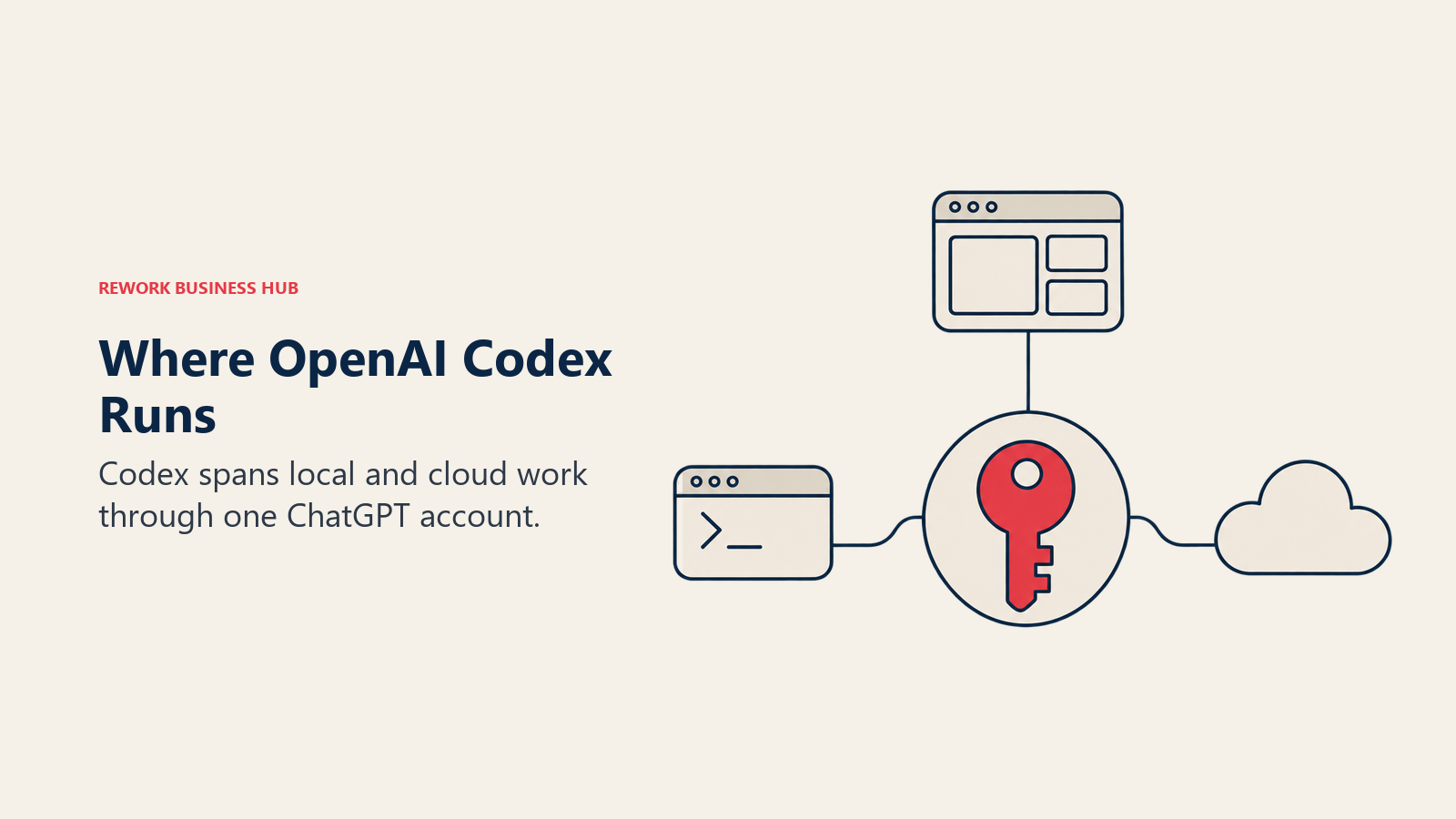
Before comparing, it helps to be exact about what you'd be replacing. Codex is no longer one tool. OpenAI documents it as a family of surfaces that share one account and one usage pool, per OpenAI's Codex documentation.
| Surface | What it is | Who it suits |
|---|---|---|
| Codex CLI | Open source terminal agent (Apache-2.0), installed via script, npm, Homebrew, or direct download | Developers who work in a shell |
| IDE extension | Works in VS Code, Cursor, and Windsurf, per the Codex CLI repository | Teams that keep their editor |
| Desktop app | Launched with codex app or from the ChatGPT desktop app |
Developers who want a GUI for agent sessions |
| Cloud agent | Runs tasks in a hosted environment from chatgpt.com/codex | Delegating work and walking away |
| SDK and GitHub Action | Programmatic and CI use | Teams wiring agents into pipelines |
The CLI signs in with a ChatGPT plan or an API key, per the same repository. Which surfaces you get depends on the plan, and that's where most of the cost conversation starts.
| Plan | Price | Codex access |
|---|---|---|
| Free | $0/month | Desktop app only |
| Go | $8/month | Desktop app only |
| Plus | $20/month | Web, CLI, IDE extension, iOS |
| Pro | From $100/month ($100, $200, or $500 tiers) | Plus surfaces, no five-hour limit currently |
| Business | $20/user/month billed annually, $25/user/month billed monthly, 2+ users | Desktop and mobile apps, cloud chats |
| Enterprise and Edu | Contact sales | Desktop, cloud, admin features |
| API key | Pay per token, no subscription | CLI, SDK, IDE extension, no cloud features |
All figures are from OpenAI's pricing page. Plus and standard Business seats are metered in local messages per five-hour period that vary by model (the page gives ranges such as 350 to 3,000 for its lightest model and 5 to 45 for its heaviest), and weekly limits may also apply. That model-dependent allowance is the most common reason teams start looking elsewhere.
Why Teams Look Beyond Codex
| Reason | What it looks like in practice |
|---|---|
| Hard-to-forecast limits | Allowances are ranges that shift by model and by week, so a team can't state its monthly ceiling in advance |
| Plan-tied billing | Codex is bought through ChatGPT plans, not as a standalone developer seat, which complicates procurement for engineering-only teams |
| Model preference | You'd rather run Anthropic, Google, or several labs from one tool |
| An editor, not a shell | The deepest agent experience in your team's day-to-day should live in the editor |
| Self-hosting or open source | You want a tool with no vendor account behind it |
| Review and governance | You want the agent tied to pull requests, issues, or an org policy layer |
The Real Axis: Terminal, Editor, or Extension
Benchmark rankings change monthly. The shape of the tool decides whether your team still uses it in week three, because it determines whether anyone has to change how they work.
| Shape | What it means | Tools in this guide |
|---|---|---|
| Terminal agent | Runs from the command line against your real repo and git history | Claude Code, OpenCode, Aider, Goose, Antigravity CLI |
| Agent-first editor | A full editor you adopt as the daily driver | Cursor, Devin Desktop, Kiro |
| Extension or plugin | Installs into the editor your team already runs | GitHub Copilot, Cline, Augment Code |
| Orchestrator | Runs other agents, Codex included, under one control plane | OpenHands |
Codex itself spans the first row and the third (CLI plus IDE extension), so the closest swaps are usually other terminal agents. A team that wants less friction than Codex gives it should look at the extension row first.
Quick Comparison: 12 Codex Alternatives
| Tool | Shape | Best for | Entry price | Key strength | Key limitation |
|---|---|---|---|---|---|
| Claude Code | Terminal, IDE, GitHub | Long autonomous sessions | $20/mo monthly, $17/mo annual (Pro) | Strongest sustained agent runs | Anthropic models only; no free tier |
| Cursor | Agent-first editor | Teams switching editors for depth | $8/mo (Plus, Grok only); $30/mo (Premium) | Several labs plus its own models | Third-party model usage billed separately; no VPC |
| GitHub Copilot | Extension, CLI, cloud agent | GitHub-native orgs | $10/mo (Pro) | Widest editor support, native PRs | Credit-metered; heavy use drains the pool |
| Antigravity CLI | Terminal, desktop | Google AI subscribers | Included with Google AI plans | Parallel agents, Google ecosystem | Closed source; per-tier limits not published |
| Devin Desktop | Agent-first editor, cloud agent | VPC deployment | $20/mo (Pro) | Local plus cloud agent in one product | Extra usage bills at API pricing |
| OpenCode | Terminal, desktop, IDE | Open source, any provider | Free | MIT license, huge community | You manage provider costs |
| Cline | VS Code extension, CLI | Copilot-style open source agent | Free | No seat fees | Bring your own inference |
| Aider | Terminal | Git-native pairing | Free | Commits as you go, any model | No GUI, no team billing |
| Goose | Desktop, CLI, API | General-purpose open agent | Free | 70+ MCP extensions, Linux Foundation home | Broader than coding alone |
| Kiro | Agent-first editor | AWS teams wanting spec-first work | Free; $20/mo (Pro) | Specs and steering files | Credits don't roll over |
| Augment Code | Extension | Large codebases | $20/mo flat pool (Standard) | Pooled usage, deep context | Cost depends on pooled usage |
| OpenHands | Self-hosted orchestrator | One control plane for many agents | Free (self-hosted core) | Runs Codex and Claude Code as sub-agents | You operate the infrastructure |
Real Cost at 1, 10, and 50 Developers
Seat-priced and usage-metered tools don't share an axis, so this table covers vendors that sell a published seat plan, at the lowest team tier. Annual totals assume the stated billing term.
| Team size | Codex (Business) | Claude Code (Team Standard) | GitHub Copilot (Business) | Cursor (Teams) | Devin Desktop (Teams) | Kiro (Pro) |
|---|---|---|---|---|---|---|
| 1 developer | $240/yr (Plus, $20/mo) | $240/yr (Pro, $20/mo monthly) | $120/yr (Pro, $10/mo) | $360/yr (Premium, $30/mo) | $240/yr (Pro, $20/mo) | $240/yr ($20/mo) |
| 10 developers | $2,400/yr billed annually ($3,000/yr monthly) | $2,400/yr billed annually ($3,000/yr monthly) | $2,280/yr ($19 x 10) | $3,600/yr ($30 x 10) | $5,760/yr ($80 base + $40 x 10, monthly) | $2,400/yr ($20 x 10) |
| 50 developers | $12,000/yr billed annually ($15,000/yr monthly) | $12,000/yr billed annually ($15,000/yr monthly) | $11,400/yr ($19 x 50) | $18,000/yr ($30 x 50) | $24,960/yr ($80 base + $40 x 50, monthly) | $12,000/yr ($20 x 50) |
Sources: OpenAI, Anthropic, GitHub, Cursor, Devin, Kiro.
Codex Business and Claude Team Standard land at the same price per seat, so the choice between them isn't about the bill. Copilot is cheapest at every size, but it's metered in spendable credits at $0.01 each, so a team running agents all day can turn the cheapest line into the least predictable. Cursor's totals exclude third-party model usage, which bills separately at API list price. Cursor's $8 Plus plan is left out because it runs Grok models only. Open source tools are absent because the tool is free; your cost is the model API behind it.
1. Claude Code: the long-session specialist
Claude Code is Anthropic's agent, and it's the alternative most Codex users trial first. It runs from your project directory with a claude command, plans a change, edits across files, runs tests, and handles git, per its GitHub repository. It also works from an IDE and from GitHub by tagging @claude. The practical difference from Codex is the model family and the plan structure: you're on Anthropic's models, and the plans are separate from ChatGPT.
| What you get | What you don't |
|---|---|
| Strong sustained, multi-step sessions against a real repo | A free tier: Claude Code isn't included on the Free plan |
| Terminal, IDE, and GitHub surfaces | OpenAI or Google models inside the same tool |
| Team seats at the same price as Codex Business | A spendable overage pool on subscription seats |
Pricing: Pro $20/month billed monthly or $17/month billed annually ($200 up front). Max $100/month. Ultra $200/month. Team Standard seat $25/month billed monthly or $20/month billed annually. Team Premium seat $125/month monthly or $100/month annually. Enterprise $20/seat/month billed annually, 20-seat minimum, plus usage at API rates. Source: claude.com/pricing. Usage runs on five-hour and weekly windows.
Best for: Teams that want the strongest unattended agent runs and are fine standardizing on one model family. For the full field, see the best Claude Code alternatives and Claude Code vs Cursor vs GitHub Copilot.
2. Antigravity CLI: Google's agent platform
Google replaced Gemini CLI for individual users with Antigravity CLI at I/O in May 2026, and launched Antigravity 2.0, a standalone desktop app that runs several agents in parallel, per Google's developer highlights post. Google asks Gemini CLI users to migrate. If you were considering Gemini CLI as a Codex alternative, Antigravity is the live product to evaluate.
| What you get | What you don't |
|---|---|
| Desktop app plus terminal CLI, with parallel agents | The open source Gemini CLI for individual accounts |
| Quota tied to a Google AI plan you may already hold | Published request counts per tier |
| Google ecosystem integration | Model choice across labs |
Pricing: Google AI Ultra starts at $100/month with 5x the Antigravity limit of Google AI Pro, and the top Ultra plan is $200/month with 20x Pro limits. Source: Google and TechCrunch. Lower-tier prices: see Google's plan pages.
Best for: Teams already on Google AI subscriptions who want an agent bundled into a plan they hold.
3. OpenCode: the open source terminal favorite
OpenCode is an MIT-licensed coding agent available as a terminal interface, desktop app, IDE extension, and web app, per opencode.ai. The site claims over 220,000 GitHub stars and more than 16 million developers a month, which makes it the most visible open source answer to Codex CLI. It works with many providers, and the site says you can use an existing ChatGPT Plus or Pro or GitHub Copilot subscription, so a team can keep what it already pays for while changing the agent shell.
| What you get | What you don't |
|---|---|
| MIT license and a very large community | Bundled team billing or seat management |
| Free models with no account, plus bring-your-own providers | A single vendor to call when something breaks |
| Terminal, desktop, and IDE surfaces | Predictable cost if you route to premium models |
Pricing: Free and open source. Connecting other providers may add costs. Source: opencode.ai.
Best for: Developers who like Codex CLI's terminal workflow but want provider freedom and an open license.
4. Aider: the git-native pair programmer
Aider is an Apache-2.0 terminal tool that maps your codebase and commits changes to git as it goes, and it can connect to almost any model, including local ones, per its GitHub repository. It's the plainest tool here: no hosted layer, no markup on model cost, about 49.9k stars. The honest limitation is that it's a pairing tool more than an autonomous agent, with no GUI and no seat management.
| What you get | What you don't |
|---|---|
| Zero markup, any model, local models included | Cloud delegation or a desktop app |
| Commits each change, easy to review and revert | Team billing and admin controls |
| Apache-2.0, no account | The long autonomous runs of Codex or Claude Code |
Pricing: Free and open source. You pay only for the model API you supply. Source: github.com/Aider-AI/aider.
Best for: Technical teams that want a vendor-neutral CLI and are comfortable managing their own API billing.
5. Goose: the general-purpose open agent
Goose, originally from Block, is an Apache-2.0 agent with a native desktop app for macOS, Linux, and Windows, a CLI, and an API, and it sits under the Agentic AI Foundation at the Linux Foundation, per its GitHub repository. It supports 15-plus providers and 70-plus MCP extensions, and you can connect existing Claude, ChatGPT, or Gemini subscriptions. It's broader than a coding-only agent, which helps if your team also wants research and data tasks, and slightly diffuses the coding focus.
| What you get | What you don't |
|---|---|
| Desktop app, CLI, and API from one project | A coding-only experience tuned like Codex |
| 15-plus providers, 70-plus MCP extensions | Managed team billing |
| Foundation stewardship, about 56.1k stars | A hosted cloud agent |
Pricing: Free and open source. Bring your own provider key or subscription. Source: github.com/block/goose.
Best for: Teams that want an open agent for code and non-code work. See the best open source AI agent frameworks for more like it.
6. Cursor: the deepest in-editor agent
Cursor is a VS Code fork with its agent wired into the core editing loop. Its maker, Anysphere, is now a wholly owned SpaceX subsidiary: the merger agreement was signed June 16, 2026 and closed August 14, 2026, per SpaceX's closing 8-K filing. The plans changed too. The $8 Plus plan runs Grok models only. From the $30 Premium tier up you get the latest Grok models plus third-party models, but third-party usage is billed separately at API list price on top of the subscription, per Cursor's pricing page. Cloud agents start at Premium. Notably, Codex's own IDE extension runs inside Cursor, so some teams use both.

| What you get | What you don't |
|---|---|
| Cloud agents from Premium up | Self-hosted or VPC deployment, at any tier |
| Several model labs inside one editor | Claude or GPT usage inside the flat price |
| Spend caps on third-party usage | A cheap path if you don't want to change editors |
Pricing: Free $0 (limited). Plus $8/month (Grok only). Premium $30/month (4x Plus usage). Super $100/month (15x). Ultra $200/month (50x). Teams from $30/user/month. Enterprise custom. Source: cursor.com/pricing. See also the best Cursor alternatives.
Best for: Teams doing complex multi-file work that justifies a full editor switch.
7. Devin Desktop: local agent plus cloud agent
Devin Desktop is what Windsurf became: Cognition, the company behind the Devin agent, rebranded the product on June 2, 2026, and windsurf.com now redirects to devin.ai. The pitch is a local desktop agent and an optional cloud agent under one account. The Pro plan includes access to frontier models from several providers, free use of Cognition's SWE-2 model, and Devin Cloud, and each paid plan carries an allowance that refreshes daily and weekly, per Devin's pricing page. Enterprise offers a dedicated deployment. For a closer look at this product, see the best Devin alternatives and the best Windsurf alternatives.
| What you get | What you don't |
|---|---|
| Local agent and Devin Cloud on one plan | A flat, fully predictable bill: extra usage is billed at API pricing |
| Several model labs plus a free in-house model | An independent vendor: ownership changed hands |
| Enterprise dedicated deployment | Cheap team seats at small scale |
Pricing: Free $0. Pro $20/month. Max $200/month. Teams $80/month plus $40/month per full seat, up to 200 users. Enterprise: contact sales. Source: devin.ai/pricing.
Best for: Teams that want one vendor for both a desktop agent and delegated cloud work.
8. Kiro: spec-first coding from AWS
Kiro is AWS's agent-first editor, built around writing specs and steering documents before code is generated. That is a different mental model from the prompt-and-edit loop Codex uses, and it suits teams that want more discipline in AI-generated changes. Plans are credit-based: Free gives 50 credits a month, Pro $20 gives 1,000, and add-on credits cost $0.04 each, per Kiro's pricing page. Unused monthly credits don't roll over, and overages are off by default until you enable them in the console.
| What you get | What you don't |
|---|---|
| Spec and steering workflow | Rollover of unused monthly credits |
| Free tier with 50 credits | Speed on small, quick edits |
| Enterprise controls with SSO and usage analytics | A terminal-first workflow |
Pricing: Free $0 (50 credits). Pro $20/user/month (1,000 credits). Pro+ $40 (2,000). Pro Max $100 (5,000). Power $200 (10,000). Add-on credits $0.04 each. Enterprise: contact sales. Source: kiro.dev/pricing.
Best for: AWS-centric teams that want a structured, spec-driven build process.
9. GitHub Copilot: the platform-native choice
Copilot is built by the company that hosts your repository, so PR summaries, review, and Actions integration come without an API boundary. It ships as a plugin across VS Code, Visual Studio, JetBrains, and more, plus a CLI and a cloud coding agent that works assigned issues. In a detail that matters to Codex users, third-party coding agents including Claude and Codex (in preview) are included on Pro+ and Max, but not on Pro or Free, per GitHub's plans page. So Copilot can be a host for Codex rather than only a rival.
| What you get | What you don't |
|---|---|
| Lowest published team seat price here | Predictable cost under heavy agent use |
| Broadest editor and IDE coverage | Third-party agents on the $10 Pro plan |
| Unlimited code completions on paid plans | Spend beyond the pool without buying credits |
Pricing: Free $0. Pro $10/month (1,500 credits). Pro+ $39/month (7,000 credits). Max $100/month (20,000 credits). Business $19/user/month (1,900 credits). Enterprise $39/user/month (3,900 credits). Credits cost $0.01 each beyond the pool. Source: GitHub docs and github.com/features/copilot/plans. See also the best GitHub Copilot alternatives.
Best for: GitHub-native teams split across several editors who want AI without a new tool to govern.
10. Cline: the open source extension
Cline is a free open source agent for VS Code, with a CLI and MCP marketplace included. There are no subscriptions or seat fees for individuals: you pay for inference, either at cost or with your own API keys, per cline.bot/pricing. The JetBrains extension, SSO, SLA, role-based access control, and centralized billing sit in a custom-priced Enterprise tier. It's the closest open source equivalent to Codex's IDE extension.
| What you get | What you don't |
|---|---|
| No seat fees, full provider control | A bundled usage quota |
| VS Code extension and CLI in the free tier | JetBrains support outside Enterprise |
| Enterprise tier with SSO and billing controls | A published enterprise price |
Pricing: Free for individual developers; you pay only for the AI inference you consume. Enterprise: custom. Source: cline.bot/pricing.
Best for: VS Code teams that want an agent in the editor without a subscription.
11. Augment Code: pooled usage for big codebases
Augment Code pools usage across a team rather than charging per seat. Standard is $20/month flat and includes $20 of usage across up to 50 seats; Business is $100/month flat with $100 of usage. LLM usage is billed at the provider's public API list price plus a flat 40% service fee, compute carries no fee, and top-ups are pay-as-you-go, per Augment's pricing page. Enterprise adds SSO, SCIM, data residency options, and unlimited seats. That makes small, uneven teams cheap and heavy users hard to forecast.
| What you get | What you don't |
|---|---|
| One pool shared by up to 50 seats | A fixed per-developer cost |
| Context Engine for large repositories | Provider API prices without the 40% service fee on LLM usage |
| Enterprise security and residency options | A free tier |
Pricing: Standard $20/month flat ($20 usage, up to 50 seats). Business $100/month flat ($100 usage, up to 50 seats). Enterprise: custom. Source: augmentcode.com/pricing.
Best for: Teams working in large, complex codebases where context depth matters more than a flat seat price.
12. OpenHands: one control plane for many agents
OpenHands (MIT) now describes its Agent Canvas as a self-hosted developer control center for coding agents and automations, per its GitHub repository. It supports third-party agents such as Claude Code, Codex, Gemini CLI, and OpenCode through the Agent-Client Protocol, and integrates with Slack, GitHub, Linear, and Notion. It doesn't replace Codex so much as wrap it, which suits teams that want to compare or mix agents without picking one. OpenHands Cloud is the commercial offering.
| What you get | What you don't |
|---|---|
| A self-hosted control center, about 92.5k stars | Zero-ops setup: you run the infrastructure |
| Codex, Claude Code, and others as sub-agents | One agent's polish and defaults |
| Slack, GitHub, Linear, and Notion triggers | A published self-serve cloud price |
Pricing: Open source core is free (MIT). OpenHands Cloud and Enterprise: pricing on request. Source: github.com/OpenHands/OpenHands.
Best for: Platform teams that want to run and compare several agents under one roof.
Open Source Maintenance Check
The open source tools above are real projects, but their health differs. Star counts are from each repository at write time.
| Tool | License | Self-hostable | Stars | Home |
|---|---|---|---|---|
| OpenCode | MIT | Yes | 220,000+ (claimed on its site) | Anomaly |
| Codex CLI (for reference) | Apache-2.0 | Yes | 132.9k | OpenAI |
| Goose | Apache-2.0 | Yes | 56.1k | Agentic AI Foundation, Linux Foundation |
| Aider | Apache-2.0 | Yes | 49.9k | Community |
| OpenHands | MIT | Yes, core | 92.5k | OpenHands |
| Cline | Open source | Yes, plus Enterprise | 71k (per its site) | Cline |
Migration: What Carries Over From Codex
Most of what you've built around Codex lives in text files, which makes leaving cheaper than it looks. Codex reads an AGENTS.md file for project instructions, per OpenAI's docs, and several rivals read that convention or have an equivalent.
| Tool | Instructions file | MCP servers | Migration effort |
|---|---|---|---|
| Claude Code | CLAUDE.md, copy content from AGENTS.md | Supported, re-register | Low |
| Cursor | Cursor rules, manual pass | Supported, re-register | Low to medium |
| GitHub Copilot | Copilot instructions file | Supported in VS Code | Low to medium |
| OpenCode | Its own rules file | Supported | Low |
| Cline | Cline rules files | Supported | Low |
| Aider | Conventions file you load yourself | Limited | Medium |
| Goose | Its own configuration | 70-plus extensions | Medium |
| Kiro | Spec and steering files replace rules | Supported | Medium to high |
| OpenHands | Runs Codex directly via the Agent-Client Protocol | Supported | Low |
Exact file names and formats change between releases, so confirm against each tool's current docs before a migration deadline.
How to Choose: Decision Framework
For the wider evaluation checklist, see how to choose an AI coding assistant. If the people building aren't developers, the best vibe coding tools in 2026 is the right category instead.
| If you need... | Pick... | Why |
|---|---|---|
| The longest unattended sessions | Claude Code | Built for sustained multi-step work on a real repo |
| The lowest team seat price | GitHub Copilot | $19/user/month, cheapest at 10 and 50 seats |
| The deepest agent inside an editor | Cursor | Agent wired into the editing loop; cloud agents from Premium |
| Open source with provider freedom | OpenCode or Cline | No seat fees, any provider |
| A git-native CLI with any model | Aider | Commits as you go, local models supported |
| A desktop agent plus a cloud agent | Devin Desktop | Local and Devin Cloud on one plan |
| Spec-first discipline on AWS | Kiro | Specs and steering files drive generation |
| One pool for a small, uneven team | Augment Code | Pooled usage up to 50 seats |
| To run Codex and others side by side | OpenHands | Orchestrates agents rather than replacing them |
| To stay in the OpenAI ecosystem | Codex | One ChatGPT login across CLI, IDE, app, and cloud |
What to Do Next
Pick by shape first. If your developers live in the terminal, trial Claude Code or OpenCode against Codex CLI. If they live in an editor, trial Cursor or Copilot. If cost control is the goal, start with Cline or Aider and a capped API key.
Then run a two-week pilot with three to five developers on real work, not a toy repository. Track time to merge, how much manual review each agent's output needed, and whether anyone quietly stops opening the tool after week one. For the wider field, see the best AI coding agents in 2026, the best AI code review tools for the review layer, and AI vendor lock-in mitigation strategies if switching cost is what worries you.

Principal Product Marketing Strategist
On this page
- Key Facts
- What Codex Is Today
- Why Teams Look Beyond Codex
- The Real Axis: Terminal, Editor, or Extension
- Quick Comparison: 12 Codex Alternatives
- Real Cost at 1, 10, and 50 Developers
- 1. Claude Code: the long-session specialist
- 2. Antigravity CLI: Google's agent platform
- 3. OpenCode: the open source terminal favorite
- 4. Aider: the git-native pair programmer
- 5. Goose: the general-purpose open agent
- 6. Cursor: the deepest in-editor agent
- 7. Devin Desktop: local agent plus cloud agent
- 8. Kiro: spec-first coding from AWS
- 9. GitHub Copilot: the platform-native choice
- 10. Cline: the open source extension
- 11. Augment Code: pooled usage for big codebases
- 12. OpenHands: one control plane for many agents
- Open Source Maintenance Check
- Migration: What Carries Over From Codex
- How to Choose: Decision Framework
- What to Do Next