Best AI Coding Agents in 2026: 14 Tools Ranked by Autonomy and Fit

Turn this article into takeaways for your work.


Each assistant summarizes the article only for you and suggests best practices for your work.
Claude Code and OpenAI Codex lead for teams that want a terminal-native agent inside an existing workflow, GitHub Copilot's coding agent is the fastest path if you already live in GitHub, Devin is the closest thing to a fully autonomous engineer that works while you're in a meeting, and Cursor remains the most polished supervised agent inside an IDE. This guide ranks 14 AI coding agents (tools that plan, edit, run, and often ship code across multiple steps with only periodic supervision, not the inline autocomplete covered in our companion guide) on autonomy level, where they run, context strategy, verified benchmark performance, review workflow, and real pricing.
Most "best AI coding agent" roundups blur two different product categories together: an autocomplete plugin that finishes your sentence, and an autonomous agent that finishes your ticket. That distinction, not benchmark scores or feature checklists, should drive your shortlist, because it determines how much engineering time you get back and how much unsupervised access you're granting to your codebase.
Updated August 2026: What Changed
- Windsurf officially became Devin Desktop on June 2, 2026. Cognition folded its acquired IDE into the Devin family; Cascade is now Devin Local, and windsurf.com/pricing redirects to Devin's pricing page. Legacy Cascade ran through July 1, 2026.
- Roo Code shut down on May 15, 2026. The VS Code extension, cloud, and router are gone, in favor of Roomote, a Slack-first cloud agent still in early development. It's dropped from this list for that reason.
- Sweep has gone quiet, with no release since version 1.29.3 on February 5, 2026. Left off this list until development resumes.
- Cognition rebuilt Devin's self-serve pricing on April 14, 2026, retiring the old Core and Team plans for a simpler Free, Pro, Max, Teams, Enterprise ladder.
- GitHub Copilot moved to usage-based "GitHub AI Credits" billing on June 1, 2026, replacing premium-request quotas. Inline completions stay unlimited; agent features draw down credits.
- OpenAI retired per-message Codex pricing on April 2, 2026 for token-based credits, and stopped offering new Codex seats to ChatGPT Business workspaces starting June 24, 2026.
- Google Jules reached general availability at Google I/O on May 19, 2026, after a March 2026 public beta.
Key Facts
- AI agents' "task horizon," the length of work a model can complete autonomously at 50% reliability, has been doubling roughly every 4.3 months since late 2023, according to METR's time horizon research.
- On SWE-bench Verified, the standard benchmark for real-world software engineering fixes, top model scores climbed from about 60% to nearly 100% in a single year, per Stanford HAI's 2026 AI Index Report.
- Coding agent adoption reached 71.8% to 76.2% of new GitHub projects created after August 2025, more than double the 26.5% rate among older projects, according to a large-scale study of over 140,000 repositories published via arXiv.
- Engineers who adopted CLI-based coding agents merged about 24% more pull requests than they otherwise would have, in a four-month study of tens of thousands of Microsoft engineers using Claude Code and GitHub Copilot CLI, per research published on arXiv.
- Even with that capability jump, enterprise agent deployment still sits in the single digits across most business functions, despite agents clearing 66% success on real computer-use benchmarks, per the same Stanford AI Index.
Agentic Coding vs. AI Coding Assistants: Why This List Is Different
An AI coding assistant finishes your sentence. An AI coding agent finishes your ticket. That distinction matters more than most buyers realize before the first surprise credit bill or the first pull request nobody reviewed.
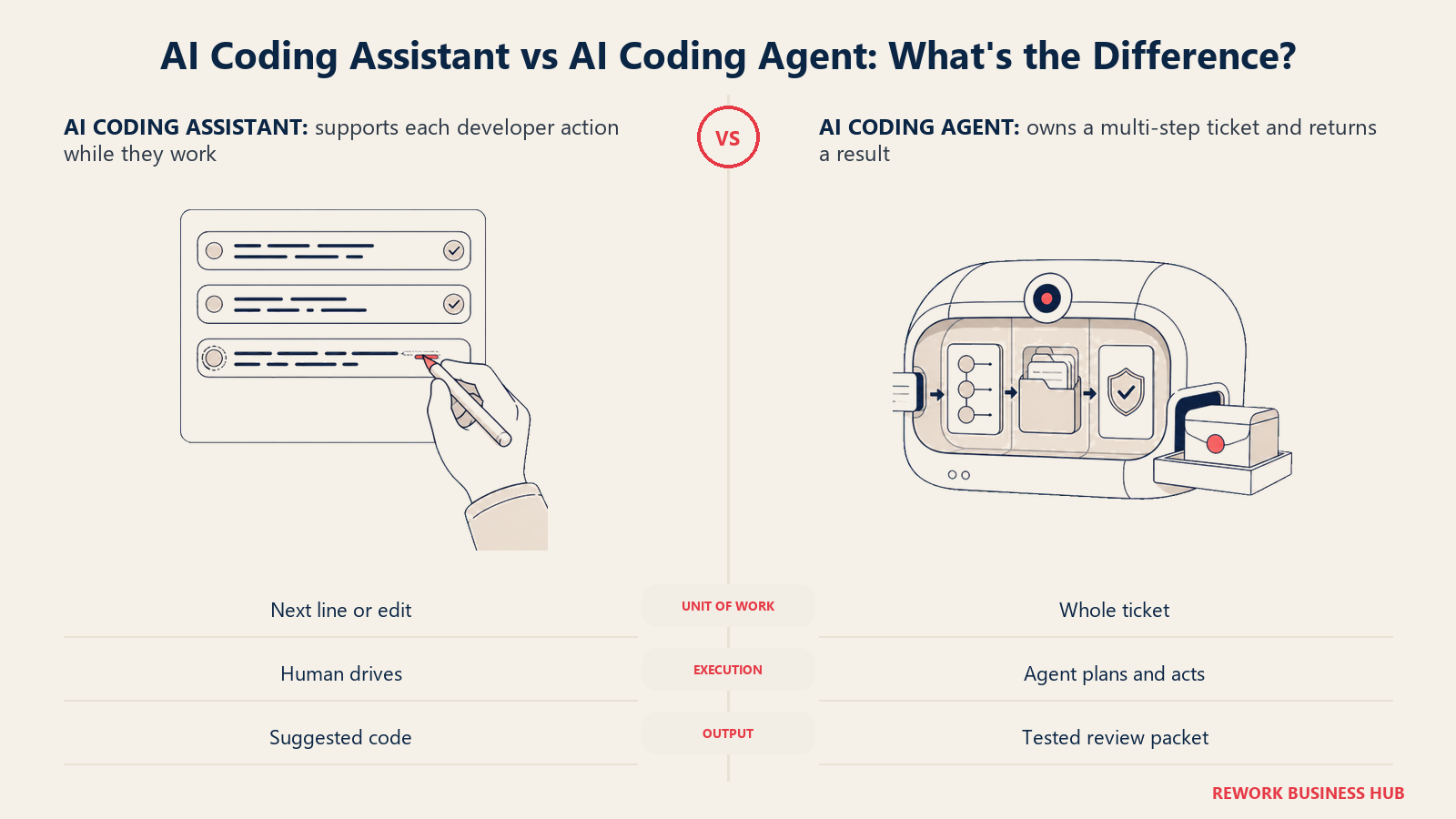
Inline completions, Tab autocomplete, and side-panel chat predict the next few lines while you type. They're genuinely useful, and we cover 14 of them in Best AI Coding Tools in 2026. This guide covers a different class: agents that take a task, form a plan, edit multiple files, run tests or commands, and in several cases open a pull request without anyone watching each keystroke. For the formal definition, see What Is an AI Agent?. Every tool below had to clear a bar: it plans and executes multiple steps with only periodic human input, which ruled out several well-known names that are really assistants wearing an agent's marketing.
Quick Comparison Table
| Tool | Best For | Autonomy Tier | Where It Runs | Starting Price |
|---|---|---|---|---|
| Claude Code | Long-horizon terminal sessions, deep repo work | Extended autonomous session | Terminal, IDE extension | Free (view only); $20/mo for agent access |
| GitHub Copilot | Teams already living in GitHub | Supervised to fully async | IDE, GitHub cloud (Actions) | Free (no agent); $10/mo unlocks it |
| Cursor | Best supervised multi-file IDE agent | Supervised, with async cloud agents | Standalone IDE | Free (Hobby, limited); $20/mo |
| OpenAI Codex | OpenAI stack, CLI to cloud tasks | Extended session to fully async | CLI, IDE, ChatGPT cloud | Free (ChatGPT Free); $20/mo (Plus) |
| Devin | Fully autonomous, assign-and-forget work | Fully async | Cloud (own sandboxed VM) | Free (limited); $20/mo (Pro) |
| Windsurf (Devin Desktop) | IDE agent from the Devin team | Supervised | Standalone IDE | Free; $20/mo (Devin Pro) |
| Google Jules | Free async agent tied to Gemini | Fully async | Cloud VM | Free (15 tasks/day); $19.99/mo (Pro) |
| Replit Agent | Building and shipping a full app | Fully async, within Replit | Cloud IDE | Free (Starter); $25/mo (Core) |
| Factory | Enterprise SDLC coverage beyond coding | Supervised to fully async | CLI, IDE, cloud | No free tier; $20/mo (Pro) |
| Amp | Individual developers, Sourcegraph pedigree | Extended autonomous session | CLI, IDE extension | Free tier; $20/mo (Megawatt) |
| Cline | Top free, bring-your-own-key agent | Supervised (Plan/Act) | IDE extension | Free (open source) |
| Aider | Original terminal agent, fully free | Supervised, git-native | Terminal | Free (open source) |
| OpenHands | Open-source, self-hostable framework | Extended session to fully async | Local sandbox, cloud | Free (open source or cloud) |
| Warp | Agentic terminal for infra-heavy work | Supervised | Standalone terminal | Free; $20/mo (Build) |
Autonomy Levels: How Much Can You Actually Delegate
"Best AI coding agent" hides a real range. Some tools want your eyes on every edit; others pick up a ticket, work unattended for an hour, and hand you a finished pull request. Sort by autonomy tier first, because that's what actually determines how much engineering time you get back.
| Tier | What It Means | The Human's Job | Example Tools |
|---|---|---|---|
| Supervised, interactive | Step-by-step edits, with approval gates | Approve each step | Cursor, Copilot agent mode, Windsurf/Devin Desktop, Cline, Aider, Warp |
| Extended autonomous session | Many unattended steps in one session you start | Write a good prompt, check in | Claude Code, Codex (CLI/IDE), Amp, Factory (CLI/IDE), OpenHands (local) |
| Fully async, assign-and-forget | Unattended in a cloud sandbox until it opens a PR | Review the finished PR | Devin, Jules, Copilot coding agent, Codex cloud tasks, Replit Agent, Factory (cloud), OpenHands Cloud |
Several products span two rows on purpose. Copilot, Codex, and Factory all ship a supervised in-editor mode and a separate async cloud mode under one subscription, so autonomy is a question of which mode you unlock, not a fixed trait.
Where These Agents Run and How They Handle Your Codebase
Where an agent executes changes how much you can trust it with a large, unfamiliar codebase. A terminal agent reading your working tree behaves differently from a cloud agent working off a fresh clone, or an IDE agent leaning on a semantic index.
| Tool | Primary Surface | Context and Repo-Scale Strategy |
|---|---|---|
| Claude Code | Terminal / CLI | Agentic search (grep, glob, read); no pre-built index |
| GitHub Copilot | IDE (VS Code, JetBrains, Visual Studio) | Repo indexing plus code search; coding agent explores a live checkout |
| Cursor | Standalone IDE | Embeddings-based semantic index, refreshed as files change |
| OpenAI Codex | CLI, IDE extension, ChatGPT cloud | Cloud tasks clone the repo into a sandbox; CLI reads the tree directly |
| Devin | Cloud (own web app) | Persistent DeepWiki index plus Devin Search for monorepos |
| Windsurf (Devin Desktop) | Standalone IDE | Deep local indexing from the original Cascade engine |
| Google Jules | Cloud VM | Clones the repo into a VM; leans on Gemini's long context |
| Replit Agent | Cloud IDE (Replit workspace) | Scoped to the Replit workspace, not an external monorepo |
| Factory | CLI, IDE, desktop, cloud | A separate Knowledge Droid maintains codebase context |
| Amp | CLI, IDE extension | "Unrestricted context" plus an Oracle subagent for hard problems |
| Cline | IDE extension | Open files plus MCP tools; no proprietary index |
| Aider | Terminal / CLI | Tree-sitter repo map: a symbol-level view before loading files |
| OpenHands | Local sandbox, cloud | Shell and file tools in a sandbox, like Claude Code's approach |
| Warp | Standalone terminal | Terminal and file-history awareness; indexing scales by tier |
Verified Benchmark Performance
Be skeptical of any roundup that assigns one benchmark score to a tool like Cursor or GitHub Copilot. Most IDE and CLI agents are model-agnostic harnesses: point them at Claude, GPT, or Gemini and their ceiling becomes whichever frontier model you picked, not a number the product itself earned. Only a handful ship their own dedicated model with an independently reported score.
| Tool | Benchmark Signal | Source and Date |
|---|---|---|
| Claude Code | Runs Opus 5/Sonnet 5; frontier tier at 96-97% on SWE-bench Verified | SWE-bench Verified leaderboard, mid-Aug 2026 |
| GitHub Copilot | Model-agnostic (GPT, Claude, Gemini); ceiling tracks the selected model | Same frontier range as above |
| Cursor | Model-agnostic; no independent score for Cursor's own harness | N/A |
| OpenAI Codex | Runs GPT-5.x-Codex; OpenAI now points to the harder SWE-bench Pro | OpenAI, 2026 |
| Devin | Own SWE-1.7: 81.5% on Terminal-Bench 2.1, 77.8% on SWE-bench Multilingual | Cognition's report, Jul 8, 2026 |
| Windsurf (Devin Desktop) | Same SWE-1.7 option, alongside third-party models | See Devin above |
| Google Jules | Runs Gemini 3 Pro; ceiling tracks Google's frontier results | N/A |
| Replit Agent | No independent score; benchmarked internally on app-building tasks | N/A |
| Factory | No independently published score | N/A |
| Amp | Model-agnostic; no independent score | N/A |
| Cline | Model-agnostic; no independent score | N/A |
| Aider | Maintains its own public polyglot coding benchmark instead | Aider polyglot benchmark |
| OpenHands | With Claude Opus 4.5: 77.6% on SWE-bench Verified (pass@3) | OpenHands project results, 2026 |
| Warp | Model-agnostic; no independent score | N/A |
Pricing Models: Where Teams Get Surprised
Three pricing philosophies hide behind "monthly price" above, and mixing them up is how budgets blow past forecast. Seat-based pricing caps cost per person. Usage or credit-based pricing scales with how hard the agent works, fine until one long run burns a week's allowance in an afternoon. Bring-your-own-key tools pass the entire inference bill to your model provider.
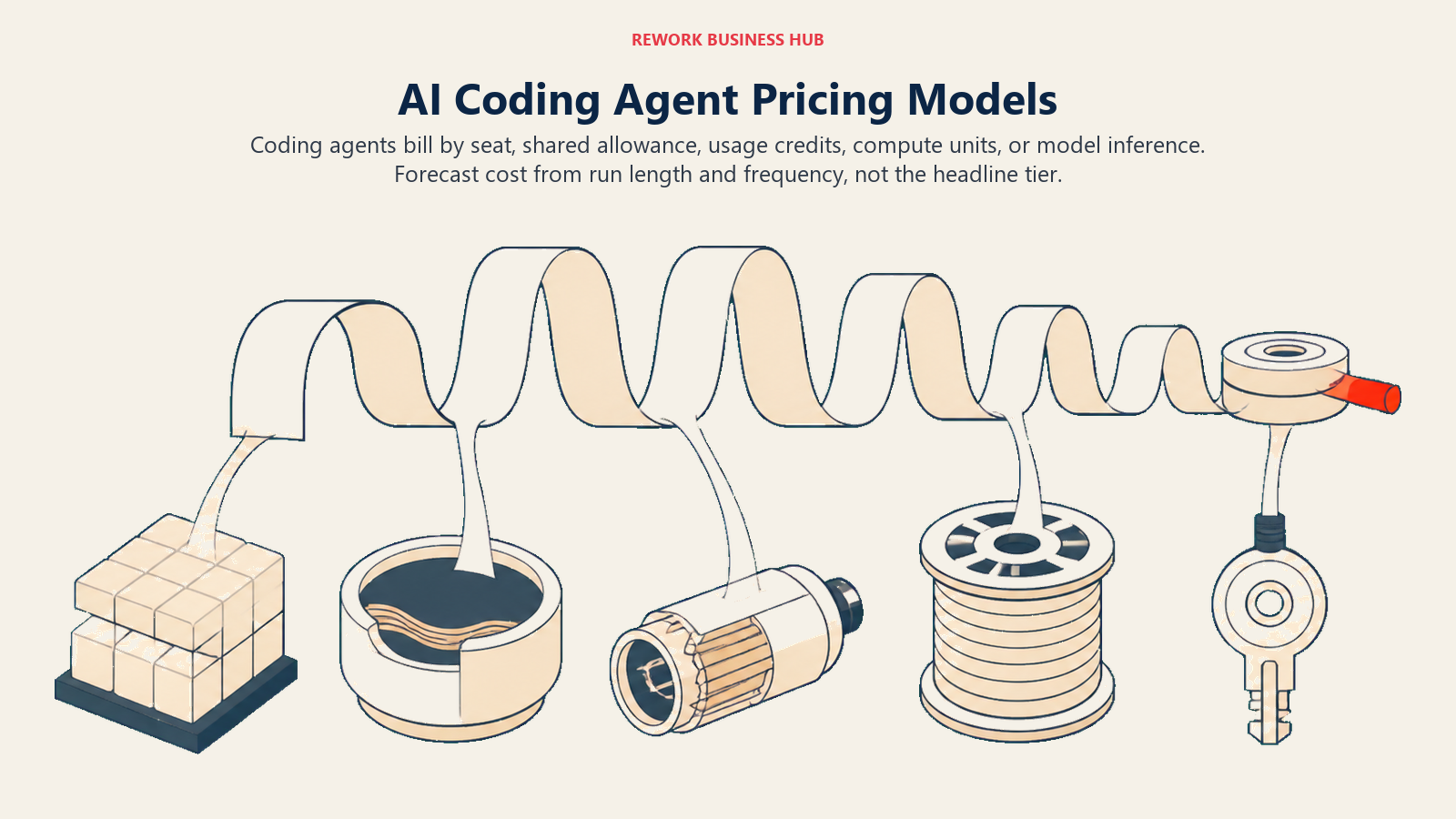
| Tool | Pricing Model | What Surprises Teams |
|---|---|---|
| Claude Code | Subscription (shared token budget) or API pay-as-you-go | Shares the same pool as regular chat use |
| GitHub Copilot | Per-seat plus usage credits since June 2026 | Agent mode and the coding agent burn credits fast |
| Cursor | Per-seat plus a dollar-denominated credit pool | Higher tiers are bigger credit pools, not new features |
| OpenAI Codex | Bundled into ChatGPT tiers, token credits since April 2026 | One long run can consume many credits at once |
| Devin | Subscription plus ACU metering | One ACU (about 15 min) disappears fast on a big task |
| Windsurf (Devin Desktop) | Same Devin subscription ladder | Local IDE use now bills like a cloud agent |
| Google Jules | Bundled inside a Google AI Pro or Ultra subscription | You're buying a Gemini plan, not an agent-only seat |
| Replit Agent | Prepaid monthly credits | Credits cover compute and agent calls together |
| Factory | Per-seat with usage-multiplier tiers | SSO and on-prem are Business/Enterprise-only |
| Amp | Subscription credit pool or pay-as-you-go | Third-party subscription linking caps at two per person |
| Cline | Free platform, bring-your-own-key inference | Heavy Sonnet-class usage runs $5 to $30 a day |
| Aider | Fully bring-your-own-key | Zero platform fee, but you own the inference bill |
| OpenHands | Free self-hosted or cloud, at-cost inference | Enterprise features (RBAC, SSO) are quote-based |
| Warp | Per-seat plus credits | One long session can burn a big share of monthly credits |
Keeping a Human in the Loop: Review and Safety Workflows
The higher the autonomy tier, the more the review workflow matters. Before anything opens a pull request unattended, know what stands between its first edit and your production branch.
| Tool | How a Human Stays in Control |
|---|---|
| Claude Code | Plan mode previews the approach; permission prompts gate file writes, commands, and network access |
| GitHub Copilot | Coding agent is sandboxed in GitHub Actions, read-only repo access, needs approval before CI/CD runs |
| Cursor | Edits stream into a reviewable diff; background agents open a PR instead of pushing directly |
| OpenAI Codex | Cloud tasks run in an isolated, network-restricted container; every change ships as a diff or PR |
| Devin | Own sandboxed VM per session; Devin Review critiques the PR before a human looks at it |
| Windsurf (Devin Desktop) | Step-by-step approval in the editor, the same interaction model as Cursor |
| Google Jules | Isolated Cloud VM; shows a full diff and reasoning log before opening a PR |
| Replit Agent | Checkpoints after each milestone allow rollback before approving the next step |
| Factory | Droids ask before destructive actions; a Reliability Droid escalates production changes |
| Amp | Threads are shareable and auditable; Smart Mode adds zero data retention |
| Cline | Plan/Act split forces an explicit approval step before Act mode touches anything |
| Aider | Every change is its own git commit with a message; undo is a plain git revert |
| OpenHands | Runs inside a disposable Docker sandbox; nothing touches the host machine directly |
| Warp | Agent Mode asks for approval before each command in a multi-step plan |
1. Claude Code: Terminal-Native Agent With the Deepest Repo Awareness
Claude Code is Anthropic's terminal-native coding agent: it reads your repository through agentic search instead of a pre-built index, so it works well on codebases it has never seen indexed. Plan mode lays out an approach before touching a file, and it runs extended, mostly unattended sessions, writing code, running tests, fixing what breaks, and reporting back.
It integrates with VS Code and JetBrains as a side panel, but the terminal stays primary by design. Subagents delegate sub-tasks, writing tests, for example, to a separate context. The tradeoff: it doesn't open pull requests asynchronously the way Devin or Jules do, so you stay roughly in the loop.
| What you get | What you don't |
|---|---|
| Deep git and repo awareness with no indexing step required | No fully async, walk-away cloud mode built in |
| Plan mode and permission prompts for real control | Usage shares the same budget as regular Claude chat use |
| Works inside the terminal you already use, plus IDE side panels | Requires comfort with a CLI-first workflow |
| Subagents for parallelizing sub-tasks | Team/Enterprise seat pricing adds up for larger orgs |
Pricing: Free does not include Claude Code. Pro is $17/month billed annually or $20/month billed monthly. Max plans start at $100/month (5x usage), with a higher-usage 20x tier above that. Team is $20 to $25/seat/month depending on billing, with a $100/seat/month premium-seat option. Enterprise is custom: seat cost plus usage. Source: claude.com/pricing.
Best for: Engineering teams that live in the terminal and want the deepest git and codebase awareness for long, complex sessions.
2. GitHub Copilot (Agent Mode and Coding Agent): The Default If You Live in GitHub
GitHub Copilot's agent capability ships as two products under one brand. Agent mode lives inside VS Code, JetBrains, or Visual Studio: describe a change, and it edits multiple files and runs commands with your approval while you watch. The coding agent is different: assign it a GitHub issue, and it works asynchronously inside a GitHub Actions sandbox, writing code, running tests, and opening a pull request tagged for review, no editor open on your end.
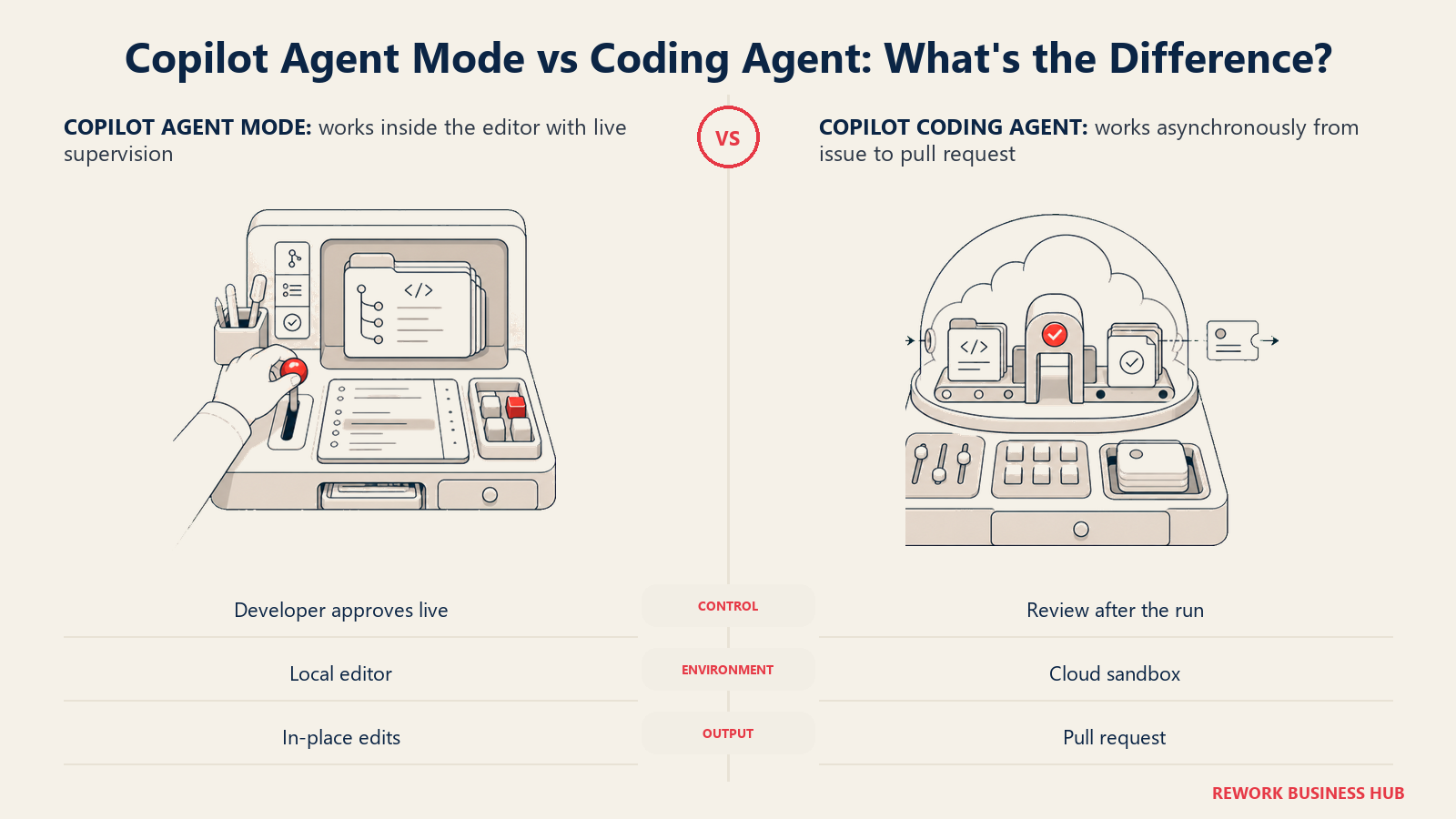
Both modes benefit from the deepest GitHub-native integration on this list, hard to argue with if your team already standardizes on GitHub. See GitHub Copilot alternatives for more options ranked by agent depth and privacy. The catch: since June 2026, chat, agent mode, code review, the coding agent, and CLI usage all draw against a shared monthly AI Credits allowance, while inline completions stay unlimited.
| What you get | What you don't |
|---|---|
| Both a supervised in-editor agent and a fully async, PR-opening cloud agent | Agent features draw down a shared, capped credit allowance |
| Sandboxed, read-only-by-default execution for the coding agent | Free tier has no agent access at all |
| Deepest native GitHub issue-to-PR workflow of any tool here | Credit system (June 2026) is new enough that usage forecasting is trial and error |
| Automatic PR review from Copilot before a human looks | Business/Enterprise pricing needs a sales conversation for the fine print |
Pricing: Free is $0 with no agent access. Pro is $10/month and unlocks the coding agent. Pro+ is $39/month with premium model access. Max is $100/month for sustained, heavy agent workflows. Business is $19/seat/month; Enterprise is $39/seat/month. Every paid plan includes an AI Credits allowance ($0.01 per credit); inline completions never consume credits. Source: github.com/features/copilot/plans and GitHub Docs.
Best for: Teams already standardized on GitHub that want both a supervised in-editor agent and a fully autonomous, issue-to-PR cloud agent from the same vendor.
3. Cursor: The Best Supervised Multi-File Agent Inside an IDE
Cursor built its reputation as an AI-first fork of VS Code, and its agent mode is still the benchmark other IDE agents get compared against. Describe a change in plain language, and it plans across multiple files, edits them, runs terminal commands with your approval, and shows a diff before anything lands. Cloud background agents push further: kick off a task, keep working elsewhere, and it opens a PR when done, Cursor's closest equivalent to Devin's fully async model.
The codebase index is embeddings-based and refreshes as you work. Bugbot adds automated, usage-billed review. See Cursor alternatives for more IDE-first options. Watch the pricing: every paid tier is a dollar-denominated credit pool, and Pro+'s "3x" and Ultra's "20x" describe usage headroom, not new features.
| What you get | What you don't |
|---|---|
| The most mature supervised multi-file agent experience in an IDE | Full functionality requires leaving your existing editor for Cursor's fork |
| Embeddings-based codebase index that scales to large repos | Higher tiers add usage headroom, not new capability |
| Cloud background agents for a lighter-weight async mode | Usage-based overage can outrun a flat monthly budget |
| SAML/OIDC SSO and audit logs on Teams and Enterprise | Enterprise pricing requires a sales conversation |
Pricing: Hobby is free with limited agent requests. Pro is $20/month, Pro+ is $60/month (3x Pro's agent limits), Ultra is $200/month (20x). Teams Standard is $40/user/month, with a 5x Premium tier above that. Enterprise is custom. Source: cursor.com/pricing.
Best for: Developers and teams who want the most polished supervised agent experience inside a dedicated IDE, with an async cloud option when they need it.
4. OpenAI Codex: From Local CLI to Fully Async Cloud Tasks
OpenAI's Codex is less a single product than an autonomy dial inside ChatGPT. In the CLI or IDE extension, it behaves like Claude Code: an extended, mostly unattended local session. In the cloud, through chatgpt.com or the mobile app, you assign a task and Codex spins up an isolated container with your repo cloned in, works independently, and returns a diff or a pull request, no local session required.
That range is the appeal for teams already paying for ChatGPT seats: one subscription scales from quick local fixes to unattended cloud tasks on the GPT-5.x-Codex model family. Pricing changed twice in 2026: per-message billing is gone, replaced by token-based credits on April 2, and Codex seats stopped going to new ChatGPT Business workspaces starting June 24.
| What you get | What you don't |
|---|---|
| One subscription spans local CLI sessions to fully async cloud tasks | Token-based credits (since April 2026) make cost harder to predict than flat pricing |
| GPT-5.x-Codex models purpose-built for long tool-using sessions | New ChatGPT Business workspaces can no longer add Codex seats as of June 24, 2026 |
| Cloud tasks run isolated with no network access by default | OpenAI no longer reports SWE-bench Verified scores for the model family |
| Available on web, CLI, IDE extension, and iOS | Enterprise/Edu pricing is quote-only |
Pricing: Free is $0. Go is $8/month. Plus is $20/month with flexible credit purchases once included usage runs out. Pro is $100/month (5x Plus limits) or $200/month (20x). Business is $20/user/month billed annually, $25/month billed monthly, minimum 2 seats. Enterprise and Edu are custom. Source: learn.chatgpt.com/docs/pricing.
Best for: Teams already standardized on ChatGPT who want one subscription covering both quick local fixes and fully autonomous cloud tasks.
5. Devin: The Closest Thing to a Fully Autonomous Engineer
Devin is the product that made "AI software engineer" a phrase people took seriously, and it's still the clearest example of the fully async tier. Hand it a task through Slack, Linear, or its own web app, and it spins up a dedicated sandboxed VM, plans the work, writes and tests the code, and opens a pull request while you close your laptop.
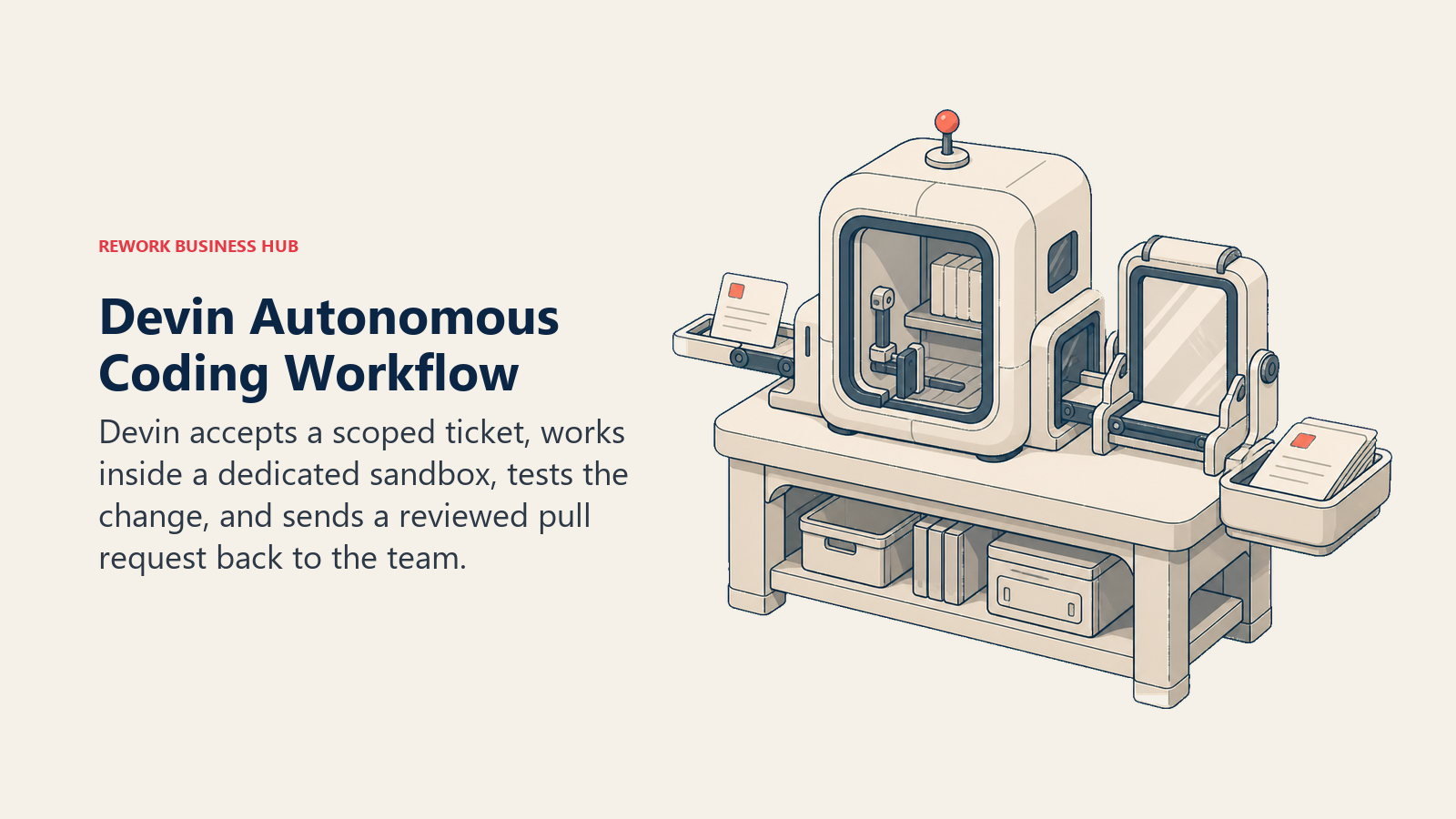
Cognition backs that with real infrastructure: DeepWiki maintains a persistent index of your codebase, Devin Search helps it navigate large monorepos, and Devin Review is a second agent that critiques the PR before a human looks. Pricing was rebuilt on April 14, 2026, but Agent Compute Units (about 15 minutes of work each) still govern usage past the included quota, and a big task can burn through them fast.
| What you get | What you don't |
|---|---|
| The clearest fully autonomous, assign-and-forget workflow on this list | ACU-based overage can turn a $20 plan into a much larger real bill |
| DeepWiki and Devin Search for large, unfamiliar codebases | Best results assume well-scoped tickets, not vague requests |
| Devin Review adds a second agent pass before human review | Own SWE-1.7 model trails frontier leaders by a few points on hard benchmarks |
| Slack and Linear integration for assign-and-walk-away workflows | Newly restructured pricing (April 2026) has less track record than older tiers |
Pricing: Free is $0 with limited access. Pro is $20/month, Max is $200/month, both single-seat. Teams starts at $80/month plus $40/month per full seat, with shared on-demand credits. Enterprise is custom and still bills in ACUs. Source: Cognition's pricing announcement, April 14, 2026.
Best for: Teams that want to hand off well-scoped tickets entirely and review a finished pull request, not babysit an editing session.
6. Windsurf (Devin Desktop): Cognition's IDE, Now on Devin's Pricing Ladder
Windsurf spent 2025 as one of the most-loved AI-first IDEs, largely on the strength of its Cascade agent. After Cognition's acquisition, that history folded into the Devin family: Windsurf officially became Devin Desktop on June 2, 2026, with existing users migrated automatically. The Cascade brand is gone; the agent underneath is now Devin Local.
Functionally, it still behaves like a supervised IDE agent in the Cursor mold: multi-file edits, terminal execution, and deep local codebase indexing, with step-by-step approval inside its own VS Code fork. What changed is the business relationship: windsurf.com/pricing now redirects to Devin's pricing page, and Devin Local unlocks on the same $20/month Pro plan that unlocks cloud Devin. Legacy Cascade stayed available through July 1, 2026.
| What you get | What you don't |
|---|---|
| A mature, Cursor-class supervised agent IDE (formerly Cascade) | Brand and pricing changed twice in a year, complicating procurement history |
| Now shares Devin's model options, including SWE-1.7 | Requires switching editors, the same tradeoff as Cursor |
| Agent Client Protocol support for using other agents inside it | Devin Local pricing is tied to the same ACU-adjacent structure as cloud Devin |
| One Pro plan unlocks both the desktop agent and cloud Devin access | Legacy Cascade users had a hard cutover deadline (July 1, 2026) |
Pricing: Shares Devin's self-serve ladder: Free $0, Pro $20/month, Max $200/month, Teams from $80/month plus $40/seat, Enterprise custom. Source: devin.ai/pricing (windsurf.com/pricing redirects here as of the rebrand).
Best for: Teams that want a Cursor-style supervised IDE agent but prefer to stay inside Cognition's product family alongside cloud Devin.
7. Google Jules: Free, Async, and Backed by Gemini's Long Context
Jules is Google's entry in the fully async tier, and the easiest one here to try for free. Point it at a GitHub repo, describe a bug or a small feature, and it clones the code into an isolated Cloud VM, plans its approach, makes the change, and opens a pull request, showing its full reasoning and diff. It reached general availability at Google I/O on May 19, 2026, after a March 2026 public beta.
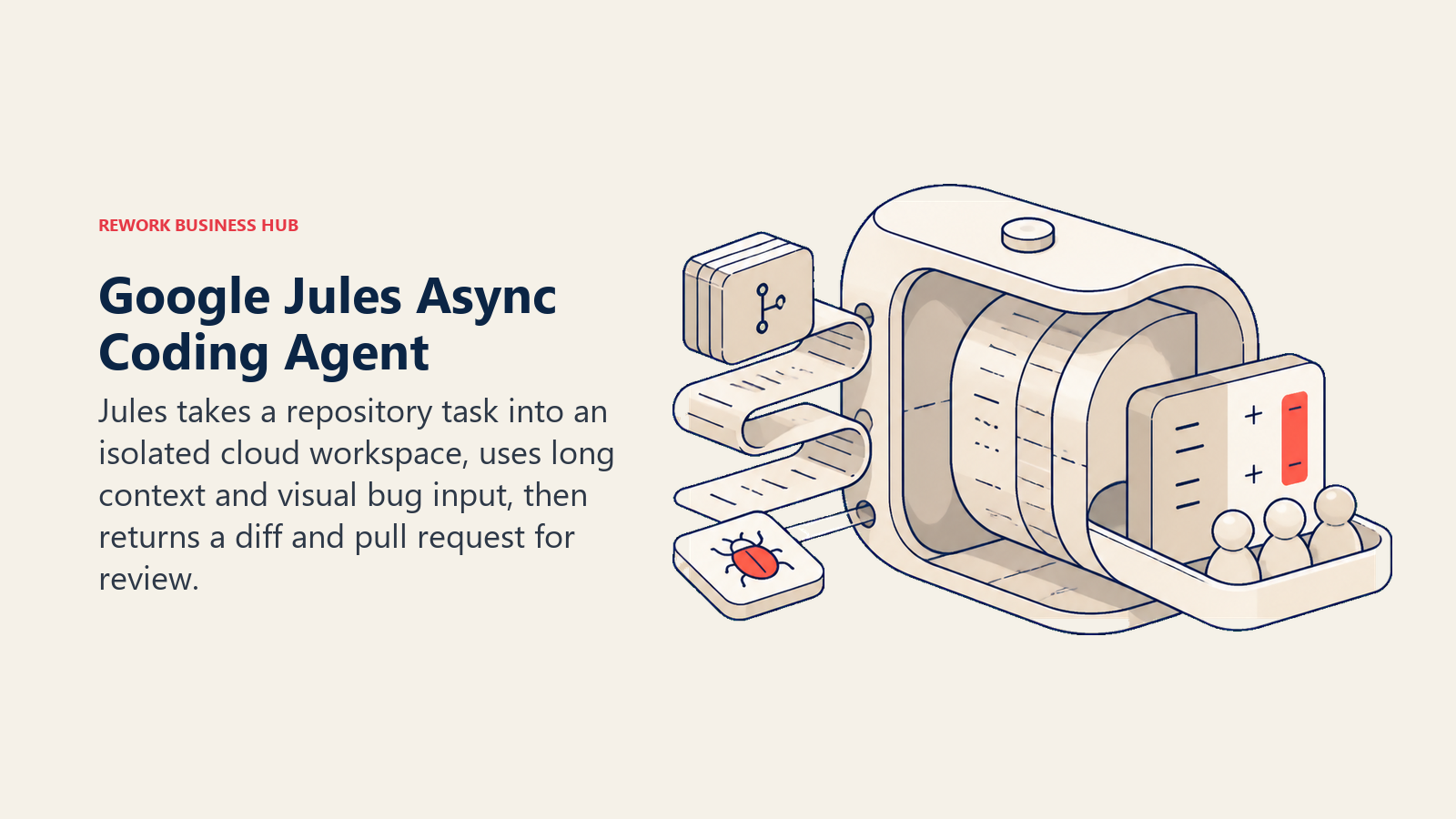
Running on Gemini 3 Pro (2.5 Pro on the free tier), Jules leans on a long context window rather than a separate indexing layer, and it can take multimodal bug reports, a screenshot or screen recording, as the task description. The pricing model is unusual: Jules has no standalone subscription; paid access rides entirely on a Google AI Pro or Ultra plan.
| What you get | What you don't |
|---|---|
| A genuinely usable free tier (15 tasks/day) with no credit card | No standalone Jules subscription; paid tiers require a Google AI Pro/Ultra plan |
| Gemini 3 Pro's long context window for whole-repo awareness | Newer to general availability (May 2026) than most of this list |
| Multimodal task input (screenshots, screen recordings) | Paid plans currently limited to individual @gmail.com accounts, not Workspace |
| Full diff and reasoning log shown before the PR opens | Fewer third-party IDE integrations than Cursor or Copilot |
Pricing: Free tier includes 15 tasks/day and 3 concurrent tasks on Gemini 2.5 Pro. Jules in Pro, via a Google AI Pro subscription at $19.99/month, raises that to 100 tasks/day and Gemini 3 Pro access. Jules in Ultra, via Google AI Ultra from $99.99/month, allows 300 tasks/day. Source: jules.google/docs/usage-limits.
Best for: Teams already in the Google ecosystem who want a free or low-cost fully async agent without a new vendor relationship.
8. Replit Agent: Best for Shipping a Full App, Not Just Patching One
Replit Agent starts from a different premise than most of this list: instead of assuming an existing repository to patch, it assumes you might be starting from nothing. Describe an app, and it plans the architecture, writes the code, provisions a database, and deploys it inside Replit's own cloud workspace, checkpointing after each milestone so you can roll back before the next step.
That makes it less useful for enterprise teams maintaining a large monorepo, and more useful for founders and internal-tools builders who want idea-to-deployed-app in one session. Up to 10 agents can run in parallel on the Pro tier. Pricing runs on prepaid monthly credits covering compute and agent calls together, so a busy build session can draw down a month's allowance faster than the sticker price suggests.
| What you get | What you don't |
|---|---|
| Full app lifecycle: plan, build, provision, and deploy in one flow | Scoped to Replit's own workspace, not an arbitrary external monorepo |
| Checkpoints for safe rollback between agent steps | Credits cover compute and agent calls together, harder to forecast than a flat fee |
| Up to 10 parallel agents on the Pro tier | Less suited to patching a large, pre-existing enterprise codebase |
| A genuinely free Starter tier with daily agent credits | No independently published SWE-bench score |
Pricing: Starter is free with daily Agent credits. Core is $25/month ($20/month billed annually) with $25 of monthly credits and up to 2 parallel agents. Pro is $100/month ($95/month annually) with $100 of monthly credits and up to 10 parallel agents. Enterprise is custom. Source: replit.com/pricing.
Best for: Founders and internal-tools teams building and deploying a new app end to end, not primarily patching an existing large codebase.
9. Factory: Enterprise Droids That Cover More Than Coding
Factory covers more of the software lifecycle than "coding agent" usually implies. Its Droids come in flavors: a Code Droid for implementation, a Reliability Droid for on-call and incident response, a Knowledge Droid for codebase and documentation context, and a Product Droid for planning. They run from a CLI, an IDE extension, a desktop app, or the cloud on Factory-managed "Droid Computers" for background work.
That breadth targets enterprise orgs that want one agent platform across coding, operations, and planning. The Reliability Droid is a genuine differentiator: it investigates a production incident and drafts a root-cause writeup, a job none of the pure coding agents here attempt. See Best Enterprise AI Agent Platforms in 2026 for the broader category. There's no free tier; Business/Enterprise (SSO, SAML/SCIM, Zero Data Retention, on-prem) is quote-only.
| What you get | What you don't |
|---|---|
| Droids cover coding, on-call/incident response, and codebase knowledge, not just implementation | No free tier to try before committing |
| Runs across CLI, IDE, desktop, and cloud background compute | No independently published SWE-bench score |
| Reliability Droid escalates production-touching changes to a human | Business tier caps at 150 seats before Enterprise/custom pricing |
| Zero Data Retention and on-prem options at Enterprise | SSO/SAML/on-prem all require a sales conversation |
Pricing: Pro is $20/month. Plus is $100/month (about 5x Pro's usage, plus cloud Droid Computers). Max is $200/month (about 10x Pro's usage, early feature access). Business (up to 150 seats) and Enterprise are custom. Source: factory.ai/pricing.
Best for: Enterprise engineering orgs that want one agent platform covering coding, incident response, and codebase knowledge, not just implementation.
10. Amp: Sourcegraph's Standalone Agent for Individual Developers
Amp is Sourcegraph's answer to the individual-developer agent market, spun out after Sourcegraph moved Cody to an enterprise-only, $59/seat/month plan in mid-2025. Where Cody targets large, indexed enterprise codebases, Amp is built for a single developer who wants an unrestricted-context agent without an enterprise contract.
Its "Oracle" subagent is worth knowing about: a separate reasoning pass for genuinely hard problems in unfamiliar codebases. Threads (Amp's term for a session) are shareable, so a team can review how the agent reasoned, not just the diff. Pricing runs on a subscription credit pool ($20 or $200 of usage a month) or pay-as-you-go. Smart Mode, the paid tier, adds zero data sharing.
| What you get | What you don't |
|---|---|
| "Oracle" subagent for deep reasoning on hard, unfamiliar-codebase problems | A newer standalone product than Sourcegraph's enterprise Cody line |
| Zero data retention on the paid Smart Mode tier | Linking a third-party subscription caps at two per person |
| Shareable threads for team visibility into agent reasoning | No independent SWE-bench score published |
| A genuine free tier with no credit card required | Advanced modes (high, ultra) gate behind the $200/month Gigawatt tier |
Pricing: Free tier available. Megawatt is $20/month with 750 hours of small-orb compute and a $20 agent usage credit. Gigawatt is $200/month with 1,000 hours of larger compute and a $200 credit, unlocking high and ultra modes. Unconstrained (pay-as-you-go) suits teams and enterprises. Source: ampcode.com/pricing.
Best for: Individual developers who want an unrestricted-context agent with strong privacy guarantees, without buying into Sourcegraph's enterprise Cody contract.
11. Cline: The Top Free, Bring-Your-Own-Key Agent
Cline is the agent most bring-your-own-key developers land on first: fully open source, free, and full autonomy over file edits and terminal commands inside VS Code or JetBrains, gated by a Plan/Act split so you approve the approach before it executes. An MCP marketplace extends what it can reach, databases, internal APIs, ticketing systems, without custom integration code.
Because Cline charges nothing for the platform, you pay your model provider directly for every token: cheap for light use, pricier for heavy use. A developer running Claude Sonnet-class models hard can spend $5 to $30 a day, a cost Cline is transparent about rather than hiding in a flat fee. Enterprise adds the governance layer procurement asks for: SSO/OIDC, RBAC, a team dashboard, centralized billing, and audit logs, at custom pricing.
| What you get | What you don't |
|---|---|
| Fully open source and free, no platform markup on inference | You own and monitor the entire model-provider bill yourself |
| Plan/Act split forces an explicit approval step before execution | No published flat Teams tier pricing on Cline's own pricing page |
| MCP marketplace for extending reach into internal systems | No proprietary large-repo indexing layer |
| Enterprise adds SSO, RBAC, and centralized billing | Enterprise pricing is entirely quote-based |
Pricing: Open source core is free; bring your own API key and pay your model provider directly (commonly $5 to $30/day for active use). Enterprise is custom, adding SSO, SLA, and a JetBrains extension. Source: cline.bot/pricing.
Best for: Developers and teams who want full control over which model they run and full transparency into inference cost, without a platform fee.
12. Aider: The Original Terminal Agent, Still Free and Git-Native
Aider is the original terminal-based AI pair programmer, open source since before "agentic coding" was a category name, and still one of the most git-native tools here. Every change lands as its own commit with a real message, so reviewing a session means reading git log, and undoing a bad change means a plain git revert.
Its context strategy is distinctive: a tree-sitter repo map gives Aider a compact, symbol-level view of your codebase before deciding which files to load in full, part of why it holds up on large repos despite its simplicity. It works with essentially any model, commercial API or local through Ollama. There's no subscription and no company selling a platform tier: it's free, and you pay only for the inference you use.
| What you get | What you don't |
|---|---|
| Fully free, open source, and works with any model, including local ones | No GUI; strictly a terminal tool |
| Git-native by design: every change is a reviewable, revertable commit | No fully async or cloud-hosted mode |
| Tree-sitter repo map scales to large codebases with no paid indexing product | No enterprise SSO/RBAC layer; it's a CLI, not a managed platform |
| No vendor lock-in to a single model provider | Support is community-driven, not a vendor SLA |
Pricing: Free and open source (Apache 2.0), pay-per-use through your own API key with your model provider of choice, or run fully local through Ollama at no per-token cost. Source: aider.chat.
Best for: Developers who want a free, git-native, terminal agent with zero vendor lock-in on which model they run.
13. OpenHands: The Open-Source Framework Researchers Benchmark Against
OpenHands (formerly OpenDevin) is the open-source framework researchers and other agent builders benchmark against, maintained by All Hands AI. Every action, running a shell command, editing a file, browsing a page, happens inside a disposable Docker sandbox, so nothing touches the host machine. That sandboxed-by-default design is also why it shows up so often in academic agent evaluations.
Self-host it free under the MIT license, or use the hosted Individual cloud tier at no cost (capped at 10 conversations a day), bringing your own key or paying OpenHands' models at cost. Enterprise adds RBAC, SAML/SSO, an Agent Control Plane, and a Large Codebase SDK at custom pricing. See Best Open-Source AI Agent Frameworks in 2026 for the broader category. Paired with Claude Opus 4.5, it scored 77.6% on SWE-bench Verified (pass@3), among the stronger published open-source results.
| What you get | What you don't |
|---|---|
| Fully open source (MIT) and self-hostable, or a free hosted cloud tier | Free cloud tier caps at 10 conversations a day |
| Sandboxed Docker execution by default; nothing touches the host | UI is more utilitarian than Cursor or Windsurf |
| One of the stronger published open-source SWE-bench Verified results | Enterprise pricing (RBAC, SSO) is entirely quote-based |
| Model-agnostic, at-cost inference with no markup | Smaller commercial ecosystem than the venture-backed entrants |
Pricing: Open source self-hosted is free under the MIT license. Individual cloud tier is free (10 conversations/day cap), bring your own key or pay OpenHands' models at cost. Enterprise (SaaS or self-hosted in your VPC) is custom. Source: openhands.dev/pricing.
Best for: Teams and researchers who want a fully open-source, self-hostable agent framework with transparent, reproducible benchmark results.
14. Warp: An Agentic Terminal for Infrastructure-Heavy Work
Warp reframes the question from "which IDE has the best agent" to "why do I need an IDE for this." It's a from-scratch terminal application, not a shell plugin, with Agent Mode built in: describe a multi-step task in plain English (set up a project, configure linting, initialize git) and it executes each step with your approval, using models you've connected from OpenAI, Anthropic, and others.
That terminal-first framing suits infrastructure and DevOps-adjacent work: server setup, deployment scripts, debugging a failing build. Warp Drive adds team knowledge sharing on top of the agent. Teams that would rather build a purpose-specific agent can start from our AI DevOps agent blueprint. The terminal is free forever; only the AI is metered, and one involved Agent Mode session can burn a meaningful share of the monthly credit allowance.
| What you get | What you don't |
|---|---|
| A fast, modern terminal with Agent Mode built in, not bolted on | Not an IDE; less suited to deep multi-file refactors than Cursor or Copilot |
| Multi-model support (OpenAI, Anthropic, and others) | No independent SWE-bench score published |
| Team knowledge sharing (Warp Drive) alongside the agent | A single long Agent Mode session can consume a large share of monthly credits |
| The terminal itself is free forever | Business tier caps at 25 seats before Enterprise/custom pricing |
Pricing: Free includes the terminal plus a limited monthly credit allowance. Build is $20/month ($18/month annually) with 1,500 credits. Max is $200/month ($180/month annually) with 18,000 credits. Business is $50/user/month ($45/month annually, up to 25 seats). Enterprise is custom. Source: warp.dev/pricing.
Best for: Developers and DevOps-adjacent teams who want an agentic terminal for infrastructure and shell-heavy work, not full IDE replacement.
How to Choose: Decision Framework
The right coding agent starts with the autonomy, environment, and review model your team needs, then narrows to the tool that fits that operating pattern.
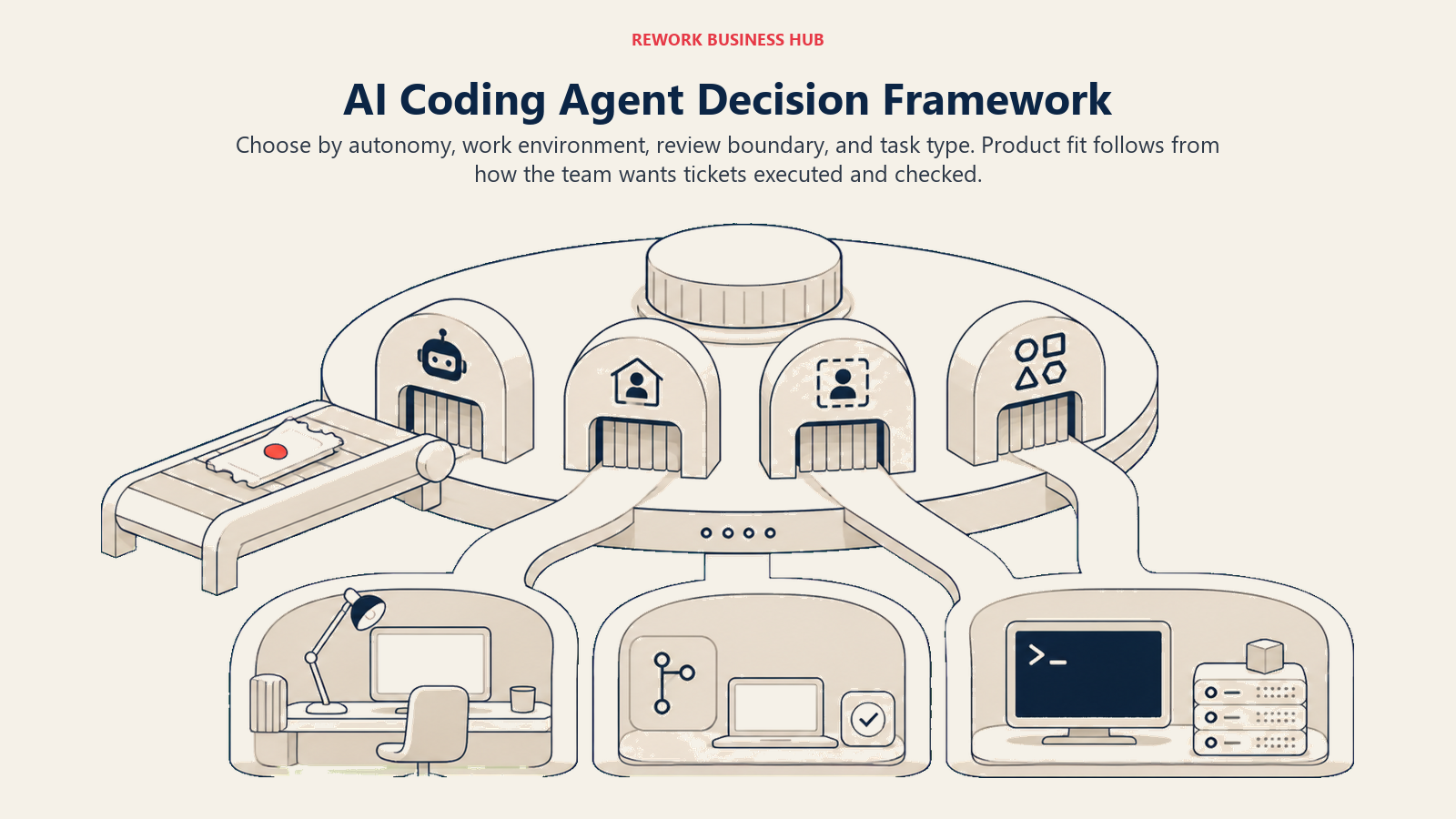
| If you need... | Pick... | Why |
|---|---|---|
| Fully autonomous, assign-and-forget work that opens its own PR | Devin | Own sandboxed VM, DeepWiki indexing, and Devin Review checking the work first |
| The deepest GitHub-native, issue-to-PR workflow | GitHub Copilot coding agent | Sandboxed in GitHub Actions, tagged for review, backed by Copilot code review |
| The most polished supervised agent inside a dedicated IDE | Cursor | Embeddings-based repo index plus optional async cloud agents |
| A terminal-native agent with the deepest git and repo awareness | Claude Code | Agentic search scales to huge repos with no indexing step; plan mode and permission prompts |
| A free, open-source, bring-your-own-key agent | Cline or Aider | Zero platform fee; you control the model and the inference bill |
| To build and deploy a full app, not patch an existing one | Replit Agent | Plans, builds, provisions, and deploys inside one cloud workspace |
| Enterprise coverage beyond coding: incident response, planning | Factory | Reliability, Knowledge, and Product Droids alongside the Code Droid |
| A free async agent tied to Google, with no new vendor relationship | Google Jules | Rides an existing Google AI subscription; genuinely usable free tier |
| Infrastructure and shell-heavy work, not multi-file refactors | Warp | Purpose-built agentic terminal, not an IDE retrofit |
| A fully open-source, self-hostable framework with public benchmarks | OpenHands | MIT-licensed, sandboxed by default, 77.6% on SWE-bench Verified paired with Claude Opus 4.5 |
What to Do Next
Pick your autonomy tier before you pick a tool. If you want an agent that works while you're in a meeting, trial Devin, Google Jules, or GitHub Copilot's coding agent on one real, well-scoped ticket and see what the pull request actually looks like. If you want a supervised agent you drive from your editor, Cursor, Claude Code, and Windsurf (Devin Desktop) are the three most mature options to pilot side by side. And if budget is the constraint, Cline and Aider cost nothing beyond the tokens you use, the cheapest way to find out whether agentic coding earns a place in your workflow before you commit to a seat-based contract.
For the build-it-yourself side of this category, start with How to Build an AI Agent or, if you're weighing a no-code builder against a code framework, No-Code vs Code AI Agents. And if coding agents are just your entry point into a broader agent rollout, Best AI Agent Platforms in 2026 is the pillar guide for the rest of the category.

Principal Product Marketing Strategist
On this page
- Updated August 2026: What Changed
- Key Facts
- Agentic Coding vs. AI Coding Assistants: Why This List Is Different
- Quick Comparison Table
- Autonomy Levels: How Much Can You Actually Delegate
- Where These Agents Run and How They Handle Your Codebase
- Verified Benchmark Performance
- Pricing Models: Where Teams Get Surprised
- Keeping a Human in the Loop: Review and Safety Workflows
- 1. Claude Code: Terminal-Native Agent With the Deepest Repo Awareness
- 2. GitHub Copilot (Agent Mode and Coding Agent): The Default If You Live in GitHub
- 3. Cursor: The Best Supervised Multi-File Agent Inside an IDE
- 4. OpenAI Codex: From Local CLI to Fully Async Cloud Tasks
- 5. Devin: The Closest Thing to a Fully Autonomous Engineer
- 6. Windsurf (Devin Desktop): Cognition's IDE, Now on Devin's Pricing Ladder
- 7. Google Jules: Free, Async, and Backed by Gemini's Long Context
- 8. Replit Agent: Best for Shipping a Full App, Not Just Patching One
- 9. Factory: Enterprise Droids That Cover More Than Coding
- 10. Amp: Sourcegraph's Standalone Agent for Individual Developers
- 11. Cline: The Top Free, Bring-Your-Own-Key Agent
- 12. Aider: The Original Terminal Agent, Still Free and Git-Native
- 13. OpenHands: The Open-Source Framework Researchers Benchmark Against
- 14. Warp: An Agentic Terminal for Infrastructure-Heavy Work
- How to Choose: Decision Framework
- What to Do Next