Best GitHub Copilot Alternatives in 2026: 10 AI Coding Assistants for Engineering Teams
Turn this article into takeaways for your work.


Each assistant summarizes the article only for you and suggests best practices for your work.
The best GitHub Copilot alternatives in 2026 are Cursor for multi-file agent coding, Windsurf for fast autocomplete on a budget, Tabnine or Continue for privacy-first and self-hosted teams, and Amazon Q Developer for AWS-native enterprises. Your best fit depends on whether you care most about agent capability, code privacy, or cost.
GitHub Copilot put AI pair-programming on the map. But two years into widespread enterprise adoption, teams are running into the same walls: autocomplete suggestions that miss the intent of what you're actually building, a Business tier at $19 per seat per month that stings on a 40-person engineering team, and an agent mode that still can't touch what Cursor or Cline do across a full codebase. And if your company has a legal or security team that's noticed code is being sent to GitHub's servers, that conversation gets uncomfortable fast.
The market has caught up. There are now genuinely excellent alternatives across every price point and deployment model, from open-source tools you can run entirely on-premise to purpose-built agent environments that can refactor 10 files at once from a single natural-language prompt. This guide covers 10 of them with the depth you need to actually make a decision: methodology, pricing, who they're built for, and where they fall short.
GitHub Copilot's pricing page shows the Individual, Business, and Enterprise tiers. For teams that are questioning the $19/seat Business cost, that's usually the starting point for the evaluation.
Engineering teams often evaluate AI coding tools alongside project management tools. For context on what the broader engineering tool stack looks like, the best Jira alternatives and best Linear alternatives cover the issue tracking side of the same evaluation. And for broader strategic context on whether AI coding tools represent a shift from assistant to autonomous agent, AI Copilots vs AI Agents is worth reading before you commit to a direction.
Quick Comparison Table
| Tool | Best For | Starting Price | Key Strength | Key Limitation |
|---|---|---|---|---|
| Cursor | Full-stack developers wanting IDE + agent | $20/mo (Pro) | Multi-file agent mode, deeply integrated IDE | Proprietary editor: team must leave VS Code |
| Windsurf (Codeium) | Teams wanting autocomplete + agent at low cost | Free; $15/mo Pro | Fastest autocomplete, generous free tier | Newer agent mode less polished than Cursor |
| Amazon Q Developer | AWS-native teams, enterprise compliance | Free (Individual); $19/mo Pro | Deep AWS integration, security scans | Weak outside AWS stack |
| Tabnine | Regulated industries, privacy-first teams | Free; $12/mo Pro | Local model option, enterprise privacy | Suggestions less context-aware than peers |
| Cody (Sourcegraph) | Large codebases, enterprise context retrieval | Free; $19/mo Enterprise | Full codebase indexing, repo-aware context | Expensive at scale; retrieval quality varies |
| Continue | Open-source teams, self-hosted infra | Free (OSS) | Bring-your-own-model, full local control | Requires engineering setup effort |
| Supermaven | Speed-focused solo devs and small teams | Free; $10/mo Pro | Fastest token generation, huge context window | No agent mode, pure autocomplete |
| Cline | Agentic automation, power users | Free (OSS) | Autonomous multi-step task execution | High token costs with hosted models |
| Replit AI | Beginners, prototypers, browser-based dev | Free; $25/mo Core | No setup, runs in browser, instant deploy | Limited for production-grade workflows |
| JetBrains AI | JetBrains IDE users | $10/mo | Native IDE integration, multi-language | Copilot+ pricing model, no unique edge |
Why Teams Leave GitHub Copilot
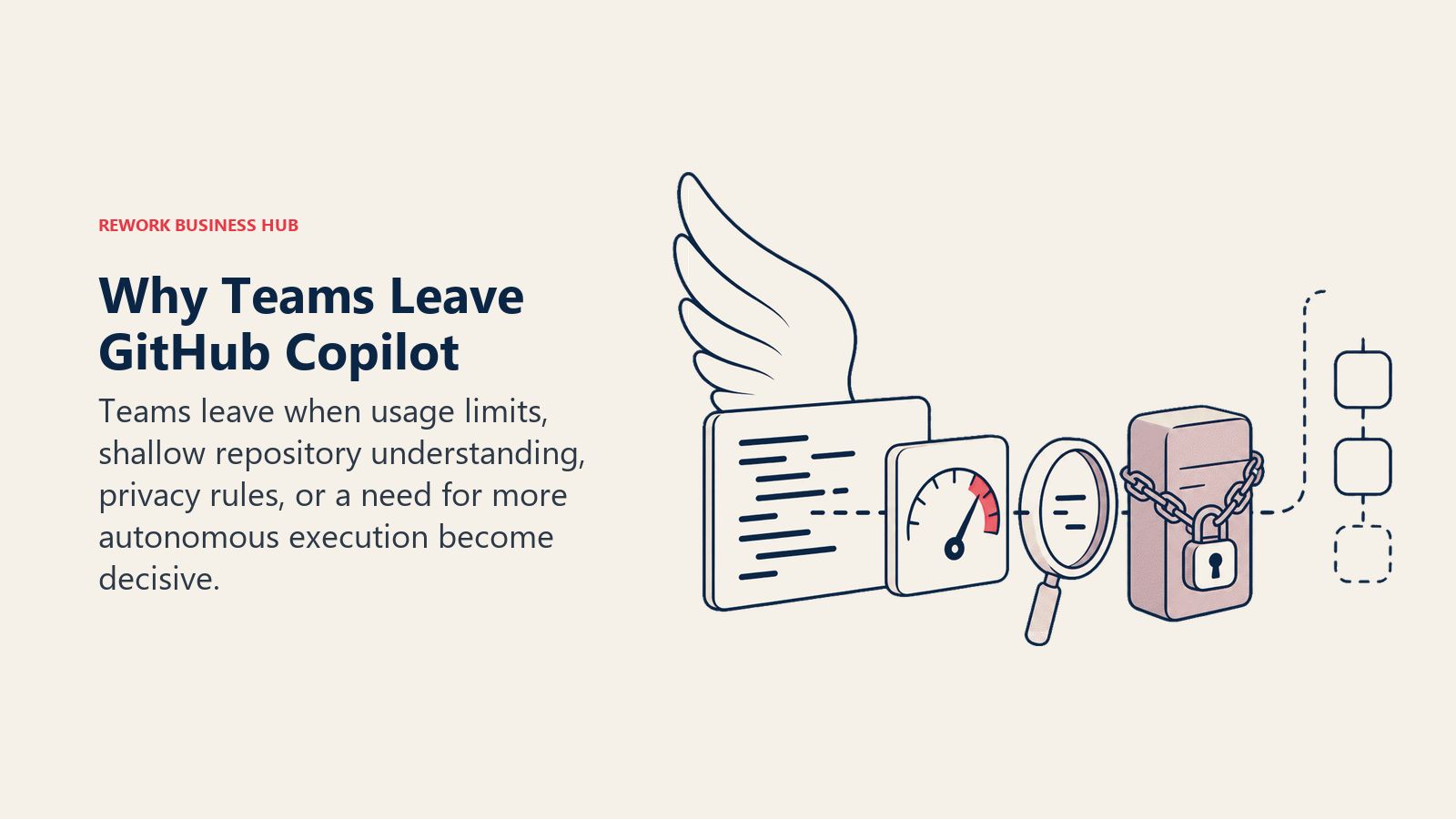
Before going into alternatives, it's worth naming the specific reasons teams actually switch, not the vague "better AI" answer.
| Pain Point | Detail |
|---|---|
| Inconsistent suggestion quality | Copilot's autocomplete is good at boilerplate but frequently misses intent in complex domain logic |
| Business tier cost | $19/seat/month adds up fast: a 30-engineer team pays $6,840/year |
| Limited multi-file context | Copilot Chat improved, but it can't match Cursor's multi-file agent awareness |
| Privacy and code telemetry | Code is transmitted to GitHub/OpenAI servers, a blocker for regulated industries |
| Agent mode gap | Copilot's agent feature lags behind Cursor, Cline, and Windsurf in real task completion |
| VS Code-only depth | Deep features don't carry to JetBrains, Vim, or other editors |
The cost math is what usually triggers the evaluation. At $19 per seat per month, the Business tier runs $228 per engineer per year, so a 40-person team pays $9,120 annually before anyone measures whether suggestions are actually shipping. Several alternatives flip that equation: Windsurf, Supermaven, and Cody all start below $15 per seat, and the open-source options (Continue, Cline) cost only the underlying model API usage. The right question is not "what is cheaper" but "which tool gets used daily," because an unused license at any price is pure waste.
1. Cursor: The IDE Built for AI-First Development
Cursor is the tool that most frequently appears when senior engineers describe "actually switching" from Copilot. It's a fork of VS Code with AI capabilities baked into the editor at a structural level, not bolted on as an extension.
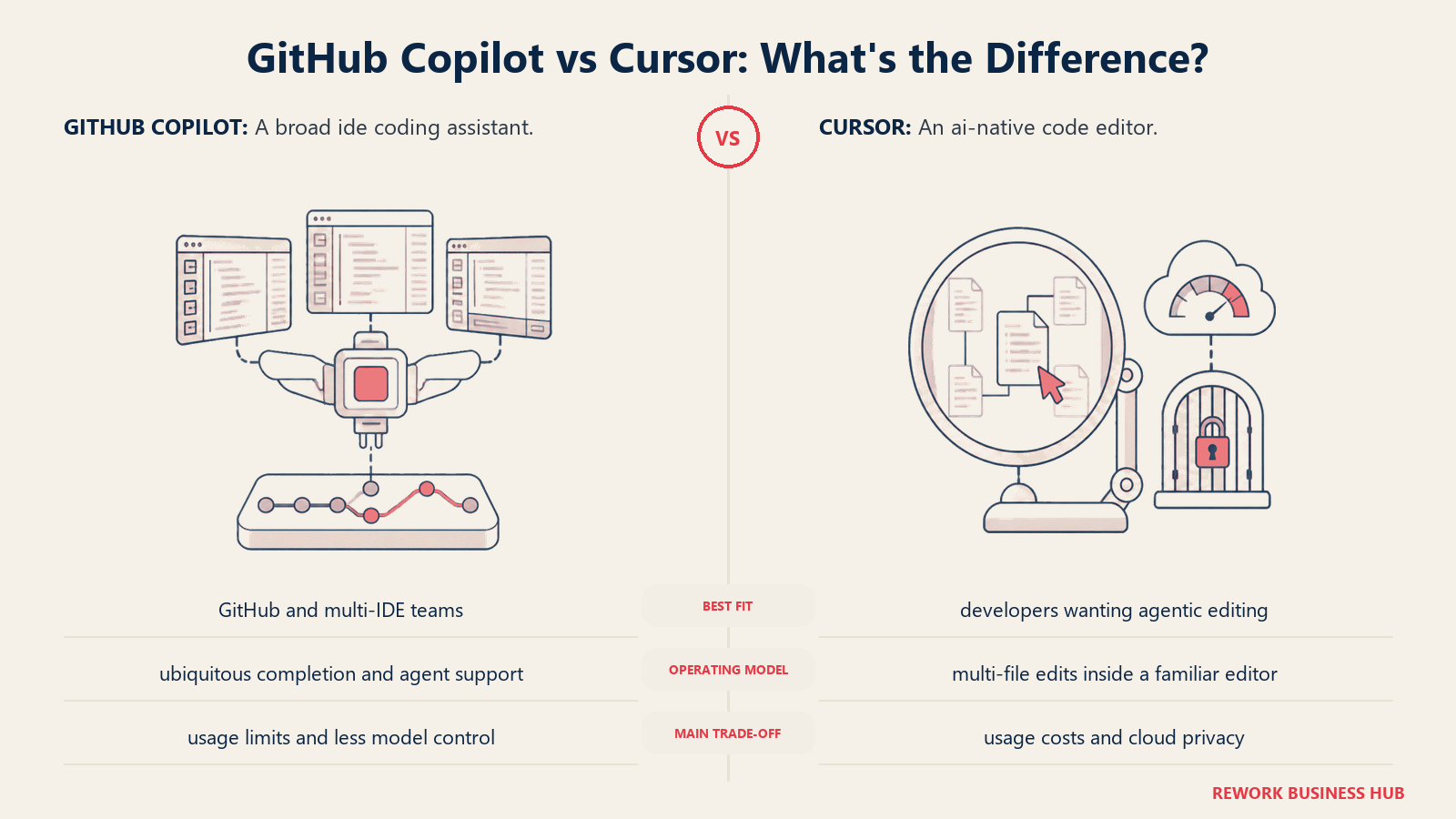
Methodology and vision: Cursor's thesis is that the IDE itself needs to be rebuilt around AI, not retrofitted. The editor ships with Composer, its multi-file agent mode, and Tab, its autocomplete, both sharing the same deep editor context. When you write a prompt in Composer, Cursor reads your full project, understands imports, understands file relationships, and can edit across 10+ files in a single operation.
Target audience: Mid-level to senior full-stack developers who want maximum AI leverage in daily coding. Strong adoption in startup engineering teams (Series A to Series C) and individual contributors at larger companies who've adopted it personally.
Sizing fit:
| Company Size | Fit | Notes |
|---|---|---|
| Solo / 1-10 | Excellent | Pro plan is affordable, massive productivity gain |
| Growth 10-50 | Excellent | Business plan adds privacy mode and admin controls |
| Mid-market 50-200 | Good | Business plan works; some teams want on-prem |
| Enterprise 200+ | Moderate | No SOC 2 Type II at Individual level; Business plan required |
Stage fit: Best for growth-stage companies scaling engineering output, and startups where individual engineers make tool choices.
Team vs company-wide: Team-level tool, engineering only. Does not touch design, product, or other functions.
| Pros | Cons |
|---|---|
| Multi-file Composer agent is best-in-class | Must abandon VS Code as primary editor |
| Tab autocomplete with full project context | Privacy mode costs extra (Business plan) |
| Supports GPT-4o, Claude 3.7, and local models | Some teams report Composer can be slow on large repos |
| .cursorrules for per-project AI behavior | Limited JetBrains or Vim support |
Pricing:
| Plan | Price | Key Features |
|---|---|---|
| Hobby | Free | 2,000 completions/month, 50 slow premium requests |
| Pro | $20/mo | Unlimited completions, 500 fast premium requests |
| Business | $40/seat/mo | Privacy mode, centralized billing, admin dashboard |
Best for: Full-stack engineers and startup engineering teams who want the most capable multi-file AI agent and are willing to switch their editor.
2. Windsurf (Codeium): Fast Autocomplete With a Growing Agent Layer
Windsurf is Codeium's standalone IDE product, separate from Codeium's VS Code extension. Codeium itself has been offering free AI autocomplete since 2022, and Windsurf extends that with Cascade, its agentic mode.
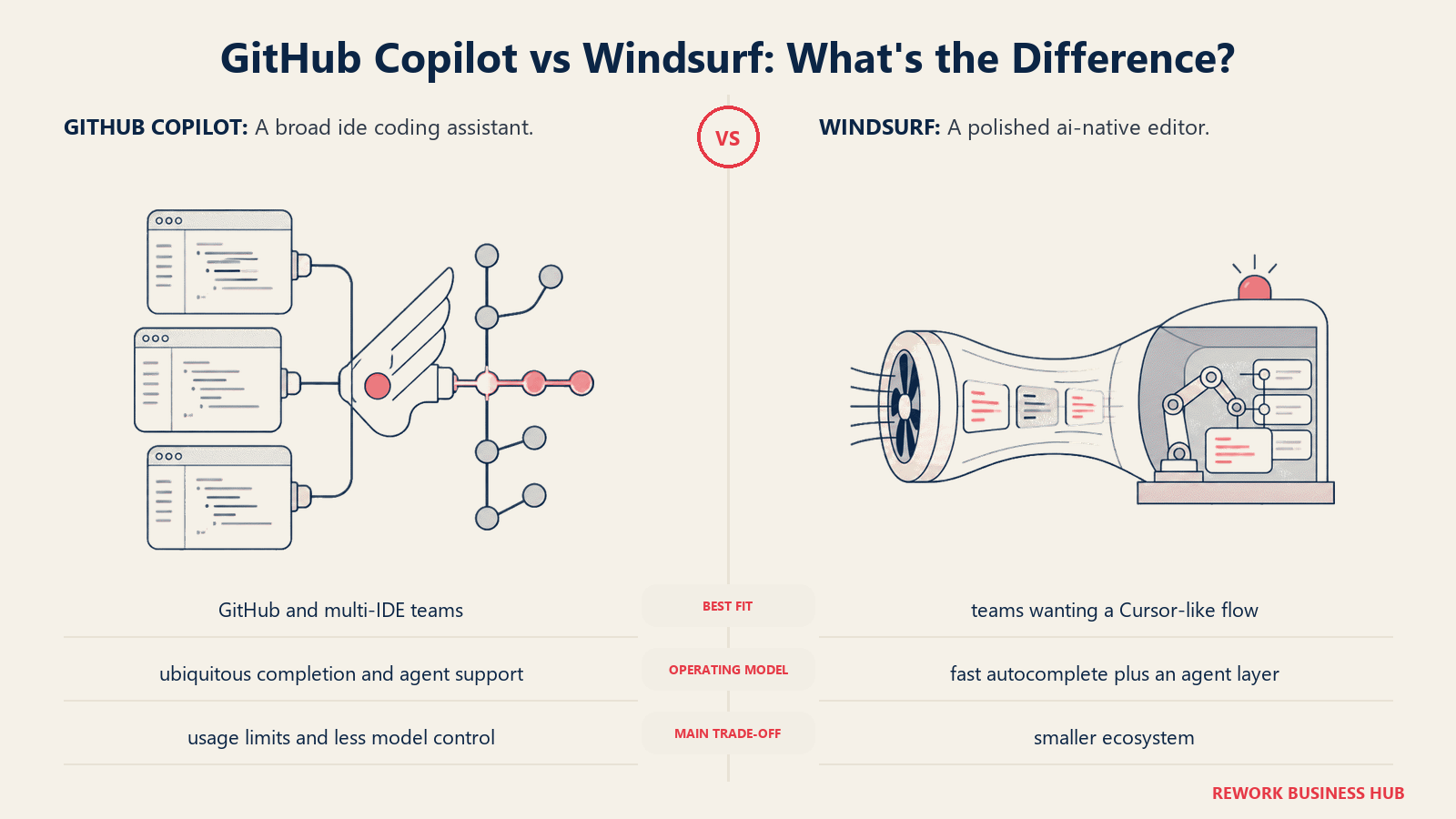
Methodology and vision: Codeium's product philosophy centers on speed and accessibility. Their autocomplete engine is consistently benchmarked as the fastest among AI coding tools, with lower latency than Copilot and Cursor for pure keystroke-to-suggestion time. Cascade, the agent, takes a "flows" approach: it keeps track of what it's done across a session and builds on prior context rather than treating each prompt as a fresh start.
Target audience: Developers who prioritize autocomplete speed, early-stage startups watching spend, and teams coming from Copilot who want a familiar VS Code-adjacent experience.
Sizing fit:
| Company Size | Fit | Notes |
|---|---|---|
| Solo / 1-10 | Excellent | Free tier is genuinely useful, not crippled |
| Growth 10-50 | Good | Pro is competitively priced |
| Mid-market 50-200 | Moderate | Enterprise offering less mature than Cursor/Tabnine |
| Enterprise 200+ | Early-stage | Enterprise tier exists but fewer reference customers |
Stage fit: Best at startup and early-growth stages. Teams evaluating Copilot replacements on a budget will get the best ROI here.
Team vs company-wide: Engineering-only.
| Pros | Cons |
|---|---|
| Fastest autocomplete latency in the market | Cascade agent less battle-tested than Cursor Composer |
| Generous free tier (no credit card required) | Standalone IDE means context-switching for VS Code users |
| Cascade maintains session-level context | Privacy/enterprise compliance story still maturing |
| Supports 70+ languages | Fewer third-party integrations than Cursor |
Pricing:
| Plan | Price | Key Features |
|---|---|---|
| Free | $0 | Unlimited autocomplete, 5 Cascade flows/day |
| Pro | $15/mo | Unlimited Cascade flows, faster model access |
| Teams | $35/seat/mo | Admin controls, usage analytics |
Best for: Speed-sensitive developers and cost-conscious teams who want strong autocomplete plus a growing agent layer.
3. Amazon Q Developer: AI Coding for AWS-Native Teams
Amazon Q Developer is AWS's AI coding assistant, rebranded from CodeWhisperer in 2024. It's purpose-built for teams deep in the AWS ecosystem (Lambda, CDK, CloudFormation, and the rest of the stack).
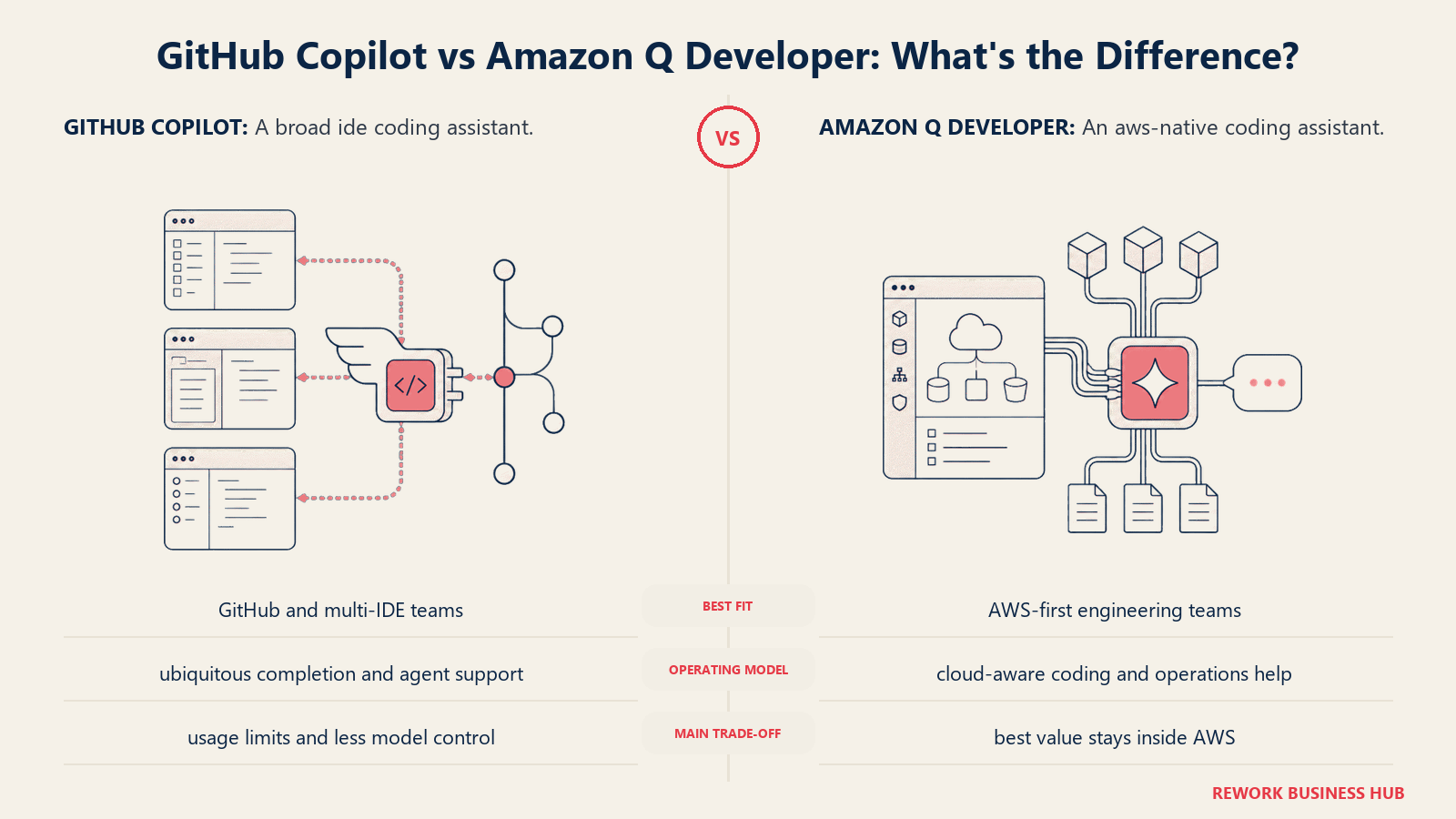
Methodology and vision: Q Developer's vision is vertical depth over horizontal breadth. Rather than competing as a general-purpose coding assistant, it bets that AWS teams need an assistant that actually understands AWS APIs, IAM policies, and infrastructure code in a way generic models don't. It also ships built-in security scanning that flags OWASP vulnerabilities and exposed credentials in real time.
Target audience: Backend engineers and DevOps teams at AWS-first companies. Strong fit for enterprises with compliance requirements (SOC 2, HIPAA, FedRAMP) because AWS infrastructure backs the product.
Sizing fit:
| Company Size | Fit | Notes |
|---|---|---|
| Solo / 1-10 | Moderate | Free Individual tier works; AWS-focus limits general use |
| Growth 10-50 | Good | Pro tier reasonable for AWS-heavy teams |
| Mid-market 50-200 | Good | Enterprise controls, audit logs |
| Enterprise 200+ | Excellent | FedRAMP available, enterprise compliance checkboxes |
Stage fit: Best for mature companies with established AWS infrastructure. Less relevant for teams in pre-infrastructure stages.
Team vs company-wide: Engineering and DevOps. Some overlap with security teams via vulnerability scanning.
| Pros | Cons |
|---|---|
| Best-in-class AWS API and CDK awareness | Weak for non-AWS stacks (GCP, Azure, on-prem) |
| Built-in security vulnerability scanning | General coding suggestions less creative than Cursor/Windsurf |
| Enterprise compliance credentials (SOC 2, FedRAMP) | Agent capabilities narrower than Cursor Composer |
| Free Individual tier for individuals | UI less polished than Cursor/Windsurf |
Pricing:
| Plan | Price | Key Features |
|---|---|---|
| Individual | Free | 50 agent features/month, unlimited code suggestions |
| Pro | $19/seat/mo | Unlimited features, enterprise admin, audit logs |
Best for: AWS-native engineering teams at growth-stage and enterprise companies with compliance requirements.
4. Tabnine: Privacy-First AI Completion for Regulated Industries
Tabnine is one of the oldest AI coding tools, predating Copilot, and has spent that time building a privacy architecture that no competitor has fully matched. You can run Tabnine's model entirely locally, with zero code leaving your network.
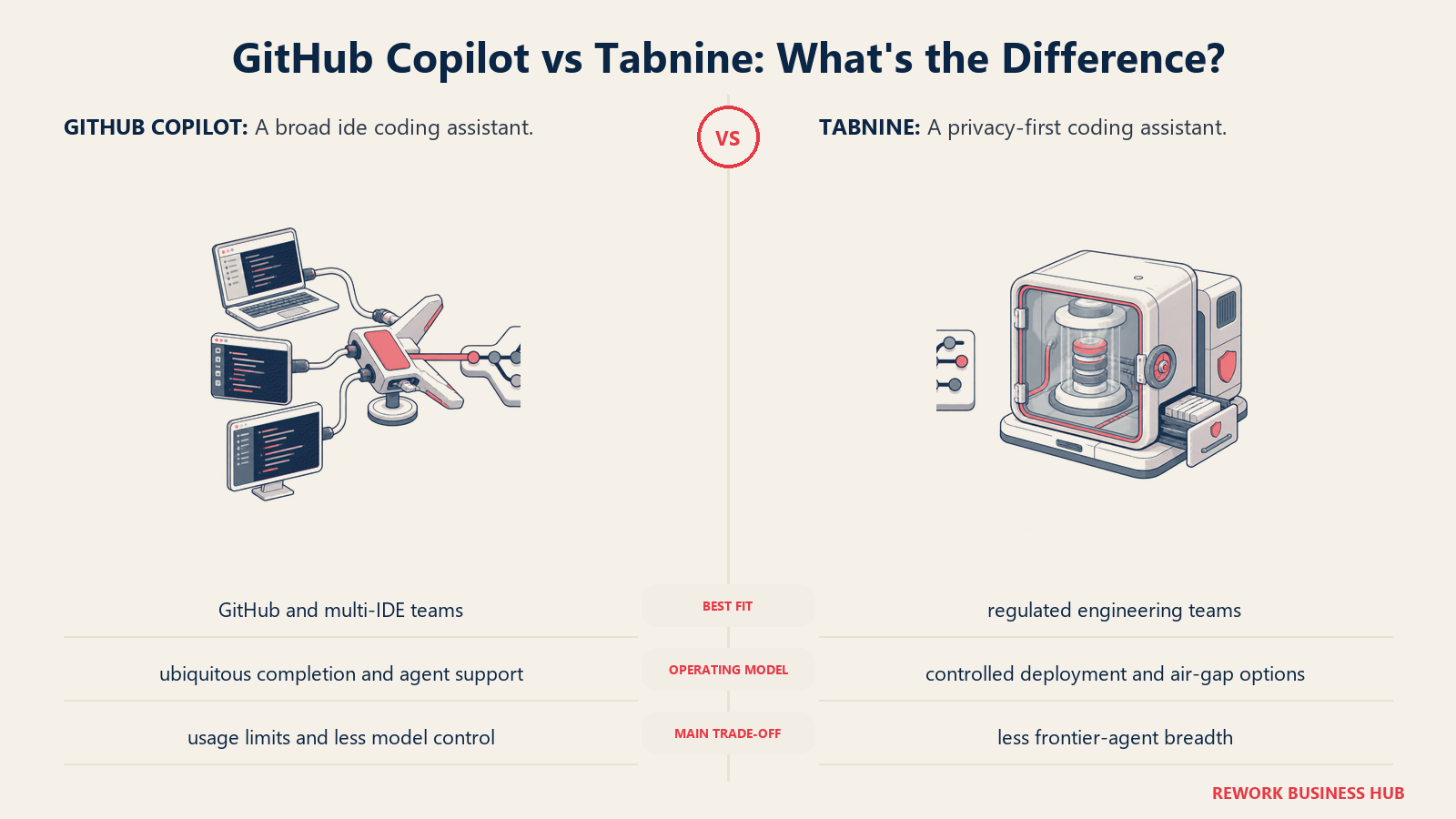
Methodology and vision: Tabnine's bet is that enterprises in finance, healthcare, defense, and legal tech will pay a premium for provable code privacy. Their product offers a full on-premise deployment option (Tabnine Enterprise Self-Hosted) that runs the AI model inside your infrastructure with no external calls. This isn't a checkbox. It's a genuine architectural differentiator.
Target audience: Engineering teams at regulated companies where legal or security has blocked cloud-based AI tools. Also strong for enterprises with large proprietary codebases that can't risk exposure.
Sizing fit:
| Company Size | Fit | Notes |
|---|---|---|
| Solo / 1-10 | Moderate | Free tier works but local model quality is limited |
| Growth 10-50 | Good | Pro team plan with shared context |
| Mid-market 50-200 | Excellent | Self-hosted option with team codebase training |
| Enterprise 200+ | Excellent | Enterprise Self-Hosted with audit trails |
Stage fit: Best for mature companies in regulated industries. Overkill for early-stage startups without compliance requirements.
Team vs company-wide: Engineering and sometimes security/legal for compliance reporting.
| Pros | Cons |
|---|---|
| Local model option: zero data leaves your network | Autocomplete suggestions less context-aware than Cursor |
| Codebase training on your private repos | No native agent mode |
| Long track record and enterprise references | UI/UX behind newer tools |
| SOC 2 Type II, GDPR, ISO 27001 compliant | Expensive at Enterprise Self-Hosted tier |
Pricing:
| Plan | Price | Key Features |
|---|---|---|
| Free | $0 | Basic completions, public models only |
| Pro | $12/seat/mo | Faster models, 100K token context |
| Enterprise Cloud | $39/seat/mo | Admin controls, SSO, audit logs |
| Enterprise Self-Hosted | Custom | Full on-prem, codebase training |
Best for: Regulated industries (finance, healthcare, legal, defense) where data cannot leave the corporate network.
5. Cody (Sourcegraph): Enterprise Context Retrieval Across Massive Codebases
Cody is Sourcegraph's AI coding assistant, and its differentiation is context: it can index your entire codebase (across repos, across services, across monorepos) and use that context when generating code. For a team managing millions of lines of code across hundreds of repositories, that changes what "AI context" actually means.
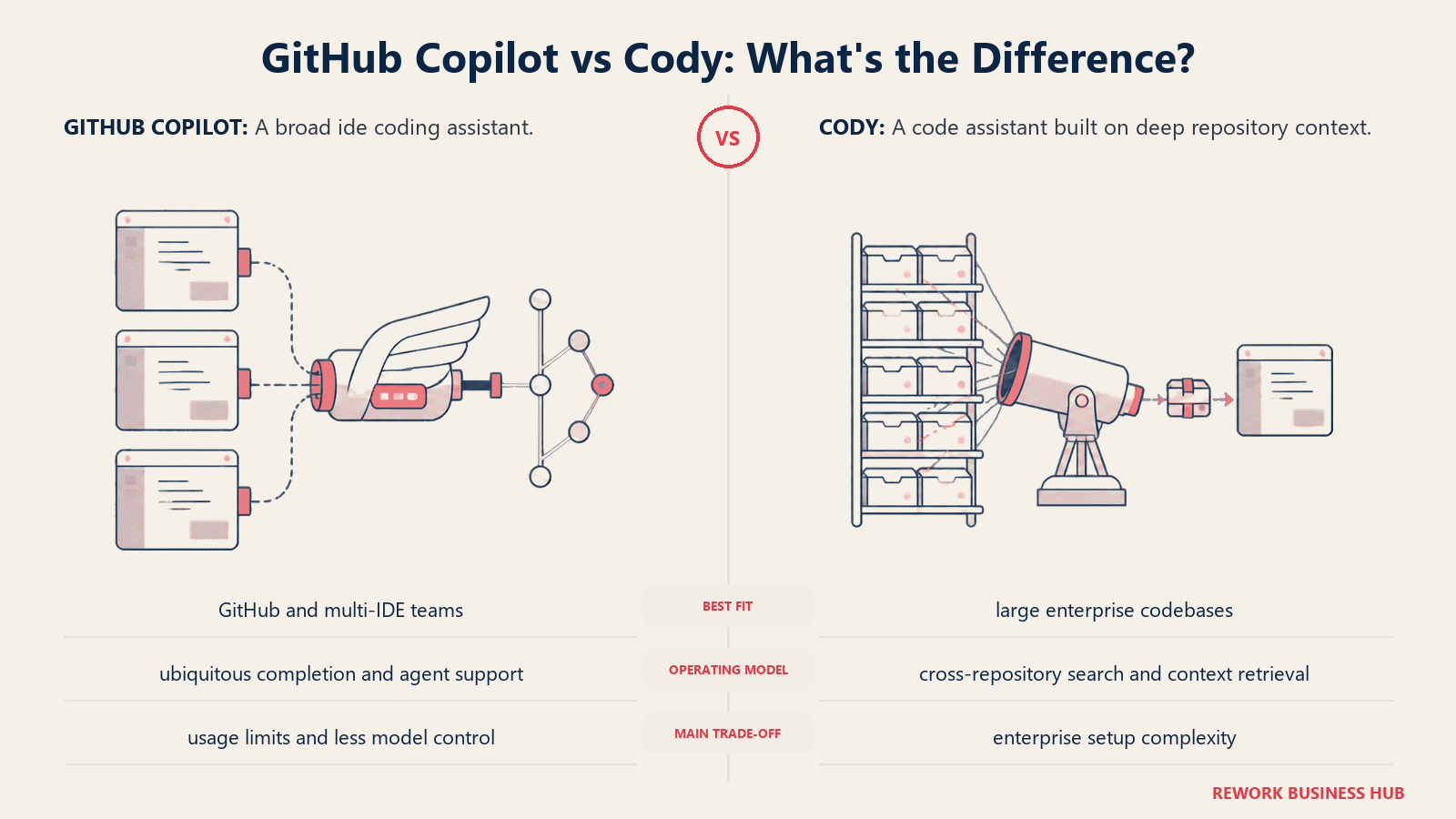
Methodology and vision: Sourcegraph started as a code search and intelligence platform. Cody inherits that DNA. It doesn't just look at the file you have open, it retrieves semantically relevant code from across your whole organization. If you ask "how does our auth middleware work?", Cody can actually answer by pulling the right files, rather than hallucinating based on the current file.
Target audience: Senior engineers and tech leads at mid-market to enterprise companies with large, complex codebases. Strong fit for platform engineering teams and companies with significant technical debt who need AI assistance that understands historical context.
Sizing fit:
| Company Size | Fit | Notes |
|---|---|---|
| Solo / 1-10 | Moderate | Free tier available; overkill for small codebases |
| Growth 10-50 | Moderate | Value emerges at larger codebase size |
| Mid-market 50-200 | Good | Full value at this scale |
| Enterprise 200+ | Excellent | Designed for this scale; Sourcegraph's core market |
Stage fit: Best for mature engineering organizations. Cody's value scales with codebase size: the bigger and more complex, the more the retrieval capability pays off.
Team vs company-wide: Engineering only.
| Pros | Cons |
|---|---|
| Full codebase indexing across all repos | Expensive at enterprise scale |
| Retrieval quality is best-in-class for large codebases | Context retrieval can miss the mark on ambiguous queries |
| Supports multiple LLMs (Claude, GPT-4o, Gemini) | Heavier setup than plug-and-play tools |
| VS Code and JetBrains plugins | Overkill for teams with small codebases |
Pricing:
| Plan | Price | Key Features |
|---|---|---|
| Free | $0 | 200 autocomplete/day, limited chat |
| Pro | $9/mo | Unlimited autocomplete, unlimited chat |
| Enterprise | $19/seat/mo | Codebase context, admin, SSO, audit logs |
Best for: Enterprise engineering teams with large, multi-repo codebases where context retrieval is the limiting factor.
6. Continue: Open-Source, Self-Hosted, Bring Your Own Model
Continue is an open-source VS Code and JetBrains extension that acts as an AI coding interface you fully control. There's no proprietary backend. You connect it to any LLM: OpenAI, Anthropic, local Ollama models, or your own hosted inference server.
Methodology and vision: Continue is built on the premise that engineering teams should own their AI stack. You decide which model, which endpoint, which data stays local. The extension itself is the thin client layer. This creates maximum flexibility but also maximum setup responsibility.
Target audience: Engineering teams at companies with strict data policies, DevOps-forward teams comfortable with infrastructure setup, and open-source advocates who want full auditability.
Sizing fit:
| Company Size | Fit | Notes |
|---|---|---|
| Solo / 1-10 | Good | Easy to spin up with Ollama locally |
| Growth 10-50 | Good | Shared config, team model setup |
| Mid-market 50-200 | Excellent | Self-hosted models + Continue = full control |
| Enterprise 200+ | Good | Works but requires dedicated LLM infra team |
Stage fit: Strong at mid-market companies that have platform engineering capacity to manage an LLM inference stack.
Team vs company-wide: Engineering only.
| Pros | Cons |
|---|---|
| Fully open-source: audit every line | Requires model setup (not plug-and-play) |
| Zero vendor lock-in | No built-in hosted backend to fall back on |
| Works with local models (Ollama, llama.cpp) | Quality of experience depends on model you choose |
| Active community and frequent releases | No dedicated enterprise support |
Pricing:
| Plan | Price | Key Features |
|---|---|---|
| Open Source | Free | Full features, self-hosted |
| (Model costs) | Varies | You pay your own LLM API bills |
Best for: Privacy-first or cost-conscious engineering teams comfortable running their own LLM infrastructure.
7. Supermaven: Raw Speed for Autocomplete-Focused Developers
Supermaven is built by a former Copilot engineer who left to build what he believed was possible: the fastest AI autocomplete on the market with a 1 million token context window. It does one thing and focuses on doing it exceptionally well.
Methodology and vision: Where Cursor bets on the agent layer and Tabnine bets on privacy, Supermaven bets on pure autocomplete speed and context depth. The 1M token context window means Supermaven can hold your entire codebase in context during a session: it's not sampling or retrieving, it's actually reading it all.
Target audience: Senior engineers who live in autocomplete, don't want the complexity of agentic tools, and want the highest-quality next-token suggestions. Also strong for developers maintaining large legacy codebases where deep context matters more than task automation.
Sizing fit:
| Company Size | Fit | Notes |
|---|---|---|
| Solo / 1-10 | Excellent | Free tier is best-in-class for autocomplete only |
| Growth 10-50 | Good | Pro plan straightforward |
| Mid-market 50-200 | Moderate | No agent mode limits use cases |
| Enterprise 200+ | Limited | No enterprise features (SSO, audit, admin) |
Stage fit: Best for individual contributors and small teams where autocomplete quality matters more than workflow automation.
Team vs company-wide: Individual tool, no team management features at meaningful scale.
| Pros | Cons |
|---|---|
| Fastest autocomplete latency available | No agent mode, purely autocomplete |
| 1M token context window is industry-leading | No enterprise features |
| Free tier is genuinely powerful | Narrower use case than Cursor or Windsurf |
| Works inside VS Code and JetBrains | Less known = less ecosystem and integrations |
Pricing:
| Plan | Price | Key Features |
|---|---|---|
| Free | $0 | Access to base model, full context |
| Pro | $10/mo | Access to best models, priority access |
Best for: Speed-obsessed developers who want best-in-class autocomplete without agent complexity.
8. Cline: Autonomous Agent for Multi-Step Task Execution
Cline (formerly Claude Dev) is an open-source VS Code extension that runs as a fully autonomous coding agent. You give it a task ("add OAuth2 to our Express API using Passport.js") and it reads files, writes code, runs terminal commands, and iterates until the task is done. You approve each action step.
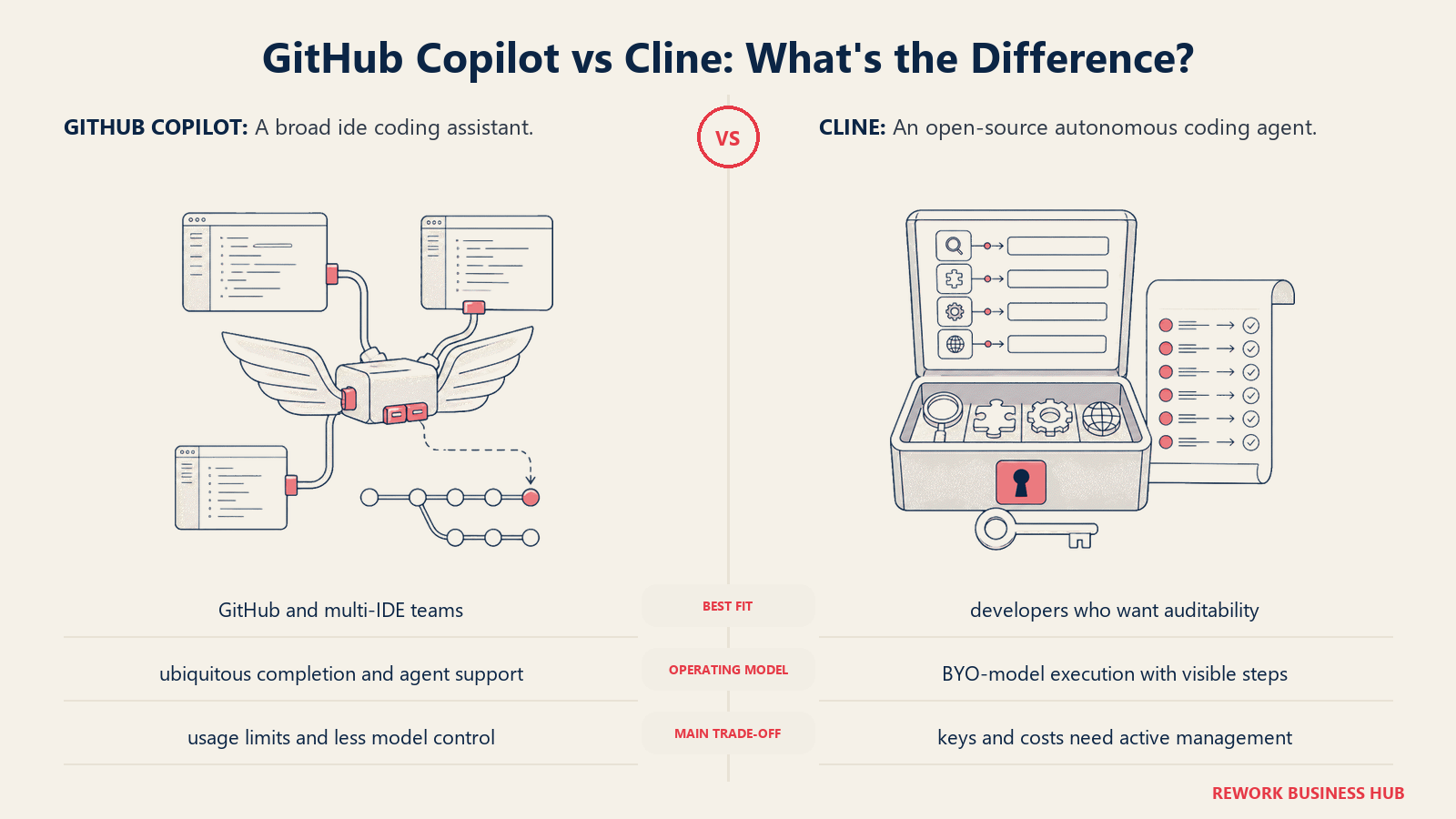
Methodology and vision: Cline's philosophy is maximum autonomy with human checkpoints. Rather than helping you write code, Cline acts as a junior engineer who takes a task and runs with it. Every file edit and terminal command is shown to you before execution. You're the tech lead, it's the executor.
Target audience: Senior engineers and tech leads who want to delegate well-scoped tasks to an AI agent. Strong with solo founders and small teams who want to multiply output without hiring. Power users who understand token costs and want maximum capability.
Sizing fit:
| Company Size | Fit | Notes |
|---|---|---|
| Solo / 1-10 | Excellent | Maximum force multiplier for solo devs |
| Growth 10-50 | Good | Works well for scoped engineering tasks |
| Mid-market 50-200 | Moderate | Token costs scale with usage |
| Enterprise 200+ | Limited | No enterprise management features |
Stage fit: Best for early-stage companies moving fast, solo founders, and individual contributors at any stage with well-defined coding tasks.
Team vs company-wide: Individual tool. Engineering only.
| Pros | Cons |
|---|---|
| Best autonomous multi-step agent on the market | Token costs accumulate fast with large tasks |
| Supports any LLM (Claude, GPT-4o, local models) | Requires careful task scoping: vague prompts waste tokens |
| Human approval at each step, stays in control | No native team management |
| Open-source, no vendor lock-in | Steeper learning curve for non-technical users |
Pricing:
| Plan | Price | Key Features |
|---|---|---|
| Open Source | Free | Full Cline extension, self-configured |
| (Model costs) | Varies | Claude 3.7 Sonnet ~$3/M input tokens |
Best for: Power users and solo engineers who want a true autonomous coding agent with human oversight at each step.
9. Replit AI: AI Coding for Prototypers and Browser-Based Development
Replit is a browser-based development environment with AI capabilities deeply integrated. You don't install anything. Open a browser, describe what you want to build, and Replit AI generates the app, runs it, and deploys it. Zero local setup.
Methodology and vision: Replit's vision is democratizing software creation, not just for professional developers, but for anyone who wants to build something. Their AI is optimized for the prototype-to-deployed arc: going from "I have an idea" to "it's live on the internet" in minutes.
Target audience: Beginners learning to code, non-technical founders prototyping ideas, developers rapidly testing concepts, and educators. Not designed for production-grade software development at team scale.
Sizing fit:
| Company Size | Fit | Notes |
|---|---|---|
| Solo / 1-10 | Good | Excellent for prototyping and early MVPs |
| Growth 10-50 | Limited | Not designed for team software development workflows |
| Mid-market 50-200 | Not recommended | Gaps in production reliability, team tooling |
| Enterprise 200+ | Not recommended | Not an enterprise coding platform |
Stage fit: Pre-product and idea-validation stages. Strong for solo founders testing MVPs before hiring engineers.
Team vs company-wide: Individual and educational contexts.
| Pros | Cons |
|---|---|
| Zero setup: works entirely in the browser | Not suitable for serious production workflows |
| Instant deploy from idea to live URL | Performance and reliability limits at scale |
| Excellent for beginners and rapid prototyping | Limited version control and team collaboration |
| AI can generate full apps from description | Code quality lower than specialized tools |
Pricing:
| Plan | Price | Key Features |
|---|---|---|
| Free | $0 | Basic Replit AI, limited compute |
| Core | $25/mo | More AI usage, faster compute, custom domains |
| Teams | $40/seat/mo | Shared projects, team management |
Best for: Beginners, educators, solo founders prototyping ideas, and anyone who needs to go from idea to deployed app fast without a local dev environment.
10. JetBrains AI: Native AI for the JetBrains Ecosystem
JetBrains AI Assistant is the first-party AI integration for IntelliJ IDEA, PyCharm, WebStorm, GoLand, and the rest of the JetBrains suite. If your team runs JetBrains IDEs and can't switch editors, this is the native option.
Methodology and vision: JetBrains' bet is that deep IDE integration delivers more useful AI suggestions than bolted-on extensions. JetBrains AI can use the IDE's full static analysis, understanding types, method signatures, and project structure, in a way external extensions can't fully replicate.
Target audience: Engineering teams deeply committed to JetBrains IDEs, typically Java, Kotlin, Python, and Go shops. Companies where the IDE choice is standardized and switching to Cursor isn't on the table.
Sizing fit:
| Company Size | Fit | Notes |
|---|---|---|
| Solo / 1-10 | Good | Convenient if already on JetBrains |
| Growth 10-50 | Good | Team subscription alongside JetBrains licenses |
| Mid-market 50-200 | Good | Bundles with JetBrains All Products |
| Enterprise 200+ | Moderate | Less differentiated vs Cursor at enterprise scale |
Stage fit: Relevant at all stages for JetBrains-committed teams. The switching cost of migrating off JetBrains is the primary driver.
Team vs company-wide: Engineering only.
| Pros | Cons |
|---|---|
| Native IDE integration, no extension layer | No unique AI capability vs competitors |
| Deep static analysis awareness | $10/mo is reasonable but Windsurf's free tier is stronger |
| Works across all JetBrains IDEs | No agent mode comparable to Cursor or Cline |
| Centralized licensing via JetBrains toolbox | Tied to JetBrains ecosystem, no portability |
Pricing:
| Plan | Price | Key Features |
|---|---|---|
| Individual | $10/mo | Full AI Assistant across JetBrains IDEs |
| Organization | Custom | Enterprise billing, admin controls |
Best for: Engineering teams standardized on JetBrains IDEs who want native AI without changing their toolchain.
Stage Fit Matrix
| Tool | Startup (1-20) | Growth (20-100) | Mid-Market (100-500) | Enterprise (500+) |
|---|---|---|---|---|
| Cursor | Excellent | Excellent | Good | Moderate |
| Windsurf | Excellent | Good | Moderate | Early-stage |
| Amazon Q | Limited | Good | Good | Excellent |
| Tabnine | Moderate | Good | Excellent | Excellent |
| Cody | Limited | Moderate | Good | Excellent |
| Continue | Good | Good | Excellent | Good |
| Supermaven | Excellent | Good | Moderate | Limited |
| Cline | Excellent | Good | Moderate | Limited |
| Replit AI | Good | Limited | Not recommended | Not recommended |
| JetBrains AI | Good | Good | Good | Moderate |
Sizing and Persona Table
| Tool | Primary Buyer | Team Size Sweet Spot | ICP Profile |
|---|---|---|---|
| Cursor | Individual engineer / Eng Manager | 1-50 engineers | Startup/growth, full-stack, VS Code migrants |
| Windsurf | Individual engineer / CTO | 1-100 engineers | Budget-conscious, speed-focused, startup |
| Amazon Q | CTO / VP Engineering | 50+ engineers on AWS | Enterprise, AWS-native, compliance-required |
| Tabnine | CTO / CISO / VP Engineering | 50-500 engineers | Regulated industry, on-prem required |
| Cody | VP Engineering / Eng Manager | 100+ engineers | Large codebase, multi-repo, enterprise |
| Continue | DevOps / Platform Engineer | 10-200 engineers | OSS-first, infra-capable, privacy-driven |
| Supermaven | Individual engineer | 1-20 engineers | Senior IC, autocomplete-focused |
| Cline | Individual engineer / Solo founder | 1-20 engineers | Power user, autonomous task delegation |
| Replit AI | Founder / Student / Educator | 1-5 people | Non-technical builder, rapid prototyping |
| JetBrains AI | Individual engineer / Eng Manager | 5-200 engineers | JetBrains-committed teams, Java/Kotlin/Go |
How to Choose: Decision Framework
| If you need... | Pick |
|---|---|
| Best multi-file agent mode and don't mind switching editors | Cursor |
| Fast autocomplete on a budget, or want a free tier that isn't crippled | Windsurf |
| Deep AWS infrastructure support and enterprise compliance | Amazon Q Developer |
| On-premise deployment with zero code leaving your network | Tabnine Enterprise Self-Hosted |
| AI context that spans your entire multi-repo codebase | Cody (Sourcegraph) |
| Full control over your AI stack with bring-your-own-model | Continue |
| Fastest autocomplete with a 1M token context window | Supermaven |
| Autonomous agent that executes multi-step tasks with your approval | Cline |
| Go from idea to deployed app in a browser with no setup | Replit AI |
| Native AI inside JetBrains IDEs without changing toolchain | JetBrains AI |
Pricing Comparison Summary
| Tool | Free Tier | Lowest Paid | Team/Business |
|---|---|---|---|
| Cursor | Yes (limited) | $20/mo | $40/seat/mo |
| Windsurf | Yes (generous) | $15/mo | $35/seat/mo |
| Amazon Q | Yes (Individual) | $19/seat/mo | $19/seat/mo |
| Tabnine | Yes (basic) | $12/seat/mo | $39/seat/mo (cloud) |
| Cody | Yes (limited) | $9/mo | $19/seat/mo |
| Continue | Open source | Free | Free (model costs only) |
| Supermaven | Yes (good) | $10/mo | No team tier |
| Cline | Open source | Free | Free (model costs only) |
| Replit AI | Yes (limited) | $25/mo | $40/seat/mo |
| JetBrains AI | No | $10/mo | Custom |
GitHub Copilot Alternatives FAQ
What is the best GitHub Copilot alternative?
Cursor is the most common pick for teams that want a true multi-file agent and don't mind switching editors. For fast autocomplete on a budget, Windsurf is the strongest free tier. For privacy, Tabnine Self-Hosted or Continue let you keep code on your own infrastructure.
Is there a free alternative to GitHub Copilot?
Yes. Windsurf (Codeium) has the most generous free autocomplete tier, Supermaven offers a strong free plan, and Continue and Cline are fully open source where you only pay your own model API costs. Cody, Amazon Q, Tabnine, and Cursor also have limited free tiers.
Which Copilot alternative is best for privacy?
Tabnine Enterprise Self-Hosted and Continue are the two honest choices for keeping code inside your network. Tabnine can run its model fully on-premise, and Continue lets you connect local models through Ollama so no code leaves your infrastructure.
What is the best Copilot alternative for AWS teams?
Amazon Q Developer is purpose-built for AWS-native stacks. It understands AWS APIs, CDK, and CloudFormation, ships built-in security scanning, and carries enterprise compliance credentials (SOC 2, FedRAMP) that matter for regulated AWS workloads.
Why do engineering teams switch from GitHub Copilot?
The main reasons are inconsistent suggestion quality on complex logic, the $19 per seat Business tier cost, weaker multi-file context than Cursor's agent mode, privacy concerns over code sent to GitHub servers, and an agent feature that lags Cursor, Cline, and Windsurf.
What to Do Next
Don't run a committee evaluation across all 10. Pick two that match your team's profile and run a two-week pilot on real work.
If you're leaving Copilot for agent capabilities: start with Cursor. Give it one sprint. The multi-file Composer mode will either win your team over or reveal whether your workflow actually needs agentic AI. For a three-way view that adds a terminal-first agent, see Claude Code vs Cursor vs GitHub Copilot, which compares real pricing and enterprise controls.
If you're leaving Copilot for privacy: Tabnine Enterprise Self-Hosted or Continue are the two honest choices. Both require more setup than a SaaS tool. That's the trade-off.
If you're leaving Copilot for cost: Windsurf's free tier is the most generous in the market. Start there before paying anything. Windsurf has since been renamed Devin Desktop, so confirm current pricing in Cursor vs Windsurf (now Devin Desktop) first.
The tool that wins the pilot is the one that gets used. That's a better signal than any benchmark.
Related: Engineering teams that also manage ops tooling alongside AI coding assistants may find the AI tools stack for mid-market teams guide useful. It covers how to sequence tool adoption across a growing engineering org without creating fragmented workflows.
For head-to-head comparisons on the top three tools in this category, Cursor vs Copilot vs Windsurf goes deeper on the agent mode comparison specifically. And if project management tooling is part of the same evaluation, the best Linear alternatives covers what's next for teams that also want to modernize their issue tracking alongside their AI coding stack.
For external context on AI coding adoption, GitHub's own State of the Octoverse report tracks Copilot usage trends and engineering productivity data, useful for benchmarking your team's current adoption against industry norms.

Principal Product Marketing Strategist
On this page
- Quick Comparison Table
- Why Teams Leave GitHub Copilot
- 1. Cursor: The IDE Built for AI-First Development
- 2. Windsurf (Codeium): Fast Autocomplete With a Growing Agent Layer
- 3. Amazon Q Developer: AI Coding for AWS-Native Teams
- 4. Tabnine: Privacy-First AI Completion for Regulated Industries
- 5. Cody (Sourcegraph): Enterprise Context Retrieval Across Massive Codebases
- 6. Continue: Open-Source, Self-Hosted, Bring Your Own Model
- 7. Supermaven: Raw Speed for Autocomplete-Focused Developers
- 8. Cline: Autonomous Agent for Multi-Step Task Execution
- 9. Replit AI: AI Coding for Prototypers and Browser-Based Development
- 10. JetBrains AI: Native AI for the JetBrains Ecosystem
- Stage Fit Matrix
- Sizing and Persona Table
- How to Choose: Decision Framework
- Pricing Comparison Summary
- What to Do Next