Best AI Code Review Tools in 2026: 12 Platforms Ranked by Buyer Type
Turn this article into takeaways for your work.


Each assistant summarizes the article only for you and suggests best practices for your work.
"AI code review tool" is a label two different buyers reach for with two different jobs in mind. One is an engineering manager who wants a bot commenting on pull requests so human reviewers spend less time on nitpicks. The other is a security or platform lead who needs a gate that blocks a merge when code introduces a real vulnerability, with an audit trail for a regulator or auditor. Those are different purchases built by different kinds of companies, and most roundups blur them into one ranked list. This one doesn't.
We evaluated 12 tools: 8 reviewer-assist bots and 4 security-gate platforms. Pricing comes from each vendor's own page, priced at a 10- and 50-developer team so you can see where the ranking flips at real headcount, not the headline rate.
Key Facts
- 84% of developers now use or plan to use AI tools in their workflow, up from 76% in 2024, but 46% say they don't trust the accuracy of AI output, up from 31% the year before, per Stack Overflow's 2025 Developer Survey.
- AI-generated code passes security checks at an average rate of just 56%, and 44% of AI code-generation tasks introduced a real OWASP-class vulnerability, per Veracode's 2026 GenAI Code Security Report.
- Developers now spend a median of 11.4 hours a week reviewing AI-generated code versus 9.8 hours writing it, a reversal from 2024, and review time is up 31% year over year, per a Q1 2026 survey of 2,847 developers at 320 organizations by Digital Applied.
- Copy-pasted code rose from 9.4% of new code in 2022 to 15.7% in 2026, while refactored, properly-moved code fell roughly 70% over the same stretch, per GitClear's Maintainability Gap report.
- Across Copilot, Cursor, and Codex, between 27.1% and 45.2% of AI agent review comments go unresolved, most often flagged as an "incorrect suggestion" or an "intentional design decision," per an arXiv study of 54,713 agent-generated comments across 341 repositories.
Two Purchases, Not One
This also isn't a roundup of AI coding assistants or IDEs. If you're choosing the tool your developers write code in, start with our best AI coding tools roundup or our Claude Code vs Cursor vs GitHub Copilot comparison instead. This roundup covers the layer that reviews code after it's written, and it splits into two purchases. If that code comes from non-developers using prompt-to-app builders, the best vibe coding tools in 2026 covers those builders.
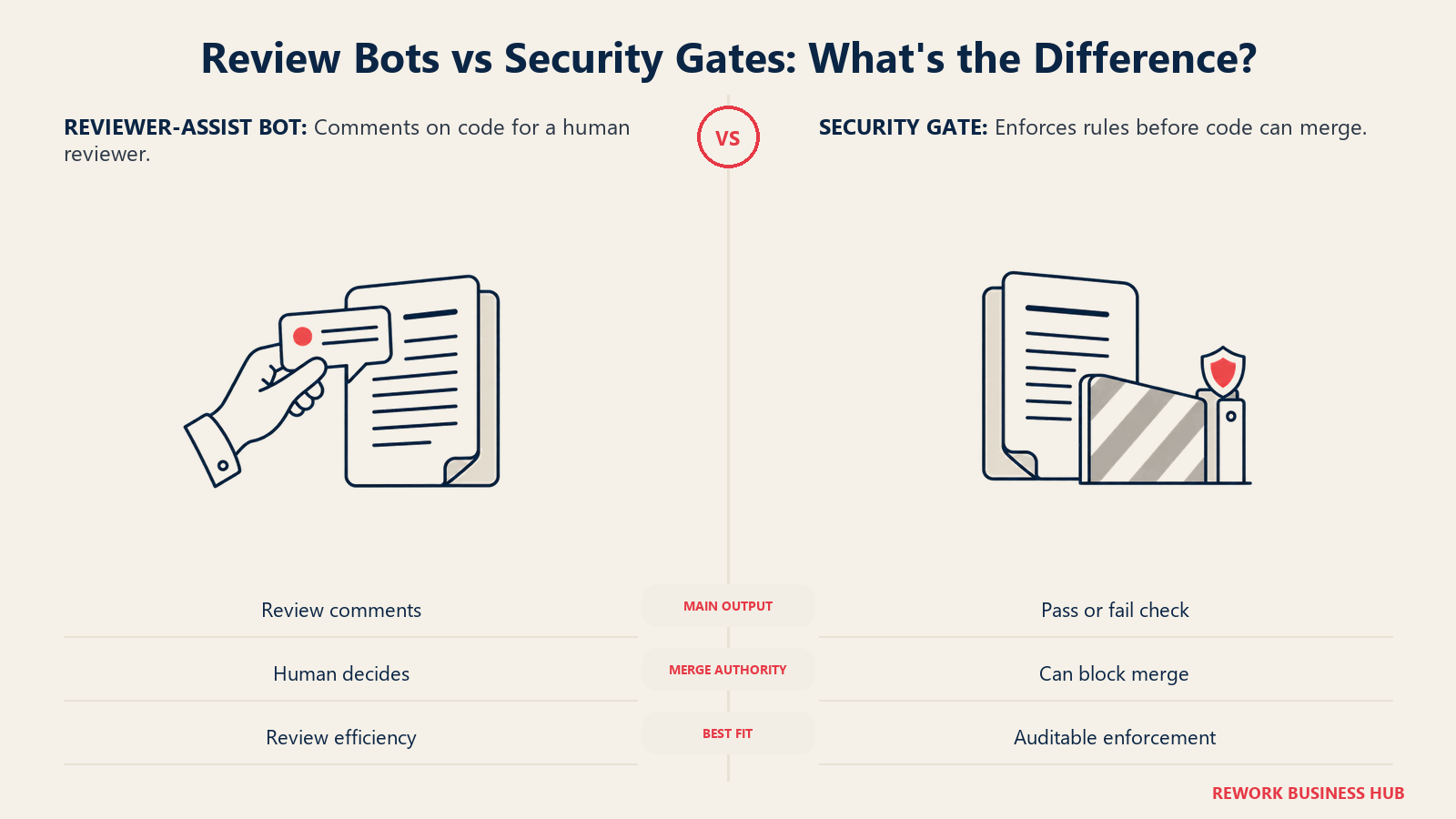
Reviewer-assist tools read a PR's diff, post comments, and sometimes apply a fix. They live inside your existing GitHub or GitLab workflow, don't block anything on their own (a human still clicks merge), and price per developer per month: GitHub Copilot code review, CodeRabbit, Graphite's AI Reviews, Greptile, Qodo, Cursor BugBot, Sourcery, and Bito.
Static-analysis and security-gate platforms scan code against a rules engine (not just an LLM's judgment), can fail a CI check and block a merge, and produce the audit trail a SOC 2 or ISO 27001 assessor wants: Codacy, Sonar's SonarQube (now with AI review via its Gitar acquisition), Snyk Code, and Semgrep. Several layer an LLM on top for explanation and auto-fix, but the rules engine, not the model, is what gates the build.
Buying a reviewer-assist bot when you needed a security gate, or the reverse, is the most common mistake in this category. Read each tool's "Best for" line before you shortlist.
Quick Comparison Table
| Tool | Type | Best For | Starting Price | Key Strength | Key Limitation |
|---|---|---|---|---|---|
| GitHub Copilot code review | Reviewer-assist | Teams already paying for Copilot seats | $10/dev/mo (Pro) | Zero new vendor, lives inside GitHub | Business/Enterprise pricing not published |
| CodeRabbit | Reviewer-assist | Deepest configurable review | $24/dev/mo (annual) | Highest rate limits, top-tier security review | Climbs fast across 4 paid tiers |
| Graphite (AI Reviews) | Reviewer-assist | Teams on Graphite's stacked-diff workflow | $20/dev/mo (annual) | Tied to Graphite's merge queue and stacking | Full AI Reviews needs the $40 Team tier |
| Greptile | Reviewer-assist | Teams wanting a free tier with real teeth | Free (1 dev) / $30/seat/mo | Seat only counts developers actually reviewed | Credit system can surprise heavy-PR teams |
| Qodo (Qodo Merge) | Reviewer-assist | Small teams wanting one flat price | $30/mo flat (up to 30 users) | Unusually cheap at 10 to 25 people | No per-seat scaling past 30 users |
| Cursor BugBot | Reviewer-assist | Teams whose developers live in Cursor | $40/user/mo (Teams) | Runs in the same agent context as the edits | Individual-plan usage billed separately |
| Sourcery | Reviewer-assist | Python-heavy codebases | $12/dev/mo (annual) | Cheapest reviewer-assist seat here | Strongest for Python, thinner elsewhere |
| Bito | Reviewer-assist | Budget teams wanting self-hosting | $12/seat/mo (annual) | Self-hosting as a paid add-on at any tier | Smaller community and integration list |
| SonarQube (Sonar) | Security gate | A merge-blocking gate, LOC-based pricing | Free (50K LOC) / from $34/mo | Only tool here with real self-hosting | AI review (Gitar) is a separate add-on |
| Codacy | Security gate | AI review and merge gates in one cloud tool | Free / $18/dev/mo (annual) | AI Reviewer and merge gates bundled | Cloud-only, no self-hosting at any tier |
| Snyk Code | Security gate | Teams already buying Snyk for SCA/containers | Free / $25/mo flat (10 devs) | Flat $25/mo covers 10 developers | Enterprise moves to an opaque credit model |
| Semgrep | Security gate | An open-core scanner with a real free edition | Free (10 contributors) / $30/contributor/mo | Rules are auditable, not a black box | Code, Supply Chain, Secrets priced separately |
Pricing at 10 and 50 Developers
Per-seat pricing is marketing math. Here's what each tool actually costs at real headcount, using each vendor's standard paid tier (not Enterprise), billed annually where that's the default.
| Tool | Metering Unit | Cost at 10 Devs/mo | Cost at 10 Devs/yr | Cost at 50 Devs/mo | Cost at 50 Devs/yr |
|---|---|---|---|---|---|
| GitHub Copilot code review (Pro) | Per seat | $100 | $1,200 | $500 | $6,000 |
| GitHub Copilot code review (Business, reported) | Per seat | ~$190 | ~$2,280 | ~$950 | ~$11,400 |
| CodeRabbit (Essentials, annual) | Per seat | $240 | $2,880 | $1,200 | $14,400 |
| Graphite AI Reviews (Team, annual) | Per seat | $400 | $4,800 | $2,000 | $24,000 |
| Greptile (Pro) | Per active reviewed seat | $300 | $3,600 | $1,500 | $18,000 |
| Qodo (Pro Team, flat) | Flat, up to 30 users | $30 | $360 | Custom (over 30-user cap) | Custom |
| Cursor BugBot (Teams) | Per seat | $400 | $4,800 | $2,000 | $24,000 |
| Sourcery (Team, annual) | Per seat | $240 | $2,880 | $1,200 | $14,400 |
| Bito (Team, annual) | Per seat | $150 | $1,800 | $750 | $9,000 |
| SonarQube (Team + Gitar AI review) | LOC tier + per-seat AI add-on | ~$234 | ~$2,808 | Custom (likely over LOC cap) | Custom |
| Codacy (Team, annual) | Per seat | $180 | $2,160 | Custom (over 30-dev cap) | Custom |
| Snyk Code (Team) | Flat, up to account's test cap | $25 | $300 | Custom (credit-based) | Custom |
| Semgrep (Teams, Code only) | Per contributor | $300 | $3,600 | $1,500 | $18,000 |
"Custom" means the vendor requires a sales call at that headcount; we have not guessed a figure.
Two things flip once you model real headcount. Qodo's flat $30 a month becomes the cheapest option on this list under 30 developers, then disappears into a custom quote past that line. And GitHub Copilot's own pricing page no longer publishes Business or Enterprise per-seat rates; it routes to "Contact sales." The $19 and $39 figures still circulating online are third-party estimates, not vendor-confirmed, so get a quote before you plan a rollout around them.
Reviewer-Assist Tools: Comment on Every Pull Request
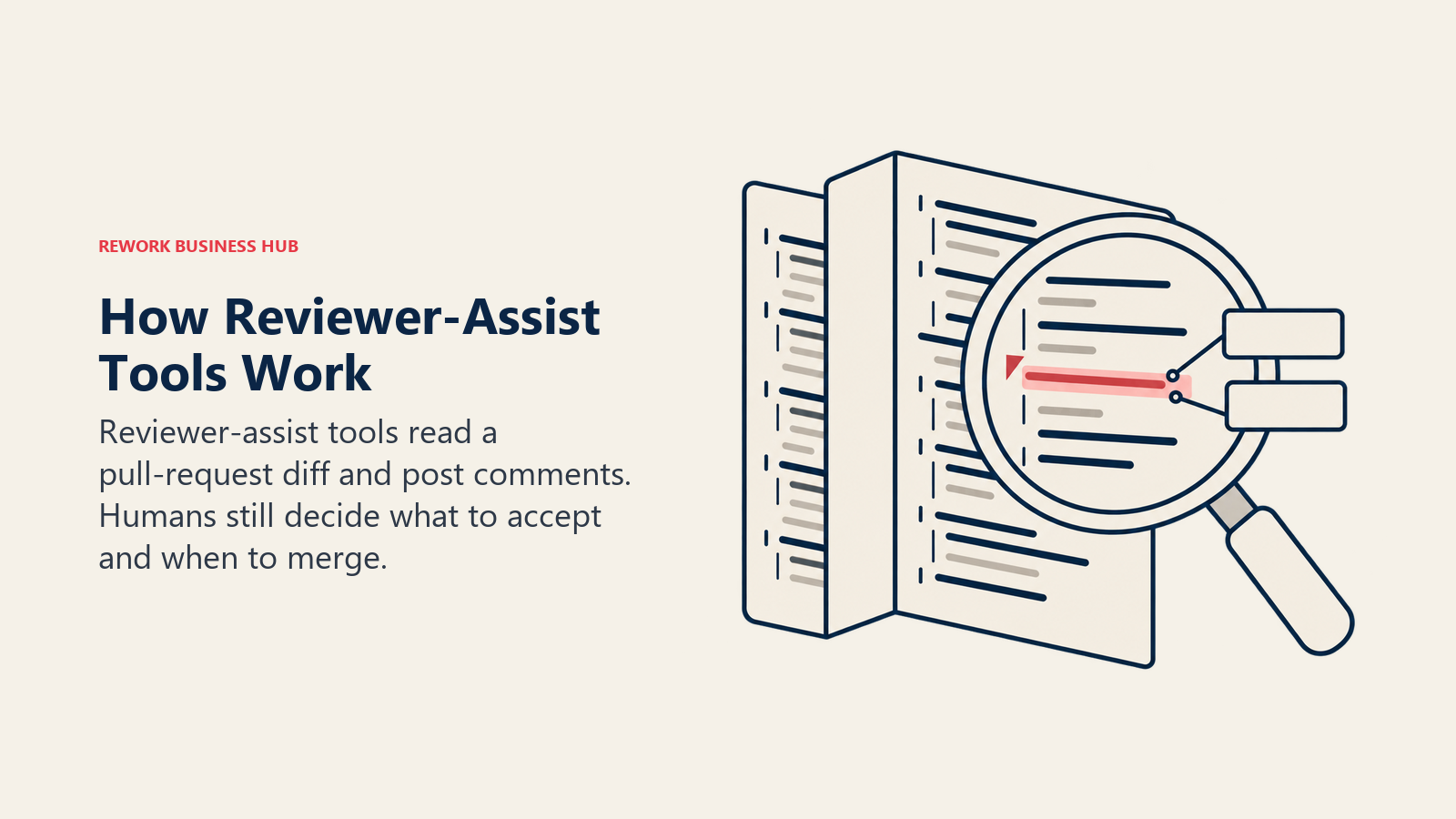
These eight tools read a diff and post review comments. None of them block a merge by default. All of them are priced per developer, with one notable exception.
1. GitHub Copilot Code Review
If your developers already carry Copilot seats, code review is close to free to turn on, built into the GitHub pull request view: assign Copilot as a reviewer, or auto-review every PR. GitHub's pricing page lists Pro at $10/month with code review included, Pro+ at $39/month with higher limits, and a $100/month Max tier. Business and Enterprise no longer show a per-seat price, just "Contact sales." Third-party trackers still quote $19 and $39/user/month for those tiers (reported, not vendor-confirmed), and Enterprise additionally requires GitHub Enterprise Cloud at roughly $21/user/month. If Copilot's review isn't enough alone, see our GitHub Copilot alternatives roundup.
Best for: teams that already pay for Copilot and don't want a second vendor relationship. Not ideal for: teams wanting fine-grained control over review scope; Copilot's review is tuned by GitHub, not your team's conventions.
| Strengths | Limitations |
|---|---|
| Zero setup friction, lives natively in the PR view | Business/Enterprise pricing opaque since this fetch; least configurable of the group |
2. CodeRabbit
CodeRabbit is the category's default comparison point: it reads the full PR, posts a structured summary plus line comments, offers one-click fixes, and keeps a per-repository "learnings" memory so it stops repeating dismissed feedback. CodeRabbit's pricing page lists Essentials at $24/developer/month annual ($30 monthly), Team at $48/developer/month annual adding triage and custom pre-merge checks, and Advanced at $72/developer/month adding blast-radius analysis plus a security review on every PR. Enterprise is custom, with self-hosting and SSO. Public repos get it free, permanently. Watch overage: $0.25 per reviewed file past your rate limit, plus $0.40 per agent-minute on its coding-agent features.
Best for: teams wanting the deepest configurability and willing to pay for it as they climb tiers. Not ideal for: tight per-seat budgets; CodeRabbit prices at the high end of this group past Essentials.
| Strengths | Limitations |
|---|---|
| Highest PR-review rate limits here (up to 12/hour on Enterprise); free forever for open-source | Four paid tiers, each materially pricier; per-file and per-agent-minute overage adds up |
3. Graphite (AI Reviews, Formerly Diamond)
Graphite built its name on stacked-diff pull requests and a fast merge queue; its AI reviewer shipped as Diamond and has since been folded into the core product as "AI Reviews," under a broader "Graphite Agent" umbrella. That's why "Diamond" won't match graphite.com today. Graphite's pricing page (graphite.dev redirects there) lists Hobby free with limited AI reviews, Starter at $20/user/month annual, and Team at $40/user/month annual with unlimited AI Reviews. Enterprise is custom.
Best for: teams already running Graphite's stacking and merge-queue workflow. Not ideal for: teams not using Graphite for diffs already; AI review isn't sold standalone.
| Strengths | Limitations |
|---|---|
| Tied directly to the stacking and merge-queue workflow, clear per-seat pricing | Unlimited AI review needs the $40 Team tier, not Starter; rebrand left stale documentation around |
4. Greptile
Greptile indexes your entire codebase, not just the diff, so its comments reference how a change interacts with code elsewhere in the repo. Greptile's pricing page lists a free Starter tier with 50 credits a month for one developer, Pro at $30/seat/month with 50 credits per seat and $1 per extra credit, and custom Enterprise pricing with self-hosting and SSO. The metering unit is unusual: a "seat" is any developer who actually received a review that billing period, not everyone with repo access, and reviews are tiered by depth (Base, Plus, Apex), each burning a different credit count. Open-source and pre-Series A startups under $2 million revenue get discounts.
Best for: teams wanting codebase-wide context and a seat model that skips idle developers. Not ideal for: very high PR volume per developer, where credits can push real cost above the $30 sticker.
| Strengths | Limitations |
|---|---|
| Seats only bill reviewed developers; real startup and open-source discounts | Credit consumption varies by review depth; free tier capped at one developer |
5. Qodo (Qodo Merge)
Qodo is the company formerly known as Codium. Its open-source PR-Agent project, which Qodo Merge was built on, was donated back to the community in early 2026 and now lives independently (The-PR-Agent/pr-agent on GitHub), separate from Qodo's commercial product, which has not been acquired. Qodo's pricing page shows no permanent free tier, only a 14-day unlimited trial, then a flat $30/month "Pro Team" plan covering up to 30 users on pooled credits at $0.012 each, no per-seat multiplier below that ceiling, unusually cheap for a 10-to-25-person team and unusually opaque at a 31st seat.
Best for: 10-to-30-developer teams wanting one predictable flat bill. Not ideal for: anyone expecting the $30 price to scale linearly past 30 users, or confusing it with the free, independent PR-Agent project.
| Strengths | Limitations |
|---|---|
| Flat $30/month for an entire team up to 30 users, bundles IDE assistance too | No permanent free tier; jumps to custom pricing past 30 users |
6. Cursor BugBot
BugBot is Cursor's agentic code-review feature, built by the team behind the Cursor IDE (see our Cursor vs Windsurf comparison and Cursor alternatives roundup for the editor-level decision), reviewing PRs with the same agent infrastructure that powers in-editor changes. Cursor's pricing page shows Hobby free with limited agent requests, Individual/Pro at $20/month where BugBot runs on usage-based billing on top, and Teams at $40/user/month including Bugbot plus SAML/OIDC SSO and team privacy mode. Privacy matters: Cursor's zero-retention mode is on by default for Business/Enterprise, but off on Hobby and Individual, so code and prompts are collected unless turned on manually.
Best for: teams whose developers already write code inside Cursor. Not ideal for: Individual-plan users wanting predictable costs; BugBot's usage billing there isn't a flat disclosed rate.
| Strengths | Limitations |
|---|---|
| Review runs in the same agent context as the edit; real zero-retention option at Team/Enterprise | Individual-plan usage billed separately; Privacy Mode off by default below Business |
7. Sourcery
Sourcery started as a Python refactoring tool and that heritage shows: its comments lean toward "this can be simplified" suggestions on top of bug-catching, strongest in Python, shallower elsewhere. Sourcery's pricing page lists Pro at $12/developer/month annual ($15 monthly), Team at $24/developer/month annual adding nightly scans of up to 50 repositories, and Enterprise with self-hosting and bring-your-own LLM keys, useful if your team already standardized on a model (see our Claude vs ChatGPT vs Gemini comparison). Public repos get it free forever.
Best for: Python-heavy teams wanting refactor-quality suggestions at the cheapest reviewer-assist seat price here. Not ideal for: polyglot teams where Python is a minority of the codebase.
| Strengths | Limitations |
|---|---|
| Cheapest per-seat tool in this roundup; bring-your-own LLM keys at Enterprise | Depth strongest in Python only; nightly scans capped at 50 repos on Team |
8. Bito
Bito prices by lines reviewed per seat rather than PR count, and it's one of the few tools offering self-hosting as a straightforward paid add-on instead of gating it behind Enterprise. Bito's pricing page lists Team at $12/seat/month annual ($15 monthly) with 5,000 lines per seat included, and Professional at $20/seat/month annual ($25 monthly) adding custom review guidelines and CI/CD reviews, self-hosting at either tier for $5/seat/month extra. Overage past the line allowance runs $5 per 1,000 lines.
Best for: budget-conscious teams wanting self-hosting without an Enterprise contract. Not ideal for: teams reviewing very large diffs regularly; the lines-per-seat allowance runs out faster than a flat PR-count model.
| Strengths | Limitations |
|---|---|
| Self-hosting as a paid add-on at any tier, lowest combined entry price alongside Sourcery | Lines-based allowance and overage can surprise a high-volume team |
One more flag: not every name you'll find searching this category still means what it used to. Ellipsis, for one, started as a per-seat PR-review bot shaped like CodeRabbit, and by this fetch had repositioned entirely to a usage-based "tokens plus 20%" coding-agent platform with no free tier and no flat seat price. Check a tool's current pricing page before assuming it hasn't changed shape.
Static Analysis and Security Gate Platforms
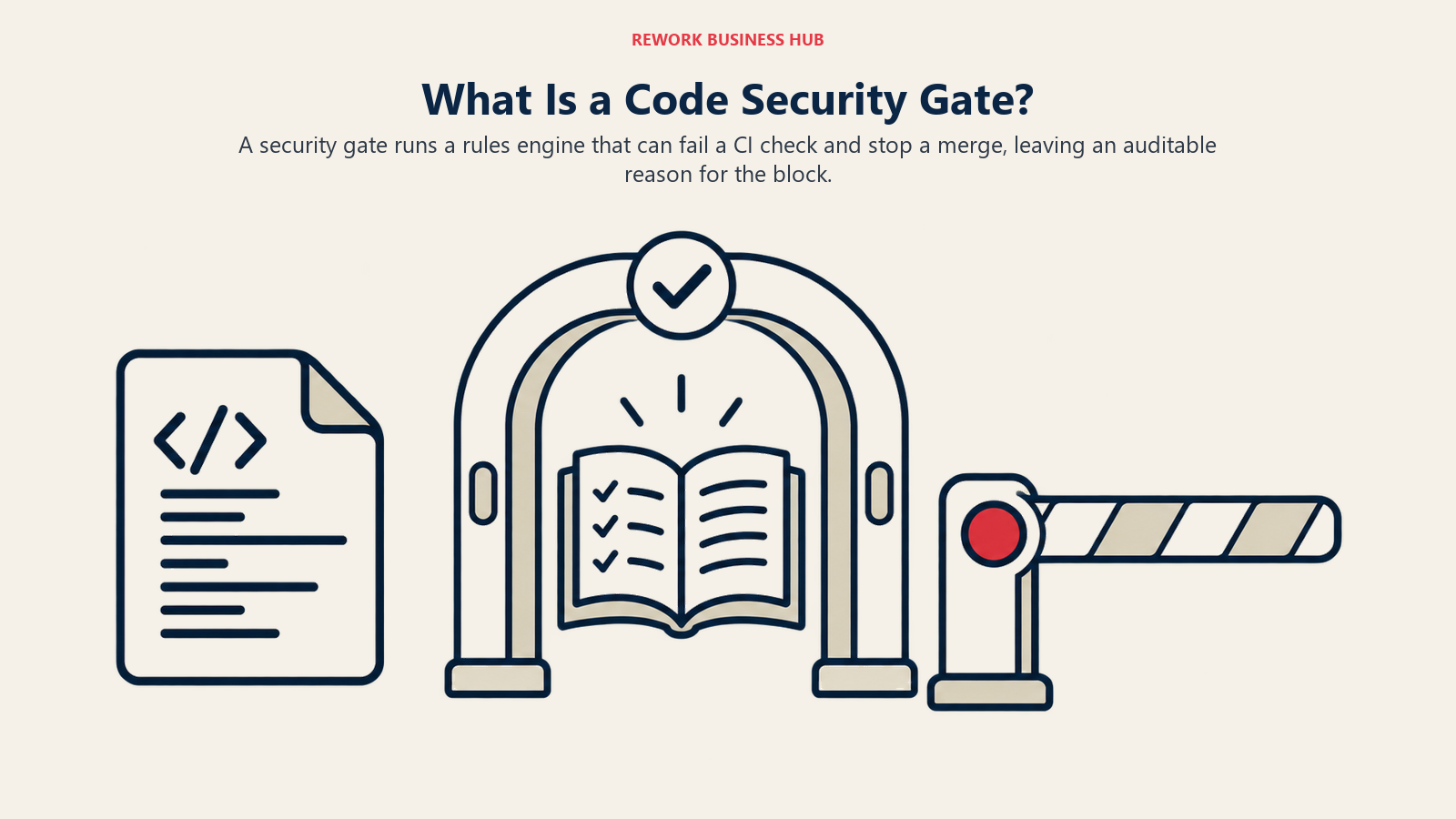
These four tools run a rules engine against your code, not just an LLM's judgment, and all four can fail a CI check or block a merge outright. An LLM layer now sits on top of the rules engine in each one, for explanation and auto-fix, but the rules engine is what gives you an auditable reason a merge was blocked, which matters the moment a compliance reviewer asks why. See our guide to choosing a DevOps platform and best AI tools for cybersecurity for the adjacent decisions.
9. SonarQube (Sonar)
Sonar is the only vendor here with a genuine self-hosted product, not just a cloud SaaS with an on-prem exception. Sonar's pricing page shows SonarQube Cloud Free at $0 for up to 50,000 lines of code, Team from $34/month for up to 100,000 lines, and Enterprise custom for 5 million-plus. AI review runs through a feature called Gitar, acquired May 21, 2026 and folded into SonarQube rather than built from scratch: a separate $20/user/month add-on on Team, priced per pull request on Enterprise. SonarQube Server also ships self-hosted (Developer, Enterprise, Data Center editions), licensed per instance by lines of code. Open-source projects get both SonarQube and Gitar free.
Best for: teams needing a merge-blocking gate that may eventually need a fully self-hosted deployment. Not ideal for: small teams wanting one flat AI-review price; Sonar's metering is LOC-based and Gitar is a separate line item.
| Strengths | Limitations |
|---|---|
| Only tool here with real self-hosted, on-prem editions; free forever for open-source, AI review included | Gitar priced separately from the LOC-based plan; LOC metering is harder to budget than flat per-seat |
10. Codacy
Codacy bundles static analysis (SAST, SCA, secrets scanning) with an "AI Reviewer" feature and merge gates in a single cloud product, for teams wanting one tool instead of stitching a scanner and a reviewer bot together. Codacy's pricing page lists Developer free for individual IDE scanning, Team at $18/developer/month annual ($21 monthly) for up to 30 developers with up to 100 private repos, AI Reviewer, and merge gates included, and Business custom for 30-plus developers, adding daily CVE re-scans, DAST, and container scanning. No self-hosting at any tier; it's cloud-only by design.
Best for: teams under 30 developers wanting AI review and merge gates bundled with no add-on fee. Not ideal for: anyone needing on-prem or VPC deployment; that option doesn't exist here at any price.
| Strengths | Limitations |
|---|---|
| AI Reviewer and merge gates included at Team, clear per-seat pricing, 38-49 languages | No self-hosting at any tier; 30-developer cap on Team forces a custom quote |
11. Snyk Code
Snyk Code (built on the technology Snyk acquired as DeepCode) is the SAST piece of Snyk's broader application security platform, which also covers dependency, container, and infrastructure-as-code scanning. Snyk's pricing page lists Free at $0 for 5 projects and 100 Snyk Code tests a month, Team starting at a flat $25/month explicitly covering up to 10 developers and 100 projects with 1,000 tests a month (not a per-seat multiplier), and Enterprise on a credit-based model: Code, open source, and agentic scanning each consume 1 credit per active contributor per day, 1 credit equal to $1.
Best for: teams under 10 developers wanting a flat, genuinely cheap SAST entry point, especially if you'll also want Snyk's broader platform later. Not ideal for: teams past 10 developers; the flat price doesn't scale smoothly and Enterprise's credit model is harder to predict.
| Strengths | Limitations |
|---|---|
| $25/month flat genuinely covers an entire 10-developer team; strong brand with compliance buyers | Enterprise credit pricing is opaque; Team's 1,000 test cap can bind an active team |
12. Semgrep
Semgrep's core scanning engine is open-source, so the rules that flag an issue are inspectable rather than a vendor's black box, a real differentiator for security teams who need to explain why a check fired. Semgrep's pricing page lists a Free Community edition for up to 10 contributors with Code (SAST) and Supply Chain (SCA) scanning plus 60 AI credits, Teams at $30/contributor/month for Code (Supply Chain and Secrets priced separately, at $30 and $15/contributor/month), and Enterprise custom with dedicated or on-prem infrastructure. A "contributor" is anyone who committed to a private repo in the trailing 90 days, so headcount and contributor count can diverge.
Best for: security-conscious teams wanting an auditable, open-core engine, willing to buy Code, Supply Chain, and Secrets as separate line items. Not ideal for: teams wanting one bundled price; Semgrep prices each module separately.
| Strengths | Limitations |
|---|---|
| Open-source engine, true on-prem at Enterprise, genuinely usable free tier up to 10 contributors | Code, Supply Chain, and Secrets billed separately; contributor metering can diverge from headcount |
Signal to Noise: The Real Evaluation Criterion
A reviewer-assist bot earns its seat by catching what a human reviewer would miss, not by commenting on everything. Get this wrong and the tool trains your team to ignore it, worse than not buying one at all. An arXiv study analyzing 54,713 agent-generated review comments across 341 GitHub repositories found resolution rates of 72.9% for Copilot, 67.2% for Cursor, and 54.8% for Codex, meaning between a quarter and nearly half of all comments went unresolved, most often because the agent flagged a deliberate design choice or made a factually incorrect suggestion. We won't hand you a made-up accuracy percentage for any single vendor; none publish an independently audited figure, and a number from a vendor's own blog isn't independent. What to evaluate directly instead:
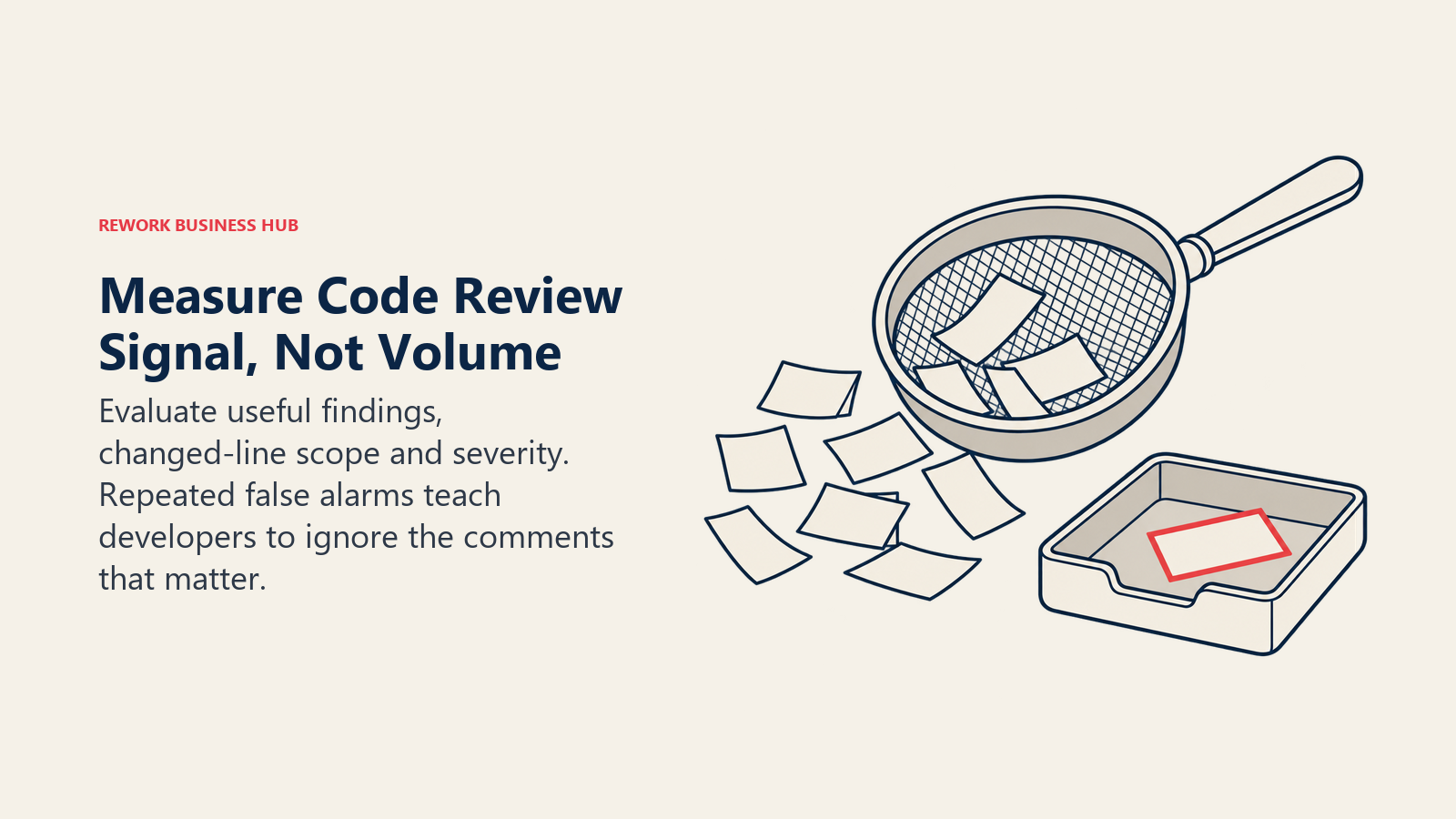
Configurability and learning. Can the tool scope to changed lines only, and does it learn from a developer marking a comment "not helpful" instead of repeating it next PR? CodeRabbit's "learnings" memory, Sourcery's custom rules, and Greptile's custom rules all exist for this; GitHub Copilot's review has the least configuration surface of the group.
Diff-only scoping and severity tiering. A tool reviewing the whole file instead of just the diff generates noise proportional to file size, not change size. And a tool that shows "this will break in production" with the same visual weight as "rename this variable" buries the 10% of comments that matter. Confirm both explicitly during a trial.
Run a two-week pilot on a real, busy repository before you commit to an annual plan. Watch what developers actually do with the comments, not what the sales demo shows.
Self-Hosting and Data Handling
These tools read your entire codebase, which makes data handling a real evaluation criterion, not a checkbox. Where a vendor doesn't publish specifics, we say so rather than guess.
| Tool | Self-Hosted / VPC Option | Training on Your Code | Notable Detail |
|---|---|---|---|
| GitHub Copilot code review | Not offered (GitHub-hosted only) | No, for Business/Enterprise by default | Not stated for lower tiers; check GitHub's Trust Center |
| CodeRabbit | Enterprise only | No for private repos; open-source repos ARE used to train | Zero retention once a review posts |
| Graphite AI Reviews | Not offered (cloud SaaS) | Not stated on pricing page | Get a DPA before sending regulated code |
| Greptile | Enterprise only | Not stated on pricing page | SSO/SAML at Enterprise alongside self-hosting |
| Qodo | On-prem option at Enterprise | Not stated on pricing page | Flexible deployment only at the custom tier |
| Cursor BugBot | Not offered (cloud SaaS) | No, when Privacy Mode is on | Privacy Mode defaults ON for Business/Enterprise, OFF below it |
| Sourcery | Enterprise only, plus GitHub Enterprise Server | Not stated on pricing page | Enterprise allows bring-your-own LLM keys |
| Bito | Add-on at any paid tier, $5/seat/month | Not stated on pricing page | Not Enterprise-gated, unusual for this category |
| SonarQube (Sonar) | Yes, SonarQube Server at every edition | Not stated for the Gitar AI layer | Only tool here with genuine self-hosting outside Enterprise |
| Codacy | Not offered at any tier | Not stated on pricing page | Cloud-only by design; rules this out for air-gapped needs |
| Snyk Code | Not offered on Free/Team; limited at Enterprise | Not stated on pricing page | Confirm regional data residency for regulated industries |
| Semgrep | Yes, dedicated or on-prem at Enterprise | Not stated on pricing page | Open-source engine means scanning logic is inspectable |
Where a cell says "Not stated on pricing page," get written confirmation in your vendor contract or DPA before sending regulated or confidential code through any of these tools.
How to Choose: Decision Framework
| If you need | Pick this |
|---|---|
| Zero new vendor relationship, you already pay for Copilot | GitHub Copilot code review |
| The deepest configurable reviewer-assist tool and budget allows it | CodeRabbit |
| One flat low price for a team under 30 developers | Qodo |
| Review running in the same agent context as a Cursor-based team's edits | Cursor BugBot |
| Refactor-quality suggestions on a mostly-Python codebase, cheap per seat | Sourcery |
| A merge-blocking gate with a genuine self-hosted, on-prem edition | SonarQube (Sonar) |
| AI review and merge gates bundled in one cloud tier under 30 developers | Codacy |
| An open-core, auditable scanning engine with true on-prem deployment | Semgrep |
Frequently Asked Questions about AI Code Review Tools
What's the difference between a reviewer-assist bot and a static-analysis security gate?
A reviewer-assist bot like CodeRabbit or Cursor BugBot posts comments on a pull request, but a human still clicks merge. A static-analysis platform like Semgrep or SonarQube runs a rules engine that can fail a CI check and block the merge outright, which matters if you need an auditable reason a build was stopped.
Do AI code review tools replace human reviewers?
No. Across Copilot, Cursor, and Codex, independent research found between 27% and 45% of AI-generated review comments go unresolved, often because the agent flagged a false positive or missed project context. These tools reduce what a human has to catch manually; they don't remove the human from the loop.
Is GitHub Copilot's built-in code review enough, or do I need a dedicated tool?
If your team is small, already pays for Copilot, and wants basic coverage, its review is genuinely free to turn on. Teams that need custom rule configuration, per-repo learning, or a security gate with an audit trail typically add a dedicated reviewer-assist or static-analysis tool alongside it.
What happened to Qodo's PR-Agent open source project?
Qodo (formerly Codium) donated the original PR-Agent project back to the community in early 2026. It's now an independently governed, Apache 2.0 project at The-PR-Agent/pr-agent on GitHub, separate from Qodo's commercial Qodo Merge product.
Can any of these tools be self-hosted?
Yes, but the list is shorter than marketing pages suggest. SonarQube Server and Semgrep Enterprise offer genuine on-prem deployment, and Bito offers it as a paid add-on at any tier. CodeRabbit, Greptile, Qodo, and Sourcery gate it behind Enterprise. Codacy, Graphite, and Cursor BugBot don't offer it at any price as of this fetch.
Do these tools train on our private code?
Policies vary and most vendors don't state it plainly on their pricing page. CodeRabbit explicitly does not train on private repository code but does use public open-source repos for training. Cursor's zero-retention Privacy Mode covers this when enabled, but defaults off on Hobby and Individual plans. For every other tool here, get the training-data clause in writing before sending regulated code through it.
How do I stop my team from ignoring AI review comments?
Scope the tool to changed lines only, turn on whatever "learnings" or custom-rule feature suppresses repeated feedback, and check severity tiering so a production-breaking bug doesn't look the same as a naming nitpick. Run a two-week pilot on a genuinely busy repository first.
What to Do Next
Don't shortlist by category leader; shortlist by which half of this roundup you need. Speeding up human review means picking two reviewer-assist tools (one Copilot-adjacent if you have those seats, the other whichever of CodeRabbit, Greptile, or Qodo fits your headcount from the pricing table above) and running them against the same busy repository for two weeks. Standing up a compliance gate means starting with whichever of Semgrep, Snyk Code, or SonarQube matches your self-hosting requirement, since that eliminates options fastest, then comparing pricing within what's left. Either way, re-fetch the vendor's pricing page before you sign anything: these prices change often, and the gap between these figures and what you'll see at checkout is exactly what should make you double-check.

Principal Product Marketing Strategist
On this page
- Key Facts
- Two Purchases, Not One
- Quick Comparison Table
- Pricing at 10 and 50 Developers
- Reviewer-Assist Tools: Comment on Every Pull Request
- 1. GitHub Copilot Code Review
- 2. CodeRabbit
- 3. Graphite (AI Reviews, Formerly Diamond)
- 4. Greptile
- 5. Qodo (Qodo Merge)
- 6. Cursor BugBot
- 7. Sourcery
- 8. Bito
- Static Analysis and Security Gate Platforms
- 9. SonarQube (Sonar)
- 10. Codacy
- 11. Snyk Code
- 12. Semgrep
- Signal to Noise: The Real Evaluation Criterion
- Self-Hosting and Data Handling
- How to Choose: Decision Framework
- What to Do Next