Claude Code vs Cursor vs GitHub Copilot: Which One Actually Fits Your Team in 2026?
Turn this article into takeaways for your work.


Each assistant summarizes the article only for you and suggests best practices for your work.
You're deciding where to put the AI coding budget for your team, and most comparisons you'll find make this harder than it needs to be. They treat Claude Code, Cursor, and GitHub Copilot as three competitors fighting over the same seat, rank them on a benchmark score, and crown a winner.
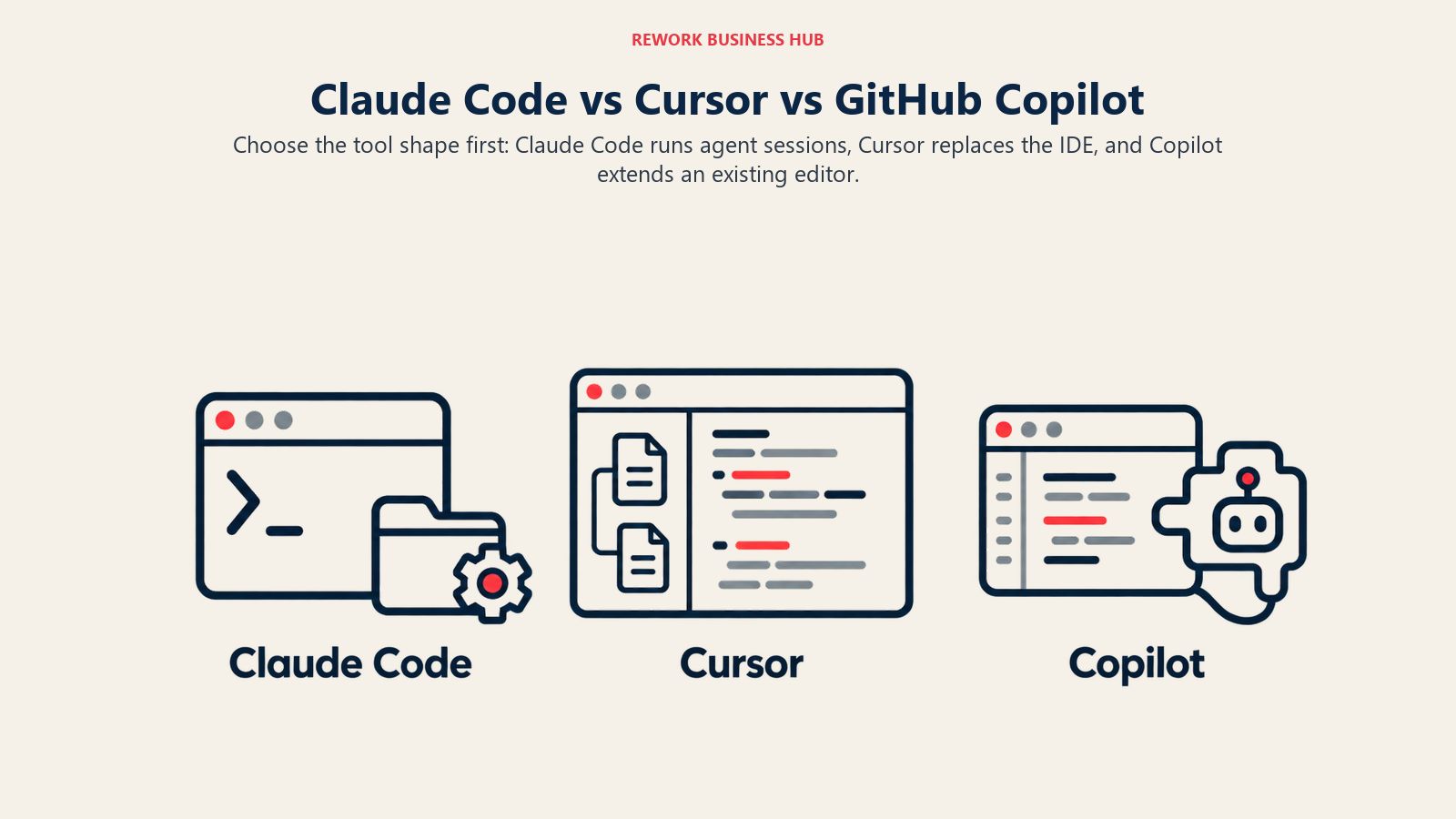
That framing misses the actual decision. These are three different shapes of tool. Claude Code is a terminal first agent that runs against your real repository and git history, no new editor required. Cursor is its own IDE, a VS Code fork you adopt as your team's daily driver. GitHub Copilot is a plugin that drops into the editor your team already uses. The shape of the tool, more than the quality of the underlying model, usually decides whether a rollout sticks or gets quietly uninstalled in week three.
This comparison is for the CTO, VP Engineering, Head of Engineering, or technical founder who has to answer for that decision: what it costs at your actual headcount, what it does to your security posture, and which shape fits how your team already works. Stack Overflow's 2025 Developer Survey found 84% of developers now use or plan to use AI coding tools, up from 76% the year before, yet only 29% say they trust the output to be accurate. Picking the right shape of tool for your workflow, not just the tool with the best benchmark, is where most rollouts actually go wrong.
What Changed Recently
- GitHub Copilot moved to usage based billing. Premium Request Units were retired for GitHub AI Credits, billed at $0.01 per credit, with each paid tier including a set monthly credit pool instead of a flat request count.
- Claude Code grew well past the terminal. It now ships a VS Code extension, a JetBrains plugin, a Mac and Windows desktop app, and a web surface at claude.ai/code, alongside the original CLI. Still agentic and git-aware by default, but no longer terminal only.
- Cursor added model choice beyond Claude and GPT class models, including xAI's Grok, and has been building out enterprise readiness (SSO, SCIM, audit logs, repository and MCP allowlisting) to catch up to Copilot's governance maturity.
TL;DR
| Dimension | Claude Code | Cursor | GitHub Copilot |
|---|---|---|---|
| Product shape | Terminal native coding agent (plus VS Code, JetBrains, desktop, and web surfaces) | Standalone AI first IDE (VS Code fork) | Plugin for the editor you already use |
| Made by | Anthropic | Anysphere | GitHub (Microsoft) |
| Core model | Claude models only | User's choice: Claude, GPT class, Grok, Cursor's own Composer model | GPT class by default; Claude and Gemini available on paid tiers |
| Entry price | $20/mo (Pro, included with Claude Code) | $20/mo (Pro) | $10/mo (Pro) |
| Free tier | None, requires a paid plan or API key | Yes, Hobby (limited agent requests) | Yes, 2,000 completions and 50 chat requests/mo |
| Standout strength | Long, autonomous multi step sessions against your real repo | Deepest codebase aware multi file agent in a purpose built IDE | Broadest editor support and native GitHub workflow integration |
| Biggest limitation | No free tier; usage capped by session windows, not purchasable overage | No self hosted or VPC deployment option; priciest of the three at every seat count | Agent mode still trails the other two on complex multi file work |
| Best for | Developers who want sustained agent sessions without switching editors | Teams willing to standardize on one IDE for the deepest agent experience | Teams already living inside GitHub who want AI without a new tool to govern |
Choosing between Cursor, Copilot, and Windsurf instead, with no Claude Code in the mix? See Cursor vs GitHub Copilot vs Windsurf for that budget-and-governance-at-scale comparison, or the best AI coding tools in 2026 for a wider field of 14 tools. If Windsurf, now sold as Devin Desktop, is the only one of those you're weighing against Cursor, Cursor vs Windsurf is the two-way version.
Three Different Shapes of Tool
This is the decision that actually matters, and it's upstream of price or benchmark scores.
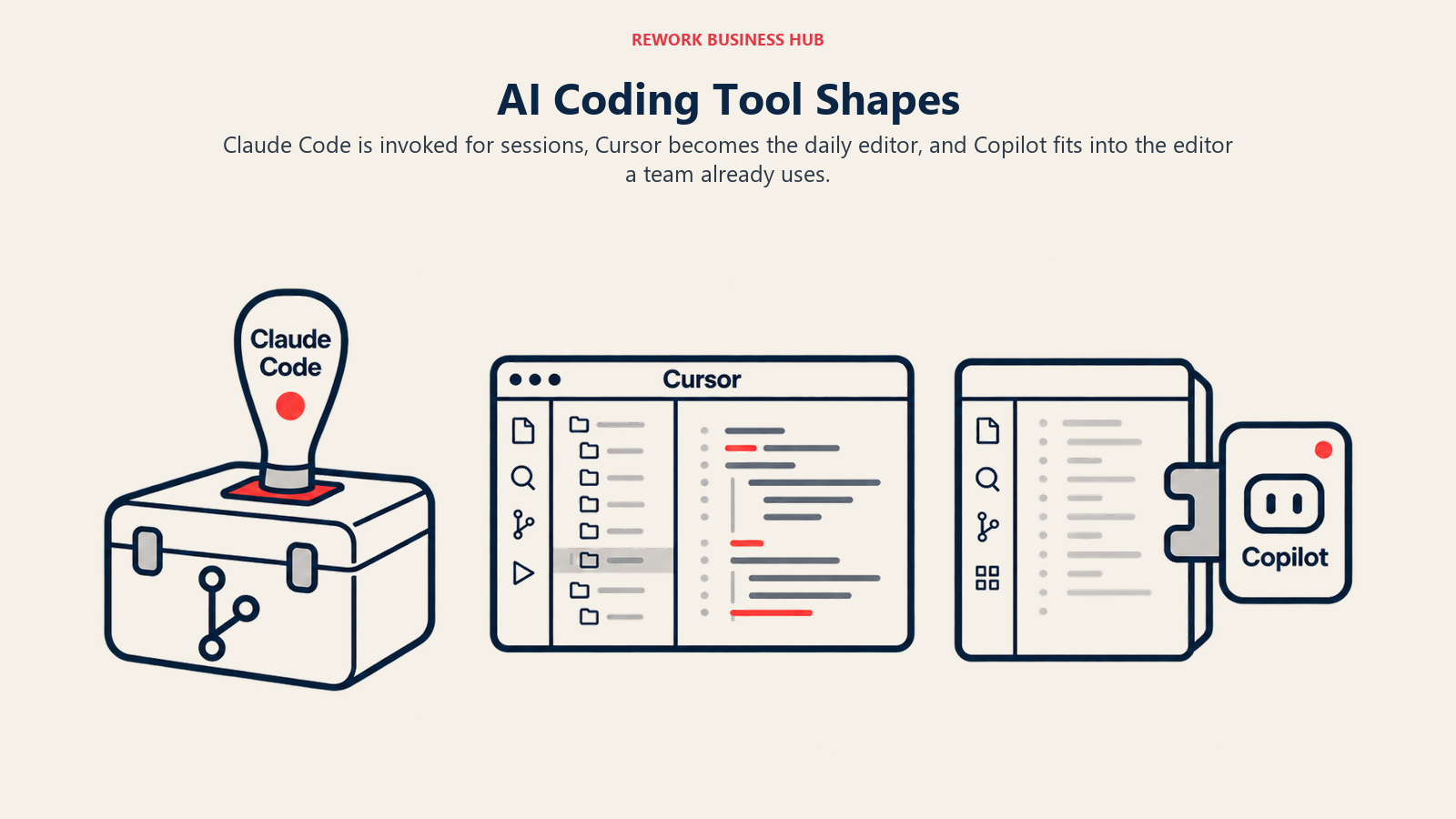
Claude Code is an agent you invoke, not an editor you live in. Run claude in a terminal, inside a project directory, and it reads the codebase, plans a change, edits across files, runs tests, and commits, largely without babysitting. Anthropic's own product documentation describes it as composable and script friendly: pipe log output into it, call it from CI, or chain it with other command line tools. The VS Code extension, JetBrains plugin, and desktop app add a visual diff layer now, but the default unit of work is still a session, not a keystroke.
Cursor is an editor you replace your current one with. It's a hard fork of VS Code, so most extensions, keybindings, and themes carry over, but the AI isn't a sidebar bolted onto someone else's editor, it's wired into the core editing loop. Composer, Cursor's agent, indexes your whole repository and proposes multi file diffs you review and accept, and inline Tab completions draw on that same context. The tradeoff: your team has to actually switch editors, a real adoption cost for anyone on JetBrains, Vim, or Visual Studio today.
GitHub Copilot is a plugin that meets your team where it already works. It ships for VS Code, Visual Studio, JetBrains IDEs, Neovim, Vim, Eclipse, and Xcode, plus a web interface on GitHub.com. Nobody has to change editors to get it. Its depth comes from being made by the same company that owns your repository host: pull request summaries, code review suggestions, and Actions integration are native, because there's no API boundary between the assistant and the platform.
| Claude Code | Cursor | GitHub Copilot | |
|---|---|---|---|
| Core metaphor | An agent you call | An IDE you adopt | A plugin you install |
| Where it lives | Terminal, CLI, plus VS Code/JetBrains/desktop/web surfaces | Its own VS Code fork | Inside your current editor |
| Editor switch required | No | Yes | No |
| Primary unit of work | A multi step session | A multi file diff | A line, block, or chat reply |
| Native platform tie in | Anthropic's Claude ecosystem | None (model agnostic) | GitHub (version control, PRs, Actions) |
Decision by Engineering Goal
| Your goal | Best fit | Why |
|---|---|---|
| Ship complex, multi file refactors and new features fastest | Cursor | Deepest codebase aware agent, purpose built around multi file diffs |
| Keep the org inside the GitHub workflow you already govern | GitHub Copilot | Native PR review, code scanning, and Actions integration |
| Run long, autonomous agent sessions without migrating off your current editor | Claude Code | Terminal native, works directly against your repo and git history |
| Get the most predictable per seat cost at any headcount | GitHub Copilot | Cheapest published rate from 1 to 50+ seats |
| Minimize procurement and vendor concentration risk | GitHub Copilot | Decade plus, Microsoft backed track record and support infrastructure |
| Deploy inside your own cloud account for compliance reasons | Claude Code | Runs through Amazon Bedrock, Google Vertex AI, or Microsoft Foundry, inside your existing IAM and VPC boundary |
| Support a JetBrains only or Vim heavy engineering org without forcing an editor switch | GitHub Copilot | Only one of the three with native JetBrains, Vim, and Eclipse plugins |
| Maximize raw agent capability on hard, multi file tasks, price aside | Cursor or Claude Code | Both lead Copilot on complex agentic work as of October 2026 |
Pricing: Individual and Team Plans
Fetched directly from each vendor's pricing page.
| Plan | Claude Code (via Claude plans) | Cursor | GitHub Copilot |
|---|---|---|---|
| Free | Not available | Hobby: free, limited Agent requests | Free: $0, 2,000 completions/mo, 50 chat requests/mo |
| Entry paid (individual) | Pro: $20/mo billed monthly, $17/mo billed annually | Pro: $20/mo | Pro: $10/mo, 1,500 total credits ($1,000 base + $500 flex, expressed as credits at $0.01 each) |
| Mid individual tier | Max 5x: $100/mo | Pro+: $60/mo | Pro+: $39/mo, 7,000 total credits |
| Top individual tier | Max 20x: $200/mo | Ultra: $200/mo | Max: $100/mo, includes $100 in credits |
| Team/business, standard | Team Standard: $25/mo/seat billed monthly, $20/mo/seat billed annually (2 to 150 seats) | Teams Standard: $40/user/mo | Business: $19/user/mo, 1,900 credits/user |
| Team/business, premium | Team Premium: $125/mo/seat billed monthly, $100/mo/seat billed annually (5x Standard's usage) | Teams Premium: $120/user/mo (5x Standard's Agent limits) | Not applicable at this tier; see Enterprise |
| Enterprise | $20/seat/month billed annually, plus usage billed at API rates, no seat ceiling | Custom | $39/user/mo, 3,900 credits/user; requires GitHub Enterprise Cloud (+$21/user/mo), real floor about $60/user/mo |
A few things in that table matter more than the headline number:
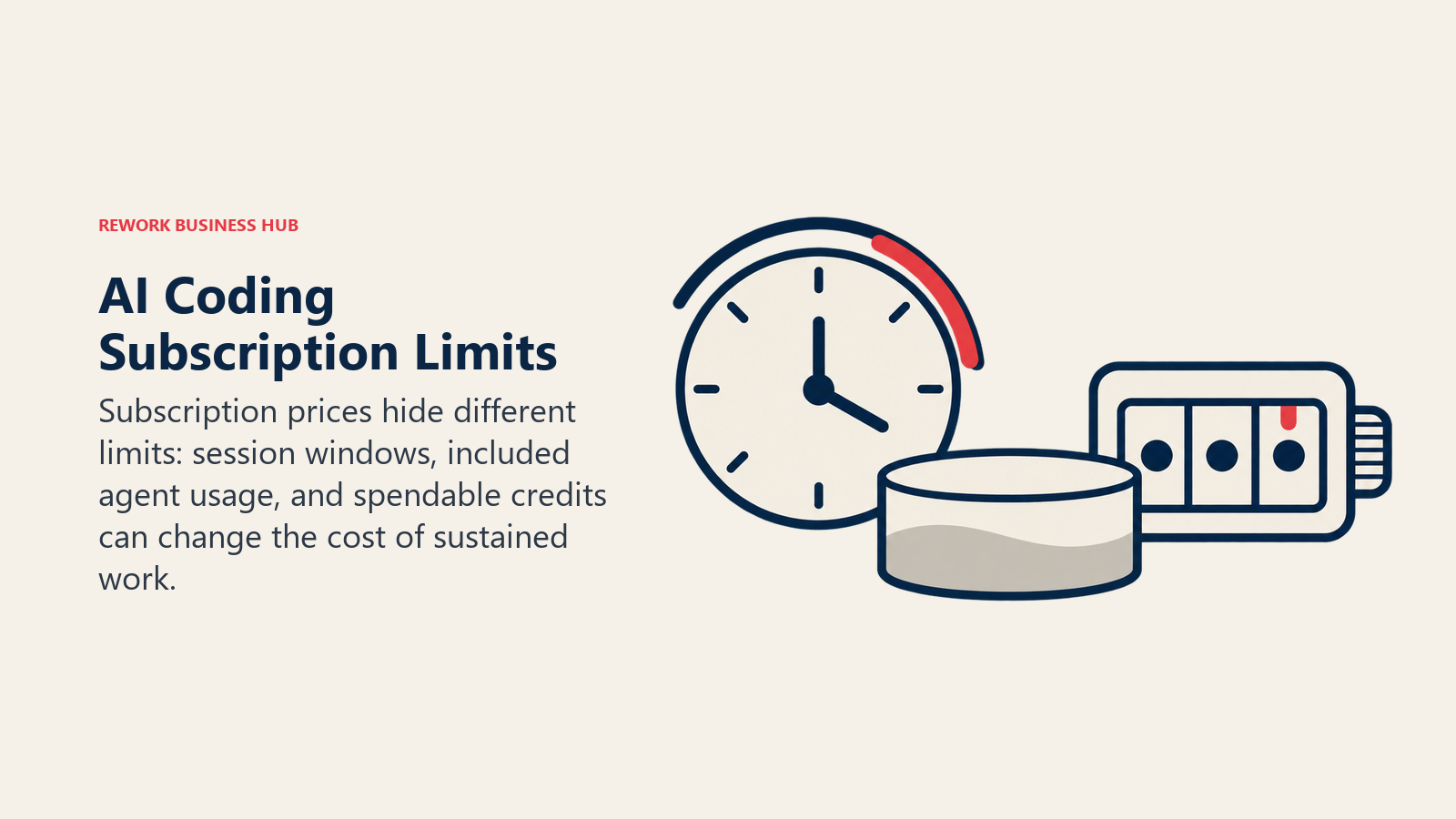
Claude Code has no spendable overage on its subscription seats. Pro, Max, and Team plans run on a rolling 5-hour session window plus a weekly cap, not a credit pool you top up mid-task. Hit the ceiling and your options are wait it out, upgrade tiers, or switch that session to pay-as-you-go API billing.
Cursor's pricing page doesn't state an exact annual discount for individual plans. Confirm the annual rate at checkout.
GitHub Copilot Business doesn't require a paid GitHub plan underneath it. It works on top of GitHub Free or GitHub Team ($4/user/mo); only Enterprise forces the GitHub Enterprise Cloud add-on, the opposite of what most procurement conversations assume.
Enterprise Features
Before you buy seats at scale, your security and legal teams will ask about these specifically.

| Feature | Claude Code (Enterprise) | Cursor (Business/Enterprise) | GitHub Copilot (Business/Enterprise) |
|---|---|---|---|
| SSO (SAML/OIDC) | Yes | Yes (SAML, via Okta, Azure AD, Google Workspace) | Yes, via GitHub Enterprise Cloud |
| SCIM provisioning | Yes | Yes | Yes |
| Admin controls | Spend limits, role-based access, policy enforcement | Role-based permissions, repo/model/MCP allowlisting, agent run controls | Seat and policy management, content exclusion |
| Audit logs | Yes, plus a Compliance API for monitoring | Yes | Yes |
| Data used for training | No, by default | No, when Privacy Mode is enabled (org-wide on paid tiers) | No, on Business and Enterprise; opt-out required on Free/Pro |
| Data retention controls | Custom retention; Zero Data Retention option available | Zero data retention under Privacy Mode | Content exclusion by repo/file pattern |
| IP indemnification | Commercial Terms of Service cover copyright claims for Team, Enterprise, and API customers (not Free/Pro/Max consumer plans) | Included in Business/Enterprise terms for AI-generated suggestions, documented in the contract rather than a marketed headline; confirm the exact clause before signing | Explicit "IP indemnity" on Business and Enterprise |
| Self-hosted / VPC | No standalone on-prem product, but runs through Amazon Bedrock, Google Vertex AI, or Microsoft Foundry inside your own cloud account and IAM boundary | No | No (GitHub Enterprise Cloud only, no air-gapped option) |
| Compliance certifications | SOC 2, HIPAA-ready (BAA plus Zero Data Retention extends to Claude Code traffic) | SOC 2 Type II, ISO 27001, ISO 42001, AIUC-1, GDPR/CCPA | SOC 2; HIPAA/GDPR docs available on Enterprise |
A note on each column. Claude Code's enterprise story leans on cloud-native deployment: running it through Bedrock or Vertex keeps inference inside infrastructure you already operate, a meaningful substitute for regulated teams without a literal on-premises product. Cursor has built out governance quickly (SOC 2, two ISO certifications, AIUC-1) but still has no on-prem or VPC option and the shortest enterprise track record of the three. Copilot's governance is the most explicit and battle-tested, inheriting GitHub's decade-plus of enterprise relationships, but Enterprise requires the separate GitHub Enterprise Cloud subscription on top, easy to leave out of a budget estimate.
For a broader framework on evaluating this category, including security questions to ask before you sign, see how to choose an AI coding assistant.
Pricing at 1, 10, and 50 Developers
This is where the ranking either holds or breaks, so the math matters more than the sticker price.
| Team size | Claude Code | Cursor | GitHub Copilot |
|---|---|---|---|
| 1 developer | Pro: $240/yr ($204/yr if billed annually) | Pro: $240/yr | Pro: $120/yr |
| 10 developers | Team Standard: $3,000/yr ($2,400/yr billed annually) | Teams Standard: $4,800/yr | Business: $2,280/yr |
| 50 developers | Team Standard: $15,000/yr ($12,000/yr billed annually) | Teams Standard: $24,000/yr | Business: $11,400/yr |
On a straight per-seat basis, the ranking does not flip with team size. GitHub Copilot Business is the cheapest line item at 1, 10, and 50 developers, Claude Code's Team Standard sits in the middle, and Cursor Teams Standard is the most expensive throughout. That holds whether you're pricing a solo developer or a 50-person engineering org.
What can flip is the practical ranking once you price for real agentic usage instead of the included floor. Copilot's advantage is a flat, low per-seat rate, but it's the only one of the three metered in literal spendable credits: a team running heavy agentic workloads (large refactors, long multi-file sessions) can burn through the included 1,900 credits/user on Business and start paying $0.01 per credit in overage, hard to forecast in a budget line. Cursor and Claude Code both handle heavy usage with a flat-rate step up instead, Cursor Teams Premium at $120/user/mo and Claude Team Premium at $100 to $125/mo/seat, each roughly 5x the Standard tier's usage, so the ceiling is a known number even if it's a higher one. For light autocomplete-and-chat workloads, Copilot stays cheapest by a wide margin; for sustained heavy agentic work, run the overage math before trusting its headline rate.
Core Capability Comparison
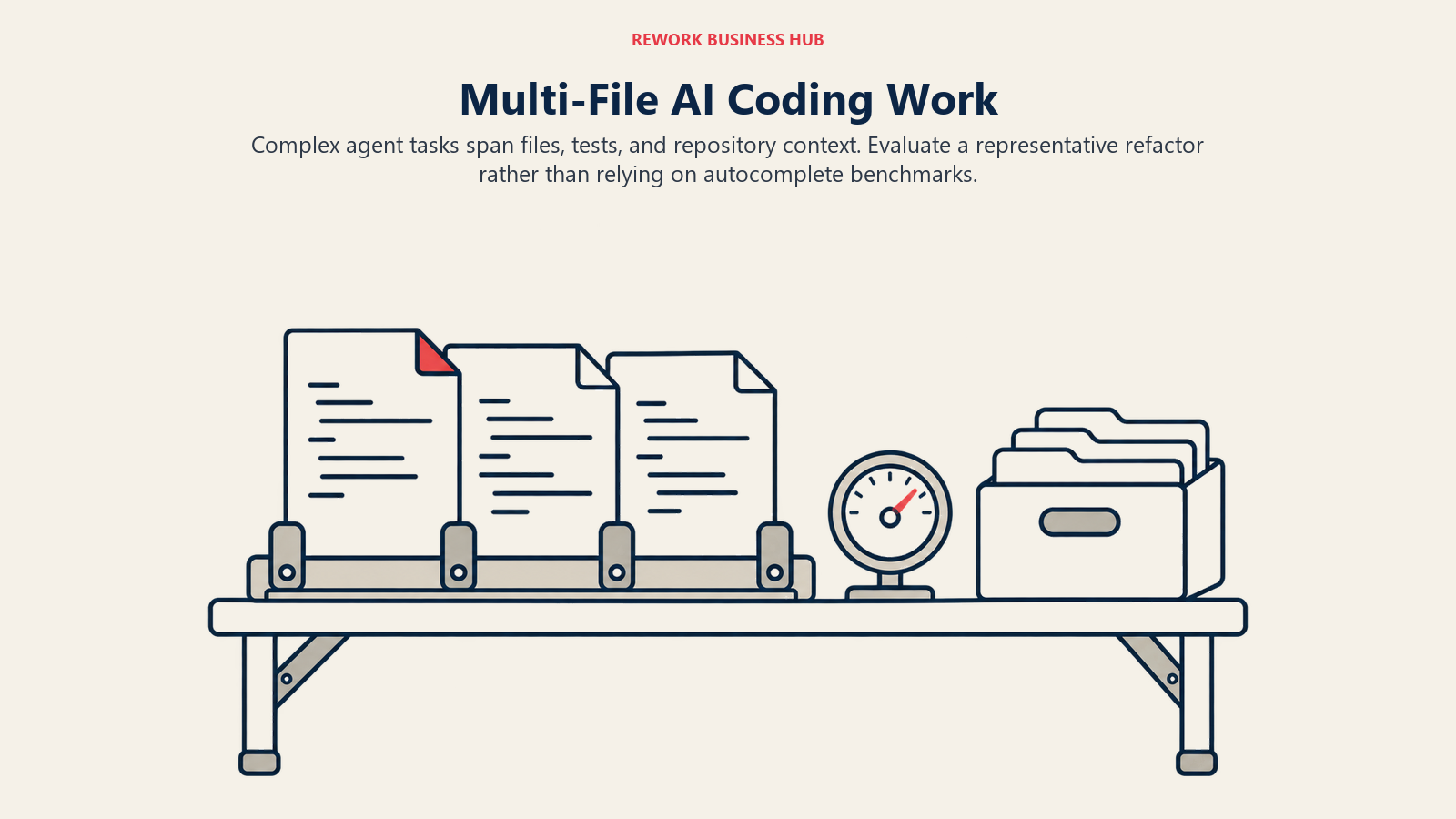
All three now cover autocomplete, chat, and some form of agent mode, but the depth differs by design intent, not polish.
| Claude Code | Cursor | GitHub Copilot | |
|---|---|---|---|
| Inline autocomplete | Limited; not the primary use case | Strong, codebase-aware, unlimited on paid plans | Excellent; trained on the broadest public code dataset, the category benchmark since 2022 |
| Chat / Q&A on code | Strong, terminal and IDE surfaces | Strong, codebase-indexed, understands cross-file context | Good, strongest when scoped to open files and workspace |
| Agent / multi-file editing | Strongest sustained, long-horizon sessions; plans, edits, tests, and iterates largely unattended | Strong, Composer proposes multi-file diffs with a review step before applying | Improving; Copilot's agent mode still trails on complex, multi-step architectural changes |
| Codebase indexing | Full repo context via CLAUDE.md and session memory | Full repo, vector-indexed | Workspace/open-file level, less full-repo depth |
| Git-native workflow | Yes, commits, branches, and PRs directly from the CLI | Via IDE git integration | Deepest, because it's built by the company that owns your git host |
| CI/CD and automation hooks | GitHub Actions and GitLab CI/CD support, plus hooks and a scriptable CLI for custom pipelines | IDE-centric; less built for headless/CI use | Native GitHub Actions integration |
The industry is pushing further still toward agents that work a whole ticket unattended rather than a single session; see the best AI agents for how fully autonomous tools like Devin fit alongside these three.
GitHub's own controlled study found developers using Copilot completed a sample HTTP server task in an average of 1 hour 11 minutes, versus 2 hours 41 minutes without it, a 55% difference with 95 professional developers in the study. That's real evidence for autocomplete-and-chat-style productivity gains. It doesn't tell you much about agent-mode performance on a genuinely complex refactor, which is where Cursor and Claude Code are built to compete instead. If your team's CI pipeline already runs on GitHub, see how to choose a DevOps platform for how coding assistant choice interacts with the rest of your toolchain decisions.
For teams also evaluating the underlying LLMs these tools draw on, Cursor lets you pick the model per task while Claude Code is Claude-only and Copilot defaults to GPT-class models with Claude and Gemini available on paid tiers; see Claude vs ChatGPT vs Gemini if the model choice itself is part of your decision.
IDE and Surface Support
| Surface | Claude Code | Cursor | GitHub Copilot |
|---|---|---|---|
| VS Code | Yes, extension | Yes, Cursor IS the IDE (VS Code fork) | Yes, native plugin |
| JetBrains (IntelliJ, PyCharm, WebStorm, etc.) | Yes, plugin | No | Yes |
| Vim / Neovim | CLI works in any terminal pane, no native plugin | No | Yes |
| Eclipse | No | No | Yes |
| Visual Studio | No | No | Yes |
| Terminal / CLI-native | Yes, the original and primary surface | No | Yes, via gh copilot CLI extension |
| Desktop app | Yes (Mac, Windows) | N/A, it is the desktop app | No |
| Web | Yes, claude.ai/code | No | Yes, GitHub.com |
If your org is genuinely mixed (some JetBrains, some VS Code, a few holdouts on Vim), Copilot is the only one of the three that covers all of it without asking anyone to change editors, a real advantage past a single-team rollout.

Risk and Governance
| Risk factor | Claude Code | Cursor | GitHub Copilot |
|---|---|---|---|
| Vendor maturity | Anthropic, well-funded, independent frontier lab | Anysphere, newer, fast-growing, VC-backed | Microsoft-owned, longest enterprise track record of the three |
| Vendor lock-in | Low to moderate; Claude-only models, but output is portable code and git history | Moderate; workflows built around Cursor-specific features (Composer) don't transfer cleanly to another editor | Moderate; deepest value is tied to staying on GitHub |
| Model dependency | Claude models only, no multi-model fallback | Multi-model by design (Claude, GPT-class, Grok, own model), reduces single-vendor dependency | Multi-model on paid tiers (GPT-class, Claude, Gemini) |
| Data residency | Regional options via Bedrock/Vertex deployment; direct API/claude.ai is US-based by default | US-based infrastructure; explicitly states no infrastructure or subprocessors in China | US-based with EU options on Enterprise |
| Pricing predictability | High on subscription seats (flat tiers, hard caps); lower if you move to metered API billing | Moderate; flat seat price, but on-demand overage for usage beyond the included pool isn't published as a flat rate | Lowest of the three; credit-metered since June 2026, overage billed per token at $0.01/credit |
When Claude Code Is the Right Call
Your team wants sustained, autonomous agent sessions for real work (refactors, migrations, multi-file features) and doesn't want to adopt a new editor to get it. Claude Code runs directly in the terminal against your actual repository and git history, which matters for teams that live in scripts, CI, and automation as much as in an IDE. It's also the strongest option if your compliance posture requires inference to stay inside infrastructure you already control: running it through Amazon Bedrock or Google Vertex AI keeps the workload under your existing IAM and VPC boundaries rather than a separate vendor's cloud.
The honest limitation: there's no free tier, and unlike the other two, you can't simply pay more mid-session to push past a usage cap. A developer who hits the 5-hour window or weekly ceiling has to wait, upgrade plans, or switch that task to metered API billing. Teams that want zero chance of a mid-task wall should budget for Max or Team Premium rather than entry Pro. If neither fits, the best Claude Code alternatives compares 11 other tools by terminal, IDE, or extension shape.
When Cursor Is the Right Call
Your team does enough complex, multi-file work, big refactors, new module scaffolding, cross-file features, that the depth of Composer's codebase-aware agent is worth a full editor switch. Teams that make this switch tend to stay; Cursor consistently shows some of the highest developer satisfaction scores in the category, and being a VS Code fork keeps the migration cost lower than switching to a genuinely unfamiliar tool.
The honest limitation: it's the most expensive of the three at every team size, with no self-hosted or VPC option, and it's the newest vendor here without GitHub's or Anthropic's multi-year enterprise track record. If your security team needs an on-premises answer, Cursor isn't it today, so see the best Cursor alternatives if that's a dealbreaker.
When GitHub Copilot Is the Right Call
Your team already lives inside GitHub for version control, pull requests, and Actions, and you want AI assistance without adding a new tool to procure, govern, or train anyone on. Copilot's integrations compound here in ways an outside tool structurally can't match: PR review summaries, code scanning, and Actions triggers are native, not bolted on. It's also the only one of the three with true breadth across JetBrains, Vim, Eclipse, and Visual Studio, which matters the moment your engineering org isn't standardized on one editor.
The honest limitation: its agent mode still trails Cursor's Composer and Claude Code's long-horizon sessions on complex, multi-step architectural work, and the June 2026 shift to credit-metered billing means a heavy agentic team can turn what looked like the cheapest plan into an unpredictable one once overage kicks in. If that's a dealbreaker, see the best GitHub Copilot alternatives.
Decision Framework
| Scenario | Best fit | Why |
|---|---|---|
| Sustained, long-horizon agent work from the terminal, no editor migration | Claude Code | Built for multi-step sessions against your real repo; no new IDE to learn |
| Complex multi-file refactors and new feature scaffolding, editor switch acceptable | Cursor | Deepest codebase-aware agent of the three |
| GitHub-native org, PR review and Actions integration matter | GitHub Copilot | Integrations only possible because it's built by the platform owner |
| Mixed IDEs (JetBrains, VS Code, Vim, Eclipse) across the org | GitHub Copilot | Only tool with full coverage across all major editors |
| Lowest predictable per-seat cost at any headcount | GitHub Copilot | Cheapest published rate from 1 to 50+ seats |
| Compliance requires inference inside your own cloud account | Claude Code | Deployable through Bedrock, Vertex AI, or Microsoft Foundry under your own IAM/VPC |
| Heaviest agentic workload, cost secondary to capability | Cursor or Claude Code | Both lead on complex, multi-step agent tasks as of October 2026 |
| New, VC-backed vendor risk is a board-level concern | GitHub Copilot | Microsoft-backed, longest enterprise track record |
Frequently Asked Questions about Claude Code, Cursor, and GitHub Copilot
Is Claude Code free to use?
No. Unlike Cursor's free Hobby tier and GitHub Copilot's free tier, Claude Code requires a paid Claude plan (Pro at minimum, $20/month billed monthly or $17/month billed annually) or a pay-as-you-go Anthropic API key. There's no bundled free allowance for agentic coding sessions.
Does Cursor use Claude or GPT models?
Both, plus xAI's Grok and Cursor's own Composer model. Cursor is model-agnostic: you or your admin choose which underlying model powers a given task, and the subscription fee is the same regardless of which model you pick, though heavier frontier models burn through included usage faster.
Which of the three has the broadest editor support?
GitHub Copilot, by a wide margin. It ships official plugins for VS Code, Visual Studio, JetBrains IDEs, Neovim, Vim, and Eclipse. Cursor is its own VS Code fork with no JetBrains or Vim support. Claude Code runs natively in the terminal and now has VS Code and JetBrains extensions, but no Eclipse or Vim-native plugin.
Can a team use more than one of these at the same time?
Yes, and plenty do. A common pattern is Copilot for everyday inline completions in whatever editor the team already runs, plus Claude Code or Cursor's agent mode for larger multi-file work like refactors and migrations. Budget for it: running two paid seats per developer roughly doubles the per-seat cost.
Does any of the three offer IP indemnification?
All three offer some form of it on paid business tiers, but scope and visibility differ. GitHub Copilot states IP indemnity explicitly on Business and Enterprise. Anthropic's Commercial Terms of Service cover copyright claims for Team, Enterprise, and API customers, not the consumer Pro or Max plans. Cursor's Business/Enterprise terms cover AI-generated suggestions too, but it's documented in the contract rather than marketed as a headline feature, so confirm the clause before you sign.
Which tool is cheapest for a 50-developer team?
On a straight per-seat basis, GitHub Copilot Business at $19/user/month ($11,400/year for 50 seats) is cheapest. Claude Code's Team Standard runs $12,000 to $15,000/year at that size, and Cursor Teams Standard runs $24,000/year. That ranking holds at the entry business tier for each vendor, but it can tighten if your team's workload is heavy enough to push Copilot into credit overage while Cursor or Claude stay on a flat Premium rate.
What to Do Next
Don't commit to a company-wide rollout before you've tested the shape of tool against your actual workflow, not just the model quality.
Pick one team and run a structured two-week pilot. Give 3 to 5 developers on a representative workstream access to your shortlisted tool, people whose daily work matches the use case you're evaluating: heavy refactors for Cursor or Claude Code's agent mode, PR volume for Copilot's review features. Measure time-to-merge against a control group, not anecdotes. Track whether anyone quietly stops using it after week one; that's a stronger signal than any benchmark.
Before you expand past the pilot, get security and procurement to confirm the line items a budget estimate tends to miss: GitHub Enterprise Cloud's $21/user/month add-on if you're pricing Copilot Enterprise, whether compliance needs Claude Code deployed through Bedrock or Vertex instead of direct API access, and the exact IP indemnification language in whichever contract you're about to sign. Those three details change the real cost and risk profile more than any feature table does. A review layer is a separate purchase, and the best AI code review tools in 2026 covers it; if non-developers will build too, the best vibe coding tools in 2026 covers that lane.

Principal Product Marketing Strategist
On this page
- What Changed Recently
- TL;DR
- Three Different Shapes of Tool
- Decision by Engineering Goal
- Pricing: Individual and Team Plans
- Enterprise Features
- Pricing at 1, 10, and 50 Developers
- Core Capability Comparison
- IDE and Surface Support
- Risk and Governance
- When Claude Code Is the Right Call
- When Cursor Is the Right Call
- When GitHub Copilot Is the Right Call
- Decision Framework
- What to Do Next