Best Cursor Alternatives in 2026: 11 AI Coding Tools for Developers

Turn this article into takeaways for your work.


Each assistant summarizes the article only for you and suggests best practices for your work.
Cursor earned its reputation. It was the first AI-native editor to make multi-file edits feel natural, its agent mode can carry a feature from spec to working code with minimal hand-holding, and the VS Code fork meant most developers could switch in an afternoon. For a lot of teams, it still is the right tool.
But mid-2025 changed the calculus for many. Cursor replaced fixed "fast request" allotments with usage-based credit pools tied directly to API costs. The headline Pro price stayed around $20/month, but heavy agentic workflows, long-context sessions, and frontier-model reliance pushed real monthly spend dramatically higher for some users. The rollout was rough enough that Cursor issued a public apology in July 2025 and offered refunds. Beyond cost, engineering leads and platform security teams face a structural concern that no pricing fix resolves: Cursor is a cloud-connected tool and your code travels to Anthropic, OpenAI, or Google infrastructure. For organizations with strict data-residency rules, regulated codebases, or proprietary IP concerns, that's a hard blocker regardless of how good the UX is.
The result is a genuine, active search for alternatives. Individual developers want budget predictability or BYO-key flexibility. Small engineering teams want something that integrates with their existing IDE rather than demanding a fork switch. Enterprise platform and security teams want self-hosted or air-gapped options. And some developers simply want to try the new wave of open-source autonomous agents that have matured considerably since 2024. This article covers 11 serious alternatives across all of those needs, with real pricing and honest trade-offs.
If you're also evaluating version control and project tooling alongside your editor choice, the comparisons for best GitHub Copilot alternatives, best GitLab alternatives, and best Jira alternatives cover the adjacent decisions. For API testing needs, see best Postman alternatives.
Quick Comparison Table
| Tool | Best For | Starting Price | Key Strength | Key Limitation |
|---|---|---|---|---|
| GitHub Copilot | IDE-agnostic teams on GitHub | Free (limited) / $10/mo | Widest IDE support, agent mode | Usage-based billing at Pro level |
| Windsurf | Cursor-style experience at lower cost | Free / $15/mo | Cascade agent, polished UX | Smaller ecosystem than Copilot |
| Cline | BYO-key autonomous agent in VS Code | Free (pay provider) | Open source, full auditability | Requires managing API keys |
| Zed | Speed-first collaborative coding | Free / $10/mo | Rust-native speed, real-time collab | Newer ecosystem, fewer plugins |
| JetBrains AI / Junie | IntelliJ/PyCharm-first teams | $10/mo (plus IDE) | Deep IDE context, Junie agent | Extra cost on top of IDE license |
| Aider | CLI/terminal power users | Free (pay provider) | Git-native, works in any editor | No GUI, learning curve |
| Continue.dev | Model-flexible open-source teams | Free / $10/mo (team) | 100+ models, fully open-source | Less polished UX than Cursor |
| Tabnine | Enterprise with air-gap or self-host needs | $39/user/mo | Air-gapped deployment, zero code retention | No free tier since 2025 |
| Amazon Q Developer | AWS-heavy engineering orgs | Free / $19/user/mo | Native AWS integration, IP indemnity | Weak outside AWS ecosystem |
| Replit | Prototypers and beginners | Free / $25/mo (Core) | Cloud IDE, zero setup, deploy from editor | Credit costs unpredictable for heavy AI |
| Claude Code | Agentic terminal-first workflows | $20/mo (Pro) | Powerful agent, Anthropic models, scriptable | Terminal-only, no GUI editor |
1. GitHub Copilot: The IDE-Agnostic Incumbent
GitHub Copilot is the most widely deployed AI coding assistant in the world, and it got meaningfully better in 2025 with the addition of agent mode and multi-file editing. Unlike Cursor, it's a plugin, not a fork. You keep your existing IDE (VS Code, IntelliJ, Neovim, Xcode, Eclipse) and bolt Copilot onto it. That matters for platform engineering teams managing toolchain standardization across a heterogeneous developer population.
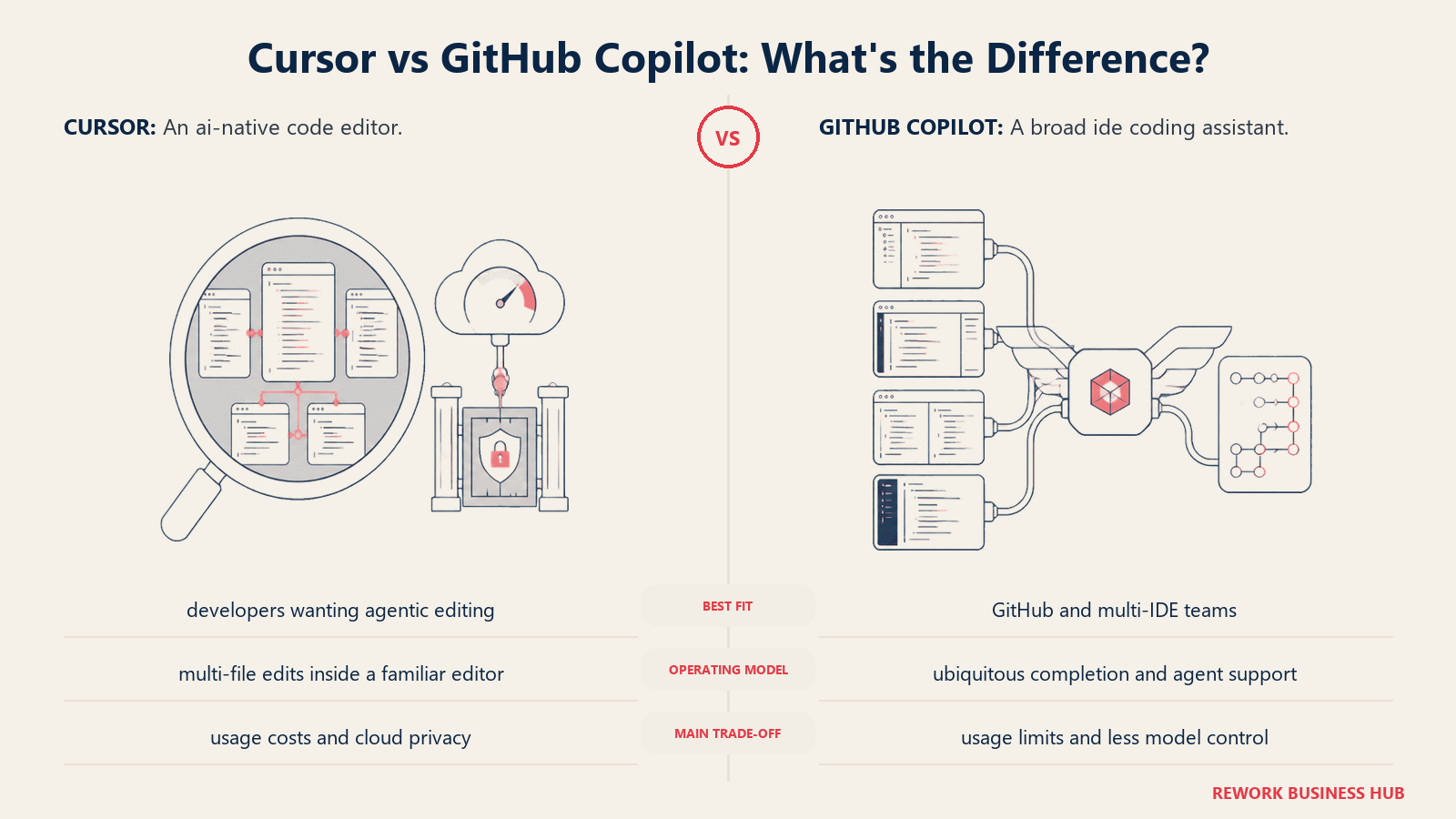
The June 2026 billing overhaul is worth understanding before committing. All plans now use GitHub AI Credits rather than counting discrete requests. Pro includes $10 of monthly AI Credits (enough for most individual devs doing standard completions and occasional agent tasks). Business at $19/user/month includes $19 in credits. Frontier model usage and long agent sessions draw credits faster, so teams with heavy agentic workflows should monitor consumption. Agent mode is genuinely capable for multi-file scaffolding and refactoring, though it's still a step behind Cursor's agent in pure polish.
| Pros | Cons |
|---|---|
| Runs in nearly every IDE | Credit-based billing requires monitoring |
| Strong enterprise compliance and IP indemnity | Agent mode less polished than Cursor |
| Free tier available for students and limited individual use | Context window limitations in some IDEs |
| GitHub ecosystem integration (PR summaries, issue context) |
Pricing: Free (limited); Pro $10/month (includes $10 AI Credits); Pro+ $39/month (includes $39 AI Credits); Business $19/user/month; Enterprise $39/user/month. Usage-based as of June 2026, see GitHub Copilot pricing.
Best for: Teams already on GitHub who want IDE choice rather than a forced editor switch, and organizations that need enterprise compliance features at a known per-seat cost.
2. Windsurf: Closest to Cursor in Feel and Price
Windsurf (Codeium's AI-native editor, rebranded in 2025) is the most direct Cursor alternative in terms of product philosophy. It's also a VS Code fork with a built-in AI agent called Cascade, and it competes aggressively on price. The Pro plan at $15/month gives you unlimited Cascade sessions and access to all hosted models. For developers who want the Cursor experience but got burned by the mid-2025 billing changes, Windsurf is the first place to look.
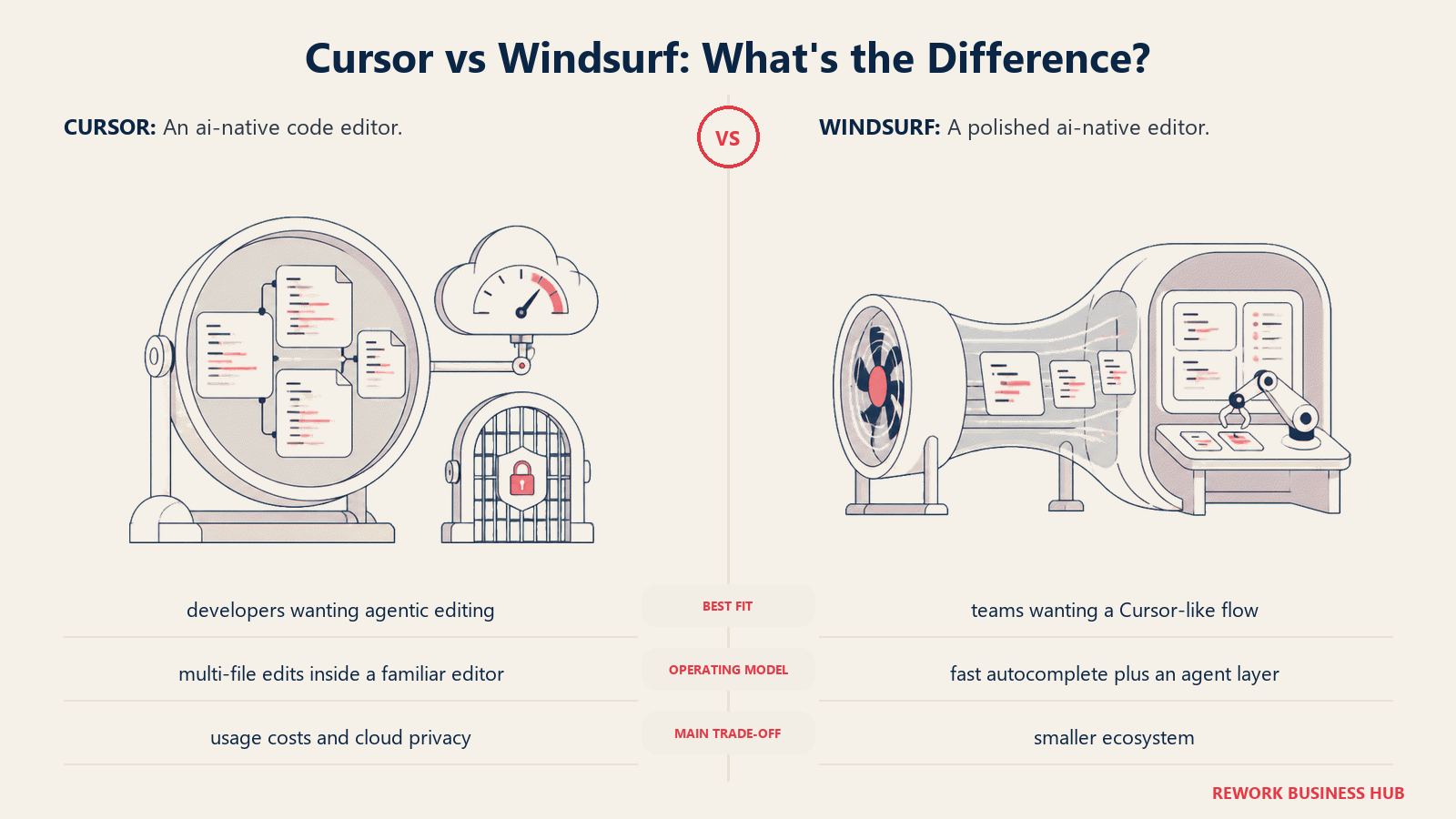
Cascade handles multi-file edits and autonomous task flows similarly to Cursor's agent mode. In head-to-head comparisons, Cursor's agent edges ahead on complex refactors, but Windsurf's quota-based model (daily/weekly usage quotas that refresh automatically, introduced in the March 2026 overhaul) is significantly more predictable in cost. The Teams plan at $40/user/month adds admin controls and SSO.
Windsurf's plugin ecosystem is smaller than Cursor's, and the community around it is newer. If you rely on specific Cursor-specific extensions or community resources, expect a short adjustment period. Windsurf has since been renamed Devin Desktop, so read Cursor vs Windsurf (now Devin Desktop) for its current ownership, pricing, and model access before you shortlist it.
| Pros | Cons |
|---|---|
| Familiar VS Code fork experience | Smaller ecosystem than Cursor or native VS Code |
| Cascade agent is genuinely capable | Fewer community tutorials and resources |
| Predictable quota-based billing since March 2026 | Teams plan at $40/user/month is above Cursor Business |
| Competitive pricing vs Cursor Pro |
Pricing: Free (25 prompt credits/month, unlimited tab completions); Pro $15/month (500 credits, all models, full Cascade); Pro Plus $35/month (priority flagship model access); Teams $40/user/month. See Windsurf pricing.
Best for: Developers who liked Cursor's UX but want cost predictability, or teams evaluating a Cursor alternative without switching IDE paradigms.
3. Cline: Open-Source Autonomous Agent with Full Auditability
Cline (VS Code extension, Apache 2.0, previously known as Claude-Dev) takes a different approach entirely. Rather than bundling its own model, it's an autonomous coding agent that connects to whichever LLM you provide the key for: Claude, GPT-4o, Gemini, DeepSeek, a local Ollama model, or anything with an OpenAI-compatible API. You pay Anthropic or OpenAI directly, and Cline takes no cut on the inference.
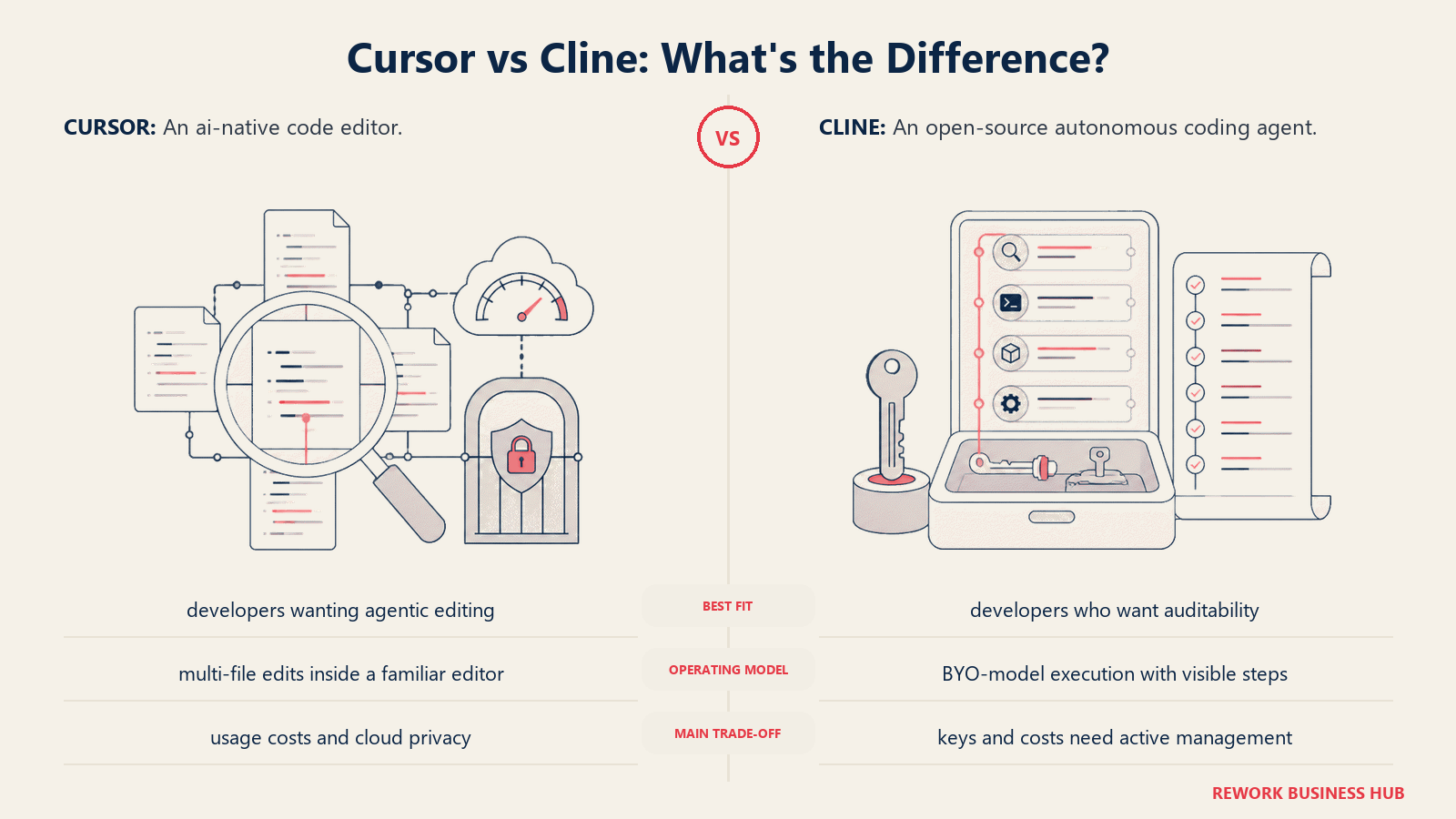
This model has two big advantages. First, full auditability: because Cline is open source, you can inspect exactly what code it sends to which endpoint. For developers or organizations concerned about code privacy without needing enterprise self-hosting, this is a meaningful control. Second, model flexibility: when a better or cheaper model ships, you switch a config value rather than waiting for the tool vendor to integrate it.
The practical cost for a working developer using Claude Sonnet or GPT-4o is typically $25 to $70 per month in API fees, depending on usage. Teams at 10 seats or fewer get the first seats free (Teams plan is free through Q1 2026 then $20/user/month for additional seats).
| Pros | Cons |
|---|---|
| Fully open source, auditable | API key management overhead |
| BYO model: use any provider or local model | No GUI outside VS Code |
| No markup on inference costs | Monthly costs can vary with usage |
| Active community, frequent releases | Less polished onboarding than Cursor |
Pricing: Extension free. Inference at provider rates (typical $15-$70/month). Teams plan free through Q1 2026, then $20/user/month for seats beyond 10. See Cline pricing.
Best for: Individual developers and small teams who want maximum model flexibility, full cost transparency, and the ability to audit what leaves their machine.
4. Zed: Speed-First Collaborative Editor with Built-in AI
Zed is a native application written in Rust, and it shows. On large codebases, it opens and responds noticeably faster than Electron-based editors including VS Code, Cursor, and Windsurf. Real-time collaboration is a first-class citizen: you share a project, see co-workers' cursors, voice chat, and pair-program in the same buffer without a third-party plugin.
The AI layer has matured substantially. Zed Pro at $10/month includes access to hosted models (Claude, GPT-4, Gemini) and edit predictions via the Zeta2 model. The plan includes $5 of monthly token credit, with additional usage billed at posted rates. Zed also supports parallel agents, MCP servers, and the Agent Client Protocol (ACP) to pipe in external CLI agents like Claude Code or Aider. For speed-sensitive workflows, multi-monitor setups, and teams that pair-program regularly, this is a standout.
The tradeoff is ecosystem maturity. Zed's plugin library is a fraction of VS Code's size. If you rely on niche language servers, framework-specific extensions, or specific debugger integrations, check compatibility before committing.
| Pros | Cons |
|---|---|
| Native Rust performance, noticeably faster than Electron editors | Much smaller plugin ecosystem than VS Code |
| Real-time collaboration built in without plugins | Relatively young community |
| Supports external CLI agents via ACP | Windows support is newer and less tested |
| Reasonable pricing ($10/month for Pro) |
Pricing: Personal free (2,000 edit predictions); Pro $10/month (unlimited predictions, hosted models, $5 monthly token credit, pay-as-you-go beyond). See Zed pricing.
Best for: Developers who prioritize raw editor performance, teams that pair-program frequently, and developers on macOS or Linux who want a native-feel AI editor.
5. JetBrains AI Assistant and Junie: Native IntelliJ Depth
If your team lives in IntelliJ IDEA, PyCharm, WebStorm, or another JetBrains IDE, the AI Assistant and its Junie agent deserve serious consideration. The core advantage is depth of context. JetBrains AI understands the project model (module structure, dependency graph, run configurations, test frameworks) the way no VS Code extension can match because it runs inside the IDE's own runtime, not bolted on top.
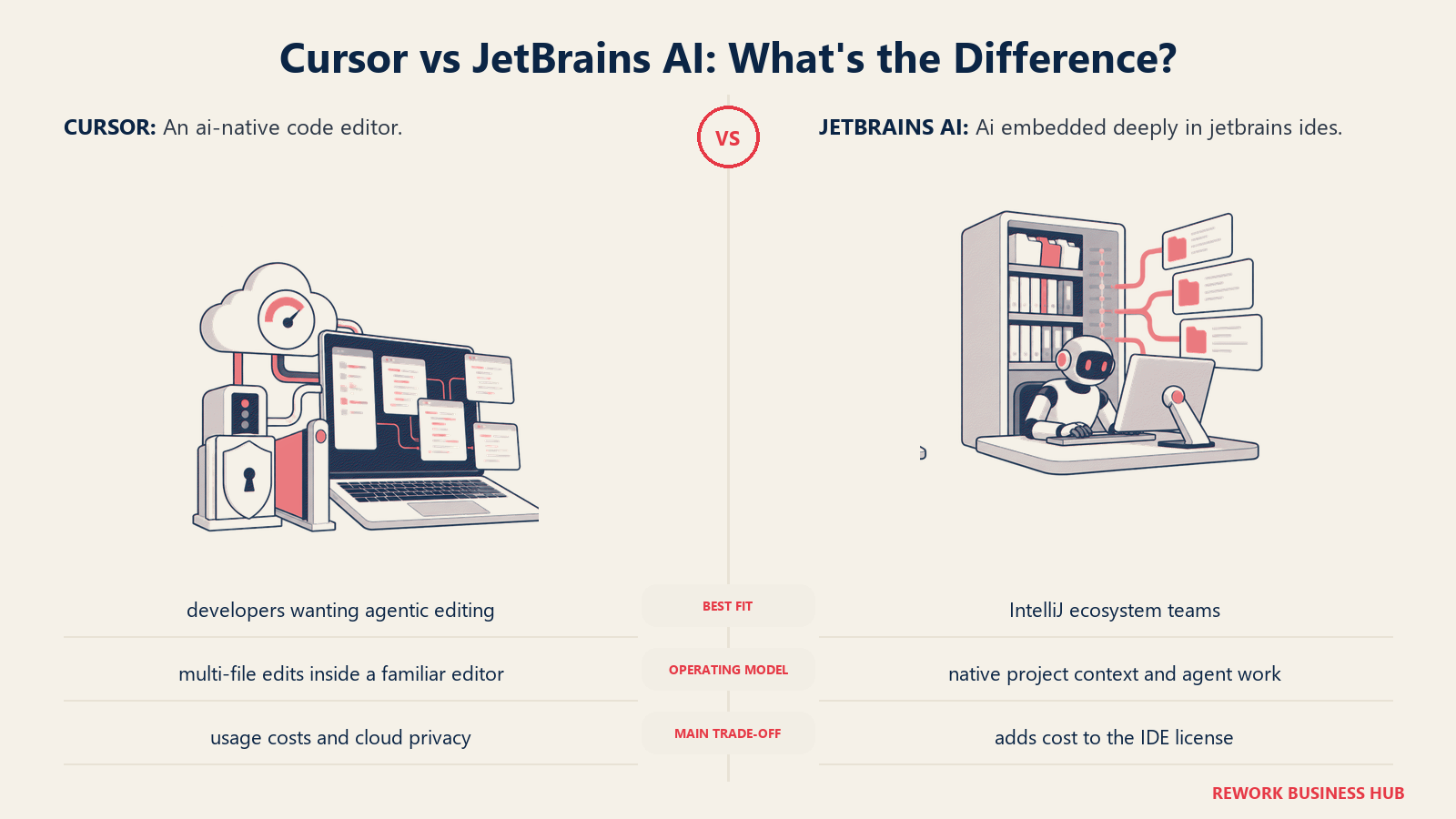
Junie, the agentic component, reads code, plans multi-step changes, applies edits, and runs tests without leaving the IDE. The Anthropic Agent SDK integration in 2025 made Junie significantly more capable for complex refactoring tasks. The product is also bundled into existing All Products Pack subscriptions, which reduces the per-seat addition for shops already on JetBrains Toolbox.
The pricing structure requires some unpacking. AI Pro adds $10/month (personal) or $20/month (commercial) on top of your existing IDE subscription. Credit consumption with Junie on long tasks has been a source of community complaints, with some users burning through monthly allowances faster than expected on agentic tasks.
| Pros | Cons |
|---|---|
| Deepest IDE context of any option here | Extra cost layered on existing IDE license |
| Works across all major JetBrains IDEs | Community reports credit burnout on long Junie tasks |
| Junie agent handles complex multi-step refactors | Only valuable if you already use JetBrains IDEs |
| SOC 2 and GDPR compliance built in |
Pricing: AI Free at $0 (limited features); AI Pro at $10/month personal or $20/month commercial (includes Junie, multi-model access); AI Ultimate at $30/month or $20/month on annual billing. Pricing is separate from IDE license. See JetBrains AI pricing.
Best for: Teams already committed to the JetBrains ecosystem who want agentic AI without changing their editor, particularly Java, Kotlin, Python, and JavaScript teams.
6. Aider: Git-Native Terminal Pair Programmer
Aider is a terminal application, not an editor. You run it in your project directory, describe what you want, and it reads your codebase, applies multi-file edits, runs tests, and commits the result to git with a meaningful commit message. The whole thing happens in your terminal alongside whichever editor you already use.
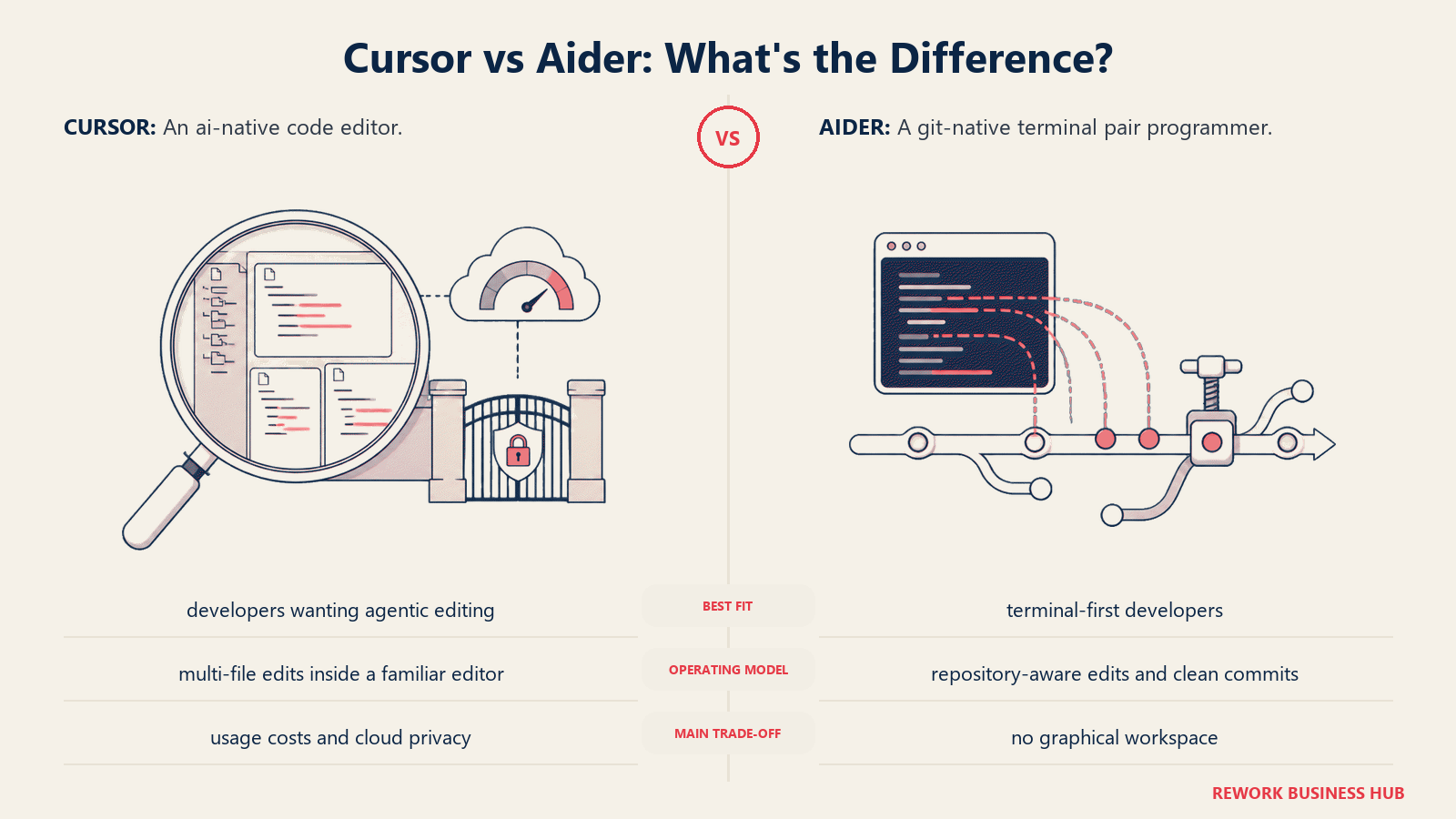
The git-native workflow is its defining characteristic. Every change Aider makes is an atomic commit, which means the full history is reviewable in your standard git tooling. You can review a whole agentic session as a diff, cherry-pick individual commits, or simply revert if something goes wrong. For developers who are already comfortable in the terminal, this is clean and predictable.
Aider is free and open source (Apache 2.0, 44K+ GitHub stars as of 2026). You pay only for the LLM API you connect: typical monthly spend for an active developer is $30 to $60 using Claude or GPT-4o, zero if you run a local model via Ollama. It supports essentially every model with an API.
| Pros | Cons |
|---|---|
| Git-native: every change is an auditable commit | Terminal-only, no visual editor |
| Completely free open source | Steeper onboarding curve than GUI tools |
| Works alongside any editor you already use | Requires LLM API key management |
| Strong support for local models | Less suitable for beginners or non-CLI users |
Pricing: Free and open source. Inference at provider rates (typical $0-$60/month depending on model and volume). See Aider.
Best for: Terminal-comfortable developers, teams that want every AI change to live in git history, and power users who want maximum model flexibility without leaving their existing editor.
7. Continue.dev: Open-Source, 100-plus Model Flexible
Continue.dev is an open-source AI code assistant that runs as a VS Code or JetBrains extension. Its headline feature is breadth of model support: 100-plus providers including OpenAI, Anthropic, Gemini, Mistral, Amazon Bedrock, Azure OpenAI, and local models via Ollama. You configure whichever models you want for different tasks (a fast local model for completions, a larger frontier model for chat and agent tasks) and Continue routes accordingly.
The Solo plan is free forever. You bring your own API keys and pay providers directly. The Team plan at $10/developer/month adds centralized configuration, shared agents, and secure secret management so teams don't each manage their own keys. Enterprise adds self-hosting and custom governance.
Continue is less polished than Cursor in terms of UX. The agent mode is capable but requires more configuration to get right. But for engineering organizations that value open-source auditability, want to avoid vendor lock-in at the model layer, or are evaluating AI coding tools in air-sensitive or regulated environments where SaaS tools need procurement approval, Continue gives you a fully inspectable stack.
| Pros | Cons |
|---|---|
| 100+ model providers, including local models | Less polished UX than Cursor or Windsurf |
| Fully open source (Apache 2.0) | Requires more manual configuration |
| Works in both VS Code and JetBrains | Agent mode not as turnkey as Cursor's |
| Free Solo plan, reasonable Team pricing |
Pricing: Solo free; Team $10/developer/month; Enterprise custom pricing. Model inference at provider rates. See Continue.dev pricing.
Best for: Teams that want model flexibility and open-source auditability, JetBrains users who want AI assistant features, and organizations evaluating AI coding tools under strict procurement requirements.
8. Tabnine: Enterprise-Grade Privacy with Air-Gap Support
Tabnine is the tool you evaluate when code leaving your premises is a hard blocker. It's the only AI coding assistant here that offers fully air-gapped deployment, and it discontinued its free Basic plan in 2025 to focus squarely on the enterprise market that needs it.
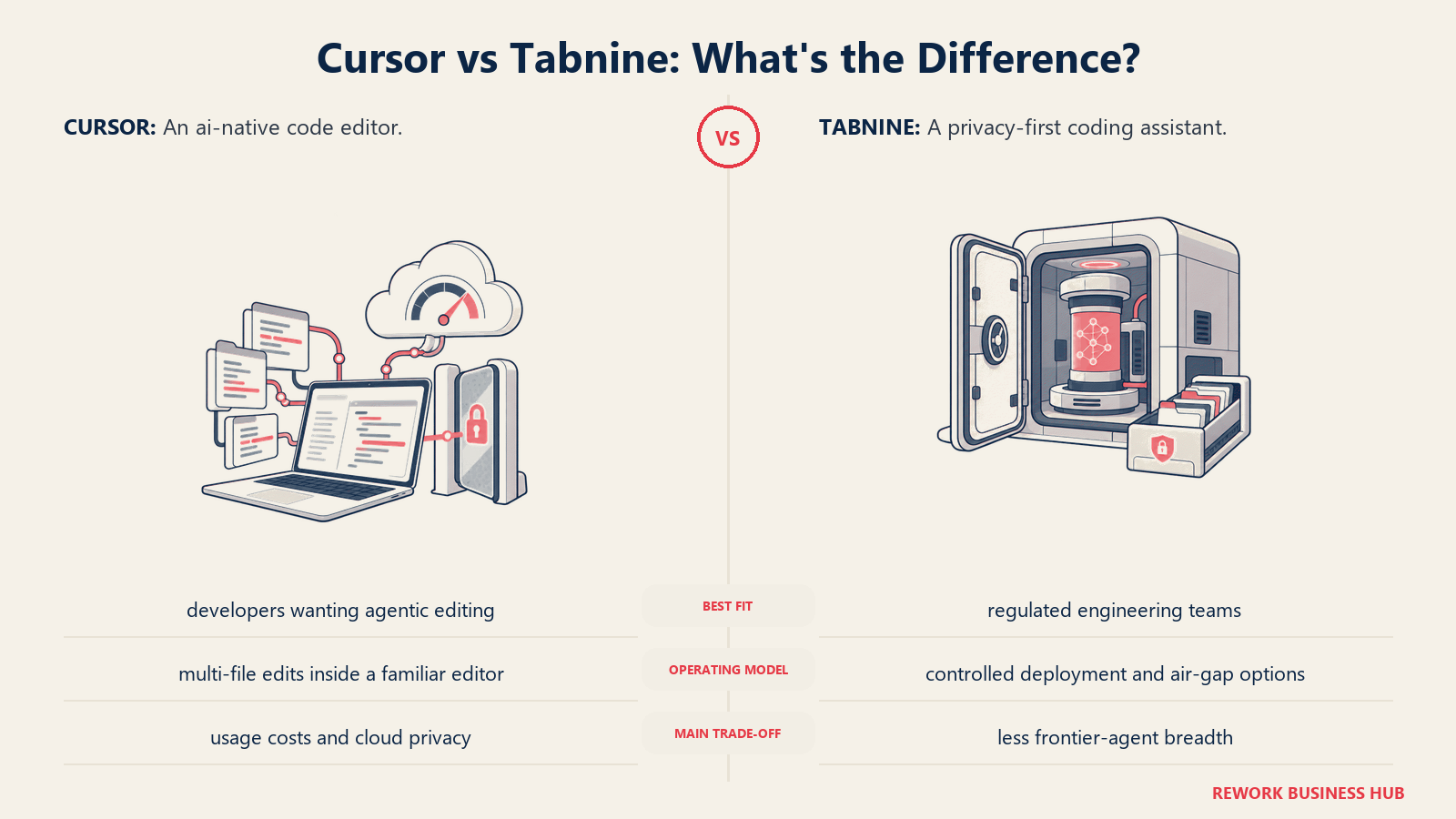
The Code Assistant plan at $39/user/month includes SOC 2, GDPR, and ISO 27001 compliance, a zero-code-retention policy by default, and flexible deployment: choose between Tabnine's SaaS cloud, a VPC deployment in your own cloud account, on-premises, or fully air-gapped with no internet connection required. The Agentic Platform at $59/user/month adds MCP tool integration and multi-step autonomous task execution. Enterprise pricing is custom and includes BYO LLM support.
The trade-off is cost. At $39/user/month for the entry plan, Tabnine is the most expensive option in this list by a significant margin for anything above a tiny team. The agent capabilities are also less advanced than Cursor, Windsurf, or Cline at this price point. You're paying for compliance infrastructure, not cutting-edge agent UX.
| Pros | Cons |
|---|---|
| Only tool here with fully air-gapped deployment | $39/user/month is expensive for the AI features you get |
| Zero code retention by default | No free tier since 2025 |
| SOC 2, GDPR, ISO 27001 certified | Agent capabilities behind Cursor, Windsurf, Cline |
| BYO LLM on Enterprise tier |
Pricing: Code Assistant $39/user/month; Agentic Platform $59/user/month; Enterprise custom. 14-day free trial. See Tabnine pricing.
Best for: Regulated industries (finance, healthcare, defense), organizations with strict data residency requirements, and enterprise platform teams that cannot use SaaS AI tools under their security policies.
9. Amazon Q Developer: Built for AWS-First Engineering Orgs
Amazon Q Developer is tightly integrated into the AWS ecosystem, which is its defining both strength and limitation. On the strength side: it understands your Lambda functions, IAM policies, CDK stacks, and CloudFormation templates the way a general-purpose coding assistant cannot. The Pro tier includes IP indemnity, meaning Amazon assumes legal liability if Q-generated code infringes third-party intellectual property, a policy only GitHub Copilot also offers among this list.
The Free Tier is generous: 50 agentic tasks per month, code suggestions, security scanning, and 1,000 lines of Java code transformation. Pro at $19/user/month substantially increases those limits and adds the IP indemnity coverage. For AWS-heavy teams where the assistant will spend most of its time touching infrastructure-as-code, Lambda handlers, and Bedrock integrations, the native context is genuinely useful.
Outside AWS, Q Developer is awkward. Its general-purpose coding assistance is functional but trails Cursor, Windsurf, and Copilot in polish and autonomy. Engineering organizations building on GCP, Azure, or primarily on-premises have little reason to evaluate it.
| Pros | Cons |
|---|---|
| Deep AWS context (CDK, Lambda, IAM, CloudFormation) | Limited value outside AWS ecosystem |
| IP indemnity on Pro tier | General coding assistance less capable than top alternatives |
| Generous free tier | Requires AWS account for full features |
| $19/user/month matches GitHub Copilot Business |
Pricing: Free (50 agentic tasks/month, basic suggestions); Pro $19/user/month. See Amazon Q Developer pricing.
Best for: AWS-centric engineering organizations, teams working heavily with IaC and cloud services, and enterprises that value IP indemnity coverage for generated code.
10. Replit: Cloud IDE for Prototypers and Early-Stage Builders
Replit is the odd one out here: it's a cloud IDE rather than a desktop tool. You build, run, deploy, and collaborate entirely in the browser. For beginners, bootcamp graduates, early-stage founders, and anyone building prototypes who wants zero local environment setup, this is the fastest path from idea to running app.
The AI Agent is central to Replit's 2026 positioning. Describe what you want to build and it writes code, handles dependencies, and sets up a deployment-ready environment. The Core plan at $25/month includes $25 in monthly credits and access to 5 collaborators. The Pro plan at $100/month scales to 15 builders with credit rollover and priority support.
The pricing gotcha to know before committing: credits are consumed by AI operations, compute, and deployments. Agent operations charge $0.25 per checkpoint, and each user action can trigger 5 to 10 billable checkpoints. Heavy AI-assisted sessions can consume credits faster than expected. This is a known pain point in the Replit community in 2026.
| Pros | Cons |
|---|---|
| Zero local setup, runs entirely in browser | Credit consumption unpredictable for heavy AI use |
| Deploy directly from the IDE | Not suited for large production codebases |
| Good for beginners and rapid prototyping | Less control than desktop IDE over environment |
| Real-time collaboration built in | $0.25 per checkpoint adds up fast |
Pricing: Free (limited); Core $25/month ($25 in monthly credits, 5 collaborators); Pro $100/month (15 builders, credit rollover). See Replit pricing.
Best for: Solo founders and beginners prototyping quickly, developers who want zero local environment overhead, and small teams building early-stage products who want to go from idea to deployed URL in hours.
11. Claude Code: Anthropic's Agentic Terminal Tool
Claude Code is Anthropic's own CLI-based agentic coding tool. It runs in your terminal, connects directly to Anthropic's models, and is designed for multi-step autonomous coding tasks: reading a codebase, planning changes across files, writing tests, fixing failing CI, and committing the result. The Pro plan at $20/month gives you a usage budget; Max plans at $100/month (5x usage) and $200/month (20x usage) serve heavier agentic workflows.
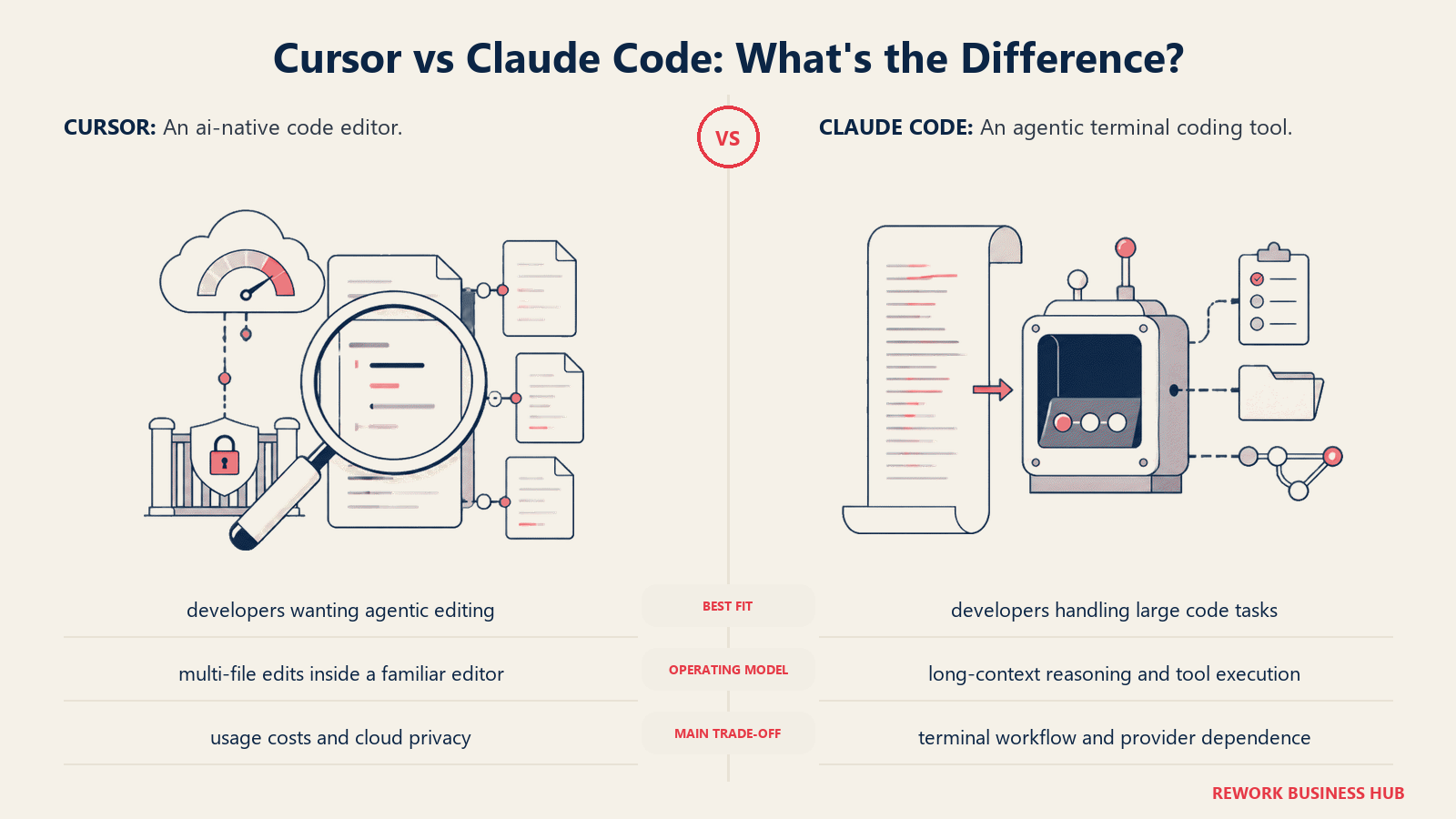
Where Claude Code stands out is agent quality. It uses Claude Sonnet and Opus models natively, and for complex multi-step tasks with significant reasoning requirements, Claude's model quality shows. It's also highly scriptable: you can integrate it into CI pipelines, feed it structured context from other tools, and build workflows around it programmatically.
The limitation is the interface. Claude Code has no GUI editor. It's a terminal tool, and it works alongside whatever editor you use, not inside it. Developers comfortable with terminal workflows will find it powerful and flexible. Those who want an integrated visual experience similar to Cursor or Windsurf will find the interaction model unfamiliar. For Claude Code against Cursor and GitHub Copilot on cost at 1, 10, and 50 developers, see Claude Code vs Cursor vs GitHub Copilot.
| Pros | Cons |
|---|---|
| Best-in-class model quality for agentic tasks | Terminal-only, no integrated GUI editor |
| Scriptable and CI-friendly | Usage costs scale with frontier model consumption |
| Direct access to latest Claude models | Steeper onboarding than GUI-first tools |
| Active development and rapid improvements | Requires Anthropic subscription |
Pricing: Pro $20/month (includes usage budget); Max 5x $100/month; Max 20x $200/month; API access billed by token ($3/M input, $15/M output for Sonnet 4.6). See Claude pricing.
Best for: Developers comfortable in the terminal who want maximum agent capability, teams building CI/CD integrations around an AI agent, and users who want direct access to Anthropic's best models without a GUI intermediary.
Stage Fit Matrix
| Tool | Solo / Indie Dev | Small Team (2-15) | Mid-Market Eng Org | Enterprise (100+ devs) |
|---|---|---|---|---|
| GitHub Copilot | Good (free tier) | Strong | Strong | Strong (compliance, IP indemnity) |
| Windsurf | Strong | Good | Good | Limited (no air-gap) |
| Cline | Strong | Good | Limited (key mgmt overhead) | Not recommended |
| Zed | Strong | Good | Limited (plugin gaps) | Not recommended |
| JetBrains AI | Good (if JB user) | Good (if JB shop) | Strong (existing JB investment) | Good |
| Aider | Strong (CLI-comfortable) | Good | Limited | Not recommended |
| Continue.dev | Strong | Strong | Good | Good (enterprise self-host) |
| Tabnine | Not recommended (no free tier) | Limited (cost) | Good | Strong (air-gap, compliance) |
| Amazon Q Developer | Good (if AWS) | Good (if AWS) | Strong (AWS orgs) | Strong (AWS orgs) |
| Replit | Strong (prototyping) | Limited | Not recommended | Not recommended |
| Claude Code | Strong (terminal-comfortable) | Good | Good | Good (API/CI integration) |
Sizing and Persona Table
| Tool | Team Size Sweet Spot | Primary Buyer | Secondary Buyer |
|---|---|---|---|
| GitHub Copilot | All sizes | Individual developer or eng manager | CTO / platform team |
| Windsurf | 1-50 | Individual developer | Small eng team lead |
| Cline | 1-15 | Individual developer | Technical co-founder |
| Zed | 1-30 | Individual developer | Small team lead (collab focus) |
| JetBrains AI | 5-200 | JetBrains license holder | Eng manager at Java/Kotlin shop |
| Aider | 1-10 | Senior developer (CLI-comfortable) | Individual contributor |
| Continue.dev | 1-100 | Developer or eng lead (open-source mandate) | Platform engineer |
| Tabnine | 20-500+ | Security / compliance officer | CTO at regulated company |
| Amazon Q Developer | 5-500+ | AWS developer or cloud architect | Platform / DevOps lead |
| Replit | 1-5 | Solo founder or student | Early-stage product team |
| Claude Code | 1-50 | Senior developer or AI engineer | Platform/CI engineer |
How to Choose: Decision Framework
| If you need... | Choose |
|---|---|
| An IDE-agnostic assistant that works in your existing editor across a mixed-IDE team | GitHub Copilot |
| A Cursor-like experience with more predictable billing | Windsurf |
| Full control over which model you use and zero vendor lock-in on inference | Cline or Continue.dev |
| Air-gapped or on-premises deployment for a regulated codebase | Tabnine Enterprise |
| Raw editor speed and first-class real-time collaboration | Zed |
| Deep context inside IntelliJ, PyCharm, or WebStorm | JetBrains AI Assistant |
| Every change tracked as an atomic git commit in terminal | Aider |
| Native AWS codebase assistance and IP indemnity | Amazon Q Developer |
| Zero local setup, prototype to deployed URL in one session | Replit |
| Maximum agentic capability using Claude models, scriptable for CI | Claude Code |
| The best overall Cursor replacement for a team that also wants enterprise controls | GitHub Copilot Business |
What Cursor Still Does Best
| Capability | Why Cursor Leads |
|---|---|
| Multi-file agent UX | Most polished agent-to-edit flow with fewest friction points |
| VS Code fork familiarity | Drops into most developers' existing muscle memory |
| Community and ecosystem | Largest community of Cursor-specific tutorials and extensions |
| Speed of feature iteration | Cursor ships fast; the product gap vs competitors has narrowed but holds |
Cursor's June 2025 pricing changes hurt its reputation, but the product itself remains strong. If you're leaving Cursor, you're mostly leaving because of cost unpredictability, privacy concerns, or a desire for open-source control, not because of product quality.
What to Do Next
Don't choose based on benchmarks or feature grids alone. Pick your top two candidates from the table above and run both on a real feature branch from your actual codebase for two weeks. That is the only test that matters. Most of the meaningful differences between Cursor, Windsurf, Cline, and GitHub Copilot only surface when you're navigating a 50,000-line legacy system, not a demo repo. Run both in parallel, track how often you override or retry AI suggestions, and note whether you're spending more or less time in your editor's AI interface than you were before. That data will tell you which one fits how you actually code.
Camellia writes about developer and engineering tooling for B2B teams. Last updated June 2026.

Principal Product Marketing Strategist
On this page
- Quick Comparison Table
- 1. GitHub Copilot: The IDE-Agnostic Incumbent
- 2. Windsurf: Closest to Cursor in Feel and Price
- 3. Cline: Open-Source Autonomous Agent with Full Auditability
- 4. Zed: Speed-First Collaborative Editor with Built-in AI
- 5. JetBrains AI Assistant and Junie: Native IntelliJ Depth
- 6. Aider: Git-Native Terminal Pair Programmer
- 7. Continue.dev: Open-Source, 100-plus Model Flexible
- 8. Tabnine: Enterprise-Grade Privacy with Air-Gap Support
- 9. Amazon Q Developer: Built for AWS-First Engineering Orgs
- 10. Replit: Cloud IDE for Prototypers and Early-Stage Builders
- 11. Claude Code: Anthropic's Agentic Terminal Tool
- Stage Fit Matrix
- Sizing and Persona Table
- How to Choose: Decision Framework
- What Cursor Still Does Best
- What to Do Next