Best No-Code AI Agent Builders in 2026: 13 Platforms Ranked by What You Can Actually Ship
Turn this article into takeaways for your work.


Each assistant summarizes the article only for you and suggests best practices for your work.
The best no-code AI agent builder in 2026 matches how far your team will go without an engineer: Lindy gets a solo operator to a working agent the same afternoon, Zapier Agents and Make fit teams already living inside those tools, n8n is the honest pick if you might need code later, and Microsoft Copilot Studio is the default for a Microsoft 365 shop. This guide ranks 13 no-code and low-code AI agent builders by what a non-engineer can realistically ship in a week, not by feature-list length, priced against each vendor's own page in August 2026.
An AI agent, here, means software that plans a multi-step task and calls tools or takes action to complete it: pulling a record, calling an API, deciding what to do next based on what it finds. That's different from a chatbot that answers questions in a conversation window. For that layer specifically, see best AI chatbot builders in 2026. For classic trigger-and-action automation without much AI reasoning, see best AI automation tools in 2026. This guide sits inside the wider best AI agent platforms in 2026 landscape, narrowed to what a non-engineer can operate without filing an engineering ticket first.
This guide also skips two adjacent lanes on purpose. For full code control, best open-source AI agent frameworks in 2026 and best AI coding agents in 2026 cover that end. Voice-first agents and enterprise orchestration suites are different buying decisions, covered elsewhere in this collection. What follows is strictly the no-code and low-code layer, priced against each vendor's own page this month; where a vendor published no clear number, that's stated plainly instead of guessed.
Updated August 2026: What Changed
- Make AI Agents went first-class in February 2026, moving from a bolted-on beta into the core visual Scenario Builder on every paid plan.
- Zapier split agent billing from core automation pricing. Zapier Agents, born as "Zapier Central," now runs on its own activity meter, separate from your Zap task pool.
- Relevance AI's public pricing page now leads with Enterprise-only, sales-gated messaging, though lower self-serve tiers reportedly still exist for teams signing up in-app.
- Notion folded Notion Agent into its $20/member/month Business tier rather than shipping it as a standalone product.
- KPMG's Q2 2026 Global AI Pulse found 49% of leaders had scaled back AI agent deployments over runaway running costs, the exact failure mode this guide's pricing table targets.
Key Facts
- Gartner predicts more than 40% of agentic AI projects will be canceled by the end of 2027 due to escalating costs, unclear value, or weak risk controls, per Gartner.
- 57% of organizations now have AI agents in production, up from 51% a year earlier, per LangChain's State of Agent Engineering report (1,340 practitioners surveyed late 2025).
- 89% of development executives are implementing or planning a citizen developer strategy, per Forrester's Developer Survey, 2025.
- 49% of leaders scaled back AI agent deployments because operating costs outweighed the benefits, per KPMG's Global AI Pulse, Q2 2026.
- 40% of enterprise applications will feature task-specific AI agents by the end of 2026, up from under 5% in 2025, per Gartner.
Quick Comparison Table
| Tool | Best For | Starting Price | Pricing Unit | Key Strength | Key Limitation |
|---|---|---|---|---|---|
| Lindy | Fastest no-code agent for solo operators | $29.99/mo/user | Per-user credits | AI "employee" framing, 40+ skills | No visible free tier |
| Zapier Agents | Teams already living inside Zapier | Free (400 activities/mo) | Per-activity, separate meter | 8,000+ app connectors | Bills apart from your Zap tasks |
| Make (AI Agents) | Cheapest real entry point, visual canvas | Free; Core $9/mo | Credits, tier separate from volume | Bring-your-own-LLM-key option | Credit math takes effort to predict |
| n8n | Teams that might need code later | Free self-hosted; EUR20/mo cloud | Per-execution or free self-hosted | Open-source escape hatch, code nodes | Self-hosting shifts cost to you |
| Gumloop | Ops teams automating research | $37/mo (Pro) | Credits plus 8% orchestration fee | Unlimited seats on Pro | Fee stacks on top of credits |
| Relevance AI | Multi-agent "workforce," not one bot | Free; Pro ~$19/mo (reported) | Actions plus vendor credits | Multi-agent orchestration | Pricing page now sales-gated |
| Microsoft Copilot Studio | Microsoft 365 shops | Pay-as-you-go; $200/25,000 credits | Per Copilot Credit | Included in M365 Copilot license | Cost per action unpublished |
| Stack AI | Internal and customer-facing workflows | Free (500 runs/mo) | Per run | Genuine free tier | No mid-tier before Enterprise |
| Beam AI | Document-heavy back-office work | Free; Pro $50/mo (200 tasks) | Per task | Built for structured processes | $50 to $3,990/mo jump to Scale |
| Dust | Company knowledge agents | Reported ~$29-30/seat/mo | Per seat plus credits | 100+ connectors, open-source core | Public pricing inconsistent |
| Voiceflow | Growing a chatbot into agent logic | Free; Pro from $60/mo | Per-seat plus credits | Canvas scales bot to agent | Unused credits don't roll over |
| Bardeen | Individual browser research and scraping | $10/mo (100 credits) | Per credit, per row | Lowest entry price here | Built for individuals, not teams |
| Notion Agent / Airtable Omni | Agents inside a workspace you already use | Notion $20/member/mo; Airtable free to build | Per seat or per credit | Zero new tool to adopt | Fixed to the vendor's roadmap |
Skill Floor: What a Non-Engineer Can Actually Ship
Every vendor here claims "no-code." Whether that holds up depends on who builds it. Here's who can actually ship something that works, how fast, and where non-technical builders get stuck.
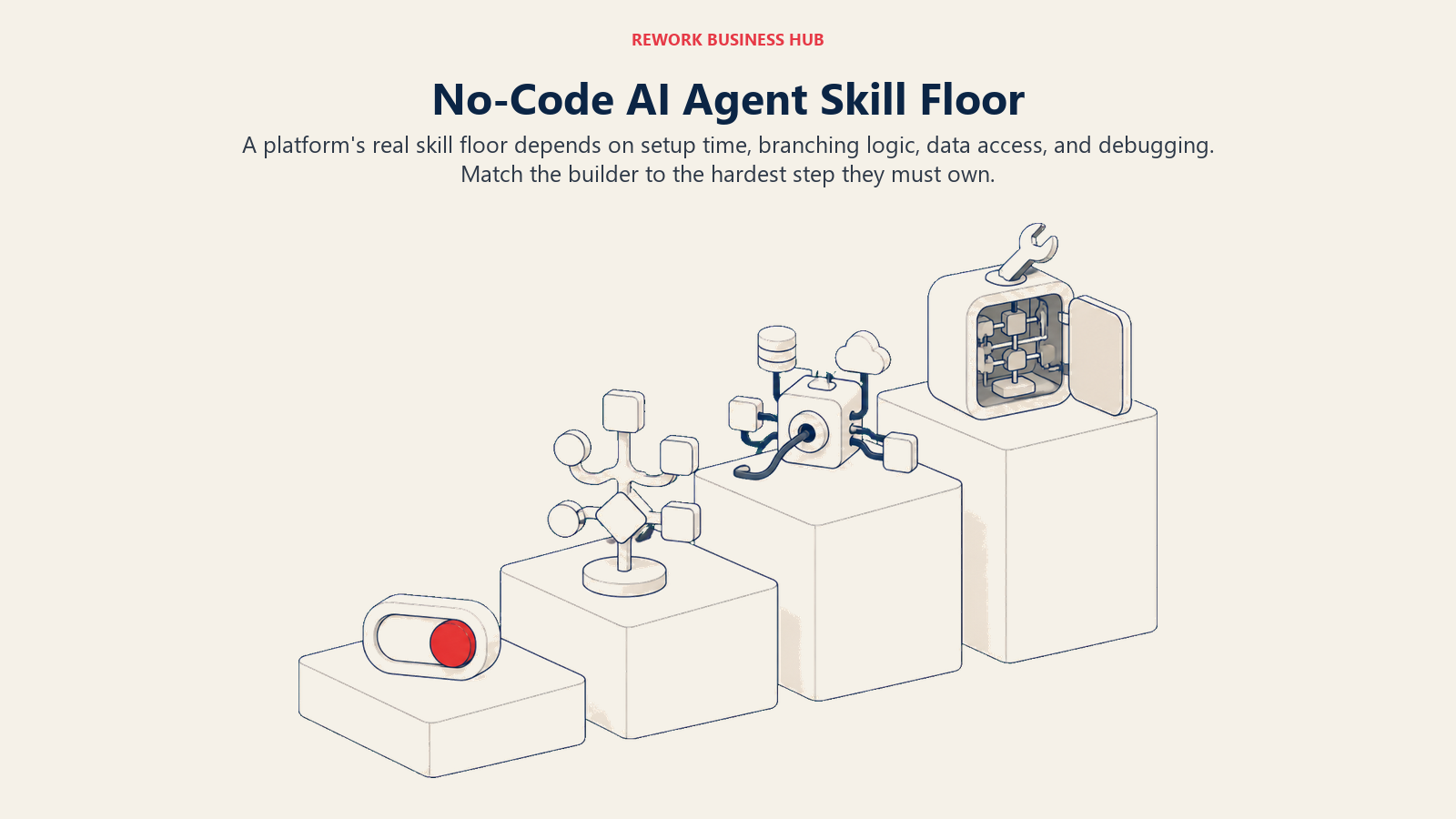
| Tool | Who Can Build It Alone | Time to First Agent | Where Builders Get Stuck |
|---|---|---|---|
| Lindy | Ops coordinator, EA, founder | Under an hour | Chaining several skills together |
| Zapier Agents | Anyone who's built a Zap | 1-2 hours | Debugging a wrong action choice |
| Make | Marketer comfortable with flowcharts | Half a day | The credit-tier math |
| n8n | Ops person with basic logic; scale needs a dev | A day, longer with code | Expressions and JSON |
| Gumloop | RevOps or growth marketer | A few hours | Concurrency limits on Pro |
| Relevance AI | Ops lead designing a multi-step process | A day or more | Orchestrating agent handoffs |
| Microsoft Copilot Studio | Power user in Microsoft's ecosystem | A day, longer with Power Platform | Power Fx once flows get conditional |
| Stack AI | Analyst comfortable with RAG concepts | A few hours | Connecting proprietary data cleanly |
| Beam AI | Ops manager defining a process | Days, with onboarding help | Mapping every process edge case |
| Dust | Anyone; building is prompt-based | Under an hour | Picking the right connectors |
| Voiceflow | Product or conversation designer | A day for branching logic | API and tool-call steps |
| Bardeen | Individual seller or researcher | Under an hour | Scraper reliability on layout changes |
| Notion Agent / Airtable Omni | Anyone already using the tool | Minutes; pre-built into the product | Capability is fixed, not extensible |
The Escape Hatch: What Happens When You Outgrow No-Code
The question that matters more than any feature list: when your logic outgrows drag-and-drop, can you drop into real code without starting over? No-code versus code-first AI agents covers this tradeoff in depth.
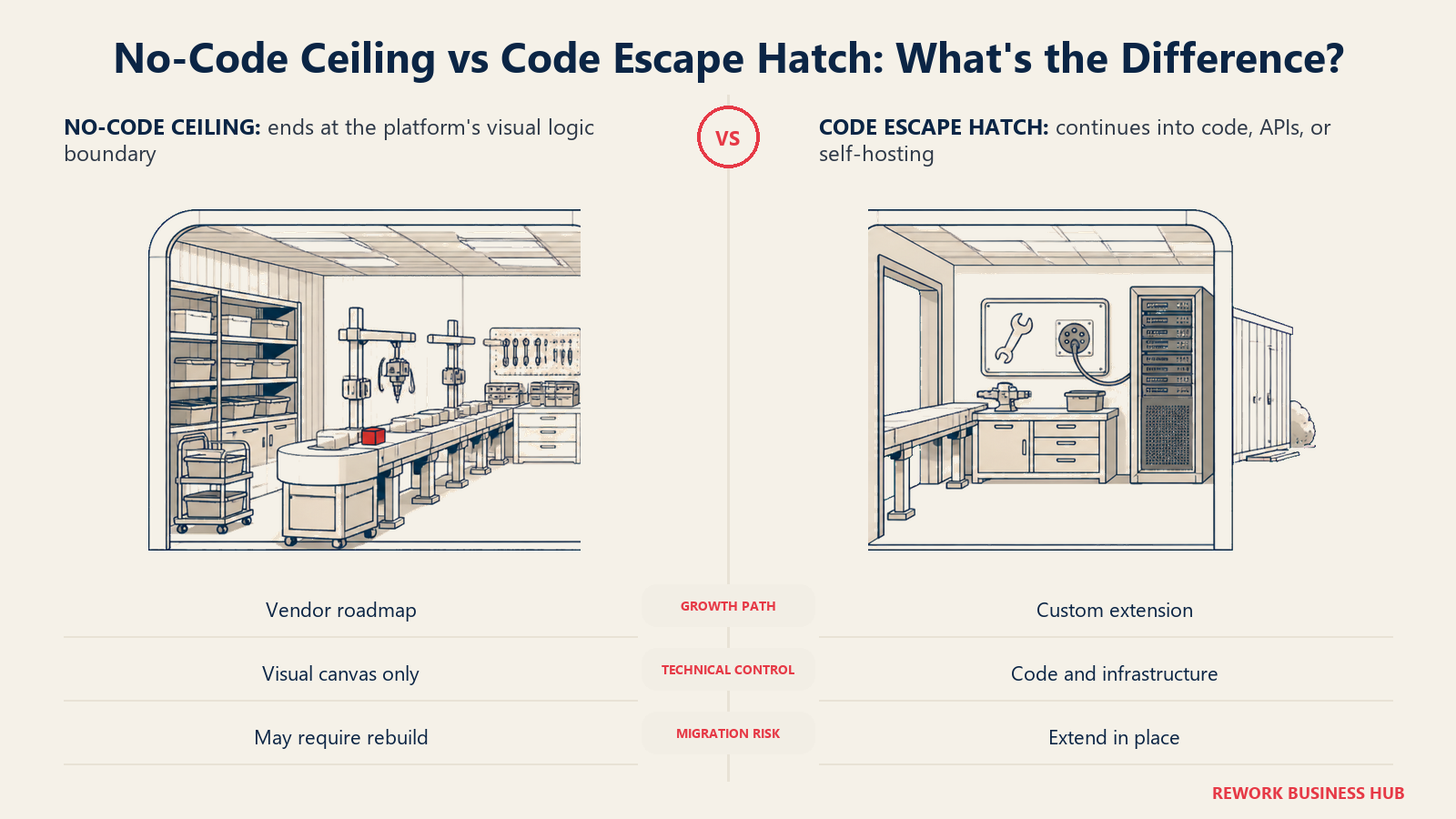
| Tool | No-Code Ceiling | Escape Hatch |
|---|---|---|
| Lindy | Complex branching across many skills | Custom API/webhook actions, no full code editor |
| Zapier Agents | Conditional logic past natural language | A Code step (JS/Python) in the same workflow |
| Make | Very complex data transformation | Custom functions (JavaScript) on Pro and up |
| n8n | Rarely hit; built for this | Native Code node, full self-hosting, open source |
| Gumloop | High-concurrency, highly custom logic | Python code blocks in the canvas |
| Relevance AI | Deep orchestration across many agents | Custom Actions and vendor API access |
| Microsoft Copilot Studio | Enterprise-grade orchestration | Graduates to Azure AI Foundry, Power Platform |
| Stack AI | Anything past the visual canvas | Custom code nodes and API endpoints |
| Beam AI | Highly bespoke workflows | Vendor-built integrations, not self-serve |
| Dust | Deep logic beyond prompting | Open-source core (MIT); API and MCP servers |
| Voiceflow | Complex multi-system orchestration | API/function steps on an extensible canvas |
| Bardeen | Anything beyond the browser | Limited; no code editor |
| Notion Agent / Airtable Omni | Any logic outside vendor scope | None; bound to the parent product's roadmap |
Pricing Models: Where This Category Gets People Burned
No-code agent tools rarely price like normal SaaS: expect per-activity meters, credits that vary by model, orchestration fees on top of credits, and per-task pricing that punishes success. KPMG's companion US pulse survey found only 26% of leaders at billion-dollar companies have real-time visibility into what their AI costs to run, which is how a team ends up with an unforecasted bill.
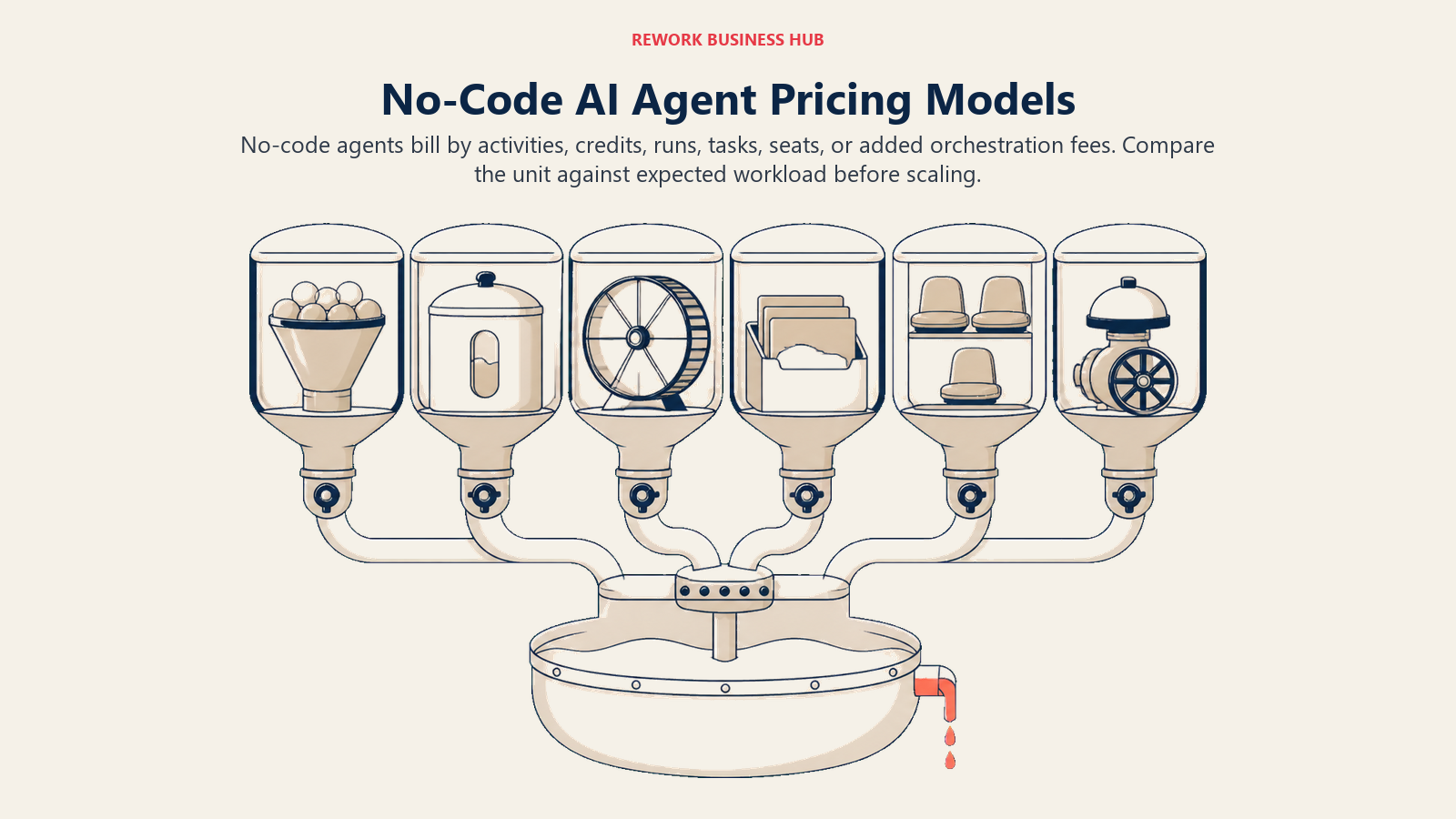
| Tool | Billed By | Free Tier | Where the Bill Surprises People |
|---|---|---|---|
| Lindy | Per-user monthly credits | None on current page | Heavy reasoning tasks drain credits fast |
| Zapier Agents | Per-activity, separate meter | 400 activities/month | Pays apart from your Zap task pool |
| Make | Credits; tier separate from volume | 1,000 credits/month | A low tier at high volume costs more than it looks |
| n8n | Per-execution (cloud) or free self-hosted | 2,500 executions/mo | Self-hosting "free" ignores server and setup time |
| Gumloop | Credits plus an 8% orchestration fee | 14-day trial only | Fee applies on top of credits already paid |
| Relevance AI | Actions plus vendor compute credits | 200 actions (reported) | Two separate meters can run out independently |
| Microsoft Copilot Studio | Per Copilot Credit consumed | $200 one-time Azure credit | Cost per action means budgeting blind |
| Stack AI | Per run | 500 runs/month | No tier between Free and a sales call |
| Beam AI | Per task | 20 tasks/month | $50/mo Pro to $3,990/mo Scale is a cliff |
| Dust | Per seat, tier gates credits | Reported trial only | Confirm the number at signup; it has shifted |
| Voiceflow | Per seat plus monthly credits | Free tier available | Unused credits expire, don't roll over |
| Bardeen | Credits per row of work | 100 credits/month, renewed free | Enrichment costs 3x a plain scrape |
| Notion Agent / Airtable Omni | Per seat or per credit | Airtable bundles credits free | Advanced tools cost extra on both |
How to Choose a No-Code AI Agent Builder in 2026
Answer three questions before comparing features. Who's actually going to build and own this agent? Does the escape hatch match how far you expect to grow? Does the pricing unit (seats, credits, activities, runs) match how your usage will scale? Choosing an AI agent platform covers what to ask before a demo. Gartner clocked the low-code market at $11.3 billion in 2021, up 23.2% year over year, and it's only accelerated since agentic AI layered onto plain automation, which is why so many vendors below changed pricing this past year.
Framework: By Use Case
| Use Case | What Matters Most | Best Fits |
|---|---|---|
| Fastest no-code agent, solo builder | Speed, zero setup friction | Lindy, Dust, Bardeen |
| Already deep in an existing automation tool | Extending a tool you already pay for | Zapier Agents, Make, Copilot Studio |
| Might need custom code later | A real escape hatch | n8n, Voiceflow, Dust |
| Multi-agent orchestration | Agents that hand off to each other | Relevance AI, Beam AI |
| Internal knowledge agent | Deep connectors to Slack, Drive, CRM | Dust, Stack AI, Copilot Studio |
| Agent inside a tool you live in | Zero new login, minimal training | Notion Agent, Airtable Omni |
1. Lindy: The Fastest No-Code Path to a Working Agent
Lindy's pitch is that an agent should feel like hiring someone, not configuring software. Describe the job, pick from 40+ prebuilt skills (inbox triage, scheduling, lead research, computer use), and Lindy assembles an agent that runs on a schedule or trigger, the fastest route here from blank page to real work.
The catch is pricing: no published free tier, billed per user with a monthly credit allowance that heavier tasks (browsing, computer use, stronger models) burn faster than plain text. A five-person team on Plus is already at $150/month before anyone confirms the output is trustworthy unsupervised. See building an AI agent with Lindy.
| What you get | What you don't |
|---|---|
| Fast, template-driven setup for non-technical builders | No free tier on the current pricing page |
| 40+ skills, Slack-native, thousands of integrations | Credits scale with task complexity, hard to predict |
Pricing: Plus $29.99/mo/user (3,000 credits); Pro $99.99/mo/user (15,000 credits); Max $199.99/mo/user (35,000 credits); Enterprise custom. See lindy.ai/pricing.
Best for: Solo founders and small teams who want a working agent today, no engineering wait
2. Zapier Agents: Best for Teams Already Living in Zapier
Zapier Agents (born as the experimental "Zapier Central") layers autonomous decisions on top of the automation platform most ops teams already know. Instead of a fixed Zap, an Agent reads a request, decides which connected app to use, and hands off to a multi-step Zap for the parts that don't need judgment.
You inherit Zapier's 8,000+ connectors, but Zapier now bills Agents separately: activities run on their own meter starting at 400 free per month, so a team already paying for a high Zap task tier can be surprised by a second bill. See building an AI agent with Zapier.
| What you get | What you don't |
|---|---|
| 8,000+ connectors inherited from core Zapier | Billed separately from your existing Zap tasks |
| Combines agent reasoning with proven multi-step Zaps | Enterprise controls are still maturing |
Pricing: Free (400 activities/month); Pro roughly $33.33/month annual. Core Zapier plans run separately, from Free (100 tasks) to Professional at $19.99/month annual (750 tasks). See zapier.com/pricing.
Best for: Teams that already run operations through Zapier and want agent reasoning without switching platforms
3. Make (AI Agents): The Cheapest Real Entry Point
Make's AI Agents went first-class in February 2026, moving from beta into the core visual Scenario Builder on every paid plan. The pitch matches what made Make popular for automation: a visual, node-based canvas showing exactly what an agent will do before it runs.
Make separates the plan tier (features) from the credit volume (usage), so Core at the smallest volume runs $9/month, a cheap way to test fit. You can also bring your own LLM API key instead of paying through Make's provider. See building an AI agent with Make.
| What you get | What you don't |
|---|---|
| Cheapest genuine paid entry point on this list | Credit math (tier plus volume) takes effort to plan |
| Bring-your-own-LLM-key option to control AI spend | AI Agents is still labeled beta as of August 2026 |
Pricing: Free (1,000 credits/month); Core $9/month; Pro $16/month; Teams $29/month, each at a 10,000-credit baseline scalable separately; Enterprise custom. See make.com/en/pricing.
Best for: Visual-first builders who want to see exactly what an agent does, at the lowest real price here
4. n8n: The Honest Choice If You Might Need Code Later
n8n sits deliberately between no-code and pro-code. The canvas is drag-and-drop, but it never hides a native Code node for real JavaScript or Python in the same workflow, no separate tool, no rebuild, the most honest pick here for a team unsure how technical its agents will get.
The bigger differentiator is licensing: n8n's Community Edition is free to self-host under a fair-code license, no cap on workflows, executions, or users; your real cost is infrastructure, not a per-execution meter. See building an AI agent with n8n.
| What you get | What you don't |
|---|---|
| Native JS/Python code nodes without leaving the canvas | Genuinely low-code, not zero-code |
| Free, unlimited self-hosting under a fair-code license | Self-hosting means owning your own uptime |
Pricing: Free self-hosted (unlimited, infrastructure cost only); Starter EUR20/month annual cloud (2,500 executions); Pro EUR50/month annual (10,000); Business EUR667/month annual (40,000, self-host option); Enterprise custom. See n8n.io/pricing.
Best for: Ops-minded teams that want a real path to code without switching platforms later
5. Gumloop: Ops and Research Automation Without an Engineer
Gumloop is built for the work that eats an ops team's week: pulling data from many sources, enriching it, writing it somewhere useful. The canvas is no-code, but Python code blocks drop directly into a flow so a technical teammate can extend what a non-technical builder started.
One thing to flag: on top of the credit allowance, Gumloop charges an 8% orchestration fee, a cost most competitors fold into the credit price itself. It's not hidden, but easy to miss when comparing headline numbers. Unlimited seats on every paid plan is a real advantage for a team that wants everyone building.
| What you get | What you don't |
|---|---|
| Unlimited seats, even on the entry Pro plan | An 8% orchestration fee stacks on credit spend |
| Python code blocks inside the no-code canvas | No free tier, only a 14-day trial |
Pricing: Pro $37/month (20,000 credits, 14-day trial); Enterprise custom with volume discounts on the fee. See gumloop.com/pricing.
Best for: RevOps and research teams automating data collection across many sources
6. Relevance AI: A Multi-Agent "Workforce," Not Just One Bot
Relevance AI's framing differs from most of this list: instead of one agent doing one job, you assemble a team of agents that hand work to each other, an "AI workforce" mirroring a human department. That suits a process with distinct steps, research, then drafting, then review, rather than one linear task.
The honest limitation is pricing transparency. The public page now leads entirely with Enterprise, sales-gated messaging, though lower self-serve tiers reportedly still exist for direct signups. Don't assume a number from a review site is current; get a live quote.
| What you get | What you don't |
|---|---|
| True multi-agent orchestration, not single-bot workflows | Public pricing page is sales-gated as of August 2026 |
| Vendor compute credits roll over instead of expiring | Orchestrating agent handoffs has a real learning curve |
Pricing: Free and Pro reportedly still exist in-app (Free around 200 actions/month; Pro around $19/month annual for 2,500 actions), but the public page now shows Enterprise-only custom pricing. Confirm live. See relevanceai.com/pricing.
Best for: Ops teams designing a multi-step process that genuinely needs several agents, not one
7. Microsoft Copilot Studio: Best for Microsoft 365 Shops
Copilot Studio's advantage isn't a better canvas, it's distribution. If your company already pays for Microsoft 365 Copilot, agents can publish directly into Teams, Outlook, and SharePoint, with usage included in the existing $30/user/month license rather than billed separately. For an IT team standardizing on Microsoft, that beats adding another vendor.
Low-code here means Power Fx expressions and Power Platform connectors rather than a purely visual canvas, so a power user builds faster than a first-timer. Outside an existing license, pricing runs on Copilot Credits sold in $200/month packs of 25,000, with per-action consumption Microsoft doesn't publish in advance. See building an AI agent with Copilot Studio.
| What you get | What you don't |
|---|---|
| Usage included inside an existing M365 Copilot license | Per-action credit consumption isn't published upfront |
| A clear graduation path into Azure AI Foundry | Best value only if you're already a Microsoft shop |
Pricing: Pay-as-you-go Copilot Credits; pre-purchased packs run $200/month for 25,000 credits (up to 20% savings); new Azure accounts get a one-time $200 credit; usage included for agents published to a $30/user/month M365 Copilot license. See Copilot Studio pricing.
Best for: IT teams at organizations already standardized on Microsoft 365
8. Stack AI: A Real Free Tier, No Middle Ground
Stack AI builds both internal tools and customer-facing AI workflows from one no-code canvas, with retrieval-augmented generation (grounding an agent in your own documents) built in as a first-class feature. It suits teams needing an agent that answers from proprietary data without training a custom model.
The pricing is unusually binary. Free (500 runs/month, 2 projects, 1 seat) is genuinely usable for prototyping, but there's no mid-tier: the next step is a custom Enterprise conversation, a different shape from tools that grow in visible steps from $10 to $100 to $500 a month.
| What you get | What you don't |
|---|---|
| Genuine free tier (500 runs/month) for real prototyping | No tier between Free and custom Enterprise |
| Retrieval-augmented generation built in as core | 1 seat on Free; teams need an Enterprise deal |
Pricing: Free ($0/month, 500 runs, 2 projects, 1 seat); Enterprise custom with dedicated infrastructure and compliance. See stackai.com/pricing.
Best for: Ops and platform teams prototyping internal or customer-facing workflows before committing budget
9. Beam AI: Built for Document-Heavy Back-Office Work
Beam AI doesn't try to be general-purpose. It's built for agentic process automation: document verification, invoice processing, claims handling, and other structured, rule-based back-office work RPA used to handle less flexibly. Agents retrieve information, apply logic, and complete a task end to end, with humans in the loop on high-risk steps.
That focus shows in the connector list (1,000+ apps, including Salesforce, Slack, Gmail, and ServiceNow) and in pricing shaped around real operational volume. The jump from Pro ($50/month, 200 tasks) to Scale ($3,990/month) is the steepest cliff here.
| What you get | What you don't |
|---|---|
| Purpose-built for structured, document-heavy processes | Not a general-purpose or conversational agent tool |
| 1,000+ enterprise connectors, including major CRMs | Steep jump from $50/mo Pro to $3,990/mo Scale |
Pricing: Free ($0/month, 20 tasks); Pro $50/month (200 tasks, unlimited steps); Scale $3,990/month (high-volume); Custom for bespoke deployments. See beam.ai/pricing.
Best for: Operations teams automating structured, document-heavy processes like invoicing or claims
10. Dust: Company Knowledge Agents With an Open-Source Core
Dust, a Paris-based platform, is built around one idea: agents are only as useful as the company knowledge they can see. Every agent connects through 100+ connectors (Slack, Notion, GitHub, Drive, Salesforce, Zendesk), so answers draw on real team documents, not generic training data. Building is largely prompt-based, keeping the skill floor low despite company-wide ambitions.
Dust's core is open source (MIT license), a real option for technical teams to self-host or extend. The catch is pricing transparency: third-party trackers don't fully agree on the numbers, so confirm current pricing directly before budgeting.
| What you get | What you don't |
|---|---|
| 100+ connectors grounding agents in real company knowledge | Public self-serve pricing isn't consistently documented |
| Open-source core (MIT license) for technical teams | Best suited to company-wide, not solo, deployment |
Pricing: Reported self-serve Pro runs roughly $29-30/seat/month with an annual discount, per a June 2026 third-party analysis (reported, not vendor-confirmed); Enterprise custom. Confirm at dust.tt.
Best for: Teams wanting agents grounded in company-wide knowledge, with an open-source option
11. Voiceflow: When a Chatbot Canvas Grows Into Agent Logic
Voiceflow started as a canvas for conversation flows, mapping branches and API calls the way a designer maps a user journey. It earns a spot here, not just in the chatbot roundup, because the same canvas supports genuine multi-step agent logic once a conversation needs to actually do something. See best AI chatbot builders for its conversational strengths; this entry covers its agentic ceiling.
For a team that built a support bot in Voiceflow and now wants it to take action (open a ticket, update a CRM record), the path is a canvas extension, not a new tool. The tradeoff: unused monthly credits don't roll over, so inconsistent usage months waste what you paid for.
| What you get | What you don't |
|---|---|
| Same canvas scales from simple bot to branching agent | Unused monthly credits expire instead of rolling over |
| API and function steps for real multi-step actions | Complex logic still benefits from a technical owner |
Pricing: Free tier available; Pro from $60/month. See voiceflow.com/pricing.
Best for: Teams with an existing Voiceflow chatbot who want real multi-step agent actions
12. Bardeen: Browser-Native Automation for Individuals
Bardeen lives in the browser as a Chrome extension, built for what a rep does dozens of times a week: scraping companies, enriching contacts, pulling LinkedIn or website data into a spreadsheet or CRM. AI playbooks let you describe what to automate in plain language rather than recording every click.
It's the cheapest entry point here by a wide margin, and credits are transparent: a scrape or search costs 1 credit per row, enrichment costs 3. It isn't built for team-wide orchestration; Bardeen is an individual tool, not company infrastructure.
| What you get | What you don't |
|---|---|
| Lowest entry price on this list at $10/month | Built for individual use, not team orchestration |
| Transparent per-row credit pricing | No code editor; point-and-click plus AI only |
Pricing: Basic $10/month (100 credits); Premium $50/month or $480/year annual (1,000/month or 12,000/year); Enterprise custom. See bardeen.ai/pricing.
Best for: Individual AEs, SDRs, and researchers automating browser-based data collection
13. Notion Agent and Airtable Omni: Agents Inside Tools You Already Use
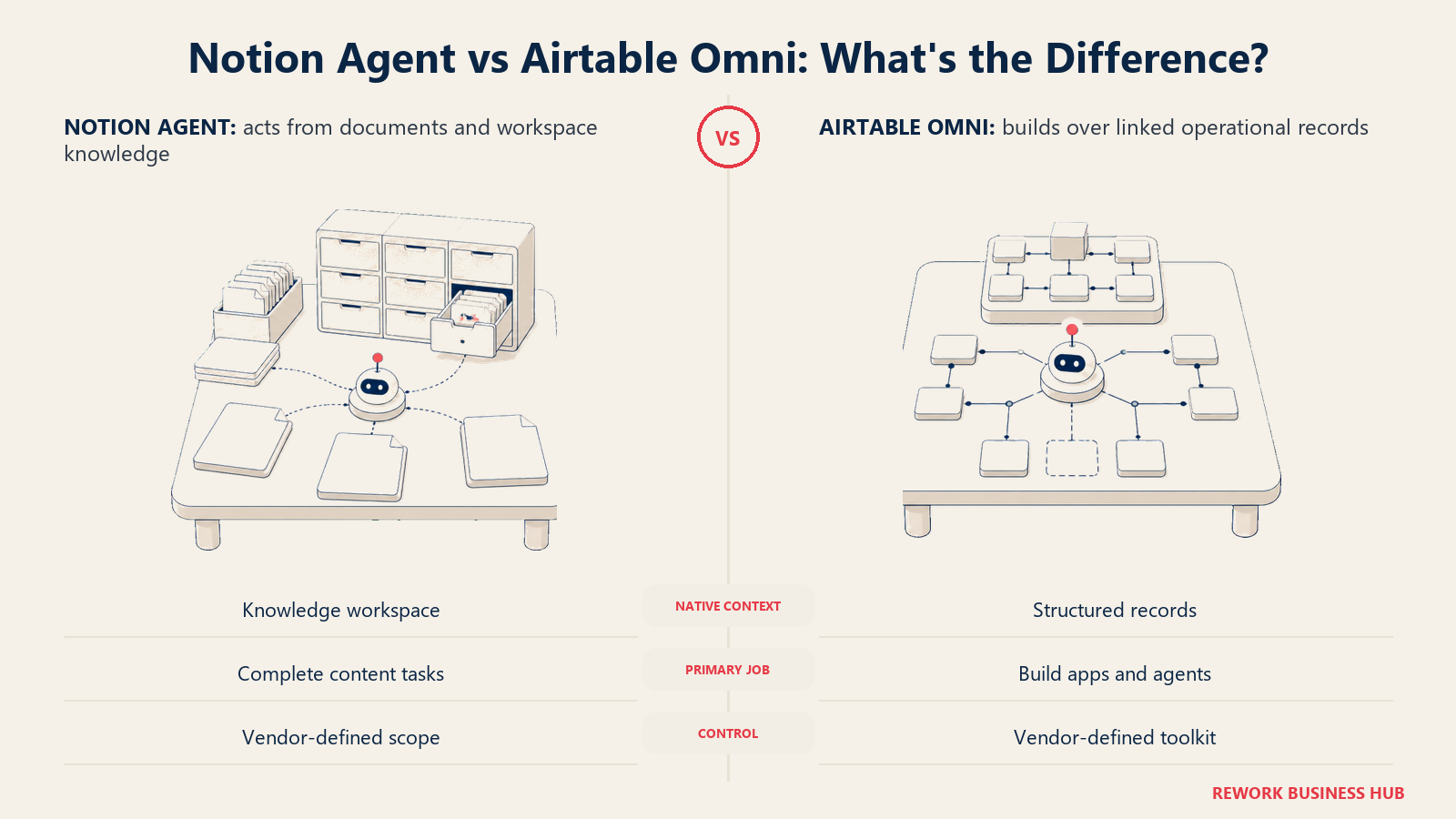
Neither of these is a dedicated agent-building platform, and that's the point for some teams. Notion Agent is a multi-step, tool-using agent built into Notion's Business tier, completing tasks using context from your workspace, connected apps, and the web, no new tool to learn. Airtable Omni lets anyone build apps and agents in plain English; building costs nothing and doesn't spend credits, though running what you build draws from a bundled credit pool. Both trade control for adoption: you use what the vendor ships, and its roadmap decides what comes next, not you.
| Tool | What you get | What you don't |
|---|---|---|
| Notion Agent | Zero new tool, deep context from existing content | Requires the $20/member/month Business tier |
| Airtable Omni | Building is free; doesn't spend AI credits | Advanced tools (Hyperagent) cost a $6/seat/mo add-on |
Pricing: Notion Agent is included in Business, $20/member/month (Custom Agents cost $10 per 1,000 monthly credits extra). Airtable bundles AI credits free on every tier (500/editor Free, 15,000/collaborator Team at $20/user/month annual, 20,000/user Business at $45/user/month annual); the AI add-on unlocking Omni's full toolkit runs $6/seat/month. See notion.com/pricing and airtable.com/pricing.
Best for: Teams that already run documentation or operations in Notion or Airtable and want agents without adopting a new platform
Decision Framework
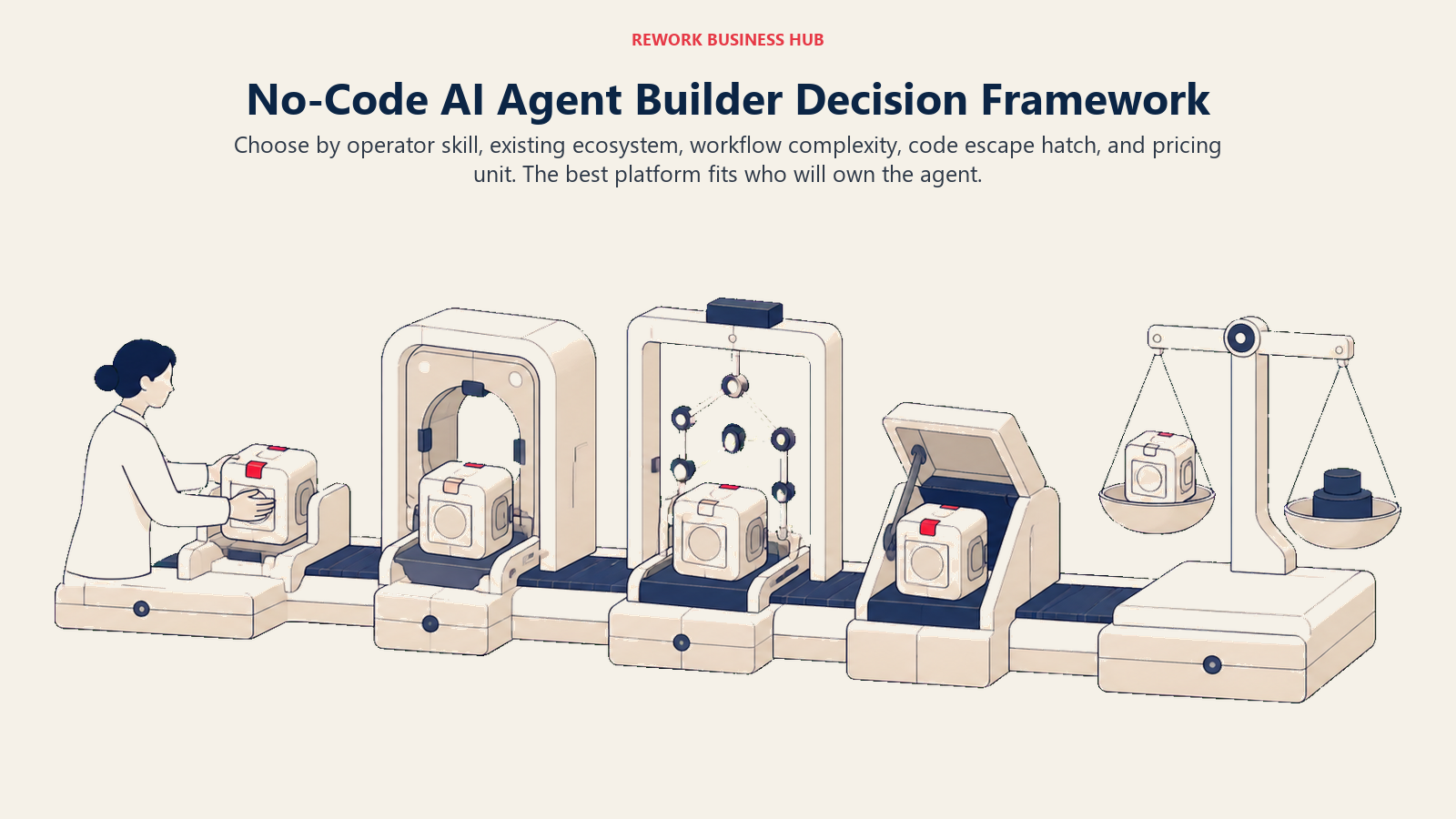
The best no-code builder depends on the team operating it, how far its logic may grow, and the billing unit that will scale with usage.
| If you need... | Pick... | Why |
|---|---|---|
| The fastest path from zero to a working agent | Lindy | Template-driven setup built for non-engineers |
| To extend automation you're already paying for | Zapier Agents or Make | Agents sit inside a tool your team already knows |
| A real path to code when you outgrow no-code | n8n | Open-source, self-hostable, native code nodes |
| Automating research or data entry across sources | Gumloop | No-code canvas built for ops and research work |
| Agents that hand off work to each other | Relevance AI | Built around orchestrating a multi-agent "workforce" |
| Structured, document-heavy process automation | Beam AI | Purpose-built for invoices, claims, and forms |
| Deep governance inside a Microsoft shop | Microsoft Copilot Studio | Native Power Platform and M365 integration |
| An agent grounded in your company's own knowledge | Dust | 100+ connectors, open-source core, model-agnostic |
| A free tier to prototype before committing budget | Stack AI | 500 runs/month free, next step is Enterprise |
| Graduating a chatbot into real agent logic | Voiceflow | Same canvas scales from simple bot to branching agent |
| Individual browser-based research automation | Bardeen | Chrome-native, the cheapest entry price here |
| Zero new tool to adopt for the team | Notion Agent or Airtable Omni | Agent capability lives inside daily-use software |
What to Do Next
Pick your primary constraint first: skill floor, escape hatch, or pricing model, not features. If you already pay for Zapier, Make, Notion, or Microsoft 365, start there before adding a new vendor. If you're starting from zero, trial two candidates for two weeks on one real workflow, not a demo script, and track what it actually costs at real usage before committing to a year of billing. If that pilot shows you need more control than no-code offers, no-code versus code AI agents and how to build an AI agent cover the next step up.

Principal Product Marketing Strategist
On this page
- Updated August 2026: What Changed
- Key Facts
- Quick Comparison Table
- Skill Floor: What a Non-Engineer Can Actually Ship
- The Escape Hatch: What Happens When You Outgrow No-Code
- Pricing Models: Where This Category Gets People Burned
- How to Choose a No-Code AI Agent Builder in 2026
- Framework: By Use Case
- 1. Lindy: The Fastest No-Code Path to a Working Agent
- 2. Zapier Agents: Best for Teams Already Living in Zapier
- 3. Make (AI Agents): The Cheapest Real Entry Point
- 4. n8n: The Honest Choice If You Might Need Code Later
- 5. Gumloop: Ops and Research Automation Without an Engineer
- 6. Relevance AI: A Multi-Agent "Workforce," Not Just One Bot
- 7. Microsoft Copilot Studio: Best for Microsoft 365 Shops
- 8. Stack AI: A Real Free Tier, No Middle Ground
- 9. Beam AI: Built for Document-Heavy Back-Office Work
- 10. Dust: Company Knowledge Agents With an Open-Source Core
- 11. Voiceflow: When a Chatbot Canvas Grows Into Agent Logic
- 12. Bardeen: Browser-Native Automation for Individuals
- 13. Notion Agent and Airtable Omni: Agents Inside Tools You Already Use
- Decision Framework
- What to Do Next