Criando Sua Política de Uso de AI: Um Framework de 6 Seções para CIOs e Assessores Jurídicos

Turn this article into takeaways for your work.


Each assistant summarizes the article only for you and suggests best practices for your work.
Seus funcionários já usam AI.
Não as ferramentas de AI que você aprovou. As que você ainda não analisou. As contas gratuitas do ChatGPT que alguém criou no ano passado. A assinatura do Copilot que um líder de departamento adicionou ao budget da equipe. A extensão de navegador que três engenheiros instalaram e que "lê a sua tela para ajudá-lo a escrever mais rápido".
Cada uma dessas ferramentas está em uso ativo. Cada colagem de um registro de cliente, projeção financeira interna ou contrato em rascunho nessas ferramentas é uma exposição de dados potencial. E toda empresa que não tem uma política de uso de AI implicitamente aprovou tudo isso ao não dizer nada. O EU AI Act exige que organizações implantando AI em contextos de alto risco tenham governança documentada estabelecida: o resumo EUR-Lex das obrigações de governança de AI deixa claro que práticas informais não satisfazem os requisitos de conformidade.
Uma política não desacelera a adoção de AI. Ela torna a adoção sustentável. Dá aos seus funcionários orientação clara sobre o que é seguro, o que requer aprovação e o que está fora dos limites. Eles podem se mover rapidamente dentro de fronteiras conhecidas, em vez de evitar totalmente a AI ou usá-la de forma imprudente.
Este artigo traz a estrutura completa de 6 seções, as decisões-chave a tomar em cada seção e referências de políticas de fornecedores do mundo real que você pode usar como âncoras para sua própria linguagem.
Por que você precisa disso agora, não depois de escalar
Fatos Essenciais: O Custo de Não Ter Política de AI
- 78% dos trabalhadores do conhecimento usam ferramentas de AI pessoais no trabalho sem aprovação explícita do empregador; a maioria das organizações não tem visibilidade sobre quais ferramentas estão em uso na sua força de trabalho (Microsoft Work Trend Index, 2024)
- Empresas sem políticas de governança de AI enfrentam custos médios de violação de dados de US$ 4,88 milhões por incidente sob o GDPR, comparado a um custo médio de programa de governança de US$ 50.000 a US$ 100.000 para empresas de mercado médio (IBM Cost of Data Breach Report 2024)
- O EU AI Act, agora em vigor, exige que organizações implantando AI em contextos de alto risco tenham governança documentada estabelecida; práticas informais não satisfazem os requisitos de conformidade (EU AI Act, vigente 2025 a 2026)
A lacuna de governança na Etapa 1 é a fonte mais comum de incidentes de AI. Mas muitas organizações dizem a si mesmas que vão abordar a política "quando a AI estiver mais estabelecida na empresa". Essa lógica é ao contrário.
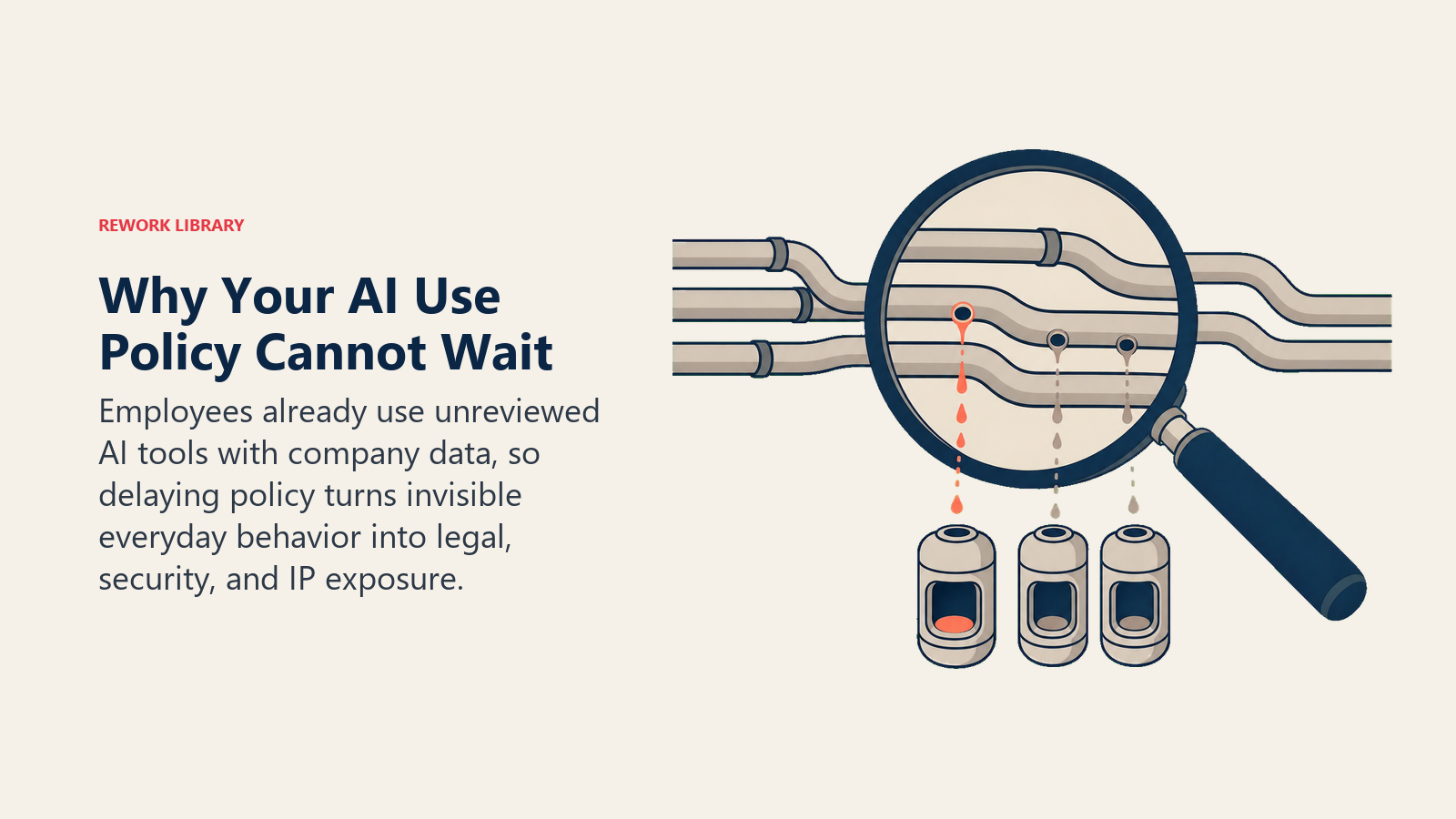
O momento de escrever a política é antes que os incidentes aconteçam, não depois. E os incidentes estão acontecendo agora, de forma invisível.
Um advogado em uma empresa de médio porte cola um rascunho de acordo de fusão no ChatGPT para ajustar a linguagem. Um representante de vendas carrega uma planilha com dados de contato de clientes em uma ferramenta de AI para gerar e-mails personalizados automaticamente. Um engenheiro pede ao Copilot para revisar código que contém uma chave de API interna nos comentários.
Nenhum desses funcionários agiu com má intenção. Nenhum deles tinha orientação de política dizendo-lhes para não fazer isso. Nenhuma de suas empresas sabe que aconteceu.
A política que você escreve este trimestre é a política que evita que esses incidentes se tornem problemas maiores. Também é o ingresso de entrada para a Etapa 2: o modelo de maturidade em AI exige uma política escrita antes que você possa executar um piloto governado. Você não consegue construir um programa de AI em conformidade sobre uma fundação sem política.
A boa notícia: você não precisa de uma política perfeita para começar. Você precisa de uma que exista e seja compartilhada. Iteração supera ausência.
"A política que você escreve este trimestre é a política que evita que incidentes se tornem problemas de primeira página. O programa de governança que teria prevenido uma grande violação de dados custa US$ 50.000 a US$ 100.000. Os honorários jurídicos, a resposta regulatória e a comunicação com o cliente após a violação têm média de US$ 4,88 milhões. A matemática do investimento em governança de AI é direta." (Rework, com base no IBM Cost of Data Breach 2024)
O Modelo de Política de AI de 6 Seções
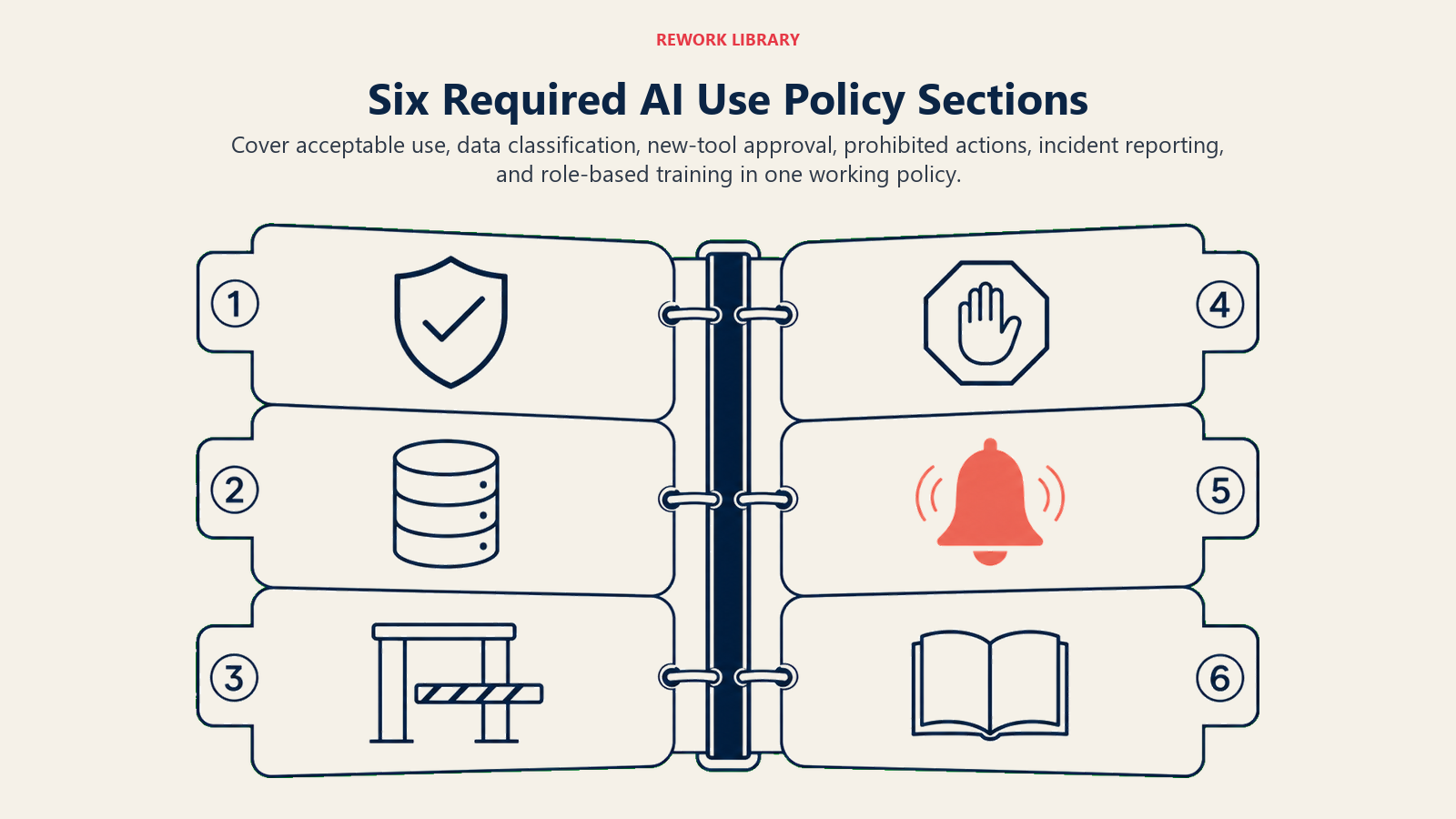
Um framework estruturado para construir uma política de uso de AI corporativa que cobre os requisitos mínimos para conformidade de governança, clareza dos funcionários e proteção legal. As seis seções são: (1) Uso Aceitável (ferramentas aprovadas, finalidades permitidas, acesso baseado em função), (2) Regras de Classificação de Dados (quais camadas de dados podem entrar em quais categorias de ferramentas), (3) Processo de Aprovação para Novas Ferramentas (intake, revisão, registro), (4) Ferramentas e Ações Proibidas (linhas rígidas de conformidade e segurança), (5) Relato de Incidentes (canal de relato, SLA de resposta, proteção para relatores), (6) Requisitos de Treinamento (baseline para todos os funcionários, elevado para funções de alto acesso). Um rascunho funcional cobrindo todas as seis seções é mais valioso do que um documento perfeito em desenvolvimento. Iteração supera ausência.
As 6 seções obrigatórias
Uma política completa de uso de AI precisa de seis seções conectadas que funcionários e revisores possam usar como um único sistema operacional.
Seção 1: Uso Aceitável
Esta seção responde: quais ferramentas de AI são aprovadas, para quais finalidades e para quais funções de funcionários.
Decisões-chave a tomar:
Liste as ferramentas aprovadas por nome. Não diga "ferramentas de AI aprovadas" genericamente. Nomeie-as: ChatGPT Enterprise, Microsoft Copilot for Microsoft 365, Anthropic Claude for Teams, GitHub Copilot. Cada ferramenta nomeada tem um status de aprovação: Aprovada, Condicionalmente Aprovada (com restrições) ou Em Revisão.
Para cada ferramenta aprovada, declare os casos de uso permitidos. "ChatGPT Enterprise: aprovado para elaborar comunicações internas, resumir notas de reunião e gerar conteúdo em primeiro rascunho. Não aprovado para processar dados de clientes ou gerar documentação de conformidade sem revisão humana."
Defina quais funções têm acesso a quais ferramentas. Nem todo funcionário precisa de toda ferramenta. Sua equipe de finanças pode ter acesso a ferramentas de AI que sua equipe de armazém não tem. Esta é uma escolha de governança, não uma limitação técnica.
Referência de fornecedor: O Microsoft 365 Copilot é de nível empresarial com integração ao Microsoft Compliance Center, o que significa que herda seu tratamento de dados do Microsoft 365 existente, políticas de prevenção contra perda de dados (DLP) e registro de auditoria. Se sua empresa já está no Microsoft 365, o Copilot tem o menor atrito de governança porque opera dentro do seu envelope de conformidade existente.
Seção 2: Regras de Classificação de Dados
Esta seção responde: quais dados os funcionários podem colocar nas ferramentas de AI?
Esta é a seção mais importante da política. A maioria dos incidentes de governança de AI acontece aqui. Um funcionário usa uma ferramenta de AI aprovada para uma finalidade aprovada, mas cola a categoria errada de dados.
Decisões-chave a tomar:
Defina suas camadas de dados e quais camadas são permitidas em quais categorias de ferramentas. Um framework de trabalho:
| Camada de Dados | Exemplos | Permitido em AI Externa? |
|---|---|---|
| Pública | Conteúdo de site público, relatórios publicados, conhecimento geral de negócios | Sim, qualquer ferramenta aprovada |
| Interna | Documentação interna de processos, dados operacionais não sensíveis | Apenas ferramentas de AI empresariais com DPA |
| Confidencial | PII de clientes, projeções financeiras, materiais de M&A, IP | Apenas implantações de AI privadas ou on-premise |
| Restrita | Registros médicos, dados financeiros regulados, segredos comerciais | Sem AI externa sem revisão jurídica explícita |
O detalhe necessário aqui é coberto integralmente em Classificação de Dados para Regras de Acesso de AI, que deve ser lido junto com esta seção da política.
Referência de fornecedor: O OpenAI Enterprise não usa seus dados para treinar modelos, opera sob um DPA e detém certificação SOC 2 Tipo II. Isso o torna um local adequado para dados de camada Interna. O Anthropic Claude for Business oferece igualmente compromissos de não treinamento e opções de residência de dados. O ponto-chave: verifique esses compromissos no contrato empresarial real antes de tratá-los como aprovados pela política.
Uma lacuna comum: Políticas que dizem "não use AI com dados sensíveis" sem definir o que significa sensível. Os funcionários interpretam "sensível" como casos extremos (registros médicos, CPFs) e não percebem que endereços de e-mail de clientes, termos contratuais ou números de receita internos também são sensíveis pelos padrões da maioria das empresas.
Seção 3: Processo de Aprovação para Novas Ferramentas
Esta seção responde: como um funcionário obtém a avaliação e aprovação de uma nova ferramenta de AI antes do uso?
Sem um processo de aprovação, você tem três resultados: os funcionários usam ferramentas não aprovadas de qualquer maneira (shadow AI), os funcionários não usam AI de forma alguma (adoção bloqueada) ou a TI aprova tudo de forma reativa quando alguém recebe uma fatura. Nenhum desses é governança.
Decisões-chave a tomar:
Defina o processo de intake. Um formulário simples funciona: nome da ferramenta, fornecedor, caso de uso pretendido, tipos de dados a serem processados, custo, quem solicitou. Isso deve levar cinco minutos para o solicitante preencher.
Nomeie o revisor. Uma pessoa, não um comitê. Para a maioria das empresas, este é o CIO, CISO ou seu delegado. O revisor verifica os termos de tratamento de dados da ferramenta, disponibilidade de DPA, status de SOC 2 e alinhamento com suas regras de classificação de dados.
Defina um prazo de resposta. Cinco dias úteis para solicitações padrão. Dez dias se for necessária revisão jurídica. Isso sinaliza que o processo de aprovação é responsivo, não um mecanismo de veto.
Construa um registro de ferramentas. Uma planilha simples ou página de intranet listando todas as ferramentas aprovadas, suas condições e a data da última revisão. Quando o registro é visível para os funcionários, eles podem se autoatender em vez de enviar solicitações redundantes.
Nota sobre alinhamento com o NIST: O NIST AI Risk Management Framework (AI RMF) inclui uma função GOVERN que estabelece as estruturas, processos e equipes que as organizações precisam antes que o gerenciamento de risco de AI possa funcionar. Sua função MAP cobre especificamente a identificação dos usos de AI organizacionais e seus perfis de risco. Um processo de aprovação com um registro de ferramentas é a implementação prática de ambas as recomendações.
Seção 4: Usos Proibidos
Esta seção responde: quais são as linhas rígidas?
Os usos proibidos se enquadram em duas categorias: ferramentas proibidas e ações proibidas.
Ferramentas proibidas (exemplos):
- Ferramentas de AI de nível consumidor gratuitas para qualquer trabalho com finalidade comercial (sem DPA, tratamento de dados desconhecido)
- Ferramentas de AI de fornecedores sem caminho de contrato empresarial disponível
- Extensões de navegador que acessam ou modificam conteúdo em seus aplicativos de negócio sem revisão da TI
Ações proibidas (exemplos):
- Usar AI para tomar decisões finais sobre contratação, promoção ou desempenho sem revisão humana e documentação
- Usar AI para gerar aconselhamento jurídico, determinações de conformidade ou registros regulatórios sem revisão de advogado
- Inserir PII de clientes em qualquer ferramenta de AI externa sem um DPA ativo
- Usar AI para gerar comunicações que afirmam ser de um humano quando não são, em qualquer contexto regulado
- Inserir materiais de M&A, materiais do conselho ou outras informações materiais não públicas em ferramentas de AI externas
A lista de ações proibidas é onde suas equipes jurídica e de conformidade terão mais input. Preste atenção aos seus requisitos regulatórios específicos do setor. Organizações de saúde têm restrições da HIPAA. Empresas de serviços financeiros têm considerações da FINRA e da SEC. Escritórios de advocacia têm regras de conduta profissional sobre dados de clientes. Esses pisos regulatórios pertencem às ações proibidas, não apenas como orientação informal.
Uma lacuna comum: Políticas que não listam usos proibidos ("use seu julgamento") ou políticas que listam usos proibidos de forma tão abrangente que quase todo uso prático de AI é bloqueado, levando a adoção para o underground. O objetivo é especificidade sobre os riscos reais, não restrição exaustiva.
Seção 5: Relato de Incidentes
Esta seção responde: o que acontece quando algo dá errado?
Os incidentes de AI são mais diversos do que os incidentes de segurança tradicionais. Incluem: uma ferramenta de AI enviando informações incorretas a um cliente, uma exposição de dados por meio do comportamento inesperado de uma ferramenta aprovada, outputs discriminatórios de um sistema de AI e conteúdo gerado por AI incorreto chegando a um público externo.
Decisões-chave a tomar:
Defina o que constitui um incidente de AI. Dê exemplos. "Se uma ferramenta de AI enviar uma comunicação ao cliente que você não revisou. Se uma ferramenta de AI parecer ter acessado ou retido dados que você não pretendia compartilhar. Se um output de AI causar uma reclamação de cliente ou preocupação de reputação. Se uma ferramenta de AI produzir output que possa ser discriminatório ou prejudicial."
Nomeie o canal de relato. Um contato: o CIO, CISO ou um endereço dedicado de governança de AI. Os funcionários devem ser capazes de relatar em 30 segundos, não navegar por um sistema complexo.
Defina o SLA de resposta. Qual é o tempo de reconhecimento? Quem investiga? Quem decide se a divulgação externa (notificação ao cliente, aviso regulatório) é necessária? Para incidentes de exposição de dados, seus procedimentos existentes de resposta a violações se aplicam. Incidentes de AI que podem constituir violações de dados sob o GDPR ou CCPA precisam seguir esses prazos.
Esclareça que o relato é encorajado, não penalizado. Se os funcionários temerem relatar incidentes de AI, os incidentes se acumulam de forma invisível. A política deve declarar explicitamente que o relato de boa fé é protegido.
Uma lacuna comum: Nenhuma seção de relato de incidentes. Muitas políticas de AI cobrem uso aceitável e restrições de dados, mas deixam a resposta a incidentes indefinida. Essa é a lacuna que transforma incidentes menores em grandes problemas. Os funcionários não relatam problemas dos quais não têm certeza de como escalar, e pequenas exposições se acumulam.
Seção 6: Requisitos de Treinamento
Esta seção responde: quem precisa concluir o treinamento de literacia em AI antes de usar as ferramentas aprovadas?
As ferramentas de AI produzem outputs ruins ou arriscados quando usadas sem contexto sobre suas limitações. Um funcionário que entende que AI pode produzir informações incorretas com confiança revisará os outputs de AI de forma diferente de quem os trata como fatos confiáveis. O treinamento é mitigação de risco, não verificação de conformidade.
Decisões-chave a tomar:
Defina os requisitos de treinamento por função e ferramenta. Nem todos precisam do mesmo treinamento. Um coordenador de marketing usando o Copilot para e-mails em primeiro rascunho precisa de treinamento diferente de um analista de dados usando AI para geração de SQL.
Defina um baseline mínimo para todos os funcionários: o que AI é (e não é), o que as regras de classificação de dados da empresa significam na prática, como reconhecer um incidente de AI e como relatá-lo. Este treinamento baseline deve levar menos de duas horas e pode ser entregue de forma assíncrona.
Para funcionários com acesso elevado a AI (engenheiros construindo workflows de AI, líderes de equipe gerenciando ferramentas de AI, qualquer função usando AI com capacidade Execute), exija treinamento mais aprofundado sobre o comportamento, limitações e modos de falha da ferramenta específica.
Defina a cadência de renovação. As ferramentas de AI mudam mais rápido do que os ciclos de treinamento anuais conseguem acompanhar. Exija confirmação de quaisquer atualizações materiais da política (novas ferramentas aprovadas, novos usos proibidos) quando a política for revisada.
Referências de políticas de fornecedores como âncoras
Ao negociar contratos empresariais de AI, esses três pontos de referência estabelecem o baseline do qual sua organização deve negociar.
OpenAI Enterprise: Fornece um DPA formal, compromete-se a não usar seus dados para treinamento de modelos, mantém certificação SOC 2 Tipo II e oferece um processo dedicado de revisão de segurança. O contrato empresarial dá à sua equipe jurídica um ponto de partida para termos de processamento de dados. Veja OpenAI Enterprise para a documentação atual de segurança e privacidade.
Anthropic Claude for Business: Oferece compromissos de não treinamento em dados de negócio, opções de residência de dados e isolamento de dados de nível empresarial. A Política de Uso Aceitável da Anthropic define as categorias de conteúdo que seus modelos produzirão e não produzirão, o que deve informar sua própria lista de usos proibidos. A documentação atual da política está em anthropic.com/legal.
Microsoft Copilot for Microsoft 365: Opera dentro do limite de conformidade do Microsoft 365, o que significa que as políticas DLP existentes, rótulos de retenção e registro de auditoria se aplicam às interações do Copilot. Para organizações já no ecossistema de conformidade do Microsoft 365, este é o caminho de menor atrito para uma ferramenta de AI empresarial com tratamento de dados auditável. Veja Microsoft 365 Copilot para a documentação de conformidade atual.
Essas referências dão a você posições defensáveis de negociação. "Exigimos SOC 2 Tipo II e um DPA com compromisso de não treinamento" é uma solicitação padrão que os três fornecedores acima conseguem satisfazer. Fornecedores que não conseguem satisfazer esses critérios devem ser padrão para as restrições da sua camada Confidencial.
Lacunas de política que criam mais risco
Com base na seção de governança do modelo de maturidade em AI, essas são as lacunas que produzem mais incidentes.
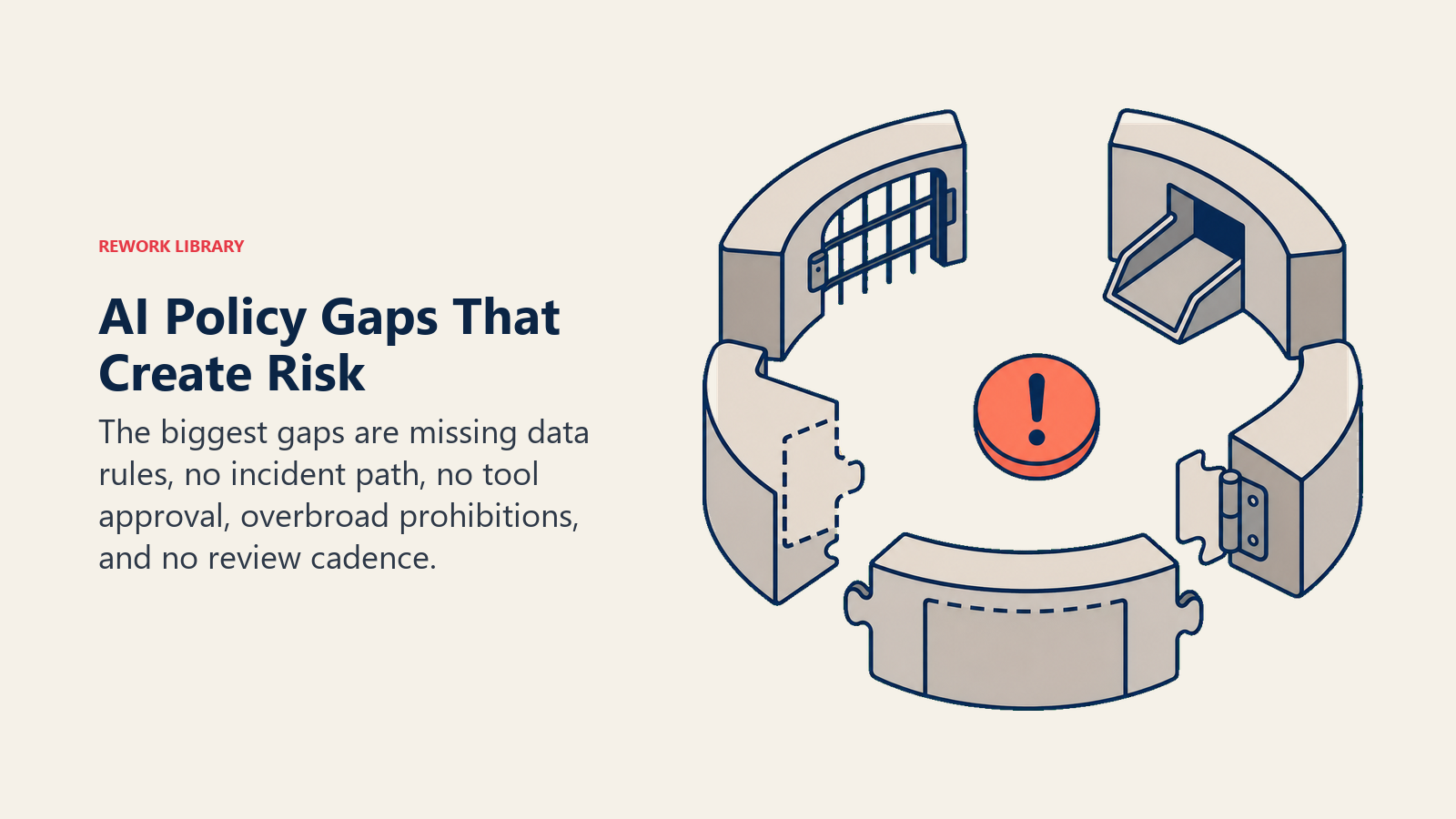
Sem classificação de dados na política. A mais comum e a mais perigosa. Sem orientação explícita sobre quais dados podem ir para onde, os funcionários dependem de sua intuição, que varia amplamente. A classificação de dados é a seção mais impactante de acertar.
Sem mecanismo de relato de incidentes. Os incidentes se acumulam silenciosamente. Pequenas exposições de dados que poderiam ter sido abordadas cedo tornam-se problemas maiores. Toda política de AI precisa de um contato nomeado e um caminho de relato definido.
Sem processo de aprovação para novas ferramentas. O shadow AI se expande no ritmo do marketing dos fornecedores. Sem um processo de aprovação, cada nova ferramenta que recebe uma crítica positiva em uma conferência se torna um passivo potencial.
Lista de usos proibidos que bloqueia todo uso prático de AI. Políticas escritas por equipes que se preocupam principalmente com o risco, sem input de equipes que precisam usar AI para trabalhar. O resultado leva a adoção para o underground, o que é pior do que o risco que a política tentava prevenir.
Sem cadência de revisão. Uma política escrita em 2024 que não foi atualizada desde então não aborda as ferramentas que os funcionários estão usando hoje. A revisão trimestral da lista de ferramentas aprovadas é o mínimo. A revisão anual completa da política deve ser um evento de calendário.
Análise Rework: Com base nos padrões de falha de governança no framework dos 5 Modos de Falha de Transformação de AI, a seção de classificação de dados (Seção 2 do Modelo de Política de AI de 6 Seções) é o elemento de política mais consequente. Organizações que definem camadas de dados e mapeamentos de camada de ferramenta explicitamente reduzem incidentes de exposição de dados relacionados a AI ao eliminar a ambiguidade que causa a maioria das violações. A maioria dos incidentes não é causada por funcionários mal-intencionados. São causados por funcionários que não sabiam que a regra se aplicava à sua situação específica. A classificação de dados explícita remove a ambiguidade.
Como impor sem criar atrito
Imposição pesada cria o mesmo resultado que nenhuma política: shadow AI. A abordagem de imposição que funciona combina processos leves com responsabilidade visível.
Um registro de ferramentas que seja realmente acessível. Os funcionários podem verificar se uma ferramenta é aprovada sem enviar uma solicitação. Uma planilha compartilhada com nome da ferramenta, status, usos permitidos e data da última revisão, atualizada trimestralmente, reduz substancialmente o atrito.
Prazos de aprovação rápidos. Um prazo de cinco dias para solicitações de novas ferramentas significa que os funcionários não contornam o processo por impaciência.
Verificações pontuais em vez de monitoramento abrangente. Revisão trimestral de faturas de ferramentas de AI e relatórios de despesas para detectar ferramentas não aprovadas em uso. Não vigilância; responsabilidade.
Responsabilidade dos gestores. Os líderes de departamento sabem quais ferramentas de AI suas equipes estão usando. Tornar a lista de ferramentas aprovadas visível e enviar uma atualização trimestral garante que estejam equipados para impor sem microgerenciamento.
A cadência de revisão da política
As políticas de uso de AI precisam de um ritmo de atualização embutido, porque ferramentas aprovadas, termos de fornecedores e premissas de risco mudam mais rápido do que a política tradicional de software.
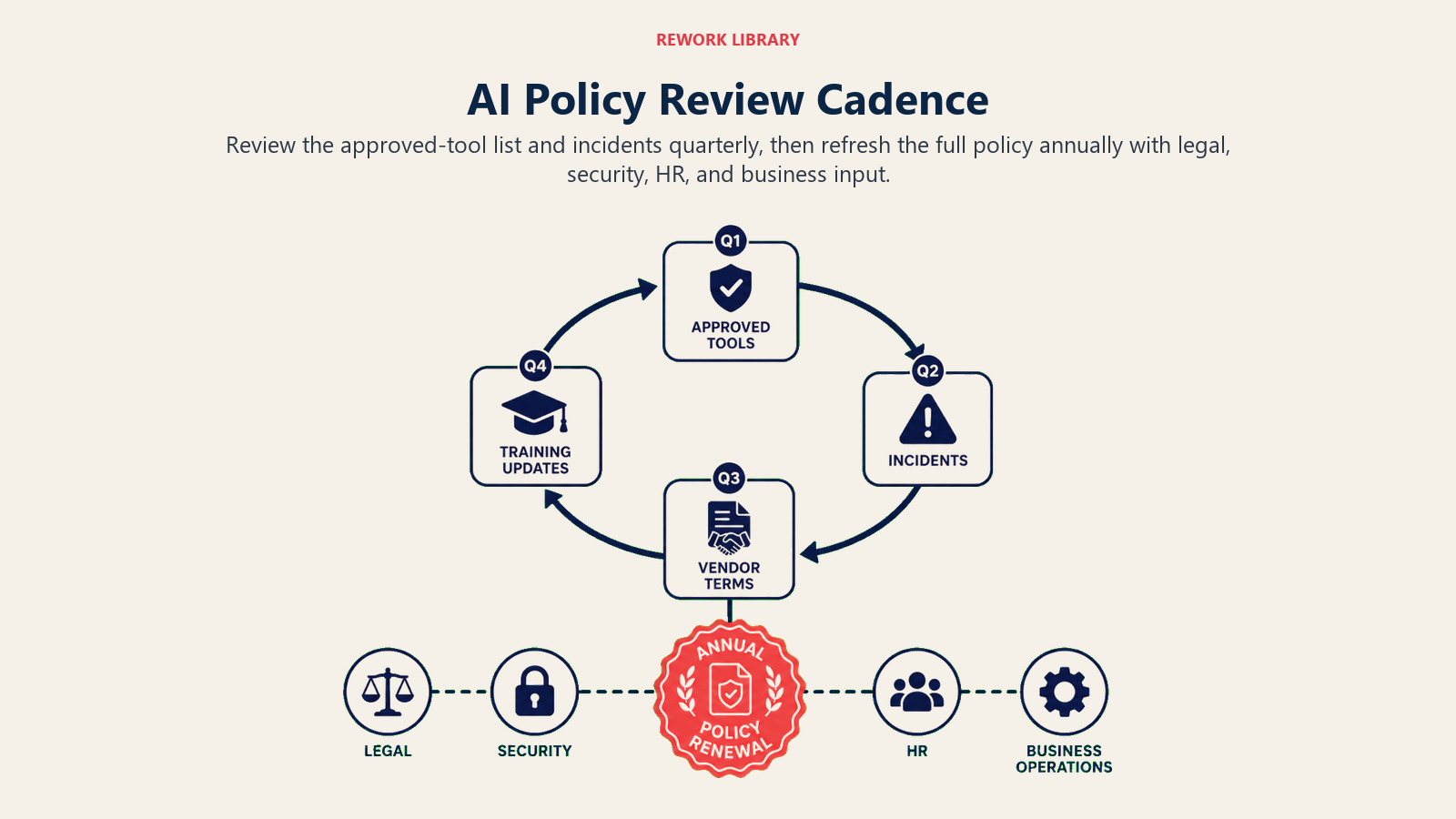
A tecnologia de AI muda mais rápido do que a TI tradicional. Uma política escrita em janeiro pode estar materialmente desatualizada até julho: novas ferramentas lançadas, termos de fornecedores alterados, orientação regulatória emitida. Inclua a cadência de revisão na própria política.
Trimestral: Revise a lista de ferramentas aprovadas. Adicione ferramentas recém-analisadas. Remova ou restrinja ferramentas cujos termos de fornecedor mudaram. Registre quaisquer incidentes do trimestre anterior e avalie se atualizações de política são necessárias.
Anualmente: Revisão completa da política. Avalie se as camadas de classificação de dados ainda refletem os tipos de dados de negócio atuais. Atualize exemplos de uso proibido. Revise os requisitos de treinamento com base no que mudou.
Baseado em gatilho: Qualquer incidente material de AI, qualquer mudança significativa nos termos de tratamento de dados do fornecedor, qualquer nova orientação regulatória que afete seu setor. Não espere o ciclo trimestral quando um evento gatilho exige resposta imediata.
A estrutura da política, em resumo
Uma política de uso de AI que cumpre seu papel tem estas seis seções:
- Uso Aceitável: Ferramentas aprovadas, finalidades permitidas, acesso baseado em função
- Regras de Classificação de Dados: Quais dados podem entrar em quais categorias de ferramentas
- Processo de Aprovação: Como as novas ferramentas são avaliadas e registradas
- Ferramentas e Ações Proibidas: Linhas rígidas para conformidade e risco
- Relato de Incidentes: Como relatar, quem responde, o que é protegido
- Requisitos de Treinamento: Baseline para todos os funcionários, elevado para funções de alto acesso
Imprima esta lista. Compartilhe-a com seu assessor jurídico e CISO. Reserve meio dia para elaborar a primeira versão. Um rascunho funcional publicado internamente hoje é mais valioso do que uma política perfeita entregue em seis meses.
A pergunta mais difícil não é como escrever a política. É o que acontece quando o primeiro incidente ocorre e você descobre se a política realmente funcionou.
O que ler a seguir
Leia: Classificação de Dados para Regras de Acesso de AI para o framework completo de 4 camadas que a Seção 2 desta política exige.
Leia: Portões de Aprovação de AI e Revisão de Fornecedores para o checklist completo de avaliação de fornecedores referenciado na Seção 3.
Leia: Playbook de Resposta a Incidentes de AI para o runbook do qual a Seção 5 depende.
Leia: Etapa 1 para 2: De Ad-Hoc para Piloto para ver como a política se encaixa nos requisitos da Etapa 2 e por que é o ingresso de entrada para o piloto governado.
Perguntas Frequentes
Quais são as 6 seções de uma política de uso de AI?
O Modelo de Política de AI de 6 Seções cobre: (1) Uso Aceitável, listando ferramentas aprovadas por nome com finalidades permitidas e acesso baseado em função; (2) Regras de Classificação de Dados, definindo quais camadas de dados podem entrar em quais categorias de ferramentas; (3) Processo de Aprovação para Novas Ferramentas, com formulário de intake, revisor nomeado e prazo de resposta; (4) Ferramentas e Ações Proibidas, codificando as linhas rígidas de conformidade e segurança; (5) Relato de Incidentes, especificando como relatar, quem responde e que o relato de boa fé é protegido; (6) Requisitos de Treinamento, com baseline para todos os funcionários e requisitos elevados para funções de alto acesso.
Por que uma política de uso de AI precisa de uma seção de classificação de dados?
A maioria dos incidentes de governança de AI acontece quando funcionários usam uma ferramenta aprovada para uma finalidade aprovada, mas colam a categoria errada de dados. Uma seção de classificação de dados que define exatamente quais camadas de dados podem entrar em quais categorias de ferramentas elimina a ambiguidade que causa a maioria das violações. Sem ela, os funcionários interpretam "dados sensíveis" de acordo com sua intuição, que varia amplamente. Um funcionário pode não perceber que endereços de e-mail de clientes, termos contratuais ou projeções de receita interna são categorias protegidas.
Quando uma empresa deve criar uma política de uso de AI?
Antes de escalar AI além do uso individual de ferramentas, não depois. A lacuna de governança na Etapa 1 é a fonte mais comum de incidentes de AI, e a política é o ingresso de entrada para o piloto governado na Etapa 2. Um rascunho funcional publicado internamente hoje é mais valioso do que uma política perfeita em desenvolvimento por seis meses. A política não precisa de aprovação jurídica para ser útil. Precisa existir e ser compartilhada com todos os funcionários.
Qual é a política mínima viável de uso de AI para uma empresa pequena?
Uma política mínima viável cobre três pontos: uma lista de ferramentas aprovadas (nomes específicos de ferramentas, não "ferramentas de AI aprovadas" genericamente), uma regra de classificação de dados (quais dados não podem entrar em ferramentas de AI externas sob nenhuma circunstância) e um canal de relato de incidentes (uma pessoa nomeada para contatar e um mecanismo de relato de 30 segundos). Isso protege contra a maioria dos incidentes de governança da Etapa 1 e leva de 2 a 4 horas para elaborar. Itere a partir daí.
Com que frequência uma política de uso de AI deve ser revisada?
Trimestralmente para a revisão da lista de ferramentas aprovadas e do registro de incidentes. Anualmente para revisão completa da política incluindo camadas de classificação de dados e exemplos de usos proibidos. Revisão baseada em gatilho após qualquer incidente material de AI, qualquer mudança significativa nos termos de tratamento de dados do fornecedor ou qualquer nova orientação regulatória que afete seu setor. A tecnologia de AI muda mais rápido do que os ciclos de governança de TI tradicionais, e uma política que não foi atualizada em 12 meses provavelmente não reflete as ferramentas que seus funcionários estão realmente usando.
Veja também:
- Trilhas de Auditoria para Ações Execute de AI: os requisitos de logging que fluem diretamente da seção de relato de incidentes da sua política
- A Fronteira entre Generate e Execute: Por Que Guardrails Importam: a distinção que sua lista de usos proibidos precisa codificar
- Por Que Maioria das Transformações de AI Falha: como a ausência de governança é uma das cinco causas raiz

Co-Founder, Rework.com
On this page
- Por que você precisa disso agora, não depois de escalar
- O Modelo de Política de AI de 6 Seções
- As 6 seções obrigatórias
- Seção 1: Uso Aceitável
- Seção 2: Regras de Classificação de Dados
- Seção 3: Processo de Aprovação para Novas Ferramentas
- Seção 4: Usos Proibidos
- Seção 5: Relato de Incidentes
- Seção 6: Requisitos de Treinamento
- Referências de políticas de fornecedores como âncoras
- Lacunas de política que criam mais risco
- Como impor sem criar atrito
- A cadência de revisão da política
- A estrutura da política, em resumo
- O que ler a seguir