A Fronteira entre Generate e Execute: Por que Guardrails São Essenciais
Turn this article into takeaways for your work.


Each assistant summarizes the article only for you and suggests best practices for your work.
O incidente de AI mais comum nos negócios não é uma falha do modelo. É uma fronteira mal compreendida.
Uma equipe aprova uma ferramenta de AI que redige respostas. Em algum ponto entre a Demo e a implantação, "redigir" vira "enviar." Ninguém tomou essa decisão de forma explícita. Simplesmente aconteceu, porque redigir e enviar pareciam um único passo contínuo. Na primeira manhã após o lançamento, a AI já enviou 340 e-mails para a lista errada, com os nomes errados em um campo de mesclagem que ninguém testou.
Esse padrão de falha aparece em todos os setores: contratos redigidos por AI que foram executados automaticamente, reembolsos que saíram sem aprovação, convites de calendário que deslocaram reservas existentes. Em todos os casos, a causa raiz é a mesma. Alguém presumiu que a AI pararia antes de agir. Ninguém registrou essa suposição por escrito.
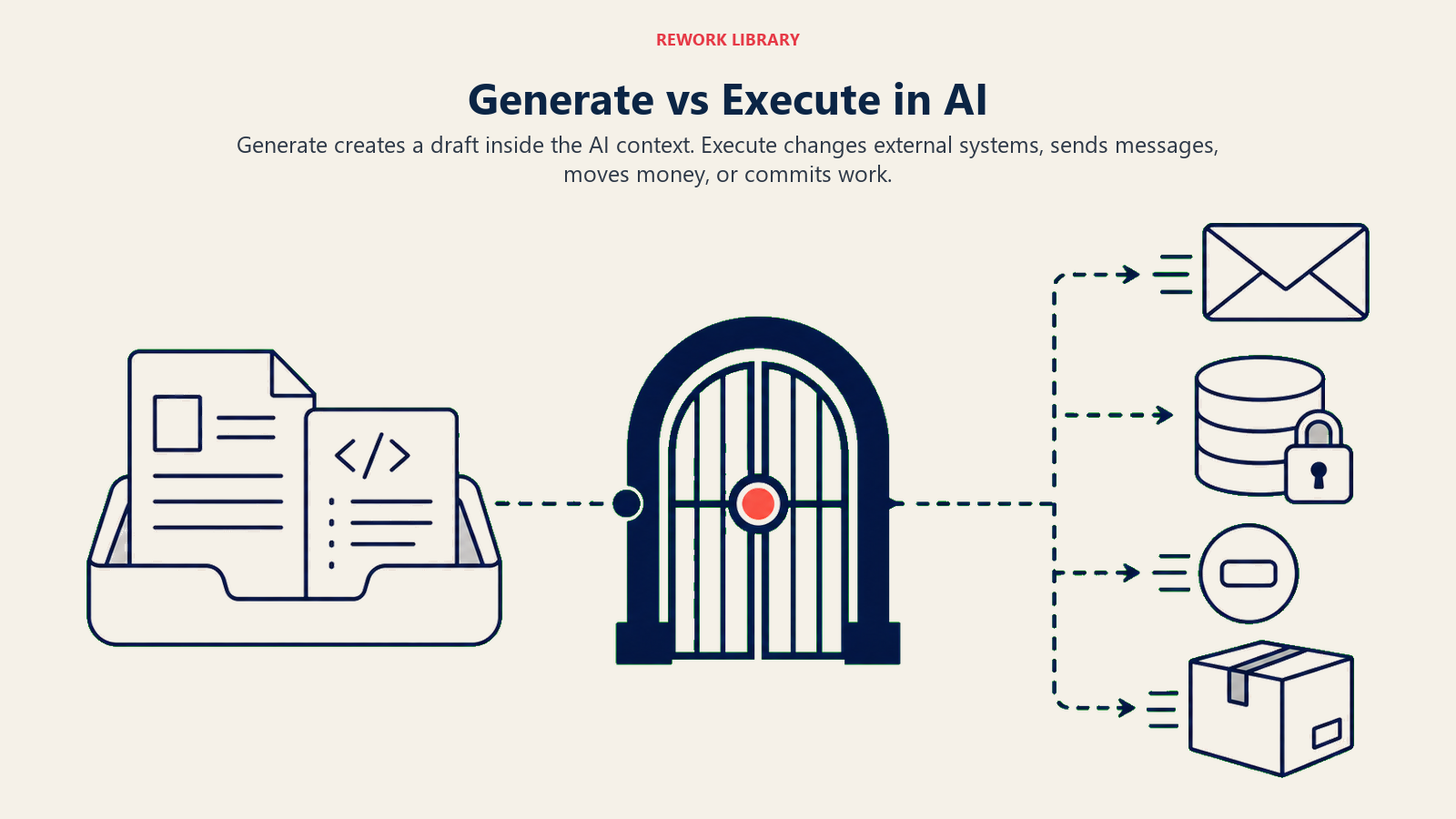
A fronteira Generate-Execute é a linha mais importante da governança de AI. Generate produz um rascunho: um artefato que vive dentro do contexto da AI, revisável e reversível, sem nenhuma consequência externa. Execute confirma uma mudança no mundo: o dinheiro se move, mensagens chegam, registros são atualizados, código vai para produção. São dois perfis de risco completamente diferentes, e tratá-los como um Workflow contínuo é onde a maioria dos incidentes de AI se origina.
Este artigo explica como traçar essa fronteira, governá-la e construir os padrões de aprovação que impedem o incidente de acontecer.
A diferença em uma frase
Generate produz um artefato que vive dentro do contexto da AI. Execute confirma uma mudança em sistemas externos à AI que outras pessoas e processos podem ver imediatamente.
Essa frase contém todo o argumento. Mas vale ser concreto.
Quatro lugares onde a fronteira existe
A distinção abstrata se torna óbvia quando você a vê em Workflows específicos. Aqui estão quatro exemplos que mostram a mesma atividade antes e depois da fronteira:
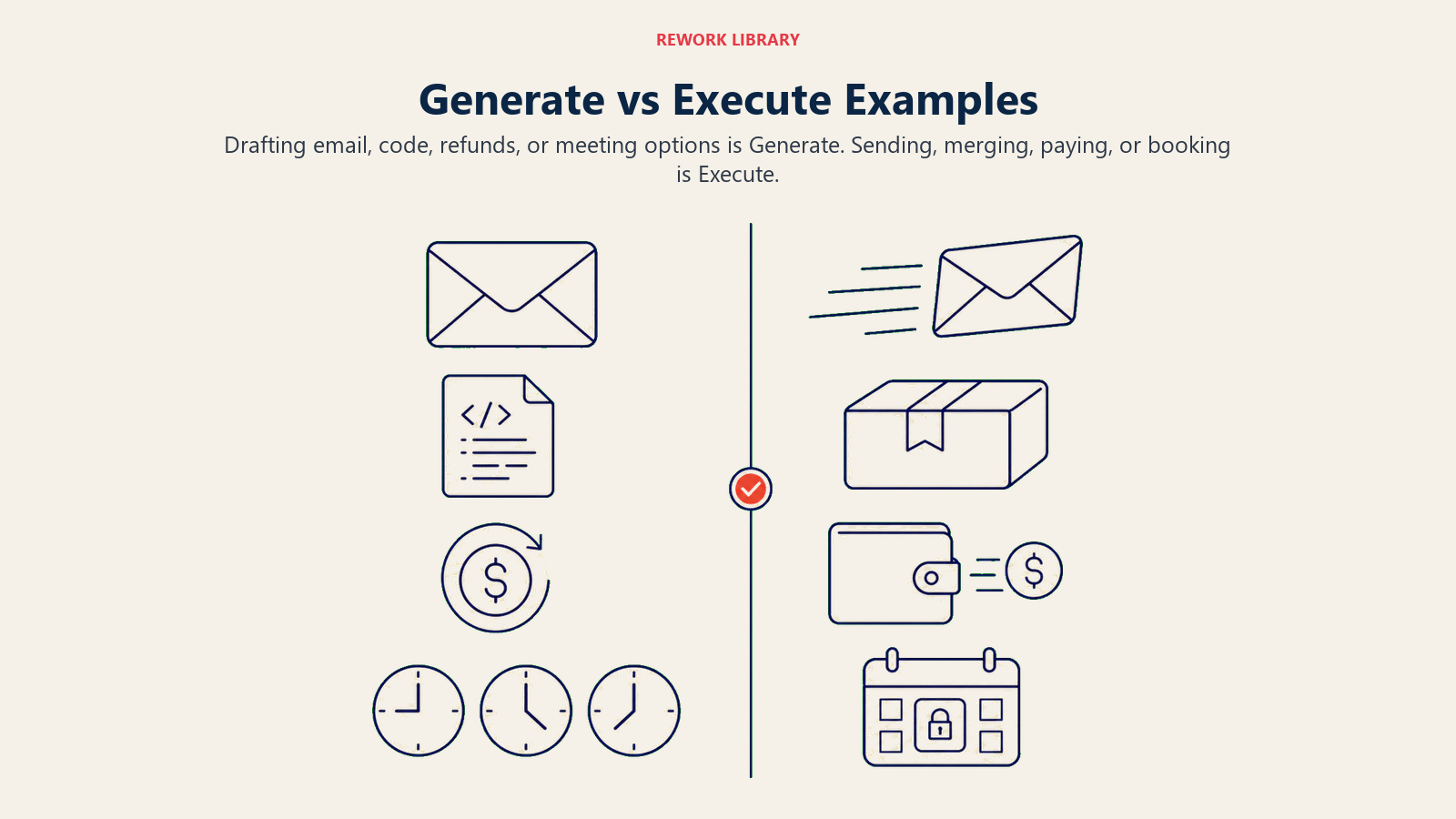
| Ação | Generate (antes da linha) | Execute (depois da linha) |
|---|---|---|
| AI redige um follow-up com o nome do prospect, empresa e contexto relevante | AI envia o rascunho para a caixa de entrada do prospect | |
| Código | AI escreve uma correção para o bug e cria o pull request localmente | AI faz merge do pull request para o branch principal |
| Reembolso | AI recomenda um reembolso de R$ 340 e redige a mensagem de aprovação | AI processa o reembolso no Stripe e fecha o ticket de suporte |
| Agenda | AI sugere três horários de reunião com base na disponibilidade de ambas as partes | AI envia o convite do calendário e confirma o horário |
Em cada linha, o lado Generate produz algo revisável: um documento, uma recomendação, um plano. Nada fora da AI mudou. Um humano pode lê-lo, editá-lo, rejeitá-lo ou melhorá-lo. O custo de um erro é zero, porque o rascunho não foi para lugar nenhum.
No lado Execute, algo real aconteceu. O dinheiro saiu da conta. O código está agora em produção. Uma mensagem chegou à caixa de entrada de alguém. Uma hora do dia de alguém está agora comprometida. Reverter qualquer um desses requer esforço. Alguns não podem ser revertidos de forma alguma.
Por que a fronteira importa
O argumento de risco é direto.
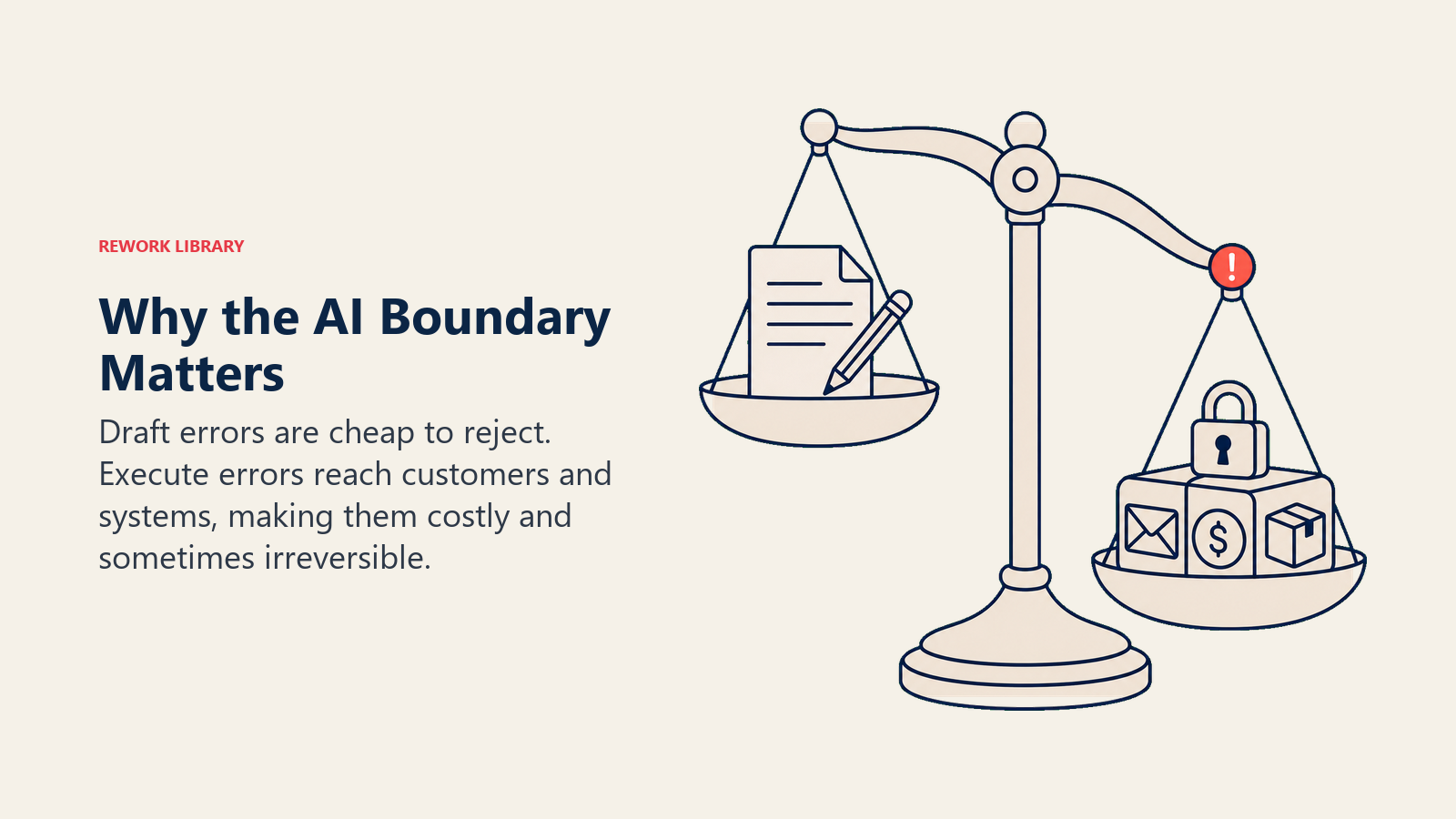
Erros de Generate causam constrangimento. Se a AI redigir um e-mail ruim, você o lê e não o envia. Se ela recomendar o valor de reembolso errado, um humano percebe. Se o código que ela escreve tiver um bug, seu desenvolvedor o encontrará na revisão. Erros de Generate são baratos. Eles ficam dentro do sistema até que uma pessoa decida o contrário.
Erros de Execute custam dinheiro, danificam a confiança e frequentemente são irreversíveis. Envio em massa errado para 10.000 clientes. Reembolso duplicado processado às 2 da manhã. Código implantado em produção que quebra um Workflow central. Convite de calendário enviado a um cliente com a pauta errada. Esses eventos acontecem no mundo, não em um rascunho, e desfazê-los requer recursos reais, às vezes exposição jurídica.
Essa assimetria é por que o ACE Framework trata Generate e Execute como capabilities separadas. Elas parecem similares em uma apresentação. "AI redige e envia e-mails" soa como uma coisa só. Na verdade, são duas coisas com perfis de risco e requisitos de governança completamente diferentes.
Governança, Workflows de aprovação e políticas de human-in-the-loop existem para controlar o que acontece na transição de Generate para Execute. Quando essa transição é explícita e projetada, a maioria dos incidentes de AI não acontece. Quando é implícita e assumida, eles acontecem.
A fronteira no design de produto
Se você está avaliando ferramentas de AI ou configurando seus próprios Workflows, a fronteira Generate-Execute aparece como um padrão de design:
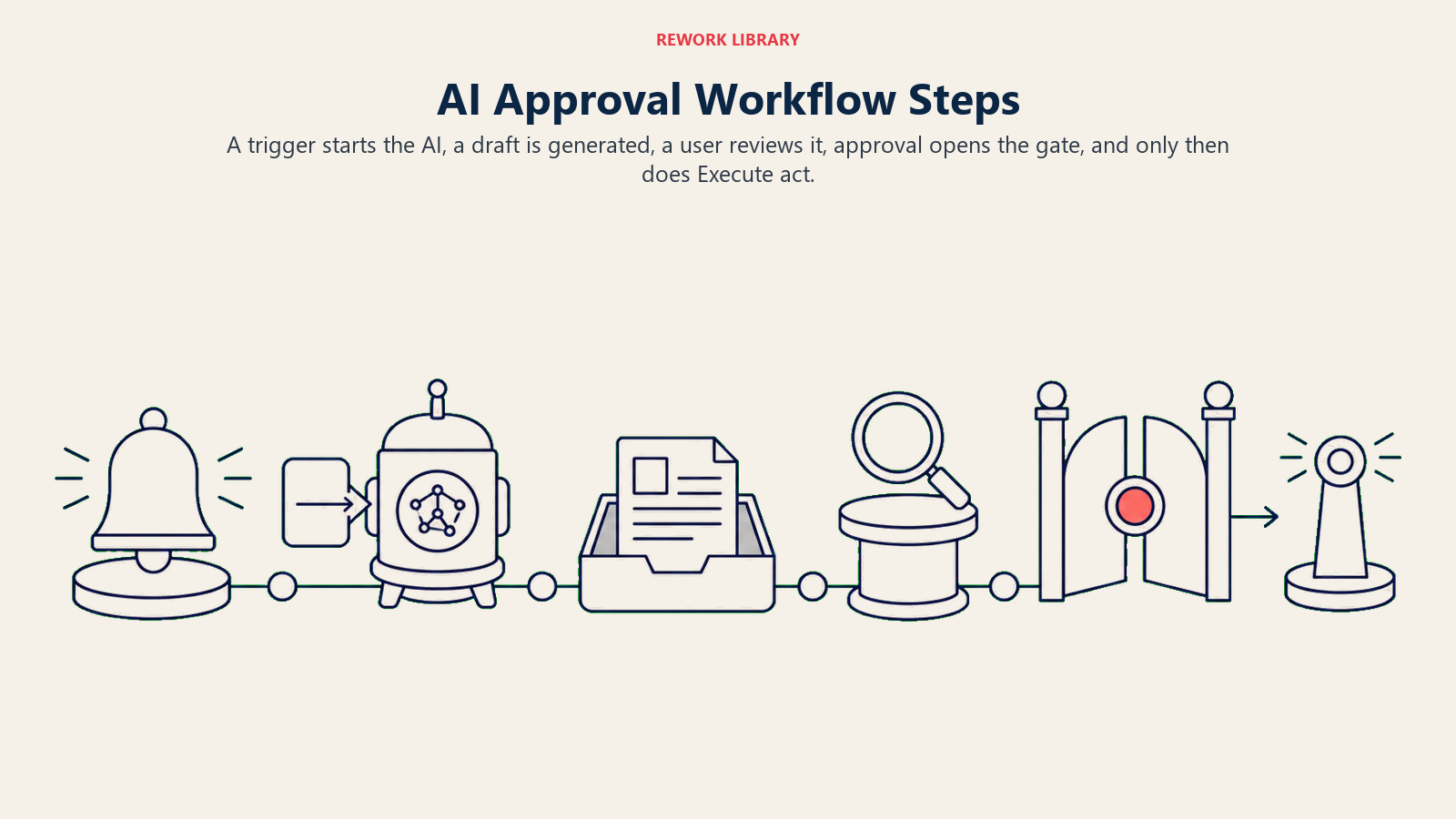
- Usuário inicia uma tarefa (ou um gatilho dispara automaticamente)
- AI executa: Ingest → Analyze → Generate (artefato produzido, sem mudança externa)
- Usuário vê o output
- Usuário aprova (a fronteira, o momento mais importante no Workflow)
- Sistema executa a ação no mundo externo
O passo 4 é a dobradiça. Perdê-lo (seja pulando intencionalmente em nome da velocidade, ou perdendo acidentalmente porque ninguém especificou que ele deveria existir) é como o e-mail de Rachel foi para 340 pessoas.
As ferramentas de AI que lidam bem com isso tornam a fronteira visível. O AI do Intercom redige respostas e as apresenta ao agente para aprovação antes de enviar. O GitHub Copilot sugere completações de código, mas não as confirma. O AI do Calendly propõe horários, mas não confirma até o destinatário confirmar. Essas não são limitações. São funcionalidades. O passo de aprovação explícito é o que torna a ferramenta confiável o suficiente para usar em escala.
Cinco padrões na fronteira
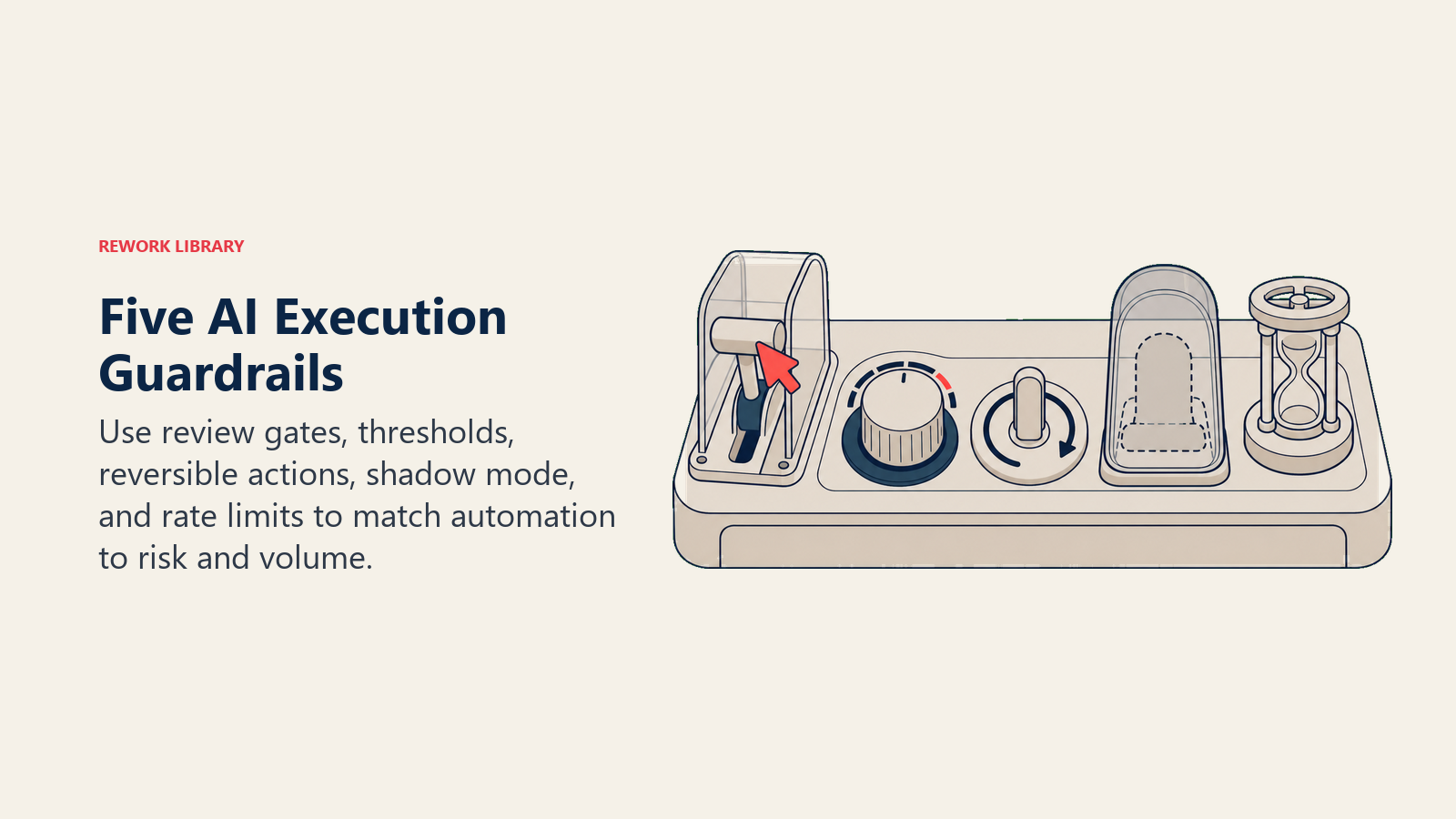
Nem todo Workflow precisa da mesma abordagem. Esses cinco padrões permitem calibrar com base no risco e no volume:
1. Portão de revisão
Todo Execute requer aprovação humana explícita antes que qualquer coisa aconteça no mundo externo. Melhor para ações de alto valor ou irreversíveis: um reembolso acima de R$ 1.000, um e-mail para uma conta estratégica, uma decisão de pessoal. Limitação: não escala além de algumas dezenas de aprovações diárias. Use seletivamente.
2. Threshold
AI executa autonomamente até um limite definido; acima dele, a ação pausa para revisão. Exemplo: AI resolve automaticamente pedidos de reembolso abaixo de R$ 50, sinaliza qualquer valor maior. O threshold fica na configuração do sistema, não em um documento de política. Melhor para decisões de volume médio e valor misto, onde a maioria dos casos é segura, mas a cauda precisa de supervisão.
3. Somente reversível
AI só pode executar ações com um caminho de desfazer suportado pelo sistema. "Criar uma tarefa" é reversível. "Enviar um e-mail" não é. "Atualizar um campo no CRM" é reversível. "Excluir registros" não é. Defina a lista, depois deixe a AI executar dentro dela. Melhor para Workflows de alto volume onde a irreversibilidade é o principal risco.
4. Modo sombra
Execute é desativado completamente. O sistema registra cada ação que teria tomado, mas não toma nenhuma delas. Execute o modo sombra por duas semanas, revise os logs, encontre os casos extremos que você não antecipou, depois ative a execução real. É assim que você encontra o cenário de reembolso duplicado às 2 da manhã antes que ele custe dinheiro.
5. Limite de taxa
AI pode executar até N ações por janela de tempo, depois pausa para um ciclo de revisão humana antes de continuar. Exemplo: 50 e-mails de prospecção por dia, de forma autônoma. No dia 51, a fila pausa e alguém revisa o próximo lote. Melhor para Workflows de alto volume e baixo risco individual, onde a deriva ao longo do tempo é a principal preocupação.
Esses padrões não são mutuamente exclusivos. Um Workflow bem projetado pode usar threshold para reembolsos, somente reversível para atualizações de dados e modo sombra nas primeiras duas semanas.
Quando colapsar Generate e Execute
Alguns Workflows não precisam de um portão de revisão. Colapsar Generate e Execute (deixar a AI agir sem revisão humana) é apropriado quando as três condições abaixo são verdadeiras:
A ação é de baixo risco. Autocompletar em um documento, correção ortográfica, tags sugeridas em um ticket interno. Se a AI errar, o custo é desprezível.
A ação é claramente reversível. Desfazer é rápido, integrado à interface e não requer contatar ninguém. Se você pode corrigir em dois segundos, o portão é provavelmente overhead desnecessário.
O escopo é bem definido e estreito. Autocompletar dentro do seu próprio documento é diferente de redigir um e-mail que vai para clientes. "Escreva esta função" é diferente de "implante esta função em produção."
O padrão a observar: equipes colapsam Generate e Execute porque a Demo pareceu ótima e elas querem a velocidade. Elas pulam a fronteira porque parece burocracia. Seis semanas depois, estão explicando a um cliente por que a AI enviou a ele a cotação de preço de outra pessoa.
Quando nunca colapsar a fronteira
Algumas categorias de ação devem sempre ter um passo de aprovação humana, independentemente de quão confiante a AI pareça, quão bons foram os resultados do piloto, ou quanto tempo o portão custa. São elas:
Comunicações visíveis ao cliente. Qualquer coisa que chega à caixa de entrada de um cliente, SMS ou notificação de aplicativo com sua marca nela. AI pode redigir. Um humano aprova.
Transações financeiras. Reembolsos, cobranças, transferências, ordens de compra. O padrão é sempre revisão. O volume pode eventualmente justificar automação com threshold, mas conquiste isso com histórico.
Decisões de pessoal. Qualquer coisa que afete contratação, remuneração, desempenho ou demissão. AI apoia a análise. Um humano decide.
Ações sensíveis ao jurídico ou compliance. Contratos, NDAs, registros regulatórios, qualquer coisa que crie uma obrigação jurídica ou que reguladores possam auditar.
Exclusões de qualquer tipo. A exclusão é o erro de Execute mais difícil de reverter. Coloque no modo sombra primeiro, adicione um portão de revisão, depois considere automação apenas se o volume genuinamente exigir.
Agentes autônomos e a fronteira
Agentes autônomos são o padrão de implantação de maior risco no ACE Framework. Eles combinam as cinco capabilities em um loop, avançando em direção a um objetivo com múltiplas ações de Execute ao longo do caminho. Cada Execute dentro do loop é um incidente potencial.
O risco se acumula. Um agente que classifica erroneamente um input (erro de Analyze) pode redigir uma resposta errada (erro de Generate) e então executar essa resposta errada em dez sistemas downstream antes que o loop seja concluído. Quando um humano revisa o log, o dano é de múltiplas etapas.
Três regras para Execute dentro de loops de agentes autônomos: Primeiro, escreva quais ações de Execute o agente está autorizado a realizar. "Criar tarefas. Atualizar estágio no CRM. Não enviar e-mail externo. Não excluir registros." Segundo, estabeleça um teto rígido de ações de Execute por hora ou por execução e expanda-o apenas conforme o histórico de auditoria o justificar. Terceiro, registre o rastreamento completo de decisão para cada ação de Execute: o que o agente ingeriu, analisou, gerou e executou, com timestamps. Esse log é a única forma de entender o que aconteceu quando algo der errado, e algo vai dar errado.
Incidentes reais na fronteira
Estes são os padrões de falha que realmente acontecem. Não hipotéticos. Padrões de implantações reais.
E-mail redigido pela AI enviado sem revisão. Um bug de filtro incluiu 15.000 contatos que optaram por não receber comunicações em uma sequência de prospecção. A AI redigiu e enviou durante a noite. A manhã trouxe 400 cancelamentos de inscrição, 30 respostas furiosas e uma escalada jurídica.
Reembolso fraudulento aprovado pela AI. O AI de uma equipe de suporte processava reembolsos automaticamente para reclamações abaixo de R$ 200. Um agente mal-intencionado enviou 60 reclamações quase idênticas. A AI processou todas as 60 antes que qualquer padrão acionasse um alerta humano. R$ 12.000 saíram da conta.
Deploy autônomo de código que quebrou a produção. Um pipeline de CI/CD fez merge automático de um pull request que passou em todos os testes automatizados. A mudança quebrou uma integração downstream que os testes não cobriam. Quatro horas para resolver, 800 clientes afetados.
Reunião agendada pela AI que deslocou uma reserva existente. Um AI de agendamento remarcou uma ligação com um cliente para encaixar uma nova solicitação sem qualquer notificação humana ao cliente original. Eles escalaram para a equipe de conta.
Cada incidente compartilha uma causa raiz: alguém assumiu que a AI pararia antes de agir, e ninguém escreveu essa suposição.
Construindo uma política de Generate-Execute
Uma política não precisa ser longa. Precisa ser específica e compartilhada. Aqui está o template:
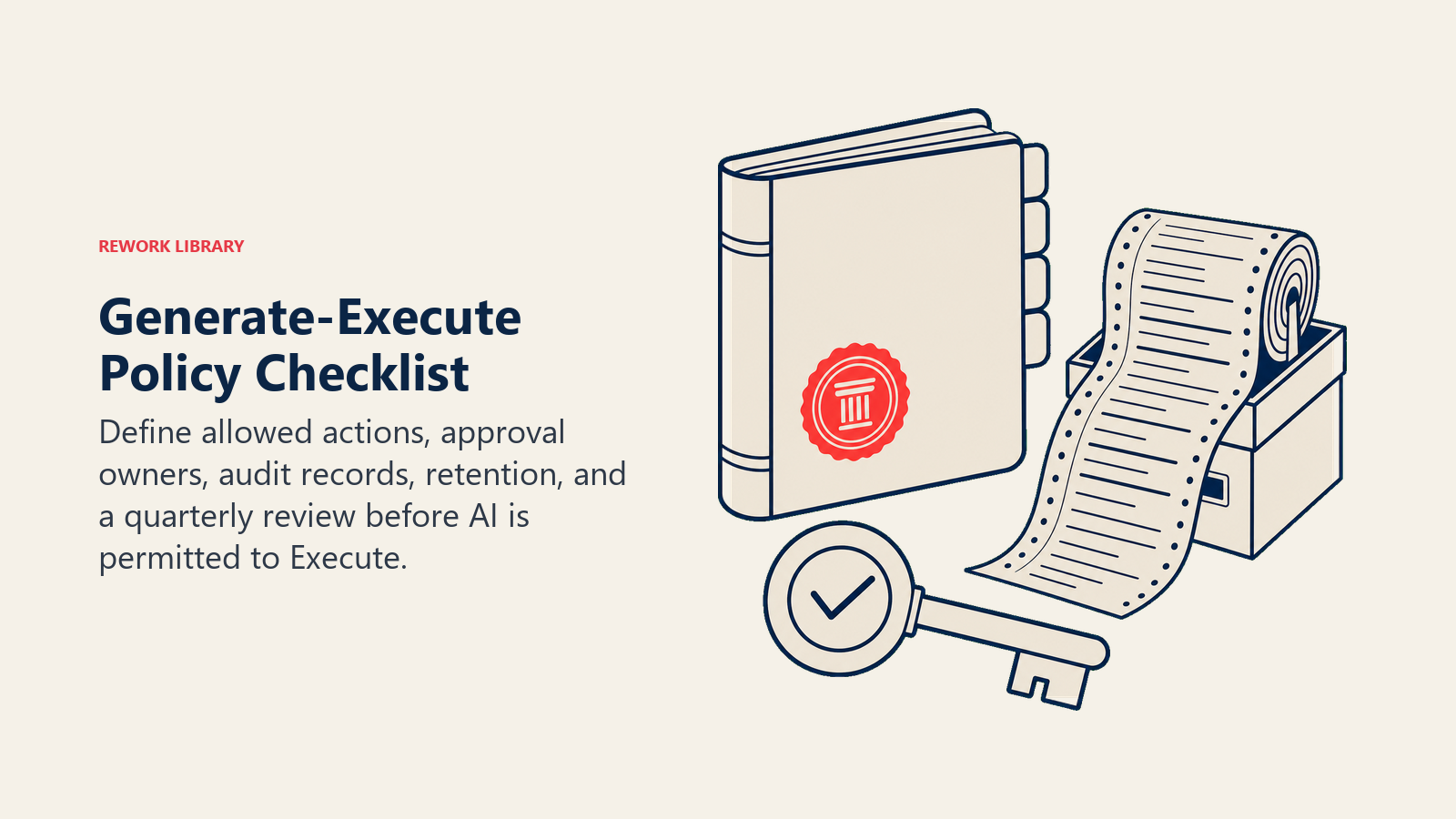
Quais ações são Execute automático? Liste-as especificamente. "Enviar notificações para canais internos da equipe. Criar tarefas no sistema de gestão de projetos. Atualizar estágio do lead no CRM quando a negociação for marcada como fechada." Se não estiver nessa lista, não é Execute automático.
O que requer aprovação humana? Padrão: todo o resto. Comunicações voltadas ao cliente, transações financeiras e exclusões sempre requerem aprovação, independentemente do tamanho.
Quem aprova? Nomeie o papel, não a pessoa. "O responsável pela conta aprova comunicações com clientes. O líder da equipe financeira aprova transações acima de R$ 500. O gerente de engenharia aprova merges para o branch principal." Um aprovador por categoria de ação.
O que é registrado? Tudo. O que a AI viu, o que ela decidiu, o que ela executou, quem aprovou (ou que foi auto-aprovado e por quê), e o timestamp. Retenção mínima de 90 dias. Acesso de auditoria para qualquer pessoa que gerencia o Workflow.
Quando a política é revisada? Trimestralmente. Mais uma revisão imediata após qualquer incidente, independentemente da gravidade.
Escreva isso. Coloque em um lugar onde sua equipe possa encontrar.
O ponto final
A fronteira Generate-Execute é a linha mais importante em governança de AI. Desenhe-a conscientemente e você vai evitar a maioria dos incidentes de AI antes que aconteçam. Ignore-a e vai descobri-la da maneira cara.
Generate é poderoso. Execute é consequente. A distância entre eles é exatamente um passo de aprovação, e esse passo vale a pena proteger.
O que ler a seguir
- Capability Generate: as seis sub-capabilities de Generate e os modos de falha para projetar em torno deles
- Capability Execute: o que acontece quando a AI para de produzir rascunhos e começa a mudar o mundo
- O ACE Framework: como Generate e Execute se encaixam com Ingest, Analyze e Predict no mapa completo de cinco capabilities
- Por que a maioria dos frameworks de AI falha: por que o vocabulário importa mais do que slides de estratégia quando você está tomando decisões reais
- Tagging de iniciativas de AI: como marcar seus Workflows de Execute para que sua equipe possa rastrear escopo e risco em projetos
- Lendo um caso de uso de AI: aplique o vocabulário ACE a qualquer pitch de fornecedor, incluindo os que envolvem Execute

Principal Solution Architect
On this page
- A diferença em uma frase
- Quatro lugares onde a fronteira existe
- Por que a fronteira importa
- A fronteira no design de produto
- Cinco padrões na fronteira
- 1. Portão de revisão
- 2. Threshold
- 3. Somente reversível
- 4. Modo sombra
- 5. Limite de taxa
- Quando colapsar Generate e Execute
- Quando nunca colapsar a fronteira
- Agentes autônomos e a fronteira
- Incidentes reais na fronteira
- Construindo uma política de Generate-Execute
- O ponto final
- O que ler a seguir