Mejores alternativas a Front en 2026: 10 herramientas de bandeja compartida para equipos de operaciones
Turn this article into takeaways for your work.


Each assistant summarizes the article only for you and suggests best practices for your work.
La mejor alternativa a Front en 2026 depende de lo que necesite además de la bandeja. Help Scout lidera para equipos de soporte que quieren una bandeja de email compartida limpia, Hiver para equipos que viven en Gmail, Rework para equipos de operaciones que quieren un CRM y una bandeja centrada en el chat en una sola herramienta, Intercom para empresas product-led y Zendesk para enrutamiento empresarial. Las 10 herramientas siguientes están clasificadas con precios reales y notas de ajuste por equipo.
Front construyó su reputación como la bandeja compartida para equipos de operaciones modernos. Interfaz limpia, asignaciones de equipo, notas colaborativas. Resolvió de verdad un problema real cuando salió al mercado. Pero en algún punto entre la Series D y el giro hacia la gran empresa, algo cambió. Los usuarios se encarecieron. Las analíticas pasaron a los niveles premium. La profundidad de CRM que los equipos de operaciones realmente necesitan se quedó corta.
Si dirige un equipo de soporte, ventas u operaciones de cara al cliente y la calculadora de precios de Front le hace dudar, no es el único. Con $65 por usuario en el plan Professional (y $105 en Enterprise), ambos facturados anualmente, un equipo de 12 personas gasta aproximadamente $9,360-$15,120 al año antes de complementos como Copilot o Smart QA. Por ese precio debería obtener una plataforma, no solo una bandeja compartida. Esta guía presenta 10 alternativas con profundidad real para equipos de operaciones, empezando por el reemplazo más directo y equivalente para una bandeja de email compartida.
Tabla comparativa rápida
| Herramienta | Ideal para | Precio inicial | Fortaleza principal | Limitación principal |
|---|---|---|---|---|
| Help Scout | Equipos de soporte que buscan simplicidad | $25/usuario/mes (anual) | UX limpia, excelente base de conocimientos | CRM limitado, sin profundidad en flujos de ventas |
| Hiver | Equipos que ya usan Google Workspace | $25/usuario/mes (anual) | Nativo de Gmail, sin curva de aprendizaje | Solo Gmail, limitado si no usa Google |
| Rework | Equipos de operaciones de mercado medio que necesitan CRM + bandeja | Desde $159/mes con facturación anual, 5 seats de marketing + 5 de ventas (rework.com/pricing) | CRM + bandeja de chat + workflows en una sola plataforma | Bandejas de equipo de email básicas, biblioteca de integraciones más pequeña |
| Missive | Equipos pequeños que necesitan colaboración multicanal | $14/usuario/mes (facturado anualmente) | Email + SMS + chat en un solo hilo | Escala con dificultad por encima de 30-40 usuarios |
| Intercom | Crecimiento product-led, soporte dentro de la app | $29/usuario/mes (anual) | La mejor mensajería in-app de su categoría | Costoso, complejo, no apto para operaciones solo por email |
| Freshdesk | Equipos de soporte de pymes con presupuesto ajustado | Gratis; $19/agente/mes (anual) | Amplio conjunto de funciones a bajo costo | Interfaz anticuada, los workflows requieren trabajo de configuración |
| Zendesk | Soporte empresarial con enrutamiento complejo | $55/agente/mes (anual) | Personalización profunda, ecosistema enorme | Curva de aprendizaje pronunciada, costoso a escala |
| HubSpot Service Hub | Equipos que ya usan HubSpot CRM | $15/usuario/mes | Sincronización nativa con el CRM, vista unificada del cliente | Orientado a tickets, no a la bandeja compartida |
| Crisp | Startups, equipos centrados en chat en vivo | Gratis; $25/mes tarifa fija | Económico, mensajería todo en uno | No apto para soporte por email de alto volumen |
| Drag | Usuarios de Gmail que gestionan el trabajo desde la bandeja | $12/usuario/mes (anual) | Kanban dentro de Gmail, muy económico | Funciones limitadas frente a plataformas dedicadas |
Matriz de ajuste por etapa
| Herramienta | Startup (1-15) | Crecimiento (15-75) | Mercado medio (75-300) | Gran empresa (300+) |
|---|---|---|---|---|
| Help Scout | Mejor opción | Bueno | Adecuado | No recomendado |
| Hiver | Bueno | Bueno | Adecuado | No recomendado |
| Rework | Bueno | Mejor opción | Mejor opción | Limitado (por ahora) |
| Missive | Mejor opción | Adecuado | No recomendado | No |
| Intercom | Adecuado | Bueno | Mejor opción | Bueno |
| Freshdesk | Mejor opción | Bueno | Bueno | Adecuado |
| Zendesk | Adecuado | Bueno | Bueno | Mejor opción |
| HubSpot Service Hub | Adecuado | Bueno | Mejor opción | Bueno |
| Crisp | Mejor opción | Adecuado | No recomendado | No |
| Drag | Bueno | Adecuado | No recomendado | No |
Tabla de tamaño y perfil de comprador
| Herramienta | Tamaño de equipo ideal | Quién la compra | Industria típica |
|---|---|---|---|
| Help Scout | 5-100 | Support Manager, Head of CX | E-commerce, SaaS, agencias |
| Hiver | 10-150 | IT Manager, Support Lead | Servicios profesionales, pymes |
| Rework | 20-200 | COO, VP Sales, Head of Ops | SaaS, servicios profesionales, logística |
| Missive | 2-40 | Fundador, Office Manager | Agencias, consultoría, SaaS pequeño |
| Intercom | 30-500 | VP Product, Head of Growth | SaaS product-led, tecnología de consumo |
| Freshdesk | 5-500 | IT Manager, Support Manager | Pymes, e-commerce, educación |
| Zendesk | 50-5000 | VP Support, IT Director | Gran empresa, e-commerce, servicios financieros |
| HubSpot Service Hub | 20-500 | RevOps, Marketing/Sales Director | SaaS B2B, servicios profesionales |
| Crisp | 1-30 | Fundador, Product Manager | SaaS en etapa inicial, e-commerce |
| Drag | 2-50 | Team Lead, administrador de oficina | Pymes, agencias, freelancers |
1. Help Scout: la bandeja compartida limpia y honesta para soporte al cliente
Help Scout tiene una filosofía de producto clara: las herramientas de soporte deben ser lo bastante simples para que todo el equipo las use sin capacitación, y lo bastante potentes para que no haga falta llamar a un consultor para configurar workflows. Lleva más de una década cumpliendo esa promesa.
El producto central es una bandeja de email compartida con asignación, etiquetado y detección de colisiones (para que dos agentes no respondan al mismo cliente a la vez). Docs, el producto de base de conocimientos de Help Scout, se integra de forma nativa y muestra artículos relevantes dentro de la vista de la bandeja, lo que reduce el volumen de tickets repetitivos. Beacon, su chat en vivo y widget de ayuda, conecta las conversaciones web con la misma bandeja.
El ICP de Help Scout es un equipo de soporte de 5-100 personas que no necesita capacidades profundas de CRM, pero quiere una operación de soporte limpia y profesional sin la carga de configuración de Zendesk. Es especialmente popular en e-commerce y empresas SaaS B2B donde el equipo de soporte está separado de ventas. Vale la pena revisar las mejores alternativas a Help Scout si las brechas de multicanal o automatización son la razón por la que mira otras herramientas.
La limitación es la profundidad de CRM. Help Scout registra bien a los clientes y el historial de conversaciones, pero si su equipo de operaciones necesita etapas de deal, vistas de pipeline o contacto saliente automatizado conectado con el historial de soporte, tendrá que gestionarlo en otra herramienta. Es una plataforma de soporte pura, no una plataforma de ventas u operaciones.
| Fortalezas de Help Scout | Limitaciones de Help Scout |
|---|---|
| Excelente UX limpia, poca carga de capacitación | Sin pipeline de ventas ni gestión de deals |
| Base de conocimientos nativa (Docs) | Automatización limitada frente a Zendesk o Freshdesk |
| Buen chat en vivo mediante Beacon | Sin multicanal real (SMS, redes sociales) |
| Precios transparentes y asequibles | Los reportes son funcionales pero poco profundos |
| Sólida vista del historial del cliente | No está pensado para workflows entre equipos |
Ideal para: Equipos de soporte al cliente (5-100 personas) que quieren una bandeja compartida limpia sin la complejidad del CRM ni la carga de configuración empresarial.
2. Hiver: bandeja compartida nativa de Gmail para equipos de Google Workspace
La apuesta de producto de Hiver es que la mayoría de los equipos ya vive en Gmail, y que la solución correcta es convertir Gmail en una bandeja compartida real en lugar de forzar una migración a una herramienta nueva. Funciona: Hiver añade bandejas compartidas, workflows de asignación, SLAs y reportes directamente dentro de la interfaz de Gmail.
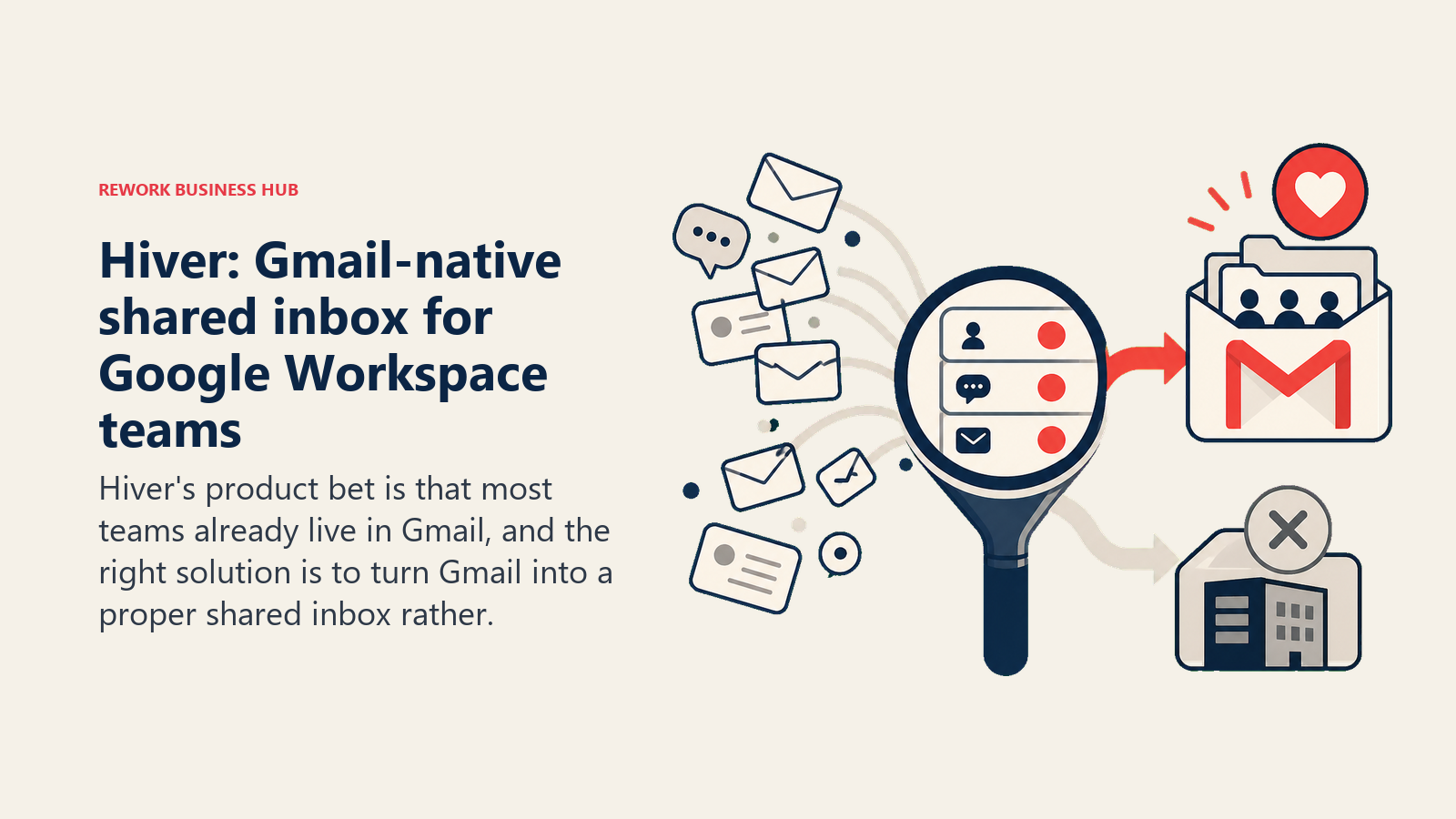
No hay curva de aprendizaje para los equipos que ya usan Google Workspace. Los agentes ven las bandejas compartidas como carpetas de correo etiquetadas. La asignación se hace desde la interfaz conocida de Gmail. Las notas y la detección de colisiones aparecen en línea. Para una empresa que se ha estandarizado en Google y quiere dar estructura a un alias support@ o billing@ sin alterar la forma de trabajar de las personas, Hiver suele ser el camino más rápido hacia una operación de bandeja compartida funcional.
El ajuste por etapa de Hiver va desde startup hasta mercado medio. Funciona bien para equipos de 10-150 personas donde Google Workspace es el sistema operativo de la empresa. Firmas de servicios profesionales, asesores financieros y empresas SaaS pequeñas son compradores frecuentes.
La restricción es obvia: Hiver solo funciona dentro de Gmail. Si alguna parte de su equipo usa Outlook, o si quiere gestionar SMS, WhatsApp o conversaciones sociales junto con el email en la misma interfaz, Hiver no puede ayudarle. Tampoco es un CRM, y la automatización de workflows, aunque sólida para el enrutamiento de email, no se extiende a los workflows operativos entre equipos fuera de la bandeja.
| Fortalezas de Hiver | Limitaciones de Hiver |
|---|---|
| Cero curva de aprendizaje para usuarios de Gmail | Solo Gmail/Google Workspace |
| Implementación rápida, mínima intervención de TI | Sin multicanal nativo (SMS, redes sociales) |
| Seguimiento de SLA integrado | Funcionalidad de CRM limitada |
| Analíticas sólidas para equipos de soporte | La automatización se limita a la bandeja, no a equipos cruzados |
| Precios asequibles | No funciona si el equipo usa Outlook |
Precios: Growth a $25/usuario/mes, Pro a $55, Elite a $85, facturados anualmente. Hiver vende dos líneas, Hiver en Gmail y la omnicanal Hiver Omni, y ambas tienen las mismas tres tarifas, así que la elección entre ellas depende de los canales y no del costo. No hay plan gratuito, solo una prueba de 7 días. Los SLAs, las encuestas CSAT y el acceso a la API empiezan en Pro, por lo que $55 es el punto de entrada realista para un equipo que quiere soporte gestionado y no solo una bandeja más ordenada. La voz es un complemento de Omni a $30 por usuario de voz/mes. (hiverhq.com/pricing)
Ideal para: Equipos totalmente comprometidos con Google Workspace (10-150 personas) que quieren una bandeja compartida sin cambiar de cliente de correo.
3. Rework: CRM unificado y bandeja compartida creados para equipos de operaciones
Rework parte de una premisa simple: la bandeja compartida y el CRM no deberían ser dos herramientas separadas con una sincronización superficial entre ellas. Para los equipos de operaciones que gestionan relaciones con clientes, pipelines de ventas y solicitudes de soporte sobre el mismo conjunto de cuentas, esa separación genera una fricción real. Rework la elimina.
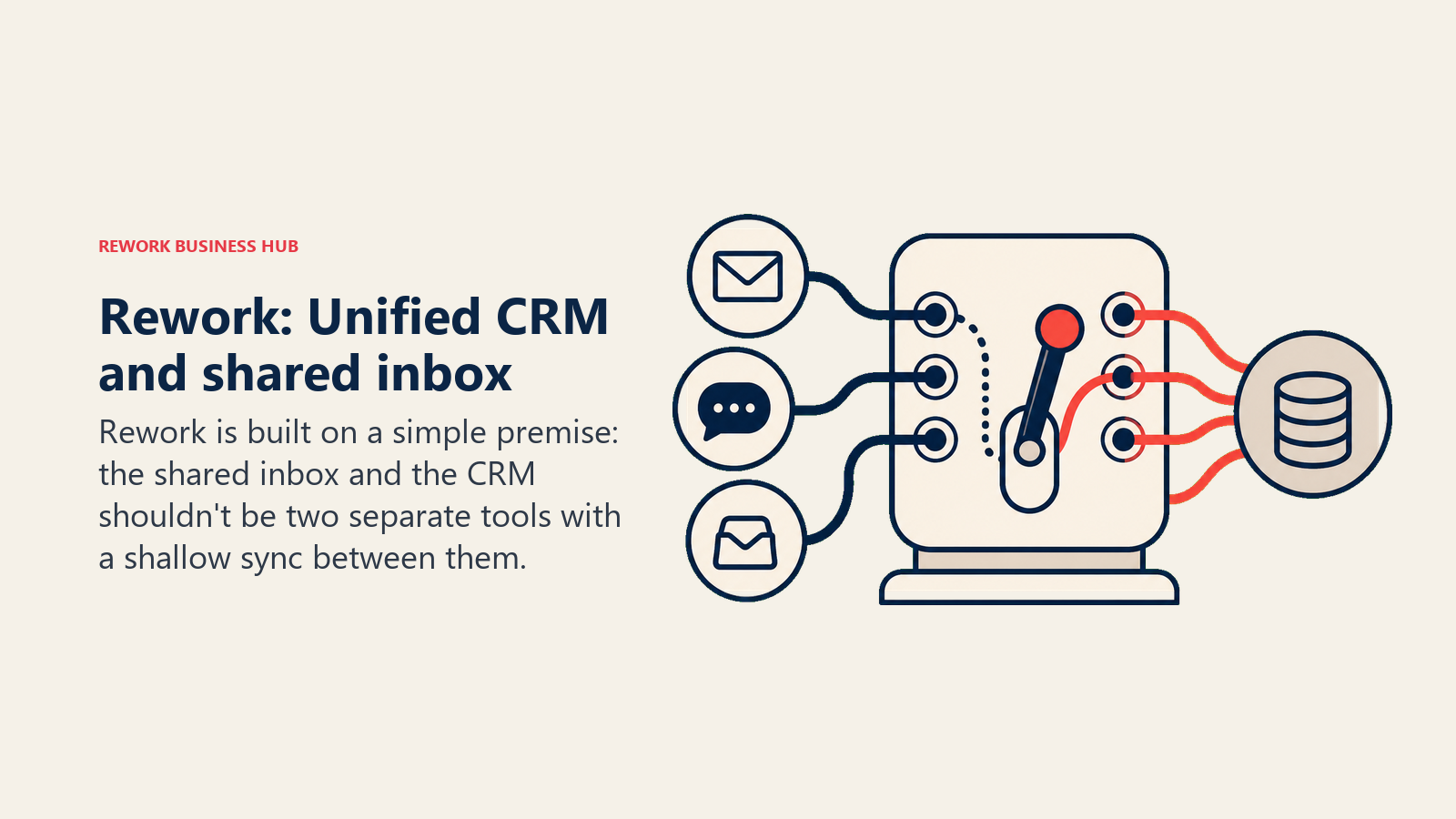
Sin embargo, es un producto con una forma distinta a la de Front. El chat con clientes pasa por Rework Prospect, una bandeja omnicanal que cubre WhatsApp, Messenger, Instagram, TikTok, Telegram, LINE, Zalo y un widget de chat en vivo para el sitio web, con reglas de enrutamiento, relojes de SLA y agentes de IA (en beta) que responden las preguntas rutinarias a partir de sus propias fuentes de conocimiento. El email es una aplicación aparte, Rework Mail: replica su buzón de Gmail, Outlook o IMAP y añade bandejas de equipo donde una dirección compartida como support@ se asigna, se responde y se cierra en conjunto. No hay canal de SMS ni de voz. Las conversaciones, los leads y los deals viven en una sola plataforma en lugar de en dos herramientas unidas por una sincronización. Para ver de forma práctica cómo se estructuran esos workflows después de una migración, automatización de flujos de trabajo del CRM cubre las decisiones de configuración que la mayoría de los equipos de operaciones resuelve mal.
Donde Rework destaca para los equipos de operaciones es en lo que ocurre después de la respuesta. El enrutamiento del chat asigna un responsable e inicia un reloj de SLA, la conversación queda junto al lead y al deal, y los copilots de la app Sales redactan los siguientes pasos para que una persona los confirme. Está diseñado para equipos en los que la persona que atiende lo entrante también participa en la relación con la cuenta.
Las brechas importan si el email es su canal principal. Las bandejas de equipo son básicas frente a Front, Help Scout o Hiver: no tienen resúmenes ni redacción con IA, tampoco borradores ni envíos programados, y una conversación de la bandeja de equipo todavía no puede archivarse en un deal. No hay un centro de ayuda de cara al cliente, y la biblioteca de integraciones es más pequeña que la de Zendesk o HubSpot. Para un equipo de operaciones o ventas de 20-150 personas cuyos clientes escriben por apps de chat tanto como por email, y que está cansado de la brecha entre bandeja y CRM, es una opción sólida. Para un equipo de soporte que solo usa email, Help Scout y Hiver son los reemplazos más cercanos.
| Fortalezas de Rework | Limitaciones de Rework |
|---|---|
| CRM nativo + bandeja de chat, sin sincronización | Bandejas de equipo de email básicas frente a Front |
| 11 canales de chat, incluidos WhatsApp, Messenger y chat en vivo | Sin canal de SMS ni de voz |
| Enrutamiento y relojes de SLA en las conversaciones de chat | Sin base de conocimientos de cara al cliente |
| Gestión de leads integrada | Biblioteca de integraciones de terceros más pequeña |
| Agentes de IA (beta) y copilots que redactan para su aprobación | No ideal para casos de ticketing puramente empresarial |
Precios: Revenue Engine (CRM, bandeja omnicanal y captación de leads) cuesta $159/mes con facturación anual ($1,908/año) o $190 mes a mes, con 5 seats de marketing y 5 de ventas incluidos. Los seats adicionales se venden en bloques de 5 ($21/mes por bloque con facturación anual). Prueba gratuita de 14 días. Consulte rework.com/pricing.
Ideal para: Equipos de operaciones en crecimiento y de mercado medio que gestionan juntos el chat con clientes y el trabajo de cuentas y quieren la bandeja y el CRM en un solo lugar, sin combinar dos herramientas separadas.
4. Missive: colaboración multicanal para equipos pequeños y muy unidos
Missive aborda el problema de la bandeja compartida desde la colaboración. Su idea central es que el email, los SMS y los chats deben vivir en la misma vista de hilo, y que los equipos deben poder colaborar en una respuesta como lo harían en un documento. Varias personas pueden redactar, comentar y editar una respuesta antes de enviarla.
Esa función de respuesta colaborativa es realmente útil para equipos donde la voz de marca importa o donde las respuestas complejas necesitan a varios interesados antes de enviarse. Piense en firmas de consultoría, agencias y empresas SaaS pequeñas donde una escalación de un cliente puede requerir la opinión de soporte y de gestión de cuentas antes de responder.
Missive admite email, SMS, WhatsApp, Instagram y chat en vivo en una bandeja unificada. Las reglas de automatización gestionan el enrutamiento, el etiquetado y la asignación. La interfaz es limpia y rápida. Para un equipo de 5-40 personas, es una solución todo en uno atractiva a un precio razonable.
Donde Missive tiene dificultades es en la escala. El modelo colaborativo que lo hace excelente con 15 personas empieza a generar ruido con 50. La automatización de workflows no alcanza la profundidad de Freshdesk o Zendesk en entornos de alto volumen. Y el producto tiene funcionalidad de CRM limitada, por lo que los equipos de operaciones que gestionan relaciones con cuentas junto con las conversaciones seguirán necesitando otra herramienta.
| Fortalezas de Missive | Limitaciones de Missive |
|---|---|
| La mejor experiencia de respuesta colaborativa de esta lista | Escala con dificultad por encima de 30-40 usuarios |
| Multicanal real: email, SMS, WhatsApp, redes sociales | Sin funciones de CRM ni de pipeline |
| Interfaz limpia y rápida | Profundidad de automatización limitada frente a herramientas empresariales |
| Precios asequibles de tarifa fija | Reportes básicos |
| Borradores compartidos antes de enviar | No está diseñado para operaciones de soporte de alto volumen |
Precios: Sin plan gratuito permanente (prueba de 30 días de las funciones Productive, sin tarjeta). Starter a $14/usuario/mes facturado anualmente, hasta 5 usuarios. Productive a $24/usuario/mes facturado anualmente, hasta 50 usuarios. Business a $36/usuario/mes facturado anualmente, usuarios ilimitados. (missiveapp.com/pricing)
Ideal para: Equipos pequeños (2-40 personas) de agencias, consultoría o SaaS en etapa inicial que necesitan colaboración multicanal en las conversaciones con clientes.
5. Intercom: mensajería in-app y soporte para empresas product-led
Intercom es una categoría de producto distinta de la mayoría de las herramientas de esta lista, y conviene decirlo con franqueza. Si su canal principal es el email y gestiona una operación de soporte tradicional, Intercom probablemente sea excesivo y caro. Pero si es una empresa SaaS product-led en la que las conversaciones ocurren dentro del producto, en widgets de chat, mediante secuencias automatizadas y a través de flujos de onboarding in-app, Intercom es uno de los productos mejor construidos del mercado.
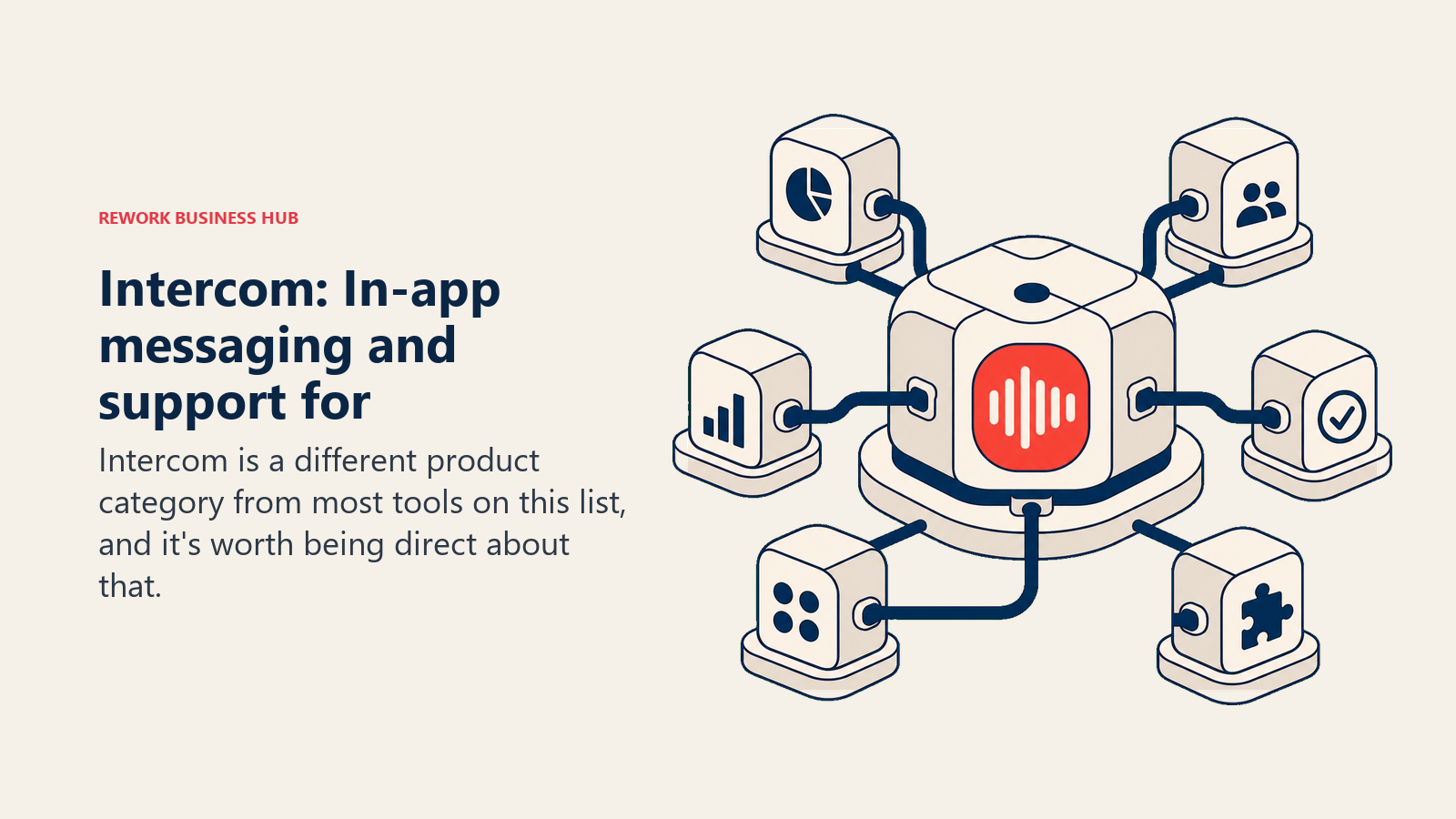
La plataforma de Intercom combina una plataforma de mensajería con clientes, un helpdesk con enrutamiento asistido por IA (su agente de IA Fin resuelve automáticamente un porcentaje significativo de las preguntas entrantes) y una base de conocimientos. La verdadera fortaleza es la integración entre los datos de uso del producto y las conversaciones de soporte. Puede ver exactamente qué hacía un cliente antes de escribirle, activar mensajes según el comportamiento in-app y enrutar conversaciones según atributos de la cuenta.
El comprador de Intercom suele ser un VP of Product, un Head of Growth o un Customer Success Director en una empresa SaaS de 30-500 personas. Las empresas que usan Intercom suelen describirlo como infraestructura, no solo como una herramienta. El costo refleja ese posicionamiento. Para ver en contexto cómo se compara el modelo de precios de Intercom, la guía de mejores alternativas a Intercom detalla dónde las tarifas por resolución se convierten en un problema de presupuesto.
Y la bandeja compartida, aunque funcional, no es tan limpia ni tan amigable para el operador como la de Help Scout o Hiver para equipos de soporte basados en email.
| Fortalezas de Intercom | Limitaciones de Intercom |
|---|---|
| El mejor producto de mensajería y chat in-app disponible | Costoso: el precio sube rápido con los complementos |
| El agente de IA (Fin) resuelve un volumen real de preguntas | No ideal para operaciones de soporte centradas en email |
| Datos de comportamiento del producto en el contexto de la conversación | Complejo de configurar bien |
| Excelentes herramientas de onboarding y engagement automatizados | Excesivo para equipos sin un enfoque product-led |
| Sólidos reportes y segmentación de clientes | Requiere un administrador dedicado para sacarle todo el valor |
Ideal para: Empresas SaaS product-led (30-500 personas) donde el soporte, el onboarding y el engagement con los clientes ocurren dentro del producto.
6. Freshdesk: amplio conjunto de funciones para equipos de soporte de pymes con presupuesto ajustado
Freshdesk es una de las plataformas de helpdesk más completas que se pueden conseguir a precios de pyme. Ofrece ticketing, bandeja compartida, chat en vivo, teléfono, base de conocimientos y una capa básica de CRM (mediante Freshsales) bajo el paraguas de Freshworks. Freshdesk eliminó su nivel gratuito permanente en 2026, pero el plan Growth a $19/agente/mes facturado anualmente sigue cubriendo la mayor parte de lo que necesita un equipo de soporte de 20-100 personas, con sesiones de IA incluidas en lugar de cobradas por separado.
La filosofía de producto de Freshdesk es la amplitud: dar a los equipos todo lo que pudieran necesitar en una sola plataforma, con niveles que desbloquean funciones a medida que las empresas crecen. Eso lo hace muy adecuado para equipos de soporte de TI, negocios de e-commerce pyme y empresas de educación que necesitan un sistema de tickets adecuado pero no tienen el presupuesto ni la sofisticación de TI para Zendesk. Si Freshdesk está en su lista corta, las mejores alternativas a Freshdesk muestran exactamente dónde la fragmentación de productos de Freshworks genera problemas a medida que crece.
El compromiso es la profundidad y el pulido. La interfaz de Freshdesk es funcional pero anticuada. La automatización de workflows exige navegar un sistema de configuración que resulta más complejo de lo que debería. Y las integraciones entre Freshdesk y otros productos de Freshworks funcionan, pero no son tan fluidas como las de una plataforma unificada nativa.
| Fortalezas de Freshdesk | Limitaciones de Freshdesk |
|---|---|
| Generoso nivel gratuito | Interfaz anticuada frente a competidores más nuevos |
| Amplio conjunto de funciones a bajo costo | La automatización de workflows tiene una curva de configuración pronunciada |
| Omnicanal: email, chat, teléfono, redes sociales | La integración entre productos de Freshworks es superficial |
| Sólida gestión de tickets y SLA | Los reportes requieren esfuerzo para extraer valor |
| Bueno para casos de uso de TI y helpdesk interno | No encaja de forma natural en equipos de ventas u operaciones |
Ideal para: Equipos de soporte de pymes (5-500 personas) que necesitan un sistema completo de ticketing y bandeja compartida sin precios empresariales.
7. Zendesk: infraestructura de soporte de nivel empresarial para operaciones complejas
Zendesk es la opción predeterminada para el soporte al cliente empresarial, y con razón. Es una de las plataformas de soporte más personalizables disponibles, con un ecosistema de más de 1,500 integraciones, gestión profunda de SLA, enrutamiento avanzado y seguridad de nivel empresarial. Si tiene una organización de soporte de 200 personas con workflows complejos, varias líneas de producto y un equipo dedicado de operaciones de soporte, Zendesk puede manejarlo.
El producto también ha invertido mucho en IA durante los últimos dos años. Zendesk AI gestiona la clasificación automática de intenciones, las respuestas sugeridas y una capa de bot conversacional que puede resolver una parte significativa de lo entrante antes de que llegue a un agente humano. Para operaciones de soporte de alto volumen, el ROI de esa automatización es real. Conviene guardar las mejores alternativas a Zendesk si el costo o la complejidad de configuración son la principal fricción.
Lo que Zendesk no es, es simple. La configuración inicial lleva tiempo. Construir un sistema sofisticado de enrutamiento y escalamiento requiere experiencia interna o un partner de implementación de Zendesk. Los reportes son potentes pero poco intuitivos. Y el precio escala rápido: el plan de entrada Support Team parte de $19/agente/mes facturado anualmente, el plan Suite Team más completo (el que la mayoría de los compradores de bandeja compartida realmente necesita) cuesta $55/agente/mes facturado anualmente, y Suite Professional cuesta $115/agente/mes facturado anualmente, con Suite Enterprise a cotización personalizada.
Para equipos de menos de 75 personas, Zendesk suele ser la opción equivocada. La carga de configuración y administración normalmente supera el valor, salvo que gestione una operación de soporte realmente compleja y de alto volumen.
| Fortalezas de Zendesk | Limitaciones de Zendesk |
|---|---|
| La mejor personalización empresarial de su categoría | Curva de aprendizaje pronunciada y carga de configuración |
| Más de 1,500 integraciones | Costoso a escala |
| Gestión avanzada de SLA y enrutamiento | No apto para equipos de menos de 75 personas |
| Sólidas herramientas de IA y automatización | Requiere un administrador dedicado o un partner para sacarle todo el valor |
| Enorme ecosistema de partners e implementación | La interfaz puede resultar compleja para los agentes en el día a día |
Ideal para: Organizaciones de soporte empresariales (100-5,000+ personas) con requisitos de enrutamiento complejos, varias líneas de producto y equipos dedicados de operaciones de soporte.
8. HubSpot Service Hub: la capa de soporte para equipos que ya usan HubSpot CRM
HubSpot Service Hub es la respuesta correcta a una pregunta concreta: "Ya usamos HubSpot para ventas y marketing. ¿Qué usamos para soporte?" Si está en esa situación, Service Hub le ofrece una bandeja de soporte donde cada conversación está vinculada de forma nativa a los registros de contacto, deal y cuenta que sus equipos de ventas y marketing ya usan. Sin sincronización, sin middleware, sin pérdida de datos.
El producto incluye una bandeja compartida, ticketing, una base de conocimientos, encuestas de feedback del cliente (CSAT, NPS) y reportes que conectan la actividad de soporte con todo el ciclo de vida del cliente en HubSpot. Para un equipo de RevOps o CX que necesita entender en una sola vista la relación entre la actividad de ventas, el volumen de soporte y la salud del cliente, esa conectividad nativa es realmente valiosa.
La debilidad de Service Hub es que es un sistema orientado a tickets, no a la bandeja compartida. La bandeja compartida existe, pero el producto se diseñó en torno a los tickets. Los equipos que vienen de Front o Help Scout, donde la vista de bandeja es la superficie principal de trabajo, suelen encontrar la bandeja de HubSpot menos fluida. Y si aún no usa HubSpot, la dependencia del CRM que hace atractivo a Service Hub se convierte en una restricción. Si está abierto a alternativas en el espacio de CRM, las mejores alternativas a HubSpot y las mejores alternativas a Salesforce cubren plataformas que combinan CRM y bandeja de forma más nativa.
| Fortalezas de HubSpot Service Hub | Limitaciones de HubSpot Service Hub |
|---|---|
| Sincronización nativa con el CRM (sin middleware) | UX orientada a tickets, no a la bandeja |
| Vista del ciclo de vida completo del cliente entre ventas, marketing y soporte | El mayor valor solo si ya usa HubSpot |
| Buenas herramientas de CSAT y NPS | La bandeja compartida es funcional pero no la mejor de su categoría |
| Sólidos reportes para líderes de RevOps y CX | Puede sentirse como un complemento del CRM, no como un producto independiente |
| Interfaz familiar para usuarios de HubSpot | Automatización menos potente que Zendesk o Freshdesk |
Ideal para: Equipos (20-500 personas) que ya usan HubSpot CRM y quieren tickets de soporte y bandeja compartida sin salir del ecosistema de HubSpot.
9. Crisp: mensajería todo en uno asequible para equipos pequeños y en etapa inicial
Crisp adopta una filosofía de precios distinta a la de la mayoría de las herramientas de esta lista: planes de tarifa fija en lugar de precios por usuario. El plan Pro cuesta $25/mes para todo el equipo. El plan Unlimited cuesta $95/mes. Para un equipo de 10 personas, es una fracción de lo que costarían Front, Zendesk o Intercom.
El producto cubre chat en vivo, bandeja compartida para email, mensajería in-app y una base de conocimientos. Admite varios canales, entre ellos WhatsApp, Instagram y Messenger, en una sola vista. La interfaz es moderna y limpia. Además, Crisp ha desarrollado funciones básicas de IA, incluido un constructor de bots y enrutamiento automatizado que funcionan bien para empresas en etapa inicial. Vale la pena revisar las mejores alternativas a Crisp si necesita compararlo con otras herramientas centradas en chat a ese rango de precio.
El ICP de Crisp es claro: startups, empresas SaaS en etapa inicial y negocios de e-commerce con un equipo pequeño que necesita capacidades de mensajería multicanal sin presupuesto empresarial. En esa etapa, el modelo de precio fijo es una ventaja significativa.
Las limitaciones aparecen cuando los equipos crecen. El soporte por email de alto volumen, los requisitos complejos de SLA y los workflows de enrutamiento empresarial no son el punto fuerte de Crisp. Las analíticas son básicas. La automatización de workflows es limitada. Y como el modelo de precios no escala con el número de usuarios, Crisp no ha invertido mucho en las funciones que necesitan las grandes operaciones de soporte.
| Fortalezas de Crisp | Limitaciones de Crisp |
|---|---|
| Tarifa fija, no por usuario | No está diseñado para soporte por email de alto volumen |
| Multicanal: email, chat, WhatsApp, Instagram | Analíticas y reportes básicos |
| Interfaz moderna y limpia | Automatización de workflows limitada |
| Buen constructor de bots para automatización básica | Escala mal por encima de 30-40 agentes activos |
| Generoso nivel gratuito | Sin CRM ni gestión de deals |
Ideal para: Startups y empresas en etapa inicial (1-30 personas) que necesitan chat en vivo y mensajería multicanal básica al mínimo costo.
10. Drag: bandeja compartida estilo Kanban dentro de Gmail
Drag es el producto más de nicho de esta lista, y conviene ser honestos al respecto. No intenta ser una plataforma de soporte completa ni un sistema de operaciones. Drag convierte Gmail en un tablero Kanban donde los emails se vuelven tarjetas, los equipos pueden compartir bandejas y se pueden aplicar reglas básicas de asignación y workflow dentro de la conocida interfaz de Gmail.
Para equipos pequeños que viven en Gmail y principalmente necesitan visibilidad compartida de una bandeja support@ o sales@ sin cambiar de herramienta, Drag es una solución rápida y asequible. La vista Kanban es realmente útil para la gestión visual de tareas dentro del email. Las tarjetas pueden tener listas de verificación, fechas de vencimiento y campos personalizados. Y a $12/usuario/mes facturado anualmente, es una de las herramientas por usuario más económicas de esta lista, sin mínimos de usuarios.
El techo del producto es bajo. No hay base de conocimientos, ni gestión de SLA, ni chat in-app, ni enrutamiento avanzado. Es Gmail con estructura añadida. Los equipos que empiezan con Drag suelen quedarse cortos al llegar a 15-20 personas o cuando el volumen de soporte aumenta hasta el punto de que se necesita un sistema de tickets propiamente dicho.
| Fortalezas de Drag | Limitaciones de Drag |
|---|---|
| Muy asequible a $12/usuario/mes, sin mínimos de usuarios | Solo Gmail, sin otros canales |
| La vista Kanban dentro de Gmail es realmente útil | Conjunto de funciones muy limitado frente a plataformas dedicadas |
| Cero migración (vive en Gmail) | Sin base de conocimientos, SLA ni automatización avanzada |
| Configuración rápida | Techo bajo: la mayoría de los equipos lo supera pronto |
| Bueno para la gestión visual de tareas en el email | No apto para más de 15-20 usuarios activos |
Precios: Starter a $12/usuario/mes facturado anualmente ($16 facturado mensualmente). Plus a $18/usuario/mes facturado anualmente ($22 mensual). Pro a $24/usuario/mes facturado anualmente ($30 mensual). Sin mínimos de usuarios en ningún plan. (dragapp.com/pricing)
Ideal para: Equipos muy pequeños (2-15 personas) en Gmail que necesitan estructura de bandeja compartida sin cambiar de herramienta, con un presupuesto ajustado.
Por qué los equipos abandonan Front
Antes del marco de decisión, conviene ser directos sobre qué está alejando a los equipos de Front en concreto. Se repiten cuatro patrones.
Precio por usuario a escala. El plan Starter de Front cuesta $25/usuario/mes facturado anualmente, hasta 10 usuarios. Professional cuesta $65/usuario/mes facturado anualmente, hasta 50 usuarios. Enterprise cuesta $105/usuario/mes facturado anualmente, sin un límite de usuarios declarado. Un equipo de operaciones de 20 personas en Professional paga unos $15,600/año antes de complementos de IA como Copilot o Smart QA, a $20/usuario/mes cada uno. Esa cifra se vuelve más difícil de justificar cuando el equipo crece o cuando se da cuenta de que usa el 40% del conjunto de funciones. Si está haciendo una auditoría de costos más amplia entre herramientas, el costo real de la proliferación de software ofrece un marco para sumar lo que cuestan realmente por trimestre los stacks de herramientas fragmentados.
Analíticas tras el muro premium. Los reportes de Front son funcionales en los niveles inferiores, pero los reportes de SLA, los dashboards personalizados y las analíticas más profundas que los equipos de operaciones realmente necesitan para rendir cuentas están bloqueados tras los planes superiores.
Bandeja compartida sin profundidad de CRM. Front gestiona bien las conversaciones. Pero si su equipo de operaciones también gestiona cuentas, deals o relaciones con clientes, las capacidades de CRM de Front son escasas. Termina manteniendo un CRM aparte, lo que implica doble captura de datos y cambios constantes de contexto.
Dirección del producto hacia la gran empresa. Front ha subido de segmento. Las funciones y los recursos se orientan cada vez más a cuentas de gran empresa. Los equipos pequeños y medianos suelen decir que se sienten clientes de segunda en los niveles inferiores.
Comparación de funciones: capacidades principales
| Función | Help Scout | Hiver | Rework | Missive | Intercom | Freshdesk | Zendesk | HubSpot SH | Crisp | Drag |
|---|---|---|---|---|---|---|---|---|---|---|
| Bandeja de email compartida | Sí | Sí | Básica (bandejas de equipo de Mail) | Sí | Sí | Sí | Sí | Sí | Sí | Sí |
| SMS/multicanal | Limitado | No | 11 canales de chat, sin SMS | Sí | Sí | Sí | Sí | Limitado | Sí | No |
| CRM nativo | No | No | Sí | No | Limitado | Vía Freshsales | No | Sí (HubSpot) | No | No |
| Base de conocimientos | Sí (Docs) | Sí | No | No | Sí | Sí | Sí | Sí | Sí | No |
| Chat en vivo | Sí (Beacon) | No | Sí | Sí | Sí | Sí | Sí | Sí | Sí | No |
| Automatización de workflows | Limitada | Buena | Sí | Limitada | Sí | Sí | Sí | Sí | Básica | Básica |
| Gestión de SLA | No | Sí | Sí (chat) | No | Limitada | Sí | Sí | Sí | No | No |
| Funciones de IA | Básicas | Básicas | Agentes de IA (beta), copilots | No | Sí (Fin) | Sí | Sí | Sí | Básicas | No |
Comparación de precios con 20 usuarios
| Herramienta | Costo mensual con 20 usuarios | Costo anual | Notas |
|---|---|---|---|
| Help Scout | $500 | $6,000 | Plan Standard, anual |
| Hiver | $500 | $6,000 | Plan Growth (Omni), anual |
| Rework | $222/mes | $2,664 | Revenue Engine, 20 seats de marketing + 5 de ventas, facturación anual |
| Missive | $480 | $5,760 | Plan Productive (Starter tiene un tope de 5 usuarios) |
| Intercom | $580 | $6,960 | Plan Essential, anual |
| Freshdesk | $380 | $4,560 | Plan Growth, anual |
| Zendesk | $1,100 | $13,200 | Suite Team, anual |
| HubSpot SH | $300 | $3,600 | Plan Starter |
| Crisp | $95 | $1,140 | Plan Unlimited de tarifa fija |
| Drag | $240 | $2,880 | Plan Starter, anual |
| Front (actual) | $1,300 | $15,600 | Plan Professional, anual |
Cómo elegir: marco de decisión
| Si necesita... | Elija esta herramienta |
|---|---|
| Soporte por email simple y limpio para un equipo de soporte puro | Help Scout |
| Bandeja compartida dentro de Gmail sin migración | Hiver |
| CRM + bandeja de chat sin dos herramientas separadas | Rework |
| Colaboración multicanal para un equipo pequeño (menos de 40) | Missive |
| Mensajería in-app y soporte product-led | Intercom |
| Ticketing completo con presupuesto de pyme | Freshdesk |
| Enrutamiento empresarial complejo con más de 1,500 integraciones | Zendesk |
| Bandeja compartida vinculada de forma nativa a HubSpot CRM | HubSpot Service Hub |
| Chat en vivo y multicanal con presupuesto de startup | Crisp |
| Estructura básica de bandeja compartida dentro de Gmail al menor costo | Drag |
Qué hacer a continuación
El camino más rápido hacia una decisión es un piloto paralelo de dos semanas. Elija sus dos mejores opciones del marco de decisión anterior, configure ambas con un subconjunto real del volumen de su bandeja y deje que su equipo las use de verdad. Las preferencias que surgen del uso real valen más que cualquier tabla comparativa de funciones. Para un panorama más amplio, incluidas las herramientas que se superponen a Gmail en lugar de reemplazarlo, consulte Mejor software de bandeja de entrada compartida.
La mayoría de los refugiados de Front que gestionan una bandeja de soporte debería empezar con Help Scout o Hiver, según use o no Google Workspace. Ambos tienen pruebas gratuitas, ambos se implementan en menos de un día y ambos cubrirán el 90% de lo que necesita una operación de soporte enfocada a una fracción del costo por usuario de Front.
Si es un equipo de operaciones o ventas de 20-150 personas que gestiona soporte y gestión de cuentas desde la misma herramienta, y sus clientes le escriben por WhatsApp u otras apps de chat además de por email, incluya Rework en el piloto. La combinación de CRM y bandeja unificados es difícil de replicar conectando dos productos separados.
Como contexto sobre las herramientas que profundizan en el soporte centrado en email, las mejores alternativas a Help Scout cubren el mismo panorama desde un ángulo de bandeja más simple. Si su equipo evalúa según la profundidad de IA y ticketing más que según la experiencia de la bandeja, las mejores alternativas a Freshdesk mapean todo el mercado de plataformas de soporte. Y si el argumento de costo para consolidar bandeja y CRM es algo sobre lo que su CFO querrá cifras, el costo real de la proliferación de software lo plantea con el tipo de cuentas que resiste una revisión presupuestaria. Si las métricas de chat también forman parte de su evaluación, métricas del embudo de chat muestra qué debería medir una operación de bandeja compartida bien instrumentada.
Preguntas frecuentes
¿Cuál es la mejor alternativa a Front en 2026?
Para la mayoría de los equipos que gestionan sobre todo una bandeja de email compartida, Help Scout es la mejor alternativa a Front, y Hiver es la elección para los equipos que trabajan en Gmail. Para equipos de operaciones y ventas que necesitan un CRM junto con la bandeja, sobre todo cuando los clientes escriben por apps de chat, Rework elimina por completo la sincronización entre bandeja y CRM. La respuesta correcta depende de si necesita profundidad de CRM o solo una mejor bandeja.
¿Por qué los equipos dejan Front?
Se repiten cuatro razones: un precio por usuario que sube rápido a escala ($25 a $105 por usuario al año), analíticas bloqueadas tras los niveles premium, una profundidad de CRM escasa que obliga a usar una segunda herramienta y una dirección de producto que ha subido de segmento hacia las cuentas de gran empresa.
¿Existe una alternativa más barata que Front?
Sí. Crisp usa precios de tarifa fija ($25 al mes para todo el equipo en Pro), Drag parte de $12 por usuario al mes facturado anualmente sin mínimos de usuarios, y el plan Growth de Freshdesk cuesta $19/agente/mes. Para un equipo de 20 usuarios, varias alternativas quedan muy por debajo de los aproximadamente $15,600 al año de Front en Professional.
¿Qué alternativa a Front es mejor para soporte empresarial?
Zendesk, con su personalización profunda, más de 1,500 integraciones y enrutamiento avanzado, es la opción predeterminada para organizaciones de soporte de 100 personas o más con workflows complejos. El compromiso es la carga de configuración y un mayor costo total de propiedad.
¿Alguna alternativa a Front incluye un CRM integrado?
Rework incluye un CRM nativo junto con su bandeja de chat y sus bandejas de equipo de email, y HubSpot Service Hub vincula el soporte con el CRM de HubSpot. La mayoría de las demás herramientas de esta lista se centran en la bandeja o en el ticketing y esperan que usted conecte un CRM aparte.

Principal Product Marketing Strategist
On this page
- Tabla comparativa rápida
- Matriz de ajuste por etapa
- Tabla de tamaño y perfil de comprador
- 1. Help Scout: la bandeja compartida limpia y honesta para soporte al cliente
- 2. Hiver: bandeja compartida nativa de Gmail para equipos de Google Workspace
- 3. Rework: CRM unificado y bandeja compartida creados para equipos de operaciones
- 4. Missive: colaboración multicanal para equipos pequeños y muy unidos
- 5. Intercom: mensajería in-app y soporte para empresas product-led
- 6. Freshdesk: amplio conjunto de funciones para equipos de soporte de pymes con presupuesto ajustado
- 7. Zendesk: infraestructura de soporte de nivel empresarial para operaciones complejas
- 8. HubSpot Service Hub: la capa de soporte para equipos que ya usan HubSpot CRM
- 9. Crisp: mensajería todo en uno asequible para equipos pequeños y en etapa inicial
- 10. Drag: bandeja compartida estilo Kanban dentro de Gmail
- Por qué los equipos abandonan Front
- Comparación de funciones: capacidades principales
- Comparación de precios con 20 usuarios
- Cómo elegir: marco de decisión
- Qué hacer a continuación
- Preguntas frecuentes