Rework vs Monday Sales CRM: Flexibility vs Depth for Mid-Size Sales Teams in 2026
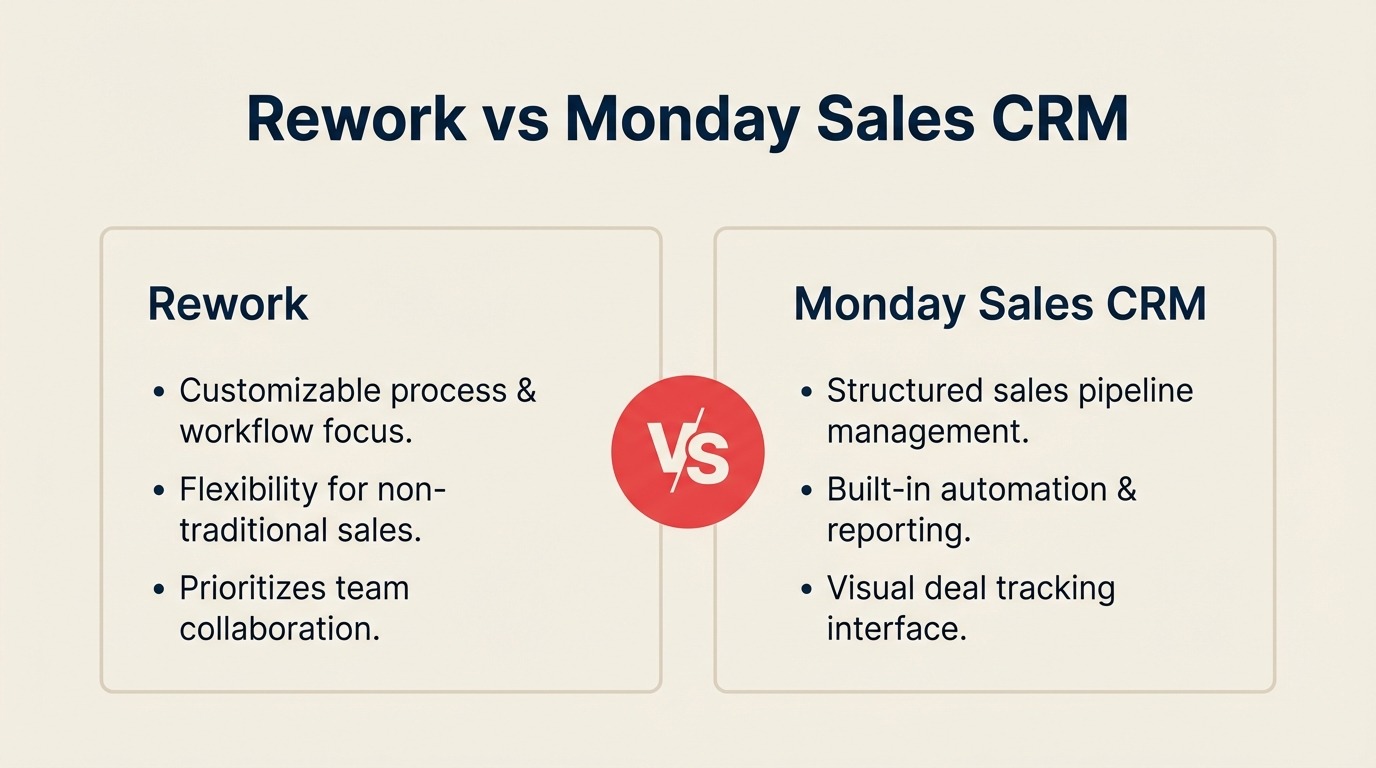
If you run a mid-size sales team and you've looked at Monday.com, you already know the appeal. The boards are visual, the UI is clean, and the platform bends to almost any workflow your ops team can dream up. Monday has built its reputation on that flexibility, and its Sales CRM inherits exactly that DNA. You can configure it to look like a CRM, feel like a CRM, and track deals the way your team thinks.
But here's the trade-off that mid-size sales and ops teams consistently run into: flexibility means you're assembling the CRM yourself. Every board column, every automation, every reporting view is something your team configures and then maintains. If you have a RevOps lead who loves building, Monday Sales CRM can be great. If you need a purpose-built sales tool that ships with lead distribution, a unified communications inbox, and a native lead lifecycle out of the box, you're fitting a square peg into a round board. This comparison is written for the sales director, RevOps lead, or COO at a 25-to-200-person company who needs a straight answer on which tool actually fits the way their cross-functional team works.
How Each CRM Works
Before the feature-by-feature breakdown, here's a quick visual overview of what each product is and how it's structured. Rework and monday Sales CRM embody the core flexibility-vs-depth tradeoff, seeing the architecture side-by-side makes the rest of this comparison easier to read.
How Rework Works
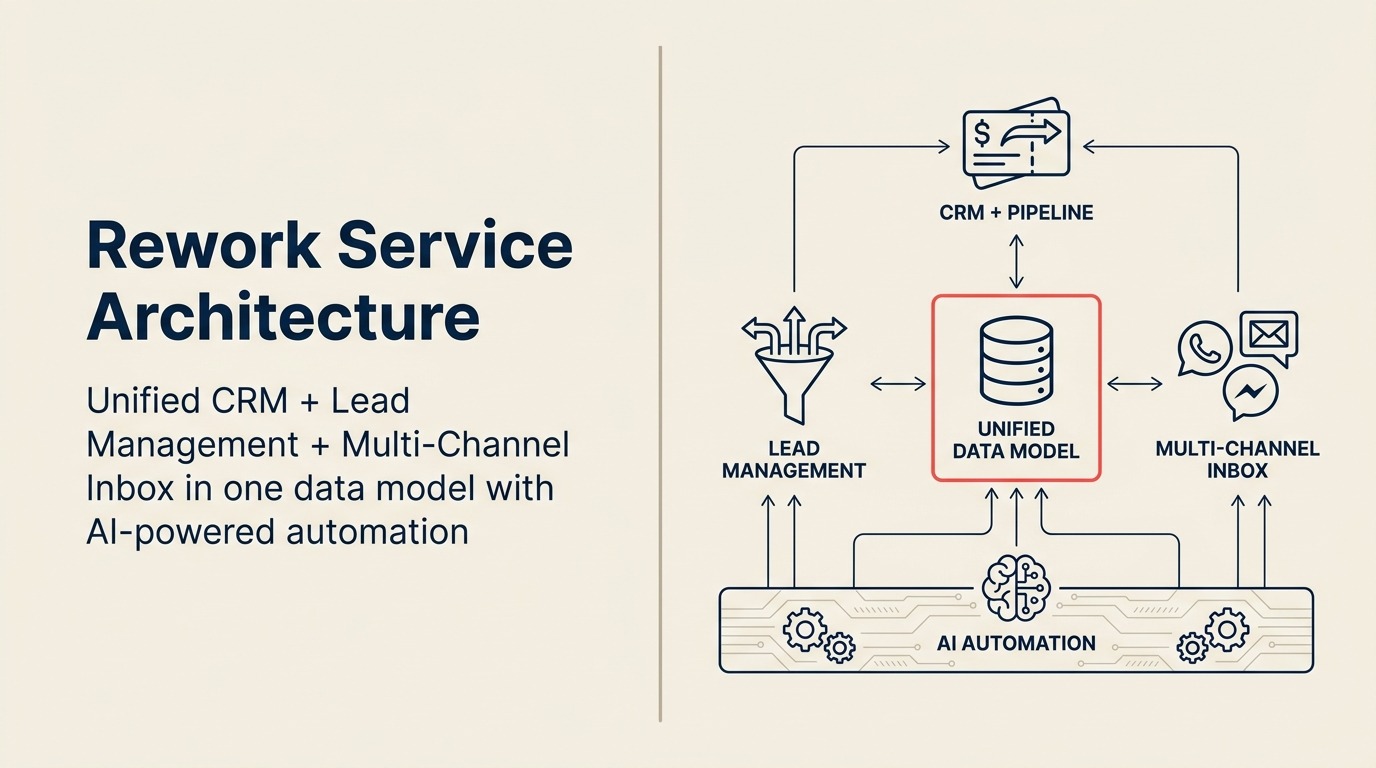
Rework is a purpose-built, unified CRM for mid-size cross-functional teams. CRM pipeline, Lead Management, and multi-channel inbox (WhatsApp, Messenger, email, SMS) sit on one data model, out of the box, no board configuration required. The tradeoff: less "canvas" flexibility than a Work OS, but everything a sales operation needs ships pre-wired.
How monday Sales CRM Works
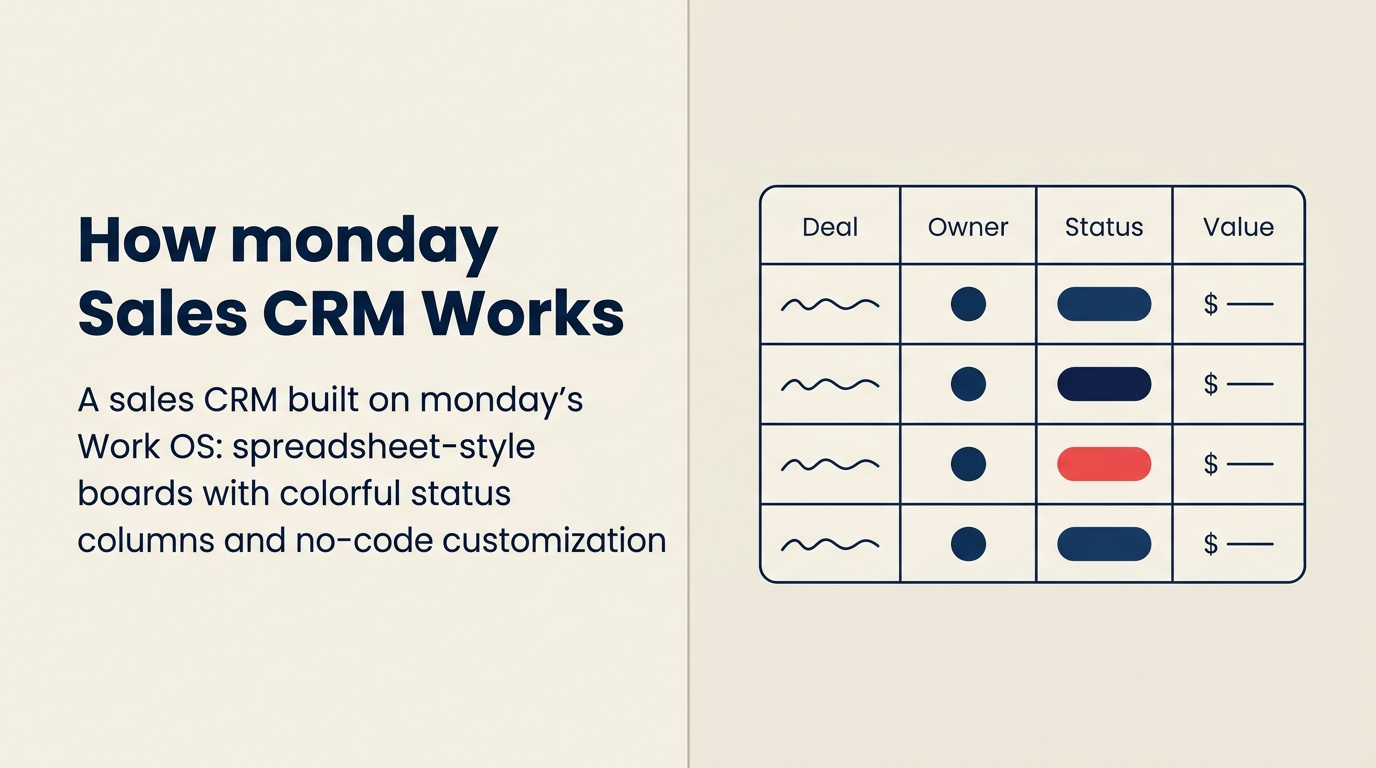
monday Sales CRM is a sales CRM built on monday's Work OS, the same flexible board, column, and automation primitives used across monday's project, marketing, and dev products. You configure the CRM to match your workflow using colored status columns, custom fields, and no-code automations. The strength is flexibility; the tradeoff is that lead distribution rules, SLA enforcement, and unified chat across WhatsApp/Messenger have to be assembled (or integrated) rather than shipping pre-built.
TL;DR
| Factor | Rework | Monday Sales CRM |
|---|---|---|
| Core identity | Dedicated CRM + Lead Management platform | Flexible work management extended to sales |
| Target company size | 20-500 employees | 10-1,000+ employees |
| Setup model | Opinionated, ready-to-use | Flexible canvas, you configure it |
| Lead Management | Native module: capture, score, distribute, route | Boards + automations you build yourself |
| Unified chat inbox | WhatsApp, Messenger, Instagram DM, email, SMS, web chat | Not native; third-party integrations required |
| Cross-team boards | Workflow templates for ops, CS, marketing | Core strength, boards span any team |
| Pricing | $999/yr Starter (5 users) or $1,999/yr Standard (10 users) + $12/user/mo above | ~$15/user/mo Basic or ~$50/user/mo Pro (billed annually) |
| Support | Email + chat + phone on all plans | Email + chat; phone on Enterprise |
| Best for | Sales-first teams needing CRM depth and native comms | Teams running ops + sales + projects on one visual platform |
| Setup speed | 1-3 days for basic CRM; 1-2 weeks for full Lead Management + chat, led by a team with hands-on experience onboarding mid-size sales, marketing, and ops departments end-to-end | 1-3 days for a basic board-as-pipeline; 4-8 weeks to build a functional lead management + chat setup since Monday has no native lead routing or chat and the configuration is build-it-yourself; Monday certified partners run $2,000-$10,000 for complex setups but are building workarounds, not purpose-built CRM infrastructure |
| Time to value | Days (opinionated setup) | Weeks to months (build-it-yourself) |
Who Each Tool Is Built For
Monday and Rework serve genuinely different buyers. The confusion happens because Monday has added CRM functionality on top of its work management platform, so at a feature checklist level, they can look similar. The underlying model is very different.
| Dimension | Rework | Monday Sales CRM |
|---|---|---|
| Ideal company size | 25-300 employees | 10-500 employees |
| Primary buyer | Head of Sales, RevOps, COO | Ops Manager, Sales Manager, Head of PMO |
| Team maturity | Post-spreadsheet, needs structured CRM process | Teams already using Monday Work OS or boards-first culture |
| Core pain | Disconnected lead lifecycle, dropped handoffs, scattered comms channels | Siloed tools across sales + projects + ops; needs one visual hub |
| Setup preference | Opinionated defaults, process enforced by the product | Maximum flexibility, team builds its own workflow logic |
| Revenue range | $2M-$100M ARR | $1M-$50M ARR |
Team fit
| Team | Rework serves them | Monday Sales CRM serves them |
|---|---|---|
| Sales | Full pipeline, quota tracking, forecasting, activity logging | Board-based pipeline with custom columns and automation |
| Marketing | Lead capture, scoring, nurture workflows, campaign attribution | Board-based campaign tracking; lead forms via integrations |
| RevOps | Unified data model across sales, marketing, and CS | Custom board schemas; cross-board dashboards |
| Operations | Process templates, approval chains, cross-team workflows | Strong, boards + automations across any ops function |
| Customer Success | Unified contact timeline; handoff from sales | Customer board; limited native CRM timeline |
| Project Management | Secondary (workflow templates) | Primary strength, native Gantt, workload, timeline views |
The key read here: if your team is already using Monday for project management and wants to extend it to sales, that's Monday's strongest play. If sales is the center of gravity and ops workflows orbit it, Rework is built for that shape.
Flexible Canvas vs Dedicated CRM: The Core Narrative
This is the most important thing to understand before evaluating either product.
Monday's entire philosophy is the blank canvas. You create boards, define columns, add automations, and wire up integrations. Monday Sales CRM is that same platform with a CRM-shaped template pre-loaded. The columns are labeled "Lead Stage" and "Deal Value" instead of "Task Status" and "Priority," but the underlying model is identical. That's what makes Monday so powerful for teams that want to customize everything. And it's also what limits it for teams that need a CRM to behave like a CRM out of the box.
Rework takes the opposite approach. The product ships with an opinionated data model: contacts, companies, deals, leads, pipelines, activities, and communications are first-class entities with relationships between them. You don't configure what a "lead" is. The platform already knows. That means less setup time, less maintenance, and less chance of the sales process drifting because someone deleted a column.
The practical difference shows up in three areas:
- Lead lifecycle management: Rework has it built in. Monday requires you to build it.
- Communications: Rework unifies your channels. Monday connects to them via integrations.
- Reporting: Rework's CRM reports are pre-built against a known data model. Monday's dashboards are powerful but require manual widget assembly.
Neither approach is wrong. They fit different organizations.
Core CRM Feature Parity
| Feature | Rework | Monday Sales CRM |
|---|---|---|
| Contact management | Native, linked to companies, deals, activities | Board-based; contacts as items with custom columns |
| Company/account records | Native entity with relationship graph | Separate board; relationships via linked items |
| Deal pipeline | Multi-pipeline, drag-and-drop, weighted forecast | Board-based pipeline; stages as status column values |
| Activity logging | Auto-log calls, emails, meetings; timeline view | Manual logging or via integrations |
| Email sync | Native two-way sync | Via Gmail/Outlook integration |
| Custom fields | Yes | Yes (column-based) |
| Sales forecasting | Built-in weighted and stage-based | Dashboard widgets; requires manual setup |
| Quota tracking | Native | Via formulas and dashboards |
| Round-robin lead assignment | Native, rule-based routing | Automation recipe; limited compared to native routing |
| Territory management | Built-in | Custom column + automation workaround |
| Mobile app | Yes | Yes |
Lead Management Deep Dive
This is where the dedicated vs flexible gap becomes most visible. Monday Sales CRM is a sales pipeline tool extended from a work management platform. Rework ships lead management as a first-class module, separate from but deeply connected to the CRM pipeline.
| Capability | Rework | Monday Sales CRM |
|---|---|---|
| Lead capture, forms | Native web forms with conditional logic | Native forms (Monday WorkForms) |
| Lead capture, ad integrations | Facebook Lead Ads, Google Ads native | Via Zapier or Make integrations |
| Lead capture, chat | Native web chat + WhatsApp DM → lead auto-created | Third-party chat tools via integration |
| Lead scoring | Native scoring rules (behavior + firmographic) | Formula columns + manual scoring rules |
| Lead distribution, round-robin | Native, configurable per queue | Automation recipe (limited to simple round-robin) |
| Lead distribution, territory | Built-in territory routing | Custom column + automation; manual maintenance |
| Lead distribution, SLA rules | SLA timers with escalation | Not native; workaround required |
| Lead-to-deal handoff | Automated promotion with data carry-over | Status change automation; data not always carried |
| Marketing nurture loops | Native drip and sequence workflows | Via Mailchimp or ActiveCampaign integration |
| Attribution back to pipeline | Native UTM tracking → deal attribution | Requires additional integration or manual tagging |
For teams where a meaningful volume of inbound leads comes from ads, chat, or web forms, this gap is operational, not cosmetic. Setting up lead routing in Monday requires building and maintaining automation recipes that break when someone changes a column name. Rework's routing rules are configured against the lead data model, not a board schema.
Unified Chat Channels
This is Rework's clearest advantage over Monday in the CRM category. Monday is a work management platform that added sales features. It was not designed to be a communications inbox.
| Channel | Rework | Monday Sales CRM |
|---|---|---|
| Native, messages land on contact timeline | Third-party integration required | |
| Facebook Messenger | Native | Third-party integration required |
| Instagram DM | Native | Not natively available |
| Live web chat | Native | Third-party widget (Intercom, Drift, etc.) |
| Native two-way sync | Gmail/Outlook integration | |
| SMS | Native | Via integration (Twilio, etc.) |
| Unified inbox view | Yes, all channels in one timeline per contact | No, each channel in its own integration silo |
If your team sells or supports customers via WhatsApp, Instagram DM, or Messenger (increasingly true for e-commerce, education, real estate, and any consumer-facing business), you need a native communications layer tied to the CRM. Monday's integration ecosystem is impressive, but "connected via Zapier" is not the same as "natively unified on the contact record." When a customer reaches out via WhatsApp and your sales rep doesn't see the prior email thread, that's a dropped handoff. Rework solves that at the data model level.
Cross-Team Operations: Where Monday Has a Real Edge
Monday's board-based model genuinely shines when work spans multiple functions. If your company uses a single platform for sales pipeline, marketing campaigns, software sprints, client delivery, and HR onboarding, Monday's shared board + automation architecture is hard to beat. Everything is a board. Boards can be linked. Automations fire across boards. Dashboards pull from any board.
| Scenario | Monday's advantage | Rework's position |
|---|---|---|
| Sales + project delivery on same deal | Board links, deal board and project board share a record | Workflow templates cover post-sale ops; less flexible |
| Marketing campaign + sales pipeline tracking | Both boards can share item data | Lead-to-deal attribution is native; campaign boards less so |
| Client onboarding as a board | Native board workflow with checklist items | Process templates cover this; not as visually flexible |
| Company-wide dashboards | Pull from any board across the org | CRM and ops dashboards; less cross-org data model |
| Resource workload management | Native workload views | Not a primary use case |
If your company already runs on Monday Work OS and your sales team is the last function to consolidate, adding Monday Sales CRM keeps everyone on one platform. That has real operational value: fewer logins, shared automations, unified reporting at the executive level. Don't underestimate it.
Automation and Integrations
| Capability | Rework | Monday Sales CRM |
|---|---|---|
| Visual automation builder | Yes | Yes (Monday Automations) |
| Pre-built automation recipes | CRM-specific (lead routing, deal stage triggers, SLA alerts) | General + CRM-shaped recipes |
| Cross-object automation | Lead → deal → task → notification | Cross-board automations (powerful) |
| Native integrations | 80+ (Slack, Gmail, Google Ads, Zapier, Stripe, etc.) | 200+ (broader work management stack) |
| Zapier / Make | Yes | Yes |
| API | REST API | REST + GraphQL API |
| Webhook support | Yes | Yes |
| Automation limits | Plan-dependent | Plan-dependent (operations per month model) |
Monday's automation engine is one of the best in the work management space. The "recipe" model is intuitive for ops teams with no engineering support. But the automation logic runs against board columns, not a CRM data model. Complex CRM workflows like "if lead hasn't been contacted in 2 hours, escalate to manager and reassign" require more recipe-chaining than they do in a purpose-built CRM.
Pricing at 25, 50, and 100 Seats
Monday Sales CRM pricing is sourced from monday.com/pricing/crm. Rework pricing sourced from rework.com/pricing. All figures are annual billing.
Rework Sales Ops has two packages:
- Starter, $999/year for up to 5 users
- Standard, $1,999/year with 10 users included, plus $12/user/month for each additional user
See rework.com/pricing for current details.
| Seats | Rework Sales Ops | Monday Sales CRM Pro | Monday Sales CRM Enterprise |
|---|---|---|---|
| 5 seats | $999/yr (Starter) | ~$3,000/yr (est.) | Contact sales |
| 10 seats | $1,999/yr (Standard base) | ~$6,000/yr (est.) | Contact sales |
| 25 seats | $4,159/yr | ~$15,000/yr (est.) | Contact sales |
| 50 seats | $7,759/yr | ~$24,000-30,000/yr (est.) | Contact sales |
| 100 seats | $14,959/yr | ~$42,000-54,000/yr (est.) | Contact sales |
A few important notes on this comparison:
Monday's pricing model uses per-seat tiers with minimum seat requirements. The Pro tier (where most CRM functionality lives) includes the core pipeline, automations, and integrations. Enterprise adds more advanced permissions, analytics, and compliance features. Rework's starting tier includes full lead management, unified inbox, automation, and reporting. In Monday, those same features require the Pro tier or above.
The per-seat math clearly favors Rework at every seat count. But if your team needs Monday's project management breadth and cross-team board functionality alongside the CRM, the comparison becomes about platform fit, not price.
Implementation and Time to Value
| Factor | Rework | Monday Sales CRM |
|---|---|---|
| Basic CRM setup | 1-3 days, led by team experienced with the full lead lifecycle | 1-3 days for a board-as-pipeline with default template |
| Team onboarding (reps) | 3-5 days for full product, included | 1-2 days for basic board usage; longer if board logic is unfamiliar |
| Lead management configuration | 3-7 days with onboarding team walking through scoring, routing, forms | 4-8 weeks to build lead routing, scoring, and nurture via automation recipes; no guided path |
| Chat inbox connection | 1-2 hours per channel, led by team with mid-size multi-department onboarding experience | Not available natively; each channel requires a separate integration |
| Full implementation (CRM + lead mgmt + chat) | 1-2 weeks, led by team with mid-size multi-department onboarding experience | 4-8 weeks minimum self-serve; Monday certified partners charge $2,000-$10,000 for complex board builds |
| Data migration from prior CRM | Structured importer; CSV + API | CSV import; custom column mapping required |
| Admin overhead post-launch | Low, data model is fixed | Medium to high, column and recipe changes break automations |
| Support model | Email + chat + phone on all plans | Email + chat; phone on Enterprise |
Monday wins on basic board setup speed, a template loads quickly and looks clean from day one. But Monday's flexibility means the configuration work falls on your team, and for anything beyond a simple pipeline (lead routing, chat channels, marketing handoffs), there is no native capability to configure at all. Monday certified partners can build sophisticated board setups for $2,000-$10,000, but they're building workarounds, not purpose-built CRM infrastructure. Rework's edge is institutional experience: the team has onboarded full Sales, Marketing, RevOps, and CS departments at mid-size companies and applies that hard-earned knowledge of what actually breaks during a multi-team rollout to every new customer. The full stack ships in one product, so the 1-2 week implementation includes lead management and communications, not just a styled spreadsheet.
When Monday Sales CRM Is the Right Call
Be honest with yourself about these scenarios. Monday is genuinely the better fit if:
You already run Monday Work OS across the company. If your ops, marketing, and product teams are already on Monday boards, adding Monday Sales CRM keeps everyone on one platform with shared automations and dashboards. The consolidation value is real.
Your sales process is non-standard and needs custom workflow logic. Some businesses have genuinely unusual sales processes: multi-stage approvals, complex scoring matrices, or deal structures that don't fit standard CRM objects. Monday's blank canvas handles that better than an opinionated CRM.
You need Gantt charts, workload views, and project management alongside pipeline. If your account executives also manage post-sale delivery or your sales cycles involve project work, Monday's native project management features are a genuine advantage.
You have a strong ops or RevOps person who owns the tooling. Monday Sales CRM performs best when someone owns it, maintains it, and evolves it. If you have that person, you can build something excellent.
When Rework Is the Right Call
You need a CRM that works out of the box without a build phase. Rework ships with the lead lifecycle, pipeline, and comms layer already assembled. A 25-person sales team can be live in days, not weeks.
Lead distribution and routing are part of your daily ops. If you assign leads by territory, skill, or round-robin with SLA timers, Rework's native routing is meaningfully better than Monday's automation-recipe approach.
Your team communicates with prospects and customers on WhatsApp, Messenger, or Instagram DM. Rework's unified inbox puts every channel on the contact record. There's no equivalent in Monday Sales CRM.
You want marketing and sales in one data model without stitching two products together. Rework's lead management module handles the full lifecycle from first touch to closed deal with attribution intact. Monday connects to your marketing tools but doesn't unify the data.
Your primary pain is sales operations, not company-wide work management. If the job is "make our sales team more effective," Rework is purpose-built for that. Monday is purpose-built for "give every team a shared visual workspace." That's a different problem.
Decision Framework
| Pick Monday Sales CRM if... | Pick Rework if... |
|---|---|
| Your company is already on Monday Work OS | You need a dedicated CRM without a build phase |
| You need cross-team boards connecting sales + ops + projects | Your primary pain is lead lifecycle management and routing |
| Your sales process requires custom workflow logic | Your team sells via WhatsApp, Messenger, or Instagram DM |
| You have a RevOps owner who will build and maintain the setup | You want marketing and sales unified in one data model |
| You value flexibility over opinionated defaults | You want SLA-based lead routing built in, not bolted on |
| Your team already loves the Monday visual board UX | Your team needs fast ramp-up with standard CRM conventions |
What to Do Next
The clearest path forward is a scoped pilot. If you're evaluating Monday Sales CRM, build your first pipeline in a trial account and run your actual lead volume through it for two weeks. Pay attention to three things: how long it takes your ops person to set up lead assignment rules, whether your sales reps intuitively understand the board-as-CRM model, and what happens when a lead reaches out via a channel that isn't email.
If you're looking at Rework, the same two-week pilot with a focus on lead routing and the unified inbox will tell you what you need to know. Request a demo and ask them to walk you through the lead distribution configuration and the communications inbox setup. Those are the two capabilities that most directly answer whether the dedicated CRM depth justifies the switch from a flexible canvas.
Both tools are genuinely good at what they're designed for. The question is which design matches how your team actually works.
If you're also evaluating dedicated CRMs with structured lead management, Rework vs Pipedrive and Rework vs HubSpot CRM are useful parallels for teams deciding between a purpose-built CRM and a more flexible platform. Before building out your lead routing logic in either tool, lead distribution strategy explains the routing models and which business scenarios each one fits.
Pricing figures are based on publicly available information from monday.com/pricing/crm and rework.com/pricing as of April 2026. Verify current pricing before making a purchasing decision.

Principal Product Marketing Strategist
On this page
- How Each CRM Works
- How Rework Works
- How monday Sales CRM Works
- TL;DR
- Who Each Tool Is Built For
- Team fit
- Flexible Canvas vs Dedicated CRM: The Core Narrative
- Core CRM Feature Parity
- Lead Management Deep Dive
- Unified Chat Channels
- Cross-Team Operations: Where Monday Has a Real Edge
- Automation and Integrations
- Pricing at 25, 50, and 100 Seats
- Implementation and Time to Value
- When Monday Sales CRM Is the Right Call
- When Rework Is the Right Call
- Decision Framework
- What to Do Next