Best Pylon Alternatives in 2026: 12 Customer Support Platforms for B2B Teams
Turn this article into takeaways for your work.


Each assistant summarizes the article only for you and suggests best practices for your work.
The best Pylon alternative in 2026 depends on how much of your support actually happens inside Slack. Thena and Unthread are the closest matches to Pylon's own Slack-and-Teams-first model, Intercom and Zendesk cover product-led and enterprise support, and Front and Help Scout are the classic shared-inbox picks if email still carries most of your volume. The 12 tools below are ranked by fit to a Pylon evaluator.
Pylon (usepylon.com) built its name on a specific bet: B2B software companies increasingly run customer support inside shared Slack and Microsoft Teams channels with their customers, not through a traditional ticket queue. That bet has real traction, Pylon says it serves more than 1,500 customers globally, and the company now markets itself as an "Agentic Support Platform" built around AI agents handling routine work. But usepylon.com/pricing shows no pricing at all today: no plan names, no dollar figures, just a headline asking you to "Schedule a personalized 30-minute demo." If you're evaluating Pylon and want to know what you'd actually pay, or the shared-Slack-channel model isn't the right fit for how your customers want to reach you, here are 12 alternatives worth a real look.
Key Facts
- More than half of consumers switch to a competitor after just one bad support experience, and 73% do after several bad experiences (Zendesk Benchmark data, via Zendesk's customer service statistics report).
- 88% of customers now expect faster response times than they did a year ago, and 74% expect service to be available around the clock (Zendesk CX Trends 2026, cxtrends.zendesk.com).
- Companies rated as "customer obsessed" grow revenue 41% faster and retain customers 51% better than the rest of their industry (Forrester, cited via Zendesk).
- More than 100,000 companies, including 77% of the Fortune 100, were using Slack Connect for cross-company channels as of the data behind Pylon's own 2024 Slack support benchmark (usepylon.com).
- 83% of CX leaders say memory-rich AI agents are essential to real personalization, though only around a fifth of frontline agents currently have generative AI tools on hand (Zendesk CX Trends 2026, cxtrends.zendesk.com).
Quick Comparison Table
| Tool | Best For | Starting Price | Key Strength | Key Limitation |
|---|---|---|---|---|
| Thena | B2B SaaS teams replacing Pylon feature for feature | $29/user/mo billed annually, 5-seat minimum | Purpose-built Slack and Teams ticketing with AI baked in | Small ecosystem, price climbs fast on higher tiers |
| Unthread | Teams wanting Slack support AND internal IT/HR tickets | $50/agent/mo, 5-seat minimum | Doubles as a helpdesk for external and internal support | Less specialized for pure external B2B support |
| Plain | Engineering-led teams wanting API-first support | $35/mo for 1 seat, plus $35 per extra seat | Everything scriptable, deep customization | Higher tiers gated behind a demo, not self-serve |
| Intercom | Product-led SaaS with in-app support | $29/seat/mo billed annually | Best-in-class in-app messaging plus Fin AI | Expensive at scale, not built for email-first ops |
| Zendesk | Enterprise support with complex routing | $19/agent/mo billed annually (Support Team) | Deep customization, 1,500+ integrations | Steep learning curve, expensive at scale |
| Front | Classic shared inbox for ops teams | $25/seat/mo billed annually, up to 10 seats | Clean shared inbox, collaborative replies | Thin CRM depth, cost climbs with seats |
| Help Scout | Simple email-first support without Slack lock-in | Free for 5 users; $25/user/mo billed annually | Clean UX, low training overhead | No CRM or deal management |
| Freshdesk | SMB support on a budget | $19/agent/mo billed annually | Broad feature set at low cost | Dated UI, workflow setup takes effort |
| HubSpot Service Hub | Teams already living in HubSpot CRM | $7/seat/mo billed annually (Starter) | Native CRM sync, no middleware | Tickets-first, not built around shared channels |
| Zoho Desk | Budget ticketing for Zoho-ecosystem teams | Roughly $7/agent/mo billed annually (Express) | Full ticketing suite at low cost | Feels bolted-together outside Zoho apps |
| Gladly | Retail and D2C commerce brands | No published price, demo required | Unified conversation thread across sales and service | Not built for B2B software support at all |
| Missive | Small teams collaborating on shared replies | $14/user/mo billed annually, up to 5 users | Multi-channel collaborative drafts | Scales awkwardly past 30-40 users, no CRM |
Stage Fit Matrix
| Tool | Startup (1-15) | Growth (15-75) | Mid-Market (75-300) | Enterprise (300+) |
|---|---|---|---|---|
| Thena | Best fit | Best fit | Good | Adequate |
| Unthread | Good | Best fit | Good | Adequate |
| Plain | Good | Best fit | Good | Adequate |
| Intercom | Adequate | Good | Best fit | Good |
| Zendesk | Adequate | Good | Good | Best fit |
| Front | Best fit | Good | Adequate | Not recommended |
| Help Scout | Best fit | Good | Adequate | Not recommended |
| Freshdesk | Best fit | Good | Good | Adequate |
| HubSpot Service Hub | Adequate | Good | Best fit | Good |
| Zoho Desk | Best fit | Good | Adequate | Not recommended |
| Gladly | Not recommended | Adequate | Good | Best fit |
| Missive | Best fit | Adequate | Not recommended | No |
Sizing and Persona Table
| Tool | Team Size Sweet Spot | Who Buys It | Typical Industry |
|---|---|---|---|
| Thena | 5-150 | Head of Support, Founder | B2B SaaS, dev tools, infrastructure |
| Unthread | 10-500 | Head of Support, IT Manager | B2B SaaS, fintech, internal IT/HR ops |
| Plain | 5-100 | Head of Support, Engineering lead | Dev tools, API-first SaaS |
| Intercom | 30-500 | VP Product, Head of Growth | Product-led SaaS, consumer tech |
| Zendesk | 50-5000 | VP Support, IT Director | Enterprise, e-commerce, financial services |
| Front | 5-200 | Ops Manager, Support Lead | SaaS, agencies, professional services |
| Help Scout | 5-100 | Support Manager, Head of CX | E-commerce, SaaS, agencies |
| Freshdesk | 5-500 | IT Manager, Support Manager | SMB, e-commerce, education |
| HubSpot Service Hub | 20-500 | RevOps, Marketing/Sales Director | B2B SaaS, professional services |
| Zoho Desk | 5-200 | IT Manager, Ops Manager | SMB already on Zoho apps |
| Gladly | 50-2000 | VP CX, Head of Retail Operations | Fashion, beauty, D2C retail |
| Missive | 2-40 | Founder, Office Manager | Agencies, consulting, small SaaS |
1. Thena: The Closest Thing to Pylon Built Specifically for B2B SaaS
Thena is the tool on this list that competes most directly with Pylon on Pylon's own turf. Both products start from the same premise: B2B software companies talk to customers in Slack and Teams, and support tooling should turn those conversations into trackable, assignable tickets without forcing customers into a separate portal.
Thena consolidates Slack, email, Microsoft Teams, web chat, and Discord into a single ticketing layer with account-level context, so a support lead can see every open conversation with a given customer regardless of channel. Its AI agents handle repetitive work (responding to routine questions, applying fields, creating and escalating tickets), and its positioning explicitly targets B2B speed: renewals, provisioning, and account health, not just answering questions. It describes its target customer as ranging "from scrappy to scale," which in practice means very early-stage teams up through mid-market B2B SaaS.
The tradeoff is maturity and price progression. Thena is a smaller company than Zendesk or Intercom, so its integration marketplace and admin controls are less deep, and its pricing climbs steeply from Starter to Enterprise (roughly 4x from bottom to top tier) as AI features unlock.
| Thena strengths | Thena limitations |
|---|---|
| Purpose-built for B2B Slack and Teams support | Smaller ecosystem than Zendesk or Freshdesk |
| AI agents included at every tier, not an add-on | Price roughly quadruples from Starter to Enterprise |
| Account-level context across channels | Newer company, shorter track record |
| Knowledge base and workflow automation included | Enterprise features (SSO, custom RBAC) reserved for the top tier |
| Native Slack and Teams ticketing, not a bolted-on integration | 5-seat minimum on every tier |
Pricing: Starter at $29/user/month billed annually (up to 5 seats, 1,000 tickets/month, Slack and email only). Standard at $79/user/month billed annually (adds AI web chat, agent studio, MCP, APIs). Enterprise at $119/user/month billed annually (adds Microsoft Teams, enterprise security, custom AI agent deployments). See thena.ai/pricing.
Best for: B2B SaaS support teams who want the closest available match to Pylon's own model, minus the demo-gated pricing.
2. Unthread: Slack and Teams Ticketing That Doubles as Internal IT Support
Unthread starts from a similar premise to Thena and Pylon, turning Slack and Microsoft Teams conversations into tickets, but its ICP is noticeably broader. Where Pylon and Thena are built specifically for external, customer-facing B2B support, Unthread markets itself just as heavily to IT, HR, and internal employee-support teams, alongside RevOps and customer support.
That breadth shows up in the product: Unthread includes CMDB-style asset tracking, change management, and CAB approvals alongside its customer-facing ticketing, features aimed at internal IT operations rather than B2B customer accounts. Its agentic AI deflects and resolves requests using grounded answers pulled from auto-updating documentation, and one published customer account states Unthread "automatically resolves about 40% of all tickets" across the teams using it. Workflow automation connects to more than 100 third-party systems including Jira, Salesforce, and HubSpot.
For a team evaluating Pylon specifically for external B2B customer support, Unthread is a credible alternative, but it is worth knowing you are buying a broader IT-helpdesk platform that happens to also handle customer Slack channels well, not a tool built exclusively around the external B2B relationship the way Pylon and Thena are.
| Unthread strengths | Unthread limitations |
|---|---|
| Native Slack and Teams ticket creation | Broader IT/HR focus dilutes the B2B-only positioning |
| Agentic AI deflection with cited answers | Enterprise pricing not published, requires a quote |
| 100+ integrations for workflow automation | 5-seat minimum on paid plans |
| CMDB and change management for internal IT | Less account-context depth than Thena for pure customer support |
| Monthly, annual, or multi-year contracts available | Per-seat rate on the pricing page doesn't spell out the annual discount clearly |
Pricing: Basic starting at $50/agent/month (5-seat minimum, up to 100 conversations/month). Pro starting at $75/agent/month (5-seat minimum, adds customer portal, analytics, CRM integrations). Enterprise is custom-quoted. All plans include a 14-day free trial. See unthread.io/pricing.
Best for: Teams that want one platform covering both external Slack-based customer support and internal IT or HR ticketing.
3. Plain: API-First Support Infrastructure for Engineering-Led Teams
Plain takes a different angle on the same problem Pylon solves. Rather than a configurable-but-fixed help desk, Plain positions itself as composable infrastructure: "everything you see in the product can be done programmatically," which matters to engineering-led support teams that want to build custom workflows rather than adapt to a vendor's fixed ticket model.
The product unifies Slack, email, chat, help center, and in-app forms into one workspace on the entry tier, with Microsoft Teams added on the Horizon tier and Discord reserved for the top Frontier tier, and Ari, Plain's native AI agent, handling triage, investigation, and resolution alongside support for custom third-party agents. Plain's own marketing leans on speed of implementation, claiming teams can deploy AI agents across channels in under half an hour, and its target customer is explicitly described as "fast-growing, and most demanding support teams," with one customer citing 100x user growth handled on the platform.
The catch is accessibility above the entry tier. Foundation is genuinely self-serve, but Horizon (the tier with SLAs, Microsoft Teams, and meaningfully more AI credits) requires booking a demo rather than a self-serve checkout, which slows down a team that just wants to compare a number against Pylon's.
| Plain strengths | Plain limitations |
|---|---|
| API-first, fully programmatic workflows | Horizon tier and above require a sales demo |
| Native Slack, Teams, and Discord support | Credit-based pricing needs modeling against your ticket volume |
| Ari AI agent plus support for custom AI agents | Smaller company, shorter enterprise track record |
| Fast implementation for engineering teams | Less turnkey than Zendesk for non-technical admins |
| Multi-agent orchestration with human oversight | Entry tier's 2,000 monthly credits can run out fast at volume |
Pricing: Foundation at $35/month for 1 seat plus $35 per additional seat (2,000 credits/month, 7-day free trial, no card required). Horizon at $299/month for 3 seats plus $99 per additional seat (15,000 credits/month, requires a demo). Frontier is custom-priced. See plain.com/pricing.
Best for: Engineering-led B2B teams who want to script their support workflows rather than configure them inside someone else's ticket model.
4. Intercom: In-App Messaging and Fin AI for Product-Led Companies
Intercom sits in a different category from Pylon, and it's worth being direct about that. If your support runs primarily through Slack channels with customers, Intercom is likely overkill in one direction and a poor fit in another: it's built around in-app messaging, chat widgets, and automated onboarding sequences inside your product, not shared external channels.
Where Intercom wins is product-led support: its Fin AI agent resolves a meaningful share of incoming questions automatically, billed per resolution rather than per seat, and the platform ties support conversations to real product usage data so an agent can see exactly what a customer was doing before they messaged in. For a deeper look at where the per-resolution model becomes a budget problem at scale, the best Intercom alternatives guide breaks down the math.
The buyer here is typically a VP of Product, Head of Growth, or CS Director at a product-led SaaS company, and the cost structure reflects an "infrastructure" positioning rather than a simple help desk. Teams coming from a Slack-first tool like Pylon often find Intercom's own shared inbox functional but less operator-friendly for pure conversation triage.
| Intercom strengths | Intercom limitations |
|---|---|
| Best-in-class in-app messaging and chat | Not built around shared external Slack channels |
| Fin AI handles a real volume of resolutions | Per-resolution AI fees stack on top of seat costs |
| Product usage data inside conversation context | Complex to configure for full value |
| Strong onboarding and lifecycle messaging | Expensive relative to a pure ticketing tool |
| Solid segmentation and reporting | Overkill for teams without a product-led motion |
Pricing: Essential at $29/seat/month billed annually ($39/seat/month billed monthly). Advanced at $85/seat/month billed annually (includes 20 free Lite seats). Expert at $132/seat/month billed annually (includes 50 free Lite seats). Fin AI agent billed separately at $0.99 per resolution. See intercom.com/pricing.
Best for: Product-led SaaS companies whose support, onboarding, and engagement all happen inside the product itself, not inside a shared Slack channel.
5. Zendesk: Enterprise-Grade Support Infrastructure for Complex Operations
Zendesk is the default answer once a support organization outgrows lightweight tooling, and it's the tool most likely to come up if a Pylon evaluation escalates to "actually, we need enterprise ticketing." With 1,500+ integrations, deep SLA management, advanced routing, and enterprise security certifications, Zendesk can run a 500-person support org with multiple product lines and complex escalation paths.
Zendesk has invested heavily in AI over the past two years: automated intent classification, suggested responses, and a bot layer capable of resolving a real share of inbound volume before it reaches a human agent. If Zendesk is on your shortlist alongside Pylon, the best Zendesk alternatives guide is worth bookmarking for cost and setup-complexity comparisons.
What Zendesk is not is simple, or Slack-native. Configuration takes real time, a sophisticated routing setup usually needs internal expertise or an implementation partner, and Zendesk's shared-channel story is far behind Pylon, Thena, or Unthread. For teams under 75 people evaluating Pylon specifically because they want lightweight Slack support, Zendesk is usually the wrong direction entirely.
| Zendesk strengths | Zendesk limitations |
|---|---|
| Best-in-class enterprise customization | Steep learning curve and configuration overhead |
| 1,500+ integrations | Not built around native shared Slack/Teams channels |
| Advanced SLA management and routing | Expensive at scale |
| Strong AI and automation tooling | Overkill for teams under 75 people |
| Massive partner and implementation ecosystem | Requires dedicated admin or partner for full value |
Pricing: Support Team at $19/agent/month billed annually. Suite Team at $55/agent/month billed annually. Suite Professional at $115/agent/month billed annually. Suite Enterprise is custom-quoted. See zendesk.com/pricing.
Best for: Enterprise support organizations (100+ people) with complex routing needs, multiple product lines, and a dedicated support operations function.
6. Front: The Shared Inbox Pylon Buyers Compare Against Most
Front is the shared-inbox tool most often mentioned alongside Pylon, even though the two solve slightly different problems: Front organizes email (and some other channels) into a collaborative team inbox, while Pylon is built around Slack Connect and Teams channels specifically. Teams comparing the two are usually deciding whether their support volume lives mostly in email or mostly in shared channels.
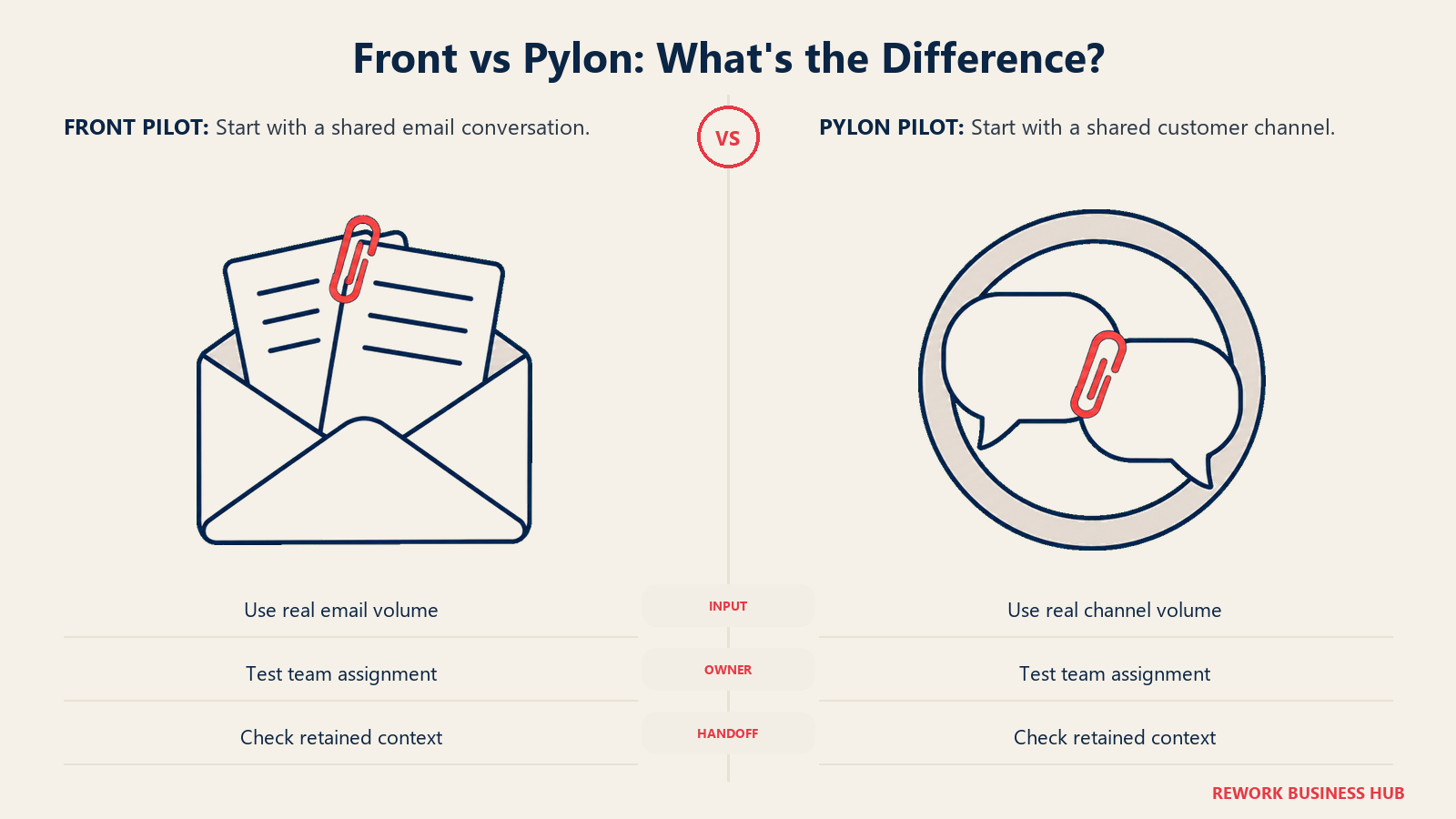
Front's core product is a clean shared inbox with team assignments, collaborative internal notes, and macros for repeatable replies. Its CRM depth is thin by design, so ops teams managing account relationships alongside conversations typically run a separate CRM alongside it. For the fuller rundown on Front specifically, including where its per-seat pricing gets expensive at scale, see the best Front alternatives guide.
Where Front and Pylon genuinely differ is channel philosophy: Front assumes your customers email you, Pylon assumes they message you in a channel you both belong to. If your actual support volume is mostly email threads with occasional Slack requests, Front is the more natural fit of the two; if it's the reverse, Thena or Unthread will feel closer to home.
| Front strengths | Front limitations |
|---|---|
| Clean, collaborative shared inbox | Thin CRM depth, needs a separate CRM |
| Good macros and internal collaboration notes | No native Slack Connect / Teams channel product |
| Reasonable entry price at low seat counts | Analytics and SLA reporting behind higher tiers |
| Omnichannel on Professional and up | Per-seat cost climbs quickly past 10-50 seats |
| AI add-ons (Copilot, Smart QA) available | Product direction has moved upmarket toward enterprise |
Pricing: Starter at $25/seat/month billed annually (up to 10 seats). Professional at $65/seat/month billed annually (up to 50 seats). Enterprise at $105/seat/month billed annually (uncapped). Monthly billing runs roughly 24% higher than the annual rate at every tier. See front.com/pricing.
Best for: Ops teams whose support and account conversations are still mostly email-based, not Slack-channel-based.
7. Help Scout: Clean, Simple Email Support Without the Slack Dependency
Help Scout's pitch has stayed consistent for over a decade: support tools should be simple enough for the whole team to use without training, and powerful enough that you don't need a consultant to configure basic workflows. For a team evaluating Pylon that decides it actually just wants a clean email-first inbox, Help Scout is one of the most straightforward alternatives on this list.

The core product is a shared email inbox with assignment, tagging, and collision detection, paired natively with Docs (its knowledge base) and Beacon (its live-chat widget). It carries native WhatsApp, Instagram, and Messenger support too, which gives it more multi-channel reach than a pure email tool. If you want the fuller comparison against other simple-inbox tools, the best Help Scout alternatives guide covers the same ground from the inbox side.
The limitation, as with Front, is CRM and account depth: Help Scout tracks conversation history well but has no deal stages or pipeline view, and it has no meaningful Slack Connect or Teams story at all, so a team switching off Pylon specifically to keep serving customers in shared channels will find that capability missing entirely.
| Help Scout strengths | Help Scout limitations |
|---|---|
| Excellent clean UX, minimal training needed | No CRM or deal management |
| Native knowledge base (Docs) and live chat (Beacon) | No Slack Connect or Teams channel support |
| WhatsApp, Instagram, Messenger built in | Limited automation compared to Zendesk or Freshdesk |
| Transparent, predictable pricing | Reporting is functional but not deep |
| Free tier for very small teams | Not built for cross-team workflows |
Pricing: Free for up to 5 users, 1 inbox, 1 Docs site. Standard at $25/user/month billed annually ($30 billed monthly, up to 25 users). Plus at $45/user/month billed annually ($54 billed monthly, up to 50 users). Pro at $75/user/month billed annually ($90 billed monthly, 10-user minimum, up to 50 light users included). AI Answers add-on billed at $0.75 per resolution. See helpscout.com/pricing.
Best for: Support teams that want a clean, affordable email-first inbox and have no need for Slack Connect channels or CRM depth.
8. Freshdesk: Broad Feature Set for SMB Support Teams on a Budget
Freshdesk is one of the most feature-complete help desks available at SMB prices: ticketing, shared inbox, live chat, phone, knowledge base, and a basic CRM layer via Freshsales, all under the Freshworks umbrella. It dropped its permanent free tier in 2026, but the Growth plan still covers most of what a 20-100 person support team needs, with 500 AI Agent sessions included per month rather than priced separately.
Freshdesk's philosophy is breadth over specialization: give teams everything they might eventually need, with features unlocking as they move up tiers. That makes it a natural fit for IT support teams, SMB e-commerce businesses, and education companies that need real ticketing without the budget or in-house expertise Zendesk implies. If Freshdesk is already on your shortlist, the best Freshdesk alternatives guide shows where Freshworks product fragmentation shows up as you scale.
The tradeoff is polish and Slack depth: Freshdesk's interface is functional but dated, and it has no meaningful shared-channel story to compete with Pylon, Thena, or Unthread. If the reason you're looking past Pylon is budget rather than channel strategy, Freshdesk is a reasonable landing spot; if it's channel strategy, look at the Slack-native tools first.
| Freshdesk strengths | Freshdesk limitations |
|---|---|
| Broad feature set at low cost | Dated UI compared to newer competitors |
| Omnichannel: email, chat, phone, social | No native Slack Connect / Teams channel support |
| Solid ticketing and SLA management | Workflow automation has a steep config curve |
| 500 free AI Agent sessions per month included | Integration between Freshworks products is shallow |
| Good for IT and internal helpdesk use cases | Not a natural fit for sales or account-centric ops teams |
Pricing: Growth at $19/agent/month billed annually. Pro at $55/agent/month billed annually. Enterprise at $89/agent/month billed annually. Each tier includes 500 Freddy AI Agent sessions per month; additional sessions run $49 per 100. See freshworks.com/freshdesk/pricing.
Best for: SMB support teams (5-500 people) that want full-featured ticketing without enterprise pricing, and don't need a Slack-native workflow.
9. HubSpot Service Hub: Support Tied Natively to Your CRM
HubSpot Service Hub answers a specific question well: "we already run sales and marketing on HubSpot, what handles support?" Every conversation ties natively to the same contact, deal, and account records the rest of the revenue team already uses, with no middleware or sync job in between.
The product bundles a shared inbox, ticketing, a knowledge base, CSAT and NPS surveys, and reporting that connects support activity to the full customer lifecycle. For a RevOps or CX leader who wants to see the relationship between sales activity, support volume, and account health in one view, that native connection is genuinely valuable, and it's a capability Pylon, being support-only, simply doesn't have. For a direct look at where the tickets-first model creates friction, Freshdesk vs HubSpot Service Hub covers the tradeoff in more depth.
The weakness is that Service Hub is a tickets-first product wearing a shared-inbox skin. Teams coming from an inbox-first tool, whether that's Pylon's Slack channels or Front's email view, often find HubSpot's inbox less fluid as the primary working surface. And the value proposition collapses if you're not already committed to HubSpot's CRM.
| HubSpot Service Hub strengths | HubSpot Service Hub limitations |
|---|---|
| Native CRM sync, no middleware required | Tickets-first UX, not inbox- or channel-first |
| Full customer lifecycle view across sales, marketing, support | Best value only if you're already on HubSpot |
| Solid CSAT and NPS tooling | No native Slack Connect or Teams channel product |
| Familiar interface for existing HubSpot users | Professional tier carries a one-time onboarding fee |
| Good reporting for RevOps and CX leaders | Automation less deep than Zendesk or Freshdesk |
Pricing: Starter at $7/seat/month billed annually ($20/seat/month billed monthly). Professional at $90/seat/month billed annually ($100/seat/month billed monthly, plus a one-time $1,500 onboarding fee). Enterprise is custom-quoted (plus a one-time $3,500 onboarding fee). See hubspot.com/pricing/service.
Best for: Teams already running sales and marketing on HubSpot who want support tickets tied to the same CRM records, not a separate tool.
10. Zoho Desk: Budget-Friendly Ticketing for Teams Already on Zoho
Zoho Desk's case is simple: if you're already using Zoho's suite (CRM, SalesIQ, People), Desk slots in at a lower price point than almost anything else on this list while covering the ticketing basics well. Email, social, web forms, generative AI drafting, workflows, and multi-level escalation rules are included from the entry tier up.
Higher tiers add real depth: telephony, Zia (Zoho's AI), blueprints for multi-step processes, round-robin assignment, and live chat via Zoho SalesIQ at the top tier. For teams comparing the whole ticketing category rather than just Pylon, the best Zoho Desk alternatives guide covers where the Zoho ecosystem lock-in becomes a constraint rather than a convenience.
The catch is exactly that ecosystem dependency, plus a total absence of Slack Connect or Teams-channel functionality. Zoho Desk is a capable, inexpensive ticketing system, but it is not built around the shared-channel workflow that made a Pylon-style tool attractive in the first place, and outside the Zoho suite it can feel like a bolted-together product rather than a unified one.
| Zoho Desk strengths | Zoho Desk limitations |
|---|---|
| Very low cost per agent at every tier | No Slack Connect or Teams channel support |
| Deep integration if you're already on Zoho apps | Feels disconnected from non-Zoho tools |
| Zia AI and blueprints on higher tiers | Best features reserved for Professional and up |
| Multi-brand help center on Enterprise | UI and workflow builder feel dated next to newer tools |
| Free edition for very small teams (3 agents) | Live chat requires the separate SalesIQ product |
Pricing: Express at roughly $7/agent/month billed annually. Standard at $14/agent/month billed annually ($17 billed monthly). Professional at $23/agent/month billed annually ($35 billed monthly). Enterprise at $40/agent/month billed annually ($50 billed monthly). A free edition covers 3 agents. Zoho's pricing page geo-serves local currency; figures above are the standard published USD rates. See zoho.com/desk/pricing.
Best for: SMB teams already standardized on Zoho's suite who want ticketing at the lowest realistic price point.
11. Gladly: Built for Retail Commerce, Not B2B Software Support
Gladly is worth including on this list mainly so a Pylon evaluator doesn't waste a demo call: it has repositioned itself as an "agentic commerce platform" for premium retail and D2C brands (its customer list includes names like Tory Burch, UGG, and Ulta Beauty), unifying shopping and service into one conversational thread rather than serving B2B software companies at all.
The product philosophy is genuinely interesting: a single, persistent conversation thread per customer that never resets across channels, with "lifelong customer memory" and in-chat checkout, built around the idea that support and sales shouldn't be separate systems for a retail brand. For a head-to-head against other shared-inbox and support tools closer to Pylon's actual space, Help Scout vs Front vs Gladly is a more useful comparison than putting Gladly directly against Pylon.
None of that maps to a B2B SaaS company's support problem. Gladly has no Slack Connect story, no B2B account-and-deal model, and its pricing (not published, demo-gated like Pylon's) is generally reported by third parties in the $150-210 per agent per month range, aimed squarely at enterprise retail budgets.
| Gladly strengths | Gladly limitations |
|---|---|
| Unified conversation thread across sales and service | Not built for B2B software support at all |
| Strong voice AI and in-chat commerce | No Slack Connect or Teams channel product |
| Deep personalization and customer memory | No published pricing, demo required |
| Proven at premium retail and D2C scale | Reported cost is high relative to this whole list |
| Non-technical staff can configure AI behavior | Wrong ICP entirely for a Pylon-style B2B buyer |
Pricing: Not published. Gladly routes every prospect to a demo request. Third-party pricing trackers report a range of roughly $150-210 per agent per month on annual contracts (reported, not vendor-confirmed).
Best for: Retail and D2C brands merging commerce and support into one thread. Not for: B2B SaaS companies evaluating Pylon, this is the one tool on this list solving a genuinely different problem.
12. Missive: Multi-Channel Collaboration for Small, Tight-Knit Teams
Missive approaches the shared-inbox problem from a collaboration angle rather than a channel-strategy one. Its core idea is that email, SMS, and chat conversations should live in the same thread view, and that a team should be able to draft, comment, and edit a reply together before it goes out, the way you'd collaborate on a shared document.
That collaborative-draft feature is genuinely useful for small teams where brand voice matters or a tricky reply needs input from more than one person before it's sent. Missive supports email, SMS, WhatsApp, Instagram, and live chat in one inbox, with automation rules for routing and tagging. For a team of 5-40 people, it's a reasonable all-in-one option at a fair price.
Missive has no Slack Connect or Teams-channel product, no CRM, and its collaborative model that works well at 15 people starts to create noise past 40-50, so it's a fit only for teams staying small, not one evaluating Pylon because they expect to scale a Slack-based support motion.
| Missive strengths | Missive limitations |
|---|---|
| Best collaborative-reply experience on this list | No Slack Connect or Teams channel support |
| True multi-channel: email, SMS, WhatsApp, social | No CRM or pipeline features |
| Clean, fast interface | Scales awkwardly past 30-40 users |
| Affordable flat per-user pricing | Automation depth limited vs. enterprise tools |
| Shared drafts before sending | Not designed for high-volume support operations |
Pricing: Starter at $14/user/month billed yearly (up to 5 users). Productive at $24/user/month billed yearly (up to 50 users). Business at $36/user/month billed yearly (unlimited users). A 30-day free trial is available. See missiveapp.com/pricing.
Best for: Small teams (2-40 people) who need multi-channel collaboration on customer conversations and don't expect to scale past that range soon.
Why Teams Look Past Pylon
Before the decision framework, it's worth being direct about what actually drives a Pylon evaluation in the first place. A few patterns come up consistently.
No published pricing, anywhere. usepylon.com/pricing is a demo-request page: no plan names, no dollar figures, just a form. Third-party trackers, including one published by competitor Unthread, report figures roughly $59 to $139 per seat per month on annual billing with 3 to 7-seat minimums and separate AI add-on fees, but none of that is vendor-confirmed and the trackers disagree with each other. Treat any number you see for Pylon as a rough estimate, and confirm the real one on a call before you budget against it.
The whole model bets on the shared-Slack-channel workflow. That bet is real: per Pylon's own 2024 benchmark, roughly 85% of support volume across its top accounts arrives through Slack rather than email, and Slack Connect has broad enterprise reach (100,000+ companies, including 77% of the Fortune 100, as of that data). But it's narrower than it looks. If a meaningful share of your customers don't want another Slack workspace, or you need a public help center and web widget as your primary surface, Front, Help Scout, or Intercom will fit better than forcing the channel model onto customers who don't want it.
"Agentic Support Platform" is a young positioning claim. Pylon's AI-agent framing is recent, and unlike Zendesk's or Intercom's AI tooling, built on years of ticket and conversation data at far larger scale, it hasn't had the same runway to prove itself broadly. That's not disqualifying, but weigh it against Thena and Unthread's similar Slack-native AI claims, and against the real cost of migrating at all: the true cost of software sprawl is a useful framework for that math.
Feature Comparison: Core Capabilities
| Feature | Thena | Unthread | Plain | Intercom | Zendesk | Front | Help Scout | Freshdesk | HubSpot SH | Zoho Desk | Gladly | Missive |
|---|---|---|---|---|---|---|---|---|---|---|---|---|
| Native Slack channel support | Yes | Yes | Yes | Limited | Limited | No | No | No | No | No | No | No |
| Native Teams channel support | Enterprise tier | Yes | Horizon tier+ | No | No | No | No | No | No | No | No | No |
| Shared email inbox | Yes | Yes | Yes | Yes | Yes | Yes | Yes | Yes | Yes | Yes | Yes | Yes |
| Native CRM | No | No | No | Limited | No | No | No | Via Freshsales | Yes (HubSpot) | No | Limited | No |
| Knowledge base | Yes | Yes | Yes | Yes | Yes | Yes | Yes (Docs) | Yes | Yes | Yes | No | No |
| Live chat | Yes | No | Yes | Yes | Yes | Limited | Yes (Beacon) | Yes | Yes | Yes (SalesIQ) | Yes | Yes |
| AI agent included at entry tier | Yes | Yes | Yes | Yes | Limited | Limited | Basic | Yes | No | Yes | Yes | No |
| Published, self-serve pricing | Yes | Yes | Entry tier only | Yes | Yes | Yes | Yes | Yes | Yes | Yes | No | Yes |
Pricing Comparison at 20 Seats
| Tool | 20-Seat Annual Cost | Notes |
|---|---|---|
| HubSpot Service Hub | $1,680/yr | Starter tier, annual billing ($7/seat/mo) |
| Zoho Desk | $3,360/yr | Standard tier, annual billing ($14/agent/mo) |
| Freshdesk | $4,560/yr | Growth tier, annual billing ($19/agent/mo) |
| Zendesk | $13,200/yr | Suite Team, annual billing ($55/agent/mo) |
| Front | $15,600/yr | Professional, annual billing ($65/seat/mo) |
| Intercom | $6,960/yr | Essential, annual billing ($29/seat/mo) |
| Help Scout | $6,000/yr | Standard, annual billing ($25/user/mo) |
| Missive | $5,760/yr | Productive tier, annual billing ($24/user/mo) |
| Thena | $18,960/yr | Standard tier required past the 5-seat Starter cap ($79/user/mo) |
| Unthread | $18,000/yr | Pro tier, per-agent rate as published ($75/agent/mo) |
| Plain | $23,784/yr | Horizon tier: $299 base for 3 seats plus 17 seats at $99 |
| Pylon (current) | No published price | Demo required; third parties report roughly $59-139/seat/mo annually (unverified) |
How to Choose: Decision Framework
| If you need... | Pick this tool |
|---|---|
| The closest match to Pylon's own Slack/Teams model | Thena |
| Slack support plus internal IT/HR ticketing in one tool | Unthread |
| Fully scriptable, API-first support workflows | Plain |
| In-app messaging and product-led support | Intercom |
| Complex enterprise routing with 1,500+ integrations | Zendesk |
| A clean, email-first shared inbox | Front |
| Simple support without CRM or Slack complexity | Help Scout |
| Full-featured ticketing on an SMB budget | Freshdesk |
| Support tied natively to an existing HubSpot CRM | HubSpot Service Hub |
| The lowest cost per agent if you're already on Zoho | Zoho Desk |
| Unified commerce and service for a retail brand | Gladly |
| Multi-channel collaboration for a small team (under 40) | Missive |
What to Do Next
The fastest path to a real decision is a two-week parallel pilot, not another round of vendor calls. Pick your top two options from the decision framework above, route a real slice of your current Slack or email volume through each, and let the team that will actually use the tool make the call. For the wider category, including tools that skew toward internal help desk rather than external B2B support, see Best Help Desk Software in 2026.
If your team already runs sales on HubSpot and is losing time stitching a support inbox to it, start with HubSpot Service Hub. If you specifically need Pylon's shared-Slack-channel workflow but want published, self-serve pricing, start with Thena or Unthread instead, both make the same core bet without the demo-gated pricing page.
Frequently Asked Questions about Pylon Alternatives
What is the best Pylon alternative in 2026?
For teams that specifically want to keep the Slack-and-Teams-channel workflow Pylon is built around, Thena and Unthread are the closest matches with published, self-serve pricing. If you already run sales on HubSpot, HubSpot Service Hub ties support to the same CRM records. The right answer depends on whether you need CRM depth, pure Slack-channel support, or a mainstream help desk.
Why do B2B teams look for alternatives to Pylon?
Three reasons come up most: Pylon publishes no pricing at all, so every evaluation starts with a demo call rather than a number; the entire product bets on customers wanting a shared Slack or Teams channel, which doesn't fit every buyer; and its AI-agent positioning is newer than the AI tooling built into Zendesk or Intercom over a longer track record.
Does Pylon publish its pricing?
No. As of September 2026, usepylon.com/pricing shows no plan names or dollar figures, only a request for a personalized demo. Third-party pricing trackers report starting figures in the rough range of $59 to $139 per seat per month on annual billing, but these are unverified estimates, not vendor-confirmed prices, and they disagree with each other on the details.
Do any Pylon alternatives include a built-in CRM?
HubSpot Service Hub ties support tickets to HubSpot's CRM records, and Freshdesk offers a basic CRM layer via Freshsales. Most other tools on this list, including Pylon itself, are ticketing or inbox-first and expect a separate CRM for account and deal data.
Which Pylon alternative is best for enterprise support?
Zendesk, with deep customization, 1,500+ integrations, and advanced routing, is the default for support organizations of 100 or more with complex workflows. It has little of Pylon's native Slack-channel functionality, so it fits a different kind of enterprise buyer, one running high ticket volume across multiple product lines rather than a handful of high-touch B2B accounts in Slack.
Is there a cheaper alternative to Pylon?
Most of this list is cheaper than Pylon's reported (unverified) starting range once you're past a handful of seats. HubSpot Service Hub's Starter tier runs $7/seat/month annually, Zoho Desk's Express tier runs roughly $7/agent/month, and Freshdesk's Growth plan runs $19/agent/month, all with published, self-serve pricing Pylon doesn't offer.

Principal Product Marketing Strategist
On this page
- Key Facts
- Quick Comparison Table
- Stage Fit Matrix
- Sizing and Persona Table
- 1. Thena: The Closest Thing to Pylon Built Specifically for B2B SaaS
- 2. Unthread: Slack and Teams Ticketing That Doubles as Internal IT Support
- 3. Plain: API-First Support Infrastructure for Engineering-Led Teams
- 4. Intercom: In-App Messaging and Fin AI for Product-Led Companies
- 5. Zendesk: Enterprise-Grade Support Infrastructure for Complex Operations
- 6. Front: The Shared Inbox Pylon Buyers Compare Against Most
- 7. Help Scout: Clean, Simple Email Support Without the Slack Dependency
- 8. Freshdesk: Broad Feature Set for SMB Support Teams on a Budget
- 9. HubSpot Service Hub: Support Tied Natively to Your CRM
- 10. Zoho Desk: Budget-Friendly Ticketing for Teams Already on Zoho
- 11. Gladly: Built for Retail Commerce, Not B2B Software Support
- 12. Missive: Multi-Channel Collaboration for Small, Tight-Knit Teams
- Why Teams Look Past Pylon
- Feature Comparison: Core Capabilities
- Pricing Comparison at 20 Seats
- How to Choose: Decision Framework
- What to Do Next