Best Zoho Desk Alternatives in 2026: 11 Tools for Teams Ready to Move Beyond the Zoho Ecosystem
Turn this article into takeaways for your work.


Each assistant summarizes the article only for you and suggests best practices for your work.
Zoho Desk is a legitimately solid helpdesk. The Standard plan starts at $14 per agent per month, the Enterprise tier gives you Zia AI and multi-brand support at $40, and if your business already runs Zoho CRM, Zoho Books, or Zoho Analytics, the bundle value through Zoho One is hard to beat. For budget-conscious teams inside the Zoho world, it earns its place.
But teams tend to leave when one of a few specific walls appears. The UI takes time to learn, especially for new agents who've never touched a Zoho product before. Teams not using Zoho CRM lose the native contact-sync advantage that makes Desk genuinely powerful, and the integration story outside the Zoho ecosystem is thinner than what Zendesk or Freshdesk offer. Others leave because they want support and sales on the same customer timeline, need AI-first automation baked in rather than bolted on, or want a shared inbox model rather than a traditional ticket queue. This list is for those teams.
Quick Comparison Table
| Tool | Best For | Starting Price | Key Strength | Key Limitation |
|---|---|---|---|---|
| Zendesk | Mid-market and enterprise teams needing deep ticketing | Suite Team from $55/agent/mo | Best-in-class ticketing engine, routing, reporting | Expensive; AI Copilot is a separate $50/agent/mo add-on |
| Freshdesk | Growing teams wanting full helpdesk at lower cost | Free; Growth from $15/agent/mo | Affordable, Freddy AI, solid automation | Reporting depth lags Zendesk; omnichannel costs more |
| Rework | Teams wanting support + sales in one CRM timeline | From $159/mo billed yearly, 5 marketing + 5 sales seats (rework.com/pricing) | Unified CRM + multi-channel inbox; support and sales on one contact record | Not a dedicated ticketing system (no ticket queues, CSAT surveys, or knowledge base) |
| Help Scout | Email-first support teams wanting clean simplicity | Standard from $25/user/mo | Minimal UX, docs-style knowledge base | Limited chat and phone channels |
| Intercom | Conversational support with AI-first workflows | Essential from $29/seat/mo (annual) | Fin AI agent, in-app messaging, product tours | Usage charges for AI resolutions ($0.99 each) add up |
| Front | Teams managing high-volume shared email inboxes | Starter from $25/seat/mo | Shared inbox with internal comments, multi-channel | Less purpose-built ticketing than Zoho Desk |
| HubSpot Service Hub | Teams already using HubSpot CRM | Free; Starter from $15/seat/mo | Native CRM connection, shared timeline with sales | Full features need expensive Professional tier |
| Hiver | Gmail-native teams that won't leave their inbox | Lite from $24/user/mo | Works inside Gmail; zero agent UI change | Gmail-only; seat minimums inflate true cost |
| Gorgias | E-commerce brands on Shopify/WooCommerce | Starter from $10/mo (ticket-based) | Deep Shopify integration, unlimited agents | Per-ticket model gets expensive at high volume |
| Gladly | High-volume consumer CX teams (50+ agents) | Hero from ~$180/agent/mo | People-centric threads (not tickets), radically unified timeline | Very high minimum commitment ($21,600+/yr) |
| Jira Service Management | IT and dev teams wanting ITSM-grade helpdesk | Free; Standard from $20/agent/mo | Jira/Confluence integration, change management, CMDB | Overkill for external customer support teams |
Stage Fit Matrix
| Tool | Startup (1-20) | Growth (20-100) | Mid-Market (100-500) | Enterprise (500+) |
|---|---|---|---|---|
| Zendesk | Partial fit | Strong fit | Strong fit | Strong fit |
| Freshdesk | Strong fit | Strong fit | Strong fit | Partial fit |
| Rework | Partial fit | Strong fit | Strong fit | Partial fit |
| Help Scout | Strong fit | Strong fit | Partial fit | Not ideal |
| Intercom | Partial fit | Strong fit | Strong fit | Strong fit |
| Front | Strong fit | Strong fit | Strong fit | Partial fit |
| HubSpot Service Hub | Strong fit | Strong fit | Strong fit | Partial fit |
| Hiver | Strong fit | Strong fit | Partial fit | Not ideal |
| Gorgias | Strong fit | Strong fit | Partial fit | Not ideal |
| Gladly | Not ideal | Partial fit | Strong fit | Strong fit |
| Jira Service Mgmt | Strong fit | Strong fit | Strong fit | Strong fit |
Sizing and Persona Table
| Tool | Team Size Sweet Spot | Who Buys It |
|---|---|---|
| Zendesk | 20-2,000+ agents | VP of Support, Head of CX, IT Director |
| Freshdesk | 5-500 agents | Support Director, IT Manager, Operations |
| Rework | 20-500 employees | COO, Head of Revenue, ops-minded Founder, RevOps lead |
| Help Scout | 2-100 agents | Support lead, Founder, small CS team |
| Intercom | 10-500 seats | Head of Customer Success, VP Product, CS Director |
| Front | 5-300 seats | CS Director, Head of Ops, sales+support hybrid teams |
| HubSpot Service Hub | 5-500 seats | CS Director, RevOps already on HubSpot |
| Hiver | 5-100 agents | Support Manager, Founder using Google Workspace |
| Gorgias | 2-200 agents (e-commerce) | E-commerce CX Manager, Head of Support, DTC brand owner |
| Gladly | 50-2,000 agents | VP of CX, Head of Support at consumer brands |
| Jira Service Mgmt | 5-500+ agents (IT-facing) | IT Manager, DevOps Lead, ITSM Director |
1. Zendesk: Best-in-Class Ticketing for Mid-Market and Enterprise
Zendesk is the most direct upgrade path for teams that want everything Zoho Desk tries to do, but with more depth, more integrations, and a more polished agent experience. The ticketing engine is mature: routing logic, SLA policies, triggers, automations, macros, and custom views are all native and well-documented. The reporting layer covers what a VP of Support actually needs, from CSAT scores to agent utilization to SLA breach rates.
The real cost question is the one Zoho Desk leavers need to answer carefully. Suite Team starts at $55 per agent per month on annual billing. A 20-agent team runs $13,200 per year at minimum. Suite Professional at $115 per agent is $27,600 per year for that same team. And if you want Zendesk's AI Copilot, that's an additional $50 per agent per month on top of your plan. See the best Zendesk alternatives article if you want to understand where Zendesk's own limits appear. For a direct look at the full support category, best Freshdesk alternatives gives a useful parallel view.
Methodology / Vision: Enterprise CX infrastructure. Zendesk's philosophy is that support operations should be as configurable and measurable as any business process, with every workflow documented and every outcome tracked.
Target Audience: Mid-market and enterprise support teams, 20-2,000+ agents. Common in SaaS, fintech, e-commerce, and any organization with a serious, dedicated support function.
Sizing Fit: Can work from 10 agents upward, but the cost-to-value ratio improves substantially above 50 agents where the reporting and workflow depth gets used.
Stage Fit: Growth through enterprise. Not overkill at mid-market; genuinely necessary at enterprise scale.
Team vs Company-Wide: Primarily support and IT. Sales teams typically run a separate CRM alongside it.
| What you get | What you don't |
|---|---|
| Best-in-class ticketing: SLA, macros, routing, triggers | Predictable pricing as you add AI features |
| Deep reporting (CSAT, agent utilization, SLA breach) | A native CRM for sales teams |
| 1,200+ marketplace integrations | Affordable entry price at small team sizes |
| AI Agent (outcome-based) and AI Copilot (seat-based) | Simple setup without a technical admin |
Pricing: Suite Team from $55/agent/mo; Suite Growth from $89/agent/mo; Suite Professional from $115/agent/mo; Enterprise pricing on request. AI Copilot add-on is $50/agent/mo. See zendesk.com/pricing.
Best for: Mid-market and enterprise support teams that need a configurable, deeply reported ticketing engine with a large integration ecosystem.
2. Freshdesk: Affordable Helpdesk with Freddy AI
Freshdesk is the most direct price-competitive Zoho Desk alternative for teams that want comparable helpdesk functionality without the Zoho ecosystem dependency. The Growth tier at $15 per agent per month covers automation rules, SLA management, business hours, canned responses, and a knowledge base. That's a meaningful chunk of what Zoho Desk Professional offers at $23, for less money and with a cleaner onboarding experience for agents who aren't Zoho natives.
Freddy AI, Freshdesk's AI assistant, handles ticket categorization, suggested responses, and a customer-facing bot. The AI is genuinely useful once the knowledge base is populated, and it doesn't require a separate purchase on the Pro and Enterprise plans the way Zendesk's Copilot does. For a broad view of where Freshdesk itself reaches its limits, the best Freshdesk alternatives guide covers the competitive landscape.
Methodology / Vision: Affordable intelligence for mid-market support. Freshworks' bet is that teams shouldn't need an enterprise contract to access SLA management, AI, and automation.
Target Audience: Growing teams from 5 to 500 agents. Strong fit in SaaS, e-commerce, and regional businesses that need a full helpdesk at a price point below Zendesk.
Sizing Fit: Startup through mid-market. Customization and reporting depth can feel limited above 300 agents compared to Zendesk's Enterprise tier.
Stage Fit: Startup through growth. Strong for teams graduating from a basic shared inbox or from Zoho Desk's lower plans.
Team vs Company-Wide: Primarily support. Freshworks offers separate products (Freshsales, Freshchat) that integrate but aren't native modules within Freshdesk itself.
| What you get | What you don't |
|---|---|
| Affordable full helpdesk (SLA, automation, knowledge base) | Reporting depth comparable to Zendesk at enterprise scale |
| Freddy AI for categorization and suggested replies | Native omnichannel inbox on the base Growth plan |
| Clean agent UI with faster onboarding than Zoho Desk | Deep customization for complex multi-brand setups |
| Freshworks ecosystem (Freshchat, Freshsales integration) | Consistent enterprise-grade support responsiveness |
Pricing: Free (up to 10 agents); Growth from $15/agent/mo; Pro from $49/agent/mo; Enterprise from $79/agent/mo, billed annually. Freddy AI Copilot add-on from $29/agent/mo. Freshdesk Omni (unified inbox) from $29/agent/mo. See freshworks.com/freshdesk/pricing.
Best for: Teams wanting Zoho Desk-level helpdesk features with simpler onboarding, better Freddy AI integration, and no dependency on the Zoho ecosystem.
3. Rework: Unified CRM + Multi-Channel Inbox (Support and Sales in One Timeline)
Rework isn't trying to out-ticket Zoho Desk. Its angle is different: give mid-size teams a single inbox where support conversations and sales activity share one contact record. That matters when your support agent needs to see that a complaining customer is two weeks from renewal, or when a salesperson should know about an open escalation before a follow-up call. In Zoho Desk, those contexts live in separate products. In Rework, they're the same timeline.
The multi-channel inbox consolidates WhatsApp, Messenger, Instagram DM, TikTok, Telegram, Zalo, and live chat into one CRM-connected view. Routing rules, distribution teams, SLA deadlines with breach actions, canned responses, and AI agents (in beta) that answer routine questions from your own knowledge sources are built in. Email runs in a separate app, Rework Mail, with shared team inboxes, and there is no SMS or voice channel. Teams coming from Zoho Desk because their sales and support teams kept stepping on each other's data will feel the difference immediately.
The honest trade-off: Rework is not a dedicated ticketing system. There are no ticket queues, no CSAT survey module, and no customer-facing knowledge base. If your team needs formal ticketing infrastructure, Zendesk or Freshdesk will serve you better. But for a 20-200 person company where sales and support share a customer base and you want both on one platform, Rework covers ground Zoho Desk doesn't.
Methodology / Vision: Mid-size operational unity. The product thesis is that disconnected CRM, lead management, and support inbox create handoff failures that cost revenue. Rework's answer is one data model for every channel and every team.
Target Audience: Mid-size B2B teams, 20 to 500 employees. Blended sales-and-support orgs in SaaS, agencies, professional services, real estate, and education.
Sizing Fit: Too deep for solo users. Well-suited for growth through mid-market. Above 500 employees, enterprise governance needs often push teams toward Salesforce-tier tooling.
Stage Fit: Growth through mature. Best when a team has outgrown running sales in one tool and support in another.
Team vs Company-Wide: Company-wide. Sales, support, marketing, and ops can all operate from Rework.
| What you get | What you don't |
|---|---|
| Unified CRM + inbox (support and sales on one record) | Ticket queues and ticket-style escalation |
| Multi-channel inbox: WhatsApp, Messenger, IG DM, Zalo, live chat | Native CSAT surveys and satisfaction reporting |
| Routing, distribution teams, SLA deadlines and reports | A standalone knowledge base module |
| Cross-team workflows (sales, marketing, CS, ops) | Enterprise-grade ticketing workflows |
| Mid-size pricing without enterprise tax | AppExchange-scale integration library |
Pricing: Revenue Engine (CRM, omnichannel inbox and lead capture) is $159/month billed yearly ($1,908/year) or $190 month to month, with 5 marketing and 5 sales seats included. Extra seats come in blocks of 5 ($21/month per block on yearly billing). 14-day free trial. See rework.com/pricing.
Best for: Mid-size teams (20-500) where support and sales share a customer base and you want both on one platform without stitching separate tools together.
Not ideal for: Dedicated support-only operations that need formal ticketing: ticket queues, CSAT workflows, agent workforce reporting, and a self-service knowledge base. For that, Zendesk or Freshdesk are the right call.
4. Help Scout: Email-First Simplicity for Small CS Teams
Help Scout is built around one premise: customer support through email shouldn't feel like a ticketing system. There are no ticket numbers visible to customers, no rigid queue UI for agents, and no implementation project before your team can start. The shared inbox looks and works like email, with the addition of collision detection, internal notes, and tagging. The knowledge base (Docs) is well-designed and included.
For teams coming from Zoho Desk because it felt too heavy or too Zoho-flavored, Help Scout's simplicity is a genuine relief. The Standard plan at $25 per user per month is more expensive per seat than Zoho Desk Standard, but the lower training overhead and faster time-to-value often close that gap for teams of 5 to 50 agents. Check the best Help Scout alternatives if you need something with more channel depth.
Methodology / Vision: Conversations, not tickets. Help Scout's product philosophy is that customers shouldn't feel like support requests, and agents shouldn't feel like queue workers.
Target Audience: Small to mid-size CS teams, 2 to 100 agents. Common in B2B SaaS, professional services, and consumer subscription businesses where email is the primary support channel.
Sizing Fit: Strong from solo to growth stage. Shows channel and reporting limits above 100 agents.
Stage Fit: Startup through early growth. Best as a first real support tool after outgrowing a shared Gmail inbox.
Team vs Company-Wide: Primarily support. Some sales and marketing teams use the inbox, but it's not a CRM replacement.
| What you get | What you don't |
|---|---|
| Clean, non-ticket shared inbox for email support | Native chat, phone, or social media channels |
| Docs knowledge base included | Deep SLA management and agent productivity reporting |
| AI Answers for self-service ($0.75 per resolution) | Complex routing and automation rules |
| Simple pricing with no tiered seat complexity | A full ticketing infrastructure for large teams |
Pricing: Free (up to 5 users, limited); Standard from $25/user/mo; Plus from $45/user/mo; Pro from $75/user/mo, billed annually. See helpscout.com/pricing.
Best for: Small B2B support teams (2-100 agents) that want a clean email-first inbox without the complexity of a full helpdesk platform.
5. Intercom: Conversational Support with AI at the Center
Intercom built its name on in-app messaging and product-led support. The premise is that the best time to help a customer is inside your product, before they pick up the phone or open a ticket. The Messenger widget, product tours, proactive outreach, and AI-powered Fin agent are all native to how the product was designed, not retrofitted onto a ticket queue.
Fin, Intercom's AI agent, is genuinely one of the better AI support bots in the market. It resolves a meaningful share of inbound questions without human involvement, and when it can't, it hands off to a human with full context. The catch is the pricing model: Fin charges $0.99 per resolved conversation, which adds up fast if your team fields thousands of tickets per month. The seat pricing also stacks: Essential starts at $29 per seat per month on annual billing, but you'll feel the AI usage charges separately. See the best Intercom alternatives guide for a full competitive view.
Methodology / Vision: AI-first conversational support. Intercom's thesis is that support should happen through real-time conversation inside the product, powered by AI that handles tier-1 queries and passes everything else to humans.
Target Audience: SaaS companies with 10 to 500 seats. Strong fit for product-led growth companies where in-app help and proactive messaging are part of the CX strategy.
Sizing Fit: Growth through mid-market. Can scale to enterprise but pricing compounds quickly at high AI resolution volumes.
Stage Fit: Growth through mature. Particularly strong for PLG teams where in-app messaging is a retention lever, not just a support channel.
Team vs Company-Wide: Support and customer success. Sales can use the outbound features, but Intercom is primarily a CX tool.
| What you get | What you don't |
|---|---|
| Fin AI agent with genuine tier-1 resolution capability | Predictable monthly cost (AI usage charges vary) |
| In-app Messenger, product tours, proactive outreach | Deep SLA management on base plans |
| Multi-channel inbox (email, chat, WhatsApp, social) | Simple pricing before AI costs compound |
| Ticketing and conversation routing | A CRM for sales and pipeline tracking |
Pricing: Essential from $29/seat/mo (annual); Advanced from $85/seat/mo (annual); Expert from $132/seat/mo (annual). Fin AI charges $0.99 per resolved conversation. See intercom.com/pricing.
Best for: SaaS and PLG teams that want AI-powered in-app support and proactive messaging, with strong tier-1 automation from day one.
6. Front: Shared Inbox for High-Volume Collaborative Teams
Front is the tool most frequently described as "email that works like a team sport." Shared inboxes, internal comments on threads, assignment rules, SLAs, and multi-channel support (email, SMS, WhatsApp, social) all live in a design that feels more like a premium email client than a ticket queue. Teams coming from Zoho Desk because agents disliked the helpdesk UI often land on Front and stay.
The distinction from a traditional helpdesk: Front is organized around conversations and inboxes, not ticket IDs and queues. That's a meaningful difference for teams where support and sales share inboxes, where account managers need visibility into customer conversations, or where the volume is high but the ticket-based model feels unnecessarily formal. A full breakdown of where Front's ceilings are is in the best Front alternatives guide.
Methodology / Vision: Collaborative inbox over ticket queue. Front's philosophy is that email-heavy teams shouldn't have to abandon email-like interfaces to get helpdesk-grade routing and reporting.
Target Audience: Teams of 5 to 300 seats managing high-volume shared inboxes. Strong fit for account management, sales, and CS hybrid teams.
Sizing Fit: Startup through mid-market. Shows some limits at very large enterprise deployments needing strict ITSM structure.
Stage Fit: Growth through mature. Works at startup size but delivers the most value once teams have enough volume to need intelligent routing.
Team vs Company-Wide: Sales, CS, and support teams. Not a full CRM or company-wide platform.
| What you get | What you don't |
|---|---|
| Shared inbox with internal comments and collision detection | Deep ticket-based workflows like Zoho Desk or Zendesk |
| Multi-channel: email, SMS, WhatsApp, social | A native knowledge base on lower plans |
| SLAs, assignment rules, and analytics | AI features without add-on cost on base plans |
| Clean UX that agents adopt without training | A native CRM for pipeline and deal management |
Pricing: Starter from $25/seat/mo (1 channel, 10 seats max); Professional from $65/seat/mo; Enterprise from $105/seat/mo, billed annually. AI Autopilot is $0.89 per AI resolution. See front.com/pricing.
Best for: High-volume teams managing shared email and multi-channel inboxes who want collaboration-first support without the rigidity of a traditional ticketing system.
7. HubSpot Service Hub: Support Inside the HubSpot Ecosystem
HubSpot Service Hub is the natural choice when your sales team already runs HubSpot CRM and you want support on the same contact record without buying a second platform. The shared CRM means every support ticket is visible to account managers, every renewal conversation is visible to support agents, and customer health data flows across both teams without manual export.
The honest caveat: the free and Starter tiers of Service Hub are useful but shallow. The real helpdesk features (automation, CSAT, custom reporting, SLA management) sit behind Service Hub Professional at $90 per seat per month. That's a step up in cost, and it comes with a $1,500 one-time onboarding fee. For teams already paying for HubSpot Sales Hub, the incremental cost can be worthwhile. For teams adopting HubSpot just for support, it's a harder value argument.
Methodology / Vision: Unified CRM flywheel. HubSpot's philosophy is that marketing, sales, and service should share one platform and one contact record, with data flowing freely between teams.
Target Audience: Teams already on HubSpot CRM, 5 to 500 seats. Strong fit when sales and support should share a customer view and you don't want to manage a second platform.
Sizing Fit: Startup through mid-market on CRM + Starter; mid-market through enterprise once Professional or Enterprise tiers are justified.
Stage Fit: Startup through mature. Scales well if you're committed to the HubSpot ecosystem.
Team vs Company-Wide: GTM-wide. Sales, marketing, and service all have dedicated hubs within the suite.
| What you get | What you don't |
|---|---|
| Native CRM connection (support tickets on the sales timeline) | Full helpdesk features without Service Hub Professional |
| CSAT, SLA, and ticket automation on Professional tier | Affordable pricing at scale when combining multiple hubs |
| Large HubSpot integration ecosystem | Native multi-channel chat inbox on Starter |
| Free tier for small teams getting started | A standalone support tool without CRM commitment |
Pricing: Service Hub Free (limited); Starter from $15/seat/mo; Professional from $90/seat/mo (plus $1,500 onboarding); Enterprise from $150/seat/mo (plus $3,500 onboarding), billed annually. See hubspot.com/pricing.
Best for: Teams already on HubSpot Sales Hub that want support tickets, CSAT, and service automation on the same CRM platform without adopting a second tool.
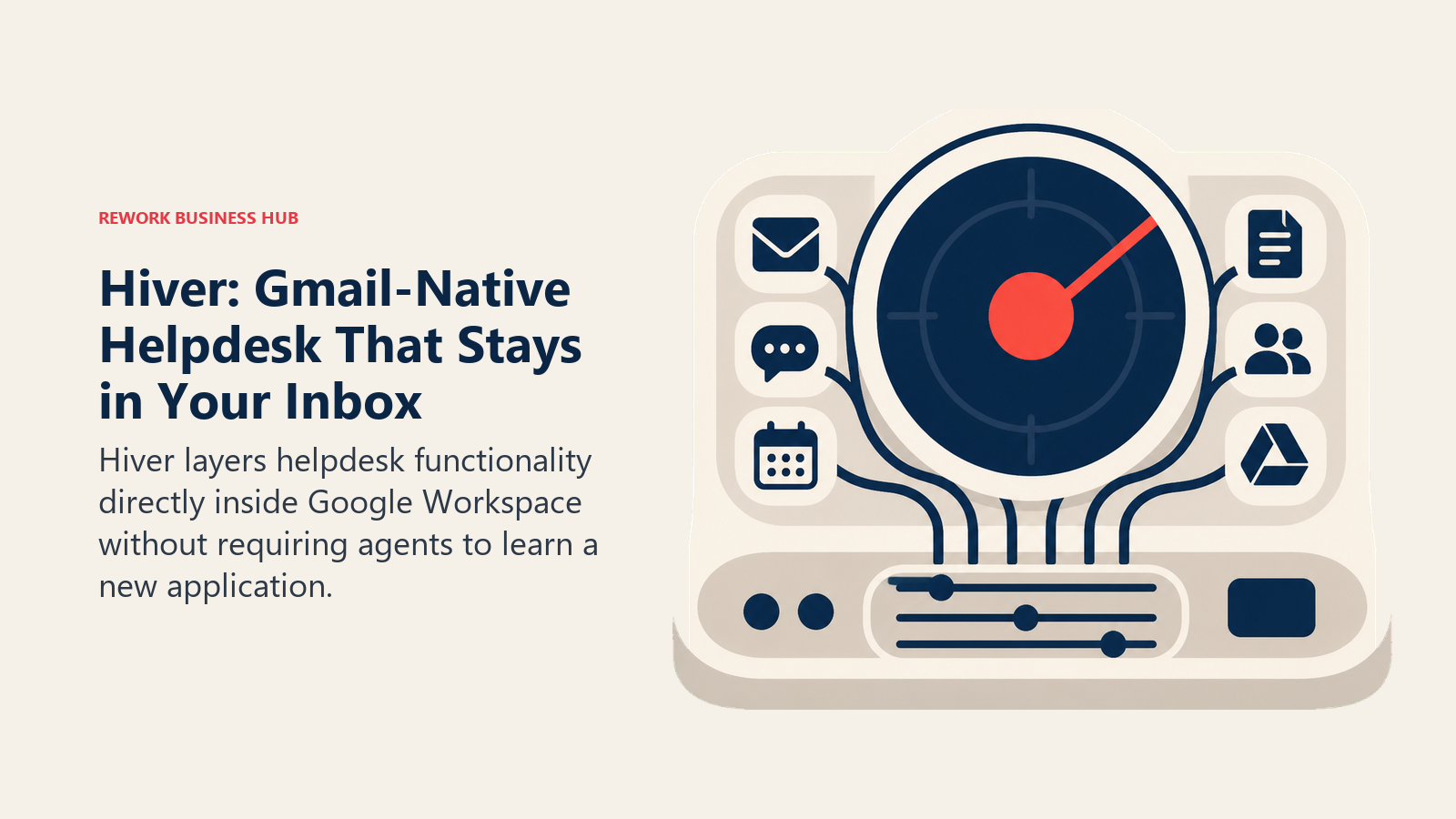
8. Hiver: Gmail-Native Helpdesk That Stays in Your Inbox
Hiver layers helpdesk functionality directly inside Google Workspace without requiring agents to learn a new application. Shared inboxes, collision detection, SLA management, CSAT surveys, and assignment rules all appear as native Gmail features. For teams where agent adoption has been the limiting factor on helpdesk rollouts, Hiver removes the barrier entirely.
The constraint is the same as the value: it's Gmail-only. If any part of your team uses Outlook, a mobile app outside Gmail, or a non-Google environment, Hiver doesn't serve them. The seat pricing also has an unusual structure: plans require minimum seat blocks (increments of 5 or 10), so a team of 7 may pay for 10 seats and end up with a per-user cost materially higher than the listed rate.
Methodology / Vision: Zero-friction helpdesk. Hiver's thesis is that the reason teams don't adopt helpdesk tools is the context switch. Removing that switch solves adoption.
Target Audience: Small to mid-size teams, 5 to 100 agents, operating entirely within Google Workspace. Common in professional services, education, and SMBs that run their business in Gmail.
Sizing Fit: Small team through growth. Starts to show routing and reporting limits above 100 agents.
Stage Fit: Startup through early growth. Best as a first formal helpdesk layer for a Google Workspace-native business.
Team vs Company-Wide: Primarily support and CS. The Gmail foundation limits company-wide expansion.
| What you get | What you don't |
|---|---|
| Helpdesk features natively inside Gmail | Any functionality outside Google Workspace |
| SLA management, CSAT, and reporting (Pro tier+) | Flexible seat purchasing (minimums inflate cost) |
| Collision detection and shared inbox management | A standalone web app for non-Gmail users |
| AI features included without separate add-on cost | Deep multi-channel inbox (WhatsApp, social) |
Pricing: Free (limited); Lite from $24/user/mo; Growth from $34/user/mo; Pro from $59/user/mo; Elite (custom), billed annually. Annual plans save up to 20%. Seat minimums apply. See hiverhq.com/pricing.
Best for: Google Workspace teams (5-100 agents) that want helpdesk features without asking agents to leave Gmail.
9. Gorgias: E-Commerce Support on Shopify and WooCommerce
Gorgias is purpose-built for e-commerce brands. The native Shopify, WooCommerce, Magento, and BigCommerce integrations pull order data, tracking information, and return status directly into the support thread, so agents can issue refunds, cancel orders, and update shipping without leaving the inbox. For a DTC brand handling hundreds of order-related tickets per day, that operational depth saves hours.
The pricing model is ticket-based rather than per-agent, which means your cost scales with volume rather than headcount. The Starter plan handles 50 tickets per month for $10; the Pro plan covers 2,000 tickets per month for $300. Unlimited agents are included on all paid plans. The risk is predictability: BFCM spikes or product launches can push you well above your plan's ticket allocation, triggering overage charges at $0.36 to $0.40 per additional ticket. See the best Gorgias alternatives guide for more context on the e-commerce support category.
Methodology / Vision: E-commerce CX automation. Gorgias' bet is that most e-commerce support is repetitive and order-driven, and that automation can handle 40-60% of it once the platform is connected to your store data.
Target Audience: D2C and e-commerce brands, 2 to 200 agents, running primarily on Shopify or WooCommerce. Not designed for B2B SaaS or service businesses.
Sizing Fit: Small e-commerce brands through high-growth DTC. Above 10,000 monthly tickets, the per-ticket model warrants a direct cost comparison with Freshdesk or Zendesk.
Stage Fit: Startup through growth. The ticket-based model suits brands with predictable volume. High-growth brands approaching peak season need to model the overage scenario.
Team vs Company-Wide: Support-only. Order management and CS, not sales or marketing automation.
| What you get | What you don't |
|---|---|
| Native Shopify/WooCommerce order actions inside the inbox | Predictable cost at high or variable ticket volumes |
| Unlimited agents on all paid plans | Features for B2B SaaS or service business workflows |
| Automation rules tied to order data and customer history | Deep SLA management for non-e-commerce use cases |
| Multi-channel: email, chat, social, SMS | A CRM or lead management module |
Pricing: Starter ($10/mo, 50 tickets); Basic ($60/mo, 300 tickets); Pro ($300/mo, 2,000 tickets); Advanced ($750/mo, 5,000 tickets); Enterprise custom. $0.36-$0.40 per ticket overage. AI Agent interactions $0.90 each. See gorgias.com/pricing.
Best for: E-commerce and DTC brands on Shopify or WooCommerce that want support automation tied directly to order and customer data.
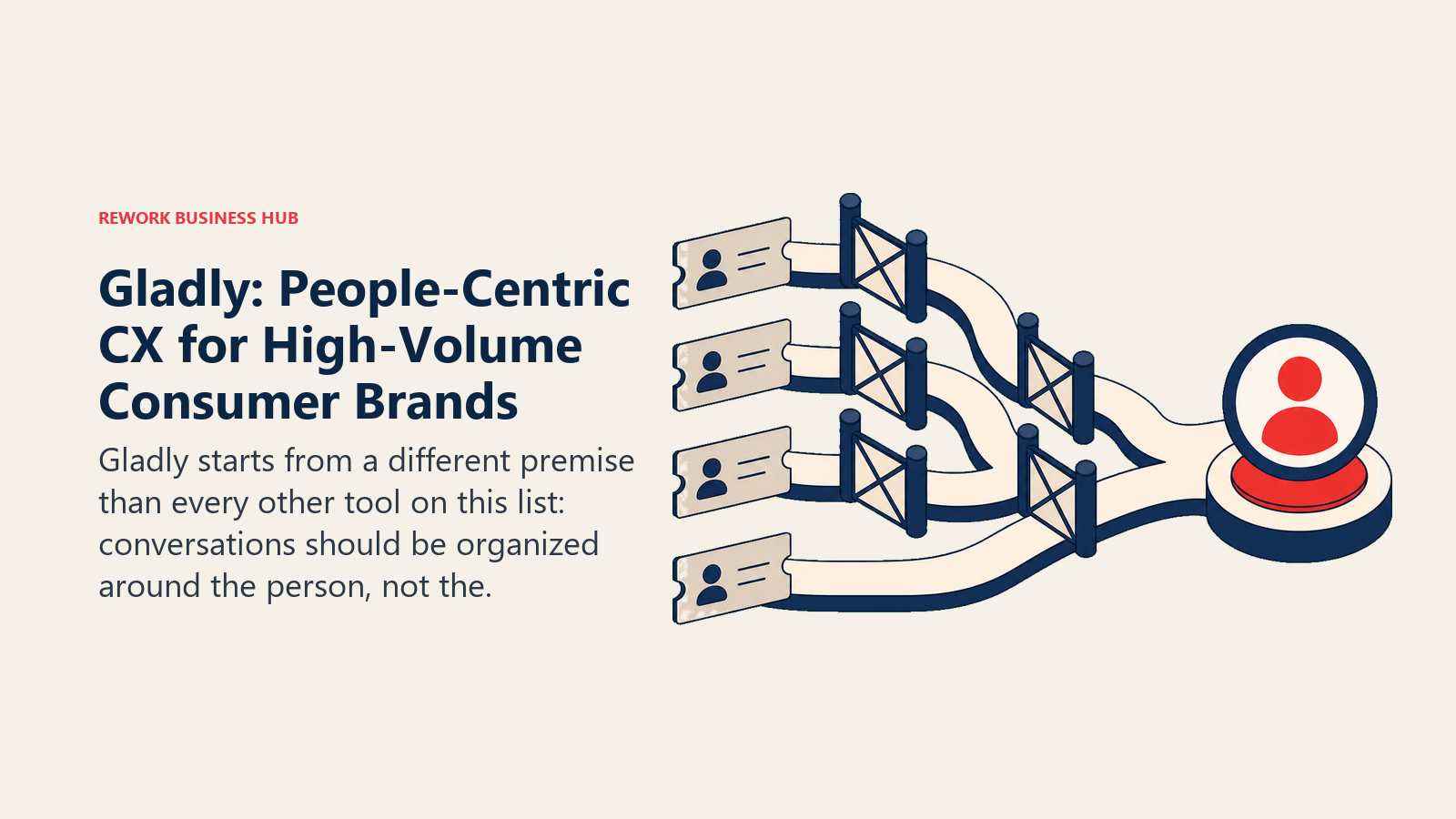
10. Gladly: People-Centric CX for High-Volume Consumer Brands
Gladly starts from a different premise than every other tool on this list: conversations should be organized around the person, not the ticket. Every channel (voice, email, chat, SMS, social, self-service) appears as one continuous lifetime thread per customer. There are no ticket IDs. Agents see the full relationship history regardless of channel or time.
For high-volume consumer brands with 50+ agents, that unified person record resolves a real problem: agents at most helpdesks have to hunt across channels to understand why a customer is calling. At Gladly, the full history is in one place by default. The cost reflects the enterprise positioning: Hero starts at approximately $180 per agent per month with a 10-agent minimum, meaning the true entry cost is around $21,600 per year. The Superhero tier requires 45 agents minimum.
Methodology / Vision: People-centric CX over ticket management. Gladly's thesis is that ticketing systems make agents treat customers as cases rather than relationships, and that the thread-per-person model produces better CX outcomes at scale.
Target Audience: High-volume consumer brands with 50 or more agents. Common in retail, insurance, travel, and subscription consumer businesses with a strong brand-experience mandate.
Sizing Fit: Mid-market to enterprise. Below 50 agents, the pricing doesn't make sense and the features aren't fully utilized.
Stage Fit: Mature to enterprise. Best for companies where CX is a competitive differentiator and the budget reflects that.
Team vs Company-Wide: Support and CX-focused. Not a sales CRM or company-wide platform.
| What you get | What you don't |
|---|---|
| Unified person timeline across every channel (no ticket IDs) | Affordable pricing for small or mid-size teams |
| Voice, email, chat, SMS, social, and self-service in one thread | A traditional ticket queue if your workflows require it |
| Gladly AI for voice and messaging automation | Fast, simple implementation |
| Strong CX analytics and agent performance reporting | A knowledge base or CRM module |
Pricing: Hero plan from approximately $180/agent/mo (minimum 10 agents, ~$21,600/yr minimum); Superhero from approximately $210/agent/mo (minimum 45 agents). Annual contract required. See gladly.com or contact sales for current rates.
Best for: Consumer brands with 50+ agents where a person-centric thread across every channel is a strategic CX decision, not just a feature request.
11. Jira Service Management: ITSM-Grade Helpdesk for IT and Dev Teams
Jira Service Management (JSM) is Atlassian's ITSM platform, and it's the tool most Zoho Desk teams should look at when the driving need is internal IT support rather than external customer support. JSM connects natively to Jira Software and Confluence, meaning change requests link to Jira epics, incidents trace to deployment history, and knowledge base articles pull from Confluence. For IT, DevOps, or engineering-adjacent teams running a service desk, that integration is worth a significant amount.
For external customer support, JSM is usually overkill. It's built for change management, incident management, problem management, and CMDB, not for handling customer complaints about a SaaS product. Teams that are predominantly handling internal IT tickets, HR service requests, or DevOps change approvals will get far more out of JSM than teams running customer-facing helpdesks.
Methodology / Vision: ITSM as a service platform. Atlassian's bet is that IT service management should be as connected to development workflows as Jira itself, turning IT from a cost center into a tracked, measurable service delivery function.
Target Audience: IT teams, DevOps, and operations teams within companies of any size that run Jira. Also used in HR and facilities management as an internal service desk.
Sizing Fit: Works from small IT teams through Fortune 500. Volume discounts make the per-agent cost competitive at scale.
Stage Fit: Any stage where there's a formal IT function. Not stage-dependent; purpose-dependent.
Team vs Company-Wide: IT-centric and internal-facing. External customer support teams will find JSM mismatched to their use case.
| What you get | What you don't |
|---|---|
| Native Jira and Confluence integration | A tool designed for external customer support |
| ITSM workflows: incident, change, problem management | Simple onboarding for non-technical support agents |
| Assets (CMDB) module on Premium tier | Native multi-channel inbox (chat, WhatsApp, social) |
| Strong reporting and SLA management | Affordable pricing without volume discounts at small sizes |
Pricing: Free (up to 3 agents); Standard from $20/agent/mo; Premium from approximately $51/agent/mo; Enterprise custom. Volume discounts apply at 10+ agents. See atlassian.com/software/jira/service-management/pricing.
Best for: IT, DevOps, and internal service desk teams that run Jira and want ITSM-grade workflows connected to their development toolchain.
Channel Coverage Comparison
| Channel | Zendesk | Freshdesk | Rework | Intercom | Front | Hiver |
|---|---|---|---|---|---|---|
| Native | Native | Separate Mail app | Native | Native | Native | |
| Live chat | Native | Native | Native | Native | Native | Limited |
| Add-on | Freshdesk Omni | Native | Add-on | Native (Pro+) | Not supported | |
| Messenger | Add-on | Freshdesk Omni | Native | Native | Native | Not supported |
| Instagram DM | Add-on | Freshdesk Omni | Native | Native | Native | Not supported |
| SMS | Add-on | Add-on | Not supported | Add-on | Native (Pro+) | Not supported |
| Voice/Phone | Native | Native | Not in the inbox | Add-on | Add-on | Not supported |
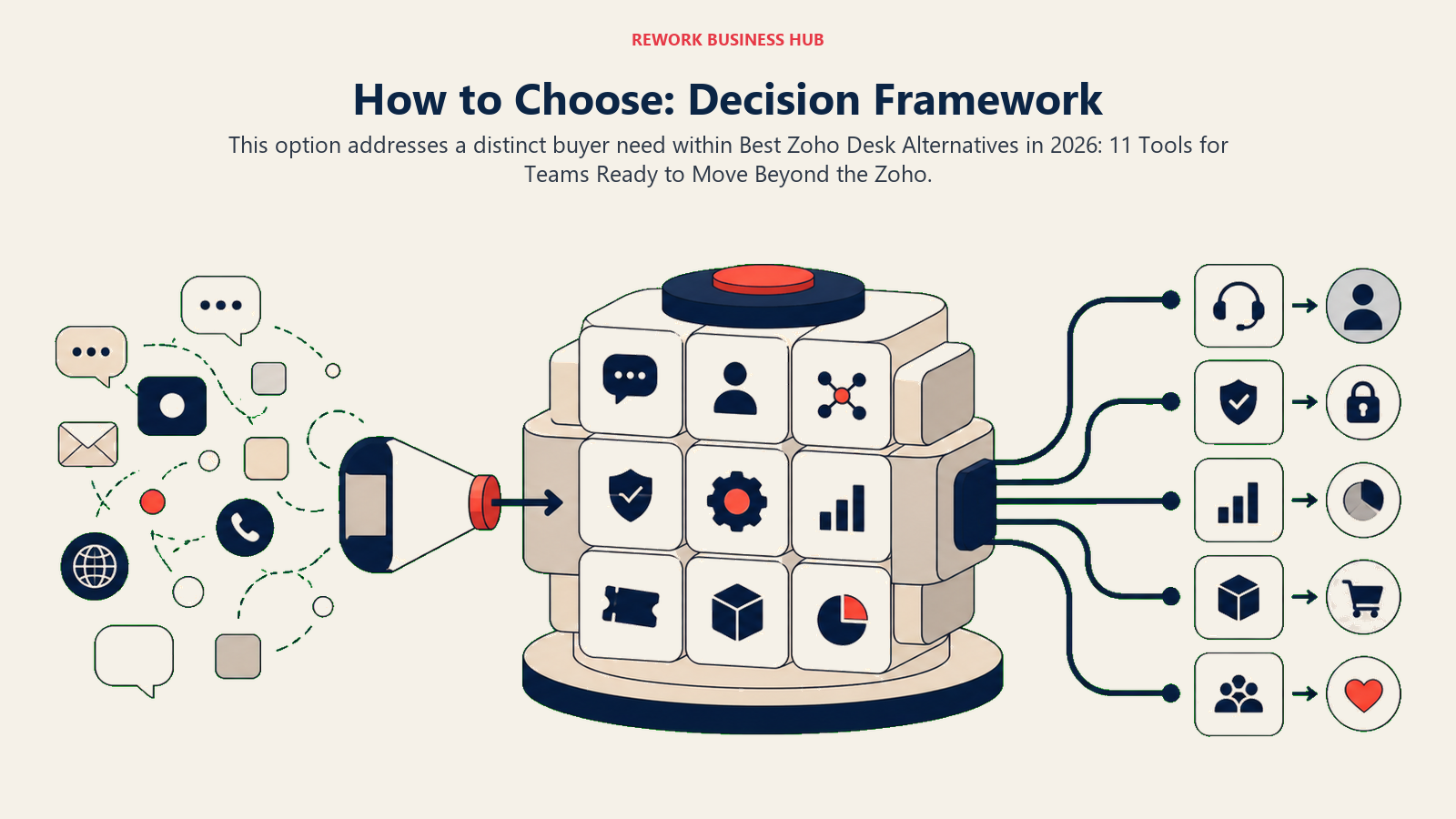
How to Choose: Decision Framework
| If your team needs... | Best pick |
|---|---|
| The deepest ticketing infrastructure with 1,200+ integrations | Zendesk |
| Full helpdesk features at lower cost than Zoho Desk Professional | Freshdesk |
| Support and sales conversations on one CRM timeline | Rework |
| Simple email-first support with a clean knowledge base | Help Scout |
| AI-first conversational support and in-app messaging | Intercom |
| Collaborative shared inbox with internal notes and multi-channel | Front |
| Support integrated with an existing HubSpot CRM investment | HubSpot Service Hub |
| Helpdesk features without leaving Gmail (Google Workspace teams) | Hiver |
| Order-native support automation for Shopify or WooCommerce brands | Gorgias |
| Person-centric thread model for 50+ agents in consumer CX | Gladly |
| ITSM workflows connected to Jira and Confluence for internal IT | Jira Service Management |
Frequently Asked Questions
What is the best Zoho Desk alternative for teams not using the Zoho ecosystem?
For teams outside the Zoho ecosystem, Freshdesk is the most direct replacement: it offers comparable helpdesk features (SLA management, automation, knowledge base, Freddy AI) starting at $15 per agent per month on annual billing, with no dependency on other Zoho products. For teams that also need support and sales on the same contact record, Rework is the better fit if your team size falls between 20 and 500 employees.
Why do teams leave Zoho Desk?
The most common reasons are: agents not already inside the Zoho ecosystem find the UI complex and the onboarding slow; integration depth outside Zoho's own apps is limited compared to Zendesk or Freshdesk; teams wanting support and sales on the same customer timeline need a different product category; and teams looking for AI-native workflows (not Zia AI retrofitted into a traditional queue) find better options in Intercom or Freshdesk.
How does Zoho Desk pricing compare to its alternatives in 2026?
Zoho Desk Standard is $14 per agent per month, Professional is $23, and Enterprise is $40, making it one of the more affordable options in this list. Freshdesk Growth ($15/agent/mo) is the closest price match with comparable features. Help Scout Standard ($25/user/mo) and Front Starter ($25/seat/mo) are modestly more expensive. Zendesk Suite Team ($55/agent/mo) and Intercom Essential ($29/seat/mo annual) are materially higher. Gladly is enterprise-only at approximately $180/agent/mo.
Is Freshdesk a good direct replacement for Zoho Desk?
Yes, for most teams. Freshdesk covers SLA management, automation rules, canned responses, a knowledge base, and CSAT out of the box, and the Growth plan at $15 per agent per month is close to Zoho Desk Standard pricing. The main differences: Freshdesk's Freddy AI is more capable than Zia at the base tier, and Freshdesk has a wider third-party integration library. But Freshdesk Omni (needed for full omnichannel) starts at $29 per agent per month, so teams that need WhatsApp and social channels should factor that in.
Which Zoho Desk alternative is best for small teams under 20 agents?
Help Scout (from $25/user/mo) and Hiver (from $24/user/mo for Google Workspace teams) are the simplest and fastest to set up for small teams. Freshdesk's free tier (up to 10 agents) is useful for very early-stage teams. For small teams where support and sales overlap, Rework's Revenue Engine at $159/month billed yearly (5 marketing + 5 sales seats) covers both without requiring two separate tools.
Is Gorgias a good replacement for Zoho Desk for e-commerce brands?
Yes, for Shopify or WooCommerce brands. Gorgias' native order management integrations mean agents can issue refunds, cancel orders, and check shipping status without leaving the support inbox, which Zoho Desk doesn't offer natively. But the ticket-based pricing model means cost predictability requires careful modeling, especially for brands with seasonal volume spikes. Teams with high monthly ticket volumes (5,000+) should compare Gorgias' per-ticket total against Freshdesk or Zendesk's per-agent pricing.
What Zoho Desk alternative is best for teams that need ITSM features?
Jira Service Management is the clear choice for IT and DevOps teams. It offers incident management, change management, problem management, and a CMDB (Assets module on Premium), all connected natively to Jira Software and Confluence. Standard starts at $20 per agent per month. For external customer support, JSM is usually the wrong tool; Freshdesk or Zendesk fit that use case better.
What to Do Next
Pick the two tools from the decision framework that match your specific reason for leaving Zoho Desk, then run a two-week pilot with 3 to 5 agents from the team that will actually use it daily. Don't evaluate in a sandbox. Load real tickets, run real customer conversations, and see which tool your agents open without being asked.
If you're leaving Zoho Desk because support and sales keep working from separate systems, start with Rework. If you're leaving because agents find the UI difficult and you need full helpdesk features at a competitive price, start with Freshdesk. If you're leaving because you need deeper enterprise ticketing with a large integration ecosystem, Zendesk is the right call.
Most tools on this list offer free trials. There's no reason to make this decision based on a demo alone.

On this page
- Quick Comparison Table
- Stage Fit Matrix
- Sizing and Persona Table
- 1. Zendesk: Best-in-Class Ticketing for Mid-Market and Enterprise
- 2. Freshdesk: Affordable Helpdesk with Freddy AI
- 3. Rework: Unified CRM + Multi-Channel Inbox (Support and Sales in One Timeline)
- 4. Help Scout: Email-First Simplicity for Small CS Teams
- 5. Intercom: Conversational Support with AI at the Center
- 6. Front: Shared Inbox for High-Volume Collaborative Teams
- 7. HubSpot Service Hub: Support Inside the HubSpot Ecosystem
- 8. Hiver: Gmail-Native Helpdesk That Stays in Your Inbox
- 9. Gorgias: E-Commerce Support on Shopify and WooCommerce
- 10. Gladly: People-Centric CX for High-Volume Consumer Brands
- 11. Jira Service Management: ITSM-Grade Helpdesk for IT and Dev Teams
- Channel Coverage Comparison
- How to Choose: Decision Framework
- Frequently Asked Questions
- What is the best Zoho Desk alternative for teams not using the Zoho ecosystem?
- Why do teams leave Zoho Desk?
- How does Zoho Desk pricing compare to its alternatives in 2026?
- Is Freshdesk a good direct replacement for Zoho Desk?
- Which Zoho Desk alternative is best for small teams under 20 agents?
- Is Gorgias a good replacement for Zoho Desk for e-commerce brands?
- What Zoho Desk alternative is best for teams that need ITSM features?
- What to Do Next