Best Email Finder Tools in 2026: 14 Tools Compared on Accuracy, Credit Cost and Compliance
Turn this article into takeaways for your work.


Each assistant summarizes the article only for you and suggests best practices for your work.
The best email finder tool is the one whose credit model matches how you prospect and whose verification step keeps bounces low enough to protect your sending domain. Hunter and Snov.io are the cheapest places to start for domain-based searches, Findymail and Prospeo charge only for verified results, FullEnrich stacks several data sources in a waterfall, and Apollo.io, Lusha and ContactOut fit teams that also want phone numbers or a LinkedIn-style workflow.
This page is narrower than a full sales intelligence roundup. It covers one job: finding and checking work email addresses for outbound. If you're comparing whole data platforms with firmographics, intent and technographics, start with the best sales intelligence tools hub. If you need a LinkedIn-first workflow, see the LinkedIn contact finder roundup. Here we compare 14 tools on find rate, built-in verification, catch-all handling, how credits are spent, and the compliance rules that decide whether a list is safe to use.
Why it matters more than it looks: Salesforce's State of Sales research found reps spend almost one full day of their workweek on prospecting, and a bad email list turns that day into bounces, a damaged domain and a spam folder.
Key Facts
- Reps spend 40% of the workweek selling and 60% on everything else, per Salesforce's State of Sales report (4,050 sales professionals, 22 countries).
- 46% of sales pros using agents say data quality issues hurt their sales, with manual errors and duplicate data the top causes listed in the same report.
- Gmail requires senders of more than 5,000 messages a day to keep spam rates below 0.30%, with DMARC and one-click unsubscribe in place since 1 February 2024.
- Median job tenure was 4.1 years in January 2026 per the BLS, and total separations ran at 3.2 percent of employment in August per JOLTS. People move, so an email list ages every month.
- France's data regulator fined Kaspr EUR 240,000 in December 2024 for collecting LinkedIn members' contact details without meeting transparency and lawful-basis rules.
Quick Comparison Table
| Tool | Best For | Starting Price | Key Strength | Key Limitation |
|---|---|---|---|---|
| Hunter | Domain-based searches and small teams | Free (50 credits/mo); Starter $49/mo or $34/mo billed annually | Cheap finds, 0.5-credit verification, unlimited users | Credits reset monthly, no rollover |
| Snov.io | Finder plus drip campaigns on one bill | $39/mo monthly or $29.25/mo billed annually | Flat pricing, unlimited seats, LinkedIn tools | Credits expire after 30 days unless you renew or go annual |
| Voila Norbert | Lead-based plans with rollover | $49/mo monthly or $39/mo billed annually | Only successful finds use a credit, credits roll over | No published accuracy claim |
| Findymail | Teams that want charges only for verified emails | Individual $99/mo | Bounce guarantee claim, verified-only billing | No annual price published, no free-forever tier |
| Prospeo | Verified emails plus mobiles at low entry cost | Free (100 credits/mo); Starter $49/mo per user | Large free tier, 98% accuracy claim | Credits do not roll over |
| FullEnrich | Waterfall coverage across 25+ sources | Pro from $29/mo for 500 credits | Highest hit rate claim, pay only on found and verified | Credit price rises sharply for mobiles |
| Skrapp.io | Budget email finding with clear result labels | Professional $29/mo billed annually | Invalid and Unknown results are free | Smaller plan ladder, no phone numbers |
| Apollo.io | Teams that want database, finder and sequencer together | Free; Basic $49/seat/mo billed annually | Email costs 1 credit, big free pool | Phone costs 8 credits, credits pooled with no rollover |
| RocketReach | Mixed email and phone lookups | Essentials $49/mo monthly; from $399/yr (US list) annual | Charged only when a verified contact is found | Exports and lookups are separate meters |
| Lusha | Browser-extension prospecting with phone data | Free (40 credits/mo); Starter $37.45/mo billed annually | Flat plan price with seats bundled | Phone costs 5 credits, annual credits reset at year end |
| ContactOut | LinkedIn-sourced personal and work emails | Email plan $49/mo monthly | Unlimited emails on paid plans (fair use) | Single seat per paid plan |
| Kaspr | European B2B contacts with phone | Starter EUR 45/user/mo billed annually | Unlimited B2B email, rollover on paid plans | Regulatory history, 100 phone credits/mo on Starter |
| UpLead | Verified-contact lists with a stated accuracy claim | Essentials $99/mo monthly or $74/mo billed annually | 95% accuracy claim, email and mobile in one credit | Single-user plans, small credit counts |
| SignalHire | Unlimited-users credit sharing | Email plans $49/mo monthly | Charged only when an email or phone is returned | Unlimited plans carry a 2,000-credit monthly cap |
How We Picked These 14 Tools
Every tool here does one thing at its core: given a name and a company or domain, return a work email address. We left out full data platforms (ZoomInfo, Cognism, Seamless.AI) because they sell on quote and compete on a different job; they're covered in the B2B data providers roundup and the ZoomInfo alternatives guide. We also left out pure enrichment engines that start from a CRM record, which live in the data enrichment tools roundup.
We scored each tool on five questions:
- Does it find addresses from a name plus domain, a LinkedIn profile, or both?
- Does it verify the address before charging you, and what does it do with catch-all and unknown results?
- How does the credit model charge you for a find versus a verification?
- What does the free tier actually give you?
- What does the vendor say about GDPR, CCPA and phone-number rules?
What an Email Finder Does (and Why Verification Is the Real Product)
An email finder guesses and confirms. It tries the common patterns for a domain (first.last, flast, first), checks them against a mix of public web data, its own database and an SMTP-style handshake, and returns the best candidate with a confidence label. The label matters more than the address.
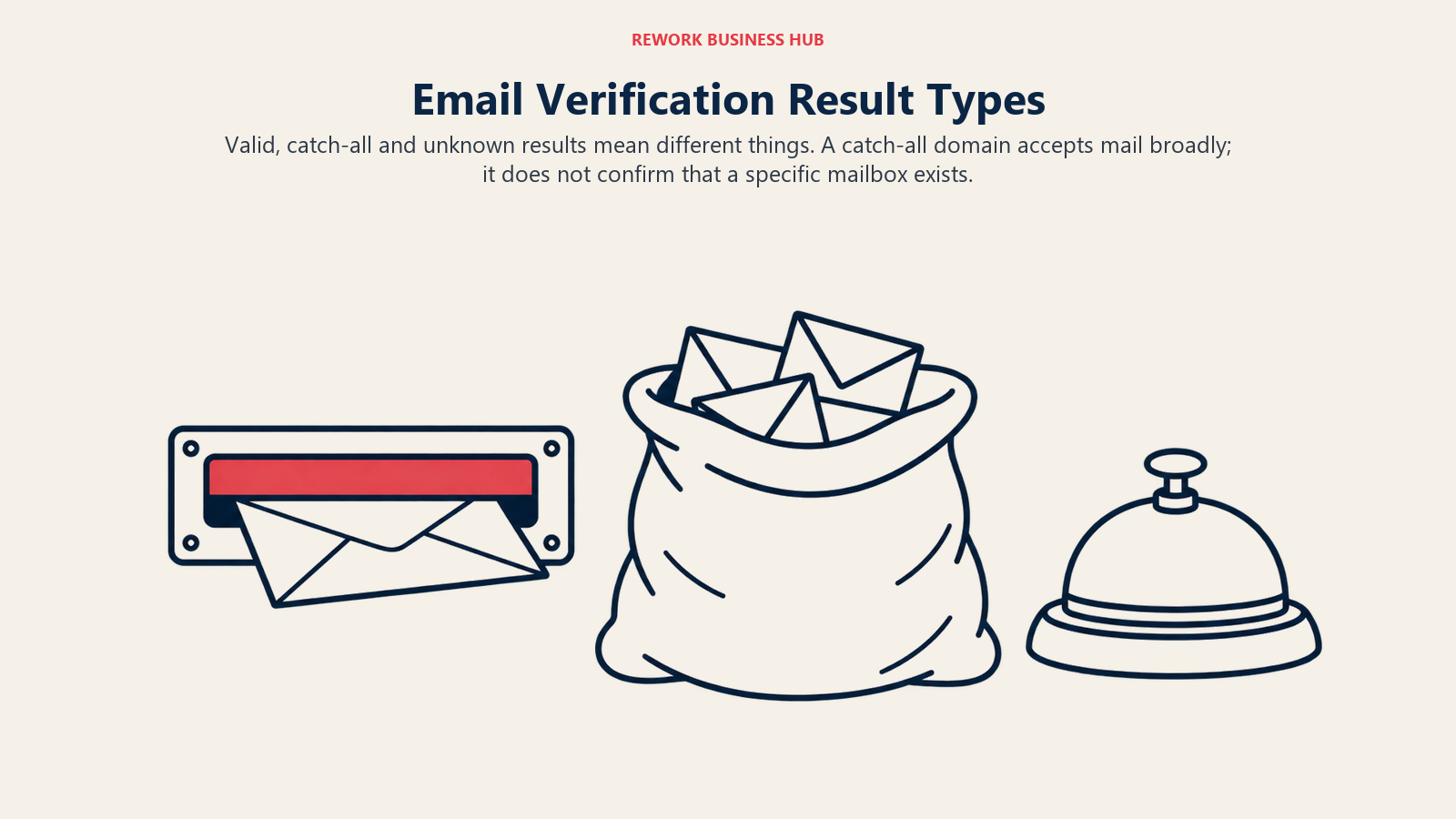
Three results cause most of the pain:
- Valid: the mail server accepted the address. Safe to send.
- Catch-all: the domain accepts mail for any address, so a handshake proves nothing. These are the addresses most likely to bounce later.
- Unknown: the server didn't answer clearly (greylisting, timeouts, blocked probes). Treat as unconfirmed.
A good tool tells you which bucket each result sits in, charges you less (or nothing) for the weak buckets, and lets you export only the strong ones. A weak tool hands you a flat list and a "98% accurate" badge.
If you want the deeper picture of what happens to a record after you find it, our guide to lead data enrichment covers how finding, verifying and enriching fit together.
1. Hunter: the default starting point for domain searches
Hunter is the tool most people try first, and for good reason. Type a domain, get the addresses it has indexed, and see a confidence score on each. Hunter says it indexes 150 million professional email addresses drawn from 650 million public sources and crawls 30 million web pages a day. Teams that have outgrown it can compare Hunter.io alternatives.

Pricing: Pricing is flat per account with unlimited users on every plan, and annual billing saves 30%.
| Plan | Monthly billing | Annual billing | Credits |
|---|---|---|---|
| Free | $0 | n/a | 50/month, 1 connected email account |
| Starter | $49/mo | $34/mo billed $408/yr | 2,000/mo (24,000/yr upfront) |
| Growth | $149/mo | $104/mo billed $1,248/yr | 10,000/mo (120,000/yr) |
| Scale | $299/mo | $209/mo billed $2,508/yr | 25,000/mo (300,000/yr) |
| Enterprise | Custom | Custom | Custom |
Source: Hunter pricing.
The credit model is the cleanest in the category: finding an email costs 1 credit and verifying one costs 0.5, so a verify-everything workflow roughly doubles your effective capacity compared with tools that charge full price for both. Monthly credits reset with no rollover; annual plans get the year's credits upfront.
Hunter also sells API-only bulk credits through its Data Platform; the vendor's own example is $6,500 for 1,000 search credits plus 200,000 verification credits, valid 12 months.
| Pros | Cons |
|---|---|
| Verification costs half a credit | Monthly credits don't roll over |
| Unlimited users on every plan | Free plan connects only 1 email account |
| Transparent plan ladder and annual saving | No SOC 2 or ISO claim on its security page |
Best for: founders, agencies and small SDR teams who start from a target company list and want a cheap, predictable meter.
Not ideal for: teams that need phone numbers or want to search by job title across thousands of accounts.
2. Snov.io: finder, verifier and drip sender on one flat bill
Snov.io bundles an email finder, a verifier and a sequencing tool, and prices the whole bundle per account with unlimited team seats. One credit buys one prospect, one email search or one verification, so finds and checks cost the same.

| Plan | Monthly | Annual (per month) | Credits | Recipients |
|---|---|---|---|---|
| Trial (free) | $0 | n/a | 50 | 100 |
| Starter | $39 | $29.25 | 1,000 | 5,000 |
| Pro S | $99 | $74.25 | 5,000 | 25,000 |
| Pro M | $189 | $141.75 | 20,000 | n/a on page |
| Pro L | $369 | $276.75 | 50,000 | n/a on page |
| Ultra | $738 | $553.50 | 100,000 | n/a on page |
| Custom Ultra | Contact sales | Contact sales | From 200,000, with rollover | n/a |
Source: Snov.io pricing. Annual billing is 25% off; a three-month term is 5% off. Unused credits expire after 30 days unless you're on an annual plan or have plan renewal enabled, and recipient allowances don't roll over. LinkedIn automation slots cost an extra $69/mo each.
The free trial never expires, renews monthly and includes 50 credits, 100 recipients, 25 enrichment tokens and one warm-up slot, but it blocks bulk actions, export, API and integrations.
Snov.io claims a 98% accuracy rate for its verifier. It also says it holds "500M+ verified contacts" while its B2B database page refers to over 50 million leads, so treat database-size marketing with caution and judge the product on a bounce test.
| Pros | Cons |
|---|---|
| Finder, verifier and sequencer in one account | Vendor database-size claims are inconsistent |
| Unlimited seats, flat price | Credits expire unless you renew or pay annually |
| Never-expiring free trial | Free tier locks export and API |
Best for: small outbound teams that want one login for find, verify and send.
Not ideal for: teams that already run a separate sequencer and just need clean data.
3. Voila Norbert: pay only for successful finds
Voila Norbert sells lead-based plans where only a successful find consumes a credit. Plans include unlimited team members, bulk and API access, and credit rollover on every tier.
| Plan | Leads | Monthly | Billed annually (per month) |
|---|---|---|---|
| Valet | 1,000 | $49 | $39 |
| Butler | 5,000 | $99 | $79 |
| Advisor | 15,000 | $249 | $199 |
| Counselor | 50,000 | $499 | $399 |
Source: Voila Norbert pricing. New accounts get 50 free credits.
Two details stand out. Rollover on every plan removes the "use it or lose it" pressure that nudges teams to burn credits on weak targets. And pay-as-you-go pricing exists for pure verification at $0.003 per email (up to 500,000) and enrichment at $0.04 per email (up to 2,000), which makes it a cheap way to clean an existing list. A sequencing add-on runs from $19/mo (Starter) to $99/mo (Scale) per user.
The pricing page makes no accuracy claim, no database-size claim and no GDPR statement; only a CCPA link appears in the footer. If compliance paperwork is part of your buying process, ask for a data processing agreement before you sign.
| Pros | Cons |
|---|---|
| Rollover on every plan | No accuracy claim published |
| Cheap pay-as-you-go verification | No GDPR statement on the pricing page |
| Unlimited team members | Plan credits in "leads", not clearly split by finds and checks |
Best for: teams that prospect in bursts and hate losing credits at month end.
Not ideal for: EU-heavy lists where you need vendor GDPR documentation up front.
4. Findymail: verified-only billing with a bounce guarantee
Findymail charges only for verified results, and says so directly. The vendor states a "guaranteed" bounce rate under 5%, with credits refunded if it's exceeded. That's a vendor claim, so read the terms for what counts and how to claim.

| Plan | Price | Seats |
|---|---|---|
| Individual | $99/mo | 1 |
| Team | $399/mo | 5 |
| Scale | $999/mo | 20 |
| Enterprise | Custom | Custom |
Source: Findymail pricing. Prices are listed monthly. Findymail offers annual billing with "2 Months Free", so ask the vendor for the annual figure. The Starter credit plan is $99/mo billed monthly for 5,000 Finder and 5,000 Verifier credits.
An email costs 1 credit and a phone number costs 10. Credits roll over up to 2x the monthly allowance. A free account includes 10 credits and no card. Findymail also sells Datacare CRM enrichment from $500/mo, billed annually.
On compliance, the vendor states SOC 2 Type 2, GDPR compliance and EU hosting. Its mobile finder covers non-EU numbers only, which is a deliberate limit worth knowing if you sell into Europe.
| Pros | Cons |
|---|---|
| Charged only for verified results | Entry price of $99/mo is the highest of the finder-first tools |
| Bounce-rate guarantee claim with refund | No annual price published |
| Rollover up to 2x monthly allowance | Mobile finder excludes EU numbers |
Best for: teams where a bounced email costs more than the credit, such as high-volume cold email on new domains.
Not ideal for: small budgets or occasional prospectors.
5. Prospeo: biggest free tier among the finder-first tools
Prospeo gives you 100 free credits a month, more than any other dedicated finder on this list. It prices per user and says it holds more than 300 million profiles, 125 million verified mobiles and a 98% accuracy rate, with data refreshed on a roughly 30-day cycle (vendor data page).
| Plan | Monthly | Billed annually (per month) | Credits |
|---|---|---|---|
| Free | $0 | n/a | 100/mo |
| Starter | $49 | $37 ($441/yr) | 2,000/mo or 24,000/yr |
| Growth | $99 | $74 ($888/yr) | 5,000/mo or 60,000/yr |
| Pro | $249 | $187 ($2,241/yr) | 15,000/mo or 180,000/yr |
Source: Prospeo pricing. Annual is 25% off. One verified email costs 1 credit and one mobile costs 10. Credits don't roll over, and add-on packs start at 1,000 credits for $10. The pricing page shows a GDPR badge.
| Pros | Cons |
|---|---|
| 100 free credits every month | Credits don't roll over |
| Verified email billed at 1 credit | Per-user pricing adds up for teams |
| Mobile numbers available | Accuracy figures are vendor claims |
Best for: SDRs who want a real free tier to test find rates before paying.
Not ideal for: teams that need rollover or pooled seats.
6. FullEnrich: waterfall across 25+ sources
FullEnrich doesn't hold its own contact database. It sends each request to a waterfall of more than 25 providers and returns the first verified match. The vendor reports an average find rate near 80% and says verification strips roughly 30% of raw data (FullEnrich pricing). Those are vendor claims; run your own test.
Credits are charged only when a contact is found and verified: work email costs 1, personal email 3, mobile 10 and profile data 0.25 standalone. Landlines are free.
| Pro plan (monthly) | Price |
|---|---|
| 500 credits | $29 |
| 1,000 credits | $55 |
| 2,000 credits | $104 |
| 5,000 credits | $255 |
| 10,000 credits | $499 |
| 25,000 credits | $1,150 |
| 100,000 credits | $3,500 |
Annual plans are roughly 10% cheaper with credits granted per year (6,000 credits/yr at $26/mo, $312/yr; 12,000/yr at $49/mo, $588/yr). Credits roll over for 3 months on monthly plans and 12 months on annual ones, every plan includes unlimited users, and the free trial is 50 credits with no card. The vendor lists GDPR, CCPA and SOC 2 Type II.
| Pros | Cons |
|---|---|
| Waterfall raises hit rates | Vendor find-rate claim is self-reported |
| Pay only for found and verified | Mobiles cost 10 credits each |
| Rollover and unlimited users | No standalone database to browse |
Best for: teams whose first-pass finder leaves too many gaps and who will pay for a second source.
Not ideal for: budget teams that only need a few hundred domain-pattern finds.
7. Skrapp.io: simple email finding with free Invalid and Unknown results
Skrapp.io is a low-cost finder with a clear result model. It charges 1 credit per Valid or Catch-all email, or per single verification; Invalid and Unknown results are free. Paid plans roll credits over and share them across the team.
| Plan | Price | Credits | Users |
|---|---|---|---|
| Free | $0 | 50 | 1 |
| Professional | $29/mo billed annually | 2,000/mo | 2 |
| Enterprise | $262/mo billed annually | 50,000/mo | 15, with API and SSO |
Source: Skrapp.io pricing. Annual billing saves 25%; confirm the exact month-to-month price with the vendor. Skrapp links a GDPR page and a DPA, though the pricing page itself makes no compliance claim.
Charging for Catch-all emails is a point to weigh: you pay for an address the server can't confirm.
| Pros | Cons |
|---|---|
| Invalid and Unknown results are free | Catch-all emails are charged |
| Rollover and team credit pool | Only two paid tiers |
| Low entry price | No phone data |
Best for: budget email finding where you want to see the Valid, Catch-all, Invalid and Unknown labels.
Not ideal for: teams that need phone numbers or large database search.
8. Apollo.io: database, finder and sequencer in one
Apollo.io is the closest thing to an all-in-one in this list. It says it holds 240M+ contacts and 30M+ companies with a 98% email accuracy claim, and it adds sequences, a dialer and a CRM-style workspace. For a deeper look at the platform and its rivals, see the Apollo alternatives guide.
| Plan | Annual (per seat/mo) | Monthly (per seat/mo) | Credits |
|---|---|---|---|
| Free | $0 | $0 | 900/seat/yr, granted monthly (75/mo) |
| Basic | $49 | $65 | 30,000/seat/yr annual; 2,500/seat/mo monthly |
| Professional | $79 | $99 | 48,000/seat/yr annual; 4,000/seat/mo monthly |
| Organization | $119, min 3 seats | Annual only | 72,000/seat/yr annual; 6,000/seat/mo |
Source: Apollo.io pricing. Annual billing is 24% off. An email costs 1 credit and a phone number costs 8. Credits are pooled across the team and don't roll over, including add-on credits. "Unlimited" features sit under a fair use policy with no numeric cap published. The trial is 14 days with 75 credits, after which accounts fall to the free plan.
On compliance, Apollo states GDPR compliance on a legitimate-interest basis, SOC 2 Type II and ISO 27001. Its data page makes no CCPA or do-not-call statement, so confirm those if you sell by phone.
| Pros | Cons |
|---|---|
| Free plan includes finder, 2 sequences and a CRM enrichment allowance | Free credits are a small yearly pool |
| 1-credit email, one credit pool for everything | Credits don't roll over |
| Database, finder and sequencer in one tool | No CCPA or DNC statement on the data page |
Best for: teams that want finding and sending in one workspace and can live with one shared credit pool.
Not ideal for: teams that want a stand-alone finder with a bounce guarantee.
9. RocketReach: pay only when a verified contact is found
RocketReach charges a lookup only when it returns a verified email or phone; otherwise the lookup is refunded. It says it covers 700 million professionals and 60 million companies with 98% accuracy.
| Plan | Monthly billing | Annual billing (US list) | Monthly lookups | Annual exports |
|---|---|---|---|---|
| Essentials | $49/mo | $399/yr | 100 | 1,200/yr |
| Pro | $99/mo | $899/yr | 250 | 3,600/yr |
| Ultimate | $209/mo | $1,699/yr | 1,000 | 20,000/yr |
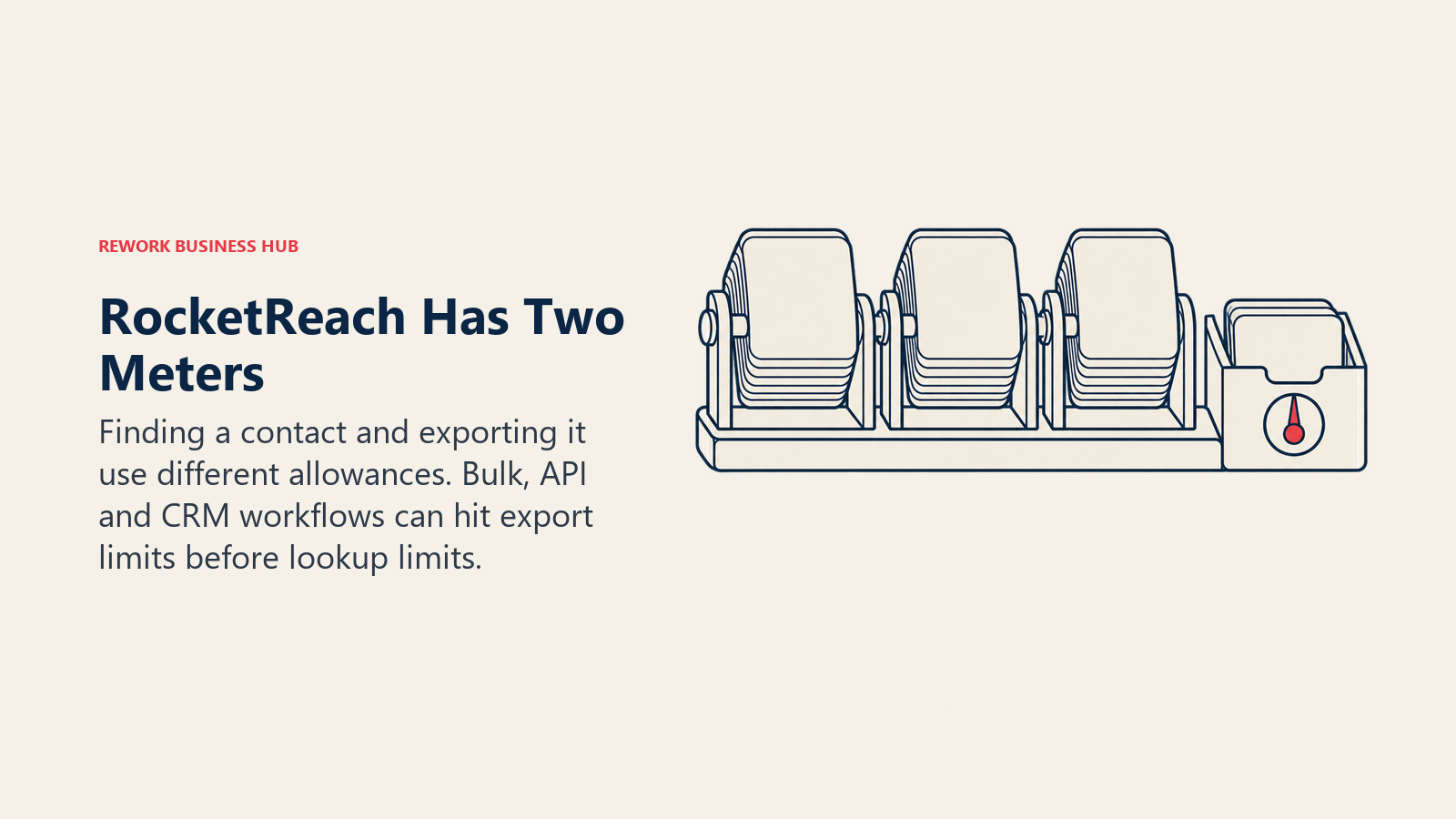
Source: RocketReach pricing. Pricing is per seat, and annual prices vary by region, so check the figure shown for your country. Annual plans advertise "unlimited" lookups under a 10,000 lookups per month fair use cap; Essentials returns email only, while Pro and Ultimate include phone. API lookups, bulk lookups, CSV and CRM pushes consume exports, not lookups, so a team that relies on bulk and API workflows will hit the export limit first. A free account includes 5 lookups, and team plans start at $6,000 a year.
RocketReach lists SOC 2 Type II and ISO 27001 on its security page.
| Pros | Cons |
|---|---|
| Charged only for verified results | Exports are a second meter |
| Email and phone on Pro and above | Annual price varies by region |
| Security certifications listed | Monthly plans cap lookups at 100 to 1,000 |
Best for: teams that mix email and phone lookups and want refunds on misses.
Not ideal for: API-heavy or bulk-list workflows.
10. Lusha: flat plan prices with seats bundled
Lusha prices by plan, not by seat, and bundles seats into each tier. It says it holds 165 million verified emails and claims 98% email accuracy and 85% (US) or 86% (global) phone accuracy.
| Plan | Monthly | Annual (per month) | Credits | Seats |
|---|---|---|---|---|
| Free | $0 | n/a | 40/mo | 1 |
| Starter | $49.90 | $37.45 ($449.10/yr) | 400/mo or 4,800/yr | 1 |
| Pro | $69.90 | $52.45 ($629.10/yr) | 600/mo or 7,200/yr | 2 |
| Premium | $399.90 | $299.95 ($3,599.10/yr) | 3,400/mo or 40,800/yr | 5 |
| Scale | Custom | Custom | Custom | Custom |
Source: Lusha pricing. An email costs 1 credit and a phone number costs 5; a CSV or CRM export costs 1 credit per 1 to 25 results. Monthly plans roll over up to 2x the monthly cap, while annual credits arrive upfront and reset at year end. The vendor lists GDPR (ePrivacyseal), CCPA (TrustArc) and SOC 2 Type II, and its plan comparison includes a do-not-call list row.
| Pros | Cons |
|---|---|
| Seats bundled into the plan price | Phone costs 5 credits |
| Free plan for light use | Annual credits reset at year end |
| GDPR and CCPA certifications listed | More than 5 users goes to sales |
Best for: small teams that prospect from LinkedIn and want email and phone behind an extension.
Not ideal for: list-building at volume.
11. ContactOut: personal and work emails from LinkedIn profiles
ContactOut says it holds 800 million profiles with 150 million personal emails and 200 million work emails (vendor data page), claims "99% accuracy" and calls its emails "triple verified". The pricing page quotes a smaller profile count than the data page, so don't rely on the headline number. For other LinkedIn-first options, see the ContactOut alternatives.
| Plan | Monthly billing | Annual billing | Export allowance |
|---|---|---|---|
| Free | $0 | n/a | 5 emails, 5 phones, 5 exports per day |
| $49/mo | $468/yr | 300/mo or 3,600/yr | |
| Email + Phone | $99/mo | $948/yr | 600/mo or 7,200/yr |
Source: ContactOut pricing. The email plan is unlimited emails with no phones; Email + Phone adds unlimited phones. An "Exclude US/UK data" option halves the price (Email $25/mo monthly). Paid plans carry a "1 user per company limit". The terms cap "unlimited" at 2,000 email credits and 1,000 phone credits per account per month.
Personal email addresses are the compliance pressure point: under GDPR, a private address isn't the same as a role-based work address, and the lawful basis for contacting it needs more care. ContactOut lists CCPA, GDPR and SOC 2.
| Pros | Cons |
|---|---|
| Unlimited emails on paid plans (fair use) | Single seat per paid plan |
| Personal and work addresses | Personal emails raise compliance questions |
| Daily free allowance | Profile-count claims are inconsistent |
Best for: recruiters and solo sellers who work from LinkedIn.
Not ideal for: teams that need multiple seats.
12. Kaspr: unlimited B2B email, European focus, regulatory history
Kaspr is a Cognism-owned product (acquired in 2022) with a European contact focus: the vendor says it holds 200 million+ European B2B contacts from 120+ sources, re-validated every two months, with no accuracy percentage.
| Plan | Annual (per user/mo) | Monthly (per user/mo) | Allowance |
|---|---|---|---|
| Free | EUR 0 | EUR 0 | 15 B2B email, 5 phone, 5 direct email credits per month |
| Starter | EUR 45 | EUR 59 | Unlimited B2B email, 100 phone/mo, 5 direct email/mo |
| Business | EUR 79 | EUR 99 | Unlimited B2B email, 200 phone and 200 direct email/mo |
| Organization | Annual only, 5 user minimum | n/a | 24,000 phone, 24,000 direct email, 120,000 exports |
Source: Kaspr pricing. USD list prices are $49 and $65 (Starter), $79 and $99 (Business). The vendor's own comparison table lists a different free-tier credit count, so confirm the free allowance in the app. Credits roll over on paid plans and are shared across users. "Unlimited" is capped at 10,000 credits per account per month.
The regulatory history is the buying signal. In December 2024 the CNIL fined Kaspr EUR 240,000 for collecting contacts of LinkedIn members who had restricted their visibility, plus breaches of transparency, retention and access rules. The regulator described a database of about 160 million contacts. That doesn't make every Kaspr record unusable, but it does mean your own legitimate-interest assessment and notice process matter more here.
| Pros | Cons |
|---|---|
| Unlimited B2B email on paid plans | CNIL fine for data collection practices |
| Rollover on paid plans | Phone credits are limited |
| Strong European coverage | Fair use cap on "unlimited" |
Best for: European teams that have completed their own GDPR review.
Not ideal for: buyers who need a clean regulatory record.
13. UpLead: verified lists with a stated accuracy claim
UpLead sells contacts rather than lookups: one credit unlocks one contact, email and mobile direct dial together. The vendor claims a 95% data accuracy rate on its email verification.
| Plan | Monthly billing | Annual billing | Credits |
|---|---|---|---|
| Free trial | $0 for 7 days | n/a | 5 |
| Essentials | $99/mo | $74/mo | 170/mo or 2,040/yr |
| Plus | $199/mo | $149/mo | 400/mo or 4,800/yr |
| Professional | Custom | Custom, annual only | Custom |
Source: UpLead pricing. Extra credits cost $0.60 (Essentials) and $0.50 (Plus). The Free, Essentials and Plus plans are single-user accounts. Rollover and compliance details aren't stated on the pricing page.
| Pros | Cons |
|---|---|
| Email and mobile in one credit | Small credit counts for the price |
| 95% accuracy claim | Single-user plans |
| Monthly and annual options | Rollover and GDPR/CCPA not on the pricing page |
Best for: list buyers who value a stated accuracy figure over lookup volume.
Not ideal for: high-volume, multi-seat prospecting.
14. SignalHire: unlimited users, credits charged on return
SignalHire shares credits across unlimited users and charges a credit only when at least one email or phone is returned. The vendor says it holds 900M+ profiles and 30M+ companies, states no accuracy percentage and lists GDPR and CCPA compliance in its privacy FAQ.
| Plan | Monthly | Annual | Credits |
|---|---|---|---|
| Free | $0 | n/a | 5 credits, or 10/mo with the extension |
| Emails | $49 or $69 | $469 or $689/yr | 600 or 1,000/mo; 7,200 or 12,000/yr |
| Phones and emails | $49 or $69 | $469 or $689/yr | 300 or 435/mo; 3,600 or 5,400/yr |
| Unlimited (emails) | $79 | $63/mo billed annually | Fair use: 2,000 credits/mo |
| Unlimited (phones and emails) | $99 | $83/mo billed annually | Fair use: 2,000 credits/mo |
Source: SignalHire pricing. Rollover isn't stated.
| Pros | Cons |
|---|---|
| Unlimited users, shared credits | No accuracy percentage |
| Charged only on a returned contact | "Unlimited" is capped at 2,000/month |
| Cheap monthly entry | Rollover not stated |
Best for: recruiting and sales teams that want to share one pool across many people.
Not ideal for: buyers who need an accuracy guarantee in writing.
Credit Cost Comparison: What a Find and a Verification Actually Cost
"Credits" are the unit tools use to hide the real price. Here's what each one charges for the two actions you care about.
| Tool | Cost of a find | Cost of a verification | Charged when nothing is found? |
|---|---|---|---|
| Hunter | 1 credit | 0.5 credit | Not stated on the pricing page |
| Snov.io | 1 credit per email search | 1 credit per verification | Not stated |
| Voila Norbert | 1 credit per successful find | $0.003 per email (PAYG) | No, only successful finds |
| Findymail | 1 credit (email), 10 (phone) | Separate Verifier credits | No, verified results only |
| Prospeo | 1 credit (verified email), 10 (mobile) | Included in the find | Not stated |
| FullEnrich | 1 credit (work email), 3 (personal), 10 (mobile) | Included | No, found and verified only |
| Skrapp.io | 1 credit (Valid or Catch-all) | 1 credit per single verification | Invalid and Unknown are free |
| Apollo.io | 1 credit (email), 8 (phone) | Not billed separately | Not stated |
| RocketReach | 1 lookup | Included | Refunded if nothing verified |
| Lusha | 1 credit (email), 5 (phone) | Included | Not stated |
| ContactOut | 1 export | Included | Not stated |
| Kaspr | Unlimited B2B email, phone credits capped | Included | Not stated |
| UpLead | 1 credit per contact (email plus mobile) | Included | Not stated |
| SignalHire | 1 credit per contact | Included | No, only when something is returned |
What to take from the table:
- Hunter is the only tool that prices verification separately and cheaply (0.5 credit), which suits a workflow where you bring your own list and just want it checked.
- Phone numbers cost 5 to 10 times an email across Apollo (8), Lusha (5), Findymail (10), Prospeo (10) and FullEnrich (10). If you only need email, avoid plans built around phone credits.
- "Charged only on success" is the clause that saves money. Voila Norbert, Findymail, FullEnrich, RocketReach and SignalHire all say it; the others don't state it on their pricing pages, so ask.
Free Tier Comparison
A free tier is how you run a bounce test before you pay. The limits differ more than the labels suggest.
| Tool | Free allowance | Card required? | Notable limit |
|---|---|---|---|
| Hunter | 50 credits/month | Not stated | 1 connected email account |
| Snov.io | 50 credits, 100 recipients, 25 enrichment tokens | Not stated | No bulk, export, API or integrations |
| Voila Norbert | 50 credits at signup | Not stated | One-time |
| Findymail | 10 credits | No | One-time |
| Prospeo | 100 credits/month | Not stated | Credits don't roll over |
| FullEnrich | 50 credits | No | Full Pro features on trial |
| Skrapp.io | 50 credits | Not stated | 1 user |
| Apollo.io | 900 credits/seat/yr, granted at 75/month | Not stated | Gmail-only mailbox, 2 sequences |
| RocketReach | 5 lookups | No | One-time |
| Lusha | 40 credits/month | No | 1 seat |
| ContactOut | 5 emails, 5 phones, 5 exports per day | Not stated | 1 user per company |
| Kaspr | 15 B2B email, 5 phone, 5 direct email credits/month | Not stated | No Sales Navigator |
| UpLead | 5 credits for 7 days | Not stated | 1 user |
| SignalHire | 5 credits, or 10/month with the extension | No | Credits are for contacts, not searches |
Prospeo (100 per month), Hunter (50 per month) and Lusha (40 per month) give you a renewing allowance, which is the right shape for ongoing testing. One-time allowances (Findymail 10, RocketReach 5, UpLead 5) are enough for a spot check, not a real test. If you plan to run the bounce test below, you'll want at least 100 credits across two or three tools.
Verification and Catch-All Handling at a Glance
| Tool | What the vendor says about checking addresses |
|---|---|
| Hunter | Separate verification at 0.5 credit; confidence score on finds |
| Snov.io | Standalone email verifier, 98% accuracy claim |
| Voila Norbert | Verification available pay-as-you-go at $0.003 per email |
| Findymail | Verified-only charging; bounce under 5% guarantee with credit refund |
| Prospeo | 98% accuracy claim; verified email billed |
| FullEnrich | Waterfall plus verification; roughly 30% of raw data removed (vendor claim) |
| Skrapp.io | Four labels: Valid, Catch-all, Invalid, Unknown; last two free |
| Apollo.io | 98% email accuracy claim |
| RocketReach | 98% accuracy claim; refunds unverified lookups |
| Lusha | 98% email accuracy claim |
| ContactOut | "99% accuracy", "triple verified" claim |
| UpLead | 95% accuracy claim |
Every percentage here is a vendor claim, measured on the vendor's own sample. None of them tells you what your list of your buyers' domains will do. That is what the bounce test is for. If catch-all domains are common among your targets (small and mid-sized companies often use them), ask each vendor how catch-all addresses are labelled, charged and exported.
How to Run a Bounce Test Before You Buy
You can compare finders in an afternoon with a small, honest experiment. The goal is to measure real bounces, not marketing accuracy.
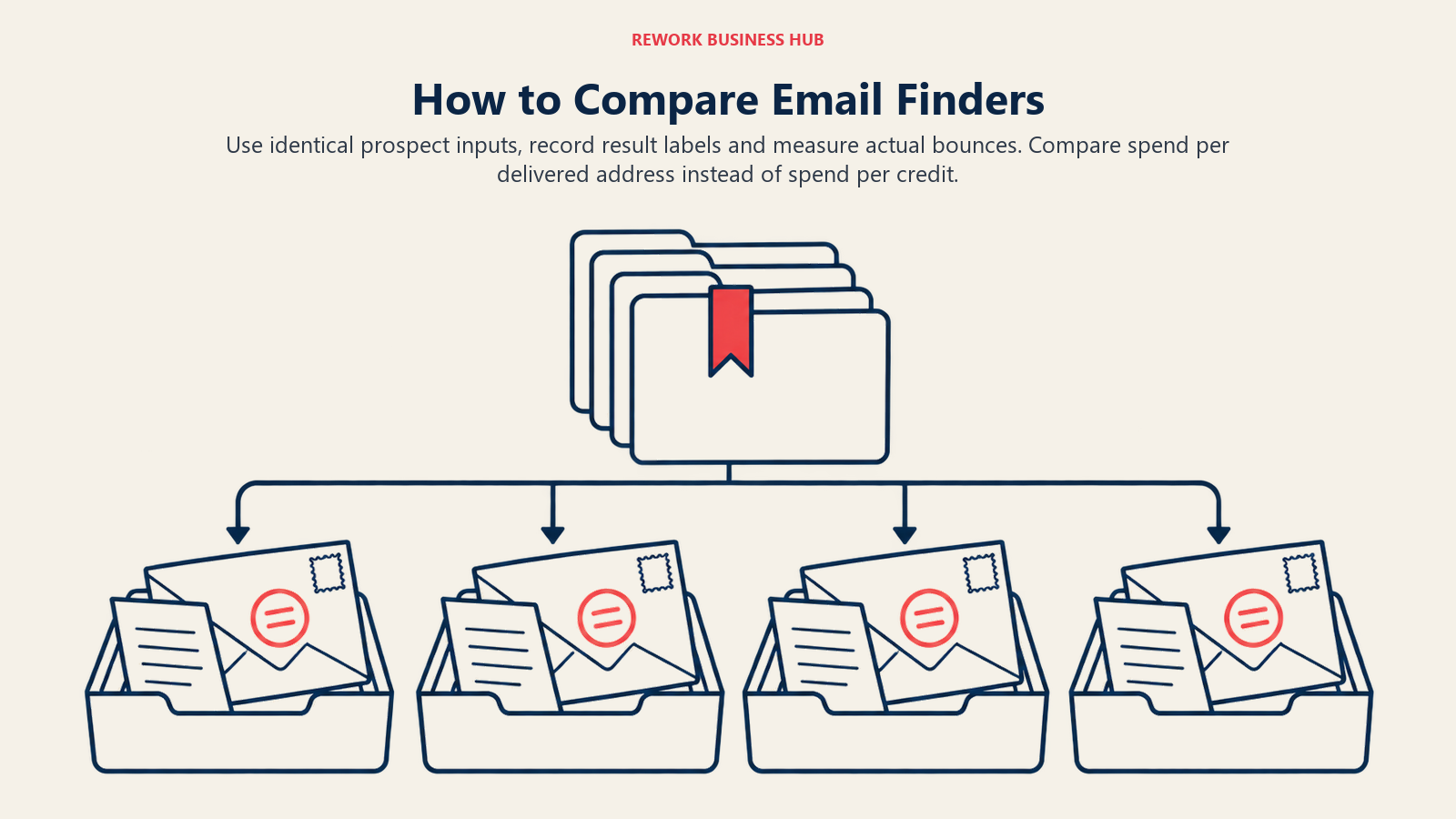
- Build a test set. Pick 150 to 200 real prospects from your target market, with company domains. Include a mix: large companies, small companies, and a few you know run catch-all mail.
- Run the same names through two or three tools on free tiers or trials. Keep the search inputs identical.
- Record the label each tool returns (valid, catch-all, unknown) and whether it charged a credit.
- De-duplicate and tag every address with its source tool. If two tools return the same address, count it once but note both.
- Send from a dedicated, warmed-up domain, not your primary one. Keep the test small and spread over a few days.
- Use a plain, short message with a one-click unsubscribe and a valid DMARC setup. Gmail's sender rules require DMARC, one-click unsubscribe and spam rates below 0.30% for senders above 5,000 messages a day, and the same hygiene protects you below that threshold.
- Count hard bounces per tool after 72 hours. A hard bounce is an address that doesn't exist.
- Compare cost per delivered address, not cost per credit. Divide what you spent by the number of addresses that didn't bounce.
| Metric to record | Why it matters |
|---|---|
| Addresses returned per 100 inputs | Find rate, the number vendors don't publish |
| Share labelled valid vs catch-all | Shows how much of the list is unconfirmed |
| Hard bounces per 100 sent | Real accuracy on your market |
| Credits consumed | Real cost, including charged misses |
| Cost per delivered address | The only number that compares tools fairly |
If a tool's bounces cluster on catch-all addresses, you can suppress that bucket and still use the rest. If bounces are spread across "valid" labels, the tool's verification isn't adding much. Pair this with the segmentation and sequencing advice in our cold email strategy guide.
Compliance: GDPR, PDPA, CCPA and Phone Rules
Finding an email address is the start of a data-protection obligation, not the end of one. This section describes the rules in plain terms; it isn't legal advice, so have counsel review your own process.

| Region | What applies | What it means for email finders |
|---|---|---|
| EU and UK | GDPR and the ePrivacy rules | You need a lawful basis (often legitimate interest) and must give the person notice they're being contacted. Personal addresses need extra care. |
| Southeast Asia | Personal data protection acts such as Singapore's, Malaysia's and Thailand's PDPAs | Consent and notice rules vary by country; check the local regulator (Singapore's PDPC is a starting point). |
| US (California) | CCPA | Consumers have rights to know, delete and opt out of sale or sharing. Vendors list CCPA compliance, but you're responsible for your own handling of requests. |
| US telephone | TCPA, Telemarketing Sales Rule, National Do Not Call Registry | Applies to calls and texts, not email. See below. |
| UK telephone | TPS and CTPS | Applies to calls to businesses as well as consumers. |
Three practical points:
- The Kaspr fine shows regulators look at how contacts were gathered, not just how you use them. The CNIL's decision, as published by the EDPB, cited the transparency, lawful-basis and access rules under Articles 5, 6, 12, 14 and 15 of the GDPR. Ask any finder how it sources data and how it handles opt-outs.
- Phone data is a different regime. The FTC says do-not-call violations carry civil penalties of up to $53,088 per violation, though the registry doesn't apply to business-to-business calls. A TCPA private action can recover $500 per violation, and the UK's ICO fined Energy Prices Direct £160,000 for over 700,000 unsolicited calls to TPS and CTPS numbers, including businesses. If a finder bundles mobile numbers, check whether it screens against do-not-call lists.
- Vendor compliance badges are not your compliance. A GDPR badge on a pricing page means the vendor has a process. It doesn't mean your use of the data is lawful.
| Question to ask the vendor | Why |
|---|---|
| Where does your email data come from? | Public web, user contributions, licensed lists and scraped profiles carry different risks |
| Do you screen against do-not-call lists? | Matters only if you also use phone numbers |
| Can you sign a data processing agreement? | Needed under GDPR when the vendor processes data for you |
| How do you handle deletion and opt-out requests? | You'll receive them too |
| Where is data hosted? | EU hosting matters for some buyers (Findymail and Hunter both state European hosting) |
Stage-Fit Matrix
| Tool | Solo or founder | Small outbound team | Mid-size SDR team | Agency or high volume |
|---|---|---|---|---|
| Hunter | Strong | Strong | Fair | Fair |
| Snov.io | Strong | Strong | Fair | Fair |
| Voila Norbert | Fair | Strong | Fair | Fair |
| Findymail | Weak | Strong | Strong | Strong |
| Prospeo | Strong | Strong | Fair | Weak |
| FullEnrich | Fair | Strong | Strong | Strong |
| Skrapp.io | Strong | Strong | Weak | Weak |
| Apollo.io | Strong | Strong | Strong | Fair |
| RocketReach | Fair | Strong | Strong | Weak |
| Lusha | Strong | Strong | Fair | Weak |
| ContactOut | Strong | Weak | Weak | Weak |
| Kaspr | Fair | Strong | Fair | Weak |
| UpLead | Fair | Fair | Fair | Weak |
| SignalHire | Fair | Strong | Strong | Fair |
Sizing and Persona Table
| Persona | Typical volume | Good fits | Watch out for |
|---|---|---|---|
| Founder doing outbound | 100 to 500 finds/mo | Hunter, Prospeo, Skrapp.io | Credits that reset monthly |
| SDR team of 3 to 10 | 2,000 to 10,000 finds/mo | Snov.io, Voila Norbert, Apollo.io, FullEnrich | Per-seat pricing and credit pooling |
| RevOps buying for 10+ reps | 10,000+ finds/mo | Findymail, FullEnrich, RocketReach | Fair-use caps on "unlimited" |
| Recruiter | Profile-led lookups | ContactOut, SignalHire, Lusha | Personal emails and consent rules |
| European market | EU domains | Findymail, Kaspr, Hunter | Lawful basis and the Kaspr precedent |
Pricing at a Glance
| Tool | Entry paid price | Billing note |
|---|---|---|
| Hunter | $49/mo | $34/mo billed annually |
| Snov.io | $39/mo | $29.25/mo billed annually |
| Voila Norbert | $49/mo | $39/mo billed annually |
| Findymail | $99/mo | Annual price not published |
| Prospeo | $49/mo | $37/mo billed annually |
| FullEnrich | $29/mo | About 10% cheaper annually |
| Skrapp.io | $29/mo | Billed annually |
| Apollo.io | $65/seat/mo | $49/seat/mo billed annually |
| RocketReach | $49/mo | $399/yr (US list) |
| Lusha | $49.90/mo | $37.45/mo billed annually |
| ContactOut | $49/mo | $468/yr |
| Kaspr | EUR 59/user/mo | EUR 45/user/mo billed annually |
| UpLead | $99/mo | $74/mo billed annually |
| SignalHire | $49/mo | $469/yr |
For cost modelling across all tools, divide the plan price by credits you'll realistically use after misses and phone add-ons. Most of the time the cheapest sticker price is not the cheapest cost per delivered address.
How to Choose: Decision Framework
| If you need... | Pick | Why |
|---|---|---|
| The cheapest way to start with domain searches | Hunter | 50 free credits a month, 0.5-credit verification |
| Finder plus campaigns on one flat bill | Snov.io | Unlimited seats, never-expiring trial |
| Credits that roll over | Voila Norbert | Rollover on every plan |
| Billing only for verified results and a bounce guarantee | Findymail | Verified-only charging, refund claim |
| The biggest free tier to test | Prospeo | 100 credits every month |
| The best chance of finding hard-to-reach contacts | FullEnrich | Waterfall across 25+ sources |
| Free labelling of Invalid and Unknown results | Skrapp.io | Only Valid and Catch-all cost credits |
| One tool for database, finder and sequencing | Apollo.io | 1-credit email, free plan |
| Email and phone with refunds for misses | RocketReach | Lookup refunded if not verified |
| Phone numbers for a small team | Lusha | Seats bundled in the plan |
| European contacts and you've done your GDPR review | Kaspr | Unlimited B2B email, rollover |
Where Email Finders Fit in the Stack
An email finder sits at the front of the funnel. Once you have a working address, it should flow into your CRM and your sequencing tool without a CSV detour. Our prospecting strategy guide covers how to build the target list, and the ideal customer profile guide shows how to decide who belongs on it before you spend a single credit.
If finding addresses isn't your only data need, the best sales intelligence tools hub compares platforms that add firmographics, intent and technographics. If you're also choosing a sequencer for what comes after the find, see the best sales engagement platforms. And if you're weighing enrichment of existing CRM records, the lead data enrichment guide explains the trade-offs.
What to Do Next
Pick two or three tools from the decision table, sign up for their free tiers and run the eight-step bounce test above on the same 150 to 200 prospects. Compare cost per delivered address, not cost per credit, and ask each vendor about catch-all handling and data sourcing before you pay. If the winner's data passes your test and its sourcing answers hold up, put it into production on a warmed-up domain and review bounces weekly. For the bigger picture, return to the best sales intelligence tools hub.

Principal CRM Strategist
On this page
- Key Facts
- Quick Comparison Table
- How We Picked These 14 Tools
- What an Email Finder Does (and Why Verification Is the Real Product)
- 1. Hunter: the default starting point for domain searches
- 2. Snov.io: finder, verifier and drip sender on one flat bill
- 3. Voila Norbert: pay only for successful finds
- 4. Findymail: verified-only billing with a bounce guarantee
- 5. Prospeo: biggest free tier among the finder-first tools
- 6. FullEnrich: waterfall across 25+ sources
- 7. Skrapp.io: simple email finding with free Invalid and Unknown results
- 8. Apollo.io: database, finder and sequencer in one
- 9. RocketReach: pay only when a verified contact is found
- 10. Lusha: flat plan prices with seats bundled
- 11. ContactOut: personal and work emails from LinkedIn profiles
- 12. Kaspr: unlimited B2B email, European focus, regulatory history
- 13. UpLead: verified lists with a stated accuracy claim
- 14. SignalHire: unlimited users, credits charged on return
- Credit Cost Comparison: What a Find and a Verification Actually Cost
- Free Tier Comparison
- Verification and Catch-All Handling at a Glance
- How to Run a Bounce Test Before You Buy
- Compliance: GDPR, PDPA, CCPA and Phone Rules
- Stage-Fit Matrix
- Sizing and Persona Table
- Pricing at a Glance
- How to Choose: Decision Framework
- Where Email Finders Fit in the Stack
- What to Do Next