Best TeamGantt Alternatives in 2026: 11 Tools for Teams That Need More Than Gantt Charts
Turn this article into takeaways for your work.


Each assistant summarizes the article only for you and suggests best practices for your work.
TeamGantt deserves its reputation as one of the friendliest Gantt tools on the market. Its drag-and-drop timeline is genuinely intuitive, onboarding takes minutes rather than days, and the free plan lets small teams test it without budget risk. For a team that needs to manage a handful of sequential projects, share Gantt views with stakeholders, and track dependencies without a steep learning curve, TeamGantt does exactly what it says.
But plenty of teams hit its ceiling. If you need views beyond Gantt (kanban, calendar, list, workload), resource and portfolio management across multiple projects, meaningful automations, deeper integrations, or a platform that connects project work to sales and ops in one place, TeamGantt's deliberately focused design becomes a constraint. Pricing is a flat fee per plan rather than per seat, but it's metered by project count instead: Base ($59/month) allows 1 manager and 5 projects, and Business (from $120/month) includes 5 projects and charges for each one beyond that, so the bill grows with your portfolio. This guide covers 11 alternatives, with real pricing and honest positioning on who each one actually fits.
Quick Comparison Table
| Tool | Best For | Starting Price | Key Strength | Key Limitation |
|---|---|---|---|---|
| monday.com | Visual work management with strong dashboards | From $9/seat/mo (monday.com/pricing) | Highly customizable Work OS, timeline + board views | Expensive at scale; configuration overhead |
| ClickUp | Teams wanting maximum feature breadth | Free; $7/seat/mo Unlimited (clickup.com/pricing) | Deepest feature set; Gantt, kanban, list, docs, goals in one | Feature overload; setup-heavy |
| Rework | Mid-size teams wanting project + ops + CRM unified | From $99/mo billed yearly, 5 seats (rework.com/pricing) | Cross-team ops workflows + built-in CRM and lead management | Not a Gantt specialist; no detailed critical-path scheduling |
| Asana | Structured task and project tracking | Free; from $10.99/seat/mo (asana.com/pricing) | Clean UI, strong timeline, great integrations | No native docs; resource management only on Advanced; per-seat cost grows fast |
| Wrike | Enterprise PM + creative review workflows | From $10/seat/mo (wrike.com/price) | Strong proofing tools, Gantt, resource management | Complex setup; costly at Business tier |
| Smartsheet | Spreadsheet-native teams needing PM structure | From $9/seat/mo (smartsheet.com/pricing) | Familiar grid + Gantt hybrid, strong reporting | Grid-centric; not ideal for visual/agile workflows |
| GanttPRO | Teams that want a dedicated Gantt specialist | From $7/seat/mo (ganttpro.com/pricing) | Best Gantt depth in this list; resource and workload views | Narrow scope; limited non-Gantt views |
| Notion | Docs-first teams who also need light project tracking | Free; $10/seat/mo Plus (notion.com/pricing) | Best-in-class docs + database flexibility | Weak native task management for complex PM |
| Microsoft Project | Enterprise PM with deep dependency scheduling | From $10/seat/mo (microsoft.com/project) | Most powerful Gantt + critical-path engine | Steep learning curve; Microsoft 365 ecosystem lock-in |
| Trello | Simple kanban for small teams | Free; $5/seat/mo Standard (trello.com/pricing) | Easiest onboarding in this list | Quickly outgrown; no Gantt on free plan |
| Basecamp | Async-first small teams wanting flat-rate pricing | Free; from $25/mo flat (basecamp.com/pricing) | Flat-rate pricing with no per-user fees; strong async comms | No Gantt, no resource management, limited automation |
Stage Fit Matrix
| Tool | Startup (1-15 people) | Growth (15-50 people) | Mid-Market (50-200 people) | Enterprise (200+ people) |
|---|---|---|---|---|
| monday.com | Good fit | Strong fit | Strong fit | Possible (with cost) |
| ClickUp | Good fit | Strong fit | Strong fit | Possible |
| Rework | Possible | Strong fit | Strong fit | Selective fit |
| Asana | Strong fit | Strong fit | Strong fit | Possible |
| Wrike | Weak fit | Good fit | Strong fit | Strong fit |
| Smartsheet | Possible | Good fit | Strong fit | Strong fit |
| GanttPRO | Strong fit | Strong fit | Good fit | Weak fit |
| Notion | Strong fit | Good fit | Moderate fit | Weak fit |
| Microsoft Project | Not recommended | Moderate fit | Strong fit | Strong fit |
| Trello | Strong fit | Good fit | Weak fit | Not recommended |
| Basecamp | Strong fit | Good fit | Moderate fit | Weak fit |
Sizing and Persona Table
| Tool | Ideal Team Size | Who Buys It |
|---|---|---|
| monday.com | 10-500+ employees | COO, Director of Ops, Head of PMO, Team Manager |
| ClickUp | 5-500+ employees | Operations Manager, PMO Director, Power-User Team Lead |
| Rework | 10-200 employees | COO, Head of Ops, Operations Lead, Founder-Operator |
| Asana | 5-500+ employees | Project Manager, Marketing Ops, PMO, Head of Product |
| Wrike | 20-1,000+ employees | PMO Director, Marketing Director, Enterprise IT |
| Smartsheet | 10-1,000+ employees | PMO Manager, Operations Director, Finance-side Project Lead |
| GanttPRO | 3-100 employees | Project Manager, Freelance Lead, Construction PM |
| Notion | 1-200 employees | Knowledge Worker, Startup Founder, Product Manager |
| Microsoft Project | 20-10,000+ employees | Enterprise PMO, IT Program Manager, Portfolio Manager |
| Trello | 1-30 employees | Team Lead, Marketing Manager, Small Business Owner |
| Basecamp | 5-100 employees | Founder, Agency Lead, Small Team Manager |
1. monday.com: Visual Work OS with Timeline and Board Views
monday.com is the most direct upgrade for TeamGantt users who want to stay in a visual, intuitive environment but need more views, more automation, and more dashboard depth. Its Work OS model means you can build a project tracker, a CRM, an HR tracker, and a marketing calendar in one account, all connected through the same boards. If you need a broad platform rather than a Gantt specialist, monday.com's flexibility covers a lot of ground. For a deeper look, the best monday.com alternatives guide covers where teams go after monday.com.
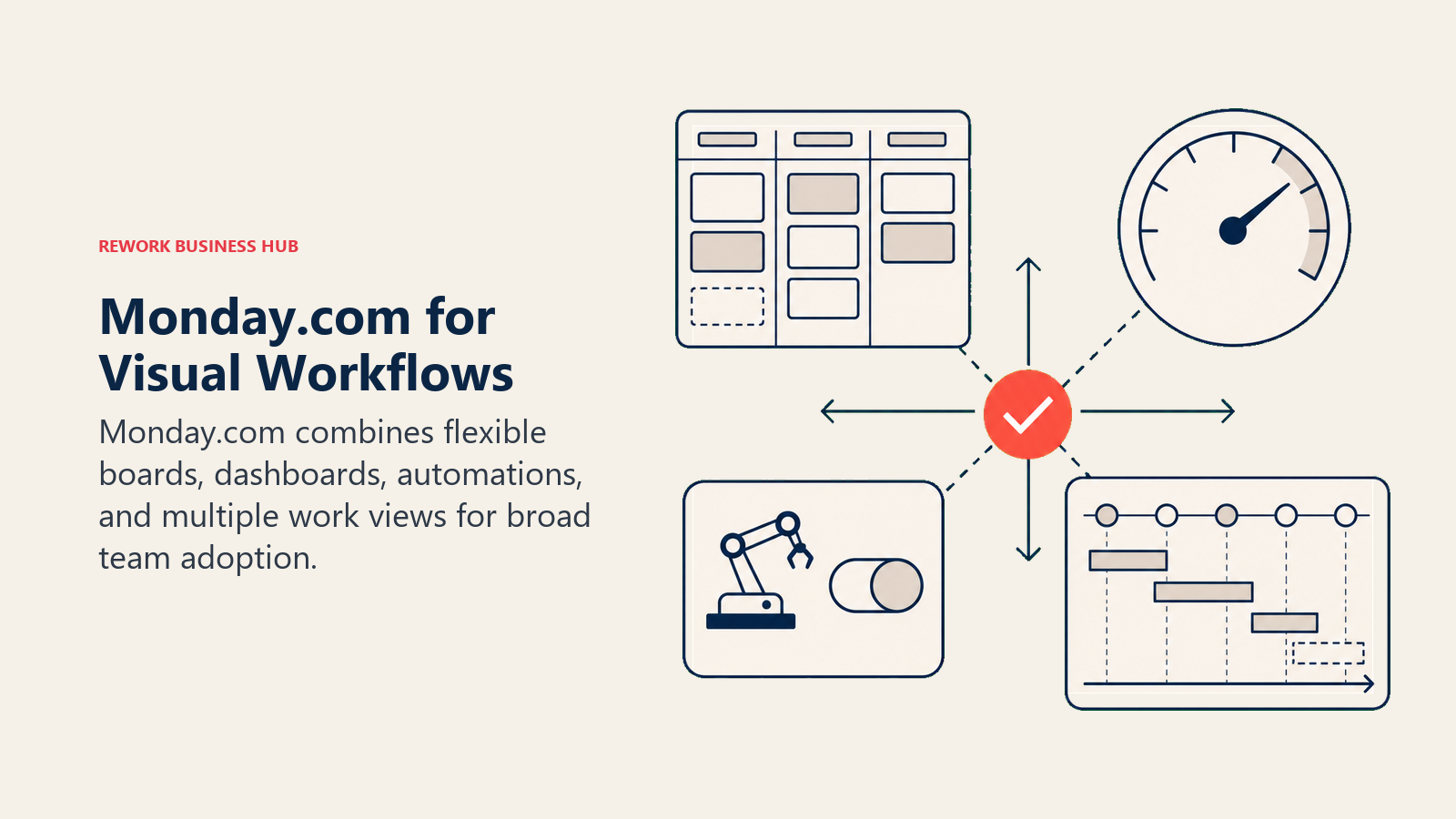
The timeline view is solid for Gantt-style planning. The kanban, list, and calendar views switch with a click. Workload management appears on higher-tier plans. And the dashboard layer is one of the better options in this category for cross-project visibility.
The trade-off is complexity and cost. monday.com's power comes from its flexibility, which means you configure everything yourself. Most serious teams end up on the Pro plan at $19/seat/month, which compounds quickly at 30+ seats.
Methodology / Vision: Work OS flexibility first. monday.com bets that every team's workflow is different, so the platform should be a configurable operating layer rather than an opinionated tool.
Target Audience: Teams of 10 to 500+ people across industries. Particularly strong for ops, marketing, product, and cross-functional teams that want everything on one visual platform.
Sizing Fit: Works at startup through enterprise, with cost increasing substantially at higher seat counts.
Stage Fit: Startup through mature. One of the few tools that works across all stages, with different cost profiles.
Team vs Company-Wide: Company-wide. Sales, ops, marketing, HR, and project teams can all operate in monday.com.
| What you get | What you don't |
|---|---|
| Timeline, kanban, list, calendar, and workload views | Pre-built opinionated workflow templates |
| Strong cross-project dashboards | Low setup overhead |
| 200+ integrations and a robust automation engine | Native CRM at lower-tier plans |
| Flexible boards for any workflow shape | Predictable cost at scale |
Pricing: Free (2 seats); Basic $9/seat/mo; Standard $12/seat/mo; Pro $19/seat/mo; Enterprise custom. All paid plans require a minimum of 3 seats. Billed annually. See monday.com/pricing.
Best for: Teams that want maximum visual flexibility and reporting depth, and are willing to invest setup time to get it.
2. ClickUp: Maximum Feature Depth for Power Users
ClickUp's pitch is straightforward: replace every tool your team uses. It has tasks, Gantt charts, kanban, docs, goals, whiteboards, time tracking, a CRM module, AI writing, and more inside one product. The feature breadth is unmatched in this list, and if you're leaving TeamGantt because it's too narrow, ClickUp swings to the opposite extreme.
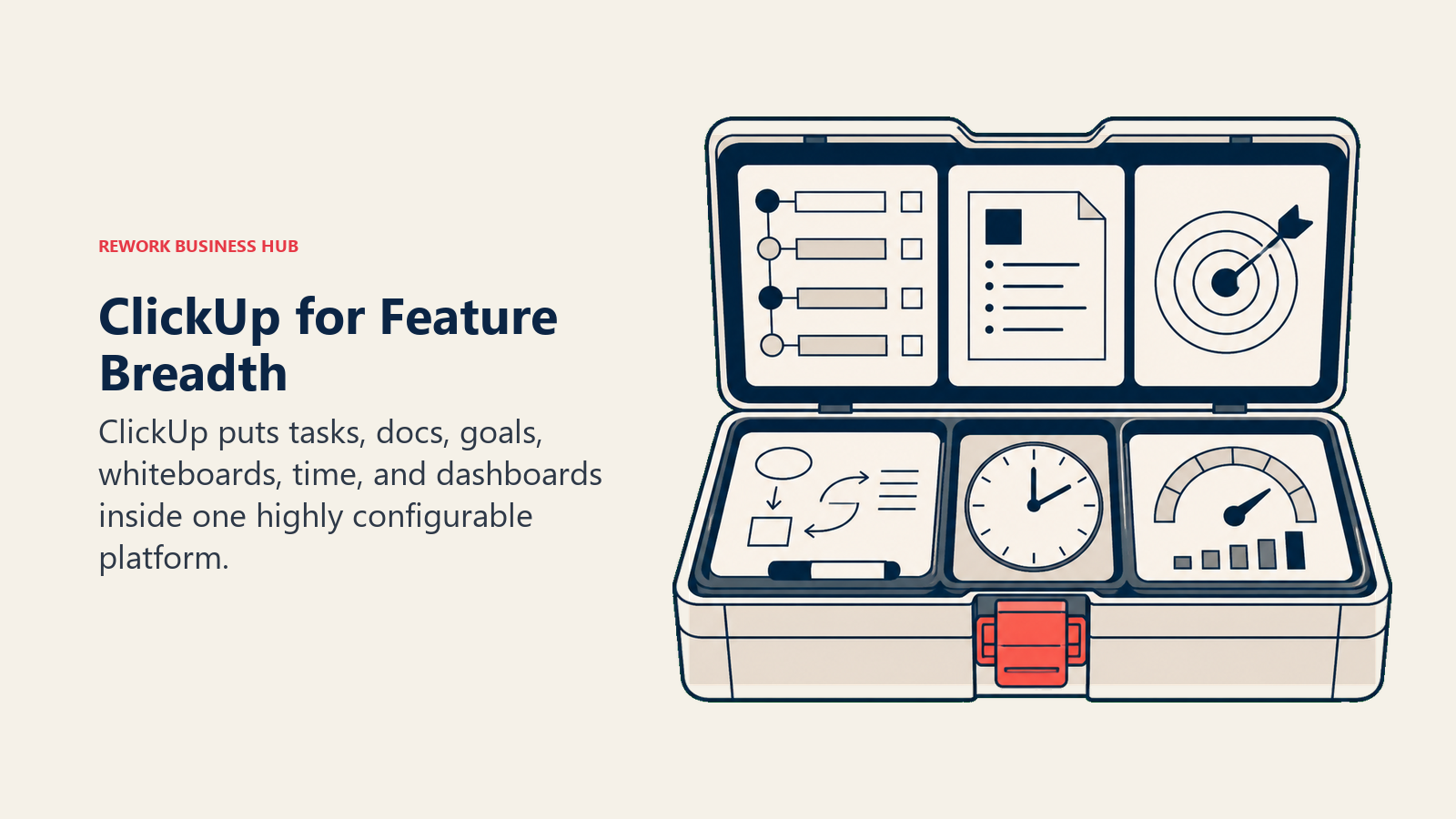
For teams that want Gantt alongside kanban, time tracking, native wikis, and sprint management, ClickUp delivers all of that without requiring a second tool. The best ClickUp alternatives guide is worth bookmarking if ClickUp eventually feels like too much.
But more isn't always better. ClickUp's configuration demands a real investment before it works cleanly. Teams without a dedicated admin to maintain the setup often end up with messy, inconsistently used workspaces. Historically its performance at scale has been uneven, though it has improved.
Methodology / Vision: Everything in one place. ClickUp bets that tool sprawl is the primary productivity drain, so consolidating everything in one product with unlimited flexibility is the right answer.
Target Audience: Power-user teams of 5 to 500+. Works best when there's a dedicated admin or ops lead who configures and maintains the system.
Sizing Fit: Startup through enterprise. The free tier is genuinely functional for small teams.
Stage Fit: Startup through mature. Particularly strong for teams that want to consolidate multiple tools into one.
Team vs Company-Wide: Company-wide if you invest in setup. Works for engineering, ops, marketing, and project teams simultaneously.
| What you get | What you don't |
|---|---|
| Gantt, kanban, list, calendar, timeline, and workload views | Low-friction onboarding out of the box |
| Native docs, goals, and time tracking | Consistent performance at high volumes |
| CRM and sprint management modules available | Focused, opinionated defaults |
| Generous free tier with real functionality | A tidy workspace without an admin to maintain it |
Pricing: Free forever; Unlimited $7/seat/mo; Business $12/seat/mo; Enterprise custom. Billed annually. See clickup.com/pricing.
Best for: Teams that want maximum configurability and have someone willing to own the setup long-term.
3. Rework: Unified Project, Ops, and CRM for Mid-Size Teams
TeamGantt is a focused scheduling tool. Rework is an operations platform that covers project and task management as one module within a broader system that includes CRM, lead management, and cross-team workflows. The positioning matters: if you're leaving TeamGantt because your team needs more than Gantt charts and you want to connect project delivery work to sales pipelines and customer operations, Rework solves a different problem than a dedicated Gantt upgrade would. That is why it ranks third: monday.com and ClickUp give a Gantt-first team more timeline depth while still adding the other views TeamGantt lacks.
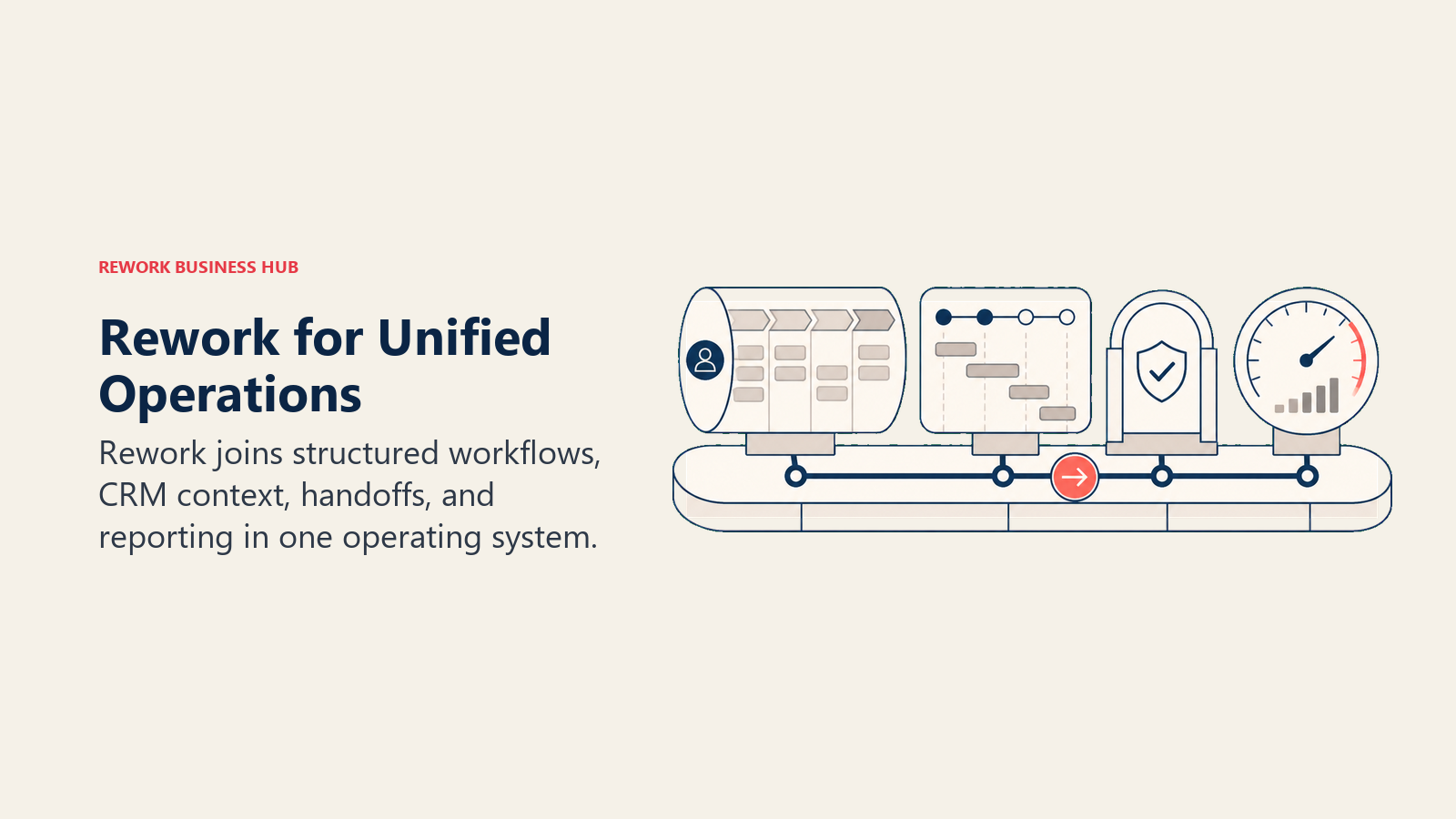
Rework's work apps (Projects, Request and BPM) ship pre-built templates for the cross-functional processes mid-size teams actually run: client onboarding, ops approvals, recurring delivery cycles, and sales-to-ops handoffs. You're not building your workflow from scratch inside a blank board. And because CRM and lead management are first-class modules in the same product, an ops team managing both projects and customer work gets a unified view without stitching tools together.
On the scheduling side, each project board has a Timeline view with Finish-to-Start, Start-to-Start and Finish-to-Finish dependencies, a roadmap for phases and milestones, and workload booking with capacity views; there are no baselines or critical-path analysis. Rework fits teams of 10 to 200 people where project work and customer-facing work overlap daily. It's not the right pick for a team that just needs Gantt charts with critical-path scheduling, and it's not a solo-user tool.
Methodology / Vision: Operational unity for mid-size teams. The product thesis is that project management, CRM, and ops workflows shouldn't be three separate tools requiring integrations to keep in sync.
Target Audience: Mid-size B2B companies where operations and customer delivery overlap. Common in SaaS, agencies, professional services, and operations-led businesses.
Sizing Fit: 10 to 200 employees. Deep enough for growth-stage teams, without the enterprise governance overhead of Salesforce or SAP.
Stage Fit: Growth through mature. Best when a team has outgrown spreadsheets and single-purpose tools and needs their project and customer work connected.
Team vs Company-Wide: Company-wide. Sales, ops, and project teams all have a functional home in one product.
| What you get | What you don't |
|---|---|
| Pre-built ops workflow templates | Detailed critical-path Gantt scheduling |
| Full CRM + lead management in the same product | AppExchange-scale integration marketplace |
| Cross-team workflows with approval chains and SLA rules | A free tier for solo or micro teams |
| Task, project, and ops management in one data model | Specialist Gantt features like baseline tracking |
| Engine pricing that scales predictably in blocks of 5 seats | Pure Gantt-only simplicity if that's all you need |
Pricing: Project Engine $99/month billed yearly ($1,188/year) or $120 month to month, with 5 work seats included; extra seats cost $13/month per block of 5 on yearly billing. At 25 seats that works out to $1,812/year. At 50 seats, $2,592/year. The CRM is the separate Sales Engine (from $69/month billed yearly). 14-day free trial, no free plan. See rework.com/pricing.
Best for: Operations-led mid-size teams (10-200 people) that run projects alongside customer-facing work and want both in one platform rather than separate tools.
Not ideal for: Teams that only need detailed Gantt charts with critical-path analysis (GanttPRO or Microsoft Project go deeper there), or solo users and teams under 5 people.
4. Asana: Clean Structured Task and Project Management
Asana is one of the most mature task and project management tools in this category. Its timeline view is clean and well-executed for Gantt-style planning, its integration library is extensive, and its UI is polished enough that non-PM users adopt it without much resistance. It's a reliable step up from TeamGantt for teams that want more views and more structure without jumping to a full work OS platform. The best Asana alternatives guide covers where Asana users typically go next.
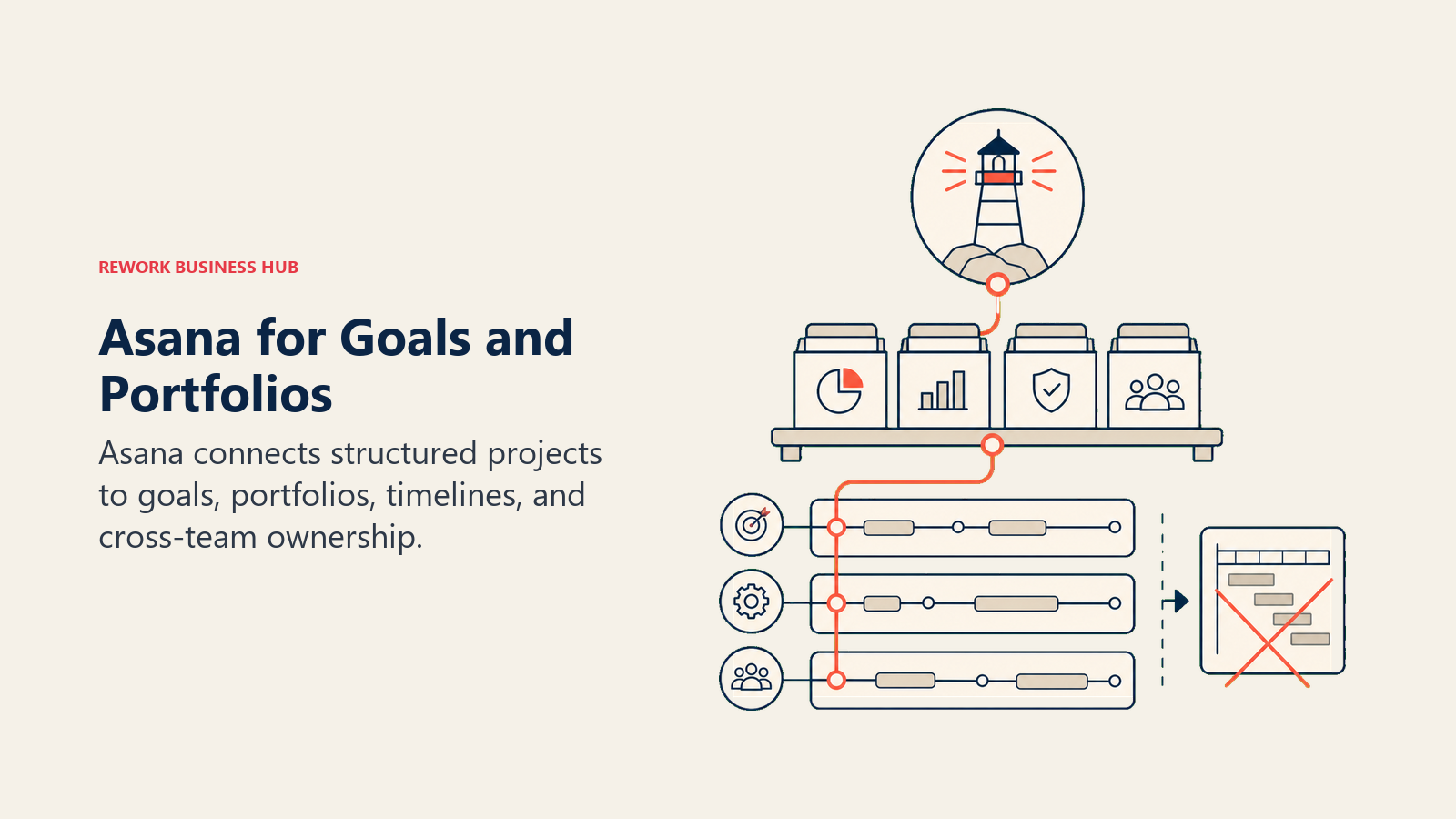
Where it falls short: portfolios, goals, and resource management sit on the Advanced plan, not Starter. There's no native document or wiki layer. And the per-seat pricing stings once you want everyone in the room, from PMs to stakeholders to ops staff.
Methodology / Vision: Structured work clarity. Asana's design philosophy is that every piece of work should have an owner, a due date, and a clear status, and teams shouldn't have to argue about what's happening.
Target Audience: Project managers, marketing ops, product teams, and PMO groups at companies of 5 to 500+.
Sizing Fit: Startup through enterprise. Works well at any size, with cost increasing at scale.
Stage Fit: Early startup through mature. One of the most versatile tools on this list in terms of stage fit.
Team vs Company-Wide: Broad. Marketing, ops, product, and project teams all use Asana, though sales and CRM live outside it.
| What you get | What you don't |
|---|---|
| Clean timeline, kanban, list, and calendar views | Native documents or wiki layer |
| Strong integrations (Slack, Salesforce, Jira, etc.) | Resource management on the Starter plan |
| Resource management and workload balancing on Advanced and above | Native CRM or sales pipeline tools |
| Solid mobile apps | Flat-rate pricing for larger teams |
Pricing: Personal free (up to 2 users); Starter $10.99/seat/mo billed annually ($13.49 monthly); Advanced $24.99/seat/mo billed annually ($30.49 monthly); Enterprise custom. See asana.com/pricing.
Best for: Project-driven teams that want clean, structured work management with broad integration depth and a polished UI.
5. Wrike: Enterprise PM with Resource Management and Creative Proofing
Wrike sits at the intersection of project management and creative operations. It has strong Gantt and dependency management, a native proofing and approval tool for creative review cycles, and enterprise-grade security controls that most tools in this list don't match. For marketing teams, agencies running client deliverables, and enterprises with compliance requirements, Wrike covers ground that TeamGantt never tried to.
The resource management and workload views are also more capable than most alternatives here. If you're managing multiple project managers each running concurrent workstreams and need to balance capacity, Wrike handles that better than a simple Gantt tool.
The honest downside is complexity and cost. Getting Wrike to run cleanly takes real setup effort, and the Business plan at $25/seat/month is a significant step up from TeamGantt. The best Wrike alternatives guide covers the competitive landscape if Wrike makes your shortlist.
Methodology / Vision: Enterprise-grade project control. Wrike bets that serious project organizations need more governance, proofing, and resource management depth than lightweight tools provide.
Target Audience: Mid-market and enterprise teams, especially marketing, creative agencies, and PMO-led project organizations from 20 to 1,000+ people.
Sizing Fit: Growth stage through enterprise. Under-utilized at small team sizes.
Stage Fit: Mature organizations with defined project processes. Not the right fit for early startups finding their workflow.
Team vs Company-Wide: Broad for project-facing teams. Marketing, creative, product, and PMO all have a home here.
| What you get | What you don't |
|---|---|
| Strong Gantt with dependencies and baselines | Simple, fast setup |
| Native creative proofing and approval workflows | Budget-friendly pricing at Business tier |
| Enterprise security and compliance features | Flexibility for non-PM use cases |
| Resource and workload management | Native CRM or customer-facing ops tools |
Pricing: Free (up to 5 users); Team $10/seat/mo; Business $25/seat/mo; Pinnacle and Apex custom. Billed annually. See wrike.com/price.
Best for: Marketing teams, creative agencies, and enterprise PMOs that need proofing, compliance, and resource management built in.
6. Smartsheet: Spreadsheet-Native Project and Program Management
Smartsheet is the natural landing spot for teams that loved Excel-style project tracking but found it breaking under complexity. Its grid interface looks and feels like a spreadsheet, with Gantt, calendar, and card views layered on top. The result is a tool that operations and project teams with a spreadsheet culture can adopt without fighting the interface.
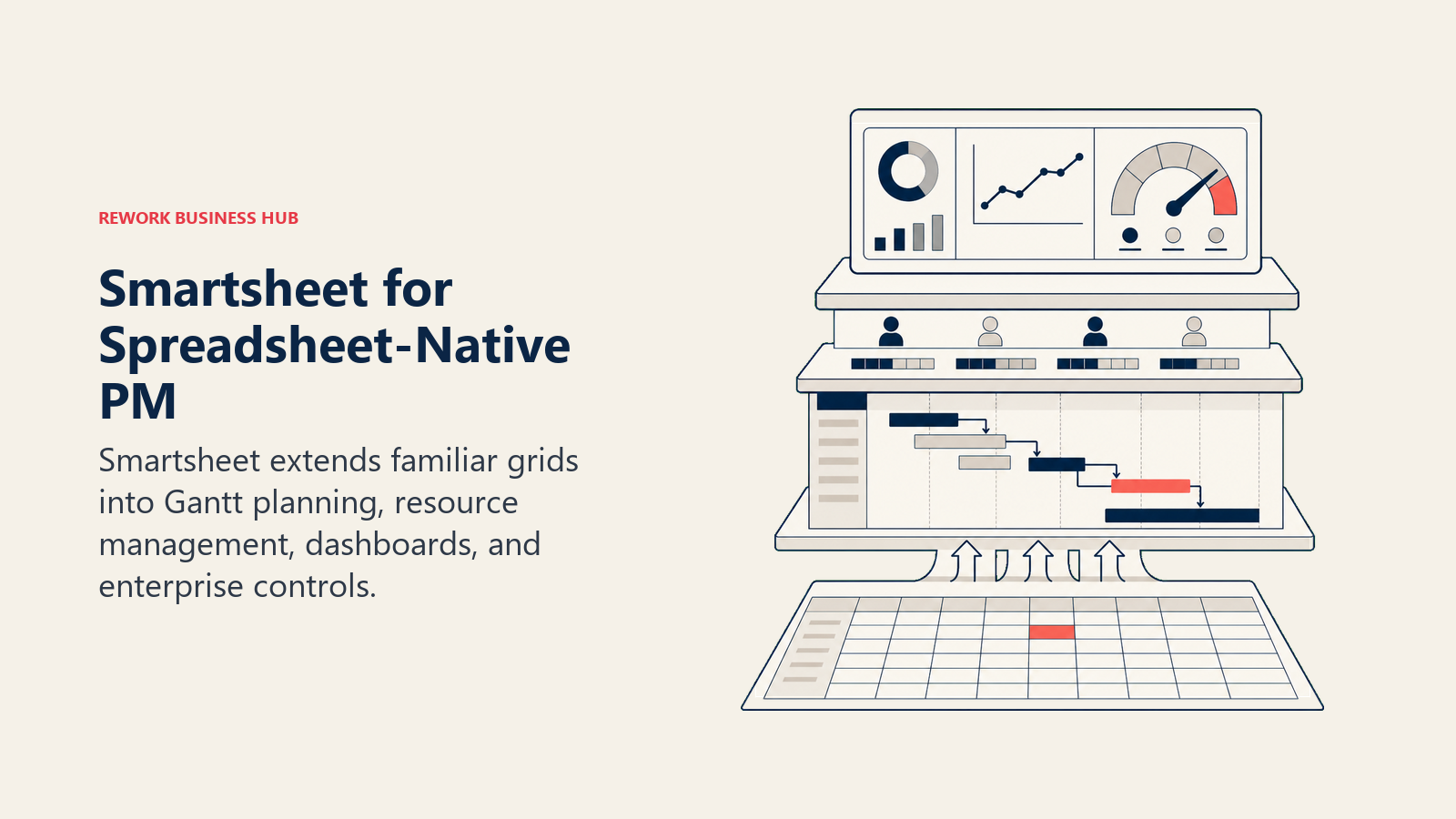
The reporting and dashboard capabilities are a genuine strength. Smartsheet's rollup dashboards across multiple sheets give program-level visibility that standalone Gantt tools don't provide. Government agencies, construction companies, and enterprise ops teams are common users. The best Smartsheet alternatives guide is worth reviewing if Smartsheet also turns out to be too rigid.
The limitation is the same as its strength: it's built around grids. Teams that want kanban boards, modern visual interfaces, or non-linear workflows will feel like they're working against the tool.
Methodology / Vision: Structured control for complex programs. Smartsheet bets that the spreadsheet mental model is durable, and that building more powerful project tools on top of it is better than forcing users to abandon familiar patterns.
Target Audience: PMO managers, operations directors, and enterprise project teams from 10 to 1,000+ people with a data-heavy, reporting-centric culture.
Sizing Fit: Growth through enterprise. The Pro plan works for smaller teams; Business and Enterprise unlock the depth that larger organizations need.
Stage Fit: Growth through mature. Best adopted when processes are already defined and the team needs a scalable system to run them.
Team vs Company-Wide: Primarily operations and project teams. Finance, HR, and IT also use it. Not a creative or agile development tool.
| What you get | What you don't |
|---|---|
| Familiar grid interface that non-PM users adopt quickly | Modern visual or agile interfaces |
| Strong program-level rollup dashboards | A free plan (paid plans and a trial only) |
| Gantt, calendar, and card views available | CRM or customer-facing workflow tools |
| Government and enterprise compliance options | Flexibility for non-spreadsheet workflows |
Pricing: Pro $9/member/mo billed annually ($12 monthly), up to 10 members; Business $19/member/mo billed annually ($24 monthly), minimum 3 members; Enterprise custom. No free plan; 30-day free trial. See smartsheet.com/pricing.
Best for: Spreadsheet-native project and operations teams that need structured reporting and program management at scale.
7. GanttPRO: The Dedicated Gantt Specialist
If what you need is a better Gantt tool rather than a broader platform, GanttPRO is the clearest upgrade path from TeamGantt. It was built specifically for Gantt-based project management and goes deeper than TeamGantt on features like baseline tracking, resource management, workload views, and critical-path visualization. The interface is clean and the learning curve is gentle for anyone already comfortable with Gantt charts.
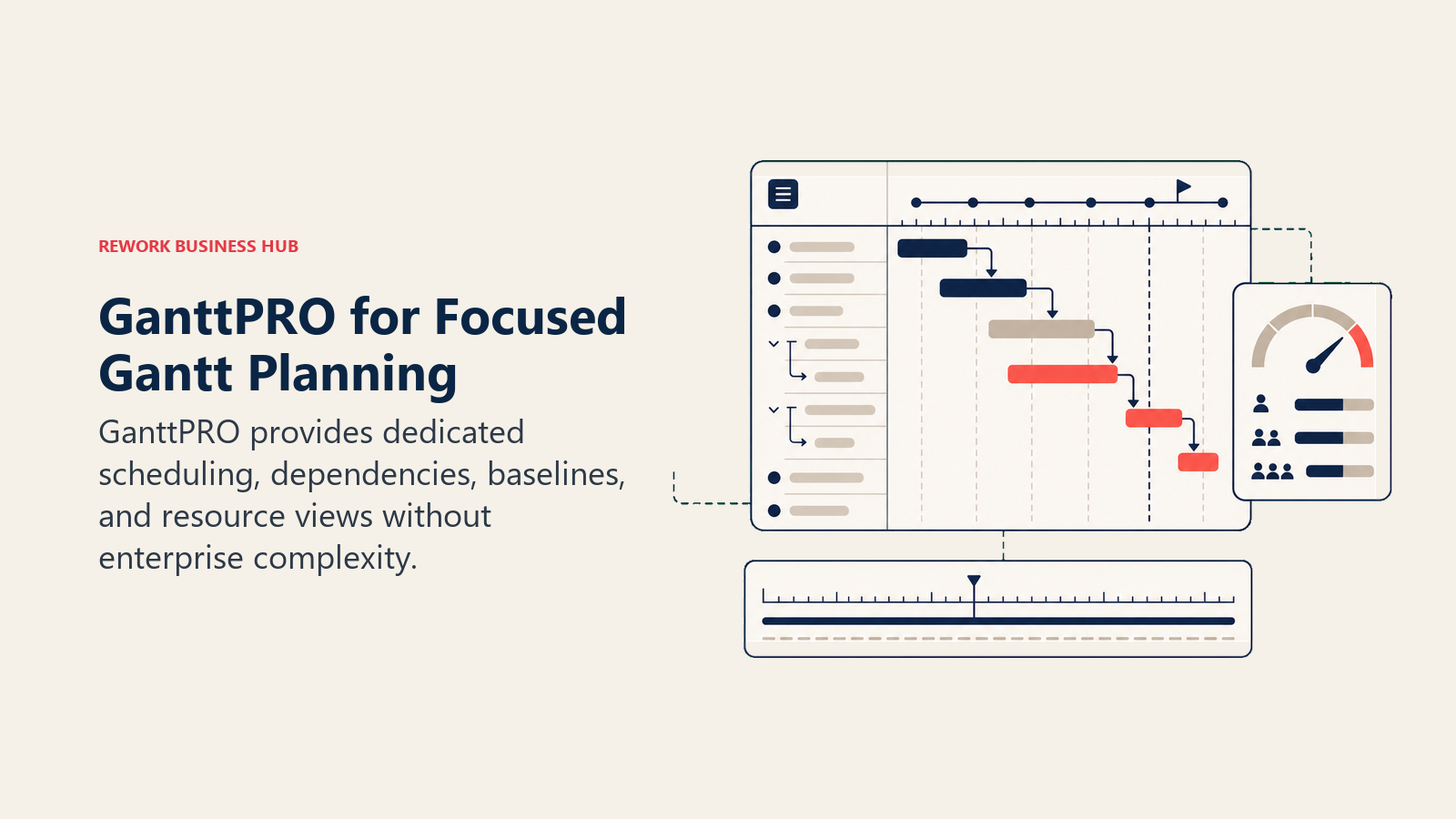
GanttPRO also handles multi-project portfolio views, so project managers running several concurrent timelines can see capacity and overlap without switching contexts. It's the tool to evaluate if the problem is specifically "I need more Gantt depth" rather than "I need more kinds of project views."
The limitation is scope by design. GanttPRO doesn't try to be a full work OS. If your team also wants kanban-first workflows, native docs, CRM, or automation depth, you'll need another tool alongside it.
Methodology / Vision: Gantt done right. GanttPRO's bet is that the Gantt chart is still the best tool for managing sequential, dependency-heavy projects, and that a focused Gantt specialist serves those teams better than a general-purpose platform.
Target Audience: Project managers, construction firms, engineering teams, and freelance project leads who live in Gantt charts and want them to work better. Teams from 3 to 100 people.
Sizing Fit: Solo through mid-market. Works well for individual PMs up to mid-size project organizations. Less suited to enterprise portfolio management at scale.
Stage Fit: Any stage where Gantt-based planning is the primary PM method. Strong for construction, engineering, and agency project delivery.
Team vs Company-Wide: Project team tool. Not a company-wide platform.
| What you get | What you don't |
|---|---|
| Best Gantt depth in this list (baselines, critical path, dependencies) | Kanban-first or agile workflow views |
| Resource and workload management | Native docs or knowledge management |
| Multi-project portfolio view | Automation depth |
| Clean onboarding for Gantt-native teams | CRM or ops workflow tools |
Pricing: Core $7/seat/mo; Advanced $10/seat/mo; Business $17/seat/mo; Enterprise custom. 14-day free trial. Billed annually. See ganttpro.com/pricing.
Best for: Project managers who need deeper Gantt functionality (baselines, critical path, resource management) without switching to a full work management platform.
8. Notion: Docs-First Workspace with Database Flexibility
Notion is the right answer if your frustration with TeamGantt is that project planning lives completely disconnected from your team's documentation, knowledge base, and meeting notes. Notion puts wikis, databases, project tracking, and pages in one environment, with a modular interface that many teams genuinely enjoy using. For the best Notion alternatives, there's a dedicated guide if Notion's task management proves too light.
The honest trade-off: Notion's project and task layer is functional but not comparable to dedicated PM tools. Timeline views exist but lack the dependency depth of Asana or Wrike. Automations are limited on Plus plans. Workload management is absent.
Notion works best as a knowledge and collaboration layer that includes light project tracking, not as a replacement for structured PM workflows with dependencies, resource management, and milestone tracking.
Methodology / Vision: Docs as the operating system for teams. Notion's thesis is that most team tools fail because knowledge, communication, and work live in separate places. Bringing them together in a flexible, page-based environment fixes that.
Target Audience: Startups, knowledge-worker teams, product teams, and founders from 1 to 200 people where documentation and shared knowledge are central to how work gets done.
Sizing Fit: Solo through mid-market. The free plan is genuinely useful for individuals. Collaboration depth scales with Plus and Business plans.
Stage Fit: Early startup through growth. Strong for teams building their knowledge base while tracking projects, before process complexity demands dedicated PM tooling.
Team vs Company-Wide: Company-wide for knowledge work. Works best when the whole team contributes to documentation alongside task tracking.
| What you get | What you don't |
|---|---|
| Best-in-class docs, wikis, and database flexibility | Gantt charts or timeline views on Free/Plus plans |
| Clean modular interface teams enjoy using | Dependency management and critical-path tools |
| Notion AI on Business plan (Ask Notion, AI Agents) | Workload and resource management |
| Generous free tier for individuals | Automation depth comparable to monday.com or ClickUp |
Pricing: Free; Plus $10/seat/mo; Business $20/seat/mo; Enterprise custom. Billed annually. See notion.com/pricing.
Best for: Teams where documentation and knowledge management are the core use case, with project tracking as a secondary layer.
9. Microsoft Project: Enterprise Gantt and Portfolio Management
Microsoft Project is the oldest name in this list and still the most powerful Gantt engine available. Its critical-path calculation, dependency types (finish-to-start, start-to-start, lag and lead), baseline tracking, earned value analysis, and enterprise portfolio management go further than any other tool here. For organizations running complex multi-phase infrastructure projects, government programs, or large engineering initiatives, MS Project's scheduling depth is genuinely unmatched.
The best Microsoft Project alternatives guide covers where organizations go when MS Project's complexity outweighs its power.
The limitation is the same as its strength: it's a specialist tool built for specialists. The learning curve is steep. The modern cloud version (Plan 3 and Plan 5) integrates with Microsoft 365, but you're still in the Microsoft ecosystem. Teams that don't need that level of scheduling depth will find it overkill and expensive.
Methodology / Vision: Precision scheduling for complex programs. MS Project's philosophy is that serious project management requires a serious scheduling engine, not a simplified timeline view.
Target Audience: Enterprise PMOs, IT program managers, government contractors, engineering firms, and portfolio managers at organizations with 20 to 10,000+ employees.
Sizing Fit: Mid-market to large enterprise. Not cost-effective or necessary for teams under 20 people.
Stage Fit: Mature organizations with complex, multi-team programs. Not for startups or growth-stage teams without defined PM processes.
Team vs Company-Wide: PMO and project teams only. Not a general-purpose company-wide tool.
| What you get | What you don't |
|---|---|
| Most powerful critical-path and dependency engine available | Modern, intuitive UI comparable to newer tools |
| Baseline tracking, earned value, and portfolio management | Simple onboarding for non-PM users |
| Microsoft 365 integration (Teams, SharePoint, Power BI) | Flexibility outside the Microsoft ecosystem |
| Enterprise governance and security | Budget-friendly pricing for small teams |
Pricing: Plan 1 $10/seat/mo (web only); Plan 3 $30/seat/mo (desktop + web + resource management); Plan 5 $55/seat/mo (enterprise portfolio management). See Microsoft Project pricing.
Best for: Enterprise PMOs and program managers running complex, multi-phase projects that require critical-path scheduling, baseline analysis, and portfolio-level governance.
10. Trello: Simple Kanban for Small Teams with Predictable Work
Trello is the simplest tool in this list. Card-and-board kanban, done well. For a team leaving TeamGantt because the project workflow is actually simple and recurring rather than sequential and dependency-heavy, Trello's visual boards deliver clean visibility with almost no setup.
The best Trello alternatives guide covers where teams typically land after Trello.
The ceiling is low: no native Gantt view on the free plan, no cross-board reporting, limited automation depth, no workload management, and no resource tracking. Teams that have outgrown TeamGantt for more capability are unlikely to find Trello a satisfying upgrade. But as a lightweight tool for small teams running simple, predictable workflows, it's hard to beat for ease of adoption.
Methodology / Vision: Visual simplicity at the lowest friction. Trello's bet is that a card moving through columns is the most universally understood model for tracking work, and that most teams don't need more than that.
Target Audience: Small teams of 1 to 30 people with simple, recurring workflows. Common in marketing, editorial, and early-stage startups.
Sizing Fit: Solo through small team. Teams above 30 people typically need more structure.
Stage Fit: Early startup. Often the first tool a team uses before needing something more structured.
Team vs Company-Wide: Small team or single department. Not designed for cross-team complexity.
| What you get | What you don't |
|---|---|
| Fastest setup in this list | Native Gantt or timeline view on free plan |
| Very gentle learning curve; everyone can use it | Cross-board reporting |
| Free tier with real functionality | Automation depth on standard plans |
| Clean kanban UI | Workload or resource management |
Pricing: Free; Standard $5/seat/mo; Premium $10/seat/mo (includes Timeline and more views); Enterprise $17.50/seat/mo (minimum 50 users). Billed annually. See trello.com/pricing.
Best for: Small teams with simple, visual workflows who want the lowest possible setup friction.
11. Basecamp: Async-First Communication with Flat-Rate Pricing
Basecamp's design philosophy is intentionally restrained: less feature surface, better async communication. It combines message boards, group chat, to-do lists, file sharing, and schedules in a way that reduces notification noise. Every paid plan is a flat monthly fee with no per-user charges, and from Studio ($59/month) up, users are unlimited, which makes it one of the most cost-effective options on this list for teams with 20+ people.
The best Basecamp alternatives guide is useful if Basecamp's ceiling turns out to be too low.
For teams leaving TeamGantt because the problem is communication and coordination overhead rather than lack of views, Basecamp is worth considering. But it has no Gantt or timeline view, no resource management, no meaningful automation, and no reporting to speak of. It's a coordination layer, not a project execution platform.
Methodology / Vision: Communication first, features second. Basecamp's thesis is that most project tools make teams busier and louder without making them more effective. Fewer features with better async communication design is the answer.
Target Audience: Small to mid-size teams of 5 to 100 people that prioritize communication and coordination over structured PM workflows. Common in agencies, consultancies, and remote-first organizations.
Sizing Fit: Small team through mid-market. Flat-rate plans with unlimited users make it attractive as headcount grows.
Stage Fit: Early startup through growth. Strong for teams where communication friction is the main problem to solve.
Team vs Company-Wide: Company-wide in terms of communication. Not a structured project execution tool.
| What you get | What you don't |
|---|---|
| Flat-rate pricing (unlimited users from Studio up) | Gantt, timeline, or calendar views |
| Strong async communication (message boards, check-ins) | Resource or workload management |
| Simple, low-noise interface | Automation or rules engine |
| File and document management | Cross-project reporting |
Pricing: Free (1 project, 1 GB storage); Freelancer $25/mo (up to 3 projects, up to 20 users); Studio $59/mo (10 projects, unlimited users); Pro $99/mo (25 projects); Unlimited $299/mo billed annually (unlimited projects, 1 TB). See basecamp.com/pricing.
Best for: Teams that prioritize async communication and want a predictable, flat-rate cost structure, and don't need structured Gantt or resource management.
Gantt View Coverage Comparison
One specific decision factor when leaving TeamGantt: how strong is each tool's Gantt and timeline implementation?
| Tool | Gantt / Timeline View | Dependencies | Baselines | Critical Path | Resource Management |
|---|---|---|---|---|---|
| monday.com | Yes (Timeline view) | Yes | No | No | Yes (Pro+) |
| ClickUp | Yes (Gantt view) | Yes | Yes | Yes (Business+) | Yes |
| Rework | Yes (Timeline view) | Yes (FS, SS, FF) | No | No | Yes (workload and capacity views) |
| Asana | Yes (Timeline view) | Yes | No | No | Yes (Advanced) |
| Wrike | Yes | Yes | Yes | Yes | Yes |
| Smartsheet | Yes | Yes | Yes | Yes | Yes (Business) |
| GanttPRO | Yes (core feature) | Yes | Yes | Yes | Yes |
| Notion | Limited timeline | No | No | No | No |
| Microsoft Project | Yes (most powerful) | Yes (4 types) | Yes | Yes | Yes |
| Trello | Premium+ only | No | No | No | No |
| Basecamp | No | No | No | No | No |
How to Choose: Decision Framework
| If you need this... | Best pick |
|---|---|
| A better Gantt with baselines, critical path, and resource management (staying Gantt-specialist) | GanttPRO |
| Enterprise Gantt with portfolio management and Microsoft 365 integration | Microsoft Project |
| Visual work OS flexibility with strong dashboards and many views | monday.com |
| Maximum feature breadth (Gantt, docs, goals, CRM) in one product | ClickUp |
| Project + ops + CRM unified in one platform for a mid-size team | Rework |
| Clean structured task and project management with strong integrations | Asana |
| Enterprise PM with creative proofing and compliance | Wrike |
| Spreadsheet-native grid with strong program-level reporting | Smartsheet |
| Docs, wikis, and knowledge management alongside light project tracking | Notion |
| Simplest possible kanban for a small team; lowest setup friction | Trello |
| Flat-rate async-first coordination for teams that communicate more than they schedule | Basecamp |
Frequently Asked Questions
What is the best TeamGantt alternative for teams that still want Gantt charts?
GanttPRO is the strongest like-for-like upgrade. It offers deeper Gantt functionality than TeamGantt, including baseline tracking, critical-path analysis, and resource management, while keeping the focused, Gantt-specialist design. Microsoft Project is the right choice for enterprise-scale programs that need the most powerful scheduling engine available, though it carries a steeper learning curve and cost. Both charge per seat (GanttPRO from $7/seat/month, Microsoft Project Plan 1 from $10/seat/month), while TeamGantt charges a flat fee per plan that scales with project count.
Why do teams leave TeamGantt?
The most common reasons are: needing views beyond Gantt (kanban, list, workload), wanting resource and portfolio management across multiple projects, requiring meaningful automation, and wanting to consolidate project management with other operational tools like CRM or ops workflows. TeamGantt is intentionally focused, which is a strength for simple sequential planning and a ceiling for teams whose needs have grown beyond it.
How does TeamGantt pricing compare to alternatives?
TeamGantt charges a flat fee per plan, not per seat. Base is $59/month billed monthly ($589/year billed annually) for 1 manager, 10 collaborators, and 5 projects. Business starts at $120/month ($1,140/year) with unlimited managers and collaborators, 5 projects included, and $24/month for each additional project. Per-seat alternatives range from $7/seat/month (GanttPRO Core) to $10/seat/month (Wrike Team, Microsoft Project Plan 1) to $19/seat/month (monday.com Pro). Rework prices differently: the Project Engine is $99/month billed yearly with 5 seats included, and extra seats come in blocks of 5 ($13/month per block). At 25 seats that is $1,812/year ($151/month), below every per-seat option listed here at that size.
Is ClickUp a good replacement for TeamGantt?
Yes, if your team wants much more than Gantt charts and you're willing to invest setup time. ClickUp has a native Gantt view with dependencies, baselines, and critical path on Business plans, plus kanban, list, calendar, docs, goals, and time tracking in the same product. The free tier is functional for small teams. The downside is ClickUp's feature depth can be overwhelming without a dedicated admin to configure and maintain the workspace.
Which TeamGantt alternative works best for small teams?
For small teams that want to stay Gantt-focused, GanttPRO's Core plan at $7/seat/month is the most affordable with real depth. For teams that want kanban alongside Gantt, Trello (free to $10/seat) or ClickUp's free tier are the lowest-friction options. Basecamp's flat-rate Studio plan ($59/month for unlimited users) gets more cost-effective with every person you add, even without Gantt views.
Can Rework replace TeamGantt for a project management team?
Rework is not a Gantt specialist, so it's not a direct swap. But for teams where projects intersect with customer work, sales, and ops workflows, Rework covers the project and task management layer while also handling CRM and cross-team operations in the same product. If the reason for leaving TeamGantt is needing broader operational capability rather than deeper Gantt scheduling, Rework addresses that directly. Teams that need critical-path Gantt as their core tool should look at GanttPRO or Wrike instead.
Does monday.com have a Gantt chart?
Yes. monday.com includes a Timeline view (Gantt-style) on Standard plans and above. It supports dependencies, drag-and-drop scheduling, and multi-project views. It's not as deep as dedicated Gantt tools like MS Project or GanttPRO, but it covers the needs of most teams that use Gantt as one of several views rather than their primary planning method.
What to Do Next
Pick two tools from the decision framework above that match your specific reason for leaving TeamGantt, then run a two-week pilot with the actual people who will use the tool daily. Load real projects, not test data. Track how long it takes for a non-PM to find what they need, how many questions come up in the first week, and whether your most common workflow (whatever drove you away from TeamGantt) actually works cleanly.
If you're leaving TeamGantt because you need a Gantt upgrade with resource management and baselines, start with GanttPRO. If you're leaving because the whole team needs to live in one tool across projects, ops, and customer work, start with ClickUp or Rework. If your team is large enough that flat-rate pricing matters, Basecamp's flat-rate plans are worth a trial before committing to per-seat alternatives.
Before you migrate, document your current project structure: what stages your projects move through, which dependencies matter, and which reports your stakeholders rely on. Any tool on this list will be easier to evaluate and adopt if you start from that baseline rather than rebuilding your process from scratch inside a new interface.
For more comparisons in this category, see: best Asana alternatives, best monday.com alternatives, best ClickUp alternatives, best Wrike alternatives, best Smartsheet alternatives, best Notion alternatives, best Trello alternatives, and best Basecamp alternatives.
External references: TeamGantt pricing | GanttPRO pricing | monday.com pricing | ClickUp pricing | Asana pricing | Wrike pricing | Smartsheet pricing | Microsoft Project pricing | Trello pricing | Basecamp pricing

Customer Success Operations Manager
On this page
- Quick Comparison Table
- Stage Fit Matrix
- Sizing and Persona Table
- 1. monday.com: Visual Work OS with Timeline and Board Views
- 2. ClickUp: Maximum Feature Depth for Power Users
- 3. Rework: Unified Project, Ops, and CRM for Mid-Size Teams
- 4. Asana: Clean Structured Task and Project Management
- 5. Wrike: Enterprise PM with Resource Management and Creative Proofing
- 6. Smartsheet: Spreadsheet-Native Project and Program Management
- 7. GanttPRO: The Dedicated Gantt Specialist
- 8. Notion: Docs-First Workspace with Database Flexibility
- 9. Microsoft Project: Enterprise Gantt and Portfolio Management
- 10. Trello: Simple Kanban for Small Teams with Predictable Work
- 11. Basecamp: Async-First Communication with Flat-Rate Pricing
- Gantt View Coverage Comparison
- How to Choose: Decision Framework
- Frequently Asked Questions
- What is the best TeamGantt alternative for teams that still want Gantt charts?
- Why do teams leave TeamGantt?
- How does TeamGantt pricing compare to alternatives?
- Is ClickUp a good replacement for TeamGantt?
- Which TeamGantt alternative works best for small teams?
- Can Rework replace TeamGantt for a project management team?
- Does monday.com have a Gantt chart?
- What to Do Next