Best Nuclino Alternatives in 2026: 11 Tools for Every Reason You Outgrew It
Turn this article into takeaways for your work.


Each assistant summarizes the article only for you and suggests best practices for your work.
The best Nuclino alternative depends on which wall you actually hit. If it's the free plan's 50-item ceiling, Notion and Confluence give you room to keep growing without relearning how to write a page. If it's structure Nuclino deliberately doesn't have, nested spaces, granular permissions, approval workflows, a public-facing help center, Confluence, Superhuman Docs, Document360 and Guru are built for exactly that. And if your wiki quietly became the place where the actual work lives, Rework ties the docs to the tasks and pipelines they describe instead of leaving them stranded in a fourth tab.
Nuclino earns its fans honestly before we talk about leaving it. Instead of folders, it organizes content into clusters, groups of related documents you can nest, reorder and link, with a graph view that shows how everything connects regardless of which cluster a page lives in. List, board, table and graph views all read the same items, the editor is close to instant, and Nuclino says it's used by more than 12,000 teams, including recognizable names like NASA and Ubisoft. For a small team that wants a fast shared brain and nothing more, that is still a good, arguably the right, answer.
The trouble starts at the edges. Free tops out at 50 items, 3 canvases and 2GB of storage, with no version history at all. Starter, at $6/user/month, removes the item and canvas ceiling and adds 10GB of storage per user plus 30 days of version history. Business, at $10/user/month, adds unlimited version history, an audit log, SAML SSO and Nuclino's Sidekick AI. Guests exist but must be added workspace by workspace, and nowhere in any tier is there an approval workflow, a public knowledge base you can publish to visitors, or permissions finer than team- and workspace-level roles. That is not a bug. It is the trade Nuclino made for speed, and it is exactly what pushes some teams toward one of the 11 tools below.
Key Facts
- Employees spend about 1.8 hours a day, or 9.3 hours a week, searching and gathering information instead of using it, according to McKinsey Global Institute's research on interaction workers (McKinsey, "The Social Economy").
- Leaders and teams waste 25% of their time just searching for answers, per Atlassian's State of Teams 2025 survey of 12,000 knowledge workers and 200 executives (Atlassian, State of Teams 2025).
- US knowledge workers waste 5.3 hours a week waiting on information from colleagues or recreating knowledge that already exists somewhere, costing the average large business $47 million a year, per a Panopto and YouGov survey of 1,001 US employees (Panopto, 2018).
- Desk workers spend roughly a third of their time on low-value tasks like searching for information, answering redundant questions and sorting paperwork, per Slack's Workforce Index (Slack, June 2024).
Quick Comparison Table
| Tool | Best For | Starting Price | Key Strength | Key Limitation |
|---|---|---|---|---|
| Notion | The closest flexible swap with room to grow | Free; Plus $10/member/month (monthly billing) | Docs, databases and wikis in one buildable workspace | No opinionated structure out of the box |
| Confluence | Real structure, permissions and Jira ties | Free for 10 users; Standard $5.42/user/month | Space hierarchy, page permissions, enterprise controls | Heavier setup than a lightweight wiki needs |
| Slite | A Nuclino-like wiki with more upkeep tooling | Basic $10/user/month billed yearly | AI search plus stale-doc verification reminders | No free plan at all |
| Superhuman Docs | Docs that behave like databases and apps | Free; Pro $12/Doc Maker/month billed annually | Formulas, automations and app-like docs | Priced per Doc Maker, not per reader |
| Slab | A calm wiki with deep single-search integrations | Free up to 10 users; Startup $6.67/user/month annual | One search box across Slack, Drive, GitHub and more | Enterprise tier has a 100-user minimum |
| Rework | Docs that live beside the tasks they describe | Project Engine from $99/mo billed yearly (5 seats) | Wiki, tasks and pipeline in one workspace | Not a standalone best-in-class wiki, no free tier |
| Outline | Fast, dev-friendly wiki with real collection permissions | Starter $10/month for 1-10 members | Clean markdown editor, granular collection access | Priced per band, not per seat |
| Tettra | Slack-native FAQ and onboarding wiki | Scaling $8/user/month, 10-user minimum | Answers found and verified right inside Slack | 10-user minimum even for a 4-person team |
| Obsidian | Local-first notes with an optional team layer | App free; Sync $4/user/month billed annually | You own the files, plugin ecosystem is enormous | No built-in real-time multiplayer editing |
| Guru | Verified knowledge cards for customer-facing teams | Quote-only, no published tiers | Browser extension surfaces answers inside other apps | No self-serve pricing to compare against |
| Document360 | A public or private knowledge base as the product | Quote-only, 14-day trial | Versioning, analytics and API docs built for publishing | No self-serve pricing to compare against |
Free Plan and Item Caps, Side by Side
The most common reason people search for a Nuclino alternative is a cap, not a missing feature. Here's what each free tier (where one exists) actually allows, so you can see whether a switch buys you room or just relocates the wall.
| Tool | Free plan? | The caps that bite | What paying unlocks |
|---|---|---|---|
| Nuclino (baseline) | Yes | 50 items, 3 canvases, 2GB storage, no version history | Starter: unlimited items and canvases, 10GB/user, 30-day history. Business: 20GB/user, unlimited history, Sidekick AI, audit log, SSO |
| Notion | Yes | Collaboration and version history limited on free | Plus removes the collaboration ceiling for members and guests |
| Confluence | Yes, for 10 users | Free caps at 10 users and 2GB total storage | Standard adds unlimited users, permissions and more storage |
| Slite | No | No free plan, 14-day trial only | Basic caps AI search at 30 questions/seat/month; Pro adds the Slite Agent |
| Superhuman Docs | Yes | Free is Doc-Maker-limited before automations and formulas scale | Pro adds packs, automations and higher usage per Doc Maker |
| Slab | Yes | Up to 10 users plus 3 guests per user | Startup and Business remove the user ceiling |
| Rework | No | No free tier, 14-day free trial | Engine pricing with seats in blocks of 5, not gated by feature caps |
| Outline | No free tier | Starter still meters by member band (1-10) | Team and Business raise the member band, not per-seat pricing |
| Tettra | No | 10-user minimum on Scaling, even for a smaller team | Nothing below Scaling exists |
| Obsidian | Yes, the app itself | Sync and Publish are the only paid layers | Sync adds cross-device sync; Publish adds a public site |
| Guru | No published free tier | Quote-only from the first conversation | Nothing to compare without a sales call |
| Document360 | No, 14-day trial | Quote-only after a configuration questionnaire | Nothing to compare without a sales call |
Why People Leave Nuclino
| What Nuclino does well | Where it stops | Where to go next |
|---|---|---|
| Fast capture and a clean, near-instant editor | Free plan caps at 50 items and 3 canvases | Notion, Confluence, Slab |
| Clusters and a graph view instead of rigid folders | No nested spaces or deep hierarchy for large libraries | Confluence, Outline |
| Simple team- and workspace-level roles | No field-level permissions or approval workflows | Confluence, Document360 |
| A shared brain for a small team | No public-facing knowledge base to publish externally | Document360, Guru |
| List, board, table and graph views of the same items | No task dependencies, timelines or pipeline data | Rework, Notion |
| Guests you can invite per workspace | No verified-answer or stale-content review workflow | Slite, Tettra, Guru |
Stage Fit Matrix
| Tool | Solo | Small team (2-10) | Growth (10-50) | Mid-market (50-200) |
|---|---|---|---|---|
| Notion | Strong fit | Strong fit | Strong fit | Good fit |
| Confluence | Poor fit | Good fit | Strong fit | Strong fit |
| Slite | Partial fit | Good fit | Good fit | Partial fit |
| Superhuman Docs | Partial fit | Good fit | Good fit | Partial fit |
| Slab | Partial fit | Strong fit | Good fit | Partial fit |
| Rework | Poor fit | Good fit | Strong fit | Strong fit |
| Outline | Partial fit | Good fit | Strong fit | Good fit |
| Tettra | Poor fit | Partial fit | Good fit | Good fit |
| Obsidian | Strong fit | Good fit | Partial fit | Poor fit |
| Guru | Poor fit | Partial fit | Good fit | Strong fit |
| Document360 | Poor fit | Partial fit | Good fit | Strong fit |
Sizing and Persona Table
| Tool | Team size sweet spot | Primary buyer | Secondary buyer |
|---|---|---|---|
| Notion | 2-200 | Founder, knowledge manager | Product manager |
| Confluence | 10-500 | IT admin, engineering lead | Program manager |
| Slite | 5-100 | Knowledge manager, chief of staff | Team lead |
| Superhuman Docs | 5-100 | Ops builder, founder | Product manager |
| Slab | 5-100 | Engineering lead, head of ops | People team |
| Rework | 10-200 | Operations Manager, COO | Team lead, sales lead |
| Outline | 10-200 | Engineering or product lead | Documentation owner |
| Tettra | 10-250 | Support or success lead | HR, onboarding owner |
| Obsidian | 1-20 | Individual power user, researcher | Small technical team |
| Guru | 20-500 | Sales enablement, support ops | Customer success lead |
| Document360 | 10-500 | Product or technical writing lead | Support lead |
1. Notion: The Closest Swap, With Room the Free Cap Doesn't Have
Notion is where most Nuclino leavers land first, and for a specific reason: it solves the item cap without asking you to learn a different mental model. Both tools organize around fast-to-create pages you link together rather than a rigid folder tree, and both feel more like a blank canvas than an opinionated app.
Where Notion pulls ahead is depth. A page can become a database with its own views, filters and relations, so the same wiki that started as a Nuclino-style knowledge base can grow into project trackers, a CRM-lite, or a client-facing portal without switching products. Notion AI is bundled into paid plans, and a Custom Agents add-on (billed at $10 per 1,000 monthly credits) extends what those pages can do on their own. If you're weighing the two head to head against Confluence rather than Nuclino, the Confluence vs Notion comparison covers the structural trade-offs in more depth.
The honest cost is the opposite of Nuclino's pitch. Nothing in Notion is opinionated. A team that enjoyed Nuclino's near-zero setup can spend weeks building a Notion system and never quite finish it, and reminders are weaker than a dedicated wiki's review workflow. If your team wants to be told how to organize itself, Notion is the wrong direction; if your team wants to build that structure once and reuse it everywhere, it's the right one.
| What you get | What you don't |
|---|---|
| Databases, relations and filtered views on any page | An opinionated structure out of the box |
| Notion AI bundled into every paid plan | A dedicated stale-content or verification workflow |
| A generous free plan for individuals and small teams | Nuclino's near-instant, zero-setup editor feel |
| No member-count ceiling on paid plans | Strong reminders or notification defaults |
| A workspace that can absorb tasks and light project work too | A quick system you can finish configuring in a day |
Pricing: Free covers individuals and small teams with limited collaboration and version history. Plus is $10 per member/month on monthly billing (Notion's page says you save up to 20% with yearly billing without printing the yearly per-seat figure). Business is $20 per member/month, and Enterprise is priced on request. The Custom Agents add-on is $10 per 1,000 monthly Notion credits. (notion.com/pricing)
Best for: Teams that hit Nuclino's 50-item cap and want room to build the exact system they need, wiki, light project tracking and all. Not ideal for: Teams that specifically liked Nuclino because nobody had to design anything.
2. Confluence: Real Structure and Permissions, Built by Atlassian
Confluence is the answer for the second reason people leave Nuclino: they need structure Nuclino deliberately doesn't offer. Spaces nest, page-level permissions are granular, and if your team already lives in Jira, linking a requirements doc to the epic it describes takes one click instead of a manual reference.
That structural depth is the entire value proposition. A large space can hold years of documentation with restricted sub-sections for legal, HR or a specific team, something Nuclino's flat workspace-and-cluster model was never built to do. Confluence also ships approval-adjacent features through page status and restrictions that Nuclino has no equivalent for. If Confluence itself is what you're trying to leave rather than adopt, the dedicated Confluence alternatives roundup covers that side of the decision in full.
The trade is weight. Confluence takes real setup: space architecture, permission schemes, template governance. A five-person team coming from Nuclino's near-zero configuration will find Confluence's admin surface disproportionate to its size, and the free tier's 10-user, 2GB ceiling arrives faster than you'd expect for a "free forever" plan.
| What you get | What you don't |
|---|---|
| Space hierarchy and page-level permissions | Nuclino's near-instant setup |
| Deep Jira integration for engineering and product teams | A calm free plan past 10 users |
| Enterprise-grade admin, audit and compliance controls | A lightweight feel at small team size |
| A free tier for genuinely small teams | Fast, opinionated defaults without configuration |
| Version history and page restrictions built in | Simplicity as a design philosophy |
Pricing: Free is forever for up to 10 users with up to 2GB of storage. Standard is $5.42 per user/month. Premium is $10.44 per user/month. Enterprise is annual-only and quoted by sales. Atlassian prices per user with an online calculator. (atlassian.com/software/confluence/pricing)
Best for: Teams that need real permission hierarchy, approval-adjacent workflows and Jira integration, and are willing to configure for it. Not ideal for: Small teams that want Nuclino's speed and will resent the setup overhead.
3. Slite: The Nuclino-Like Wiki That Adds Upkeep Tooling
Slite is the closest philosophical cousin to Nuclino on this list. The editor is clean, pages load fast, and the whole product avoids Confluence-style complexity on purpose. What Slite adds is the thing Nuclino skips: a workflow for keeping the wiki honest over time.
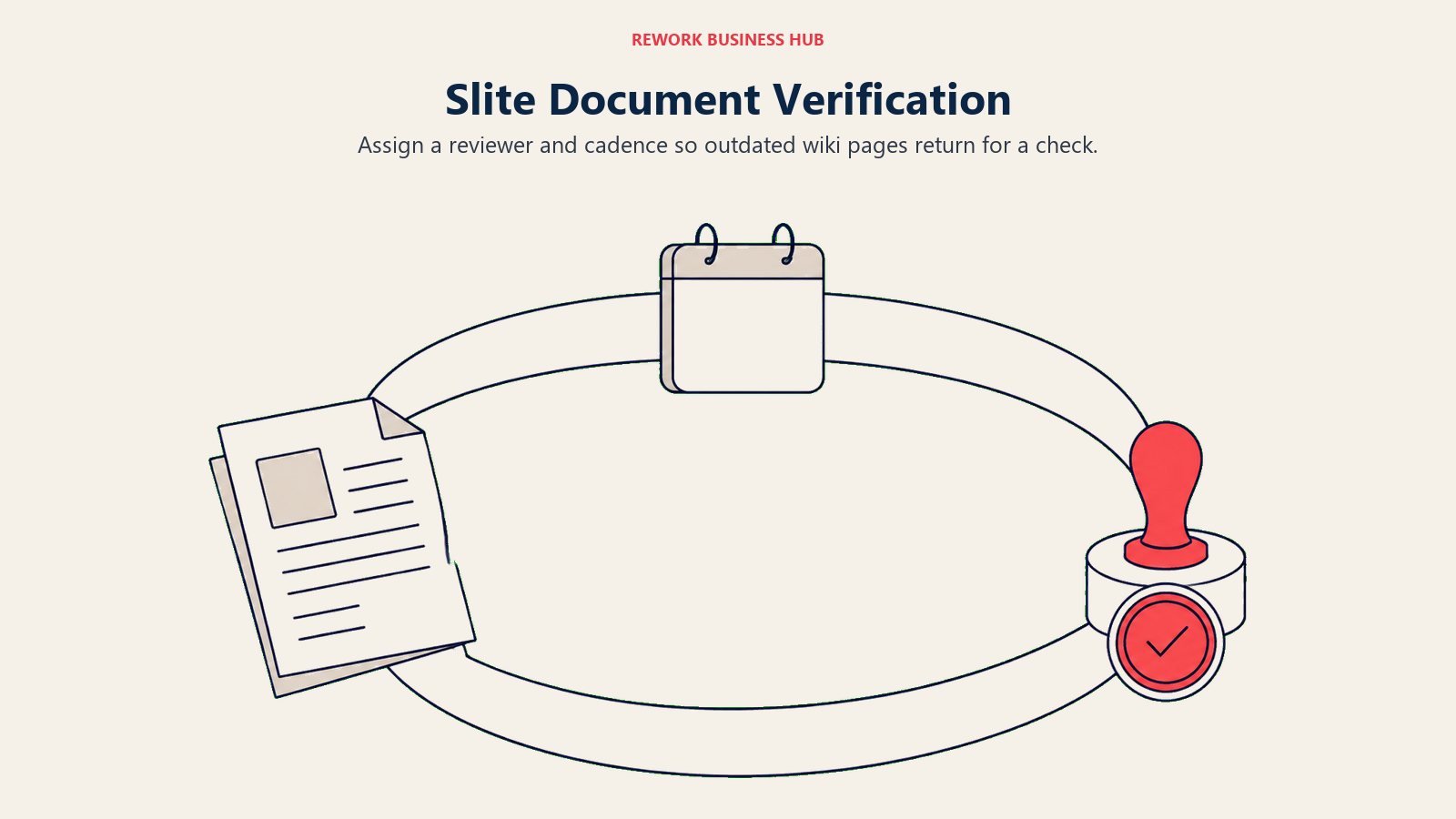
Every page can be assigned a verifier and a review cadence, and Slite surfaces docs that are overdue for a check so stale answers don't quietly sit at the top of search results. AI search is built in, capped at 30 questions per seat per month on Basic, with the Slite Agent and 50 credits per seat added on Pro. For a team whose actual complaint about Nuclino wasn't the item cap but the fact that nobody knew which pages were still accurate, that verification loop is the whole reason to switch.
The catch is price and maturity. There is no free plan at all, only a 14-day trial, so a team used to Nuclino's free tier is paying from day one. Slite is also younger and thinner on deep integrations than Confluence or Slab, and its permission model, while more structured than Nuclino's, still isn't Confluence-deep.
| What you get | What you don't |
|---|---|
| Doc verification and stale-content review reminders | Any free plan, ever |
| AI search built into every tier | Confluence-level permission granularity |
| A clean editor close to Nuclino's own feel | A large third-party integration catalog |
| The Slite Agent and credits on Pro | A public-facing knowledge base option |
| Fast onboarding for teams already used to lightweight wikis | Deep project or task management features |
Pricing: Basic is $10/user/month billed yearly. Pro is $20/user/month billed yearly. Enterprise is quoted by sales. The page lists yearly-billed figures; monthly pricing isn't shown separately. A 14-day trial is available. (slite.com/pricing)
Best for: Teams that liked Nuclino's simplicity but got burned by outdated pages nobody owned. Not ideal for: Budget-conscious teams that want to try before paying anything.
4. Superhuman Docs (Formerly Coda): Docs That Behave Like Databases
Superhuman Docs is Coda under new ownership. Coda.io's pricing page now redirects to Superhuman's site, and the product is rebranded rather than retired, so treat it as a continuation with a new name and owner, not an independent tool with its own separate roadmap anymore.
What it inherited is the reason to consider it over Nuclino: a doc can hold real tables, formulas and automations, so the same page that starts as a wiki entry can become a lightweight internal tool. That is a meaningfully different pitch than Nuclino's fast-but-flat items. Pricing follows the same logic, billed per Doc Maker (the person who builds and edits) rather than per reader, which can make Superhuman Docs cheaper than a per-seat wiki if only a few people actually author content and most staff just consume it.
The trade is complexity creep. Where Nuclino stays deliberately shallow, Superhuman Docs invites you to keep building, and a doc that started as a simple page can turn into an unmaintainable mini-application if nobody sets boundaries. It's also a bigger leap for a team that just wants a wiki and nothing else.
| What you get | What you don't |
|---|---|
| Formulas, automations and app-like docs | Per-reader pricing (it's billed per Doc Maker) |
| A free tier to start on | Nuclino's shallow, fast-to-learn simplicity |
| Tables and database views inside any doc | A guaranteed identical roadmap to legacy Coda |
| Pricing that can favor a few authors, many readers | Confluence-style space permissions |
| Continuity of Coda's automation depth | A calm, minimal editing experience |
Pricing: Free is $0. Pro is $12 per Doc Maker/month billed annually, or $15/month billed monthly. Business is $33 billed annually, $40 billed monthly. Enterprise is custom. Coda.io/pricing now redirects to Superhuman's plans page. (superhuman.com/plans/docs)
Best for: Teams who want their wiki pages to eventually become lightweight internal tools, not just documents. Not ideal for: Teams who want to stay as simple as Nuclino and never build a formula.
5. Slab: A Calm Wiki Built Around One Search Box
Slab's pitch is close to Nuclino's: keep the editor clean and the structure light. What Slab adds is a single search bar that reaches across Slack, Google Drive, GitHub and other connected tools, so "search Slab" effectively means "search everywhere your team keeps things," not just the wiki itself.
That integrated search is the real differentiator from Nuclino, which searches only what lives inside it. Slab also supports a free tier up to 10 users plus 3 guests per user, more generous on paid seats than most of the tools here at the Startup tier, and its organization model (topics, verified posts) sits between Nuclino's flat clusters and Confluence's deep spaces without the full administrative weight.
The limitation is scale. Slab's Enterprise tier requires a 100-user minimum, so a growing mid-market team eventually has to negotiate a jump most competitors don't force. It also doesn't offer Nuclino's board or graph views, so if visual organization mattered to you specifically, Slab will feel more traditional.
| What you get | What you don't |
|---|---|
| One search box across Slack, Drive, GitHub and more | Nuclino's board and graph views |
| A free plan for up to 10 users plus guests | A public-facing knowledge base |
| Verified posts to mark trusted answers | Confluence-depth permission schemes |
| A calmer, less configuration-heavy setup than Confluence | A sub-100-user Enterprise tier |
| Solid integrations without Confluence's overhead | Nuclino's near-instant page creation speed |
Pricing: Free is $0/user/month for up to 10 users plus 3 guests per user. Startup is $6.67/user/month billed annually. Business is $12.50/user/month billed annually. Enterprise is custom with a 100-user minimum. (slab.com/pricing)
Best for: Teams that want a wiki that searches the rest of their stack, not just itself. Not ideal for: Larger orgs that will outgrow the 10-user free tier and don't want to wait for a 100-seat Enterprise deal.
6. Rework: When the Wiki Needed to Live Next to the Work
Start with who this isn't for, because it saves half of you a click. Rework is not a standalone best-in-class wiki. If you want the deepest possible documentation product and nothing else, Confluence or Document360 is the right answer, not this.
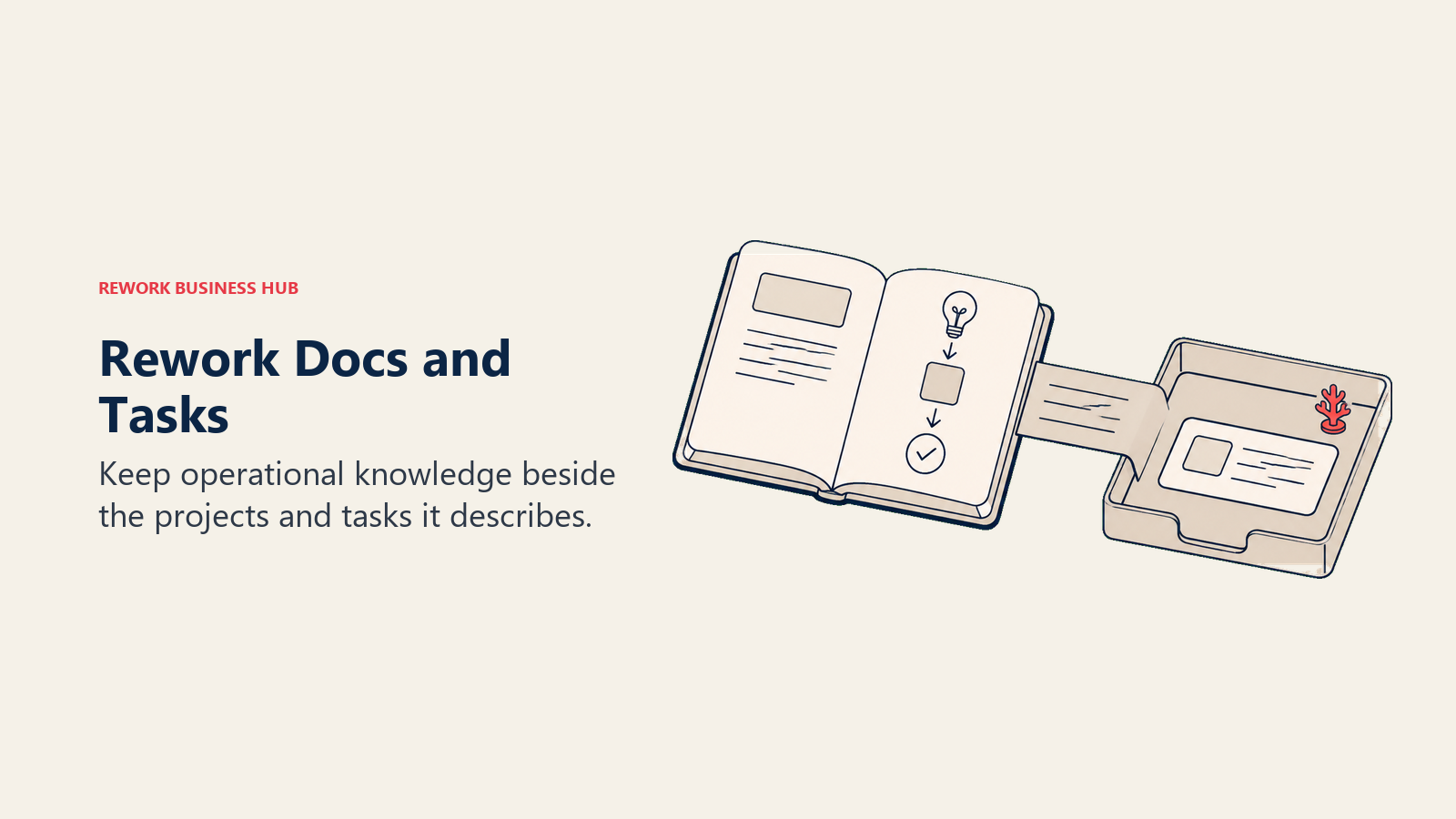
Rework earns its place for a specific reader: the one whose Nuclino workspace stopped being just reference material. A process doc references a client account. An onboarding page needs to trigger actual tasks, not just describe them. A runbook should link to the pipeline stage it applies to. Nuclino has no concept of any of that, it's a wiki, full stop, so teams end up bolting a second tool alongside it purely to connect docs to the work they describe.
Rework's approach is to put docs, tasks, boards and CRM records in the same workspace, so a wiki page can sit next to the deal, project or workflow it exists to support. When a new client account is created, the onboarding doc that describes the process is one click away instead of a separate app switch. If you're comparing this consolidation argument directly, Rework vs Notion puts it side by side with the most common builder-style destination, and if what you actually need is task management rather than documentation, the task management software roundup covers that territory on its own.
The honest trade is that Rework asks for real setup and has no free tier. Pricing comes as an engine with seats in blocks of 5 rather than sold per seat, which suits a team buying together and makes no sense for one person evaluating a personal wiki.
| What you get | What you don't |
|---|---|
| Docs living beside the tasks, deals and projects they describe | A standalone, best-in-class wiki product |
| One workspace instead of a wiki plus a separate ops tool | A free tier to test over a weekend |
| Cross-team workflows tied to the same records as your docs | Confluence-depth space and page permissions |
| Reporting that spans documentation and execution | A public-facing knowledge base for customers |
| Engine pricing built for a whole team, not per head | Any sensible fit for a solo user |
Pricing: The Project Engine is $99/month billed yearly ($1,188/year), or $120 month to month, with 5 work seats included. Extra seats come in blocks of 5 at $13/month per block on yearly billing, so 25 seats run $1,812/year. There is no free tier, but there is a 14-day free trial. (rework.com/pricing)
Best for: Teams of roughly 10 to 200 whose documentation is really operational knowledge tied to clients, projects and workflows. Not ideal for: A team that wants a standalone, best-in-class knowledge base, or a solo user with no team to consolidate for.
7. Outline: A Fast, Developer-Friendly Wiki With Real Collection Permissions
Outline picks up where Nuclino's simplicity stops needing to be simple. The editor is a clean, keyboard-first markdown experience that engineering and product teams tend to prefer over Confluence's rich-text weight, and unlike Nuclino, permissions can be set per collection, not just per team or workspace.
That collection-level control is the practical reason to switch: a team can keep public-facing engineering docs open while restricting a security runbook to a smaller group, something Nuclino's flat roles can't express. Outline also ships a documented API and, notably, an on-premises option for teams that need to self-host, though no price is published for that tier specifically.
The unusual part is pricing. Outline charges per band of members rather than per seat, so a team of 8 and a team of 10 pay the same Starter price, while crossing 10 members jumps you to the Team tier regardless of how many of those 11 people actually use it daily. That's worth planning around before you commit.
| What you get | What you don't |
|---|---|
| Per-collection permissions Nuclino doesn't offer | Per-seat pricing (it's priced by member band) |
| A fast, markdown-first editor for technical teams | Confluence's deepest enterprise admin tooling |
| A documented API and an on-premises option | A published price for self-hosting |
| Real-time collaborative editing | AI features baked into lower tiers |
| Clean organization without Confluence's overhead | A free tier to try before paying |
Pricing: Starter is $10/month for 1-10 members. Team is $79/month for 11-100 members. Business is $249/month for 101-200 members. Above 200 members is custom. An on-premises option exists with no published price. (getoutline.com/pricing)
Best for: Engineering and product teams that want real per-collection permissions and a markdown-native editor. Not ideal for: Small teams whose headcount sits right at a band boundary and will overpay for unused seats.
8. Tettra: The Slack-Native Answer to "Where's That Doc?"
Tettra solves a specific complaint Nuclino can't: your team already lives in Slack, and switching to a separate app to check a policy or process is friction nobody wants. Tettra surfaces answers directly inside Slack search and Slack questions, so the wiki comes to the conversation instead of the other way around.
The other structural piece Nuclino lacks is a review workflow: pages can be assigned an owner and a recurring verification date, so stale answers get flagged instead of quietly ranking at the top of search. For onboarding-heavy teams (support, success, HR), that combination, Slack-native retrieval plus enforced upkeep, addresses the exact failure mode a lightweight wiki like Nuclino tends toward once nobody's job is to maintain it.
The trap is the pricing floor. Scaling has a 10-user minimum, so a 4-person team leaving Nuclino pays for 10 seats regardless of headcount. Below that threshold, Tettra is a worse deal than almost anything else on this list.
| What you get | What you don't |
|---|---|
| Answers found and verified directly inside Slack | Any tier priced for teams under 10 users |
| Page ownership and recurring verification reminders | Confluence-depth space hierarchy |
| A workflow purpose-built for onboarding and FAQs | A public knowledge base for customers |
| Straightforward setup for support and success teams | Rich database or table functionality |
| 20% off, or two free months, on annual billing | A free tier of any kind |
Pricing: Scaling is $8 per user/month with a 10-user minimum. Enterprise is custom past 250 licenses. Annual billing gets roughly 20% off, described as two free months. (tettra.com/pricing)
Best for: Slack-first teams, especially support, success or HR, who want verified answers surfaced where people already ask questions. Not ideal for: Teams under 10 people, who pay the full 10-seat minimum regardless of size.
9. Obsidian: Local-First, for the Person Who Doesn't Trust the Cloud With Their Notes
Obsidian is the answer for a different kind of Nuclino complaint: not the cap, not the missing permissions, but a discomfort with content living entirely on someone else's server. The app itself is free with no sign-up required, files are stored as plain markdown on your own device, and an enormous community plugin ecosystem lets you bend the tool toward almost any workflow.
For an individual or a small, technically comfortable team, that ownership model is a real advantage over Nuclino, your notes exist as files you can back up, version with your own tools, or migrate anywhere, rather than being locked in a vendor's database. Sync and Publish are optional paid layers on top, letting a personal vault extend to a small team or a public site without abandoning the local-first core. If Obsidian is already on your shortlist, the dedicated Obsidian alternatives roundup goes deeper on that comparison specifically.
The honest limit is collaboration. Obsidian has no built-in real-time multiplayer editing the way Notion, Slite or Nuclino itself does; Sync keeps files current across devices and people, but it's closer to a shared folder than live co-editing. A commercial-use licence exists at $50/user/year, but Obsidian is explicit that you are not required to buy it to use the app for work.
| What you get | What you don't |
|---|---|
| Files you own, stored locally as plain markdown | Real-time collaborative editing like Nuclino has |
| A free app with no account required | Built-in team permissions or admin controls |
| An enormous plugin ecosystem for customization | A structured onboarding path for non-technical teams |
| Optional Sync and Publish layers when you need them | A single, opinionated way to organize content |
| No required licence fee for commercial use | Confluence- or Document360-style publishing tools |
Pricing: The app is free with no sign-up. Sync is $4/user/month billed annually, $5 billed monthly. Publish is $8/site/month billed annually, $10 monthly. Catalyst is a $25 one-time purchase. A commercial licence is $50/user/year and explicitly optional. (obsidian.md/pricing)
Best for: Individuals and small technical teams who want to own their files and customize deeply via plugins. Not ideal for: Teams that need real-time co-editing or centralized admin control.
10. Guru: Verified Knowledge Cards for Customer-Facing Teams
Guru targets a use case Nuclino was never built for: getting a verified, trustworthy answer in front of a support or sales rep at the exact moment they need it, inside the tool they're already using. A browser extension and Slack integration surface Guru "Cards" directly inside a helpdesk, CRM or Slack thread, and each card can be assigned an expert who re-verifies it on a schedule.

That verification loop, plus the in-context surfacing, is the real gap it closes versus Nuclino: a lightweight cluster-and-item wiki has no concept of "trust level" or "who confirmed this is still true." For teams where a wrong answer costs a support ticket or a lost deal, that matters more than editor speed. Guru also increasingly overlaps with AI-powered enterprise search tools; the Glean vs Guru comparison is worth a look if you're evaluating that adjacent category too.
The catch is that Guru no longer publishes self-serve pricing at all. Its pricing page now states investment is tailored to an organization's scale and AI maturity, with no free tier listed, so you can't compare it against the rest of this list without a sales conversation.
| What you get | What you don't |
|---|---|
| Verified knowledge cards with expert re-verification | Any published, self-serve pricing |
| In-context surfacing inside Slack, CRMs and helpdesks | A free tier to test before talking to sales |
| A browser extension that follows reps across tools | Nuclino's flat, general-purpose wiki structure |
| Built for support and sales enablement specifically | A quick way to compare cost against alternatives |
| Confidence signals on which answers are current | A lightweight, fast-setup wiki feel |
Pricing: No tiers are published. Guru's pricing page states the investment is tailored to organization scale, knowledge complexity and AI maturity, with no free tier listed. Pricing is quoted after a conversation with sales. (getguru.com/pricing)
Best for: Support and sales-enablement teams that need verified, in-context answers rather than a general wiki. Not ideal for: Anyone who wants to compare a real number before picking up the phone.
11. Document360: When the Knowledge Base Is the Product
Document360 solves the piece Nuclino explicitly can't: a public-facing knowledge base. Where Nuclino is entirely internal, Document360 is built to publish polished, versioned, searchable documentation to customers, complete with analytics on what readers actually search for and don't find.
That publishing focus is the whole differentiator. Category managers, API documentation support, and version control across multiple releases are built for teams whose "wiki" is really a product's help center, not an internal reference. For SaaS companies whose documentation is customer-facing, that is a different job entirely than what Nuclino, Notion or Slite are built to do, and the dedicated Document360 alternatives roundup is worth reading if this is the specific gap you're filling. More broadly, the knowledge management software roundup covers the wider category if you're still deciding between internal and external-facing tools.
Like Guru, Document360 has moved to quote-only pricing after a configuration questionnaire, with a 14-day trial as the only way to try it without a sales call. That makes it harder to comparison-shop up front, so budget time for a conversation before you commit.
| What you get | What you don't |
|---|---|
| A polished, versioned public knowledge base | An internal-only, lightweight wiki feel |
| Search analytics on what readers can't find | Published self-serve pricing |
| API documentation support and category management | A free tier, only a 14-day trial |
| Built for product and technical documentation teams | Nuclino's near-zero setup |
| Version control across multiple product releases | A quick way to compare cost up front |
Pricing: No tiers are published. Pricing is quote-only after a configuration questionnaire, with a 14-day trial available. (document360.com/pricing)
Best for: Teams whose documentation is a customer-facing product, not just internal reference. Not ideal for: Teams that only need an internal wiki and have no public help center to publish.
How to Choose: Decision Framework
| If you need... | Pick this |
|---|---|
| More room than the 50-item free cap, with flexibility to build | Notion |
| Real space hierarchy, page permissions and Jira ties | Confluence |
| Nuclino's simplicity plus a doc-verification workflow | Slite |
| Docs that can become tables, formulas and light apps | Superhuman Docs |
| A wiki with one search box across your whole stack | Slab |
| Docs that live beside the tasks and pipeline they describe | Rework |
| A fast markdown editor with per-collection permissions | Outline |
| Answers found and verified right inside Slack | Tettra |
| To own your files locally and customize with plugins | Obsidian |
| Verified answers surfaced inside your CRM or helpdesk | Guru |
| A polished, public-facing knowledge base for customers | Document360 |
| A fast shared brain for a small team and nothing more | Stay on Nuclino |
What a Nuclino Replacement Actually Has to Beat
Before you migrate anything, be precise about which Nuclino you're replacing, because the product does several jobs at once and few alternatives match all of them.
The speed and simplicity are the easy part to match. Notion, Slite and Slab all get close, and any of them will feel familiar within a day.
The structure is where switchers get surprised. Nuclino's clusters aren't a real hierarchy, and there is no field-level permission or approval workflow at any tier. If that's your actual complaint, your realistic options are Confluence, Outline or, for a public-facing help center specifically, Document360. If your team already pays for Microsoft 365 or Google Workspace, SharePoint and Google Sites ship a basic wiki for free; the Microsoft 365 alternatives and Google Workspace alternatives roundups cover how those compare against the rest of the stack if cost is the deciding factor.
The verified-answer problem is the one Nuclino has no answer for at all. If stale pages are your real issue, Slite, Tettra and Guru all build a review or verification loop into the product itself; nothing about adding more storage or more items fixes that on its own. And if what you actually want is AI-powered search across tools you already use rather than a single wiki, that's a different category entirely: the Glean alternatives roundup covers that adjacent space, distinct from documentation software you write into directly. Personal note-taking apps like the ones in the Evernote alternatives guide solve a related but smaller problem: one person's notes, not a team's shared wiki.
The consolidation question is the one that doesn't come back once it's real. Once a wiki page needs to trigger a task or reference a live deal, no standalone wiki, including Nuclino, is the whole answer. That's when the shortlist becomes Rework or a builder tool like Notion, and the question changes from "which wiki" to "what does this page need to be connected to."
What to Do Next
Pick two tools from the framework above, not five, and run a real two-week trial with actual content, not a demo workspace. Migrate one live cluster, not your whole archive, and see which tool your team opens without being told to on day ten.
If the free cap was the whole problem, start with Notion and Confluence's free tier before paying for anything. If stale pages are the real complaint, trial Slite or Tettra specifically for the verification workflow. If your docs need to reach customers, evaluate Document360 first. And if your wiki has quietly become the record of real client work, skip the standalone wikis and evaluate Rework directly. Migrating twice inside a year costs more than picking the heavier tool once.
Related reading:
- Best knowledge management software in 2026: the full category, not just Nuclino's neighbors
- Confluence vs Notion: a deeper look at the two most common destinations
- Best Confluence alternatives: if Confluence itself is what you're trying to replace
External resources:
- Nuclino pricing: free plan limits and paid tier details
- Notion pricing: free, Plus, Business and Enterprise
- Confluence pricing: free tier and per-user calculator
- Slab pricing: free tier and annual Startup/Business rates
Frequently Asked Questions about Nuclino Alternatives
What are Nuclino's free plan limits?
Nuclino's free plan allows up to 50 items, up to 3 canvases and 2GB of total storage, with no version history included. Starter, at $6/user/month, removes the item and canvas ceiling and adds 10GB of storage per user plus 30 days of version history.
How much does Nuclino cost?
Nuclino has three tiers: Free, Starter at $6/user/month, and Business at $10/user/month. Business adds unlimited version history, an audit log, SAML SSO and Nuclino's Sidekick AI. Yearly billing saves up to 25%, though Nuclino doesn't publish the exact yearly per-seat figure.
What is the best free Nuclino alternative?
It depends on what you need more of. Notion's free plan has no hard item cap the way Nuclino's does. Confluence is free forever for up to 10 users. Slab is free for up to 10 users plus 3 guests each. Obsidian's core app is entirely free with no sign-up required.
Is Notion better than Nuclino?
For flexibility and room to grow past the 50-item cap, yes. Notion lets a page become a full database with views and relations, something Nuclino doesn't support. Nuclino wins on speed and zero-configuration setup, since Notion requires you to design your own structure before it feels organized.
Does Nuclino have approval workflows or granular permissions?
No. Nuclino's permission model is limited to team- and workspace-level roles, with guests invited per workspace. There's no field-level permission, no approval or review workflow, and no way to publish a page to a public-facing knowledge base. Confluence, Outline and Document360 all offer some version of that structure.
What is the best Nuclino alternative for teams?
For teams whose docs connect to clients, projects and workflows, Rework, sold as an engine with seats in blocks of 5 rather than per seat. For teams that need real permission hierarchy, Confluence. For teams whose real problem is stale, unverified pages, Slite or Tettra.
What is the best Nuclino alternative for a public knowledge base?
Document360 is purpose-built for that: versioned, searchable documentation you publish to customers, with analytics on what readers search for and don't find. Nuclino has no public-publishing option at any tier.
Does Rework have a free plan?
No. Rework has no free tier, only a 14-day free trial. The Project Engine is $99/month billed yearly ($1,188/year), or $120 month to month, with 5 work seats included, and extra seats come in blocks of 5 at $13/month per block on yearly billing. It's built for teams whose documentation is tied to real operational work, not a standalone personal wiki.

Principal Product Marketing Strategist
On this page
- Key Facts
- Quick Comparison Table
- Free Plan and Item Caps, Side by Side
- Why People Leave Nuclino
- Stage Fit Matrix
- Sizing and Persona Table
- 1. Notion: The Closest Swap, With Room the Free Cap Doesn't Have
- 2. Confluence: Real Structure and Permissions, Built by Atlassian
- 3. Slite: The Nuclino-Like Wiki That Adds Upkeep Tooling
- 4. Superhuman Docs (Formerly Coda): Docs That Behave Like Databases
- 5. Slab: A Calm Wiki Built Around One Search Box
- 6. Rework: When the Wiki Needed to Live Next to the Work
- 7. Outline: A Fast, Developer-Friendly Wiki With Real Collection Permissions
- 8. Tettra: The Slack-Native Answer to "Where's That Doc?"
- 9. Obsidian: Local-First, for the Person Who Doesn't Trust the Cloud With Their Notes
- 10. Guru: Verified Knowledge Cards for Customer-Facing Teams
- 11. Document360: When the Knowledge Base Is the Product
- How to Choose: Decision Framework
- What a Nuclino Replacement Actually Has to Beat
- What to Do Next