Best Lansweeper Alternatives in 2026: 15 IT Asset Discovery and Inventory Tools
Turn this article into takeaways for your work.


Each assistant summarizes the article only for you and suggests best practices for your work.
Where a vendor publishes no pricing, the number is labeled (reported) and the source is named.
Lansweeper doesn't publish a single dollar or euro figure for any paid plan. Free covers 100 licensed assets, with full-environment scanning and no cap on what it can see, but Starter jumps straight to a 2,000-asset minimum and Pro starts there too, expandable in bands of 1,000. A shop running 150 devices, or 500, gets quoted for capacity it will never use. That gap, not price itself, is the real reason people search for Lansweeper alternatives.
This guide covers 15 replacements, evaluated on published pricing (where it exists), discovery depth, deployment options, and how honestly each vendor prices its own product. Several of these fill the exact gap Lansweeper leaves open at the small end; a few are built for fleets Lansweeper's licensing was never meant to serve either.
Key Facts
- Forescout's Vedere Labs analyzed more than 10 million devices across 700 organizations and found that 65% of connected assets are no longer traditional IT, a mix of IoT, OT and IoMT devices that a name-and-IP discovery scan was never built to classify. (Forescout, via Help Net Security)
- Complete IT asset visibility dropped to 36% among the 512 technology professionals surveyed for Flexera's 2026 State of ITAM Report, published June 2026. (Flexera)
- 64% of organizations in that same Flexera survey were audited by Microsoft in the past three years, and 44% spent over $1 million on software audits in that span, which is the practical cost of not knowing what's actually deployed. (Flexera)
- Gartner predicts that by 2027, 75% of employees will acquire, modify or create technology outside IT's visibility, up from 41% in 2022, which is exactly the blind spot a discovery tool exists to close. (Gartner)
- The median annual wage for computer support specialists was $60,340 in May 2024, and the U.S. Bureau of Labor Statistics projects roughly 50,500 openings a year through 2034, mostly from replacement need rather than growth. Licensing an asset tool is a rounding error next to a loaded headcount line. (U.S. Bureau of Labor Statistics)
Why IT Teams Search for Lansweeper Alternatives
Lansweeper earns a loyal following on the discovery engine itself. It scans network segments agentlessly, fingerprints operating systems, software, and hardware in real detail, and the free tier genuinely works: it scans your whole environment with no cap on scope, only on how many assets get full licensed detail.
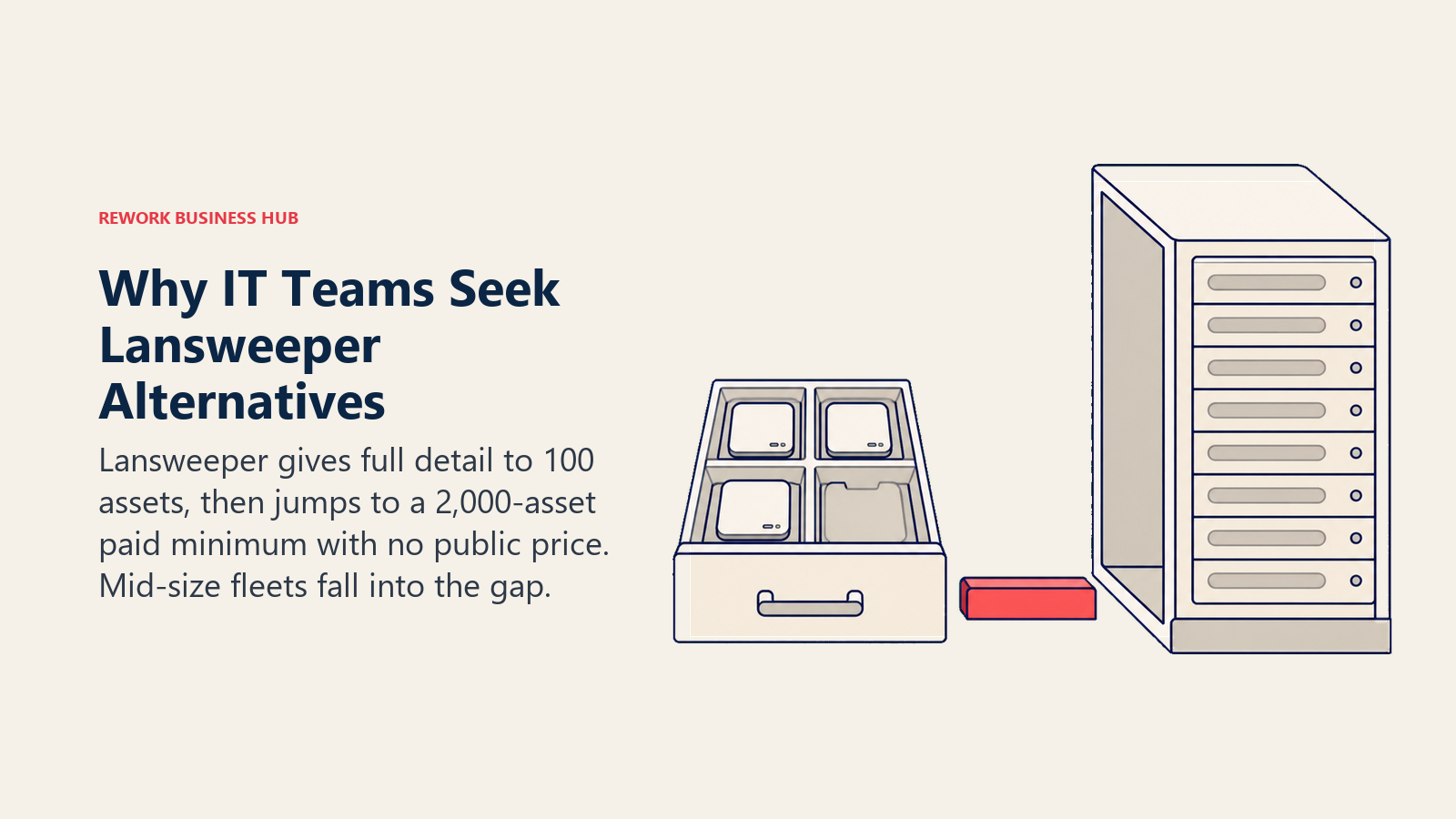
That last point is where the friction starts. Free licenses only the first 100 assets it finds; anything past that shows up with just a name, a type, and an IP address, no manufacturer, no installed software, no warranty data. For a lot of small shops that's still useful as an early-warning radar, but it isn't a working inventory. And the paid tiers don't ease you in. Starter is packaged at 2,000 assets. Pro starts at 2,000 too, and grows in increments of 1,000 up to 9,000 before Enterprise takes over. There's no 250-asset or 500-asset paid tier at all.
The second friction point is that none of it has a public price. Lansweeper sells Starter, Pro, and Enterprise through a license-quote request, and searching for "Lansweeper pricing" turns up guesses, not numbers. Lansweeper customers have posted complaints about price increases on the vendor's own community forum, which is worth knowing about, but treat it as customer-reported sentiment, not a confirmed figure. There's no dollar or euro amount here to responsibly repeat.
| Lansweeper plan | Asset capacity | Billing basis | What it includes |
|---|---|---|---|
| Free | 100 licensed assets; unlimited scan scope | No cost | Full detail on the first 100 assets; unlicensed assets show name, type and IP only; unlimited user invites; dashboard export to images only |
| Starter | 2,000 assets | Quote only, via license request | Entry paid tier |
| Pro | 2,000 to 9,000 assets, in bands of 1,000 | Quote only, via license request | Expanded asset capacity |
| Enterprise | Custom | Quote only | Custom scope and support |
Sources: lansweeper.com/pricing, docs.lansweeper.com/docs/whats-included-in-the-free-plan. VPCs, containers, and other non-billable records don't count toward the 100-asset free limit.
If your fleet doesn't fit either end of that ladder, the IT asset management buyer's guide walks through how to shop this category from scratch, before you commit to any single vendor's licensing shape.
Quick Comparison Table
| Tool | Best for | Starting price (with basis) | Key strength | Key limitation |
|---|---|---|---|---|
| ManageEngine AssetExplorer | Teams that want an exact, published rate card | Cloud from $115/month or $1,245/year for 250 assets; on-premises from $955/year | Only vendor here with a full banded table, cloud and on-premises both | Price climbs fast: $9,595 to $12,445/year at 5,000 assets |
| Snipe-IT | Small fleets under Lansweeper's 2,000-asset floor | Free and open source self-hosted; Cloud Basic $39.99/month or $399.99/year | Unlimited assets and users on every cloud tier | Self-hosted means you run and patch the server |
| PDQ Inventory (PDQ Connect) | Windows/macOS shops wanting inventory plus patching | $12 per device per year, Basic, 100-device minimum, billed annually | Transparent per-device annual rate | 100-device minimum; on-prem legacy product prices per admin instead |
| EZO (EZOfficeInventory) | Hardware-heavy small teams with unlimited users | Essentials $40/month, up to 250 items | Flat monthly rate regardless of headcount | Capped by item count, not asset-agnostic |
| Setyl | Unifying hardware and SaaS license tracking | Complete plan from $300/month flat, unlimited assets | Combines hardware ITAM with SaaS spend management | $300/month floor is real money for a two-person IT shop |
| Freshservice (Discovery + Asset Management) | Teams wanting ITSM and ITAM from one vendor | Starter $19/agent/month, ITAM Growth package with 100 Asset Units included, billed annually | Ticketing and asset management under one roof | Extra Asset Units sold in packs of 500, on top of agent seats |
| NinjaOne | Endpoint-heavy environments needing RMM-grade discovery | Quote only; published band $1.50/endpoint/month at 10,000 endpoints, $3.75 at 50 or fewer | Deep automated discovery built into RMM | Not a dedicated ITAM/CMDB product |
| Atera | Small IT teams with far more devices than staff | From $149/technician/month billed annually (reported), unlimited devices | Unlimited endpoints per technician seat | Pricing pages block automated verification |
| Action1 | Patch-first shops wanting discovery bundled free | Free up to 200 endpoints, no feature limits | Most generous genuinely free tier in the category | Quote-only past 200 endpoints |
| InvGate Assets | A dedicated ITAM product with a real per-device number | Starter $1,499/year fixed, 500 IP devices | Published Starter price plus a clear per-device Pro rate | Annual billing only; Pro minimum $2,500/year |
| Device42 | Data center and hybrid infrastructure discovery depth | Quote only, per device, annual subscription | Deep CMDB for servers, network gear, and dependencies | Zero published pricing anywhere |
| Asset Panda | Teams wanting a fully custom-configured asset system | Quote only, custom-tailored, 7-day trial | Highly configurable to unusual asset types | No published price at all, not even a floor |
| Ivanti Neurons for ITAM | Enterprises consolidating ITAM with endpoint/patch | Quote only, no published pricing | Ties asset data to Ivanti's endpoint and patch stack | Third-party estimates conflict by an order of magnitude |
| GLPI | Linux-capable teams wanting ITSM and ITAM, no license fee | Free self-hosted; Network Cloud from €19/agent/month | Genuinely free option with strong ITAM built in | You supply the hosting and expertise if self-installed |
| ServiceNow ITAM | Large enterprises building ITAM into a platform strategy | Quote only, no public price list | Deepest CMDB and workflow depth in the category | Cost and implementation scale beyond mid-market |
What These Tools Actually Cost at Real Fleet Sizes
Asset-based pricing looks abstract until you run it at the sizes people actually have. The contrast below is the point: some tools charge linearly per asset or device, and some charge a flat rate no matter how the fleet grows. Lansweeper can't even be filled in past its free tier, because nothing past 100 assets has a public number.
| Provider and plan | Pricing basis | 150 assets | 1,000 assets | 5,000 assets |
|---|---|---|---|---|
| Lansweeper | Per asset band per year, quote only | Free (100 licensed) or a Starter quote | Quote only | Quote only |
| ManageEngine AssetExplorer (cloud) | Per asset band per year | $1,245/yr (250-asset band) | $3,895/yr | $12,445/yr |
| ManageEngine AssetExplorer (on-premises) | Per asset band per year | $955/yr (250-asset band) | $2,995/yr | $9,595/yr |
| InvGate Assets | Per IP device per year | $1,499/yr flat (Starter, to 500 devices) | $5,000/yr (Pro, $5/device) | $25,000/yr (Pro) |
| PDQ Connect Basic | Per device per year, 100-device minimum | $1,800/yr (150 × $12) | $12,000/yr | $60,000/yr |
| Snipe-IT Cloud Basic | Flat per account, unlimited assets | $399.99/yr | $399.99/yr | $399.99/yr* |
| Setyl Complete | Flat per account, unlimited assets | $3,600/yr | $3,600/yr | $3,600/yr |
| GLPI Network Cloud (1 agent) | Flat per staff agent per month, unlimited assets | €228/yr | €228/yr | €228/yr |
Snipe-IT's Basic tier caps API calls at 120/minute rather than asset count; a 5,000-asset shop would likely want Small Business or Dedicated for support and API headroom, still at a flat published rate rather than a per-asset one.
Read the PDQ Connect and flat-rate rows side by side and the design difference is obvious. Per-device pricing punishes growth; Snipe-IT, Setyl, and GLPI don't care how big the fleet gets, because they meter something other than asset count. Neither approach is wrong, but a shop that expects to double its device count in two years should weigh that difference more than the sticker price at today's size.
1. ManageEngine AssetExplorer: The Vendor That Actually Publishes Its Band Table
AssetExplorer is the most direct answer to Lansweeper's opacity problem, because it prices the same way Lansweeper does, in bands by asset count, but tells you every figure. ManageEngine (part of Zoho Corp) publishes both a cloud and an on-premises table, and the two aren't the same number: cloud runs $1,245/year at 250 assets rising to $16,695/year at 10,000, while on-premises runs $955 to $11,995 across the same range, plus $1,195 for each additional block of 1,000 assets above 10,000.
A 30-day fully functional trial covers up to 250 assets, then downgrades to a free edition licence rather than disappearing. Remote Control, a common add-on need for distributed IT teams, costs $315 per concurrent session per year on top of the base licence.
| What you get | What you don't |
|---|---|
| A complete published rate card, cloud and on-premises | A modern, minimal interface |
| The same asset-band pricing shape as Lansweeper, but transparent | A flat rate that ignores fleet size |
| A trial that downgrades to a free edition instead of expiring | Bundled remote control; that's priced separately |
| Add-on modules with published prices | Freshness at very large asset counts; the curve gets steep |
Pricing: Cloud: 250 assets $115/month or $1,245/year; 500 assets $225/month or $2,345/year; 1,000 assets $360/month or $3,895/year; 2,000 assets $580/month or $6,245/year; 5,000 assets $1,155/month or $12,445/year; 10,000 assets $1,545/month or $16,695/year. On-premises (annual only): 250 assets $955; 1,000 assets $2,995; 2,000 assets $4,795; 5,000 assets $9,595; 10,000 assets $11,995; each additional 1,000 assets $1,195. Remote Control add-on $315 per concurrent session per year. Vendor-published on manageengine.com/products/asset-explorer/pricing.html. Best for: IT teams that want Lansweeper's banded pricing logic without the black box. Not ideal for: Fleets past 10,000 assets, where the on-premises per-block add-on pricing gets expensive quickly.
2. Snipe-IT: Free and Open Source, or a Flat Cloud Rate With Unlimited Assets
Snipe-IT answers the 2,000-asset minimum directly: it doesn't have one. The self-hosted edition is, in the project's own words, "free and always will be," open source, and there's no asset cap because there's no licensing meter at all beyond the server you run it on.
If you'd rather not host it, Snipe-IT's cloud tiers are flat monthly or annual fees with unlimited users and unlimited assets on every tier, from Basic at $39.99/month up to Dedicated options at $5,000 to $7,500 a year. The tiers differ on support level and API rate limit (120, 240, or unlimited calls per minute), not on how much you're allowed to track.
| What you get | What you don't |
|---|---|
| A genuinely free, open source self-hosted option | Vendor-managed hosting on the free tier |
| Unlimited assets and users on every cloud plan | Deep network discovery; Snipe-IT is asset tracking, not agentless scanning |
| A flat published rate with no per-asset math | Built-in software license optimization |
| API access even on the entry cloud tier | A mobile-first UI as polished as newer entrants |
Pricing: Self-hosted: free and open source, unlimited. Cloud: Basic $39.99/month or $399.99/year (120 API calls/min, community support); Small Business $99.99/month or $999.99/year (240 calls/min, email support, automated upgrades); Dedicated (Small) $249.99/month or $2,499.99/year (unlimited API calls, private server, phone support); Medium $5,000/year and Large $7,500/year for dedicated servers at scale. Annual billing saves 16% versus monthly. Vendor-published on snipeitapp.com/pricing. Best for: Small and mid-size fleets that want unlimited assets without paying more as the count grows, whether self-hosted or cloud. Not ideal for: Teams that need Lansweeper-style automated network discovery baked in; Snipe-IT tracks what you enter or import, it doesn't scan the network for you out of the box.
3. PDQ Inventory (Now PDQ Connect and PDQ Deploy & Inventory): A Real Number, With a Naming Change to Know About
If you've bookmarked "PDQ Inventory" as a standalone product, it's worth updating that mentally: PDQ now sells two things. PDQ Connect is the current cloud product, billed per device per year. PDQ Deploy & Inventory is the on-premises successor to the classic desktop tool, licensed per admin rather than per device, at $1,950/year for one non-shareable admin licence covering unlimited endpoints.
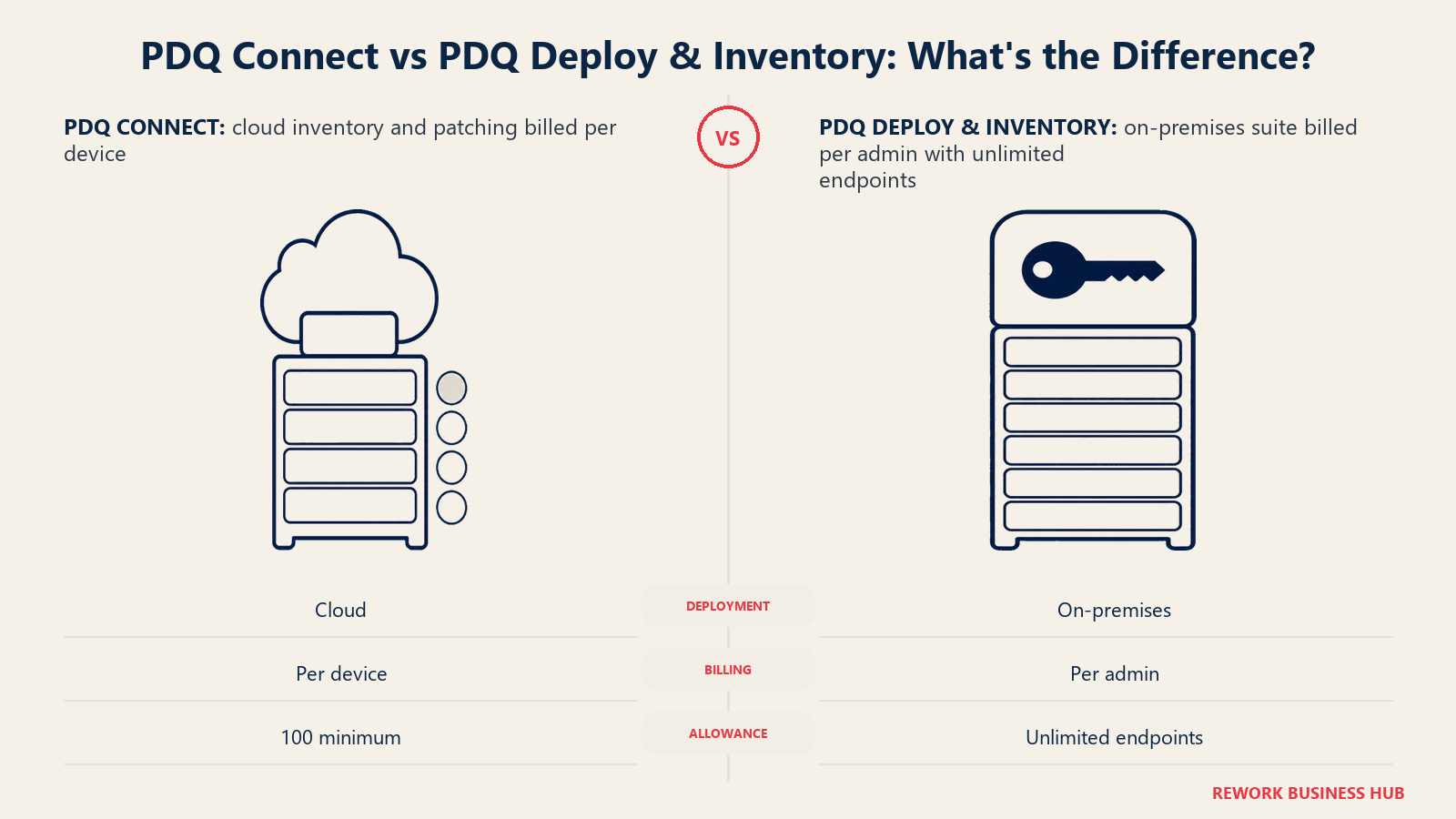
Connect's per-device pricing is genuinely transparent: Basic at $12/device/year, Plus at $18, Premium at $28, each with a 100-device minimum and prorated billing when you add devices mid-year. That minimum matters at the small end the same way Lansweeper's 2,000-asset floor does, just at a fraction of the scale, and it's worth knowing before you assume PDQ solves the "too small for Lansweeper" problem completely free.
| What you get | What you don't |
|---|---|
| A transparent per-device annual rate on Connect | A price under the 100-device minimum |
| An unlimited-endpoint on-premises option (Deploy & Inventory) | Broad multi-platform discovery beyond Windows and macOS |
| Patch management and deployment bundled with inventory | Full CMDB depth for network gear or non-computer assets |
| A 14-day trial with no credit card required | The "PDQ Inventory" name; it's been folded into two other products |
Pricing: PDQ Connect (cloud, per device/year, 100-device minimum): Basic $12, Plus $18, Premium $28. PDQ Deploy & Inventory (on-premises, per admin/year): $1,950 flat, one non-shareable licence, unlimited endpoints; volume pricing from 15 admin licences. 14-day free trial on both (Connect covers up to 250 devices). 10-15% discounts for nonprofits, schools, and small businesses under 50 employees. Vendor-published on pdq.com/pricing. Best for: Windows and macOS-heavy IT teams that want patching and inventory from the same tool, at a price they can compute themselves. Not ideal for: Mixed environments with significant Linux, network, or IoT assets outside PDQ's Windows/macOS focus.
4. EZO (EZOfficeInventory): Flat Monthly Pricing, Capped by Items Instead of Users
EZO's EZOfficeInventory flips the usual seat-based model: pricing is flat per month, and the limiting factor is how many tracked items you have, not how many people log in. Essentials starts at $40/month for up to 250 items with unlimited users, which suits a small hardware-heavy operation better than a per-technician rate would.
That structure is also the honest caveat. As your item count grows past a plan's cap, you move up a tier rather than paying a per-item rate, so budget by item count first and user count never.
| What you get | What you don't |
|---|---|
| A flat monthly rate with unlimited users | An asset-agnostic model like Snipe-IT's unlimited tiers |
| A price that doesn't punish a large IT staff | Network-based automated discovery; entries are largely manual or via integration |
| Straightforward tier names tied to item count | A published number for exactly where each higher tier's cap sits |
| Predictable monthly billing | A free tier; only a trial |
Pricing: Essentials $40/month, up to 250 items, unlimited users. Advanced $55/month. Premium $65/month. Custom Enterprise on request. Confirm current item caps on ezo.io/ezofficeinventory/pricing before committing, since tier boundaries shift. Best for: Small teams with a large user base but a modest, well-defined item count, like a school or clinic tracking equipment. Not ideal for: Fleets that need automated network scanning rather than manual or integration-driven data entry.
5. Setyl: One Platform for Hardware and SaaS License Spend
Setyl's pitch is consolidation across a line Lansweeper doesn't cross: hardware ITAM and SaaS/software spend management in one system. Alongside asset lifecycle tracking, it does license optimization, onboarding and offboarding workflows, and compliance support for frameworks like ISO 27001 and SOC 2, with over 100 integrations into MDM/RMM tools, HR systems, and SSO providers.
All three plans, Complete, Advanced, and Advanced Managed, start from the same $300/month floor and share the same core feature set; what changes going up the ladder is the level of hands-on implementation and account management, not what the software can track. That floor is worth being honest about: it's flat and unlimited on assets, which is generous at scale, but it's real money for a two-person IT shop with 150 devices and no SaaS-sprawl problem to solve.
| What you get | What you don't |
|---|---|
| Hardware and SaaS/license tracking in one system | A price under $300/month |
| Unlimited assets on every tier | A free plan or a published trial length |
| 100+ integrations including MDM, RMM, SSO, and HR tools | Deep agentless network discovery of the kind Lansweeper does |
| Compliance support built toward ISO 27001 and SOC 2 | Tier differentiation based on features rather than service level |
Pricing: Complete, Advanced, and Advanced Managed all start from $300/month flat, unlimited hardware and software assets. Advanced Managed adds a dedicated specialist and managed onboarding. Vendor-published on setyl.com/pricing. Best for: IT teams whose real problem is SaaS sprawl and license waste as much as hardware inventory. Our SaaS management software roundup covers that adjacent category if SaaS spend is the bigger pain point. Not ideal for: A very small IT team where $300/month is a hard budget line and hardware, not SaaS, is the only problem.
6. Freshservice (Discovery + Asset Management): ITSM and ITAM Under One Roof
Freshservice bundles asset management into its ITSM platform rather than selling it as a separate product. Every plan, Starter through Enterprise, includes the ITAM Growth package with 100 Asset Units, Freshservice's licensing metric for how many and what type of assets live in its CMDB. Need more capacity, and you buy additional Asset Units in packs of 500 on top of your agent seats.
That's the trade worth weighing against a dedicated ITAM tool: you get ticketing, a service catalog, and an asset database together, but you're paying per agent ($19 to $99/month depending on tier, billed annually) as well as for asset capacity, rather than paying once for assets alone. If ticketing volume, not asset discovery, is your actual bottleneck, our Freshservice alternatives roundup evaluates the ITSM side of that decision in far more depth, including where change and problem management sit in the tier ladder.
| What you get | What you don't |
|---|---|
| Ticketing, service catalog, and asset management together | A tool priced purely on asset count |
| 100 Asset Units included on every plan tier | Unlimited assets; extra capacity is a paid pack of 500 |
| A CMDB tied directly to the ticket queue | The cheapest way to license assets alone |
| A 14-day full-access trial | A free plan of any kind |
Pricing: Starter $19, Growth $49, Pro $99 per agent per month, billed annually; Enterprise custom. ITAM Growth package with 100 Asset Units included on every tier; additional Asset Units sold in packs of 500. No monthly-only rate published. Vendor-published on freshworks.com/freshservice/pricing. Best for: Teams that want their asset data living inside the same platform as their ticket queue. Not ideal for: Shops that only need asset discovery and don't want to pay a per-agent ITSM price to get it.
7. NinjaOne: RMM-Grade Discovery, With the Most Honest Quote-Only Page in the Category
NinjaOne isn't a dedicated ITAM product, it's an RMM platform with strong automated discovery and inventory baked in, and it earns a spot here because a real share of Lansweeper's audience actually wants live endpoint visibility more than a static CMDB. It patches, remotely accesses, and inventories in one agent.
Its pricing page is quote-only, but unusually candid about why: NinjaOne says outright it doesn't publicly list full pricing because doing so would interfere with how its partners price their own services. It publishes a band anyway: as low as $1.50 per endpoint per month at 10,000 endpoints, rising to $3.75 at 50 or fewer. Never repeat the $1.50 figure without that volume condition attached; for a small fleet, $3.75 is the number that actually applies. Teams weighing a full ITSM-plus-RMM combo alongside NinjaOne should also see our NinjaOne alternatives roundup and the direct NinjaOne vs. Atera comparison.
| What you get | What you don't |
|---|---|
| Live, automated endpoint discovery tied to an RMM agent | A dedicated ITAM/CMDB product |
| Published volume bands despite a quote-only model | A flat rate; the cheap end needs 10,000 endpoints |
| Patching and remote access alongside inventory | A price under $3.75/endpoint at small fleet sizes |
| A 14-day trial with no hard licence cap | ITIL-style asset lifecycle and contract management |
Pricing: Quote only, with a published band: from $1.50 per endpoint per month at 10,000 endpoints, rising to $3.75 at 50 or fewer, varying by region and products purchased, commercial non-FedRAMP instances. 14-day trial. Vendor-published on ninjaone.com/pricing. Best for: IT teams that want live endpoint visibility and remote management alongside inventory, not a static asset database. Not ideal for: Shops that specifically need contract tracking, depreciation, or a formal CMDB; NinjaOne is endpoint-first.
8. Atera: Unlimited Devices Per Technician, a Different Cost Curve Entirely
Atera inverts the usual asset-counting logic: instead of charging per device, it charges per technician and includes unlimited managed devices on every plan. For a two-person IT team managing 800 endpoints, that's the cheapest math in this whole list. For a twelve-person team managing 300 devices, it's the most expensive.
The number that matters has moved and a lot of pages haven't caught up. Atera ran a 2026 pricing update, with new rates applying from the first monthly billing cycle in June 2026 and from the first annual renewal on or after late July 2026; AI Copilot is now included on every plan at no extra charge. | What you get | What you don't | |---|---| | Unlimited managed devices on every technician seat | A cheap per-seat rate | | RMM, patching, remote access, and inventory in one tool | A pricing page you can actually load | | AI Copilot included at no extra cost | Deep contract or lifecycle management | | A genuinely different cost curve for device-heavy shops | Value for a team with more staff than devices |
Pricing: Reported from $149/technician/month billed annually (or $169 billed monthly) for the entry IT Department tier, Expert at $189/$229 and Master at $219/$269 above it, unlimited devices and AI Copilot on all three. Source: atera.com/it-department-pricing. Best for: Small IT teams and MSPs where device count badly outpaces headcount. Not ideal for: Larger service desks, where per-technician pricing starting at $149 gets expensive fast as staff grows.
9. Action1: The Most Generous Free Tier in This Category
Action1's free tier is the strongest small-fleet answer here, and it's frequently misquoted, so get the number right: free covers 200 endpoints, not 100. Action1 raised the limit from 100 to 200 in February 2025, continuing a pattern of increases (10 to start, 50 in January 2021, 100 in January 2022, 200 in February 2025), and there are no feature restrictions on the free tier at any point in that history.
Past 200 endpoints, Action1 moves to a quote-only model via a contact form, so the transparency that makes the free tier attractive doesn't carry all the way up. It's also primarily a patch management and remote access platform with discovery and inventory as part of that story, not a standalone CMDB.
| What you get | What you don't |
|---|---|
| 200 fully-featured endpoints at zero cost | Any published price above 200 endpoints |
| No feature limitations on the free tier | A dedicated ITAM/CMDB product |
| Patch management bundled with discovery | Contract, warranty, or lifecycle tracking |
| A track record of raising the free limit, not cutting it | Deep hardware asset detail beyond patch-relevant data |
Pricing: Free for the first 200 endpoints, no feature limitations. Above 200 endpoints, quote only via a contact form. Sources: action1.com/pricing, action1.com/free-edition, and action1.com/company-news/action1-expands-its-free-offering-to-200-endpoints (February 2025). Best for: Small IT teams under 200 endpoints that want patch management and discovery together at zero licensing cost. Not ideal for: Fleets past 200 endpoints wanting a self-serve price, or teams that need formal asset lifecycle and contract management.
10. InvGate Assets: A Dedicated ITAM Product With an Actual Per-Device Rate
InvGate sells its asset management product separately from its service desk, and it's one of the few entries here with both a fixed entry price and a transparent per-device rate above it. Starter is $1,499/year flat for up to 500 IP devices, not a per-device calculation at all, which makes it directly comparable to Lansweeper's free-to-2,000-asset gap: InvGate actually sells something in between.
Pro picks up from there at $5 per IP device per year, with a $2,500/year minimum, covering 500 to 5,000 devices, and Enterprise runs custom from $12,000/year up to a million devices. All tiers include automated discovery, agentless network scanning, and agent-based options across Windows, macOS, Linux, and Android, plus MDM integrations with Jamf, Intune, and SOTI.
| What you get | What you don't |
|---|---|
| A fixed $1,499/year price for up to 500 devices | Monthly billing; annual only |
| A published per-device rate above that (Pro) | A free tier; trial only |
| Agentless and agent-based discovery across four OS families | Sub-500-device pricing below the Starter floor |
| MDM integrations with Jamf, Intune, and SOTI included | The brand recognition of the bigger incumbents |
Pricing: Starter $1,499/year fixed, up to 500 IP devices. Pro $5 per IP device per year, minimum $2,500/year, 500 to 5,000 devices. Enterprise custom, from $12,000/year, up to 1,000,000 devices. Annual billing only. Free trial available. Vendor-published on invgate.com/asset-management/pricing. (InvGate's separate service management product carries its own pricing; don't conflate the two if you're evaluating InvGate for ITSM as well.) Best for: Small and mid-size IT teams that want a dedicated ITAM product with a real number to budget from, above Lansweeper's free tier but well under its 2,000-asset Starter floor. Not ideal for: Teams under 500 devices who'd rather pay per-device than a flat annual fee.
11. Device42: Deep CMDB for Data Centers and Hybrid Infrastructure
Device42 goes where Lansweeper and most of this list don't: deep dependency mapping across data center racks, virtualization, cloud instances, and application-to-infrastructure relationships. If your actual problem is understanding what depends on what before a migration or a decommission, Device42's CMDB depth is built for exactly that question.
The pricing situation is stark, though. Device42 confirms only that it's "an annual subscription model, based on the number of devices," with zero tiers, editions, or figures published anywhere on its own site. There's a free trial download to explore the product, but nothing to budget against before that conversation happens.
| What you get | What you don't |
|---|---|
| Deep dependency mapping across hybrid infrastructure | Any published pricing figure |
| Strong data center and rack-level discovery | Tier names or edition differences you can compare in advance |
| A free trial to test the product hands-on | A self-serve path to a contract |
| A CMDB built for migration and decommission planning | Fit for a small, simple, mostly-laptop fleet |
Pricing: Quote only. Annual subscription, based on device count, with no published figures. Free trial download available. Vendor-published on device42.com/pricing. Best for: IT and infrastructure teams managing complex hybrid data center environments who need dependency mapping, not just an inventory list. Not ideal for: Small IT teams with a simple, mostly end-user-device fleet; this is more infrastructure CMDB than everyday IT asset tracking.
12. Asset Panda: Fully Configurable, Fully Unpriced
Asset Panda's whole pitch is configurability: it can be shaped to track almost any asset type, from IT hardware to fleet vehicles to facilities equipment, with custom fields and workflows built around what you're actually tracking rather than a fixed IT-only schema.
That flexibility comes at the cost of any pricing transparency at all. The vendor's own pricing page states plainly that you'll get "a clear, custom quote based on exactly what you need," with no tier names, no floor price, and no billing basis disclosed anywhere public. A 7-day free trial is the only way to see the product before a sales conversation.
| What you get | What you don't |
|---|---|
| Highly configurable tracking for varied asset types | Any published price, tier name, or billing basis |
| A workflow builder not locked to a fixed IT schema | A self-serve path past the trial |
| A 7-day fully-featured trial | A way to comparison-shop without calling sales |
| Flexibility for mixed IT and non-IT asset tracking | Predictability for budgeting purposes |
Pricing: Quote only. No tiers, floor price, or billing basis published anywhere on assetpanda.com. 7-day free trial. Vendor-published on assetpanda.com/pricing. Best for: Organizations tracking a mix of IT and non-IT assets that need a highly configurable system more than a cheap one. Not ideal for: Anyone who wants to budget before a sales call; there's nothing here to estimate from.
13. Ivanti Neurons for ITAM: Consolidation With Endpoint and Patch Management
Ivanti's pitch is the same one it makes for ITSM: one vendor for asset data, endpoint management, and patch, rather than stitching an ITAM tool to a separate device management stack. For an organization already standardized on Ivanti elsewhere, the automation between an asset record and the device it describes is tighter than an integration would give you.
Pricing is where this becomes unusable for planning. Ivanti publishes nothing for Neurons for ITAM, and the third-party estimates that circulate for Ivanti's broader ITSM/ITAM stack don't just vary, they contradict each other by an order of magnitude, roughly $25 to $59 per user per year on some comparison sites against roughly $130 per agent per month named (and $185 concurrent) on others. Both can't describe the same product. Run any Ivanti quote through a proper vendor diligence checklist before you commit to a number nobody else can verify.
| What you get | What you don't |
|---|---|
| Asset data tied to endpoint management and patch in one vendor | Any published pricing |
| Named or concurrent licensing options | Third-party figures that agree with each other |
| Deep automation between assets and the devices they represent | A self-serve trial path |
| Enterprise deployment flexibility | A quick, cheap way to just replace Lansweeper |
Pricing: Quote only. No public price list for Neurons for ITAM. Circulating third-party estimates for the broader Ivanti stack run from roughly $25 to $59 per user per year at one end to around $130 per agent per month named, $185 concurrent, at the other; both reported, mutually inconsistent, and not something to budget from. Best for: Enterprises already standardized on Ivanti for endpoint management that want asset data on the same platform. Not ideal for: Anyone who needs to model cost before a sales conversation, or a straightforward small-fleet replacement.
14. GLPI: Free and Open Source, With a Managed Cloud Option If You'd Rather Not Host It
GLPI is more capable than its "free helpdesk software" reputation suggests: full ITSM plus IT asset management, a mature plugin ecosystem, and a large install base, especially in Europe. Self-hosted, it costs nothing to run indefinitely, and the CMDB and asset inventory are part of the core product, not an add-on module.
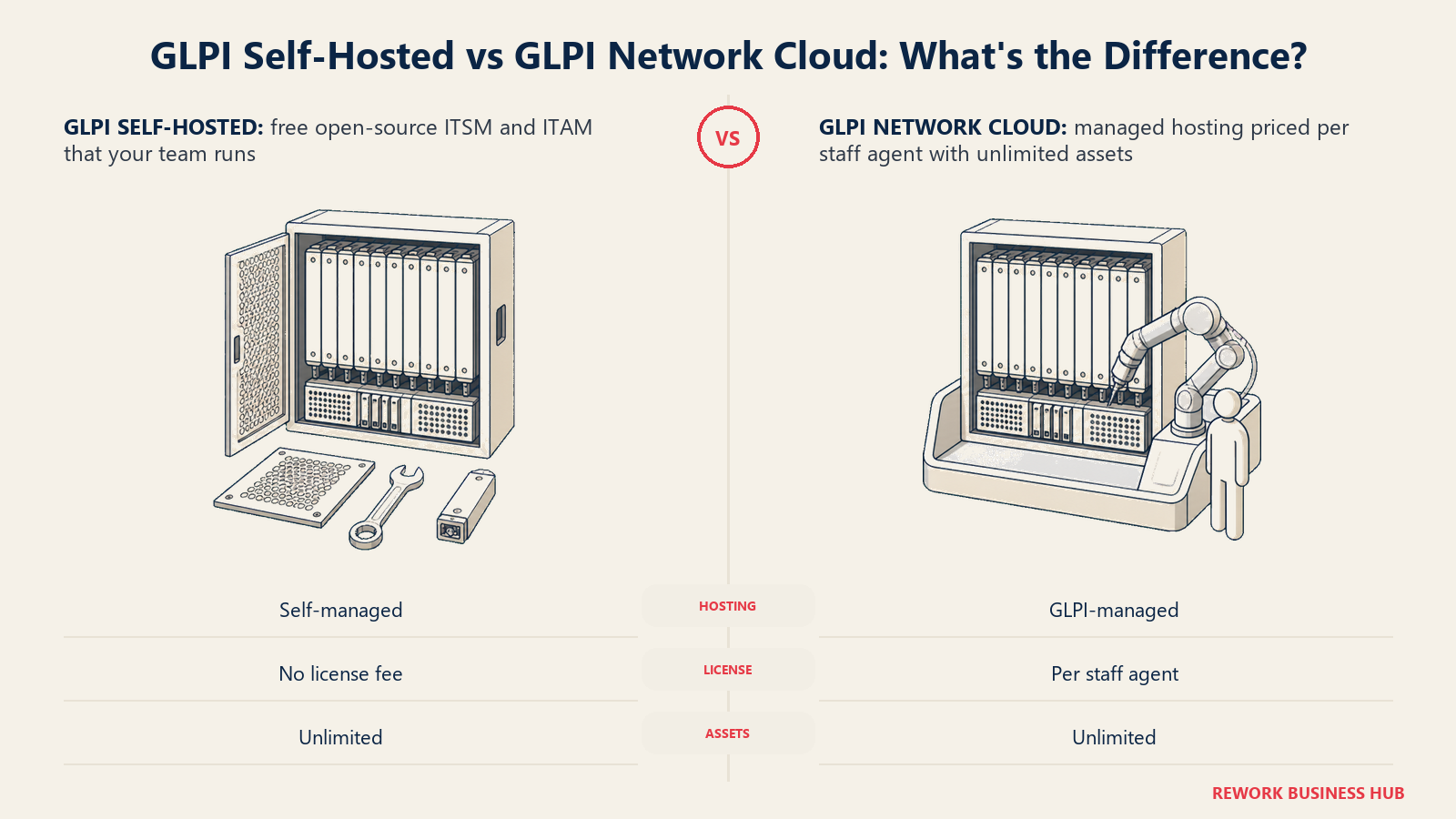
If you don't want to run the server, GLPI Network Cloud prices per staff agent rather than per asset, and both cloud tiers explicitly guarantee unlimited assets and unlimited end users regardless of plan. Public Cloud is €19/agent/month with a 1-agent minimum and a 97% SLA; Private Cloud is €21/agent/month with a 25-agent minimum, dedicated infrastructure, and a 99% SLA. The honest cost of the self-hosted route isn't the licence, it's whoever on your team keeps Linux, PHP, and MySQL healthy.
| What you get | What you don't |
|---|---|
| Genuinely free and open source if self-installed | A polished commercial support experience by default |
| Unlimited assets on every managed cloud tier | Dollar-denominated pricing; it's EUR |
| Full ITSM plus ITAM without a licence fee | A hands-off deployment for a team without Linux skills |
| A managed cloud option if you'd rather not self-host | Asset-count-based pricing; it's metered per staff agent instead |
Pricing: Free and open source when self-installed, unlimited assets. GLPI Network Cloud Public €19 per IT agent per month, 1-agent minimum, unlimited assets and end users, 5GB disk, 97% SLA. Private Cloud €21 per IT agent per month, 25-agent minimum, dedicated server, 50GB disk, 99% SLA. Vendor-published on glpi-project.org/en/pricing. Best for: Teams with Linux and PHP skills wanting full ITSM and ITAM with no licence fee, or a low-cost managed version of the same thing. Not ideal for: IT teams without in-house technical depth who want a vendor to call at 2am on the base tier.
15. ServiceNow ITAM: The Ceiling, Priced Only Behind a Sales Call
ServiceNow is what this category looks like at full enterprise scale: IT Asset Management woven into a broader platform alongside ITSM, ITOM, and whatever else the organization runs on the Now Platform. The workflow depth, integration surface, and CMDB maturity have no real equivalent on this list.
For everyone else, the same two problems that apply to ServiceNow's ITSM side apply here. There's no public price list, and deals are negotiated per customer against fulfiller counts and module selection. Since April 2026, ServiceNow has restructured its offering into AI-native tiers, Foundation, Advanced, and Prime, with fully autonomous agent capability reserved for Prime. Third-party estimates put per-user costs roughly in the $90 to $200+/month range, reported only, never vendor-confirmed.
| What you get | What you don't |
|---|---|
| The deepest CMDB and workflow platform in the category | Any published price |
| Enterprise-grade governance and extensibility | A self-serve path to a first asset record |
| A vast partner and implementation ecosystem | A budget that stops at licensing |
| Genuine platform strategy beyond ITAM alone | Suitability for a small or mid-size IT team |
Pricing: Quote only. No published ITAM list pricing, so treat any circulating per-seat figure as unverified. Restructured into Foundation, Advanced, and Prime AI-native tiers since April 2026, with autonomous agents reserved for Prime. Third-party estimates run roughly $90 to $200+ per user per month (reported). Best for: Large enterprises building ITAM into a broader platform strategy with the budget and staffing to run one. Not ideal for: Mid-market or small IT teams; the cost and implementation profile is a different category of decision entirely.
Free Tier Comparison: Who Actually Gives You Something for Nothing
Since the whole premise of this list is Lansweeper's licensing gap at the small end, it's worth lining up exactly who has a genuine free option and who only has a trial.
| Tool | Free tier | Real limit |
|---|---|---|
| Lansweeper | Yes | 100 licensed assets; unlimited scan scope, but unlicensed assets show name, type, and IP only |
| Action1 | Yes | 200 endpoints, no feature restrictions |
| Snipe-IT | Yes, self-hosted | Unlimited assets, but you run and maintain the server |
| GLPI | Yes, self-hosted | Unlimited assets, but you run and maintain the server |
| ManageEngine AssetExplorer | Trial, then downgrade | 250 assets during a 30-day trial, then a limited free edition |
| PDQ Connect | Trial only | 14 days, up to 250 devices |
| Asset Panda | Trial only | 7 days |
| EZO, Setyl, Device42, InvGate Assets, Ivanti Neurons for ITAM, ServiceNow ITAM, NinjaOne, Atera, Freshservice | No permanent free tier | Trial or quote only |
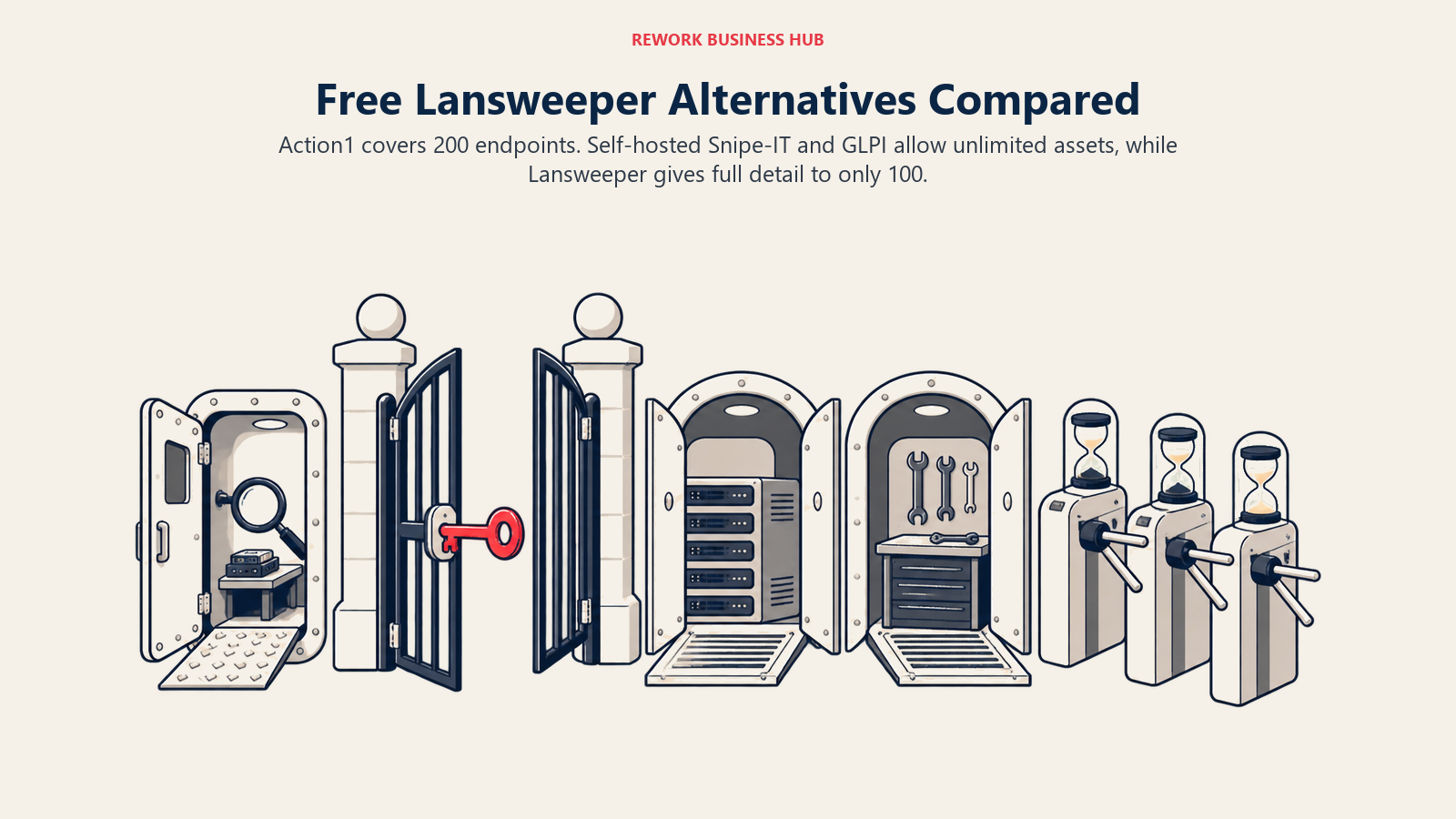
Two tools here beat Lansweeper's free tier outright at small scale: Action1 covers twice as many endpoints (200 versus 100 licensed assets) with no feature restrictions, and self-hosted Snipe-IT or GLPI cap nothing at all if you're willing to run the server yourself.
What Is Actually Metered: Billing Basis by Tool
A "starting price" column means little in this category without knowing what triggers the bill. This table sorts by what each vendor actually counts.
| Tool | What is metered | Currency | Free entry point |
|---|---|---|---|
| Lansweeper | Assets (licensed vs. unlicensed), quote-only above 100 | USD/EUR (quote) | Yes, 100 licensed assets |
| ManageEngine AssetExplorer | Assets, banded, cloud or on-premises | USD | Trial, then a limited free edition |
| Snipe-IT | Flat, unlimited assets | USD | Yes, self-hosted |
| PDQ Inventory / Connect | Devices, banded (cloud) or per admin (on-premises) | USD | 14-day trial only |
| EZO (EZOfficeInventory) | Items, flat per tier | USD | No permanent free tier |
| Setyl | Flat per account, unlimited assets | USD | No published free tier |
| Freshservice | Agents, plus Asset Units | USD | None, 14-day trial |
| NinjaOne | Endpoints, volume-banded, quote-only | USD | None, 14-day trial |
| Atera | Technicians, unlimited devices | USD | None |
| Action1 | Endpoints, free to 200 | USD | Yes, 200 endpoints |
| InvGate Assets | IP devices, banded | USD | Free trial |
| Device42 | Devices, quote-only | USD | Free trial download |
| Asset Panda | Quote-only, basis undisclosed | USD | 7-day trial |
| Ivanti Neurons for ITAM | Quote-only, basis undisclosed | USD | None published |
| GLPI | Staff agents, flat, unlimited assets | EUR | Yes, self-hosted |
| ServiceNow ITAM | Quote-only, fulfillers, negotiated | USD | None |
Deployment and Sizing Fit
| Tool | Best fleet size | Deployment | Buying motion |
|---|---|---|---|
| ManageEngine AssetExplorer | 250 to 10,000+ assets | Cloud and on-premises | Self-serve with published bands |
| Snipe-IT | 1 to unlimited assets | Self-hosted or cloud | Self-serve |
| PDQ Inventory / Connect | 100 to 5,000+ Windows/macOS devices | Cloud (Connect) or on-premises (Deploy & Inventory) | Self-serve |
| EZO (EZOfficeInventory) | Up to a few hundred items | Cloud | Self-serve |
| Setyl | Small to mid-size IT teams, any asset count | Cloud | Self-serve, sales-assisted |
| Freshservice | 5 to 500+ agents | Cloud | Self-serve to sales-assisted |
| NinjaOne | 50 to 10,000+ endpoints | Cloud | Sales-assisted |
| Atera | 1 to 20 technicians, any device count | Cloud | Self-serve |
| Action1 | 1 to 200 endpoints free; larger by quote | Cloud | Self-serve to 200, then sales |
| InvGate Assets | 500 to 1,000,000 IP devices | Cloud and on-premises | Self-serve, annual |
| Device42 | Data center and hybrid infrastructure, any size | On-premises appliance or cloud | Sales-assisted |
| Asset Panda | Any size, highly configurable | Cloud | Sales-assisted |
| Ivanti Neurons for ITAM | Enterprise, 100+ agents or devices | Cloud and on-premises | Enterprise sales |
| GLPI | 1 to 500+ agents | Self-hosted or managed cloud | Self-serve or community |
| ServiceNow ITAM | 100 to 10,000+ fulfillers | Cloud | Enterprise sales plus partner |
How to Choose: Decision Framework
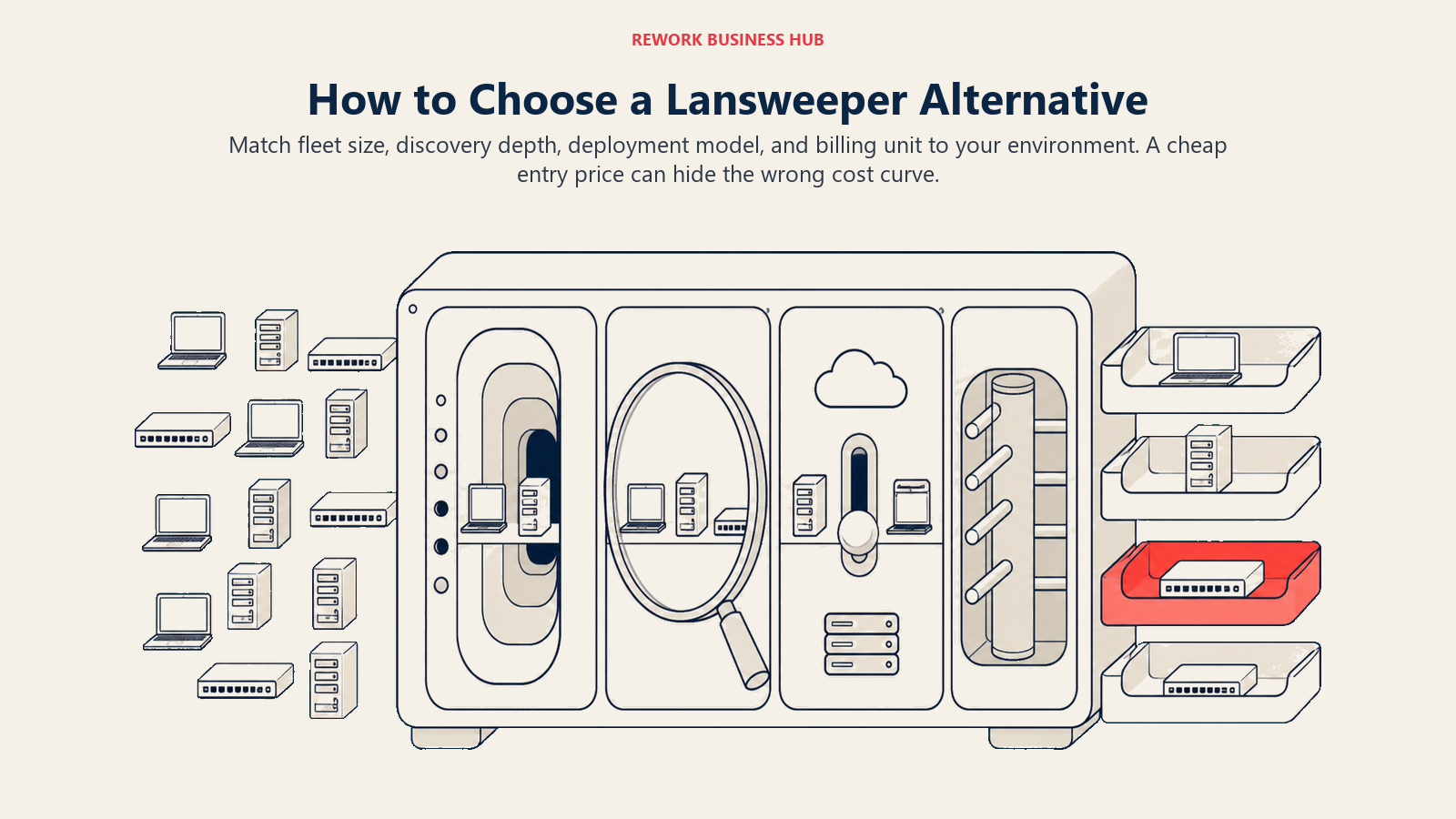
Start by matching fleet size and device mix to each vendor's discovery depth, deployment model, and billing unit. Those constraints narrow the list faster than feature counts.
| If you need... | Best pick |
|---|---|
| An exact published rate card instead of a quote | ManageEngine AssetExplorer |
| A small fleet under Lansweeper's 2,000-asset minimum, at zero cost | Action1 (200 endpoints) or self-hosted Snipe-IT |
| Unlimited assets at one flat price regardless of growth | Snipe-IT, Setyl, or GLPI |
| Hardware and SaaS license tracking in one system | Setyl |
| ITSM ticketing and asset management from one vendor | Freshservice |
| Deep data center and hybrid infrastructure discovery | Device42 |
| RMM-grade live discovery for an endpoint-heavy fleet | NinjaOne or Action1 |
| Unlimited devices per technician seat | Atera |
| A dedicated ITAM product between Lansweeper's free tier and its Starter floor | InvGate Assets |
| Enterprise platform depth and a partner ecosystem | ServiceNow ITAM |
| Consolidating ITAM with endpoint and patch management | Ivanti Neurons for ITAM |
What to Do Next
Count your actual assets before you shop, not the number you assume you have. If it's under 200, start with Action1's free tier or self-hosted Snipe-IT and confirm they cover your device mix before spending anything. If it's between 200 and 2,000, ManageEngine AssetExplorer or InvGate Assets give you a real published rate to model against, which is more than Lansweeper's own Starter and Pro plans offer. Either way, run the shortlist through a proper TCO model before signing, since add-on packs (Freshservice's Asset Units, InvGate's per-device Pro rate) change the real cost more than the sticker price suggests.
If you're consolidating this purchase alongside other IT tools rather than buying it in isolation, our guide to SaaS consolidation is worth reading before you sign anything new. And if Lansweeper itself is still on your shortlist because free covers your current fleet, keep an eye on your asset count against that 100-licensed-asset line; that's the number that will force the next decision, not a subjective sense that you've "outgrown" the tool.

Principal Product Marketing Strategist
On this page
- Key Facts
- Why IT Teams Search for Lansweeper Alternatives
- Quick Comparison Table
- What These Tools Actually Cost at Real Fleet Sizes
- 1. ManageEngine AssetExplorer: The Vendor That Actually Publishes Its Band Table
- 2. Snipe-IT: Free and Open Source, or a Flat Cloud Rate With Unlimited Assets
- 3. PDQ Inventory (Now PDQ Connect and PDQ Deploy & Inventory): A Real Number, With a Naming Change to Know About
- 4. EZO (EZOfficeInventory): Flat Monthly Pricing, Capped by Items Instead of Users
- 5. Setyl: One Platform for Hardware and SaaS License Spend
- 6. Freshservice (Discovery + Asset Management): ITSM and ITAM Under One Roof
- 7. NinjaOne: RMM-Grade Discovery, With the Most Honest Quote-Only Page in the Category
- 8. Atera: Unlimited Devices Per Technician, a Different Cost Curve Entirely
- 9. Action1: The Most Generous Free Tier in This Category
- 10. InvGate Assets: A Dedicated ITAM Product With an Actual Per-Device Rate
- 11. Device42: Deep CMDB for Data Centers and Hybrid Infrastructure
- 12. Asset Panda: Fully Configurable, Fully Unpriced
- 13. Ivanti Neurons for ITAM: Consolidation With Endpoint and Patch Management
- 14. GLPI: Free and Open Source, With a Managed Cloud Option If You'd Rather Not Host It
- 15. ServiceNow ITAM: The Ceiling, Priced Only Behind a Sales Call
- Free Tier Comparison: Who Actually Gives You Something for Nothing
- What Is Actually Metered: Billing Basis by Tool
- Deployment and Sizing Fit
- How to Choose: Decision Framework
- What to Do Next