Best IT Asset Management Software in 2026: 15 Platforms for Hardware, Software and Lifecycle Tracking
Turn this article into takeaways for your work.


Each assistant summarizes the article only for you and suggests best practices for your work.
The best IT asset management software in 2026 depends on which question you're actually asking. Need to find what's plugged into the network that nobody told you about? That's a discovery tool like Lansweeper or Device42. Need to know what you own, who has it, and when the warranty runs out? That's a register: Snipe-IT, Asset Panda, EZO or Setyl. And if the real problem is that the ticket and the asset record live in two different systems, an ITSM suite with an asset module, Freshservice, ServiceNow or InvGate Assets, solves something else entirely.
Fifteen platforms follow, ordered by how often a typical IT buyer needs them, not by brand size. Two entries, Jamf and Microsoft Intune, share one write-up because both answer the same question as a side effect of managing the device, not as their main job.
Key Facts
- Only 36% of organizations report complete visibility into their IT estate in 2026, down from 43% in 2025, per Flexera's 2026 State of ITAM Report, a survey of 512 ITAM professionals.
- On-premises hardware visibility sits at 74% and software at 78%, while visibility into AI software is just 31%, per that same Flexera 2026 report.
- 44% of organizations spent more than $1,000,000 on software audits over the past three years, and 48% were audited in the past year, with 64% of those audits coming from Microsoft, per Flexera's 2026 State of ITAM Report.
- The IT asset management software market is worth an estimated $2.22 billion in 2026 and is projected to reach $3.01 billion by 2031, a 6.28% CAGR, per Mordor Intelligence's IT Asset Management Market report.
- 78% of organizations now run a dedicated FinOps team, and keeping an accurate software inventory ranks as ITAM's top priority at 78%, per Flexera's 2026 State of ITAM Report.
Three Products Wearing One Category Name
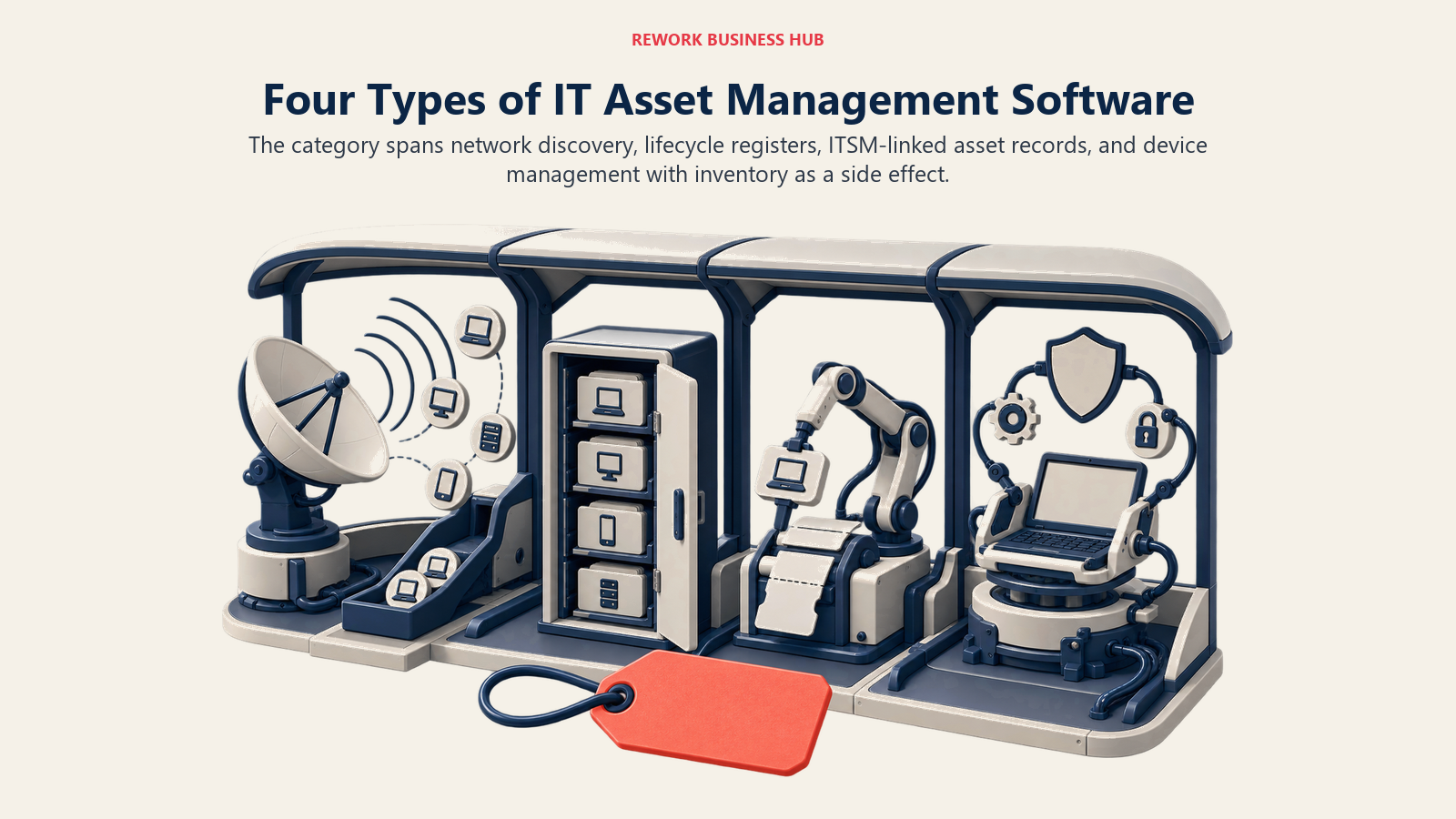
Ask three IT buyers what "IT asset management software" means and you'll get three different shopping lists, because three different products answer the same search query.
| Shape | What it's actually built to do | What it misses | Platforms here |
|---|---|---|---|
| Discovery / network scanning | Finds every device on the network, licensed or not, without waiting to be told | Rarely tracks ownership or depreciation itself | Lansweeper, Device42 |
| Asset register / lifecycle | Holds ownership, location, warranty and licenses in one system of record | Only as accurate as what's entered; light on live discovery | Snipe-IT, Asset Panda, EZO, Setyl, ManageEngine AssetExplorer |
| ITSM suite with ITAM bolted on | Ties the asset record to the ticket, change or incident that touched it | Asset depth is usually capped, or gated behind a pricier tier | Freshservice, ServiceNow, InvGate Assets, Ivanti Neurons for ITAM |
| Device-management edge (MDM/RMM) | Configures, patches and secures the endpoint itself | Inventory is a side effect of managing the device, not the point | NinjaOne, Atera, Jamf, Microsoft Intune, Action1 |
The practical fallout: a Freshservice shop expecting Lansweeper-grade network discovery will be disappointed, since that's not the job Freshservice's asset module is built for. Freshworks agreed, which is why it paid $230 million for Device42 in 2024 to close that gap rather than build discovery itself. If your search actually started at SaaS spend and shadow IT rather than physical hardware, the best SaaS management software roundup is the one you want; this one is about devices, licenses and the register that tracks them. That register is worth more than it was last year: Gartner projects a 130% surge in combined DRAM and SSD prices through 2026, pushing PC prices up 17% and cutting worldwide PC shipments 10.4%, per Gartner's February 2026 forecast, the kind of pressure that makes knowing exactly what you own, and when it's actually due for replacement, worth real money.
Quick Comparison Table
| Tool | Best For | Starting Price (basis labelled) | Key Strength | Key Limitation |
|---|---|---|---|---|
| Freshservice | Helpdesk plus assets in one login | $19/agent/mo billed annually (Starter, includes 100 ITAM Asset Units) | ITAM ships on every tier, no separate purchase | Asset Units cap out fast; more cost extra |
| ManageEngine AssetExplorer | A real number without a sales call | $955/yr on-prem or $1,245/yr cloud, both at 250 assets | Both cloud and on-prem editions publish full bands | Two separate price tables to compare |
| Lansweeper | Full-network discovery before you commit to a register | Free to 100 licensed assets; paid tiers quote only | Scans the whole environment, not just what's licensed | No dollar figure exists above the free tier |
| Snipe-IT | Zero-cost self-hosted register | Free (self-hosted) or $39.99/mo cloud Basic | Unlimited users and assets on every tier | Cloud entry tier is support-light |
| ServiceNow ITAM/SAM | Enterprises already running ServiceNow | Quote only; roughly $70-100/user/mo Foundation (reported) | Same CMDB backs ITSM, ITOM and ITAM together | No public price at any tier |
| Device42 | Data-center and hybrid infrastructure mapping | Quote only, annual subscription per device | Now owned by Freshworks; deep dependency mapping | No self-serve number anywhere |
| Asset Panda | Field teams scanning assets by phone | Quote only; 7-day free trial | Highly configurable mobile scanning workflow | No published price at all |
| EZO (EZOfficeInventory) | SMB register with depreciation tracking | Roughly $40-48/mo (reported) for a capped item count | Custom fields and workflows out of the box | Vendor page did not confirm a price on fetch |
| InvGate Assets | Per-device pricing instead of per-agent | $1,499/yr fixed, covers 500 IP devices | Real numbers at every tier, up to enterprise | Jumps to per-device billing once you scale |
| Ivanti Neurons for ITAM | Existing Ivanti Neurons customers | Quote only | Financial and lifecycle data inside one platform | Third-party price estimates contradict each other |
| Setyl | One register for hardware and software | From $300/mo, billing basis unstated | Unlimited assets on every published tier | $300 floor with no stated cap or currency |
| NinjaOne | Asset inventory as one RMM module | Quote only; published floor $1.50/endpoint/mo (base platform) at 10,000 endpoints | One console for patching, remote access and inventory | Small fleets pay closer to $3.75, and backup/MDM/Documentation cost extra |
| Atera | Per-technician billing, unlimited devices | $149/mo per technician billed annually (Professional) | Device count never drives the bill | Confirm current pricing with Atera |
| Jamf | Apple-first or Apple-only fleets | Free to 3 devices (Jamf Now); everything else quote only | Deepest Apple-native zero-touch deployment | No per-device list price anywhere |
| Microsoft Intune | Mixed-OS fleets already on Microsoft 365 | $8/user/mo (Plan 1), often already bundled | Per-user, not per-device, with real published numbers | Intune Suite add-on stacks another $10/user/mo |
| Action1 | Small teams wanting patching plus inventory free | Free to 200 endpoints, no feature limits | Most generous free tier on this list | No published rate above 200 endpoints |
How to read that column. Only four rows carry a real, self-serve dollar figure: ManageEngine AssetExplorer, Snipe-IT, InvGate Assets and Microsoft Intune. Everything else is quote-only above a free ceiling, or publishes one floor number with no stated basis (Setyl's $300). That split tracks company size: tools built for a 50-person IT team price on the website, tools built for a 5,000-device estate do not. Budget weeks for sales calls, and use a vendor diligence checklist so every quote-only vendor gets the same questions.
Sizing and Persona Fit
| Tool | Company size that fits |
|---|---|
| Freshservice | 20-2,000 employees |
| ManageEngine AssetExplorer | 50-5,000+ assets |
| Lansweeper | 100-10,000+ devices |
| Snipe-IT | 10-500 assets, budget-sensitive |
| ServiceNow ITAM/SAM | 1,000+ employees, enterprise |
| Device42 | Data-center or hybrid-infra heavy |
| Asset Panda | 50-5,000 employees, field-heavy |
| EZO (EZOfficeInventory) | 10-250 items, small team |
| InvGate Assets | 50-5,000 IP devices |
| Ivanti Neurons for ITAM | 1,000+ employees, existing Ivanti shop |
| Setyl | 20-2,000 employees |
| NinjaOne | 50-10,000+ endpoints, MSPs included |
| Atera | Small IT teams and MSPs |
| Jamf | Apple-heavy fleets, any size |
| Microsoft Intune | Any size already on Microsoft 365 |
| Action1 | Under 200 endpoints |
1. Freshservice: The Helpdesk That Already Has an Asset Module
Freshservice is the ITSM platform most mid-market IT teams already run for tickets, and its asset management ships inside every tier rather than as a bolt-on, the natural first stop for a team wanting one login for both. The catch: every plan, including Starter, ships with the "ITAM Growth package and 100 ITAM Growth Asset Units," and tracking more costs extra in packs of 500, fine for a 40-laptop startup, a real line item for a 500-device fleet. Worth knowing: Freshworks, Freshservice's parent, bought Device42 in June 2024 for $230 million to add real network discovery, so a Freshservice shop that outgrows the built-in register increasingly looks at its own sibling product first.
| What you get | What you don't |
|---|---|
| ITAM included on every tier, no separate purchase | Discovery depth beyond the built-in asset scan |
| A single login for tickets, changes and assets | Asset Units past 100 without paying more |
Pricing: Starter $19/agent/month, Growth $49, Pro $99, Enterprise custom, all billed annually with a 20% discount versus monthly. Freddy AI Copilot adds $29/agent/month on Starter through Pro (included in Enterprise). The ITAM Growth package with 100 Asset Units ships on every tier. Best for: Teams that already want a service desk and are comfortable with the included asset cap.
If the helpdesk half of that decision matters more than the asset half, compare the full field in best Freshservice alternatives.
2. ManageEngine AssetExplorer: Real Numbers, Two Different Price Tables
AssetExplorer is Zoho's ManageEngine running as a dedicated ITAM product rather than a helpdesk add-on, and it's one of the few tools here with a genuine self-serve price list. The catch: ManageEngine sells both an on-premises license and a cloud subscription, and the two tables carry different numbers for the same asset counts. On-premises is an annual license fee; cloud is billed monthly or yearly and costs noticeably more at every band, since it includes hosting.
| Assets | On-premises (annual license) | Cloud (monthly / yearly) |
|---|---|---|
| 250 | $955 | $115 / $1,245 |
| 1,000 | $2,995 | $360 / $3,895 |
| 5,000 | $9,595 | $1,155 / $12,445 |
| 10,000 | $11,995 | $1,545 / $16,695 |
Extra 1,000-asset packs above 10,000 run $1,195 on-premises; Remote Control costs $315 per concurrent session per year. A 30-day trial covers up to 250 assets, then downgrades to the free edition.
| What you get | What you don't |
|---|---|
| Published pricing at every band, on-prem and cloud | You must pick a hosting model first |
| A genuine free-edition fallback after the trial | Cloud pricing near the on-prem figure |
Pricing: On-premises annual license from $955 at 250 assets to $11,995 at 10,000. Cloud from $115/month ($1,245/year) at 250 assets to $1,545/month ($16,695/year) at 10,000. Best for: IT teams wanting a published per-asset-band price without a sales call, especially existing ManageEngine shops.
3. Lansweeper: Discovery First, Register Second
Lansweeper's pitch is that it scans your full environment regardless of what's licensed, so you find out what exists before deciding what's worth tracking. That gap is real money: a 2025 WanAware survey of 600 IT, operations and management professionals found up to 25% of IT spend gets wasted on "ghost assets," devices and licenses still on the books but missing, broken or unused (vendor-commissioned research; WanAware sells observability software). The free plan reflects that: unlimited scan scope, but only 100 assets are "licensed," so anything past that shows name, type and IP only. Paid plans jump in 1,000-asset bands, Starter includes 2,000, Pro starts at 2,000 and expands to 9,000, Enterprise is unlimited, and every paid tier is quote-only through a license request. Some customers have complained publicly about price increases on Lansweeper's own community forum, customer-reported sentiment, not a vendor-confirmed number.
| What you get | What you don't |
|---|---|
| A full-network scan with no cap on what it looks at | A licensed detail view past 100 assets on the free plan |
| Bands in clean 1,000-asset increments | Any dollar figure published above free |
Pricing: Free up to 100 licensed assets. Starter 2,000 assets, Pro 2,000-9,000, Enterprise unlimited, all quoted through a license request. No dollar figures published at any paid tier. Best for: Teams that want to see everything on the network before committing to what a register needs to hold.
For teams that have outgrown Lansweeper specifically or want to compare its closest peers, see best Lansweeper alternatives.
4. Snipe-IT: Free and Open Source, or a Flat Cloud Fee
Snipe-IT draws a hard line most competitors won't: the self-hosted, open source edition is, in the project's own words, "free and always will be." Run it on your own server and there's no license fee, ever, for any number of assets or users. The cloud-hosted option suits teams that don't want to maintain a server: every tier, from Basic up, includes unlimited users and unlimited assets, differing only on support level and API rate limit, 120 calls a minute on Basic, 240 on Small Business, unlimited (hardware permitting) on Dedicated.
| What you get | What you don't |
|---|---|
| Genuinely free self-hosting with no asset or user cap | Managed hosting or support on the free tier |
| Unlimited assets and users on every cloud tier | A cap that scales the price with your fleet size |
Pricing: Self-hosted: free, open source. Cloud: Basic $39.99/month or $399.99/year, Small Business $99.99/month or $999.99/year, Dedicated (Small) $249.99/month or $2,499.99/year, Dedicated Medium $5,000/year, Large $7,500/year. Annual billing saves roughly 16%. Best for: IT teams comfortable self-hosting who want zero licensing cost, or anyone wanting a flat cloud fee that doesn't climb with device count.
5. ServiceNow ITAM/SAM: The Enterprise CMDB Play
ServiceNow's IT Asset Management and Software Asset Management modules live inside the same Now Platform and CMDB that runs ITSM and ITOM, the whole argument for buying it: one authoritative record for every ticket, change, incident and asset. In April 2026, ServiceNow restructured into three AI-native tiers, Foundation, Advanced and Prime, with Now Assist AI bundled into all three; Foundation covers incident management, the service catalog, asset management and the CMDB at a baseline level, Advanced adds change and problem management plus deeper Now Assist allocations, and Prime alone carries fully autonomous AI agents. ServiceNow publishes no public price list. Industry benchmarks tracking the repricing put Foundation around $70-100/user/month and Advanced or Prime at $160-200+, before implementation costs, reported estimates rather than vendor-confirmed figures. The audit pressure behind SAM tooling like this is frequent, not occasional: 81% of ITAM and SAM professionals say their organization audits software at least twice a year, and 25% say they audit continuously, per Azul's 2025 ITAM and SAM Survey of 500 professionals (vendor-commissioned research; Azul sells Java runtimes).
| What you get | What you don't |
|---|---|
| Asset data living in the same CMDB as every ticket and change | Any published price, at any tier |
| Now Assist AI bundled into all three 2026 tiers | A small-business or mid-market entry point |
Pricing: Quote only. Third-party benchmarks estimate $70-100/user/month for Foundation, $160-200+ for Advanced or Prime (reported, not vendor-confirmed). Best for: Enterprises already running ServiceNow for ITSM or ITOM that want asset data in the same system rather than a second platform.
If the entry point is really about the service desk rather than the asset module, best Jira Service Management alternatives covers the mid-market ITSM field ServiceNow sits above.
6. Device42: Discovery for Data Centers and Hybrid Infrastructure
Device42 answers a narrower, deeper question than a laptop register: what depends on what, across physical racks, virtual machines and cloud instances, where one server going down can take out a dozen unmapped applications. That depth is why Freshworks paid roughly $230 million to acquire Device42 (completed June 6, 2024) to bolt real discovery and CMDB capability onto Freshservice; Device42 still operates as its own product. Pricing is a straightforward annual subscription based on device count, quote-only, with a free trial download to test first.
| What you get | What you don't |
|---|---|
| Real dependency mapping across physical, virtual and cloud assets | A published price you can check without a download or call |
| Ownership by Freshworks, with a plausible Freshservice integration path | A pure laptop-and-license register; this skews toward infrastructure |
Pricing: Quote only, annual subscription based on device count. A free trial download is available to test against your own environment. Best for: Infrastructure and data-center teams needing real dependency mapping, especially organizations already running Freshservice.
7. Asset Panda: Scan It With a Phone
Asset Panda's angle is mobility: a highly configurable mobile app that lets field staff scan barcodes or QR codes to check assets in and out, which matters more than network discovery when assets sit in warehouses, job sites or multiple offices rather than on one managed network. Pricing is entirely quote-based, "a personalized quote tailored to your organization's asset management needs," with a 7-day free trial to test the workflow first.
| What you get | What you don't |
|---|---|
| A configurable mobile scanning workflow for field assets | Any published price to compare before a call |
| A short 7-day trial to test the app itself | Network discovery; this is a manual-entry-plus-scan register |
Pricing: Quote only, "personalized" per organization. 7-day free trial. Best for: Field-heavy teams, facilities, warehouses or distributed offices, that need to check assets in and out by phone rather than discover them on a network.
8. EZO (EZOfficeInventory): Configurable Fields, Unconfirmed Price
EZO's product, EZOfficeInventory, is a well-regarded small-business register built around custom fields, depreciation schedules and maintenance workflows. Worth flagging plainly: the figures below come from third-party trackers and aren't vendor-confirmed. Those trackers don't agree with each other either: reported entry pricing runs roughly $40-48 a month, for an item cap that different sources put at either 100 or 250 items, with unlimited users under fair use. Treat every number here as reported, and confirm directly with EZO before budgeting against it.
| What you get | What you don't |
|---|---|
| Custom fields and depreciation tracking out of the box | A price this article could confirm from EZO's own page |
| Unlimited users under fair use at every tier | Agreement between third-party sources on the item cap |
Pricing: Reported, not vendor-confirmed: roughly $40-48/month entry, $55-58/month mid, $65/month top, each capped at 100-250 items depending on source. Enterprise is quote-only. Best for: Small IT or operations teams wanting a configurable register with depreciation tracking, who will verify the current price directly.
9. InvGate Assets: Priced Per Device, Not Per Agent
InvGate sells two different products with two different pricing models, an easy mix-up: InvGate Service Management prices seats per agent, while InvGate Assets prices coverage per IP device on its own tier structure entirely. Starter is a fixed $1,499 a year covering 500 IP devices, with automated discovery, an AI hub and health rules. Pro runs $5 per IP device per year, from $2,500 a year, for 500-5,000 devices, adding SSO integration, automatic CMDB mapping and software deployment. Enterprise is custom from $12,000 a year, up to 1,000,000 devices, with data residency, on-premises hosting and dedicated servers. Free trials are offered on Starter and Pro.
| What you get | What you don't |
|---|---|
| A real per-device price at every tier, including the entry tier | Bundled service-desk seats; this is the assets product, priced separately |
| Automated discovery included from the Starter tier up | A monthly billing option; every tier is annual |
Pricing: InvGate Assets Starter $1,499/year fixed, 500 IP devices. Pro $5/IP device/year from $2,500/year, 500-5,000 devices. Enterprise custom from $12,000/year, up to 1,000,000 devices. Best for: Mid-market IT teams wanting a dedicated asset and discovery product priced per device, with room to add InvGate's service desk later.
10. Ivanti Neurons for ITAM: Lifecycle Data Inside a Bigger Platform
Ivanti built its ITAM capability into the Neurons platform in two layers: "Asset Data Foundation," core discovery and visibility included with the Neurons Platform itself, and "Complete ITAM Capabilities," an extension adding procurement, contracts, inventory management and advanced workflows. Ivanti's own product page names both layers but publishes no pricing, pointing instead to its ITSM pricing page for a sales call. Third-party estimates contradict each other: some cite roughly $25-59 per user per year, others closer to $130 per agent per month. There's no reliable public figure to budget from here.
| What you get | What you don't |
|---|---|
| Asset, financial and lifecycle data inside one governed platform | Any pricing Ivanti itself has published |
| A foundation layer included with the base Neurons platform | Agreement among third-party price estimates |
Pricing: Quote only; no pricing published anywhere. Third-party estimates contradict each other by roughly an order of magnitude, so treat none as reliable. Best for: Organizations already running Ivanti Neurons for endpoint management that want to extend it into full lifecycle and financial asset tracking.
11. Setyl: One Register, an Unstated Basis
Setyl targets the IT team tired of hardware in one spreadsheet, software licenses in another, and nobody able to answer what a departing employee actually had access to, the exact gap behind a category-wide waste problem: organizations leave an average of 36% of their SaaS licenses unused, per Zylo's 2026 SaaS Management Index. All three published tiers, Complete, Advanced and Advanced Managed, show the identical figure: "starting from $300 per month," with no stated billing basis (per user, per asset, or flat) and no currency spelled out on the pricing page. Every tier includes unlimited hardware and software assets, onboarding and offboarding workflows, ISO 27001 and SOC 2 compliance features, IT spend management and 100+ integrations. Advanced Managed adds a dedicated Setyl expert for implementation and ongoing data maintenance. No free trial is advertised on the pricing page.
| What you get | What you don't |
|---|---|
| Unlimited hardware and software assets on every tier | A stated billing basis behind the $300 figure |
| Compliance features (ISO 27001, SOC 2) included from Complete up | Any published trial |
Pricing: "$300 per month" flat across Complete, Advanced and Advanced Managed, basis and currency unstated. Get the basis in writing before budgeting against it. Best for: IT teams wanting one combined hardware-and-software register without an asset-count ceiling.
12. NinjaOne: Inventory as One Module in a Bigger Console
NinjaOne is built as an RMM platform first, endpoint management, patching, remote access, with device inventory as one module inside that console rather than the point of the product. Pricing is deliberately quote-only, sold through the channel, and NinjaOne publishes exactly one band, verbatim: "$1.50 USD per month at 10,000 endpoints, increasing to $3.75 USD at 50 or fewer endpoints." That's twice understated: the $1.50 figure repeated everywhere is an enterprise-fleet number, a small business with 50 devices pays closer to $3.75, and the band covers the base platform only. Backup, MDM and Documentation are separately licensed add-ons; resellers put backup around $2-3 per workstation and $7 or more per server per month (reported, per Faddom). A 14-day free trial is available, with month-to-month billing case-by-case and a 60-day cancellation notice otherwise.
| What you get | What you don't |
|---|---|
| Inventory alongside patching and remote access in one console | Backup, MDM or Documentation in the headline rate; each is a paid add-on |
| A 14-day trial with no implementation fees | Standalone asset-register depth like Snipe-IT or Setyl |
Pricing: Quote only. Published band (platform only): $1.50/endpoint/month at 10,000 endpoints, rising to $3.75 at 50 or fewer. Backup, MDM and Documentation cost extra (reported: $2-3/workstation, $7+/server per month, per Faddom). 14-day free trial. Best for: IT teams and MSPs who want device inventory as one feature of a broader RMM platform rather than a standalone register.
See best NinjaOne alternatives for the wider RMM field, and the direct NinjaOne vs Atera comparison if those two are your actual shortlist.
13. Atera: Per-Technician Billing, Unlimited Devices
Atera flips the usual RMM pricing model: instead of charging per managed device, it charges per technician seat, with unlimited devices on every plan, exactly what a lean IT department or fast-growing MSP wants when it doesn't want the bill scaling with device count. Atera ran a 2026 pricing update, phased in from June and late July, and AI Copilot is now included on every plan at no extra charge. The figures below supersede the $99/$129 numbers still circulating on older comparison pages. Confirm current rates with Atera.
| What you get | What you don't |
|---|---|
| Unlimited managed devices on every plan, technician-priced | A pricing page you can verify by fetching it directly |
| AI Copilot included at no extra charge as of 2026 | Per-device billing if your technician count is small and device count is huge |
Pricing: Professional $169/mo or $149/mo annual; Expert $229/$189; Master $269/$219; all per technician, unlimited devices. New rates phased in from mid-2026. Best for: MSPs and small internal IT teams who'd rather budget per technician than track a licensed device ceiling.
14. Jamf and Microsoft Intune: The Device-Management Edge
Both show up in every "IT asset management" search because knowing what's on a managed device is part of mobile device management, even though neither product's core job is asset lifecycle tracking. They also illustrate opposite pricing philosophies. Jamf publishes no per-device price anywhere; only Jamf Now, its small-business tier, is free, to 3 devices. Every other deployment routes to a Jamf representative or authorized reseller. Buyer-side data from Vendr reports observed Jamf Pro rates of $8-$20+ per device per month and a median annual contract of $30,155 across 687 purchases, a useful anchor even though it isn't a list price. Two more 2026 facts change the picture. Jamf went private on January 30, acquired by Francisco Partners for roughly $2.2 billion and delisted from Nasdaq, though it keeps the Jamf name. And on April 14, Apple retired Apple Business Manager, Business Essentials and Business Connect into one free service, Apple Business, with Apple's first built-in MDM at no cost, now live in 200+ countries. That's a genuine free option for a small Apple-only fleet; Jamf's case is the deployment depth Apple's own free tool doesn't match.
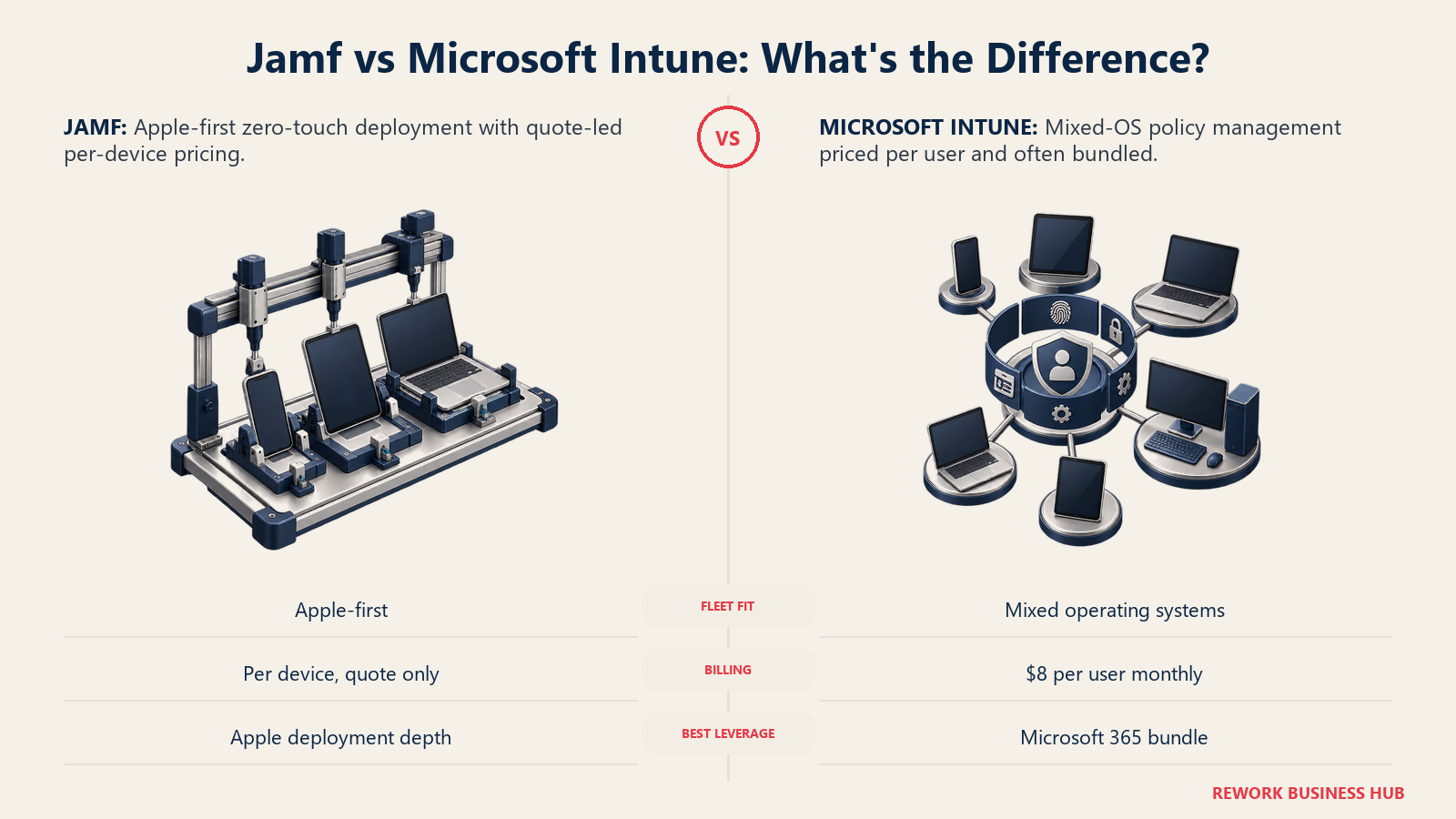
Microsoft Intune takes the opposite approach and simply publishes numbers. Plan 1 costs $8 per user per month, per user not per device, so one license covers every device that person enrolls. The Intune Suite adds $10 per user per month for Remote Help, Endpoint Privilege Management, Advanced Analytics and Cloud PKI. Many organizations already own Plan 1 bundled into Microsoft 365 Business Premium, E3, E5 or the EMS tiers, worth checking before buying it again separately. Microsoft is also raising list prices across most M365 suites from July 1, 2026, folding some previously separate Intune add-ons into core SKUs at the new price.
| Platform | Billing basis | Published entry price | What it doesn't publish |
|---|---|---|---|
| Jamf | Per device, quote only | Free to 3 devices (Jamf Now) | Any per-device rate for Jamf Pro or Jamf for Mobile |
| Microsoft Intune | Per user, all that user's devices included | $8/user/month (Plan 1) | Nothing; the base price and Suite add-on are both public |
Pricing: Jamf: free to 3 devices (Jamf Now), everything larger quote-only (reported $8-$20+/device/month per Vendr). Intune: Plan 1 $8/user/month, Suite adds $10/user/month, often already bundled. Best for: Jamf: Apple-only or Apple-first fleets wanting zero-touch deployment depth. Intune: mixed-OS fleets, or any organization already paying for the Microsoft 365 tier that includes it.
Go deeper with best Jamf alternatives, best Intune alternatives, and the direct Jamf vs Intune comparison. If your fleet leans toward identity-driven device policy rather than either of these, best JumpCloud alternatives covers that adjacent, per-user-priced category.
15. Action1: The Most Generous Free Tier Here
Action1 is a patch-management and remote-access tool first, with device inventory as a natural byproduct of the agent that patches and secures the endpoint, and its free tier is the most generous door into "asset visibility" on this list. Action1 is free for the first 200 endpoints with no feature limitations, expanded from 100 to 200 in February 2025 after raising the ceiling roughly every year or two since 2019. Above 200 endpoints, Action1 publishes no self-serve rate card; the vendor routes buyers to a quote request. Some resellers cite figures around $4 per endpoint per month, but that's third-party and reported, not confirmed on Action1's own page.
| What you get | What you don't |
|---|---|
| A full-featured free tier up to 200 endpoints, no time limit | A software-license or contract-lifecycle register; this is patch-first |
| No credit card and no feature gating on the free tier | A published rate card past 200 endpoints |
Pricing: Free for the first 200 endpoints, no feature limitations, no credit card required. Above 200 endpoints, pricing is quote-only; third-party figures cite roughly $4/endpoint/month (reported, not vendor-confirmed). Best for: Small IT teams under 200 endpoints wanting patching and a device inventory at zero cost, without needing software-license or contract-lifecycle tracking.
How to Choose: Decision Framework
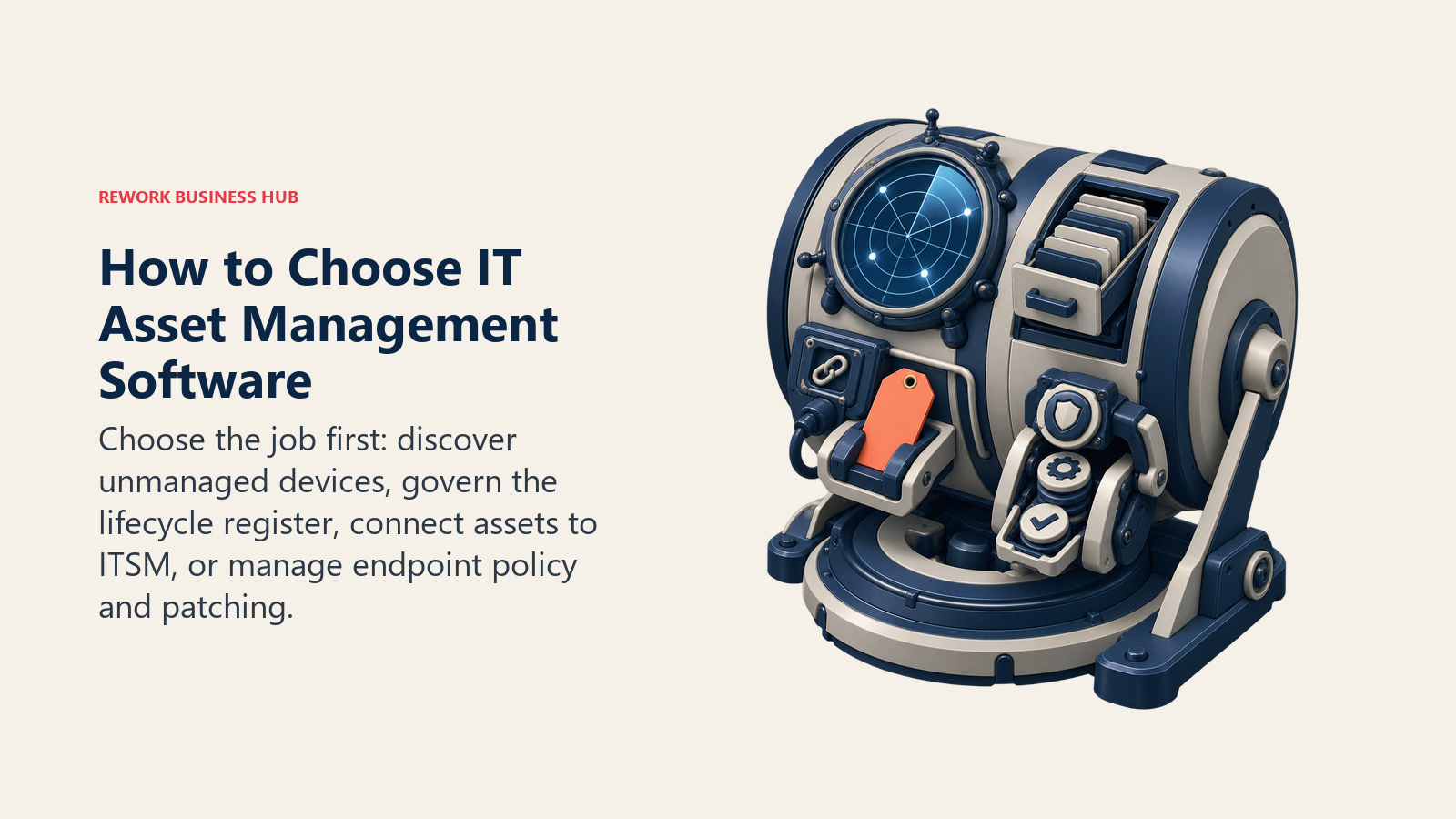
The right shortlist starts with the job your current stack fails to do, then narrows by platform and billing fit.
| If you need... | Pick... | Why |
|---|---|---|
| A published price before a demo | ManageEngine AssetExplorer, Snipe-IT, InvGate Assets or Microsoft Intune | Real, checkable numbers |
| Network discovery of unmanaged devices | Lansweeper or Device42 | Built to find what exists |
| A helpdesk and asset record in one login | Freshservice | ITAM ships on every tier |
| Enterprise CMDB tying assets to every ticket | ServiceNow or Ivanti Neurons for ITAM | One platform runs ITSM, ITOM and ITAM |
| Zero licensing cost, self-hosted | Snipe-IT | Free, open source, unlimited assets |
| Field assets scanned by phone | Asset Panda | Purpose-built mobile scanning |
| Apple-only fleet management | Jamf | Deepest Apple-native zero-touch deployment |
| Mixed-OS fleet, already on Microsoft 365 | Microsoft Intune | Per-user pricing, often already bundled |
| Unlimited devices billed per technician | Atera | Device count never drives the bill |
| Under 200 endpoints, zero budget | Action1 | Full-featured free tier |
No single platform wins at discovery, register depth and ITSM integration at once, so decide which gap costs you money this year. A register with no discovery layer always misses the shadow hardware nobody reported; a discovery tool with no register struggles to say who owns what and when it's due for replacement. TCO modeling for SaaS covers the same total-cost math hardware and software licenses need, not just subscriptions.
Frequently Asked Questions about IT Asset Management Software
What is the best IT asset management software in 2026?
There's no single winner, because the category covers three jobs. Lansweeper and Device42 lead for network discovery, Snipe-IT, Asset Panda, EZO and Setyl lead for a dedicated register, and Freshservice, ServiceNow, InvGate Assets and Ivanti Neurons lead for teams wanting asset data tied into an existing ITSM helpdesk. Pick by the gap costing you money, not by brand size.
Is there a free IT asset management tool?
Snipe-IT's self-hosted edition is genuinely free and open source with no asset or user limit, provided you run your own server. Lansweeper's free plan scans the whole network but only licenses 100 assets in full detail, and Action1 is free for the first 200 endpoints with no feature limits, though it's a patch tool with inventory as a side feature.
Is Device42 related to Freshservice?
Yes. Freshworks, Freshservice's parent, completed its acquisition of Device42 on June 6, 2024, for roughly $230 million, specifically to add deeper network discovery and CMDB capability to Freshservice. Device42 still operates as its own product today.
How is IT asset management software priced?
This category mixes several billing bases: per device per month (NinjaOne, Jamf's reported buyer range), per user per month (Microsoft Intune), per technician with unlimited devices (Atera), per asset band per year (ManageEngine AssetExplorer, Lansweeper), and flat fees with an item cap (Snipe-IT, EZO, Setyl). Confirm the basis before comparing two vendors' numbers directly, and expect enterprise platforms like ServiceNow or Ivanti to stay quote-only since their price depends on negotiated scale.
How much software audit risk is actually out there?
44% of organizations spent more than $1,000,000 on software audits over the past three years, and 48% were audited in the past year, with 64% of those audits coming from Microsoft, per Flexera's 2026 State of ITAM Report. An accurate asset and license register is the main defense against an audit turning into a surprise bill.
What to Do Next
Figure out which of the three jobs, discovery, register or ITSM integration, is actually costing you money right now; that answer eliminates most of this list. Then run a real trial on whichever platforms let you start without a sales call: ManageEngine AssetExplorer's 30-day trial, Snipe-IT's free self-hosted edition, Action1's 200-endpoint free tier and NinjaOne's 14-day trial all give you a working system this week, not after a quote cycle.
Before signing with a quote-only vendor, get the billing basis in writing and confirm what happens to your data if you outgrow the plan or switch vendors later. A vendor diligence checklist turns that into a repeatable step instead of something you remember only once it's a problem.

Principal Product Marketing Strategist
On this page
- Key Facts
- Three Products Wearing One Category Name
- Quick Comparison Table
- Sizing and Persona Fit
- 1. Freshservice: The Helpdesk That Already Has an Asset Module
- 2. ManageEngine AssetExplorer: Real Numbers, Two Different Price Tables
- 3. Lansweeper: Discovery First, Register Second
- 4. Snipe-IT: Free and Open Source, or a Flat Cloud Fee
- 5. ServiceNow ITAM/SAM: The Enterprise CMDB Play
- 6. Device42: Discovery for Data Centers and Hybrid Infrastructure
- 7. Asset Panda: Scan It With a Phone
- 8. EZO (EZOfficeInventory): Configurable Fields, Unconfirmed Price
- 9. InvGate Assets: Priced Per Device, Not Per Agent
- 10. Ivanti Neurons for ITAM: Lifecycle Data Inside a Bigger Platform
- 11. Setyl: One Register, an Unstated Basis
- 12. NinjaOne: Inventory as One Module in a Bigger Console
- 13. Atera: Per-Technician Billing, Unlimited Devices
- 14. Jamf and Microsoft Intune: The Device-Management Edge
- 15. Action1: The Most Generous Free Tier Here
- How to Choose: Decision Framework
- What to Do Next