Best NinjaOne Alternatives in 2026: 13 RMM and Endpoint Management Platforms
Turn this article into takeaways for your work.


Each assistant summarizes the article only for you and suggests best practices for your work.
If you're shopping NinjaOne alternatives, the realistic starting point is how little this category publishes. NinjaOne sells mostly through the channel, and so does roughly half the field. Short answer by profile: Atera for per-technician pricing with unlimited devices, Action1 if patch management under 200 endpoints can be free forever, Level.io or SuperOps for a modern console with a real per-endpoint number, ManageEngine Endpoint Central or Microsoft Intune for UEM breadth over pure RMM, and Freshservice if the real gap is ticketing, not the endpoint agent.
One fact shapes how you should read every price here: NinjaOne, Kaseya and N-able sell through the channel and quote rather than publish, while Atera, Action1, Level.io and SuperOps put a number on their own site. That split, who quotes a price before a sales call, is the single most useful filter in this category. The 13 tools below are ranked on pricing transparency, billing basis, patching depth, remote access and team-size fit.
Key Facts
- Vulnerability exploitation overtook stolen credentials as the top initial breach vector for the first time in 19 years of the report, now the entry point in 31% of breaches, per Verizon's 2026 Data Breach Investigations Report. (Verizon)
- Exploited vulnerabilities are the most common root cause of ransomware attacks for the third year running, the entry point in 32% of incidents, per Sophos' State of Ransomware 2025. (Sophos)
- A single hour of downtime now costs over $300,000 for more than 90% of mid-size and large enterprises, and 41% report hourly costs of $1 million to over $5 million, per ITIC's 2024 Hourly Cost of Downtime survey. (ITIC)
- NinjaOne states on its own pricing page that it withholds full pricing so it doesn't interfere with how its partners price their services, a policy roughly half the vendors here share. (NinjaOne)
- Action1 is free forever for the first 200 endpoints with no feature limitations, a cap raised from 100 in February 2025. (Action1)
Who Actually Publishes a Price (and Who Makes You Call Sales)
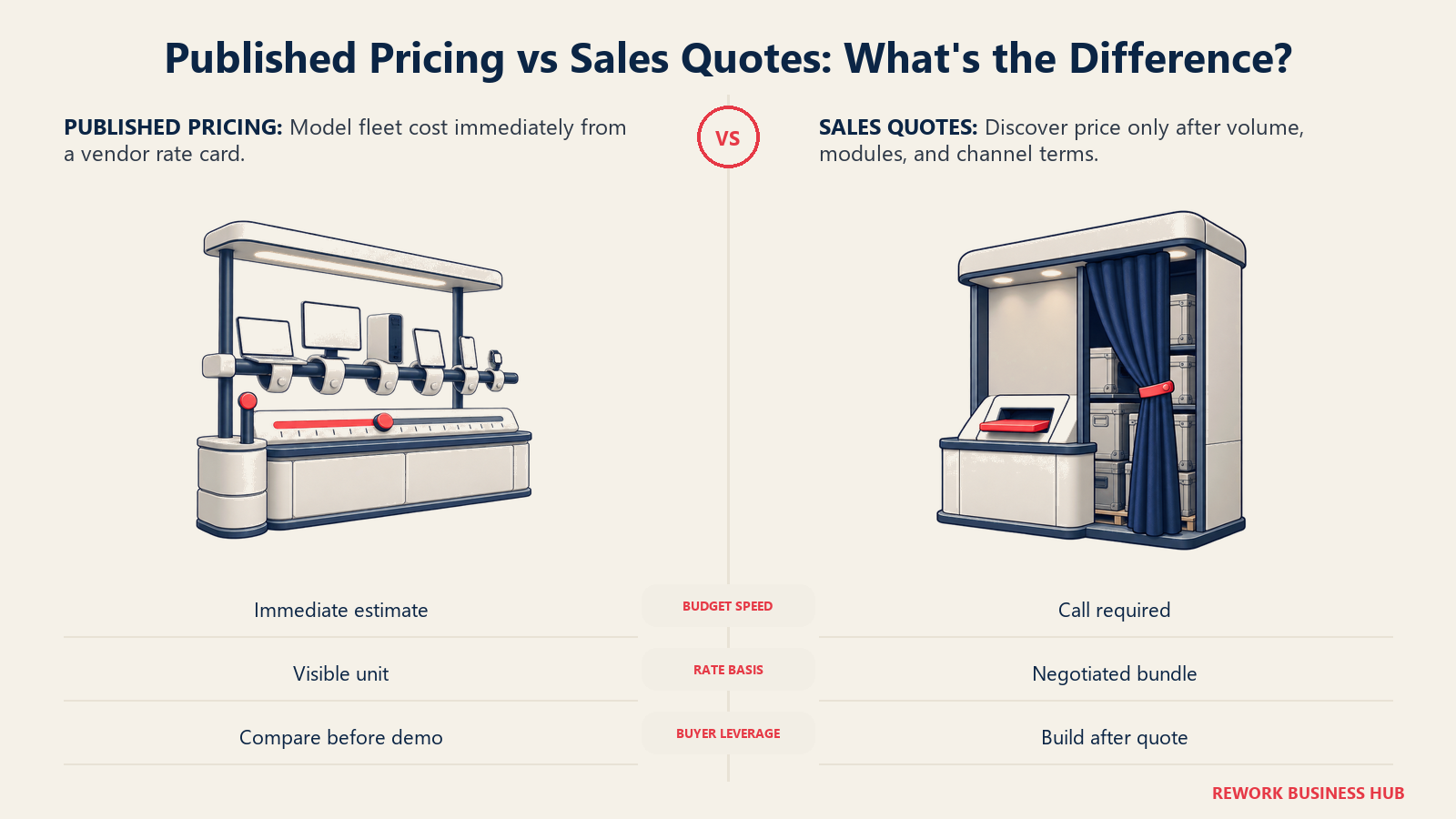
Run every tool through one filter first: does the vendor's own site tell you a number? NinjaOne, Kaseya and N-able don't. Atera, Action1, Level.io, SuperOps, Freshservice, ManageEngine and Microsoft do. That split predicts your buying experience better than any spec sheet, and it makes a structured negotiation approach worth preparing before that call, not during it.
| Tool | Publishes a price? | What you can budget from today |
|---|---|---|
| Atera | Yes | Full per-technician tier table |
| Action1 | Yes | Free to 200 endpoints, per its company announcement |
| Level.io | Yes, via docs | Flat $2.00/device/mo, free for the first 10 |
| SuperOps | Yes | Full per-endpoint tier table for IT teams |
| Freshservice | Yes | Per-agent tiers, Starter through Enterprise |
| ManageEngine Endpoint Central | Yes | Full fleet-size band table, on-prem and cloud |
| Microsoft Intune | Yes | Per-user SKU pricing |
| Addigy | Partial | Mac MDM rate published, iOS and MSP terms custom |
| Naverisk | Partial | One entry price only, no tier breakdown |
| Syncro | Reported only | Reported figures only |
| NinjaOne | Partial | One band ($1.50-$3.75/endpoint), rest quote-only |
| Kaseya VSA | No | Nothing published; quote or account manager |
| N-able N-central | No | No published price; third parties estimate a range |
| Pulseway | No | No plans or tiers listed, demo or contact only |
The Per-Technician vs Per-Endpoint Trap
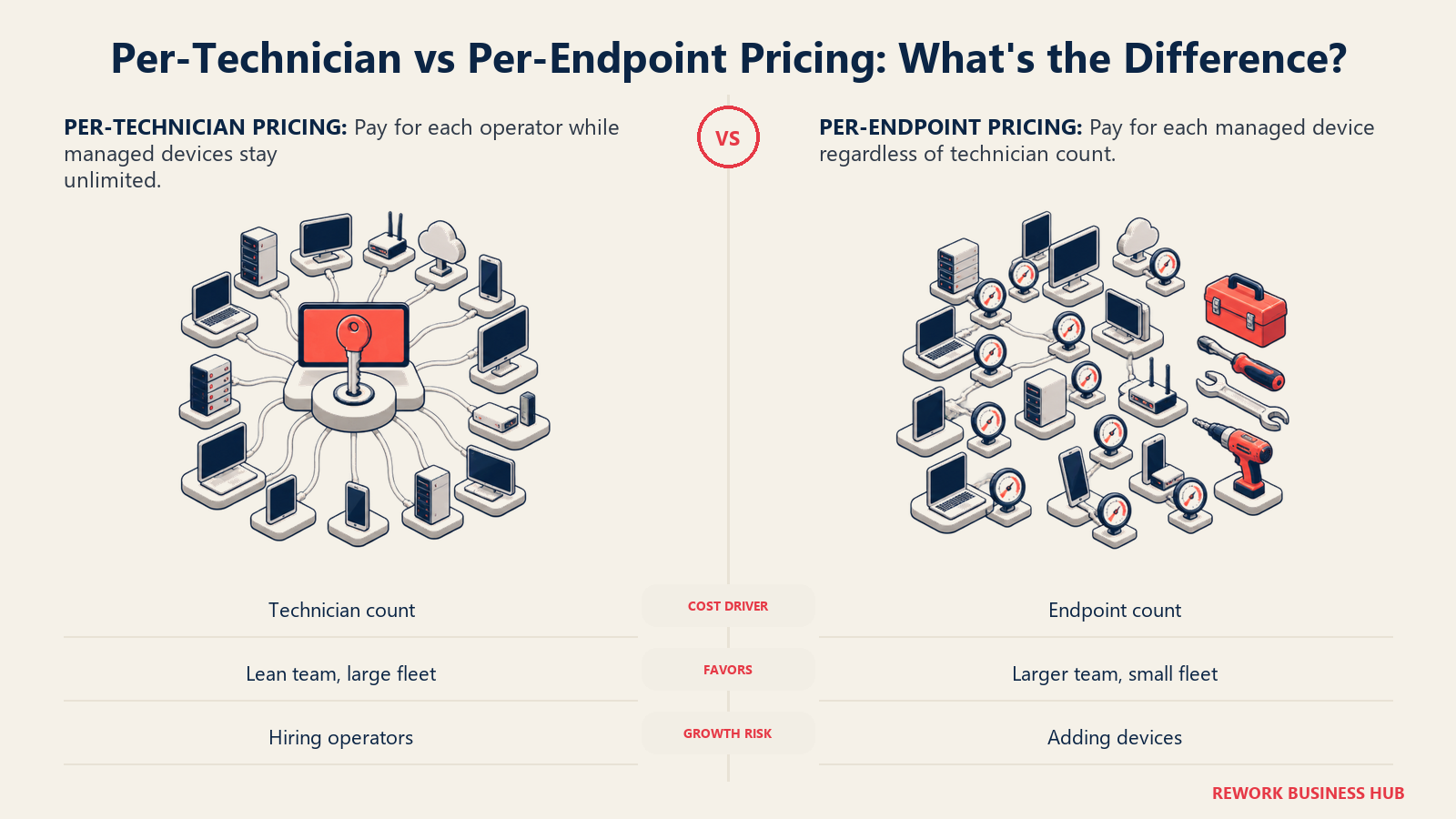
Here's the comparison almost nobody runs before signing: a 3-technician team covering 900 endpoints. Per-technician tools charge the same regardless of fleet size; per-endpoint tools charge the same regardless of team size.
| Tool | Pricing basis | Rate | Bill at 3 technicians / 900 endpoints |
|---|---|---|---|
| Atera Professional | Per technician/mo, unlimited devices | $169 monthly, $149 annual | $507/mo, or $447/mo annual, flat regardless of endpoint count |
| SuperOps Prime | Per endpoint/mo (IT teams) | $1.30/endpoint at the 501-1,000 tier | $1,170/mo, flat regardless of technician count |
| Level.io | Per endpoint/mo | $2.00/endpoint past the 10-device free tier | $1,800/mo |
| NinjaOne | Per endpoint/mo, quote-only | Bookends only: $1.50 at 10,000 endpoints, $3.75 at 50 or fewer | Roughly $1,350 to $3,375/mo by those bookends; the real quote at 900 endpoints is undisclosed |
Add a fourth technician to the Atera row and the bill climbs $169 a month, no matter how many endpoints that person touches; add 300 endpoints to the per-endpoint rows and the bill climbs whether you hired anyone or not. A 2-technician MSP running 1,800 endpoints and a 10-technician team running 300 laptops want opposite pricing models, and most pages stack both bases in one "Starting Price" column, which also flatters NinjaOne: its band covers the base platform only, and backup, MDM and documentation are separate paid add-ons (see the FAQ). TCO modeling for SaaS covers running that math over a full contract term.
What "Free" Actually Means in 2026
| Tool | Free offer | The catch |
|---|---|---|
| Action1 | Free forever for the first 200 endpoints, no feature limits | Above 200, pricing is quote-only through a form |
| Level.io | Free for the first 10 endpoints, permanently | Past 10, the $2.00 rate applies to the whole fleet, not just the excess |
| Naverisk | A limited-time promo (free M365 and device backups before 30 July 2026) | Not a permanent free tier; no free plan beyond the promo |
| NinjaOne | 14-day free trial | No free production tier at any endpoint count |
| Atera | No free tier | Per-technician billing from day one, via a demo request |
Action1's tier is the most generous plan here, with zero feature gating. Level.io's is worth a second read: exceed 10 devices by even one, and $2.00 applies to the whole fleet, not the marginal device.
Quick Comparison Table
| Tool | Best For | Starting Price | Key Strength | Key Limitation |
|---|---|---|---|---|
| Atera | Per-technician pricing, unlimited devices | $149/technician/mo annual (Professional) | Predictable billing regardless of fleet size | Rate climbs quickly on higher tiers |
| Action1 | Patch management on a real budget | Free to 200 endpoints; quote-only above | Most generous free tier here | No published rate past 200 endpoints |
| Level.io | Simple per-endpoint pricing, small fleets | Free to 10 endpoints; $2.00/endpoint/mo annual | Flat, transparent, no tiers to memorize | Bulk pricing past 1,500 endpoints needs a quote |
| SuperOps | Modern RMM with MDM add-ons | $1.20-$1.50/endpoint/mo, volume-banded | Published tiers, Apple/Android MDM add-on | Pricing shape differs by MSP vs IT-team plan |
| Syncro | Small MSPs wanting a flat per-tech rate | Reported $107.50-$129/technician/mo, unlimited endpoints | Unlimited endpoints per seat | Vendor pages block verification |
| Pulseway | Mobile-first monitoring and remote control | Quote only | Strong mobile app for alerts | No published tiers of any kind |
| Kaseya VSA | MSPs already inside the Kaseya ecosystem | Quote only | Deep Kaseya 365 integration | No published price at any tier |
| N-able N-central | MSPs wanting cloud or on-prem deployment | Quote only; reported $1.50-$3.50/device/mo | Deployment flexibility, on-prem included | No vendor-published price |
| ManageEngine Endpoint Central | Intune-scope UEM, patching bundled in | $1,045/yr cloud at 50 endpoints (Professional) | Patching, remote control and MDM in one licence | Annual fleet-band billing, not per-device monthly |
| Microsoft Intune | Shops already licensing Microsoft 365 | $8.00/user/mo (Plan 1, paid yearly) | Often already paid for inside Business Premium, E3 or E5 | Weaker third-party patching than a dedicated RMM |
| Addigy | MSPs managing many Mac fleets | $8.25/Mac/mo | Multi-tenant Apple management built for partners | Apple only |
| Naverisk | Small teams wanting one all-inclusive price | $110/mo published entry price | Simple, single headline rate | No published tier breakdown beyond entry |
| Freshservice | Teams whose real gap is ticketing, not the agent | $19/agent/mo (Starter, annual) | Full ITSM depth: incidents, changes, service catalog | Not an RMM; still needs a patching tool alongside it |
Stage Fit Matrix
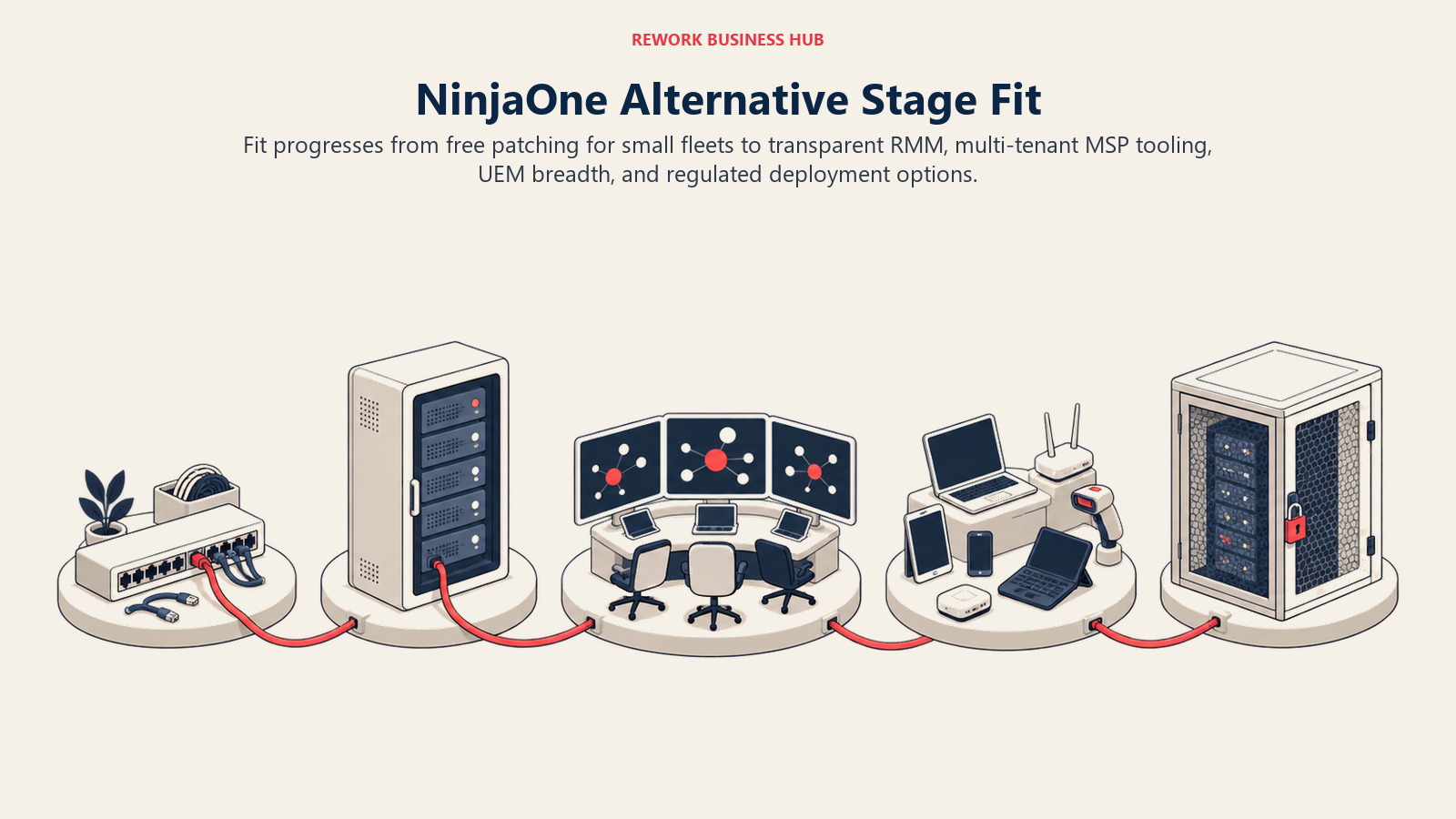
The strongest alternative changes as fleet size, technician count, operating model, and deployment constraints change. This stage map keeps those conditions together before the detailed tool profiles pull them apart.
| Company profile | What matters most | Strongest fits |
|---|---|---|
| Solo admin, under 200 endpoints | Staying free as long as possible | Action1, Level.io (free first 10) |
| Small IT team, 200 to 1,000 endpoints | A published number before committing | Level.io, SuperOps, Atera |
| Small MSP, 1 to 5 technicians | Predictable per-technician billing as clients grow | Atera, Syncro |
| Growing MSP, automation already built | Established channel tooling, existing relationship | Kaseya VSA |
| Mixed Windows and Apple fleet | Cross-platform management, no second tool | ManageEngine Endpoint Central, SuperOps with MDM |
| MSP managing many Mac client tenants | Multi-tenant Apple management, per-client billing | Addigy |
| Already on Business Premium, E3 or E5 | Avoiding a second licence for what's already paid for | Microsoft Intune |
| IT team whose real gap is ticketing | ITSM depth first, endpoint tooling second | Freshservice |
| On-premises or air-gapped requirement | Deployment flexibility beyond cloud-only | N-able N-central, ManageEngine Endpoint Central |
| Small team wanting one flat number | Simplicity over a granular tier table | Naverisk |
1. Atera: Published Per-Technician Pricing With Unlimited Devices
Atera's pitch is a billing model, not a feature novelty: pay per technician, and every plan covers unlimited managed devices, flipping the per-endpoint math NinjaOne, Level.io and SuperOps run on. Older comparisons quoted Professional at $99 and Expert at $129; both are stale after a 2026 pricing update, with AI Copilot now bundled into every tier free.
| What you get | What you don't |
|---|---|
| Unlimited managed devices on every technician seat | A per-endpoint option if your ratio favors fewer technicians |
| AI Copilot included at no extra charge on every plan | Confirm current pricing with Atera |
Pricing: Per technician per month, unlimited devices. Professional $169 monthly / $149 annual. Expert $229 / $189. Master $269 / $219. Confirm current rates with Atera. (Atera) Best for: Small IT teams and MSPs whose technician count grows slower than their device count. For the direct head-to-head against the tool this article is about, see NinjaOne vs Atera. Not ideal for: A lean 2-person team managing thousands of endpoints, where per-technician billing costs more than a per-endpoint tool would.
2. Action1: Free Patch Management to 200 Endpoints
Action1's free tier has climbed steadily since launch (10 endpoints, then 50 in January 2021, 100 in January 2022, 200 in February 2025) with no feature limitations at any point. That makes it the rare "free" tier here that's genuinely production-usable rather than a lead-gen gate.
| What you get | What you don't |
|---|---|
| Full patch management, vulnerability scanning and remote access, free to 200 endpoints | A published rate above 200 endpoints |
| No feature gating on the free tier | Per-technician billing, if you'd rather cover unlimited devices per seat |
Pricing: Free forever for the first 200 endpoints, no feature limitations, raised from 100 endpoints in February 2025. Above 200, Action1 requires a quote through a form on its site. (Action1) Best for: Small IT teams and MSPs under 200 endpoints wanting real patch management at zero cost, permanently. Not ideal for: Fleets past 200 endpoints who need to budget in advance, since it's quote-only past that tier.
3. Level.io: Flat Per-Device Pricing, No Tiers to Parse
Level is one of the newer entrants, and the simplest to price on this page: one flat rate, no volume tiers, and the first 10 endpoints free with no time limit, a direct contrast to NinjaOne's opaque banding.
| What you get | What you don't |
|---|---|
| One flat per-device rate, no tier table to parse | Volume discounts below 1,500 endpoints |
| A genuinely permanent free tier for the first 10 devices | A per-technician billing option |
Pricing: $2.00 per device per month past the free tier (applies to your entire count, not just devices above 10), billed monthly, 10% off annually. The first 10 endpoints are free with no time limit. Bulk pricing is available on request past 1,500 endpoints. These figures come from Level's documentation site. (Level) Best for: Small IT teams wanting to price a plan in ten seconds without a tier table. Not ideal for: Larger fleets past 1,500 endpoints, where the flat rate reverts to a custom quote.
4. SuperOps: Published Per-Endpoint Tiers for IT Teams
SuperOps prices IT teams, the audience closest to a NinjaOne switch, on a straight per-endpoint tier table: Prime opens at $1.50 per endpoint at 100 endpoints and steps down to $1.20 at 1,000-plus. Prime Plus, adding Apple and Android MDM, opens at $2.50 early-bird ($3.00 regular) at 150 endpoints and steps to $2.00 at 1,000-plus.
| What you get | What you don't |
|---|---|
| A full published per-endpoint tier table for IT teams | MSP-side per-technician pricing on the same page |
| Apple and Android MDM as an add-on tier (Prime Plus) | A flat, single number regardless of fleet size |
Pricing: Per endpoint per month for IT teams: Prime $1.50 (100 endpoints), $1.40 (101-500), $1.30 (501-1,000), $1.20 (1,000+). Prime Plus adds MDM at $2.50 early-bird / $3.00 regular (150 endpoints), stepping to $2.00 at 1,000+. MSPs are quoted separately on a per-technician basis with bundled endpoint allowances. (SuperOps) Best for: IT teams wanting a modern console with MDM add-ons and a real per-endpoint number on the page. Not ideal for: MSPs comparing quotes across tools, since its MSP-side pricing isn't as plainly laid out.
5. Syncro: One Flat Per-Technician Rate, Unlimited Endpoints (Reported)
Syncro's pitch mirrors Atera's: per technician, unlimited endpoints, no per-device penalty as a client fleet grows.
| What you get | What you don't |
|---|---|
| Unlimited managed endpoints per technician seat | A vendor page you can verify by loading the URL yourself right now |
| RMM and PSA bundled in one subscription | The AI Copilot bundling Atera now includes at every tier |
Pricing (reported): Core around $129 per technician monthly, roughly $107.50 annualized; Team around $179 monthly, roughly $149.17 annualized, adding network discovery. Both include unlimited endpoints. Best for: Small MSPs wanting Atera's billing logic at a lower reported entry point. Not ideal for: Buyers who want a number confirmed on the vendor's own page.
6. Pulseway: Mobile-First Monitoring, Priced by Conversation Only
Pulseway's differentiator is the mobile app: real device management and remote control from a phone, which matters for a team rarely at a desk. What doesn't show up anywhere on its site is a number, no plan names, no rate, no tier table, just demo and contact-sales links.
| What you get | What you don't |
|---|---|
| A genuinely capable mobile app for alerts and remote control | Any plan names, tiers or dollar figures on the public site |
| Add-on modules for MDM, endpoint protection, ransomware detection | A self-serve path to a number before a conversation |
Pricing: Not published. Pulseway's pricing page lists no plans, tiers or dollar figures; every path leads to a demo request or sales conversation. Entry points reportedly run from about $1.85 to $22 per device depending on plan and add-ons. (Pulseway) Best for: Teams whose top priority is mobile alerting and remote control on the go. Not ideal for: Anyone needing a budget before the first sales call.
7. Kaseya VSA: Established RMM, No Public Number Anywhere
Kaseya VSA remains one of the most recognized RMM names, largely from the broader Kaseya IT Complete and Kaseya 365 ecosystem around it. Its site carries no standalone VSA pricing page; the closest equivalent is a request-a-quote flow for Kaseya 365 Endpoint bundles.
| What you get | What you don't |
|---|---|
| Deep integration with Kaseya 365 and IT Complete | Any published price on kaseya.com, at any tier |
| An established MSP install base and ecosystem | A self-serve quote or calculator |
Pricing: Not published anywhere on kaseya.com. Buyers request a quote through Kaseya 365 or an account manager. Community-reported pricing runs roughly $3 to $6 per device per month (reported), varying with endpoint count, modules and negotiation.
Best for: Organizations standardized on the Kaseya ecosystem wanting VSA as the RMM piece.
Not ideal for: Buyers who want a self-serve number before engaging sales.
8. N-able N-central: Mature RMM With an On-Premises Option
N-able N-central is one of the few tools here offering a genuine choice between cloud and on-premises deployment, useful for MSPs serving regulated or air-gapped clients. Like most channel peers, N-able doesn't publish a price; third parties estimate roughly $1.50 to $3.50 per device monthly depending on volume, term, and whether Cove backup or SentinelOne EDR ride along, none of it confirmed on n-able.com.
| What you get | What you don't |
|---|---|
| A real choice between cloud and on-premises deployment | Any published price on n-able.com |
| Optional Cove backup and EDR bundling | A confirmed number before a sales conversation |
Pricing: Not published on n-able.com. Third-party estimates put N-central at roughly $1.50 to $3.50 per device per month depending on volume and bundled add-ons (reported); treat as indicative only.
Best for: MSPs needing an on-premises option alongside cloud, or already bundling Cove backup.
Not ideal for: Buyers who want to confirm a number on the vendor's site before a call.
9. ManageEngine Endpoint Central: Intune's Scope, Patching Included, Billed by the Year
Endpoint Central is the closest thing here to a like-for-like Intune replacement in scope, competing with NinjaOne on breadth rather than simplicity: patching, software deployment, remote control, asset management and MDM across every major OS. The billing shape is unlike anything else here, so read it carefully.
| What you get | What you don't |
|---|---|
| Patching, remote control and MDM bundled into one licence | A per-device monthly rate you can set beside NinjaOne's |
| A choice between cloud and on-premises deployment | A flat number that doesn't shift with fleet size |
Pricing: Sold as an annual fee per fleet-size band, not a per-device monthly rate, with on-premises and cloud quoted separately across four editions. Professional runs $795 on-premises / $1,045 cloud at 50 endpoints, rising to $8,945 / $11,245 at 1,000. Enterprise runs $945 / $1,245 at 50 and $10,795 / $14,045 at 1,000. UEM runs $1,095 / $1,395 at 50. Extra technicians run $345 to $5,995 annually. (ManageEngine) Best for: Teams wanting Intune-level UEM breadth with patching and asset management in one licence, plus on-prem. Not ideal for: Buyers who want one flat per-endpoint monthly number, not an annual band.
10. Microsoft Intune: The Alternative You May Already Be Paying For
If you're already licensing Microsoft 365 Business Premium, E3 or E5, Intune Plan 1 is bundled at no incremental cost, an argument NinjaOne can't make. But third-party patching and remote control, NinjaOne's core strengths, are exactly where Intune's Microsoft-first design shows its limits.
| What you get | What you don't |
|---|---|
| Device management bundled free inside plans you may already own | Strong third-party application patching |
| Fully published per-user, per-SKU pricing | Remote control as capable as a dedicated RMM's |
Pricing: Per user per month, paid yearly. Intune Plan 1 $8.00. Plan 2 adds $4.00 and requires Plan 1. The Intune Suite add-on rate is $10.00. Bundled inside Microsoft 365 Business Premium at $22.00 per user per month paid yearly. (Microsoft) For the full shortlist beyond pure RMM, see Best Microsoft Intune Alternatives. Best for: Organizations already on Business Premium, E3 or E5 wanting device management without a second licence. Not ideal for: Teams whose real complaint is patching speed or remote-control friction, neither of which Intune addresses well.
11. Addigy: Apple-First, Built for MSPs Managing Client Fleets
Addigy is Apple device management built around the multi-tenant reality of an MSP: one console, many client organizations, per-client policy and billing, a shape that makes the most sense managing Macs for other companies rather than one internal fleet.
| What you get | What you don't |
|---|---|
| True multi-tenancy built for MSPs managing client fleets | Windows or Android management |
| Apple MDM bundled with SentinelOne EDR on Security Suite | A published tier table beyond the entry rate |
Pricing: "Plans start at $8.25 per Mac per month" for Apple MDM. Security Suite, bundling SentinelOne EDR with 24/7 MDR, starts at $16 per Mac per month. iOS devices are custom-quoted separately. The monthly-versus-annual split isn't published. (Addigy) Best for: MSPs managing Mac fleets across many client tenants wanting per-client billing and true multi-tenancy. Not ideal for: In-house Windows-heavy teams, where one cross-platform tool avoids running Addigy alongside something else.
12. Naverisk: One All-Inclusive Price, No Tier Table to Parse
Naverisk's pitch is the opposite of ManageEngine's banded complexity: one number, all-inclusive, and it's on the page, rare enough here to be the whole selling point for a small team avoiding a tier table.
| What you get | What you don't |
|---|---|
| One published, all-inclusive headline price | A per-technician or per-endpoint tier breakdown |
| A single number a small team can budget against today | Visibility into how the price scales with fleet growth |
Pricing: "Starting at $110.00 per month," described on Naverisk's own site as "an exceptional all-in-one IT services automation suite at a single, all-inclusive price." The page doesn't break out a per-technician or per-endpoint basis beyond that headline figure, and a limited-time signup promotion (free M365 and device backups before 30 July 2026) applies to new community members. (Naverisk) Best for: Small IT teams wanting one number to budget against without a volume-tiered table. Not ideal for: Buyers who need to know exactly how the price scales with endpoint count, since the page doesn't say.
13. Freshservice: For the Buyer Whose Real Gap Is Ticketing, Not the Agent
Not every NinjaOne search is really an RMM search. If tickets go nowhere, SLAs aren't tracked, and there's no service catalog, the fix is an ITSM platform, not a better patching agent. Freshservice covers incident, change and service-catalog management NinjaOne was never built for, though you'll still want a dedicated RMM tool alongside it.
| What you get | What you don't |
|---|---|
| Full ITSM depth: incidents, changes, problems, service catalog | Patch management or remote-control functionality |
| Published per-agent pricing, Starter through Enterprise | An endpoint agent of any kind |
Pricing: Per agent per month, billed annually. Starter $19. Growth $49. Pro $99, adding Freddy AI Copilot at $29/agent/month as an add-on. Enterprise is custom-quoted and includes Freddy AI at no extra charge. (Freshservice) For the wider ITSM shortlist, see Best Freshservice Alternatives. Best for: IT teams whose actual bottleneck is ticketing, SLAs and change management, not the RMM agent. Not ideal for: Buyers who came here purely to replace NinjaOne's patching and remote-control; Freshservice does neither.
How to Choose: Decision Framework
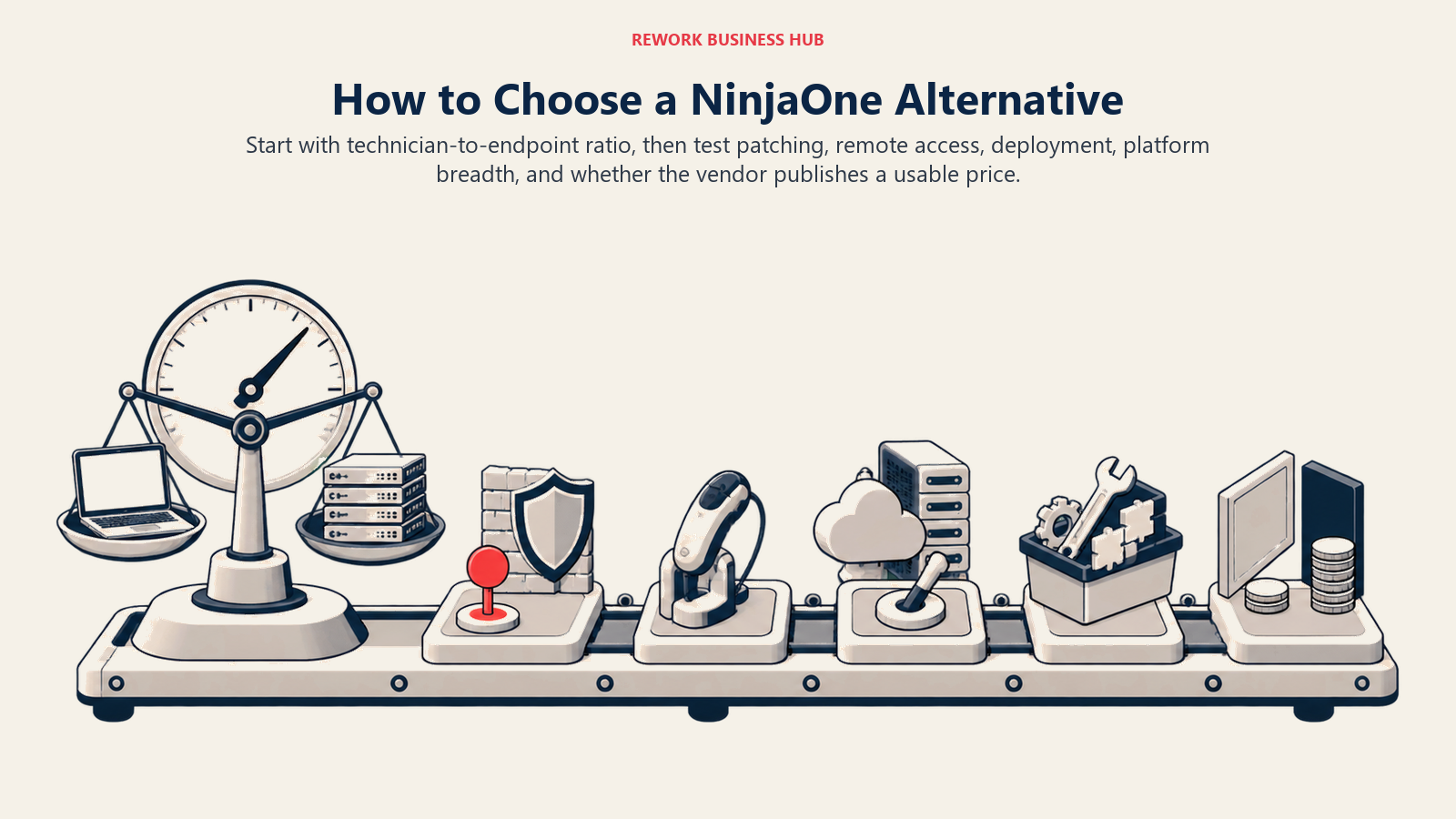
Begin with the billing ratio between technicians and endpoints, then layer in patching depth, remote access, deployment model, platform breadth, and pricing transparency. The framework below turns those constraints into a practical shortlist.
| If you need... | Typical profile | Best pick |
|---|---|---|
| Per-technician pricing, unlimited devices | Small IT team or MSP wanting a rate card, no call | Atera |
| A genuinely free patch tool under 200 endpoints | Solo admin, tight budget | Action1 |
| The simplest per-device rate, no tiers | Small fleet, budget in ten seconds | Level.io |
| Modern console with MDM add-ons, published tiers | Windows, Mac and mobile together | SuperOps |
| Unlimited endpoints per technician, below Atera | Small MSP watching cash flow closely | Syncro |
| Mobile-first monitoring and remote control | Techs rarely at a desk | Pulseway |
| Deep automation scripting already built out | MSP with years invested in one ecosystem | Kaseya VSA |
| An on-premises deployment option | Regulated or air-gapped environment | N-able N-central or ManageEngine Endpoint Central |
| UEM breadth with patching bundled, not add-ons | Small IT team replacing Intune add-ons | ManageEngine Endpoint Central |
| Device management you may already be paying for | Already on Business Premium, E3 or E5 | Microsoft Intune |
| Multi-tenant Apple management for client fleets | MSP with many Mac-heavy clients | Addigy |
| One flat, all-inclusive number | Small team avoiding a tier table entirely | Naverisk |
| ITSM depth instead of another endpoint agent | The real gap is ticketing, not patching | Freshservice |
If SaaS sprawl beyond endpoints is also on your plate, run the vendor diligence checklist against your shortlist first; Best SaaS Management Software in 2026 covers that adjacent problem.
What Leaving NinjaOne Actually Costs
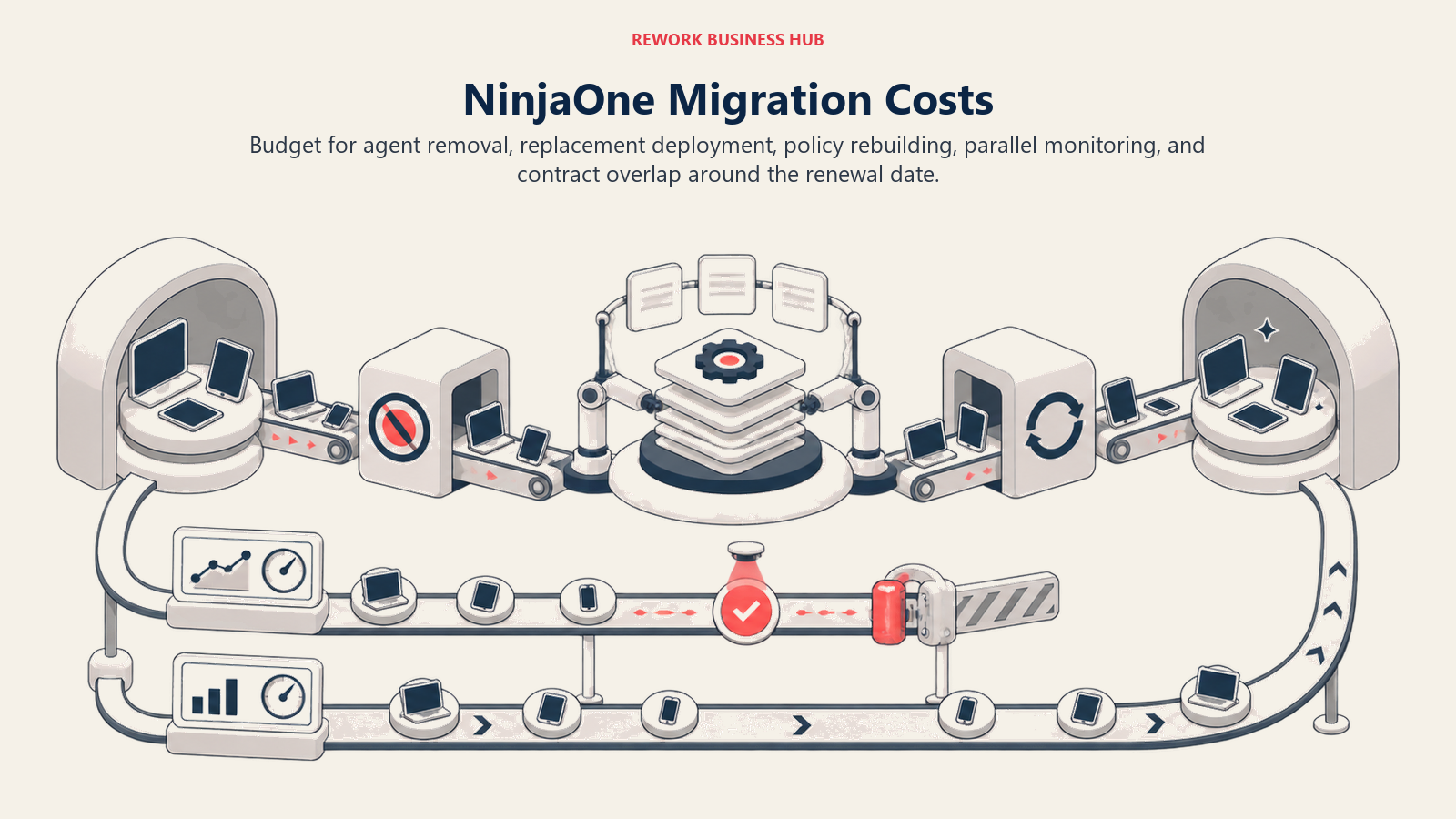
Nobody moves off an RMM platform for free. Every endpoint needs its old agent uninstalled and the new one deployed, which for a distributed fleet means physical access, a scripted rollout, or riding along with routine patch cycles. Automation policies don't export between platforms, so budget real hours to rebuild them. Most migrations run both tools in parallel for several weeks while alerting gets validated, briefly doubling your monitoring cost. And because NinjaOne, like most RMM platforms, sells on annual terms, the clean exit point is your renewal date. Switching SaaS vendors covers sequencing a cutover without a coverage gap.
What to Do Next
Count technicians, count endpoints, and divide. If that ratio is low, a lean team covering a large fleet, start with Atera or Syncro. If it's high, a bigger team with fewer devices per person, start with Level.io, SuperOps or Action1's free tier instead. Then pilot two tools, not five, against real endpoints for two to three weeks: deploy an agent, push a patch, run a remote session, and build one automation policy from scratch rather than trusting a demo of it. For the wider asset picture, see Best IT Asset Management Software in 2026, and if Lansweeper is on your shortlist too, Best Lansweeper Alternatives covers that category. If NinjaOne's closest published-pricing peer is what you're deciding between, the direct comparison is NinjaOne vs Atera.

Principal Product Marketing Strategist
On this page
- Key Facts
- Who Actually Publishes a Price (and Who Makes You Call Sales)
- The Per-Technician vs Per-Endpoint Trap
- What "Free" Actually Means in 2026
- Quick Comparison Table
- Stage Fit Matrix
- 1. Atera: Published Per-Technician Pricing With Unlimited Devices
- 2. Action1: Free Patch Management to 200 Endpoints
- 3. Level.io: Flat Per-Device Pricing, No Tiers to Parse
- 4. SuperOps: Published Per-Endpoint Tiers for IT Teams
- 5. Syncro: One Flat Per-Technician Rate, Unlimited Endpoints (Reported)
- 6. Pulseway: Mobile-First Monitoring, Priced by Conversation Only
- 7. Kaseya VSA: Established RMM, No Public Number Anywhere
- 8. N-able N-central: Mature RMM With an On-Premises Option
- 9. ManageEngine Endpoint Central: Intune's Scope, Patching Included, Billed by the Year
- 10. Microsoft Intune: The Alternative You May Already Be Paying For
- 11. Addigy: Apple-First, Built for MSPs Managing Client Fleets
- 12. Naverisk: One All-Inclusive Price, No Tier Table to Parse
- 13. Freshservice: For the Buyer Whose Real Gap Is Ticketing, Not the Agent
- How to Choose: Decision Framework
- What Leaving NinjaOne Actually Costs
- What to Do Next