Best Zoho Invoice Alternatives in 2026: 13 Tools for When You Outgrow the Free Plan
Turn this article into takeaways for your work.


Each assistant summarizes the article only for you and suggests best practices for your work.
Zoho Invoice is free, forever, with no paid tier hiding behind a "contact sales" button. That's rare in this category, and it's also exactly why people search for alternatives: nobody switches away from Zoho Invoice because of price. They switch because they hit a wall Zoho put there on purpose. Those walls are published on Zoho's own pricing page: two users, three projects, 500 invoices a year, and "Powered by Zoho Invoice" branding stamped on every document you send a client.
This guide is built around those specific walls, not a generic "best invoicing tools" ranking. Each alternative is matched to the Zoho Invoice limit it solves, and the guide is honest about the cases where staying on Zoho Invoice is still the right call. If you're comparing invoice tools broadly rather than migrating off Zoho specifically, our best invoice management software guide covers the category from a wider angle.
Key Facts
- US small businesses waited an average of 29.3 days to get paid in the second quarter of 2026, according to Xero's Small Business Insights.
- 59% of small businesses reported invoices overdue by more than 30 days in 2026, up from 47% a year earlier, per Intuit's 2026 Small Business Late Payments Report.
- Small businesses carrying unpaid invoices are owed $17,700 on average, according to the same QuickBooks report.
- 74% of small businesses say they aren't fully automated for bill management and payment, per QuickBooks' 2026 report, which is a large part of why manual, capped invoicing tools eventually get outgrown.
- Companies that automate accounts receivable see an average 384% ROI with a 9-month payback period, according to an IDC study commissioned by Billtrust.
Quick Comparison Table
| Tool | Best For | Starting Price | Key Strength | Key Limitation |
|---|---|---|---|---|
| Invoice Ninja | Staying free with no caps at all | Free (self-hosted) | No user, project, or invoice limits | Self-hosting takes technical setup |
| Wave | Uncapped invoice volume | Free (Starter) | Genuinely unlimited invoices | Thin inventory and project tracking |
| Zoho Books | Staying in the Zoho ecosystem | Free (under $50K revenue) | Real double-entry accounting, familiar login | Free tier still revenue-capped |
| Zoho Billing | Recurring and subscription billing | $50/mo ($39/mo annual) | Metered pricing, dunning, revenue recognition | Not built for one-off project invoicing |
| FreshBooks | Cleaner invoicing UX with time tracking | $23/mo | Best-in-class invoicing UX | Per-client caps, per-seat fees |
| QuickBooks Online | Working with a bookkeeper or CPA | $38/mo | Largest accountant ecosystem | Price rose again in August 2026 |
| Xero | Killing the 2-user cap directly | $25/mo | Unlimited users on every plan | Entry plan caps invoices and bills |
| Harvest | Billing by the hour | Free (1 seat) | Time tracking feeds invoices directly | Not a full accounting system |
| Bonsai | Proposals and contracts plus invoicing | $15/user/mo | Full client lifecycle in one tool | Invoicing locked to Essentials tier and up |
| Square Invoices | Mixing in-person and online billing | Free (Square Free) | One dashboard for card, POS, and invoices | Card fees higher on the free plan |
| Stripe Invoicing | Developer-built billing workflows | 0.4% per invoice | API-first, no monthly fee | No dashboard-first experience for non-developers |
| Melio | Paying bills, not just collecting them | Free (Go plan) | AR included free on every tier | Built around AP, invoicing is secondary |
| BILL | Full AP and AR automation at scale | $49/user/mo | Approval workflows, ERP-grade audit trail | Overkill and expensive for a solo user |
Which Zoho Invoice Wall Did You Hit?
| The limit | What it looks like in practice | Look at |
|---|---|---|
| 2-user cap | You hired a bookkeeper, a co-founder, or a salesperson who also needs to send invoices | Zoho Books, QuickBooks Online, Xero |
| 3-project cap | You bill more than three active clients or jobs at once and used projects to separate them | Zoho Books, Harvest, Bonsai |
| 500-invoices-a-year cap | You're sending more than roughly 42 invoices a month: recurring billing, high client count, or subscription revenue | Wave, Invoice Ninja, Square Invoices |
| "Powered by Zoho Invoice" branding | You want every invoice to look like it came from your business, not a free tool | FreshBooks, Zoho Books, Bonsai |
| You need a real general ledger, not just an invoice list | Bank reconciliation, chart of accounts, reports a CPA can actually use | Zoho Books, QuickBooks Online, Xero |
| You need to pay bills, not just collect on them | Your finance workload is accounts payable as much as receivable | Melio, BILL |
| You want to stay free indefinitely, no matter how much you grow | Cost matters more than headroom | Wave, Invoice Ninja (self-hosted) |
1. Invoice Ninja: The Closest Thing to a Free, Uncapped Swap
Invoice Ninja is the most direct answer to "I like that Zoho Invoice is free, I just don't like the caps." It ships as an open-source core you can self-host at no cost, with no ceiling on users, projects, or invoices waiting for you the way there is on Zoho Invoice. A hosted cloud version exists if running your own server isn't appealing.
Methodology: Invoice Ninja treats invoicing infrastructure as something a business should own rather than rent. The self-hosted edition includes the full feature set: recurring invoices, a client portal, proposals, and support for more than 40 payment gateways.
Target audience: Freelancers and small agencies who hit Zoho Invoice's caps and want to stay on a free or near-free tool rather than jump to a paid accounting suite. Best fit for technically comfortable users, since self-hosting means running and maintaining your own server.
| Pros | Cons |
|---|---|
| No user, project, or invoice caps on the self-hosted edition | Self-hosting requires setup and ongoing maintenance |
| Deep invoice and template customization | Not a full double-entry accounting system |
| Supports 40+ payment gateways | Smaller support community than Zoho or QuickBooks |
| Client portal, recurring invoices, and proposals included | Cloud plans still carry their own limits |
Sizing fit:
| Team Size | Fit |
|---|---|
| Solo freelancer | Excellent on self-hosted |
| Small team (2-10) | Good for tech-comfortable teams |
| Mid-size (10-50) | Moderate, pair with real accounting software |
| Enterprise (50+) | Not appropriate |
Stage fit: Any stage for pure invoicing, but strongest for bootstrapped or technically-oriented businesses that would rather own their billing data than rent it.
Team vs company-wide: Finance and invoicing only. Self-hosting is usually a decision one technical person makes for the whole team.
Pricing: Free, self-hosted, with no caps on users, clients, or invoices. Ninja Pro (cloud) is $14/month or $140/year. Cloud Enterprise starts at $18/month for 1-2 users and rises to $300/month for 51-100 users. See Invoice Ninja pricing for current rates.
Best for: Zoho Invoice users who hit the caps and specifically want to stay free by self-hosting, or who want more invoice customization than a SaaS dashboard typically allows.
2. Wave: Free and Genuinely Unlimited Invoices
If the 500-invoices-a-year cap is the specific wall you hit, Wave is the most direct fix. Its free Starter plan puts no limit on invoice volume, client count, or transactions at all, and it's real double-entry accounting underneath, not a stripped-down invoice generator.
Methodology: Wave treats accounting software as a utility that should be free for small businesses, funded by payment processing fees rather than subscriptions. The product is simpler than QuickBooks or Xero by design, built for what a solo owner or micro-business actually needs.
Target audience: Freelancers and very small businesses whose complaint is specifically invoice volume rather than user count or accounting depth. Best for service businesses, since Wave's inventory tracking is thin.
| Pros | Cons |
|---|---|
| Unlimited invoices, clients, and transactions on the free plan | Payroll costs extra and is US-only |
| Real double-entry accounting under a simple interface | Limited inventory and project tracking |
| No monthly subscription required for core accounting | Fewer integrations than QuickBooks or Xero |
| Clean, approachable UI | Support is email-only on the free plan |
Sizing fit:
| Team Size | Fit |
|---|---|
| Solo freelancer | Excellent, best free option for volume |
| Small team (2-10) | Good for cost-sensitive teams |
| Mid-size (10-50) | Start looking at Xero or QuickBooks |
| Enterprise (50+) | Not appropriate |
Stage fit: Ideal for early-stage freelancers and bootstrapped micro-businesses that send a lot of invoices but don't want a monthly bill. Graduate when you hire your third employee or start carrying real inventory. For the full picture on where Wave itself falls short, see our best Wave alternatives guide.
Team vs company-wide: Primarily the owner or a single bookkeeper. Multi-user collaboration is limited compared to paid tools.
Pricing: Starter is $0/month with unlimited invoicing, accounting, and bank reconciliation. Pro is $19/month or $190/year, and waives the $0.60 transaction fee on your first 10 transactions each month. Card processing runs 2.9% + $0.60 per transaction (3.4% + $0.60 for Amex) on both plans. A $9.50/month introductory rate is running on Pro for the first three months. Wave Advisors bookkeeping service starts at $149/month. See Wave pricing for current rates.
Best for: Freelancers and micro-businesses whose real problem with Zoho Invoice is the 500-invoice ceiling, not the user count or the branding.
3. Zoho Books: Stay Inside Zoho, Get Real Accounting
Zoho Books is the path of least resistance for anyone who hit Zoho Invoice's caps but doesn't want to relearn a new interface. It's the same company, the same login, and a UI family you already know, just with a general ledger, bank reconciliation, and reporting behind it.
Methodology: Zoho Books is part of the broader Zoho ecosystem, integrating with Zoho CRM, Zoho Projects, and Zoho Inventory. As a standalone product it's feature-rich even before you hit the higher tiers: automated workflows, a client portal, and purchase orders all show up early.
Target audience: Businesses that outgrew Zoho Invoice because they need actual bookkeeping, not just an invoice list, and want to stay in a familiar interface rather than migrate to an unrelated vendor. For a side-by-side against a non-Zoho option, see Xero vs Zoho Books, and if Zoho Books itself doesn't fit, our best Zoho Books alternatives guide covers the next options.
| Pros | Cons |
|---|---|
| Free tier already raises every Zoho Invoice cap | Free tier still requires under $50K in annual revenue |
| Real double-entry accounting and bank reconciliation | UI can feel dense for newcomers |
| Deep Zoho suite integration | CPA ecosystem smaller than QuickBooks' |
| Client portal, purchase orders, inventory included | Some automation features locked to higher tiers |
Sizing fit:
| Team Size | Fit |
|---|---|
| Solo freelancer | Excellent on the free tier |
| Small team (2-10) | Strong, Standard or Professional plan |
| Mid-size (10-50) | Good, Premium tier handles it |
| Enterprise (50+) | Consider Zoho ERP or a dedicated ERP platform |
Stage fit: Any stage, from a freelancer on the free tier through a 50-person business on Premium. The pricing ladder is gradual enough that switching tools again is rarely necessary.
Team vs company-wide: Finance and operations, extending naturally to sales and project teams if you're already in the Zoho suite.
Pricing: Free at $0/month for businesses under $50K in annual revenue (1 user plus 1 accountant, 1,000 invoices a year, already double Zoho Invoice's cap). Standard is $20/month ($15/month billed annually), Professional $50/month ($40 annually), Premium $70/month ($60 annually), Elite $150/month ($120 annually), Ultimate $275/month ($240 annually). Extra users cost $3/month ($2.50 annually) on paid plans. See Zoho Books pricing for current rates.
Best for: Zoho Invoice users who need real accounting depth and would rather stay inside the ecosystem than switch vendors entirely.
4. Zoho Billing: Zoho's Own Upgrade Path for Recurring Revenue
This one deserves a direct callout: when you outgrow Zoho Invoice inside the Zoho product family, Zoho's own upgrade prompt points here, not to a paid Invoice tier, because no paid Invoice tier exists. Zoho Billing (formerly Zoho Subscriptions) is a dedicated recurring-billing engine.
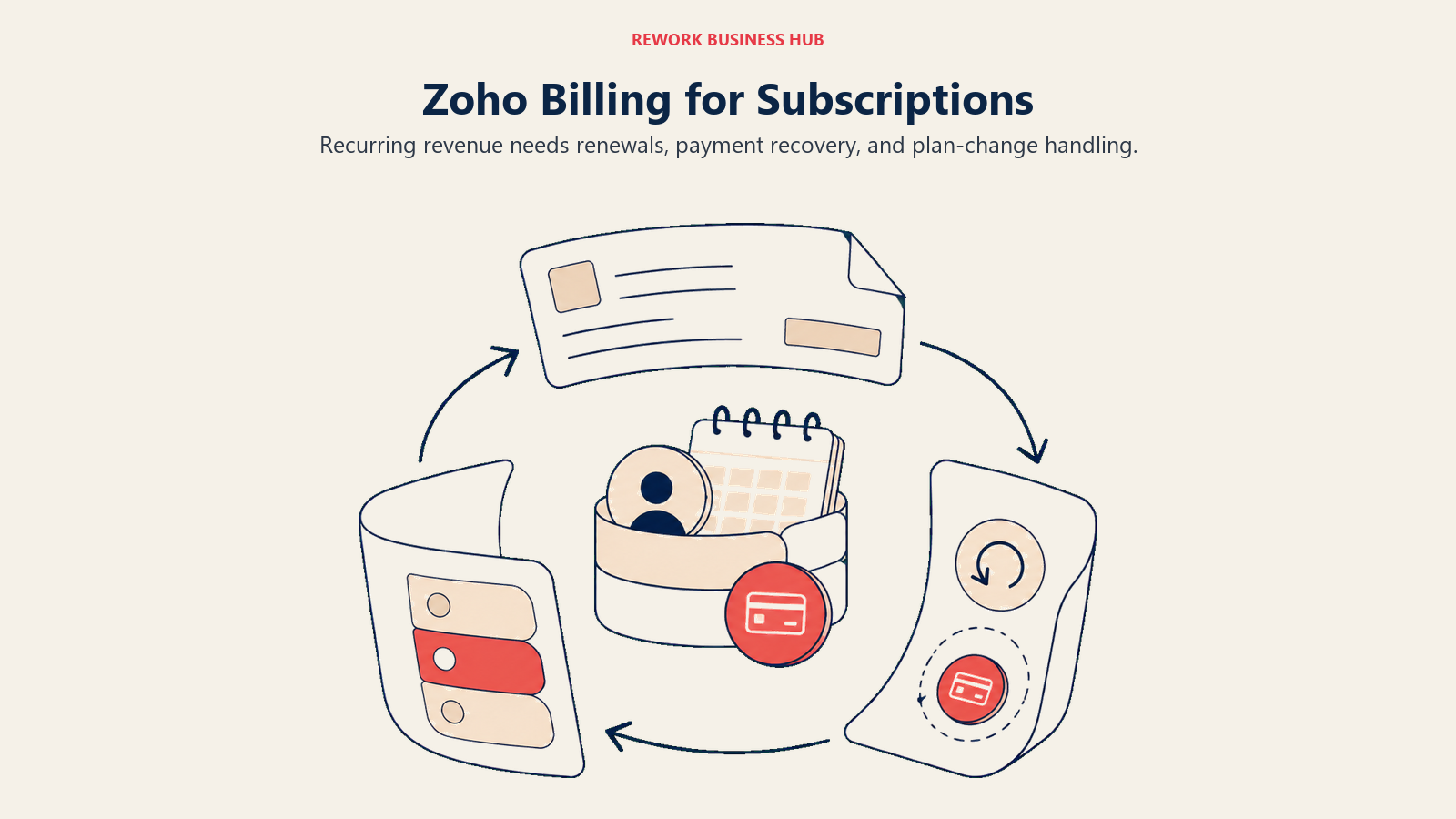
Methodology: Zoho Billing handles metered pricing, dunning management for failed payments, revenue recognition, and a customer self-service portal for plan changes and upgrades. It's built for subscription mechanics that a one-off invoice tool was never designed to handle.
Target audience: SaaS businesses, membership models, and any company with recurring line items that outgrew the single-invoice model Zoho Invoice was built for.
| Pros | Cons |
|---|---|
| Purpose-built recurring billing, dunning, and revenue recognition | Not designed for one-off project invoicing |
| Same Zoho login and ecosystem as Zoho Invoice | Standard and Premium cap at $1M in annual revenue processed |
| Customer self-service portal for plan changes | Overkill if you don't actually bill on a recurring basis |
| Scales to 100,000 invoices a year on named tiers | Enterprise pricing is custom, not published |
Sizing fit:
| Team Size | Fit |
|---|---|
| Solo freelancer | Overkill unless billing is subscription-based |
| Small team (2-10) | Good fit for early SaaS or membership products |
| Mid-size (10-50) | Strong, Premium tier covers most recurring-revenue businesses |
| Enterprise (50+) | Move to the custom Enterprise tier |
Stage fit: Best for businesses whose growth is specifically in recurring revenue rather than invoice volume or headcount.
Team vs company-wide: Finance and revenue operations, often tied closely to product and customer success for plan changes.
Pricing: Standard is $50/month ($39/month billed annually) for up to 3 users. Premium is $100/month ($79/month billed annually) for up to 10 users. Enterprise is custom-priced. Both named tiers cap at 100,000 invoices a year and $1M in annual revenue processed. See Zoho Billing pricing for current rates.
Best for: Zoho Invoice users whose actual problem is subscription and recurring billing mechanics, not general accounting.
5. FreshBooks: Cleaner Invoicing UX, Still Capped by Clients
FreshBooks is the closest match in spirit to Zoho Invoice: invoicing-first, built for non-accountants, genuinely pleasant to use. The tradeoff is that FreshBooks caps by billable clients rather than invoice count, and adds a per-seat fee the moment you add a teammate.
Methodology: FreshBooks pairs simple invoicing with native time tracking and a more polished client-facing portal than Zoho Invoice offers, at the cost of the free tier entirely: every FreshBooks plan is paid.
Target audience: Freelancers and small agencies who value invoicing UX and built-in time tracking enough to pay for it, and whose Zoho Invoice pain point was branding or polish rather than accounting depth.
| Pros | Cons |
|---|---|
| Cleanest invoicing interface in the category | No free tier at all |
| Native time tracking wired to invoicing | Per-client caps on lower tiers |
| Client portal for viewing and paying invoices | Per-seat fee stacks up fast for teams |
| Expense tracking with mobile receipt scanning | Thin inventory and payroll features |
Sizing fit:
| Team Size | Fit |
|---|---|
| Solo freelancer | Strong, especially under 5 clients |
| Small team (2-10) | Good, but per-seat cost adds up |
| Mid-size (10-50) | Look at QuickBooks or Xero instead |
| Enterprise (50+) | Not appropriate |
Stage fit: Early-stage freelancers and small agencies who bill a manageable client roster and want the cleanest possible invoicing experience. For the full comparison field, see our best FreshBooks alternatives guide.
Team vs company-wide: Finance and client-facing billing, not a company-wide operations tool.
Pricing: Lite is $23/month, Plus is $43/month, Premium is $70/month (Select is quote-only). A 90%-off introductory rate is running for the first three months ($2.30 / $4.30 / $7.00), and paying annually saves a further 10%. All three named tiers include 1 user; extra team members cost $11/month each. Billable clients are capped at 5 on Lite, 50 on Plus, and unlimited on Premium. See FreshBooks pricing for current rates.
Best for: Freelancers who want Zoho Invoice's simplicity with a more polished, brandable invoicing experience and are willing to pay for it.
6. QuickBooks Online: When You Need an Accountant in the Loop
QuickBooks Online is the default comparison for a reason: the broadest CPA and bookkeeper ecosystem in the US, the deepest integration list in the category, and enough reporting depth to run a real finance function once Zoho Invoice's spreadsheet-adjacent simplicity stops being enough.
Methodology: Intuit built QuickBooks around the double-entry workflow accountants already know. That's a feature if you work with a bookkeeper and friction if you handle your own books entirely.
Target audience: US-based small businesses working with an external accountant or bookkeeper, especially those that also need inventory tracking or payroll.
| Pros | Cons |
|---|---|
| Best-in-class CPA and accountant compatibility | Pricing increased again on August 1, 2026 |
| Payroll, inventory, and project tracking available | Add-ons stack up in cost quickly |
| Largest third-party integration ecosystem | Can feel complex coming from Zoho Invoice's simplicity |
| Free plan available for the simplest single-user case | Free plan is limited to 1 user |
Sizing fit:
| Team Size | Fit |
|---|---|
| Solo freelancer | Workable, but often overkill |
| Small team (2-10) | Strong, especially with a bookkeeper |
| Mid-size (10-50) | Strong, Plus or Advanced tier |
| Enterprise (50+) | Move to NetSuite or a full ERP |
Stage fit: Best for established small businesses that want a finance foundation that scales to 50 employees without switching tools again. See our best QuickBooks alternatives guide if QuickBooks itself isn't the right fit.
Team vs company-wide: Finance and operations. Payroll extends it into an HR-adjacent tool for small teams.
Pricing: Free is $0/month (1 user). Simple Start is $38/month (1 user), Essentials $85/month (3 users), Plus $140/month (5 users), Advanced $340/month (25 users). Intuit raised Essentials, Plus, and Advanced pricing on August 1, 2026 (Essentials moved from $75 to $85, Plus from $115 to $140, Advanced from $275 to $340); Simple Start held steady at $38. A 50%-off introductory rate is running for the first three months. See QuickBooks Online pricing for current rates.
Best for: Small US businesses with an accountant on retainer or an in-house bookkeeper who need the gold standard for CPA compatibility.
7. Xero: Unlimited Users Kills the 2-User Cap Directly
If the 2-user cap is the specific wall you hit, Xero solves it more directly than any other tool on this list: every plan, including the entry tier, includes unlimited users. No per-seat math, ever.
Methodology: Xero's architecture is cloud-native, built for browser-first collaboration rather than retrofitted from a desktop app. It handles multi-currency well and has solid inventory features on its higher plans.
Target audience: Small businesses with more than two people who need some level of system access, companies operating across currencies, and anyone whose Zoho Invoice pain point was specifically "I can't add a third user."
| Pros | Cons |
|---|---|
| Unlimited users on every plan, including the entry tier | Entry plan caps invoices and bills |
| Strong multi-currency support | Steeper learning curve than Zoho Invoice |
| Good inventory management on higher plans | US payroll is a third-party add-on (Gusto) |
| Large app marketplace | Support is primarily async |
Sizing fit:
| Team Size | Fit |
|---|---|
| Solo freelancer | Overkill unless multi-currency is needed |
| Small team (2-10) | Excellent, especially for cost control on users |
| Mid-size (10-50) | Strong, scales cleanly |
| Enterprise (50+) | Start evaluating NetSuite or SAP |
Stage fit: Best for growth-stage businesses that specifically outgrew per-seat or per-user pricing and need real accounting depth without a full ERP jump. See our best Xero alternatives guide for the wider field, and QuickBooks vs Xero if you're deciding between the two biggest names.
Team vs company-wide: Finance and operations. Unlimited users means managers can review budgets without adding cost.
Pricing: Early is $25/month, capped at 20 invoices and 5 bills a month, so check whether that just recreates a smaller version of the cap you're trying to leave. Growing is $55/month with unlimited invoices and bills. Established is $90/month, adding multi-currency and project tracking. A 90%-off rate is running for the first six months if purchased by September 30, 2026. Payroll runs through Gusto as an add-on from $36/month plus $6 per employee. See Xero pricing for current rates.
Best for: Small teams whose real Zoho Invoice problem was the 2-user cap and want that solved without paying per seat.
8. Harvest: When the Real Problem Is Billing for Time
Harvest solves a different problem than Zoho Invoice was ever built for: turning tracked hours into invoices automatically. If your "invoices" are really time sheets in disguise, Harvest's time-to-invoice pipeline replaces both the tracking and the billing step.
Methodology: Harvest tracks time by project and task, generates detailed invoices directly from that data, and follows up with payment reminders. It isn't trying to be a general ledger; it's trying to make sure billable hours never go unbilled.
Target audience: Agencies, consultants, and professional services firms that bill hourly or by project, especially teams of 2-25 people where time accuracy directly affects revenue.
| Pros | Cons |
|---|---|
| Time-to-invoice workflow is best in class | Not a full double-entry accounting tool |
| Integrates with QuickBooks, Xero, and FreshBooks | Pricing changed after the 2025 acquisition by Bending Spoons |
| Budget alerts and project cost tracking | Free plan caps at 1 seat and 2 projects |
| Good team time reporting | Usually pairs with a separate accounting tool rather than replacing one |
Sizing fit:
| Team Size | Fit |
|---|---|
| Solo freelancer | Good, but free alternatives cover simple invoicing too |
| Small team (2-15) | Strong for time-billing workflows |
| Mid-size (15-50) | Good alongside a main accounting tool |
| Enterprise (50+) | Pair with enterprise accounting, not standalone |
Stage fit: Growth-stage professional services firms where billable-hour accuracy drives profitability. Pairs well with QuickBooks or Xero rather than replacing them.
Team vs company-wide: Project-based teams. Often layered on top of a main accounting tool rather than used alone.
Pricing: Free for 1 seat and 2 projects. Teams is $9 per seat/month ($108 per seat billed annually). Enterprise is $14 per seat/month ($168 per seat billed annually). Enterprise Plus is custom-priced. See Harvest pricing for current rates.
Best for: Agencies and consultants who bill by the hour and want time tracking to feed invoicing automatically, typically paired with a full accounting tool.
9. Bonsai: Invoicing Plus the Rest of the Client Lifecycle
Bonsai solves a Zoho Invoice pain point that isn't on the pricing page: if you spend as much time chasing signed contracts and proposals as you do chasing invoices, a pure invoicing tool only covers the last step of your actual workflow.
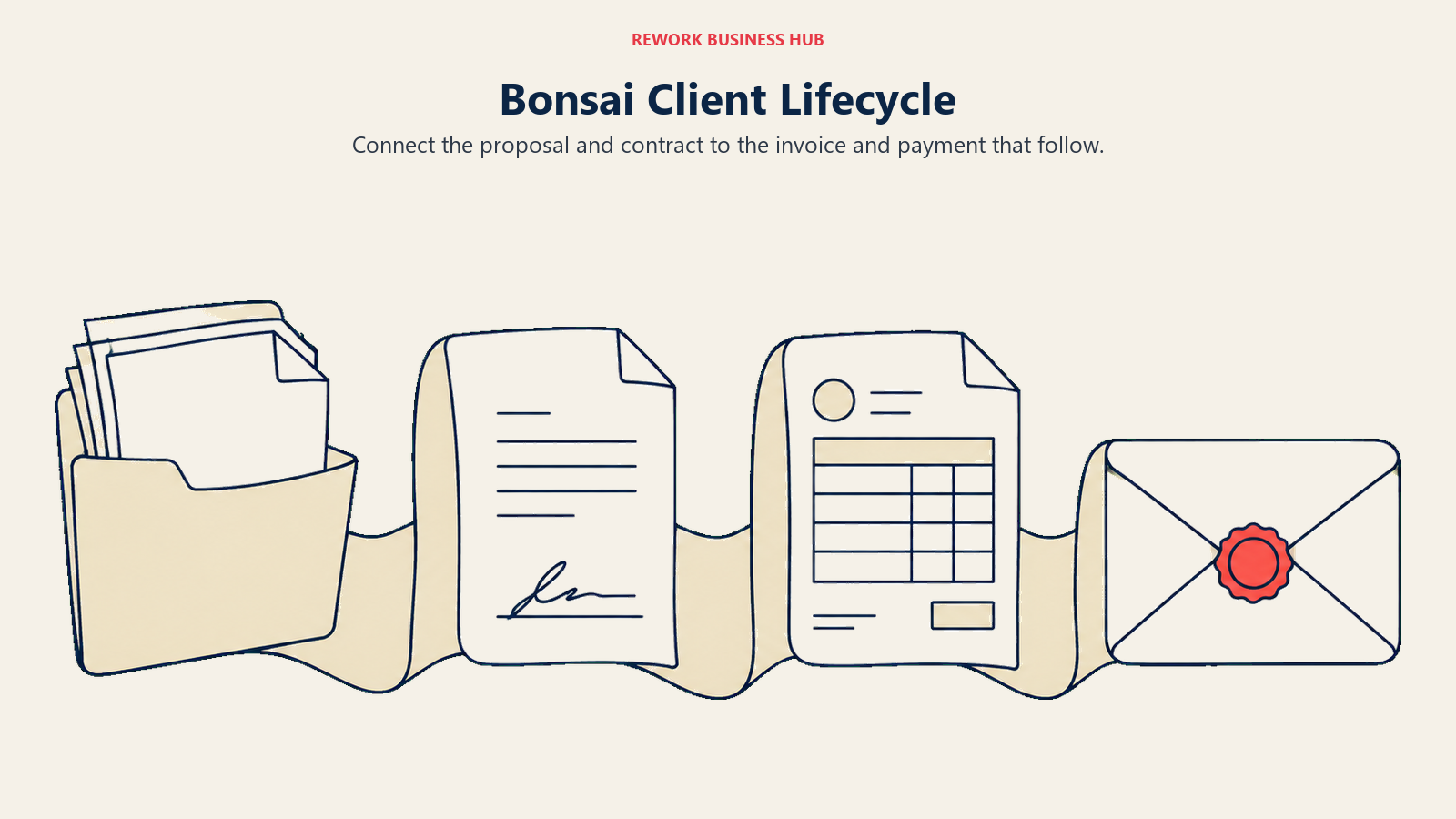
Methodology: Bonsai was built around the full freelance business cycle, from proposal to contract to invoice to payment, plus a lightweight client CRM and quarterly tax estimation.
Target audience: Freelancers, consultants, and small creative agencies under 10 people who bill on proposals and contracts, not just recurring invoices.
| Pros | Cons |
|---|---|
| Contracts, proposals, and CRM bundled with invoicing | Not a true double-entry accounting system |
| Time tracking wired directly to invoicing | Invoicing is locked to Essentials tier and up, not Basic |
| Quarterly tax estimation built in | Per-user pricing adds up for small teams |
| Clean UX built for non-accountants | Limited reporting depth for bookkeepers |
Sizing fit:
| Team Size | Fit |
|---|---|
| Solo freelancer | Excellent |
| Small team (2-5) | Strong for project-based agencies |
| Team (5-15) | Moderate, accounting gaps become visible |
| Mid-size (15+) | Switch to full accounting software |
Stage fit: Early-stage freelancers and small agencies where contracts and proposals are part of every client relationship, not just the invoice at the end.
Team vs company-wide: The freelancer or small agency team, not company-wide finance. A bookkeeper will still need separate software at year-end.
Pricing: Billed monthly: Basic $15, Essentials $25, Premium $39, Elite $59 per user/month. Billed annually: Basic $9, Essentials $19, Premium $29, Elite $49 per user/month. Invoicing is available starting on Essentials, not Basic, and Elite requires a 3-user minimum. See Bonsai pricing for current rates.
Best for: Freelancers and small agencies whose real gap wasn't invoicing itself but the proposal and contract steps that come before it.
10. Square Invoices: Invoicing Tied to In-Person and Card Payments
If part of your business happens face-to-face, Square Invoices bundles invoicing into the same account as your point-of-sale and card reader, so cash flow from both channels lands in one dashboard instead of two separate tools.
Methodology: Square rebuilt its plans in 2026 into unified, per-location subscriptions that include invoicing alongside point-of-sale, online ordering, and Square Banking rather than selling invoicing as its own product.
Target audience: Small businesses that take both in-person card payments and send invoices, such as contractors, salons, and retailers with a service component.
| Pros | Cons |
|---|---|
| One dashboard for POS, card payments, and invoices | Card processing rate is higher on the free plan |
| Free plan includes invoicing with no monthly fee | Feature-rich plans are priced per location |
| Reduced processing rates on Plus and Premium | ACH transfers capped at $10 on Plus and Premium |
| Familiar to any business already using Square hardware | Less invoicing-specific depth than a dedicated tool |
Sizing fit:
| Team Size | Fit |
|---|---|
| Solo freelancer | Good if you also take in-person payments |
| Small team (2-10) | Good for hybrid in-person/online billing |
| Mid-size (10-50) | Moderate, multiple locations get pricier |
| Enterprise (50+) | Look at dedicated accounting software instead |
Stage fit: Best for businesses where invoicing is one of several payment channels rather than the whole business, not a fit for pure online service businesses.
Team vs company-wide: Finance and front-of-house payments together, since both run through the same Square account.
Pricing: Square Free is $0/month per location. Square Plus is $49/month per location. Square Premium is $149/month per location. Invoice card processing runs 3.3% + 30 cents on Free and 2.9% + 30 cents on Plus and Premium; ACH transfers are capped at $10 per transaction on Plus and Premium. See Square Invoices pricing for current rates.
Best for: Businesses that take both in-person and invoiced payments and want one account for both.
11. Stripe Invoicing: API-First Billing for Software-Driven Businesses
Stripe Invoicing is for teams that want invoicing wired directly into their own product or billing logic through an API, not a dashboard you log into by hand the way you do with Zoho Invoice.
Methodology: Stripe treats invoicing as one endpoint in a larger payments platform. There's no separate invoicing app to learn; instead, invoices are generated and sent through the same API and dashboard as the rest of Stripe's payment infrastructure.
Target audience: Software companies and technical teams that want invoicing embedded in their own billing system, rather than a standalone invoicing tool a non-developer manages by hand.
| Pros | Cons |
|---|---|
| No fixed monthly fee, pay only per paid invoice | Not built for someone who wants a simple standalone dashboard |
| Deep API access for custom billing logic | Standard payment processing fees apply on top |
| Scales cleanly with a software product | No published free monthly invoice allowance |
| Integrates natively with the rest of Stripe | Requires developer time to implement well |
Sizing fit:
| Team Size | Fit |
|---|---|
| Solo freelancer | Overkill unless you're technical and building your own flow |
| Small team (2-10) | Good if the team includes a developer |
| Mid-size (10-50) | Strong for software and platform businesses |
| Enterprise (50+) | Strong, scales with usage rather than seats |
Stage fit: Best for software-driven businesses where invoicing needs to be part of a larger automated billing flow rather than a manual, one-off task. See our best Stripe alternatives guide for the wider payments field.
Team vs company-wide: Engineering and finance jointly, since implementation is developer work even though finance owns the output.
Pricing: Invoicing Starter costs 0.4% of each paid invoice. Invoicing Plus costs 0.5% of each paid invoice. Neither carries a fixed monthly fee, and standard Stripe Payments processing fees apply on top when a card or bank payment is collected. See Stripe Invoicing pricing for current rates.
Best for: Software and platform businesses that want invoicing embedded in their own product rather than run from a separate dashboard.
12. Melio: Invoicing Included Free, Built Around Paying Bills
Melio flips the usual framing: its core business is paying bills, not sending them, but it includes accounts receivable and invoicing free on every plan. Worth a look if your actual complaint with Zoho Invoice is that it only ever handled money coming in, never money going out.
Methodology: Melio is built around accounts payable: paying vendors by ACH, check, or card, with the AR and invoicing side included as a free companion feature rather than a separately priced product.
Target audience: Small businesses whose finance workload includes paying vendors and contractors as much as collecting from clients, and who want both sides of cash flow in one place.
| Pros | Cons |
|---|---|
| AR and invoicing included free on every tier | Product is built around AP first, invoicing second |
| Go plan is free forever for a single user | Free ACH transfers are capped per month |
| Core and Boost add multi-user access and automation | Not a full accounting or bookkeeping system |
| Transparent per-transaction pricing beyond the free allowance | Less invoicing customization than a dedicated tool |
Sizing fit:
| Team Size | Fit |
|---|---|
| Solo freelancer | Good if you also pay contractors or vendors |
| Small team (2-10) | Strong, Core plan adds users affordably |
| Mid-size (10-50) | Good, Boost plan covers higher volume |
| Enterprise (50+) | Look at BILL instead |
Stage fit: Best for small businesses managing both incoming and outgoing payments, not a fit if invoicing is your only cash flow motion.
Team vs company-wide: Finance, covering both payables and receivables in one workflow.
Pricing: Go is $0/month forever for 1 user, with 5 free ACH transfers a month. Core is $25/month ($20/month billed annually) plus $10/month per extra user ($8 annually), with 20 free ACH transfers a month. Boost is $55/month ($44/month billed annually), with 50 free ACH transfers a month. ACH transfers beyond the free allowance cost $0.50 each. AR and invoicing are included free on every tier. See Melio pricing for current rates.
Best for: Small businesses whose actual gap with Zoho Invoice is on the payables side, not the invoicing side.
13. BILL: Full AP and AR Automation for a Growing Finance Team
BILL sits at the high end of this list in both price and capability. It isn't a Zoho Invoice replacement for a solo freelancer; it's what a finance team reaches for once accounts payable and receivable have grown too complex for any invoicing-first tool, with multi-level approval chains and audit trails.
Methodology: BILL automates the full AP and AR cycle: invoices come in and route through approval chains before payment, while outgoing invoices get automated follow-up. It connects to QuickBooks, Xero, NetSuite, and Sage Intacct rather than replacing them.
Target audience: Finance teams at mid-market companies that have outgrown their accounting tool's AP and AR capabilities but aren't ready for a full ERP.
| Pros | Cons |
|---|---|
| Multi-level approval workflows for AP | Expensive, starting at $49/user/month |
| Integrates with major accounting tools and ERPs | Per-transaction fees add to cost |
| Automated vendor payment runs | Far too much for a solo user or micro-business |
| Strong audit trail for compliance | Setup and onboarding takes real time |
Sizing fit:
| Team Size | Fit |
|---|---|
| Solo freelancer | Wrong tool entirely |
| Small team (2-15) | Rarely justified at this size |
| Mid-size (15-100) | Strong if AP volume is high |
| Enterprise (100+) | Good until you need a full ERP |
Stage fit: Mid-market and established companies where accounts payable volume and compliance requirements have outgrown basic invoicing or accounting software.
Team vs company-wide: Finance team tool. AP and AR staff are the primary daily users.
Pricing: Essentials is $49/user/month, Team $65/user/month, Corporate $89/user/month, Enterprise custom-priced. Per-transaction fees apply on top: ACH $0.59, check $1.99, virtual card free, instant transfer 1.0% (minimum $9.99, maximum $100). The Spend & Expense product is $0/user/month. See BILL pricing for current rates.
Best for: Growing finance teams processing high volumes of bills and vendor payments who need approval workflows and audit trails Zoho Invoice was never built for.
Stage Fit Matrix
| Tool | Startup (0-10) | Growth (10-50) | Mid-Market (50-200) | Enterprise (200+) |
|---|---|---|---|---|
| Invoice Ninja | Excellent | Good | Moderate | Not appropriate |
| Wave | Excellent | Limited | Not appropriate | Not appropriate |
| Zoho Books | Excellent | Strong | Good | Transition to ERP |
| Zoho Billing | Good | Strong | Good | Custom Enterprise tier |
| FreshBooks | Strong | Good | Limited | Not appropriate |
| QuickBooks Online | Good | Strong | Strong | Transition to ERP |
| Xero | Good | Strong | Strong | Transition to ERP |
| Harvest | Good | Strong | Good (paired tool) | Good (paired tool) |
| Bonsai | Excellent | Limited | Not appropriate | Not appropriate |
| Square Invoices | Good | Moderate | Limited | Not appropriate |
| Stripe Invoicing | Good | Strong | Strong | Strong |
| Melio | Good | Strong | Good | Transition to BILL |
| BILL | Not appropriate | Limited | Strong | Good |
Sizing and Persona Table
| Tool | Team Size Sweet Spot | Primary Buyer | Secondary Buyer |
|---|---|---|---|
| Invoice Ninja | 1-20 people | Technical Freelancer | Small Agency Owner |
| Wave | 1-5 people | Sole Proprietor | Freelancer |
| Zoho Books | 1-100 employees | Small Business Owner | Finance Manager |
| Zoho Billing | 2-50 employees | Finance/Revenue Ops | Product Manager |
| FreshBooks | 1-10 people | Freelancer/Consultant | Small Agency Owner |
| QuickBooks Online | 2-50 employees | Small Business Owner | Bookkeeper/CPA |
| Xero | 2-100 employees | Finance Manager | Business Owner |
| Harvest | 2-25 people | Agency Owner | Project Manager |
| Bonsai | 1-10 people | Freelancer/Consultant | Small Agency Owner |
| Square Invoices | 1-20 people | Owner-Operator | Front-of-House Manager |
| Stripe Invoicing | 2-200+ employees | Engineering Lead | Finance Manager |
| Melio | 1-50 employees | Small Business Owner | Controller |
| BILL | 15-200 employees | Controller/CFO | AP/AR Manager |
How to Choose: Decision Framework
Match the platform to the specific Zoho Invoice wall you hit, not to a generic "best accounting software" ranking. Team size, invoice volume, and whether your gap is on the payables or receivables side all point in different directions.
| If you need... | Choose |
|---|---|
| To stay completely free with no caps of any kind | Invoice Ninja (self-hosted) |
| Zero cost and truly unlimited invoice volume | Wave |
| To fix the 2-user cap without leaving the Zoho ecosystem | Zoho Books |
| Recurring or subscription billing mechanics | Zoho Billing |
| The cleanest invoicing UX with native time tracking | FreshBooks |
| The best CPA and bookkeeper ecosystem | QuickBooks Online |
| Unlimited users on every plan, no per-seat math | Xero |
| Time tracking that feeds directly into hourly invoices | Harvest |
| Contracts and proposals bundled with invoicing | Bonsai |
| One dashboard for in-person and invoiced payments | Square Invoices |
| Invoicing embedded in your own product via API | Stripe Invoicing |
| Free invoicing plus vendor bill pay in one tool | Melio |
| Full AP and AR automation with approval workflows | BILL |
| A broader look at the invoicing category before committing | Best invoice management software |
| A wider view across all of small business accounting | Best accounting software |
When Staying on Zoho Invoice Is Still Right
It's worth saying plainly: if you're a solo freelancer under all four of Zoho Invoice's caps, switching is very likely the wrong call. You get real double-entry accounting, a client portal, and payment reminders for $0, with no seat fees and no processing markup beyond your payment gateway's own rate. Two users, three projects, and 500 invoices a year covers a genuinely large share of one-person and two-person service businesses.
The honest trigger to move isn't dissatisfaction, it's arithmetic: a third team member, a fourth active client relationship, an invoice count that's going to cross 500 this year, or a client who comments on the "Powered by Zoho Invoice" line at the bottom of their bill. If none of those apply yet, the better move is usually to keep using Zoho Invoice and revisit this list when one of them does. For a comparison of Patriot, FreshBooks, and Wave specifically for freelancers weighing similar tradeoffs, see Patriot Software vs FreshBooks vs Wave.
What to Do Next
Identify which specific Zoho Invoice cap you actually hit, then test only the two or three tools that solve that exact problem. Import a real month of invoices and at least one real client relationship, not dummy data, and see whether the new tool actually removes the friction or just relocates it.
If the wall is invoice volume, start with Wave. If it's the 2-user cap, start with Xero. If you've realized you need real accounting rather than just invoicing, Zoho Books keeps you in a familiar interface while QuickBooks Online and Xero are worth a look if you're also choosing a bookkeeper at the same time. And if none of the four caps apply to you yet, the right move is usually to keep using Zoho Invoice.
Camellia writes about finance and operations tooling for B2B teams. Last updated September 2026.

Principal Product Marketing Strategist
On this page
- Key Facts
- Quick Comparison Table
- Which Zoho Invoice Wall Did You Hit?
- 1. Invoice Ninja: The Closest Thing to a Free, Uncapped Swap
- 2. Wave: Free and Genuinely Unlimited Invoices
- 3. Zoho Books: Stay Inside Zoho, Get Real Accounting
- 4. Zoho Billing: Zoho's Own Upgrade Path for Recurring Revenue
- 5. FreshBooks: Cleaner Invoicing UX, Still Capped by Clients
- 6. QuickBooks Online: When You Need an Accountant in the Loop
- 7. Xero: Unlimited Users Kills the 2-User Cap Directly
- 8. Harvest: When the Real Problem Is Billing for Time
- 9. Bonsai: Invoicing Plus the Rest of the Client Lifecycle
- 10. Square Invoices: Invoicing Tied to In-Person and Card Payments
- 11. Stripe Invoicing: API-First Billing for Software-Driven Businesses
- 12. Melio: Invoicing Included Free, Built Around Paying Bills
- 13. BILL: Full AP and AR Automation for a Growing Finance Team
- Stage Fit Matrix
- Sizing and Persona Table
- How to Choose: Decision Framework
- When Staying on Zoho Invoice Is Still Right
- What to Do Next