Best Zoho Books Alternatives in 2026: 11 Accounting Platforms for Growing Businesses

Turn this article into takeaways for your work.


Each assistant summarizes the article only for you and suggests best practices for your work.
Zoho Books is genuinely good software. For companies already running Zoho CRM, Zoho Inventory, and Zoho Projects, the accounting module snaps in cleanly, the per-user pricing is low, and the feature depth for the price is hard to beat in Asia-Pacific and India. If your entire stack is Zoho, there's a reasonable case for staying.
But a growing number of founders, controllers, bookkeepers, and finance leads at SMBs reach the edge of that ecosystem and find themselves stuck. US payroll is thin: Zoho Books doesn't include payroll natively and relies on integrations that lag behind dedicated solutions. The US accountant community is almost entirely QuickBooks-native, so bringing on a new CPA or bookkeeping firm means they'll push you toward migration anyway. The third-party app marketplace is narrower than QuickBooks Online or Xero, which matters when you need a niche e-commerce connector, a collections tool, or an industry-specific add-on. And when teams scale past 20-30 employees with multi-entity structures, inventory complexity, or proper revenue recognition requirements, Zoho Books starts to show its ceiling.
Before evaluating alternatives, it's worth checking how the major platforms compare across the finance software landscape. Our roundups on QuickBooks Online alternatives, Xero alternatives, and FreshBooks alternatives cover adjacent switching scenarios in detail. For teams evaluating the broader Zoho ecosystem exit, the Zoho alternatives guide covers CRM and beyond.
Quick Comparison Table
| Tool | Best For | Starting Price | Key Strength | Key Limitation |
|---|---|---|---|---|
| QuickBooks Online | US SMBs needing accountant compatibility | $38/month | Largest US accountant network | Price increases every year, expensive at scale |
| Xero | Global teams, unlimited users | $25/month (Early) | Unlimited users on all plans | Transaction limits on Early plan, US payroll via Gusto add-on |
| FreshBooks | Service businesses, freelancers | $23/month | Invoicing UX, time tracking | Not a full double-entry bookkeeping system for complex needs |
| Wave | Micro-businesses on zero budget | Free (Starter) | Free core accounting | Bank reconciliation locked behind Pro ($16/month) |
| Sage Intacct | Mid-market, multi-entity, GAAP depth | Custom (~$25K+/year) | True multi-entity, GAAP compliance, audit trails | Expensive, implementation heavy |
| NetSuite | Scaling to ERP, 50-500 employees | Custom (~$999+/month base) | Full ERP: financials, inventory, CRM in one | Complex, long implementation, steep cost |
| FreeAgent | UK freelancers and contractors | £19+VAT/month | MTD, Self Assessment, free via NatWest | UK-only tax focus, not suited for US |
| Patriot Software | Budget US small businesses with payroll | $10/month promo, $20/month regular (Accounting Basic) | Low cost, with an affordable US payroll add-on | Basic reporting, no inventory |
| Bonsai | Freelancers wanting contracts plus accounting | $24/month | Proposals, contracts, invoices in one tool | Not a full accounting platform for teams |
| Odoo Accounting | Tech-comfortable teams wanting modular ERP | Free (Community) / $31+/user/month | Open-source flexibility, wide module range | Setup complexity, implementation costs |
| ZipBooks | Very small businesses or solo bookkeepers | Free (Starter) | Free tier, clean UI, built-in smart scoring | Limited integrations, thin reporting on free plan |
1. QuickBooks Online: The US Market Default
QuickBooks Online is where most US-based Zoho Books leavers land, and for good reason. Intuit has built the largest accountant community in the US: when you hire a new CPA, part-time bookkeeper, or outsourced finance firm, odds are high they already know QBO and will ask you to switch if you're not on it. That network effect is real and underappreciated.
The platform covers invoicing, expense tracking, bank feeds, payroll (via QuickBooks Payroll, a paid add-on), time tracking, project profitability, and 750+ third-party integrations. The app marketplace is the deepest in the SMB accounting space. Class and location tracking in the Plus plan handles basic department or project segmentation without needing a more expensive system.
The honest downside: Intuit raised prices twice in 2026, once on May 1 and again on August 1, when Essentials, Plus, and Advanced all moved up. The trajectory is upward every year. The Solopreneur plan ($20/month) is limited. Teams that actually need multi-user access, bill pay, and inventory quickly land on Plus ($140/month) or Advanced ($340/month), which starts to sting for a 5-person team.
Pros and Cons
| Pros | Cons |
|---|---|
| Largest US CPA / bookkeeper network | Significant price increases annually |
| 750+ integrations | Payroll is a separate paid add-on |
| Strong mobile app | Customer support quality varies |
| Deep reporting in Plus and Advanced | Can feel bloated for simple use cases |
Pricing: Solopreneur $20/month, Simple Start $38/month, Essentials $85/month, Plus $140/month, Advanced $340/month. Payroll from $45/month plus $6/employee. (50% off first 3 months for new subscribers.)
Best for: US-based SMBs with 2-50 employees that work with external accountants or bookkeeping firms and need broad integration coverage.
2. Xero: Cloud Accounting with Unlimited Users
Xero's biggest structural advantage over both Zoho Books and QuickBooks Online is its user model. Every plan includes unlimited users, which matters once you have a finance team of three or four people plus read-only access for an operations manager and your external accountant. On QBO, each user seat adds cost. On Xero, it doesn't.
Built on a modern cloud architecture from day one, Xero handles bank feeds well, has strong multi-currency support on the Established plan, and ships a clean, well-designed interface that non-accountants can navigate. Its international footprint is genuinely strong: if your business spans the US, UK, Australia, or New Zealand, Xero's local tax handling and bank feed coverage is better than most competitors.
The Growing plan ($45/month) removes transaction limits and covers most what a 5-20 person team needs from core bookkeeping. Payroll is not built in for US customers: you'll connect Gusto (typically $49+/month separately), which adds cost but also gives you a best-in-class payroll tool.
Pros and Cons
| Pros | Cons |
|---|---|
| Unlimited users on all plans | US payroll via Gusto integration, not native |
| Clean, modern UI | Early plan has invoice and bill limits |
| Strong international bank feed coverage | Can be slow to add US-specific features |
| Good ecosystem of add-ons | Reporting less customizable than QBO Advanced |
Pricing: Early $15/month, Growing $45/month, Established $85/month. US payroll via Gusto add-on (~$49+/month). New customers get 80% off for 3 months.
Best for: Growing teams of 5-50 where multi-user access matters, businesses with international operations, and founders who find QBO's interface cluttered.
3. FreshBooks: Invoicing-First for Service Businesses
FreshBooks was built for service businesses that bill by the hour or project, not product-based companies tracking inventory. If you're an agency, consultant, architect, or professional services firm, FreshBooks' invoicing workflow is legitimately best-in-class: retainers, time tracking, project estimates, and client portals feel native rather than bolted on.
It's not a heavy-duty double-entry bookkeeping system in the traditional accountant sense. The chart of accounts is simplified, and controllers managing complex multi-department financials will hit limitations. But for the solo consultant or 10-person agency that needs to look professional on invoices, track billable hours without a separate tool, and keep expenses organized, FreshBooks earns its place.
The Lite plan ($23/month) caps at 5 billable clients, which is the main reason most growing service businesses upgrade to Plus ($43/month, 50 clients) or Premium ($70/month, unlimited). Each additional team member costs $11/month on top of the base plan.
Pros and Cons
| Pros | Cons |
|---|---|
| Best invoicing and client-facing UX in class | Client limits on Lite and Plus plans |
| Time tracking built in natively | Not designed for product inventory |
| Strong project profitability tracking | Per-user fees add up for larger teams |
| 30-day free trial, no credit card | Limited double-entry depth for complex accounting |
Pricing: Lite $23/month (5 clients), Plus $43/month (50 clients), Premium $70/month (unlimited). Additional users $11/month each. Payroll $40/month plus $6/user/month.
Best for: Freelancers, agencies, and service businesses with 1-15 people where client billing and time tracking are the primary workflows.
4. Wave: Free Accounting for Micro-Businesses
Wave is the only accounting platform at this level that's genuinely free for core functionality. The Starter plan covers unlimited invoicing, income and expense tracking, basic reporting, and customer management with no monthly fee. For a sole proprietor, early-stage startup, or side business that needs to keep records clean without spending on software, Wave is a serious option.
The catch is in the details. Bank reconciliation, the process of systematically matching your ledger to your bank statement to catch errors, moved behind the $16/month Pro plan. You can connect your bank and see imported transactions on Starter, but you can't reconcile them. For anyone running a proper set of books, that makes the free plan less useful than it appears.
Wave charges transaction fees on payments: 2.9% plus $0.60 per credit card transaction, 3.4% plus $0.60 for Amex. Payroll is a separate paid feature. For a tiny business processing low volumes, the economics still beat paying a monthly subscription elsewhere.
Pros and Cons
| Pros | Cons |
|---|---|
| Core accounting genuinely free | Bank reconciliation requires Pro ($16/month) |
| Unlimited invoices and clients | Limited integrations compared to QBO or Xero |
| No user seat limits | Payment processing fees on every transaction |
| Clean, easy interface | Customer support is limited on free plan |
Pricing: Starter free, Pro $16/month. Payroll from $20/month plus $6/employee (tax service states) or $40/month plus $6/employee (full service).
Best for: Freelancers, sole proprietors, and very small businesses under 5 people with simple books and budget constraints.
5. Sage Intacct: Mid-Market Financial Management
Sage Intacct is a different category of product. Where Zoho Books, QBO, and Xero are SMB accounting tools, Intacct is a financial management platform built for mid-market organizations that need real multi-entity consolidation, proper GAAP compliance, audit trails, and dimensional reporting across departments, locations, and funds.
If you're a nonprofit, a company with multiple subsidiaries, a SaaS business that needs revenue recognition under ASC 606, or a healthcare or professional services firm with regulatory reporting requirements, Intacct handles complexity that SMB tools simply don't. It integrates with Salesforce, ADP, and major HR systems out of the box. The real-time dashboards and custom report writers give controllers genuine visibility rather than canned report exports.
The tradeoff is cost and implementation weight. There's no self-serve signup: pricing is negotiated, with annual contracts typically starting around $12,000-15,000 for a single user and core modules, scaling to $25,000-50,000+ for a 10-user team. Implementation adds another $10,000-75,000+ depending on complexity.
Pros and Cons
| Pros | Cons |
|---|---|
| True multi-entity financial consolidation | High cost, no transparent pricing |
| GAAP-compliant revenue recognition | Long implementation timeline |
| Deep dimensional reporting | Requires partner implementation, not self-serve |
| Strong Salesforce and ADP integrations | Overkill for companies under 50 employees |
Pricing: Custom, negotiated. Annual contracts typically $12,000-50,000+ depending on users and modules. Implementation $10,000-75,000+. Contact Sage or a partner for a quote.
Best for: Mid-market companies with 50-500 employees, multi-entity structures, GAAP reporting requirements, or complex revenue recognition needs.
6. NetSuite: ERP-Grade for Scaling Companies
NetSuite is what companies buy when they've outgrown accounting software and need a unified system across finance, inventory, order management, CRM, and HR. It's not a Zoho Books replacement in the direct sense: it's a category jump, moving from standalone accounting into a full ERP. Teams making this move are typically 50-200 employees with serious operational complexity.
The platform handles multi-subsidiary management, advanced revenue recognition, warehouse and fulfillment, project accounting, and real-time KPI dashboards in a way that no SMB accounting tool can match. Its customization depth is significant: SuiteScript and SuiteFlow let technical teams build workflows specific to their business model.
Cost is the main barrier. The base platform starts around $999/month, user licenses run $129-199/user/month with a 10-user minimum, and implementation for a mid-market rollout typically costs $75,000-250,000. First-year total cost of ownership for a 25-user company frequently lands between $150,000 and $300,000 all-in. You need a clear business case before pulling that trigger.
Pros and Cons
| Pros | Cons |
|---|---|
| Full ERP: finance, inventory, CRM in one | Very high cost, complex implementation |
| Strong multi-subsidiary and multi-currency | Long time-to-value, 6-18 month rollout |
| Highly customizable via SuiteScript | Requires dedicated admin or partner |
| Scales to 1,000+ employee organizations | Not for companies under 50 employees |
Pricing: Base platform from ~$999/month, user licenses $129-199/user/month (10-user minimum). Typical first-year all-in cost $150,000-300,000. Contact NetSuite sales for a quote.
Best for: Companies with 50-500 employees ready to commit to a full ERP investment, particularly those with complex inventory, multi-entity, or global operations.
7. FreeAgent: Built for UK Freelancers and Contractors
FreeAgent is a UK-specific accounting platform that earns its spot on this list for one clear reason: if you're a UK freelancer, contractor, or small limited company, it handles the tax workflows no generic tool manages well. MTD (Making Tax Digital), Self Assessment, Corporation Tax, and HMRC VAT submissions are all built into the product, not patched on through a third-party workaround.
The NatWest Group partnership is a genuine differentiator. Customers holding a NatWest, Royal Bank of Scotland, Ulster Bank, or Mettle business bank account get FreeAgent free, permanently, with full features. That covers roughly 40% of the user base. For everyone else, standalone pricing is £19+VAT/month.
Payroll is included at no extra cost, which puts it ahead of most competitors on a per-feature basis. The interface is clean and designed for non-accountants, so the founder managing their own books doesn't need an accounting degree to use it effectively.
Pros and Cons
| Pros | Cons |
|---|---|
| MTD, Self Assessment, Corporation Tax built in | UK-only, not suitable for US businesses |
| Free via NatWest Group bank accounts | Weaker ecosystem of third-party integrations |
| Payroll included in base price | Limited reporting depth for larger teams |
| Clean interface for non-accountants | Not designed for multi-entity structures |
Pricing: £19+VAT/month standalone. Free for NatWest, RBS, Ulster Bank, and Mettle business account holders.
Best for: UK-based freelancers, contractors, and small limited companies, particularly those banking with NatWest Group.
8. Patriot Software: Budget US Accounting with Payroll
Patriot Software is the least-known name on this list and arguably the best value for a specific niche: US small businesses with under 25 employees that need basic accounting and payroll in one place without paying for features they'll never use.
The accounting module covers invoicing, expense tracking, bank imports, and financial reporting. The payroll module, sold separately, starts at $17/month plus $4 per employee regular (Basic) or $37/month plus $5 per employee regular (Full Service, with tax filing handled for you); Patriot's own pricing page also shows a promotional rate of $8.50/month plus $2/employee (Basic) or $18.50/month plus $2.50/employee (Full Service) struck through against those regular prices. The combination of Accounting Basic plus Full Service Payroll for a 10-person team runs roughly $107/month at the regular price, or about $53.50/month at the promotional price, which comes in well below QuickBooks Online's own Simple Start plus Payroll Core bundle at that headcount.
The tradeoffs are real: reporting is basic, there's no inventory management, the integration marketplace is thin, and the UI is functional rather than polished. But for a small retail shop, trades business, or local service company that needs clean books and accurate payroll without a complex system, Patriot hits the mark.
Pros and Cons
| Pros | Cons |
|---|---|
| Very affordable, transparent pricing | Basic reporting, limited customization |
| US payroll built and priced clearly | No inventory management |
| 30-day free trial | Thin third-party integration marketplace |
| Simple enough for non-accountants | UI is functional but dated |
Pricing: Accounting Basic $10/month promotional ($20/month regular), Accounting Premium $15/month promotional ($30/month regular). Payroll Basic $8.50/month plus $2/employee promotional ($17/month plus $4/employee regular); Full Service Payroll $18.50/month plus $2.50/employee promotional ($37/month plus $5/employee regular).
Best for: US small businesses under 25 employees that want simple accounting plus payroll at the lowest honest cost.
9. Bonsai: Freelancer All-in-One with Accounting
Bonsai is not a traditional accounting platform, but it earns a spot in this comparison because many Zoho Books users leaving the platform are freelancers or solo consultants who picked Zoho Books for its invoicing features, not its full accounting depth. For that persona, Bonsai is worth a serious look.
The platform combines proposals, contracts, electronic signatures, invoices, time tracking, and basic income and expense tracking in a single interface. You create a project, send a proposal, get it signed, track hours against it, invoice, and collect payment without switching tools. That end-to-end workflow for client-facing work is tighter than anything you'll find in a traditional accounting package.
The accounting side is intentionally simple: income tracking, expense categorization, basic tax summaries. It's not a replacement for a full general ledger, and companies with a bookkeeper or controller managing formal accounts will need something more robust. But for a 1-3 person creative or consulting business, Bonsai often replaces four separate subscriptions.
Pros and Cons
| Pros | Cons |
|---|---|
| Proposals, contracts, invoices in one tool | Not a full double-entry accounting system |
| Clean client-facing experience | Limited reporting for financial management |
| Time tracking built in | Doesn't scale past small teams well |
| 7-day free trial | Tax tools are basic, not CPA-ready |
Pricing: Starter $24/month ($17/month billed annually), Professional $39/month ($32/month annually), Business $79/month ($52/month annually).
Best for: Solo freelancers and very small service businesses (1-3 people) where client workflow management matters as much as bookkeeping.
10. Odoo Accounting: Open-Source Modular ERP
Odoo occupies a unique position: it's an open-source ERP with accounting as one module among many, covering CRM, inventory, manufacturing, HR, e-commerce, and project management in the same system. For a tech-comfortable team that wants a unified operational platform and is willing to configure it, Odoo offers a degree of flexibility that no closed-source SMB accounting tool matches.
The Community edition is genuinely free and open-source, covering core invoicing, accounting, and reporting. Self-hosting on a VPS adds $50-300/month in infrastructure costs. The Enterprise cloud plan (Odoo Online) starts at approximately $31/user/month billed annually for US customers, which includes hosting, support, and all modules.
The honest caveat: Odoo is not plug-and-play. Initial setup, module configuration, and getting the chart of accounts right typically requires either a developer or an Odoo implementation partner. Implementation costs for a proper deployment start at $5,000 and can reach $50,000+ for complex builds. For a team that has that capacity, the long-term cost advantage over a proprietary ERP is significant.
Pros and Cons
| Pros | Cons |
|---|---|
| Open-source Community edition is free | Setup and configuration requires technical skill |
| Wide module range: accounting, CRM, inventory | Implementation costs can be substantial |
| Strong multi-currency and multi-language support | Community support only on free tier |
| Scales from SMB to mid-market | UI less polished than Xero or FreshBooks |
Pricing: Community edition free (self-hosted). Odoo Online (cloud) from ~$31/user/month billed annually. Self-hosting infrastructure $50-300/month. Implementation varies.
Best for: Tech-capable teams that want a modular ERP covering accounting plus operations, and are willing to invest in setup to avoid long-term licensing costs.
11. ZipBooks: Simple Low-Cost Accounting
ZipBooks is the quieter competitor in the free accounting space, sitting alongside Wave for teams that want clean books without a monthly bill. The Starter plan is free and covers unlimited invoices, unlimited customers and vendors, expense tracking, and connection to one bank account.
The platform's built-in "smart scoring" feature gives each business a financial health score based on invoicing behavior, payment history, and financial ratios, which is a useful at-a-glance sanity check for founders who aren't natural finance people. The interface is genuinely clean and modern.
Where ZipBooks falls short is integrations: the marketplace is thin, the reporting on the free plan is limited, and the Smarter plan ($15/month) and Sophisticated plan ($35/month) don't add as much depth as Xero or QBO for the price. It's a solid starter tool, but growth-stage teams typically outgrow it within 12-18 months.
Pros and Cons
| Pros | Cons |
|---|---|
| Free Starter plan with unlimited invoicing | Thin integration ecosystem |
| Clean, modern interface | Limited reporting on free plan |
| Smart financial health scoring | Shallow feature set compared to QBO or Xero |
| Accountant plan for bookkeeping practices | Customer support can be slow |
Pricing: Starter free, Smarter $15/month, Sophisticated $35/month, Accountant plan custom pricing.
Best for: Very small businesses, solo bookkeepers, or early-stage startups that want a clean free tool to start with and plan to migrate later.
Stage Fit Matrix
| Tool | Startup 0-10 | Growth 10-50 | Mid-Market 50-200 | Enterprise 200+ |
|---|---|---|---|---|
| QuickBooks Online | Good | Strong | Possible (Advanced) | Weak |
| Xero | Good | Strong | Possible | Weak |
| FreshBooks | Strong | Good | Weak | Not suited |
| Wave | Strong | Weak | Not suited | Not suited |
| Sage Intacct | Not suited | Possible | Strong | Strong |
| NetSuite | Not suited | Possible | Strong | Strong |
| FreeAgent | Strong (UK) | Good (UK) | Weak | Not suited |
| Patriot Software | Strong | Good | Weak | Not suited |
| Bonsai | Strong (solo) | Weak | Not suited | Not suited |
| Odoo | Good | Strong | Strong | Possible |
| ZipBooks | Strong | Weak | Not suited | Not suited |
Sizing and Persona Table
| Tool | Team Size Sweet Spot | Primary Buyer | Secondary Buyer |
|---|---|---|---|
| QuickBooks Online | 3-50 employees | Controller, Owner-Operator | External Bookkeeper or CPA |
| Xero | 5-50 employees | Finance Manager, Founder | Operations Lead |
| FreshBooks | 1-15 employees | Freelancer, Agency Owner | Project Manager |
| Wave | 1-5 employees | Solo Founder, Sole Proprietor | Part-time Bookkeeper |
| Sage Intacct | 50-500 employees | VP Finance, Controller | CFO |
| NetSuite | 50-500 employees | CFO, VP Operations | IT Director |
| FreeAgent | 1-10 employees (UK) | UK Contractor, Ltd Company Director | Accountant |
| Patriot Software | 1-25 employees | Small Business Owner | Office Manager |
| Bonsai | 1-3 people | Freelancer, Solo Consultant | n/a |
| Odoo | 5-200 employees | Technical Co-founder, IT Manager | CFO, Controller |
| ZipBooks | 1-10 employees | Early-Stage Founder, Bookkeeper | Accountant |
How to Choose: Decision Framework
Match the platform to your operating need, team size, implementation capacity, and the trade-offs you can support.
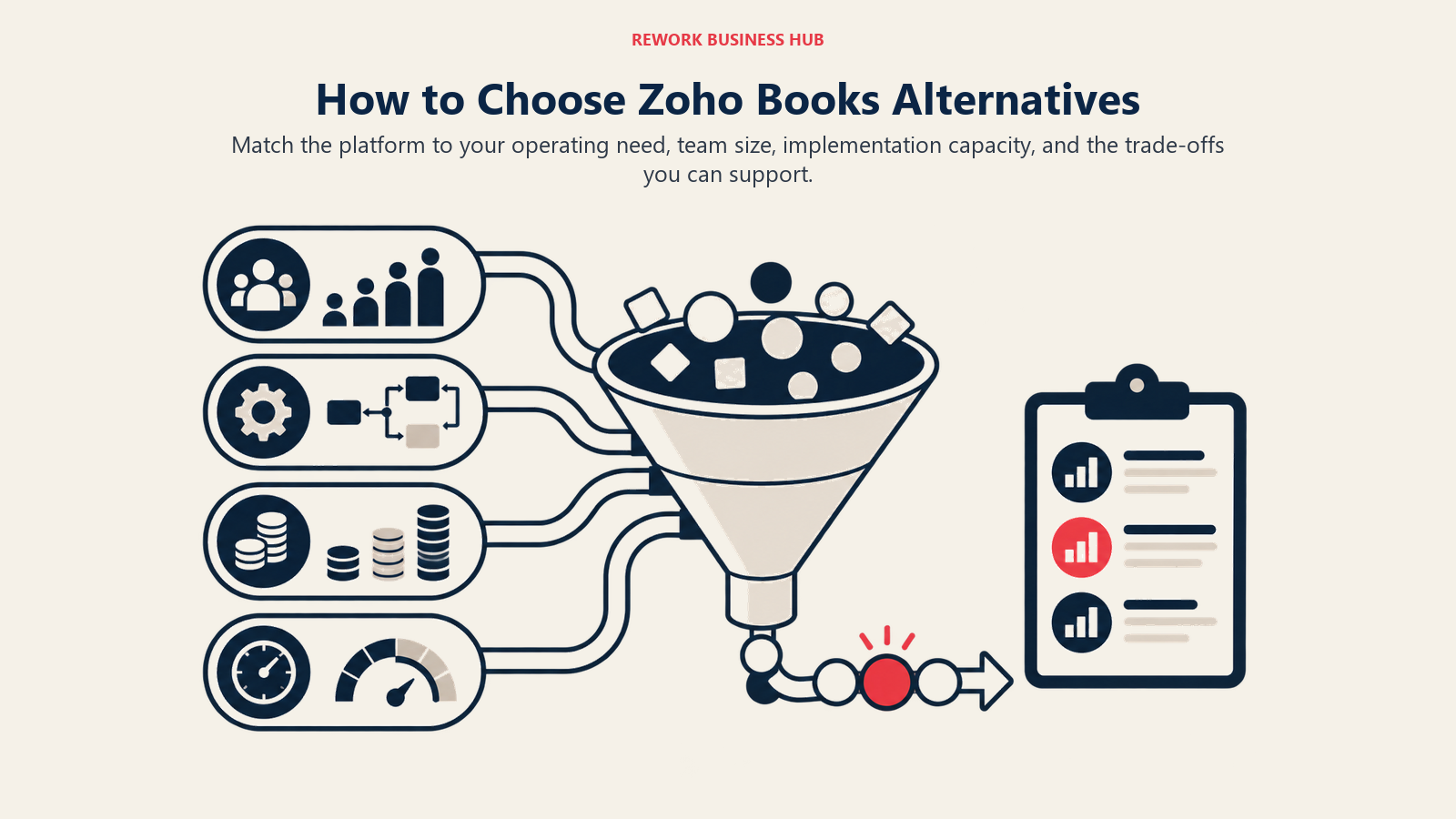
| If you need... | Choose |
|---|---|
| Compatibility with a US CPA or bookkeeping firm | QuickBooks Online |
| Unlimited users without paying per seat | Xero |
| Client billing, retainers, and time tracking in one tool | FreshBooks |
| Zero monthly cost for basic bookkeeping | Wave or ZipBooks |
| Multi-entity consolidation and GAAP reporting | Sage Intacct |
| A full ERP covering finance, inventory, and operations | NetSuite or Odoo |
| UK tax compliance (MTD, Self Assessment, Corporation Tax) | FreeAgent |
| US payroll bundled at the lowest total cost | Patriot Software |
| Contracts, proposals, and invoicing for a freelance business | Bonsai |
| Open-source flexibility with a full app ecosystem | Odoo Community |
| Simple books for a very early-stage business | ZipBooks or Wave |
What Zoho Books Still Does Best
| Strength | Why it matters |
|---|---|
| Tight Zoho ecosystem integration | If you use Zoho CRM, Projects, or Inventory, the native data flow is seamless |
| Pricing for Asia-Pacific and India markets | Per-user cost is competitive for emerging market teams |
| GST and India-specific compliance | Built-in GST filing and India tax reporting outperforms most global tools |
| Client portal included | Clients can view and pay invoices without a separate integration |
| Affordable for multi-user teams | Pricing structure rewards teams that want multiple users without per-seat cost jumps |
If your business runs primarily on Zoho apps, operates in India or Southeast Asia, or is in an early stage with budget as the primary constraint, staying on Zoho Books is a reasonable call. The migration cost and bookkeeper retraining time is real, and switching just because a competitor has better brand recognition is rarely worth it.
What to Do Next
Pick one or two tools from the shortlist above and run a 30-day pilot with your actual books. Most of the platforms on this list offer free trials: QuickBooks Online (50% off first 3 months), Xero (80% off first 3 months), FreshBooks (30-day free trial), Patriot Software (30-day free trial), and Bonsai (7-day free trial).
One practical note: migrating accounting data is painful, especially mid-financial-year. Your chart of accounts, open invoices, vendor balances, and bank reconciliation history all need to transfer cleanly, and any errors compound in your year-end reports. If you're seriously considering a switch, pilot the new platform now and plan the cut-over for January 1 or the start of your fiscal year. The pain of switching in October is significantly higher than switching in January.
Camellia writes about finance and operations tooling for B2B teams. Last updated June 2026.

On this page
- Quick Comparison Table
- 1. QuickBooks Online: The US Market Default
- 2. Xero: Cloud Accounting with Unlimited Users
- 3. FreshBooks: Invoicing-First for Service Businesses
- 4. Wave: Free Accounting for Micro-Businesses
- 5. Sage Intacct: Mid-Market Financial Management
- 6. NetSuite: ERP-Grade for Scaling Companies
- 7. FreeAgent: Built for UK Freelancers and Contractors
- 8. Patriot Software: Budget US Accounting with Payroll
- 9. Bonsai: Freelancer All-in-One with Accounting
- 10. Odoo Accounting: Open-Source Modular ERP
- 11. ZipBooks: Simple Low-Cost Accounting
- Stage Fit Matrix
- Sizing and Persona Table
- How to Choose: Decision Framework
- What Zoho Books Still Does Best
- What to Do Next