Best Linear Alternatives in 2026: 10 Issue Tracking Tools for Product and Engineering Teams
Turn this article into takeaways for your work.


Each assistant summarizes the article only for you and suggests best practices for your work.
Linear is genuinely good at what it does. The keyboard-first UX is fast, the issue hierarchy is clean, and engineering teams that live in it tend to love it. If your entire company is engineers and you're between 10 and 80 people, Linear might be the perfect fit.
But a lot of teams hit a wall. Product managers want roadmapping tools that aren't bolted on. Designers need to track work without learning Git-adjacent workflows. Finance wants reports that don't require a CSV export and an hour in Sheets. And when headcount grows past 100, the lack of resource management and the thin ecosystem start to sting. That's when teams start looking.
Linear's pricing page shows the Free, Standard, Plus, and Business tiers. The Business tier is where you get proper SSO and advanced admin controls, which is often the trigger for the upgrade conversation or the evaluation.
If you're in that position, here are 10 tools worth evaluating honestly.
Quick Comparison Table
| Tool | Best For | Starting Price | Key Strength | Key Limitation |
|---|---|---|---|---|
| Jira | Enterprise agile orgs | Free (up to 10 users) | Deep agile tooling, massive ecosystem | Slow, complex to configure |
| Shortcut | Product + engineering teams | Free (up to 10 users) | Clean UX, balanced PM/eng workflow | Limited beyond core dev work |
| Height | AI-native, fast-moving teams | Free tier available | Subtask automation, AI-assisted triage | Smaller ecosystem, newer |
| Asana | Cross-functional PM expanding to dev | Free (up to 10 users) | Timeline, workload, forms | Dev features feel bolted on |
| ClickUp | Everything-app teams | Free tier | Flexibility, all-in-one | Steep setup curve, can overwhelm |
| GitHub Issues + Projects | Developer-native teams | Free (public) / $4/user | Zero context switching from code | Weak for non-engineers |
| GitLab Issues + Boards | DevOps-first orgs | Free tier / $29/user/mo | CI/CD + planning in one place | Heavy for pure PM use |
| YouTrack | Developer-focused, JetBrains shops | Free (up to 10 users) | Highly customizable for dev teams | UI dated, learning curve |
| Plane | Open-source, budget-conscious teams | Free (self-host) / $6/user | Linear-like UX, open-source | Younger product, fewer integrations |
| Notion | Docs + light project tracking | Free tier / $10/user | Flexible, widely adopted | Not a real PM tool under pressure |
Stage Fit Matrix
| Tool | Startup (1-20) | Growth (20-100) | Mid-Market (100-500) | Enterprise (500+) |
|---|---|---|---|---|
| Jira | Possible | Good | Excellent | Excellent |
| Shortcut | Excellent | Excellent | Good | Limited |
| Height | Excellent | Good | Possible | Not recommended |
| Asana | Good | Excellent | Excellent | Good |
| ClickUp | Good | Excellent | Good | Possible |
| GitHub Issues | Excellent | Good | Good | Limited |
| GitLab Issues | Good | Good | Excellent | Excellent |
| YouTrack | Good | Excellent | Excellent | Good |
| Plane | Excellent | Good | Possible | Not recommended |
| Notion | Excellent | Good | Limited | Not recommended |
Sizing and Persona Table
| Tool | Ideal Team Size | Primary Buyer | Team or Company-Wide? |
|---|---|---|---|
| Jira | 50-5000+ | Engineering Manager, CTO, IT | Company-wide |
| Shortcut | 10-150 | VP Engineering, Product Manager | Team (eng + product) |
| Height | 5-100 | CTO, Tech Lead | Team |
| Asana | 20-1000 | Operations, PMO, Team Leads | Company-wide |
| ClickUp | 10-500 | Operations, Team Leads | Company-wide |
| GitHub Issues | 5-300 | Developer, Tech Lead | Team (dev) |
| GitLab Issues | 20-2000 | DevOps Lead, CTO, IT | Company-wide |
| YouTrack | 10-500 | Engineering Manager, CTO | Team (dev) |
| Plane | 5-150 | Founder, Tech Lead | Team |
| Notion | 5-200 | Operations, Knowledge Manager | Company-wide |
1. Jira: Enterprise agile PM with the deepest ecosystem in the market
Jira is the incumbent. It's been the default issue tracker for engineering teams for over 15 years, and for mid-market to enterprise orgs, it often stays the default because swapping it out is a bigger project than just finding a better UX. The best Jira alternatives guide covers the full landscape if you're also weighing whether to leave Jira at the same time you're leaving Linear.
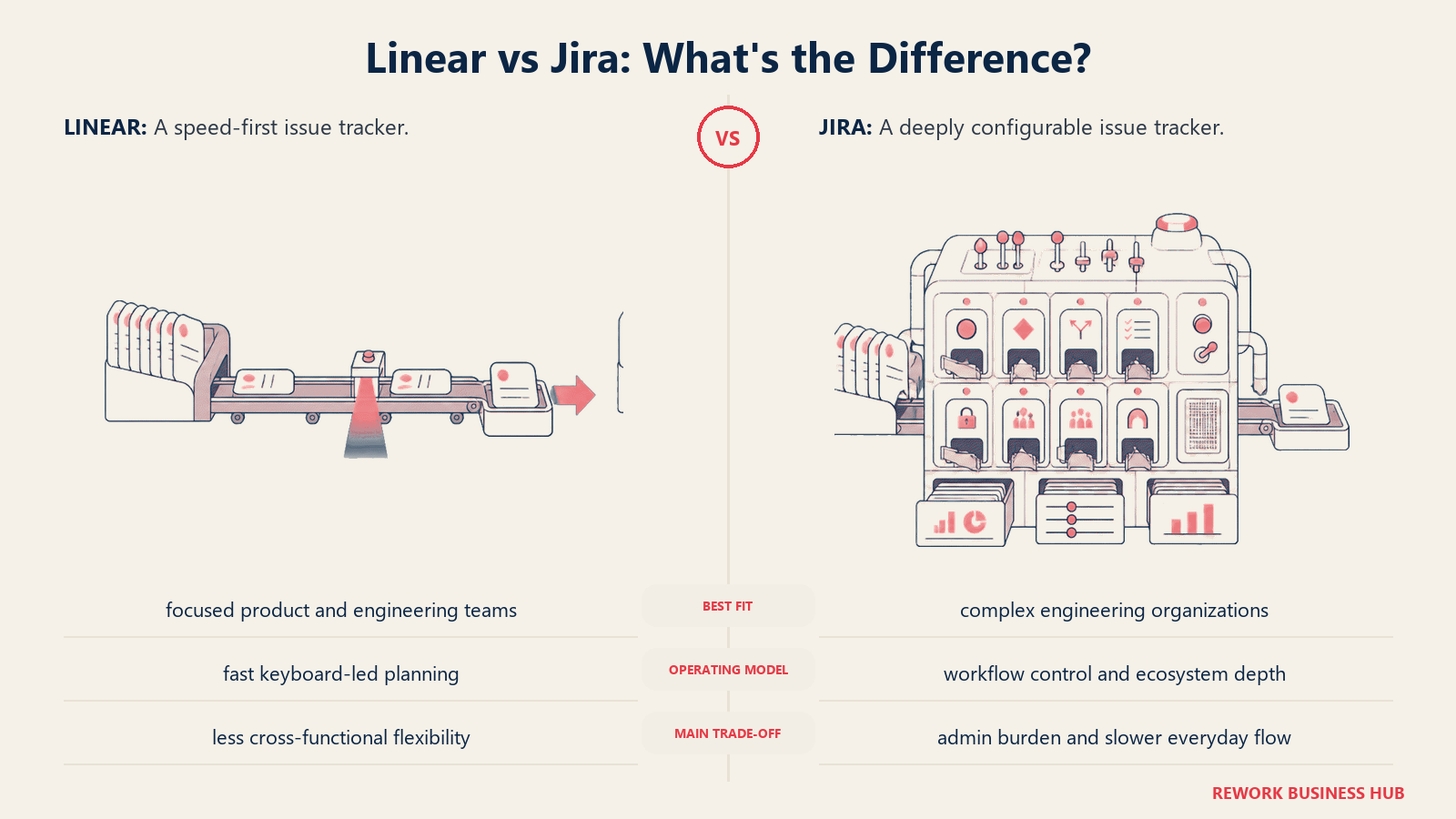
Methodology: Jira is built around agile ceremonies: sprints, backlogs, velocity, burndown. Atlassian has invested heavily in connecting Jira to the rest of the enterprise stack (Confluence, Bitbucket, and now a growing AI layer via Atlassian Intelligence). The product vision is "the system of record for software development" in large orgs.
Target audience: Engineering teams at mid-size to enterprise companies, typically 50 to 5,000+ employees. Also used widely in IT service management (Jira Service Management). Common buyers are Engineering Managers, CTOs, and IT leaders who need audit trails, permission models, and deep integrations.
Sizing fit: Jira's power-to-complexity ratio favors larger teams. Under 20 people, it often feels like overkill. Above 100, the configurability becomes a genuine asset.
Stage fit: Growth-stage companies use it because it's "safe." Enterprise companies keep it because replacing it is expensive. Early-stage startups often try it and move to something lighter.
Team vs company-wide: Primarily an engineering and IT tool, but Jira Software + Jira Work Management extends it to business teams. Company-wide adoption is possible but requires configuration investment.
| Strengths | Limitations |
|---|---|
| Deepest agile tooling available | Notoriously slow, especially in data-heavy projects |
| Thousands of integrations via Atlassian Marketplace | Configuration complexity: simple things take multiple clicks |
| Strong permission and admin controls | Can feel like managing the tool more than using it |
| Atlassian Intelligence AI features | Expensive at scale ($15.25/user/mo Standard) |
| Excellent reporting and custom dashboards | UI feels dated compared to Linear, Height, Shortcut |
Pricing: Free for up to 10 users. Standard: $8.15/user/month. Premium: $16/user/month. Enterprise: custom.
Best for: Engineering teams at 50+ that need enterprise-grade controls, agile reporting, and deep integration with the Atlassian suite.
2. Shortcut: Clean, balanced issue tracking built for product + engineering teams working together
Shortcut (formerly Clubhouse) positions itself as the anti-Jira: same core functionality, far less weight. It's designed for product and engineering teams that need to collaborate without the friction of two separate toolsets.
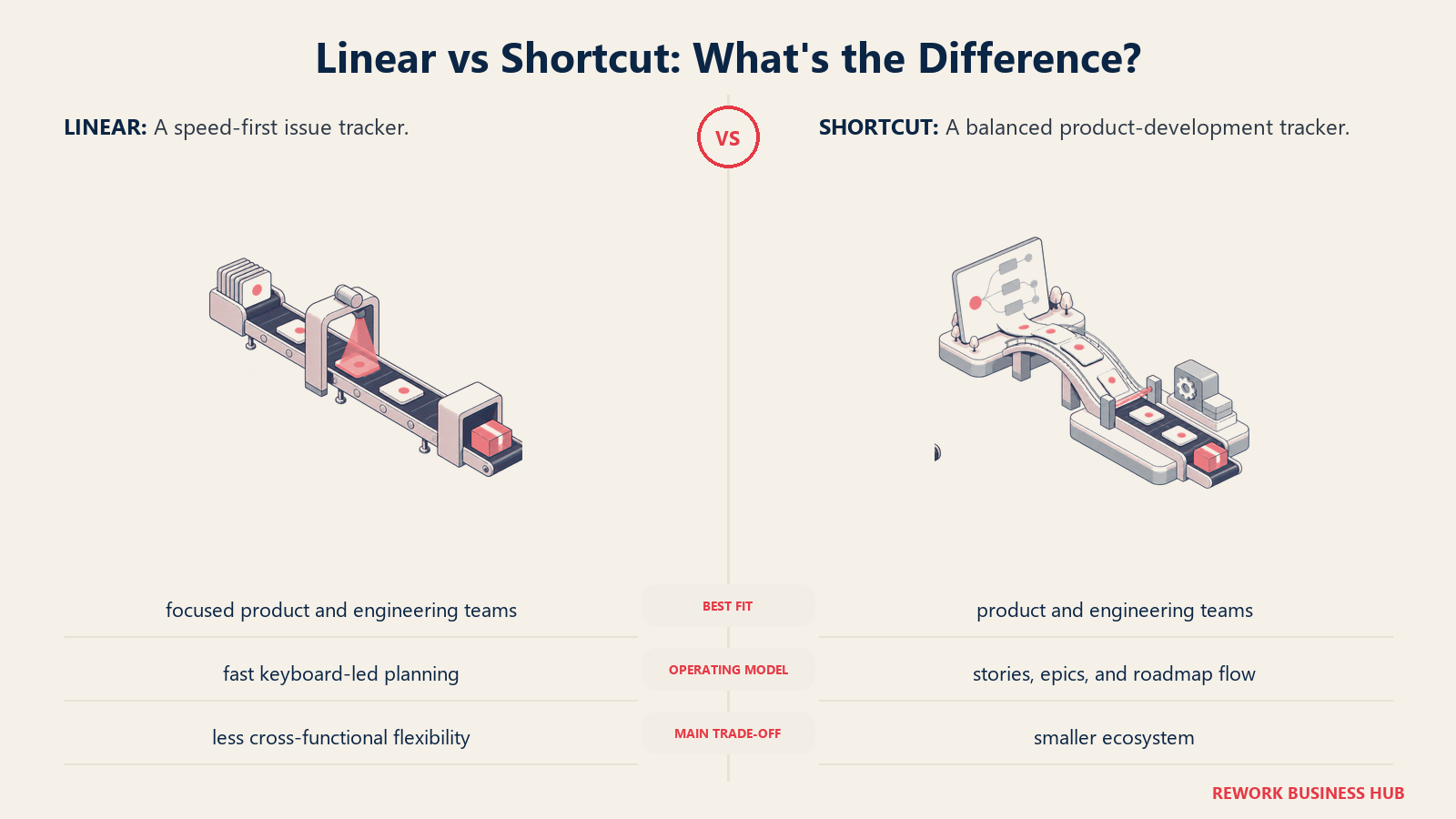
Methodology: Shortcut's philosophy is "stories, not tasks": every work item lives in a story format with points, labels, epics, and iterations. The workflow mirrors how product-minded engineering teams actually work, without forcing a rigid Scrum or Kanban dogma. You can run Scrum, Kanban, or a hybrid without reconfiguring everything.
Target audience: Product managers and engineers at startups and growth-stage companies, typically 10 to 150 people. The buyer is usually a VP of Engineering or Head of Product who wants a tool that doesn't require a dedicated Jira admin.
Sizing fit: Excellent for teams of 10-100. Above 150, some customers start hitting limitations around reporting depth and cross-team visibility.
Stage fit: Series A to Series C companies are the sweet spot. Enough structure for coordinated sprints, light enough that it doesn't bog down a 20-person team.
Team vs company-wide: Primarily a product + engineering tool. Customer success and design can use it, but it's not a company-wide ops platform.
| Strengths | Limitations |
|---|---|
| Clean, fast UX (closer to Linear than Jira) | Roadmapping features are relatively basic |
| Stories + epics + iterations out of the box | Limited resource management or capacity planning |
| Good GitHub and GitLab integration | Smaller integration ecosystem than Jira or ClickUp |
| Reasonable pricing at scale | Reporting lacks depth for enterprise needs |
| Easy to onboard non-engineers (designers, QA) | Doesn't scale well past ~200-person teams |
Pricing: Free for up to 10 users. Team: $8.50/user/month. Business: $12/user/month. Enterprise: custom.
Best for: Product and engineering teams at growth-stage companies (20-150 people) that want Linear's speed without Linear's engineering-only focus.
3. Height: AI-native issue tracker built for the next generation of dev teams
Height is the newest entrant on this list with serious traction. It launched with native AI capabilities before AI became a feature checkbox, and the result is an issue tracker that actually thinks with you rather than just storing your todos.
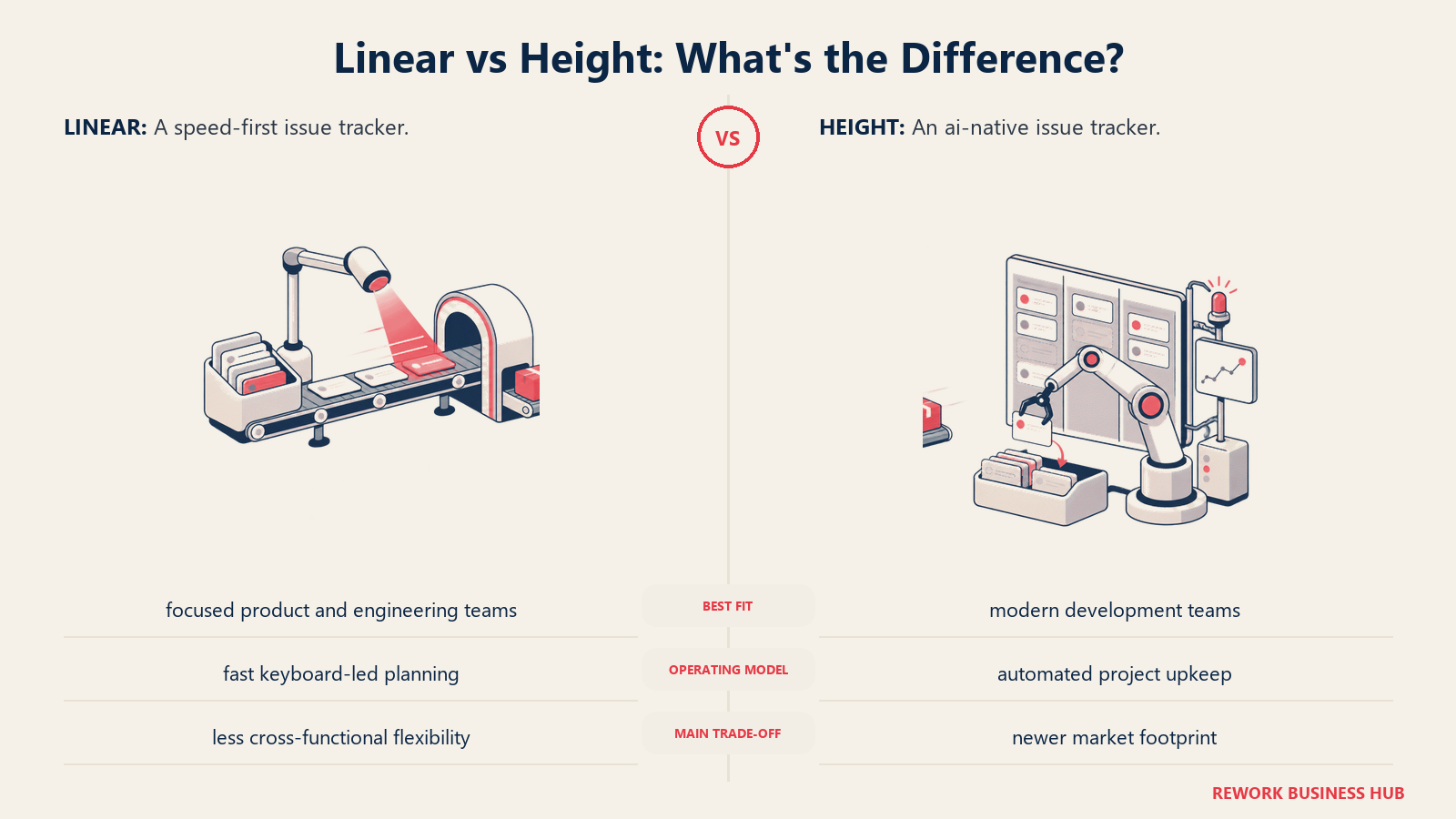
Methodology: Height's core bet is that AI should be embedded in the workflow, not bolted on. When you create a task, Height can suggest subtasks, auto-assign based on past patterns, and surface blockers before your standup. The UX is clean and fast. It feels intentionally influenced by Linear while adding genuine intelligence on top.
Target audience: Fast-moving startups and growth teams of 5-100, particularly engineering leads and CTOs who want to move faster without adding process overhead. Height appeals to teams that have already tried Linear and want more automation.
Sizing fit: Strongest below 100 people. The AI features shine most in teams where patterns are consistent enough for the model to learn, which typically means sub-100 team size.
Stage fit: Seed to Series B. Teams finding product-market fit or scaling early operations. Not the right call for regulated industries that need deep audit trails.
Team vs company-wide: Primarily an engineering tool, though product and design teams can use it. Not positioned as a company-wide platform.
| Strengths | Limitations |
|---|---|
| Native AI for subtask generation and triage | Smaller ecosystem (fewer integrations than Jira or ClickUp) |
| Genuinely fast, keyboard-friendly UX | Newer product, some enterprise features still maturing |
| Subtask automation reduces meeting overhead | Less suitable for non-technical teams |
| Clean hierarchy: tasks, subtasks, projects, lists | No native Gantt or timeline view |
| Good real-time collaboration | Pricing less transparent at scale |
Pricing: Free tier available. Pro: contact for pricing. Enterprise: custom.
Best for: AI-forward engineering teams at startups (5-80 people) that want automated task intelligence, not just a database of issues.
4. Asana: Project management platform expanding into dev team workflows
Asana built its reputation on cross-functional project management: marketing launches, HR onboarding, and product operations. In the last two years, it has moved deliberately into developer workflows with sprint boards, GitHub integration, and dev-specific templates. The best Asana alternatives is worth a look if you're also evaluating what's beyond Asana itself.
Methodology: Asana's philosophy is the "work graph": every task, project, goal, and team connects into a unified picture of organizational work. It's the most company-wide tool on this list. The product vision is to serve as the operating system for how a company plans and executes work, from executive goals down to individual tasks.
Target audience: Operations leaders, PMOs, and cross-functional team leads at 50-1,000 person companies. Engineering teams at companies where Asana is the company-wide standard often use it to stay in the shared system rather than run a separate tool.
Sizing fit: Strong from growth-stage to enterprise. Under 20 people it can feel over-engineered for pure dev work.
Stage fit: Growth companies scaling ops beyond just engineering. The strongest fit is when a company wants one tool for all teams, not a separate stack per department.
Team vs company-wide: Genuinely company-wide. This is Asana's core differentiator. It's one of the few tools on this list that works as well for marketing and HR as it does for engineering.
| Strengths | Limitations |
|---|---|
| Best-in-class timeline and workload views | Developer-specific features feel secondary to its PM roots |
| Goals + projects + tasks in one hierarchy | No native code integration depth (GitHub link is basic) |
| Company-wide adoption means less tool fragmentation | Expensive at scale (Advanced: $24.99/user/month) |
| Strong forms and intake workflows | Sprint planning UX isn't as clean as Linear or Shortcut |
| Excellent reporting and portfolio views | Can feel bloated for pure engineering use |
Pricing: Free (up to 10 users). Starter: $10.99/user/month. Advanced: $24.99/user/month. Enterprise: custom.
Best for: Companies that want one project management platform for all teams, including engineering, and need timeline, workload, and goal-tracking in the same system.
5. ClickUp: All-in-one work management with strong developer feature coverage
ClickUp's pitch is simple and aggressive: replace every tool you use with one platform. It ships faster than almost any other SaaS company and as of 2026 covers issue tracking, docs, whiteboards, dashboards, time tracking, goals, and a growing AI layer. The best ClickUp alternatives covers where teams typically hit ClickUp's own ceiling.
Methodology: ClickUp's philosophy is maximal flexibility. You can configure it to behave like Jira, like Notion, like Asana, or like a custom database, sometimes all at once. This is both its biggest strength and its biggest risk. Teams that invest in setting it up correctly get a powerful, unified workspace. Teams that don't get chaos.
Target audience: Ops-heavy companies and team leads who want to consolidate tools. Common buyers are COOs, Operations Managers, and tech-forward founders who want to stop paying for five separate subscriptions.
Sizing fit: Flexible enough for 5 to 500 people, but the setup effort scales. Large teams need a dedicated ClickUp admin or champion.
Stage fit: Works at most stages, but delivers the most value when a team is actively trying to consolidate a fragmented tool stack. Startups in tool-consolidation mode and growth-stage ops-heavy companies get the most out of it.
Team vs company-wide: Genuinely company-wide. ClickUp is one of the few tools where sales, marketing, engineering, and HR all use the same platform with different views.
| Strengths | Limitations |
|---|---|
| Broadest feature set on the market | Setup complexity is real (needs a champion) |
| Flexibility to match almost any workflow | Can overwhelm teams without a clear system |
| Competitive pricing for the feature set | Performance can lag in large, complex workspaces |
| Strong AI features (ClickUp Brain) | Some features are wide but not deep |
| Good GitHub, GitLab, Slack integrations | Not as developer-native as Linear or GitHub Issues |
Pricing: Free tier. Unlimited: $7/user/month. Business: $12/user/month. Enterprise: custom.
Best for: Growing companies (20-300 people) that want to replace multiple tools and are willing to invest time in setting up their workspace correctly.
6. GitHub Issues + Projects: Issue tracking native to the code, by the people who built the code
If your team lives in GitHub, there's a real argument for never leaving it. GitHub Issues + Projects is not a project management platform. It's an issue tracker woven directly into where code is reviewed, merged, and shipped.
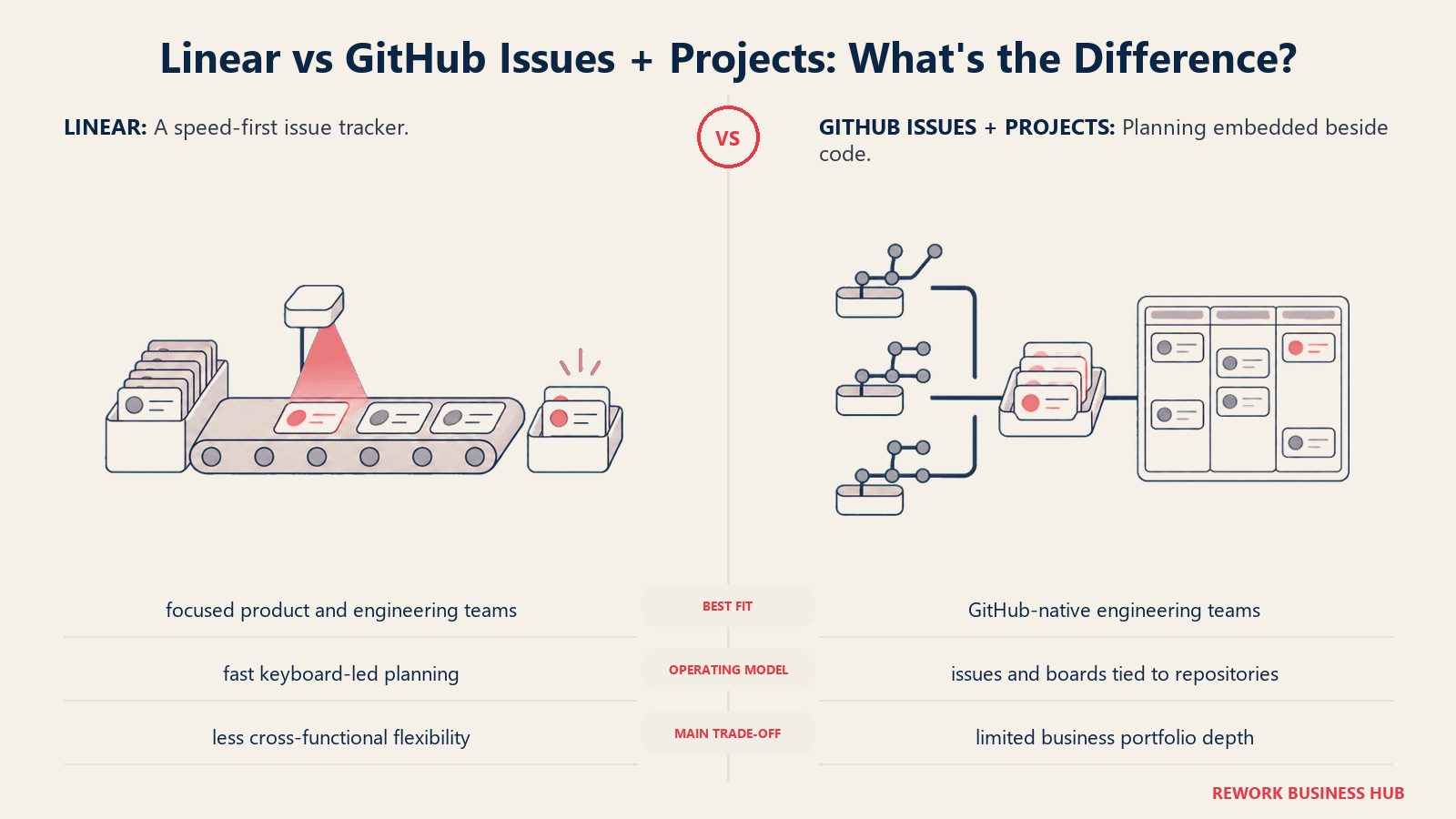
Methodology: GitHub's philosophy is "close to the code." Every issue links directly to a PR, commit, or branch. There's no translation layer between planning and execution. When a developer closes a PR, the linked issue closes too. Projects (the Kanban/table layer) adds enough structure for sprint-style planning without creating a separate workflow.
Target audience: Developer-first teams where engineers are the primary users and non-engineers either adapt or use a separate tool. Common in open-source projects, developer tools companies, and engineering-heavy startups where GitHub is already the center of gravity.
Sizing fit: Works at any size for purely engineering use. The limitations show when product managers, designers, or customer success teams need to be primary users.
Stage fit: Early-stage through growth. Enterprise engineering orgs often use GitHub Issues alongside Jira: GitHub for day-to-day, Jira for cross-team planning and compliance.
Team vs company-wide: Team tool, specifically for engineering. Non-engineers typically find it too technical for daily use.
| Strengths | Limitations |
|---|---|
| Zero context-switching: code and issues in one place | Not usable for non-engineers without training |
| Free for public repos, low cost for private | Limited roadmapping, timeline, and reporting |
| Excellent automation via GitHub Actions | Weak notification and digest experience |
| Native code references (PRs, commits, branches) | Projects views are functional but basic |
| No extra login or context-switch for developers | No native time tracking or resource management |
Pricing: Free for public repos. GitHub Team: $4/user/month. GitHub Enterprise: $21/user/month.
Best for: Engineering-first companies where developers are the primary users and speed of code-to-issue linkage matters more than PM features.
7. GitLab Issues + Boards: DevOps-native planning built into the full CI/CD pipeline
GitLab takes the GitHub Issues philosophy and extends it all the way into DevOps: CI/CD, security scanning, deployment environments, and container registry, all alongside issue tracking in one platform.
Methodology: GitLab's bet is that the entire software development lifecycle should live in one place. Planning, code, CI/CD, security, and monitoring. For DevOps-first engineering orgs, this eliminates the Jira + Jenkins + GitHub juggling act. The planning layer includes epics, milestones, roadmaps, and iterations.
Target audience: Mid-market to enterprise engineering orgs with strong DevOps practices. Common buyers are CTOs, DevOps leads, and IT leaders who want to reduce vendor count in the development stack. Also strong in regulated industries (finance, healthcare, government) because of self-hosting options.
Sizing fit: Best above 30 people. The full DevOps integration delivers the most value in larger, more process-mature teams.
Stage fit: Growth through enterprise. Startups often start on GitHub and migrate to GitLab when DevOps complexity increases.
Team vs company-wide: Primarily a DevOps and engineering platform. Non-technical teams use separate tools.
| Strengths | Limitations |
|---|---|
| Full DevOps lifecycle in one platform | Planning features are less polished than dedicated PM tools |
| Self-hosting option for compliance-sensitive industries | Steeper learning curve than GitHub for new developers |
| Strong security scanning and DAST/SAST built in | Can feel heavy for teams that don't need full DevOps suite |
| Epics, milestones, and roadmaps included | UI is functional but not as clean as Linear or Shortcut |
| Good compliance and audit controls | GitLab-native CI/CD requires migration from Jenkins/GitHub Actions |
Pricing: Free tier. Premium: $29/user/month. Ultimate: $99/user/month.
Best for: DevOps-first engineering orgs at 30+ that want CI/CD, security, and issue tracking under one roof, including compliance-sensitive industries.
8. YouTrack (JetBrains): Developer-focused issue tracker built by the people who make IDEs
YouTrack is JetBrains' issue tracker, and if you're already paying for IntelliJ, WebStorm, or PyCharm, it's worth a serious look. It's developer-opinionated in a way that feels like it was designed by developers who were frustrated with Jira.
Methodology: YouTrack's core design principle is developer ergonomics: smart search, keyboard shortcuts, customizable workflow rules, and a query language that makes Jira's JQL look reasonable. It supports Scrum and Kanban, and its agile boards are genuinely fast to configure. The workflow engine is one of the most powerful on this list for teams that want to encode their process in the tool.
Target audience: Engineering teams and CTOs at companies already using the JetBrains ecosystem. Also popular in Eastern European and Russian engineering teams where JetBrains tooling has strong adoption. Sizes typically 10-500.
Sizing fit: Scales reasonably well from small teams to enterprise. The JetBrains InCloud version handles multi-team coordination. Self-hosted is available for compliance needs.
Stage fit: Works across stages, strongest for growth-stage teams that have moved past "we'll figure it out" and want a tool that can encode their engineering process formally.
Team vs company-wide: Primarily an engineering tool. Product managers can use it effectively, but non-technical teams tend to prefer other tools.
| Strengths | Limitations |
|---|---|
| Powerful workflow customization engine | UI feels dated compared to Linear, Height, Shortcut |
| Smart search and query language | Steeper learning curve than most alternatives |
| Strong Scrum and Kanban support | Ecosystem is smaller than Jira's |
| JetBrains ecosystem integration | Design has not kept pace with newer tools |
| Reasonable pricing for JetBrains customers | Reporting could be stronger |
Pricing: Free for up to 10 users. Cloud: starts at $4.40/user/month. Server license also available.
Best for: Engineering teams at 10-200 already in the JetBrains ecosystem who want developer-first issue tracking with powerful workflow customization.
9. Plane: Open-source Linear alternative with no lock-in and no per-seat pricing
Plane is the open-source answer to the question "what if Linear but we own the data and don't pay per seat?" It's early-stage as a product, but it's moving fast and has built a strong community since its 2022 launch.
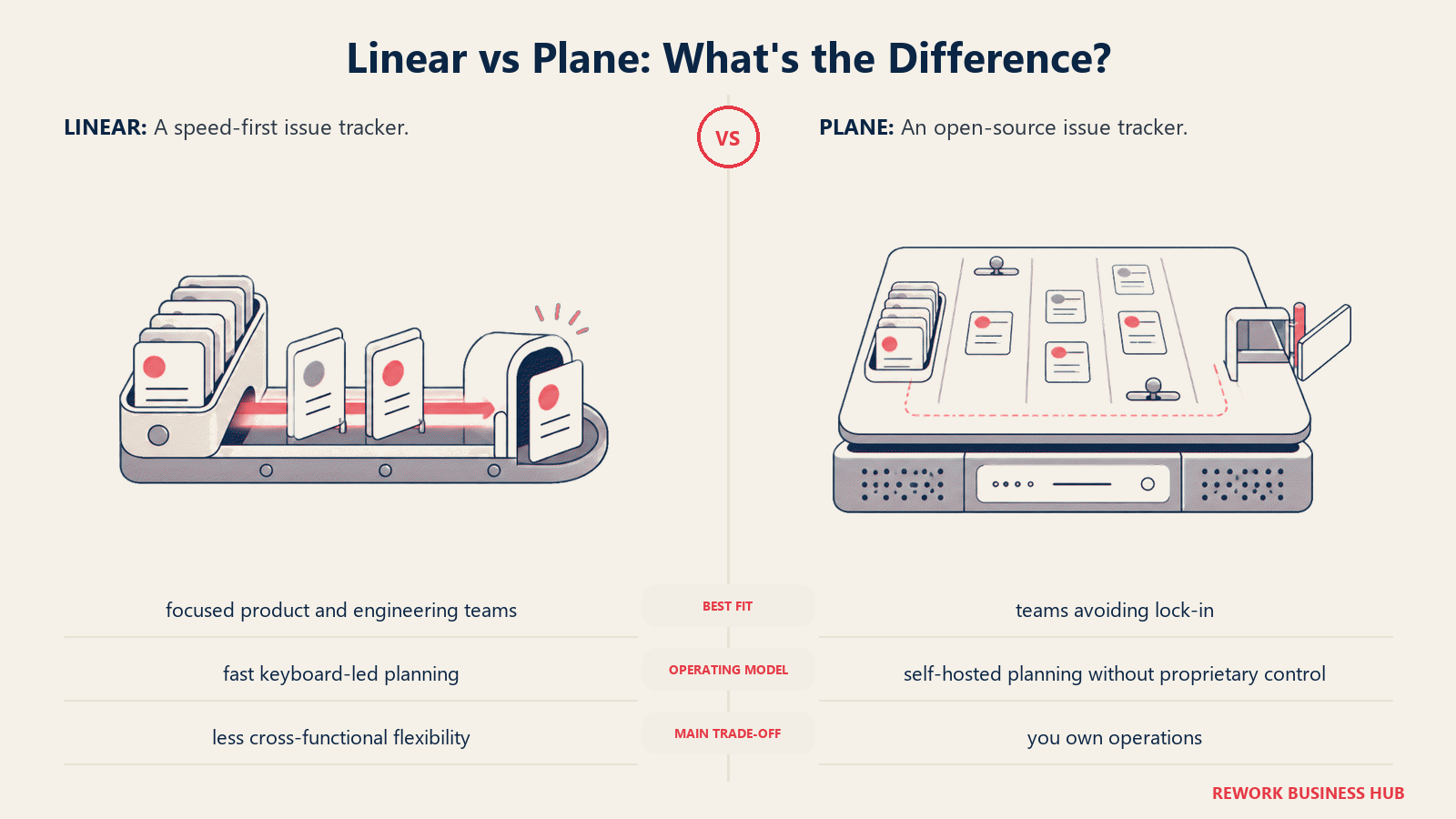
Methodology: Plane's design philosophy is explicitly "Linear but open." The issue hierarchy (issues, cycles, modules, pages) maps closely to Linear's model. The difference is that Plane is open-source under the GNU AGPL license, which means you can self-host it, fork it, and inspect the code. For startups and engineering teams with strong open-source values, that matters.
Target audience: Founders, technical leads, and CTOs at early-stage startups who want a fast, clean issue tracker without linear pricing or data lock-in. Also popular with open-source projects and developer communities.
Sizing fit: Best under 100 people. Self-hosted version suits companies with infra capacity. Cloud version is simpler but has less community traction than the self-hosted option.
Stage fit: Seed to Series A. Teams that want to build workflows before the company has formalized its PM processes.
Team vs company-wide: Team tool (engineering + product). Not positioned as a company-wide platform.
| Strengths | Limitations |
|---|---|
| Open-source, no vendor lock-in | Younger product, some features still maturing |
| Self-hosting option for data sovereignty | Fewer integrations than Jira, ClickUp, or Asana |
| Clean, Linear-inspired UX | Smaller support ecosystem |
| Free cloud tier and affordable self-host | Enterprise features (SSO, audit logs) still developing |
| Active open-source community | Not battle-tested at scale |
Pricing: Free (cloud). Pro: $6/user/month. Self-hosted: free under AGPL.
Best for: Technical founders and engineering leads at early-stage startups who want a Linear-like UX with open-source flexibility and no per-seat lock-in.
10. Notion: Flexible docs and light project tracking for teams that live in their wiki
Notion occupies a unique position in this list: it's not an issue tracker and doesn't pretend to be one. But a meaningful number of small teams manage their project work inside Notion because it's where their documentation already lives. That's worth acknowledging honestly.
Methodology: Notion's philosophy is "docs as the operating system." Everything is a page or a database, and the flexibility is genuine. You can build a kanban board, a roadmap, a sprint backlog, and a team wiki all inside one workspace. The constraint is that Notion was designed for knowledge management first, and project management second (or third).
Target audience: Small teams, founders, and knowledge-heavy organizations that want one tool for docs and lightweight task management. Common buyer types are Ops Managers, founders at pre-product-market-fit stage, and teams that have not yet hit the complexity where a real PM tool becomes necessary.
Sizing fit: Under 50 people for project management use. Above 50, teams regularly run into performance limits and workflow complexity that a dedicated PM tool handles better.
Stage fit: Pre-seed to early seed. Once a company has dedicated engineering sprints, dedicated product managers, and cross-team dependencies, Notion's project tracking starts to feel inadequate.
Team vs company-wide: Company-wide for docs and knowledge. Not reliable as the primary project tracking system for engineering teams with active sprint cycles.
| Strengths | Limitations |
|---|---|
| Extremely flexible (databases, pages, tables, Kanban) | Not a real issue tracker under sprint pressure |
| Most teams already use it for docs | Performance degrades in large, complex databases |
| Easy for non-technical teams | No native sprint velocity, burndown, or agile reporting |
| Good AI features (Notion AI) | No GitHub/GitLab integration depth |
| Affordable at small team size | Workflows break when team size or sprint complexity increases |
Pricing: Free (limited). Plus: $10/user/month. Business: $15/user/month. Enterprise: custom.
Best for: Small teams (under 30) already using Notion for docs who want a light project layer in the same tool and don't run formal engineering sprints.
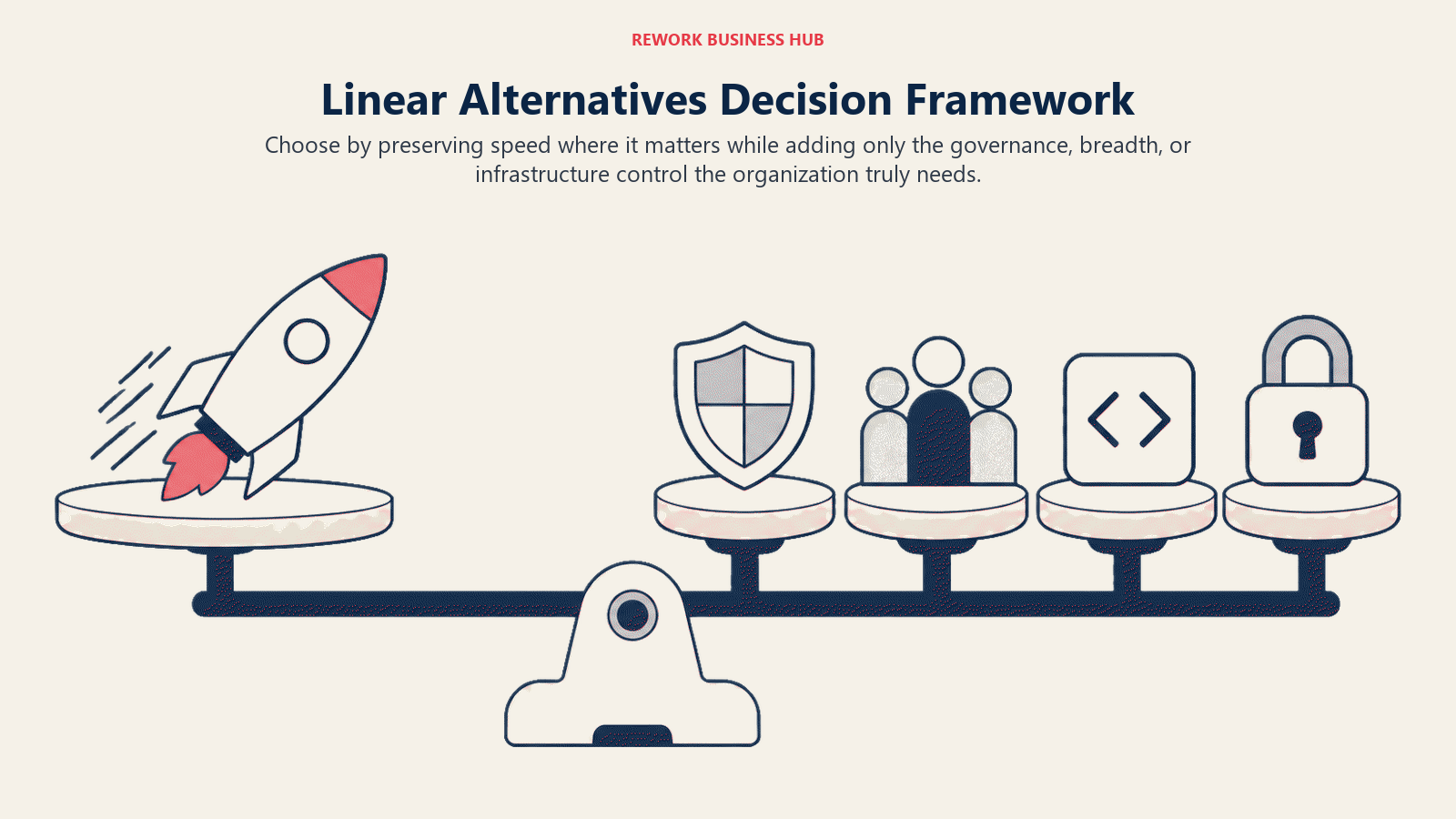
How to Choose: Decision Framework
Choose by preserving speed where it matters while adding only the governance, breadth, or infrastructure control the organization truly needs.
| If you need... | Choose |
|---|---|
| Enterprise-grade agile, compliance, and a deep integration ecosystem | Jira |
| A clean, balanced tool for product + engineering teams at growth stage | Shortcut |
| AI-native issue tracking with automated subtask and triage | Height |
| One platform for all teams, including non-engineering, with timeline and workload | Asana |
| Maximum flexibility and tool consolidation across the whole company | ClickUp |
| Zero context-switching from GitHub with developer-native workflows | GitHub Issues + Projects |
| Full DevOps lifecycle (CI/CD + planning + security) under one roof | GitLab Issues + Boards |
| Highly customizable developer workflows and JetBrains ecosystem integration | YouTrack |
| Open-source, no lock-in, Linear-like UX, self-hostable | Plane |
| Light project tracking alongside docs for a small team | Notion |
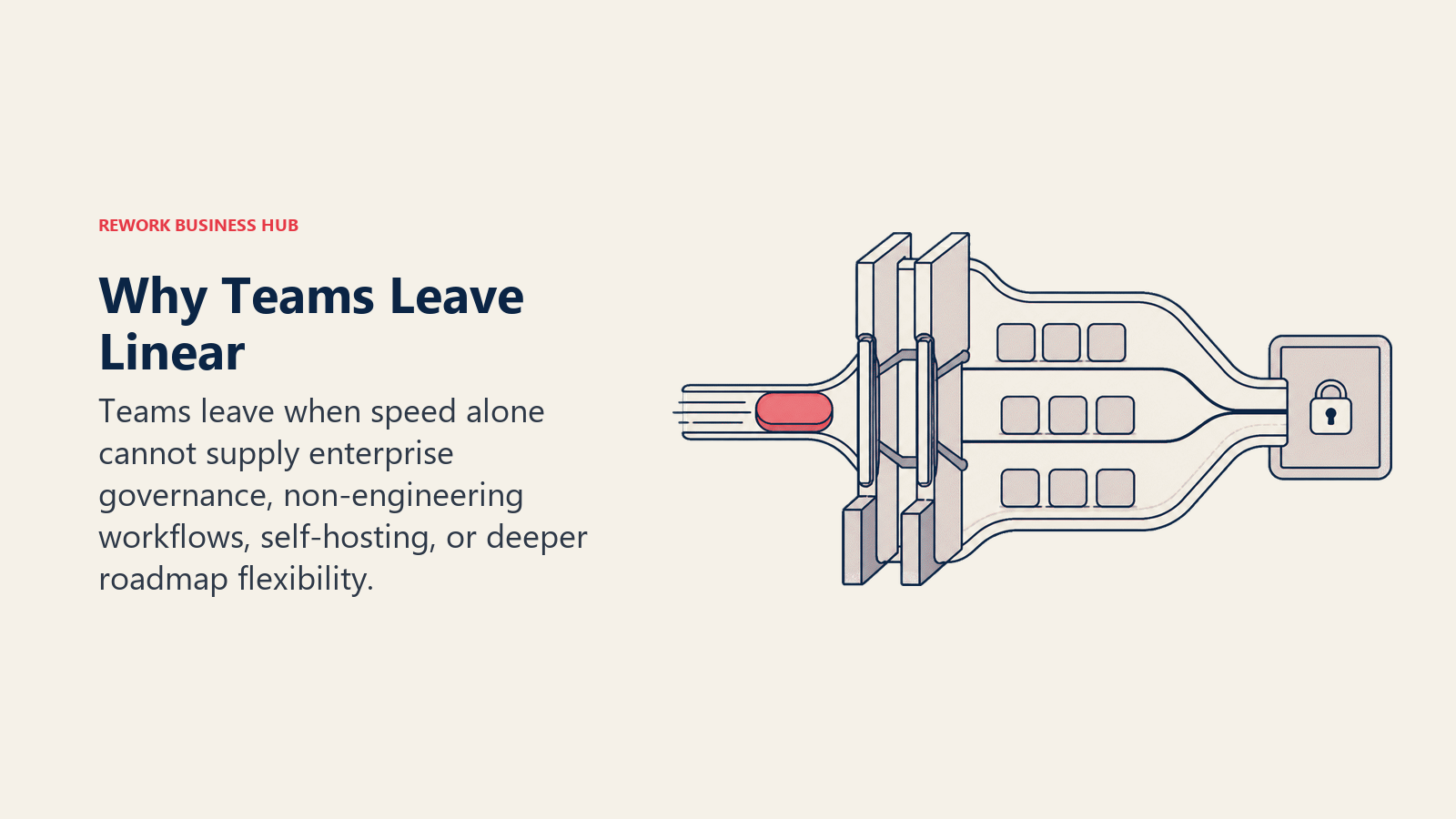
Why Teams Leave Linear
Before picking the next tool, it's worth naming the real friction points that drive the search.
| Pain Point | What It Means in Practice |
|---|---|
| Product and design teams left out | Linear's keyboard-first, code-adjacent UX works for engineers but creates friction for PMs and designers who need richer views |
| No resource management | Can't see who's overloaded across sprints without exporting data |
| Basic reporting | Velocity and burndown are available, but custom business reporting requires third-party tools |
| Enterprise limits at scale | SSO, advanced permissions, and admin controls are only on the Business or higher plan |
| Small integration ecosystem | Fewer native integrations than Jira, ClickUp, or Asana |
| No roadmap-first planning | Roadmaps in Linear are views of existing issues, not a planning canvas |
Methodology Notes
Linear's strength is real: for engineering teams between 10 and 150 people, it is one of the fastest, most enjoyable issue trackers available. The tools above are not "better than Linear" in an absolute sense. They're better for specific needs Linear doesn't address. Match the tool to the actual problem first.
If your team is engineering-only and under 150 people, moving away from Linear purely because of pricing or feature envy is usually a mistake. If you have product teams who feel like second-class users, or you're building reporting for a CFO, or you're running a DevOps organization that needs CI/CD and planning in one place, then the search is legitimate.
Run a two-week pilot with your top two choices before committing. Most of the tools above have free tiers that let you test with real work, not demo data.
If the search extends beyond engineering and product to the broader project management stack, the best Notion alternatives covers tools that work across all functions, useful context if you're trying to consolidate rather than add another team-specific tool. For product teams that want to connect sprint work to customer-facing workflows, retrospectives that work covers how to turn sprint learnings into process changes without a separate ops system.
Engineering teams evaluating Linear replacements often look at their AI coding assistant stack at the same time. The best GitHub Copilot alternatives covers that side of the evaluation. And for context on how AI tools are changing engineering team structure more broadly, AI Copilots vs AI Agents is worth reading before you finalize your tool stack.
For external benchmarking, Linear's own changelog and blog shows exactly what's shipped recently, useful for checking whether a missing feature is on the roadmap before you switch. And if you're making this decision as part of a broader engineering productivity investment, the AI tools stack for mid-market teams gives a framework for sequencing tooling decisions across your engineering org.
McKinsey's Developer Productivity research found that tool fragmentation is one of the top four factors suppressing engineering output, relevant context for teams trying to decide whether to consolidate or add another specialized tool.

Principal Product Marketing Strategist
On this page
- Quick Comparison Table
- Stage Fit Matrix
- Sizing and Persona Table
- 1. Jira: Enterprise agile PM with the deepest ecosystem in the market
- 2. Shortcut: Clean, balanced issue tracking built for product + engineering teams working together
- 3. Height: AI-native issue tracker built for the next generation of dev teams
- 4. Asana: Project management platform expanding into dev team workflows
- 5. ClickUp: All-in-one work management with strong developer feature coverage
- 6. GitHub Issues + Projects: Issue tracking native to the code, by the people who built the code
- 7. GitLab Issues + Boards: DevOps-native planning built into the full CI/CD pipeline
- 8. YouTrack (JetBrains): Developer-focused issue tracker built by the people who make IDEs
- 9. Plane: Open-source Linear alternative with no lock-in and no per-seat pricing
- 10. Notion: Flexible docs and light project tracking for teams that live in their wiki
- How to Choose: Decision Framework
- Why Teams Leave Linear
- Methodology Notes