Best Jira Alternatives in 2026: 11 Tools for Teams Beyond Engineering
Turn this article into takeaways for your work.


Each assistant summarizes the article only for you and suggests best practices for your work.
The best Jira alternatives in 2026 are Linear for fast engineering issue tracking, Asana and Monday.com for business teams, and ClickUp for all-in-one breadth. The right pick depends on whether your pain is engineering complexity or company-wide adoption, plus your team size and budget.
Jira is exceptional software. If you're running a software engineering team and need deep agile workflow management, sprint tracking, and issue resolution at scale, Jira earned its market position honestly. The problem is what happens when the rest of the company (sales, ops, marketing, customer success, HR) gets asked to use it too. Non-engineers are handed a configuration-heavy tool designed around scrum ceremonies and issue hierarchies, and the friction shows immediately. Tickets pile up untriaged, project views confuse non-technical users, and the "Jira admin" becomes a full-time role just to keep the system functional.
There's also a commercial reality. At Atlassian's Enterprise tier, Jira isn't cheap. Expanding the user base to include business teams means paying per-seat for people who'll use 10% of the feature set and complain about the other 90%. Jira's pricing page shows the Standard, Premium, and Enterprise tiers; the Premium jump for roadmaps and advanced reporting catches a lot of teams off guard.
If you're evaluating whether Jira is the right platform for your whole company in 2026, or just for your engineering org, this list covers the 11 strongest alternatives across every team profile, company size, and budget range.
Quick Comparison Table
| Tool | Best For | Starting Price (per seat/mo) | Key Strength | Key Limitation |
|---|---|---|---|---|
| Linear | Modern engineering issue tracking | $8 (Standard) | Speed, clean UX, cycles | Engineering-first; limited for pure ops |
| Asana | Business team project management | $10.99 (Starter) | Goals, Portfolios, Timeline | No CRM; weak for ops-heavy teams |
| Monday.com | Visual work management | $9 (Basic) | Flexible boards, visual UI | Expensive at scale; no enforced process |
| ClickUp | Everything-app with dev + ops features | $7 (Unlimited) | All-in-one feature set | Steep learning curve |
| Shortcut | Product development for product teams | $8.50 (Team) | Lightweight, team-velocity focused | Limited beyond product/eng scope |
| Height | AI-native project tracking | $8.50 (Team) | AI triage, task orchestration | Smaller ecosystem |
| Notion | Docs + databases + light project tracking | $10 (Plus) | Flexible knowledge base | No workflow enforcement |
| Azure DevOps | Microsoft-stack engineering orgs | $6 (Basic) | Deep Microsoft integration | Engineering-centric; complex UX |
| YouTrack | Developer-focused issue tracking | Free / $3.67 (Cloud) | Agile boards, time tracking, low cost | Heavy engineering bias |
| Teamwork | Agency + client project management | $10.99 (Deliver) | Billing, retainers, client portals | Less suited for internal ops teams |
| Wrike | Enterprise PM + resource management | $9.80 (Team) | Resource allocation, approvals, Gantt | Complex UI; expensive at scale |
Stage Fit Matrix
| Tool | Early Startup (1-20) | Growth Stage (20-100) | Mid-Market (100-500) | Enterprise (500+) |
|---|---|---|---|---|
| Linear | Good | Strong | Good | Limited |
| Asana | Good | Strong | Strong | Good |
| Monday.com | Good | Strong | Good | Available |
| ClickUp | Good | Strong | Good | Available |
| Shortcut | Good | Strong | Good | Limited |
| Height | Good | Good | Growing | Limited |
| Notion | Strong | Good | Moderate | Available |
| Azure DevOps | Limited | Good | Strong | Strong |
| YouTrack | Good | Good | Strong | Strong |
| Teamwork | Good | Strong | Good | Limited |
| Wrike | Limited | Good | Strong | Strong |
Sizing and Persona Table
| Tool | Team Size Sweet Spot | Primary Buyer Persona | Team vs Company-Wide? |
|---|---|---|---|
| Linear | 5-200 | Engineering Manager, VP Engineering, CTO | Team tool (eng + product) |
| Asana | 10-500 | Head of Marketing, PMO, Director of Ops | Department-wide (marketing, delivery, ops) |
| Monday.com | 10-500 | Operations Manager, Head of Marketing, COO | Company-wide (broad use) |
| ClickUp | 5-500 | Head of Ops, Engineering Manager, Team Lead | Company-wide (high-setup teams) |
| Shortcut | 5-150 | VP Product, Product Manager, Engineering Lead | Team tool (product + eng) |
| Height | 5-100 | Product Lead, Engineering Manager | Team tool (product + eng) |
| Notion | 5-1000 | Knowledge Manager, Head of Content, COO | Company-wide (knowledge + light PM) |
| Azure DevOps | 10-10,000 | CTO, IT Director, Engineering VP | Team tool (engineering + IT) |
| YouTrack | 5-1000 | Engineering Manager, Dev Lead, IT | Team tool (dev + IT) |
| Teamwork | 5-200 | Agency Owner, Account Director, Delivery Manager | Company-wide (agency context) |
| Wrike | 50-5000 | PMO Director, Head of Marketing Ops, COO | Department or enterprise-wide |
1. Linear: Modern Issue Tracking Built for Speed
Linear built its reputation on one thing: making engineering issue tracking fast and frictionless again. Where Jira layers configuration, Linear strips it away. Keyboard-driven navigation, cycles instead of bloated sprints, a clean left-nav that doesn't require a tutorial. Linear's product philosophy is deliberate minimalism, and the engineering community responded. It's become the default Jira alternative for modern product and engineering teams. For a full breakdown of where Linear itself has gaps, the best Linear alternatives is the companion read.
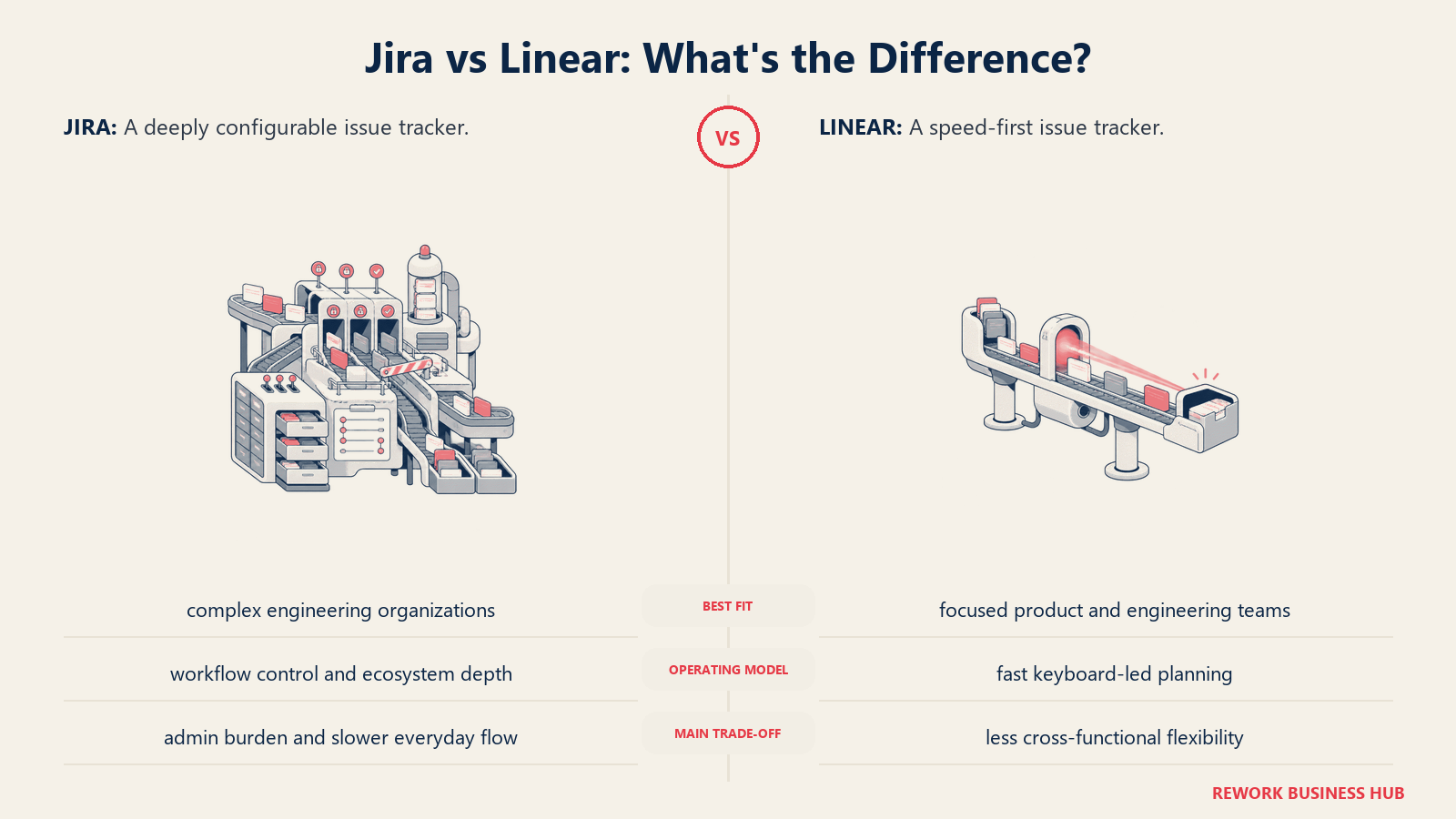
In 2025-2026, Linear has been quietly expanding scope. Initiatives, goals, and roadmap planning now extend Linear beyond pure issue tracking toward cross-team product visibility. It's not a full ops platform, but for engineering-adjacent product teams that want one system for technical work, it's a genuine upgrade from Jira's complexity.
Linear is engineering-first by philosophy and feature set. If your primary motivation for leaving Jira is that it's too engineering-centric for business teams, Linear solves a different problem. But if you're an engineering org that wants Jira's capability without Jira's complexity, Linear is the first tool to evaluate.
| What you get | What you don't |
|---|---|
| Fastest, cleanest UX of any issue tracker | Feature depth for non-engineering ops |
| Cycles, milestones, and initiatives for eng + product rhythm | CRM or revenue workflow |
| Strong GitHub, GitLab, Sentry, Figma integrations | Resource management or cross-team PM |
| Keyboard-first, zero-maintenance task management | Business team adoption out of the box |
Pricing: Free, $8/seat/mo (Standard), $14/seat/mo (Plus), Enterprise on request
Best for: Engineering and product teams of 5-200 that want Jira's power without Jira's admin overhead; companies where the core team is technical
2. Asana: Business Project Management with Portfolio Visibility
Asana has grown into one of the most serious alternatives to Jira for non-engineering teams. Where Jira's Business Projects mode feels bolted on, Asana is purpose-built for the way marketing, operations, and delivery teams actually work: project timelines, campaign tracking, cross-functional dependencies, and portfolio-level visibility for directors and VPs.
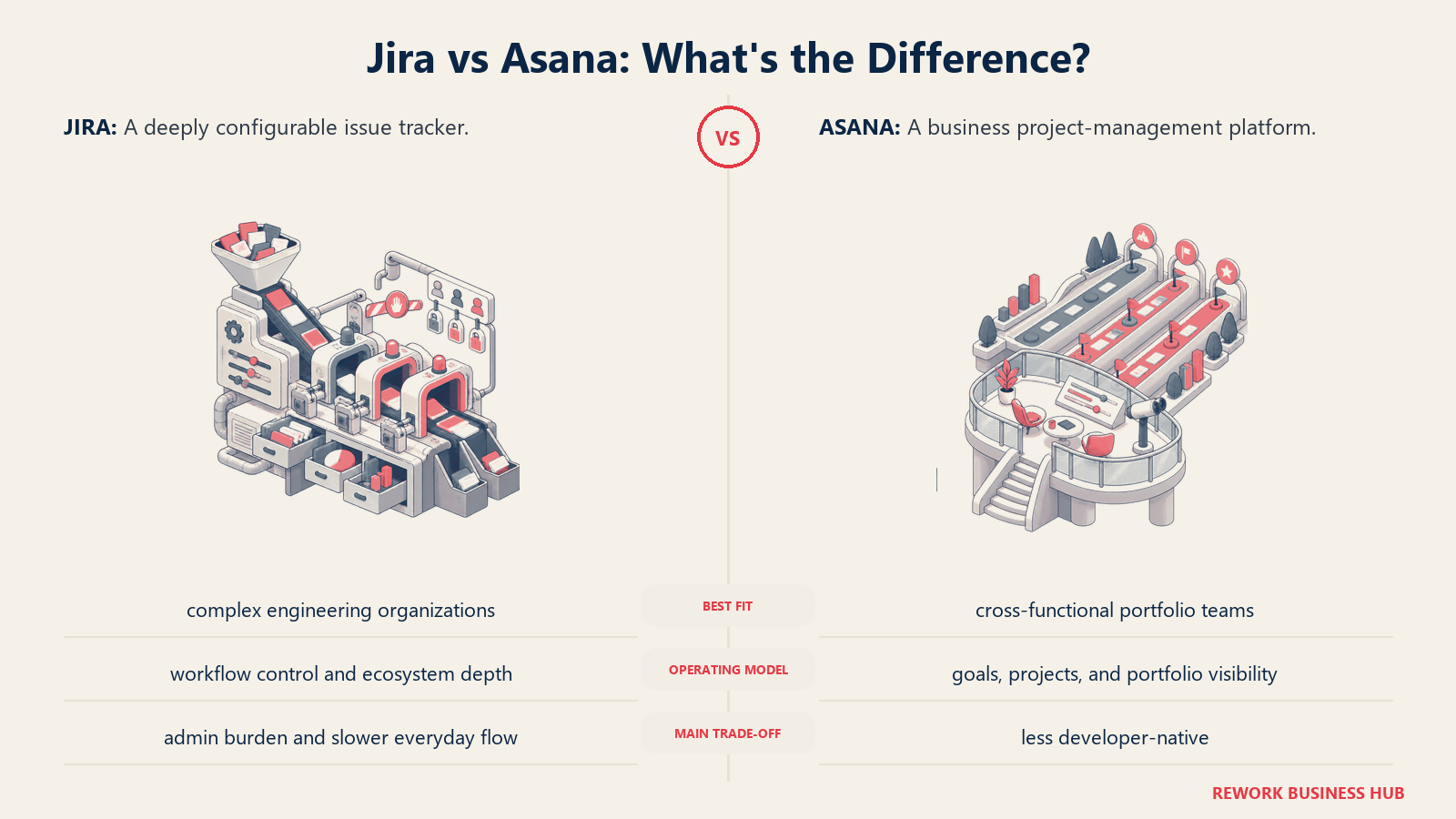
The Goals and Portfolios features in the Business and Advanced tiers give program managers something Jira rarely provides to business users: a clear line of sight from individual tasks up to strategic objectives. Timeline, dependencies, and automated rules handle the project management needs that Jira addresses through custom workflows.
The trade-off: Asana is a project management tool, not an operations platform. It doesn't enforce process beyond task assignment and due dates, and if your ops workflows need CRM connectivity, Asana will require bolting on a separate sales tool.
| What you get | What you don't |
|---|---|
| Goals and Portfolios for cross-project visibility | CRM or lead management |
| Clean, mature UI accessible to non-technical users | Process automation depth on entry tiers |
| Timeline, milestones, and dependency management | Dedicated ops workflow templates |
| Solid integrations with Slack, Salesforce, Google Workspace | Budget-friendly pricing as team grows |
Pricing: $10.99/seat/mo (Starter), $24.99/seat/mo (Advanced), Enterprise on request
Best for: Marketing, delivery, and program management teams that need project tracking with portfolio reporting; 10-500 employees; Head of Marketing or PMO as primary buyer
3. Monday.com: Visual Work Management for Broader Teams
Monday.com positioned itself as the anti-Jira for business teams: colorful boards, drag-and-drop everything, no need to speak scrum. It succeeded at reaching non-technical users and became one of the most widely deployed visual work management platforms. The best Monday alternatives covers where it runs into its own limits for ops and sales teams.
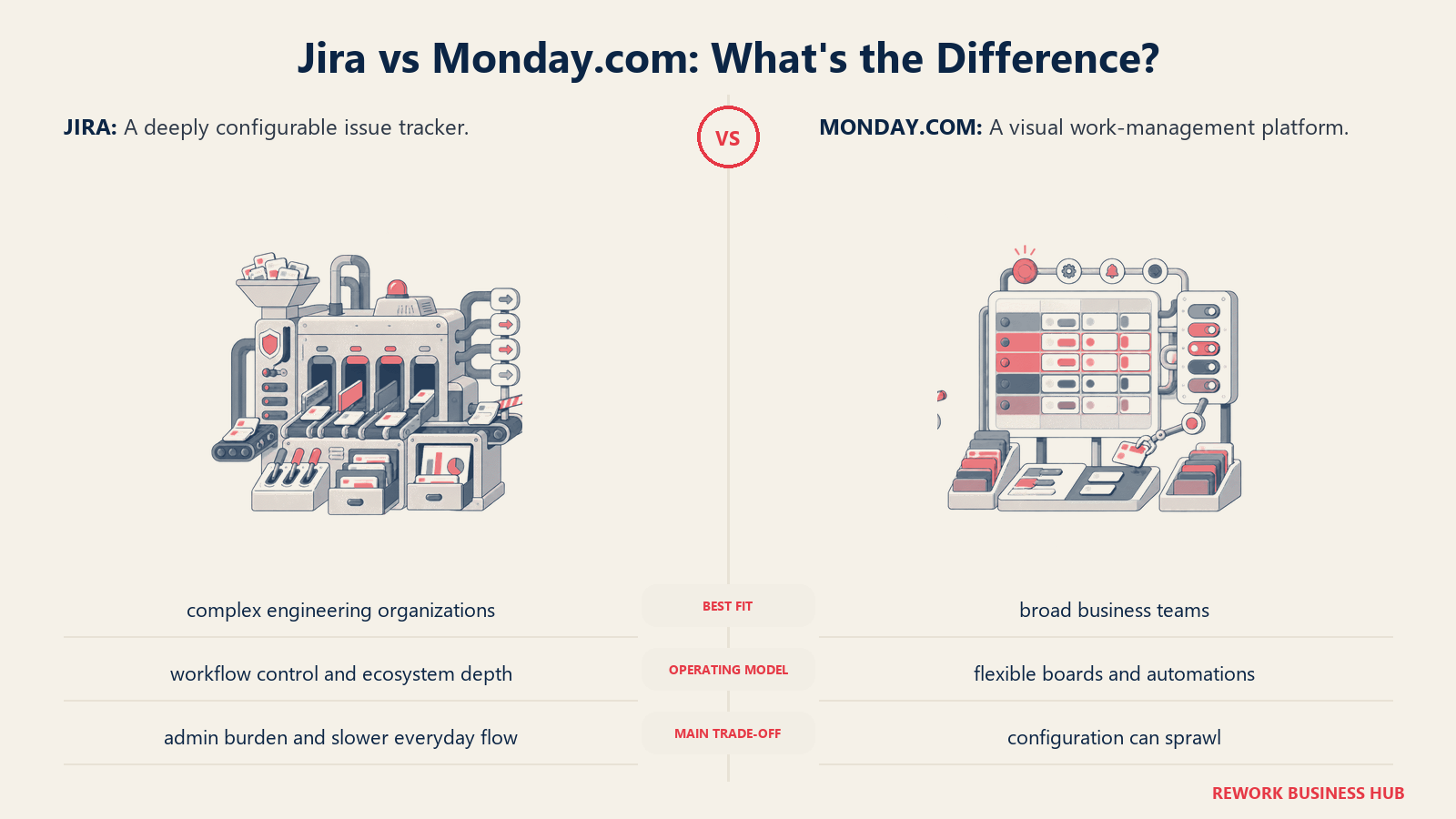
The friction most teams eventually hit is that Monday's flexibility becomes its limitation. It gives you building blocks to model any process, but it doesn't enforce any of them. Every team builds their own Monday setup, which means inconsistent adoption, sprawling workspaces, and a growing maintenance burden. And the pricing tiers jump steeply. Features like advanced automations, dashboard reporting, and unlimited boards are locked behind Pro or Enterprise plans that can surprise teams at 50+ seats.
Monday is a strong Jira alternative if your primary pain is that Jira's complexity alienated your non-technical teams. It won't fill the process enforcement gap.
| What you get | What you don't |
|---|---|
| Visual, board-first UX non-technical teams adopt quickly | Opinionated workflows out of the box |
| Flexible automation builder | Budget-friendly pricing at scale |
| Broad integration marketplace | Process enforcement or compliance tracking |
| Company-wide adoption with multiple team views | Native CRM with lead management depth |
Pricing: $9/seat/mo (Basic), $12/seat/mo (Standard), $19/seat/mo (Pro), Enterprise on request
Best for: Business teams (sales, marketing, HR, ops) that need visual project and task management without technical configuration; 10-500 employees
4. ClickUp: Everything-App with Dev and Ops Features
ClickUp's bet is breadth: one product that replaces Jira for engineering, Asana for project management, Notion for docs, and Slack for team communication. Feature-for-feature, it's the most expansive tool on this list. Sprint management, issue tracking, docs, whiteboards, dashboards, chat, goals, CRM views, and form builders all live in one workspace.
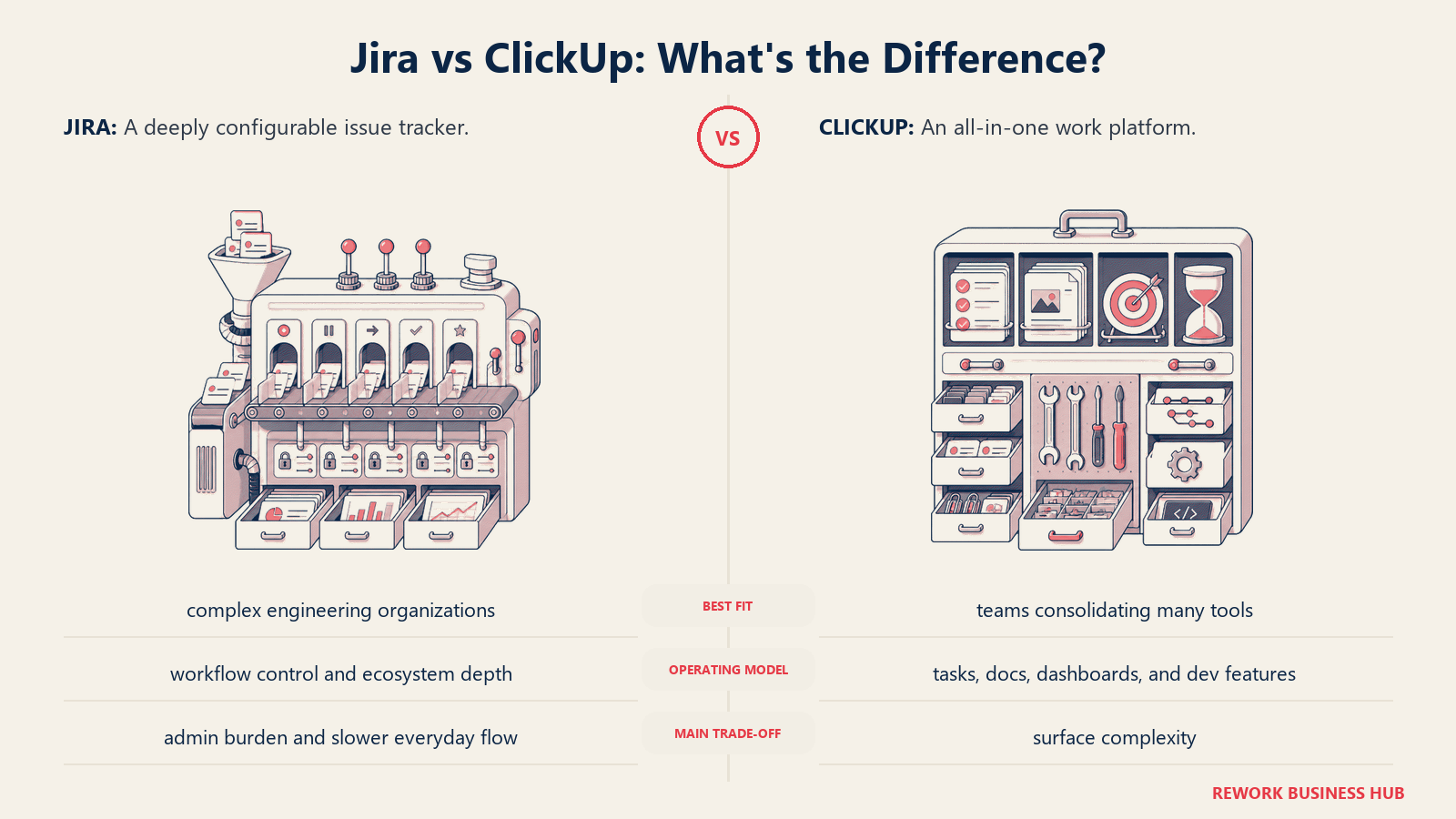
For teams willing to invest the setup time and ongoing ClickUp administration, it can genuinely consolidate tool sprawl. The catch is that it requires that investment. ClickUp without a dedicated admin or a structured rollout tends to produce chaotic workspaces. And while it has Jira-equivalent engineering features, it also has Asana-equivalent PM features, which means neither feels as refined as the specialist tools.
ClickUp is the right call if your team is technically capable, values raw configurability, and wants one tool instead of three. It's the wrong call if you need fast time-to-value or a purpose-built ops experience.
| What you get | What you don't |
|---|---|
| Widest feature set: tasks, docs, chat, goals, sprints, CRM views | Simple, low-maintenance setup |
| Strong free and Unlimited tiers | Native CRM with lead management depth |
| Automation builder and custom fields | Fast time-to-value for non-technical teams |
| Sprint management and issue tracking alongside PM | Opinionated workflows out of the box |
Pricing: Free, $7/seat/mo (Unlimited), $12/seat/mo (Business), Enterprise on request
Best for: Tech-forward ops and product teams of 5-500 willing to invest in building their own system of record; replaces multiple point solutions if configured well
5. Shortcut: Product Development for Product Teams
Shortcut (formerly Clubhouse) carved a clear niche: product teams that find Jira over-engineered and want a cleaner experience centered on stories, epics, and iterations. The design sensibility is closer to Linear than Jira, with fewer configuration requirements, better defaults, and faster onboarding.
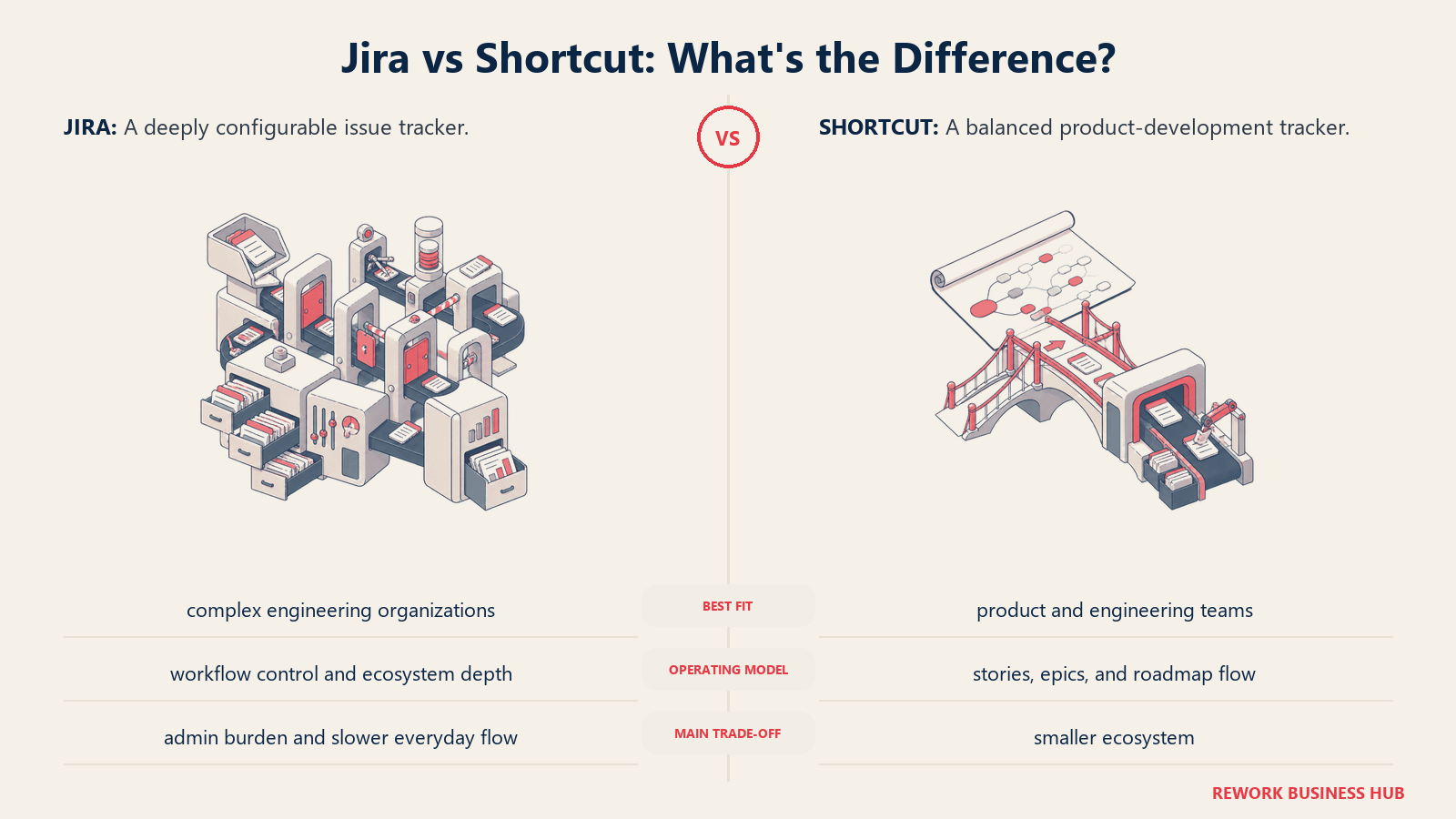
The product philosophy is explicitly product-team-first. Shortcut doesn't try to be a company-wide work management platform. It's a place where product managers and engineers align on what's being built, track velocity, and manage the product roadmap without being buried in Jira's overhead. Workflows, milestones, and team health metrics are tailored for product development cycles.
For non-engineering ops teams, Shortcut won't solve the Jira problem. It's trading one engineering-centric tool for another. But for product organizations with a 10-150 person scope that want to exit Jira without the complexity of migrating to ClickUp, Shortcut is one of the most focused options.
| What you get | What you don't |
|---|---|
| Clean, product-team-friendly UX | Business or ops workflow support |
| Stories, epics, milestones, and iterations | CRM or revenue operations |
| Team velocity and cycle time reporting | Company-wide adoption scope |
| GitHub and Slack integration | Advanced resource management |
Pricing: Free (up to 10 users), $8.50/seat/mo (Team), $11.50/seat/mo (Business), Enterprise on request
Best for: Product and engineering teams of 5-150 that want a lighter alternative to Jira without switching to a full ops platform
6. Height: AI-Native Project Tracking
Height is a newer entrant built around the premise that AI should do the operational overhead of project management: auto-triaging tasks, surfacing blockers, suggesting assignments, and reorganizing work based on priorities. For teams that spend meaningful time managing their project management tool rather than using it, Height's AI-native approach directly attacks that problem.
It handles tasks, subtasks, attributes, automations, and multiple views (list, board, spreadsheet, calendar) with a clean interface. The AI integration is deeper than "Copilot features bolted on." The product was designed AI-first, which means the AI assistance feels native rather than accidental.
Height is still growing its ecosystem and enterprise feature depth. At the 5-100 person range for product and operations teams that want to stay lean and use AI to reduce project management overhead, it's a genuinely differentiated option. For 500+ seat deployments with complex governance requirements, the ecosystem maturity isn't there yet.
| What you get | What you don't |
|---|---|
| AI-native task triage and project assistance | Mature enterprise feature set |
| Clean, fast UX with multiple views | Large integration ecosystem |
| Task orchestration with intelligent automation | CRM or ops-specific workflow templates |
| Competitive pricing for teams under 50 | Deep reporting and resource management |
Pricing: Free, $8.50/seat/mo (Team), Enterprise on request
Best for: Product and ops teams of 5-100 that want AI to reduce project management overhead; early-to-growth stage companies comfortable with a newer platform
7. Notion: Docs, Databases, and Light Project Tracking
Notion addresses a specific and real Jira complaint: everything lives inside Jira where nobody can find it, documentation is scattered, and knowledge handoffs break between teams. Notion's value proposition is the opposite: it starts from docs and wikis, then adds database views and lightweight project tracking on top.
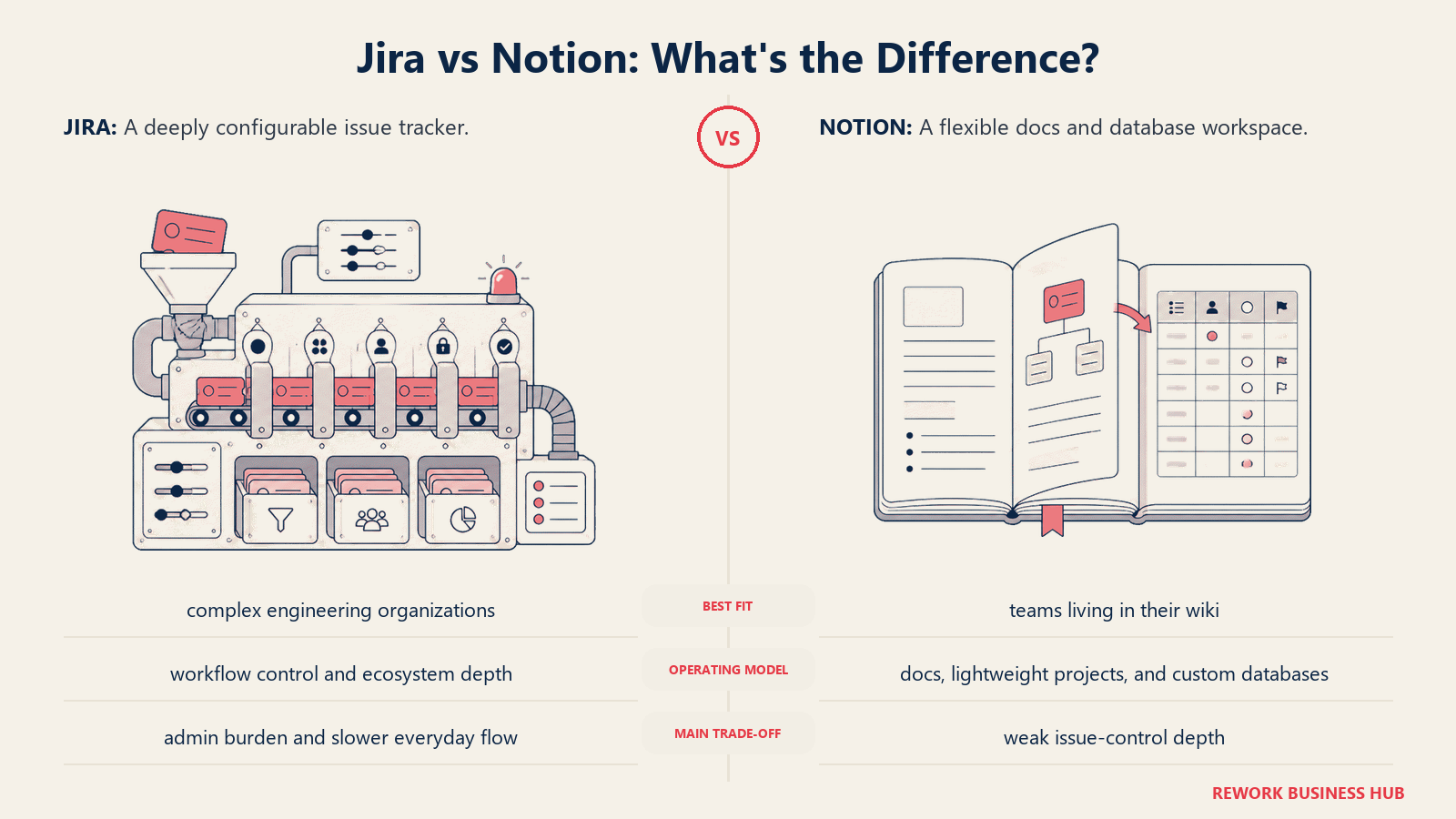
For teams whose primary frustration with Jira is information architecture (not project management depth), Notion is often the right move. SOPs, runbooks, product specs, meeting notes, and project databases can all coexist in one space with clean navigation. Notion AI adds drafting and summarization that makes the knowledge base more useful for teams that generate high documentation volume.
What Notion doesn't offer: process enforcement, deep workflow automation, CRM integration, or sprint management. It's a knowledge platform with project management features, not a project management platform with knowledge features. Teams that replace Jira entirely with Notion typically find themselves needing a dedicated task tracker alongside it within six months.
| What you get | What you don't |
|---|---|
| Best-in-class wiki, docs, and knowledge base | Workflow enforcement or process automation depth |
| Flexible database model with multiple views | Native sprint or issue tracking |
| Notion AI for drafting and summarizing content | Project reporting and operational dashboards |
| Clean, widely accessible UX | CRM or revenue ops functionality |
Pricing: Free, $10/seat/mo (Plus), $15/seat/mo (Business), Enterprise on request
Best for: Teams whose Jira frustration is knowledge fragmentation more than workflow complexity; pairs well with a dedicated project or ops tool for task management
8. Azure DevOps: Microsoft's Engineering Suite
Azure DevOps is Jira's closest functional equivalent for organizations committed to the Microsoft stack. Boards, Repos, Pipelines, Test Plans, and Artifacts give engineering teams the full SDLC in one platform tightly integrated with Azure, Visual Studio, and Microsoft 365. For enterprises already paying for Microsoft contracts, the per-seat economics are often favorable against Atlassian.
The honest assessment for non-engineering teams is that Azure DevOps has most of Jira's same problems: it's engineered for engineering. Boards and Backlogs are configured around sprints and work items with a UX shaped by developer workflows. Business teams forced onto Azure DevOps encounter the same friction as Jira: configuration overhead, concepts that don't map to non-technical work, and a tool that wasn't designed for them.
Where Azure DevOps wins is enterprise Microsoft consolidation plays: companies running Azure infrastructure, Visual Studio Enterprise licenses, and Microsoft 365 at scale where the total cost of ownership math favors staying in the Microsoft ecosystem.
| What you get | What you don't |
|---|---|
| Deep Microsoft Azure, VS, and M365 integration | Simple setup for non-technical teams |
| Full SDLC toolchain (code, pipelines, test, artifacts) | Clean UX without configuration |
| Strong access controls and enterprise governance | Fast adoption outside engineering |
| Favorable pricing in Microsoft EA agreements | Purpose-built business or ops workflows |
Pricing: Free (5 users for Basic), $6/seat/mo (Basic), Test Plans $52/seat/mo; Pipelines usage-based
Best for: Engineering orgs of 10-10,000 inside the Microsoft ecosystem; CTO and IT Director buyers; not recommended as a cross-company tool for business teams
9. YouTrack: Developer-Focused Issue Tracking at Lower Cost
YouTrack is JetBrains' project management and issue tracking product, and it reflects its parent company's DNA: deep keyboard shortcut support, developer-first defaults, and a pricing model that's significantly cheaper than Jira, especially at the self-hosted tier. For dev teams already using IntelliJ IDEA, PyCharm, or other JetBrains IDEs, the ecosystem familiarity accelerates adoption.
The agile board, backlog management, time tracking, and sprint reporting capabilities are competitive with Jira Standard without the Atlassian premium. The self-hosted option (Standalone) gives cost-conscious engineering organizations full data control without per-user pricing at scale.
Like most tools on the engineering side of this list, YouTrack is not a business team platform. The UX assumes developer mental models, and non-technical users will find the terminology and configuration patterns just as foreign as Jira. The decision to consider YouTrack is fundamentally about reducing Jira costs for an engineering team, not about replacing Jira for the broader company.
| What you get | What you don't |
|---|---|
| Competitive agile boards, sprints, and issue tracking | Business or ops workflow support |
| Significantly lower cost than Jira (especially self-hosted) | Company-wide adoption scope |
| Strong time tracking and reporting for dev teams | Large third-party integration ecosystem |
| JetBrains IDE integrations | Modern, polished UX comparable to Linear |
Pricing: Free (up to 10 users), Cloud from $3.67/seat/mo, Standalone self-hosted with perpetual licensing available
Best for: Engineering teams of 5-1,000 that want Jira's capabilities at a fraction of the cost; JetBrains IDE shops; not suited for non-technical team adoption
10. Teamwork: Client and Agency Project Management
Teamwork solves for a specific context Jira genuinely mishandles: agencies and professional services firms that need to track project work alongside client billing, retainers, time tracking, and profitability. Jira's issue-tracking model doesn't map naturally to client deliverables, billable hours, or project budgets. Teamwork does.
Native time tracking tied to project tasks, client portal access for external stakeholders, retainer management, and project profitability reporting are first-class features rather than integrations. For account managers and delivery directors who spend meaningful time tracking what's billable against what's been scoped, Teamwork provides clarity that Jira Work Management simply doesn't.
The limitation is specificity: Teamwork's strengths are all client-delivery-centric. Internal ops teams without client-facing workflows won't use most of what they're paying for. And outside the agency context, the base project management capability isn't materially stronger than Asana or Monday.
| What you get | What you don't |
|---|---|
| Native time tracking and billing integration | Clean UX for non-agency ops |
| Client portal and external stakeholder access | Cross-team workflow automation depth |
| Project profitability and budget tracking | CRM or lead management |
| Retainer and milestone billing workflows | Breadth of third-party integrations |
Pricing: Free, $10.99/seat/mo (Deliver), $19.99/seat/mo (Grow), $54.99/seat/mo (Scale), Enterprise on request
Best for: Marketing and creative agencies, consultancies, and professional services teams of 5-200 billing by project or retainer; Account Director and Delivery Manager buyers
11. Wrike: Enterprise PM with Resource Management
Wrike targets the gap between Jira's engineering focus and enterprise organizations that need resource management alongside project delivery. Its resource allocation, workload views, proofing and approvals, Gantt capabilities, and compliance features go deeper than most tools on this list. For enterprise marketing operations teams, PMOs running large programs, or ops organizations with 100+ seats, Wrike competes where lighter tools fall short.
The trade-off is UI complexity and price. Wrike's interface is denser than Monday or Asana, and the feature depth requires investment to configure well. Teams under 50 seats often find Wrike's capabilities exceed what they need; the pricing jump to Business and Enterprise tiers adds up. And like the PM tools above, it doesn't touch CRM or revenue operations.
Wrike's sweet spot is the enterprise ops team that has outgrown Monday's governance capabilities but doesn't want to move to Microsoft Project or a full enterprise EPM system.
| What you get | What you don't |
|---|---|
| Strong resource management and workload views | Simple, fast onboarding |
| Proofing and approval workflows built in | Budget-friendly pricing for smaller teams |
| Deep Gantt and dependency management | CRM or revenue ops integration |
| Enterprise security and compliance features | Intuitive day-to-day UX |
Pricing: $9.80/seat/mo (Team), $24.80/seat/mo (Business), Enterprise on request
Best for: Enterprise PMOs, marketing ops at scale, and program managers running resource-intensive programs at 50+ seats; PMO Director and Head of Marketing Ops buyers
Why Teams Leave Jira
These are the four patterns that consistently drive Jira evaluations:
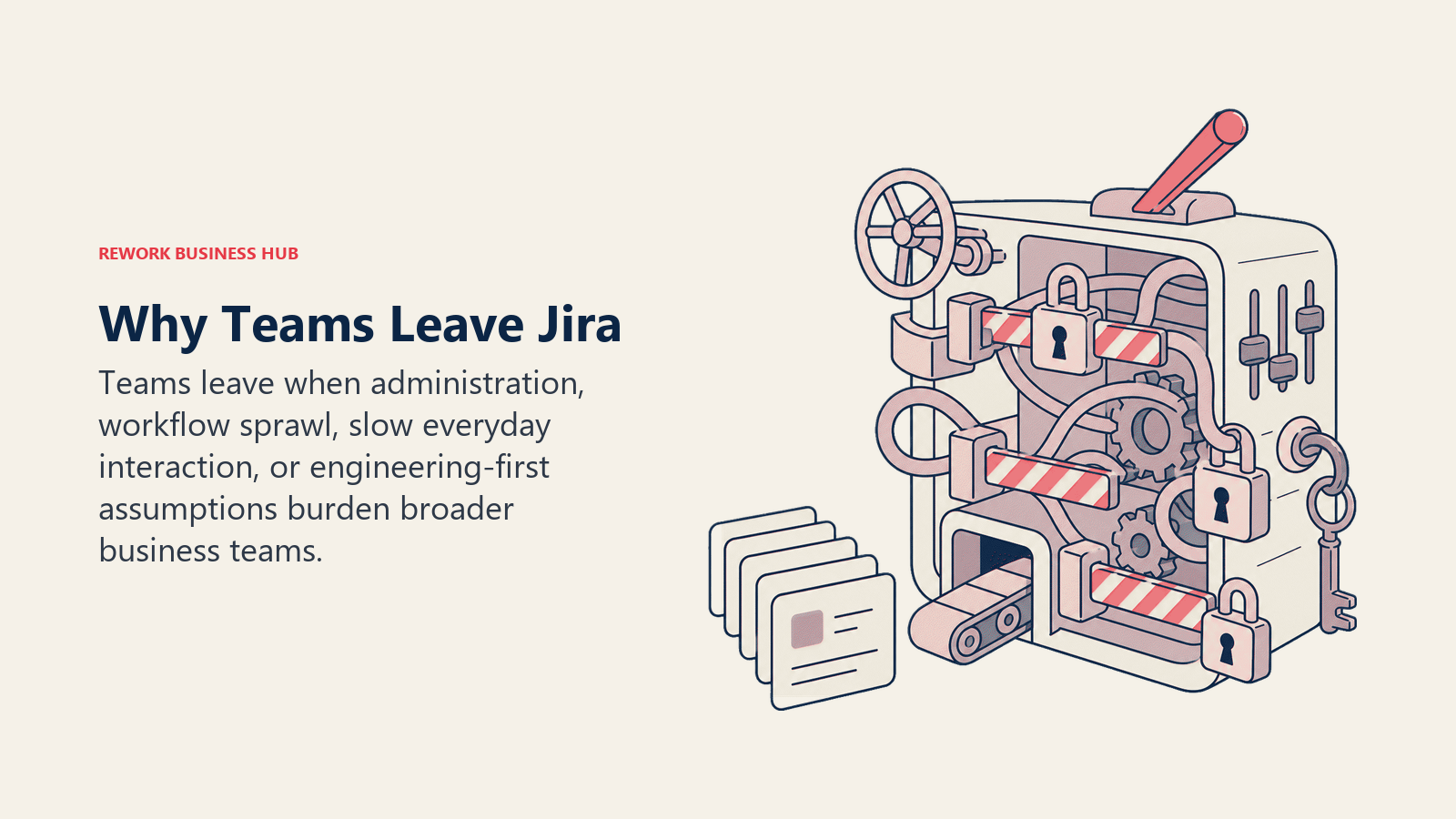
Engineering-centric UX alienates business teams. Jira's concepts (epics, stories, sprints, components, issue types) are native to engineering workflows. When sales ops, marketing, or HR teams are asked to use Jira Work Management, they encounter a foreign mental model even in the "business projects" mode. The configuration required to make Jira feel natural for non-technical users often adds up to a significant admin investment.
Configuration complexity. Jira is highly configurable, which means it requires a significant admin investment to run well. Custom workflows, screen schemes, permission schemes, and issue type hierarchies are powerful but they don't come pre-configured for your team's context. Many mid-size companies end up with a full-time or near-full-time Jira administrator just to keep the instance functional.
Performance on large instances. Jira Cloud has improved, but teams running large instances with complex workflows and many integrations still report slowness. Atlassian Cloud's data center processing means search, dashboards, and board rendering can lag at scale.
To put rough numbers behind each pattern, here's how the four drivers tend to weigh in a typical mid-market evaluation:
| Migration driver | Who feels it most | Typical trigger point | What usually fixes it |
|---|---|---|---|
| Engineering-centric UX | Sales, marketing, HR, ops | Non-eng headcount on Jira passes ~30% | A separate business-team tool (Asana, Monday) |
| Configuration complexity | Mid-size orgs without a Jira admin | Near full-time admin needed to keep instance usable | A lower-config tool with opinionated defaults (Linear) |
| Performance at scale | 500+ seat instances, many integrations | Boards and search lag during peak hours | Leaner tracker or cleaner workspace (Linear, Shortcut) |
| Enterprise pricing | Teams pushed to Premium or Enterprise | Per-seat cost compounds past ~100 seats | Cheaper per-seat option or scoped business tool |
Enterprise pricing. Jira's Standard tier is competitive. But teams that need advanced roadmaps, IP allowlisting, audit logs, or admin insights face the Premium tier, and teams needing data residency, enterprise-grade security, and Atlassian Access face Enterprise pricing that compounds per-user costs quickly at 100+ seats. For the ops side of that equation, running cross-team workflow automation through a purpose-built ops platform often addresses the non-engineering friction without touching the Jira instance at all.
How to Choose: Decision Framework
Choose by deciding which team owns the work, how much workflow control is necessary, and whether the operating surface must extend beyond engineering.
| If you need this... | Pick this |
|---|---|
| Engineering issue tracking without Jira's complexity | Linear |
| Project management for marketing, delivery, or program teams | Asana |
| Visual work management across multiple departments | Monday.com |
| Maximum feature breadth with technical teams ready to configure | ClickUp |
| Product-team-focused issue tracking, lighter than Jira | Shortcut |
| AI-native project management for smaller product or ops teams | Height |
| Knowledge base + docs + light task tracking | Notion |
| Full Microsoft stack; engineering-first enterprise toolchain | Azure DevOps |
| Jira-level engineering features at lower cost | YouTrack |
| Agency project management with client billing and retainers | Teamwork |
| Enterprise PM with resource management at 100+ seats | Wrike |
What to Do Next
Identify whether your primary motivation for leaving Jira is engineering-team friction or company-wide adoption. Those are different problems with different solutions. If the engineering team is happy with Jira and the issue is onboarding the rest of the company, you don't need to migrate engineering. You need a separate tool for business teams. If the engineering team itself wants out, Linear is the clearest first evaluation.
Narrow to two tools that match your team size, stage, and primary use case. Run a two-week pilot with real workflows, not demo scenarios. If ClickUp is on your shortlist and you want a deeper comparison, the best ClickUp alternatives also covers how it stacks up against purpose-built ops platforms. If you're replacing Jira specifically within engineering, start with Linear or ClickUp.
The right tool isn't the one with the most features. It's the one your team will still be running their work through six months from now.
For engineering teams also evaluating their AI coding stack alongside their issue tracker, the best GitHub Copilot alternatives covers that adjacent decision. And for teams trying to improve how retrospectives connect to actual process changes, retrospectives that work is a practical companion to any tool migration.
According to Atlassian's own 2024 State of Teams report, cross-functional teams that use a single work management system report 34% less time in status update meetings. That's the argument for consolidation, though it only holds if the single system can actually serve all the teams using it.
Asana's Anatomy of Work report consistently shows that knowledge workers lose over 60% of their day to coordination work rather than skilled execution. Picking the right project management tool is one of the few structural changes that directly attacks that problem.
Frequently Asked Questions
What is the best Jira alternative in 2026?
There's no single winner, because the best choice depends on your problem. For engineering teams that want Jira's power without the admin overhead, Linear leads. Asana and Monday.com cover broad business-team project management, and ClickUp suits teams that want one tool for everything.
Is there a free alternative to Jira?
Yes. ClickUp, Notion, Shortcut, and YouTrack all offer free tiers that work for small teams, and Azure DevOps is free for up to five users on its Basic plan. Free tiers usually cap features like automation, reporting, or seat counts, so confirm the limits match your team size before committing.
Why do teams switch away from Jira?
The four common drivers are an engineering-centric UX that alienates business teams, heavy configuration that needs a near full-time admin, performance lag on large instances, and enterprise pricing that compounds per seat past roughly 100 seats. Most teams switch for one or two of these, not all four.
Which Jira alternative is best for non-engineering teams?
Business teams in sales, ops, marketing, and customer success usually do best with a tool built for their workflows rather than a repurposed issue tracker. Asana and Monday.com offer strong general project management without the scrum-first mental model.
Do I have to migrate my engineering team off Jira too?
No. If engineering is happy with Jira and the friction is onboarding the rest of the company, you can leave engineering on Jira and add a separate tool for business teams. Only migrate engineering if the engineering team itself wants out, in which case Linear is the clearest first evaluation.

Principal Product Marketing Strategist
On this page
- Quick Comparison Table
- Stage Fit Matrix
- Sizing and Persona Table
- 1. Linear: Modern Issue Tracking Built for Speed
- 2. Asana: Business Project Management with Portfolio Visibility
- 3. Monday.com: Visual Work Management for Broader Teams
- 4. ClickUp: Everything-App with Dev and Ops Features
- 5. Shortcut: Product Development for Product Teams
- 6. Height: AI-Native Project Tracking
- 7. Notion: Docs, Databases, and Light Project Tracking
- 8. Azure DevOps: Microsoft's Engineering Suite
- 9. YouTrack: Developer-Focused Issue Tracking at Lower Cost
- 10. Teamwork: Client and Agency Project Management
- 11. Wrike: Enterprise PM with Resource Management
- Why Teams Leave Jira
- How to Choose: Decision Framework
- What to Do Next
- Frequently Asked Questions