Best Lucidchart Alternatives in 2026: 12 Diagramming Tools for Teams

Turn this article into takeaways for your work.


Each assistant summarizes the article only for you and suggests best practices for your work.
Lucidchart earns its reputation. The data-linked shapes, the automatic import of AWS and Azure cloud architecture diagrams, the deep Confluence and Jira integrations, the shape library breadth: these aren't table-stakes features. They're genuinely differentiated. If your solution architects are drawing network diagrams that pull live data from a spreadsheet, or your ops team needs an ERD that stays in sync as the schema evolves, Lucidchart built those workflows deliberately. That said, Lucidchart's per-seat licensing compounds fast. At $10/user/month on the Team plan, a 20-person engineering org paying for everyone who needs edit access hits $2,400/year before enterprise add-ons. Viewer limits and editor-versus-viewer seat distinctions frustrate teams that want stakeholders to annotate or comment without paying full price. And some teams don't need intelligent diagramming at all. They need a quick flowchart, a process map for a workshop, or a whiteboard to sketch an idea in a call. For all of those cases, cheaper or free tools do the job better than a feature-dense platform they'll use at 10%.
The people who most often search for Lucidchart alternatives fall into recognizable types: product managers and business analysts who want something simpler for quick process maps; engineers and DevOps teams who want a free or self-hosted option without per-seat costs; solution architects frustrated with viewer-seat limits when sharing diagrams with clients; teams inside an Atlassian stack who want diagramming that lives natively in Confluence or Jira; and operations and strategy teams who just need collaborative whiteboarding, not full-featured smart diagramming. This guide covers 12 real alternatives, with honest assessments of pricing, strengths, sizing fit, and the specific cases where each tool wins.
If you're evaluating the broader visual collaboration space alongside diagramming, the best Miro alternatives guide covers whiteboarding and online collaboration platforms that often come up in the same tooling review. Teams reconsidering their entire design stack may also find value in the best Figma alternatives roundup, Figma's FigJam in particular overlaps with Lucidchart's whiteboard use cases. For ops and project teams hitting the same tool fatigue in their project management stack, the best Confluence alternatives is worth a read alongside this one, since Lucidchart's core value for many teams lives entirely inside Confluence pages.
Quick Comparison Table
| Tool | Best For | Starting Price | Key Strength | Key Limitation |
|---|---|---|---|---|
| Microsoft Visio | Enterprise IT and network diagrams | $5/user/mo (Plan 1) | Deepest shape library, Microsoft 365 integration | Windows-centric, expensive at scale |
| draw.io (diagrams.net) | Free diagramming with Confluence/Jira | Free (core); Confluence add-on priced separately | Completely free, no limits, open-source | No AI features, basic real-time collab |
| Miro | Whiteboard-first collaboration and workshops | $8/user/mo (Starter, annual) | Best-in-class real-time collaboration | Not a dedicated diagramming tool |
| Creately | Team diagramming with project management overlay | Not vendor-published (reported) | Flat-rate business plan, built-in PM features | Lighter on advanced diagram types |
| Whimsical | Simple flowcharts, wireframes, and mind maps for PMs | $10/editor/mo (Pro) | Speed and simplicity, great for non-designers | No data-linked shapes or smart diagramming |
| SmartDraw | Automated diagram generation and Visio import | $5.99/user/mo (Site, annual) | Auto-layout engine, strong Visio compatibility | Less polished real-time collaboration |
| Cacoo | Collaborative diagramming for small-to-mid teams | $6/user/mo | Real-time collab, presentation mode, Nulab ecosystem | Smaller shape library vs Lucidchart |
| Gliffy | Native Confluence and Jira diagramming | $3.80/user/mo (Confluence, 11-100 users) | Best Atlassian-native integration | Limited outside the Atlassian stack |
| Excalidraw | Hand-drawn style quick sketches and tech diagrams | Free (core); $6/user/mo (Excalidraw+, annual) | Open-source, privacy-first, zero friction | No data linking or enterprise integrations |
| EdrawMax | All-in-one diagramming with 280+ types | $7.90/mo (Individual, annual) | Massive diagram type coverage, lifetime license option | UI feels dated, weaker collab than Miro |
| FigJam | Whiteboarding for design-adjacent teams already on Figma | $3/editor/mo (Professional, annual) | Bundled with Figma paid seats, strong design integration | Not a diagramming tool; weak for ERDs or network diagrams |
| Mermaid Chart | Code-based diagrams for developer and data teams | Free (3 diagrams); paid from $5/user/mo | Version-controlled diagrams, Git-friendly, AI generation | Requires comfort with text/code syntax |
1. Microsoft Visio: The Enterprise Standard for Complex Diagrams
Visio has been drawing technical diagrams since 1992. That longevity shows in its shape library, over 250,000 shapes covering IT infrastructure, networking, engineering schematics, BPMN 2.0, P&ID, UML, and more. No other tool in this list matches that coverage for technical diagram types. For enterprise IT teams, facilities managers, and solution architects working inside Microsoft 365, Visio is the default for a reason: it integrates with SharePoint, Teams, Power BI, and Excel in ways that Lucidchart can't replicate inside the Microsoft stack.
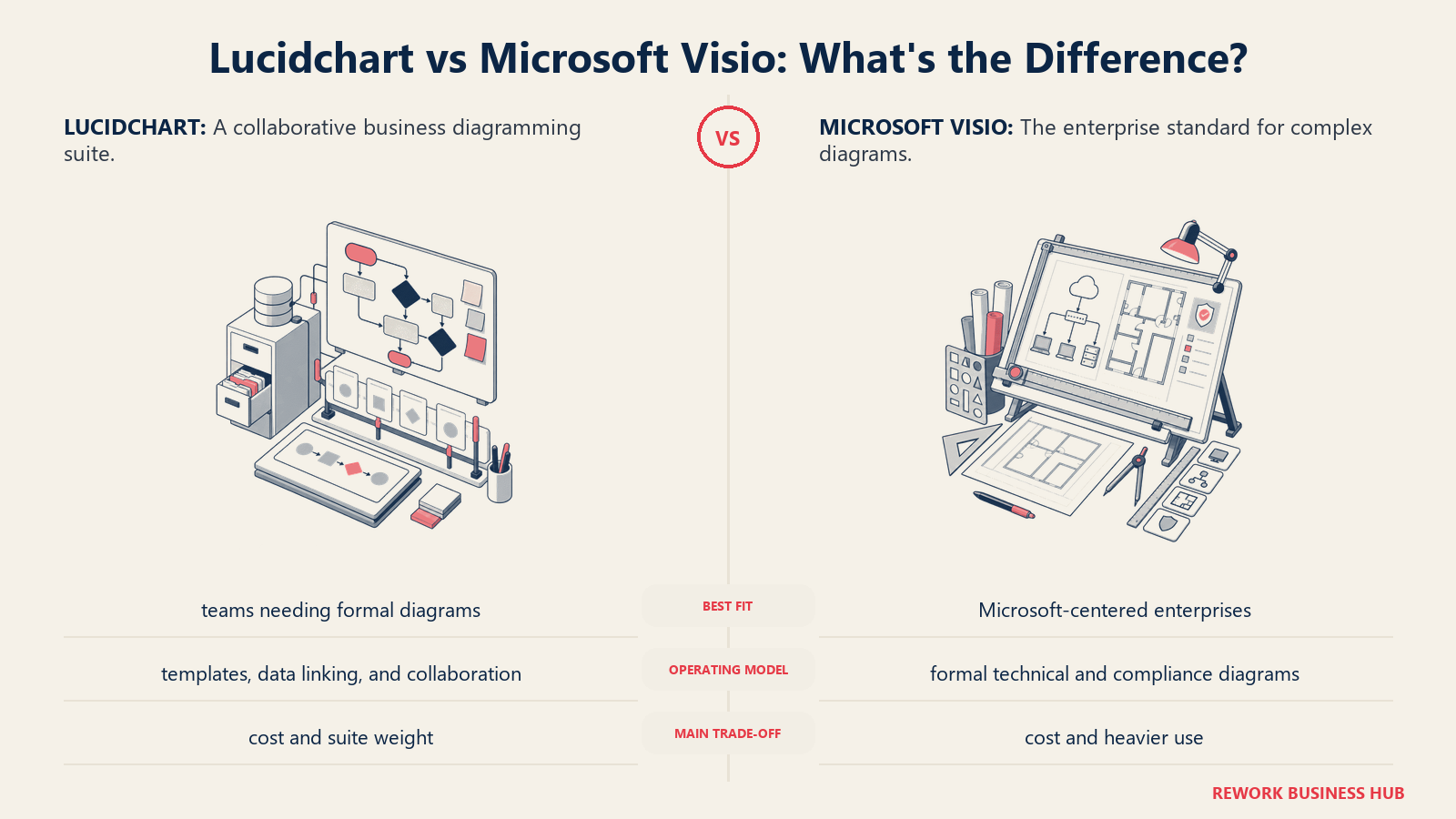
Methodology: Visio treats diagramming as technical documentation, not collaboration. The philosophy is precision and breadth, if you need to document a complex HVAC system, a Cisco network topology, or an enterprise data flow, Visio has a purpose-built stencil for it. The desktop app is the core experience; the web app is functional but secondary.
Target audience: IT architects, network engineers, enterprise business analysts, process improvement leads, and facilities/plant engineering teams. The ICP is a solution architect at a mid-market-to-enterprise company running Microsoft 365 who needs diagrams that non-Visio users can view in SharePoint or Teams without buying a license.
Sizing fit:
| Team Size | Fit |
|---|---|
| Solo / freelance | Moderate: Plan 1 at $5/mo is accessible |
| Small team (2-10) | Good with Plan 1 for basic diagrams |
| Mid-size (10-50) | Strong: Plan 2 for desktop + data linking |
| Enterprise (50+) | Excellent: Microsoft 365 licensing bundles |
Stage fit: Established and enterprise-stage companies with complex technical documentation needs. Less relevant for early-stage teams or those outside the Microsoft ecosystem.
Team vs company-wide: IT, engineering, and operations teams. Not a company-wide tool, adoption is narrow but deep.
| Pros | Cons |
|---|---|
| Largest shape library in the category (250k+ shapes) | Core desktop app is Windows; Mac is web-only |
| Native Microsoft 365 integration (Teams, SharePoint, Power BI) | $15/user/mo (Plan 2) gets expensive for large teams |
| Data-linked shapes for live diagram updates | Real-time collaboration is weaker than Lucidchart or Miro |
| Perpetual license option (Visio Standard 2024 at $309.99) | Steeper learning curve vs modern tools |
Pricing: Visio Plan 1 at $5/user/mo (annual). Plan 2 at $15/user/mo (annual). Perpetual: Visio Standard 2024 at $309.99 one-time.
Best for: Enterprise IT and engineering teams on Microsoft 365 who need the deepest technical shape library and native Microsoft integrations.
2. draw.io (diagrams.net): The Free Default for Practical Diagramming
draw.io is simply free. No seats, no limits, no paywalls, no account required to start. It runs in the browser, as a desktop app (Electron-based), and as a VS Code extension. The Confluence and Jira integrations, which are the main reason Lucidchart users consider draw.io, are priced separately as Atlassian Marketplace add-ons, but for standalone use, the tool costs nothing at all, and that's remarkable.
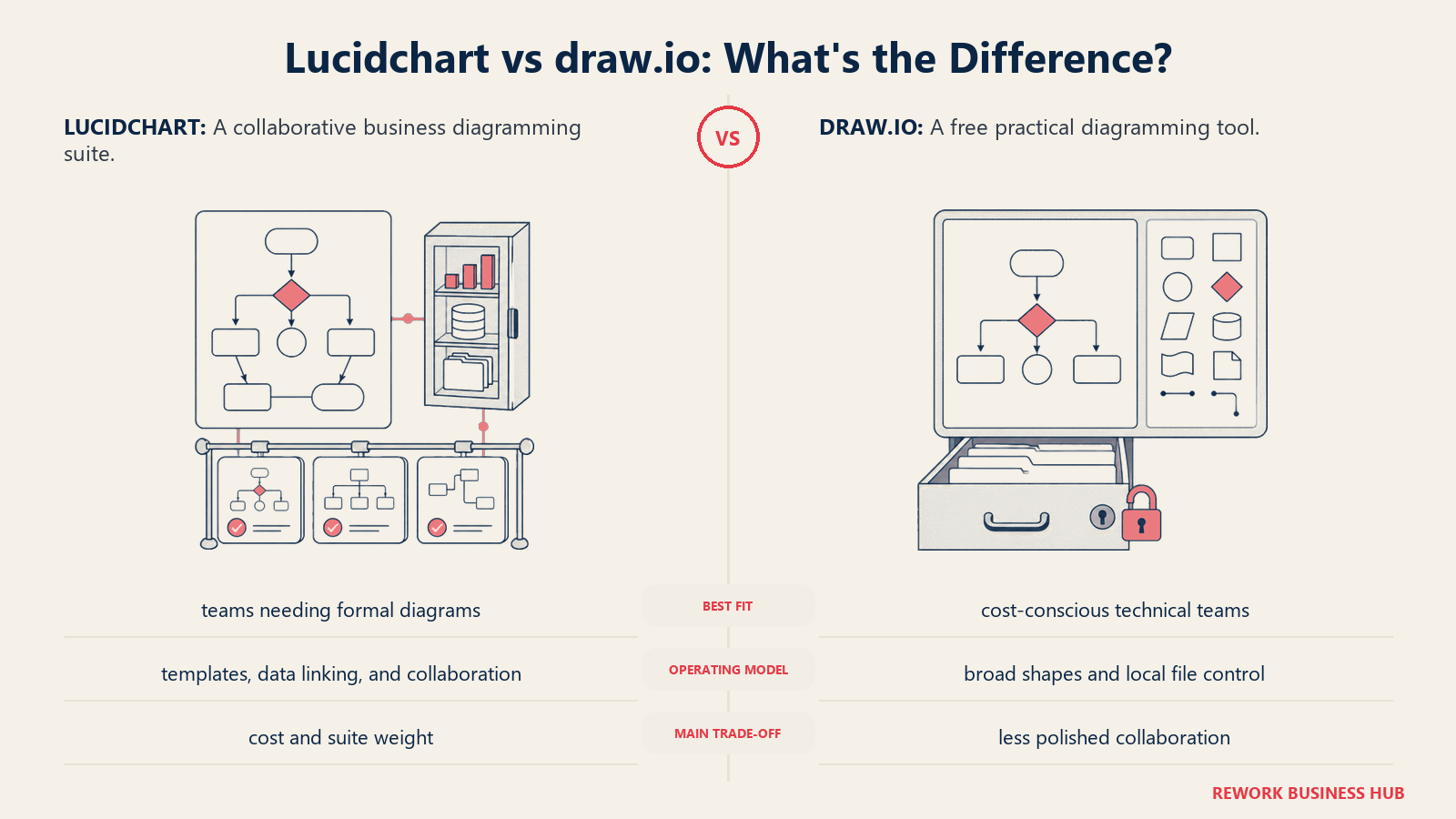
Methodology: draw.io's philosophy is that a diagramming tool is infrastructure, not a SaaS product. The core tool is open-source under the Apache 2.0 license. Diagrams are stored in XML that you own and export freely. There's no proprietary format lock-in. The tradeoff is that AI features, real-time collaboration, and polished UX take a back seat to simplicity and accessibility.
Target audience: Individual contributors, developers, ops leads, and teams inside the Atlassian stack who need practical flowcharts, network diagrams, ERDs, and process maps without paying per seat. Also strong for teams with tight budgets or strict data residency requirements (self-hosted deployment is straightforward).
Sizing fit:
| Team Size | Fit |
|---|---|
| Solo / freelance | Excellent: fully free, no restrictions |
| Small team (2-10) | Excellent: zero licensing overhead |
| Mid-size (10-50) | Strong: Confluence integration scales well |
| Enterprise (50+) | Good: self-hosted option, SSO via Confluence |
Stage fit: Any stage. Early-stage teams adopt it for cost reasons. Enterprise teams adopt it for control and Atlassian integration. It fits everywhere except where AI diagramming or real-time collab is the priority.
Team vs company-wide: Cross-functional, any team can use it without budget approval.
| Pros | Cons |
|---|---|
| Completely free, no seat limits, no feature paywalls | Real-time collaboration is basic (not Google Docs-style) |
| Open-source, self-hostable, XML export (no lock-in) | No AI diagram generation |
| Works offline, no account required | UI is functional but dated compared to Miro or Whimsical |
| Native Confluence and Jira integration via add-on | Confluence add-on is a separate cost on Atlassian Marketplace |
Pricing: draw.io core is free. Confluence/Jira add-ons priced per user through Atlassian Marketplace (competitive with Gliffy).
Best for: Any team that wants zero licensing cost, data ownership, and practical diagramming without enterprise features.
3. Miro: The Whiteboard That Does Diagrams Too
Miro isn't a diagramming tool that added a whiteboard. It's a visual collaboration platform where diagramming is one capability among many. That distinction matters. If your team's primary need is running workshops, sprint retrospectives, user journey mapping, and collaborative brainstorming, with flowcharts occasionally woven in, Miro wins on every dimension. If you need data-linked ERDs or auto-generated cloud architecture diagrams, Miro is the wrong tool.
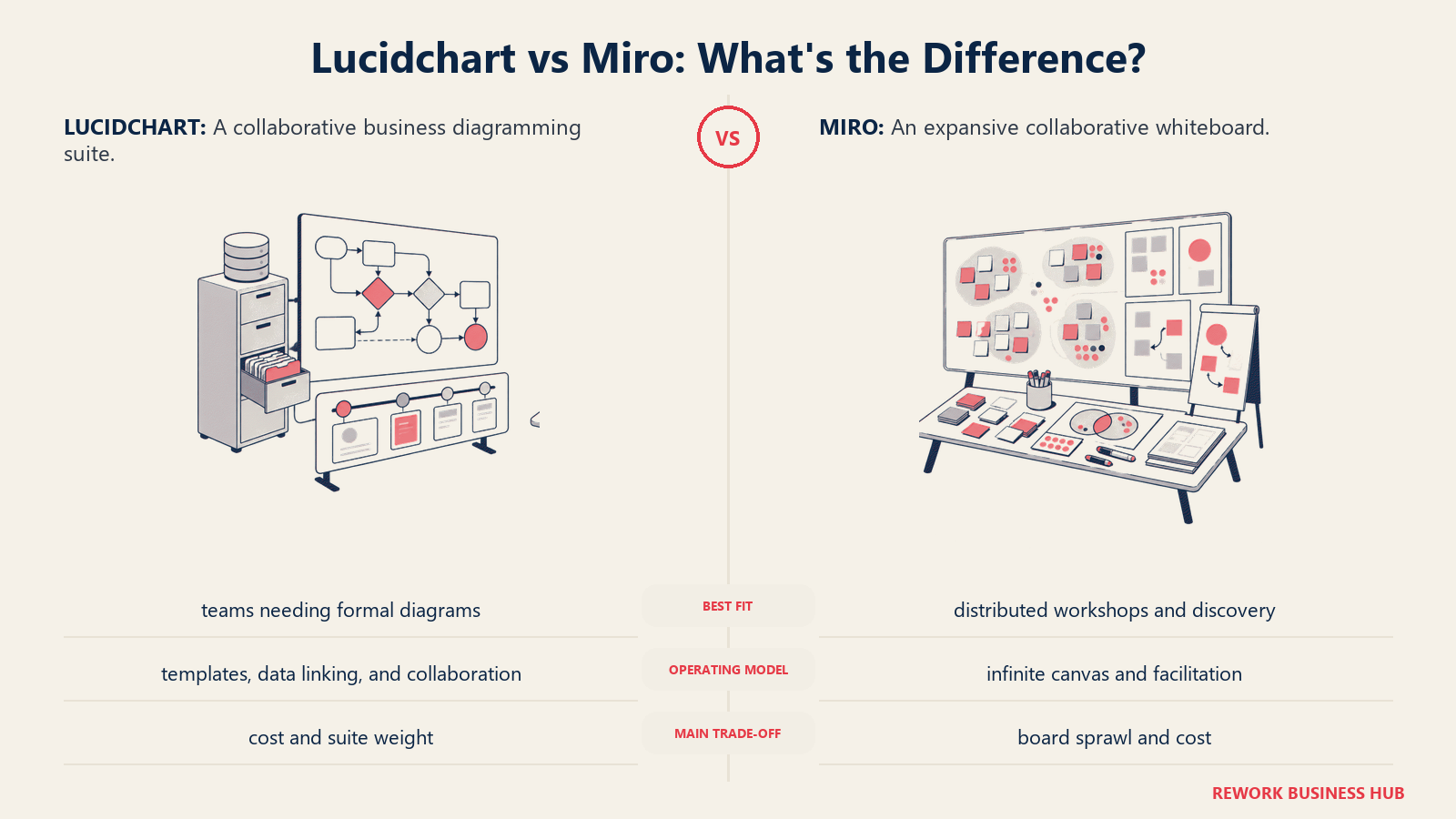
Methodology: Miro's philosophy centers on the infinite canvas as the operating system for distributed team thinking. The product philosophy is breadth of collaboration format, not diagramming depth. Everything in Miro, mind maps, flowcharts, stickies, wireframes, timelines, is designed to be created and edited together in real time, with video and async commenting built in.
Target audience: Product managers, UX teams, agile coaches, design teams, and distributed teams running workshops or planning sessions. Also strong for strategy and OKR planning workflows. The ICP is a product or project lead at a growth-stage company who runs remote meetings and needs a shared visual space that doesn't require training.
Sizing fit:
| Team Size | Fit |
|---|---|
| Solo | Good: Free plan with 3 boards |
| Small team (2-10) | Excellent: Starter plan is affordable |
| Mid-size (10-50) | Strong: Business plan adds advanced features |
| Enterprise (50+) | Excellent: enterprise plan with governance |
Stage fit: Every stage, but especially valuable at growth and scale stages where distributed teams need structured collaboration rituals.
Team vs company-wide: Often company-wide, product, design, strategy, marketing, and ops teams all use Miro in parallel.
| Pros | Cons |
|---|---|
| Best-in-class real-time collaboration and async commenting | Not a dedicated diagramming tool: weaker for ERDs, network diagrams |
| Strong integrations: Jira, Confluence, Figma, Slack, Teams | At $16/user/mo (Business), pricing rivals Lucidchart |
| Built-in templates for every workshop format | Boards can get messy without discipline |
| Free plan is genuinely usable (3 boards) | AI features are still maturing |
Pricing: Miro Starter at $8/user/mo (annual). Business at $16/user/mo (annual). Enterprise custom.
Best for: Distributed teams who need a shared visual workspace for collaboration, ideation, and planning, with diagrams as one of many formats.
4. Creately: Diagrams with a Project Management Layer
Creately sits at an interesting intersection: it's a visual collaboration and diagramming tool that also includes project management features like task tracking, visual databases, and team workspaces. That positioning makes it a genuine Lucidchart alternative for teams that want fewer tools overall, specifically, teams that currently diagram in Lucidchart and track work in a separate PM tool and want to consolidate.
Methodology: Creately's philosophy is that visual thinking and execution should live in the same canvas. You can draw a process map and assign tasks directly to steps on that map. The platform treats diagrams as living operational documents, not static exports.
Target audience: Operations leads, business analysts, project managers, and team leads at small-to-mid-size companies who want diagramming, process documentation, and lightweight project tracking in one place. Good fit for teams that run a lot of process improvement or SOPs work.
Sizing fit:
| Team Size | Fit |
|---|---|
| Solo | Good: free plan with unlimited canvases |
| Small team (2-10) | Strong: Team plan at $5/user/mo |
| Mid-size (10-50) | Excellent: Business plan ($89/mo flat) is a pricing win |
| Enterprise (50+) | Good: Enterprise plan with SSO |
Stage fit: Growth and mid-market companies consolidating their process documentation and project management tooling. The flat-rate Business plan at $89/month for unlimited users is unusually competitive at 20-50 people.
Team vs company-wide: Can be company-wide for process-heavy organizations. Primarily ops, PM, and BA teams.
| Pros | Cons |
|---|---|
| Flat-rate Business plan ($89/mo unlimited users) is exceptional value | Lighter on advanced diagram types vs Visio or Lucidchart |
| Built-in task tracking and visual databases | Real-time collab not as smooth as Miro |
| Strong template library for business processes | Less recognized in the market: fewer integrations |
| AI-assisted diagramming on all paid plans | UI can feel cluttered with PM features overlaid |
Pricing: Free (unlimited canvases, unlimited collaborators, 45 items per canvas, 1 folder, 2 imports). Creately's /pricing path 404s and its plans page renders prices client-side, so no paid figure is vendor-confirmed; third-party trackers report Personal and Team around $5 to $8 per user per month billed annually and Business around $89/month flat for unlimited users (reported, not confirmed by Creately). Enterprise is custom.
Best for: Operations and process teams at 10-50 people who want diagramming, visual databases, and lightweight project management in one tool without per-seat costs that compound.
5. Whimsical: Fast Flowcharts for PMs and Non-Designers
Whimsical is what Lucidchart would look like if you removed all the complexity. No data linking, no 500-shape libraries, no cloud architecture import wizards. What you get instead is a very fast, very clean tool for the diagrams that most business teams actually need: flowcharts, mind maps, wireframes, and simple process diagrams. If the bulk of your Lucidchart use is "I need to draw a decision flow for a meeting in the next 30 minutes," Whimsical does that better.
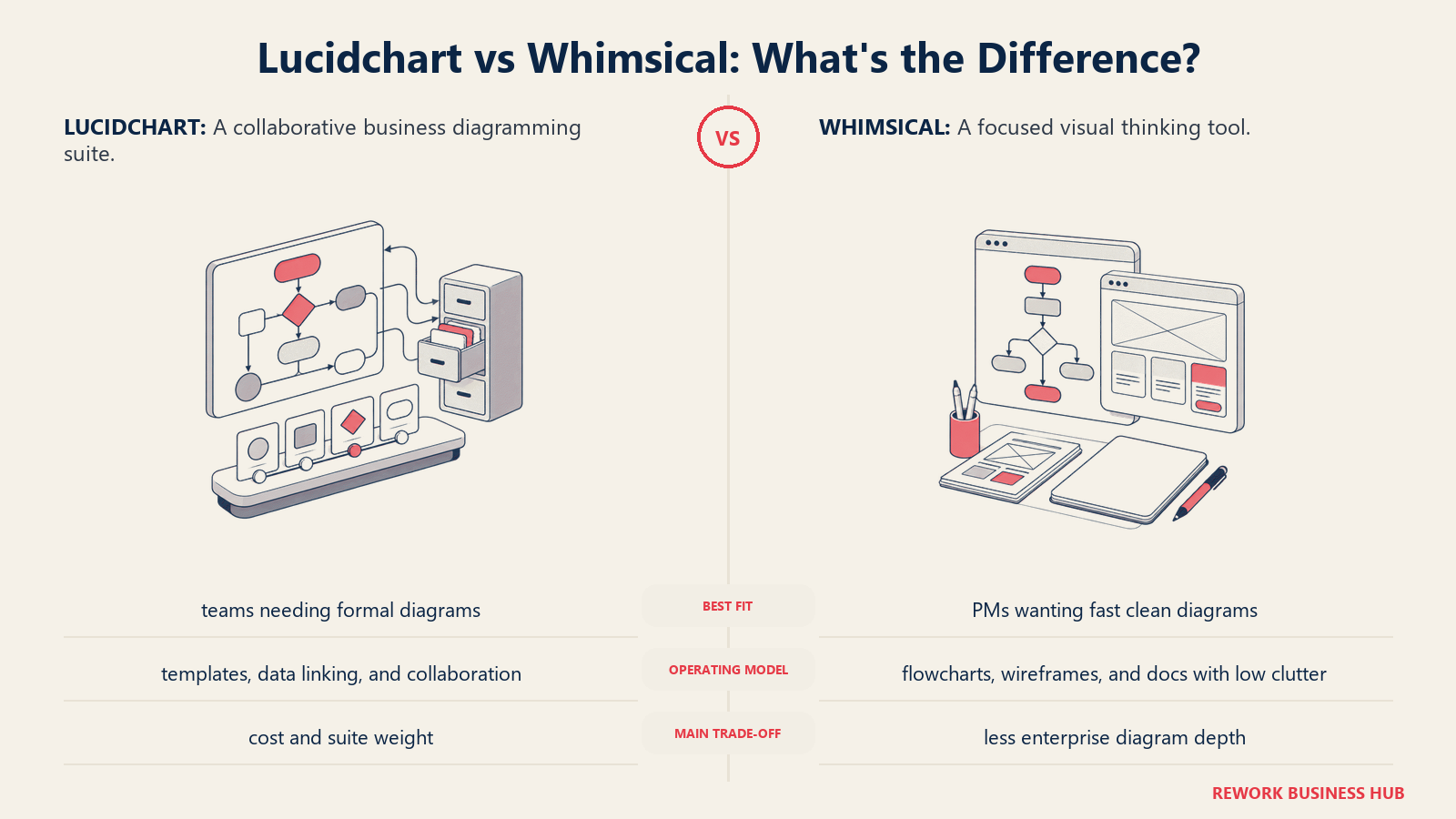
Methodology: Whimsical is built on the belief that clarity comes from constraint. The interface limits options to keep users focused on communication, not formatting. Every shape, color choice, and layout is curated to produce clean-looking outputs without design skills.
Target audience: Product managers, startup founders, UX writers, and growth teams who need quick visual communication tools without a learning curve. The ICP is a PM who makes diagrams a few times a week for stakeholders, not a professional diagrammer.
Sizing fit:
| Team Size | Fit |
|---|---|
| Solo | Excellent: free plan works for most |
| Small team (2-10) | Excellent: Pro plan at $10/editor/mo |
| Mid-size (10-50) | Good: Business plan adds admin controls |
| Enterprise (50+) | Limited: not built for enterprise compliance needs |
Stage fit: Startup and growth stage. Less relevant at enterprise where diagram complexity and governance requirements increase.
Team vs company-wide: Primarily product and strategy teams. Marketing teams use it for content flow planning. Not an IT or engineering diagramming tool.
| Pros | Cons |
|---|---|
| Fastest time-to-diagram in this list | No data-linked shapes or smart diagram features |
| Clean, opinionated UI produces consistently good outputs | No integrations with Confluence, Jira, or GitHub |
| Free plan covers most individual use cases | Not suitable for network, ERD, or technical diagrams |
| Wireframing, mind maps, and docs in one tool | $10/editor/mo (Pro) adds up vs free alternatives |
Pricing: Whimsical Free includes unlimited boards, capped at 50 board objects and 50 doc blocks per month. Pro at $10/editor/mo. Business at $20/editor/mo.
Best for: Product managers and non-technical business users who need clean, fast flowcharts and process diagrams without training or complexity.
6. SmartDraw: Automated Diagram Generation for Org Charts and Compliance
SmartDraw's core differentiator is its auto-layout engine. You type a list of steps or drop in a hierarchy, and SmartDraw draws the diagram for you, arranging shapes, connectors, and labels automatically. For teams that need to generate a lot of org charts, process flows, or standardized documentation quickly, that automation saves real time. SmartDraw also has the most direct Visio compatibility in this list, it imports .vsdx files cleanly, which matters for teams migrating away from Visio.
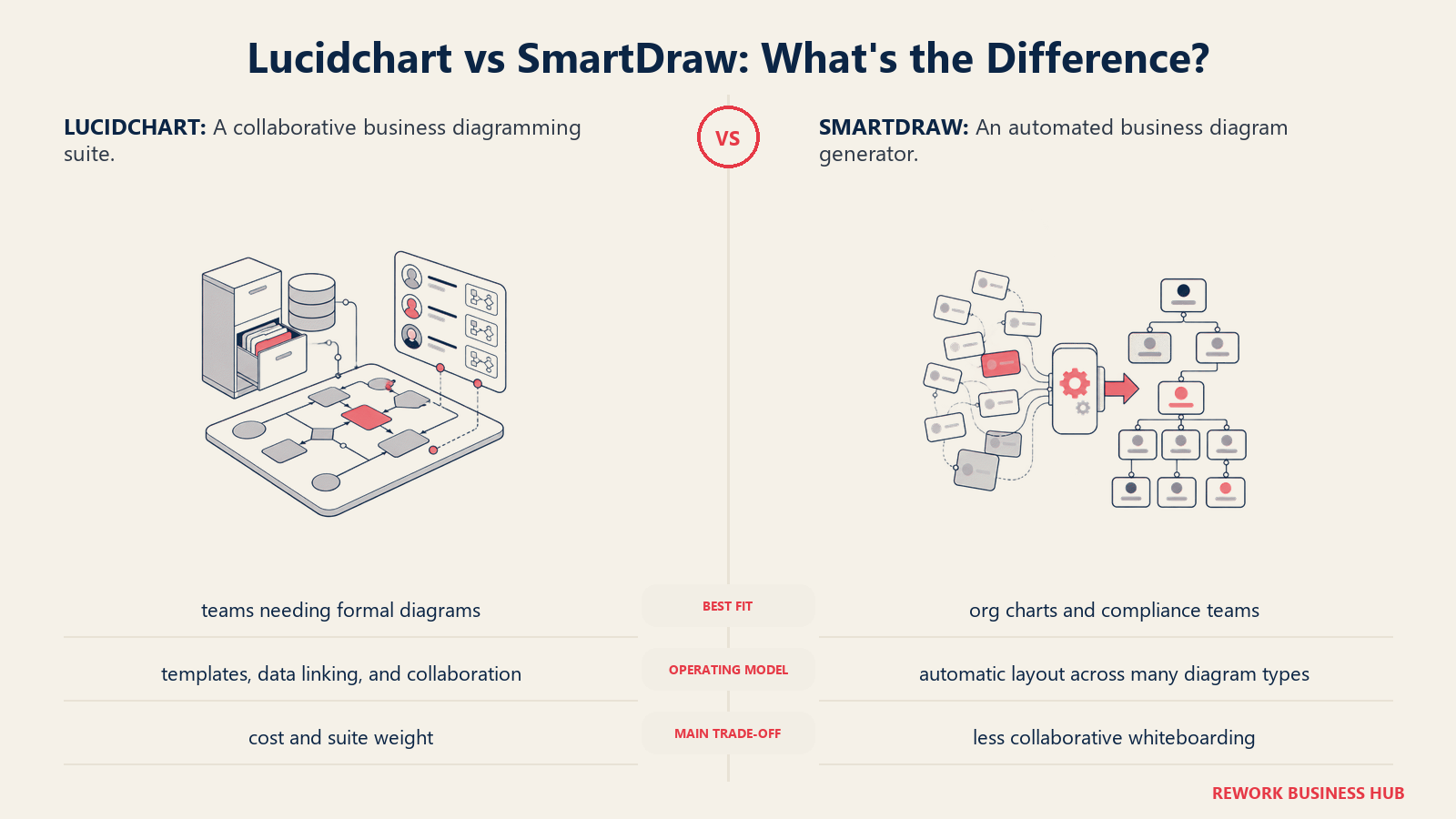
Methodology: SmartDraw treats diagrams as auto-generated outputs of structured data, not hand-placed shapes. The philosophy is that a diagram should be a byproduct of thinking, not the work itself. The auto-layout approach trades creative control for speed.
Target audience: HR teams building org charts, process analysts documenting workflows, compliance and quality teams generating standardized diagrams, and Microsoft Visio users looking for a cheaper cloud alternative with import compatibility.
Sizing fit:
| Team Size | Fit |
|---|---|
| Solo | Good: Individual plan, 7-day trial |
| Small team (2-10) | Strong: Team plan |
| Mid-size (10-50) | Excellent: Site plan at $5.99/user/mo (annual) |
| Enterprise (50+) | Good: custom enterprise option |
Stage fit: Mid-market to enterprise, particularly in compliance-heavy industries. Growth-stage teams with heavy org charting needs also fit well.
Team vs company-wide: HR, operations, and compliance teams primarily. Not a whiteboard or ideation tool.
| Pros | Cons |
|---|---|
| Auto-layout engine generates diagrams from data | Real-time collaboration is less polished than Miro or Lucidchart |
| Best Visio import compatibility in this list | UI looks dated compared to modern tools |
| Site license pricing ($5.99/user/mo) is cost-competitive | Free tier doesn't exist: 7-day trial only |
| 70+ integrations including Microsoft 365, Google Workspace | Less mindshare outside the US enterprise market |
Pricing: SmartDraw Individual at approximately $9.95/mo. Team from $8.25/user/mo. Site (unlimited users) from $5.99/user/mo (annual). Enterprise custom.
Best for: Teams with high org chart or compliance documentation volume, or Visio users who want a cheaper cloud alternative with direct file import.
7. Cacoo: Collaborative Diagramming with Presentation Mode
Cacoo, built by Nulab (the same company behind Backlog and Typetalk), sits in a sweet spot that's genuinely underserved: a well-priced, collaboration-first diagramming tool with a built-in presentation layer. You can create a flowchart in Cacoo and present it slide-by-slide to stakeholders without exporting to PowerPoint. The Nulab ecosystem integrations (Backlog for project management, Typetalk for chat) are a bonus if you're already in that stack.
Methodology: Cacoo's philosophy prioritizes shared diagram editing and stakeholder communication equally. Real-time co-editing (multiple cursors, inline comments, version history) is paired with a presentation mode that lets diagrams double as visual deliverables.
Target audience: Cross-functional business teams, PMs, and operations analysts at small-to-mid-size companies who run regular diagram review meetings. Particularly strong for teams that present process flows or system architecture to non-technical stakeholders and want a single tool for both creating and presenting.
Sizing fit:
| Team Size | Fit |
|---|---|
| Solo | Good: free plan (up to 6 sheets) |
| Small team (2-10) | Excellent: Pro plan at $6/user/mo |
| Mid-size (10-50) | Strong: Team plan |
| Enterprise (50+) | Moderate: Enterprise plan available |
Stage fit: Growth and mid-market teams that run regular internal review processes. Early-stage fits the free plan.
Team vs company-wide: Operations, PM, and strategy teams. Can extend cross-functionally due to presentation mode.
| Pros | Cons |
|---|---|
| Built-in presentation mode: no PowerPoint export needed | Smaller shape library than Lucidchart or Visio |
| Real-time collaboration with inline comments | Less known outside Japan and Asia-Pacific markets |
| Affordable at $6/user/mo with all core features | AI diagram features are limited vs newer tools |
| Integrations: Confluence, Jira, Slack, Google Drive | Nulab ecosystem lock-in if you adopt Backlog too |
Pricing: Cacoo Free for up to 2 users (6 sheets). Pro and Team at $6/user/mo (monthly) or $5/user/mo (annual).
Best for: Small-to-mid teams that diagram frequently and present to stakeholders, wanting a single tool that handles both without exporting.
8. Gliffy: Diagramming Native to Confluence and Jira
If your team lives in Atlassian products, Gliffy is worth a close look before Lucidchart. It's built specifically for Confluence and Jira, diagrams are embedded natively in pages and tickets, version history is tied to page history, and editing happens in-context without opening a separate tab. For teams where the diagram and the Confluence page are the same deliverable, that architecture is genuinely better than embedding a Lucidchart iframe.
Methodology: Gliffy's philosophy is that diagrams should be first-class content inside Atlassian products, not linked externally. The tool is designed for the Confluence content model, diagrams that live in pages, update with page versions, and are searchable alongside page text.
Target audience: Engineering teams, business analysts, and ops leads who already have Confluence or Jira as their documentation platform and want diagramming that integrates without friction. The ICP is a team lead whose company standardized on Confluence who doesn't want to pay for a separate Lucidchart seat for everyone who edits pages.
Sizing fit:
| Team Size | Fit |
|---|---|
| Solo | Good: free for up to 10 users |
| Small team (2-10) | Excellent: free tier covers most teams |
| Mid-size (10-50) | Strong: $3.80/user/mo is very competitive |
| Enterprise (50+) | Good: priced through Atlassian billing |
Stage fit: Any stage that uses Confluence. Especially strong for growth and enterprise teams already invested in the Atlassian ecosystem.
Team vs company-wide: Engineering and ops teams inside Confluence. If your company isn't on Atlassian, Gliffy is irrelevant.
| Pros | Cons |
|---|---|
| Native Confluence integration: diagrams version with pages | Essentially useless outside the Atlassian stack |
| Free for teams up to 10 users | Less polished standalone experience than Lucidchart |
| $3.80/user/mo (11-100 users) is lower than Lucidchart | Fewer diagram types and AI features |
| Billed through Atlassian: one less vendor to manage | Mobile editing is limited |
Pricing: Gliffy for Confluence free for up to 10 users. From $3.80/user/mo for 11-100 users (annual). Standalone Gliffy Online: Personal at $7.99/mo, Team from $4.99/user/mo.
Best for: Teams on Confluence who want native, in-page diagramming without a separate Lucidchart contract.
9. Excalidraw: Open-Source, Hand-Drawn Style Sketching
Excalidraw is the tool you reach for when you want to think visually without ceremony. Its hand-drawn aesthetic is deliberate, it signals "this is a sketch, not a final diagram," which removes the pressure to make things look polished and speeds up collaborative ideation. Engineers in particular adopt it because it's open-source, works entirely in the browser with no account required, and supports end-to-end encrypted collaboration.
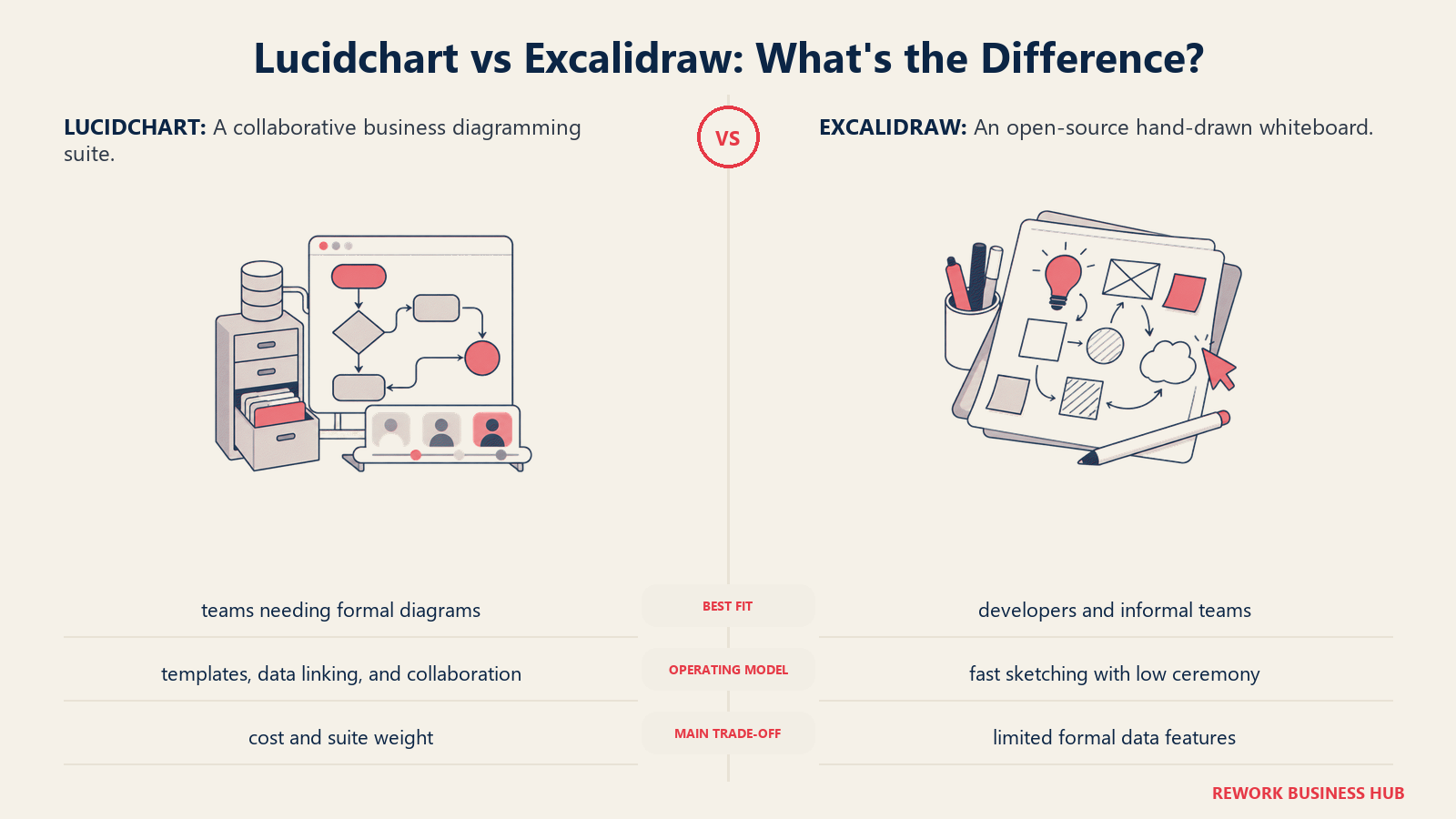
Methodology: Excalidraw's philosophy is radical simplicity. No accounts, no feature menus, no shape libraries with thousands of options. The tool trusts users to communicate ideas clearly through basic shapes, arrows, and text, and the hand-drawn rendering makes rough ideas look intentionally rough rather than accidentally sloppy.
Target audience: Software engineers, solution architects, and technical PMs who want a low-friction tool for whiteboarding system design, sketching data flows, or planning architecture in calls. Also popular with remote engineering teams who run lightweight async design reviews.
Sizing fit:
| Team Size | Fit |
|---|---|
| Solo | Excellent: free, no account needed |
| Small team (2-10) | Excellent: Excalidraw+ adds cloud storage |
| Mid-size (10-50) | Good for eng-led teams |
| Enterprise (50+) | Limited: no enterprise compliance features in core tool |
Stage fit: Startup through growth stage. Common in engineering-led startups. Less relevant in enterprises with compliance requirements.
Team vs company-wide: Engineering and technical teams. Non-technical stakeholders can view and comment but rarely create.
| Pros | Cons |
|---|---|
| Free forever for core use, open-source (MIT license) | No data linking, no smart diagrams, no shape libraries |
| End-to-end encrypted collaboration with no account | No native Confluence or Jira integration |
| VS Code extension embeds diagrams in code repos | Hand-drawn style isn't appropriate for formal deliverables |
| Active open-source community, frequent updates | No AI diagram generation in free tier |
Pricing: Excalidraw core is free. Excalidraw+ at $6/user/mo (annual) or $7/user/mo (monthly) adds cloud storage, collaboration features, and AI.
Best for: Engineering teams who want fast, private, zero-friction technical sketching without vendor lock-in or per-seat costs.
10. EdrawMax (Wondershare): All-in-One Diagramming with 280+ Types
EdrawMax makes a credible case as a Lucidchart replacement for teams that need breadth of diagram type above all else. It covers over 280 diagram types, including floor plans, electrical schematics, infographics, Gantt charts, mind maps, and every standard IT/business diagram, in a single product. The lifetime license option is genuinely unusual in this space: if your team wants to buy once rather than subscribe, EdrawMax is one of the few tools that still offers that.
Methodology: EdrawMax's philosophy is comprehensive coverage, a tool that handles any diagram type a business team might ever need, with an AI layer now generating first drafts from text prompts. The tradeoff is that the breadth comes at the cost of depth and polish in any single category.
Target audience: SMB teams and solo professionals who need a versatile diagramming tool across IT, HR, process, and facilities workflows. Also a strong option for teams in markets where annual subscription pricing is a barrier and a one-time purchase is preferred.
Sizing fit:
| Team Size | Fit |
|---|---|
| Solo / freelance | Excellent: lifetime license is cost-effective |
| Small team (2-10) | Strong: Team plan is competitive |
| Mid-size (10-50) | Good: Enterprise plan available |
| Enterprise (50+) | Moderate: real-time collab is not its strength |
Stage fit: Any stage for breadth-first use cases. Particularly attractive for cost-conscious teams or those in markets with pricing sensitivity.
Team vs company-wide: Primarily operations, IT, HR, and facilities teams. Can extend broadly given the diagram type coverage.
| Pros | Cons |
|---|---|
| 280+ diagram types: widest coverage in this list | UI feels dated compared to Miro or Lucidchart |
| Lifetime license option ($119 one-time for Team) | Real-time collaboration is weaker than dedicated collab tools |
| AI diagram generation from text prompts | Less recognized by enterprise procurement teams |
| Works offline (desktop app on all platforms) | Fewer third-party integrations |
Pricing: EdrawMax Individual from $7.90/mo (annual). Team from approximately $9.92/user/mo (annual). Lifetime Individual license at $119.
Best for: Cost-conscious teams and solo professionals who need the widest possible diagram type coverage, or those who prefer a one-time purchase over a subscription.
11. FigJam: For Teams Already Inside the Figma Ecosystem
FigJam is Figma's whiteboard product, bundled with every Figma paid seat since March 2025. If your team already pays for Figma, you have FigJam, no additional cost. That changes the calculus significantly for design-adjacent teams. But FigJam is built for ideation and collaborative visual thinking, not diagramming. You won't draw an ERD or a network topology in FigJam. For flowcharts, user journey maps, retrospectives, and design workshops, it's excellent.
Methodology: FigJam is designed as the "before" to Figma's "after", a space for unstructured visual collaboration that eventually produces design work in Figma. It prioritizes ease of use for non-designers, with stickies, shapes, and templates that anyone can pick up in five minutes.
Target audience: Product designers, product managers, and cross-functional teams who already use Figma professionally. The ICP is a product team that runs sprint retros, user journey maps, and design critiques and wants those activities to happen in the same ecosystem as their design work.
Sizing fit:
| Team Size | Fit |
|---|---|
| Solo | Good: starter plan includes FigJam |
| Small team (2-10) | Excellent if already on Figma |
| Mid-size (10-50) | Strong for design-led organizations |
| Enterprise (50+) | Good: bundled in enterprise Figma contracts |
Stage fit: Growth and mature product companies with an established Figma-first design culture.
Team vs company-wide: Product design and adjacent teams. Not company-wide for diagramming, engineering and ops teams will need a different tool.
| Pros | Cons |
|---|---|
| Included with every Figma paid seat: no extra cost | Not a diagramming tool, no ERD, network, or data-linked diagrams |
| Seamless connection to Figma design files | Only valuable if you're already paying for Figma |
| Strong templates for retrospectives, user journeys, workshops | AI features consume credits that reset monthly |
| Easy for non-designers: no training needed | Limited integration outside the Figma/Atlassian ecosystem |
Pricing: FigJam Professional at $3/editor/mo (annual), bundled with Figma seats. Organization plan at $5/editor/mo.
Best for: Teams already on Figma paid plans who want a zero-cost whiteboard for design workshops and collaborative planning, not for technical diagramming.
12. Mermaid Chart: Code-Based Diagrams for Developer Workflows
Mermaid Chart is the only tool in this list where you write diagrams as code. You type a text syntax and the tool renders the diagram automatically. That sounds niche, but it solves a real problem: diagrams that live in markdown (GitHub READMEs, documentation sites, Notion pages) stay in sync with the codebase because they're text files. When your architecture changes, you edit one line of text, not a shape on a canvas. AI generation now writes the Mermaid syntax for you, which removes the main adoption barrier.
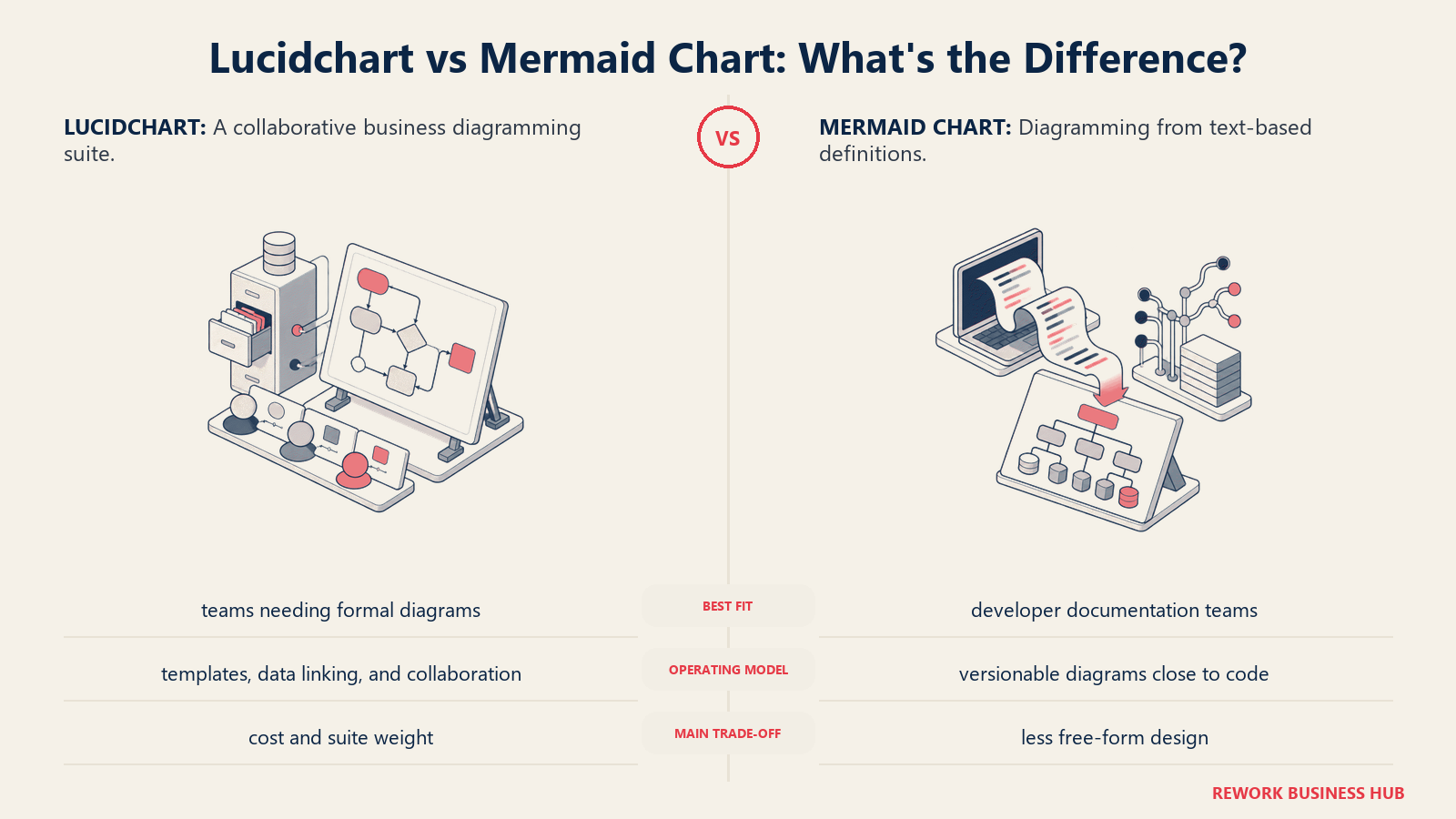
Methodology: Mermaid's philosophy is that diagrams should be version-controlled, diff-able, and treated as code artifacts. The bet is that for developer and data teams, text is a more durable and maintainable format than a GUI canvas.
Target audience: Software engineers, data engineers, technical writers, and DevOps teams who write documentation in markdown, use GitHub or GitLab for documentation, and want diagrams that live in their repositories. The ICP is a senior engineer who's tired of their architecture diagrams going stale because updating them requires opening a separate tool.
Sizing fit:
| Team Size | Fit |
|---|---|
| Solo engineer | Excellent: free plan |
| Small team (2-10) | Strong: Plus plan for unlimited diagrams |
| Mid-size (10-50) | Good: Premium plan with team collab |
| Enterprise (50+) | Good: Enterprise with SSO and custom contracts |
Stage fit: Any engineering-led team at any stage. Particularly relevant at growth and mature stages where technical documentation debt becomes a real problem.
Team vs company-wide: Engineering and technical documentation teams only. Non-technical stakeholders won't adopt text-based diagramming.
| Pros | Cons |
|---|---|
| Diagrams as code: version-controlled, diff-able, Git-friendly | Requires learning the Mermaid syntax (AI helps, but still a barrier) |
| Native in GitHub, GitLab, Notion, Obsidian: no external tool needed | Not suitable for non-technical teams |
| AI generation writes syntax from natural language prompts | No visual polish: output is functional, not beautiful |
| Free tier is genuinely usable for solo work | Limited to supported diagram types in the syntax |
Pricing: Mermaid Chart free for 3 diagrams. Paid plans from approximately $5-8/user/mo (annual billing). Check current pricing on their site.
Best for: Developer and data teams who want version-controlled, code-native diagrams that live in their documentation repositories without a separate SaaS tool.
Stage Fit Matrix
| Tool | Startup (0-10) | Growth (10-50) | Mid-Market (50-200) | Enterprise (200+) |
|---|---|---|---|---|
| Microsoft Visio | Limited | Good (M365 shops) | Strong | Excellent |
| draw.io | Excellent | Excellent | Strong | Good |
| Miro | Good | Excellent | Strong | Excellent |
| Creately | Good | Excellent | Strong | Good |
| Whimsical | Excellent | Strong | Good | Limited |
| SmartDraw | Moderate | Good | Excellent | Good |
| Cacoo | Good | Excellent | Strong | Moderate |
| Gliffy | Good (Atlassian) | Strong (Atlassian) | Strong (Atlassian) | Good (Atlassian) |
| Excalidraw | Excellent | Strong | Good (eng teams) | Limited |
| EdrawMax | Excellent | Strong | Good | Moderate |
| FigJam | Good (Figma users) | Strong (Figma users) | Good (Figma users) | Good (Figma users) |
| Mermaid Chart | Excellent (eng) | Strong (eng) | Good (eng) | Good (eng) |
Sizing and Persona Table
| Tool | Team Size Sweet Spot | Primary Buyer | Secondary Buyer |
|---|---|---|---|
| Microsoft Visio | 10-500 (IT/eng teams) | IT Director / Solution Architect | Network Engineer |
| draw.io | 1-500+ (any team) | Engineering Lead / DevOps | Operations Analyst |
| Miro | 5-500+ | Head of Product | Agile Coach / VP Design |
| Creately | 5-200 | Operations Lead / PM | Business Analyst |
| Whimsical | 1-50 | Product Manager | Startup Founder |
| SmartDraw | 10-200 | HR Director / Process Analyst | IT Manager |
| Cacoo | 2-100 | Team Lead / PM | Operations Manager |
| Gliffy | 5-500 (Atlassian) | Engineering Manager | Confluence Admin |
| Excalidraw | 1-50 (eng teams) | Staff Engineer | Technical PM |
| EdrawMax | 1-100 | Solo Professional / SMB Owner | IT Manager |
| FigJam | 2-200 (Figma users) | Design Lead / VP Product | Product Manager |
| Mermaid Chart | 1-100 (eng teams) | Staff Engineer / Technical Writer | DevOps Lead |
How to Choose: Decision Framework
| If you need... | Choose |
|---|---|
| Enterprise IT/network diagrams and you're on Microsoft 365 | Microsoft Visio |
| Zero cost, full features, no seat limits | draw.io |
| Real-time whiteboarding and workshops alongside diagrams | Miro |
| Diagramming plus lightweight project management in one tool | Creately |
| Fast flowcharts for business teams with no learning curve | Whimsical |
| Automated org charts, Visio file import, compliance diagrams | SmartDraw |
| Diagramming that doubles as a presentation deliverable | Cacoo |
| Native in-page diagrams inside Confluence or Jira | Gliffy |
| Hand-drawn technical sketching with open-source privacy | Excalidraw |
| Maximum diagram type coverage or a one-time license | EdrawMax |
| You're already on Figma and need a whiteboard: no budget | FigJam |
| Developer docs with version-controlled, code-native diagrams | Mermaid Chart |
| Need data-linked smart shapes and deep Atlassian integration | Stay on Lucidchart |
What to Do Next
Identify the one or two tools from the decision framework above that match your real use case, then run a two-week pilot with a live project. Don't evaluate in demos; evaluate by recreating one diagram your team actually uses, whether that's a process flow, an org chart, a system architecture sketch, or a sprint planning board. The tool that gets adopted is the one that fits naturally into how your team already works, not the one with the most features on a spec sheet.
For teams primarily leaving Lucidchart over cost: draw.io and Excalidraw handle the majority of real diagramming needs at zero cost. For teams leaving because their collaboration needs have grown beyond diagramming: Miro is the natural next step. For teams inside the Atlassian stack who want tighter integration: Gliffy beats Lucidchart's Confluence integration for most use cases.
Teams evaluating best Jira alternatives alongside their diagramming tool switch often find that the same integration question surfaces: the tools that win (draw.io, Gliffy, Mermaid) are the ones that integrate where the work already happens, not where it needs to be exported.
Camellia writes about product and design tooling for B2B teams. Last updated June 2026.

Principal Product Marketing Strategist
On this page
- Quick Comparison Table
- 1. Microsoft Visio: The Enterprise Standard for Complex Diagrams
- 2. draw.io (diagrams.net): The Free Default for Practical Diagramming
- 3. Miro: The Whiteboard That Does Diagrams Too
- 4. Creately: Diagrams with a Project Management Layer
- 5. Whimsical: Fast Flowcharts for PMs and Non-Designers
- 6. SmartDraw: Automated Diagram Generation for Org Charts and Compliance
- 7. Cacoo: Collaborative Diagramming with Presentation Mode
- 8. Gliffy: Diagramming Native to Confluence and Jira
- 9. Excalidraw: Open-Source, Hand-Drawn Style Sketching
- 10. EdrawMax (Wondershare): All-in-One Diagramming with 280+ Types
- 11. FigJam: For Teams Already Inside the Figma Ecosystem
- 12. Mermaid Chart: Code-Based Diagrams for Developer Workflows
- Stage Fit Matrix
- Sizing and Persona Table
- How to Choose: Decision Framework
- What to Do Next