Best tl;dv Alternatives in 2026: 14 Tools for Cheaper Notes or Deeper Coaching
Turn this article into takeaways for your work.


Each assistant summarizes the article only for you and suggests best practices for your work.
If you're shopping for a tl;dv alternative in 2026, Fireflies.ai and Otter.ai are the closest plain-notetaker swaps at a fraction of the cost, Fathom and Granola beat tl;dv on free-tier generosity, and Avoma, Jiminny, and Gong are the real coaching platforms to look at if you want what tl;dv Business promises without landing in the exact same price trap. This guide ranks 14 tools and splits them cleanly into two groups, cheaper plain notetakers and real coaching platforms, because that split is the actual decision most tl;dv shoppers are making.
Most people who go looking for a tl;dv alternative land here for one of four reasons: the jump from Pro to Business adds about 60% per seat, the free tier's recordings quietly age out, they want CRM write-back that doesn't route through Zapier, or they want a coaching platform that doesn't feel like an afterthought bolted onto a notetaker.
What's Changed in 2026
- tl;dv's tier gap narrowed, but it's still a jump. Pro runs $18/seat/mo annual and Business $29/seat/mo annual, far below the Business rate tl;dv charged a couple of years ago. Team-wide integrations, automations and objection-handling analysis still sit only on Business.
- Avoma quietly renamed its entry tier from Starter to Startup, still $19/recorder-seat/mo annual with the same 25-seat cap.
- Sembly's Basic tier, added March 2026 at roughly $10/user/mo annual, closed the gap between its free trial and Pro.
- Fathom's 90-day guarantee now covers Premium, Team, and Business, still the most generous in this category. tl;dv, Otter, Fireflies, and Granola offer none at all.
- Bluedot matured into a real budget, bot-free option, with a four-tier structure that undercuts Granola on the entry paid tier.
Key Facts
- 79% of IT leaders experienced a price increase at renewal in the past 12 months, per Zylo's 2026 SaaS Management Index, the exact dynamic behind tl;dv's Pro-to-Business jump.
- Sellers are 63% more likely to become top performers when they get an effective manager, training, and regular coaching, per RAIN Group research cited by Gong.
- 50% of US employees now use AI at work at least a few times a year, up from 46% the previous quarter, per Gallup's Q1 2026 workforce survey.
- 1 in 5 workers (20%) now use AI tools to automatically generate meeting notes, and 30% skip meetings entirely, trusting an AI assistant to capture what matters, per a Software Finder survey reported by Forbes.
- The average large organization spends roughly $80,000 per employee a year on meetings, and if a third of that is unproductive, a 5,000-person company wastes about $101 million annually, per research led by UNC Charlotte's Dr. Steven Rogelberg for Otter.ai, reported by CBS News.
Quick Comparison Table
| Tool | Best For | Starting Price | Key Strength | Key Limitation |
|---|---|---|---|---|
| Fireflies.ai | CRM-synced notes for sales teams | Free; Pro from $10/seat/mo | Native Salesforce, HubSpot, Pipedrive, Zoho sync | Free storage caps at 400 minutes for the whole team |
| Otter.ai | Searchable transcripts company-wide | Free; Pro from $8.33/user/mo | Deep full-text search across meeting history | Thinner native CRM sync than Fireflies |
| Fathom | Best free tier of any tool on this list | Free; Team from $15/user/mo | Unlimited free recording, 90-day guarantee | No coaching depth versus Avoma or Jiminny |
| Granola | Teams that don't want a bot on calls | Free; Business $14/user/mo | No visible bot, works from live notes | Free tier history cap isn't publicly stated |
| Circleback | Post-meeting automations without setup | No free tier; $20.83/user/mo | Automations trigger from meeting content | No standing free plan, trial only |
| Bluedot | Budget bot-free capture | Free; Basic $14/mo | Cheapest paid entry point in the group | Video capture requires the Pro tier |
| Grain | Revenue teams wanting light coaching cheap | Free; Starter $19/seat/mo | AI coaching features below Avoma pricing | Business tier price isn't published |
| Read AI | Sentiment across meetings, email, and chat | Free; Pro from $15/mo | Coaching-style participation scoring | Per-recorder license, not workspace-wide |
| Sembly | Structured documentation at scale | Basic from $10/user/mo | Multi-meeting AI chat, workspace automations | No standing free tier |
| Zoom AI Companion | Zoom-native orgs avoiding a new vendor | Included from $14.16/user/mo | Zero extra line item on a paid Zoom plan | Weak outside the Zoom ecosystem |
| Microsoft Teams Premium | Teams-native orgs wanting in-app recap | $10/user/mo | Recap lives inside Teams, no new app | Full Copilot license costs 3x more |
| Avoma | Coaching and forecasting without Gong money | 14-day trial; Startup $19/seat/mo | Conversation, revenue, and scheduling in one tool | Full stack with add-ons nears $77/seat/mo |
| Jiminny | Dedicated revenue coaching, mid-market | Quote only (~$83-100/user/mo) | Purpose-built coaching scorecards | Pricing isn't public, annual contract required |
| Gong | Enterprise conversation intelligence | Quote only, platform fee applies | The category benchmark for deal intelligence | Priced and built for enterprise, not small teams |
The Cliff tl;dv Readers Are Actually Shopping Around
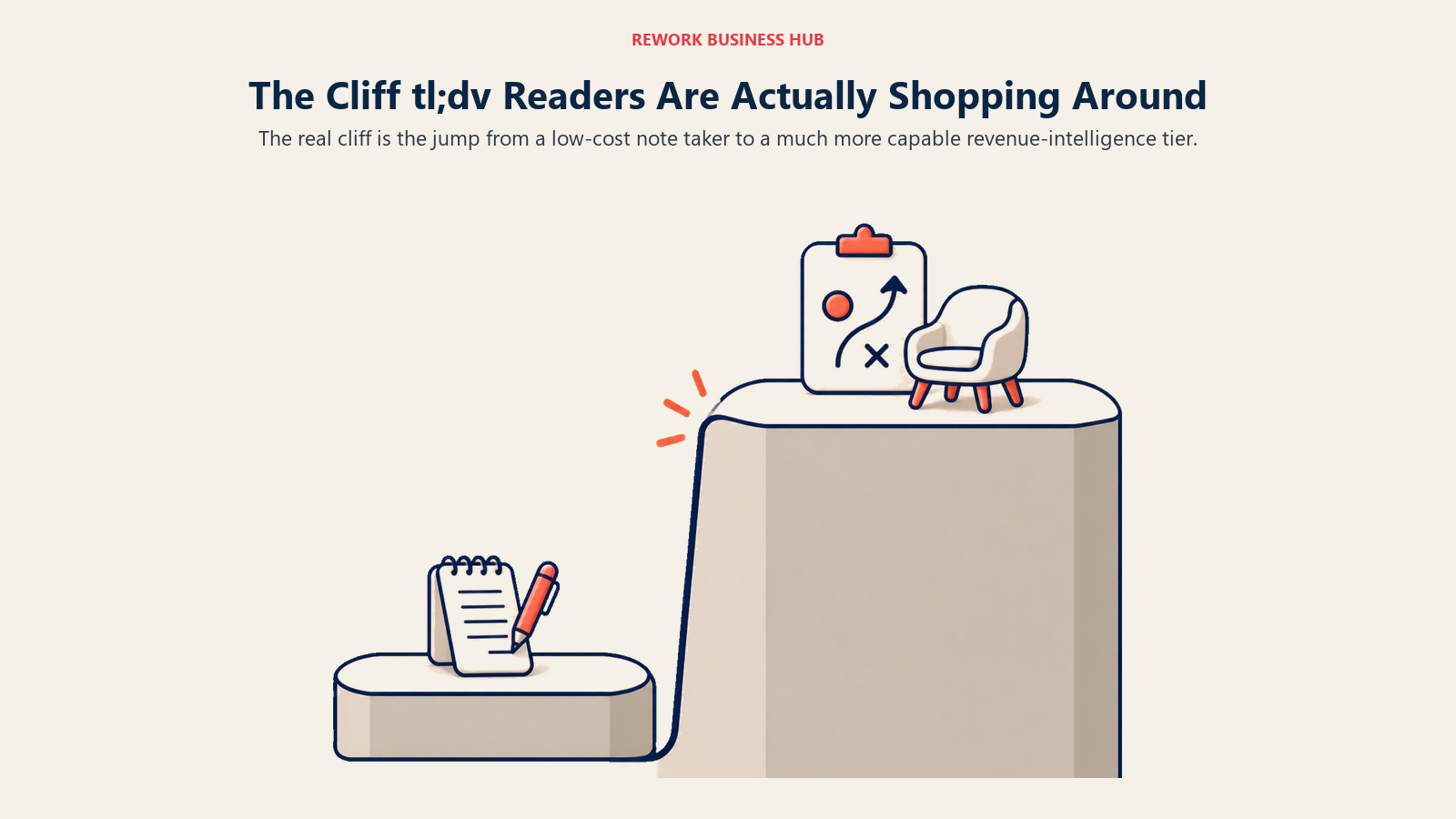
tl;dv's pricing has a gap in it, not a gradient. Pro tops out at $18/seat/mo annual with unlimited AI notes and integrations set up person by person. Business starts at $29/seat/mo annual, and that's where team-wide integrations and automations, AI playbook monitoring, and objection-handling analysis live. There's nothing in between. A team that wants a little more than Pro but doesn't need the full Business suite has to pay for the whole jump anyway.
Billing term matters more than the tier name here. Month to month, tl;dv lists Pro at $29 and Business at $39 per seat, and some regions see euro figures at the same numbers, so price the term you'll actually sign.
That gap is exactly where most of the tools below sit. The table splits every alternative into the price band it actually competes in, so you can see where tl;dv leaves money on the table in both directions.
| Price band | tl;dv's own tier here | Cheaper notetaker options | Coaching-platform options |
|---|---|---|---|
| Free | tl;dv Free (10 AI notes lifetime, 3-month auto-delete) | Fathom, Otter Basic, Fireflies Free, Granola Basic, Bluedot Free, Read AI Free | None |
| ~$8 to $20/user/mo | tl;dv Pro, $18/user/mo annual | Otter Pro $8.33, Fireflies Pro $10, Sembly Basic $10, Granola Business $14, Fathom Team $15, Bluedot Pro $20 | Grain Starter $19 (light coaching features) |
| ~$19 to $40/user/mo | tl;dv Business, $29/seat/mo annual | Fireflies Business $19, Fathom Business $25, Sembly Pro $20, Read AI Enterprise $22.50, Bluedot Business $32 | Avoma Startup $19 to $39, Sembly MAX $30 |
| ~$50/user/mo and up | Nothing; tl;dv stops at Business before Enterprise quotes | None left, this is enterprise territory | Avoma with add-ons ($77/seat), Jiminny ($83 to $100), Gong (custom) |
Free Tier and Data Retention Reality Check
tl;dv's free tier is generous on the surface (unlimited meetings, unlimited viewers) and much stricter underneath: only 10 AI summaries for the account's entire lifetime, and recordings auto-delete after 3 months. If you've ever lost a call you meant to pull a quote from, this is usually why. Every tool below has its own version of that fine print, and it rarely matches the sticker price.
| Tool | Free or Entry Tier Retention | The Catch |
|---|---|---|
| tl;dv | 10 AI summaries, lifetime | Recordings auto-delete after 3 months on Free |
| Fireflies.ai | 400 minutes of storage for the whole team | Not time-based, but a hard ceiling the whole team shares |
| Otter.ai | 300 minutes/month | Resets monthly, tight for daily back-to-back calls |
| Fathom | Unlimited recording and transcription | No stated cap found on the current free plan |
| Granola | Meeting history is capped | Exact limit isn't published on Granola's current pricing page |
| Bluedot | 5 meetings, lifetime | Cancel a paid plan and you get 1 month to reactivate before recordings are permanently deleted |
| Grain | 20 meetings included on Free | Not stated whether the cap resets or is lifetime |
| Read AI | 5 meetings/month | Resets monthly, not a permanent deletion |
| Avoma, Sembly, Circleback | No standing free tier | Trial-only; Avoma's 14-day trial unlocks the full stack including add-ons |
How to Choose: Sizing and Team Fit
| Team Size | Cheaper Notetaker Fit | Coaching Platform Fit |
|---|---|---|
| 1 to 10 people | Fathom, Granola, or Bluedot free/entry tiers | Not worth the spend yet |
| 10 to 50 people | Otter Pro, Fireflies Pro, or Sembly Basic/Pro | Avoma Startup if coaching is already a priority |
| 50 to 200 people | Fireflies Business, Read AI Enterprise, Bluedot Business | Avoma Organization, Jiminny |
| 200+ people | Otter or Fireflies Enterprise, Sembly MAX | Gong, Avoma Enterprise |
Before you shortlist anything, it's worth checking our broader Best AI Meeting Assistants and Notetakers roundup, since several tools here (Otter, Fireflies, Fathom, Granola) compete just as hard outside the tl;dv-specific angle, and the category context helps you weigh trade-offs you won't see in a head-to-head.
The Cheaper, Plain Notetakers
These are the tools worth checking if your actual complaint about tl;dv is price, not depth. Most teams that leave tl;dv for one of these still get everything they were using day to day: transcripts, summaries, action items, and CRM sync at Pro-tier money or less.
1. Fireflies.ai: CRM-Synced Notes for Sales Teams
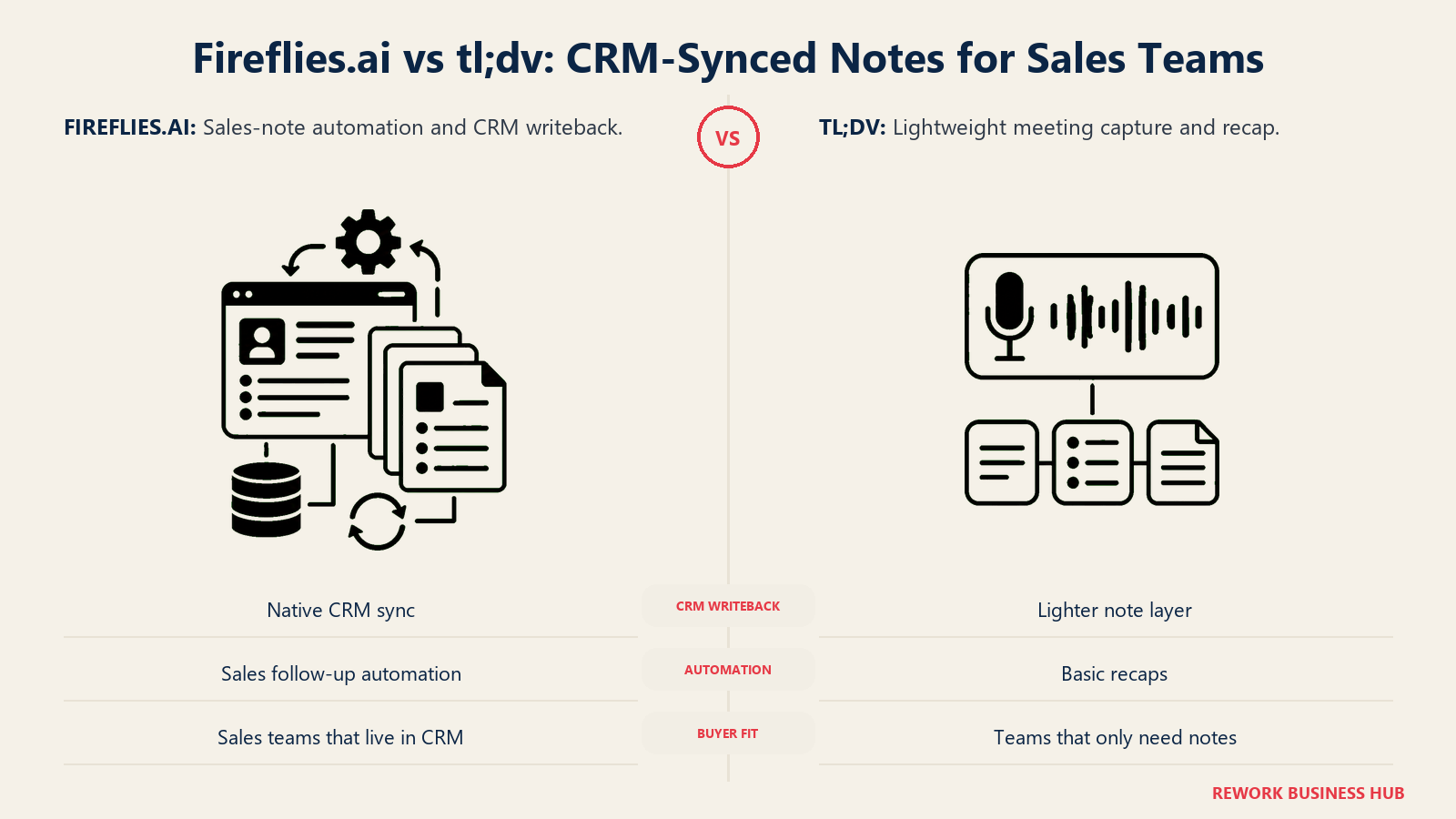
Fireflies built its product around the handoff from a call to a CRM record. Native sync to Salesforce, HubSpot, Pipedrive, and Zoho updates deal fields and call notes without a rep touching the CRM, which is a meaningfully deeper integration than tl;dv Pro's per-person integrations (team-wide integrations on tl;dv don't show up until Business, at $29/seat/mo annual).
The catch: "unlimited transcription and AI summaries" doesn't mean unlimited AI actions. A separate AI Credits system (20 on Free and Pro, 30 on Business, 50 on Enterprise) governs automations and AI queries, and heavy users burn through it fast. For more on where Fireflies stacks up against two of its closest rivals, see our Otter vs Fireflies vs Fathom comparison, and for a deeper dive on Fireflies specifically, our Best Fireflies Alternatives guide covers who else competes at this price point.
| What you get | What you don't |
|---|---|
| Native CRM sync to 4 major platforms at Pro pricing | AI Credits cap automations separately from transcription |
| Unlimited transcription and summaries on every tier | Free tier storage caps at 400 minutes for the whole team |
| Business tier unlocks conversation intelligence | Enterprise is annual-billing only |
Pricing: Free $0 (400 min storage/team, 20 AI credits); Pro $10/seat/mo annual ($18 monthly, 8,000 min/seat storage); Business $19/seat/mo annual ($29 monthly, unlimited storage); Enterprise $39/seat/mo (annual only).
Best for: Sales teams that want native CRM write-back without paying tl;dv Business prices for it.
2. Otter.ai: Searchable Transcripts Company-Wide
Otter wasn't built for sales specifically, it was built as a shared transcript layer for any meeting, which shows up as its biggest strength: deep full-text search across a team's entire meeting history. That's a different job than tl;dv's coaching angle, and for teams whose real complaint is "I can't find what was said three weeks ago," it's the more direct fix.
The tradeoff against tl;dv is depth, not price. Otter's CRM integrations are thinner than Fireflies or tl;dv Business, and Pro's 90-minute meeting cap and 1,200 monthly minutes push heavy users toward Business fast. Our Best Otter.ai Alternatives guide covers who else fits if search depth is the priority.
| What you get | What you don't |
|---|---|
| Deep full-text search across meeting history | Basic native CRM sync compared with Fireflies |
| Works across Zoom, Teams, Meet, and file imports | Per-meeting and monthly minute caps below Business |
| Far cheaper than tl;dv Business for teams that don't need coaching | No AI coaching scorecards at any tier |
Pricing: Basic free (300 min/mo, 30-min meeting cap, up to 5 workspace members); Pro $8.33/user/mo annual ($16.99 monthly, 1,200 min/mo, up to 5 billed users); Business $19.99/user/mo annual ($30 monthly, unlimited meeting length, up to 25 billed users); Enterprise custom.
Best for: Teams that want searchable meeting memory across the whole company more than deal coaching.
3. Fathom: The Most Generous Free Tier Here
Fathom's free plan is unlimited recording and transcription with no minute cap and no stated AI-summary limit, which is a wider free tier than tl;dv's 10-summaries-lifetime cap by a wide margin. For a team that just wants to try real AI notes before committing to anything, that's the lowest-risk starting point on this whole list.
The 90-day money-back guarantee across Premium, Team, and Business is also a genuine differentiator; tl;dv, Otter, Fireflies, and Granola all offer no guarantee at all. Fathom's coaching features exist at the Business tier but stay basic next to Avoma or Jiminny. Our Best Fathom Alternatives guide covers what to check if Fathom's free tier isn't quite enough.
| What you get | What you don't |
|---|---|
| Genuinely unlimited free recording and transcription | Coaching depth is basic next to Avoma or Jiminny |
| 90-day money-back guarantee, best in this category | Team tier pricing sits oddly close to Premium |
| Cheaper than tl;dv Pro at every paid tier | No native Salesforce/HubSpot depth like Fireflies Business |
Pricing: Free (unlimited recording); Premium $16/mo annual ($20 monthly, individual); Team $15/user/mo annual ($19 monthly, 2-user minimum); Business $25/user/mo annual ($34 monthly, 2-user minimum); Enterprise custom.
Best for: Teams that want to test real AI meeting notes with zero financial risk before paying anything.
4. Granola: No Visible Bot Joining Your Calls
Granola's whole pitch is a workflow difference, not a feature checklist. Instead of a bot avatar announcing itself on every call the way tl;dv does, Granola runs quietly and blends your own live typed notes with the audio to produce a cleaner summary afterward. For founder-led teams doing external calls where a bot feels awkward, that matters more than a longer feature list.
Granola's free plan caps meeting history, though the exact number isn't published on its current pricing page (treat it as tighter than it looks and budget for Business if you're growing fast). If you're comparing bot-free options against a heavier search-first tool, our Granola vs Otter comparison breaks down the tradeoff directly, and our Best AI Tools for Startups guide covers where Granola fits alongside other early-stage picks.
| What you get | What you don't |
|---|---|
| No visible bot avatar on any call | Free tier's exact history cap isn't published |
| Works from live human notes plus audio | Less native CRM depth than Fireflies at the same price |
| CRM integrations start at Business, $14/user/mo | Enterprise ($35/user/mo) is a steep jump for SSO alone |
Pricing: Basic free (meeting history capped, limit not publicly stated); Business $14/user/mo; Enterprise $35/user/mo.
Best for: Founders and small teams who want clean personal notes without a bot visibly on the call.
5. Circleback: Automations That Trigger Themselves
Circleback's edge shows up after the meeting ends, not during it. CRM field updates, follow-up email drafts, and task creation trigger automatically from meeting content, no workflow builder required. tl;dv can do some of this too, but only through Zapier on Pro or native integrations on Business; Circleback builds the automation layer into the base product.
The tradeoff is upfront commitment: there's no standing free tier, only a trial, and both the Individual and Team plans require paying from day one.
| What you get | What you don't |
|---|---|
| Automations trigger from meeting content, no setup | No free tier, trial-only before you commit |
| Unlimited meetings on every paid plan | Thinner integration list than Fireflies |
| Cheaper entry point than tl;dv Business | Team tier's annual discount isn't clearly published |
Pricing: Individual $20.83/user/mo annual ($25 monthly); Team $25/user/mo (vendor page doesn't separately publish an annual rate for this tier, confirm before purchase); Enterprise custom.
Best for: Teams that want post-meeting automation without configuring workflows themselves.
6. Bluedot: The Budget Bot-Free Option
Bluedot competes directly with Granola on the bot-free pitch but undercuts it on price at the entry paid tier. Basic starts at $14/mo annual for unlimited audio-only meetings; video capture and unlimited recording length require Pro. The free plan is thinner than most on this list (5 meetings, ever, not monthly), so treat it as a proper trial rather than a long-term free option.
Data handling is worth flagging directly: cancel a paid plan and Bluedot gives you one month to reactivate before recordings are permanently deleted, a shorter grace window than most competitors publish at all.
| What you get | What you don't |
|---|---|
| Cheapest paid bot-free entry point in this list | Free tier caps at 5 meetings, lifetime, not monthly |
| Video capture and CRM sync at Pro and Business | 1-month grace period before deleted data is gone for good |
| Custom data retention only at Business, $32/mo annual | Smaller integration list than Fireflies or Otter |
Pricing: Free (5 meetings lifetime, 1-hour cap); Basic $14/mo annual ($18 monthly, audio-only); Pro $20/mo annual ($25 monthly, video); Business $32/mo annual ($39 monthly, CRM/ATS sync, SSO); Flat Rate custom.
Best for: Budget-conscious teams that want Granola's bot-free workflow at a lower paid entry point.
7. Grain: Light Coaching Without Coaching-Tier Pricing
Grain sits closer to the coaching side of this list than the other notetakers here, without landing in Avoma or Gong pricing territory. Its Business-tier features (AI coaching prompts, custom follow-up emails, team interaction insights) start showing up well below what a dedicated conversation-intelligence platform charges, making it a reasonable middle step for a team that wants a taste of coaching before committing to Avoma or Jiminny.
Grain doesn't publish Business-tier pricing clearly; it reportedly runs anywhere from roughly $29 to $48 per seat per month, so confirm directly with Grain sales before budgeting.
| What you get | What you don't |
|---|---|
| Coaching-style features below Avoma's price floor | Business tier price isn't published on Grain's own page |
| Free tier includes 20 meetings to test the workflow | Business-tier pricing isn't clearly published |
| Starter confirmed at $19/seat/mo annual | Less enterprise track record than Gong or Avoma |
Pricing: Free $0 (20 meetings included); Starter $19/seat/mo billed annually; Business not published (reportedly $29 to $48/seat/mo); Enterprise custom.
Best for: Teams wanting a first step into coaching features without paying Avoma or Gong money yet.
8. Read AI: Sentiment Across Meetings, Email, and Chat
Read AI's real differentiator is scope. Most tools here stop at the meeting; Read AI extends into email and Slack/Teams sentiment analysis plus a meeting coach that scores talk-time balance and participation. That's closer to a coaching feature than a plain notetaker offers, but it's priced and packaged like one, which is why it sits on this side of the list.
The licensing model trips people up: it's per-recorder, meaning one license only covers that person's own meetings, not workspace-wide capture the way tl;dv Business or Fireflies Business work.
| What you get | What you don't |
|---|---|
| Sentiment analysis across meetings, email, and chat | Per-recorder license only, not workspace-wide |
| Participation coaching baked into every paid tier | Free tier caps at 5 meetings/month |
| Cheaper entry point than tl;dv Business | Enterprise+ requires a 5-license minimum |
Pricing: Free (5 meetings/mo); Pro $15/mo annual ($19.75 monthly); Enterprise $22.50/mo annual ($29.75 monthly); Enterprise+ $29.75/mo annual ($39.75 monthly, 5+ license minimum).
Best for: Managers who want communication insight beyond meetings without a dedicated coaching platform's price tag.
9. Sembly: Structured Documentation at Workspace Scale
Sembly's differentiator is depth of documentation and automation at the workspace level, not the individual meeting. Pro and above unlock multi-meeting AI chat, so you can query across a whole collection of past meetings instead of one at a time, which tl;dv doesn't offer at any tier.
MAX adds HIPAA compliance and custom SSO at $30/user/mo annual, a genuinely competitive price for that compliance bundle. There's no standing free tier, only paid Basic as the entry point.
| What you get | What you don't |
|---|---|
| Multi-meeting AI chat across a whole workspace | No standing free tier, Basic is the entry point |
| HIPAA and custom SSO bundled at MAX, $30/user/mo | Smaller integration ecosystem than Fireflies |
| History scales with tier: 1 year, 2 years, unlimited | Up to 500-user cap on MAX before Enterprise |
Pricing: Basic $10/user/mo annual ($17 monthly, 1-year history); Pro $20/user/mo annual ($29 monthly, 2-year history); MAX $30/user/mo annual ($39 monthly, unlimited history); Enterprise custom.
Best for: Teams that want structured, searchable documentation and compliance controls without notetaker-plus-add-on pricing.
10. Zoom AI Companion: Already Paid For on a Zoom Plan
If your company already runs Zoom, AI Companion ships free with any paid Zoom Workplace plan starting at Pro, $14.16/user/mo billed annually. There's no separate AI line item stacked on top, which makes it the cheapest option on this entire list for a Zoom-native org, effectively $0 marginal cost.
The limitation is scope: AI Companion is strong inside Zoom and weak as a cross-platform tool, so a team running a mix of Zoom, Teams, and Meet won't get unified coverage from it alone the way tl;dv covers all three natively.
| What you get | What you don't |
|---|---|
| Zero new AI line item on a paid Zoom plan | Not available on Zoom's free Basic plan |
| No visible bot avatar joining calls | Weak coverage outside the Zoom ecosystem |
| Cheapest option here for Zoom-native orgs | Less deep CRM automation than Fireflies or tl;dv Business |
Pricing: Included from $14.16/user/mo (Zoom Workplace Pro, billed annually).
Best for: Zoom-native organizations that want AI meeting notes without adding a new vendor relationship.
11. Microsoft Teams Premium: In-App Recap for Teams-Native Orgs
Buyers frequently conflate two different Microsoft products, and the mix-up costs real money. Teams Premium ($10/user/mo annual) unlocks Intelligent Recap, AI-generated meeting recaps and action items, inside Teams calls without leaving the app. Full Microsoft 365 Copilot ($30/user/mo, an add-on requiring a qualifying base Microsoft 365 license) is a much broader license spanning Word, Excel, and Outlook, of which meeting recap is only one piece.
Teams that only want meeting recap should check whether Teams Premium alone covers the need before paying for the full Copilot license, which costs three times as much for capability most tl;dv shoppers don't need.
| What you get | What you don't |
|---|---|
| Recap lives inside Teams, no separate bot or app | Teams Premium alone doesn't include cross-app AI |
| Cheapest structured option here for Teams-native orgs | Full Copilot license triples the cost for cross-app AI |
| No new vendor relationship to manage | Weak outside the Microsoft 365 ecosystem |
Pricing: Teams Premium $10/user/mo annual (recap only); Microsoft 365 Copilot $30/user/mo annual (add-on, requires a qualifying base license, cross-app AI).
Best for: Teams-native organizations that want in-app recap without adding a third-party notetaker.
The Real Coaching Platforms
These three are what tl;dv Business is actually competing against. If your reason for shopping is that you want scorecards, deal-risk signals, or forecasting that tl;dv Business ($29/seat/mo annual) doesn't go deep on, these are the alternatives worth pricing out before you decide.
12. Avoma: Coaching and Forecasting Without Gong Money
Avoma's philosophy is unifying three usually-separate purchases, conversation intelligence, revenue intelligence, and meeting scheduling, into one platform. The base plans (Startup, Organization, Enterprise) cover recording and notes; the real coaching value sits in paid add-ons, Conversation Intelligence and Revenue Intelligence at $29/seat/mo annual each ($35 monthly), plus Lead Router at $19/seat/mo annual ($25 monthly).
That add-on structure means the sticker price understates real cost. A team wanting call scoring, deal intelligence, and forecasting together lands closer to $77/seat/mo once both core add-ons are stacked on the Organization base, still meaningfully below Jiminny's reported range and well below Gong. Only recorders need a paid seat; viewers are free. Our Best Avoma Alternatives guide covers what else to check if Avoma's add-on math doesn't work for your budget, and our Best AI Tools for Sales guide covers where coaching platforms fit in a broader sales stack.
| What you get | What you don't |
|---|---|
| Conversation and revenue intelligence in one platform | Real cost with both add-ons nears $77/seat/mo |
| Only recorders need a paid seat, viewers are free | Organization plan caps at 100 paid seats |
| 14-day trial of the full stack, no credit card | Base plan alone is less differentiated than the add-ons |
Pricing: Startup $19/seat/mo annual ($29 monthly, up to 25 seats); Organization $29/seat/mo annual ($39 monthly, up to 100 seats); Enterprise $39/seat/mo (annual only, 10-seat minimum); Conversation Intelligence and Revenue Intelligence add-ons $29/seat/mo annual each ($35 monthly); Lead Router add-on $19/seat/mo annual ($25 monthly).
Best for: Revenue teams that want coaching and forecasting on one platform and can budget for the add-ons.
13. Jiminny: Dedicated Revenue Coaching, Mid-Market Priced
Jiminny is built specifically around coaching workflows rather than general meeting notes with coaching bolted on, which puts it closer to Gong's approach than to Avoma's add-on model. Pricing isn't published; it's sold as annual, per-recording-seat contracts with a platform fee layered on top.
Seats reportedly land in the $83 to $100 per user per month range depending on annual versus monthly commitment, per Coach Pilot's 2026 Jiminny pricing analysis, which puts it well above Avoma's stack and closer to what enterprise conversation-intelligence platforms cost. Get a real quote before assuming you can budget from a public number.
| What you get | What you don't |
|---|---|
| Purpose-built coaching workflows, not a bolted-on feature | No public pricing, quote required |
| Free listener/insight seats for non-recording users | Annual contract and 12-month minimum typical |
| More mid-market focused than Gong's enterprise motion | Reported pricing sits well above Avoma's stack |
Pricing: Not published; quote-based, annual per-recording-seat contracts. Reportedly $83 to $100/user/mo depending on commitment length.
Best for: Mid-market revenue teams that want dedicated coaching workflows and can skip the free-tier evaluation entirely.
14. Gong: The Enterprise Conversation Intelligence Benchmark
Gong is the tool the entire category gets measured against, and it's priced accordingly: licenses are sold per user plus a platform fee based on total users supported, gated by company size (1 to 50, 51 to 1,000, 1,001 to 9,999, 10,000+), with no public number at any tier. For teams evaluating meeting intelligence specifically for sales coaching depth, our Gong vs Chorus vs Fathom comparison covers how Gong compares against lighter conversation-intelligence options, including some on this list.
If tl;dv Business felt too light for coaching, Gong is where you land when even Avoma's add-on stack and Jiminny's reported range aren't enough coverage. It's the ceiling of this category, not a starting point.
| What you get | What you don't |
|---|---|
| The category benchmark for deal and pipeline intelligence | No public pricing anywhere, platform fee on top of seats |
| Deepest enterprise track record on this list | Overkill and overpriced for teams under 50 seats |
| Existing tech stack integrations included at no extra cost | Sales-led purchase process, expect a multi-call cycle |
Pricing: Not published; per-user licensing plus a platform fee based on total supported users. Contact sales for a quote.
Best for: Enterprise revenue orgs that have already outgrown Avoma or Jiminny and need the deepest available deal intelligence.
How to Choose: Decision Framework
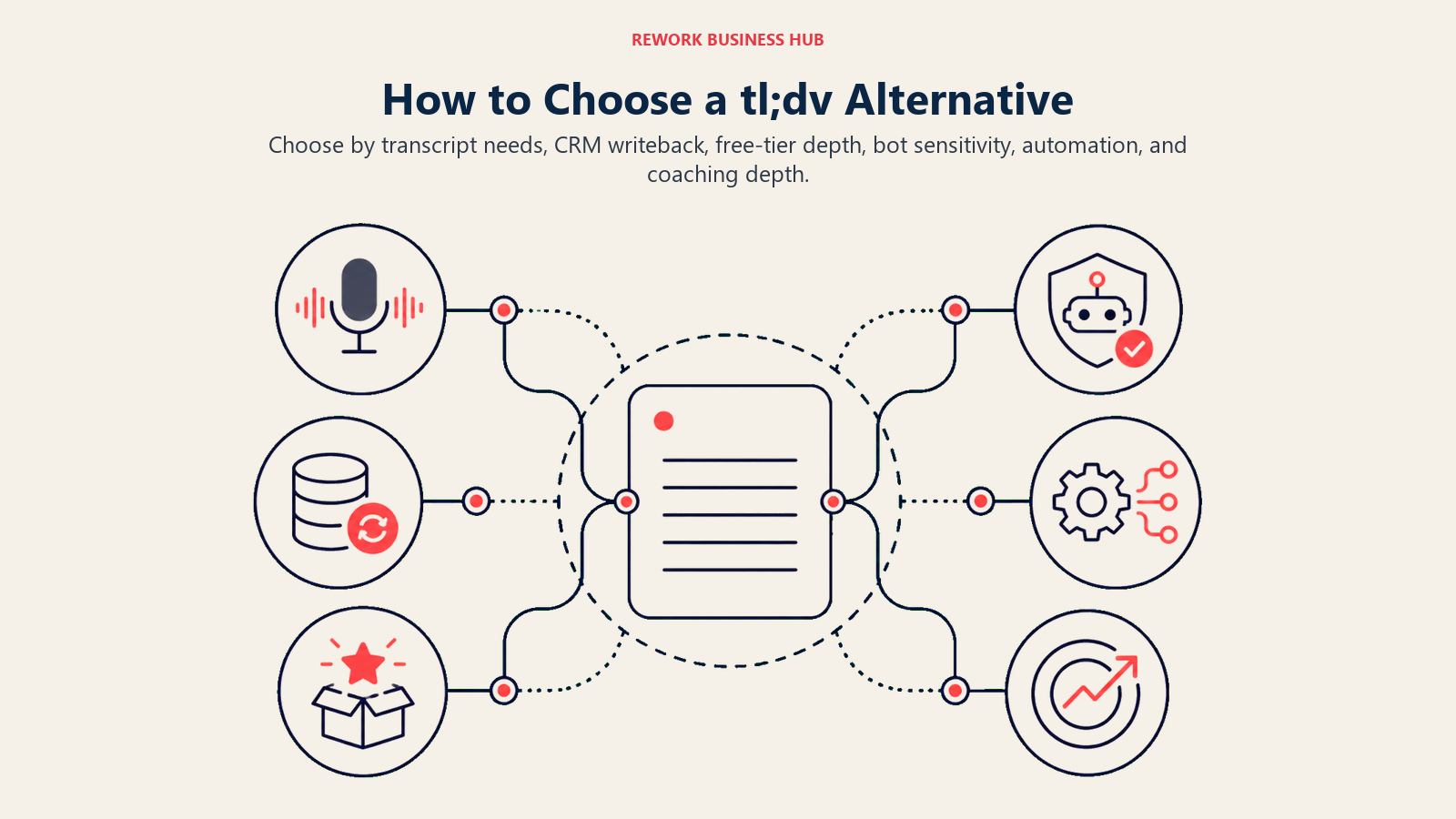
| If you need... | Pick... | Why |
|---|---|---|
| Searchable transcripts across a whole company | Otter.ai | Deepest full-text search on this list, far below tl;dv Business pricing |
| CRM write-back without routing through Zapier | Fireflies.ai Business | Native Salesforce, HubSpot, Pipedrive, Zoho sync at $19/seat/mo |
| The most generous free tier before paying anything | Fathom | Unlimited free recording and a 90-day guarantee on every paid tier |
| A notetaker that never joins as a visible bot | Granola or Bluedot | Both work from live notes and audio, no bot avatar on the call |
| Automations without building workflows yourself | Circleback | CRM updates and follow-ups trigger from meeting content automatically |
| Coaching scorecards deeper than tl;dv Business | Avoma Startup | Coaching add-ons stack to roughly $77/seat/mo, still below Jiminny |
| Dedicated coaching workflows at mid-market scale | Jiminny | Purpose-built for coaching, not notes with coaching added on |
| Enterprise-grade deal intelligence, budget isn't the constraint | Gong | The category benchmark; everything else on this list gets compared to it |
| Zero new AI line item on a platform you already pay for | Zoom AI Companion or Microsoft Teams Premium | Bundled into plans you're likely already buying |
Frequently Asked Questions about tl;dv Alternatives
What is the best tl;dv alternative overall?
There's no single best answer, it depends on which side of tl;dv's Pro-to-Business gap you're on. Fireflies.ai is the closest CRM-synced swap for less money, Fathom has the most generous free tier, and Avoma is the closest coaching-platform alternative without Gong-level pricing.
Why does tl;dv have such a big jump between Pro and Business?
Pro runs $18/seat/mo annual for unlimited AI notes and individual integrations. Business runs $29/seat/mo annual because it adds team-wide integrations and automations, multi-meeting AI insights, AI playbook monitoring and objection handling. There's no tier in between, which is the exact reason many buyers start comparing alternatives.
Is there a free tl;dv alternative that doesn't auto-delete recordings?
Fathom's free plan offers unlimited recording and transcription with no stated deletion window, which is more generous than tl;dv's free tier, where recordings auto-delete after 3 months. Otter's free minutes reset monthly rather than deleting outright.
Which tl;dv alternative has the best CRM sync?
Fireflies.ai has the deepest native CRM sync among the cheaper notetakers, covering Salesforce, HubSpot, Pipedrive, and Zoho without middleware. Avoma and Jiminny also sync natively but at meaningfully higher price points aimed at coaching, not just note capture.
How much does a real sales coaching platform cost compared to a plain notetaker?
Plain notetakers on this list mostly run $8 to $25 per user per month. Coaching platforms are a different budget line: Avoma with add-ons lands near $77/seat/mo, Jiminny is reported around $83 to $100/user/mo, and Gong is quote-only and priced for enterprise deployments.
Do I need a coaching platform, or does a cheaper notetaker cover what I actually need?
If your team just needs transcripts, summaries, and CRM updates, a $10 to $20/user/mo notetaker like Fireflies or Otter covers it. Coaching platforms earn their price when you need scorecards, objection-handling analysis, or deal-risk forecasting that a plain notetaker doesn't offer at any tier.
Are Gong and Jiminny worth it if my team is under 50 people?
Usually not. Both are priced and built for larger revenue orgs. Avoma's add-on stack covers similar coaching ground at a lower price point and doesn't require a sales-led procurement process the way Gong typically does.
What to Do Next
Match your actual complaint about tl;dv to one of the two groups above before you request a single demo. If the problem is price, shortlist Fireflies, Otter, or Fathom and run a two-week pilot against your current tl;dv Pro workflow. If the problem is depth, tl;dv Business isn't the only coaching option, price out Avoma's add-on stack against Jiminny's reported range before assuming you have to pay Gong money to get real coaching.
Either way, check your data retention terms before you migrate anything. A tool that's cheaper per seat but deletes recordings faster than tl;dv's own 3-month window isn't actually the upgrade it looks like on the pricing page.

Principal Product Marketing Strategist
On this page
- What's Changed in 2026
- Key Facts
- Quick Comparison Table
- The Cliff tl;dv Readers Are Actually Shopping Around
- Free Tier and Data Retention Reality Check
- How to Choose: Sizing and Team Fit
- The Cheaper, Plain Notetakers
- 1. Fireflies.ai: CRM-Synced Notes for Sales Teams
- 2. Otter.ai: Searchable Transcripts Company-Wide
- 3. Fathom: The Most Generous Free Tier Here
- 4. Granola: No Visible Bot Joining Your Calls
- 5. Circleback: Automations That Trigger Themselves
- 6. Bluedot: The Budget Bot-Free Option
- 7. Grain: Light Coaching Without Coaching-Tier Pricing
- 8. Read AI: Sentiment Across Meetings, Email, and Chat
- 9. Sembly: Structured Documentation at Workspace Scale
- 10. Zoom AI Companion: Already Paid For on a Zoom Plan
- 11. Microsoft Teams Premium: In-App Recap for Teams-Native Orgs
- The Real Coaching Platforms
- 12. Avoma: Coaching and Forecasting Without Gong Money
- 13. Jiminny: Dedicated Revenue Coaching, Mid-Market Priced
- 14. Gong: The Enterprise Conversation Intelligence Benchmark
- How to Choose: Decision Framework
- What to Do Next