Best Otter.ai Alternatives in 2026: 14 Tools for Transcription Accuracy and Meeting Workflows
Turn this article into takeaways for your work.


Each assistant summarizes the article only for you and suggests best practices for your work.
If you're replacing Otter.ai in 2026, Fireflies.ai and Fathom are the closest direct swaps for CRM-synced call data or a generous free tier, Granola and tl;dv fit teams that want a bot-free capture model or a real sales-coaching layer instead of a bare transcript, and Rev or Sonix are the better pick if what you actually need is higher accuracy on accented or noisy audio rather than another meeting bot. This guide ranks 14 tools by the job you're hiring them for, not feature-list length, because the right replacement depends on which job that is.
This category resets prices and tier names often enough that a six-month-old comparison can already be wrong, so treat these prices as a snapshot and confirm on the vendor page before you sign a contract.
What Changed in 2026
- Avoma renamed its entry plan from Starter to Startup, same price: $19/recorder seat a month billed annually, capped at 25 paid seats.
- Fireflies.ai's free tier now caps team storage at 400 minutes, down from earlier 2026 limits, making the jump to Pro a faster call for active teams.
- Fathom's 90-day money-back guarantee now spans every paid tier, Premium, Team, and Business, still the most generous guarantee in this category.
- Zoom's AI Companion remains bundled free with any paid Workplace plan, no separate AI line item, though the underlying Workplace plans have crept up a few dollars since the year started.
Key Facts
- Employees spend an average of 18 hours a week in meetings, nearly six of them unproductive, costing more than $25,000 per employee a year, per research led by UNC Charlotte's Dr. Steven Rogelberg, commissioned by Otter.ai and reported by CBS News.
- That waste scales fast: a 5,000-employee organization burns roughly $101 million a year on unproductive meeting time out of $320 million spent on meetings overall, per the same CBS News-reported research.
- 30% of employees admit they skip meetings entirely and trust an AI assistant to capture what matters instead, per Forbes' 2026 coverage of a workplace survey.
- 1 in 5 workers (20%) use AI tools to automatically generate meeting notes, and that group reports meaningfully higher promotion rates and pay than non-users, per the same Forbes report.
- Half of employed Americans (50%) now use AI in their job at least a few times a year, up from 46% the prior quarter, per Gallup's early-2026 workforce survey.
Quick Comparison Table
| Tool | Best For | Starting Price | Key Strength | Key Limitation |
|---|---|---|---|---|
| Fireflies.ai | CRM-synced call data for sales orgs | Free; Pro from $10/seat/mo | Native Salesforce, HubSpot, Pipedrive, Zoho sync | Free tier storage caps at 400 minutes for the whole team |
| Fathom | Best free tier of any tool on this list | Free; Team from $15/user/mo | Unlimited free recording, 90-day guarantee | Free tier caps AI summaries at 5/month |
| Granola | Founders who don't want a bot joining calls | Free; Business $14/user/mo | No visible meeting bot, works from live notes | Free tier shows only a rolling 30-day window of notes |
| tl;dv | Sales coaching and deal analysis at scale | Free; Pro from $18/user/mo | AI coaching scorecards, objection-handling analysis | Business tier jumps to $59-98/user/mo |
| Avoma | Revenue teams wanting coaching + forecasting | 14-day trial; Startup $19/seat/mo | Conversation and revenue intelligence in one platform | Full stack with add-ons hits $77+/seat/mo |
| Notta | Budget-friendly multilingual transcription | Free; Pro from $8.17/mo | 1,800 minutes/month at Pro, 40+ languages | Business seat pricing not published upfront |
| Read AI | Meeting, email, and chat sentiment in one view | Free; Pro from $15/mo | Video highlights and participation coaching | Enterprise tiers require a 5-seat minimum |
| Sembly | Structured documentation with workspace automations | Basic from $10/mo | Multi-meeting AI chat across a workspace | Basic tier is single-user only |
| Descript | Turning meeting audio into edited, shareable clips | Free; Hobbyist from $16/mo | Text-based editing plus transcript-to-video output | Not built for live meeting capture, upload-based |
| Rev | Accuracy-critical transcripts with human fallback | Free; Essentials from $25.49/seat/mo | Human transcription option at $1.99/min for hard audio | AI-only tiers cost more per seat than most on this list |
| Sonix | Pure batch transcription accuracy across 40+ languages | Pay as you go $10/hr; Core $25/mo | No bot, no live capture, just accurate transcripts | Not a meeting assistant, no live join or summaries |
| Zoom AI Companion | Zoom-native orgs avoiding a new AI line item | Included from $14.16/user/mo Zoom Pro | Free with any paid Zoom Workplace plan | Weaker outside the Zoom ecosystem |
| Microsoft Teams Premium | Teams-native orgs wanting recap in-app | Teams Premium $10/user/mo | Recap lives inside Teams, no separate bot | Full Copilot license runs 3x more for cross-app AI |
| Google Gemini in Meet | Workspace orgs wanting notes to land in Docs | Included from $14/user/mo (Standard) | Notes save straight to Docs and Drive automatically | Requires Workspace Standard or higher |
The Two Jobs Otter Buyers Actually Have
Most people searching for an Otter alternative are hiring for one of two different jobs, and mixing them up is why so many teams end up disappointed with whatever they pick next.
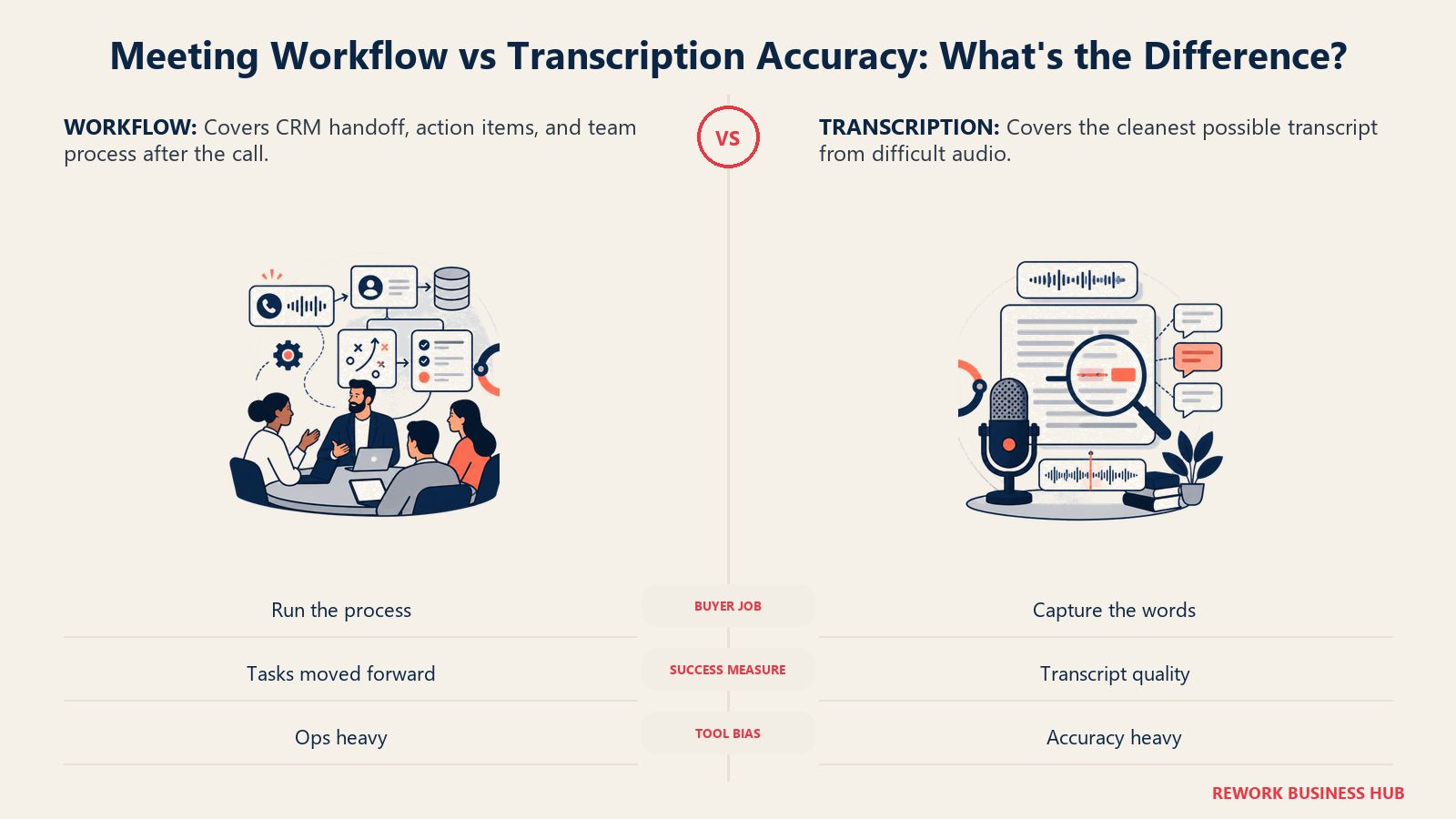
Job one is meeting-assistant workflow: joining calls, summarizing them, pushing action items and CRM fields somewhere useful. Job two is pure transcription accuracy: getting the most correct text out of audio that trips up general-purpose models, accents, jargon, overlapping speakers, or noise. Otter does both reasonably well and excels at neither, so buyers leave in opposite directions: some want deeper workflow (Fireflies, tl;dv, Avoma), others want a tool obsessive about accuracy alone (Rev, Sonix, Descript). The best 2026 speech models hit 95 to 98% word accuracy on clean audio, but that drops to 70 to 90% on accented or noisy real-world audio, per AssemblyAI's 2026 benchmarking (vendor-reported), which is why a dedicated transcription tool can beat a general meeting bot on hard audio.
Still deciding which job you have? Our Best AI Meeting Assistants and Notetakers roundup covers the full category, and the Otter vs Fireflies vs Fathom comparison goes deeper on that three-way fit.
| Job | What Matters Most | Best Fits |
|---|---|---|
| Meeting-assistant workflow (CRM, coaching, automation) | Native integrations, coaching layers, action-item automation | Fireflies.ai, tl;dv, Avoma, Read AI |
| Pure transcription accuracy (accented, technical, noisy audio) | Word error rate, human fallback, language coverage | Rev, Sonix, Notta |
| Bot-free personal capture | No visible bot avatar, works from live notes | Granola |
| Documentation and workspace automation | Multi-meeting search, custom automations | Sembly |
| Turning recordings into shareable content | Transcript-to-clip editing, not live capture | Descript |
| Zero new AI line item | Already bundled in a platform you pay for | Zoom AI Companion, Microsoft Teams Premium, Google Gemini in Meet |
Sizing Fit: Which Tool for Your Team
| Team Size | What You Need | Best Fits |
|---|---|---|
| 1-10 people | A generous free tier, fast setup, no procurement process | Fathom, Granola, Notta |
| 10-50 people | Team plans with shared folders and basic CRM sync | Fireflies.ai, tl;dv, Sembly |
| 50-200 people | Deep CRM sync, coaching layers, admin controls | Fireflies.ai, Avoma, Read AI |
| 200+ people | SSO, HIPAA, audit logs, dedicated support | Fireflies Enterprise, Avoma Enterprise, Sembly MAX |
| Media, legal, research teams processing recorded audio | Batch upload, human-verified accuracy | Rev, Sonix, Descript |
| Already on Zoom, Teams, or Workspace | Bundled AI features, no separate procurement | Zoom AI Companion, Microsoft Teams Premium, Google Gemini in Meet |
1. Fireflies.ai: CRM-Synced Call Data for Sales Orgs
Fireflies is where most Otter switchers land first, for one reason: Otter's CRM sync is thin, while Fireflies pushes call notes, action items, and deal fields natively into Salesforce, HubSpot, Pipedrive, and Zoho without Zapier in the middle. For a sales team, that's reps updating the CRM instead of ignoring it.
The catch buyers miss: unlimited transcription and summaries don't mean unlimited AI actions. A separate AI Credits system (20 on Free and Pro, 30 on Business, 50 on Enterprise) governs automations and AskFred queries, and heavy users burn through it fast. Free-tier storage also caps at 400 minutes total. If Fireflies itself isn't the fit, our Best Fireflies Alternatives guide covers the field, and the Otter vs Fireflies vs Fathom comparison is worth reading first.
| What you get | What you don't |
|---|---|
| Native CRM sync to 4 major platforms, no Zapier needed | AI Credits cap automations separately from transcription |
| Unlimited transcription and summaries on every tier | Free tier storage caps at 400 minutes for the whole team |
| Business tier unlocks conversation intelligence | Enterprise is annual-billing only |
Pricing: Free $0 (400 min/team storage, 20 AI credits); Pro $10/seat/mo annual ($18 monthly, 8,000 min/seat storage); Business $19/seat/mo annual ($29 monthly, unlimited storage, 30 AI credits); Enterprise $39/seat/mo (annual billing only, 50 AI credits). Source: fireflies.ai/pricing.
Best for: Sales teams leaving Otter specifically because call data needs to land in the CRM without a rep touching it.
2. Fathom: Best Free Tier of Any Tool on This List
If your problem with Otter is the 300-minute monthly cap on the free plan, Fathom solves it outright: unlimited recording and transcription free, with only AI summary generation capped at 5 a month. That's a genuinely usable free plan, not a 14-day trial wearing a free label.
The 90-day money-back guarantee now spans Premium, Team, and Business, a real differentiator against Otter and most of this list, which offer no guarantee at all. Fathom's CRM sync is moderate rather than deep, so teams needing Fireflies-level automation should treat Fathom as the entry point, not the ceiling. See our Best Fathom Alternatives guide, and our Gong vs Chorus vs Fathom comparison for how it stacks against heavier enterprise platforms.
| What you get | What you don't |
|---|---|
| Genuinely unlimited free recording and transcription | AI summaries capped at 5/month on the free tier |
| 90-day money-back guarantee across every paid tier | Team tier pricing sits oddly below Premium |
| Moderate HubSpot and Salesforce integration | Coaching depth is basic next to tl;dv or Avoma |
Pricing: Free (unlimited recording, 5 AI summaries/mo); Premium (individual) $16/mo annual ($20 monthly); Team $15/user/mo annual ($19 monthly, 2-user minimum); Business $25/user/mo annual ($34 monthly, 2-user minimum); Enterprise custom. Source: fathom.ai/pricing.
Best for: Teams that want to walk away from Otter's minute caps without paying anything upfront.
3. Granola: The Bot-Free Alternative
Granola solves a specific Otter complaint nothing else here fully addresses: a visible bot avatar joining every call. Granola runs quietly and blends your own live typed notes with the audio transcript afterward, so external and board calls don't get a third-party name in the participant list.
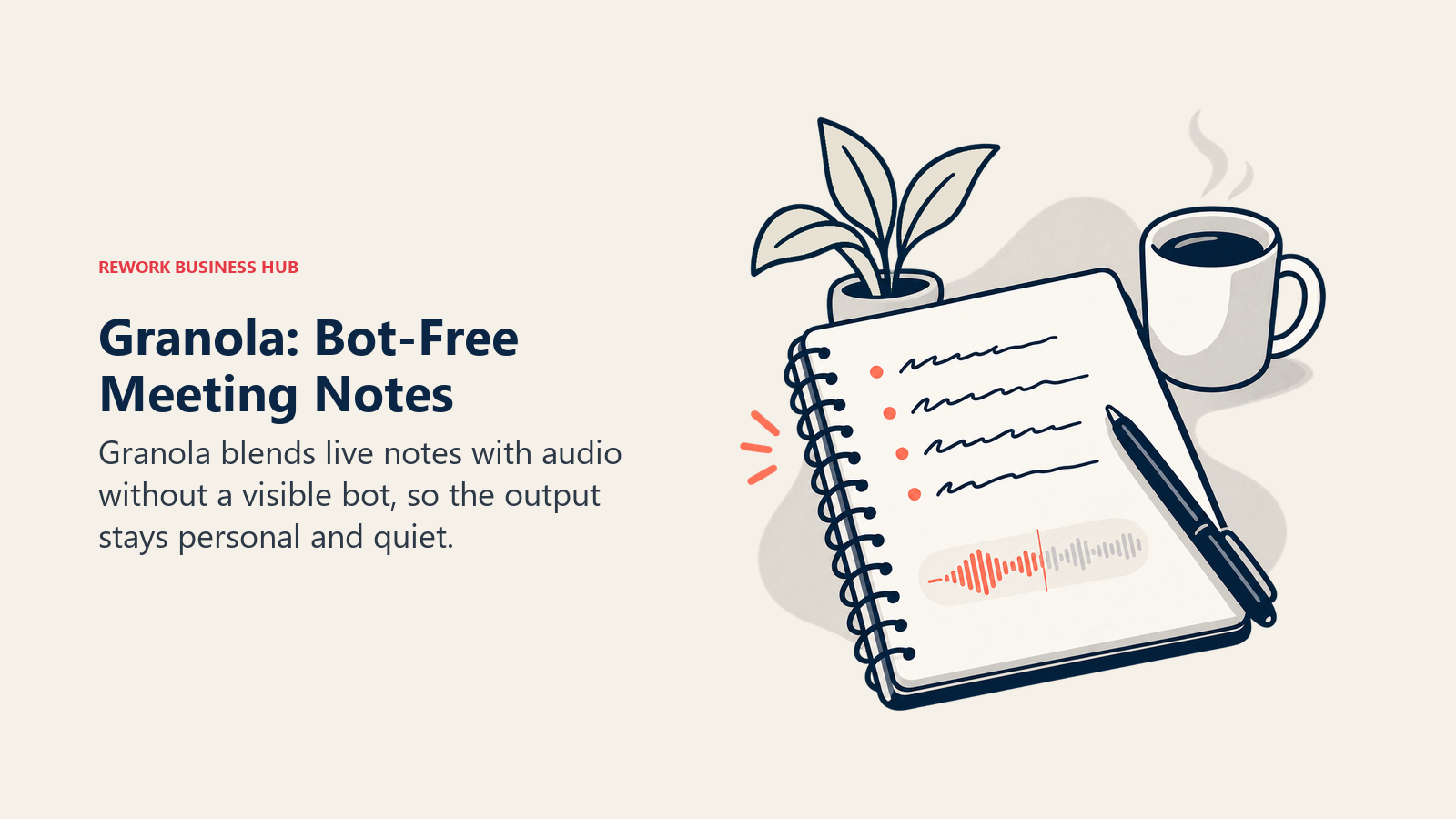
The free plan's real limit is easy to miss, and it isn't a note count. Granola's Basic plan lets you take unlimited notes but only shows a rolling 30-day window of them; older notes are stored, not deleted, and come back when you upgrade. Teams that need to look further back than a month should budget for Business from the start. If Otter's bot presence is what's pushing you to switch, our Granola vs Otter comparison walks through that tradeoff.
| What you get | What you don't |
|---|---|
| No visible bot avatar joining calls | Free tier shows only a rolling 30-day window of notes |
| Works from live human notes plus audio | Less native CRM depth than Fireflies at this price |
| CRM integrations unlocked at Business ($14/user/mo) | Enterprise ($35/user/mo) is a steep jump for SSO alone |
Pricing: Basic free (unlimited note-taking, note access limited to a rolling 30-day window); Business $14/user/mo (no separate annual discount published); Enterprise $35/user/mo. Source: granola.ai/pricing.
Best for: Founders and small teams who want Otter's transcript quality without a bot visibly joining every external call.
4. tl;dv: Sales Coaching and Deal Analysis at Scale
tl;dv is the pick for teams whose real complaint with Otter isn't transcription quality, it's that Otter stops at a transcript. Business unlocks AI coaching scorecards, custom sales playbooks, and objection-handling analysis built for revenue teams that want to know why deals were won or lost, not just what was said.
The price jump most buyers underestimate: Pro runs $18/user/mo annual, Business jumps to $59/user/mo annual, more than triple. Teams that only need notes should stay on Pro; teams that want coaching should budget for Business up front. See our Best tl;dv Alternatives guide for more on the coaching-heavy field.
| What you get | What you don't |
|---|---|
| Genuinely useful free tier for occasional use | Free tier caps at 10 AI summaries for the account's lifetime |
| AI coaching scorecards on Business | Business costs more than 3x Pro |
| Native Salesforce/HubSpot at Business tier | Pro only gets CRM sync through Zapier, not native |
Pricing: Free (10 AI summaries lifetime, 3-month storage); Pro $18/user/mo annual ($29 monthly); Business reportedly $59/user/mo annual ($98 monthly). Source: tldv.io/app/pricing. tl;dv's own pricing page shows euro figures (Pro €18/user/mo annual, Business €29/user/mo annual), so confirm your region's price with tl;dv before you budget.
Best for: Revenue teams who want Otter's transcript replaced with an actual coaching layer, and can budget for Business.
5. Avoma: Revenue Teams Wanting Coaching and Forecasting Together
Avoma's pitch is unifying three usually-separate purchases, conversation intelligence, revenue intelligence, and meeting scheduling, into one platform. Base plans cover recording and notes; the real value sits in the paid add-ons: Conversation Intelligence and Revenue Intelligence at $29/recorder-seat/month each (annual), Lead Router at $19/recorder-seat/month.
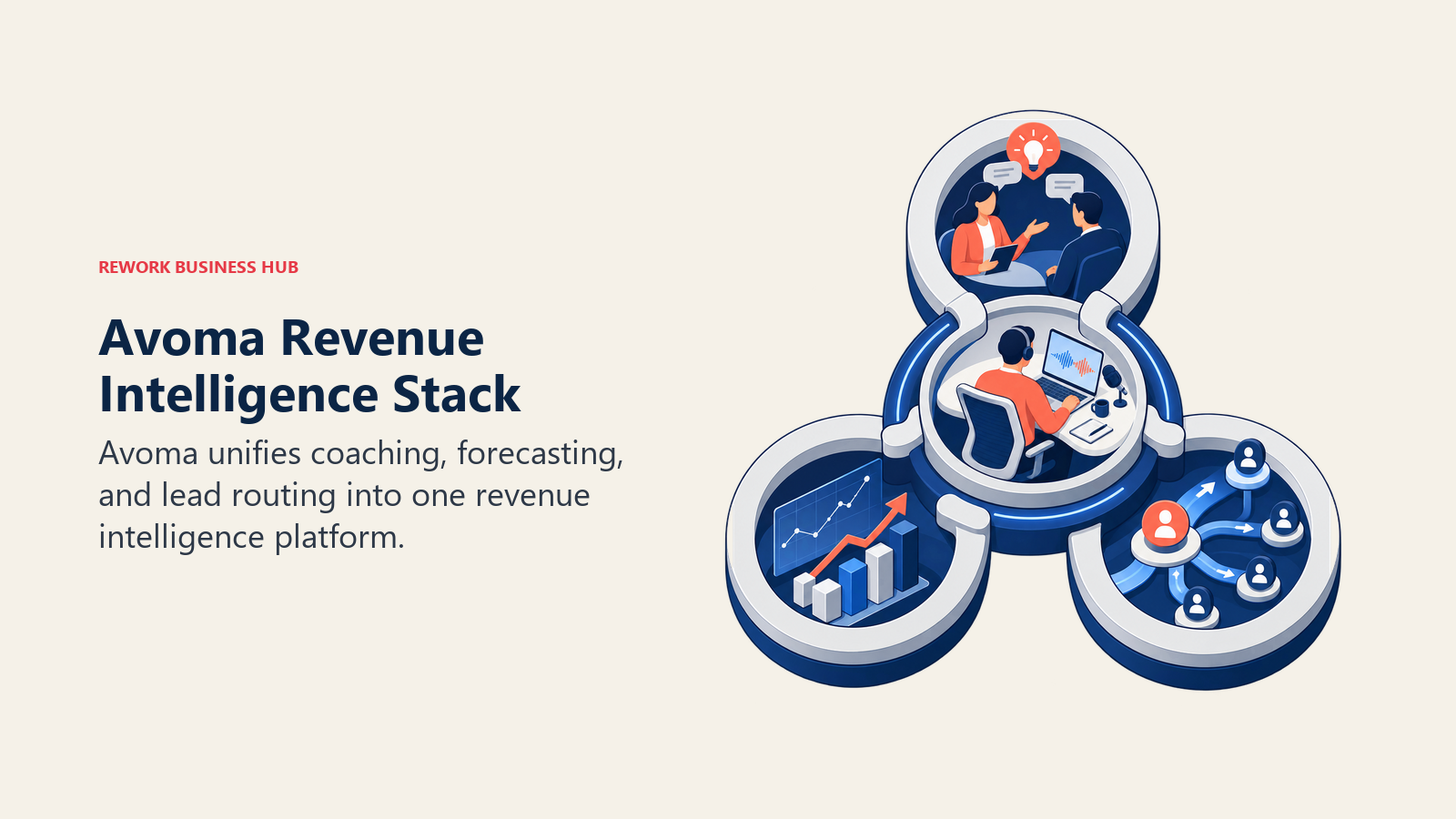
That add-on structure means the sticker price understates real cost. A team wanting call scoring, deal intelligence, and forecasting together lands closer to $77+/seat/month with both add-ons stacked, worth knowing before comparing Avoma's entry price against a pure notetaker. Only recorders need a paid seat, viewers are free. Our Best Avoma Alternatives guide covers the field if the add-on math doesn't pencil out.
| What you get | What you don't |
|---|---|
| Conversation and revenue intelligence in one platform | Real cost with both add-ons hits $77+/seat/month |
| Only recorders need a paid seat, viewers are free | Organization plan caps at 100 seats |
| 14-day trial of the full stack, no credit card | Base plan alone is less differentiated than the add-ons |
Pricing: Startup $19/seat/mo annual ($29 monthly, up to 25 seats); Organization $29/seat/mo annual ($39 monthly, up to 100 seats); Enterprise $39/seat/mo (annual billing only, 10-seat minimum); Conversation Intelligence and Revenue Intelligence add-ons $29/seat/mo annual ($35 monthly) each; Lead Router add-on $19/seat/mo annual ($25 monthly). Source: avoma.com/pricing.
Best for: Revenue teams that want coaching, forecasting, and lead routing on one platform and can budget for the add-ons.
6. Notta: Budget-Friendly Multilingual Transcription
Notta's angle: most of Otter's core value, live transcription plus AI summaries, at a lower price, with stronger multilingual coverage. Pro's 1,800 monthly minutes and 40-plus languages suit teams that found Otter's Pro tier thin on minutes without wanting Business-tier prices elsewhere.
Notta's Business tier doesn't publish per-seat pricing upfront, harder to budget for than Fireflies or Fathom. Confirm current pricing with sales before assuming it undercuts the rest of this list at scale.
| What you get | What you don't |
|---|---|
| 40+ language support, stronger than most on this list | Business tier pricing isn't published upfront |
| 1,800 minutes/month at Pro, well above Otter's cap | Coaching and CRM depth thinner than Fireflies or tl;dv |
| Unlimited minutes at Business | Enterprise requires a 51-seat minimum |
Pricing: Free (120 min/mo, 3-min recording cap); Pro $8.17/mo annual ($12.99 monthly, 1,800 min/mo); Business $16.67/mo annual ($25 monthly, unlimited minutes); Enterprise custom (51+ seats). Source: notta.ai/en/pricing.
Best for: Budget-conscious teams that work across multiple languages and just need solid transcription plus summaries.
7. Read AI: Meeting, Email, and Chat Sentiment in One View
Read AI's differentiator is scope beyond the meeting itself. Most tools stop at the call; Read AI extends into email and Slack/Teams chat sentiment, plus a meeting coach that scores talk-time balance and participation, a genuinely different product for managers reading team communication patterns.
The licensing model trips people up: it's per-seat and per-recorder, so one license covers only that person's own meetings. A company-wide rollout needs a license per person who records, and Enterprise tiers require a 5-seat minimum.
| What you get | What you don't |
|---|---|
| Sentiment analysis across meetings, email, and chat | Per-seat license only covers that person's own meetings |
| Video highlights and participation coaching | Enterprise tiers require a 5-seat minimum |
| Salesforce, HubSpot, and Notion integrations at Pro | Free tier caps at 5 meetings/month |
Pricing: Free (5 meetings/mo); Pro $15/mo annual ($19.75 monthly); Enterprise $22.50/mo annual ($29.75 monthly, 5+ licenses); Enterprise+ $29.75/mo annual ($39.75 monthly, 5+ licenses, HIPAA). Source: read.ai/pricing.
Best for: Managers who want communication insight across meetings, email, and chat, not just meeting transcripts.
8. Sembly: Structured Documentation With Workspace-Wide Automations
Sembly's differentiator is depth of documentation and automation at the workspace level rather than the individual meeting. Pro and above unlock multi-meeting AI chat, letting you ask questions across a collection of past meetings instead of one at a time, plus custom vocabulary for specialized industries.
MAX adds HIPAA compliance, custom SSO, and unlimited meeting history at $30/user/mo annual, a competitive price for that bundle. Worth knowing before rollout: Basic is capped at one user per workspace, not a team plan; only Pro and above scale past one person.
| What you get | What you don't |
|---|---|
| Multi-meeting AI chat across a whole workspace | Basic tier is single-user only, not a team plan |
| HIPAA and custom SSO bundled at MAX ($30/user/mo) | Smaller integration ecosystem than Fireflies |
| Workspace-wide automations at Pro and above | Up to 500-user cap on MAX before Enterprise |
Pricing: Basic $10/mo annual ($17 monthly, 1 user per workspace); Pro $20/user/mo annual ($29 monthly, up to 40 users); MAX $30/user/mo annual ($39 monthly, up to 500 users); Enterprise custom. Source: sembly.ai/pricing.
Best for: Teams that want structured, searchable meeting documentation with workspace-wide automations and compliance controls.
9. Descript: Turning Meeting Audio Into Edited, Shareable Content
Descript solves a job Otter was never built for: turning a recording into something you'd publish, a highlight clip, a trimmed testimonial, a shareable snippet, edited by deleting words from the transcript rather than scrubbing a timeline. That's a different job than live meeting capture.
It's not a meeting bot: nothing joins your call automatically, you upload or record separately and edit after. Media hour caps apply across every tier, so heavy editing hits the ceiling faster than plain transcribing.
| What you get | What you don't |
|---|---|
| Text-based editing, delete words to cut video | Not built for live meeting capture, upload-based |
| Watermark-free export from Hobbyist up | Media hour caps apply even on paid tiers |
| Scales to 3-5 seats before needing Enterprise | Free tier limited to 60 minutes/month |
Pricing: Free (60 min/mo, 1 seat); Hobbyist $16/mo annual ($24 monthly, 10 hrs/mo); Creator $24/mo annual ($35 monthly, 30 hrs/mo, up to 3 seats); Business $50/mo annual ($65 monthly, 40 hrs/mo, up to 5 seats); Enterprise custom. Source: descript.com/pricing.
Best for: Teams that want to turn recorded meetings and calls into edited, shareable content, not just notes.
10. Rev: Accuracy-Critical Transcripts With Human Fallback
Rev is the pick when the actual complaint about Otter is accuracy, not workflow. Its AI plans cover standard transcription, but the differentiator is human transcription at $1.99 a minute for audio AI still gets wrong: heavy accents, jargon, legal or medical terms, poor audio. That hybrid model doesn't exist elsewhere on this list.
AI-only pricing runs higher per seat than most tools here, which fits Rev's core business of accuracy, not meeting-bot features. Teams needing near-perfect transcripts occasionally can mix a lower AI tier with pay-per-minute human transcription instead of an expensive top tier.
| What you get | What you don't |
|---|---|
| Human transcription fallback at $1.99/min for hard audio | AI-only tiers cost more per seat than most on this list |
| Legal rough draft and premium transcript services | No live meeting bot, upload or connect separately |
| Image analysis and integrations at the Pro tier | Free tier limited to 45 AI minutes/month, English only |
Pricing: Free (45 AI min/mo, English only); Essentials $25.49/seat/mo annual ($29.99 monthly, 5,000 AI min/seat, up to 3 seats); Pro $47.99/seat/mo annual ($59.99 monthly, 10,000 AI min/seat, up to 5 seats); Unlimited custom. Human transcription add-on $1.99/min. Source: rev.com/pricing.
Best for: Teams whose Otter complaint is accuracy on hard audio, not missing meeting-workflow features.
11. Sonix: Pure Batch Transcription Accuracy Across 40+ Languages
Sonix doesn't try to be a meeting assistant, and that's the point for teams whose real need is accurate transcription of recorded audio and video, podcasts, interviews, research sessions, rather than live capture. No bot joins anything; you upload a file and get a transcript plus an AI workspace for search and summarization.
Pricing is usage-based (hours per month) rather than seat-based, which suits unpredictable or seasonal volume better than a fixed seat count. Pay As You Go at $10/hour works for occasional projects; steady volume is cheaper on a subscription tier.
| What you get | What you don't |
|---|---|
| No bot, no live capture, pure batch transcription | Not a meeting assistant, no automatic call joining |
| Usage-based pricing fits unpredictable volume | AI workspace hours are separate from transcription hours |
| 40+ language support with strong accuracy | Extra seats cost $25/month flat on every paid tier |
Pricing: Pay As You Go $10/hour; Core $25/mo ($275/yr, 5 hrs/mo transcription, 5 hrs AI workspace); Advanced $50/mo ($550/yr, 20 hrs/mo, 25 hrs AI workspace); Pro $80/mo ($880/yr, 40 hrs/mo, 100 hrs AI workspace); Enterprise custom. Source: sonix.ai/pricing.
Best for: Teams whose Otter problem is accuracy on recorded content, not live meeting features they never use.
12. Zoom AI Companion: Zoom-Native Orgs Avoiding a New AI Line Item
Zoom's pitch is the simplest story here: AI Companion comes free with any paid Zoom Workplace plan, no separate "AI add-on" fee. Because it runs inside Zoom's own infrastructure, no visible third-party bot avatar joins the call the way Otter and most standalone tools do.
The limitation is scope: strong inside Zoom, weaker as a cross-platform tool. A team running a mix of Zoom, Teams, and Meet won't get unified coverage from it alone, and it's not available on Zoom's free Basic plan.
| What you get | What you don't |
|---|---|
| Included free with any paid Zoom Workplace plan | Not available on Zoom's free Basic plan |
| No visible bot avatar joining calls | Weaker coverage outside the Zoom ecosystem |
| No separate AI line item to budget for | Less deep CRM automation than Fireflies or tl;dv |
Pricing: Included free with any paid Zoom Workplace plan; Pro from $14.16/user/mo annual ($16.99 monthly); Business from $18.33/user/mo annual ($21.99 monthly). Confirm at zoom.com before budgeting.
Best for: Zoom-native organizations that want AI meeting notes without adding a new vendor or line item.
13. Microsoft Teams Premium and Copilot: Recap Without Leaving Teams
Buyers frequently conflate two different Microsoft products, and the confusion costs real money. Teams Premium ($10/user/mo annual) unlocks Intelligent Recap, AI-generated summaries, chapters, and action items, plus real-time notes and live translation, inside Teams calls without leaving the app. Full Microsoft 365 Copilot is a much broader license spanning Word, Excel, Outlook, and PowerPoint, of which recap is only one piece, and it runs roughly 3x the price of Teams Premium alone.
Teams that only want recap should check whether Teams Premium alone covers the need before paying for full Copilot. A base Teams license is required for Premium to function.
| What you get | What you don't |
|---|---|
| Recap lives inside Teams, no separate bot or app | Teams Premium alone doesn't include cross-app AI |
| Real-time notes and live translation included | Full Copilot license costs roughly 3x Teams Premium |
| No new vendor relationship for Teams-native orgs | Weak outside the Microsoft 365 ecosystem |
Pricing: Teams Premium $10/user/mo (annual, recap and translation only); full Microsoft 365 Copilot priced separately and considerably higher, cross-app AI across the Office suite. Source: microsoft.com/en-us/microsoft-teams/premium.
Best for: Teams-native organizations that want in-app recap without adding a third-party notetaker.
14. Google Gemini in Meet: Notes That Land Automatically in Docs
Gemini's "take notes for me" feature in Google Meet transcribes the conversation in the background and saves a summary with action items as a Google Doc in Drive, with an email recap after the call ends. No manual export, no separate app to check.
The gating matters: this is bundled into Workspace Standard and above, not the entry Starter tier. Teams on Starter would need to upgrade the whole organization's Workspace plan just to unlock meeting notes, a bigger decision than swapping a standalone tool.
| What you get | What you don't |
|---|---|
| Notes save automatically to Docs and Drive | Requires Workspace Standard or higher, not Starter |
| Bundled into core plans, no separate add-on cost | Less coaching or CRM depth than dedicated tools |
| Email recap sent automatically after each call | Upgrading the whole org's Workspace plan is a bigger lift |
Pricing: Included from $14/user/mo (Workspace Standard, annual; introductory rate near $8.40/user/mo for the first 20 users during the first 12 months); Plus $22/user/mo; Enterprise custom. Source: workspace.google.com/pricing.
Best for: Google Workspace organizations that want notes to land automatically in Docs without a separate vendor.
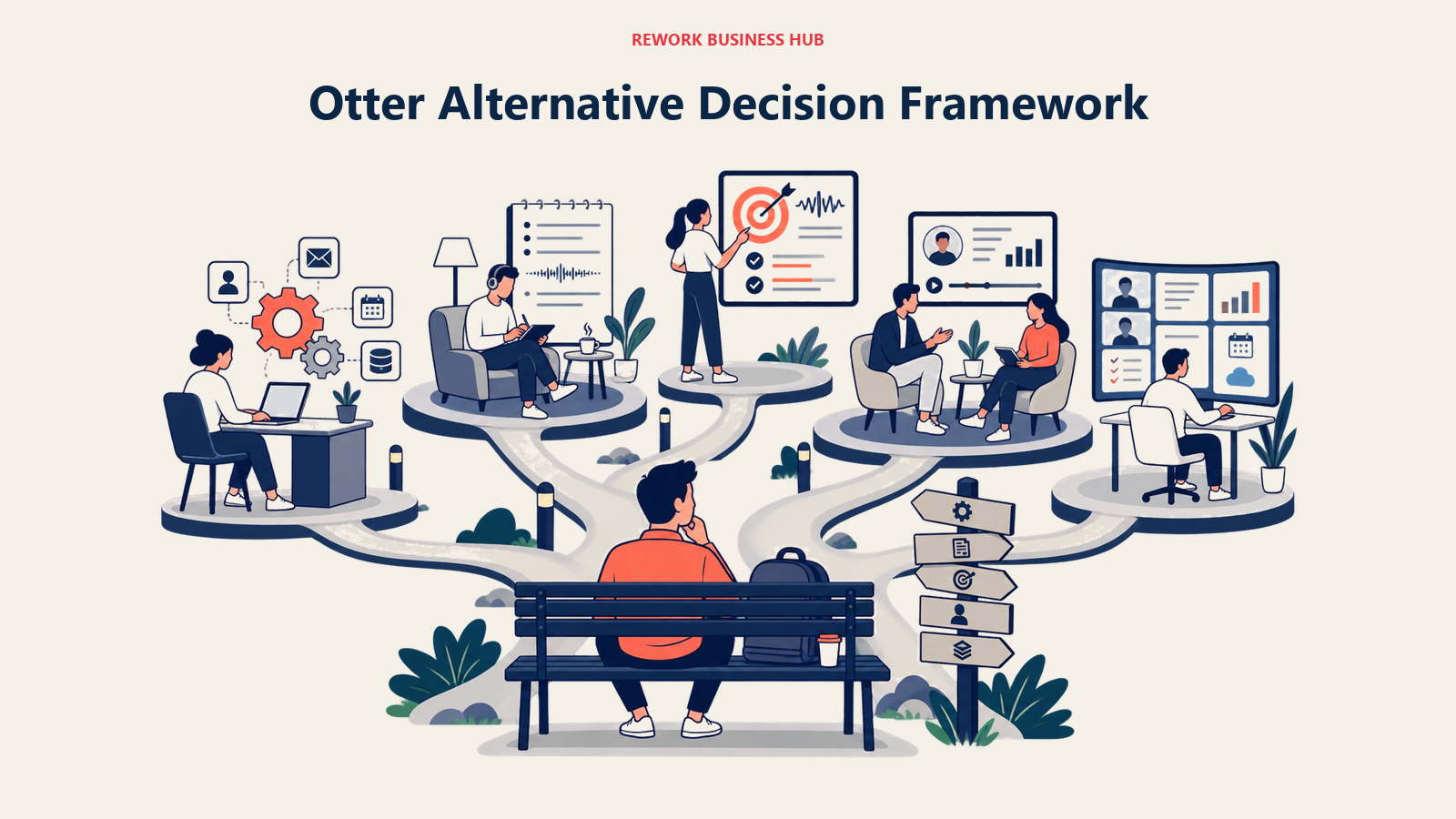
How to Choose: Decision Framework
| If you need... | Pick... | Why |
|---|---|---|
| Deep CRM sync for a sales team leaving Otter | Fireflies.ai | Native Salesforce, HubSpot, Pipedrive, and Zoho sync out of the box |
| The most generous free tier before paying anything | Fathom | Unlimited free recording and transcription, 90-day guarantee on paid tiers |
| A notetaker that doesn't join as a visible bot | Granola | Works from live human notes plus audio, no bot avatar |
| AI coaching and deal-risk scorecards, not just notes | tl;dv or Avoma | Both built specifically for sales coaching on top of transcripts |
| Accuracy on accented, technical, or noisy audio above all else | Rev or Sonix | Human fallback and batch accuracy over live meeting features |
| Budget transcription across multiple languages | Notta | Strong multilingual coverage at a lower price point than most |
| Meeting output turned into shareable clips or content | Descript | Text-based editing built for repurposing recordings |
| Communication insight beyond meetings alone | Read AI | Extends into email and chat sentiment, not just transcripts |
| Zero extra AI line item on a Zoom-native team | Zoom AI Companion | Free with any paid Zoom Workplace plan |
| Zero extra AI line item on a Teams-native team | Microsoft Teams Premium | $10/user/mo unlocks recap without the full Copilot license |
| Notes that land automatically in Docs and Drive | Google Gemini in Meet | Built into Workspace Standard and above |
Frequently Asked Questions about Otter.ai Alternatives
What is the best Otter.ai alternative in 2026?
There's no single best replacement. Fireflies.ai leads on CRM automation, Fathom leads on free-tier generosity, tl;dv and Avoma lead on sales coaching, and Rev or Sonix lead on accuracy for hard audio.
Why do people leave Otter.ai for another tool?
Thin native CRM sync next to Fireflies, monthly minute caps that bite back-to-back calls, accuracy that dips on accented speech, wanting a bot-free capture model, or wanting a coaching layer instead of a bare transcript.
Is there a truly free Otter.ai alternative?
Fathom's free tier is the most generous here: unlimited recording and transcription, with AI summaries capped at 5 a month. Fireflies, Granola, and Notta also have free tiers, but each caps usage differently, so check whether the limit resets monthly or applies for life.
Which Otter alternative has the most accurate transcription?
Rev and Sonix are built around accuracy rather than meeting-assistant features, with Rev offering human transcription at $1.99/min for audio AI still gets wrong. Even the best 2026 speech models drop from 95-98% accuracy on clean audio to roughly 70-90% on accented or noisy audio, per AssemblyAI's benchmarking.
Do I need a separate Otter alternative if I already pay for Zoom, Teams, or Google Workspace?
Not necessarily. Zoom AI Companion is free with any paid Zoom plan, Teams Premium unlocks recap for $10/user/mo, and Gemini in Meet is bundled into Workspace Standard and up. Check what's already included first.
How much does an Otter.ai alternative cost for a small team?
Entry-level paid plans mostly run $8-20 per user per month billed annually. Fireflies and Notta land near $8-10, Fathom and Granola near $14-15. Coaching platforms like tl;dv Business and Avoma with add-ons run higher, $59-77+ per seat.
What to Do Next
Figure out which job you're hiring for before shortlisting anything: meeting workflow (CRM sync, coaching, automation) or pure transcription accuracy (hard audio, human fallback, language coverage). Pick two tools from the tables above, one from each category if you're unsure which matters more, and test them against your hardest real meeting for two weeks before a team-wide switch.
If you're only leaving Otter over price or minute caps and transcription quality has been fine, check whether Zoom, Teams, or Workspace already bundles what you need. The cheapest Otter alternative is often the one you're already paying for.

Principal Product Marketing Strategist
On this page
- What Changed in 2026
- Key Facts
- Quick Comparison Table
- The Two Jobs Otter Buyers Actually Have
- Sizing Fit: Which Tool for Your Team
- 1. Fireflies.ai: CRM-Synced Call Data for Sales Orgs
- 2. Fathom: Best Free Tier of Any Tool on This List
- 3. Granola: The Bot-Free Alternative
- 4. tl;dv: Sales Coaching and Deal Analysis at Scale
- 5. Avoma: Revenue Teams Wanting Coaching and Forecasting Together
- 6. Notta: Budget-Friendly Multilingual Transcription
- 7. Read AI: Meeting, Email, and Chat Sentiment in One View
- 8. Sembly: Structured Documentation With Workspace-Wide Automations
- 9. Descript: Turning Meeting Audio Into Edited, Shareable Content
- 10. Rev: Accuracy-Critical Transcripts With Human Fallback
- 11. Sonix: Pure Batch Transcription Accuracy Across 40+ Languages
- 12. Zoom AI Companion: Zoom-Native Orgs Avoiding a New AI Line Item
- 13. Microsoft Teams Premium and Copilot: Recap Without Leaving Teams
- 14. Google Gemini in Meet: Notes That Land Automatically in Docs
- How to Choose: Decision Framework
- What to Do Next