Best AI Tools for Product Managers in 2026: 14 Tools Ranked by Use Case
Turn this article into takeaways for your work.


Each assistant summarizes the article only for you and suggests best practices for your work.
If you're building an AI-assisted product management stack in 2026, ChatGPT and Claude cover general drafting and research synthesis, Productboard and Zeda.io lead feedback-to-roadmap prioritization, Dovetail and Maze own user research, Aha! and Jira Product Discovery handle strategy and backlog intake, Figma AI and Miro AI bring AI into design and discovery workshops, and Lovable and v0 let a PM build a working prototype without waiting on an engineer. This guide ranks 14 tools by the job you actually need done, not by hype.
Most "best AI tools for PMs" lists just bolt an AI label onto a list of PM software and call it a day. That's not useful when the real question is narrower: which tool actually saves you time on the task in front of you, whether that's a PRD, a backlog full of raw feedback, or a prototype you need in front of engineering by Friday. Each tool below is evaluated on what it does, who it's built for, and what it costs, for teams from a solo founder-PM to a 500-person product org.
What Changed in 2026
- Productboard retired Pulse as a separate add-on. All of its AI capabilities are now folded into Spark, a single AI layer built into every Productboard tier instead of a usage-priced bolt-on.
- Cycle, the AI feedback tool Atlassian acquired, sunset on October 31, 2025. Its feedback-clustering AI now lives inside Jira Product Discovery and Atlassian Intelligence, which is why it's replaced on this list rather than recommended as a standalone product.
- Notion killed its standalone AI add-on. Full AI access, including AI Agents and Ask Notion, now requires the $20/user/month Business plan instead of a $10/month add-on available on any tier.
- ChatGPT Team was renamed ChatGPT Business in August 2025, and OpenAI cut the standard seat price by $5 in April 2026, bringing it to $20/user/month on an annual plan.
- ClickUp added a second, pricier AI tier. Brain still starts at $9/user/month, but a new "Everything AI" tier at $28/user/month adds a notetaker, image generation, and a larger credit pool.
Key Facts
- 100% of surveyed product teams now use AI tools, and 94% of product professionals use AI daily or often, per Productboard's AI in Product Management report.
- Product professionals report saving an average of four hours per task on work like writing PRDs, competitive research, and roadmap creation, adding up to roughly 33 hours saved across core functions, per Productboard.
- 98% of product teams have changed, or are planning to change, their team structure because of AI, per Productboard.
- 88% of product professionals now use two or more different AI models in their workflow, and 60% use two separate tools just for AI prototyping, a sign of real tool fragmentation, per Productboard.
- Most product teams use one to three AI tools daily but see only moderate productivity gains (about two hours a day saved), and AI still isn't handling the highest-value work like prioritization and planning, per Atlassian's State of Product 2026 report, based on interviews with product professionals across the US, France, and Germany.
- 72% of organizations now use generative AI regularly, up from 33% in 2024, though only 39% report any measurable EBIT impact from AI investment overall, per McKinsey's State of AI.
Quick Comparison Table
| Tool | Best For | Standout Capability | Starting Price | Free Tier? |
|---|---|---|---|---|
| ChatGPT | General AI drafting: PRDs, specs, brainstorming | GPT-5.4 reasoning across the broadest plugin ecosystem | Free; Plus $20/mo | Yes |
| Claude | Synthesizing long research docs and messy specs | Strong structured reasoning, up to 500K context on Enterprise | Free; Pro $17/mo (annual) | Yes |
| Notion AI | PRD and wiki hub with AI native to your docs | AI Agents and Ask Notion across your whole workspace | Business $20/user/mo (AI requires Business) | Yes (no AI) |
| Productboard | Turning customer feedback into a ranked roadmap | Spark AI auto-clusters feedback into themes and insights | Free; Plus $19/maker/mo | Yes |
| Zeda.io | Running your entire feedback-to-release AI product loop | AI scores every feature request against revenue impact | $499/mo (annual commitment) | No |
| Dovetail | Central, searchable home for all your user research | AI chat and structured summaries across every study | Free; Enterprise custom | Yes |
| Maze | Running and analyzing usability tests fast | AI auto-summarizes test sessions into findings | Starter around $99/mo | Yes (limited) |
| Aha! | Enterprise strategy, OKRs, and roadmapping | AI assistant drafts strategy docs, epics, and release notes | Premium $74/user/mo | No (free trial) |
| Jira Product Discovery | Idea intake and prioritization inside the Atlassian stack | Atlassian Intelligence with unlimited free contributors | Free; Standard $10/user/mo | Yes |
| Figma AI | Design collaboration and rapid prototyping | AI credits power auto-layout, rewrite, and image tools in-file | Free; Professional $16/editor/mo | Yes |
| Miro AI | Discovery workshops and visual synthesis | AI clusters sticky notes and diagrams from a live workshop | Free; Starter $8/member/mo | Yes |
| ClickUp Brain | Roadmap and task management with AI built in | Unified AI across docs, tasks, and chat in one workspace | Business $12/user/mo + Brain $9/user/mo | Yes (no Brain) |
| Lovable | Building a functional prototype without an engineer | Full working app from a text prompt in minutes | Free; Pro $25/mo | Yes |
| v0 | Generating production-ready prototype UI | Outputs real React/Next.js code, not a mockup | Free; Premium $20/mo | Yes |
How to Choose: Decision Framework
| If you need... | Pick... | Why |
|---|---|---|
| The fastest way to draft a PRD, user story, or exec summary | ChatGPT | Broadest plugin ecosystem; fastest iteration on written drafts |
| The most reliable AI for synthesizing a 40-page research doc | Claude | Long-context reasoning holds up better across large, messy documents |
| One AI-native hub for PRDs, wikis, and meeting notes your team already lives in | Notion AI | AI is built into the docs, not a bolted-on separate tool |
| Turning scattered customer feedback into a ranked roadmap | Productboard | Spark AI is purpose-built for feedback-to-roadmap workflows |
| A single AI system running your entire product ops loop | Zeda.io | VoC, insights, roadmap, and release notes in one AI-native suite |
| A searchable, AI-summarized home for every user interview you've run | Dovetail | Purpose-built research repository with AI synthesis |
| Running usability tests without a dedicated research team | Maze | AI auto-summarizes test sessions into findings |
| Enterprise-grade strategy, OKRs, and roadmapping with governance | Aha! | Deepest strategy-to-roadmap feature set on this list |
| Idea intake and prioritization inside a team already on Jira | Jira Product Discovery | Native to the Atlassian stack engineering already uses; unlimited free contributors |
| Turning a rough idea into something design can react to visually | Figma AI | AI tools built directly into the design surface |
| Running a discovery workshop and synthesizing it instantly | Miro AI | AI clusters sticky notes and workshop output live |
| Managing your roadmap and backlog with AI in the same workspace | ClickUp Brain | Tasks, docs, and AI live in one product instead of three |
| Building a clickable, functional prototype without an engineer | Lovable | Generates a full working app from a prompt |
| Generating production-ready UI components for a fast dev handoff | v0 | Output is real React/Next.js code, not just a static mockup |
Framework: By Job to Be Done
| Job | What Matters Most | Best Fits |
|---|---|---|
| Writing PRDs, specs, and roadmap narratives | Fast drafting, tone control, structured output | ChatGPT, Claude, Notion AI |
| Turning customer feedback into priorities | Feedback clustering, theme detection, scoring | Productboard, Zeda.io, Dovetail |
| User research and usability testing | Session synthesis, transcript analysis | Dovetail, Maze |
| Strategy, OKRs, and enterprise roadmapping | Governance, dependency tracking, reporting | Aha!, Jira Product Discovery |
| Design collaboration and visual discovery | Real-time synthesis, prototyping inside the design tool | Figma AI, Miro AI |
| Cross-functional task and roadmap tracking | AI native to tasks and docs, not bolted on | ClickUp Brain, Notion AI |
| Rapid, functional prototyping without engineers | Working software output, not just a mockup | Lovable, v0 |
If you're still shopping the broader category before narrowing to AI features specifically, Best PM Software in 2026 covers the wider field of project and product tools beyond just the AI layer.
1. ChatGPT: The Default AI Assistant for PM Drafting and Research
ChatGPT's bet in product management is breadth: one assistant that drafts a PRD, summarizes a customer call transcript, writes a competitive analysis, and brainstorms a launch plan, all in the same conversation. For PMs who don't want a specialized tool for every discrete task, that generality is the appeal, and GPT-5.4 handles longer, more structured product documents noticeably better than the models that powered ChatGPT through 2025.
Best for: PMs who want one general-purpose AI for drafting, research, and brainstorming without buying a specialized tool for every task
Key strengths:
- Broadest plugin and connector ecosystem of any assistant on this list
- Custom GPTs let you build a reusable "PRD writer" or "competitive research" assistant tuned to your team's format
- Strong at fast first drafts: PRDs, user stories, release notes, stakeholder emails
Limitations:
- No purpose-built product management structure (no roadmap view, no feedback inbox)
- Business and Enterprise tiers require negotiation for real per-seat pricing at scale
- Long, messy source documents sometimes need more careful prompting than Claude requires for the same task
| What you get | What you don't |
|---|---|
| Fastest, most flexible AI drafting assistant for PM work | No native roadmap, backlog, or feedback structure |
| Custom GPTs for repeatable PM workflows | Enterprise pricing isn't published; requires a sales conversation |
| Broadest ecosystem of connectors and plugins | Long, unstructured documents need more prompt engineering than Claude |
Pricing: Free tier available. Plus is $20/month. Pro is $200/month. Business (renamed from Team in 2025) is $20/user/month billed annually ($25/month billed monthly), with a 2-seat minimum. Enterprise pricing isn't published; real contracts reportedly run $45-75/user/month, with a 150-seat minimum and roughly a $108,000/year floor.
For a direct look at how it compares against the other two leading assistants, see Claude vs ChatGPT vs Gemini.
2. Claude: Best AI for Synthesizing Long, Messy Product Documents
Claude's advantage for product work shows up specifically on long, unstructured input: a 40-page user research transcript, a sprawling competitor teardown, a backlog export with hundreds of half-written tickets. Where ChatGPT is faster for a quick first draft, Claude tends to hold context and structure better across genuinely long documents, which matters more than raw speed once a PM is synthesizing rather than starting from a blank page.
Best for: PMs doing heavy research synthesis, spec writing, or working from long, messy source documents
Key strengths:
- Strong long-context reasoning; Enterprise plans support up to a 500K-token context window
- Structured, well-organized output that needs less editing for formal documents like PRDs and strategy memos
- Projects feature lets you keep a persistent knowledge base (past PRDs, research, style guides) that every new chat can reference
Limitations:
- Smaller plugin and integration ecosystem than ChatGPT
- Team plan requires 5 to 150 seats, so it doesn't fit a true solo PM the way ChatGPT Plus does
- Enterprise pricing combines a seat fee with usage billed at API rates, which is harder to forecast than a flat per-seat number
| What you get | What you don't |
|---|---|
| Best-in-class synthesis of long, messy source documents | Smaller integration ecosystem than ChatGPT |
| Persistent Projects knowledge base for recurring PM work | Team plan has a 5-seat minimum, not built for solo use |
| Predictable seat pricing at Pro and Team tiers | Enterprise usage billed at API rates on top of the seat fee |
Pricing: Free tier available. Pro is $17/month billed annually ($20/month billed monthly). Max starts at $100/month for heavier individual usage. Team Standard is $20/seat/month billed annually ($25/month monthly), for organizations of 5 to 150 people. Team Premium is $100/seat/month annually ($125 monthly). Enterprise combines a $20/seat baseline with usage billed at API rates, priced through Anthropic sales.
3. Notion AI: PRD and Wiki Hub With AI Built Into Every Doc
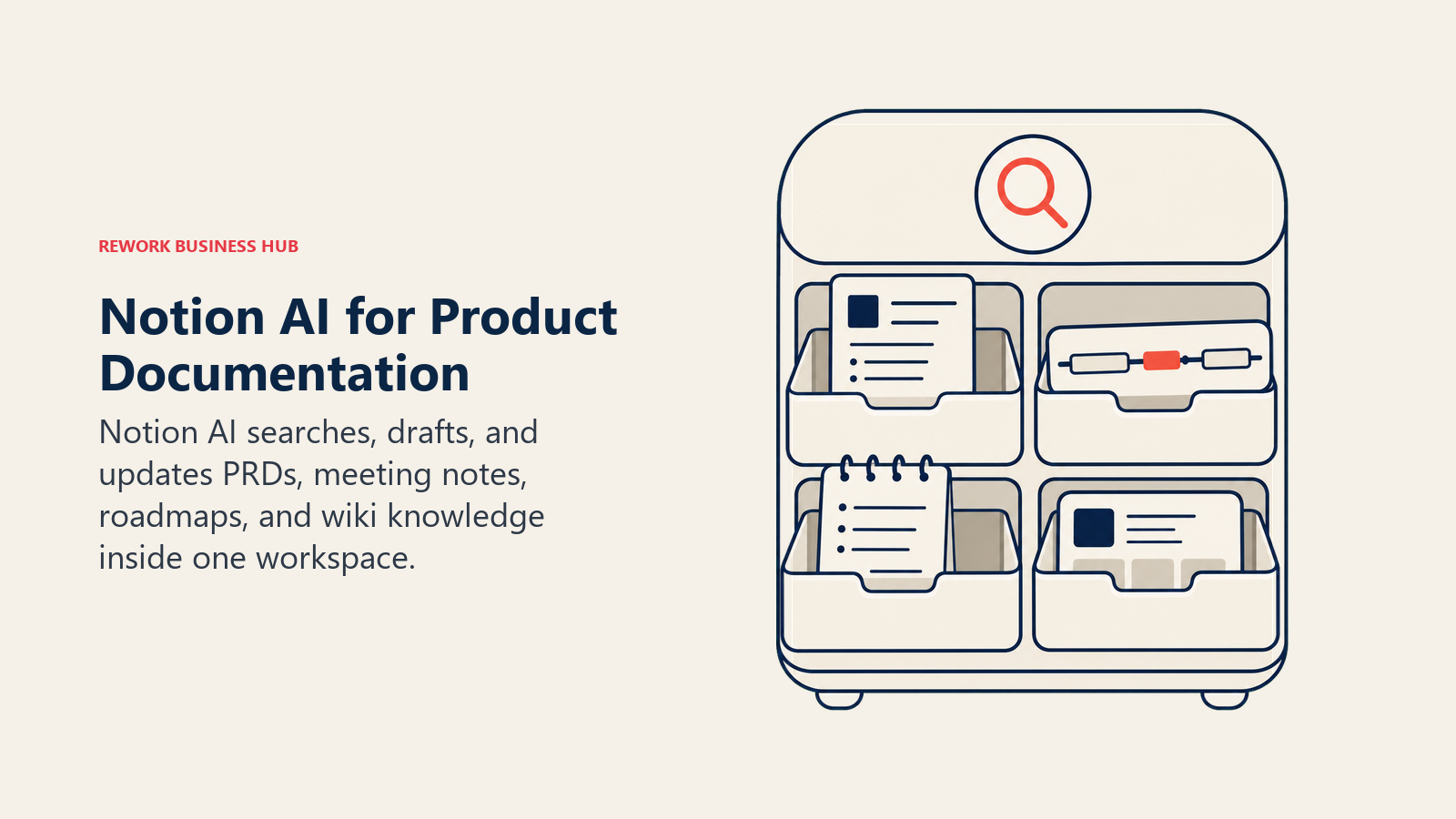
Notion's pitch for product teams has always been the single workspace: PRDs, meeting notes, roadmaps, and the team wiki all live in one connected system instead of scattered across Google Docs and Confluence. Since Notion folded its AI add-on into the Business plan, that same workspace now has AI agents that can search across every doc you have, summarize a stale PRD, or draft a new one from a template without leaving the page.
Best for: Teams that already run their product documentation in Notion and want AI native to that workspace instead of a separate tool
Key strengths:
- Ask Notion searches your entire connected workspace, not just the page you're on
- AI Agents can execute multi-step tasks (draft a doc, update a database, summarize a thread) inside your existing structure
- One workspace for PRDs, roadmap docs, meeting notes, and the product wiki instead of three disconnected tools
Limitations:
- Full AI access requires the $20/user/month Business plan; the cheaper Plus tier has no AI at all
- Custom Agents run on a separate metered credit system ($10 per 1,000 credits) on top of your seat cost
- Not purpose-built for roadmap prioritization or feedback scoring the way Productboard or Zeda.io are
| What you get | What you don't |
|---|---|
| AI native to the docs and wiki your team already writes in | Full AI access locked behind the $20/user/mo Business tier |
| Ask Notion searches your whole connected workspace | Custom Agents billed separately on a metered credit system |
| One workspace instead of three disconnected doc tools | No purpose-built roadmap prioritization or feedback scoring |
Pricing: Free and Plus ($10/user/month annually, $12 monthly) tiers exist, but neither includes AI. Business is $20/user/month annually ($24 monthly) and includes full AI, AI Agents, and Ask Notion. Enterprise is custom. Custom Agents cost an additional $10 per 1,000 monthly credits.
If Notion's per-seat AI cost doesn't pencil out for your team, best Notion alternatives covers workspace tools with a different pricing model.
4. Productboard: AI That Turns Customer Feedback Into a Ranked Roadmap
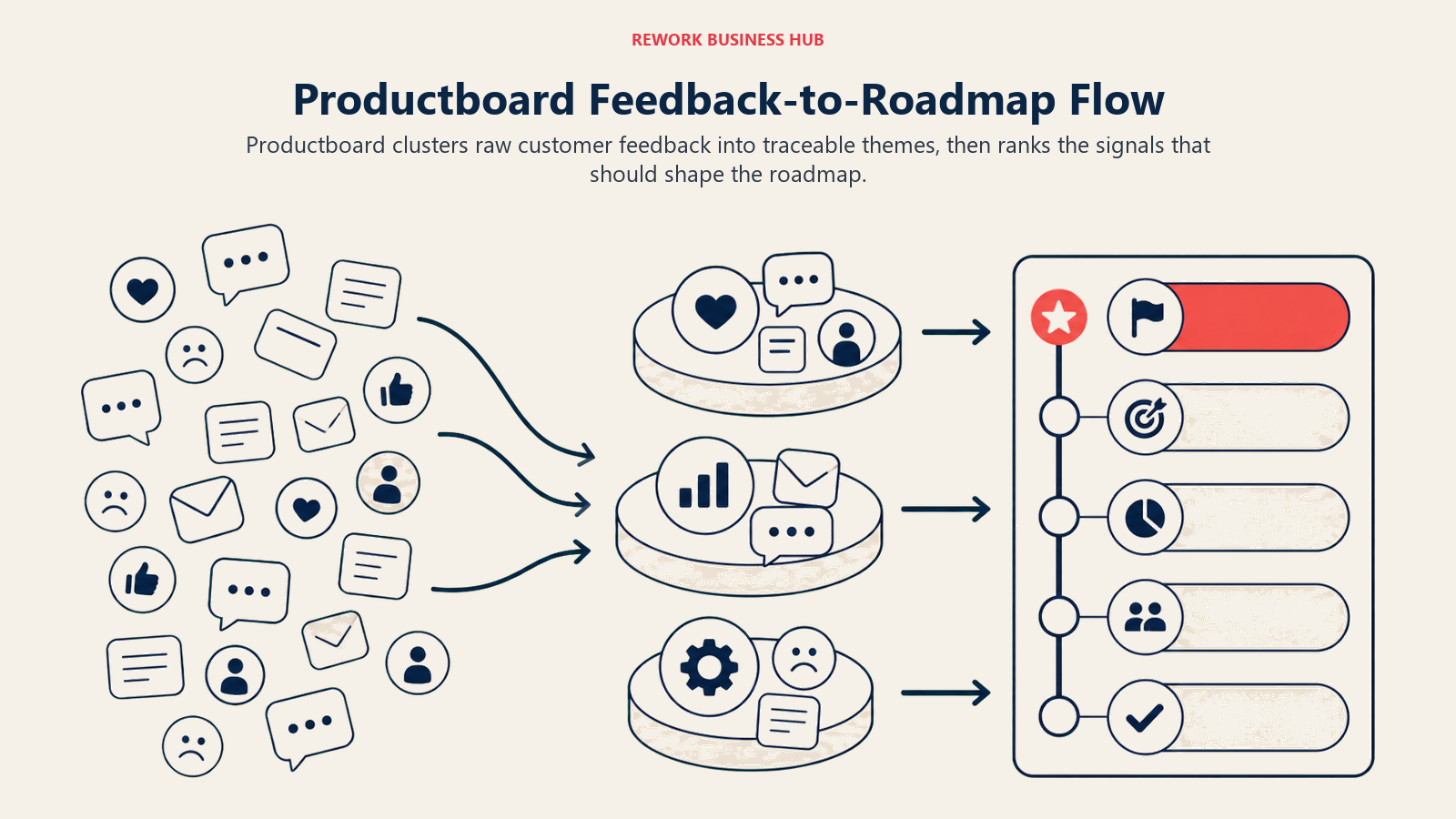
Productboard's core bet has always been that roadmap decisions should trace back to real customer signal, not the loudest voice in the room. Spark, its AI layer (which absorbed the earlier standalone Pulse product), reads every piece of incoming feedback, clusters it into themes automatically, and surfaces which features are actually driving the most requests before you build a single roadmap card.
Best for: Product teams drowning in scattered feedback (support tickets, sales calls, survey responses) who need it turned into prioritized themes fast
Key strengths:
- Spark AI auto-clusters raw feedback into themes without manual tagging
- AI-generated insights link directly back to source feedback, so prioritization stays defensible in a roadmap review
- Every tier now includes Spark, so smaller teams get the same AI engine as Enterprise, just with fewer monthly credits
Limitations:
- Not a general-purpose writing tool; it's built specifically around the feedback-to-roadmap workflow
- AI credits are metered per maker per month, so heavy users on lower tiers can hit the ceiling
- Plus has a 2-maker minimum and Business a 5-maker minimum, and full contributor access requires Enterprise
| What you get | What you don't |
|---|---|
| Purpose-built AI for turning feedback into a ranked roadmap | Not a general drafting tool like ChatGPT or Claude |
| Spark AI included on every tier, including Free | AI credits are metered per maker; heavy use hits limits fast |
| Insights link back to source feedback for defensible prioritization | Full unlimited contributor access requires Enterprise |
Pricing: Free tier includes 50 AI credits/month. Plus is $19/maker/month (2-maker minimum) with 250 AI credits. Business is $59/maker/month (5-maker minimum) with 500 AI credits. Enterprise is custom (5-maker minimum) with 800 AI credits per maker.
See best Productboard alternatives if the per-maker AI credit model doesn't fit how your team works.
5. Zeda.io: End-to-End AI Product Management Suite
Zeda.io's pitch is that a PM shouldn't need five separate tools to run the full loop from customer feedback to shipped feature. One AI-native platform handles feedback capture, insight generation, idea validation, roadmap building, and AI-drafted release notes, with every feature scored against potential revenue impact along the way.
Best for: Product teams that want one AI-native platform running the entire feedback-to-release loop instead of stitching together point tools
Key strengths:
- AI scores feature requests against revenue impact, not just request volume
- Auto feedback capture pulls from 5,000+ integrations (Zapier, Salesforce, HubSpot, and more)
- AI-drafted release notes and idea validation are built into the same workflow as roadmap planning
Limitations:
- Annual-only pricing with no monthly option, which raises the commitment bar for teams still evaluating fit
- All-in-one pricing means smaller teams pay for the full suite even if they only need one piece of it
- Less name recognition and community support than Productboard or Aha!
| What you get | What you don't |
|---|---|
| Full feedback-to-release AI loop in one platform | No monthly plan; annual commitment required to start |
| Revenue-impact scoring on every feature request | Pay for the whole suite even if you only need part of it |
| 5,000+ integrations for automatic feedback capture | Smaller community and fewer third-party resources than Aha! |
Pricing: $499/month, billed annually. All core features are included at that single price point; Zeda.io offers a 90-day, no-questions-asked prorated refund.
6. Dovetail: AI-Powered Research Repository
Dovetail solves a specific problem: research findings that live in a dozen people's heads, scattered Slack threads, and forgotten Google Docs. It's a central repository for every interview, call, and survey, with AI that can chat with your entire research library, generate structured summaries, and surface patterns across studies you ran months apart.
Best for: Teams that run continuous user research and need it searchable, tagged, and synthesized in one place instead of scattered across tools
Key strengths:
- AI chat can query your entire research library, not just a single transcript
- Structured summaries and semantic search on Enterprise make old research actually reusable
- Genuinely usable free tier for a single researcher validating fit before a team rollout
Limitations:
- Dovetail's current pricing page shows only Free and Enterprise tiers, with no published mid-tier for growing teams
- Enterprise requires a sales conversation for any real per-seat number
- Storage and transcription limits on lower usage can push smaller teams toward Enterprise faster than expected
| What you get | What you don't |
|---|---|
| AI chat and synthesis across your entire research library | No published mid-tier; jumps from Free straight to Enterprise |
| Structured summaries make old research reusable | Enterprise pricing requires a sales conversation |
| Genuinely usable free tier to validate fit first | Storage limits can force an early upgrade for active teams |
Pricing: Free tier available (1 channel, 1 project, AI chat and summarization). Enterprise is custom, with unlimited agents, channels, projects, and docs, plus advanced AI (structured summaries, semantic search) and compliance controls.
7. Maze: AI-Moderated User Testing at Speed
Maze's bet is that usability testing shouldn't require a dedicated researcher and a week of scheduling. PMs can spin up an unmoderated test, recruit participants, and let AI auto-summarize the recordings into findings, cutting the time between "we have a question" and "we have an answer" from weeks to days.
Best for: PMs who need to validate a prototype or flow with real users fast, without a dedicated research team running every study
Key strengths:
- AI auto-summarizes test recordings into findings without manual review of every session
- Unmoderated testing means you don't need to schedule and sit in on every call
- Integrates directly with Figma prototypes, so testing a design doesn't require exporting anything
Limitations:
- Seat-based subscription is separate from participant recruitment, which runs on its own credit system
- Credits are priced flat regardless of bundle size, so there's no volume discount for heavy recruiting
- Best suited to structured usability tests, not open-ended qualitative interviews
| What you get | What you don't |
|---|---|
| AI-summarized usability testing without a research team | Participant recruitment credits are a separate cost on top of seats |
| Direct Figma prototype integration for fast testing loops | No volume discount on recruiting credits regardless of bundle size |
| Fast turnaround from question to user-validated answer | Better suited to structured tests than open-ended interviews |
Pricing: Free tier available with limited features. Starter runs around $99/month for a single seat. Team plans start around $249/month for three seats. Enterprise is custom. Participant recruitment credits are billed separately at a flat $5 per credit.
8. Aha!: Enterprise Strategy, OKRs, and Roadmapping With AI
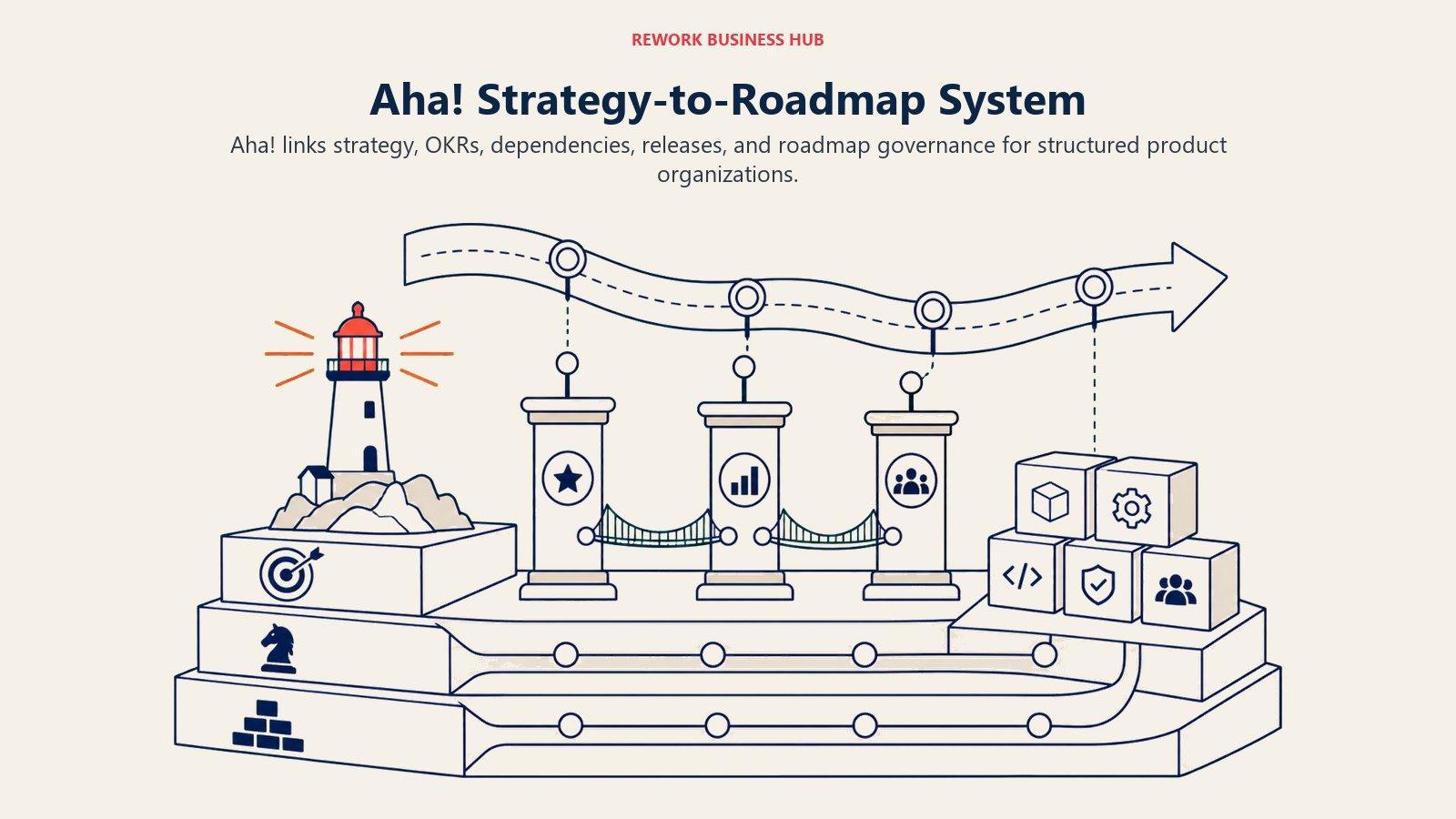
Aha!'s philosophy is that a roadmap is worthless without the strategy underneath it, so the product bundles strategy setting, OKRs, dependency tracking, and roadmap planning into one system built for larger, more structured product organizations. Its built-in AI assistant now drafts strategy documents, epics, and release notes directly inside that structure instead of requiring a separate writing tool.
Best for: Larger product orgs that need strategy, OKRs, and roadmap governance in one system, not just a visual roadmap tool
Key strengths:
- AI assistant drafts strategy docs, epics, and release notes using your account's own data as context
- Deepest dependency tracking and cross-team roadmap governance on this list
- AI credits are included in every paid plan, with usage scaled to plan tier rather than sold as a separate SKU
Limitations:
- Meaningfully more expensive than Productboard or Zeda.io at the entry tier
- Enterprise+ (the tier with OKRs and capacity planning) is billed annually only, no monthly option
- Steeper learning curve than lighter roadmap tools; built for structured PM orgs, not solo operators
| What you get | What you don't |
|---|---|
| Strategy, OKRs, and roadmap governance in one system | Highest entry price of the dedicated PM tools on this list |
| AI assistant drafts docs, epics, and release notes in context | Enterprise+ tier is annual-only, no monthly billing |
| AI credits included in every paid plan | Steeper learning curve than lighter, roadmap-only tools |
Pricing: Premium is $74/user/month. Enterprise is $124/user/month and adds unlimited free reviewers and viewers. Enterprise+ is $149/user/month (billed annually only) and adds OKRs, capacity planning, and audit reporting. Add-ons like Discovery Advanced ($40/user/month) and Whiteboards Advanced ($9/user/month) extend specific modules.
If Aha!'s pricing is out of reach for your stage, best Aha! alternatives covers lighter roadmapping tools at a lower entry cost.
9. Jira Product Discovery: Idea Intake Inside the Atlassian Stack
Jira Product Discovery exists for one reason: PMs who already work alongside engineers on Jira shouldn't have to export ideas into a separate tool to prioritize them. It's built for the messy front end of product work, collecting ideas, scoring them, and building views your team can react to, with Atlassian Intelligence generating insights and summaries directly inside that same discovery board. It also absorbed the AI feedback-clustering capability from Cycle, the standalone tool Atlassian acquired and sunset in late 2025.
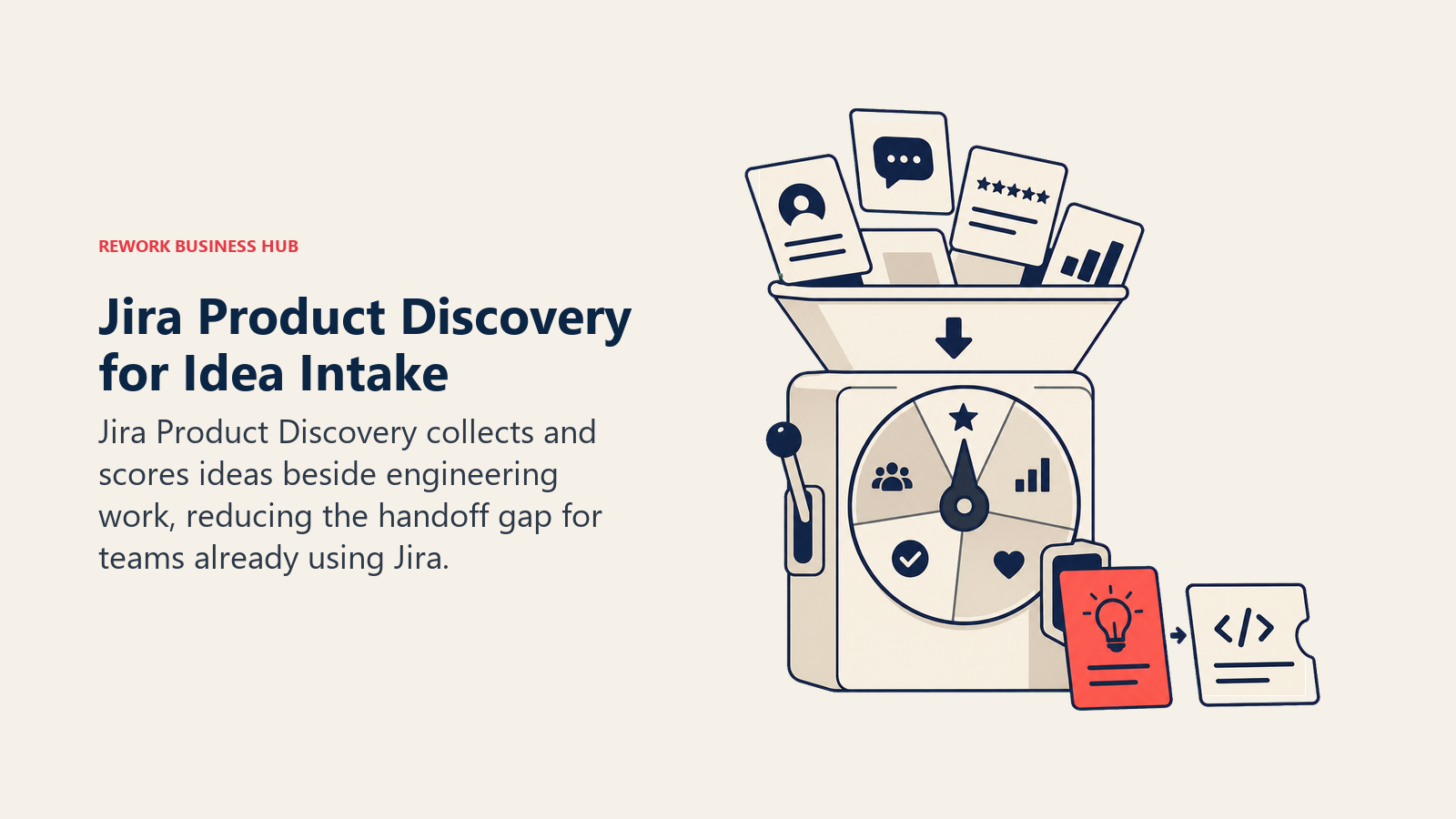
Best for: PMs on teams already running engineering work through Jira who want idea intake and prioritization native to that stack
Key strengths:
- Contributors (anyone who can view and comment on ideas) are free and unlimited, regardless of plan
- Atlassian Intelligence drafts summaries and surfaces patterns across submitted ideas at no extra cost on Premium
- Native to the same Atlassian ecosystem your engineering team already lives in, so handoff friction drops
Limitations:
- Not a strong fit for teams that don't already run on Jira for engineering work
- Atlassian Intelligence features require the Premium tier; Standard doesn't get AI access
- Less mature customer feedback capture than Productboard or Zeda.io, which are purpose-built for that job
| What you get | What you don't |
|---|---|
| Free, unlimited contributors regardless of plan tier | Weaker fit if your engineering team isn't already on Jira |
| Atlassian Intelligence built into the Premium tier | AI features require Premium; not available on Standard |
| Native workflow with the Jira board your engineers use daily | Less mature feedback capture than dedicated tools like Productboard |
Pricing: Free plan supports up to 3 creators with unlimited contributors. Standard is $10/user/month. Premium is $25/user/month and includes Atlassian Intelligence, unlimited storage, and admin insights. Annual billing saves up to 17% versus monthly.
For the broader Jira ecosystem beyond product discovery specifically, best Jira alternatives covers tools that compete with Jira Software itself.
10. Figma AI: Design Collaboration and Rapid Prototyping
Figma's AI push puts intelligence directly into the design surface PMs already collaborate in: auto-layout suggestions, image editing, content rewriting inside FigJam and Slides, and interaction generation that turns a static frame into something closer to a working prototype. For PMs who sit in design reviews but don't drive Figma files themselves, the value is faster iteration on the ideas they're reacting to.
Best for: PMs collaborating closely with design on prototypes and specs, especially teams already living in Figma for design reviews
Key strengths:
- AI credits power auto-layout, background removal, auto-rename, and interaction generation without leaving the file
- FigJam's AI sticky-note summarization makes discovery workshop output usable immediately after the session
- Every seat, including free ones, includes a monthly AI credit pool
Limitations:
- Full-seat pricing gets expensive fast for teams that need more than a handful of true editors
- AI credit pools are shared across all Figma AI features, so heavy prototyping use can burn through them quickly
- Best suited to visual iteration, not written PM artifacts like PRDs or strategy docs
| What you get | What you don't |
|---|---|
| AI built directly into the design and prototyping surface | Full editor seats get expensive for larger design-adjacent teams |
| FigJam AI makes workshop synthesis instant | Shared AI credit pool can run out fast under heavy prototyping use |
| AI credits included even on the free Starter plan | Not built for written PM artifacts like PRDs or strategy docs |
Pricing: Starter is free with 500 AI credits/month. Professional Full seats are $16/editor/month with 3,000 AI credits/month. Organization Full seats are $55/month (annual only) with 3,500 AI credits. Enterprise Full seats are $90/month (annual only) with 4,250 AI credits. Lower-cost Dev and Collab seat types are also available.
11. Miro AI: Discovery Workshops and Visual Synthesis
Miro's product philosophy centers on the whiteboard as the room where product decisions actually get made: discovery workshops, journey maps, retros, and roadmap planning sessions. Miro AI's job is to take the chaos that comes out of a live session (dozens of sticky notes, half-finished diagrams) and cluster it into something usable before the meeting even ends.
Best for: PMs running discovery workshops, journey mapping sessions, or cross-functional planning that needs fast visual synthesis
Key strengths:
- AI clusters sticky notes and workshop output into themes in real time, live during the session
- Miro MCP connects boards to AI tools like Glean and Copilot for pulling in organizational knowledge
- Familiar visual format that non-PM stakeholders (engineering, design, execs) already know how to use
Limitations:
- AI credit allocations are modest on lower tiers (10/team on Free, 25/member on Starter)
- Advanced AI features like MCP integrations require Business or Enterprise
- Not a substitute for a dedicated feedback or roadmap tool; it's a synthesis layer, not a prioritization engine
| What you get | What you don't |
|---|---|
| Real-time AI clustering of live workshop output | Modest AI credit allocations on Free and Starter tiers |
| Miro MCP connects boards to organizational AI knowledge | Advanced AI integrations require Business or Enterprise |
| Familiar visual format for cross-functional collaboration | Not a replacement for a dedicated roadmap or feedback tool |
Pricing: Free tier includes 10 AI credits/team/month. Starter is $8/member/month annually ($10 monthly) with 25 AI credits/member. Business is $20/member/month annually ($25 monthly) with 50 AI credits/member. Enterprise is custom (30-member minimum) with 100 AI credits/member.
12. ClickUp Brain: Roadmap and Task Management With AI Built In
ClickUp's pitch for product teams is consolidation: docs, tasks, roadmaps, and chat all in one workspace instead of stitched together across four tools. ClickUp Brain layers AI across all of it, so a PM can ask a question about a task, summarize a doc, or generate a status update without switching context out of the workspace where the work already lives.
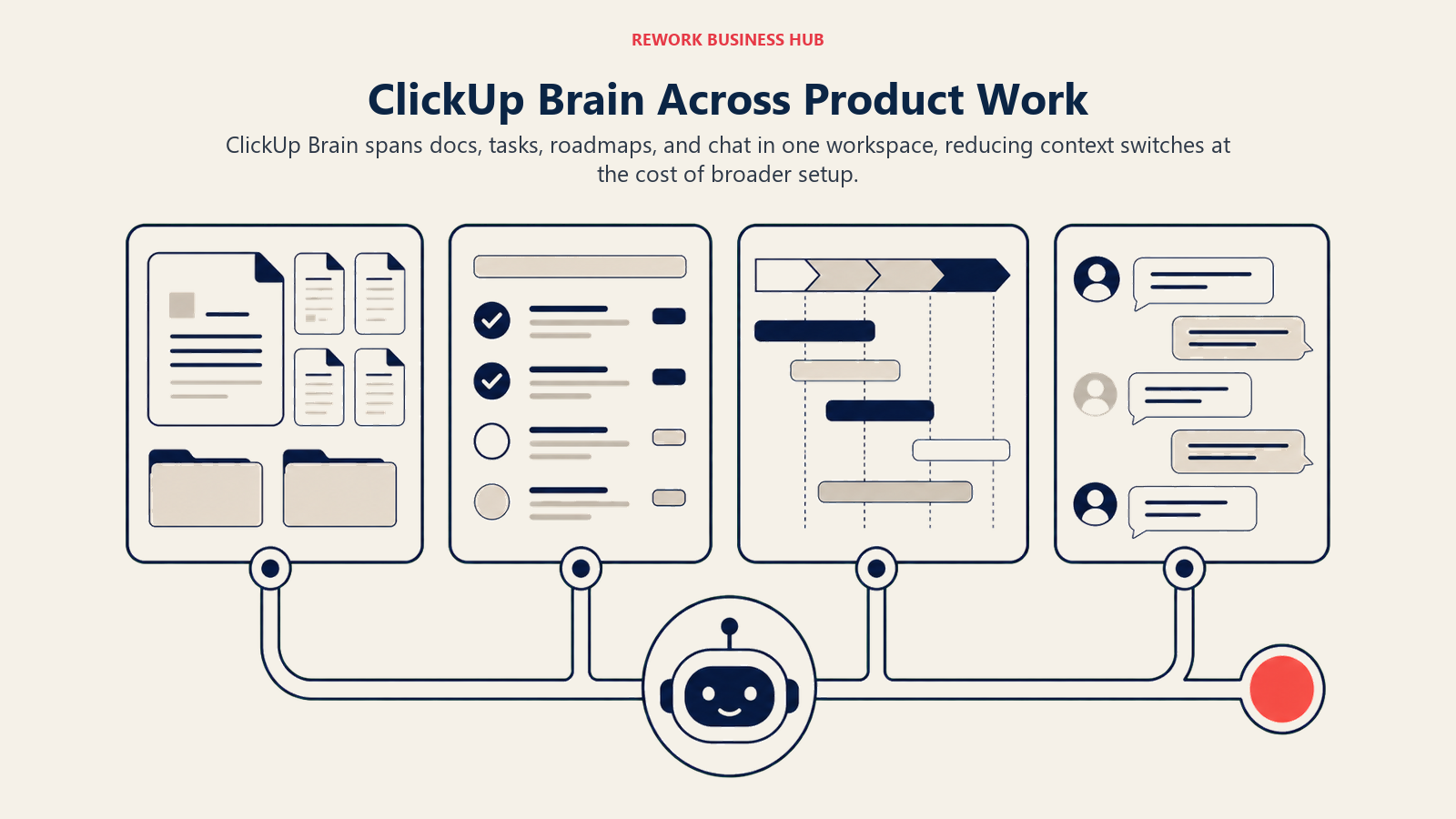
Best for: Product teams that want roadmap, backlog, docs, and AI in a single all-in-one workspace instead of separate specialized tools
Key strengths:
- Unified AI assistant works across docs, tasks, and chat instead of being scoped to one feature
- Two AI tiers (Brain and Everything AI) let teams choose between lighter assistant use and deeper agentic automation
- Base plans are meaningfully cheaper than dedicated PM tools like Aha! or Productboard
Limitations:
- Brain is billed on every paid member in the workspace, not just the people actually using AI, which inflates real cost fast
- ClickUp's flexibility means more setup time before roadmap views feel as clean as a purpose-built PM tool
- Everything AI at $28/user/month stacks on top of your base plan, pushing total cost close to dedicated PM tools anyway
| What you get | What you don't |
|---|---|
| AI unified across docs, tasks, and chat in one workspace | Brain is billed per workspace member, not per active AI user |
| Cheaper base plans than dedicated roadmap tools | Requires more setup to match a purpose-built PM tool's polish |
| Two AI tiers to match usage intensity | Everything AI tier pushes cost close to dedicated PM software anyway |
Pricing: Free Forever plan available. Unlimited is $7/user/month annually. Business is $12/user/month annually. Enterprise is custom. ClickUp Brain adds $9/user/month on top of any paid plan, billed per workspace member. Everything AI is $28/user/month and adds a notetaker, image generation, and a larger credit pool.
See best ClickUp alternatives if the per-member Brain billing model doesn't work for a larger workspace.
13. Lovable: AI App Builder for Functional Prototypes
Lovable's bet is that a PM shouldn't need to wait on an engineer to know whether an idea is worth building. Describe the app or flow you want in plain language, and Lovable generates a real, functional prototype, not a static mockup, that you can click through, test with users, or hand to engineering as a working starting point.
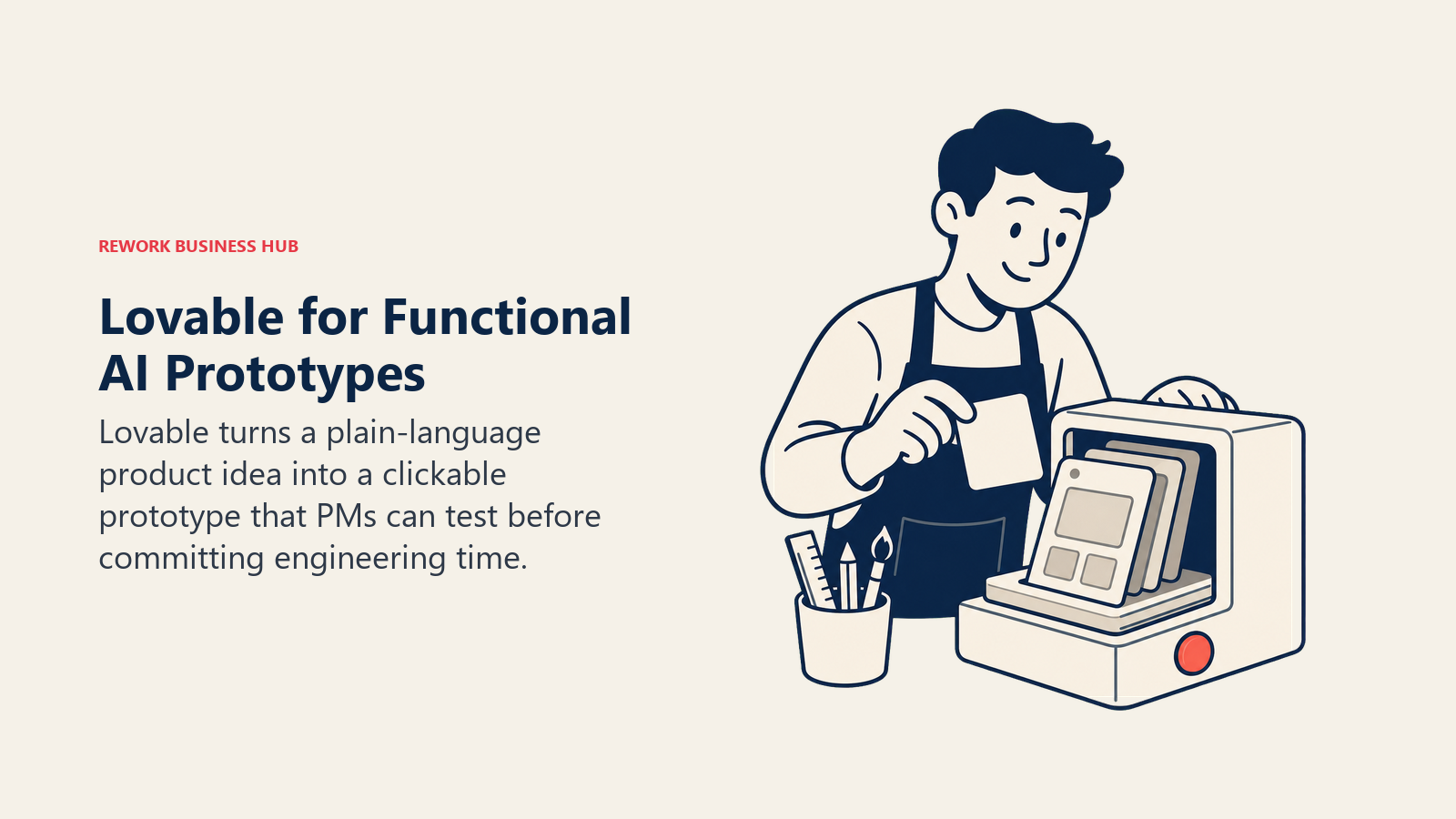
Best for: PMs who want to validate an idea with a real, clickable prototype before writing a formal spec or pulling in engineering time
Key strengths:
- Generates a genuinely functional app from a text prompt, not just a visual mockup
- Fast enough to build and test a prototype variation within the same discovery conversation
- Free tier is real enough to validate whether the workflow fits before paying
Limitations:
- Credit-based pricing means complex prompts burn through your monthly allowance faster than simple ones
- The real cost of a shipped app often runs higher than the plan price once separate Cloud and AI runtime usage is included
- Best for validating an idea fast, not a substitute for engineering-grade production code
| What you get | What you don't |
|---|---|
| Real, functional prototypes from a text prompt, not mockups | Complex prompts burn credits faster, making cost less predictable |
| Fast enough to iterate within a single discovery session | Runtime Cloud/AI usage can push real cost above the listed plan price |
| Genuinely usable free tier to test the workflow first | Not a substitute for engineering-grade production code |
Pricing: Free plan includes 5 daily build credits (up to 30/month) plus 20 monthly Cloud credits. Pro is $25/month ($21/month billed annually) with 100 monthly credits. Business is $50/month ($42/month billed annually) and adds SSO and a security center. Enterprise pricing is custom.
For a broader look at AI tools that write and ship code, best AI coding tools in 2026 covers assistants built for engineers rather than PM-led prototyping.
14. v0: AI-Generated Production-Ready Prototype UI
v0, built by Vercel, takes a narrower and more technical approach than Lovable: describe a UI, and it generates real React and Next.js code you can hand directly to an engineering team, not just a visual approximation. For PMs working closely with a technical team that already ships on Vercel's stack, that difference matters, the output is a real starting point for production work, not throwaway exploration. If the prototype might become the product, Lovable vs Bolt.new vs v0 compares Lovable and v0 with Bolt.new on real pricing, Supabase lock-in, and export rights.
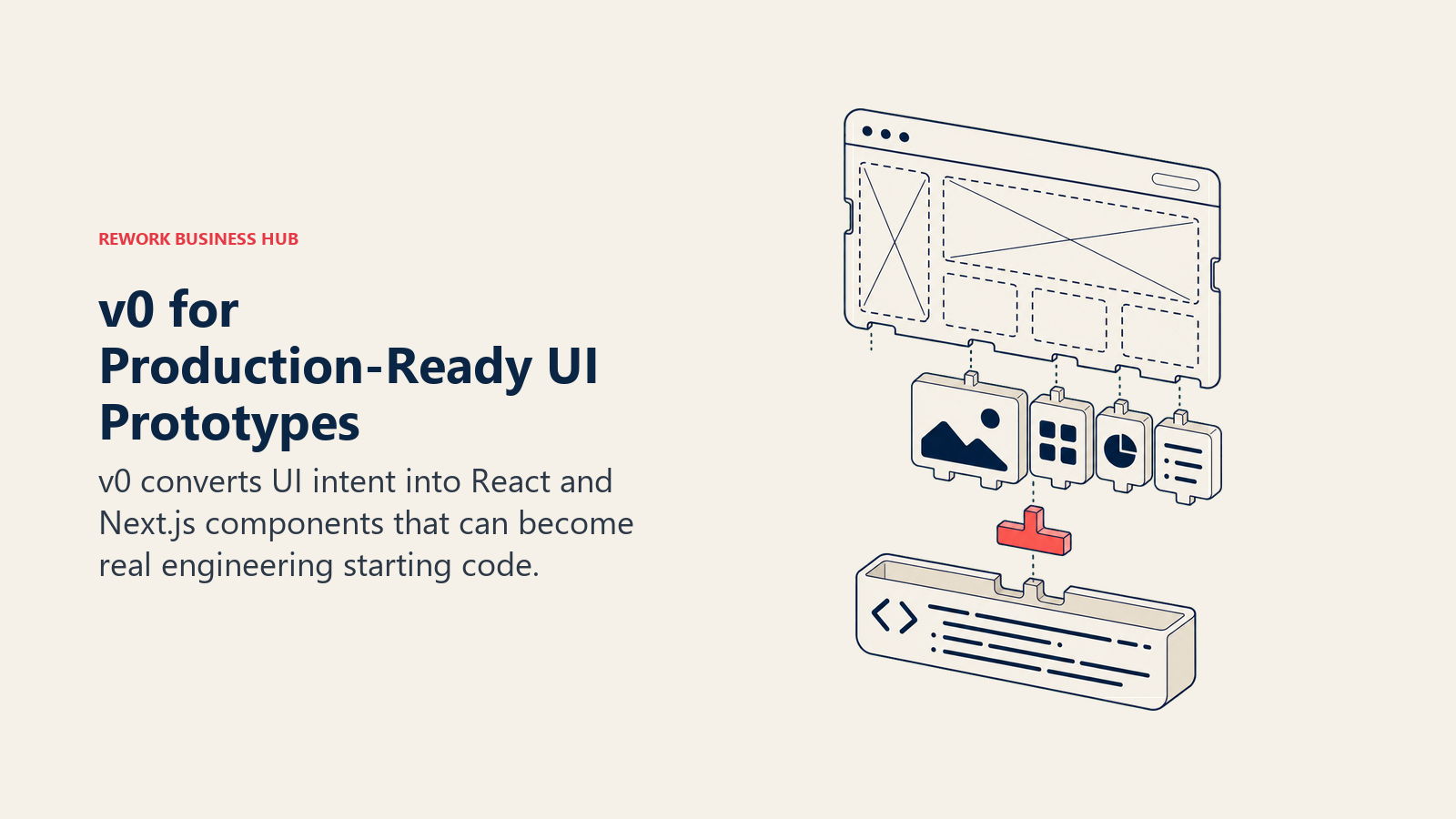
Best for: PMs working with engineering teams already on React/Next.js who want a prototype that becomes real starting code, not a disposable mockup
Key strengths:
- Output is production-ready React/Next.js code, making the handoff to engineering nearly frictionless
- Figma import support lets you start from an existing design file instead of a blank prompt
- Three model tiers (Mini, Pro, Max) let you match AI cost to the complexity of what you're generating
Limitations:
- More technical audience than Lovable; PMs without any frontend familiarity face a steeper learning curve
- Business tier pricing ($100/user/month) is steep relative to the rest of this list
- Credit-based system means unpredictable cost if a team generates heavily during an active sprint
| What you get | What you don't |
|---|---|
| Real, production-ready React/Next.js code output | Steeper learning curve for PMs without frontend familiarity |
| Figma import to start from an existing design | Business tier at $100/user/month is the priciest option here |
| Model tiers let you match cost to generation complexity | Credit-based billing gets unpredictable under heavy sprint usage |
Pricing: Free plan includes $5 of monthly credits. Premium is $20/month with $20 of monthly credits, plus API access. Team is $30/user/month with shared credits and centralized billing. Business is $100/user/month with $30 of included monthly credits per user. Enterprise is custom, with SSO, RBAC, and SOC 2/ISO/GDPR/HIPAA compliance inheritance.
Pricing at a Glance
| Tool | Entry Price | Pricing Model | Free Tier? |
|---|---|---|---|
| ChatGPT | Free; Plus $20/mo | Flat monthly tiers | Yes |
| Claude | Free; Pro $17/mo (annual) | Flat tiers + usage on Enterprise | Yes |
| Notion AI | Business $20/user/mo | Per-user; AI requires Business tier | Yes (no AI) |
| Productboard | Free; Plus $19/maker/mo | Per-maker + metered AI credits | Yes |
| Zeda.io | $499/mo (annual only) | Flat annual commitment | No |
| Dovetail | Free; Enterprise custom | Free plus custom Enterprise | Yes |
| Maze | Starter ~$99/mo (1 seat) | Per-seat + separate recruiting credits | Yes (limited) |
| Aha! | Premium $74/user/mo | Per-user, tiered | No (free trial) |
| Jira Product Discovery | Free; Standard $10/user/mo | Per-user; unlimited free contributors | Yes |
| Figma AI | Free; Professional $16/editor/mo | Per-seat + AI credit pool | Yes |
| Miro AI | Free; Starter $8/member/mo (annual) | Per-member + AI credit pool | Yes |
| ClickUp Brain | Business $12/user/mo + Brain $9/user/mo | Per-user base + AI add-on | Yes (no Brain) |
| Lovable | Free; Pro $25/mo | Flat tiers + credit system | Yes |
| v0 | Free; Premium $20/mo | Flat tiers + credit system | Yes |
Where AI in Product Management Is Headed
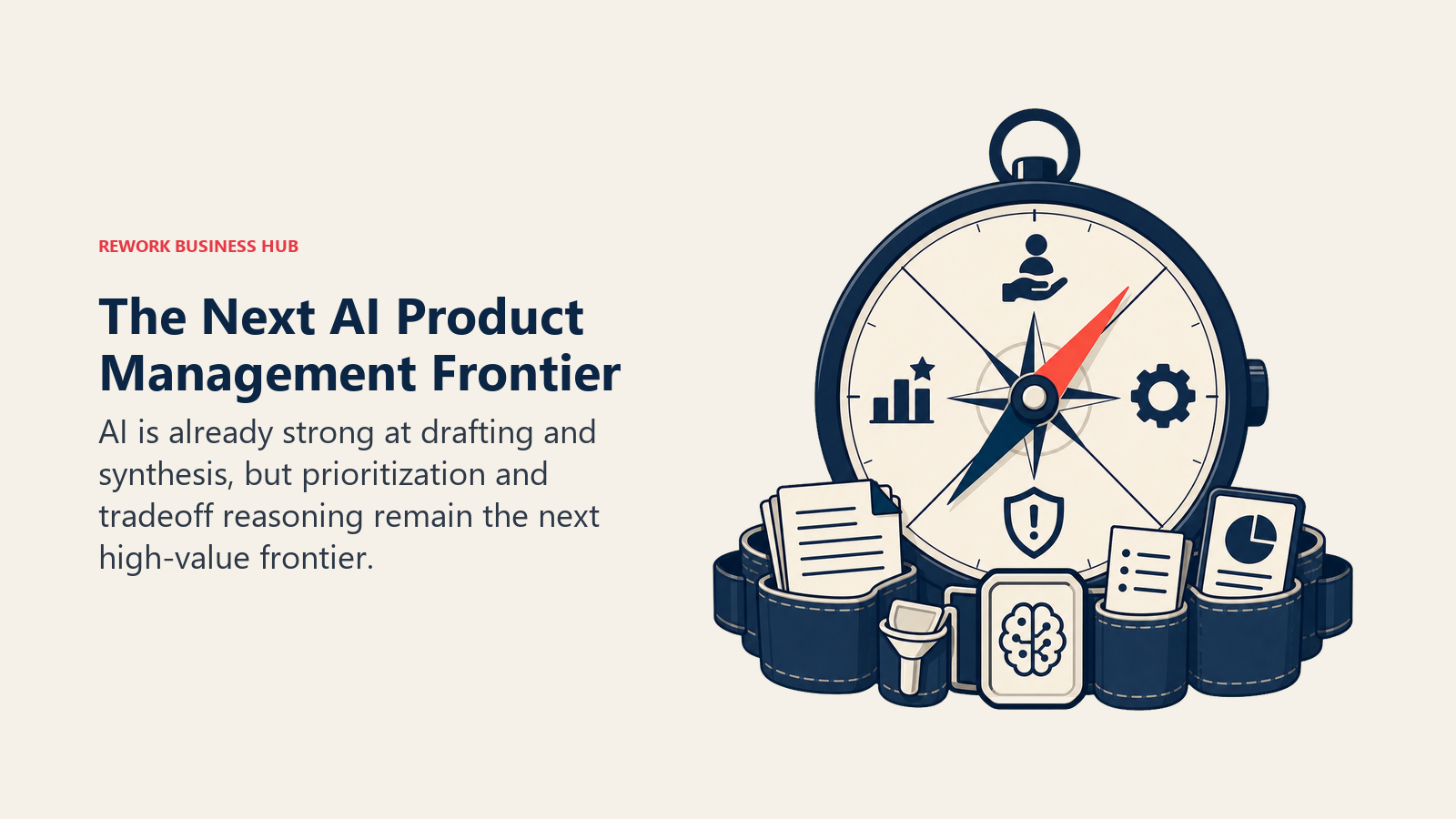
Two things are true at once right now. Adoption is essentially universal (every surveyed product team uses AI, and most PMs use it daily), yet AI still isn't reliably touching the highest-value part of the job: deciding what to build and why. Per Atlassian's research, teams are getting real time back on drafting and documentation, but prioritization, planning, and advanced analytics remain mostly human work in 2026. Expect the next wave of PM tools to compete less on "does it have AI" (that's table stakes now) and more on whether the AI can actually reason about tradeoffs, not just summarize inputs faster. Tool fragmentation is also a live problem: with most PMs running two or more AI models and a separate tool for prototyping, consolidation pressure (Notion folding in AI, Atlassian absorbing Cycle into Jira Product Discovery, Productboard merging Pulse into Spark) is likely to keep accelerating through the rest of 2026.
Frequently Asked Questions about AI Tools for Product Managers
What is the best AI tool for product managers in 2026?
There's no single best tool. ChatGPT and Claude cover general drafting and research synthesis, Productboard and Zeda.io lead feedback-to-roadmap prioritization, and Lovable and v0 lead AI prototyping. Match the tool to the specific job (writing, research, roadmapping, or prototyping) rather than picking one tool to do everything.
Can AI replace a product manager's prioritization work?
Not yet. Per Atlassian's State of Product 2026 research, AI is helping most with routine tasks and documentation but isn't yet reliably handling the complex, high-value work like prioritization, planning, and advanced analytics that PMs actually get paid for.
What happened to Cycle, the AI feedback tool?
Atlassian acquired Cycle and sunset it as a standalone product on October 31, 2025. Its AI feedback-clustering capability was folded into Jira Product Discovery and Atlassian Intelligence, which is why this list recommends Jira Product Discovery instead of Cycle for that use case.
Are there free AI tools for product managers?
Yes. ChatGPT, Claude, Notion (without AI), Productboard, Dovetail, Jira Product Discovery, Figma AI, Miro AI, Lovable, and v0 all offer genuinely usable free tiers. The gap is that most free tiers cap AI credits or usage tightly, so a small team will likely outgrow at least one free tier within a few months of daily use.
Do I need a dedicated AI product management tool, or can I just use ChatGPT and Claude for everything?
General assistants like ChatGPT and Claude cover drafting and research well, but they don't replace a purpose-built feedback inbox, roadmap prioritization engine, or research repository. Most product teams end up running one general assistant alongside one or two specialized tools (Productboard or Zeda.io for roadmapping, Dovetail or Maze for research) rather than relying on one tool for everything.
Which AI tool is best for building a quick prototype without an engineer?
Lovable and v0 both let a PM generate a functional prototype from a text description. Lovable is the more approachable option for a PM with no frontend background, while v0 outputs production-ready React and Next.js code that's a stronger fit for teams already on that stack.
Is my product data safe with AI product management tools?
Most vendors on this list, including Anthropic, OpenAI, Atlassian, Figma, and Notion, publish SOC 2 compliance details and standard data processing agreements. Ask any AI product tool directly whether your feedback, research, or roadmap data is used to train models beyond your own account, and get the answer in writing before you commit sensitive customer data.
What to Do Next
Don't try to adopt all 14 of these at once. Pick the one job costing your team the most time right now, whether that's PRD drafting, feedback triage, or waiting on engineering for a quick prototype, and pilot one tool against it for two weeks with real work, not a demo. If your team is hiring to fill the gap AI can't close yet (the strategic, prioritization-heavy work Atlassian's research says AI still isn't handling), the product manager job description template is a solid starting point for that req. And if you're building out your broader AI tool stack beyond product management specifically, Best AI Tools in 2026 covers the top picks across every function.

Principal Product Marketing Strategist
On this page
- What Changed in 2026
- Key Facts
- Quick Comparison Table
- How to Choose: Decision Framework
- Framework: By Job to Be Done
- 1. ChatGPT: The Default AI Assistant for PM Drafting and Research
- 2. Claude: Best AI for Synthesizing Long, Messy Product Documents
- 3. Notion AI: PRD and Wiki Hub With AI Built Into Every Doc
- 4. Productboard: AI That Turns Customer Feedback Into a Ranked Roadmap
- 5. Zeda.io: End-to-End AI Product Management Suite
- 6. Dovetail: AI-Powered Research Repository
- 7. Maze: AI-Moderated User Testing at Speed
- 8. Aha!: Enterprise Strategy, OKRs, and Roadmapping With AI
- 9. Jira Product Discovery: Idea Intake Inside the Atlassian Stack
- 10. Figma AI: Design Collaboration and Rapid Prototyping
- 11. Miro AI: Discovery Workshops and Visual Synthesis
- 12. ClickUp Brain: Roadmap and Task Management With AI Built In
- 13. Lovable: AI App Builder for Functional Prototypes
- 14. v0: AI-Generated Production-Ready Prototype UI
- Pricing at a Glance
- Where AI in Product Management Is Headed
- What to Do Next