AI Across the Employee Lifecycle: Use Cases From Hire to Exit
Turn this article into takeaways for your work.


Each assistant summarizes the article only for you and suggests best practices for your work.
Using AI across the employee lifecycle means applying it at each stage of a person's time with your company (attract, hire, onboard, develop, retain and exit), and the stages are not equally safe. AI that drafts a job ad or answers a benefits question carries little risk. AI that ranks candidates or flags people for termination affects someone's livelihood, and that's where the law, and the potential for bias, concentrate. The practical skill for an HR leader isn't finding every possible use case. It's knowing which stages to automate heavily, which to assist lightly, and which to keep firmly in human hands.
This guide is for CHROs, HR directors and HR managers who need a map of where AI fits, what data each use needs, and how to sequence the work. For the broader picture, start with the pillar guide, AI in HR. For a catalogue of specific agent deployments, see AI agents for HR; this article doesn't repeat that list. It organizes the thinking around risk instead.
Key Facts
- The EU AI Act classifies AI systems used for recruitment or selection (including targeting job ads, filtering applications and evaluating candidates) as high-risk under Annex III, point 4(a) (AI Act Annex III).
- The same Annex III entry covers AI that influences terms of work relationships, including promotion and termination decisions, task allocation based on behavior or personal traits, and monitoring and evaluating performance (AI Act Annex III).
- The AI Act prohibits AI systems that infer emotions of a person in the workplace, with exceptions for medical or safety purposes (AI Act Article 5).
- New York City's Local Law 144 bars employers from using an automated employment decision tool unless it has had a bias audit within one year of use, and DCWP began enforcing it on July 5, 2023 (NYC DCWP).
- Under GDPR Article 22, people have the right not to be subject to a decision based solely on automated processing, including profiling, where it produces legal or similarly significant effects (GDPR, Regulation (EU) 2016/679).
Why the Lifecycle Is the Right Lens
Most HR teams meet AI as a list of tools: a chatbot here, a screening product there, a survey analyzer somewhere else. That framing hides the thing that matters most, which is that the consequences differ by stage. A model that summarizes onboarding feedback and a model that scores job applicants may use similar technology, but the cost of a wrong answer is nowhere near the same.
The lifecycle gives you a way to ask three questions about any proposed use:
- What decision does this touch? Is it information (answering a question), a recommendation (suggesting who to interview), or a decision (rejecting someone)?
- Who is affected, and can they push back? An employee who gets a wrong answer from a policy chatbot can ask again. A candidate who is silently filtered out usually can't.
- What data does it need, and do you have it in usable shape? In practice this is often the real constraint, not the model.
Those three questions explain the risk pattern in the table below. They also connect to the broader idea of AI use case prioritization: pick the work where value is high and the cost of error is low first.
The Lifecycle Map: Use Cases, Data and Risk
The table maps representative uses at each stage. It isn't exhaustive, and the risk ratings describe the typical case. A well-governed deployment can lower the risk of a use, and a careless one can raise it.
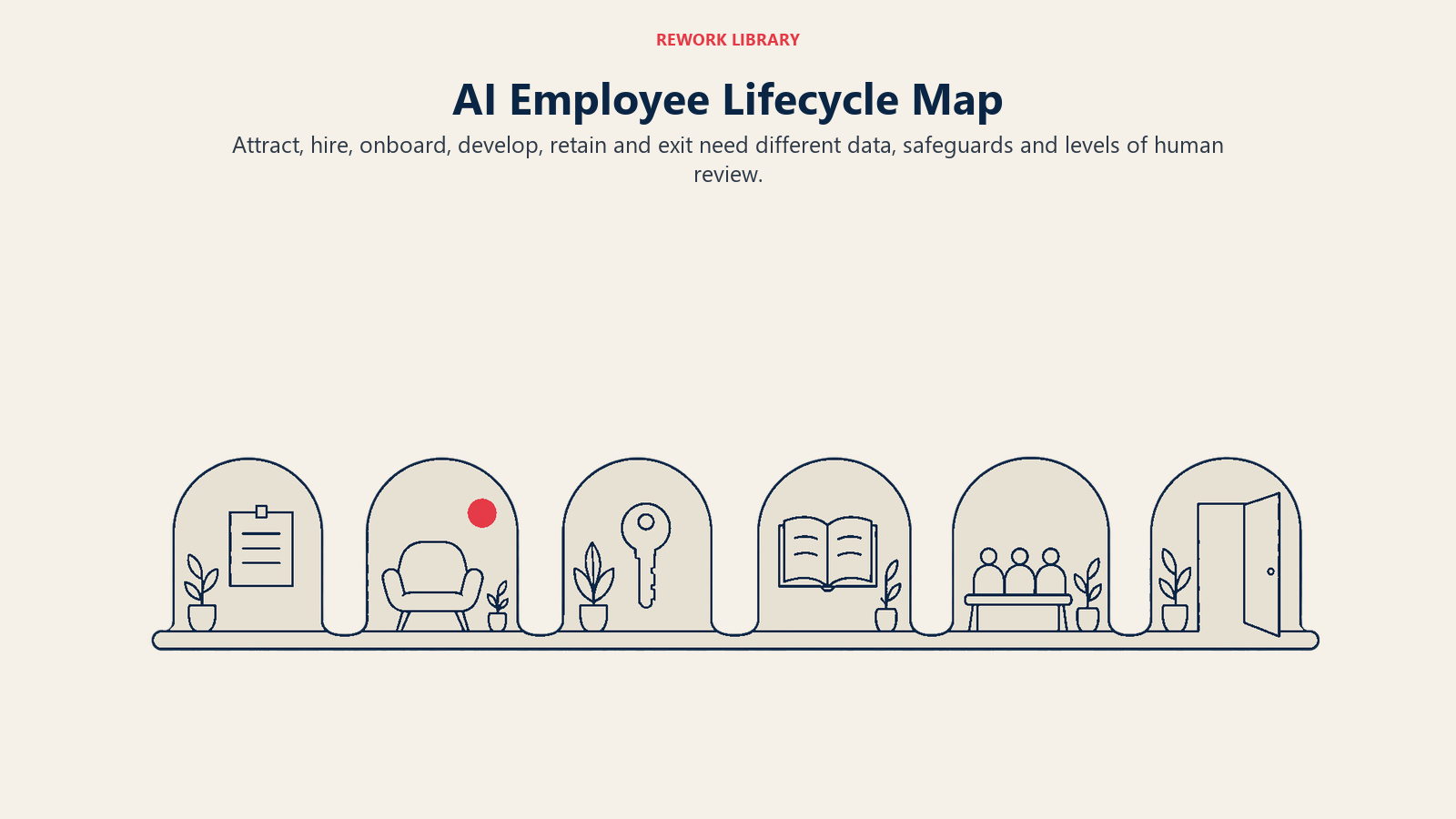
| Stage | Representative AI use cases | Data each needs | Typical risk |
|---|---|---|---|
| Attract | Drafting job ads and employer-brand content; career-site chat for candidate questions; sourcing suggestions; ad targeting | Role descriptions, brand guidelines, public profiles, job-board performance | Low to medium (rises if ad targeting or sourcing filters out protected groups) |
| Hire | Resume parsing; candidate ranking and screening; interview scheduling; interview summarization; skills assessments | Resumes, application forms, structured interview scores, past hiring outcomes | High (selection decisions are regulated and bias-prone) |
| Onboard | New-hire Q&A assistant; automated task checklists and reminders; document collection; role-based learning plans | Policies, handbooks, org charts, HRIS records, equipment and access workflows | Low (mostly information and workflow) |
| Develop | Skills inference; learning recommendations; internal mobility matching; coaching assistants; performance-review drafting | Skills data, learning history, performance records, job architecture | Medium (becomes high when output feeds promotion decisions) |
| Retain | Attrition risk prediction; engagement and sentiment analysis; compensation benchmarking; workload and burnout signals | HRIS history, survey responses, pay data, manager changes, absence and tenure data | Medium to high (sensitive data, surveillance concerns, risk of acting on a flawed prediction) |
| Exit | Exit-interview theme analysis; offboarding checklists; knowledge-transfer capture; any performance or conduct flagging that precedes termination | Exit survey text, offboarding records, performance and conduct history | Low for analysis and checklists; high for anything that influences a termination decision |
Three things stand out when you read down the risk column. Risk clusters around the two points where the company makes a consequential decision about a person: whether to hire them and whether to end the relationship. It also climbs wherever predictions about individuals (who might quit, who might perform) turn into action. And the quiet stages, onboarding and the analytical side of exit, are where the safest returns sit.
Why Risk Differs So Much by Stage
Hiring and termination are the regulated end
Regulators have drawn their lines in the same places. Under the EU AI Act, Annex III point 4 lists AI systems used for recruitment and selection (including targeting job advertisements, analyzing and filtering applications, and evaluating candidates) and AI systems used to make decisions affecting terms of work relationships, including promotion and termination, task allocation based on behavior or personal traits, and monitoring and evaluating performance (AI Act Annex III). Systems on that list are classed as high-risk, which brings obligations around risk management, data quality, documentation, human oversight and more. If you operate in or hire from the EU, your legal team needs to know which of your tools fall into those categories. Because the application timeline for these obligations has been amended, ask counsel for the current dates rather than relying on an older summary.
The US picture is a patchwork rather than a single law, but the same stages attract attention. New York City's Local Law 144 covers automated employment decision tools used for hiring and promotion. Employers can't use such a tool unless it has been subject to a bias audit within one year of its use, information about the audit must be publicly available, and candidates and employees must receive notice, which DCWP guidance says must come 10 business days before the tool is used (NYC DCWP). Other jurisdictions have their own rules on video interviews, biometric data and automated decisions, so a tool that's fine in one office can be a problem in another.
Then there's data protection. The GDPR gives people a right not to be subject to a decision based solely on automated processing, including profiling, where it produces legal or similarly significant effects on them (GDPR Article 22). A rejection or a dismissal clearly qualifies as significant. This is one reason a real person has to be involved in these decisions, as discussed in human-in-the-loop design.
Bias risk is highest where history is the training data
A hiring model learns from who your company hired and promoted in the past. If that history reflects skewed decisions, the model can reproduce them at scale, quietly and consistently. This is the core of bias in AI, and it's the reason the screening stage deserves more scrutiny than a policy chatbot ever will. It's also why audit requirements like New York City's exist: the claim "the tool is objective" has to be tested, not assumed.
Some uses are off the table
The AI Act goes further than regulating emotion recognition at work: Article 5 prohibits AI systems that infer emotions of a person in the workplace, with exceptions for medical or safety reasons (AI Act Article 5). A tool that claims to read candidate or employee sentiment from facial expressions or voice tone, for example, needs very careful legal review before it goes near an interview or a team meeting. Text-based analysis of survey comments is a different thing, but the line between "analyzing what people wrote" and "inferring how they feel from how they look or sound" is exactly the one to watch.
Stakes and reversibility
Beyond the law, there's a simpler management test: how easily can the mistake be caught and undone? A wrong answer in an onboarding chat gets corrected in the next message. A wrongly rejected candidate never tells you. A wrongly flagged employee may be managed out before anyone checks the flag. The less visible and less reversible the error, the more human review it needs.
Stage-by-Stage Guidance
Attract
Start with the content side. Drafting job descriptions, rewriting them in plain language, and producing role-specific career-page copy are generative tasks with a human editor in the loop. Check outputs for biased or exclusionary wording, and make sure every requirement listed is a real one. The riskier edge is targeting and sourcing: if a tool decides who sees a job ad or whom to approach, you've entered the selection territory the regulations care about, even though it feels like marketing.
Hire
This is the stage with the most vendor pitches and the most exposure. A workable approach separates assistance from decision. Use AI for logistics (scheduling, status updates to candidates, parsing resumes into a consistent format) and for drafting structured interview guides. Be much more cautious with ranking and rejecting. If you use a screening tool, a person should review the candidates it ranks lower, not only the top, and you should be able to explain why a candidate was filtered. See explainable AI for what that should mean in practice.
Onboard
Onboarding is the lowest-risk, fastest-payback stage for most teams. A question-answering assistant over your handbook and policies, a checklist engine that nudges managers and IT, and role-based learning paths all rely on information you already own. The main risk is accuracy: an assistant that confidently misstates a leave policy creates real problems. Ground it on the current policy documents, show the source, and send anything ambiguous to a person.
Develop
Skills inference, learning recommendations and internal mobility matching can help employees see paths they didn't know existed. They depend on decent skills data, which most companies don't have in clean form. The risk climbs when these outputs quietly shape who gets promoted or assigned to stretch projects. If a development recommendation becomes a gate, treat it like a selection tool: audit it, and keep a person accountable.
Retain
Attrition prediction is the use case executives like most and should approach most carefully. A model that flags employees likely to leave is a people analytics application on sensitive data, and the danger is in what happens next. Using the output to give a manager a conversation prompt at the team level is one thing. Using it to withhold a raise or a project from an individual flagged as a flight risk is another, and probably unfair. Aggregate before you act, avoid individual labels, and be open with employees about what's analyzed. Engagement survey text analysis and compensation benchmarking are safer, because they work at group level.
Exit
Split this stage in two. The analytical side (finding themes in exit interviews, tracking why people leave by team or tenure, capturing knowledge before a departure) is low-risk and often valuable. The decision side is not. Any AI that scores, flags or ranks employees for performance or conduct, where the output feeds a termination, is in the high-risk category described above. Keep the decision with a named human who reviews the underlying facts, can explain them, and documents the reasoning.
How to Prioritize Stages: Step by Step
You don't need to deploy across the whole lifecycle at once, and you shouldn't. A sequence that works for most HR teams:
- List current use, including the unofficial kind. Ask each HR team and hiring manager what AI tools they already use. Recruiters pasting resumes into a public chatbot is the common surprise. This is the problem usually called shadow AI.
- Place every use on the map. Sort each one by lifecycle stage and by whether it informs, recommends or decides.
- Score each on value and risk. Use the table above as a starting point. Value is hours saved or errors avoided. Risk is the cost of a wrong output multiplied by how hard it is to detect.
- Start where value is high and risk is low. For most teams that's onboarding assistance, job-ad and communication drafting, scheduling, and exit-interview theme analysis.
- Check data readiness before buying. For each candidate use, confirm you have the inputs listed in the table in a usable, accurate form, and that you have the right to use them for this purpose. The HR data foundations guide has a readiness checklist.
- Set a human review rule for anything touching a decision. Write down who reviews, what they see, and what they can override. Record it.
- Pilot narrowly and measure against a baseline. Pick one team, one stage, a few weeks. Measure time saved and error rates, and for hiring, check outcomes by group.
- Move to higher-risk stages last, with governance in place. By then you'll have a track record, an owner, and a process. The AI governance article covers what that structure includes.
Common Pitfalls
- Buying a "suite" and switching everything on. Vendors bundle low-risk and high-risk features together. Enable the safe ones first and leave screening and scoring switched off until you've assessed them.
- Assuming the vendor carries the liability. Assume the employer that deploys the tool answers for its outcomes. Ask for bias audit results, documentation and data-use terms before signing.
- Treating a prediction as a fact. An attrition score or a candidate ranking is a probability based on past patterns. It's a prompt for a human conversation, not a verdict.
- Skipping employees and candidates. Where the law requires notice, give it. Where it doesn't, tell people anyway. Surprise erodes trust faster than the tool saves time.
- Ignoring the data you feed in. Pasting personal data about candidates or employees into a general-purpose tool can breach privacy obligations and your own policies.
- Measuring only speed. A faster screening process that narrows your candidate pool unfairly is not a win. Track quality and fairness alongside time.
- Forgetting the change side. Managers who don't understand a tool either ignore it or over-trust it. Budget for training.
Putting It Together
If you only remember one thing, make it this: risk follows the decision, not the technology. The same language model can sit safely behind an onboarding assistant and dangerously behind a rejection email. Map your uses to the lifecycle, put your first effort where errors are cheap and visible, and earn your way toward hiring and exit decisions with audits, documentation and human accountability. That order also tends to deliver the quickest wins, because the low-risk stages are where the repetitive, answerable work lives.

Senior Customer Retention Strategist
On this page
- Key Facts
- Why the Lifecycle Is the Right Lens
- The Lifecycle Map: Use Cases, Data and Risk
- Why Risk Differs So Much by Stage
- Hiring and termination are the regulated end
- Bias risk is highest where history is the training data
- Some uses are off the table
- Stakes and reversibility
- Stage-by-Stage Guidance
- Attract
- Hire
- Onboard
- Develop
- Retain
- Exit
- How to Prioritize Stages: Step by Step
- Common Pitfalls
- Putting It Together