Time Doctor vs Hubstaff: Which Proof of Work Does Your Team Actually Need in 2026?
Turn this article into takeaways for your work.


Each assistant summarizes the article only for you and suggests best practices for your work.
If you run ops for a BPO, an agency with outsourced contractors, or a distributed team with field or hybrid staff, you've probably had Time Doctor and Hubstaff on the same shortlist. That's not a coincidence: both sell "proof of work" to a manager who can't watch the team in person, and both have real reputations, real add-on catalogs, and real gaps between the sticker price and what a fully configured seat actually costs.
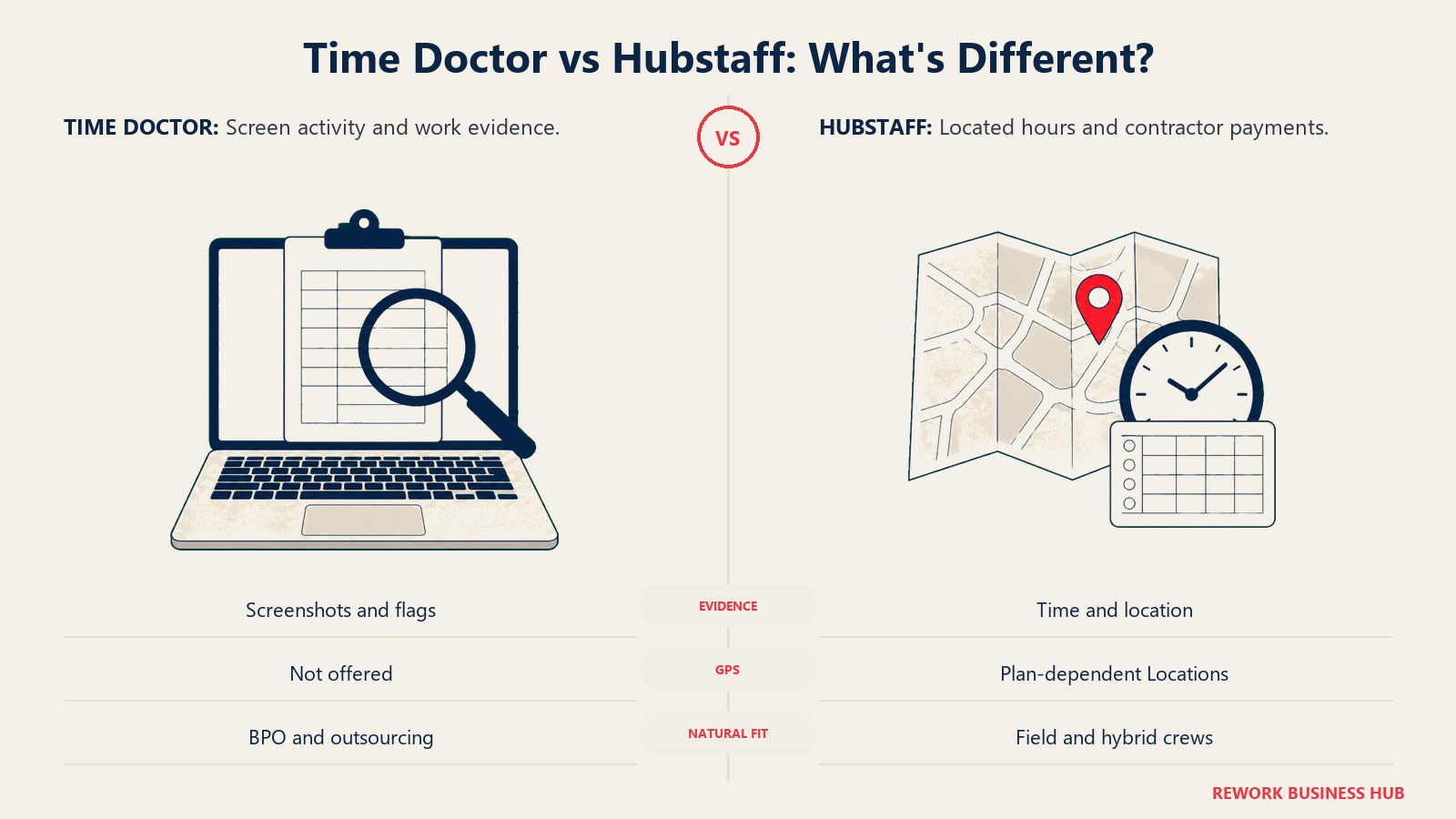
But they're not solving the same proof problem. Time Doctor is built around screenshots, activity, and AI-flagged anomalies for outsourced and BPO teams where a client needs to see what happened on screen. Hubstaff is built around where someone was and how much they got paid, with GPS and geofencing for field and hybrid crews and contractor payments in the same app. You're choosing which kind of evidence your business needs, and this comparison prices both once that evidence gets turned on, not just at the sticker price.
TL;DR
| Time Doctor | Hubstaff | |
|---|---|---|
| What it is | Proof-of-work platform: screenshots, activity, AI-flagged anomalies for BPOs | Time, location, and payments platform: GPS for field/hybrid crews, payroll built in |
| Monitoring by default | On from the cheapest tier: automatic tracking, screenshots, online/offline status | On from the cheapest tier: activity levels and limited screenshots |
| GPS / location tracking | Not offered at any tier or add-on | Locations add-on from $3.33/seat/month, Team and Enterprise only |
| Cheapest paid seat | Basic, $8.00/user/month monthly ($6.67 annual) | Starter, $7.00/seat/month monthly ($4.99 annual), 2-seat minimum |
| Where the real cost hides | The $3/user/month add-on ladder (video, AI benchmarks, unusual-activity) on Basic/Standard | The Locations add-on stacked on Team for any GPS use case |
| Payroll and contractor pay | Payroll module from the Standard tier | Payments and payroll from the Team tier |
| Genuinely stronger at | Screenshot cadence, AI-flagged unusual activity, BPO-style proof | GPS confirmation for field/hybrid crews, payments in one app |
| Not really built for | Confirming physical location or paying contractors in-app | Screen-level proof of what someone did, not just where |
| Best for | BPOs and outsourcing managers needing screen activity, not location | Field service and agencies paying contractors by verified, located hours |
What Each Tool Is Actually Built For
Time Doctor holds a 4.4-star rating across 472 reviews on G2, and its reviewers describe the same trade: strong performance visibility for a remote or outsourced team, paired with a screenshot cadence some call intrusive until the team adjusts. That's the honest read of a tool built for a manager who needs to see, not infer, what a distributed contractor spent the day doing. The AI benchmarking and unusual-activity detection on its top tier extend that from "here's a screenshot" to "here's a flag when the pattern looks wrong."
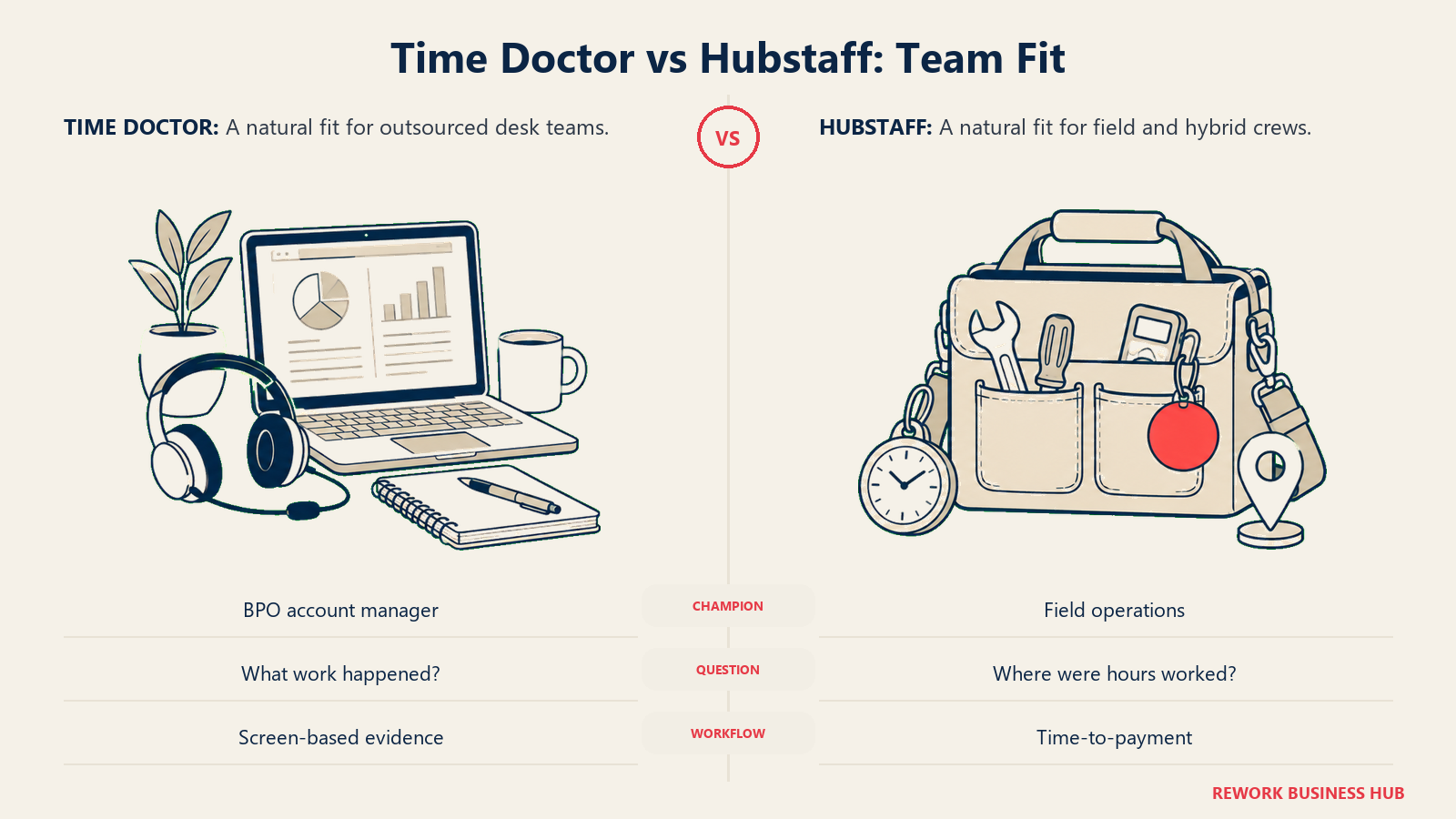
Hubstaff comes from the opposite direction. It says it has 140,000 users worldwide and holds a 4.4-star rating across more than 2,300 reviews on G2, and its natural buyer is a field service company, hybrid crew, or agency that needs to confirm where work happened, not just that a keyboard was active. Payments run through the same product, so verified hours flow straight into a payout without a separate invoicing step.
| Time Doctor | Hubstaff | |
|---|---|---|
| Natural buying trigger | Managing an outsourced/BPO team, need screen-level proof, not a self-reported timesheet | Paying contractors or running field/hybrid crews, need location plus pay in one tool |
| Team maturity assumed | Comfortable with a monitoring program: disclosure, policy, a reason for what's captured | Comfortable with GPS as part of the job, common in field service and delivery |
| Primary champion | Ops lead, BPO account manager, or outsourcing client verifying output | Ops lead, field service manager, or agency owner paying by tracked, located hours |
| Company profile that fits best | Outsourcing firms, BPOs, offshore or outsourced contractor teams | Field service, construction, delivery, home services, hybrid agencies |
Neither is trying to be the other. Time Doctor never sells GPS at any price, and Hubstaff doesn't sell AI-flagged unusual-activity detection. That's the real decision hiding under "which one has better reviews": which kind of proof your business actually needs someone to produce.
Key Facts
- 74% of US employers use online tracking tools to monitor work activity, but only 22% of employees are confident they know it, per ExpressVPN's February 2025 survey of 1,500 US employers and 1,500 employees.
- Monitored employees are nearly twice as likely to rate their mental health poor or fair (32%) versus unmonitored employees (24%), per the APA's 2023 Work in America survey.
- The global BPO market is projected to reach $525.23 billion by 2030 at a 9.8% CAGR, per Grand View Research.
- The Philippines' IT-BPM industry alone closed 2025 with 1.9 million workers and roughly $40 billion in export revenue, per IBPAP data reported by the Philippine Daily Inquirer.
- 80% of fleet professionals now rely on GPS fleet tracking, an 11-point increase year over year, per Verizon Connect's 2026 Fleet Technology Trends Report, from a survey of nearly 900 fleet professionals.
What Each Tool Actually Captures
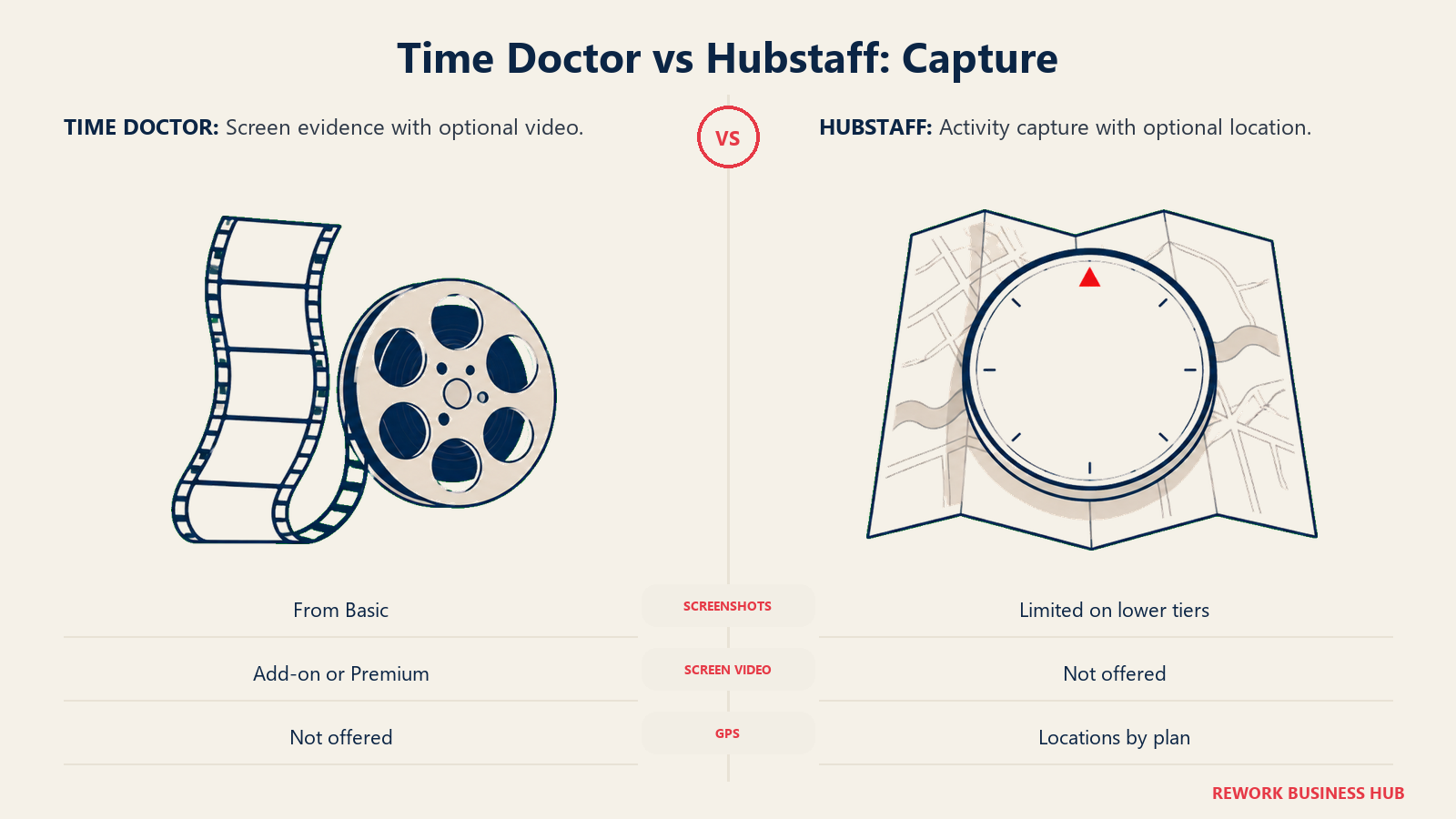
The comparison below separates screen evidence from activity and location data, including the plan limits that affect access.
| Capture type | Time Doctor | Hubstaff |
|---|---|---|
| Screenshots | Yes, from Basic, configurable frequency, blurring available | Yes, limited on Starter/Grow, unlimited on Team/Enterprise |
| Screen video recording | Add-on on Basic/Standard ($3/user/mo); included on Premium | Not offered |
| App and URL tracking | Yes, from Basic | Yes, from Starter |
| Idle detection | Yes, from Basic (online/offline tracking) | Yes, from Starter |
| GPS / geofencing | Not offered at any tier or add-on | Locations add-on ($3.33/seat/mo+), Team and Enterprise |
| Keystroke content logging | No, at any tier | No, at any tier |
| Activity levels (keyboard/mouse) | Not scored as a percentage; inferred from status and screenshots | Yes, on every paid tier |
| Unusual/suspicious activity or AI flags | Add-on on Basic/Standard ($3/user/mo); included on Premium | Not offered |
Neither reaches the heaviest end of the monitoring category, no keystroke logging or webcam, the depth reserved for security-grade platforms like Teramind or Veriato (see our Best Employee Monitoring Software roundup for that tier). What separates these two is direction, not depth: Time Doctor adds screen-level evidence and AI judgment about what it means; Hubstaff adds location evidence and a payment rail tied to it.
The GPS Question
This is Hubstaff's real differentiator, and it's worth being precise about where it lives in the pricing ladder, since the headline Starter price doesn't include it. Hubstaff's own geofencing page states plainly: "Geofencing is available through the Locations add-on on Hubstaff's Team and Enterprise plans." The add-on starts at $3.33 per seat/month and covers GPS tracking, geofenced job sites, work orders, and job tracking, per Hubstaff's pricing guide. It isn't a checkbox, it's a separate line item added on top of Team, and it isn't available on Starter or Grow at any price. On Enterprise, Hubstaff's pricing table marks the Locations row Included rather than showing a per-seat rate.
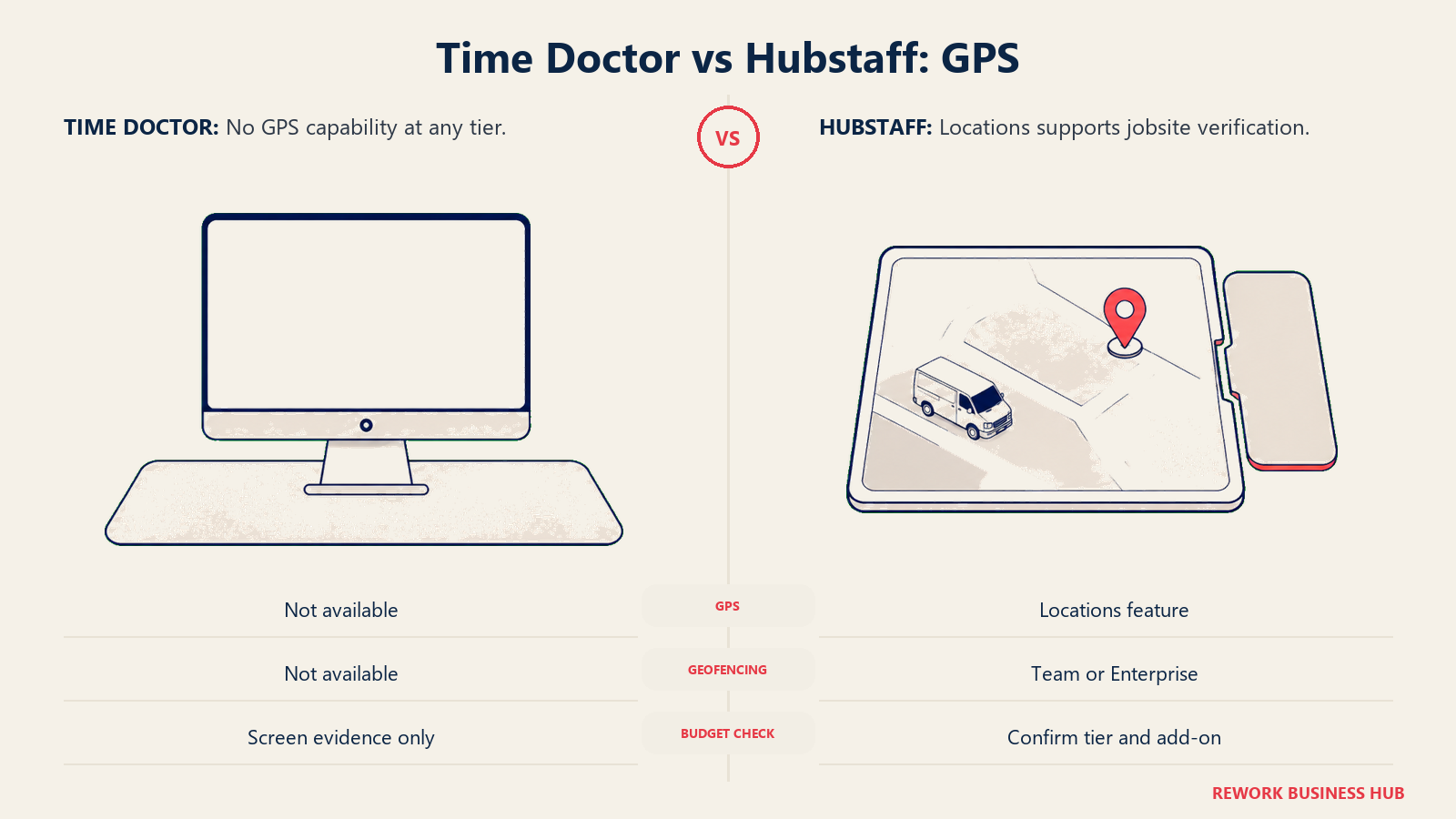
That matters because a lot of buyers assume GPS is just "part of Hubstaff" the way screenshots are part of Time Doctor. It isn't. A field service company evaluating Hubstaff for GPS needs to budget Team plus Locations, not Starter, which pushes the real entry price well past the $4.99 headline (exact math below).
Time Doctor has no answer to this at any price; it doesn't track location and isn't trying to. If GPS confirmation, that someone was actually at the job site or delivery stop, is the evidence you need, Time Doctor is the wrong tool no matter how good its screenshots and AI flags are. The reverse holds too: if your team works from a laptop anywhere and location was never the question, Hubstaff's Locations add-on buys a capability you'll never use.
| Time Doctor | Hubstaff | |
|---|---|---|
| GPS tracking | Not offered | Locations add-on, $3.33/seat/mo on Team, Included on Enterprise |
| Geofencing for job sites | Not offered | Included in the Locations add-on |
| Work orders tied to location | Not offered | Included in the Locations add-on |
| Right tool when location isn't the question | Yes, screen-level proof is the whole product | No, you'd ignore its main field-team feature |
| Right tool when location is the question | No, no path to this at any price | Yes, but budget Team plus Locations, not Starter |
Proof of Work vs Proof of Hours
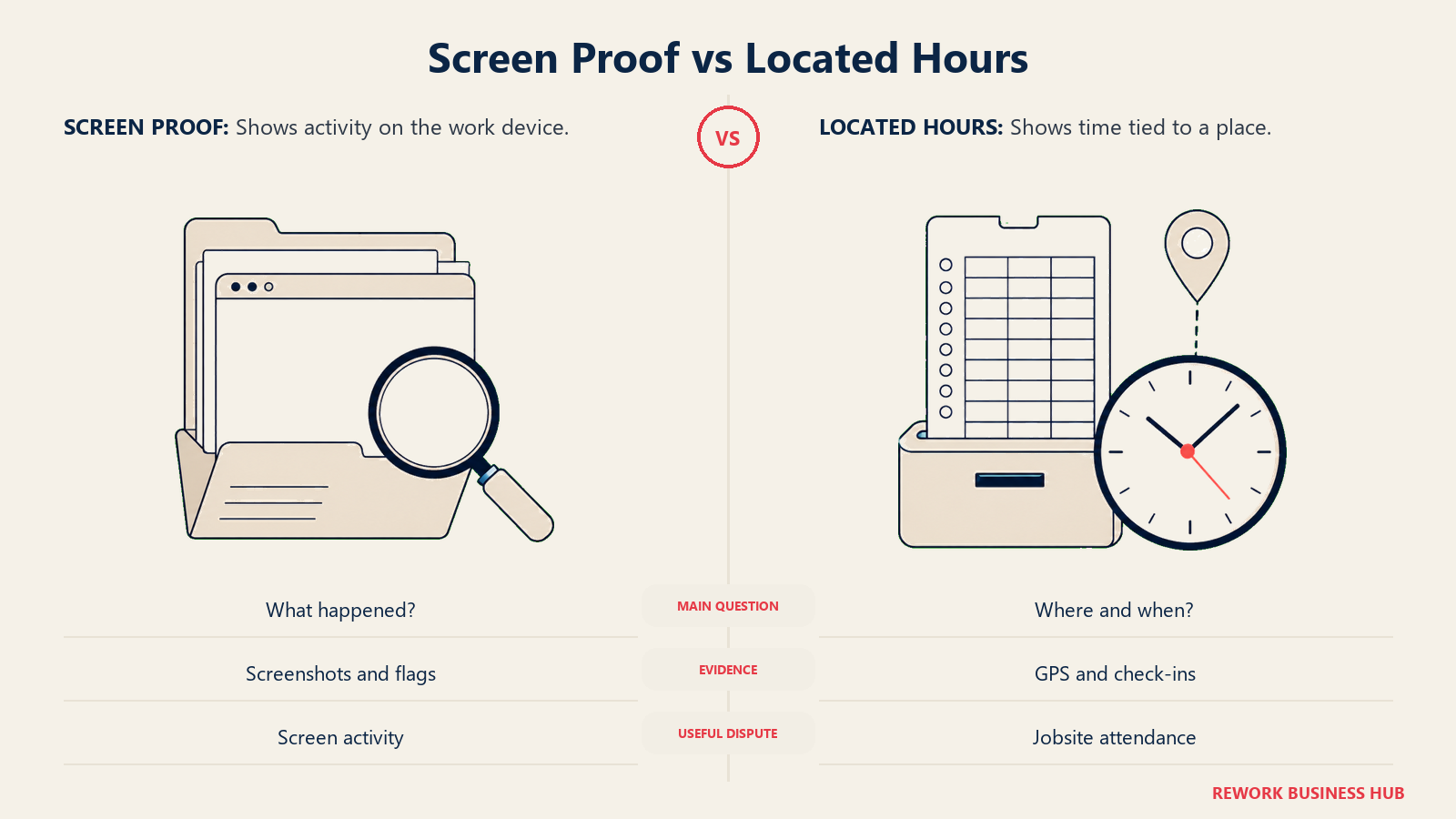
This is the core contrast underneath everything else here. Time Doctor sells proof of what happened: a screenshot, a flagged anomaly, a benchmark. Hubstaff sells proof of where and when: a GPS pin, a geofenced check-in, a verified hour that flows into a payout. Both count as "proof of work" in a sales deck, but they answer different questions when a client or employee disputes a timesheet.
| Time Doctor (proof of work) | Hubstaff (proof of hours) | |
|---|---|---|
| What it answers | "What was this person doing?" | "Where was this person, and were the hours real?" |
| Evidence format | Screenshots, activity flags, AI benchmarks | GPS pins, geofence check-ins, activity percentage |
| Best dispute it resolves | Whether billed hours reflect real screen activity | Whether a shift was actually worked at the job site |
| Weakest dispute it resolves | Whether someone was physically present anywhere | Whether tracked time was actually productive |
| Natural pairing | BPO account management, outsourced QA/support | Field service, delivery, home services, hybrid sales |
Most teams don't need both. The mistake is buying the one with the longer feature list instead of the one that answers the dispute your business actually runs into.
Payroll, Invoicing, and Paying Contractors
Both tie tracked time to money, but differently, and on different tiers.
| Time Doctor | Hubstaff | |
|---|---|---|
| Payroll module | Standard tier and above | Team tier and above |
| Contractor payments | Built into Standard and Premium | Built into Team and Enterprise |
| Client invoicing | Web/app reporting from Standard | Reporting from Grow, payments from Team |
| Where it's missing | Not on Basic | Not on Starter or Grow |
| Approach | Payroll runs alongside screenshot and activity data as one evidence-plus-pay record | Payroll runs alongside GPS and activity data, tying a payout to a verified location |
If payroll or contractor payments matter, neither tool's cheapest tier gets you there. Time Doctor needs Standard, Hubstaff needs Team; budget accordingly rather than assuming the entry tier includes it.
Decision by Business Goal
| Business goal | Better fit |
|---|---|
| "I manage an outsourced or BPO team and need screen-level proof" | Time Doctor |
| "I need to confirm field or job-site staff were where they said" | Hubstaff (Locations add-on, Team or Enterprise) |
| "I want AI-flagged unusual activity without a security program" | Time Doctor (Premium, or the add-on on Basic/Standard) |
| "I pay contractors by verified, located hours" | Hubstaff (Team, Payments) |
| "I need video screen recording as evidence" | Time Doctor (add-on on Basic/Standard, included on Premium) |
| "I'm scaling a distributed team and want the lowest entry price" | Hubstaff Starter, but confirm you don't need Locations first |
| "I want payroll and proof of work in one product day one" | Neither at the cheapest tier; both need a mid-tier upgrade |
Team and Role Fit
| Role | Time Doctor | Hubstaff |
|---|---|---|
| BPO / outsourcing account manager | Strong: screenshots and AI flags fit this relationship exactly | Weaker: no screen-level evidence, GPS rarely matters for desk work |
| Field service manager | Weak: no location capability at any price | Strong: GPS and geofencing confirm job-site presence |
| Distributed product/engineering team | Screenshot cadence can be a hard sell to salaried staff | Activity levels and GPS rarely fit a remote engineering culture |
| Finance / payroll | Payroll from Standard, tied to screenshot and activity data | Payments from Team, tied to GPS and activity data |
| HR / people ops | Owns disclosure for screenshots and AI flags from day one | Owns disclosure for GPS and location tracking from day one |
Pricing: What Each Platform Actually Costs
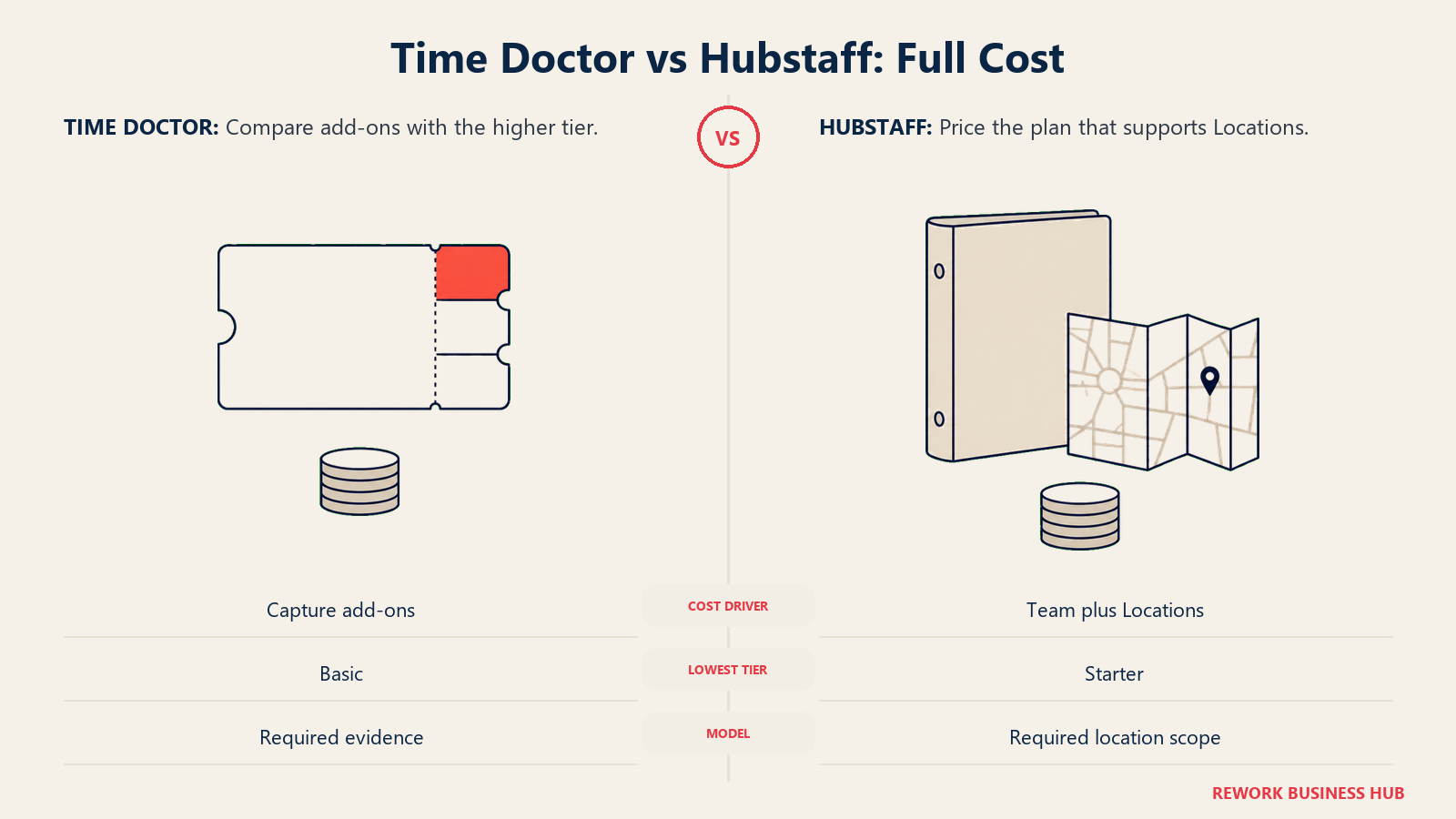
Time Doctor's marketing page at timedoctor.com/pricing renders no figures. The only place the actual numbers are published is its own support knowledge base, a genuine friction point worth naming plainly: you can't see what this costs from the page most buyers land on first.
| Plan | Monthly (billed monthly) | Monthly (billed annually) | What's included |
|---|---|---|---|
| Basic | $8.00/user | $6.67/user | Automatic time tracking, screenshots, online/offline tracking |
| Standard | $14.00/user | $11.67/user | Everything in Basic, plus payroll, schedules, web/app reporting |
| Premium | $20.00/user | $16.70/user | Everything in Standard, plus video screen recording, unusual activity detection, AI benchmarks |
| Enterprise | Custom | Custom | Private cloud deployment |
Source: Time Doctor's support knowledge base, the actual published pricing page as of September 2026. Annual billing is two free months versus month-to-month, no minimum seat count is stated, and there's a 14-day free trial of Premium, no card required, no free plan.
A real chunk of Time Doctor's monitoring depth sits behind add-ons layered on top of Basic or Standard rather than the tier price itself:
| Add-on | Price | What it adds |
|---|---|---|
| Video Screen Recording | $3/user/month | Continuous or interval screen video, included by default on Premium |
| Benchmarks AI | $3/user/month | AI-driven productivity benchmarking against peers or history, included by default on Premium |
| Unusual Activity Reporting | $3/user/month | Flags anomalous activity patterns, included by default on Premium |
| SSO | $200/account/month | Single sign-on, a flat account-level charge, not per seat |
Stack the three $3 add-ons onto a Basic or Standard seat and you're adding $9/user/month before touching Premium, the number worth comparing against the Premium upgrade path below.
Hubstaff publishes monthly and annual rates side by side, with a 2-seat minimum on every paid plan.
| Plan | Monthly (billed monthly) | Monthly (billed annually) | What's included |
|---|---|---|---|
| Starter | $7.00/seat | $4.99/seat | Time tracking, timesheets, limited screenshots, limited app/URL tracking |
| Grow | $9.00/seat | $7.50/seat | Everything in Starter, plus more screenshots, reports, project budgets |
| Team | $12.00/seat | $10.00/seat | Everything in Grow, plus unlimited screenshots and app/URL tracking, payments and payroll |
| Enterprise | $25/seat | $25/seat (annual only) | Everything in Team, plus HIPAA and SOC-2 Type II compliance; Locations is marked Included here rather than priced per seat |
Source: Hubstaff's pricing guide and Hubstaff's pricing page. Hubstaff's marketing pages state there's no free plan for teams, and paid tiers start at a 2-seat minimum; its support documentation separately describes a single-seat free option for freelancers, so the two pages disagree. The honest summary: no free team plan, with a narrower single-user option documented elsewhere on Hubstaff's own site.
Screenshots and app/URL tracking are limited on Starter and Grow, unlimited on Team. GPS and geofencing aren't part of any base tier at all; as covered above, they arrive as the Locations add-on, priced at $3.33/seat/month on Team and marked Included on Enterprise, and not offered on Starter or Grow at any price.
True cost at 10, 25, and 100 seats
Time Doctor's real decision is whether Premium's flat upgrade beats stacking add-ons on Basic. Hubstaff's real decision is whether you need Locations at all, since that's what actually determines your tier, not screenshot volume. One worked table, annual billing throughout:
| Seats | TD Basic | TD Basic + 3 add-ons | TD Premium | Hubstaff Starter (2-seat min) | Hubstaff Team | Hubstaff Team + Locations |
|---|---|---|---|---|---|---|
| 10 | $800.40 | $1,880.40 | $2,004.00 | $598.80 | $1,200.00 | $1,599.60 |
| 25 | $2,001.00 | $4,701.00 | $5,010.00 | $1,497.00 | $3,000.00 | $3,999.00 |
| 100 | $8,004.00 | $18,804.00 | $20,040.00 | $5,988.00 | $12,000.00 | $15,996.00 |
Read the second and third Time Doctor columns against each other: stacking all three add-ons onto Basic comes out slightly cheaper than jumping to Premium, roughly $123.60 to $1,236 a year cheaper depending on headcount, since Premium's per-seat rate ($16.70) runs higher than Basic-plus-add-ons ($6.67 + $9.00 = $15.67). Need only one or two of the three, and Basic-plus-add-ons wins by a wider margin; Premium only pulls ahead if you need something outside this list, like BigQuery access or HRIS integration.
The last Hubstaff column is the honest number for "Hubstaff for a field crew that needs GPS": roughly $13.33/seat/month annual, not the $4.99 Starter figure most buyers anchor on. Starter has no path to location tracking; Team is the floor, with Locations on top. If your team never needs GPS, Starter or Grow covers the job at a fraction of that cost, but if location confirmation is why you're looking at Hubstaff, price Team plus Locations from the start.
Integrations and the Rest of the Stack
| Time Doctor | Hubstaff | |
|---|---|---|
| Project management | Integrates with common PM tools for task-level allocation | Integrates with common PM tools, plus native budgets from Grow |
| Payroll export | Payroll module from Standard, plus export options | Payments module from Team, plus payroll integrations |
| Communication tools | Standard integrations available | Standard integrations available |
| BigQuery / data warehouse | Paid add-on, stays paid even on Premium | Not named on the public pricing page |
| HRIS | Paid add-on, stays paid even on Premium | Not named on the public pricing page |
| SSO | $200/account/month flat add-on | Included at Enterprise |
Neither leads with integration breadth the way a general-purpose PM tool does. Both are built to be the source of truth for time and evidence, then hand that off to whatever payroll or PM system already runs the business.
Implementation and Change Management
Before activating tracking, explain what the tool records and how the team will use that information.
| Time Doctor | Hubstaff | |
|---|---|---|
| Setup time | Fast; screenshots and tracking are live by default from Basic | Fast; activity levels and limited screenshots are live by default from Starter |
| Employee communication needed | Real, before day one: screenshots and AI-flagging should be disclosed, not discovered | Real, before day one: activity levels and GPS (if added) should be disclosed, not discovered |
| Written monitoring policy | Close to mandatory given what's captured by default | Close to mandatory, more so once Locations is added |
| Works council or union review (EU) | Likely in Germany and similar markets, given screenshot capture | Likely in Germany and similar markets, more so with GPS in scope |
| Admin overhead | Add-on selection (Video, AI, Unusual Activity) adds real setup decisions | Add-on selection (Locations) adds a real tier decision, not just a toggle |
The Legal Landscape: Notice, Consent, and GDPR
Employee-monitoring law isn't one rule; it depends on where your people work, and it's worth checking before screenshots or GPS go live.
| Jurisdiction | Requirement | Penalty or mechanism |
|---|---|---|
| Connecticut (Gen. Stat. Section 31-48d) | Prior written notice of what's monitored, plus a posted workplace notice | Civil penalty up to $500 first offense, up to $1,000 later |
| Delaware (19 Del. Code Section 705) | Daily electronic notice at each login, or a one-time signed acknowledgment | Enforced under Delaware labor law |
| New York (Civil Rights Law Section 52-c) | Prior written notice at hiring, plus a posted notice, before monitoring email, internet, or phone | Civil penalty: $500, $1,000, $3,000 for repeat offenses |
| European Union (GDPR, Article 6(1)(f)) | Needs a lawful basis; regulators say consent is generally not valid given the employment power imbalance, so employers rely on a documented legitimate-interest balancing test, plus a DPIA for systematic monitoring | Enforced by national data protection authorities, GDPR fine tiers |
| Germany specifically | A works council generally holds co-determination rights over any monitoring-capable system (Works Constitution Act Section 87(1) No. 6), triggered by capability, not intent | A formal works agreement, or the dispute goes to conciliation |
GPS deserves a specific note beyond the general rules above. Location data reveals where someone was outside work hours if a device stays logged in, so a screenshot-style policy understates the risk. A defensible GPS rollout scopes tracking to working hours only, discloses geofence boundaries in writing, and lets employees confirm the app isn't tracking outside a shift, the difference between a policy that survives a works council review and one that doesn't.
This isn't a complete list of every state or country's requirements, and rules change. Confirm the specific requirements where your team sits with your own counsel before enabling screenshot, AI-flagging, or GPS capture; nothing here is legal advice.
When Time Doctor Is the Right Call
- You manage an outsourced, offshore, or BPO team and a client or your own leadership needs screen-level proof, not just a self-reported hour count
- You want AI-flagged unusual activity across a large distributed team without building a full security program
- Video screen recording as evidence matters more than knowing where someone physically was
- Your team is desk-based and location was never actually the question
When Hubstaff Is the Right Call
- You run field service, delivery, home services, or any crew where confirming someone was at the job site matters
- You pay contractors and want tracked, located hours to flow directly into a payout
- Your dispute risk is "was this shift worked at this location," not "what was on someone's screen"
- You're comfortable budgeting Team plus Locations as the real price of the GPS capability that likely brought you here
If Neither Fits
- TimeCamp: free forever, unlimited users; Starter $5.49/user/month monthly ($3.99 annual). Screenshots off by default, no GPS pitch. Good for accurate billable hours without a proof layer.
- Clockify: free plan capped at 5 users; Basic $4.99/user/month monthly ($3.99 annual), screenshots at Pro. Good for a fast-growing team wanting the lowest entry cost.
- Insightful: Workforce Analytics $8/seat/month billed annually, no screenshots in the base plan. Good for outsourced teams wanting analytics first, capture depth added only where needed.
- ActivTrak: free for up to 3 people; Work Activity Tracking $10/worker/month billed annually, no screenshots in any core tier. Good for a story that's easy to defend to HR or a works council.
- Apploye: free up to 10 users with hourly screenshots; $7/user/month monthly ($4.50 annual). Good for a small outsourced team wanting basic screenshot proof without an add-on ladder.
If the capture depth you need runs heavier, our Best Employee Monitoring Software roundup covers the fuller spectrum, and Best Time Doctor Alternatives or Best DeskTime Alternatives fit if the approach is right but not the plan. DeskTime vs Insightful vs ActivTrak and ActivTrak vs Teramind run this same analysis against other platforms, and Best Hubstaff Alternatives covers GPS-adjacent options if this add-on stack feels wrong. If shift planning, not proof of work, is the real gap, see Best Employee Scheduling Software.
Decision Framework
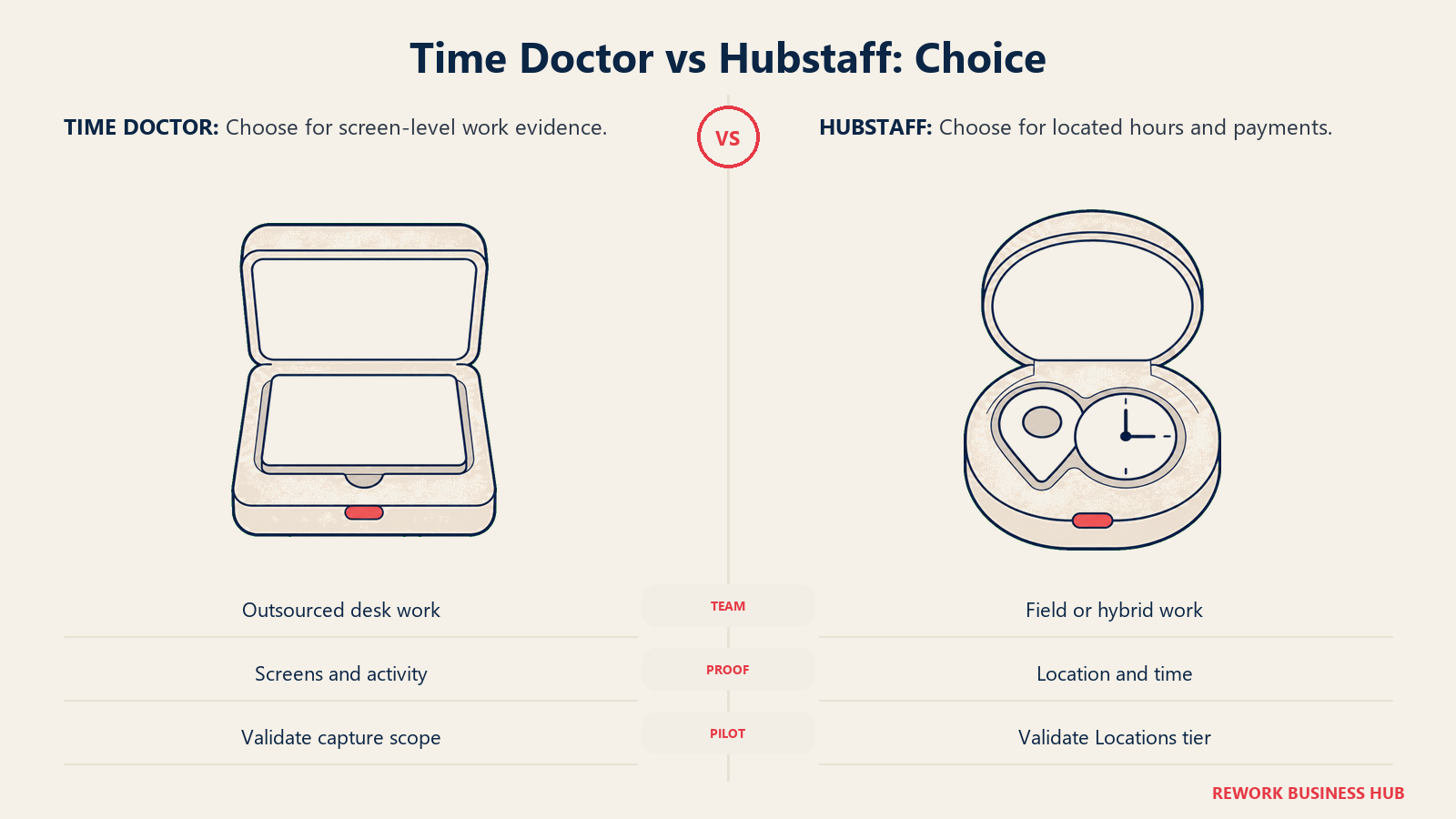
Match the tool to the evidence your operation needs: screen-level work records or verified time and location.
| If you are... | Pick |
|---|---|
| Managing an outsourced or BPO team that needs screen-level proof | Time Doctor |
| Running field or job-site crews where GPS confirmation matters | Hubstaff (Team plus Locations) |
| Paying contractors by tracked, located hours through one app | Hubstaff (Team) |
| Wanting AI-flagged unusual activity across a distributed team | Time Doctor (Premium, or the add-on stack) |
| Needing video screen recording as evidence | Time Doctor |
| Minimizing entry price with no need for GPS or AI flags | Hubstaff Starter or Time Doctor Basic, priced against your add-ons |
| Not sure either kind of proof is the real requirement | See our full monitoring roundup |
The verdict: if the dispute is "what was this person doing," Time Doctor earns its cost, and Basic plus the add-ons you need usually beats Premium. If the dispute is "where was this person, and did we pay them correctly," Hubstaff earns its cost, but budget Team plus Locations from the start rather than anchoring on the Starter price. Buying the wrong one means paying for evidence nobody will ever ask you to produce.
What to Do Next
- Name the actual dispute you're trying to prevent before comparing price. "What was on screen" is Time Doctor's job. "Where was this person, and were the hours real" is Hubstaff's, once you've added Locations.
- Price your real seat count against both worked-cost tables above, including Time Doctor's add-on stack and Hubstaff's Locations add-on, since neither sticker price is real once monitoring or GPS is turned on.
- Check your state's or country's notice requirements before flipping on screenshots, AI flags, or GPS, not after. The legal table above is a starting point, not a substitute for counsel, and GPS needs its own disclosure beyond a general policy.
- Run a 2 to 4 week pilot with real employees, not a demo account, and ask directly how the evidence type felt. A screenshot cadence and a GPS geofence get very different reactions.
Frequently Asked Questions about Time Doctor vs Hubstaff
Does Hubstaff have a free plan?
Not for teams. Hubstaff's marketing pages state there's no free plan, and every paid tier carries a 2-seat minimum. Its support documentation separately describes a single-seat free option for freelancers, so the two vendor pages disagree; the safe summary is no free team plan, with a narrower single-user option documented elsewhere on Hubstaff's own site.
Does Hubstaff include GPS tracking on its cheapest plan?
No. GPS and geofencing arrive through Hubstaff's Locations add-on, from $3.33 per seat a month, available only on Team and Enterprise. Starter and Grow have no path to location tracking, so a field team evaluating Hubstaff for GPS should budget Team plus Locations, not the $4.99 Starter rate.
Does Time Doctor offer GPS or location tracking?
No, at any tier or add-on. Time Doctor's product is built around screen-level evidence, screenshots, activity, and AI-flagged anomalies, not location. If GPS confirmation is the requirement, Hubstaff is the one that offers it.
Is Time Doctor's Premium tier worth it over stacking add-ons on Basic?
Usually not. Premium runs $16.70 per user a month billed annually; adding all three relevant add-ons to Basic costs $15.67, slightly less, and the gap grows with headcount. Need only one or two of the three, and Basic plus add-ons wins by a wider margin.
Do Time Doctor or Hubstaff log keystrokes or record continuous video?
Neither logs keystroke content at any tier. Time Doctor offers video screen recording as an add-on on Basic and Standard, included on Premium; Hubstaff doesn't offer screen video recording at any tier.
Is it legal to track employees with screenshots or GPS?
It depends on where your employees work. Connecticut, Delaware, and New York require notice before electronic monitoring, with real penalties for skipping it. Under GDPR, employers generally rely on a documented legitimate-interest assessment rather than consent, and Germany typically requires works-council sign-off first. GPS carries extra risk since it can reveal location outside work hours, so scope tracking to working hours and disclose it in writing. Confirm requirements with counsel; this isn't legal advice.
Which tool is cheaper at 25 seats?
At the entry tier with no add-ons, Hubstaff Starter runs about $1,497 a year for 25 seats versus Time Doctor Basic at about $2,001, but that only holds if neither GPS nor screen-level evidence is required. Priced for actual use, Hubstaff Team plus Locations runs about $3,999 at 25 seats, and Time Doctor Basic plus its full add-on stack runs about $4,701, or Premium about $5,010.
Can I use either tool without paying for its signature feature?
Yes. Time Doctor runs on Basic without adding video recording or AI flags, and Hubstaff runs on Starter or Grow without adding Locations, both legitimate, cheaper configurations when AI flagging or GPS was never the requirement.
Related Resources:
- Best Employee Monitoring Software in 2026
- Best Productivity Tracking Software in 2026
- Best Time Doctor Alternatives in 2026
- Best ActivTrak Alternatives in 2026
- Best Insightful Alternatives in 2026
- Best DeskTime Alternatives in 2026
- DeskTime vs Insightful vs ActivTrak
- ActivTrak vs Teramind
- Best Hubstaff Alternatives in 2026
- Hubstaff vs TimeCamp
- Best Time Tracking Software in 2026
- Best Employee Scheduling Software in 2026

Principal Product Marketing Strategist
On this page
- TL;DR
- What Each Tool Is Actually Built For
- Key Facts
- What Each Tool Actually Captures
- The GPS Question
- Proof of Work vs Proof of Hours
- Payroll, Invoicing, and Paying Contractors
- Decision by Business Goal
- Team and Role Fit
- Pricing: What Each Platform Actually Costs
- True cost at 10, 25, and 100 seats
- Integrations and the Rest of the Stack
- Implementation and Change Management
- The Legal Landscape: Notice, Consent, and GDPR
- When Time Doctor Is the Right Call
- When Hubstaff Is the Right Call
- If Neither Fits
- Decision Framework
- What to Do Next