Expensify vs Ramp in 2026: Should You Route Your Spend Onto One Corporate Card?
Turn this article into takeaways for your work.


Each assistant summarizes the article only for you and suggests best practices for your work.
Most people who type "Expensify vs Ramp" into a search box are expecting a feature bake-off. They will find that both tools scan receipts, route approvals, sync to QuickBooks, and pay bills, and they will end up more confused than when they started, because on a feature checklist these two products look almost identical.
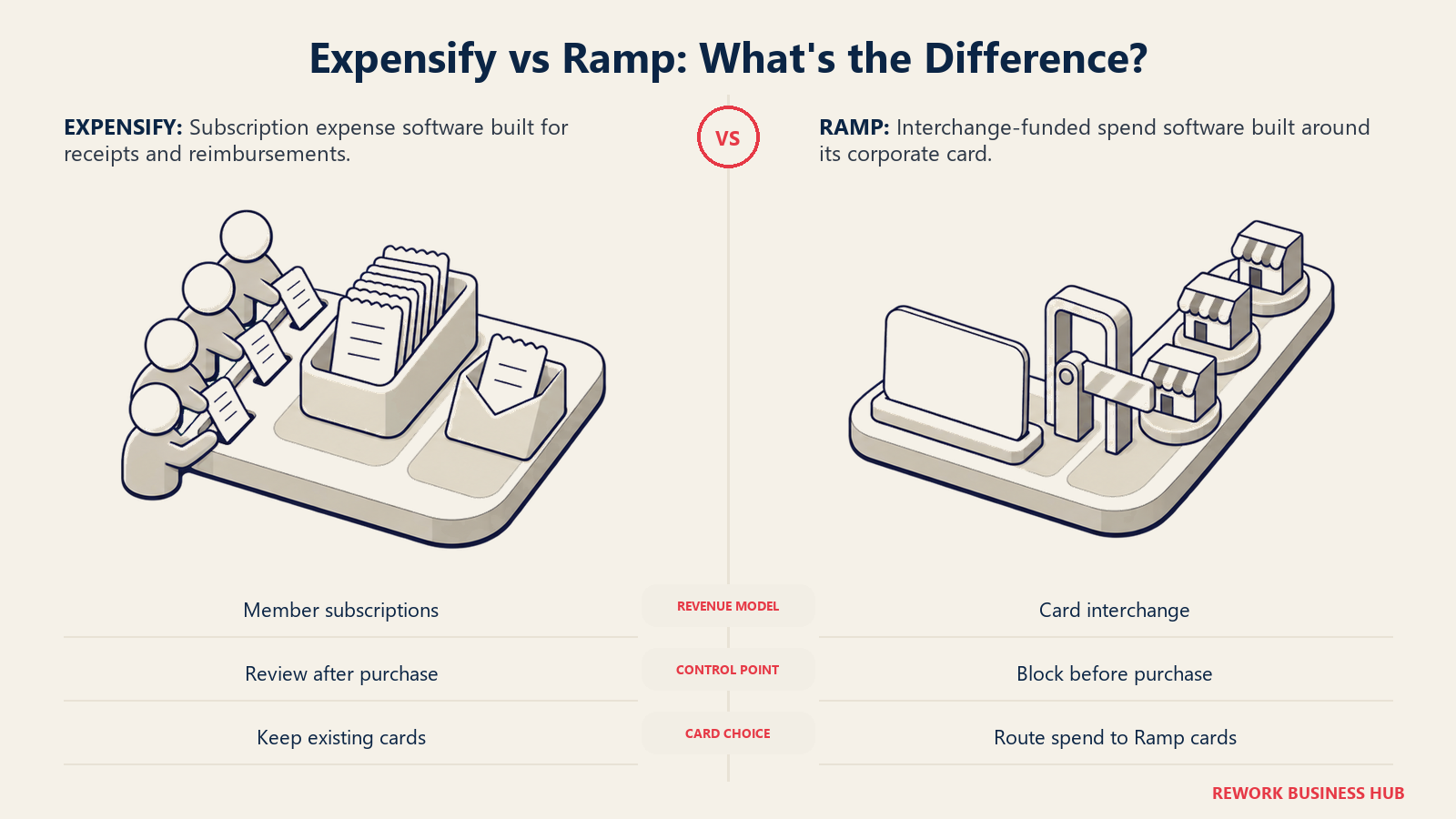
They are not the same kind of product. Expensify sells expense management as software, and charges you a subscription per member for it. Ramp gives the software away at $0 and funds itself on the interchange revenue generated when your employees swipe a Ramp card. That single difference drives everything else: the price, the incentives, the way each company treats non-card spend, and which of the two will actually be cheaper for you.
So the useful question is not "which one is better." It is this: does your company want to route most of its spend onto a single corporate card program? Answer yes, and Ramp's free tier is very hard to beat, because you are getting real software for nothing while the card issuer collects the merchant fee. Answer no, whether because you are keeping existing bank cards, because you reimburse a lot of out-of-pocket spend, because you are a nonprofit or an agency billing expenses back to clients, or because you simply cannot get approved for a Ramp card, and you are paying for software either way. In that world Expensify's per-member pricing is the honest comparison, and the article you actually need is a pricing article. This one is both. For the wider field, start with our best expense management software roundup.
TL;DR
- Pick Ramp if you can and will move the majority of company spend onto Ramp cards. Ramp Free is $0 per user per month and covers cards, basic travel and expense, AP with OCR, budgets, and QuickBooks Online or Xero sync. Nothing on this list beats free when the model fits.
- Pick Expensify if your core problem is reimbursement, not card control. People fronting money on personal cards, mileage, per diems, client-rebilled costs: Expensify was built for that workflow and does not require anyone to change how they pay.
- Ramp Plus cannot be budgeted from the website. It is $15 per user per month plus a platform fee based on team size, and Ramp does not publish the platform fee amount anywhere. Get it in writing before you compare.
- Expensify's two plans count people differently, and the gap is large. Collect bills every unique member in the workspace. Control bills only active members. At the same headcount, those produce very different invoices.
- The Expensify Card discount is the lever that makes Control competitive. It cuts the annual Control rate to as low as $9 per included member, scaled to how much of your approved spend runs on the card. Which means Expensify's cheapest path also asks you to route spend onto one card.
- If you cannot pass card underwriting, the comparison collapses to one option. Ramp's economics assume a card program. No card, no free tier worth having.
Key Facts
Key Facts: The economics behind this decision
- Processing an expense report for a single night hotel stay costs an average of $58 and 20 minutes of work, per a GBTA Foundation study conducted with HRS (GBTA).
- 19% of expense reports contain errors or missing information, and each one costs an extra $52 and 18 minutes to correct (GBTA).
- Expense reimbursement schemes appeared in 13% of occupational fraud cases studied, with a median loss of $50,000 per case (ACFE, 2024 Report to the Nations).
- Companies without AP automation spend $12.88 to process a single invoice and take 17.4 days to do it, per Ardent Partners' State of ePayables research (Bottomline).
- The average combined Visa and Mastercard credit card interchange rate in the US reached 2.36% in 2025, up from 2.02% in 2010 (The Motley Fool). That percentage is the revenue stream funding every "free" spend platform.
Expensify vs Ramp at a Glance
| Expensify | Ramp | |
|---|---|---|
| What it sells you | Expense management software on a per-member subscription | A corporate card program with the software attached at no charge |
| How the vendor makes money | Subscription fees, plus interchange on the Expensify Card | Card interchange, treasury, FX, and paid tiers |
| Entry price | Collect, $5 per unique member per month, pay-per-use | Free, $0 per user per month |
| Top published price | Control, $36 per active member per month on pay-per-use | Plus, $15 per user per month plus an unpublished platform fee |
| Card required to get the best price? | Yes, the Card discount cuts Control by up to 50% | Effectively yes, the free tier is funded by card spend |
| Core strength | Receipt capture, reimbursement, approval routing | Card controls, spend visibility, close automation, AP |
| Weakest against the other | Card and spend controls are lighter | Reimbursement of non-card spend is the secondary use case |
| ERP integrations | NetSuite and Sage Intacct on Control only | NetSuite and Sage Intacct on Plus, Workday and Oracle on Enterprise |
| Best fit | Reimbursement-first teams, accountants with several clients | US finance teams consolidating cards, expenses, and AP |
| Worst fit | Companies that want spend blocked before it happens | Companies that cannot or will not move spend to one card |
Sources: Expensify's pricing documentation and Ramp's pricing page.
The Business Model Difference That Decides This
Ramp's software is free because the card is the product. When an employee spends $1,000 on a Ramp card, the merchant pays an interchange fee, and a share of that lands with the card issuer and program manager. Across the US, the average combined Visa and Mastercard credit card interchange rate hit 2.36% in 2025 (The Motley Fool). The scale behind that percentage is what makes the model work: Visa and Mastercard card products issued in the US generated $9.986 trillion in purchase volume in 2025, up 6.6% on the year (Nilson Report). A company putting $4M a year through the card generates far more revenue for the platform than a $15 per user subscription ever would. That is why the free tier is genuinely free rather than a crippled trial: it is a customer acquisition cost, paid back by volume.
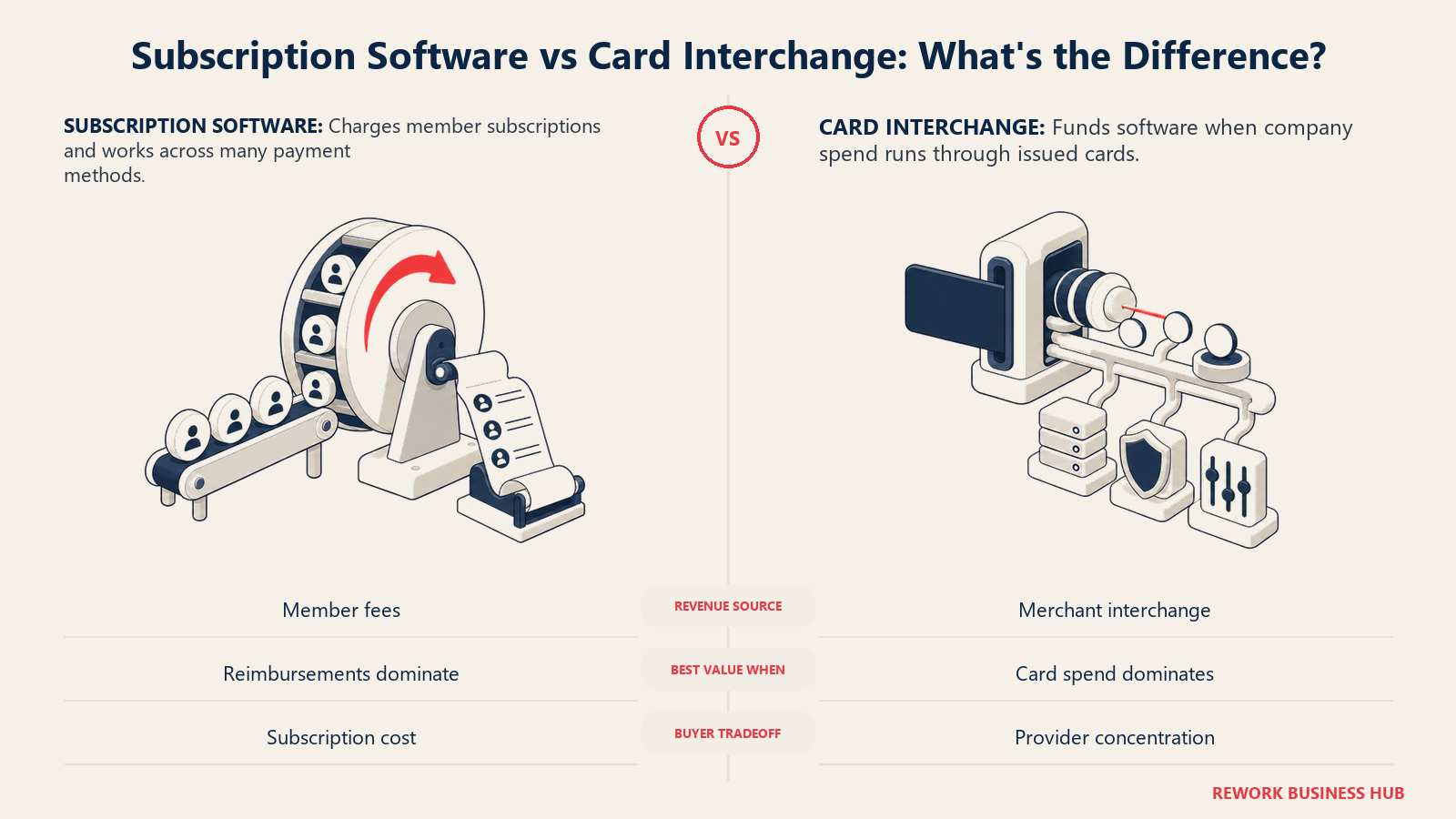
Expensify built its business the other way round, on subscriptions, over more than a decade of selling expense reports as software. It later added the Expensify Card and now uses card adoption as a discount lever rather than as the entire business model. The result is a plan sheet where the same product costs $9 or $36 per person depending on how much of your approved spend runs on their card.
| Subscription model (Expensify) | Interchange model (Ramp) | |
|---|---|---|
| Revenue source | Per-member fees, predictable to both sides | Merchant interchange on card volume |
| What the vendor wants from you | Seats, renewed annually | Spend volume on their card |
| Your software cost at low card volume | Unchanged, you pay the list rate | $0, but you are not using the product as designed |
| Your software cost at high card volume | Falls, up to 50% off Control on annual billing | $0, and the vendor is happy |
| Works if you keep your existing bank cards | Yes, at full price | Partly, the free tier still works but the value drops |
| Risk to you | Paying per seat for occasional filers | Concentration in one financial provider |
| Risk to the vendor | Churn at renewal | Your spend moving off the card |
That last row is the part buyers underweight. Choosing Ramp is not only a software decision, it is a banking and credit decision. You are consolidating card issuance, spend controls, and often part of your treasury with one provider, and you are subject to their underwriting. Ramp's card program is built US-first, so a company with meaningful spend through a UK or German entity will find gaps that a European-native platform fills natively. If that concentration bothers your CFO or your board, that is a legitimate reason to pay for software instead.
When routing spend to one card is not on the table
| Situation | Why it blocks the Ramp model | What it implies |
|---|---|---|
| You cannot pass card underwriting | Ramp's cards require qualifying financials or a cash balance | The free tier loses most of its point |
| Existing bank card relationship you will not leave | Rebates, credit line, or a banking covenant tie you in | You need software that reconciles someone else's cards |
| Heavy out-of-pocket reimbursement | Mileage, per diems, personal card spend | Reimbursement engine matters more than card controls |
| Nonprofit or grant-funded spend | Restricted funds and grant coding rules | Coding depth and audit trail outrank card issuance |
| Agency or professional services rebilling | Expenses get billed back to a client | You need clean project and client tagging on every expense |
| Non-US entities carrying real spend | Ramp is US-first on card issuing | Local issuing lives on Ramp Enterprise or a European vendor |
| Contractors and non-employees filing expenses | Issuing cards to non-employees is often not viable | Per-member software may cost less than the workaround |
If two or more of those rows describe you, treat this as a software purchase and price it accordingly. If none do, the free tier is doing real work and you should take it.
Pricing Compared
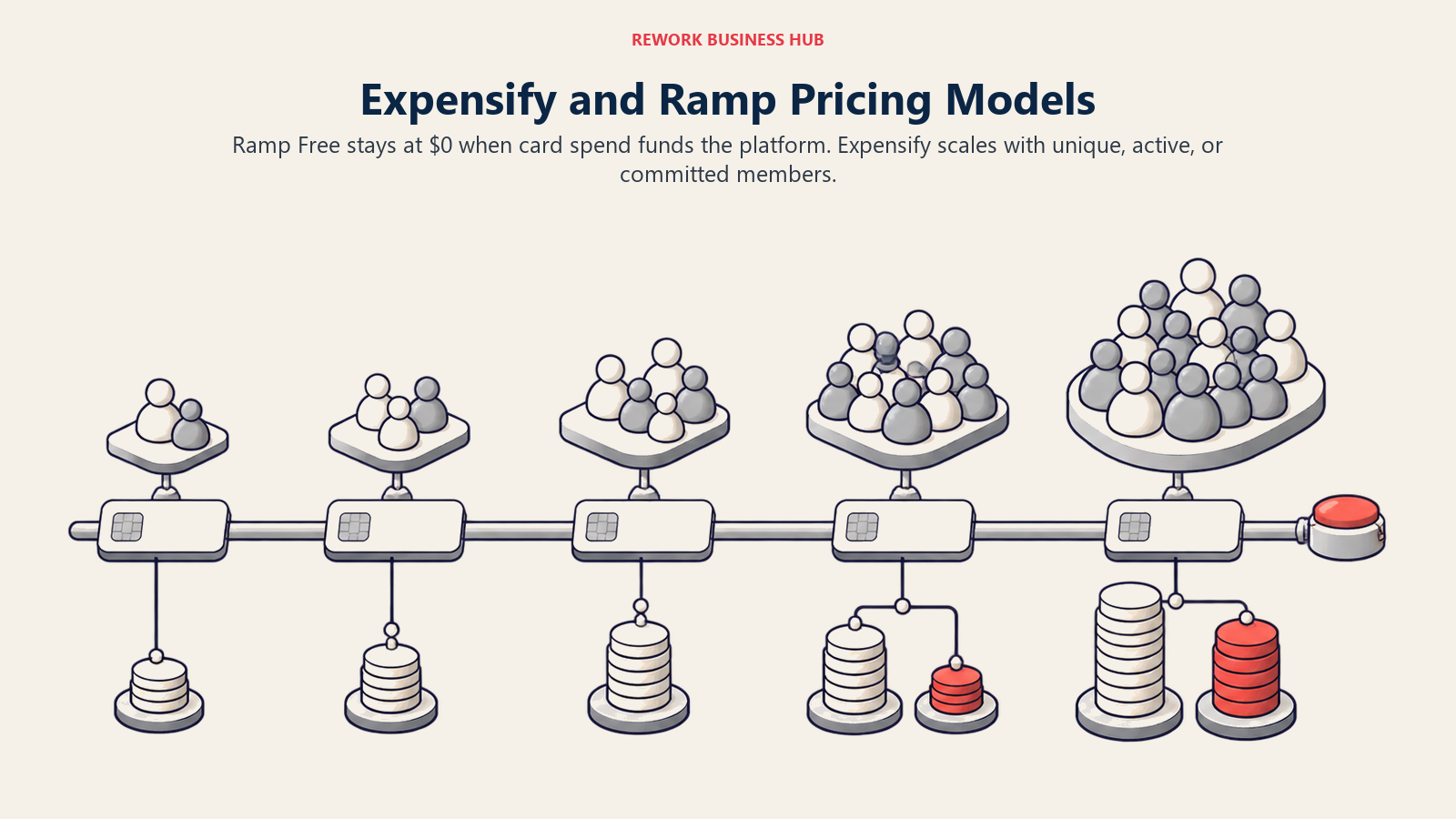
Here is the full published price sheet for both vendors, with the billing basis spelled out, because that is where the budget surprises come from.
| Vendor and plan | Published price | Billing basis | Notes |
|---|---|---|---|
| Ramp Free | $0 per user per month | Per user, monthly | Cards, basic travel and expense, AP with AI-powered OCR, basic accounting rules, QuickBooks Online and Xero, basic budgets and reporting, vendor management basics |
| Ramp Plus | $15 per user per month plus a platform fee based on team size | Per user, monthly; 20% off with annual billing | Platform fee amount is not published. Adds AI-driven expense reviews, auto-coded line items, NetSuite, Sage Intacct and Workday integrations, multi-entity, custom roles, audit log, advanced treasury |
| Ramp Enterprise | Contact sales | Annual billing | Adds Workday and Oracle Fusion Cloud, locally funded reimbursements, local-currency issuing in 30+ countries, dedicated account manager, 24/7 priority support |
| Expensify Collect | $5 per unique member per month | Per unique member, pay-per-use only | No annual commitment. No Expensify Card discount on this plan. QuickBooks and Xero, simple approval workflow |
| Expensify Control (annual) | $18 per member included in your subscription size per month, plus $36 per active member above your subscription size | Mixed: included members plus active-member overage, annual subscription | With Expensify Card usage, as low as $9 for included members and $18 for overage members, up to 50% off scaled to card spend |
| Expensify Control (pay-per-use) | $36 per active member per month | Per active member, no commitment | With Expensify Card usage, as low as $18 per active member per month |
Sources: Ramp's pricing page and Expensify's pricing documentation. Note that Expensify's public pricing page renders its numbers through JavaScript and the older use.expensify.com/pricing address redirects, so the help-center article above is the authoritative published source.
Two things about that table deserve to be said out loud. First, $9 is not Expensify's price. It is the floor of a discount that only applies to Control workspaces on annual billing, only scales with the proportion of approved USD expenses charged to the Expensify Card, and caps at 50% off. Quoting $9 as the headline rate is how buyers end up surprised at renewal. Second, $15 per user per month is not the whole Ramp Plus bill. The platform fee is real, it scales with team size, and Ramp does not publish the number. Any comparison that shows Ramp Plus as a clean per-user figure is incomplete, including the one below.
Cost crossover at 10, 25, 50, 100, and 250 users
Assumptions: US company, every person in the workspace counted, all members treated as active for the Control pay-per-use column, list prices with no negotiated discount, annual totals shown as 12 times the monthly figure. Ramp Plus is shown at the published $15 monthly rate before the 20% annual-billing discount, and the platform fee is shown as unresolved because it is not published.
| Users | Ramp Free | Ramp Plus (annual estimate) | Expensify Collect | Expensify Control, annual, no card discount | Expensify Control, annual, full card discount | Expensify Control, pay-per-use |
|---|---|---|---|---|---|---|
| 10 | $0 | $1,800 + platform fee | $600 | $2,160 | $1,080 | $4,320 |
| 25 | $0 | $4,500 + platform fee | $1,500 | $5,400 | $2,700 | $10,800 |
| 50 | $0 | $9,000 + platform fee | $3,000 | $10,800 | $5,400 | $21,600 |
| 100 | $0 | $18,000 + platform fee | $6,000 | $21,600 | $10,800 | $43,200 |
| 250 | $0 | $45,000 + platform fee | $15,000 | $54,000 | $27,000 | $108,000 |
All figures are annual software cost in USD, calculated from the published rates in the table above. The Ramp Plus totals cannot be completed from published figures, because the platform fee is not disclosed as a number anywhere on Ramp's pricing page. Treat every Ramp Plus cell as a floor, not a quote. Applying the 20% annual-billing discount to the per-user portion would bring the 50-user line to $7,200 before the platform fee, and the 250-user line to $36,000 before the platform fee.
Read down the columns and the shape of the decision appears. Ramp Free is $0 at every size, so if the model fits you, no paid plan in this comparison competes with it. Once you move to a paid tier, Expensify Collect is the cheapest published option at every headcount here, because $5 per unique member is a genuinely low list rate. But Collect is also the thinnest plan on the sheet: single-step approvals only, QuickBooks and Xero as the only accounting integrations, no NetSuite, no Sage Intacct, no SAML single sign-on, no custom expense rules, and no card discount available at all.
The most expensive column, Control on pay-per-use with no card adoption, costs more than seven times Collect at the same headcount. Notice also that Control on pay-per-use with the full card discount, at $18 per active member, lands exactly on the annual Control list rate of $18 per included member. Those two paths cost the same per person and get there completely differently, one through a commitment and one through card volume.
For a fuller view of what a per-seat software line really costs once you add implementation, admin time, and integration work, our breakdown of the real total cost of ownership behind a per-seat tool applies almost directly to this category.
How the rest of the market prices against these two
| Vendor | Published price | Basis |
|---|---|---|
| Brex Essentials | $0 per user per month | Per user, free tier |
| Brex Premium | $12 per user per month | Per user |
| BILL Spend & Expense | $0 per user per month | Per user, free (formerly Divvy) |
| Navan Expense | Free for the first 5 users, then $15 per user per month | Per user |
| Zoho Expense Standard | $4 per user per month monthly, $3 billed annually | Per user |
| Rydoo Essentials | $9 per user per month annually, $12 monthly, 5-user minimum | Per user |
| SAP Concur | Quote only (reported) | Not published |
That context matters for one reason: if your answer to the card question is yes, Ramp is not the only free option, and Brex alternatives and BILL alternatives cover the other interchange-funded programs worth a look.
How Expensify Counts Members, and Why It Changes Your Bill
This is the single most misread thing about Expensify's pricing, and it is worth a worked example. Expensify defines a unique member as "every member in the workspace, regardless of whether they used Expensify during the billing period," and an active member as "a member who performed billable activity during the billing period," meaning someone who created, submitted, approved, reimbursed, or exported a report that month (Expensify billing terms).
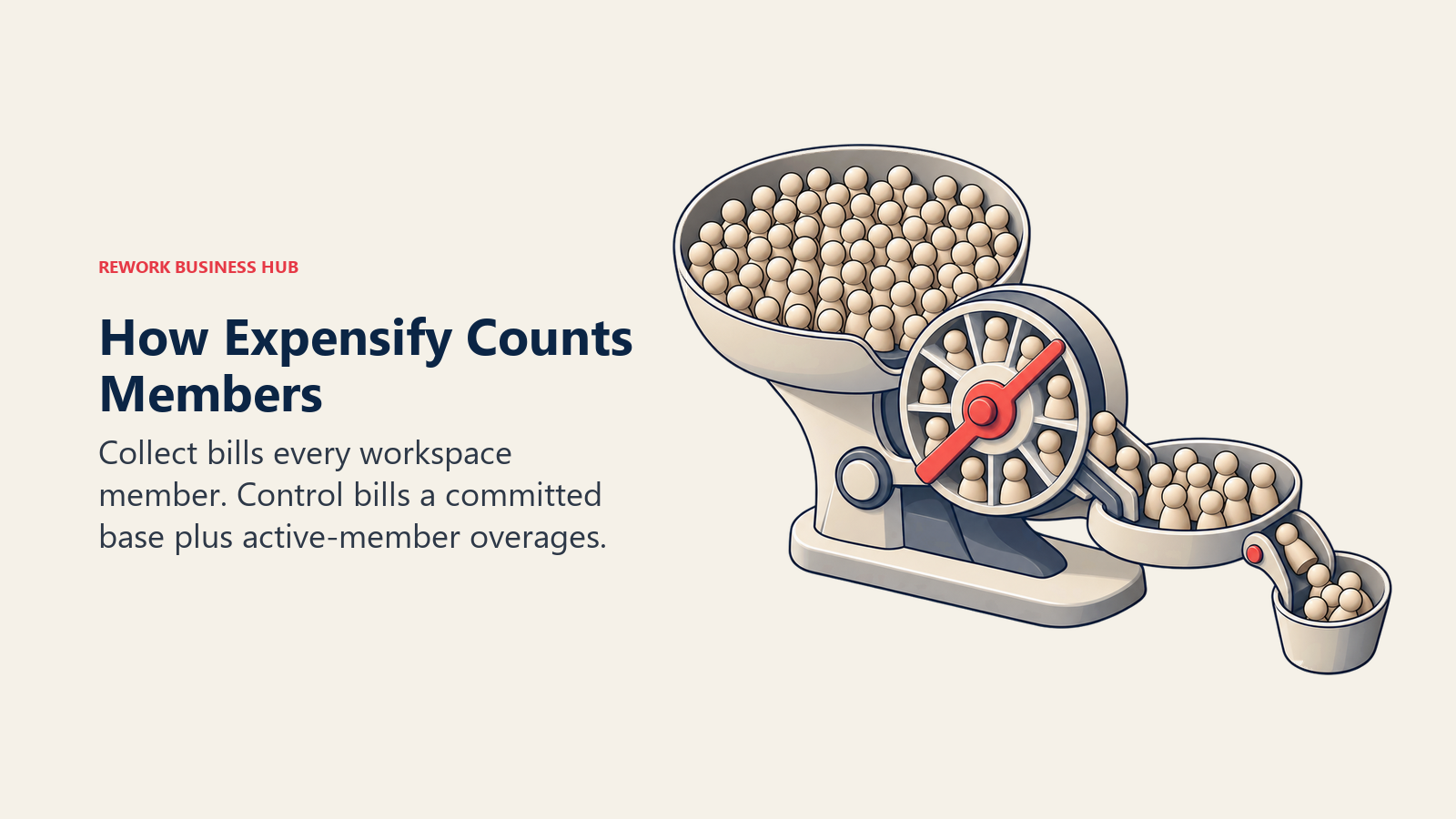
Collect bills unique members. Control bills a fixed subscription size plus active-member overage. Those two populations diverge sharply in a company where most people file an expense a few times a year.
Take a 60-person company where 22 people create, submit, approve, reimburse, or export a report in a given month:
| Plan and setup | How it counts | Billable people | Monthly bill |
|---|---|---|---|
| Collect, pay-per-use | Every unique member in the workspace | 60 | 60 x $5 = $300 |
| Control, annual, subscription size 25 | $18 per included member, $36 per active member above the size | 25 included, no overage | 25 x $18 = $450 |
| Control, annual, subscription size 20 | Same, but 2 active members exceed the size | 20 included, 2 overage | (20 x $18) + (2 x $36) = $432 |
| Control, pay-per-use | Active members only | 22 | 22 x $36 = $792 |
Three lessons fall out of that table. Collect bills more people but at a much lower rate, so for a workspace full of occasional filers it is often the cheapest plan even though it counts everybody. Control's annual subscription size is a commitment you set in advance, and setting it too low is expensive, because overage members bill at double the included rate. And Control on pay-per-use is the most expensive way to buy Expensify unless you are also running meaningful volume on the Expensify Card.
Ramp has none of this complexity, because per-user pricing on Plus counts users and the Free tier counts nothing. That simplicity is a genuine advantage in a budget conversation, right up until you ask for the Plus platform fee and discover it is not on the page.
Expense Reporting and Receipt Capture
Expensify's SmartScan is the feature the company built its name on: photograph a receipt, and the merchant, date, amount, and currency come back parsed, with the expense attached to a report and pushed through an approval chain. Employees can email receipts in, forward them from a booking confirmation, or let the app match them against imported card transactions. For a company where receipts arrive from personal phones in a dozen formats, that pipeline is mature in a way newer entrants have not fully matched.
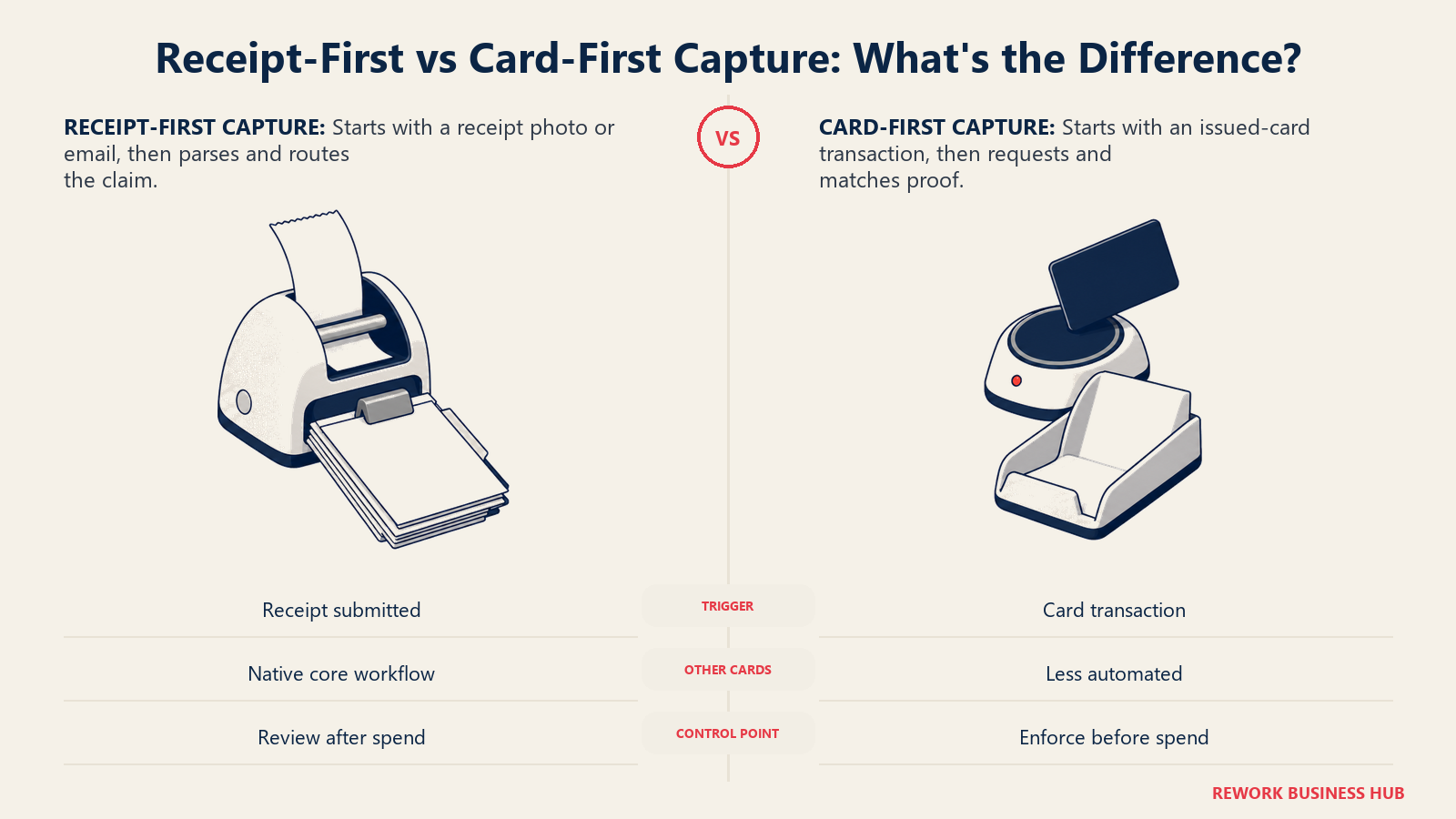
Ramp approaches the same problem from the transaction end. A Ramp card swipe creates the expense record first, then chases the receipt: the employee gets an SMS or Slack prompt, replies with a photo, and the transaction closes itself out. Ramp Free includes AI-powered OCR on AP documents, and Plus adds AI-driven expense reviews and auto-coded line items on top. When the card is Ramp's, the match rate is high because the transaction data is first-party. When the card is not Ramp's, that advantage shrinks.
| Expensify | Ramp | |
|---|---|---|
| Primary capture path | Employee photographs or emails a receipt, SmartScan parses it | Card transaction fires first, then chases the receipt |
| Works on spend made with other cards | Yes, this is the core use case | Yes, but with less automation than on Ramp cards |
| Out-of-pocket and personal card spend | Fully supported, the product was built for it | Supported through reimbursements, secondary focus |
| Approval workflow depth | Simple approval on Collect, multi-step on Control | Policy-based approvals with routing rules |
| AI coding | Custom expense rules on Control | AI-driven expense reviews and auto-coded line items on Plus |
| Mileage and per diem | Long-standing native support | Supported, less depth than a reimbursement-first tool |
| Receipt requirement enforcement | Policy rules flag violations after submission | Card limits and rules can block the spend before it happens |
The philosophical difference is worth naming: Expensify catches problems in review, Ramp tries to prevent them at the point of sale. Neither is wrong. The ACFE's research on occupational fraud found expense reimbursement schemes in 13% of cases studied with a median loss of $50,000 (ACFE), and prevention at the card level closes that gap earlier than review does. But prevention only covers spend that runs on the card, which brings you back to the same question this article opened with. If you want to see how far the automated review side of this has come, our write-up of the AI expense approval agent pattern covers what these review layers actually do.
Corporate Cards and Spend Controls
This is Ramp's home ground. Ramp Free issues unlimited physical and virtual cards, with limits, merchant locks, and category rules attached to each one, plus budgets that owners can manage without going through finance. Because Ramp is the issuer, a rule is enforced by declining the transaction rather than by flagging it in a report a week later. That is a different class of control, and it is available at $0.
Expensify has a card too, and it is the discount lever that makes Control affordable, but the product does not center on it the way Ramp's does. Expensify Control also supports multiple corporate card connections, meaning it can reconcile the cards you already have from your bank, which is a genuinely useful capability that Ramp's free tier is less interested in serving.
| Capability | Expensify | Ramp |
|---|---|---|
| Issues its own card | Yes, Expensify Card | Yes, core to the product |
| Unlimited virtual cards | Available through the Expensify Card program | Yes, on the Free tier |
| Per-card limits and merchant locks | Available on the card program | Yes, on the Free tier |
| Reconciles third-party bank cards | Yes, multiple connections on Control | Yes, though the automation favors Ramp cards |
| Budgets with non-finance owners | Approval and policy rules rather than budget owners | Basic budgets on Free, advanced on Plus |
| Card usage changes your software price | Yes, up to 50% off Control on annual billing | No direct discount, the free tier is already $0 |
| Underwriting required | Yes, for the card program | Yes, for the card program |
| Non-US card issuing | Global reimbursements supported, card issuing is US-centric | Local-currency issuing in 30+ countries on Enterprise |
If spend control is the actual problem you are solving, and you can get cards issued, Ramp wins this section on the free tier alone. If your controls have to work across cards you already hold at a bank you are not leaving, Expensify Control's multi-connection card handling is the more honest fit.
Accounts Payable and Bill Pay
Both platforms do AP, and both put it on the entry tier, which surprises people who expect bill pay to be an upsell. Ramp Free includes accounts payable with AI-powered OCR on invoices and vendor management basics. Expensify includes bill pay and invoicing alongside expenses.
The gap opens on approval depth and coding. Ramp Plus adds procurement workflows, advanced vendor compliance, and auto-coded line items, so an invoice arrives already split across the right GL codes. Expensify's multi-step approvals and custom expense rules also sit on Control rather than Collect. Neither entry tier is the right home for a company running hundreds of vendor invoices a month with complex approval chains.
| Expensify | Ramp | |
|---|---|---|
| Bill pay on the entry tier | Yes | Yes, on Free |
| Invoice OCR | Yes | Yes, AI-powered, on Free |
| Multi-step approval chains | Control only | Policy routing on Free, procurement workflows on Plus |
| Line-item coding automation | Custom expense rules on Control | Auto-coded line items on Plus |
| Vendor management | Supported | Basics on Free, advanced compliance on Plus |
| Where it stops | Deep procure-to-pay is not the pitch | Deep procure-to-pay is not the pitch |
Both are worth measuring against the Ardent Partners benchmark of $12.88 and 17.4 days to process one invoice without automation (Bottomline). If you are processing 300 invoices a month at that rate, the AP module is worth more than the entire software subscription either vendor would charge you.
Accounting Integrations
This is where tier gating decides the purchase for a lot of buyers, because your ERP is not negotiable and your expense tool is.
| Accounting system | Expensify tier required | Ramp tier required |
|---|---|---|
| QuickBooks Online | Collect | Free |
| Xero | Collect | Free |
| NetSuite | Control | Plus |
| Sage Intacct | Control | Plus |
| Workday | Control (HR and payroll integrations) | Plus, with deeper support on Enterprise |
| Oracle Fusion Cloud | Not published as a native connection | Enterprise |
| SAML and single sign-on | Control | Available on paid tiers |
Sources: Expensify's Collect and Control comparison and Ramp's pricing page.
The pattern is symmetrical, which makes it easy to reason about. If you run QuickBooks Online or Xero, both vendors serve you on their cheapest tier, which means Ramp serves you for free and Expensify serves you for $5 per unique member per month. If you run NetSuite or Sage Intacct, both vendors push you up a tier, and the comparison becomes Ramp Plus at $15 per user plus an unpublished platform fee versus Expensify Control at $18 per included member on annual billing. That is the closest the two products ever get on price, and it is the comparison most mid-market finance teams are actually running.
If your accounting system itself is the constraint rather than the expense tool, our guides to QuickBooks alternatives, NetSuite alternatives, and Sage Intacct alternatives cover the layer underneath this decision.
Reimbursements and Non-Card Spend
Here is where Expensify holds up best, and it is the section most Ramp-favouring comparisons skip.
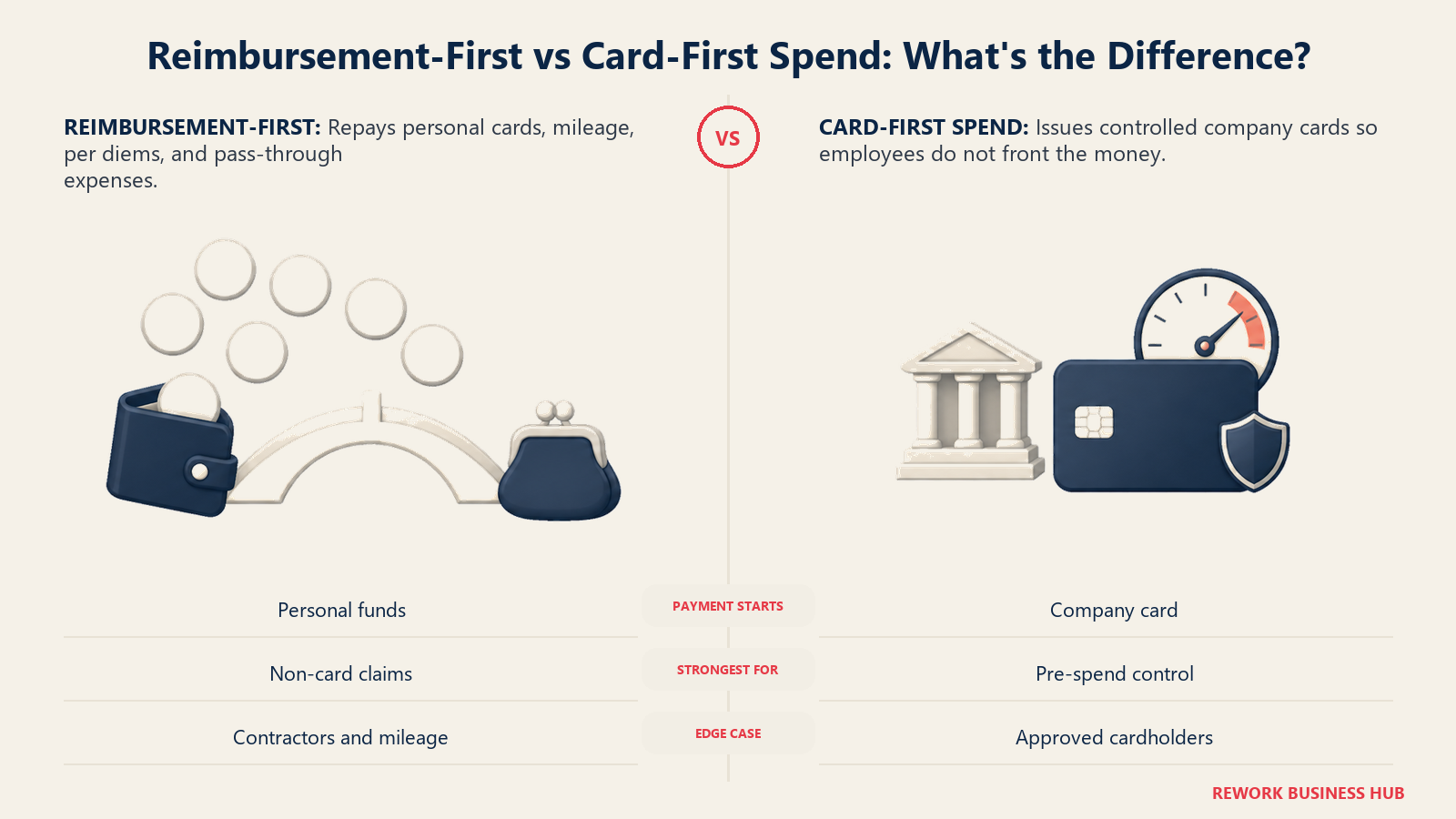
A card program only controls spend that goes on the card. Everything else, mileage claims, per diems, a contractor's out-of-pocket travel, a client dinner charged to a personal Amex for the points, a nonprofit volunteer's fuel receipt, still has to be captured, approved, coded, and paid back. If that category is a rounding error for you, Ramp Free handles it adequately through its reimbursement feature and you never think about it again. If that category is a third of your expense volume, you are buying a reimbursement engine, and Expensify has spent more than a decade on that specific workflow.
| Scenario | Better served by | Why |
|---|---|---|
| Employees front costs on personal cards routinely | Expensify | Reimbursement is the primary workflow, not the secondary one |
| Mileage and per diem claims at volume | Expensify | Long-standing native support and policy depth |
| Expenses rebilled to clients or projects | Expensify | Tagging and report structure built for pass-through billing |
| Contractors and non-employees filing expenses | Expensify | No need to issue a card to someone you cannot underwrite |
| Grant-coded or restricted-fund spend | Expensify | Coding and audit trail outrank card issuance |
| Spend that should be blocked before it happens | Ramp | Card limits and merchant locks decline the transaction |
| Company-paid subscriptions and vendor spend | Ramp | Virtual cards per vendor, with a hard limit on each |
| Employees who should never float company money | Ramp | Issue a card and the reimbursement question disappears |
A practical middle path exists and plenty of companies run it: Ramp Free for cards and AP because it costs nothing, plus a reimbursement tool for the out-of-pocket tail. That is two systems and two reconciliations, so only do it if the out-of-pocket tail is large enough to justify the split. If you get there, our guides to Expensify alternatives and Ramp alternatives cover the tools that try to close both halves in one product.
Implementation and Switching Cost
Neither of these is an enterprise implementation project. Both are self-serve platforms that a competent controller can stand up in days. The work that actually takes time is the same in both cases: getting the accounting sync right, and getting people to comply.
| Expensify | Ramp | |
|---|---|---|
| Time to first working expense | Same day | Same day for software, days to weeks for card approval |
| Hardest step | Accounting sync configuration and policy rules | Card underwriting and getting spend moved onto the cards |
| Change management load | Low, people keep paying the way they already do | High, you are changing how the company pays for things |
| Gating item outside your control | None | Card underwriting decision |
| Contract exposure | Collect is pay-per-use, Control annual is a commitment | Free has no commitment, Enterprise is annual |
| Realistic cost of being wrong | One month on Collect, or an annual Control commitment | Migrated card program, harder to unwind |
That last row is the asymmetry to weigh. Getting Expensify wrong on pay-per-use costs you a month. Getting Ramp wrong costs you a card migration in both directions, plus whatever vendor auto-payments you moved onto Ramp cards and now have to move back. The free tier lowers the financial risk to zero and does nothing about the operational risk, which is the part that actually hurts.
Who Should Choose Which
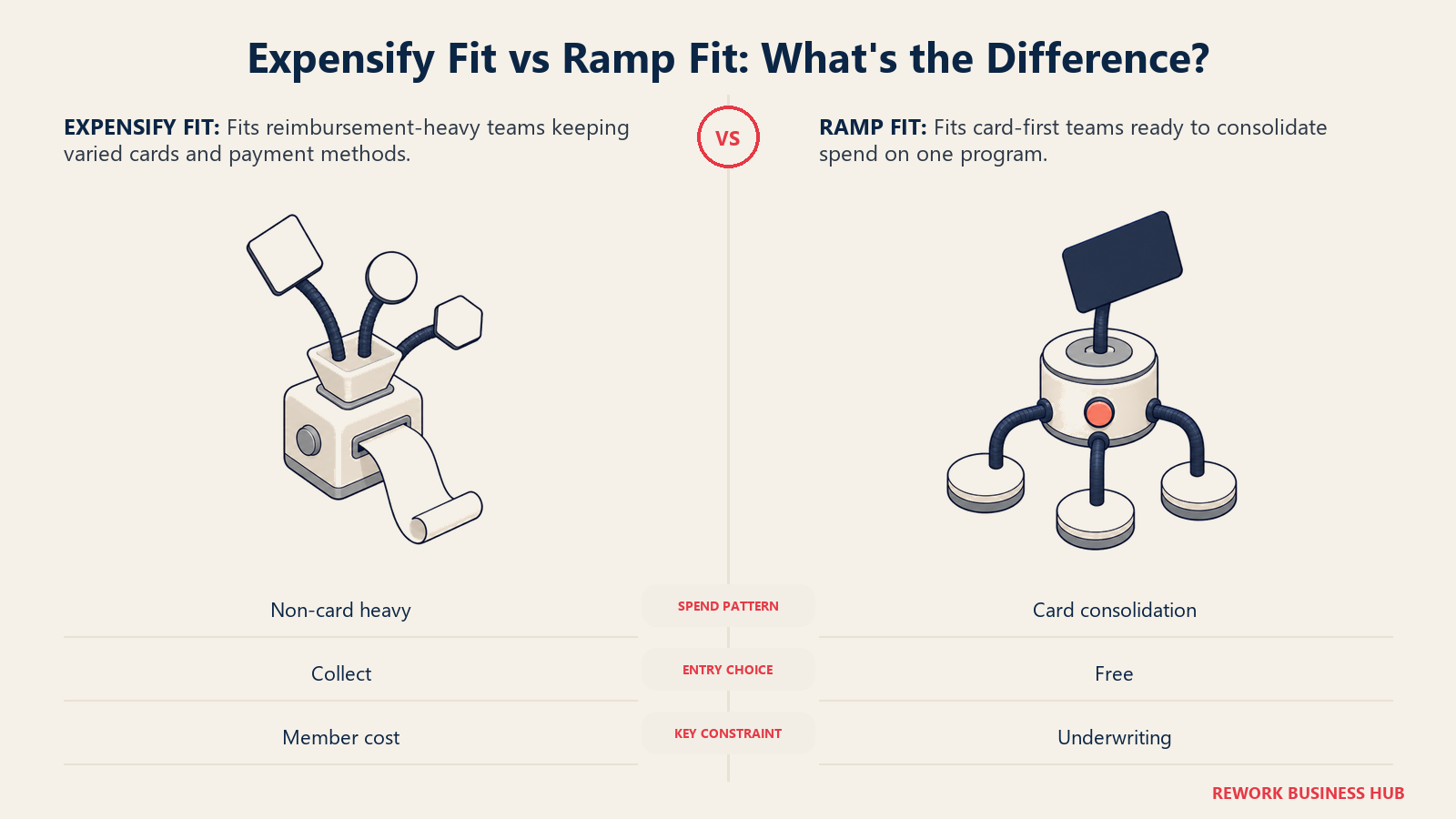
Your best fit comes down to payment behavior: whether you mostly reimburse varied non-card spend or can consolidate purchases onto one underwritten card program.
| If this describes you | Choose | Because |
|---|---|---|
| You can and will put most company spend on Ramp cards | Ramp Free | $0 software with real card controls, AP, and QuickBooks or Xero sync |
| You run NetSuite or Sage Intacct and want cards plus AP in one place | Ramp Plus | Both ERPs sit on Plus, but get the platform fee in writing first |
| Your problem is people fronting money and waiting to be paid back | Expensify Collect | $5 per unique member, no card migration, reimbursement done properly |
| You need multi-step approvals, SAML, custom rules, or NetSuite and Sage Intacct on the reimbursement side | Expensify Control | Those features are gated to Control on Expensify's plan sheet |
| You already run heavy Expensify Card volume | Expensify Control, annual | The card discount takes the included-member rate as low as $9 |
| You cannot pass card underwriting | Expensify | Ramp's model assumes a card program you would not have |
| You are a nonprofit, agency, or firm rebilling expenses to clients | Expensify | Coding, tagging, and pass-through billing beat card issuance here |
| You have real spend through non-US entities | Neither by default | Ramp local issuing is Enterprise-only, so shortlist a European-native tool too |
The verdict: answer the card question first, and the software question answers itself. If you are willing to consolidate company spend onto one card program and you can get approved, take Ramp Free, because nothing in this comparison competes with $0 for a product that includes cards, AP, budgets, and accounting sync. If you are not willing, or not able, then you are buying software, and Expensify Collect at $5 per unique member per month is the cheapest credible published entry point in this pair, with Control waiting when you need multi-step approvals, SAML, or an ERP connection. The one comparison that is genuinely close is Ramp Plus versus Expensify Control at NetSuite or Sage Intacct scale, and you cannot settle that one from the public web, because Ramp's platform fee is not published.
Frequently Asked Questions about Expensify vs Ramp
Is Ramp really free, or is there a catch?
Ramp Free genuinely costs $0 per user per month, and it includes cards, basic travel and expense, AP with AI-powered OCR, basic budgets, and QuickBooks Online or Xero sync. The business model is card interchange rather than a hidden fee, so the tradeoff is real but different: Ramp earns when your employees spend on Ramp cards, which means the product only pays for itself if you actually route spend through it.
How much does Expensify cost per user?
Collect is $5 per unique member per month on pay-per-use, billing every person in the workspace whether they filed anything or not. Control is $18 per member included in your subscription size per month on annual billing, plus $36 per active member above that size, or $36 per active member per month on pay-per-use. With Expensify Card usage, the annual Control rate drops as low as $9 for included members and pay-per-use as low as $18.
What is the difference between a unique member and an active member in Expensify?
Expensify defines a unique member as every member in the workspace regardless of whether they used Expensify that period, and an active member as someone who performed billable activity, meaning they created, submitted, approved, reimbursed, or exported a report. Collect bills unique members and Control bills active members above your subscription size, so the same headcount can produce very different invoices depending on which plan you are on.
What does Ramp Plus actually cost?
Ramp publishes $15 per user per month for Plus, with 20% off when billed annually, plus a platform fee based on team size. Ramp does not publish the platform fee amount, so a Plus deployment cannot be fully budgeted from the pricing page. Ask for the platform fee in writing before comparing Plus against any per-user competitor.
Which one is better for reimbursing employees who pay out of pocket?
Expensify, in most cases. Reimbursement is its primary workflow rather than a secondary feature, with mature receipt capture, mileage and per diem handling, and report structures built for pass-through and client-rebilled costs. Ramp supports reimbursements, but its automation advantage comes from owning the card transaction, which does not exist when someone pays with their own card.
Can I use Ramp if I want to keep my existing bank cards?
You can, and Ramp will reconcile third-party card transactions, but you give up most of what makes the free tier valuable. Ramp's controls work by declining transactions at the card level, which only applies to Ramp-issued cards. If keeping an existing bank relationship is non-negotiable, price this as a software purchase rather than a free one.
Do both tools connect to NetSuite and Sage Intacct?
Yes, but both gate those connections behind a paid tier. On Expensify, NetSuite and Sage Intacct require the Control plan. On Ramp, they require Plus. QuickBooks Online and Xero are available on each vendor's cheapest tier, which is Collect for Expensify and Free for Ramp.
Which is cheaper at 50 employees?
Ramp Free is $0 and wins outright if the card model fits. Among paid options at list price, Expensify Collect is roughly $3,000 a year, Ramp Plus is roughly $9,000 a year before its unpublished platform fee, Expensify Control on annual billing is roughly $10,800 a year at list or $5,400 with the full card discount, and Control on pay-per-use is roughly $21,600 a year. Those figures use published rates with no negotiated discount.
What to Do Next
Before you book either demo, spend twenty minutes with your last three months of general ledger data and calculate one number: the percentage of company spend that already runs on cards you control. Pull card transactions, subtract reimbursements and out-of-pocket claims, and divide.
If that number is above roughly 80%, you are a card-first company and Ramp Free costs you nothing to try, so try it. If it sits below roughly 50%, you have a reimbursement business whatever the software brochure says, and you should price Expensify Collect and Control against your real active-member count rather than your headcount. And if you land in between, run both for one month in parallel on the same 20 real transactions, including one mileage claim, one foreign-currency purchase, one duplicate receipt, and one policy violation you know should be caught. Whichever tool produces the fewest manual corrections on the accounting side is your answer.
Related Resources:
- Best Expense Management Software in 2026
- Best Expensify Alternatives in 2026
- Best Ramp Alternatives in 2026
- Best Brex Alternatives in 2026
- Best BILL.com Alternatives in 2026
- Best QuickBooks Alternatives
- Best NetSuite Alternatives
- Best Sage Intacct Alternatives
- AI Expense Approval Agent
- The Real TCO of a CRM

Principal Product Marketing Strategist
On this page
- TL;DR
- Key Facts
- Expensify vs Ramp at a Glance
- The Business Model Difference That Decides This
- When routing spend to one card is not on the table
- Pricing Compared
- Cost crossover at 10, 25, 50, 100, and 250 users
- How the rest of the market prices against these two
- How Expensify Counts Members, and Why It Changes Your Bill
- Expense Reporting and Receipt Capture
- Corporate Cards and Spend Controls
- Accounts Payable and Bill Pay
- Accounting Integrations
- Reimbursements and Non-Card Spend
- Implementation and Switching Cost
- Who Should Choose Which
- What to Do Next